

Itinerary Templates

Itinerary Planner Template
Create personalized schedules for your next trip with this free Itinerary Planner PDF Template. Download, share, and print custom itineraries in seconds!
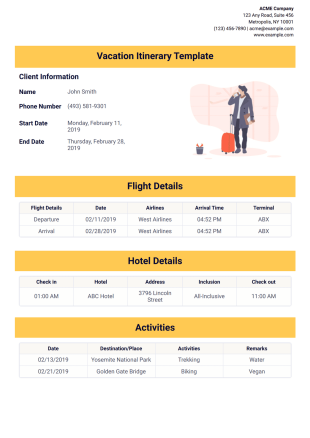
Vacation Itinerary Template
Try this sample Vacation Itinerary Template from Jotform. This sample is designed to suit any kind of vacations but feels free to modify it. It has basic information such as the destination and date and time of arrival.
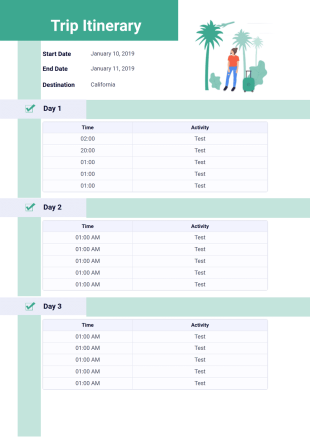
Trip Itinerary Template
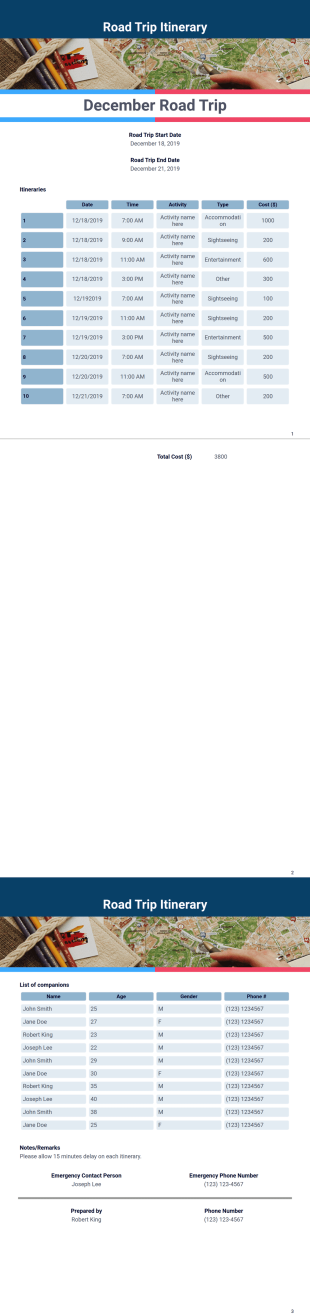
This sample itinerary template contains the duration of the trip, destination, time and activities for each day. The PDF template only shows 3 days but you can use the PDF Editor to duplicate these elements and add more days.
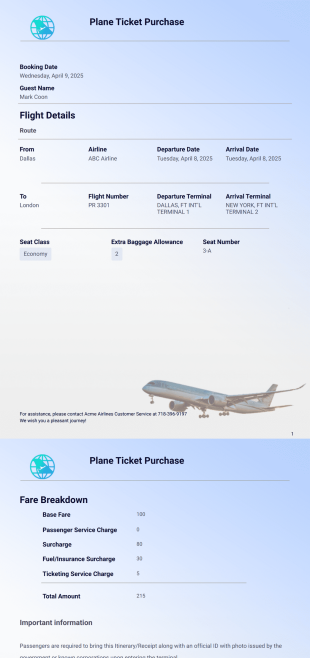
Plane Ticket Template
A plane ticket template is a document used by travel agencies or tour operators to issue plane tickets for booked flights
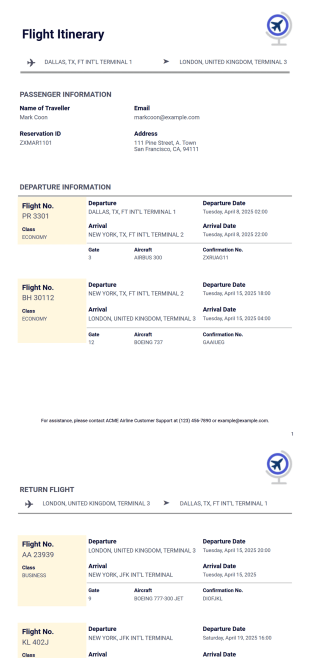
Flight Itinerary Template
The Flight Itinerary Template available on Jotform's platform is a tool designed to help travel agencies, planners, and tour operators create detailed flight schedules for their clients
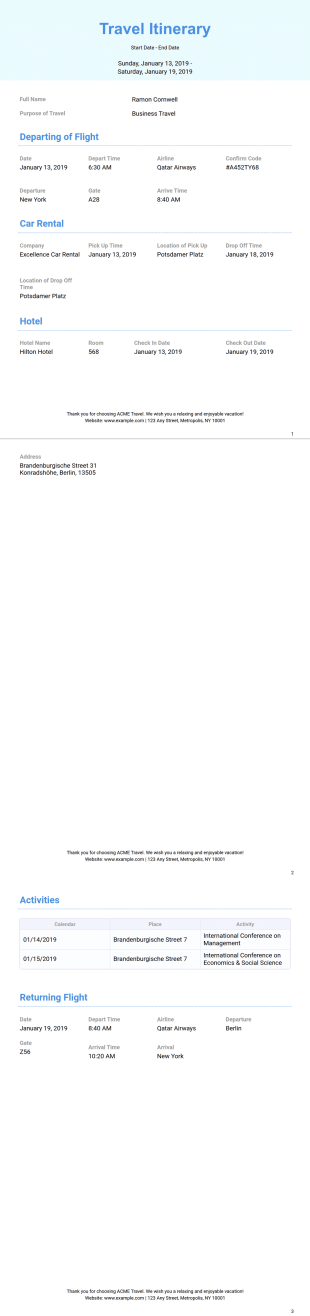
Business Travel Itinerary Template
Planning a business trip? Help employees and executives keep track of travel arrangements and appointments with Jotform’s Business Itinerary PDF Template. Using Jotform’s PDF Editor, you can edit this sample.
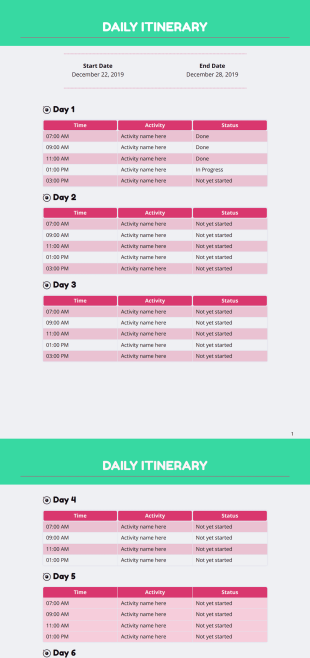
Daily Itinerary Template
A Daily Itinerary Template is a document that will help you organize your daily tasks by planning it ahead of time.
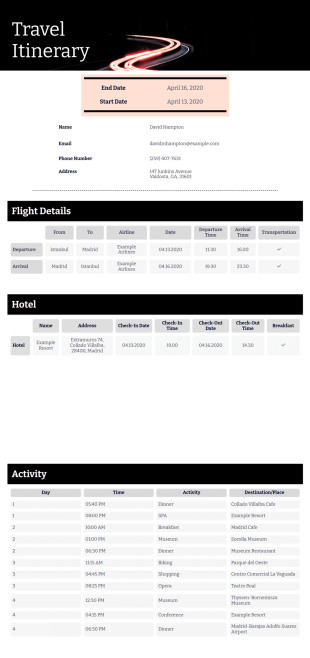
Travel Itinerary Template
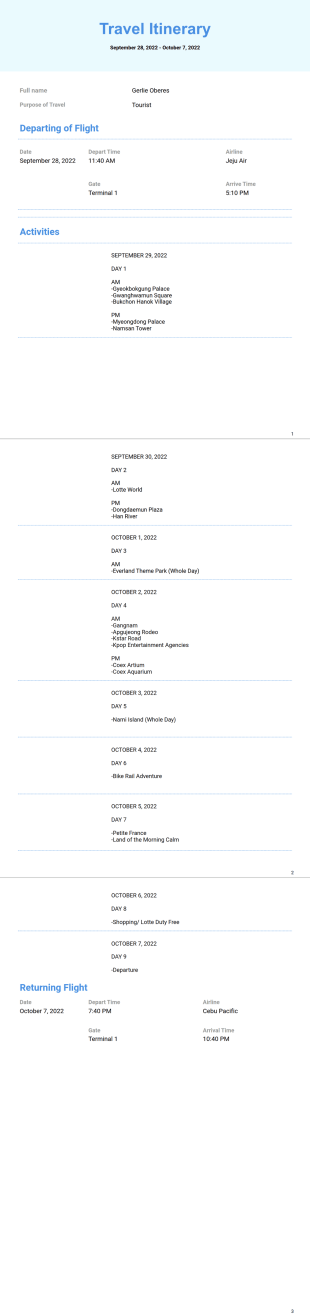
A travel itinerary document composed of two pages providing the travel location, dates and contact details with the travel, accommodation and activities schedule with all necessary details included.

Bachelorette Itinerary Template
Instantly create PDFs itineraries for a bachelorette party. Easy to customize for any theme. Download, print, and share in just one click. No coding required!

Birthday Itinerary Template
If you are organizing a huge birthday party, this Birthday Itinerary would help you inform your guests about the party schedule with all location, date and time information included. All submission data will be automatically generated as a pdf document with this design, that would allow you to send personalized itinerary for all your guests. You can fully change the template and create your own birthday itinerary, change the document alignment, background, fonts, colors and add more fields by simply dragging and dropping elements.
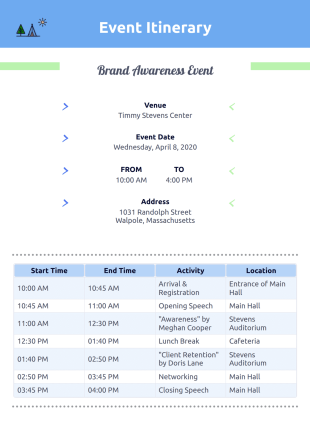
Event Itinerary Template
Create a downloadable, printable PDF event itinerary with our free Event Itinerary Template. Easy drag-and-drop customization. Send out itineraries via autoresponder!
Conference Itinerary Template
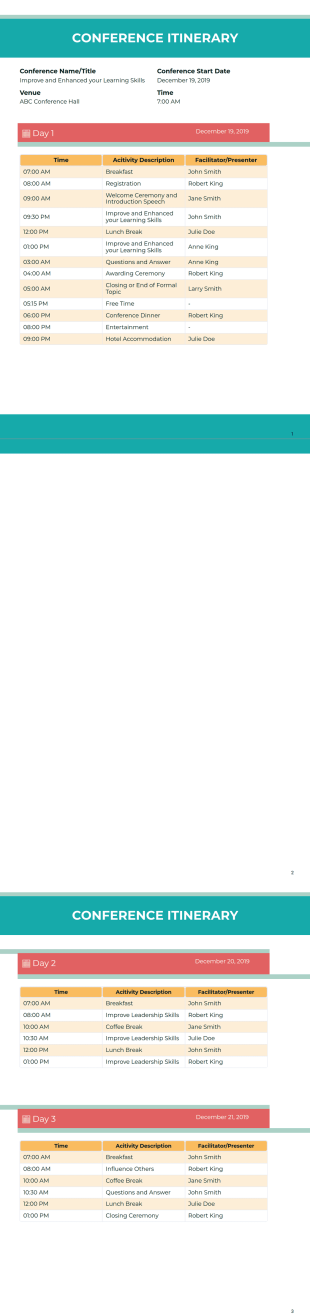
Organize a professional corporate or educational conference by using this Conference Itinerary Template. This simple PDF template is easy to use and can be customized based on your event.
Cruise Itinerary Template
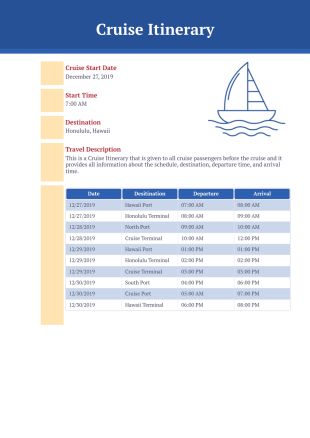
Inform your passengers of the arrival and destination of the cruise by using this Cruise Itinerary Template. This document displays the destination, departure time, and arrival time.

Meeting Itinerary Template
Impress your colleagues by showing your organizational skills with the help of this Meeting Itinerary Template. This template is easy to use and can be edited conveniently via the PDF Editor.

Wedding Itinerary Template
You’ll have the option to change any graphic element, list additional activities, include venue information, and even add photos of the happy couple.
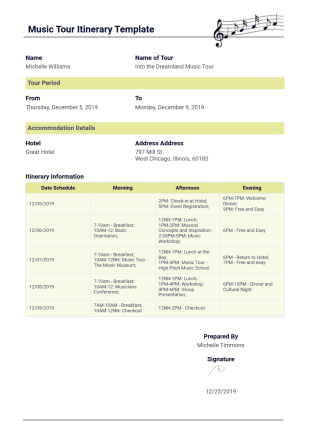
Music Tour Itinerary Template
Produce your Music Tour Itinerary documents using this Music Tour Itinerary PDF template by Jotform! Create your music tour schedule easily and publish a document by providing the information for your itinerary to your delegates.
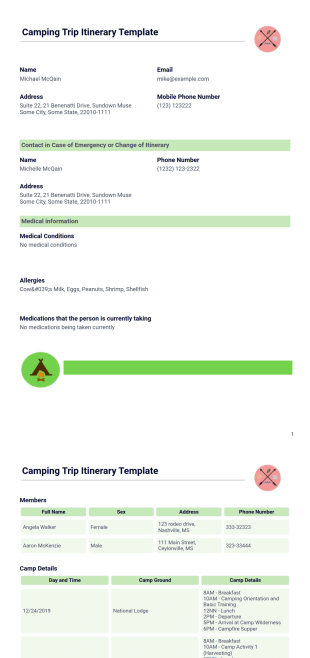
Camping Trip Itinerary Template
Create your Camping Itinerary straight out from Jotform with the use of this Camping Trip Itinerary Template! Stop figuring out how to start your camping itinerary document. Use this Camping Trip Itinerary PDF Template instead!
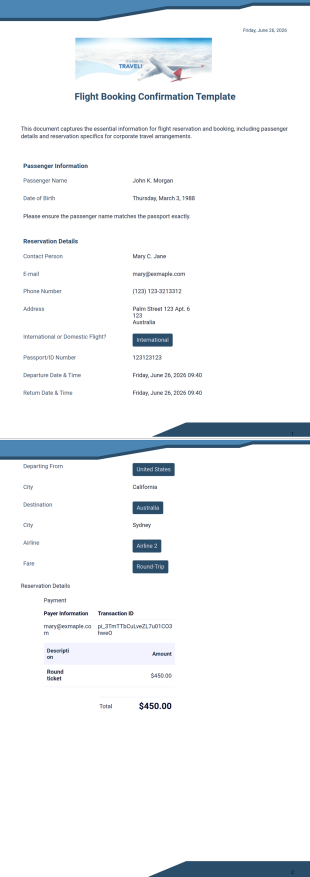
Flight Booking Confirmation Template
Jotform's Flight Booking Confirmation Template is designed for airlines and travel agencies to clearly communicate booking details, including the itinerary, passenger information, flight times, and payment summary.
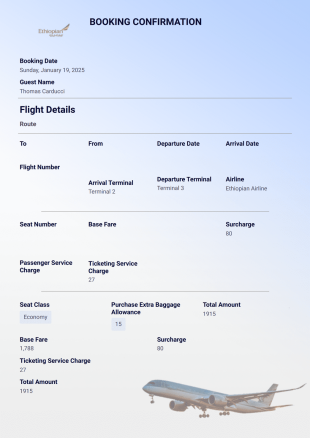
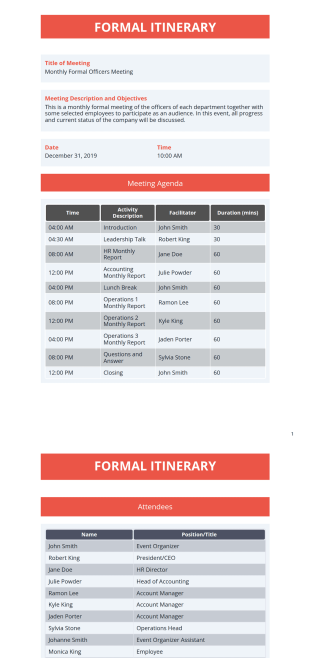
Formal Itinerary Template
Save time, money, and effort by using this Formal Itinerary Template in order to manage your event. This is one of the key elements in order to have a successful formal event.
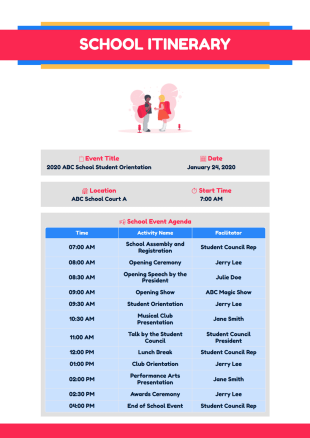
School Itinerary
Organizing a school event can be a daunting task. Use this School Itinerary template in order to plan a fruitful and memorable school event. This is a simple PDF but can be very engaging.

Employee Handbook Template
Create an employee handbook for your company. Get a head start with this ready-made template. Free and easy to customize. Share to sign in seconds.
About Itinerary Templates
Itinerary PDF Templates are specialized, pre-designed layouts that facilitate the structured presentation of travel plans, schedules, and logistical details in a professional format. These templates are integral to industries such as travel agencies, event planning, and corporate travel management, offering a streamlined approach to organize and communicate itineraries. In real-world workflows, they serve as a centralized document that encapsulates flight details, hotel reservations, meeting schedules, and local transportation plans, ensuring that all stakeholders have access to a consistent and comprehensive itinerary document.
Jotform stands as the premier online form builder for creating and managing Itinerary PDF Templates, offering unparalleled ease of customization and the ability to automate data collection processes. Users can effortlessly tailor templates to meet specific needs through Jotform's intuitive drag-and-drop interface, ensuring that every itinerary is both precise and personalized. Furthermore, Jotform Tables provide a robust platform for centralized data management, allowing users to securely store and access itinerary information, ensuring seamless collaboration and efficient workflow management across teams.
Why Use Itinerary Templates?
- Itinerary Templates provide a structured framework that enhances accuracy in travel planning by ensuring all necessary details are meticulously documented and presented. This precision minimizes the risk of miscommunication or oversight, which is crucial for maintaining professionalism in business travel.
- Utilizing these templates significantly speeds up the process of itinerary creation, allowing for rapid assembly and distribution to relevant parties. This efficiency is invaluable in fast-paced environments where time-sensitive decisions and updates are common.
- The professional presentation of data is another key advantage of using Itinerary Templates. With customizable design elements, businesses can incorporate branding elements such as logos and color schemes, ensuring that all communications maintain a cohesive brand image.
- These templates also enhance data handling by providing a consistent format for information entry and retrieval. This consistency facilitates easy updates and modifications, reducing the likelihood of errors that can occur with manual data entry and management.
- In addition to improving speed and accuracy, Itinerary Templates support secure data management practices. By leveraging Jotform's secure data management capabilities, sensitive travel information is protected, giving businesses peace of mind when sharing documents with stakeholders.
Common Problems Solved by Itinerary Templates
- One of the primary challenges in the travel and event planning industry is the extensive paperwork involved, which can be prone to errors and misplacement. Itinerary Templates simplify this process by digitizing travel documents, ensuring all information is centralized and easily accessible.
- Manual entry of itinerary details often leads to inaccuracies and inconsistencies, which can disrupt travel plans. By using Itinerary Templates, businesses can automate data entry processes, minimizing human error and ensuring that all details are captured correctly and efficiently.
- Lost data is a common issue that can lead to significant disruptions in travel arrangements. By storing all itinerary information within Jotform's platform, users can prevent data loss and ensure that all relevant details are readily available and securely backed up.
- The process of updating and distributing itinerary changes can be cumbersome and inefficient when done manually. Itinerary Templates streamline these tasks by allowing for quick updates and automated notifications, ensuring all stakeholders are informed in real time about any changes.
Matching Use Cases to Features
- For travel agencies that need to quickly generate itineraries for clients, the Drag-and-Drop Form Builder allows for rapid customization of templates, resulting in a highly personalized travel plan that meets specific client needs.
- Event planners can leverage Conditional Logic to create dynamic itineraries that adjust based on attendee responses, ensuring that each participant receives a tailored schedule that reflects their individual preferences and requirements.
- Businesses requiring signed contracts or agreements as part of their travel documentation can utilize Electronic Signatures (Jotform Sign) to incorporate legally-binding signatures directly within the itinerary, streamlining the approval process.
- The PDF Editor feature enables automated PDF generation, which is particularly useful for companies that need to provide clients with polished, professional itineraries that are ready for immediate distribution.
- Approval Workflows can be integrated to facilitate the internal review and approval of itineraries before they are finalized and shared with clients, ensuring that all details have been verified and approved by relevant stakeholders.
- The Report Builder can be used to create comprehensive travel reports based on itinerary data, providing businesses with valuable insights into travel patterns and expenses, which can inform future planning and budgeting decisions.
- Jotform Tables offer a secure platform for storing and managing itinerary data, allowing for easy access and collaboration between team members, which is essential for maintaining up-to-date travel schedules and details.
How to Create a Itinerary Template
- Browse the Template List for an Itinerary template or start from a blank Template.
- Customize the design and fields using the Drag-and-Drop Form Builder.
- Publish and share via Direct Link, Email, or Website Embed.
Top Use Cases for Itinerary Templates
- For Managers: Managers benefit from Itinerary Templates as these documents provide a centralized view of all travel-related activities, allowing for efficient oversight and coordination of travel plans. They can easily track employee movements, manage approvals, and ensure that all arrangements align with company policies and budgets. This transparency and control help in optimizing travel resources and minimizing unnecessary expenses.
- For Teams: For teams, Itinerary Templates serve as a crucial tool for organizing group travel. They ensure that every team member has access to the same information, reducing the potential for miscommunications or logistical errors. The ability to quickly update and distribute itineraries ensures that everyone is kept in the loop, fostering better collaboration and coordination during trips.
- For Customers: Clients and customers receive significant value from Itinerary Templates as they provide a clear, detailed outline of their travel plans. This level of detail and organization helps in setting expectations and ensures that clients are well-prepared for their journey. Moreover, the professional presentation of itineraries reflects positively on the service provider, enhancing customer satisfaction and trust.
Summarizing Itinerary Templates
Itinerary Templates are an indispensable asset for businesses involved in travel planning and management, offering a structured and efficient method for organizing and presenting travel details. By leveraging Jotform's comprehensive suite of features, businesses can enhance the accuracy, speed, and professionalism of their itinerary communications. The ability to automate data collection and securely manage information ensures that all stakeholders remain informed and prepared, ultimately contributing to smoother travel experiences and heightened client satisfaction.
Frequently Asked Questions
1) Is it free to create Itinerary Templates on Jotform?
Yes, Jotform offers a variety of Itinerary Templates that can be accessed and customized for free, although certain advanced features may require a paid subscription.
2) Are the templates and submitted data secure?
Jotform prioritizes data security, utilizing encryption and other security measures to protect both templates and submitted data from unauthorized access.
3) Do I need coding knowledge to build a Itinerary template?
No, Jotform's Drag-and-Drop Form Builder is designed to be user-friendly, allowing you to create and customize Itinerary Templates without any coding knowledge.
4) What is Field Mapping in the context of Itinerary Templates?
Field Mapping involves linking web form input fields directly to specific locations within the PDF layout, ensuring that data collected through forms is accurately reflected in the final itinerary document.
5) Can these Templates be used on mobile devices?
Yes, Jotform's Itinerary Templates can be accessed and utilized on mobile devices through Jotform Mobile Forms, allowing for offline data collection and management.
6) How does Autoresponder PDF Attachment work with Itinerary Templates?
This feature allows the generated itinerary PDF to be automatically attached to confirmation emails sent to the form submitter, ensuring timely delivery of travel documents.
7) What is the benefit of using the Submission Table Widget in an itinerary?
The Submission Table Widget formats complex data into a clear, organized table within the PDF, enhancing the readability and presentation of detailed itinerary information.
8) How does Password Protection enhance the security of an Itinerary Template?
By enabling Password Protection, users can require a password to view or open the itinerary PDF, adding an additional layer of security to sensitive travel information.