

Inventory Templates

Office Supplies Inventory Template
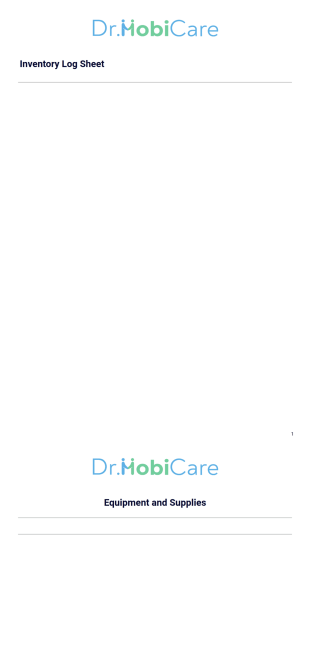
An office supply inventory template is a document used by organizations to keep track of their supplies.
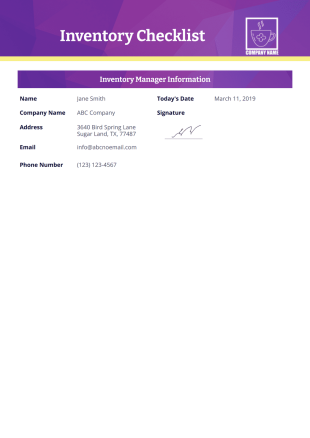
Inventory Checklist Template
Inventory Checklist is a record of the items stored in a specific area or department of a company. It helps in tracking and controlling the goods in an organized way. This document can be also be used for inspection because all items in the inventory are recorded here.Managing the inventory requires a lot of time which is why you should have a template. You can use this Inventory Checklist Template to be more efficient and more productive in managing the goods or the products. This PDF template can be used in the home and for business.This Free Inventory Checklist Template has the item description, id number, area or department, item condition, quantity, and item price.
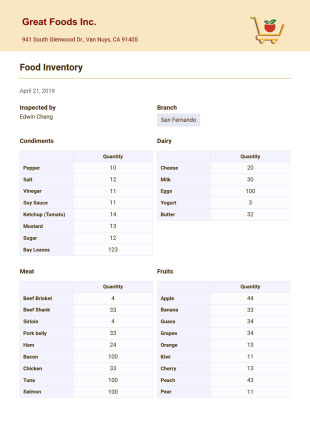
Food Inventory Template
This Food Inventory PDF Template is one good example of a food inventory that can be used for different purposes. For franchised establishments, it helps branches provide an inventory update to its main branch. Product items in this Food Inventory PDF template are sorted into certain categories for proper classification.
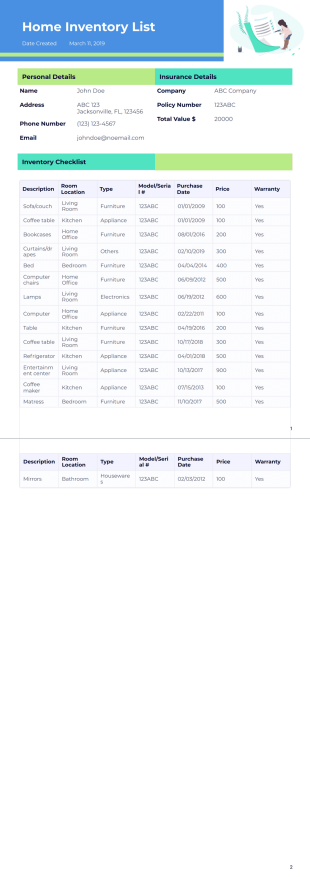
Household Inventory Template
Each household should have an inventory checklist. Having an inventory of the items, appliances, and furniture in your house is highly recommended because this document can be used for insurance claims. A home inventory also allows you to identify easily which product has an expired warranty and needs to be replaced. You can use this Home Inventory Checklist Template instead of creating your own. This PDF template can be printed and stored physically or electronically just in case you need to it file an insurance claim.This Household Inventory List Template has the product description, room or area, type of product, model number or serial number, purchase date, warranty status, and the unit price. It also has the insurance company name and policy number as a reference.
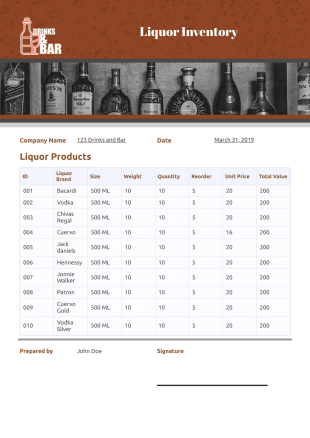
Beverage Inventory
Recording and tracking the liquors and carbonated beverages in your inventory are critical because it helps you determine and analyze if the supply is enough for your business. Carefully managing the inventory will prevent service disruption that can lead to poor customer service, bad reputation, and a decrease in profits. If you are in the liquor business, own a bar, a restaurant or a liquor store, then you can use this Beverage Inventory Template to accurately track the beverages in your storage. This spectacular Beverage Inventory Template specifies the brand, size, weight, quantity, reorder quantity, unit price, and the total value of each product.
Equipment List Template
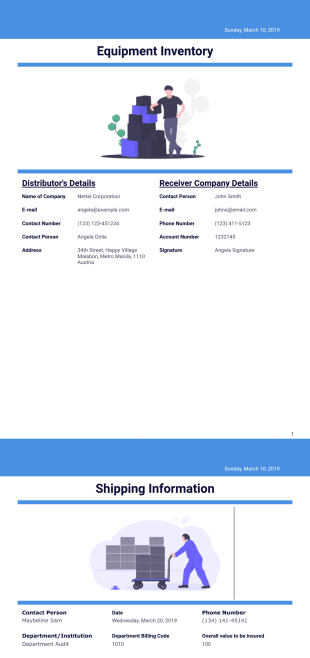
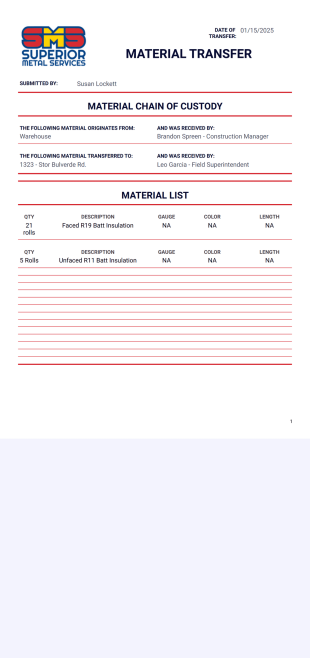
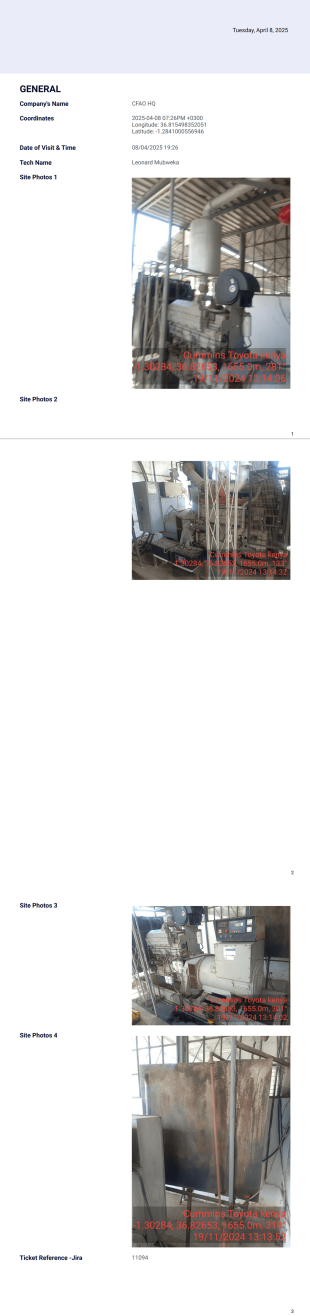
Most organizations rely on equipment to run their businesses smoothly and efficiently. Equipment is the most basic and important part of any kind of business as it is considered as an asset. Thus, having an equipment inventory records helps the business in the planning of acquiring and maintaining equipment and staying within the required budget. If you are looking for a standard template for equipment inventory, then search no more because Jotform offers a free Equipment List Template. This equipment list template has information like distributor's name, receiver's details, item details and many more. This information can be modified depending on the details you want to add or remove on your equipment inventory records.
Alcohol Inventory Template
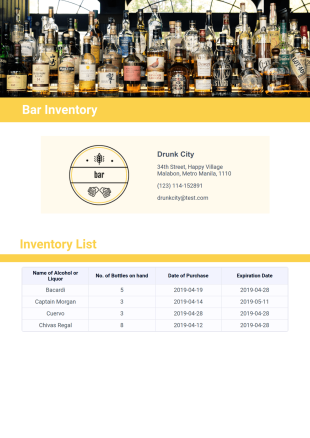
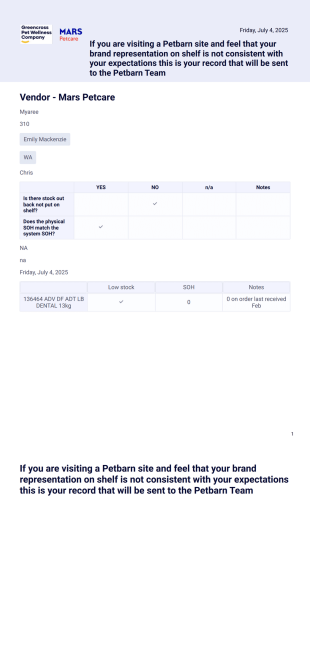
Turn your online stock takes into professional PDF spreadsheets with our Alcohol Inventory Template. Download or print them for your records in just one click.
Food Storage Inventory Template
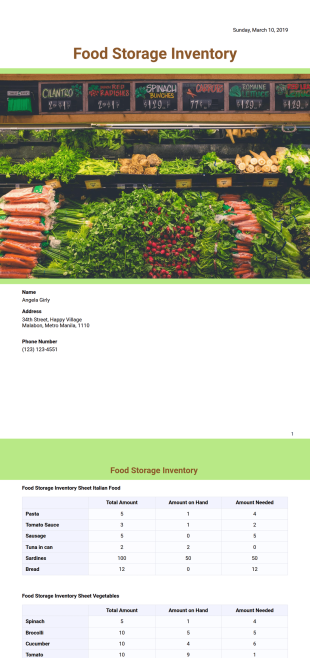
Managing food storage inventory can make or break your food business or restaurant's success. If you are not able to effectively control the flow of foods and supplies that are going out and coming in, the chances of accomplishing your profit goal from your food business will fail significantly. That is why it is important to have a Food Storage Inventory form that you can use regularly to check your food supplies. Jotform offers a free template for Food Storage Inventory. This template contains information such as food item, the current amount on hand, the amount needed and purchases to be made. This Food Storage Inventory template is modifiable that allows you to change, add information or if you would like it to be more comprehensive and accurate, add more details on the checklist. Start using this Food Storage Inventory template now and see how it will help your food business run efficiently.
Asset List Template
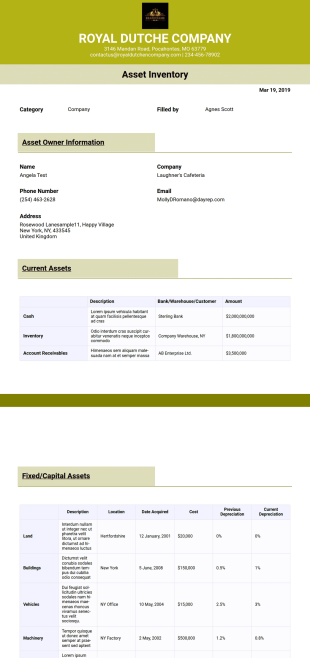
Taking asset inventory from time to time is very important irrespective of whether it is for an individual or a company. Usually, most people and companies take asset inventory on a yearly basis. This Jotform asset list template is very useful for taking of such inventory. This is because it serves as a template for storing the records of assets owned by an individual or a company. The good thing with this template is that it is suitable for different types of asset inventory. It can serve as an it asset list template or any other template. More so, it has sections for different asset types. This is why it can be customized to use as a fixed asset list template. So, if you need a sample asset list template that you can use without having to design any from scratch, you are in the right place. Why not start using this template today?


About Inventory Templates
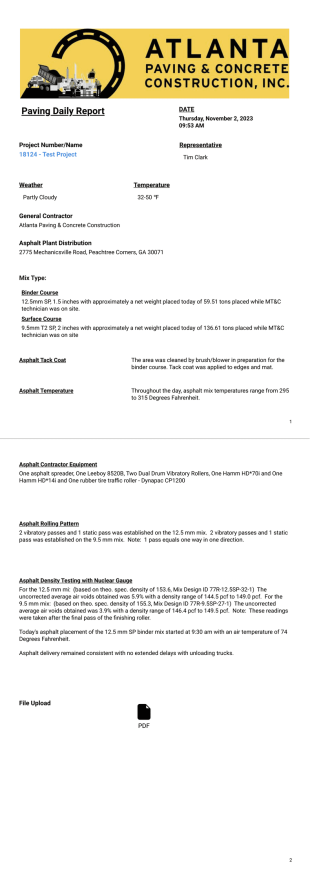
Inventory PDF Templates are meticulously pre-designed layouts that facilitate the seamless organization and documentation of inventory data across various sectors. These templates are instrumental in streamlining operational workflows by providing structured formats for cataloging products, tracking stock levels, and recording transactions. In real-world scenarios, businesses utilize these templates to manage inventory efficiently, ensuring that data is consistently and accurately captured. Whether it's for maintaining warehouse stock records, generating purchase orders, or auditing inventory levels, these templates serve as a crucial component in inventory management systems.
Jotform stands out as the premier online form builder in the realm of Inventory PDF Templates. With its intuitive interface, businesses can effortlessly customize templates to meet specific needs, ensuring that the data collection process is both efficient and tailored. The platform's ability to automate data collection significantly reduces manual entry errors, enhancing operational accuracy. Additionally, Jotform Tables offer a centralized data management solution, where all collected inventory data can be easily accessed, analyzed, and shared among team members, facilitating smoother communication and decision-making.
Why Use Inventory Templates?
- Inventory Templates offer unparalleled accuracy in data capture, ensuring that all inventory records are both precise and up-to-date. This accuracy minimizes the risk of errors that could lead to significant operational disruptions, such as stockouts or overstocking situations.
- Speed is another critical advantage of using Inventory Templates. The standardized formats allow for quick data entry and retrieval, which is especially beneficial in fast-paced environments where timely decisions are crucial for maintaining optimal inventory levels.
- Professional data handling is a hallmark of Inventory Templates, as they provide a structured approach to managing inventory data. This professionalism reflects well on the organization, instilling confidence in stakeholders and partners who rely on accurate inventory reports.
- The customization capabilities of Inventory Templates ensure that businesses can tailor the templates to fit their specific operational requirements. This flexibility supports diverse inventory management needs, from small-scale operations to large enterprises with complex inventory systems.
- By leveraging Inventory Templates, businesses can ensure consistency in their inventory documentation processes. This consistency is vital for maintaining data integrity across various departments and ensuring that all team members are aligned in their inventory management practices.
Common Problems Solved by Inventory Templates
- Inventory Templates address the pervasive issue of excessive paperwork, which can be burdensome and lead to inefficiencies. By digitizing inventory management, these templates eliminate the need for physical documents, streamlining operations and reducing clutter.
- Manual data entry errors are a common pain point in inventory management. These templates mitigate such risks by providing predefined fields that guide users in capturing data accurately, minimizing the chance of mistakes that could disrupt inventory tracking.
- Lost data is a significant concern for businesses relying on manual inventory processes. Inventory Templates ensure that all data is securely captured and stored digitally, reducing the risk of data loss due to misplaced or damaged paper records.
- The time-consuming nature of compiling inventory reports manually is another challenge that Inventory Templates effectively solve. With automated data collection and report generation, these templates expedite the reporting process, allowing for faster decision-making.
Matching Use Cases to Features
- For businesses requiring dynamic inventory tracking, the Drag-and-Drop Form Builder offers an intuitive solution. This feature allows users to easily design custom templates that reflect their specific inventory management needs, enhancing operational efficiency.
- Conditional Logic is an invaluable feature for creating responsive Inventory Templates. By setting conditions based on user input, businesses can ensure that only relevant data is displayed, simplifying the data entry process and ensuring accuracy.
- Electronic Signatures (Jotform Sign) are crucial for inventory processes that require authorization or verification. This feature allows for seamless integration of approval workflows directly within the templates, ensuring that all inventory changes are properly documented and approved.
- The PDF Editor is a key feature for businesses that need automated PDF generation from submitted inventory data. This capability allows for instant creation of professional, standardized inventory reports, facilitating quick dissemination and review.
- Report Builder empowers businesses to analyze inventory data comprehensively. By generating detailed reports directly from the collected data, businesses gain insights into inventory trends and performance, supporting strategic planning and decision-making.
- Approval Workflows streamline the inventory management process by automating the approval of inventory-related requests. This feature ensures that all inventory actions are overseen and authorized, maintaining control over inventory operations.
How to Create a Inventory Template
- Browse the Template List for a Inventory template or start from a blank Template.
- Customize the design and fields using the Drag-and-Drop Form Builder.
- Publish and share via Direct Link, Email, or Website Embed.
Top Use Cases for Inventory Templates
- For Managers: Inventory Templates provide managers with a structured approach to oversee inventory levels efficiently. They can easily monitor stock quantities, track inventory movements, and generate comprehensive reports that inform strategic decision-making. This streamlined access to accurate inventory data facilitates better forecasting and resource allocation.
- For Teams: Teams benefit from Inventory Templates by having a unified platform to input and access inventory data. This fosters collaboration and ensures that every team member is aligned with the current inventory status. Real-time updates and shared data improve communication and coordination, reducing the likelihood of miscommunication and inventory discrepancies.
- For Customers: Inventory Templates enhance customer satisfaction by ensuring that inventory data is accurately maintained and readily available. Customers can rely on consistent stock availability and timely order fulfillment, improving their overall experience. This reliability builds trust and strengthens customer relationships, contributing to long-term customer retention.
Summarizing Inventory Templates
Inventory Templates are a vital asset for businesses aiming to enhance their inventory management processes. By offering customizable, accurate, and efficient solutions, these templates streamline data handling and improve operational effectiveness. Jotform's platform provides the versatility and automation needed to manage inventory with precision, supporting businesses in maintaining optimal inventory levels and ensuring seamless operations.
Frequently Asked Questions
1) Is it free to create Inventory Templates on Jotform?
Yes, Jotform offers a range of free templates and features that allow users to create and customize Inventory Templates at no cost, making it accessible for businesses of all sizes.
2) Are the templates and submitted data secure?
Absolutely, Jotform implements robust security measures, including data encryption and secure servers, to protect all templates and submitted data from unauthorized access.
3) Do I need coding knowledge to build a Inventory template?
No, Jotform's intuitive Drag-and-Drop Form Builder allows users to create and customize Inventory Templates without any coding knowledge, simplifying the process for everyone.
4) What is Field Mapping in the context of Inventory Templates?
Field Mapping refers to the process of linking form input fields to specific positions on a PDF layout, ensuring that collected data is accurately reflected in the generated inventory documents.
5) Can these Templates be used on mobile devices?
Yes, Jotform's Inventory Templates are fully compatible with mobile devices, allowing users to access, fill out, and submit templates on-the-go, enhancing flexibility and convenience.
6) How does Autoresponder PDF Attachment benefit inventory management?
The Autoresponder PDF Attachment feature automatically sends a PDF copy of the inventory form submission to the user, ensuring they have a record of their entry and facilitating easy sharing.
7) What is the purpose of the Page Break feature in Inventory Templates?
The Page Break feature allows users to organize multi-page inventory templates by inserting design lines that push content onto subsequent pages, ensuring a clean and professional layout.
8) How does Password Protection enhance the security of Inventory Templates?
Password Protection requires users to enter a password before accessing the PDF file, adding an extra layer of security and ensuring that sensitive inventory data remains confidential.