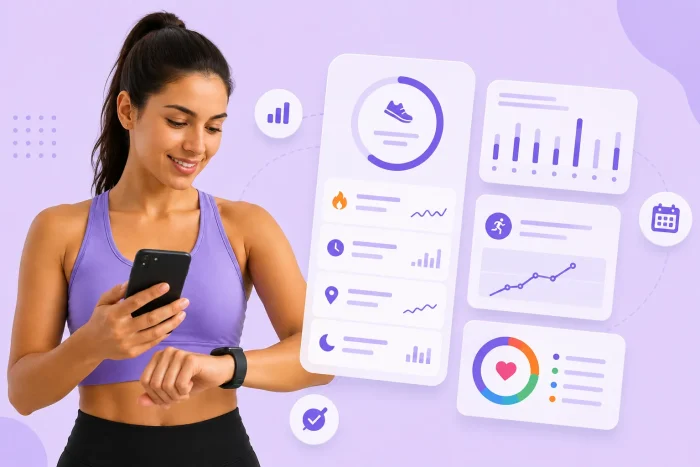
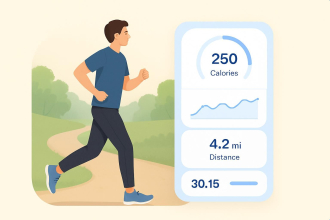
In 2024, 3.6 billion health and wellness apps were downloaded worldwide, up 6 percent from the previous year.
“People love data,” Dr. Geraldine Tan, principal psychologist at The Therapy Room, told CNA TODAY. She explained that the numbers and graphs show you your progress, giving you a sense of accomplishment.
But the tracker has to cooperate. For example, Google’s latest Fitbit Air update added no new features, just unspecified minor bug fixes, plus a warning that installing it around midnight could temporarily scramble that day’s step count.
So if the app that came with your tracker is coasting on bug fixes, look for an app that handles your data properly. I tested the five best workout tracking apps of 2026 to see how faithful they are to your data.
The 5 best workout tracker apps in 2026
| Tool | AI Capabilities | Free trial or plan? | Price | Data export |
|---|---|---|---|---|
 Jotform Apps |
Jotform AI App Builder can generate and edit an app from natural-language or voice prompts, files, URLs, screenshots, and uploaded data. |
Free Starter plan with 100 form submissions per month. |
Paid plans from $34/month billed annually. |
Excel, CSV, or PDF from Jotform Tables, plus real-time Google Sheets sync. |
 Strong |
No AI features advertised. |
Free plan; you can log unlimited completed workouts and save up to three custom routines. |
Strong Pro costs $4.99/month or $29.99/year; also available as a $99.99 lifetime purchase. |
Exports workout and measurement data as CSV; Strong doesn’t let you import that data back into a new account later. |
 Hevy |
HevyGPT generates programs in ChatGPT and saves them to Hevy. |
Free plan; includes four saved routines, seven custom exercises, and up to three months of statistics. |
Hevy Pro costs $2.99/month, $23.99/year, or $74.99 for lifetime access. |
Exports workout or measurement data as CSV; Pro users also get access to Hevy’s public API. |
 Ladder |
Ladder Nutrition uses AI to estimate calories and macros from meal photos, spoken descriptions, or typed entries. |
Seven-day free trial, with no payment details required. |
Ladder Pro costs $29.99/month or $179.99/year. |
|
 FitNotes |
No AI features advertised. |
Free; the core Android app has no ads or subscription. |
An optional FitNotes Supporter purchase costs $6.99 once. |
Exports workout or body-tracker data as CSV; separate backup files can restore your full FitNotes setup and history. |
1. Jotform Apps
Yes, we’re opening with our own Jotform Apps. But the entry earns its spot the moment you open the template library. I searched “workout” and got 15 results. The template you’re about to build probably already exists.
If it doesn’t, you can describe what you want in a prompt, start from a template and adjust it to fit your routine, or start from scratch with a blank page.
I selected the Workout Tracker App, clicked Use Template, and landed in a visual builder with most of the basic structure already in place.
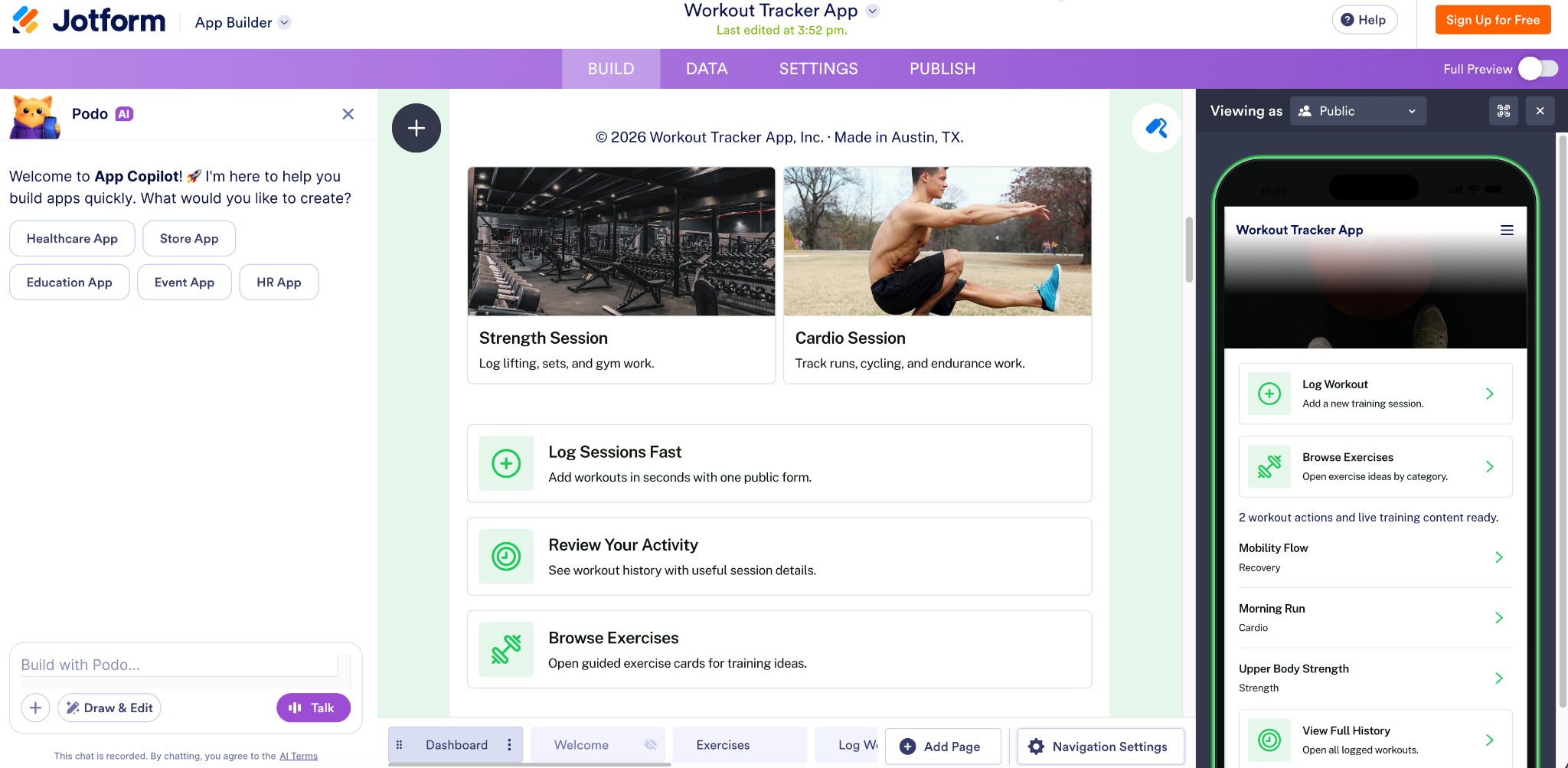
Everything is editable, so you can change the fields, copy, pages, and navigation to match your own routine or the program you give clients. On the left is Jotform AI, where you can describe the change you want in plain language.
Pro Tip
If you want to learn more about creating your own app without any coding knowledge, you can check our article on How to create an app without coding.
The Data tab lets you decide what each workout entry should capture. The template already covers fields such as workout type, date, duration, calories burned, and energy level, but you can add, remove, or reorganize columns around whatever progress means to you. Then publish it and get it onto your phone.
For a personal workout tracker, switch the app to Private Access. Jotform generates a direct link you can open in a desktop browser or on a mobile device. The fastest route is to send the link to yourself on WhatsApp or scan the QR code.
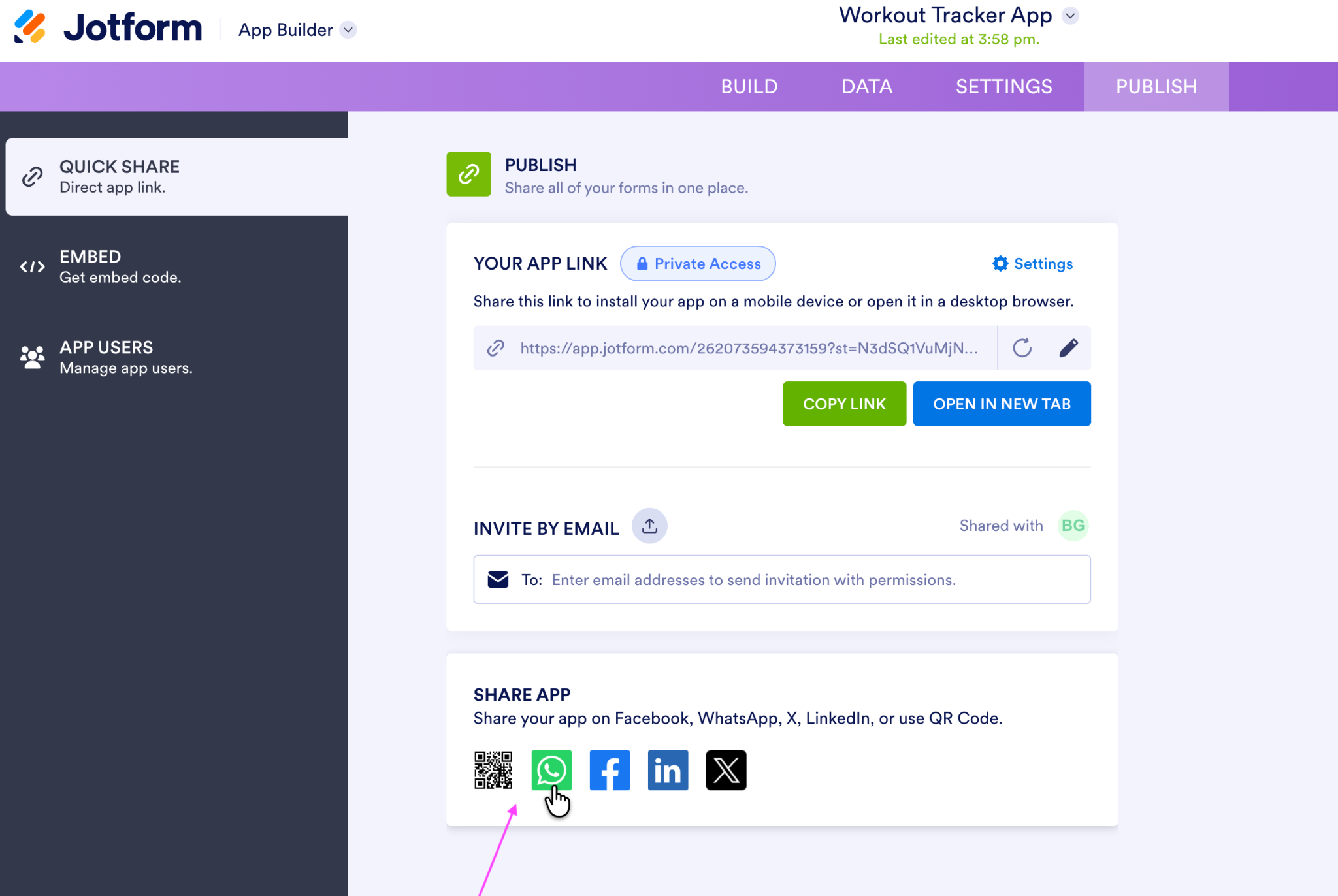
The main advantage is that each new session becomes part of a running record you can filter, edit, export, or turn into a calendar or report view.
Each time you log a workout, Jotform treats it as a form submission. Every submission lands in Jotform Tables, where you can filter by workout type, add formulas, and download everything as Excel, CSV, or PDF, The native Google Sheets integration sends each session to a new spreadsheet row the moment you hit submit, so your progress charts update in real time.


For privacy, submission access requires the form owner’s account login by default, while sharing permissions remain under the owner’s control. Jotform uses 256-bit SSL, and optional form encryption is available.
Key features
- Add a file upload field, and each entry can carry a progress photo alongside the numbers. The uploads live with the submission in Jotform Tables, and you can download every file in a single ZIP.
- Jotform can send automated reminder emails to any recipients you add, on a schedule you set. Coaches no longer have to send reminders by hand.
- The form changes based on your answers with Jotform’s conditional logic. For example, if you pick “Cardio,” you’ll see distance and pace on your form.
Offline mode: Download the workout form to Jotform Mobile Forms before heading somewhere with patchy reception. You can record sessions without an internet connection. Jotform stores the submissions on your device and syncs them automatically once you’re back online.
Pricing
Jotform Apps has no separate charge; it’s included with every Jotform plan, including the free Starter plan. The free plan covers 100 submissions a month, so you can log three workouts a day without exceeding the limit. For coaches running client rosters who need a paid plan for the higher submission caps, plans start at $34 per month, billed annually.
2. Strong
Strong is a dedicated gym tracker for building reusable routines, logging sets and reps, and measuring your progress lift by lift.
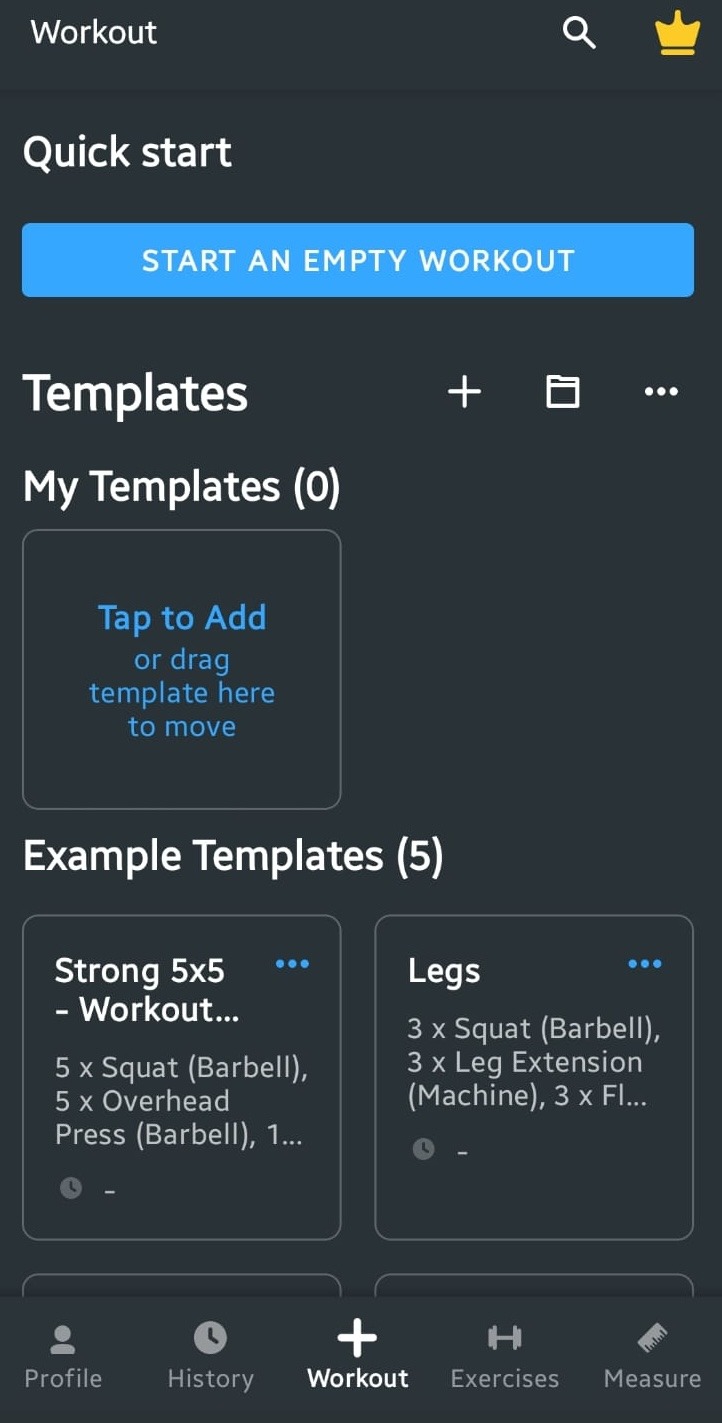
Open the Workout tab, and you can start with an empty session, reuse one of your previous workouts as a template, or borrow an example routine. The free plan lets you save unlimited completed workouts, but it caps you at three custom routines.
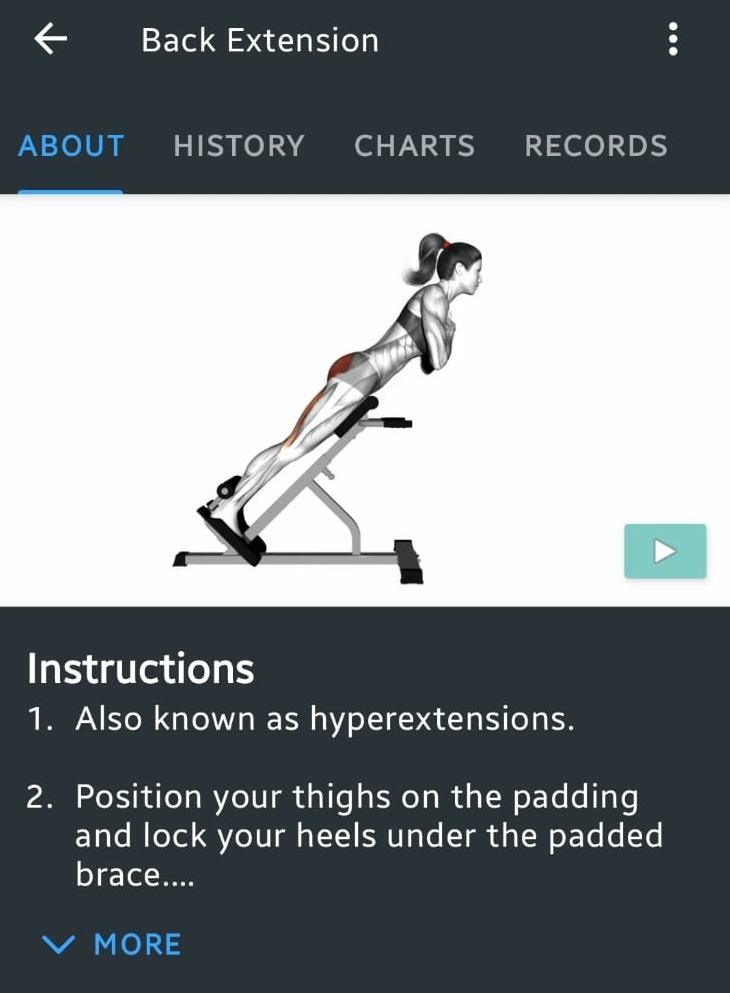
The exercise library is the strongest feature. Strong includes more than 200 built-in exercises, and each one comes with written instructions and an animated demonstration.
The app can record your weight, body-fat percentage, and caloric intake. With a paid Strong Pro plan, you can also track the circumference of individual body parts, including your waist, hips, arms, thighs, and calves.
That paywall is the main trade-off. Your completed workout history remains available on the free plan, but charts, unlimited workout templates, detailed body measurements, and the plate and warm-up calculators are limited to Strong Pro. Even though building comparable charts with Jotform Tables takes more manual setup, I could still organize and visualize my entries without paying for access to the analytics.
If you’re new to working out, Strong may be more than you need. The volume of fields and options assumes you already know your training vocabulary.
Key features
- On Android, Strong connects with Health Connect and can read or write the health data you allow it to. The data received through Health Connect stays on your device, not on Strong’s servers.
- You can export your workout history as a CSV file, although you can’t import that file back into Strong later.
- The exercise library includes written instructions and animated demonstrations, and each exercise has dedicated history, chart, and record views.
Offline mode: Strong lets you view your saved routines and log workouts without an internet connection, then syncs the session to Strong Cloud when you’re back online.
Pricing
Free for unlimited workout logs and up to three custom routines. Strong Pro costs $4.99 per month or $29.99 per year on the App Store; prices can vary by region.
3. Hevy
Hevy is a strength-training tracker that combines workout logging, personalized routines, progress analytics, and a social feed. The paid Hevy Trainer feature goes further by building an adaptive program around your experience, goals, schedule, and equipment, using an algorithm rather than generative AI. The app creates a complete strength program with exercises, rest times, suggested starting weights, and other recommendations informed by exercise science.
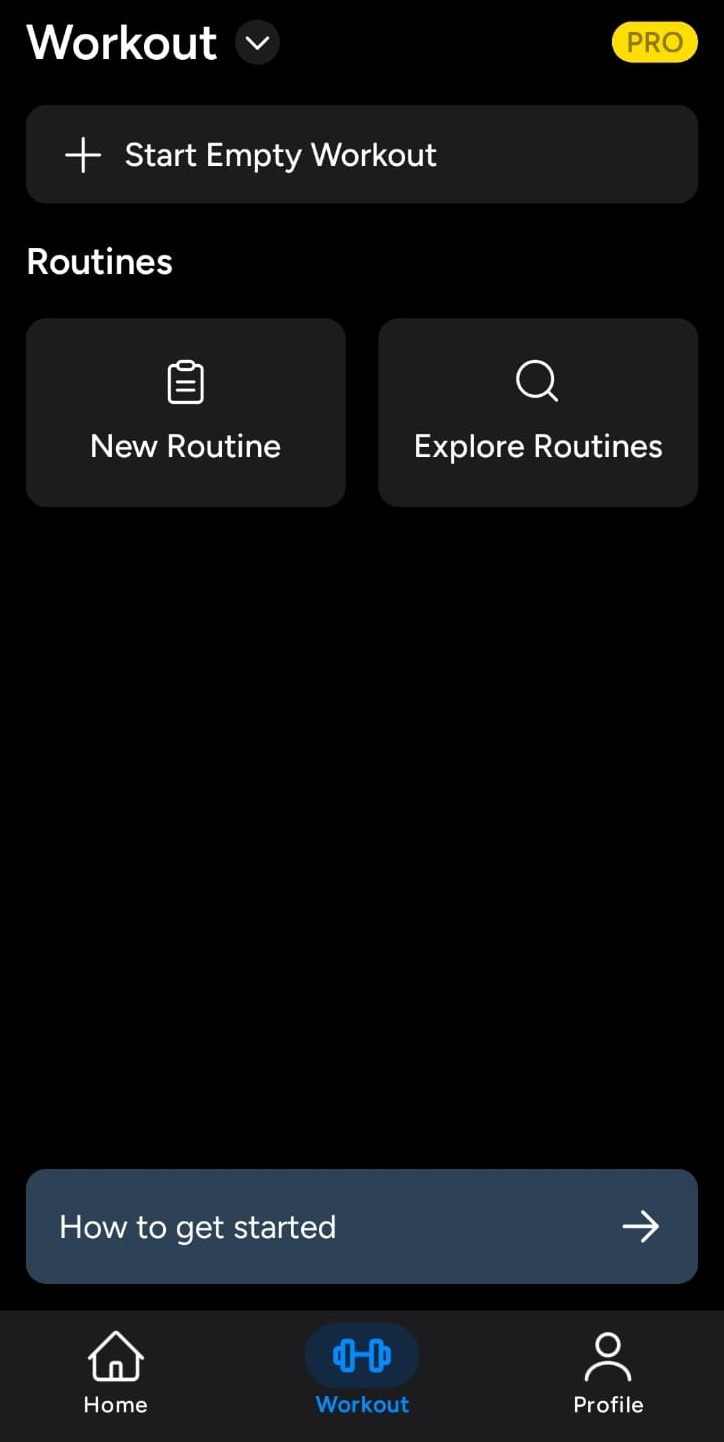
The free app is still useful. You can start an empty workout, create up to four reusable routines, or explore Hevy’s library of 26 programs and eight routine categories. You can filter those options by experience level, goal, and available equipment.
Hevy also gives workout tracking a social layer. You can follow other lifters, see their completed sessions in your feed, leave likes or comments, and save or copy workouts you’d like to try.
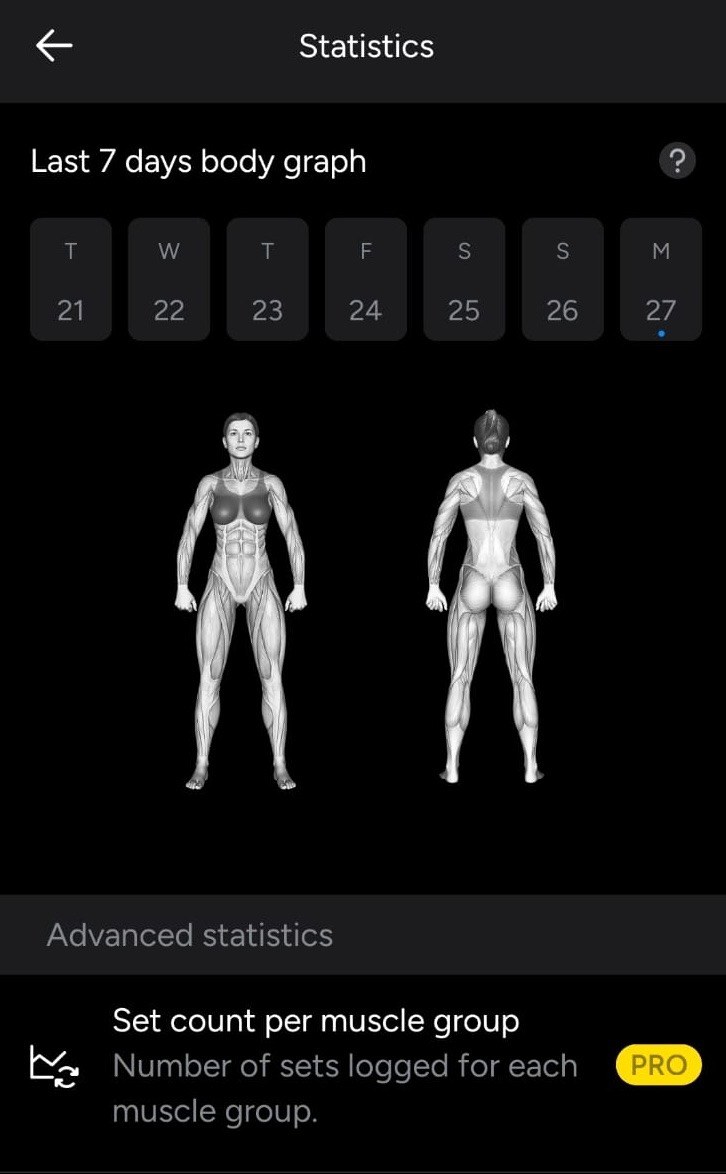
The statistics are more visual than Strong’s. The profile dashboard includes a seven-day body map showing which muscles you trained, while deeper views cover muscle distribution, set counts, training volume, exercise history, and personal records.
Key features
- Hevy Pro users can access its public API, which lets you connect workout data to spreadsheets or dashboards.
- Hevy works across mobile, desktop, Apple Watch, and Wear OS, so you can log sets from your wrist.
- HevyGPT connects the app to ChatGPT, letting you generate a tailored program from a prompt and save the routine directly to Hevy.
Offline mode: Hevy works offline, so you can record a session without internet access.
Pricing
Hevy is free with four saved routines, seven custom exercises, and three months of data history. On the App Store, Hevy Pro is listed at $2.99 per month, $23.99 per year, or $74.99 for lifetime access, although prices vary by platform and region.
4. Ladder
Ladder is a guided strength-training app that gives you a coach-built workout plan, fresh programming each week, and spoken instruction while you train.
Ladder is built for Apple devices. According to Statista, it was the highest-grossing fitness and workout app worldwide in 2026.
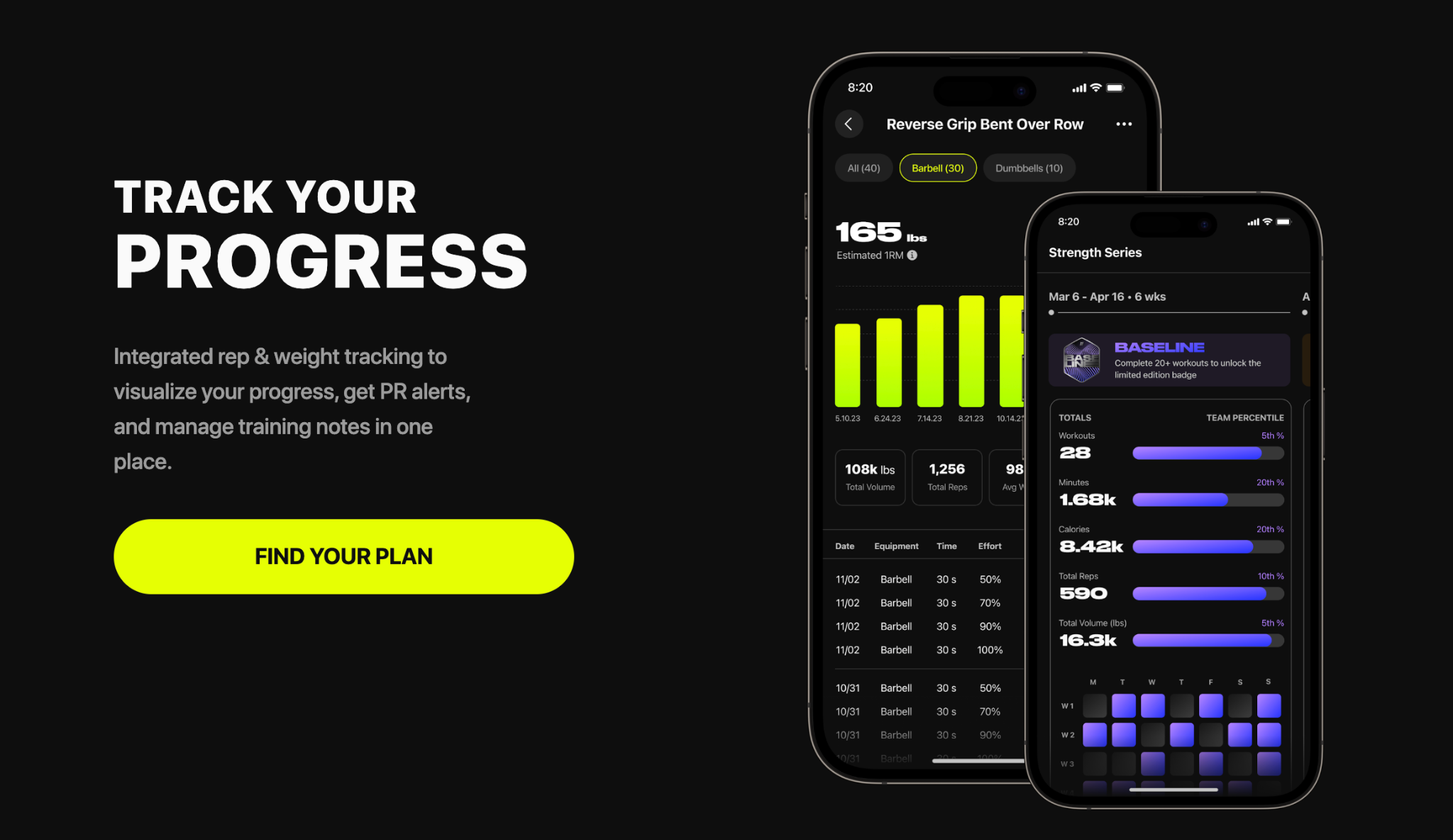
As you complete a workout, you can record reps and weights, add training notes, and save the session to Ladder Journal. The app then uses those entries to visualize progress, flag personal records, and help you compare your performance when an exercise appears again.
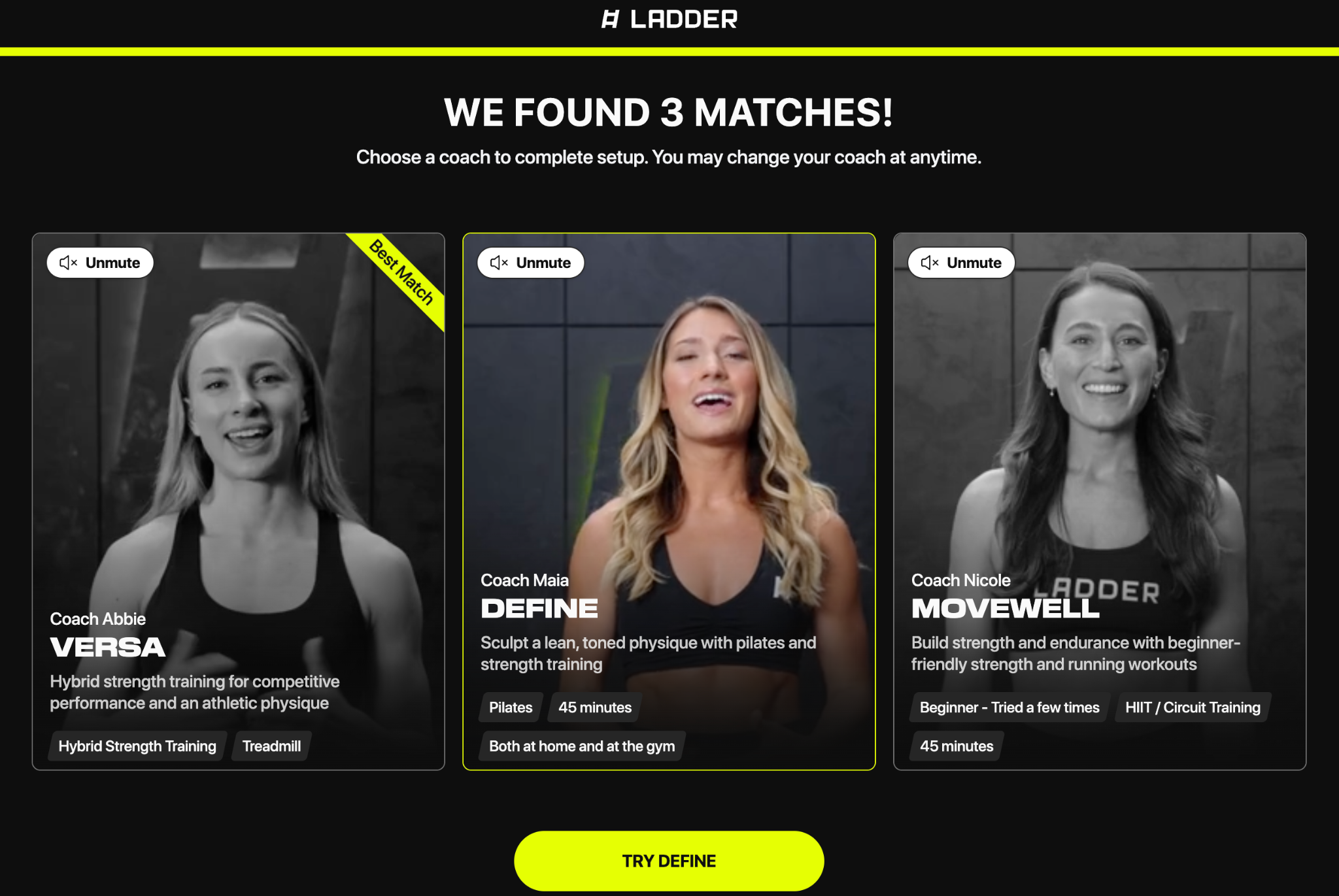
The onboarding resembles Hevy’s, but Ladder more explicitly tries to place you into a coached program by matching you with coaches. I got three matches, each a real coach fronting a named team.
Key features
- Ladder’s Plateau Alerts use your Ladder Journal to identify lifts where your estimated one-rep max hasn’t increased across three workouts, then suggest a practical next move.
- Ladder Nutrition uses AI to estimate calories from a meal photo, spoken description, or typed entry. You can also scan barcodes, edit portion sizes, and switch to a simpler Protein Mode.
- Ladder integrates with Spotify and Apple Music without drowning out the coach; it automatically lowers your music when spoken guidance begins and raises it again during the working interval.
Offline mode: You can download a workout to reduce buffering, but Ladder still needs Wi-Fi or mobile data when starting and completing a session.
Pricing
Ladder offers a seven-day free trial without requiring payment details. After that, Pro costs $29.99 per month or $179.99 per year. The monthly plan gives you one team and allows two team changes per month.
5. FitNotes
FitNotes is a lightweight Android workout log for recording strength and cardio sessions, reviewing progress, and tracking body measurements. FitNotes has passed 1 million Google Play downloads and holds a 4.9-star rating from more than 31,000 reviews.
From the home screen, you can start a new workout or copy a previous one. Choose an exercise, and FitNotes lets you record weight and reps for resistance training or distance and time for cardio.
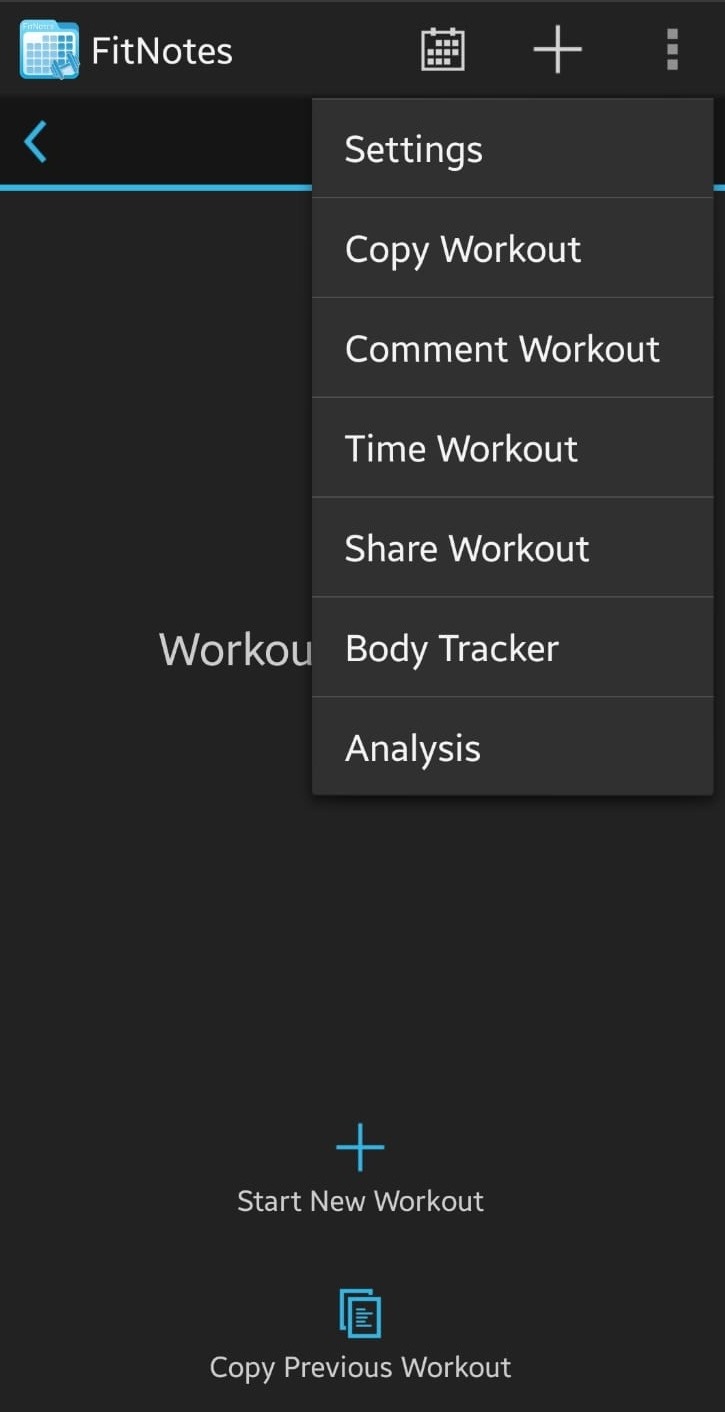
The calendar is especially practical. You can switch between month and list views, with colored markers showing which muscle groups you trained on each date.
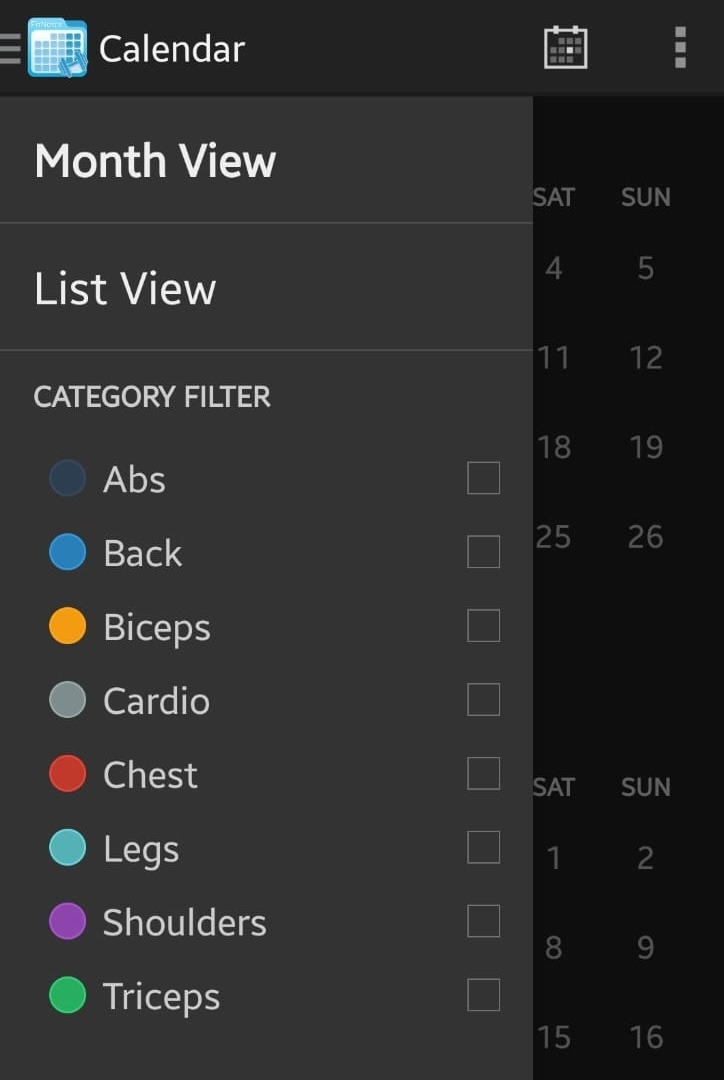
Exercise history and charts are available without encountering a Pro badge.
Key features
- You can create restorable backups, enable automatic Google Drive backups after workouts, and export workout or body-tracker data as CSV files for analysis in Excel or Google Sheets.
- Every exercise carries its own notes page, where you can store form cues, machine settings, or a link to a tutorial, plus the exercise’s default rest time and weight increment.
- The set calculator can turn a percentage of your current rep max into a working weight, while the configurable plate calculator tells you exactly what to load on each side of the bar.
Offline mode: FitNotes is offline-first: It doesn’t require an account, and all workout data is stored locally on your device. You can log workouts, use timers, review history, and view graphs without a connection. You need internet access only if you want to back up your data.
Pricing
FitNotes is completely free, with no ads, subscriptions, or limits. An optional FitNotes Supporter upgrade costs $6.99 as a one-time purchase.
How do you choose the best app to track workouts?
Consider the following questions to choose the best app to track your workouts.
1. Which device do you use?
- Android: Choose from Jotform Apps, Strong, Hevy, or FitNotes. Jotform Apps works through a browser on Android, iOS, Windows, and macOS; Strong and Hevy both have native Android and iPhone apps.
- iPhone: Choose from Jotform Apps, Strong, Hevy, or Ladder. Ladder is designed for iPhone and Apple Watch..
- Like FitNotes but use an iPhone? Choose Strong. It’s the closest option to a conventional logbook, although it adds more fields and reserves its advanced charts for paid accounts. Choose Hevy instead if richer visuals and a social feed matter more.
- Like Ladder but use Android? Choose Hevy Trainer, which can build a program around your goals, experience, schedule, and equipment. It isn’t a perfect substitute: Ladder’s programs come from human coaches, while Hevy’s Trainer uses an algorithm.
2. Do you want the app to plan the workout?
- Yes, and I want a real coach involved: Choose Ladder. Ladder gives Apple users a coach-built program, new weekly workouts, spoken guidance, and progress tracking.
- Yes, but an algorithmic program is enough: Choose Hevy. Hevy is the better cross-platform choice for guided strength training, particularly if you also want smartwatch support, visual analytics, and a community feed.
- No, I already know what I’m doing: Keep going.
3. Do you want to design the tracking system?
- Yes: Choose Jotform Apps.
- No, just give me a good lifting log: Choose Strong or FitNotes. Strong is better for detailed, self-directed lifting; FitNotes is the simpler, free Android logbook.
If, going through this list, you keep thinking, “Yes, but I’d change…,” choose Jotform Apps.
When the standard options nearly fit, but track the wrong measurements or lock away the charts you need, build the best gym tracking app around your own routine instead with Jotform.
This article is for fitness coaches, personal trainers, gym owners, athletes, and individuals looking to track workouts, monitor progress, organize routines, and manage fitness goals more efficiently

































































































Send Comment: