
Key takeaways
- Replit is an app builder that’s backed by the power of a full cloud development environment. Its AI agent sits on top of a real terminal, file tree, and database console, which means Replit fits naturally into developer workflows and gives you full control over your infrastructure.
- Lovable is a vibe-coding tool that quickly turns ideas into apps. It offers a fixed development stack and design guardrails that allow non-technical users to build and publish apps that look good by default.
- Both tools are starting to converge. Lovable has added developer-friendly features like code editing and security scanning, and Replit launched a design suite that non-developers can use.
- Jotform Apps skips the codebase entirely. You can prompt your way to an app and edit it with drag-and-drop tools. From there, you can enrich your app with the forms powered by 150-plus integrations and 40-plus payment gateways.
A couple of decades ago, in the pre-AI days, I attended an Intro to Programming course. I liked designing websites, so I figured the obvious next step was to learn programming and build something more advanced. But I was wrong. It turned out I had a brain for design, not logic, and I spent the semester begging classmates to help me debug broken Java loops.
After utterly failing to learn programming, there’s a certain karmic satisfaction in being able to conjure custom apps in minutes with AI app builders like Replit and Lovable. But choosing which platform to use is no longer quite as simple as “Replit if you’re technical, Lovable if you’re not.” Both are evolving fast and, in many cases, their abilities are converging.
I test-drove the latest features and built apps on both platforms to understand their strengths and weaknesses. If you’re deciding between Replit vs Lovable, or wondering when to go with an alternate option like Jotform Apps, read on.
Replit vs Lovable at a glance
 Replit |  Lovable |  Jotform Apps | |
|---|---|---|---|
| Best for | Developers and non-developers who plan to take a project to production | Non-technical builders who want a polished prototype fast | Teams that need a working app or portal for clients or internal workflows |
| Learning curve | It’s easy to vibe code a prototype, but iterating, debugging, and deploying can get technical | Go from prompt to published app in minutes, without ever being exposed to underlying technical decisions | Easy for anyone who can use a drag-and-drop builder, or you can generate an app from a description |
| Tech stack | Any language, any database, native mobile as well as web, and you can import an existing GitHub repository | Web apps only, and every project uses a predefined tech stack | Forms, widgets, and pages are all no-code |
| Design and UI editing | Visual editing in Agent, plus Replit Design for design systems, mockups, and creative assets | Easy to edit apps visually using Lovable’s Preview Toolbar for small tweaks and comments | Prebuilt themes; you can customize branding, logo, and splash screens |
| Developer environment | Virtual machine, raw terminal, code editor, file tree, database console, and separate staging and production | Code editing, file tree, and line references in chat, but no terminal and no staging environment | Not applicable; Jotform handles hosting, security, and updates |
| Collaborators | Up to five collaborators on Replit Core, and 15 on Replit Pro | Unlimited collaborators on every plan, including free | Share a collaboration link and edit together in real time, even without a Jotform account |
| Integrations | 400-plus, and developers can create custom integrations from the command line | 100-plus connectors | 150-plus native app integrations and 40-plus payment gateways |
| Free plan | One published project; the link expires after 30 days | Five hosted projects with links that don’t expire | Free forever, with no expiry on published apps |
| Plans/pricing | Paid plans start at $18 per month, billed annually | Paid plans start at $21 per month, billed annually | Paid plans start at $34 per month, billed annually |
What is Replit?
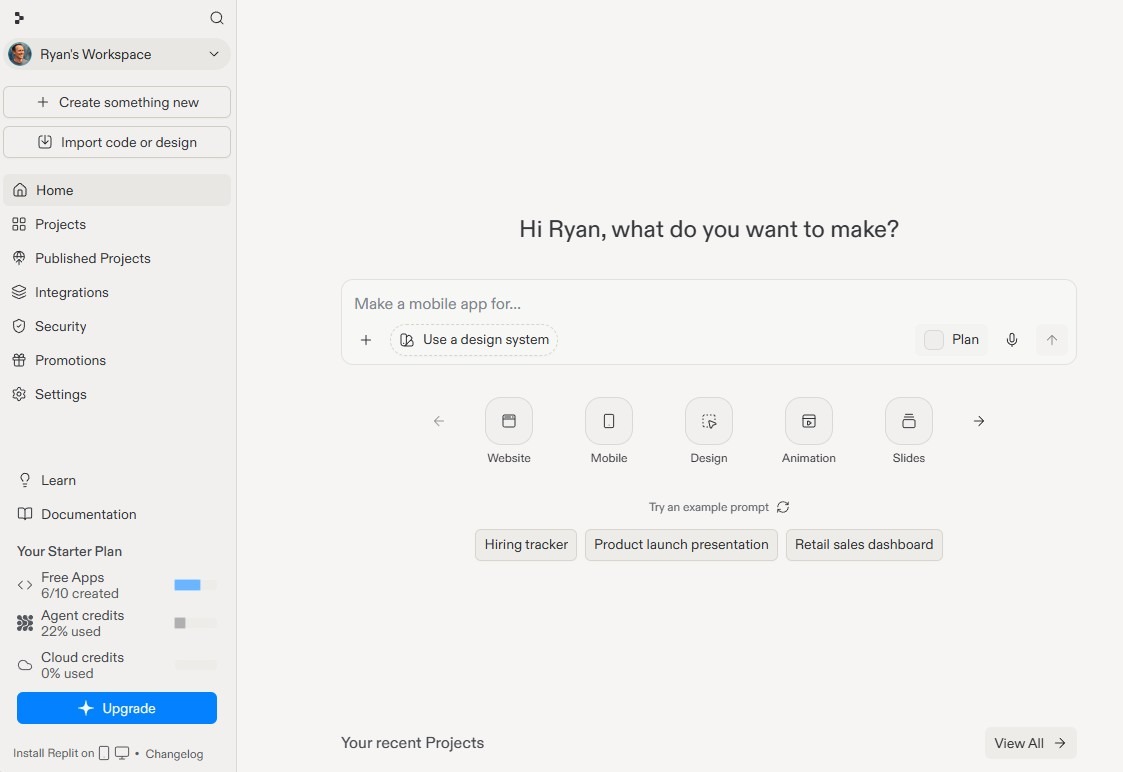
Replit is a full cloud development environment where you can create, run, and deploy apps. While it’s built for developers, it’s increasingly accessible to non-technical users. Replit Agent 4, an AI coding agent, lets anyone create an app with a single prompt. Replit Design, an AI-powered creative suite, does the same for design systems, creative assets, and mockups.
Unlike pure vibe-coding tools, Replit’s prompt-based interfaces are built on top of a traditional development environment, complete with a file tree, code editor, terminal, and database console. You also get complete flexibility over your tech stack, server, database, and any other infrastructure settings you can think of, which means if you want to stay with Replit as you scale, you can.
What I liked about Replit the most: Replit has a reputation as a tool for developers, but that’s changing quickly. Replit Design and Replit Agent were both easy for me to use as a non-developer; I was able to build and deploy a complete web app (an “ergonomics timer” to help me remember to stand up and stretch while working) without much fuss. If I were committed to taking an idea to production, I’d go with Replit. But I’d also want to have a developer on hand, because there’s a limit to what you can do with Replit if you’re only using the chat function.
Pro Tip
Not sure your project needs a codebase at all? If what you’re building is really a form-driven workflow, you can assemble it in Jotform Apps without generating or maintaining any code.
- Pros:
- Full code access for developers, including terminal, virtual machine, file tree, code editor, and database console
- Build in any programming language, use any database, and import your existing GitHub repository
- Separate staging and production environments, so you can test changes before users see them
- Build native mobile apps and backend infrastructure, not just web apps
- Cons:
- Generating an app is quick, but it’s helpful to be comfortable with a code editor and a terminal for iterating and debugging
- Non-technical users eventually run into decisions related to frameworks, databases, servers, and hosting
- Replit’s free plan only lets you publish one project, and the link expires after 30 days
Replit pricing and limits
Prices shown below are billed annually. Replit pricing is structured around three agentic work modes — Lite, Economy, and Power — so you can save credits by choosing the cheaper option for routine changes. Agent will also nudge you toward Power mode on its own if it fails the same task repeatedly in Economy.
- Starter (free): Daily agent credits, built-in database; publish up to one project with a “Made with Replit” badge, with the option to make it private or add a password; published link expires after 30 days
- Replit Core ($18 per month): $20 of monthly credits, five collaborators, work in parallel with up to two agents, unlimited workspaces, removes “Made with Replit” badge, Replit AI integrations
- Replit Pro ($90 per month): $100 of monthly credits, 15 collaborators, up to 50 viewers, work in parallel with up to 10 agents, database rollbacks for up to 28 days
- Enterprise: Custom pricing, custom seat limits, SSO/SAML, advanced privacy controls, single-tenant environments, per-user agent spend caps
Replit’s free plan has far more restrictions than Lovable’s (more on that in the next section). You can only publish one project for free, and the link to that project expires within 30 days. That makes the Starter plan useful for testing Replit’s capabilities, but not for ongoing free deployments.
What is Lovable?
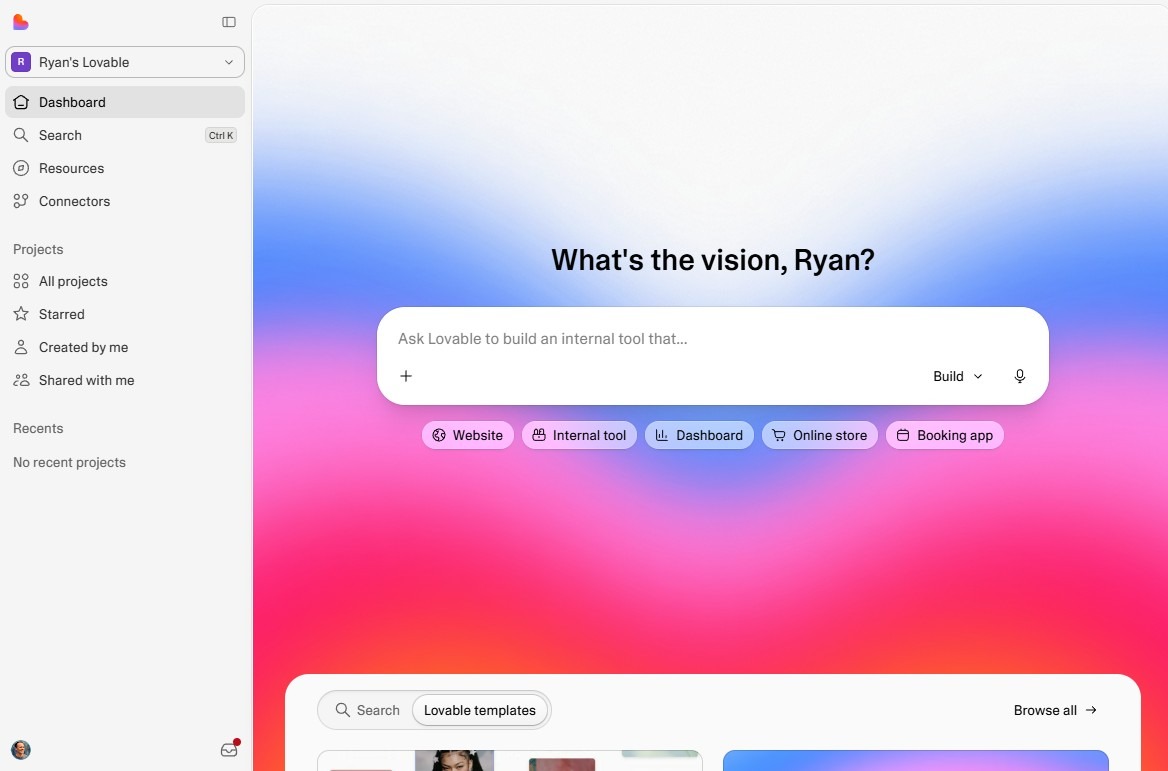
Lovable is an AI-powered app builder. Just describe what you want, and it quickly generates the front end, back end, and database in one shot — all on a standardized tech stack that simplifies things for non-technical users. (You can even vibe code payments into your app via Stripe or Paddle.)
Vibe coders often start with Lovable because it produces consistently polished outcomes without much iteration. It’s incredibly easy to edit: You can use the chat window or edit your app visually (like updating text or spacing), and Lovable’s AI will handle the changes for you.
While Lovable wasn’t originally built for developers, it’s getting more technical as time goes on. You can now see and edit your code, view your file structure, and export your entire codebase to GitHub. Lovable’s AI can test your app directly in the browser to look for bugs, and it also includes database backup restoration and built-in security scans.
What I liked about Lovable the most: What’s most impressive about Lovable is its speed and the consistency of its designs. I created a web app in two minutes, reviewed it, clicked “Publish,” and it was live. For creating quick prototypes without sweating the details, it’s tough to beat Lovable — particularly because even the free plan lets you host five projects indefinitely.
- Pros:
- You can go from a prompt to a working app in two minutes
- Design guardrails mean your app is likely to look polished on the first try
- You own your code and can export it to GitHub at any point
- Unlimited collaborators on every plan, including the free plan
- Cons:
- No tech stack flexibility — every app uses React and Supabase
- No terminal, no staging environment, and no native mobile app output
- Scaling can create challenges — many users build on Lovable, then host elsewhere for production
Lovable pricing and limits
All Lovable plans include unlimited collaborators. Prices shown below are billed annually and scale up as you add more credits. Lovable currently offers a “free grant” across plans that includes five daily Build credits, four monthly AI credits, and 20 monthly Cloud credits.
- Free: Unlimited collaborators, workspace-private projects, cloud hosting for up to five projects on lovable.app domains with a Lovable badge (published links don’t expire); free grant credits are available, but Build credits are capped at 30 per month
- Pro ($21 per month): 100 credits, custom domains, user roles and permissions, per-member credit limits, removal of the Lovable badge on your site
- Business ($42 per month): 100 credits, team workspace, role-based access, internal publishing (for logged-in users only), SSO
- Enterprise: Custom pricing, volume-based credit pricing, audit logs, SCIM, custom connectors
Prior to mid-2026, Lovable split its credits into three buckets: Build credits, for prompting AI to code your app; Cloud credits, for your app’s hosting and infrastructure; and AI credits, to power AI features inside your app. Now, all of those activities (apart from the “free grant” credits) fall into a unified credit system.
Some users have complained that the unified credit system causes their credit budget to be drained more quickly. If you run out of credits, your static site will keep working, but backend services (like your database) will go offline until you buy more credits. You do get 20 monthly Cloud credits that are fully devoted to infrastructure with Lovable’s free grants, which helps.
Replit vs Lovable: Side-by-side comparison
After spending time with both tools, here’s how they compare across five key areas.
Learning curve and onboarding speed
Lovable is easier to start with. The reasons why, though, have changed over time, as Replit has made it easier for non-technical users to build and launch projects. Originally, Replit was an AI-powered development environment, similar to Cursor. These days, non-technical users can head to either Replit or Lovable, type what they need into a prompt box, and get a vibe-coded app in minutes.
That means the usability challenge for non-technical users has shifted: It’s what happens after your initial prompt that creates a learning curve. With Replit, you can prompt your way to an app, but you’ll have a much harder time avoiding decisions about code frameworks, databases, servers, or infrastructure. With Lovable, which is designed for non-technical builders, users can prompt once, edit their apps visually, and click “Publish” without understanding any of the underlying tech powering their app.
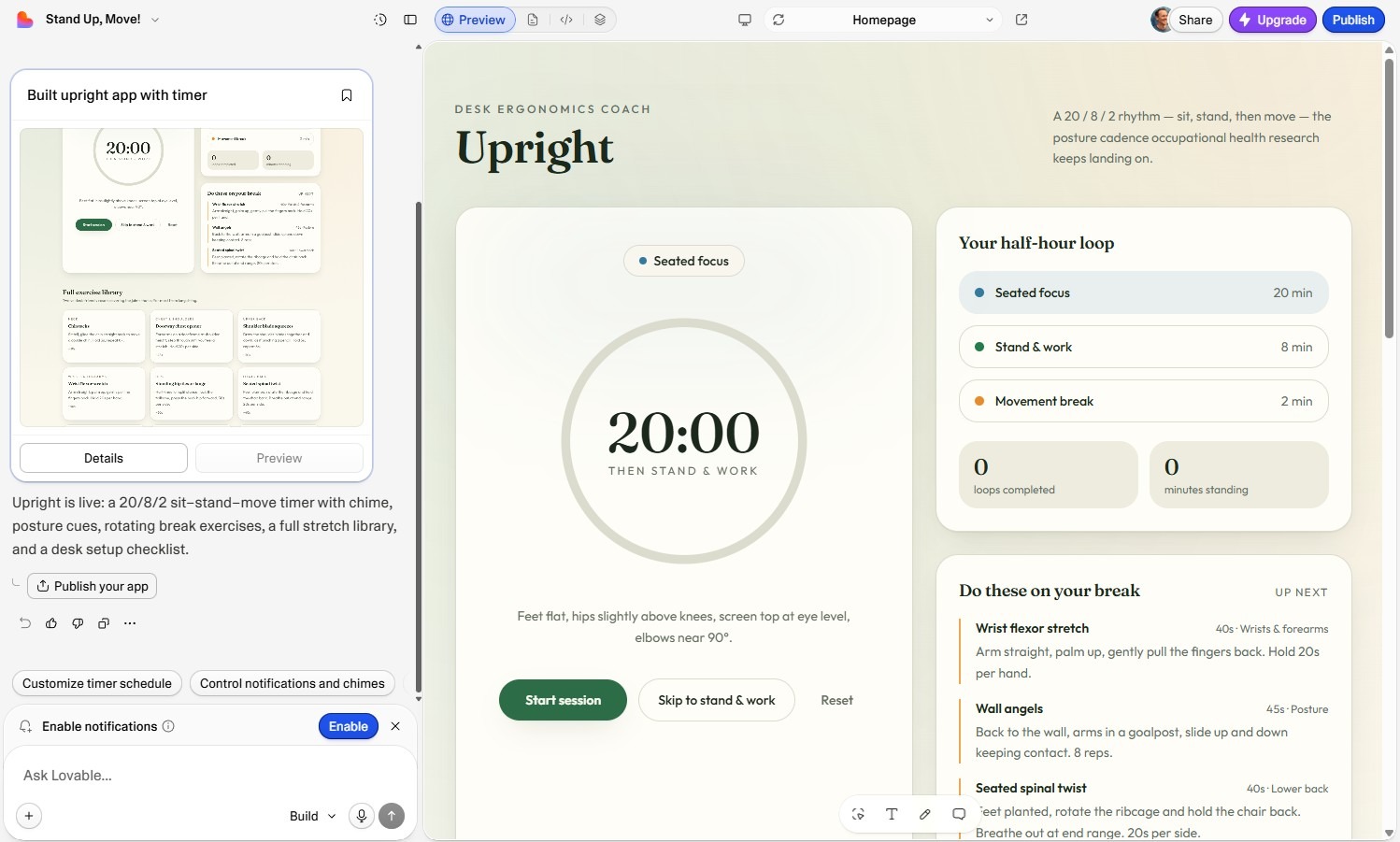
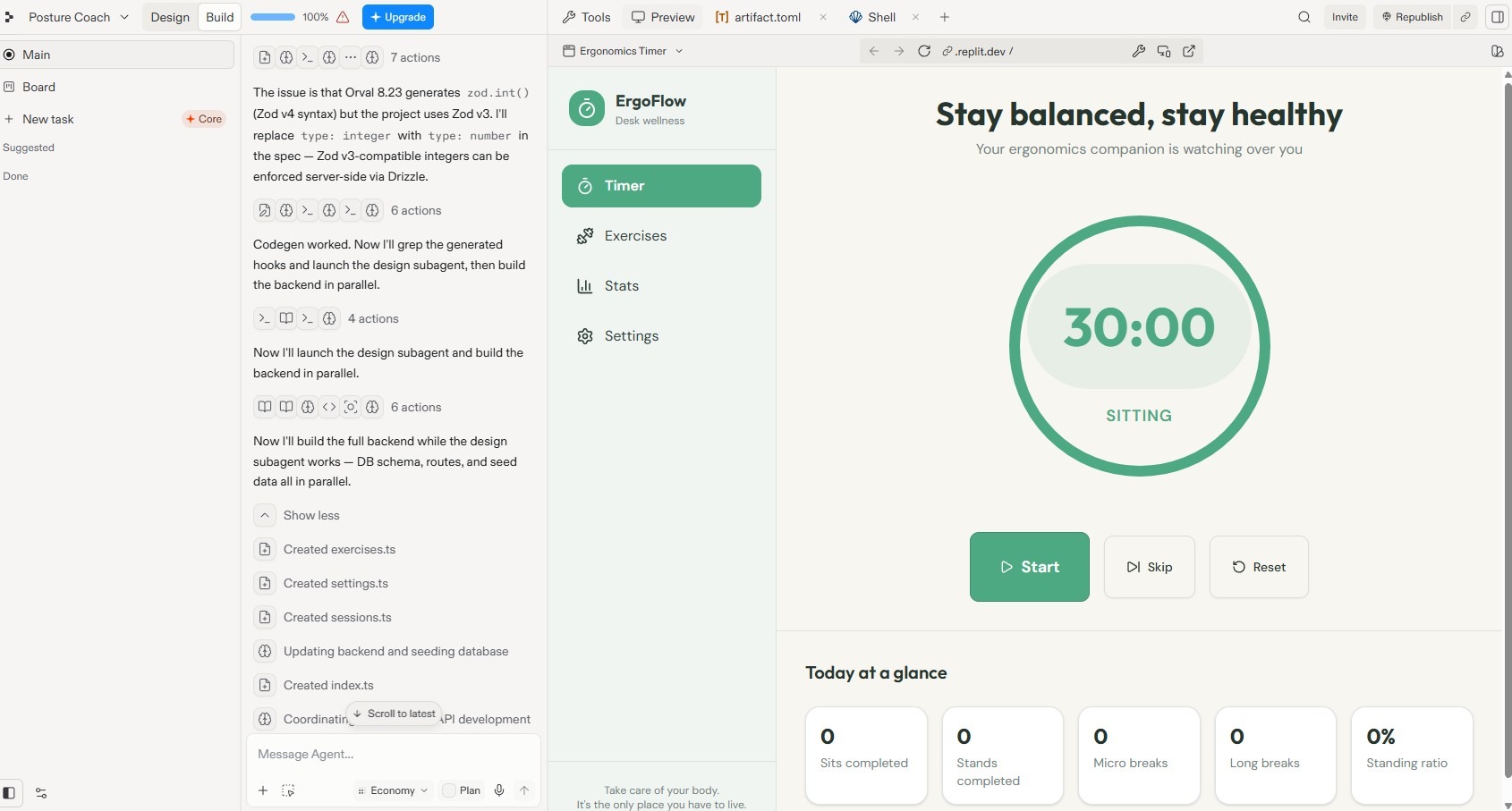
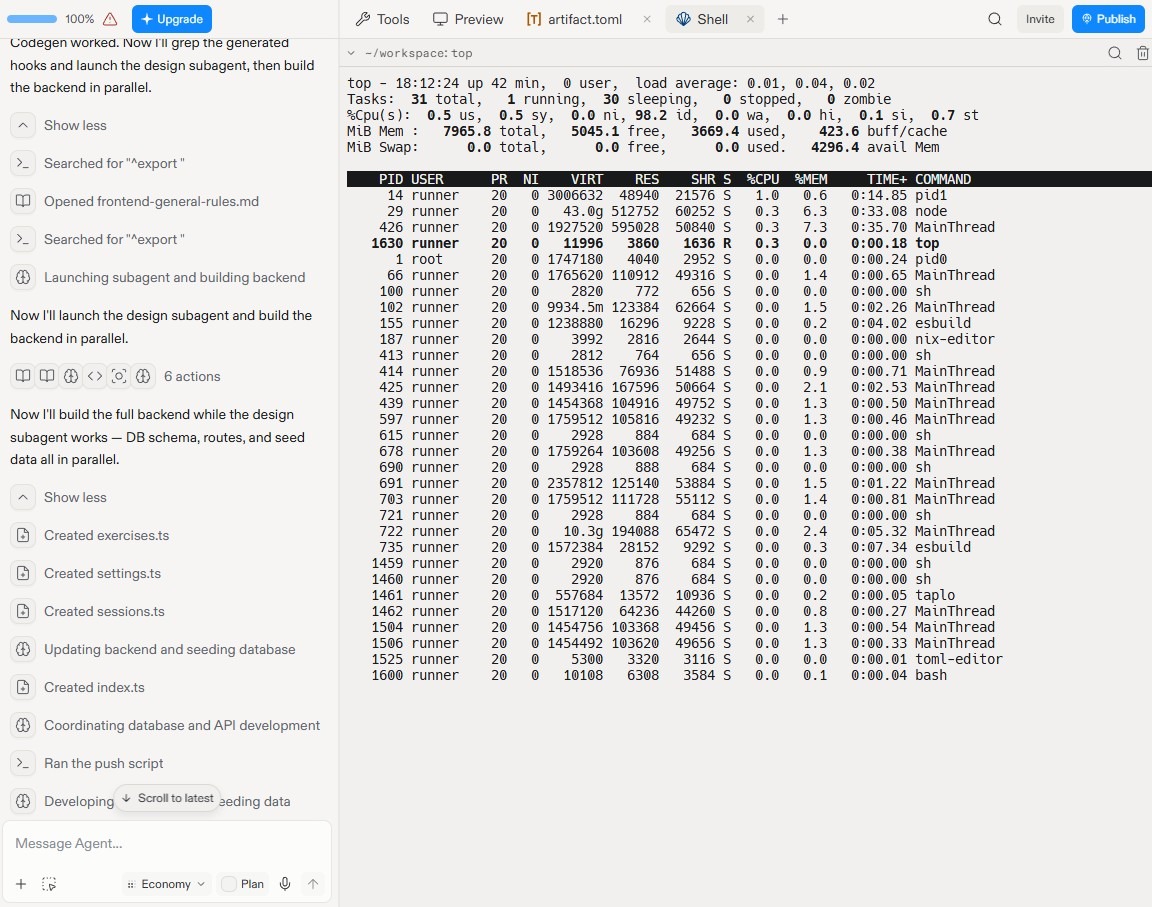
To better understand the “zero to app” experience on both platforms, I vibe coded an app to improve my posture on both Lovable and Replit. With Lovable, the process took two minutes, and the information I saw in the chat panel was purely beginner-friendly (“Your app is ready!”). With Replit, the agent took nearly 10 minutes to create a plan, overcome errors, and explain its strategies related to database schema, API routes, and seed data. It’s easy enough to ignore those things for a prototype, but if you’re building a project in earnest, at some point you’ll have to engage with them.
UI quality and customization
One of Lovable’s key advantages is UI design. It has a reputation for creating apps that look modern and polished without much tweaking; vibe coders often start their project in Lovable for UI generation, even if they ultimately move to a platform like Claude Code for development work. Lovable projects use a narrow development stack that includes React, shadcn/ui for components, and Tailwind CSS for styling — all of which are popular with developers building modern apps, websites, and SaaS products. Basically, if you want a quick prototype that looks like a real software product, Lovable’s design guardrails make it more likely that you’ll get there.
Lovable also makes it easy to edit small parts of your app visually. With the Preview Toolbar, you can edit text, create visual annotations, and add comments that are tied to specific locations to make it more likely that the AI will understand the precise changes you need.
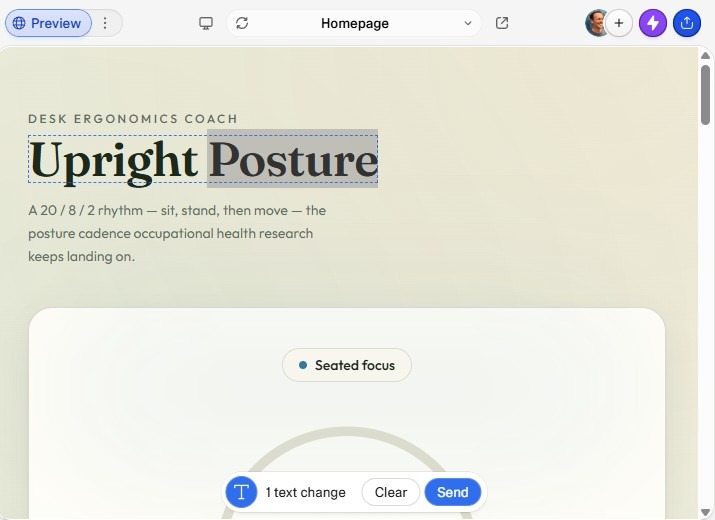
Replit doesn’t offer the same predictable design guardrails. Instead, it’s built for flexibility: It can run any coding language you want. That said, if you’re using Replit’s prompt-based agent experience, the end result is often more or less comparable, because Replit agents often spin up a tech stack that’s similar to Lovable’s by default.
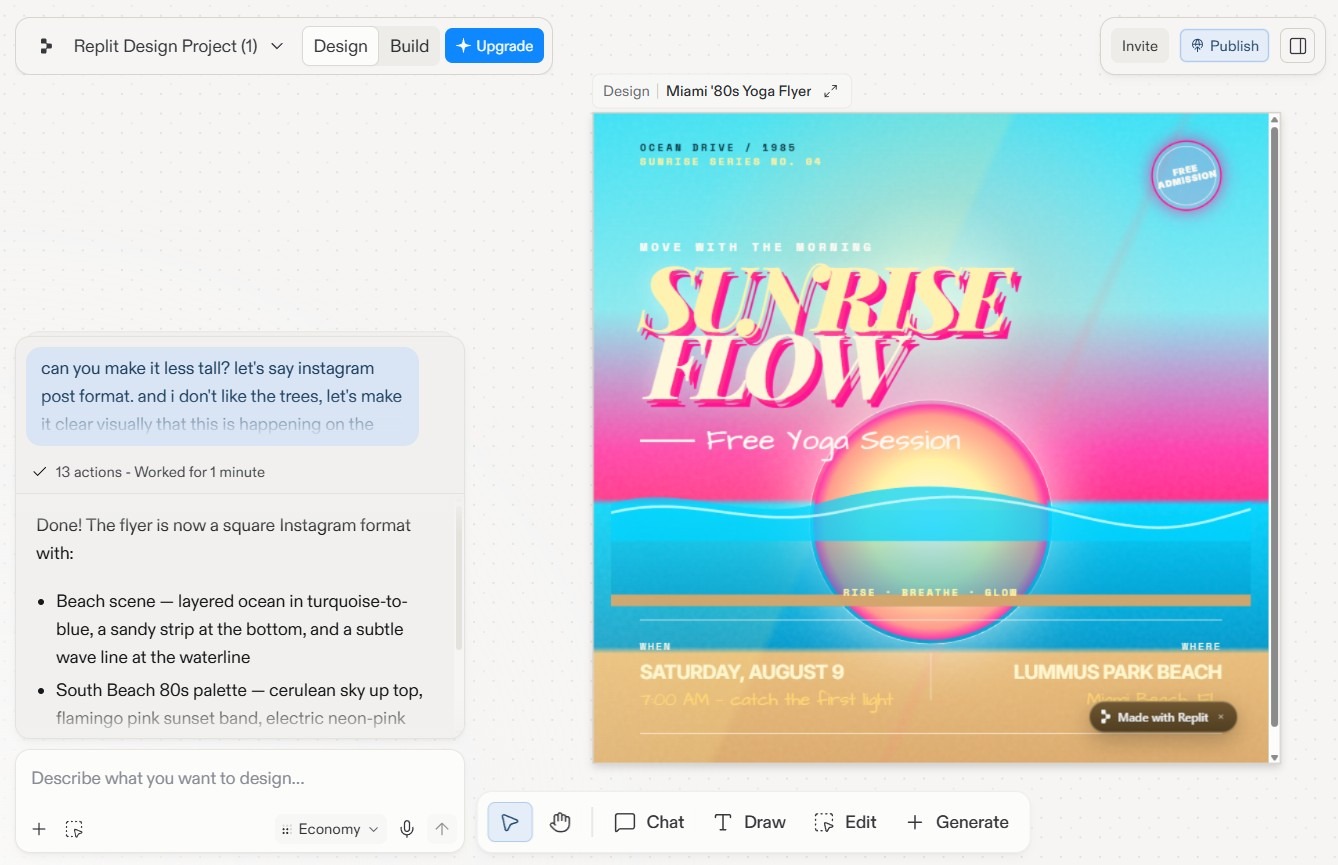
Given that it was originally a purely developer-oriented tool, Replit has done an impressive pivot toward UI design. With Replit Agent, designers can build apps in one shot and visually edit elements, just like with Lovable. There’s also Replit Design, a new creative suite, which lets you iterate on design systems, mockups, and other visual assets by just describing what you want. Something neat I noticed while testing Replit Design is that, because everything Replit makes is web-native, every design element dynamically stacked and rearranged itself as I made the image bigger and smaller.
Code control and debugging
Until 2025, Lovable’s apps were considered a “black box” — it was easy to create apps, but impossible to view or edit the underlying code. That’s all changed. Now, you can directly edit Lovable’s code, explore the full file tree, and reference specific lines in the chat interface. Lovable also recently added browser testing, which allows agents to open your app in a virtual browser to click around and make sure it’s working properly. For debugging, Lovable subagents can investigate multiple issues in parallel to determine the source of your error before the main agent does anything.
But Lovable doesn’t have a terminal, so you can’t do typical developer activities like installing a package or running a script. You don’t have control over the programming language you build in (it’s always React) or the database you use (it’s always Supabase), either. And while you can export the code Lovable generates, you can’t import a codebase you’re already working on and modify it with Lovable.
Replit has a far more developer-centric environment. You can
- Access a virtual machine, raw terminal, code editor, file structure, and database console.
- Build in Python, Node.js, Rust, Ruby, and other programming languages.
- Run webhooks and manage background cron jobs.
- Use Replit’s native database or use any other one you want to.
- Create things besides web apps, including native mobile apps and backend infrastructure.
- Import any preexisting GitHub repository into Replit.
Deployment and production readiness
Lovable is a great place to spin up prototypes and experiments. It also offers a handful of options for deploying your project, like hosting region selection, and a decent set of production tools including database backup restoration, project monitoring, and security scans. Still, once you get to the point where you’re managing a large project at scale, it’s common to run into challenges with Lovable.
For example
- Your database might slow down at high levels of traffic: If thousands of users are interacting with your database at the same time, Lovable’s Supabase architecture can be limiting. You can’t swap to another database platform within Lovable, and you don’t have the full access needed to make performance tweaks.
- Lovable’s serverless app hosting has limits: Because it uses “serverless” hosting, your app only runs when a user is actively clicking on a page. After a period of inactivity, the next user to visit may face a two-second to four-second delay while the app spins up again.
- You’re limited to the integrations and tools that Lovable offers: With Replit, you can install anything you want through the command-line interface.
- There’s no staging environment, so it’s hard to test big changes before deploying: There’s no way to fully test features safely before pushing them live. Instead, Lovable just has a global Publish button that sends your changes to live users.
Replit solves all of these issues. As a full-fledged cloud development environment, it offers unrestricted database choices, no integration restrictions, and separate staging and production environments. You can choose between always-on container hosting, which runs on a reserved virtual machine, and Autoscale Deployment, which dynamically adds more server capacity when your traffic spikes. And the Replit Security Agent, an autonomous security system, runs ongoing auto-protect and auto-patching jobs across your codebase to keep your app running safely.
Collaboration and team workflows
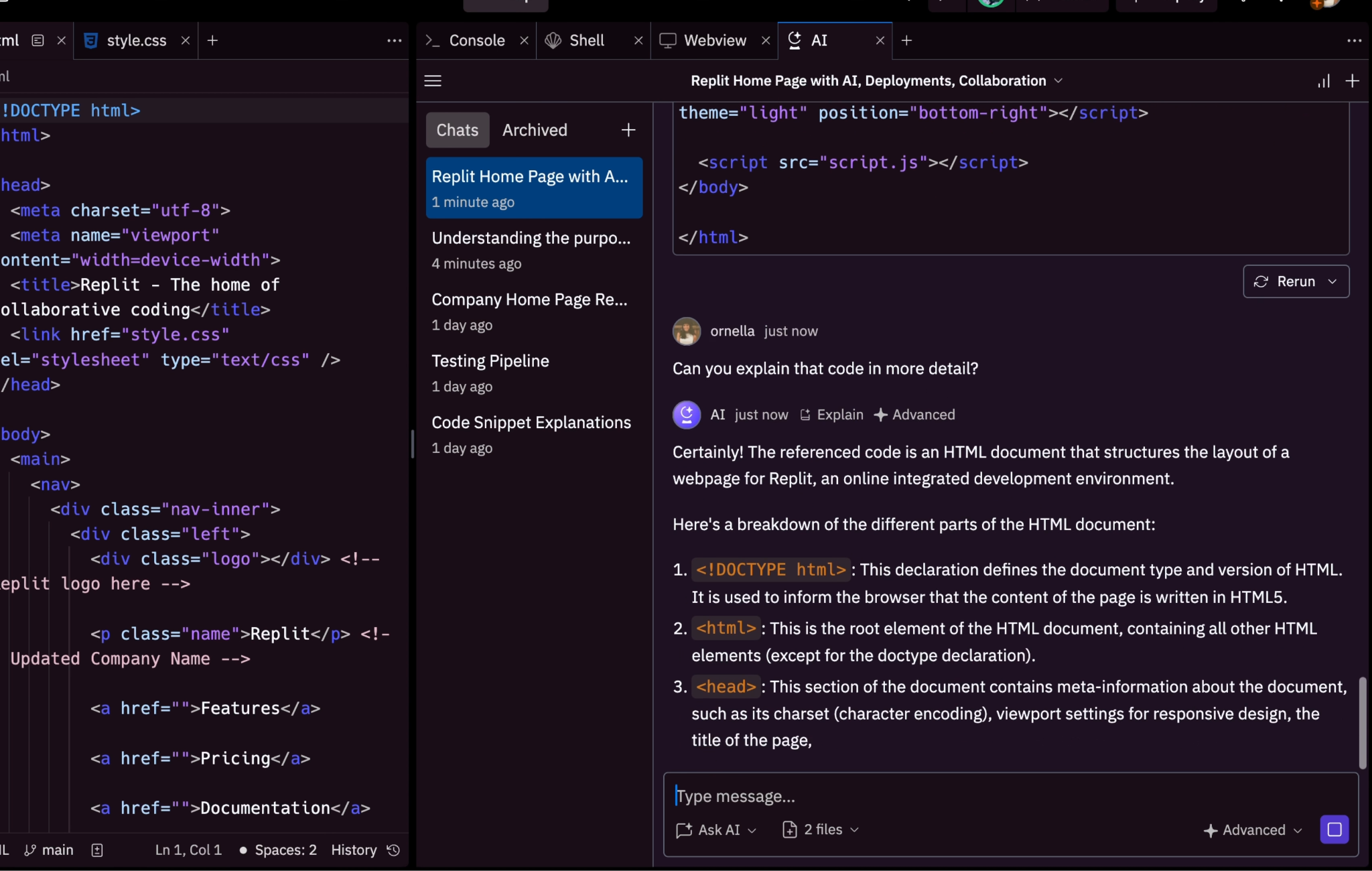
Long before the AI craze, Replit offered “multiplayer collaboration,” which allows two or more developers to edit code at the same time. (It’s truly a real-time experience: You can see cursors belonging to each logged-in user with their name attached.) Replit has expanded this by offering Multiplayer AI Chat, which lets you interact with Replit’s AI as if it were a member of your team. Project collaborators can view all active AI chat sessions, so it’s easy for multiple team members to jump between chats while keeping all activity transparent.
Lovable supports “multiplayer vibe coding,” which lets your team collaborate at the product level. Everyone sees changes in real time and can co-build the project together. While it’s technically possible to invite designers to edit the front end while letting developers simultaneously edit the back end, there’s a risk that one accidentally overwrites the other. Replit manages this risk better: Changes are managed in isolated environments before being merged. If there’s a conflict upon merging, Replit has a dedicated subagent that figures out how to resolve the issue.
Both Replit and Lovable offer a range of roles and permissions, so you can set certain people as admins or editors while restricting others to view-only access. Lovable’s edge is that it offers unlimited collaborators; Replit’s entry-level plan offers up to five collaborators, and Replit Pro lets you give access to up to 15 people.
Lovable vs Replit: Which one should you choose?
Choose Replit if
- You already have a codebase and want to keep working on it rather than starting from a prompt.
- You need a staging environment to test real changes before live users see them.
- You’re expecting real production traffic and want to be able to fine-tune performance at the server and database level.
- You’re shipping a native mobile app, backend infrastructure, or anything that isn’t a web app.
Choose Lovable if
- You want to vibe code an app and publish it for free.
- You’re validating an idea and need a polished prototype quickly.
- You’re non-technical and don’t want to get bogged down in decisions about servers, databases, or programming languages.
- You have a large team of non-technical contributors or read-only viewers and want to be able to add unlimited collaborators.
Build no-code apps and workflow portals with Jotform Apps
Replit and Lovable are both built to generate apps. But a lot of what teams call an app is really a way to collect information, route it through an approval, and give people a mobile-friendly way to interact with it. So before you start vibe coding, it’s worth asking: “Am I overengineering this?” If your use case is simple, a full app with a codebase might just add a maintenance burden without providing any benefit.
Jotform Apps lets you quickly combine forms, widgets, and content into a working app. You can drag existing forms into your app, or describe what you need and let the Jotform AI App Builder create it for you. Everything is mobile-friendly by default, so field teams, clients, and employees can use the app from a phone without a separate mobile build.
Jotform also has some built-in advantages over tools like Replit and Lovable. Jotform Workflows routes submissions to the right person automatically, and forms inside your app can collect payments or file uploads without any extra setup. Plus, clients and coworkers can use your app as soon as you publish it: Since everything runs on Jotform’s infrastructure, there’s no code to debug and no decisions to make about hosting, databases, or authentication.
Build your app in ChatGPT or Claude
You can also create and edit apps without leaving your AI assistant. With Jotform App Builder for ChatGPT & Claude, describe the app you need and keep refining it through conversation. Connect now in ChatGPT or Claude to build yours.
None of this replaces Replit or Lovable for building complex custom apps. But for narrower workflow-based use cases, Jotform launches faster, requires no maintenance, and connects natively to 40-plus payment gateways Try Jotform Apps for free to see how it compares.
FAQs about Replit vs Lovable
While Lovable is great for prototypes and has added an integrated file explorer for viewing and tweaking code, it can still get messy and bug-prone at production scale. You’re also locked into React and Supabase, with no terminal to install packages or run scripts yourself. One alternative is Bolt.new, which has a similarly user-friendly vibe-coding experience plus a flexible tech stack and a browser-based terminal. For developers looking for full control, Cursor is a better option.
Yes, with a caveat. With Replit Agent, non-developers can get a working app with a single prompt. But moving to debugging, deployment, and production usually means you’ll run into at least some technical decisions related to servers, databases, and infrastructure. Replit is more user-friendly than it’s ever been, but it’s still designed with developers at the heart of the process. Non-technical users can get up to speed — the learning curve is simply steeper than it would be with a vibe-coding platform like Lovable.
Most users migrate away from Lovable’s infrastructure as they scale. That said, Lovable is more production-ready than it used to be: It offers hosting region selection, database backup restoration, project monitoring, automated security scans, and penetration testing. Still, if you rely on Lovable’s serverless hosting and database setup, you’ll have fairly limited infrastructure control as you scale.
There’s no staging environment, either — making it harder to test new features safely. Some users solve this by sticking with Lovable’s AI chat interface but pushing their code to GitHub and hosting their app elsewhere. Others generate prototypes with Lovable, then manage the code with a tool like Cursor or Claude Code as they scale.
This article is for founders, product managers, designers, and early-stage developers comparing Replit and Lovable to build an MVP or internal tool fast and trying to choose between a code-first AI dev environment vs. a prompt-first app builder.





























































































Send Comment: