
Top 5 WordPress job board plug-ins
Whether you’re hiring internally or searching for external talent, adding a job board to your website is a direct way to attract candidates, build a talent pool, and control the application flow. For high-traffic or industry websites, a job board can also generate passive income by charging employers to put openings in front of a wider audience.
If your site runs on WordPress, the natural move is to install a WordPress job board plug-in that lets you publish new open roles, collect applications via a form, and give applicants a searchable interface for browsing listings. However, every plug-in you install loads its own JavaScript files, stylesheets, and database queries thanks to the form builder, caching, and other add-ons it comes with. Run hundreds or thousands of listings with complex filtering requirements and file uploads, and the hosting, performance tuning, and security patching needed to keep the job board fast and safe only increase.
What’s more, job board plug-ins can conflict with your page builder, theme, WordPress forms, caching, and SEO plug-ins, turning routine upkeep into ongoing debugging. That’s why plug-in alternatives that handle job postings and applications completely off-server, like the Jotform Job Board Widget, are becoming popular.
That said, a plug-in is still the default for most website owners, so I spent days researching the best WordPress job board plug-ins and narrowed them down to the top five. I tested each one on a demo site to get a feel for its features and user experience.
Whether you need a plug-in for a simple career page or a niche job board, this roundup will help you decide which one makes sense for you or whether to consider a serverless, no-maintenance option. And if you’re new to WordPress, Jotform’s guide on how to use WordPress is a good place to start.
| Plug-in | Best for | Pricing | Customization | Front-end submission support |
|---|---|---|---|---|
 WP Job Manager |
Extending a free core job board with add-ons as you scale |
Free and paid |
High — shortcode-based, works with all themes and page builders, 50-plus add-ons, custom fields and templates |
Submission form plus employer dashboard |
 WP Job Portal |
AI-powered job search and resume matching for applicants |
Free and paid |
High — 30-plus job fields, conditional logic, dual dashboards, 45 shortcodes |
Employer and job-seeker dashboards |
 JobBoardWP |
Free job board without applicant tracking or monetization |
Free |
Moderate — custom categories, six building blocks, schema built in, some CSS may be needed for some themes |
Employers submit and manage from the front end |
 Simple Job Board |
Adding simple job application functionality to your website |
Free and paid |
Moderate — per-job custom application forms, taxonomies, multi-company support |
Add-on only |
 HireZoot |
Visually polished, single-employer career pages |
Free and paid |
High — three layout options, unlimited filters and specs, developer hooks |
Admin-managed |
1. WP Job Manager
Best for: Extending a free core job board with add-ons as you scale
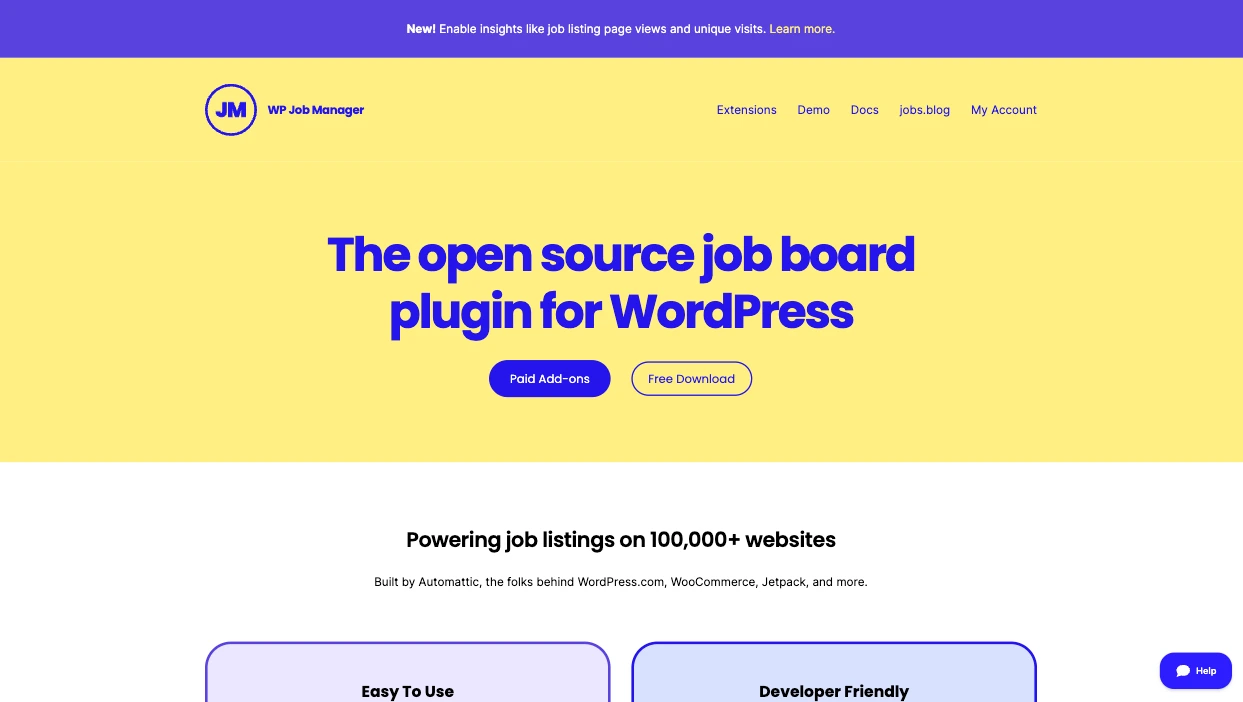
With more than 70,000 active installs and a 4.4/5 rating, WP Job Manager by Automattic is the most widely used WordPress job board plug-in. It lets you add and manage job listings using the familiar WordPress user interface.
You can publish job listings as custom post types with front-end forms that visitors and registered users can submit without accessing any dashboard. While listing open roles, the plug-in allows you to preview how each posting will appear on a live job post before publishing.
WP Job Manager also comes with an email system that sends every application directly to employers. Applicants can search and filter jobs with Ajax-powered search, too, and enable RSS feeds to receive alerts for new job listings that match their search.
Overall, WP Job Manager is easy to use, works across all WordPress themes, and can be extended with free and premium add-ons. The plug-in is shortcode-based, which makes it flexible across different page layouts.
Key features:
- Provides statistics about job listings, including views and search impressions
- Back end for employers to manage listings and view, edit, mark as filled, or remove job postings
- Compatible with all WordPress themes and page builders
Limitations: Many features require installing additional plug-ins — like Resume Manager — on top of WP Job Manager, which adds even more load to your site
Plans/pricing: The core WP Job Manager is available for free, but you’ll need to purchase additional plug-ins to explore its complete functionality; all core add-ons are available in a bundle from $159 per year
2. WP Job Portal
Best for: AI-powered job search and resume matching for applicants
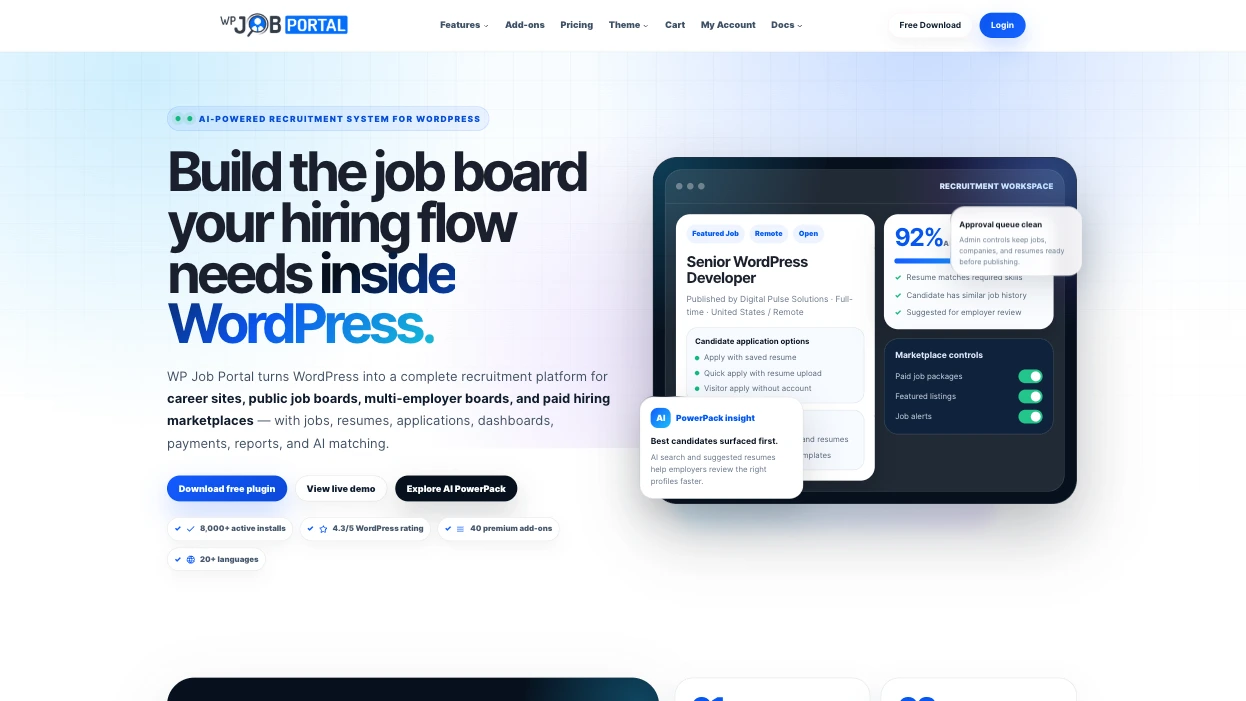
WP Job Portal lets you build a recruitment platform inside WordPress for public job boards, career sites, and hiring marketplaces. It provides AI-powered features that help match candidates to jobs, parse resumes, and improve decision-making throughout the recruitment process. After installation and setup, the plug-in’s Quick Start Wizard walks you through the essential configuration. Choose between Careers & ATS or Job Marketplace, and the Wizard immediately tailors your dashboard settings to your use case.
Employers and job seekers can create different dashboards to manage listings, build resumes, and apply for jobs. Employers can use conditional logic to dynamically hide and show post fields, tailor forms to applicants, and collect cleaner data, while applicants can be given flexible application options such as Quick Apply or Saved Resumes.
WP Job Portal supports unlimited job types, salary ranges, job statuses, career levels, and currencies. It also sends automated email notifications to employers, applicants, and visitors for new applications, approvals, and registrations.
The plug-in supports 45 shortcodes, payment integration, and premium AI add-ons for job search, job recommendations, resume suggestions, job alerts, and more. It has more than 8,000 installs and a 4.3/5 rating.
Key features:
- AI job search for faster, context-aware searching
- Comprehensive configuration and customization options, including more than 30 job fields, unlimited experience levels, education, salary ranges, job types, and much more
- Quick Start Wizard guides users through setting up the plug-in
Limitations: Many important, advanced features and AI capabilities are locked behind paid tiers
Plans/pricing: The plug-in is free to use with limited access; paid plans start at $49 per year for a single site
3. JobBoardWP
Best for: Free job board without applicant tracking or monetization
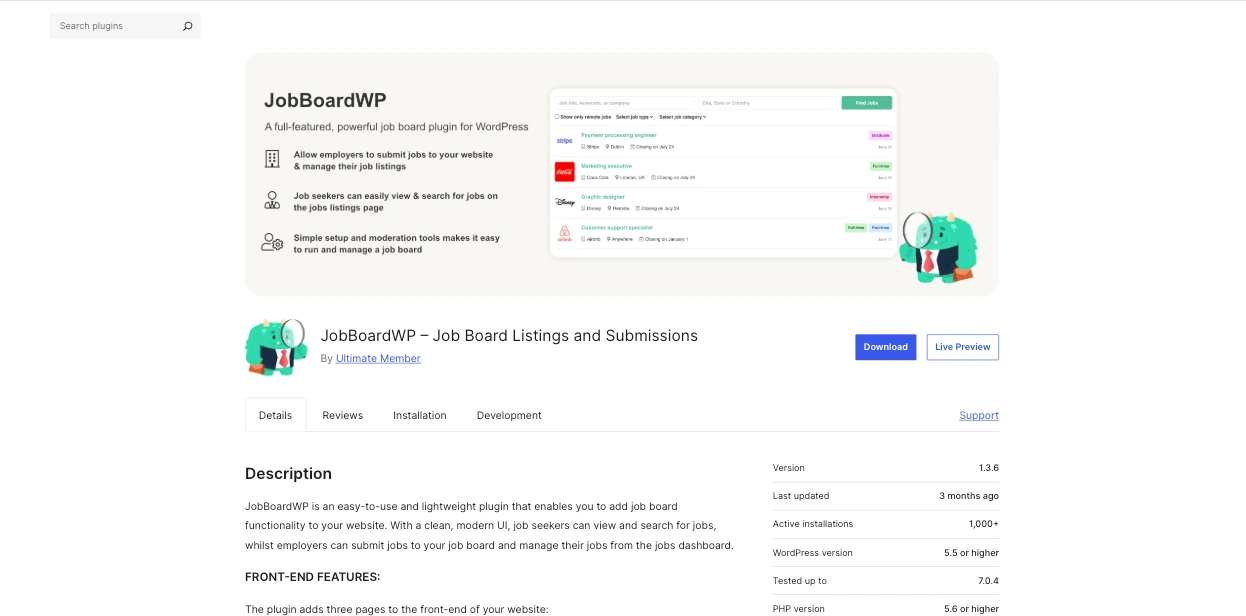
JobBoardWP is a lightweight plug-in for adding job board functionality to your WordPress website. Once you set it up, it adds three pages to your site: Jobs page, Post Job page, and Jobs Dashboard page. The Jobs page shows job seekers all listed roles and provides location and keyword search plus filtering options for remote-only or other categories. The Post Job page lets visitors submit job listings via a job submission form, and the Jobs Dashboard page lets employers view and manage their submitted jobs.
As an employer, you can display jobs using six different building blocks: single job, job list, job post, jobs dashboard, recent jobs, and job categories list. Adding new jobs as well as viewing, editing, and managing existing listings is easy from the WordPress admin dashboard.
The plug-in also lets you create custom job categories and customize the look and function of your job board easily from the admin area. It works well with any WordPress theme (but some may require CSS styling) and has over 1,000 active installs and a 5/5 rating from 10 users.
Key features:
- Modern user interface for job search and filtering
- Dashboard for job seekers to manage their applications
- Adds structured data for Google search out of the box
Limitations: Compared to other job board plug-ins, JobBoardWP has limited advanced features
Plans/pricing: JobBoardWP is a completely free job listing plug-in for WordPress
4. Simple Job Board
Best for: Adding simple job application functionality to your website
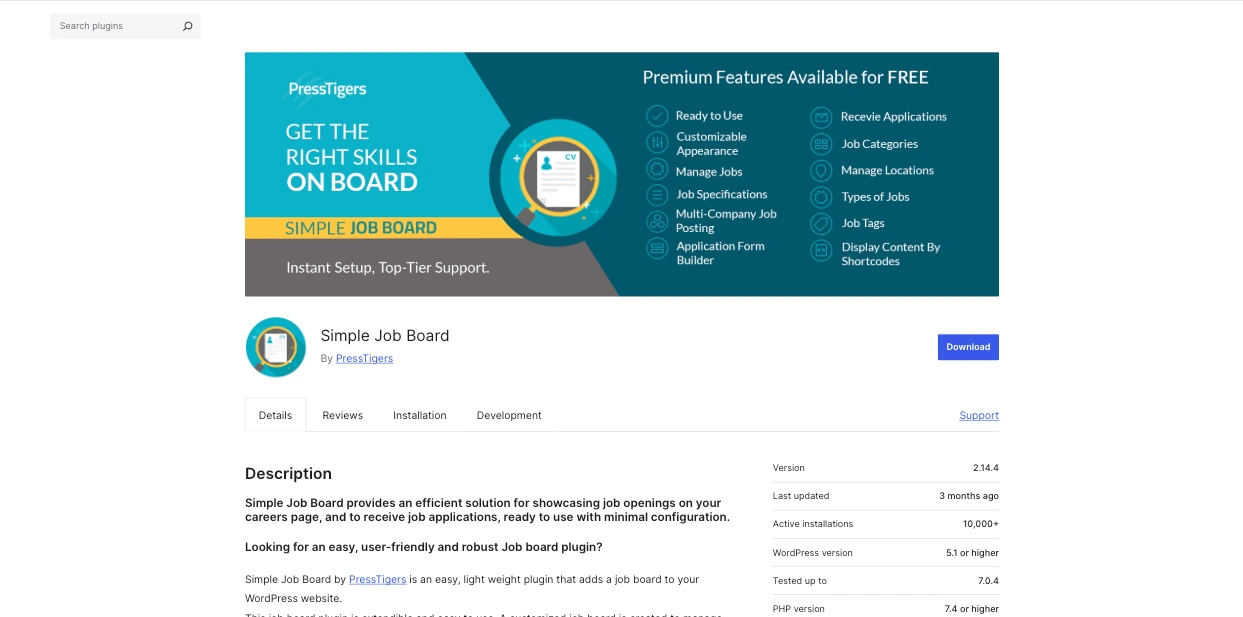
Simple Job Board adds an easy way to showcase and manage new job openings on your website’s career page. It comes pre-configured, so once you install and activate the plug-in, you can start adding jobs immediately.
The plug-in allows you to create multiple job listings with unlimited specifications. You can also add taxonomies, associate multiple companies with jobs, and build custom application forms with unlimited fields. Then, as candidates complete the form, their applications are routed to your email address and stored in your site’s admin panel.
Simple Job Board is extensive and offers multiple add-ons for adding extra functionality. It has over 10,000 active installs and a 4.7/5 rating.
Key features:
- Multiple shortcodes for embedding the forms anywhere on your website
- Ready to use by default without custom styling
- Includes a mobile app for managing your job board on Android and iOS
Limitations: The plug-in lacks advanced filters and search capabilities; most useful features, like front-end job posting, must be purchased as add-ons
Plans/pricing: The core Simple Job Board plug-in is free; more than 40 add-ons are priced individually, ranging from $10 to $49 each (one-time payments, no recurring subscriptions); add-on bundles are available
5. HireZoot (formerly WP Job Openings)
Best for: Visually polished, single-employer career pages
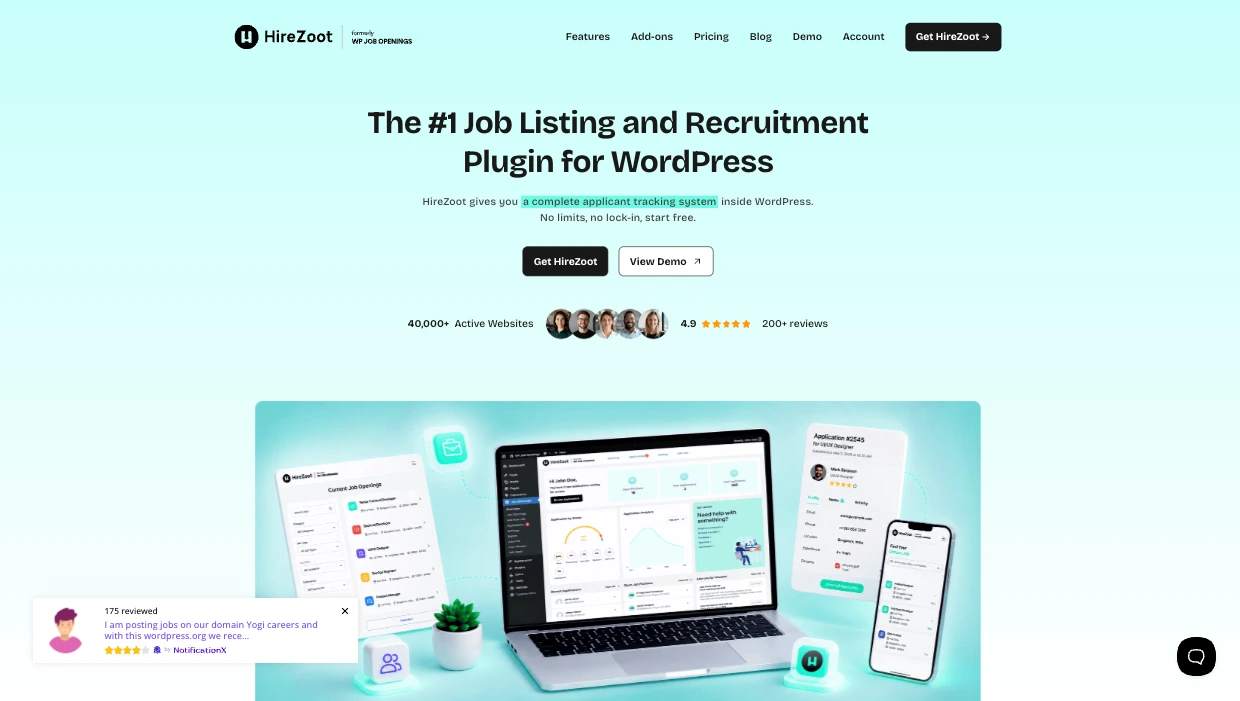
HireZoot is a widely used WordPress job board plug-in with over 30,000 active installations. The plug-in stands out for its clean interface and the visual appeal it adds to any career page.
Immediately after installation, you can start adding job postings and display them in list, grid, and stack layouts. Unlimited filtering, job specifications, and developer hooks then let you customize listings and tailor the plug-in to your heart’s content.
HireZoot also includes job expiry options, a built-in application form, resume preview, and customizable email notifications to keep you on top of applications. For applicants, it offers job alerts and Ajax-powered search.
The plug-in comes optimized for search engines and includes user management features for recruiting teams. HireZoot is rated 4.8/5.
Key features:
- Multiple job display layouts
- Emails are customizable per job
- Unlimited job specifications and filtering options
Limitations: Some important features, like the custom form builder, are locked behind paid plans
Plans/pricing: HireZoot is available for free with limited access; paid plans start at $69 a year or $199 for a one-time payment
Build a high-performing hiring portal with a serverless job board widget
Each of the plug-ins I’ve covered above lets you create a responsive job board for WordPress, but every one of them adds extra weight to your website. Listings, applications, and resume files land in the same database tables used for other content. So, as the number of active listings grows, managing everything quickly becomes difficult. Plus, using plug-ins means you’re constantly debugging conflict points, monitoring security updates, and applying patches to keep the website and applicants’ sensitive information safe from malicious actors.
The Jotform Job Board Widget takes a different route. With it, you build the careers section that fits your website inside Jotform — adding each role’s title, description, location, employment type, salary, and skill tags — then choose a layout, turn on desired filters, and paste an embed code into a WordPress Custom HTML block. The listings render on your website, but they live on Jotform’s infrastructure rather than in your database. Updating a role or changing the career page happens inside Jotform, and the changes reflect on your page without any redeployment.
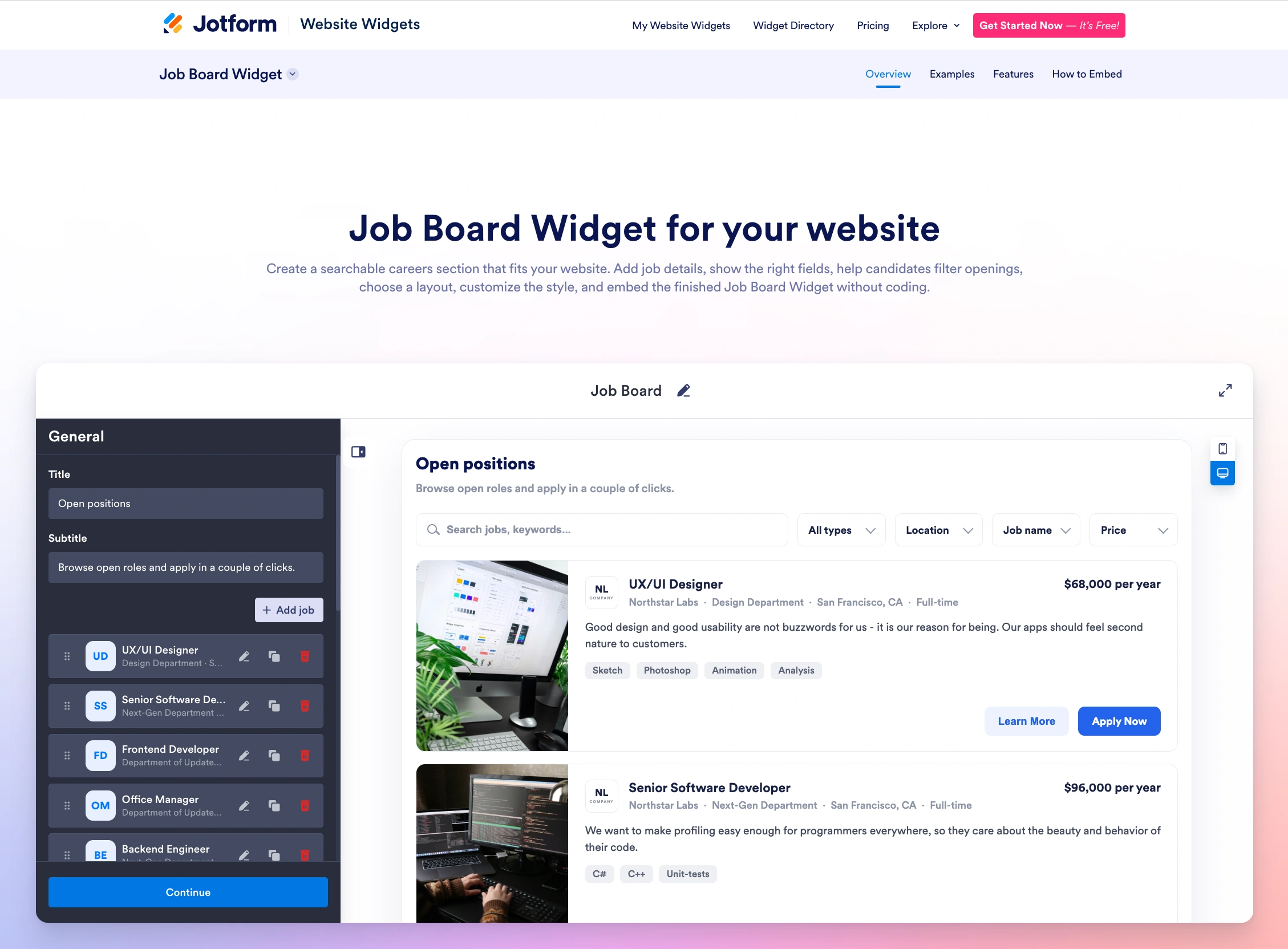
Because the widget is embedded rather than installed, it doesn’t add to your plug-in list, increase the data in your WordPress database, or put your site at risk of security vulnerabilities when outdated. All application forms run through Jotform as well, so resume uploads and applicant details stay on Jotform’s cloud-hosted servers, protecting your page load time and keeping candidates’ personally identifiable information out of reach of malicious actors.
Instead of installing multimegabyte plug-ins for every single front-end feature your website needs, consider using embeddable no-code widgets that provide the same capabilities. For instance, as you’re embedding a job board WordPress widget, why not also add an FAQ Widget to answer common questions candidates ask before applying? You can use the Accessibility Widget to keep listings accessible for every applicant, too, and use the Banner Widget to surface current openings across the rest of your site, pointing traffic toward the roles you’re filling. That way, you’ll have a branded job board managed off your WordPress website with no plug-in to install or maintenance overhead to manage.
Start browsing the Jotform Website Widgets directory of more than 150 widgets and find the tools capable of enhancing your WordPress website today.
This article is for WordPress site owners, human resource managers, recruitment agencies, and web designers who want to build a clean careers page or public job marketplace without cluttering their local database, risking form-handling vulnerabilities, or lagging their server speed.






































































































Send Comment: