

Fleet Management Forms
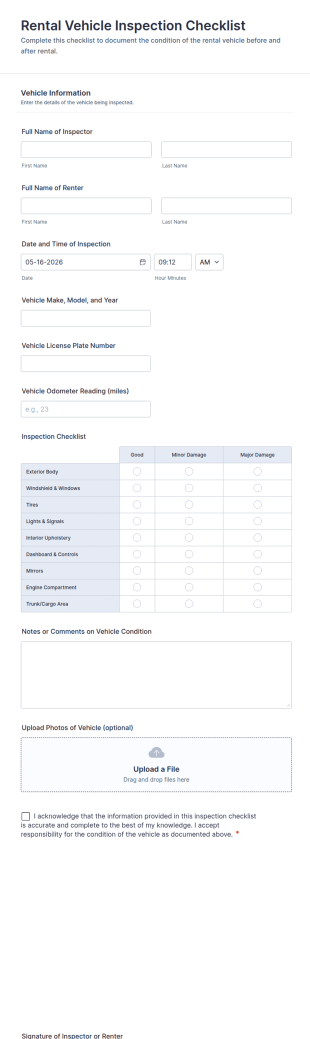
Rental Vehicle Inspection Checklist Form
Document pre- and post-rental vehicle condition with the Rental Vehicle Inspection Checklist Form for rental agencies, fleet teams, and car-sharing operators using Jotform for fast data collection and reliable form submission records.
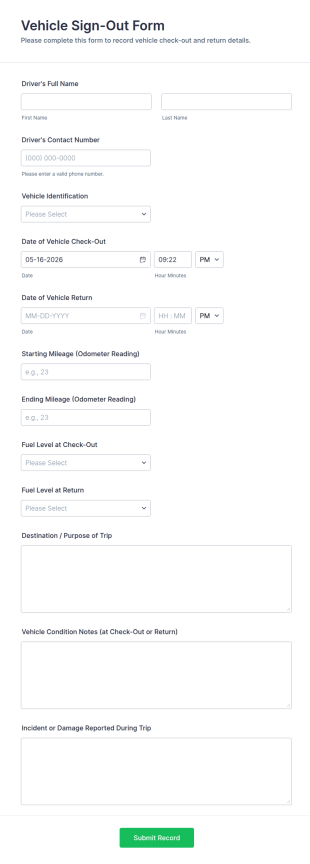
Go to Category:Vehicle Inspection FormsVehicle Sign Out Form
Track shared vehicle usage with the Vehicle Sign-Out Form by recording driver details, check-out and return times, and trip notes for consistent fleet data collection across your organization.
Go to Category:Fleet Management Forms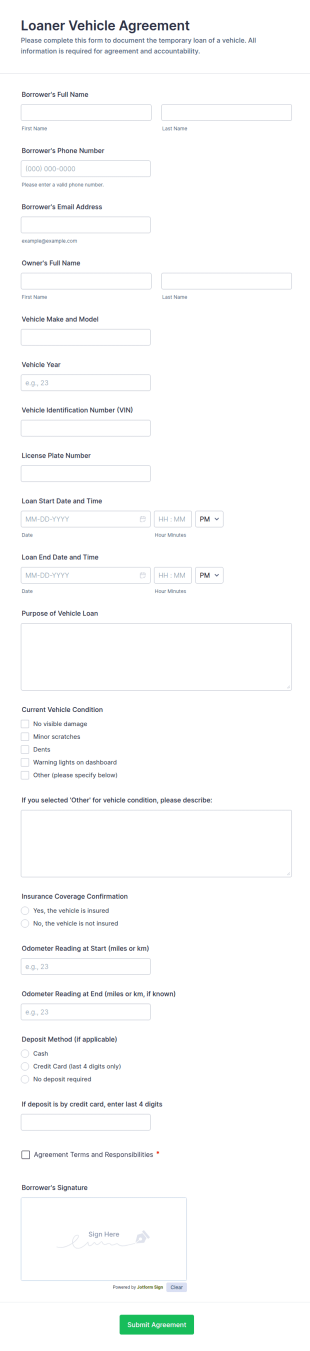
Loaner Vehicle Agreement Form
Document temporary vehicle loans with the Loaner Vehicle Agreement Form, built for repair shops, dealerships, and fleet teams to capture key details, confirm responsibilities, and keep a clear record of every form submission in Jotform.
Go to Category:Automotive Forms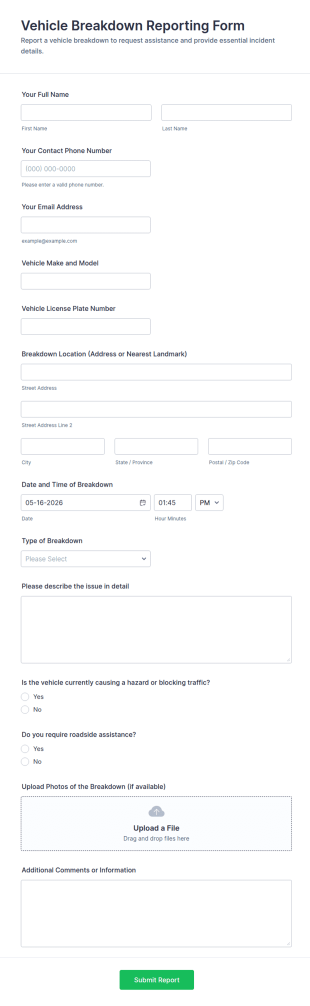
Vehicle Breakdown Reporting Form
Collect vehicle incident details fast with the Vehicle Breakdown Reporting Form for fleets, service teams, and drivers, and manage data collection and every form submission in Jotform for quicker triage and follow-up.
Go to Category:Automotive Forms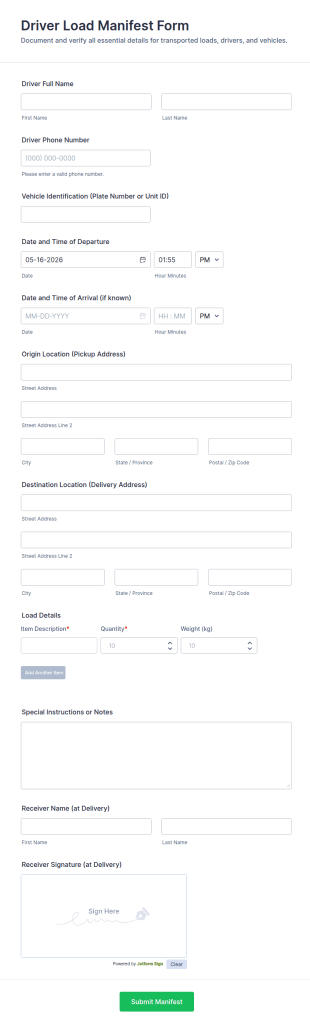
Driver Load Manifest Form
Track pickups and deliveries with the Driver Load Manifest Form in Jotform, built for fleets and dispatch teams to document each trip, confirm delivery, and centralize data collection with reliable form submissions.
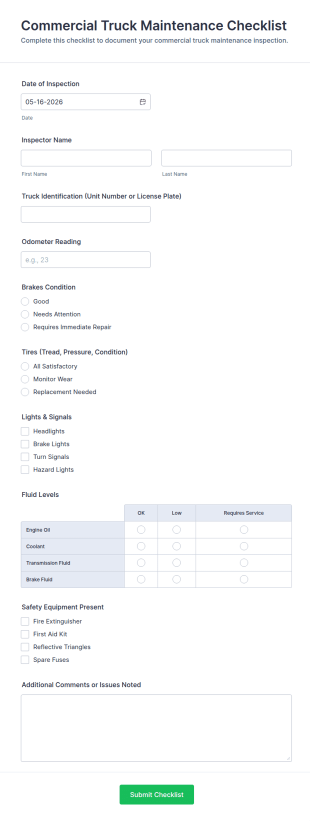
Go to Category:Driver FormsCommercial Truck Maintenance Checklist Form
Track fleet inspections with the Commercial Truck Maintenance Checklist Form for consistent data collection, faster maintenance follow-ups, and centralized form submission records in Jotform.
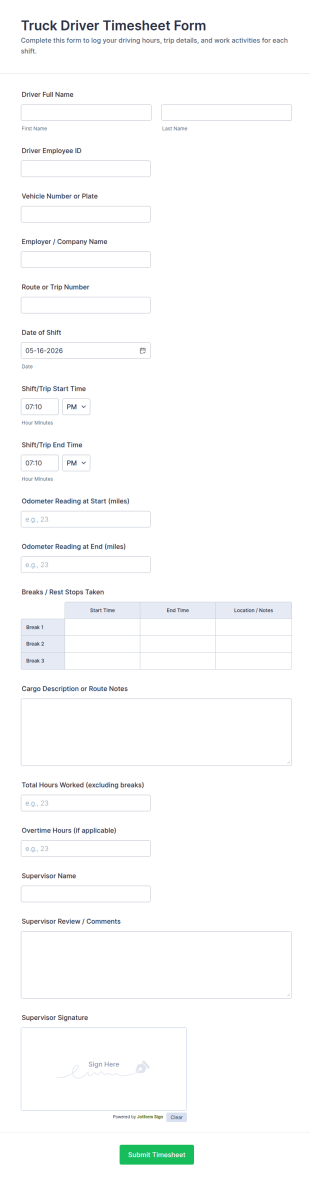
Go to Category:Checklist FormsTruck Driver Timesheet Form
Track driver shifts, mileage, and supervisor approvals with the Truck Driver Timesheet Form by Jotform, ideal for fleets and transportation companies that need reliable time tracking and consistent data collection.
Go to Category:Driver Forms
Delivery Driver Daily Log Form
Track daily driver activity with the Delivery Driver Daily Log Form in Jotform, a ready-to-use form template for delivery businesses to record shifts, mileage, and incidents while keeping data collection consistent across teams.
Go to Category:Services Forms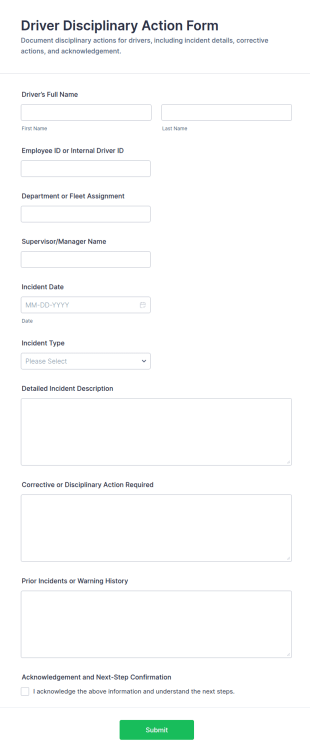
Driver Disciplinary Action Form
Driver Disciplinary Action Form helps fleet managers and supervisors document driver incidents, track follow-up actions, and keep disciplinary records organized with Jotform for consistent internal reporting.
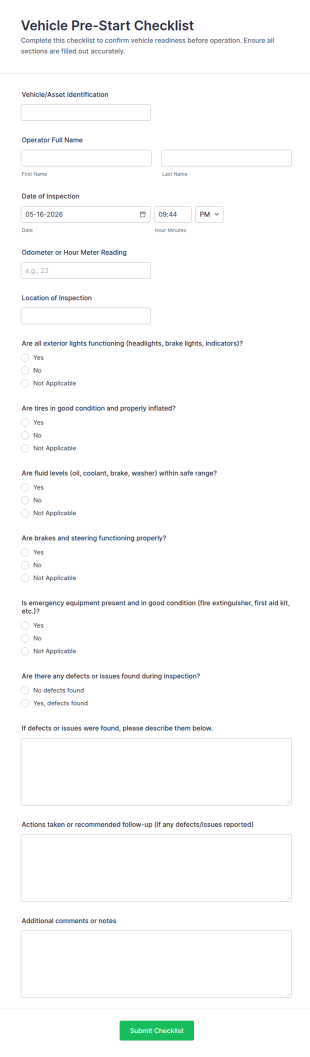
Go to Category:Disciplinary FormsVehicle Pre Start Checklist Form
Document daily vehicle readiness with the Vehicle Pre-Start Checklist Form, a Jotform form template for fleets and field teams to standardize inspections, track issues, and organize form submissions for ongoing maintenance follow-up.
Go to Category:Checklist Forms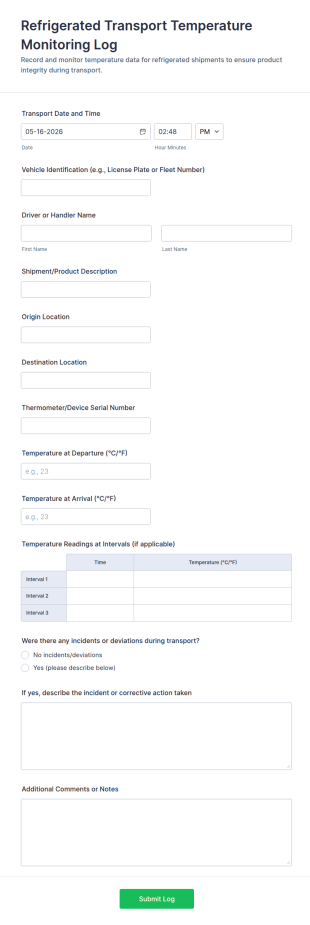
Refrigerated Transport Temperature Monitoring Log
Track cold-chain data collection with the Refrigerated Transport Temperature Monitoring Log Form, ideal for logistics teams managing refrigerated deliveries, documenting temperature checks, and recording transport incidents in each form submission.
Go to Category:Monitoring Forms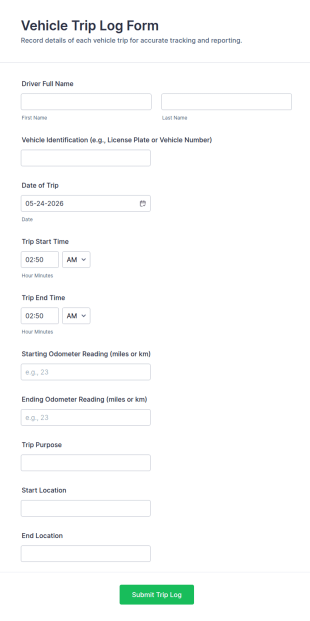
Vehicle Trip Log Form
Track fleet mileage and vehicle usage with the Vehicle Trip Log Form for fast, consistent data collection across drivers, departments, and shared vehicles using Jotform.
Go to Category:Automotive Forms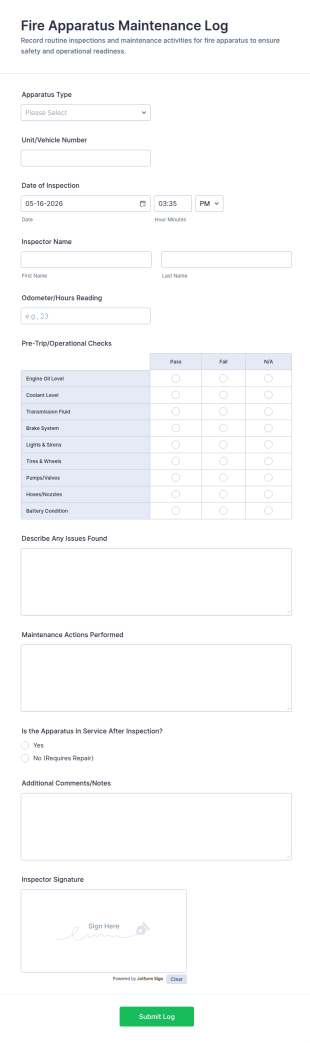
Fire Apparatus Maintenance Log Form
Track fire apparatus inspections and maintenance with the Fire Apparatus Maintenance Log Form, a Jotform form template for consistent data collection across stations, crews, and fleet operations with fast, searchable form submissions.
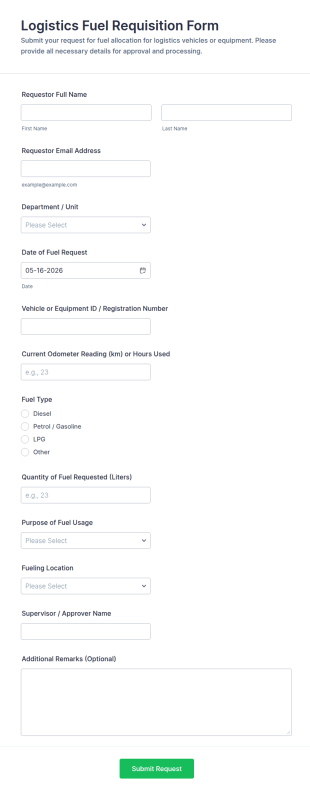
Go to Category:Equipment Maintenance FormsLogistics Fuel Requisition Form
Track and approve fleet fuel requests with the Logistics Fuel Requisition Form in Jotform, ideal for logistics, transportation, and field operations teams that need consistent data collection and faster request handling.
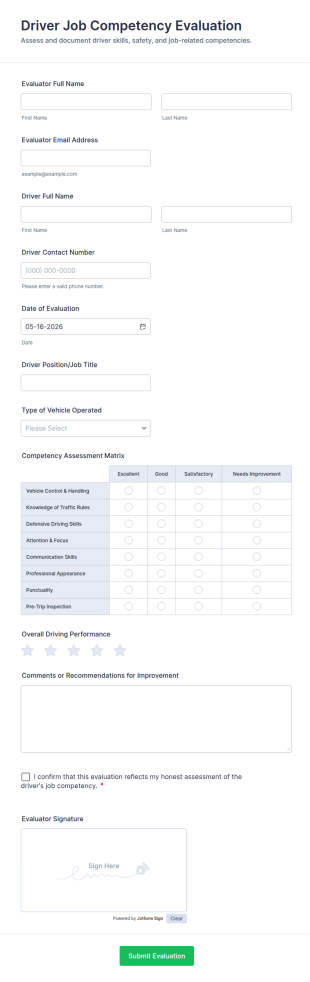
Go to Category:Request FormsDriver Job Competency Evaluation
Collect consistent driver performance reviews with the Driver Job Competency Evaluation Form in Jotform, helping fleet and operations teams standardize evaluations, document feedback, and manage form submission records in one place.
Go to Category:Driver Forms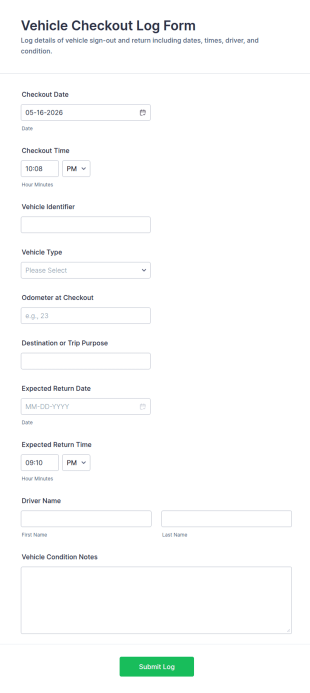
Vehicle Checkout Log Form
Vehicle Checkout Log Form helps fleet and operations teams record vehicle usage, track drivers and return expectations, and maintain consistent data collection through Jotform for shared vehicles across departments.
Go to Category:Automotive Forms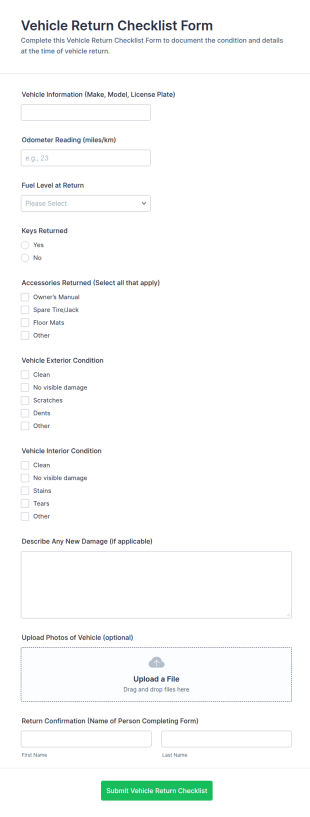
Vehicle Return Checklist Form
Track vehicle handoffs with the Vehicle Return Checklist Form in Jotform, helping rental, fleet, and service teams document return condition, reduce disputes, and keep consistent records across locations.
Go to Category:Automotive Forms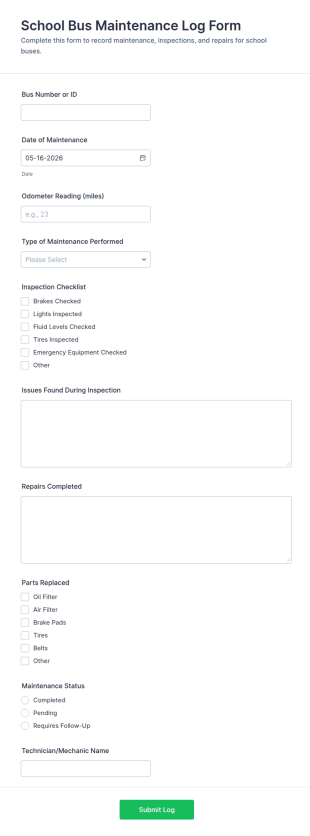
School Bus Maintenance Log Form
Track school bus service history with the School Bus Maintenance Log Form for consistent data collection across inspections and repairs, helping transportation teams and fleet managers stay organized with every form submission.
Go to Category:Maintenance Forms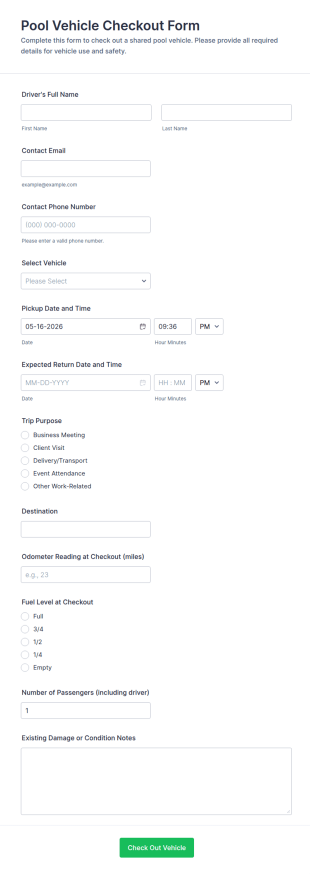
Pool Vehicle Checkout Form
Pool Vehicle Checkout Form helps teams track shared vehicle use by recording driver details, vehicle selection, and pickup and return timing, making it easier for offices, facilities, and nonprofits to coordinate fleet access with Jotform.
Go to Category:Check-Out Forms
Driver Safety Induction Form
Driver Safety Induction Form supports safer driver onboarding by capturing work details and safety acknowledgments for employees and contractors, helping fleet and operations teams standardize data collection in Jotform.
Go to Category:Driver Forms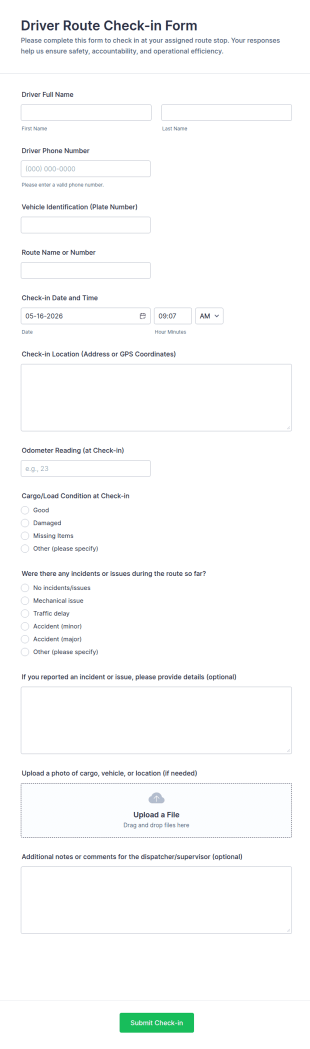
Driver Route Check In Form
Collect driver route check-ins with Jotform using the Driver Route Check-in Form, helping dispatch and fleet teams track progress, document updates, and centralize data collection from every form submission.
Go to Category:Driver Forms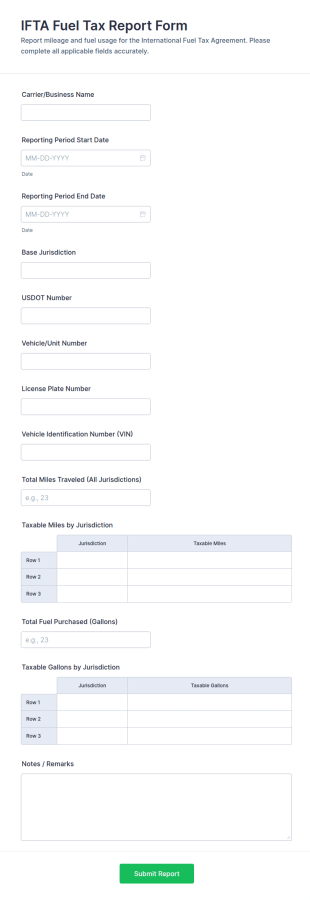
IFTA Fuel Tax Report Form
Collect IFTA fuel tax reporting details for carriers and fleets with the IFTA Fuel Tax Report Form, making multi-jurisdiction mileage and fuel tracking easier to prepare, review, and manage in Jotform.
Go to Category:Tax Forms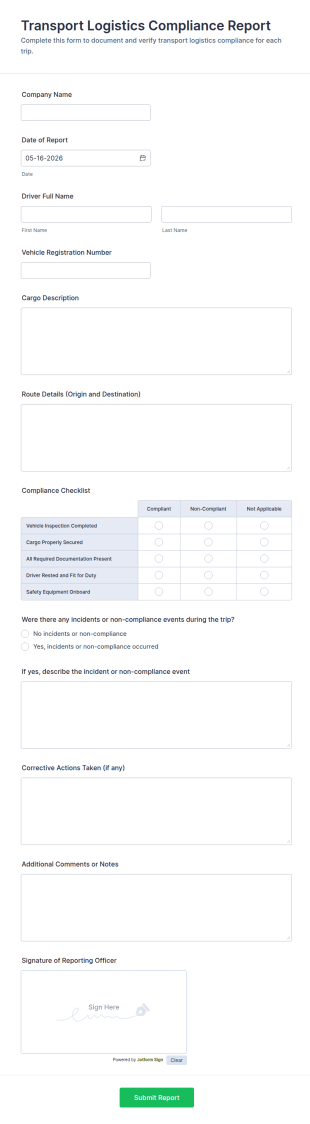
Transport Logistics Compliance Report Form
Transport Logistics Compliance Report Form helps fleets and logistics teams document trip compliance, track incidents, and standardize reporting with Jotform for faster review and follow-up.
Go to Category:Transportation Incident Forms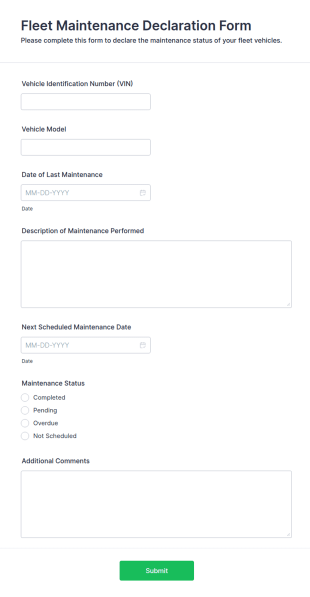
Fleet Maintenance Declaration Form
The Fleet Maintenance Declaration Form helps businesses document vehicle maintenance and repairs, ensuring compliance and efficiency in fleet management.
Go to Category:Business FormsAbout Fleet Management Forms
Fleet management forms are structured documents used to manage and document fleet operations, vehicle usage, maintenance coordination, and compliance activities. They help organizations collect consistent information about vehicles, drivers, schedules, costs, incidents, and service needs so fleets can run safely and efficiently. Fleet management forms are commonly used by logistics companies, delivery services, construction and field service teams, municipalities, and any organization operating multiple vehicles. Typical workflows include vehicle assignment, inspection reporting, maintenance requests, fuel and mileage tracking, incident documentation, and compliance checks. By standardizing these processes, fleet management forms reduce downtime, improve accountability, and support better operational decision-making.
With Jotform, fleet management forms can be created quickly using a no-code, drag-and-drop Form Builder and customized for different vehicle types and operational policies. Conditional logic can show relevant questions based on vehicle category or request type, while file upload fields can collect photos, receipts, or supporting documents. Submissions are stored in Jotform Tables, making it easy to track fleet activity, filter by vehicle or driver, and maintain organized records. Automated notifications can alert managers about urgent issues such as failed inspections, accidents, or overdue maintenance needs.
Use Cases of Fleet Management Forms
Fleet management forms support daily operations, maintenance workflows, and safety and compliance documentation. Below are common ways these forms are used and the challenges they help solve.
Possible Use Cases:
- Vehicle assignment and driver authorization requests
- Pre-trip and post-trip inspections and defect reporting
- Maintenance requests and service scheduling intake
- Fuel, mileage, and expense tracking submissions
- Fleet incident reporting and insurance documentation
- Compliance checklists and audit-ready record collection
Problem-Solving Points:
- Centralize fleet information instead of scattered logs and emails
- Improve safety by standardizing inspections and issue reporting
- Reduce downtime by routing maintenance needs faster
- Support cost tracking and compliance documentation across vehicles
Possible Owners and Users:
- Fleet managers and operations teams
- Drivers and vehicle operators
- Dispatch coordinators
- Maintenance and service teams
- Safety and compliance staff
Differences of Creation Methods:
- Fleet inspection and defect report forms focus on checklist-based vehicle condition reporting, pass-fail items, defect notes, and photo attachments for evidence.
- Fleet maintenance and service request forms emphasize vehicle ID, issue category, severity, scheduling availability, vendor preferences, and approval or work order details.
- Fleet usage and cost tracking forms prioritize trip details, mileage, fuel usage, receipts, expense categories, and driver accountability fields.
How to Create a Fleet Management Form
Creating a fleet management form with Jotform helps you standardize fleet workflows while keeping reporting fast and field-friendly.
1. Choose a Template or Start from Scratch
In My Workspace, click “Create” and select “Form.” Start from scratch or use a fleet, inspection, or maintenance template. A Classic Form works well for detailed logs, while a Card Form can guide drivers step by step.
2. Add Vehicle and Driver Identification Fields
Use Add Element to include vehicle ID/unit number, license plate, driver name, location, and date/time. Dropdowns help standardize vehicle types and routes.
3. Build Sections Based on Fleet Workflow
Add inspection checklists, maintenance issue fields, fuel and mileage inputs, or incident details based on what you need. Keep fields consistent so reporting can be compared across vehicles.
4. Use Conditional Logic for Exceptions
Use conditional logic to show follow-up questions only when issues are reported. For example, if an inspection item fails, show defect description and photo upload. If severity is high, show escalation and “vehicle out of service” fields.
5. Set Up Notifications and Approvals
Configure notification emails to alert fleet managers or maintenance teams immediately when urgent issues are submitted. Add approvals if certain requests require manager sign-off.
6. Publish, Test, and Track in Jotform Tables
Test the form on mobile and run submissions for different scenarios. Publish and share the link or QR code with drivers. Submissions are stored in Jotform Tables for filtering, export, and reporting.
Frequently Asked Questions
1. What are fleet management forms?
Fleet management forms are documents or online forms used to manage vehicle operations, inspections, maintenance, costs, and compliance across a fleet.
2. Why are fleet management forms important?
They standardize reporting, reduce downtime, improve safety, and create clear records for operations and compliance.
3. What information is typically included in fleet management forms?
Common fields include vehicle and driver details, inspection results, maintenance needs, mileage and fuel data, incident reports, and attachments such as photos or receipts.
4. Who uses fleet management forms?
Fleet managers, drivers, dispatch teams, maintenance staff, and compliance teams use these forms depending on the workflow.
5. How do fleet management forms reduce downtime?
They help capture issues early, route maintenance requests quickly, and track vehicle status consistently across the fleet.
6. Can fleet management forms be completed on mobile?
Yes. Jotform forms are mobile-friendly, so drivers and field staff can submit reports from a phone or tablet.
7. Can fleet management forms include photos and receipts?
Yes. File upload fields can collect images of defects, accident scenes, and receipts for fuel or repairs.
8. Can fleet management forms be customized for different vehicle types?
Yes. Conditional logic and custom fields can tailor questions for trucks, vans, buses, or specialized equipment fleets.