

Student Assessment Forms
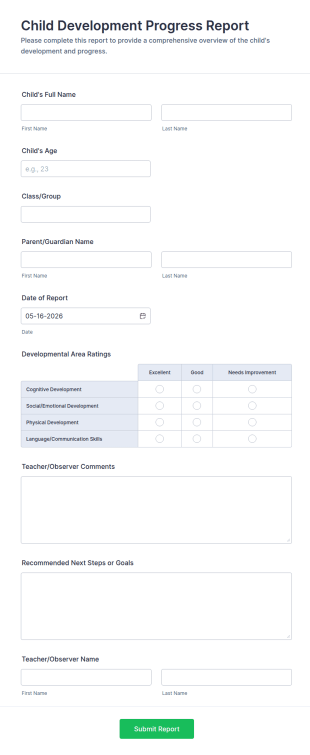
Child Development Progress Report
Child Development Progress Report Form helps teachers and child care providers document developmental progress, share comments with parents, and track goals across reporting periods.
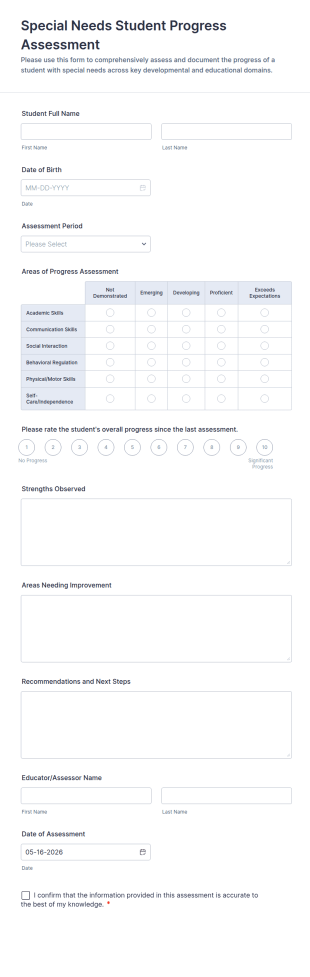
Go to Category:Education FormsSpecial Needs Student Progress Assessment Form
Track and document student growth over time with the Special Needs Student Progress Assessment Form, ideal for teachers and support teams who need consistent evaluation records and reliable data collection in one place.
Go to Category:Assessment Forms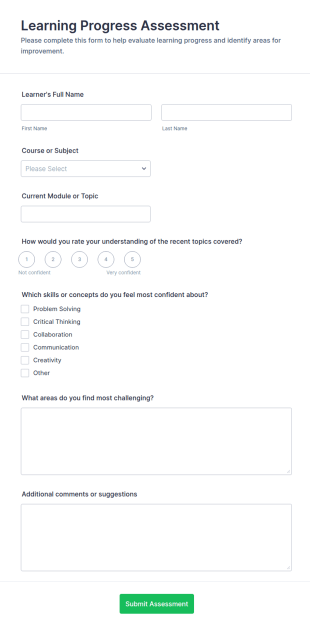
Learning Progress Assessment
Use the Learning Progress Assessment form template from Jotform to track student performance over time, customize fields with Jotform Form Builder’s drag-and-drop interface, and organize form submission data for clear, ongoing evaluation and data collection.
Go to Category:Education Forms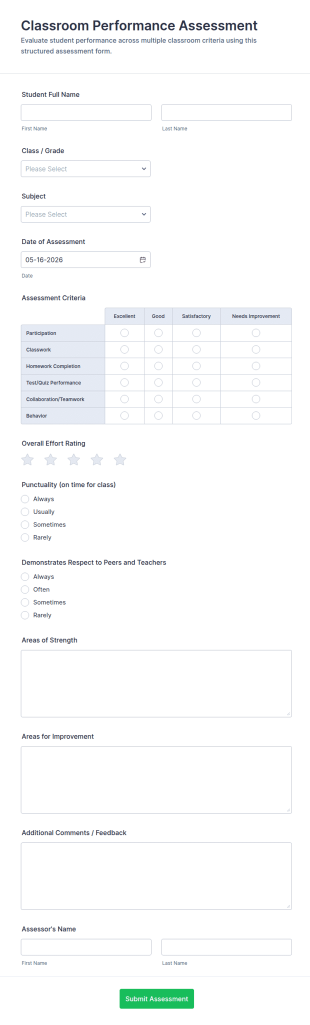
Classroom Performance Assessment Form
Track student progress with the Classroom Performance Assessment Form for teachers and schools, supporting consistent evaluations across classes and subjects while keeping data collection and each form submission organized in Jotform.
Go to Category:Assessment Forms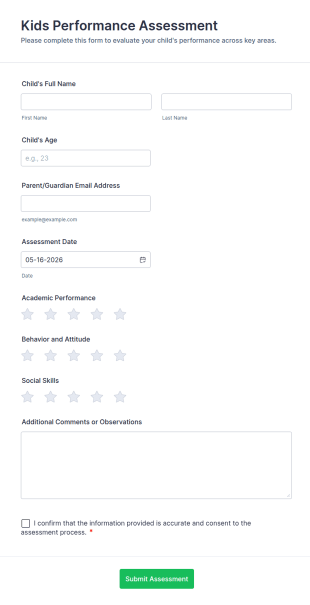
Kids Performance Assessment
Kids Performance Assessment Form helps teachers, tutors, and childcare providers evaluate academic performance, behavior, and social skills, capture comments, and document parent consent in a consistent digital format.
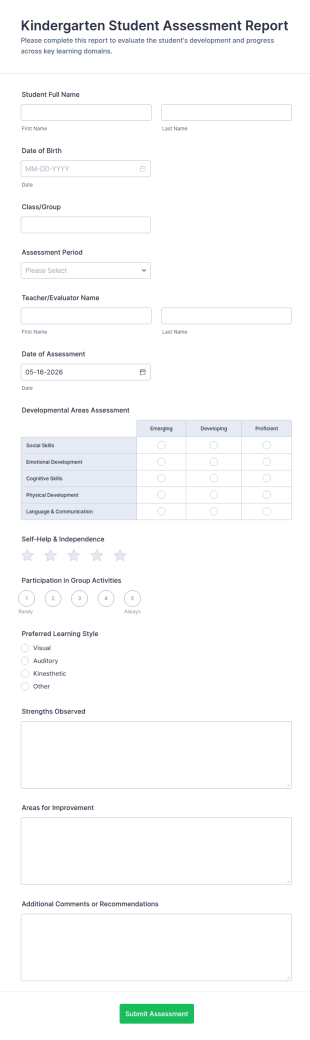
Go to Category:Student Assessment FormsKindergarten Student Assessment Report Form
Document early learning progress with the Kindergarten Student Assessment Report Form in Jotform, ideal for teachers and preschool programs to support ongoing data collection and consistent evaluation across key developmental domains.
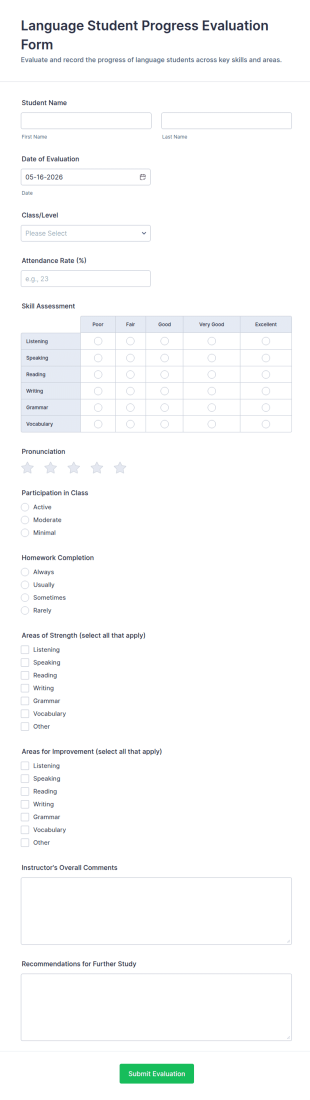
Go to Category:Assessment FormsLanguage Student Progress Evaluation Form
Language Student Progress Evaluation Form helps language teachers and schools track learner performance and document progress over time with consistent data collection and organized form submission records in Jotform.
Go to Category:Education Forms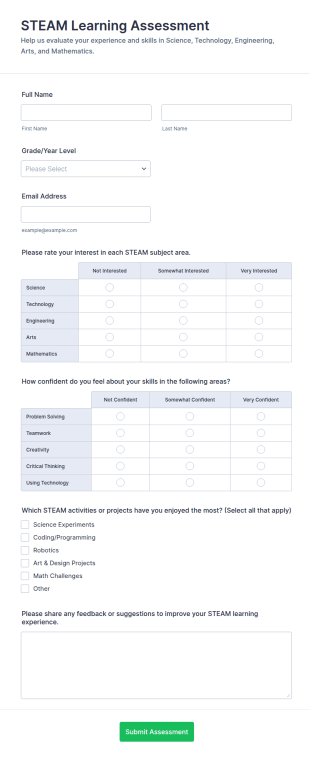
STEAM Learning Assessment
STEAM Learning Assessment Form helps schools and programs gather student feedback on interest, confidence, and experiences in STEAM subjects for better curriculum planning and instruction.
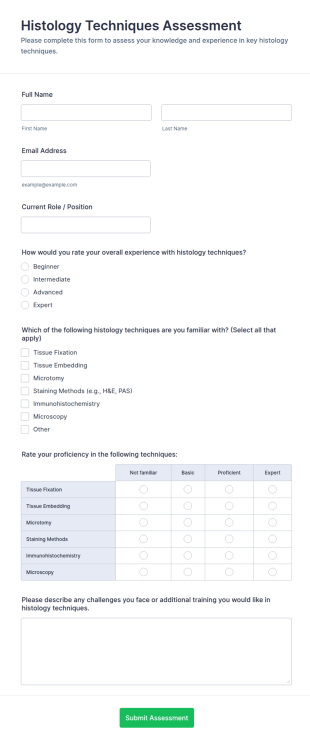
Go to Category:Student Assessment FormsHistology Techniques Assessment
Histology Techniques Assessment Form helps educators and lab managers evaluate histology experience, proficiency, and training needs using an online, customizable Jotform assessment template.
Go to Category:Healthcare Assessment Forms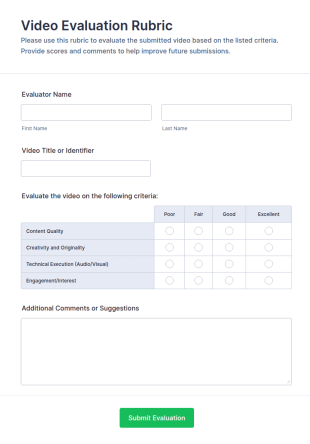
Video Evaluation Rubric
Use the Video Evaluation Rubric from Jotform to score and review video projects online, customize criteria with Jotform Form Builder, and streamline data collection and form submission with an easy drag-and-drop interface form template.
Go to Category:Education Forms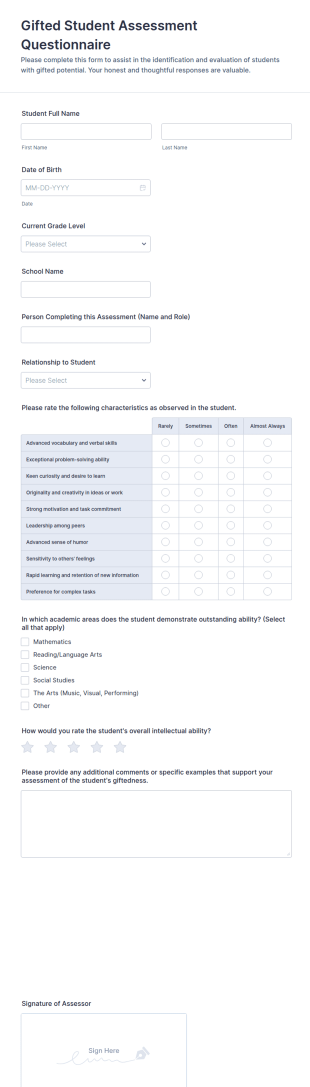
Gifted Student Assessment Questionnaire Form
Collect observation-based input for gifted student screening with the Gifted Student Assessment Questionnaire Form, ideal for teachers, parents, and school counselors who need consistent data collection and organized form submission in Jotform.
Go to Category:Questionnaire Templates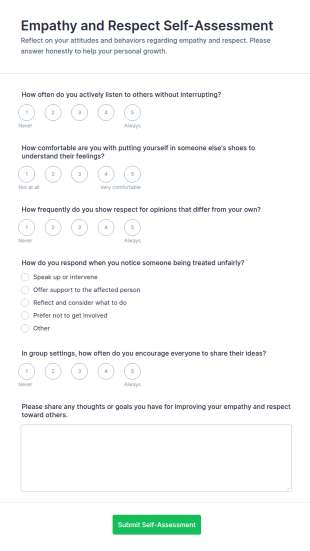
Empathy And Respect Self Assessment
Use the Empathy and Respect Self-Assessment Jotform form template to guide students or employees in reflecting on their behavior, streamline data collection, and analyze form submission results with Jotform Form Builder’s drag-and-drop interface.
Go to Category:Assessment Forms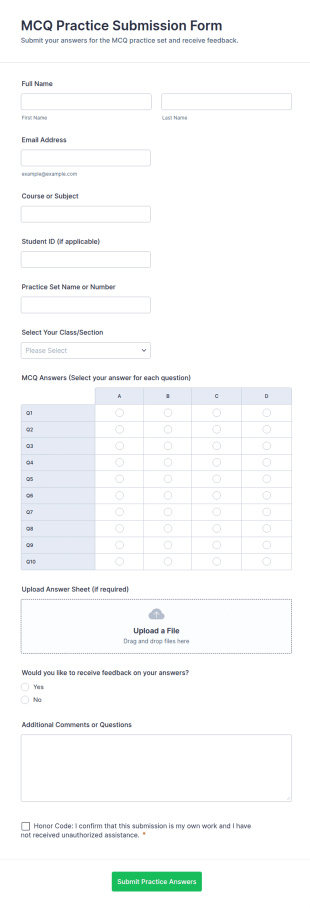
MCQ Practice Submission Form
MCQ Practice Submission Form Template for collecting student practice answers online, organizing submissions by course and section, and supporting instructor review with Jotform data collection and form submission tools.
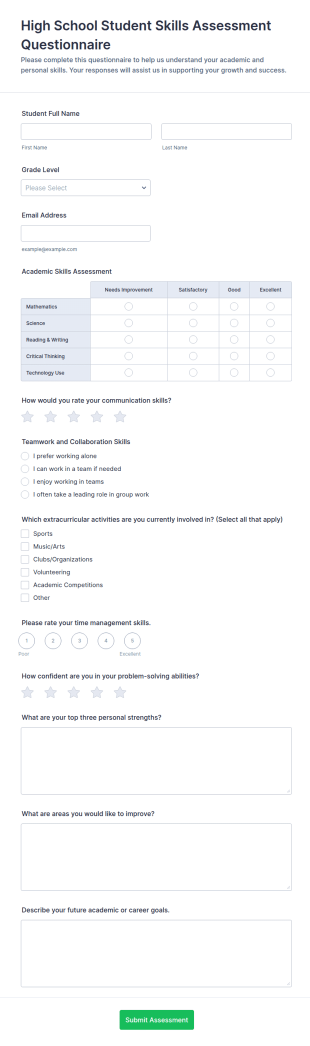
Go to Category:Education FormsHigh School Student Skills Assessment Questionnaire Form
Collect student self-assessments with the High School Student Skills Assessment Questionnaire Form for schools and counseling programs, supporting academic planning and student development with organized data collection in Jotform.
Go to Category:Questionnaire Templates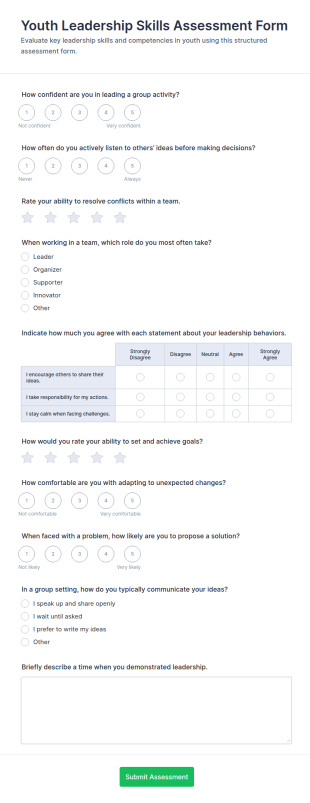
Youth Leadership Skills Assessment Questionnaire
Collect youth self-assessments on core leadership competencies with the Youth Leadership Skills Assessment Form, ideal for schools, nonprofits, camps, and mentoring programs that want consistent, trackable participant feedback.
Go to Category:Assessment Forms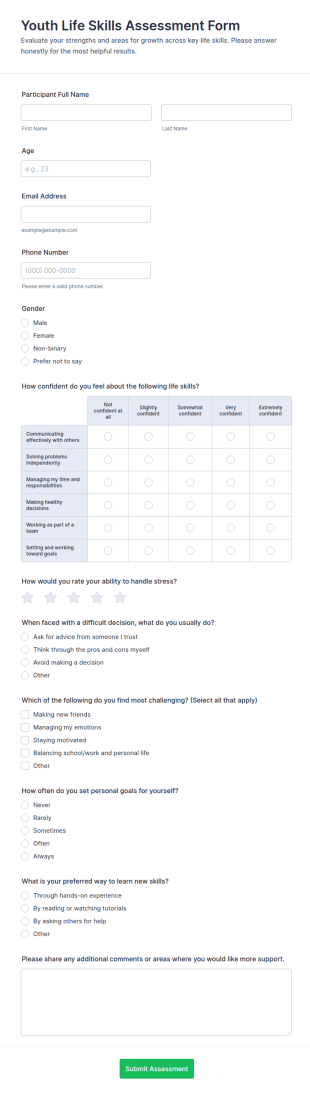
Youth Life Skills Assessment Form
Youth Life Skills Assessment Form helps schools, nonprofits, and youth programs evaluate participant confidence and learning needs to guide coaching plans, workshops, and ongoing support using Jotform.
Go to Category:Assessment Forms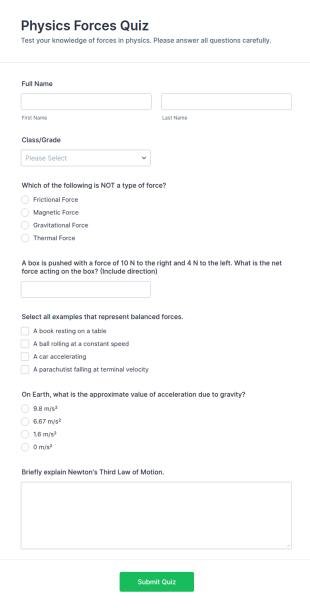
Physics Forces Quiz
Physics Forces Quiz Form helps teachers and tutors assess students’ understanding of forces, gravity, and Newton’s laws online, with organized submissions and easy customization in Jotform.
Go to Category:Exam Forms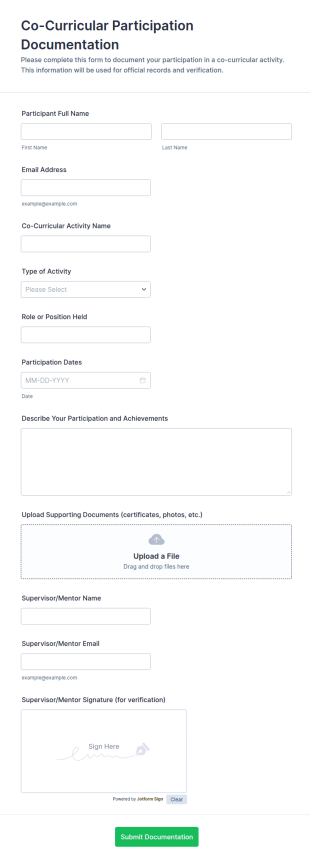
Co Curricular Participation Documentation
Co-Curricular Participation Documentation Form helps schools and youth programs record, verify, and organize students’ co-curricular activities, achievements, and supporting evidence in a standardized format.
Go to Category:Education Forms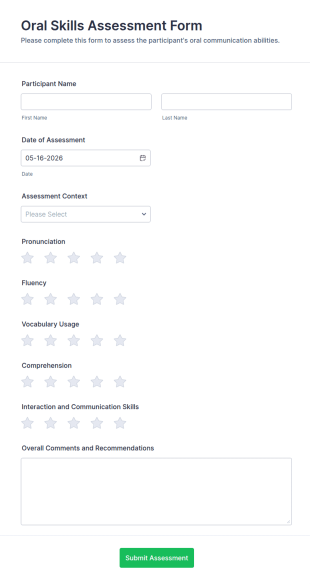
Oral Skills Assessment Form
Use the Oral Skills Assessment Form from Jotform to rate pronunciation, fluency, vocabulary, comprehension, and interaction with a drag-and-drop interface for easy data collection and organized form submissions in Jotform Form Builder Form Templates.
Go to Category:Education Forms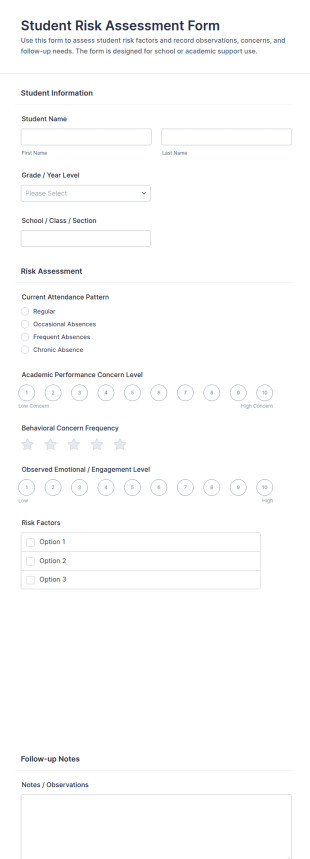
Student Risk Assessment Form
Document attendance, academic and behavioral concerns, and follow-up recommendations with the Student Risk Assessment Form, ideal for counselors and school support teams who need consistent data collection and easy tracking in Jotform.
Go to Category:Assessment Forms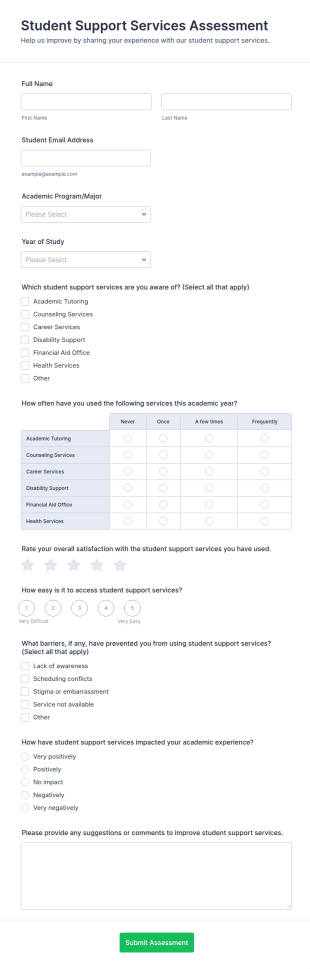
Student Support Services Assessment Form
Collect student feedback on campus support resources with the Student Support Services Assessment Form in Jotform, ideal for universities tracking service awareness, usage trends, and student satisfaction through simple online data collection.
Go to Category:Assessment Forms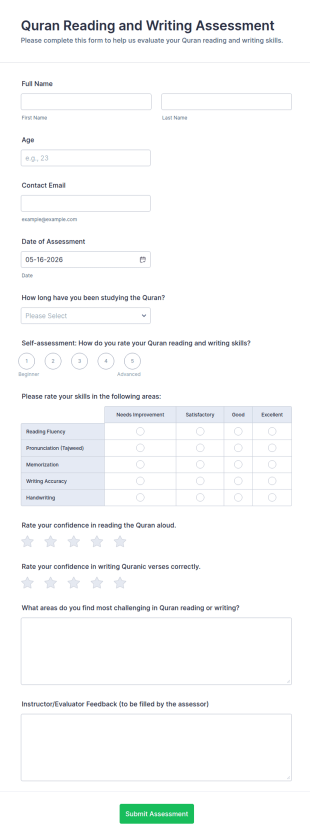
Quran Reading And Writing Assessment Form
Collect Quran reading and writing evaluations with the Quran Reading and Writing Assessment Form in Jotform, ideal for teachers and learning programs to support consistent data collection, review each form submission, and guide instruction.
Go to Category:Assessment Forms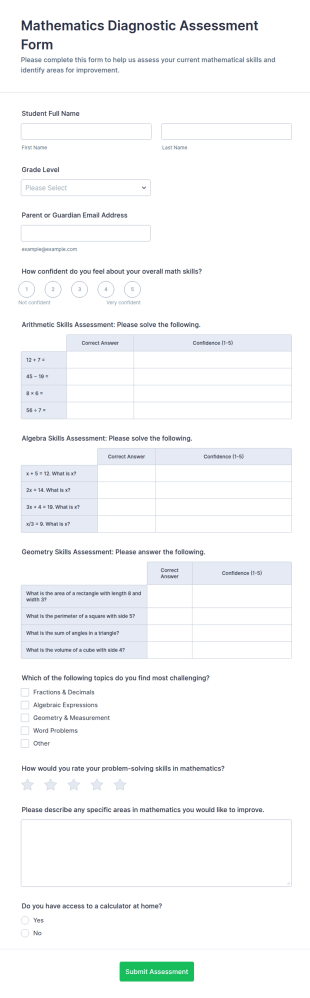
Mathematics Diagnostic Assessment Form
Mathematics Diagnostic Assessment Form helps educators and tutors collect diagnostic math insights online for placement and personalized instruction, with results captured in each form submission for easy review in Jotform.
Go to Category:Assessment Forms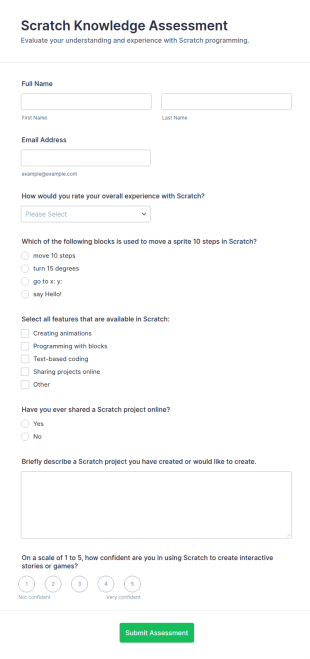
Scratch Knowledge Assessment
Scratch Knowledge Assessment Form helps teachers, coding clubs, and camps evaluate students’ Scratch skills, confidence, and project experience with an online quiz and feedback form.
Go to Category:Assessment FormsAbout Student Assessment Forms
Student assessment forms are structured documents used to evaluate student learning, skills, progress, and performance in a consistent and trackable way. They help educators collect evidence of understanding, measure outcomes against criteria, and document feedback that supports student development. Student assessment forms are commonly used in schools, universities, training programs, and tutoring services for quizzes, skill evaluations, rubric-based grading, observation checklists, and progress monitoring. By standardizing how assessments are recorded, these forms reduce grading inconsistency, improve feedback quality, and make it easier to track student growth over time.
With Jotform, student assessment forms can be created quickly using a no-code, drag-and-drop Form Builder and adapted to different subjects, grade levels, and assessment styles. Conditional logic can adjust questions based on student level or assessment path, while form submissions can be stored in Jotform Tables for organized review and reporting. Educators can also use Jotform to collect student self-assessments, peer evaluations, and performance records in one place, making assessment workflows easier to manage.
Use Cases of Student Assessment Forms
Student assessment forms support formal evaluation, ongoing progress tracking, and structured feedback. Below are common ways these forms are used and the challenges they help solve.
Possible Use Cases:
- Rubric-based grading for assignments and projects
- Skills and competency assessments for training programs
- Student self-assessment and reflection submissions
- Classroom observation and participation checklists
- Exam or quiz evaluation and scoring documentation
- Progress monitoring and intervention tracking
Problem-Solving Points:
- Create consistent evaluation criteria across students and classes
- Improve feedback clarity and documentation quality
- Make it easier to track student progress over time
- Reduce manual paperwork and scattered grading notes
Possible Owners and Users:
- Teachers, instructors, and teaching assistants
- School administrators and academic coordinators
- Tutors and training program leaders
- Students completing self-assessments or reflections
Differences of Creation Methods:
- Rubric-based student assessment forms focus on criteria scoring, performance levels, and structured feedback aligned with learning outcomes.
- Skills and competency assessment forms emphasize task checklists, pass-fail indicators, proficiency ratings, and notes on improvement areas.
- Student self-assessment and reflection forms prioritize learning reflections, confidence ratings, goal setting, and what support the student needs next.
How to Create a Student Assessment Form
Creating a student assessment form with Jotform helps educators standardize evaluation while keeping assessment records organized and easy to review.
1. Choose a Template or Start from Scratch
In My Workspace, click “Create” and select “Form.” Start from scratch or use an education template. A Classic Form works well for rubric grading, while a Card Form can guide students through self-assessment step by step.
2. Add Student and Course Context Fields
Use Add Element to collect student name or ID, course name, assignment title, and assessment date. Dropdowns help standardize class sections and assignment types.
3. Build the Assessment Structure
Use rating scales, dropdowns, and checkboxes for scoring. For rubrics, create sections for each criterion with score ranges. For skill assessments, use checklists and proficiency ratings.
4. Use Conditional Logic When Needed
Conditional logic can show different questions for different grade levels, topics, or assessment types. It can also show follow-up prompts when a student scores below a threshold.
5. Add Feedback and Next Steps
Include open-text feedback fields and an action plan section for improvement goals or recommended support.
6. Publish and Track Results in Jotform Tables
Publish the form and share it with staff or students. Store submissions in Jotform Tables for filtering by student, class, or outcome and export for reporting.
Frequently Asked Questions
1. What are student assessment forms?
Student assessment forms are documents or online forms used to evaluate student learning, performance, skills, and progress using structured criteria.
2. Why are student assessment forms important?
They standardize evaluation, improve feedback consistency, and create documented records that support academic tracking and improvement.
3. What information is typically included in student assessment forms?
Common fields include student details, assessment criteria, scores or ratings, instructor feedback, and next steps or improvement recommendations.
4. Who uses student assessment forms?
Teachers, instructors, administrators, tutors, and students (for self-assessment) may all use student assessment forms.
5. Are student assessment forms only used for exams?
No. They are also used for rubrics, skill assessments, participation checklists, reflections, and progress monitoring.
6. Can student assessment forms be completed online?
Yes. Online forms make it easier to collect results, store records, and review assessments without paper-based workflows.
7. How do student assessment forms support learning improvement?
They provide structured feedback, highlight gaps, and help track progress toward learning goals over time.
8. Can student assessment forms be customized by subject or grade level?
Yes. Forms can be tailored using custom fields and conditional logic to match different subjects, grading rubrics, and student levels.