

Journal Apps

Shadow Work Journal App
A Shadow Work Journal App gives you a guided space to explore reflection prompts, capture private journal entries, and log quick mood check-ins in one place. Use it to build a steady journaling habit, work through recurring patterns, or support personal growth between coaching sessions. It’s a great fit for individuals who want structure while writing, as well as wellness practitioners who want to share a consistent prompt flow with clients or groups without turning the process into a complicated system.Jotform makes it easy to turn this Shadow Work Journal App into a personalized experience with App Templates and a no-code app builder. With a drag-and-drop interface, you can tailor the pages, organize prompts into browsable lists, and connect journal entry and check-in forms to a workflow that fits your routine. Share the app with a simple link, keep your data collection organized, and update content anytime as your self-service journaling practice evolves.
Go to Category:Mental Health Apps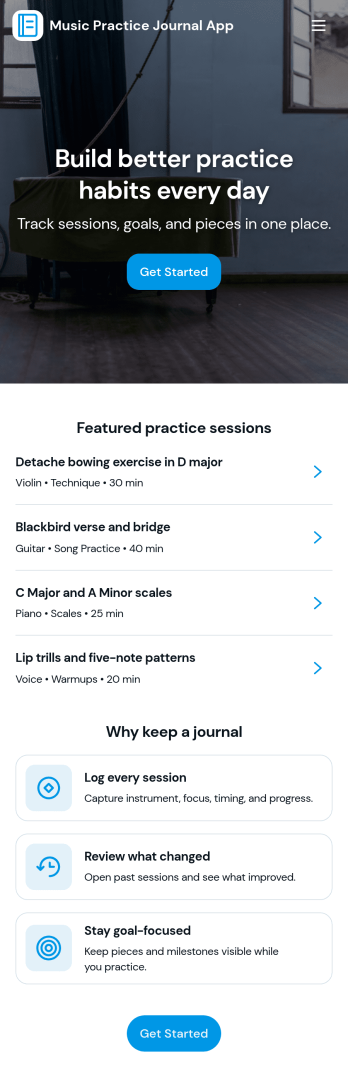
Music Practice Journal App
A music practice journal app gives musicians a simple way to record practice sessions, review past work, and stay motivated with clear goals. This template fits students, private teachers, bands, and self-taught players who want more consistency without relying on scattered notes. Use it to log each session, keep a running history of warmups and recent sessions, and check insights like weekly goals, strongest focus areas, and tempo notes for each instrument.With Jotform, you can turn this music practice journal app into a shareable, self-service experience that works on any device. Customize pages with a drag-and-drop interface, connect your session form to organized records, and keep your workflow moving with centralized data collection and easy navigation. Whether you’re tracking personal progress or managing a studio, Jotform makes it easy to tailor the app template to your routine and publish it with a link for quick access.
Go to Category:Activity Tracking Apps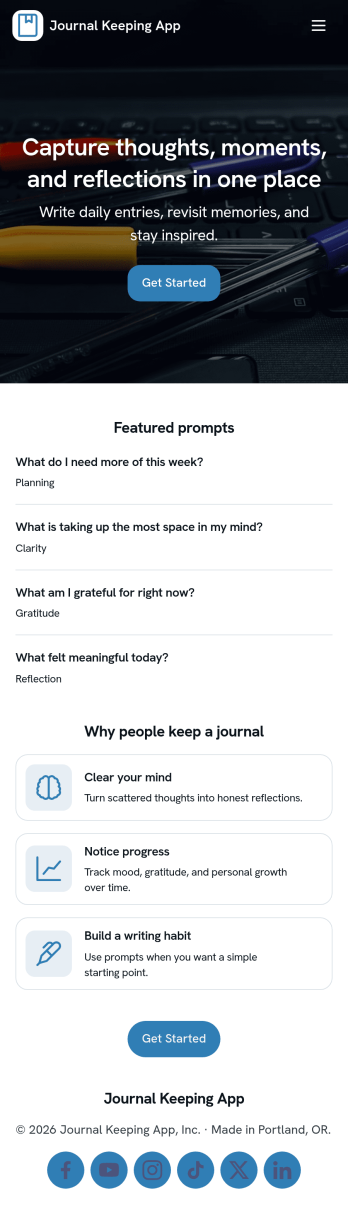
Journal Keeping App
Journal Keeping App helps you capture thoughts, routines, and personal milestones in one place, whether you’re writing a quick note on a busy day or reflecting in depth at night. Use it to create new entries as they happen, review your journal over time, and keep a consistent writing habit without hunting for notebooks or scattered files. It’s a great fit for individuals building a daily reflection practice, students tracking learning and goals, and wellness-focused teams running journaling challenges or self-guided prompts.With Jotform, you can turn this app template into a focused self-service experience that’s easy to update and share. Use the no-code app builder and drag-and-drop interface to adjust pages, add prompts, and connect the entry form to your workflow so writing a new entry feels effortless. As entries come in, Jotform supports reliable data collection and organization, helping you maintain a clear record you can revisit anytime.
Go to Category:Self Care Apps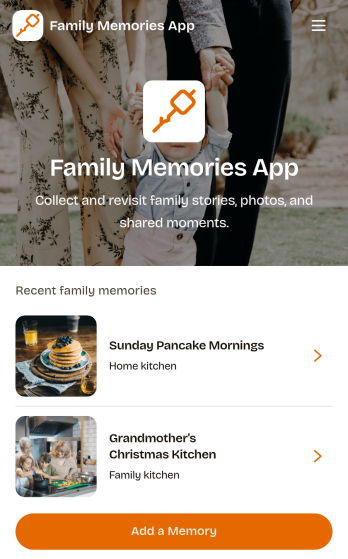
Family Memories App
Family Memories App offers families a welcoming digital space for recording meaningful stories and revisiting shared experiences. Parents, grandparents, children, and extended family members can use it to preserve milestones, celebrations, childhood moments, and traditions that might otherwise be forgotten. Users can add a memory, browse saved entries, and view helpful details about when an event happened, who was involved, and where it took place. By keeping personal stories and images in one organized experience, the app makes family history easier to explore during reunions, anniversaries, holidays, or everyday conversations. It can also support long-term storytelling projects that connect younger relatives with the people and experiences that shaped their family.Jotform Apps helps you turn this Family Memories App template into a personalized, mobile-friendly collection without writing code. Its drag-and-drop app builder makes it easy to adjust pages, navigation, colors, fonts, images, and other visual elements to reflect your family. You can connect forms for data collection, organize incoming memories through a workflow, and create a convenient self-service experience for contributors. Jotform App Templates can be shared through a direct link or QR code, helping relatives access the collection from phones, tablets, or computers and contribute wherever they live.
Go to Category:Journal Apps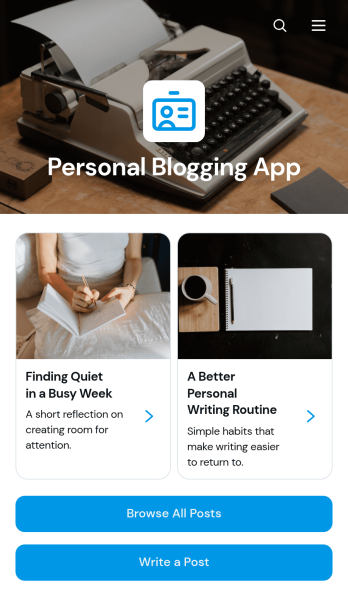
Personal Blogging App
Personal Blogging App is an app template for writers, creators, hobbyists, and independent professionals who want to publish personal stories, creative work, and reflections in an inviting mobile-friendly space. Readers can browse posts, filter articles by category, view publication details, and contact the author by email. A connected form also provides a convenient way to draft or submit a new post. This format helps authors organize a growing body of work, give each article a dedicated reading experience, and make archived content easier to discover without maintaining a complex website.Jotform App Templates make it simple to turn content and data collection into an interactive experience without coding. Customize the Personal Blogging App with the no-code app builder, arrange pages and navigation through a drag-and-drop interface, and apply fonts, colors, images, and branding that reflect your voice. You can connect forms and other workflow resources, update content as your blog develops, and share the finished app using a direct link or QR code. Jotform provides a flexible foundation for managing posts while offering readers convenient self-service access from phones, tablets, or computers.
Go to Category:Journal Apps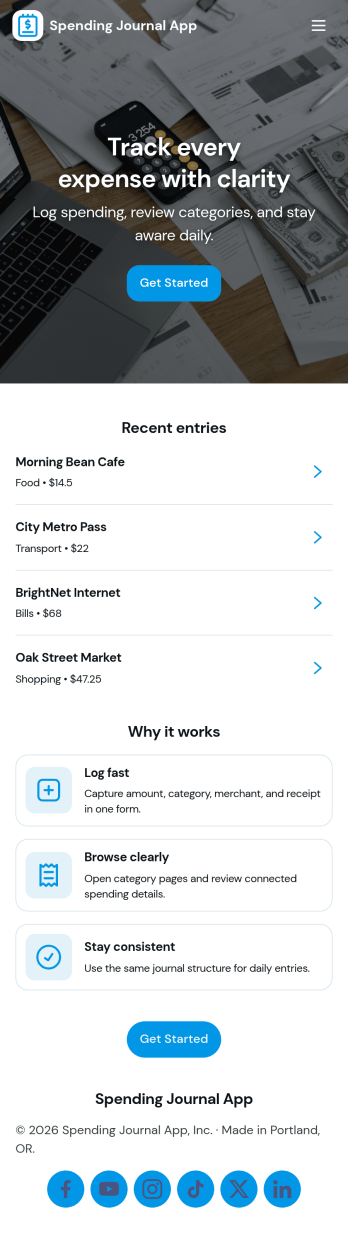
Spending Journal App
A Spending Journal App gives individuals and households a simple place to record everyday purchases and keep a running view of where money is going. With a quick way to log a spend, a list of recent entries, and an easy-to-scan spending summary, it helps you build better awareness of habits across categories and merchants without turning budgeting into a complex project. Use it to capture cash purchases, track discretionary spending, document business reimbursements, or spot patterns like frequent small buys that add up over time.Jotform makes it easy to turn this use case into a polished self-service experience with App Templates you can publish in minutes. Using Jotform’s no-code app builder and drag-and-drop interface, you can adjust pages, wording, and branding, then connect the app to the linked form for consistent data collection. As entries come in, your workflow stays organized for personal tracking or sharing with a partner, while keeping the journal experience mobile-friendly and simple to revisit.
Go to Category:Expense Tracking Apps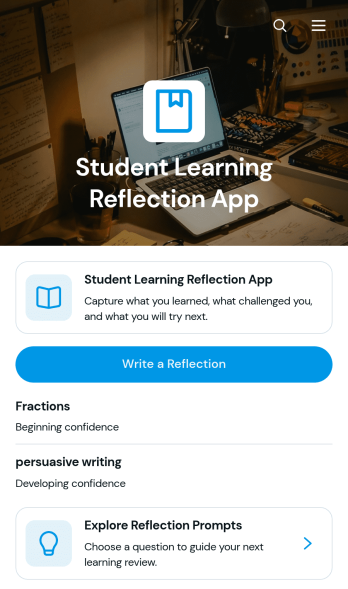
Student Learning Reflection App
The Student Learning Reflection App helps learners document what they studied, consider what challenged them, and identify a practical next step after a lesson or activity. It is useful for students, teachers, tutors, training providers, and educational programs that want to make reflection a consistent part of learning. Students can write reflections, explore prompts, and review entries organized by learning topic. Key details such as confidence and study format provide added context without making the process burdensome. The app works well for classroom lessons, independent study, tutoring sessions, project reviews, course checkpoints, and skill-development programs.Jotform makes this app template easy to adapt with a no-code app builder and an intuitive drag-and-drop interface. Educators can adjust pages, prompts, visual elements, and navigation to match a subject, grade level, or teaching approach. Connected forms and tables support data collection and keep reflection records organized within a practical workflow. Once customized, the app can be shared by direct link or QR code for convenient mobile access. Jotform App Templates also help schools and learning teams create branded self-service experiences that bring reflection activities and useful resources together in one accessible place.
Go to Category:Education Apps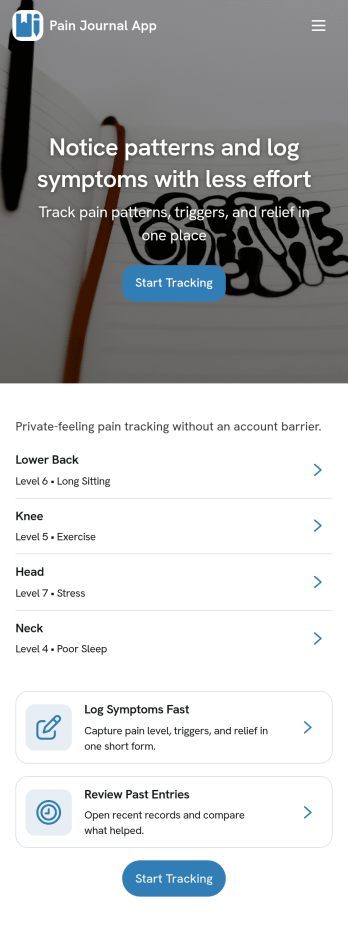
Pain Journal App
Pain Journal App helps you log symptoms in a consistent, easy-to-review way so patterns don’t get lost between busy days. Use it to add a new entry when pain starts or changes, capture key details like area and intensity, and build a personal history you can refer to when planning your routine or discussing next steps with a care team. It’s useful for anyone managing chronic pain, recovery, migraines, flare-ups, or recurring discomfort who wants a simple place to record what happened, when it happened, and what may have influenced it.With Jotform, you can turn this app template into a personalized tracking experience using a no-code app builder and a drag-and-drop interface. Connect the New Entry flow to a form for data collection, view past logs through a History page and tables, and keep information organized as your workflow grows. Share the app link across your devices for quick self-service access, adjust the layout and branding, and keep your entries structured so you can spot trends over time.
Go to Category:Healthcare Apps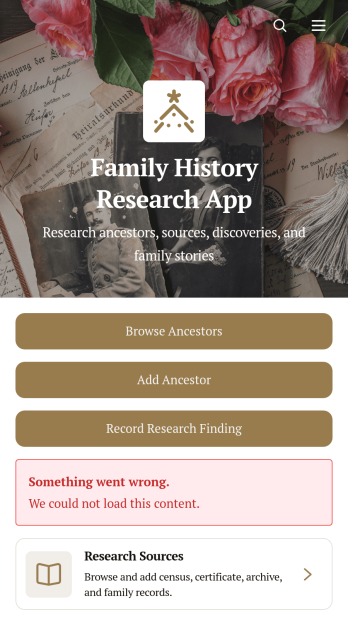
Family History Research App
Family History Research App is an app template for genealogists, family historians, historical societies, students, and relatives who want to organize ancestry research in one accessible place. Users can browse ancestor profiles, add family members, record research findings, and maintain source information without relying on scattered notes or disconnected files. Dedicated records for documents, references, repositories, research dates, confidence levels, and next steps help researchers preserve the context behind each discovery. It is useful for independent investigations, shared family projects, local history initiatives, and educational assignments where clear documentation matters.Jotform makes this Family History Research App easy to adapt with a no-code app builder and a flexible drag-and-drop interface. Add branded pages, revise navigation, connect data collection forms, and organize research workflows without writing code. The app template can bring ancestor records, supporting sources, external research links, and uploaded documents into a mobile-friendly experience. Researchers can publish and share the finished resource through a direct link or code, making ongoing contributions and self-service access more convenient for relatives, project partners, or study groups.
Go to Category:Organization Apps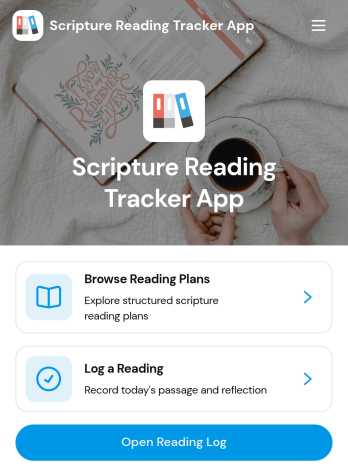
Scripture Reading Tracker App
The Scripture Reading Tracker App is an app template for individuals, faith communities, ministry groups, and educators who want to encourage consistent scripture reading. Users can browse reading plans, record completed readings, and review their progress from one organized location. Each entry can preserve useful context such as the passage, reading date, time spent, selected plan, and a personal reflection. This makes it easier to maintain a meaningful reading habit, revisit previous thoughts, and monitor participation over time. Group leaders can also use the app to support reading challenges, guided studies, classes, or community programs without relying on scattered notes and spreadsheets.Jotform App Templates help organizations and individuals create polished digital experiences without coding. Using Jotform’s no-code app builder and drag-and-drop interface, you can customize the Scripture Reading Tracker App with your own colors, typography, pages, and navigation. Connect forms and tables to simplify data collection, organize reading records, and support a dependable workflow. You can also add resources, create self-service access, and share the finished app through a direct link or QR code. The mobile-friendly layout lets participants log readings and view relevant information wherever their routine takes them.
Go to Category:Activity Tracking Apps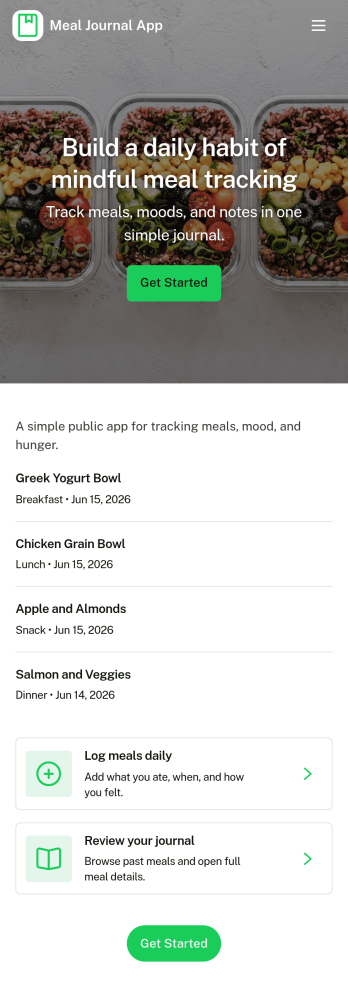
Meal Journal App
A meal journal app helps people record what they eat, review past meals, and spot patterns that support healthier everyday choices. This template is useful for individuals building consistent habits, personal trainers coaching clients, and wellness-focused teams who want a simple place to capture meals as they happen, browse a meal history, and review basic insights over time. With quick navigation to log a meal, explore meal history, and view insights, it’s easy to keep entries organized and make the journal practical enough to use daily.Jotform makes it simple to turn this meal journal app template into a branded self-service experience with a no-code app builder and a drag-and-drop interface. Connect the app to a form for fast data collection, store entries in a structured workflow, and share a single link so logging and browsing can happen from anywhere. You can tailor pages, buttons, and visuals to match your routine, then expand the experience as your tracking needs grow.
Go to Category:Food & Beverage Apps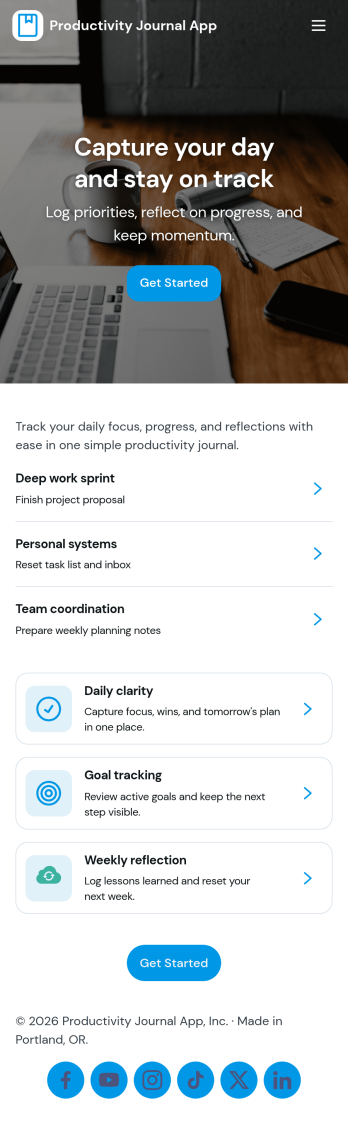
Productivity Journal App
Productivity Journal App helps individuals and teams build consistent routines by combining quick journaling with simple habit check-ins. Use it to capture a new journal entry in seconds, log daily habits, and review past entries when you need clarity on what’s working. It’s a strong fit for busy professionals, students, creators, and anyone who wants a lightweight system for staying focused without juggling multiple tools. Whether you’re reflecting on priorities at the start of the day or doing a weekly review, the app keeps your notes and check-ins organized so you can spot patterns and improve how you spend your time.Jotform makes it easy to customize this app template with a no-code app builder and a drag-and-drop interface. Connect the app to your existing Jotform forms for data collection, then publish a self-service experience people can use from anywhere. Update prompts, adjust the layout, and share a single link so journaling and habit tracking stay simple, consistent, and easy to maintain.
Go to Category:Daily Planner Apps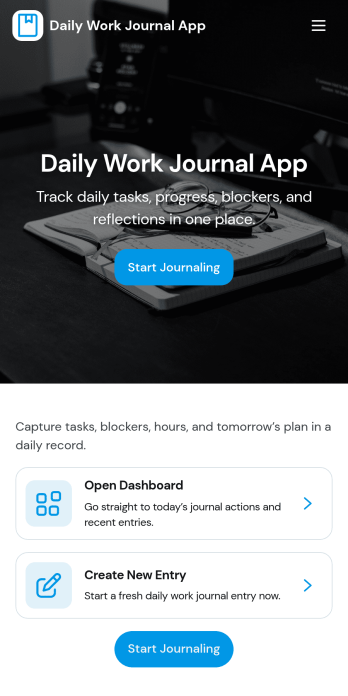
Daily Work Journal App
A daily work journal app gives you a consistent place to capture what you worked on each day, what mattered most, and what got in the way. Use it to add a new entry in seconds, set a priority for the day, summarize outcomes, and note blockers you want to follow up on later. It’s a practical fit for individuals, managers, and project teams who want better visibility into day-to-day progress across projects without relying on scattered notes or memory.With Jotform, you can turn this Daily Work Journal App into a simple self-service routine for logging updates and reviewing history when you need context for standups, one-on-ones, or weekly recaps. Customize the pages with a drag-and-drop interface, connect the app to your data collection form, and keep entries organized in one place so your workflow stays easy to maintain and ready to share when collaboration calls for it.
Go to Category:Daily Planner Apps
Notary Journal App
Notary Journal App helps notaries record, review, and organize notarization details in one place so day-to-day logging stays consistent. Use it to add new entries right after each appointment, browse a journal list to find past records fast, and open a review area that summarizes key activity for quick oversight. It fits mobile notaries, office-based notaries, and teams handling frequent signings who want a clear routine for capturing signer information, dates, and related notes without hunting through paper logs.With Jotform, you can turn this Notary Journal App app template into a branded self-service experience using a no-code app builder and a drag-and-drop interface. Connect the app to a form for data collection, route information into a workflow you control, and keep entries organized for easy access over time. Share the app by link or QR code, customize pages and navigation, and manage ongoing updates from a single Jotform workspace.
Go to Category:Log Apps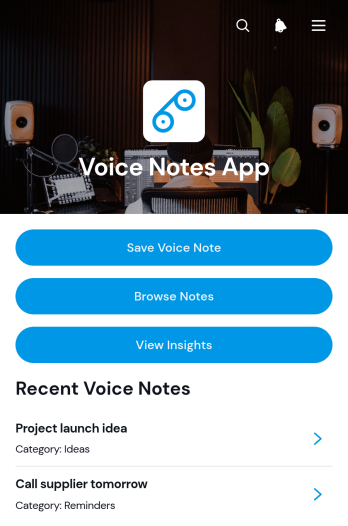
Voice Notes App
Voice Notes App is an app template for capturing spoken ideas, reminders, observations, and meeting takeaways before important details are forgotten. It suits professionals, students, researchers, field teams, creatives, and individuals who prefer speaking to typing. Users can save voice notes, browse previous entries, organize records with tags and categories, add supporting note text, and review insights from one accessible location. This organized approach makes it easier to maintain a personal journal, document work in progress, collect thoughts while traveling, or create an ongoing reference library without relying on scattered recordings.Jotform Apps helps teams and individuals turn this Voice Notes App into a tailored digital experience without coding. The drag-and-drop interface makes it simple to adjust pages, navigation, visual styling, and connected forms using an intuitive app builder. Users can expand the app template with data collection, workflow, and self-service options or choose other App Templates as a starting point. Once ready, the app can be shared by direct link or QR code for convenient mobile access, while connected information can be organized through Jotform tools. This flexibility supports quick setup today and ongoing changes as note-taking needs develop.
Go to Category:Journal Apps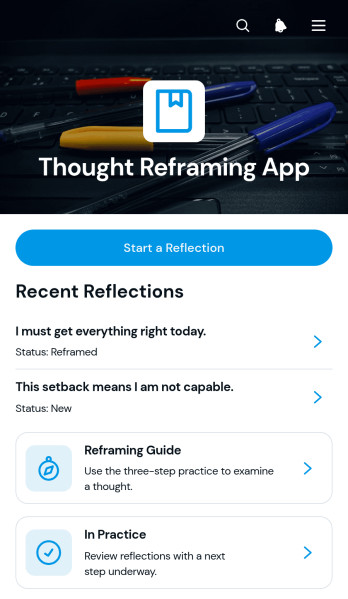
Thought Reframing App
Thought Reframing App gives individuals a guided space to examine unhelpful thoughts and develop more balanced perspectives. It suits personal reflection, self-care programs, wellness coaching, counseling support, and educational activities that teach constructive thinking habits. Users can start a reflection, record the situation and emotion involved, consider evidence for and against an original thought, write a balanced reframe, and choose a practical next step. Saved entries make it easier to revisit new thoughts over time, while the reframing guide and practice area offer useful direction. This app template helps individuals build a consistent reflection routine and gives wellness professionals or educators a focused resource to share with their communities.Jotform App Templates make it easy to adapt the Thought Reframing App without writing code. Use Jotform’s no-code app builder and drag-and-drop interface to update pages, navigation, colors, fonts, buttons, and visual elements for a welcoming experience. Connected forms support data collection, while tables and workflows can organize reflection records and related actions in one place. The app can be published through a direct link, QR code, or embedded experience, giving users mobile-friendly self-service access wherever reflection is helpful. Organizations can customize the content to match their programs and maintain a clear, branded resource as their needs evolve.
Go to Category:Mental Health Apps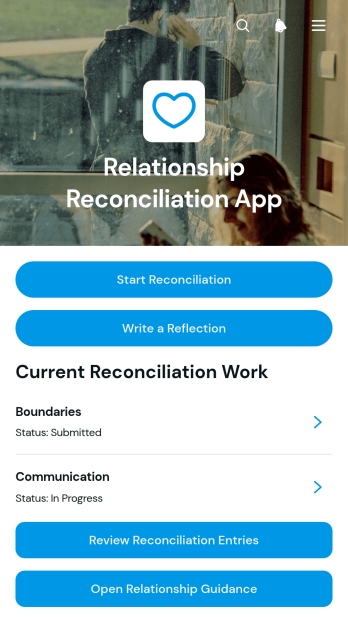
Relationship Reconciliation App
Relationship Reconciliation App gives individuals, couples, counselors, mediators, and relationship coaches a focused space for documenting efforts to repair or strengthen personal relationships. Users can submit reconciliation entries, define desired outcomes and action steps, monitor progress, and add dated reflections after important conversations or events. Previous entries can be reviewed by relationship area, while built-in guidance helps users approach the process thoughtfully. This app template is useful for personal reflection, facilitated discussions, coaching programs, and community support settings where organized records can make goals and next steps easier to understand.With Jotform, this Relationship Reconciliation App can be adapted without writing code. The no-code app builder and drag-and-drop interface make it easy to update pages, navigation, colors, fonts, and connected forms while keeping resources in one mobile-friendly experience. Link data collection to tables and workflows, add relevant guidance, and organize self-service access around the needs of participants or facilitators. Jotform App Templates can be shared through a direct link, QR code, or embedded experience, helping users access reflection forms and reconciliation records wherever they need them.
Go to Category:Mental Health Apps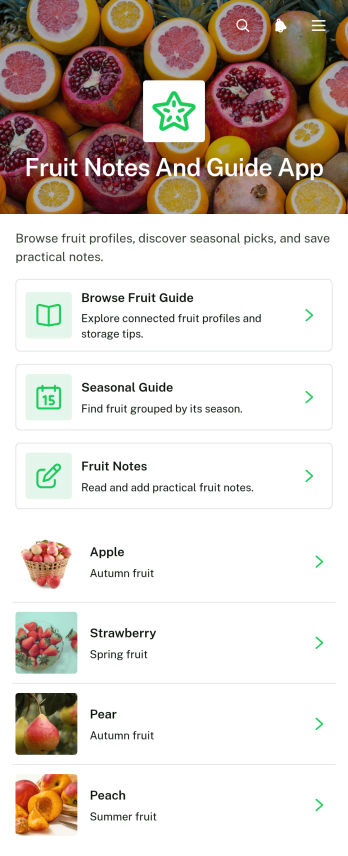
Fruit Notes and Guide App
Fruit Notes and Guide App brings fruit reference information and personal observations into one convenient, mobile-friendly resource. Home cooks, nutrition educators, culinary students, produce sellers, gardeners, and fruit enthusiasts can browse a fruit guide, consult seasonal guidance, and add notes about individual fruits. Details such as texture, best uses, and storage guidance help users choose, prepare, and preserve produce with greater confidence. Personal notes also make it easier to remember flavor impressions, preferred varieties, recipe ideas, shopping tips, and handling experiences. Whether used at home, in a classroom, at a market, or in a food-focused workplace, this app template keeps practical knowledge organized and easy to revisit.Jotform makes the Fruit Notes and Guide App simple to customize without writing code. Its no-code app builder and drag-and-drop interface let you update pages, navigation, imagery, buttons, and branding to suit your audience. Connect forms for data collection, organize submitted notes through related workflows, and expand the app with additional resources as your fruit library grows. Jotform App Templates can be shared through a direct link or QR code, giving users convenient self-service access from phones, tablets, and computers. The result is a polished reference and note-taking experience that can evolve with your educational, culinary, retail, or personal needs.
Go to Category:Food and Nutrition Tracking Apps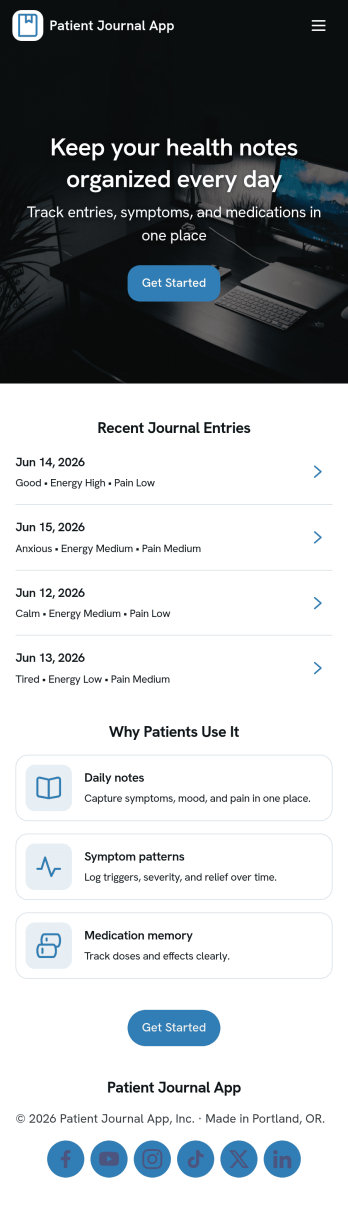
Patient Journal App
A patient journal app helps individuals record day-to-day health notes in one place, including symptoms, mood changes, medications, questions to bring up at appointments, and personal observations. This template supports quick journaling with a New Entry flow, an easy way to view past entries as a record, and a dedicated Reminders area for time-based notes you don’t want to forget. It works well for patients managing ongoing conditions, caregivers tracking changes for a loved one, and clinics that want to offer a simple self-service journaling experience patients can use between visits.Jotform makes it easy to turn this idea into a polished experience using app templates and a no-code app builder. With a drag-and-drop interface, you can adjust pages, update the layout, and connect your app to forms and workflows that capture data consistently over time. Share your Patient Journal App as a link or QR code, keep information organized for repeat use, and refine the experience as your journaling process evolves.
Go to Category:Healthcare Apps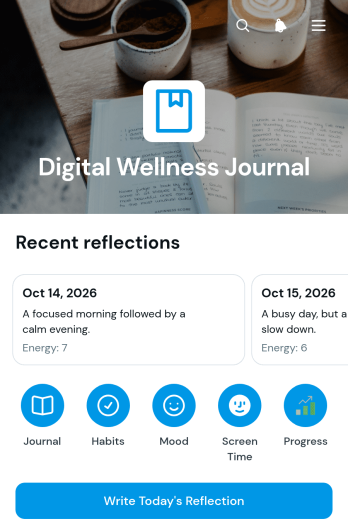
Digital Wellness Journal App
Digital Wellness Journal App is an app template for individuals, wellness coaches, counselors, educators, and workplace wellness teams seeking a practical way to reflect on technology use and everyday well-being. Users can write daily reflections, record moods and habits, note gratitude, and log time spent on screen-based activities. Visual charts make it easier to review mood patterns and screen-time trends over time without turning personal reflection into a complicated task. This journal app supports digital wellness programs, self-care routines, coaching conversations, classroom activities, and employee wellness initiatives by keeping related entries in one accessible place.Jotform makes this App Template easy to adapt with a no-code app builder and an intuitive drag-and-drop interface. Customize pages, colors, typography, navigation, and reflection forms to fit a personal routine or organizational program. Connected forms support consistent data collection, while organized records and visual summaries help users revisit their experiences and recognize patterns. The app can be shared through a direct link or QR code and opened on phones, tablets, or computers, giving participants convenient self-service access wherever reflection fits into their day.
Go to Category:Journal Apps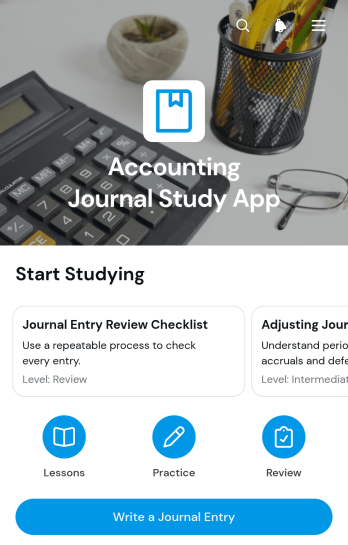
Accounting Journal Study App
The Accounting Journal Study App is an educational app template for accounting students, instructors, tutors, trainees, and independent learners who want a focused place to study journal-entry concepts. It brings together key rules, worked examples, account references, and practice entry forms in a clear learning experience. Users can review debit and credit guidance, record entry dates, and submit practice or study notes without switching between scattered resources. It is well suited to classroom assignments, tutoring sessions, exam preparation, introductory bookkeeping courses, and workplace training where learners need repeated practice and quick access to reference material.Jotform Apps makes this template easy to adapt with a no-code app builder and a flexible drag-and-drop interface. Educators can revise study content, reorganize navigation, add forms, and connect data collection to tables or related workflows. The finished app can be shared by link or QR code, giving learners mobile-friendly self-service access wherever they study. Start with this app template to create a branded learning resource without coding, then update its pages and connected tools as lessons or training needs change.
Go to Category:Education Apps
Ramadan Reflection Tracker App
Ramadan Reflection Tracker App is a personal journaling and activity-tracking template for recording daily practices, capturing meaningful reflections, and reviewing progress throughout Ramadan. It can support individuals seeking a consistent routine, families encouraging mindful participation, educators guiding age-appropriate reflection, and community groups sharing an optional framework with members. Quick recording and reflection forms make it easier to preserve observations while they are fresh, while the progress area helps users revisit entries and recognize patterns over time. By bringing these activities together, the app reduces reliance on scattered notes and provides a focused space for personal accountability and thoughtful review.Jotform makes this app template easy to adapt with a no-code app builder and an intuitive drag-and-drop interface. Users can adjust pages, wording, colors, and navigation to suit personal or group needs, then connect forms and tables for organized data collection. The app can also support notifications and related workflows without requiring programming knowledge. Once customized, it can be published and shared through a direct link or QR code for convenient mobile access. Explore Jotform App Templates to create a welcoming self-service experience that keeps Ramadan practices, reflections, and progress accessible in one place.
Go to Category:Journal Apps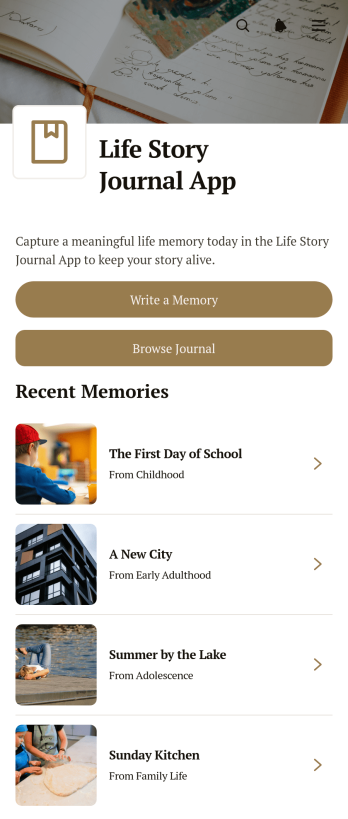
Life Story Journal App
Life Story Journal App is a personal journaling template for recording meaningful memories and organizing the experiences that shape a life. Individuals, families, memoir writers, caregivers, and community storytelling groups can use it to preserve milestones, everyday moments, and reflections in one accessible place. Users can write a memory, browse earlier journal entries, and add context through reflections, people mentioned, and life periods. This structure makes stories easier to revisit while helping writers build a richer personal record over time. It is especially useful for autobiographical writing, family history projects, guided reflection, and preserving stories for future generations.Jotform makes this app template easy to personalize with a no-code app builder and an intuitive drag-and-drop interface. Adjust pages, colors, typography, buttons, and navigation to suit a private journal or shared storytelling project. Connected forms support data collection, while organized lists create a smooth workflow for adding and browsing memories. Once ready, the app can be shared through a direct link or QR code for convenient mobile-friendly access. Explore Jotform App Templates to create a welcoming self-service journaling space without writing code.
Go to Category:Journal Apps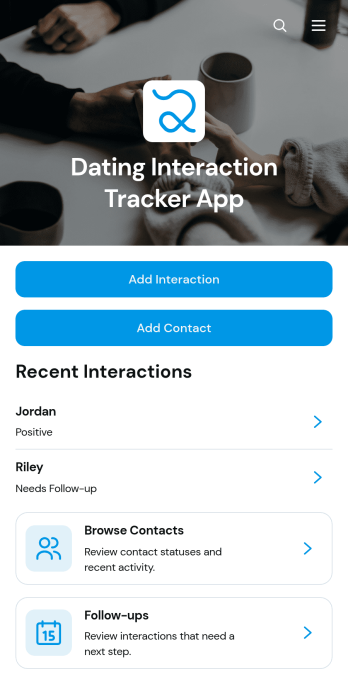
Dating Interaction Tracker App
The Dating Interaction Tracker App is an app template for individuals and dating coaches who want a consistent way to organize dating contacts and remember important conversations. Users can add contacts, log interactions, review follow-up dates, and keep relevant notes together rather than relying on scattered messages or memory. It is useful for reflecting on communication patterns, preparing for future conversations, and staying aware of planned follow-ups. Coaches may also adapt it to support clients who want a more intentional approach to dating while keeping each person’s records clearly organized.Jotform makes this app template easy to personalize with a no-code app builder and a flexible drag-and-drop interface. Adjust pages, colors, fonts, buttons, and navigation to match personal preferences or a coaching workflow. Connected forms support consistent data collection, while organized records make contact and interaction details easier to browse. The finished app can be accessed on mobile devices and shared through a direct link or QR code, offering a convenient self-service experience without requiring users to build an app from scratch.
Go to Category:Activity Tracking AppsAbout Journal Apps
Journal Apps, an essential category within Jotform Apps, serve as versatile mobile and web apps designed to streamline the process of documenting, tracking, and managing information across various industries. Whether used by healthcare professionals to maintain patient records, educators to track student progress, or business teams to log project developments, these apps offer a seamless way to keep all essential data organized and accessible. By providing a digital platform that replaces traditional pen-and-paper methods, Journal Apps empower users in fields such as education, healthcare, and corporate sectors to enhance their operational efficiency and data management capabilities.
Jotform Apps, offering a no-code app builder, stands out in this category by enabling the creation of custom Journal Apps through its Progressive Web App (PWA) technology. This allows users to install their apps directly via a browser without needing an App Store, making them instantly accessible on any device, be it iOS, Android, tablet, or desktop. Moreover, the integration with Jotform Tables ensures centralized data management, allowing users to have a comprehensive view of their data in one place, thus supporting streamlined workflows and decision-making processes across diverse operational environments.
Why Use Journal Apps?
- Journal Apps significantly enhance operational efficiency by digitizing the recording and tracking processes, eliminating the need for manual data entry, and reducing the risk of errors. This not only saves time but also ensures that data is consistently accurate and up-to-date across the organization.
- With Journal Apps, organizations can easily maintain comprehensive records that are accessible from anywhere, at any time, ensuring that crucial information is always at the fingertips of those who need it. This accessibility is particularly beneficial for teams that need to collaborate remotely or access data on the go.
- The ability to customize Journal Apps means that they can be tailored to fit the specific workflow and data management needs of any organization. This flexibility allows businesses to create apps that reflect their unique processes and requirements, leading to more efficient and relevant data handling.
- By providing a centralized platform for data collection and management, Journal Apps facilitate improved communication and collaboration among team members. When everyone has access to the same information, it enhances the ability to make informed decisions and fosters a more cohesive working environment.
- Journal Apps support seamless integration with various payment gateways like Stripe, PayPal, and Square, enabling businesses to process payments directly through the app. This feature is valuable for organizations that need to manage financial transactions as part of their documentation processes, providing a streamlined and secure solution.
Common Problems Solved by Journal Apps
- One common challenge organizations face is the inefficiency of manual data entry, which can lead to errors and inconsistencies. Journal Apps solve this problem by automating the data collection process, ensuring accuracy and saving valuable time for employees.
- In industries where data must be accessed and updated in real-time, the reliance on paper records can be a significant hindrance. Journal Apps address this issue by offering digital records that can be updated instantly and accessed from any device, facilitating real-time data management and decision-making.
- For many businesses, maintaining secure and organized data storage is a critical concern. Journal Apps provide a solution by centralizing data in Jotform Tables, where it is securely stored and easily retrievable, reducing the risk of data loss and enhancing overall security.
- Collaboration can be challenging when team members are relying on different data sources. Journal Apps solve this by ensuring all team members have access to the same up-to-date information, improving communication and collaboration across the organization.
Matching Use Cases to Features
- For educational institutions that need to document and track student progress, the Drag-and-Drop Interface allows for easy customization of the app to include relevant fields and sections, creating a streamlined process for educators to input and manage data efficiently.
- In the healthcare industry, where patient data security and accessibility are paramount, the Offline Mode feature ensures that crucial information is available even without an internet connection, facilitating uninterrupted service delivery and data management.
- Businesses that require regular updates and notifications can leverage the Push Notifications feature to keep users informed about important updates, deadlines, or changes, enhancing communication and engagement within the organization.
- Companies looking to manage and process payments directly through their apps can benefit from Payment Integrations with platforms like Stripe and PayPal. This feature allows for secure and efficient financial transactions, reducing the need for separate payment processing systems.
- Organizations that need to share their apps with a wide audience can utilize the various Sharing Methods, such as Direct Link, Email, and QR Code, to distribute their app easily and efficiently, ensuring that users can access and use the app without any barriers.
- For businesses that require restricted access to their apps, the Publish Options feature allows for the app to be set as Public, Private, or Company-only. This ensures that sensitive information is only accessible to authorized users, enhancing data security and control.
How to Create a Journal App
- Choose a category-relevant template from the Template List or start from scratch.
- Customize using the Drag-and-Drop Interface to add, remove, or modify elements to suit your specific needs.
- Share your app via Link, QR Code, or Embed to ensure easy access for users across different platforms.
Top Use Cases for Journal Apps
- For Managers: Journal Apps offer managers a streamlined way to oversee project developments and team performance. By centralizing all project-related information in one place, managers can easily track progress, allocate resources efficiently, and ensure that deadlines are met. The accessibility of data from any device allows managers to make informed decisions quickly, even when they are on the go.
- For Teams: Teams benefit from Journal Apps by having a unified platform to collaborate and share information. This seamless access to shared data facilitates better communication, reduces the likelihood of miscommunication, and enhances team productivity. Teams can work more cohesively, knowing that everyone has the most current information at their fingertips, which is crucial for the successful completion of projects.
- For Customers: Journal Apps provide customers with a user-friendly way to interact with businesses, access services, and make payments securely. By integrating payment gateways, customers can perform transactions directly through the app, enhancing their experience and satisfaction. The ability to access information and services from any device ensures that customers receive timely support and engagement, strengthening customer relationships.
Summarizing Journal Apps
Journal Apps, as part of the Jotform Apps ecosystem, serve as a pivotal component in modernizing and enhancing data management and documentation processes across various industries. By leveraging features such as centralized data management, customization capabilities, and seamless payment integrations, these apps empower organizations to improve operational efficiency and collaboration. With the flexibility to create apps tailored to specific business needs, Journal Apps provide a robust solution for businesses aiming to optimize their workflows and maintain a competitive edge in their respective fields.
Frequently Asked Questions
1) Is it free to create and use Journal apps on Jotform?
Jotform offers a Starter plan that allows users to create and use Journal Apps for free, providing access to a range of essential features. While the free plan is suitable for individuals or small teams with limited requirements, businesses with more extensive needs may opt for paid plans that offer additional capabilities and higher usage limits. This tiered pricing model ensures that organizations of all sizes can find a plan that fits their needs and budget.
2) Are the data and payments collected through the app secure?
Yes, data and payments collected through Jotform Apps are secure. Jotform employs advanced security measures, including encryption and compliance with GDPR standards, to protect user data and ensure secure transactions. Users can trust that their information is handled with the utmost care and confidentiality, providing peace of mind for both app creators and end-users.
3) Do I need any coding skills to create a Journal app with Jotform?
No, you do not need any coding skills to create a Journal app with Jotform. The no-code app builder is designed to be user-friendly and accessible to individuals without technical expertise. The intuitive Drag-and-Drop Interface allows users to easily customize their apps, making it possible for anyone to create a professional-looking app tailored to their specific needs.
4) Can I collect payments for services directly through the app?
Yes, Jotform Apps supports payment collection directly through the app using integrations with popular payment gateways such as Stripe and PayPal. This feature allows businesses to handle financial transactions efficiently and securely, providing a convenient solution for processing payments for services or products offered through the app.
5) Does Jotform support offline data collection for Journal apps?
Jotform supports offline data collection for Journal Apps through its Mobile Forms feature. This allows users to continue collecting data even when they are not connected to the internet, ensuring that no information is lost and that data entry can proceed uninterrupted. Once the device is back online, the collected data automatically syncs with Jotform Tables.
6) Are Jotform Apps compatible with both iOS and Android devices?
Yes, Jotform Apps are compatible with both iOS and Android devices, as well as tablets and desktops. The Progressive Web App (PWA) technology employed by Jotform ensures that the apps can be installed and accessed through any browser, providing a seamless experience across all devices. This cross-platform compatibility ensures that users can access their Journal Apps anytime, anywhere.
7) How can Journal Apps enhance data management in the healthcare industry?
Journal Apps enhance data management in the healthcare industry by providing a secure and efficient way to document, store, and access patient information. The ability to customize apps to fit specific workflows allows healthcare providers to streamline their data collection processes, ensuring that patient records are accurate, up-to-date, and easily accessible to authorized personnel. This leads to improved patient care and operational efficiency.
8) Can educational institutions benefit from using Journal Apps?
Educational institutions can greatly benefit from using Journal Apps by transforming how they track and manage student information, assignments, and progress. These apps facilitate better communication between educators and students, allow for real-time updates, and provide a centralized platform for storing educational data. This enhances the learning experience and supports more effective teaching and administrative processes.