

Expense Tracking Apps

Mileage and Expense Tracker App
Mileage and Expense Tracker App helps you capture trip mileage and day-to-day spending in one place, so you can keep a clear record of travel and costs without digging through notes, emails, or receipts. It’s a practical fit for teams and individuals who drive for work, travel between job sites, or manage reimbursable purchases, including field services, sales reps, consultants, contractors, and small business owners. With quick actions to track mileage, track expenses, and view reports, the app supports consistent logging habits and makes it easier to stay on top of what’s been recorded.Built with Jotform, this app template pairs a no-code app builder with a drag-and-drop interface so you can adapt the experience to your process in minutes. Connect mileage and expense forms, organize entries into easy-to-browse lists, and use reports to review activity over time. Whether you’re collecting data for reimbursements, job costing, or internal budgeting, Jotform Apps turns routine tracking into a simple self-service workflow you can share with a team and manage from anywhere.
Go to Category:Expense Tracking Apps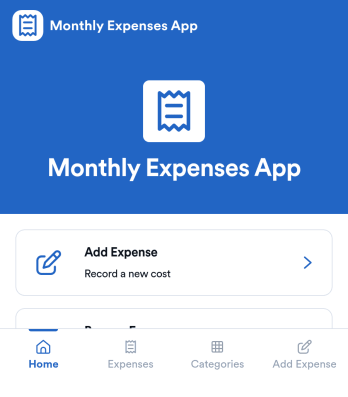
Monthly Expenses App
Monthly Expenses App helps you capture spending as it happens and keep a clear view of where your money goes each month. Use it to add expenses in seconds, browse past entries, and jump into a quick “This Month” view to spot patterns early. It’s a practical fit for individuals, families, roommates, freelancers, and small teams that need a simple way to record purchases like groceries, transport, and utilities without relying on messy notes or scattered receipts.With Jotform, you can turn this monthly tracking routine into a polished self-service experience using an app template built with a no-code app builder. Customize pages with a drag-and-drop interface, connect your expense form to organized records, and keep your workflow consistent as your needs change. Share your Jotform app through a link or QR code so it’s easy to log expenses from anywhere and keep monthly data collection on track.
Go to Category:Expense Tracking Apps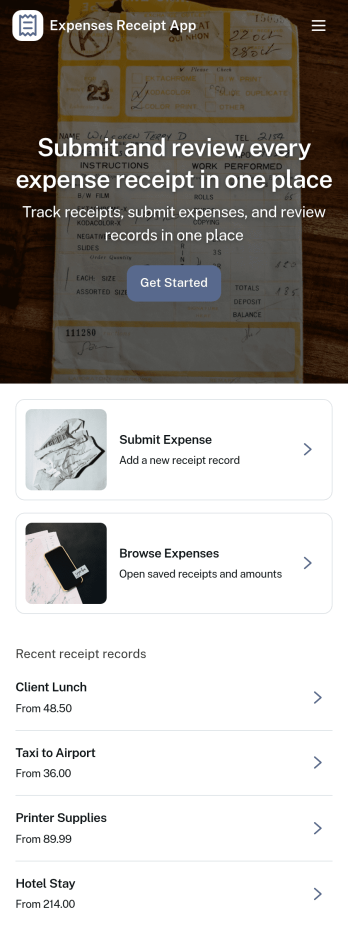
Expenses Receipt App
Expenses Receipt App helps teams and individuals capture receipts, organize expenses, and keep a clear record for reimbursements, budgeting, or bookkeeping. Use it to snap and submit receipts as they happen, review an expense log by category, and check a simple summary view when you need a quick snapshot of spending. It’s a practical fit for small businesses, field teams, frequent travelers, project managers, and anyone who wants fewer lost receipts and faster follow-ups.Jotform makes it easy to turn this use case into a polished self-service experience with customizable App Templates and a no-code app builder. With a drag-and-drop interface, you can tailor the pages, buttons, and navigation to match your process, then connect receipt intake to data collection in Jotform Forms and organize entries in connected tables. Share the app with a link or QR code so people can submit receipts on the go and keep your expense workflow moving without extra tools.
Go to Category:Finance & Accounting Portal Apps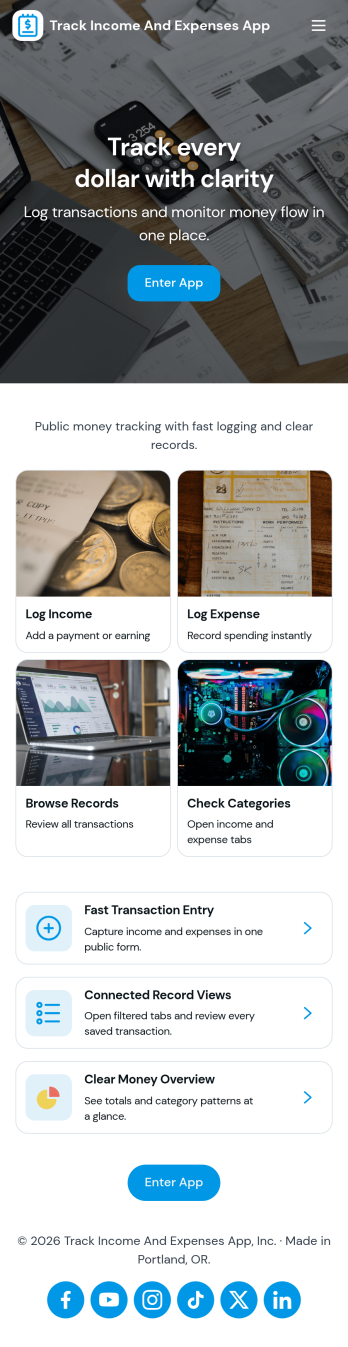
Track Income and Expenses App
Track Income and Expenses App helps you record day-to-day transactions and keep a clear view of where your money goes. Use it to log income, fixed costs, and variable spending in one place, then review activity in a dashboard that highlights this month’s snapshot and your top spending area. It’s a practical fit for freelancers, households, side hustles, and small teams that need a simple way to stay consistent with money tracking without relying on scattered notes or multiple spreadsheets.Built with Jotform, this app template can be tailored with a no-code app builder and a drag-and-drop interface so the experience matches how you track finances. Connect the app to your data collection form to add entries quickly, browse transactions as records grow, and keep your workflow organized with pages for transactions, categories, and reports. Share it with a partner or teammates, update it anytime, and publish a mobile-friendly self-service experience that makes budgeting habits easier to maintain.
Go to Category:Expense Tracking Apps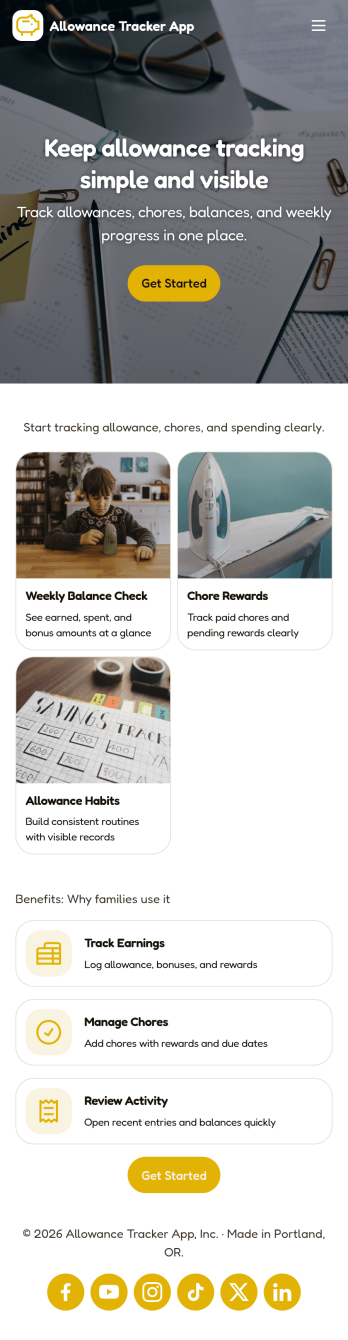
Allowance Tracker App
Allowance Tracker App helps families and caregivers keep kids’ allowance records and everyday spending in one place. Use it to add allowance amounts, log purchases as they happen, and review a weekly snapshot so you can talk through habits and goals without digging through notes or spreadsheets. It’s a practical fit for parents managing multiple children, guardians supporting teens learning to budget, or anyone who wants a simple routine for tracking pocket money and where it goes.Built with Jotform App Templates, this app template brings your allowance and spending workflow into a mobile-friendly experience that’s easy to share and keep up to date. With Jotform’s no-code app builder and drag-and-drop interface, you can connect the app to forms and tables for data collection, organize entries into clear views, and keep summaries accessible for quick check-ins at home or on the go.
Go to Category:Activity Tracking Apps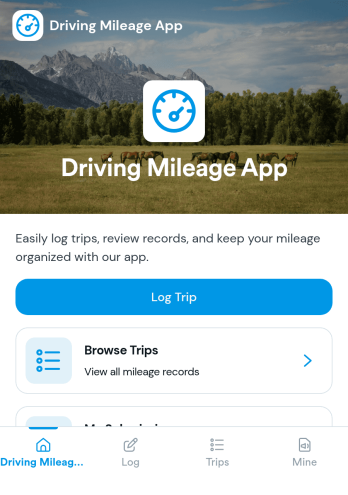
Driving Mileage App
Driving Mileage App helps individuals and teams record trips and understand mileage patterns over time. It’s useful for sales reps, field service crews, delivery drivers, real estate agents, and anyone who needs a simple place to log a trip, review recent trips, and separate business miles from personal miles without digging through spreadsheets or paper notes.Built with Jotform, this app template supports fast mileage data collection through an Add Trip form and organizes entries into an easy-to-browse trip list with a dedicated trip detail page. Using Jotform’s no-code app builder and drag-and-drop interface, you can tailor pages, labels, and trip categories to match your workflow, then share the app as a self-service tool for drivers to keep records up to date from any device.
Go to Category:Expense Tracking Apps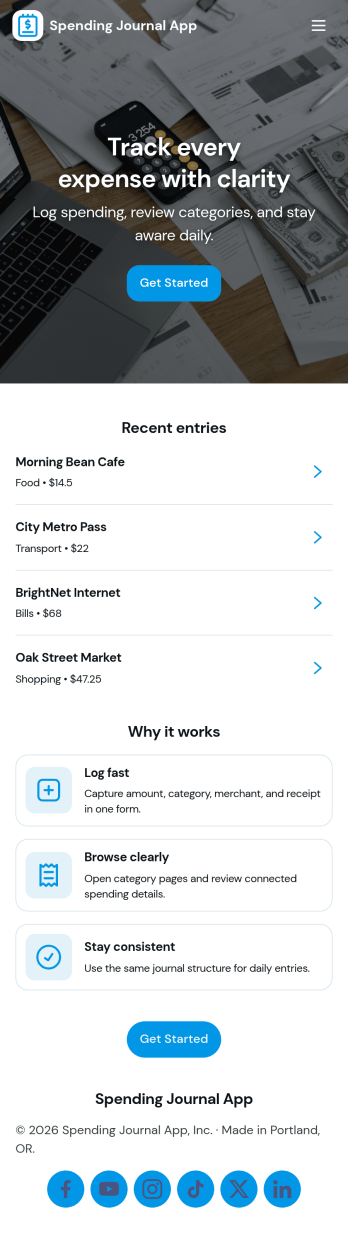
Spending Journal App
A Spending Journal App gives individuals and households a simple place to record everyday purchases and keep a running view of where money is going. With a quick way to log a spend, a list of recent entries, and an easy-to-scan spending summary, it helps you build better awareness of habits across categories and merchants without turning budgeting into a complex project. Use it to capture cash purchases, track discretionary spending, document business reimbursements, or spot patterns like frequent small buys that add up over time.Jotform makes it easy to turn this use case into a polished self-service experience with App Templates you can publish in minutes. Using Jotform’s no-code app builder and drag-and-drop interface, you can adjust pages, wording, and branding, then connect the app to the linked form for consistent data collection. As entries come in, your workflow stays organized for personal tracking or sharing with a partner, while keeping the journal experience mobile-friendly and simple to revisit.
Go to Category:Expense Tracking Apps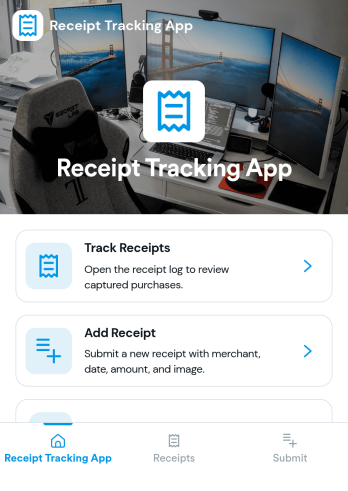
Reciept Tracking App
Reciept Tracking App helps individuals and teams capture, organize, and revisit purchase receipts in one place so expense records don’t get lost in email threads, wallets, or shared drives. Use it to add new receipts as they come in, review what’s been recorded in a simple receipts list, and keep older documents tidy in an archive for easy reference during budgeting, reimbursements, or tax-season prep. It fits freelancers tracking business purchases, office admins managing team spend, and anyone who wants a clearer view of everyday spending patterns without digging through piles of paper.Built with Jotform, this app template turns receipt collection into a guided self-service experience you can share by link or QR code. Customize pages and navigation with a drag-and-drop interface, connect the Add Receipt flow to your form for consistent data collection, and use the Insights area to spot trends at a glance. When you publish, everyone can submit and revisit entries from a mobile-friendly app experience while your workflow stays organized behind the scenes.
Go to Category:Finance Apps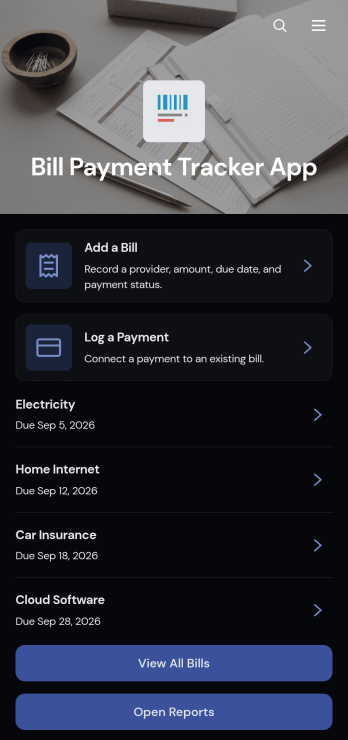
Bill Payment Tracker App
The Bill Payment Tracker App is an organized personal finance tool for recording recurring bills and documenting payments in one convenient location. Individuals, households, freelancers, and small business owners can use it to review bill information, monitor amounts and providers, and keep payment records easier to find. Users can add bills, log completed payments, open reports, and review details such as categories, payment methods, confirmation numbers, frequencies, and notes. This app template helps replace scattered spreadsheets, paper reminders, and disconnected records with a clear process for staying aware of regular financial obligations.Jotform Apps makes it easy to turn this Bill Payment Tracker App into a personalized, mobile-friendly experience without writing code. Using the no-code app builder and drag-and-drop interface, you can adjust pages, navigation, colors, fonts, and branded elements to fit personal or business needs. Connect forms and tables to support data collection, organize bill records, and maintain a practical financial workflow. Jotform App Templates can also be shared through a direct link or QR code, giving users convenient self-service access from a phone, tablet, or computer.
Go to Category:Personal Finance Apps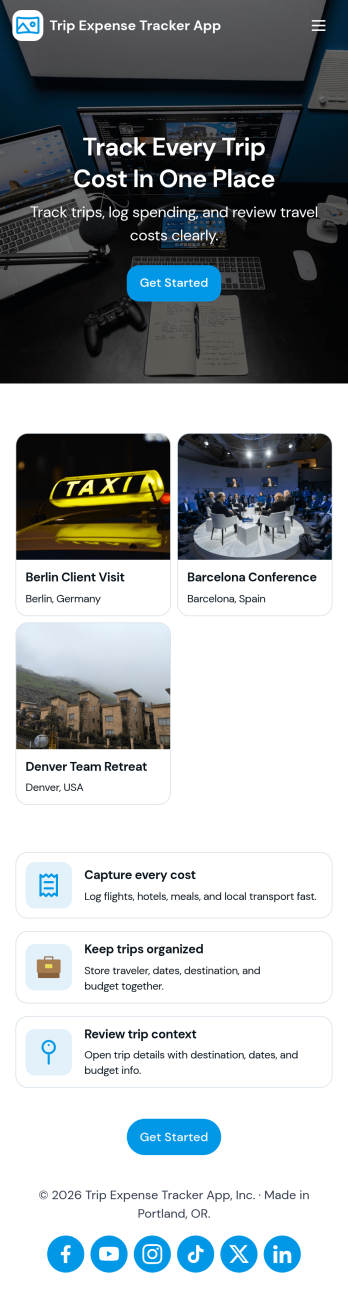
Trip Expense Tracker App
Trip Expense Tracker App helps individuals, teams, and organizations keep travel spending organized across multiple trips without losing receipts or forgetting smaller charges. Use it to create trips, record expenses as they happen, and review a clear summary so you can understand where money is going during business travel, client visits, conferences, or personal getaways. With dedicated areas for trips, expenses, and a high-level summary, it’s easy to stay consistent from the first booking to the final reimbursement.Built with Jotform, this app template turns travel expense tracking into a mobile-friendly self-service experience you can share with anyone who needs to log spending. Customize it with Jotform’s no-code app builder and drag-and-drop interface, then connect it to the included forms for fast data collection and a cleaner workflow for reviewing costs, reducing manual follow-ups, and keeping trip records in one place.
Go to Category:Expense Tracking Apps
Personal Expense Tracking App
Personal Expense Tracking App helps you log everyday purchases, keep your expenses organized, and spot patterns in your spending without juggling notebooks or scattered notes. Use it to record transactions as they happen, browse a clear list of expenses, and open individual entries to review details later. It works well for students, freelancers, families, and anyone budgeting for groceries, bills, travel, subscriptions, or shared household costs who wants a simple routine for staying aware of where money goes.With Jotform, you can turn this app template into a self-service money log that fits your habits using a no-code app builder and a drag-and-drop interface. Connect the app to your expense form and table, publish updates in minutes, and keep data collection consistent across devices. As your workflow evolves, you can adjust pages, labels, and navigation so tracking spending and reviewing trends stays quick and easy.
Go to Category:Daily Planner Apps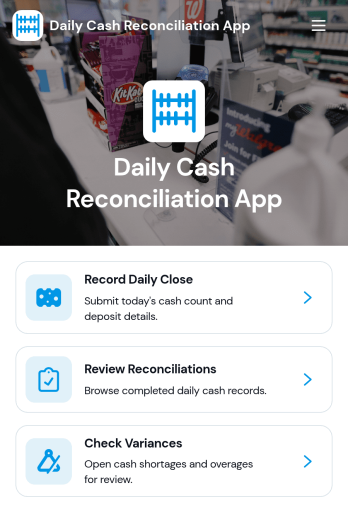
Daily Cash Reconciliation App
Daily Cash Reconciliation App helps teams document daily closes, compare expected versus actual cash, and flag variances by location and business date. It’s a practical fit for retail stores, restaurants, hospitality counters, pop-up shops, and any operation that handles cash across shifts. Use it to guide staff through recording the close, capture who prepared the reconciliation, and keep key figures like deposit amount and variance easy to review without digging through spreadsheets or paper logs.With Jotform, you can turn this workflow into a shareable, self-service experience using ready-to-use app templates and a no-code app builder. Customize pages with a drag-and-drop interface, connect the app to your data collection form, and organize reconciliations in a clear list for quick review. As your process evolves, you can update layouts, standardize how locations report their totals, and keep daily cash reconciliation consistent across teams.
Go to Category:Finance Apps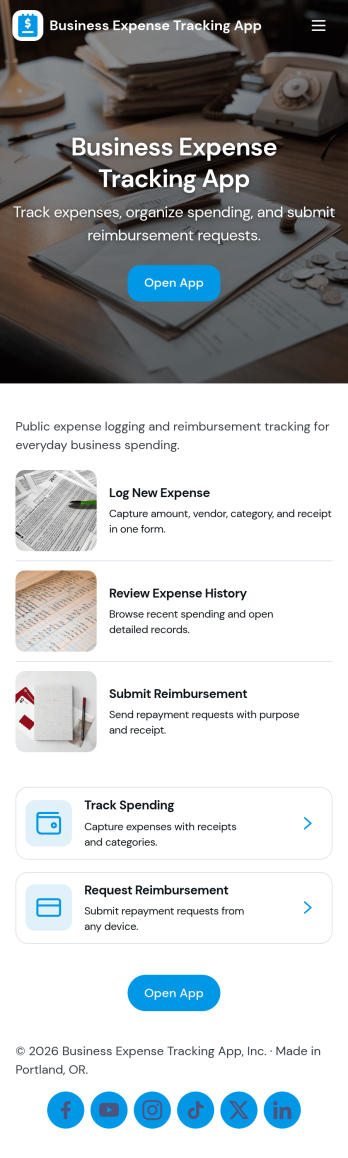
Business Expense Tracking App
Business Expense Tracking App helps teams capture, review, and organize day-to-day company spending in one place, from travel and meals to office supplies and recurring vendor charges. Employees can submit expenses through a dedicated Submit Expense page, while finance leads can monitor Expense History, open individual entries for review, and keep records consistent across departments. With built-in Insights and an Admin Review area that links to All Submissions, it’s easier to spot trends, validate reports, and keep reimbursement conversations moving without relying on scattered emails or spreadsheets.Jotform makes it simple to turn this workflow into a shareable self-service experience using App Templates and a no-code app builder. Customize pages with a drag-and-drop interface, connect the app to your existing data collection form and tables, and publish a mobile-friendly app your team can use anywhere. As expense volume grows, Jotform helps you centralize intake, maintain a reliable history, and support clearer workflows for tracking and review.
Go to Category:Expense Tracking Apps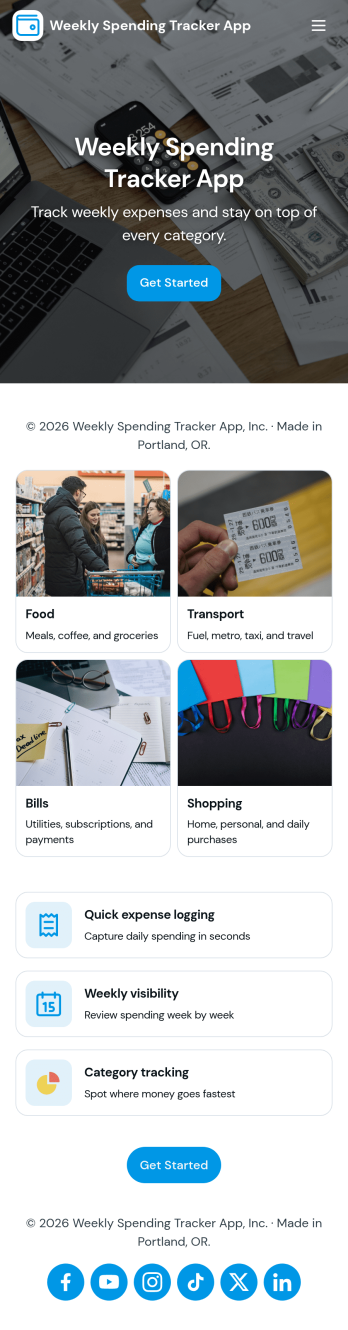
Weekly Spending Tracker App
Weekly Spending Tracker App helps individuals, couples, and budget-conscious households keep a clear, week-by-week view of where money goes. Use it to quickly log expenses as they happen, review your history by merchant, and spot patterns that are easy to miss when purchases are scattered across apps, receipts, and cards. It’s also useful for students tracking discretionary spending, freelancers monitoring weekly costs, and anyone trying to stay consistent with weekly budgets without turning budgeting into a full-time project.With Jotform, you can turn this app template into a simple self-service experience that fits your routine. Customize the Weekly Spending Entry form, organize expense records in connected lists, and add an insights view for quick weekly check-ins. Jotform’s no-code app builder and drag-and-drop interface make it easy to adjust categories, update the layout, and share the app across devices so your data collection and workflow stay tidy and repeatable.
Go to Category:Activity Tracking Apps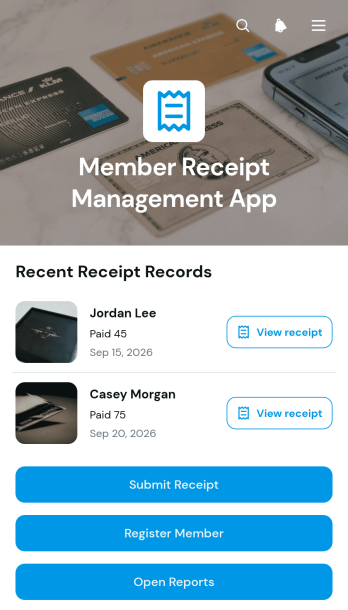
Member Receipt Management App
The Member Receipt Management App gives membership-based organizations a central place to register members, collect their receipts, and review receipt records. Associations, clubs, gyms, nonprofits, and community groups can use it to keep member-related payment documentation organized without relying on scattered emails or paper files. Staff can submit receipts, browse records by member, and view essential details such as payment method, amount, and payment date. Report access also helps administrative and finance teams review activity, answer member questions, and maintain clearer internal records.With Jotform Apps, teams can adapt this app template to their own receipt management workflow without writing code. The drag-and-drop app builder makes it easy to update pages, buttons, colors, fonts, and navigation while maintaining a modern, mobile-friendly experience. Connected forms support data collection for member registration and receipt submission, while organized records provide convenient self-service access for authorized users. Once customized, the Member Receipt Management App can be shared through a direct link or QR code, helping teams provide reliable access from phones, tablets, and computers.
Go to Category:Subscription & Membership Apps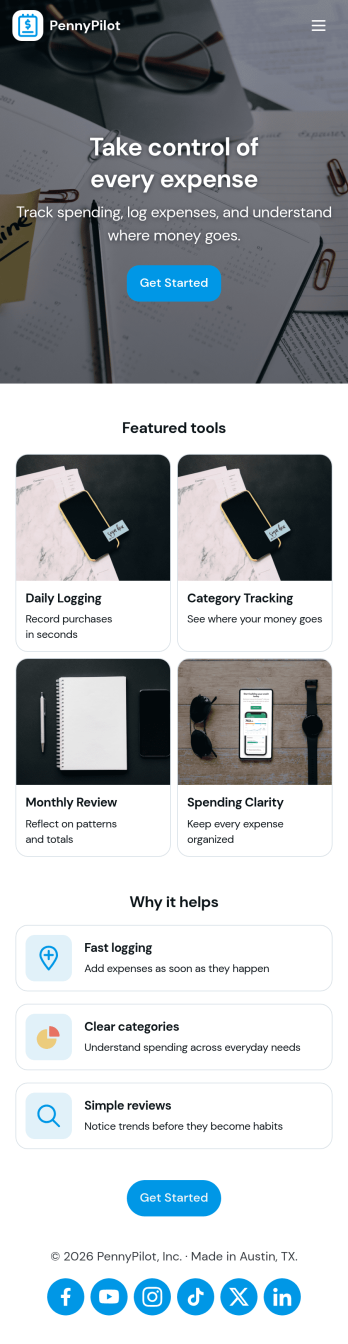
Calculate Expenses App
Calculate Expenses App helps individuals, freelancers, and small teams capture day-to-day spending and review it in one place. Use it to log new costs as they happen, browse past entries, and open a record to see key details at a glance. Whether you’re tracking project spend, travel purchases, office supplies, or recurring bills, the app supports consistent expense logging and faster month-end check-ins without hunting through messages, notes, or receipts.Built with Jotform App Templates, this experience can be tailored in minutes with a no-code app builder and a drag-and-drop interface. Connect the built-in Add Expense form to your records, organize entries into an easy-to-navigate list, and share the app as a simple self-service tool for yourself or your team. Jotform helps centralize data collection and keep your workflow moving with flexible pages, buttons, and connected data for quick updates and clearer visibility.
Go to Category:Finance & Accounting Portal Apps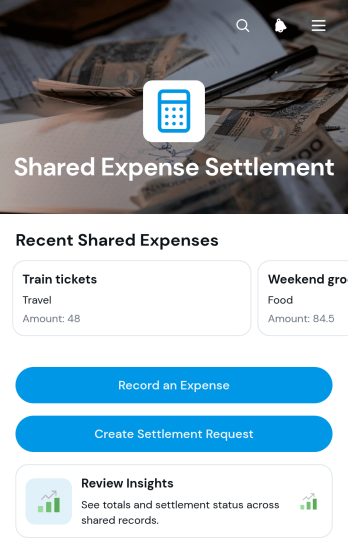
Shared Expense Settlement App
Shared Expense Settlement App gives households, travel groups, roommates, project teams, clubs, and event organizers a central place to document costs and work out who should reimburse whom. Participants can record an expense, review key details such as the amount and contributor, and create a settlement request that identifies the payer, recipient, and settlement amount. Notes and sharing information preserve useful context, while summary insights help the group understand spending activity without searching through messages or separate records. This app template is useful for group trips, shared accommodation, team purchases, community activities, and any situation where several people contribute to common expenses.Jotform App Templates make it easy to turn this process into a branded, mobile-friendly experience without writing code. Customize the Shared Expense Settlement App through a drag-and-drop interface, adjust its pages and navigation, and connect forms, tables, notifications, approvals, or payment workflows as your process develops. The app builder supports organized data collection and self-service access from one shareable location, helping participants submit information consistently and helping coordinators maintain a clearer record. Publish the finished app through a direct link or QR code so contributors can access it from almost any device.
Go to Category:Expense Tracking Apps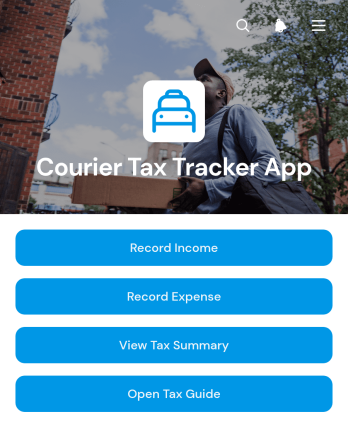
Courier Tax Tracker App
Courier Tax Tracker App is an app template for independent couriers, delivery drivers, and contractors who need one place to organize income and work-related expenses for tax preparation. Users can record earnings by income source, enter costs by expense category, review saved records, and view a tax summary without relying on scattered notes or spreadsheets. A built-in tax guide also provides a convenient reference point when reviewing financial records. This focused setup supports regular recordkeeping throughout the year, gives couriers a clearer view of their business finances, and makes it easier to prepare information for an accountant or tax professional.Jotform makes this app template easy to adapt with a no-code app builder and a flexible drag-and-drop interface. Change the branding, revise content, rearrange pages, or connect forms and tables to create a workflow that matches how income and expenses are handled. Jotform App Templates can be shared through a direct link or QR code, giving users mobile-friendly self-service access wherever they work. Connected data collection keeps records organized while notifications and other workflow options can support timely updates and routine financial tracking.
Go to Category:Expense Tracking Apps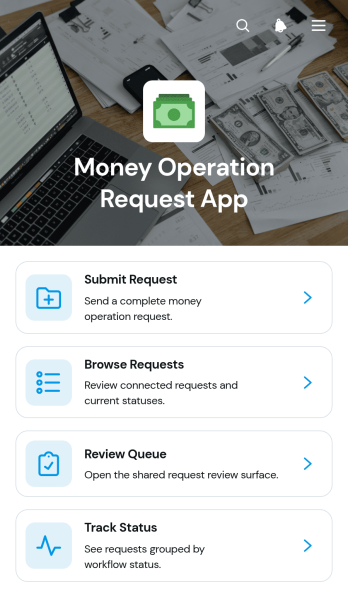
Money Operation Request App
Money Operation Request App gives finance and operations teams a central place to receive, review, and monitor internal money-related requests. Employees, department leads, finance administrators, and small to medium-sized organizations can use this app template when requests need clear ownership and consistent supporting information. Users can submit a request with its amount, purpose, required date, and contact details, while reviewers can browse incoming records, work through a review queue, and check request status. This shared process reduces scattered messages, missing context, and uncertainty about what requires attention.Jotform makes the Money Operation Request App easy to adapt without coding. Its drag-and-drop app builder lets teams customize pages, navigation, branding, and request content through a modern interface. Connected forms and tables support organized data collection, while notifications and workflow options can help teams coordinate follow-up actions. Publish the finished app with a direct link or QR code for convenient self-service access on phones, tablets, and computers. Jotform App Templates also provide a practical starting point that can grow alongside changing financial operations.
Go to Category:Finance & Accounting Portal Apps
Household Expense Sharing App
Household Expense Sharing App is a ready-to-use app template for roommates, couples, families, and shared households that need a clear record of common costs. Users can add expenses, review expense details, and record settlements when one person reimburses another. Details such as the household, amount, contributor, participants, split method, status, settlement date, and notes keep each entry understandable without relying on scattered messages or spreadsheets. It is useful for managing rent, utilities, groceries, subscriptions, repairs, and other recurring or one-time purchases. By giving everyone one shared reference point, the app supports more transparent conversations about money and makes it easier to check what was paid, how a cost was divided, and which settlements have been recorded.Jotform Apps helps you customize this app template with a no-code app builder and an intuitive drag-and-drop interface. Adjust pages, cards, buttons, colors, fonts, and navigation to suit the way your household manages expenses. Connected forms support consistent data collection, while tables and workflows can help organize records and trigger notifications. Once the app is ready, share it by direct link or QR code so household members can access a mobile-friendly self-service experience from almost any device. No programming experience is required to update the layout, add resources, or publish the finished app.
Go to Category:Expense Tracking Apps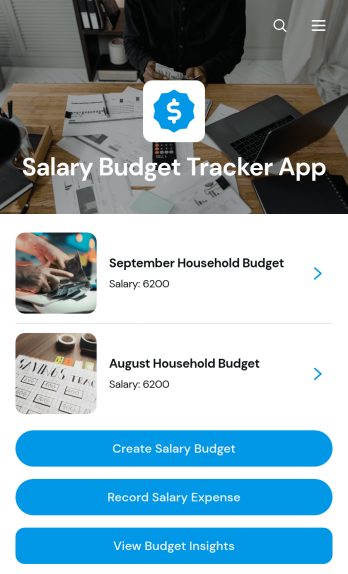
Salary Budget Tracker App
Salary Budget Tracker App gives finance teams, HR departments, payroll coordinators, and business owners one organized place to plan salary budgets and monitor related spending. This app template supports the creation of separate salary budgets, the recording of salary expenses, and access to budget insights that make it easier to compare plans with actual costs. It can help growing companies coordinate compensation planning across teams, document recurring payroll expenses, and identify potential budget pressure before it disrupts financial plans. Managers can also use its centralized records to reduce scattered spreadsheets, improve visibility, and keep salary planning activities consistent.With Jotform Apps, organizations can adapt this Salary Budget Tracker App to their own data collection and workflow needs without writing code. The no-code app builder features a drag-and-drop interface for adjusting pages, buttons, navigation, visual elements, and connected resources. Users can link forms and tables to capture and organize budget information, add approval steps when needed, and create a convenient self-service experience for authorized team members. Once customized with company branding, the app can be published and shared through a direct link, QR code, or embedded experience for mobile-friendly access.
Go to Category:Expense Tracking Apps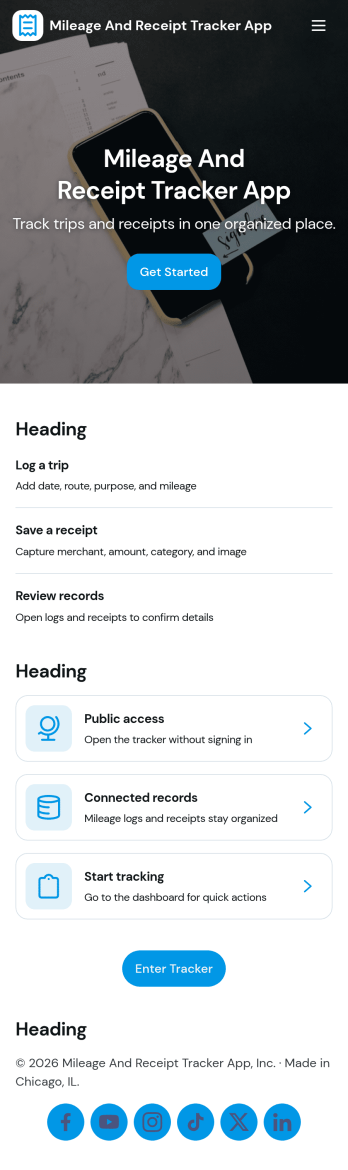
Mileage and Receipt Tracker App
Mileage and Receipt Tracker App helps you capture trip mileage and save expense receipts in one place, so you can stay organized when it’s time to reconcile costs or prepare reimbursements. It’s a practical fit for field teams, sales reps, freelancers, delivery drivers, and anyone who drives for work and needs a simple way to log trips, upload receipt details, and keep personal and work records from getting mixed up.With Jotform, you can turn this app template into a self-service hub for day-to-day expense logging without code. Use the no-code app builder and drag-and-drop interface to tailor pages, add buttons that open your trip and receipt forms, and give users quick access to their submission inbox and record views. Connect the app to workflows that support follow-ups and tracking, then share it by link or QR code for fast data collection on the go.
Go to Category:Expense Tracking Apps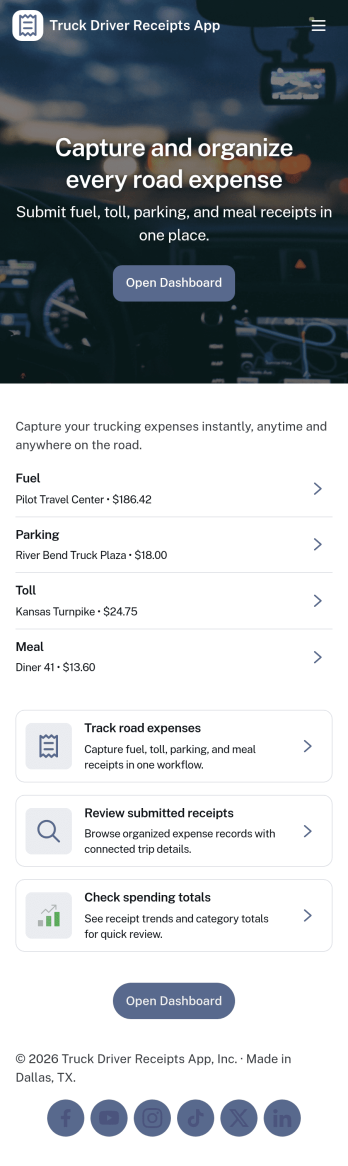
Truck Driver Receipts App
Truck Driver Receipts App helps drivers and fleet teams capture, organize, and review receipts tied to life on the road, such as fuel stops, tolls, repairs, and meals. With quick access to a New Receipt flow and a Recent Receipts view, it’s easy to log expenses while parked, reduce lost paper slips, and keep trip spending visible. This app template fits owner-operators, dispatchers, and back-office staff who need a consistent way to document costs across routes, trucks, and drivers without chasing photos in text threads.Built with Jotform, this app template combines self-service data collection with a simple browsing experience that works well on mobile. Use Jotform’s no-code app builder and drag-and-drop interface to adjust pages, add guidance text, and connect the receipt form to the same underlying records list so updates stay organized. Once published, you can share the app link with drivers, centralize receipt tracking in one workflow, and keep expense documentation ready for review whenever you need it.
Go to Category:Finance Apps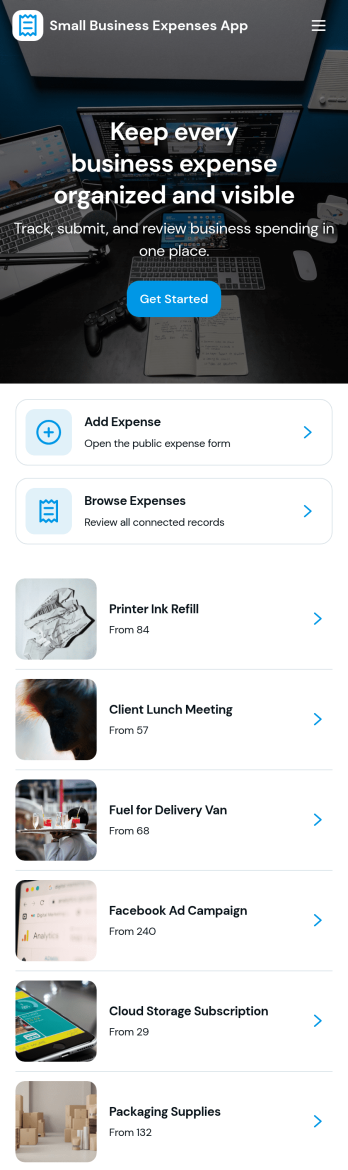
Small Business Expenses App
Small Business Expenses App helps teams capture, organize, and review day-to-day business spending in one place, so you can stay on top of receipts and keep expense records consistent. Use it to add a new expense as it happens, browse submitted expenses by merchant, and open a simple dashboard view to spot patterns in categories like office supplies and travel. It’s a practical fit for owners, office managers, and bookkeepers who need a clear trail of purchases without chasing paperwork across email threads, paper receipts, or scattered files.With Jotform, you can turn this expense tracking app template into a branded, self-service experience that works anywhere. Customize pages with a drag-and-drop interface, connect forms and tables for reliable data collection, and route the right actions to the right place such as adding receipts, viewing records, or exporting receipt information. Jotform’s no-code app builder makes it easy to publish and share an app your team will actually use, while keeping your workflow organized as spending volume grows.
Go to Category:Finance & Accounting Portal AppsAbout Expense Tracking Apps
Expense Tracking Apps are specialized mobile or web applications designed to streamline the process of tracking, managing, and reporting expenses. These apps are extensively used in various operational scenarios across industries such as finance, travel, and corporate management, where the need to keep meticulous records of expenditures is paramount. Real-world workflows often involve the submission of expense reports, approval processes, and financial audits, all of which can be efficiently handled through these apps, ensuring accurate tracking and management of financial activities.
Jotform Apps offers a no-code app builder that is perfectly suited for the creation of Expense Tracking Apps. Leveraging Progressive Web App (PWA) technology, these apps can be installed directly via a browser, eliminating the need for an App Store, and are fully functional across iOS, Android, tablets, and desktops. With Jotform Tables, data can be centralized, providing a cohesive and streamlined approach to managing expense tracking workflows. This ensures that all data related to expenses is easily accessible and manageable, enhancing operational efficiency.
Why Use Expense Tracking Apps?
- Expense Tracking Apps streamline the process of recording and managing expenses, which can significantly reduce the administrative burden on employees and management. By automating these processes, businesses can ensure more accurate and timely expense reporting, which is crucial for maintaining financial integrity.
- These apps facilitate seamless integration with payment systems, allowing businesses to not only track expenses but also manage transactions in real-time. This capability is vital for industries that require fast and secure processing of financial transactions.
- By utilizing centralized data systems, these apps provide a comprehensive overview of all expenses, enabling more informed decision-making and strategic planning. This is particularly beneficial in industries where tracking spending trends and patterns can lead to significant cost-saving opportunities.
- The use of Expense Tracking Apps enhances compliance with financial regulations by ensuring all expenses are properly documented and accounted for. This is essential for businesses operating in heavily regulated industries, where compliance is a top priority.
- These apps improve collaboration and communication within teams by providing a unified platform for submitting, approving, and reviewing expenses. This not only speeds up the approval process but also reduces the likelihood of errors and discrepancies.
Common Problems Solved by Expense Tracking Apps
- Inconsistent and delayed expense reporting is a common issue in many organizations, leading to financial discrepancies and reporting errors. Expense Tracking Apps solve this by providing a structured and timely approach to expense submission and approval.
- Manual tracking and recording of expenses can lead to errors and inefficiencies, affecting the accuracy of financial records. These apps automate data entry processes, reducing the risk of human error and improving overall data accuracy.
- Lack of transparency in expense management often results in mistrust and compliance issues. Expense Tracking Apps enhance visibility and transparency by centralizing all expense-related data, making it easily accessible for audits and reviews.
- Difficulty in managing multiple payment methods can complicate financial management. These apps offer built-in payment integrations, simplifying the process of managing different payment channels and ensuring all transactions are accounted for.
- Managing expenses on the go can be challenging, especially for businesses with mobile or remote workforces. These apps support mobile access, enabling employees to submit and manage expenses from anywhere, ensuring continuous productivity.
Matching Use Cases to Features
- For businesses needing a streamlined process for expense submission, the Drag-and-Drop Interface allows for easy customization of forms and workflows, enhancing user experience and efficiency. This feature is ideal for creating intuitive apps that simplify the expense submission process.
- Companies requiring secure and efficient payment processing can benefit from Payment Integrations such as Stripe and PayPal, which facilitate seamless financial transactions within the app. This is particularly beneficial for industries that handle a high volume of payments.
- Organizations looking to enhance internal communications can utilize Push Notifications to keep all stakeholders informed about expense submission statuses and approvals. This feature ensures that everyone involved in the expense management process is up-to-date.
- For teams that need to manage expenses across multiple locations, the Publish Options such as Public and Private settings allow apps to be tailored for specific audiences, ensuring relevant parties have access to the necessary information.
- Utilizing Offline Mode is crucial for industries where internet connectivity is unreliable, allowing employees to continue recording expenses even when offline. This ensures no disruption in tracking expenses, regardless of connectivity issues.
How to Create a Expense Tracking App
- Choose a category-relevant template from the Template List or start from scratch.
- Customize using the Drag-and-Drop Interface to tailor the app to your specific needs and workflows.
- Share via Link, QR Code, or Embed to distribute the app to your intended audience efficiently.
Top Use Cases for Expense Tracking Apps
- For Managers: Managers can use Expense Tracking Apps to gain a comprehensive overview of departmental spending, which aids in budgeting and financial planning. These apps allow managers to set visibility permissions, ensuring that sensitive financial data is only accessible to authorized personnel. By automating the approval process, managers can swiftly approve or reject expense claims, reducing bottlenecks and improving workflow efficiency. Additionally, the centralized data feature supports the generation of detailed reports, providing valuable insights into spending patterns.
- For Teams: Teams benefit from Expense Tracking Apps by having a streamlined process for submitting and tracking their expenses, which reduces administrative workload and enhances productivity. These apps enable team members to quickly record expenses on the go using their mobile devices, ensuring real-time data entry and accuracy. With integrated payment processing, teams can easily manage reimbursements and other financial transactions, promoting timely and efficient financial management. Furthermore, the communication features facilitate better collaboration among team members, ensuring everyone is aligned on budget constraints and spending limits.
- For Customers: Customers can utilize Expense Tracking Apps to manage personal or business-related expenses effortlessly. These apps provide a user-friendly interface that simplifies the process of recording and categorizing expenses, making it easier for customers to stay on top of their financial activities. With secure payment integration, customers can perform transactions with confidence, knowing their financial data is protected. Additionally, the app's ability to generate detailed expense reports helps customers maintain accurate financial records, which is crucial for personal budgeting and tax preparation.
Summarizing Expense Tracking Apps
Expense Tracking Apps provide a robust solution for managing and streamlining the entire expense management process, from submission to approval and reporting. By leveraging Jotform’s no-code app builder, businesses can create customized apps that cater to their specific operational needs, enhancing efficiency and compliance. These apps empower users with real-time insights into financial activities, facilitating better decision-making and strategic planning. Overall, Expense Tracking Apps are indispensable in today’s fast-paced business environment, providing the necessary tools to maintain financial integrity and operational excellence.
Frequently Asked Questions
1) Is it free to create and use Expense Tracking apps on Jotform?
Creating and using Expense Tracking apps on Jotform is free under the Starter plan, which includes basic features suitable for individuals and small businesses. The plan allows users to create and share apps without any cost, providing a great starting point for those new to Jotform Apps. However, for more advanced features and higher submission limits, businesses might consider upgrading to a paid plan.
2) Are the data and payments collected through the app secure?
Yes, all data and payments collected through Jotform Apps are secure. Jotform complies with industry-standard security measures and is GDPR-compliant, ensuring that all user data is protected against unauthorized access. With encryption in place, users can trust that their financial transactions and personal information are safeguarded.
3) Do I need any coding skills to create a Expense Tracking app with Jotform?
No coding skills are required to create a Expense Tracking app with Jotform. The platform is designed with a user-friendly, no-code interface that allows users to build and customize apps through simple drag-and-drop actions. This makes it accessible to anyone, regardless of their technical background, enabling them to create professional-grade apps effortlessly.
4) Can I collect payments for services directly through the app?
Yes, you can collect payments for services directly through the app using integrations with popular payment gateways like Stripe and PayPal. These integrations allow for seamless and secure transaction processing, making it easy for businesses to handle payments and improve their cash flow. Users can set up these integrations with just a few clicks, streamlining the payment collection process.
5) Does Jotform support offline data collection for Expense Tracking apps?
Jotform supports offline data collection through its Mobile Forms feature, which is particularly useful for Expense Tracking apps. This capability allows users to continue recording expenses even without an internet connection, ensuring that data entry is uninterrupted. Once connectivity is restored, the app automatically syncs the data, maintaining seamless operation.
6) Are Jotform Apps compatible with both iOS and Android devices?
Yes, Jotform Apps are compatible with both iOS and Android devices. The Progressive Web App (PWA) technology ensures that these apps operate smoothly across different platforms, providing a consistent user experience. Users can access and install the apps directly from their browser, eliminating the need for app store downloads and making them easily accessible on any device.
7) How do Expense Tracking apps enhance financial compliance in heavily regulated industries?
Expense Tracking apps enhance financial compliance by ensuring that all expenses are meticulously recorded and centrally stored, which is vital for audits and regulatory reviews. These apps provide a structured process for expense submission and approval, reducing the risk of errors and ensuring adherence to industry regulations. By maintaining accurate financial records, businesses can avoid compliance issues and potential fines.
8) How can Expense Tracking apps improve collaboration within a team?
Expense Tracking apps improve collaboration within a team by providing a unified platform for sharing and managing expenses. The apps enable team members to submit expenses, track approvals, and communicate about financial matters in real-time, fostering transparency and teamwork. This streamlined communication helps align team efforts with budgetary constraints and financial goals, enhancing overall team efficiency.