

Warehouse Management Apps

Stock and Inventory App
Stock and Inventory App helps teams track items, monitor stock levels, and document inventory movement in one place. Use it to browse item lists, open item details, add new items, and keep a clear history of stock changes over time. It’s a practical fit for retail shops, warehouses, field operations, studios, and small manufacturers that need a shared source of truth for what’s on hand, what’s running low, and what has recently moved.Built with Jotform App Templates, this app template can be tailored to match your workflow without code. With Jotform’s no-code app builder and drag-and-drop interface, you can connect forms and tables to support data collection, create a self-service experience for staff, and keep inventory workflows organized across pages. Share the app with a link so teammates can review items, record stock in, and check movement history from desktop or mobile.
Go to Category:Inventory Apps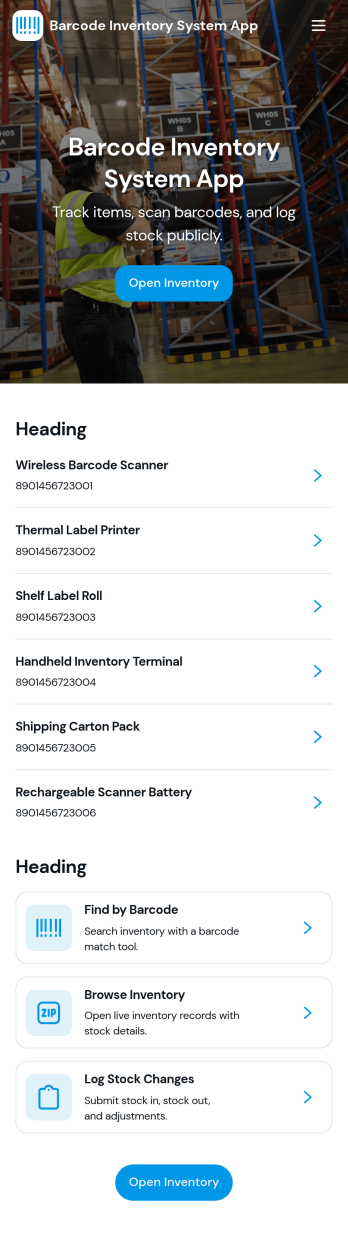
Barcode Inventory System App
Barcode Inventory System App helps teams track stock movement with a simple, scan-first flow that keeps inventory records current without spreadsheets. It’s built for retail shops, warehouses, back offices, and growing operations that need a consistent way to log incoming goods, review on-hand items, and document changes. Staff can scan and record stock receipts, browse inventory lists for quick lookups, and add adjustments when counts change due to damage, transfers, or corrections, making it easier to stay aligned across shifts and locations.Jotform makes it easy to turn this barcode inventory workflow into a shareable self-service experience using its no-code app builder and drag-and-drop interface. Connect buttons and pages to forms and tables to support data collection, keep a running receipt log, and centralize adjustment history in one place. Customize the layout, add your branding, and publish the app as a link or QR code so your team can update inventory from the floor, the loading dock, or the stockroom.
Go to Category:Inventory Apps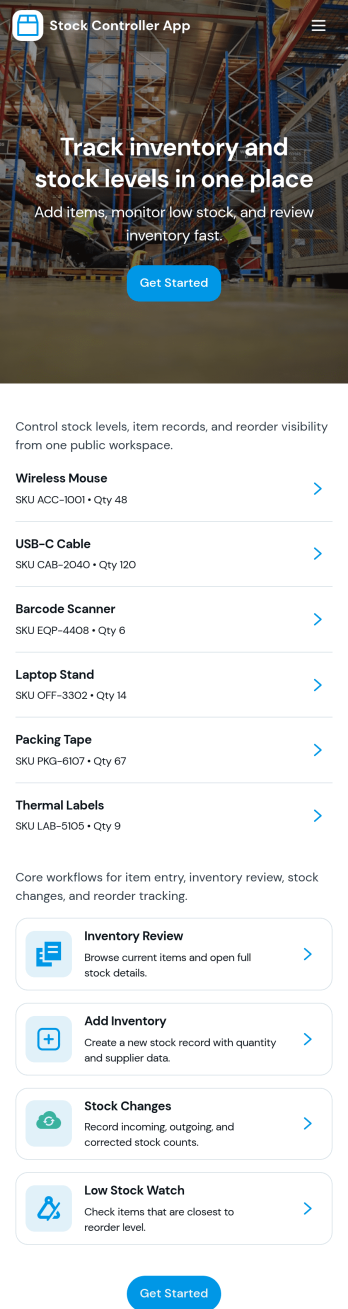
Stock Controller App
Stock Controller App helps teams record incoming stock, maintain a running stock ledger, flag low stock items, and document inventory adjustments in one place. It’s a practical fit for retail shops, small warehouses, e-commerce back offices, restaurants, and multi-location operations that need a simple way to add items, keep counts current, and quickly spot attention-required products before they disrupt sales or service.With Jotform, you can turn this stock control workflow into a shareable, self-service app experience using an intuitive no-code app builder and drag-and-drop interface. Connect your app to forms and tables for consistent data collection, keep inventory workflows organized across pages, and publish updates fast as your catalog changes, without relying on developers.
Go to Category:Inventory Apps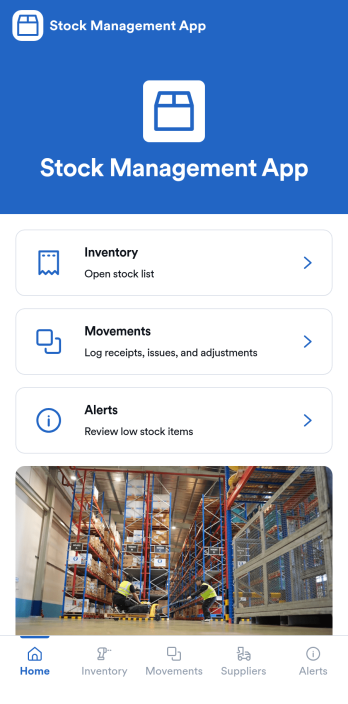
Stock Management App
Stock Management App helps teams track inventory levels, record stock movements, and follow up on low-stock alerts without juggling spreadsheets. It’s a practical fit for retailers, warehouses, small manufacturers, clinics with supply rooms, and field service businesses that need quick visibility into what’s on hand and what’s running out. With dedicated areas for inventory, movements, and alerts, staff can log updates as items are received, used, returned, or adjusted, so everyone works from the same source of truth.Built with Jotform, this app template pairs a mobile-friendly interface with organized navigation and connected data collection. You can add new items, record movements through linked forms, and keep supplier information alongside your inventory records, then share the app as a self-service tool for your team. Using Jotform’s no-code app builder and drag-and-drop interface, it’s easy to adapt the layout, fields, and workflow to match your stock process across one location or multiple sites.
Go to Category:Inventory Apps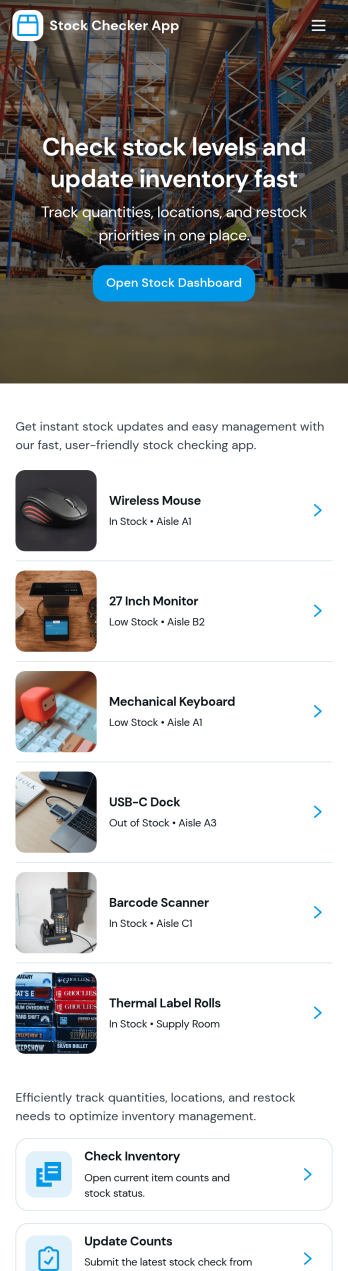
Stock Checker App
Stock Checker App helps teams quickly verify inventory levels, spot low-stock items, and keep day-to-day stock records consistent across locations or shifts. It’s a practical fit for retail stores, e-commerce operations, storerooms, restaurants, and small warehouses where staff need a simple way to check stock, review an inventory list, and flag items that require attention. With dedicated areas to check stock and review low-stock, the app supports faster decisions on reordering, restocking, and internal handoffs without relying on scattered notes or separate spreadsheets.Jotform makes it easy to turn this Stock Checker App into a branded self-service experience using an app template and a no-code app builder with a drag-and-drop interface. Connect buttons to forms for stock updates, keep all stock records organized in one place, and share the app by link so your team can access the right inventory information on desktop or mobile. As your workflow evolves, you can adjust pages, add steps, and keep data collection aligned with how your operation actually runs.
Go to Category:Inventory Apps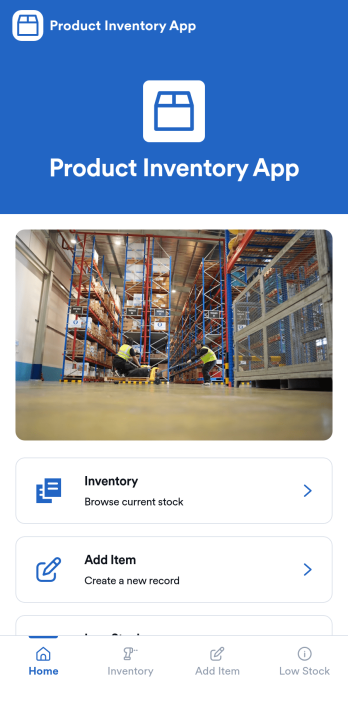
Product Inventory App
Product Inventory App helps teams track stock levels, add new products, and quickly spot items that need replenishing. It fits retail stores, warehouses, e-commerce operations, field teams carrying parts, and any business that wants a clear view of what is on hand without digging through spreadsheets. With inventory browsing, an Add Item flow, and a dedicated Low Stock area, staff can check quantities, keep product details up to date, and trigger restock actions at the right time, whether they are working the sales floor, receiving deliveries, or managing stockrooms.Built with Jotform, this app template gives you a flexible way to organize product data collection and everyday inventory workflow in one place. Use Jotform’s no-code app builder and drag-and-drop interface to adjust pages, navigation, and branding, then connect your inventory form to keep records consistent as your catalog grows. Share the app with your team for self-service access, keep information centralized, and make inventory updates easier to complete from any device.
Go to Category:E-commerce Apps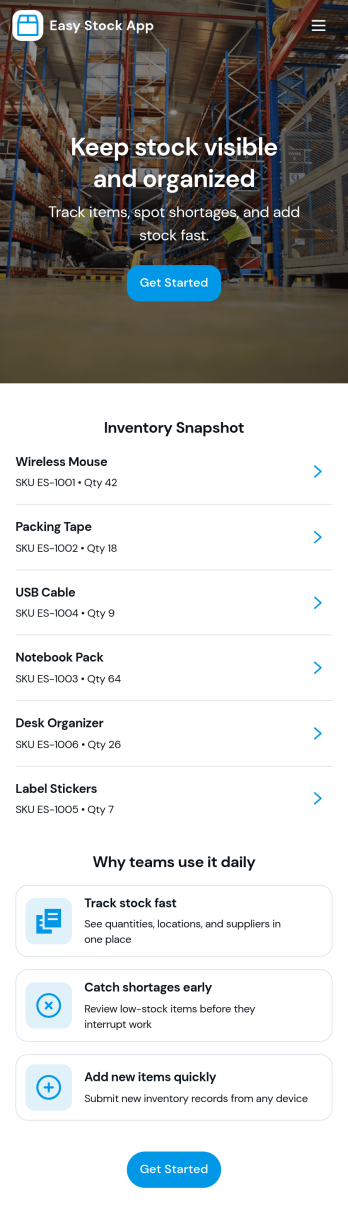
Easy Stock App
Easy Stock App helps teams keep a clear, up-to-date view of stock in one place without complicated systems. Use it to browse inventory records, add new items as they arrive, and give staff a simple way to review what’s on hand from a central hub. It’s a practical fit for retail shops, storerooms, small warehouses, pop-up sellers, school departments, and nonprofits managing supplies where quick updates matter and missing items create delays.With Jotform’s app templates, you can publish a mobile-friendly inventory experience powered by a no-code app builder and a drag-and-drop interface. Connect the app to your inventory form and table to support consistent data collection, keep records organized, and reduce manual follow-ups. Share the app as a self-service link for your team, then adjust pages, buttons, and branding as your workflow evolves.
Go to Category:Inventory Apps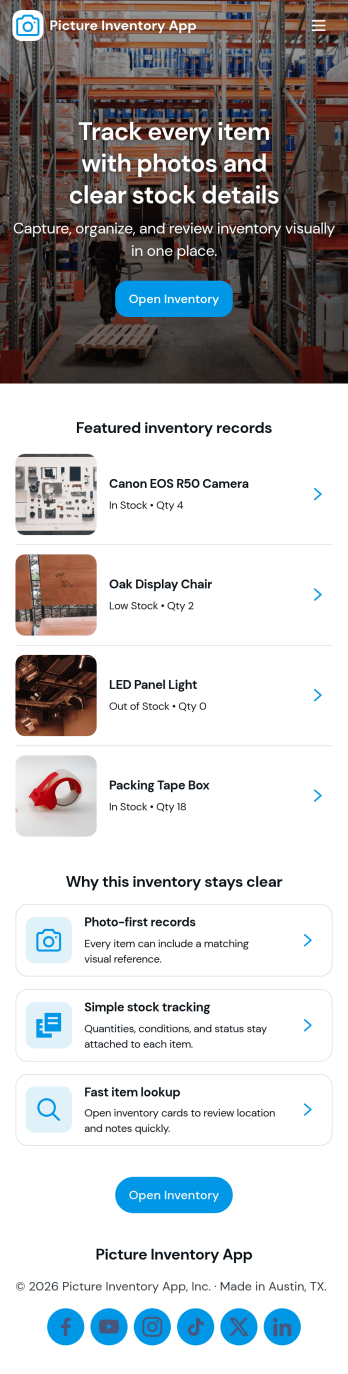
Picture Inventory App
Picture Inventory App helps you capture, organize, and review photo-based inventory records in one place. It’s a practical option for teams that need visual proof of items on hand, such as retail stockrooms, equipment rooms, warehouses, property managers, field services, and small businesses tracking assets across multiple locations. With quick navigation to add new photos and a gallery for browsing what’s already been recorded, the app supports consistent documentation without relying on scattered camera rolls or long email threads.Built with Jotform, this app template pairs a simple front-end experience with connected record keeping so your team can submit photos, view an organized gallery, and open a detailed view for each item when needed. Use Jotform’s no-code app builder and drag-and-drop interface to tailor pages, control what information is collected with each image, and keep inventory data collection and workflows easy to manage as your needs grow.
Go to Category:Inventory Apps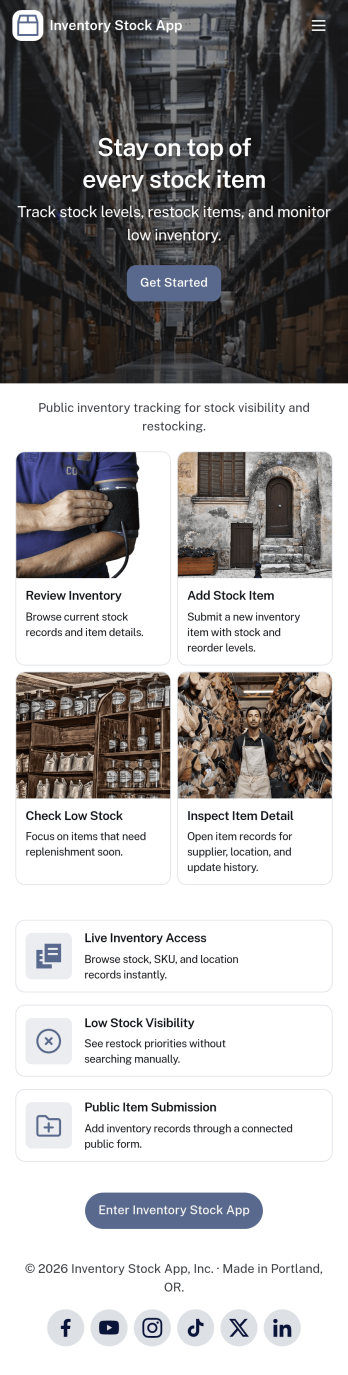
Inventory Stock App
Inventory Stock App keeps your inventory counts accurate and easy to access in day-to-day operations. Use it to browse items, spot low-stock products early, and record adjustments when stock levels change. It’s a practical fit for retail teams, warehouses, storerooms, schools, nonprofits, and small manufacturers that need a clear view of what’s on hand without relying on scattered spreadsheets. With simple navigation and item lists, staff can quickly find what they need, add new items, and maintain consistent records across locations or departments.Jotform makes it simple to turn inventory processes into a mobile-friendly experience using App Templates and a no-code app builder. Customize pages with a drag-and-drop interface, connect buttons to forms for fast data collection, and keep an organized stock log for better visibility over time. Share your Inventory Stock App with your team through a link so updates happen where the work happens, helping you keep inventory workflows consistent and information up to date.
Go to Category:Inventory Apps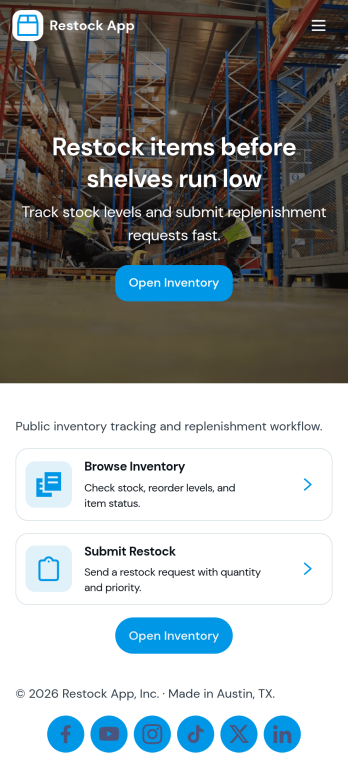
Restock App
Restock App helps teams keep shelves, storerooms, and supply closets replenished by centralizing item visibility, supplier contacts, and restock requests in one place. Use it to browse stock items, submit a new request when quantities run low, and review all requests so nothing gets missed during busy shifts. It fits retail back rooms, restaurants, warehouses, offices, and field teams managing consumables, parts, or packaging, especially when multiple people need a consistent process for asking, tracking, and following up.With Jotform, you can turn this restocking workflow into a shareable self-service experience using a no-code app builder and a drag-and-drop interface. Connect the app to your existing data collection and workflow needs by linking requests to tables, updating records as inventory changes, and keeping supplier details handy for faster outreach. Customize pages, buttons, and navigation to match how your team works, then share the app by link or QR code so staff can create requests and check status from anywhere.
Go to Category:Inventory Apps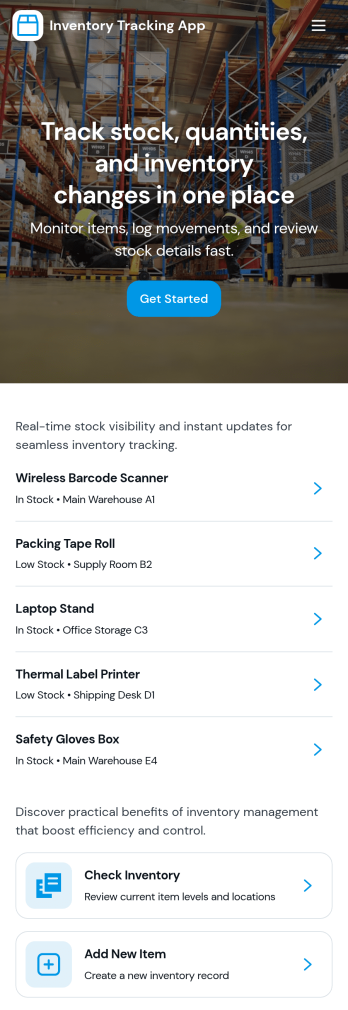
Inventory Tracking App
Inventory Tracking App helps teams keep a clear, up-to-date view of what’s in stock, what’s running low, and what needs to be added next. It works well for retail counters, small warehouses, offices managing supplies, nonprofits tracking donated goods, and field teams who need quick access to item details. With simple navigation to browse current inventory, view item-level information, and add new items as they arrive, this app supports day-to-day stock control without relying on scattered spreadsheets or manual check-ins. It’s especially useful when multiple people handle receiving, storage, and restocking and everyone needs to follow the same process.Jotform makes it easy to turn this app template into a branded inventory experience using a no-code app builder and a drag-and-drop interface. Connect the app to your existing data collection workflow by linking forms and updating records over time, so the inventory list stays current as your team adds items. Share the app through a link or QR code for fast self-service access, and tailor pages, buttons, and layout to match how your organization tracks stock across locations, categories, or storage areas.
Go to Category:Inventory Apps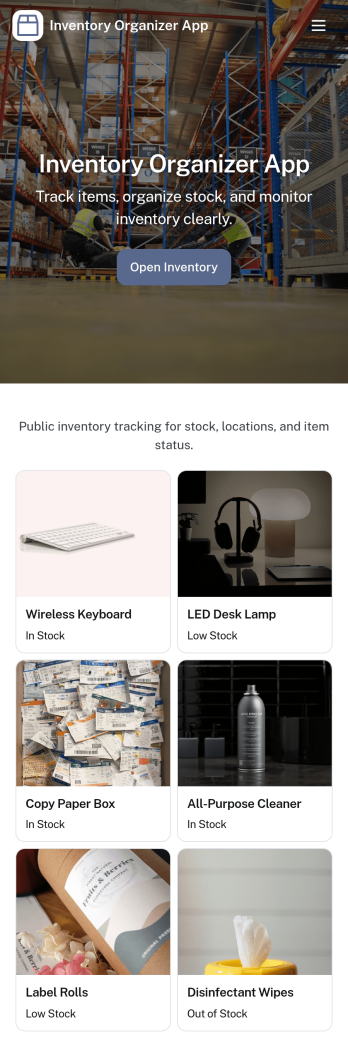
Inventory Organizer App
An Inventory Organizer App helps you keep product records in one place, view an inventory overview at a glance, and stay on top of what’s running low. It’s a practical fit for retail teams, warehouses, e-commerce sellers, offices managing supplies, and any operation that needs a clear system for tracking items and monitoring stock movements without relying on scattered spreadsheets. With dedicated areas for items, movements, and low stock, it supports day-to-day inventory organization, faster lookups, and more consistent restocking decisions.Jotform makes it easy to turn this inventory workflow into a shareable, mobile-friendly experience using App Templates and a no-code app builder. Customize pages with a drag-and-drop interface, connect the app to your existing data collection forms, and keep information flowing into the right workflow as your team updates inventory. Publish with a link for self-service access, standardize how stock updates are logged, and keep everyone aligned from receiving to reordering.
Go to Category:Inventory Apps
Material Request Management App
The Material Request Management App is an app template for collecting, organizing, and reviewing internal requests for supplies and materials. Employees can submit a request, browse available materials, and view organized request records from one location. Procurement, warehouse, construction, facilities, and operations teams can use it to capture requester details, department information, quantities, required dates, and the purpose of each request. Centralizing these details reduces incomplete requests, improves visibility into material needs, and helps teams plan purchasing and distribution.Jotform App Templates make it easy to create a branded experience without coding. Customize this Material Request Management App with the no-code app builder and drag-and-drop interface, then connect forms, tables, notifications, and workflows to support data collection and follow-up tasks. Teams can adjust pages, navigation, colors, and content to match their processes. Once published, the app can be shared by direct link or QR code, giving employees convenient mobile-friendly self-service access wherever requests originate.
Go to Category:Inventory Management Apps
Storage Products Catalog App
The Storage Products Catalog App is a ready-to-use catalog for retailers, storage suppliers, warehouse teams, home organization consultants, and product managers who need to present storage products in one accessible location. Users can browse products by category, review essential specifications such as dimensions, materials, capacity, and price, and consult storage guidance before making a selection. Teams can also accept new product submissions and give contributors a convenient place to review what they have sent. This app template helps replace scattered product sheets and disconnected resources with a clear, mobile-friendly browsing experience for staff, customers, or business partners.Jotform App Templates make it easy to turn product information and data collection processes into an interactive experience without coding. Customize the Storage Products Catalog App with the drag-and-drop app builder, update pages and navigation, connect forms or tables, and apply visual elements that suit your organization. The app can support self-service product research and a more organized submission workflow while keeping related resources together. Once it is ready, publish and share it through a direct link or QR code so users can access the latest catalog from phones, tablets, or computers.
Go to Category:Inventory Management Apps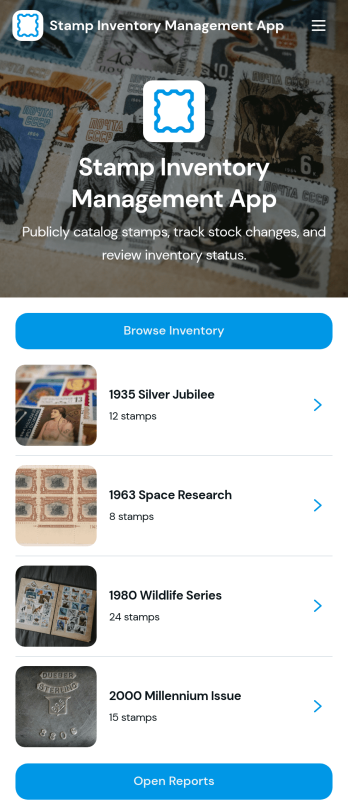
Stamp Inventory Management App
Stamp Inventory Management App helps collectors, dealers, museum archives, and hobby clubs keep a clear record of stamp holdings across storage locations. Use it to browse inventory by stamp name, open a stamp record to review quantity and condition, and quickly navigate to location-based views when you need to find items fast. With an easy way to add new stamp records and adjust stock, this app supports day-to-day catalog upkeep, trades, show prep, insurance documentation, and periodic collection audits without relying on scattered notes or spreadsheets.Jotform makes it simple to turn your process into a mobile-friendly self-service experience using app templates and a no-code app builder. With a drag-and-drop interface, you can tailor pages, navigation, and visuals to match how you organize your collection, then connect the app to your data collection workflows and reporting needs. Share the app with collaborators, keep information centralized, and maintain an up-to-date stamp inventory that’s easy to review and manage from anywhere.
Go to Category:Inventory Management Apps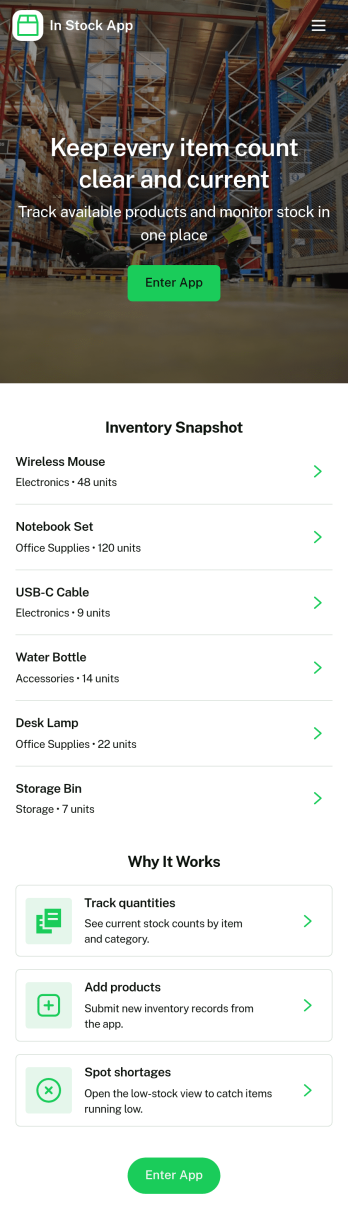
In Stock App
In Stock App gives teams a clear, day-to-day way to see what items are available, review item details, and keep inventory accurate as stock moves. Use it to browse an item list, open individual item cards, and handle common inventory actions like receiving new stock and making adjustments when counts change. It fits retail shops, warehouses, storerooms, ecommerce back offices, schools managing supplies, and any operation that needs a simple place for staff to check availability before fulfilling orders or restocking shelves.Jotform offers App Templates like this one so you can publish a mobile-friendly inventory experience without coding. With a no-code app builder and drag-and-drop interface, you can tailor pages, buttons, and navigation to match your workflow, connect the app to forms and tables for data collection, and keep updates organized in one self-service hub. Share a link or QR code with your team so stock checks and updates happen faster and with fewer mistakes.
Go to Category:Inventory Apps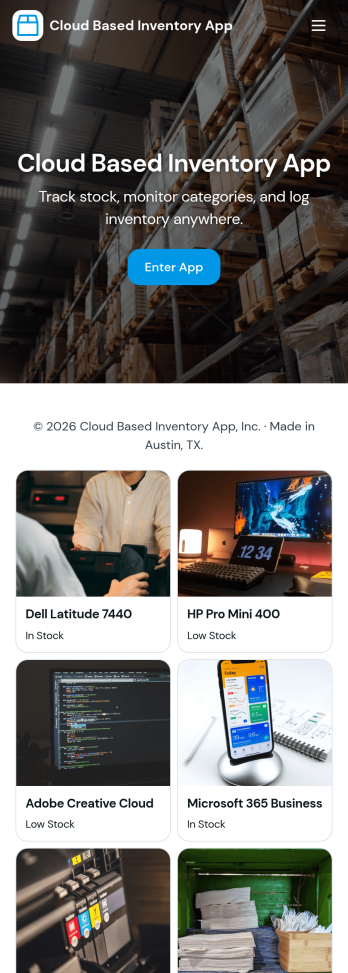
Cloud Based Inventory App
Cloud Based Inventory App helps teams track products, stock levels, and item activity from one central place, making it easier to keep shelves, storage rooms, and remote locations in sync. Use it to maintain a clear catalog, review current stock, and capture incoming items through guided intake so updates don’t get lost in messages or spreadsheets. It works well for retail operations, warehouses, field teams, growing e-commerce brands, and multi-location businesses that need a practical way to add items and adjust quantities as inventory changes.Built with Jotform, this app template can be tailored with a no-code app builder and a drag-and-drop interface so you can match your workflow without development time. Connect the app to forms for data collection, route updates through the right workflow, and keep inventory actions consistent across your team. Share a single link for self-service updates, standardize how item records are created, and keep information organized as your inventory grows.
Go to Category:Inventory Apps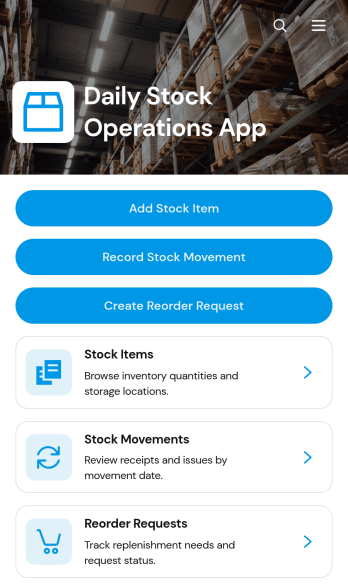
Daily Stock Operations App
Daily Stock Operations App gives inventory teams a central place to manage routine stock activity across warehouses, storerooms, retail locations, restaurants, and other supply environments. Staff can add stock items, record incoming or outgoing movements, review current quantities and reorder levels, and create reorder requests when supplies run low. Inventory coordinators, warehouse personnel, purchasing teams, and operations managers can use this app template to replace scattered records with a consistent daily workflow. Clear item and movement views help teams investigate changes, maintain more accurate records, and make timely replenishment decisions.With Jotform Apps, organizations can adapt the Daily Stock Operations App without writing code. The drag-and-drop app builder makes it easy to update pages, navigation, buttons, visual branding, and connected forms while keeping stock resources accessible in one mobile-friendly experience. Teams can connect data collection to Jotform Tables, approvals, notifications, and other workflows as their processes evolve. Publish the finished app using a direct link or QR code so authorized staff can access operational tools from a phone, tablet, or computer. Starting from one of Jotform’s ready-to-use App Templates also reduces setup time while leaving room to tailor the experience to each location or team.
Go to Category:Inventory Management Apps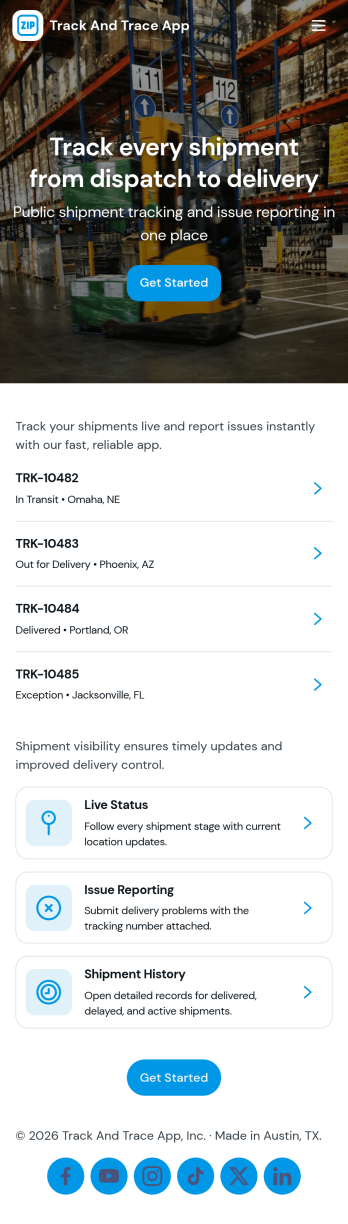
Track and Trace App
Track and Trace App brings shipment visibility into one place so teams can log new shipments, look up a tracking ID, and record trace updates as the delivery progresses. It’s a practical fit for operations and logistics teams, delivery coordinators, warehouse staff, and customer support groups that need quick answers on where an item is and what changed. Use it to reduce status-check chaos, keep internal notes consistent, and create a reliable history of updates that can be referenced when customers, partners, or drivers ask for the latest information.With Jotform, you can turn this app template into a branded self-service experience using a no-code app builder and a drag-and-drop interface. Connect the app to your data collection forms and workflows so shipment logs and trace updates stay organized, searchable, and easy to maintain. Publish in minutes, share by link or QR code, and keep your team aligned with a mobile-friendly app that’s simple to update as your process evolves.
Go to Category:Operations & Logistics Portal Apps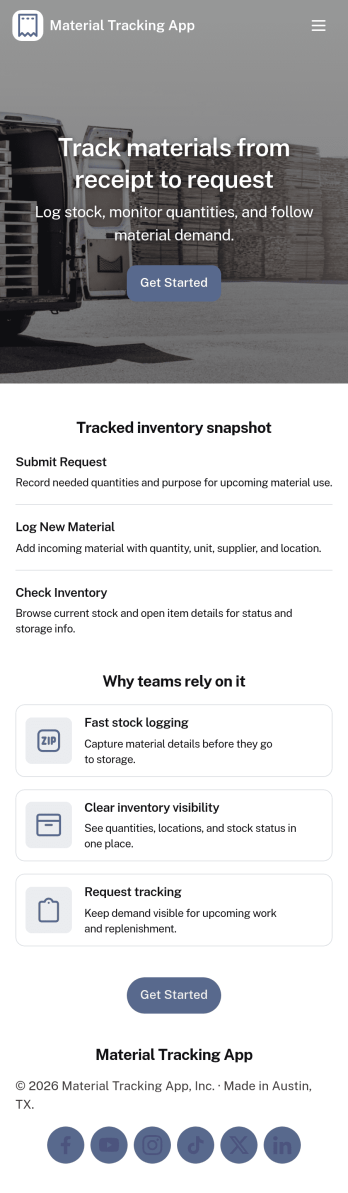
Material Tracking App
Material Tracking App helps teams record materials as they come in and go out, keep a clear view of current stock, and review activity over time. It’s a practical fit for construction crews, facilities teams, makerspaces, warehouses, and any operation that needs a simple way to log material usage and avoid surprises when supplies run low. With quick actions for logging material and adding new materials, plus dedicated areas for inventory and history, the app supports consistent updates across shifts and job sites.Built with Jotform, this app template makes it easy to launch a mobile-friendly self-service experience without coding. Use the drag-and-drop app builder to tailor pages, buttons, and navigation to your workflow, then connect your material log and inventory records to your existing data collection process. Share the app by link or QR code so staff can update stock in the moment, while managers get a clearer workflow for tracking materials and keeping inventory organized.
Go to Category:Inventory Apps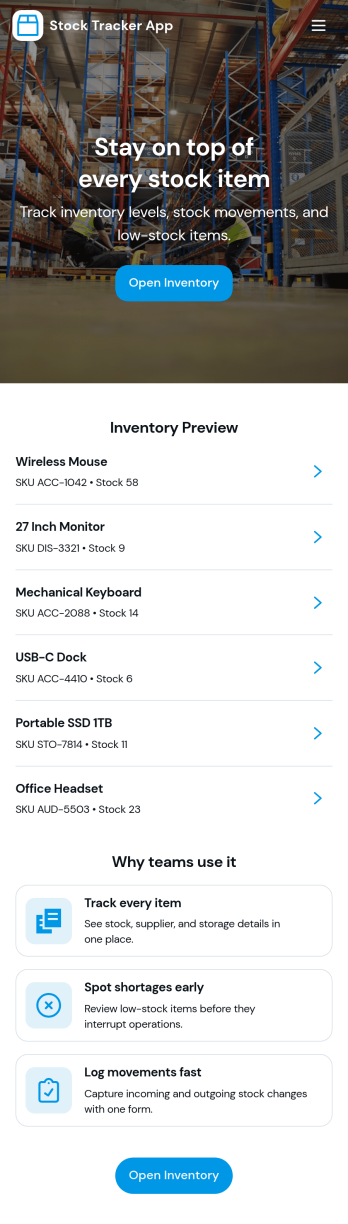
Stock Tracker App
Stock Tracker App helps teams monitor inventory levels, spot low-stock items early, and keep a clear record of stock activity in one place. It’s built for retailers, warehouse teams, small manufacturers, office managers, and anyone responsible for keeping products or supplies available without overordering. With an inventory summary dashboard, an inventory list you can browse, and dedicated actions for adding stock and adjusting stock, the app supports day-to-day stock control while keeping item details easy to access when questions come up.Jotform makes it simple to turn this Stock Tracker App into a branded, mobile-friendly experience using its no-code app builder and drag-and-drop interface. Connect your app to forms and tables for ongoing data collection, keep inventory updates consistent across your team, and share the app as a self-service destination for internal users. As your workflow evolves, you can refine pages, permissions, and connected processes so your inventory tracking stays organized and dependable.
Go to Category:Inventory Apps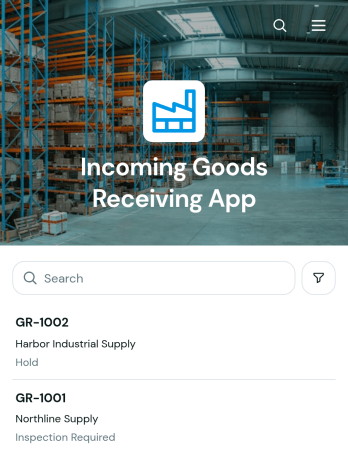
Incoming Goods Receiving App
The Incoming Goods Receiving App helps warehouse teams, inventory coordinators, receiving clerks, and operations managers document deliveries as goods arrive. It provides a central place to create receiving records, review delivery details, and record item quantities, packaging condition, receiving status, and relevant notes. Warehouses, distribution centers, retailers, manufacturers, and procurement teams can use this app template to replace scattered paperwork, improve handoffs, investigate delivery discrepancies, and maintain an accessible history of received goods.Jotform App Templates make it easy to adapt this workflow without writing code. Using Jotform’s no-code app builder and drag-and-drop interface, teams can update pages, reorganize navigation, apply their branding, and connect forms with tables, approvals, notifications, and other operational processes. The app can be shared by link or QR code for mobile-friendly access, giving authorized staff a convenient way to enter data and find receiving information from the warehouse floor. Customize the Incoming Goods Receiving App to support internal self-service, clearer data collection, and more consistent receiving procedures.
Go to Category:Warehouse Management Apps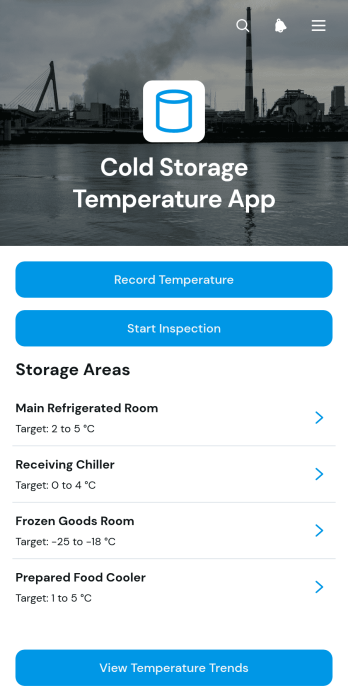
Cold Storage Temperature App
The Cold Storage Temperature App gives warehouse teams, food service operators, facility managers, and other temperature-sensitive operations a central place to document cold storage conditions. Staff can record readings for specific locations, start inspections, review target ranges and area notes, and view temperature trends without relying on scattered paper logs. It supports routine checks across refrigerators, freezers, coolers, stockrooms, and distribution facilities, helping teams identify unusual readings sooner and maintain clearer operational records. Managers can use the collected information to oversee multiple storage areas, investigate recurring issues, and coordinate maintenance or follow-up tasks.Jotform makes this app template easy to adapt with a no-code app builder and a flexible drag-and-drop interface. Add branded pages, adjust navigation, connect forms and tables, or expand the workflow to suit daily, shift-based, and scheduled monitoring routines. The app can be shared through a direct link or QR code, giving employees convenient mobile access wherever checks take place. Starting with Jotform App Templates reduces setup time while preserving the freedom to customize data collection, inspection steps, and self-service resources as operational needs change.
Go to Category:Safety Inspection Apps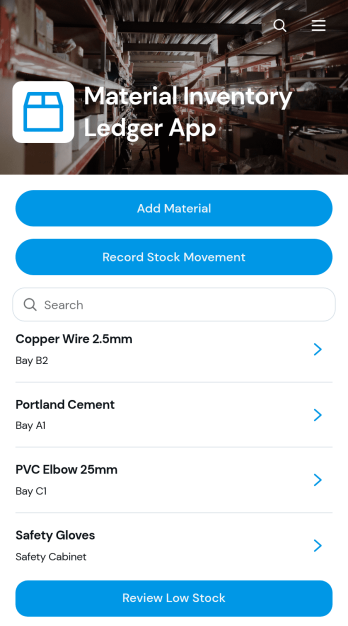
Material Inventory Ledger App
Material Inventory Ledger App gives warehouse teams, purchasing staff, contractors, manufacturers, and facilities managers a central place to monitor materials and their availability. Users can add material records, log incoming or outgoing stock movements, browse inventory details, and review items that have reached low-stock levels. This app template supports day-to-day inventory control across warehouses, workshops, construction sites, production facilities, and storerooms. By keeping quantities, reorder points, storage information, and movement activity accessible in one app, it helps teams reduce missing records, identify replenishment needs sooner, and maintain a clearer account of materials used in operations.Jotform Apps makes it easy to adapt this Material Inventory Ledger App without writing code. Use the drag-and-drop app builder to update pages, adjust navigation, apply company branding, and connect forms or tables to your workflow. The mobile-friendly experience lets authorized team members record data and find inventory information from a phone, tablet, or computer. You can also share the finished app through a direct link or QR code, giving staff convenient self-service access wherever materials are received, stored, or used.
Go to Category:Inventory Management AppsAbout Warehouse Management Apps
Warehouse Management Apps are specialized mobile and web apps designed to streamline and optimize warehouse operations across various industries. These apps facilitate the management of inventory control, order fulfillment, and supply chain logistics, ensuring that businesses can maintain efficient and accurate warehouse practices. Industries such as retail, manufacturing, and logistics often leverage these apps to manage complex workflows, such as inventory tracking, stock replenishment, and shipment management. Real-world workflows include monitoring stock levels, automating order processes, and generating real-time reports to enhance decision-making and operational efficiency.
Jotform Apps offers a no-code app builder perfectly suited for creating Warehouse Management Apps. Utilizing Progressive Web App (PWA) technology, these apps can be installed directly via a browser without needing to download from an app store, making them easily accessible across iOS, Android, tablet, and desktop devices. Jotform Apps ensures that data is centralized through Jotform Tables, allowing seamless data integration and management across different operational workflows. This workflow-oriented approach enables businesses to create custom apps that cater to their unique warehouse management needs, enhancing productivity and accuracy.
Why Use Warehouse Management Apps?
- Warehouse Management Apps provide significant operational value by automating inventory tracking, which reduces human error and increases accuracy in stock management. This leads to minimized discrepancies and optimized stock levels, ensuring that businesses can meet customer demand promptly.
- These apps enhance order fulfillment efficiency by streamlining the picking, packing, and shipping processes. By providing real-time updates and seamless integration with other systems, businesses can reduce lead times and improve customer satisfaction.
- With the ability to manage supply chain logistics, Warehouse Management Apps help businesses maintain optimal stock levels, reducing the risk of overstocking or stockouts. This results in cost savings and improved cash flow, as businesses can better predict and manage inventory needs.
- The integration of workflow automation within these apps allows for the seamless execution of repetitive tasks, freeing up valuable human resources for more strategic activities. This leads to increased productivity and a more efficient use of labor.
- Warehouse Management Apps also provide valuable insights through comprehensive data analytics and reporting features. Businesses gain a deeper understanding of their warehouse operations, enabling data-driven decision-making that supports growth and innovation.
Common Problems Solved by Warehouse Management Apps
- One major pain point in warehouse management is the occurrence of inventory inaccuracies due to manual entry errors. Warehouse Management Apps address this by automating data collection and synchronization, ensuring that inventory data is always up-to-date and accurate.
- Delays in order fulfillment can significantly impact customer satisfaction and loyalty. These apps solve this issue by providing real-time tracking and notifications, allowing businesses to swiftly address any bottlenecks and maintain timely delivery schedules.
- Managing a large volume of SKUs can be overwhelming and error-prone. Warehouse Management Apps simplify this process by offering centralized data management, enabling businesses to efficiently categorize and track inventory across multiple locations.
- Communication gaps between warehouse staff and management can lead to operational inefficiencies. These apps facilitate better communication through features like push notifications and centralized dashboards, ensuring everyone is informed and aligned with current operations.
- High operational costs are a common challenge for warehouses. By optimizing resource allocation and minimizing waste through data-driven insights, Warehouse Management Apps help businesses reduce costs and improve their bottom line.
Matching Use Cases to Features
- For businesses needing to streamline communication and updates, the Push Notifications feature of Jotform Apps ensures that important alerts and updates are delivered in real-time to relevant personnel, enhancing operational responsiveness.
- Companies aiming to enhance customer experience can utilize the Payment Integrations feature, such as Stripe and PayPal, to securely process transactions directly through the app, providing convenience and trust for end-users.
- To manage inventory across multiple locations, the Centralized Data capability through Jotform Tables allows for seamless data integration and real-time updates, ensuring all stakeholders have access to accurate and consistent information.
- The Store Builder feature supports businesses in creating customized digital storefronts for warehouse sales, enabling efficient and user-friendly customer interactions and transactions.
- Workflow Automation is ideal for automating repetitive tasks such as order processing and stock replenishment, leading to increased efficiency and reduced manual intervention.
- With diverse Sharing Methods, businesses can distribute their Warehouse Management Apps via Direct Link, Email, QR Code, or Social Media, ensuring accessibility and convenience for all users.
- The Drag-and-Drop Interface simplifies the customization process, allowing businesses to tailor their apps to specific operational needs without requiring technical expertise, ensuring a perfect fit for any warehouse environment.
How to Create a Warehouse Management App
- Choose a category-relevant template from the Template List or start from scratch.
- Customize using the Drag-and-Drop Interface.
- Share via Link, QR Code, or Embed.
Top Use Cases for Warehouse Management Apps
- For Managers: Warehouse Management Apps empower managers by providing them with a comprehensive overview of all warehouse operations. With real-time data at their fingertips, managers can make informed decisions to optimize inventory levels, streamline workflows, and enhance productivity. The centralized data management feature allows for quick access to critical information, enabling managers to respond swiftly to any operational challenges and maintain a high level of efficiency.
- For Teams: Warehouse teams benefit significantly from the streamlined processes that Warehouse Management Apps offer. By automating routine tasks, such as inventory counts and order processing, team members can focus on more value-added activities. The push notifications and real-time updates ensure that teams are always informed about changes in operations, enhancing collaboration and reducing the likelihood of errors in day-to-day tasks.
- For Customers: Customers experience improved service quality as Warehouse Management Apps facilitate faster and more accurate order fulfillment. With features like payment integrations and real-time tracking, customers enjoy a seamless purchasing process, fostering trust and satisfaction. The apps also enable businesses to provide timely updates on order status, enhancing the overall customer experience and encouraging repeat business.
Summarizing Warehouse Management Apps
Warehouse Management Apps play a crucial role in modernizing and optimizing warehouse operations, offering businesses the ability to manage their inventory, order processing, and logistics with greater efficiency and accuracy. By leveraging Jotform’s no-code app builder, businesses can create customized, scalable apps that address their specific operational needs. These apps drive productivity, reduce costs, and enhance customer satisfaction, making them an invaluable asset for any organization looking to improve their warehouse management processes.
Frequently Asked Questions
1) Is it free to create and use Warehouse Management apps on Jotform?
Yes, Jotform offers a free Starter plan that allows users to create and use Warehouse Management apps. The Starter plan provides access to Jotform's core features, enabling businesses to build functional apps without incurring any initial costs. For additional features and higher usage limits, users can choose from various paid plans that suit their specific needs.
2) Are the data and payments collected through the app secure?
Jotform prioritizes the security of data and payments collected through its apps. All data is protected by advanced security measures, including SSL encryption and compliance with GDPR standards. Payment integrations, such as Stripe and PayPal, offer secure transaction processing, ensuring that sensitive information is handled with the utmost care.
3) Do I need any coding skills to create a Warehouse Management app with Jotform?
No coding skills are required to create a Warehouse Management app with Jotform. The platform's intuitive Drag-and-Drop Interface allows users to easily customize their apps to meet specific operational needs. This no-code approach enables businesses to develop and deploy apps quickly and efficiently without relying on technical expertise.
4) Can I collect payments for services directly through the app?
Yes, Jotform Apps support payment collection directly through the app with integrations like Stripe and PayPal. These integrations allow businesses to process payments securely and conveniently, enhancing the customer experience by providing multiple payment options. This feature is particularly beneficial for businesses that manage sales or services through their apps.
5) Does Jotform support offline data collection for Warehouse Management apps?
Jotform does support offline data collection through its Mobile Forms feature. This capability ensures that data can be collected even without an internet connection, which is crucial for warehouses operating in areas with inconsistent connectivity. Once the device reconnects to the internet, the data is automatically synced, maintaining the accuracy and integrity of the information.
6) Are Jotform Apps compatible with both iOS and Android devices?
Yes, Jotform Apps are compatible with both iOS and Android devices, thanks to their Progressive Web App technology. This cross-platform compatibility ensures that users can access their Warehouse Management apps from any device, whether it's a smartphone, tablet, or desktop, providing flexibility and convenience across all platforms.
7) How can Warehouse Management Apps improve inventory accuracy?
Warehouse Management Apps improve inventory accuracy by automating data entry and synchronization processes. This reduces the likelihood of human error associated with manual data handling and ensures that inventory levels are always reflected accurately in the system. The centralized data management feature further enhances accuracy by providing a single source of truth for inventory data across different locations.
8) What types of reports can be generated with Warehouse Management Apps?
Warehouse Management Apps can generate a variety of reports, such as inventory status reports, order fulfillment reports, and supply chain performance analytics. These reports provide valuable insights into warehouse operations, enabling businesses to identify trends, monitor performance, and make informed decisions to optimize their processes. The ability to customize reports ensures that businesses have access to the specific metrics that matter most to their operations.