

Invoice Apps

Invoice and Payment App
Invoice and Payment App helps small businesses and teams create invoices, record payments, and keep a clear view of what’s been billed versus what’s been paid. It’s a practical fit for freelancers, agencies, consultants, contractors, and service providers who need a consistent way to issue invoices and log incoming payments without digging through spreadsheets or scattered emails. With quick navigation for creating a new invoice and recording a payment, you can keep billing tasks moving and reduce missed follow-ups when multiple people handle finance admin.Built with Jotform App Templates, this app template can be customized in minutes using Jotform’s no-code app builder and drag-and-drop interface. Connect it to your existing Jotform forms to support reliable data collection, then publish a self-service experience your team can access from anywhere to manage invoicing and payment workflows. As your process grows, you can adjust pages, add steps, and keep all records organized in one place while staying aligned with how your business actually bills clients.
Go to Category:Finance & Accounting Portal Apps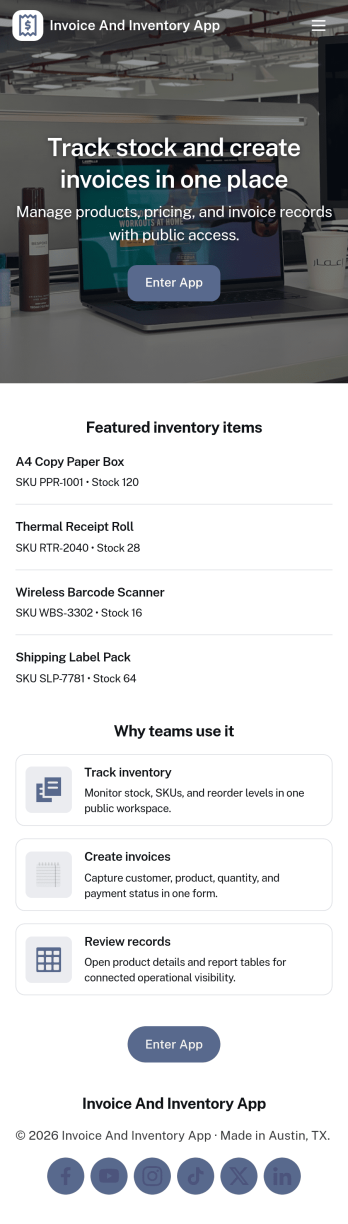
Invoice and Inventory App
Invoice and Inventory App brings invoicing and stock tracking into one place so small businesses can stay on top of what they sell and what they need to reorder. Use it to browse inventory items, create and review invoices, and keep a running record of product movement as stock comes in, goes out, or gets adjusted. It’s a practical fit for retail shops, wholesalers, ecommerce teams, service businesses that bill for parts, and anyone who needs a clearer link between what’s on hand and what’s been billed.Built with Jotform, this app template helps you publish a self-service, mobile-friendly workspace without writing code. Customize pages with a drag-and-drop interface, connect item and invoice lists to your data tables, and link buttons to the right forms so staff can add items, issue new invoices, or log movement in seconds. Share a single app link with your team, keep information organized as your workflow grows, and make day-to-day updates easier to manage from anywhere.
Go to Category:Finance & Accounting Portal Apps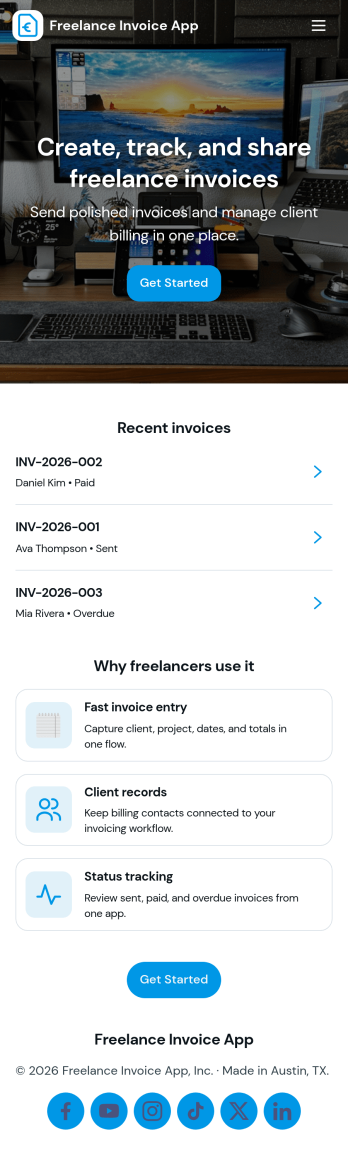
Freelance Invoice App
Freelance Invoice App helps independent professionals create invoices, keep client details organized, and review past invoices from one place. It fits freelancers, consultants, and small service providers who need a simple way to move from client work to getting paid without juggling scattered notes and documents. With pages for creating a new invoice and browsing an invoice list, it supports day-to-day billing tasks, quick lookups, and cleaner recordkeeping when you’re managing multiple clients at once.Built with Jotform, this app template can be tailored to match your billing workflow and the way you work with clients. Use the no-code app builder and drag-and-drop interface to adjust the layout, connect your invoice form, and centralize data collection so invoices and client info stay easy to access. Once published, you can share your self-service invoice experience with a link, helping you stay consistent, organized, and ready to send the next invoice faster.
Go to Category:Finance & Accounting Portal Apps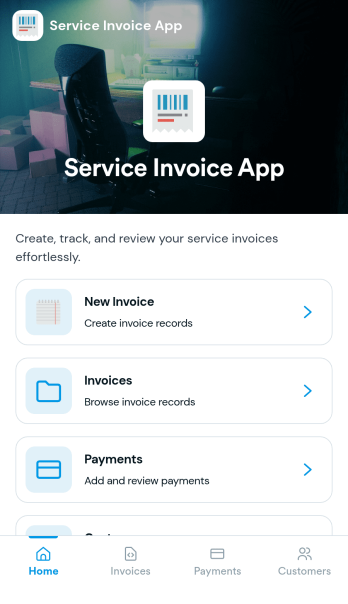
Service Invoice App
Service Invoice App helps service-based teams create invoices, manage customer records, and keep a clear view of outstanding and completed billing. It’s a practical fit for home service providers, freelancers, consultants, repair businesses, and small agencies that need a simple way to move from customer details to a new invoice without juggling spreadsheets. With quick navigation to Customers and Invoices, plus an easy New Invoice starting point, it supports faster billing cycles, fewer missed charges, and more consistent recordkeeping as your client list grows.Jotform makes it easy to turn this use case into a polished, mobile-friendly experience using App Templates and a no-code app builder. Customize pages with a drag-and-drop interface, connect buttons to forms for data collection, and keep invoice and customer data organized in connected tables. Share your app with a link for self-service access across your team, and extend your workflow with approvals, notifications, and other Jotform tools as your billing process evolves.
Go to Category:Finance Apps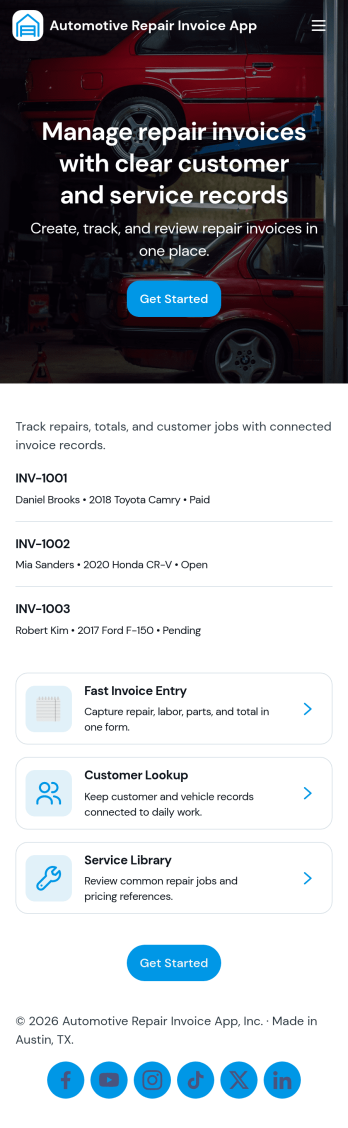
Automotive Repair Invoice App
Automotive Repair Invoice App helps auto repair shops, mobile mechanics, and service centers create professional repair invoices and keep them organized in one place. Use it to start a new repair invoice, capture customer and vehicle details, and generate a clear invoice summary your team can reference during and after the job. It’s a practical fit for busy front desks and small teams that need a consistent way to document repairs, reduce missed line items, and quickly pull up past invoices when customers call with questions.Jotform makes it easy to turn this workflow into a polished self-service experience with customizable app templates and a no-code app builder. With a drag-and-drop interface, you can adjust pages and navigation, connect your invoice form to organized records, and share the app with your staff using a simple link or QR code. As your volume grows, Jotform helps you maintain reliable data collection and keep day-to-day invoicing workflows moving without extra admin work.
Go to Category:Automotive Apps
Invoice And Quotation App
Invoice And Quotation App is a ready-to-use workspace for preparing and organizing client billing documents from one accessible location. Independent professionals, consultants, contractors, service providers, and small finance teams can create invoices and quotations through connected forms, browse existing records, and review document details such as client information, totals, line items, notes, and quotation validity. It helps users keep sales estimates and billing records together, reduce manual document handling, and find the information needed for client follow-up. Teams can use the app throughout the sales and billing cycle, from presenting a quotation to reviewing the related invoice.With Jotform Apps, users can adapt this app template to their own processes without writing code. The no-code app builder features a drag-and-drop interface for updating pages, buttons, navigation, colors, and branding. Connected forms support consistent data collection, while organized record views make ongoing work easier to manage. Users can also link the app to tables, approvals, notifications, and other workflow steps as their needs grow. Like other Jotform App Templates, it can be published for mobile-friendly access and shared by direct link or QR code, giving authorized team members a convenient way to handle invoice and quotation tasks wherever they work.
Go to Category:Invoice Apps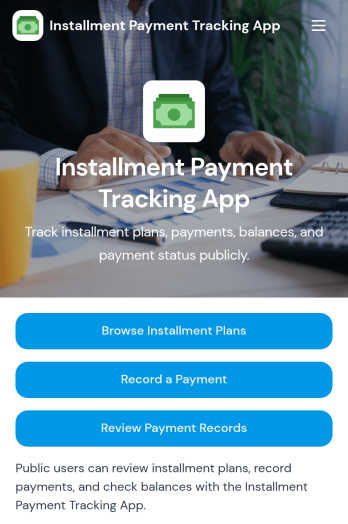
Installment Payment Tracking App
Installment Payment Tracking App helps teams manage installment plans and keep payment history organized in one place. Use it to browse active plans, record a payment as it comes in, review past payment records, and check payment status when customers ask for updates. It fits retail and service businesses offering payment plans, finance teams tracking receivables, and small business owners who need a clear view of who has paid, how much, and what is still outstanding.With Jotform, you can turn this app template into a branded, mobile-friendly self-service experience using a no-code app builder and a drag-and-drop interface. Connect the app to your data collection workflow so payment details and notes stay consistent, searchable, and easy to share with the right people. Publish in minutes, customize navigation and pages to match your process, and keep installment tracking moving without extra tools.
Go to Category:Payment Collection Apps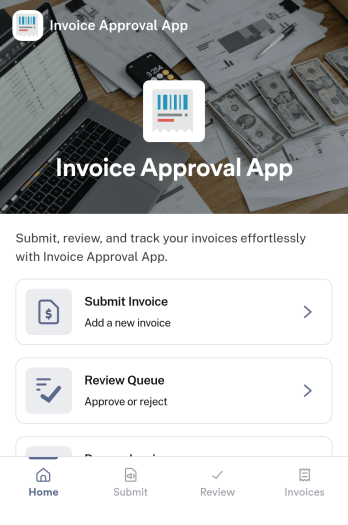
Invoice Approval App
An invoice approval app helps teams submit invoices for review, route them to the right approvers, and keep a clear record of what was approved and when. This template supports day-to-day accounts payable work with a simple flow for invoice submission, an approval area for reviewers, and a personal records section so requesters can revisit their own invoice history. It’s a strong fit for finance teams, operations managers, department heads, and small businesses that need more control than email-based approvals, especially when multiple people submit invoices and approvals must be tracked consistently.Jotform makes it easy to launch and adapt invoice workflows with App Templates that you can tailor to your process. Using Jotform’s no-code app builder and drag-and-drop interface, you can connect forms and tables to centralize data collection, reduce manual follow-ups, and keep approvals moving through a clear workflow. Share the app with your organization, collect invoices from any device, and manage approvals and records in one place.
Go to Category:Finance & Accounting Portal Apps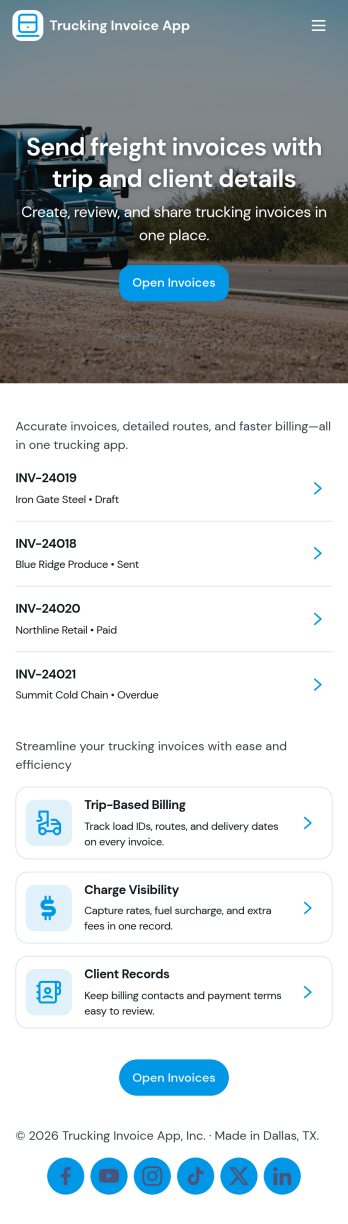
Trucking Invoice App
Trucking Invoice App helps carriers and owner-operators create invoices, review invoice records, and track payments in one place. Use it to bill shippers and brokers, document routes tied to each load, and keep billing details consistent across jobs. It’s a practical fit for dispatchers, back-office teams, and small fleets that need a clear workflow from creating an invoice to checking what’s still open and what’s been paid.With Jotform, you can turn this app template into a branded, mobile-friendly invoicing hub using a no-code app builder and a drag-and-drop interface. Connect the Create Invoice form to your workflow, organize invoice records for quick self-service access, and keep a reliable payment log for day-to-day operations. As your process evolves, you can customize pages, add approval steps, and route collected data into connected tools and tables without complicating how drivers and staff use the app.
Go to Category:Finance Apps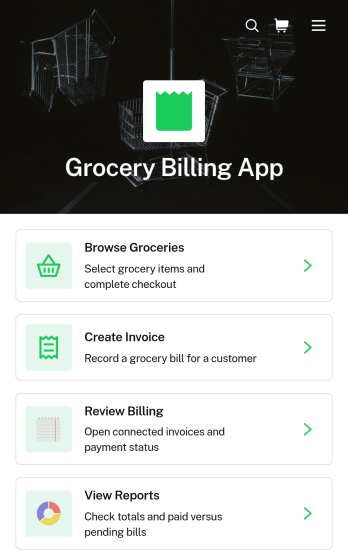
Grocery Billing App
Grocery Billing App provides independent grocers, neighborhood markets, food retailers, and checkout teams with a central place to manage everyday billing activities. Staff can browse available groceries, create customer invoices, review billing records, and view reports without moving between disconnected tools. Customer contact details, order dates, and payment statuses remain accessible within each billing record, helping employees answer questions and follow up on outstanding transactions. The template suits stores that want to replace manual billing logs, reduce data entry gaps, and maintain a clearer view of sales activity.Jotform makes this app template easy to adapt to a store’s products, branding, and operating process. Using the no-code app builder and drag-and-drop interface, teams can reorganize content, update navigation, connect forms and tables, and add approval or payment workflows when needed. The Grocery Billing App can be shared with authorized staff through a direct link or QR code for convenient mobile access. As business needs change, retailers can expand the app with additional resources and self-service actions while keeping data collection and billing work connected in one polished experience.
Go to Category:Invoice Apps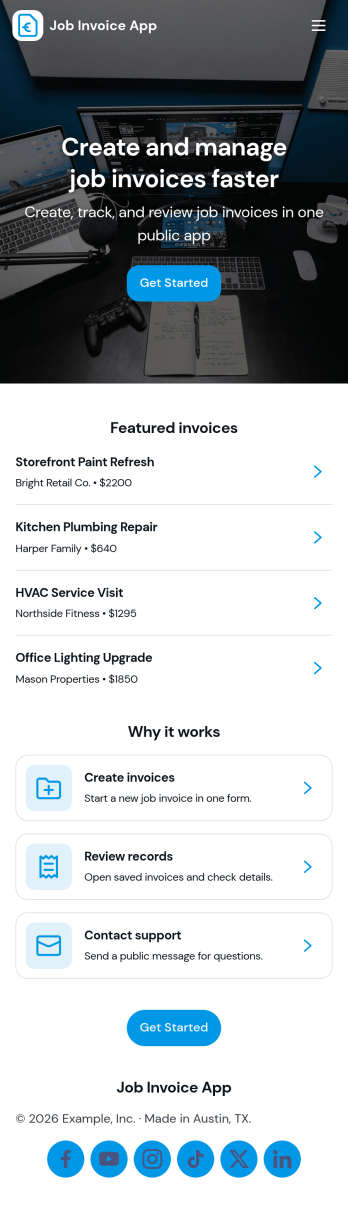
Job Invoice App
Job Invoice App helps service teams turn completed work into clear, consistent invoices while keeping job details organized in one place. It’s a practical fit for contractors, field service providers, repair businesses, and freelancers who need a simple way to add jobs, monitor job progress, and create invoices tied to specific job numbers without juggling scattered notes.Built with Jotform, this app template supports self-service data collection through connected forms and organized records, so your team can capture job information, generate new invoices, and review invoice history from an easy-to-navigate interface. Customize the pages with Jotform’s no-code app builder and drag-and-drop interface, then share the app with your staff to keep invoicing workflows consistent and easier to manage as work orders grow.
Go to Category:Finance Apps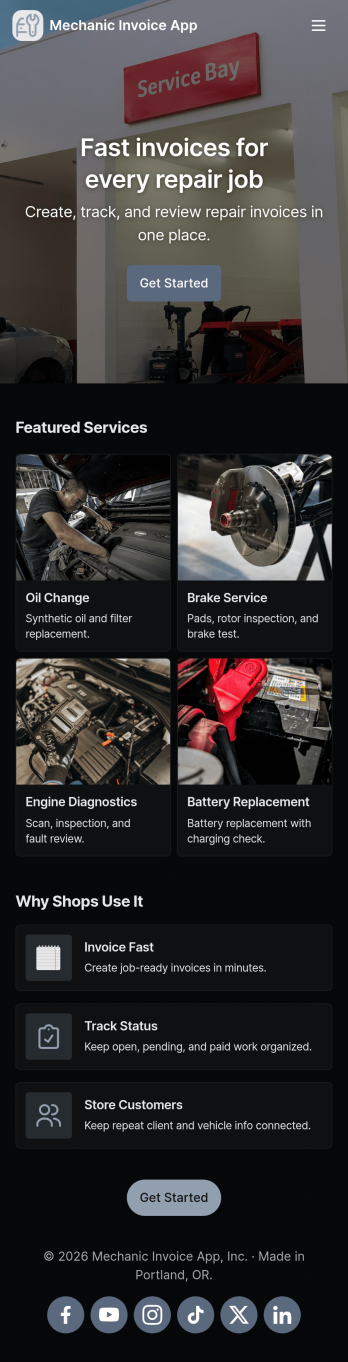
Mechanic Invoice App
Mechanic Invoice App helps auto repair shops, mobile mechanics, and service garages create professional invoices while keeping customer and vehicle details organized in one place. From the front counter to the shop floor, staff can quickly start an invoice, reference saved vehicle records, and pull up customer information to reduce missing details and billing errors. With dedicated areas for quotes and invoice settings, it’s easier to keep pricing consistent, turn estimates into billable work, and stay on top of what’s ready to send.Jotform makes it simple to turn this mechanic invoice workflow into a shareable, branded experience using App Templates and a no-code app builder. Customize pages with a drag-and-drop interface, connect your app to forms and tables for reliable data collection, and keep your workflow moving with automations like notifications and approvals. Share the app by link or QR code so your team can use it on phones or tablets wherever the job happens.
Go to Category:Automotive Apps
Tractor Service Billing App
The Tractor Service Billing App is a ready-to-use app template for repair shops, mobile mechanics, agricultural equipment dealers, and independent service technicians who need one place to manage tractor maintenance billing. Customers or staff can start a service request, browse active service jobs, and review billing records without relying on scattered paperwork. Clear service and invoice summaries bring customer details, tractor models, labor, parts, taxes, totals, and payment status into an accessible view. This setup helps field service teams keep job information organized, prepare accurate invoices, answer billing questions, and follow each repair from intake through payment tracking.Jotform Apps makes it easy to adapt this template with a no-code app builder and an intuitive drag-and-drop interface. Add branded pages, navigation cards, forms, tables, approval steps, payment options, or other connected workflows as your operation grows. Teams can centralize data collection, automate notifications, and give customers or technicians convenient self-service access from any device. Start with one of Jotform’s App Templates, personalize the layout and content, then publish the finished app through a direct link, custom URL, embedded experience, or QR code.
Go to Category:Invoice Apps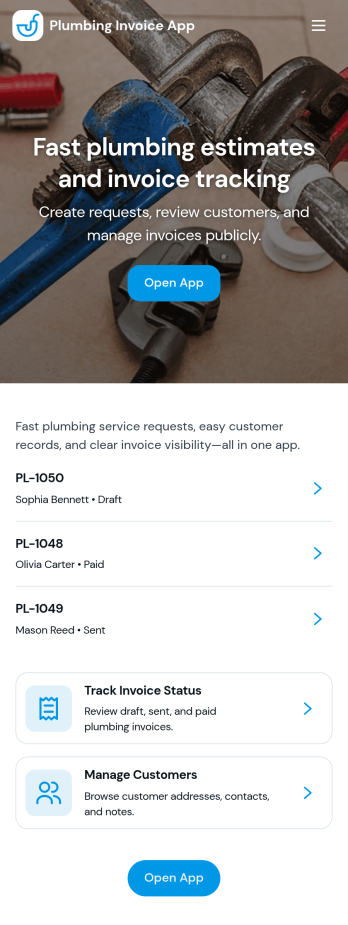
Plumbing Invoice App
Plumbing Invoice App brings your customer list, job details, invoices, and payments into one place so you can bill faster and stay organized from the field or the office. Use it to add customers, log new jobs, generate invoice records, and follow invoice status without juggling spreadsheets or scattered notes. It’s a practical fit for owner-operators, small plumbing teams, and home service businesses that need a clear view of what work was done, what’s been invoiced, and what’s still outstanding.Built with Jotform App Templates, this app template can be customized in Jotform using a no-code app builder and a drag-and-drop interface. Connect forms and tables to support consistent data collection across customers, jobs, invoices, and payments, then publish a mobile-friendly self-service experience for your team. With Jotform, you can update the layout as your workflow evolves, share the app by link, and keep day-to-day billing tasks moving with less manual follow-up.
Go to Category:Finance & Accounting Portal Apps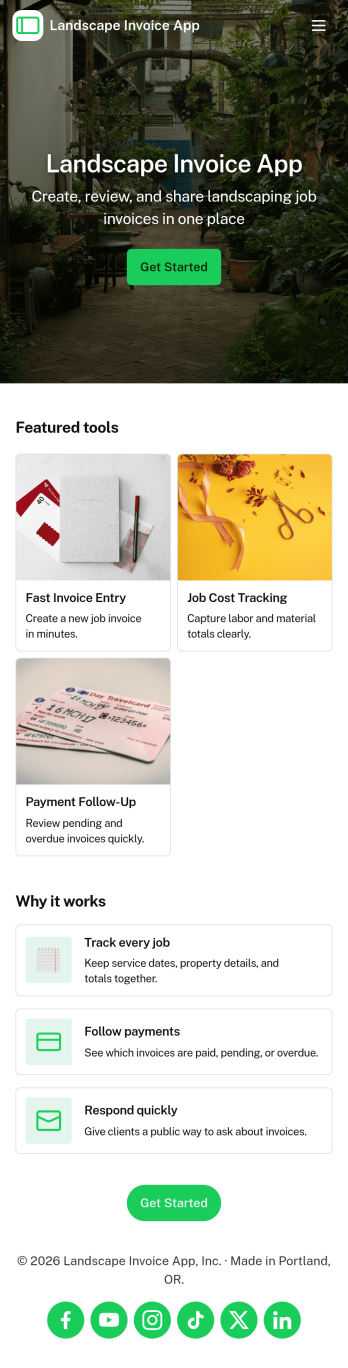
Landscape Invoice App
Landscape Invoice App helps landscaping businesses create invoices, keep a clear list of open invoices, and maintain a payment log in one place. Whether you run a solo lawn care service or manage a crew handling recurring maintenance and one-time installs, this app supports day-to-day billing without scattered paperwork. Use it after a job is completed, at the end of a weekly route, or whenever you need to send a professional invoice for mowing, edging, mulch, cleanups, irrigation checks, or seasonal services. With quick navigation to create new invoices and review invoice details, teams can stay on top of what is billed, what is still outstanding, and what has been paid.Jotform makes it easy to turn this Landscape Invoice App into a branded self-service experience using a no-code app builder and a drag-and-drop interface. Connect the app to your forms and data collection workflow so invoices and payment records stay organized as your volume grows. Share the app link with office staff or crew leads, update pages as your pricing and services change, and keep your billing process consistent across jobs, customers, and seasons with Jotform App Templates.
Go to Category:Finance & Accounting Portal Apps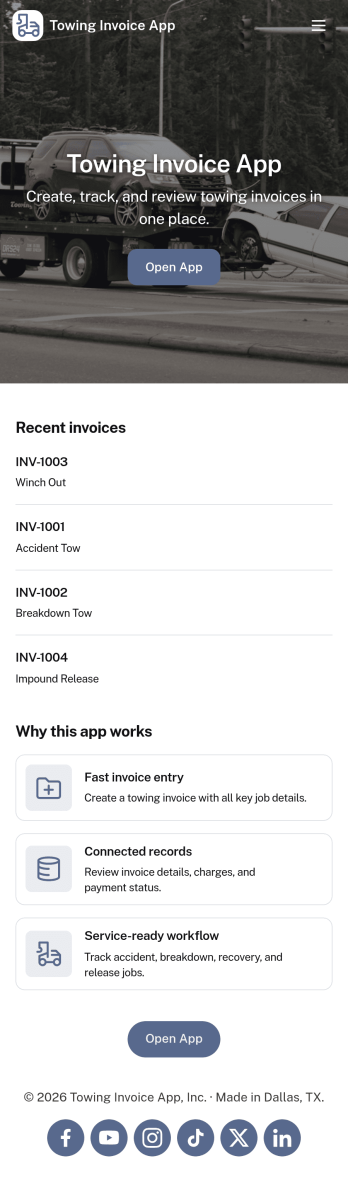
Towing Invoice App
Towing Invoice App helps towing operators create new invoices and keep tow jobs organized from one central place. It’s a practical fit for small towing companies, roadside assistance providers, and owner-operators who need a clear job queue, quick access to invoice details, and an easy way to review invoices and payments without juggling paperwork. With simple navigation for starting a new invoice and browsing job records, teams can stay focused in the field while keeping billing consistent.Jotform makes it easy to turn your billing process into a polished self-service experience with customizable app templates built in a no-code app builder. Using a drag-and-drop interface, you can tailor pages for your workflow, connect forms for data collection, and keep records organized in connected tables. Share the app by link so dispatchers and drivers can access the right info fast, while your workflow stays reliable as volume grows.
Go to Category:Automotive Apps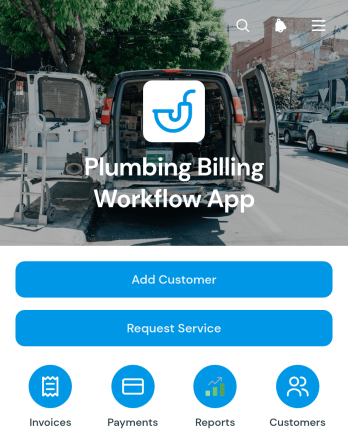
Plumbing Billing Workflow App
The Plumbing Billing Workflow App gives plumbing contractors, office administrators, dispatch teams, and field service businesses a central place to manage the billing journey from initial customer intake through payment updates. Staff can add customer contact details, record service addresses, submit service requests, create invoices with amounts and due dates, and document payments without switching between disconnected records. Customer-based views keep related information easy to find, helping teams reduce missed billing steps, maintain clearer account histories, and coordinate service and finance tasks across the business.Jotform makes this app template easy to adapt with a no-code app builder and an intuitive drag-and-drop interface. Teams can adjust pages, navigation, forms, and branding to match their workflow, then connect data collection with tables, notifications, approvals, and other operational processes. The finished app can be shared by link or QR code for convenient mobile access, giving office and field staff a practical self-service workspace for handling customer records, service activity, invoicing, and payment tracking.
Go to Category:Invoice Apps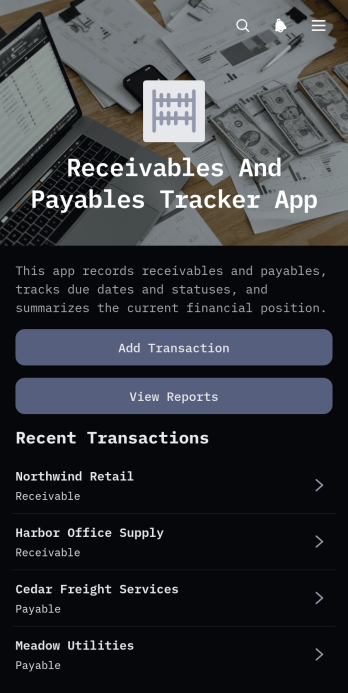
Receivables And Payables Tracker App
Receivables And Payables Tracker App is a ready-to-use finance app template for small businesses, finance teams, bookkeepers, contractors, and independent professionals who need a clearer view of money owed and upcoming obligations. Users can add transactions, separate receivables from payables, and review financial reports from one organized location. Each record keeps essential details such as the counterparty, amount, due date, transaction type, status, and notes readily available. This helps teams replace scattered spreadsheets, monitor approaching deadlines, prioritize collections, plan outgoing payments, and maintain more consistent financial records. It is especially useful for day-to-day cash flow oversight, supplier account management, client balance tracking, and routine financial reviews.Jotform Apps makes it easy to adapt this app template to existing financial workflows without writing code. The no-code app builder provides a drag-and-drop interface for changing pages, buttons, visual elements, and navigation while connecting forms and tables for organized data collection. Teams can apply their own branding, share the finished app through a direct link or QR code, and give authorized users mobile-friendly access wherever work happens. Starting with Jotform App Templates reduces setup time and creates a practical self-service workspace that can evolve as transaction volumes and reporting needs change.
Go to Category:Finance & Accounting Portal Apps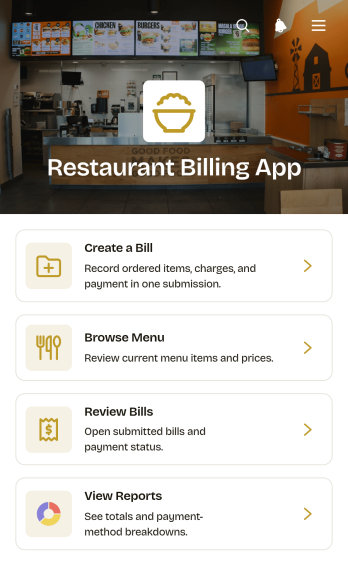
Restaurant Billing App
The Restaurant Billing App gives restaurants, cafés, and other food service businesses a central place to create customer bills, browse menu items, review billing records, and view operational reports. Restaurant owners, managers, servers, and cashiers can use it to keep table details, payment status, payment method, subtotals, and tax information organized throughout daily service. It is well suited to dine-in operations that need a clearer billing workflow, whether staff are preparing a new bill, checking a previous transaction, or reviewing activity at the end of a shift. By bringing key billing actions together, the app reduces scattered records, supports faster access to information, and helps teams maintain a more consistent checkout process.Jotform makes this app template easy to adapt with a no-code app builder and an intuitive drag-and-drop interface. Teams can customize pages, navigation, colors, fonts, and branding while connecting forms, tables, notifications, approvals, or payment collection tools as their process evolves. The app can be shared through a direct link or QR code, giving authorized staff mobile-friendly access from phones, tablets, and computers. Starting with Jotform App Templates also saves setup time, so restaurants can create a practical self-service workspace for staff without writing code.
Go to Category:Restaurant Apps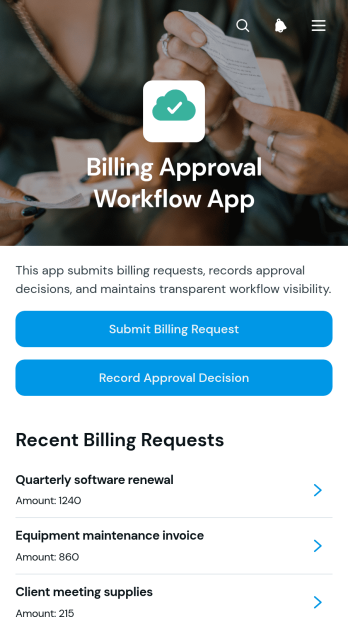
Billing Approval Workflow App
The Billing Approval Workflow App is a centralized app template for submitting billing requests, reviewing supporting information, and recording approval decisions. Finance teams, accounts payable staff, department managers, project leads, and small to medium-sized businesses can use it to keep billing reviews organized. Users can submit a request, examine essential details and attached receipts, and document an approver’s decision from one accessible location. This approach helps teams maintain clearer records, reduce missed review steps, and connect each decision with the relevant billing request. It is well suited to invoice reviews, departmental spending checks, contractor billing, project expenses, and cost center oversight.Jotform Apps makes it easy to customize this Billing Approval Workflow App without writing code. Its drag-and-drop interface lets teams adjust pages, navigation, branding, and connected forms to match an existing workflow. Request data can be organized with Jotform Tables, while approval steps and notifications can support faster follow-up. Teams can publish the app with a shareable link or QR code, giving submitters and reviewers mobile-friendly access. Explore Jotform App Templates to create a practical self-service experience that brings data collection, review activity, and decision records together.
Go to Category:Invoice Apps
Customer Supplier Invoicing App
The Customer Supplier Invoicing App gives suppliers, customers, accounts payable teams, and finance administrators a shared space for managing invoice intake and review. Suppliers can submit invoices, authorized users can browse invoice records, and reviewers can work through a dedicated review queue. Each record presents key information such as the invoice number, supplier and customer details, total amount, invoice date, due date, contact emails, and notes. This app template is well suited to small and medium-sized businesses, contractors, purchasing teams, and service organizations that need clearer invoice visibility. It reduces scattered email exchanges, keeps billing information organized, and helps stakeholders find the details needed to follow up on outstanding work.Jotform makes this invoicing experience easy to adapt without coding. Use the drag-and-drop app builder to update pages, navigation, colors, fonts, and branded visual elements, then connect forms, tables, notifications, and approval workflows as needed. The mobile-friendly layout supports convenient self-service access for suppliers and internal reviewers from nearly any device. Teams can share the Customer Supplier Invoicing App through a direct link, personalized address, embedded experience, or scannable code. Starting with one of Jotform’s App Templates also shortens setup time while leaving room to tailor data collection and operational steps to existing finance processes.
Go to Category:Invoice Apps
Invoice Quote Comparison App
Invoice Quote Comparison App is a ready-to-use app template for procurement teams, finance departments, operations managers, contractors, and small businesses evaluating supplier proposals. It brings quote submission, side-by-side comparison, and purchasing outcome records into one accessible experience. Teams can review supplier names, quoted amounts, quote dates, scopes, and purchasing needs before documenting the selected supplier, decision date, and reason. This shared process reduces scattered records, supports consistent evaluations, and gives stakeholders a clearer view of purchasing decisions.With Jotform Apps, organizations can turn this Invoice Quote Comparison App into a branded resource using a no-code app builder and drag-and-drop interface. Customize pages, navigation, colors, and content, then connect forms and tables to support data collection and workflow management. Jotform App Templates make it easy to organize purchasing information, enable self-service quote entry, and notify team members when connected actions occur. Publish the app with a shareable link or custom URL for convenient access from phones, tablets, and computers.
Go to Category:Invoice Apps
Internet Service Billing App
Internet Service Billing App gives internet service providers a customer-facing space for managing common billing and account needs. Subscribers can review invoice details, check amounts and due dates, submit payments, and send service requests from one accessible location. It is well suited to local providers, network operators, billing teams, and customer support departments that want to reduce routine inquiries while giving customers convenient self-service access. By bringing essential billing actions together, the app helps customers understand what they owe, respond before payment deadlines, and request assistance without searching across separate channels.With Jotform Apps, teams can customize this app template through a no-code app builder and an intuitive drag-and-drop interface. Pages, cards, buttons, forms, and navigation can be adapted to match existing billing workflows and service processes. Connected forms support data collection for payment records and service requests, while Jotform Tables can help staff organize incoming information. Teams can also apply their branding, update content as services change, and share the finished app through a direct link or QR code. These flexible App Templates make it easier to publish a mobile-friendly customer experience without building software from scratch.
Go to Category:Invoice Apps
Tattoo Artist Invoice Tracker App
The Tattoo Artist Invoice Tracker App is an app template for independent tattoo artists, studio managers, and small creative teams that need one place to monitor client invoices and business expenses. Artists can add invoices, review amounts and payment statuses, record expense categories and dates, attach receipts, and open reports for a clearer view of studio finances. It supports everyday data collection after appointments, supply purchases, equipment costs, and other operating activities. By keeping income and spending records organized, this tracker reduces scattered paperwork, makes unpaid invoices easier to identify, and helps users maintain a dependable financial history for routine reviews.Jotform makes this App Template easy to adapt with a no-code app builder and a flexible drag-and-drop interface. Users can adjust pages, buttons, colors, fonts, and branding, then connect forms, tables, notifications, and other workflow steps as their process develops. The finished app offers convenient self-service access from phones, tablets, or computers and can be shared through a direct link, a personalized URL, or a QR code. Start with the premade layout, tailor it to individual or studio needs, and publish a polished finance tracker without writing code.
Go to Category:Invoice AppsAbout Invoice Apps
Invoice Apps are specialized apps designed to streamline and automate the invoicing process for businesses across various industries. These apps facilitate the creation, management, and delivery of invoice, thereby enhancing operational efficiency and accuracy. Common use cases include billing clients for services rendered, tracking payments, and managing financial records. Industries ranging from retail and healthcare to professional services routinely implement these apps to handle their billing needs effectively, ensuring that transactions are both timely and precise.
Jotform Apps stands out as the premier no-code app builder for creating custom Invoice apps, leveraging Progressive Web App (PWA) technology. Users can install these apps directly from a browser without needing an App Store, making them accessible across devices, including iOS, Android, tablets, and desktops. With Jotform Tables, users can centralize their data, enabling seamless management and real-time updates across the organization. This workflow-oriented approach ensures that businesses can maintain comprehensive oversight of their invoicing processes, thereby reducing errors and improving overall productivity.
Why Use Invoice Apps?
- Invoice apps enhance efficiency by automating the invoicing process, reducing the time and effort required for manual billing. This frees up valuable resources, allowing businesses to focus on core activities that drive growth and innovation.
- By using invoice apps, companies can minimize human errors that often occur during manual data entry. Automated calculations and data retrieval ensure that invoice are accurate, helping to maintain strong client relationships and trust.
- These apps support a variety of payment integrations, such as Stripe, PayPal, and Square, which facilitate seamless transactions. This ensures that businesses can offer flexible payment options to clients, enhancing customer satisfaction and retention.
- The centralized data feature in Jotform Tables allows businesses to maintain a comprehensive and organized record of all transactions. This centralized approach simplifies auditing and reporting processes, making financial management more transparent and efficient.
- Invoice apps offer robust customization options, enabling businesses to tailor the invoicing process to their specific needs. Custom branding and personalized invoice templates help maintain a professional image, which can be critical in competitive markets.
Common Problems Solved by Invoice Apps
- One common challenge businesses face is the delay in invoice delivery. Invoice apps solve this by allowing instant digital delivery to clients, ensuring timely payment cycles and improved cash flow.
- Companies often struggle with maintaining consistent invoice formats and branding. Invoice apps address this by providing customizable templates that ensure uniformity and professionalism in all communications.
- Managing invoice disputes can be time-consuming and complex. Invoice apps simplify this process by providing a clear and accessible digital trail, which helps in resolving discrepancies quickly and efficiently.
- Businesses frequently encounter difficulties in tracking payment statuses. Invoice apps offer real-time tracking and notifications, allowing companies to monitor payment progress and follow up on overdue accounts promptly.
- Integrating financial records with other business systems can be a cumbersome task. Invoice apps integrate seamlessly with existing accounting software, ensuring that data is synchronized and up-to-date across all platforms.
Matching Use Cases to Features
- For businesses needing to send invoice quickly and efficiently, the Drag-and-Drop Interface allows for rapid customization and deployment. This feature helps reduce the time spent on administrative tasks, allowing staff to focus on more strategic activities.
- SMEs and enterprises can leverage Payment Integrations, such as Stripe and PayPal, to facilitate smooth transactions. This capability ensures that payments are processed securely and efficiently, enhancing cash flow management.
- Companies looking to engage with clients through dynamic communication can utilize Push Notifications. This feature allows businesses to send timely reminders and updates, ensuring clients are informed about payment statuses and due dates.
- The Publish Options feature, which includes Public, Private, and Company-only settings, enables businesses to control access to invoicing apps. This flexibility ensures that sensitive financial information is shared only with authorized personnel, maintaining confidentiality.
- Businesses operating in remote locations or with mobile teams can benefit from the Offline Mode. This feature allows for data collection and processing without internet connectivity, ensuring that invoicing operations can continue uninterrupted.
- Organizations seeking to distribute their invoicing apps widely can use various Sharing Methods, including Direct Link, Email, and QR Code. This ease of access ensures that clients and internal teams can utilize the app effortlessly, promoting widespread adoption and use.
How to Create a Invoice App
- Choose a category-relevant template from the Template List or start from scratch.
- Customize using the Drag-and-Drop Interface to add or modify features as per business requirements.
- Share via Link, QR Code, or Embed to distribute your Invoice app to the intended audience efficiently.
Top Use Cases for Invoice Apps
- For Managers: Invoice apps provide managers with a comprehensive overview of the company's billing processes. They facilitate real-time tracking and reporting, which aids in financial planning and decision-making. Managers can ensure that invoicing procedures align with the organization's goals, thereby driving efficiency and profitability. The centralized data feature also allows for streamlined audits, reducing the time and effort needed to compile financial reports.
- For Teams: Invoice apps empower teams by automating routine tasks such as invoice generation and payment tracking. This automation allows team members to allocate their time to more strategic initiatives, fostering innovation and productivity. The apps also promote collaboration by providing shared access to financial information, ensuring that all team members are on the same page. This transparency helps in maintaining consistency and accuracy across all invoicing activities.
- For Customers: Invoice apps enhance the customer experience by offering a seamless and efficient billing process. Clients appreciate the convenience of receiving digital invoice and the flexibility of using various payment methods such as Stripe and PayPal. The apps' push notification feature keeps customers informed about payment deadlines, reducing the likelihood of missed payments. These features collectively contribute to a smoother transaction experience, fostering long-term customer loyalty.
Summarizing Invoice Apps
Invoice apps provide a strategic advantage for businesses by streamlining their billing processes and enhancing financial oversight. By automating invoice creation and delivery, these apps reduce errors and improve efficiency, allowing businesses to focus on growth. The integration of robust features such as payment processing and real-time tracking further enriches their utility, making them indispensable in today's competitive business landscape. As businesses continue to seek innovative ways to optimize their operations, invoice apps emerge as a vital component of their financial management toolkit.
Frequently Asked Questions
1) Is it free to create and use Invoice apps on Jotform?
Jotform offers a Starter plan that allows users to create and use Invoice apps for free. This plan provides access to basic features, enabling users to explore the platform without incurring any costs. As business needs grow, users can upgrade to paid plans that offer advanced features and increased limits, ensuring scalability and flexibility.
2) Are the data and payments collected through the app secure?
Yes, Jotform ensures that all data and payments collected through its apps are secure. The platform complies with GDPR regulations and implements industry-standard security measures, such as encryption and secure payment gateways. This commitment to security ensures that sensitive information is protected at all times.
3) Do I need any coding skills to create a Invoice app with Jotform?
No coding skills are required to create an Invoice app with Jotform. The platform's no-code app builder allows users to design and deploy apps using a user-friendly drag-and-drop interface. This accessibility empowers users of all technical backgrounds to create customized apps that meet their specific business needs.
4) Can I collect payments for services directly through the app?
Yes, Jotform supports payment collection directly through the app using integrations with popular payment processors like Stripe and PayPal. These integrations facilitate seamless transactions, enabling businesses to offer clients a variety of payment options. This capability enhances the app's functionality, making it a comprehensive solution for invoicing needs.
5) Does Jotform support offline data collection for Invoice apps?
Jotform supports offline data collection through its Mobile Forms feature. This functionality allows users to continue collecting and processing data even without an internet connection. Once connectivity is restored, the data is automatically synced, ensuring that no information is lost and operations remain uninterrupted.
6) Are Jotform Apps compatible with both iOS and Android devices?
Yes, Jotform Apps are fully compatible with both iOS and Android devices. As Progressive Web Apps (PWAs), they can be installed directly from a browser, eliminating the need for App Store downloads. This compatibility ensures that users can access and use their Invoice apps seamlessly across multiple devices.
7) How can small businesses benefit from using Invoice apps?
Small businesses can significantly benefit from using Invoice apps by automating their billing processes, which reduces administrative overhead and enhances efficiency. These apps provide real-time insights into payment statuses and financial health, allowing small businesses to make informed decisions. Additionally, the ability to offer multiple payment options can improve customer satisfaction and help businesses maintain a competitive edge.
8) What customization options are available for businesses using Invoice apps?
Jotform offers extensive customization options for businesses using Invoice apps, allowing them to tailor the app's appearance and functionality to their specific needs. Users can customize invoice templates, integrate company branding, and choose from various payment gateways. This level of customization helps businesses maintain a professional image and ensures that the app aligns with their operational requirements.