

Equipment Maintenance Software

Equipment Maintenance Log App
Equipment Maintenance Log is a app template designed to streamline the process of tracking service activities and monitoring equipment performance. This intuitive app significantly enhances the efficiency of technicians, maintenance teams, and equipment managers by maintaining detailed log forms, reviewing technician service records, and managing equipment status. Whether used by small to mid-sized businesses or large corporations, the template's practical guidance and expert tips for proper maintenance can empower teams to improve their maintenance workflows. The centralized repository for all maintenance data, insights, and best practices allows for quick and efficient decision-making, making it an invaluable asset for those looking to refine their operational efficiency.With Jotform, creating and customizing the Equipment Maintenance Log app is a breeze, thanks to our no-code, drag-and-drop app builder. The builder's flexibility allows you to add elements, adjust the interface, and customize layouts to fit your specific needs, all without writing a single line of code. Plus, the cross-platform compatibility ensures that your app functions seamlessly across smartphones, tablets, and desktops. With features like push notifications, you can send alerts about equipment status updates directly to your technicians' devices. The app also offers various publish options, including Public, Private, or Company-only, giving you full control over who can access your app. Start optimizing your maintenance workflows today with the Equipment Maintenance Log app from Jotform!
Go to Category:Equipment Maintenance Software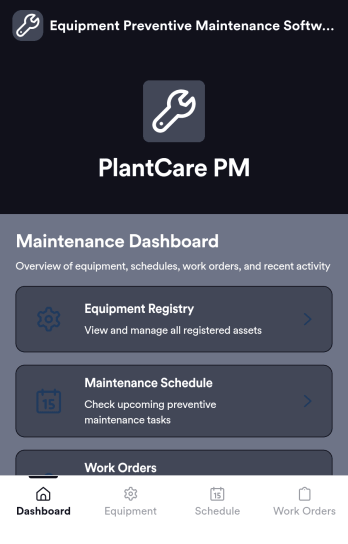
Equipment Preventive Maintenance Software
Equipment Preventive Maintenance Software is an app template designed to streamline the planning, scheduling, and tracking of preventive maintenance activities. This robust platform directly supports organizations, maintenance teams, facility managers, and equipment operators in their pursuit of consistent equipment upkeep, reducing downtime, and extending asset lifespan. With the primary task of data collection, this application collects and organizes necessary information related to equipment maintenance, such as maintenance schedules, equipment details, and maintenance tasks details. As it's ready to use, this software aids in the reduction of overhead associated with ad-hoc collection processes, providing a level of clarity and consistency that is unmatched. Commonly used by maintenance teams and facility managers, this template is best for organizations that seek an efficient way to manage preventive maintenance processes.Jotform's Equipment Preventive Maintenance Software offers an effortless user experience, allowing users to efficiently collect electronic signatures and customize their software to fit their unique needs. The software's user-friendly design enables it to be easily implemented without any steep learning curve. The built-in capability for collecting electronic signatures simplifies the verification of completed maintenance tasks, ensuring accountability and transparency. Moreover, the software provides the ease of customizing according to your operational needs, letting you adjust the data fields, create customized reports, and even change the aesthetic design to match your brand. Operating as a comprehensive solution, Jotform's Equipment Preventive Maintenance Software truly revolutionizes the way organizations manage their equipment maintenance.
Go to Category:Organization Apps
Lifting Equipment Maintenance Software
Lifting Equipment Maintenance Software is a purpose-built app template designed to simplify the process of monitoring and maintaining heavy lifting machinery. It consolidates the task of tracking various lifting equipment such as cranes and forklifts, scheduling regular inspections, and maintaining comprehensive service records. Safety managers, maintenance teams, and operations managers in industries like construction, manufacturing, and logistics find this app indispensable in fostering a safe work environment and maintaining reliable operations by preventing equipment malfunctions and breakdowns. The app collects detailed information about each piece of equipment, including its service history, dates of scheduled inspections, and current operational status. With this information on hand, businesses can maintain a proactive approach to equipment maintenance, reducing unexpected downtimes and enhancing productivity.With Jotform's No-Code App Builder, customizing the Lifting Equipment Maintenance Software to your business requirements becomes an effortless task. You can easily modify forms, add or remove fields, and adjust the layout to fit your operational workflow, all without writing a single line of code. The app's cross-platform compatibility ensures that your maintenance teams can access the app from any device, whether it's a smartphone, tablet, or desktop, promoting real-time updates and communication. The app's seamless experience makes it easier for your teams to manage equipment lifecycle from a single interface, reducing the need for multiple platforms and enhancing efficiency. Moreover, the app’s Publish Options can be set to Public, Private, or Company-only, ensuring that only authorized personnel can access sensitive equipment information.
Go to Category:Equipment Maintenance Software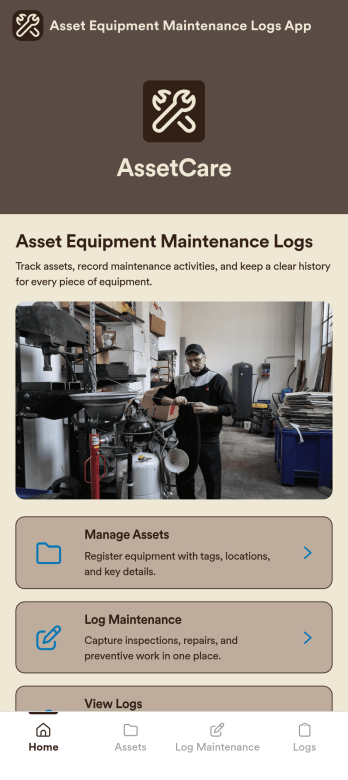
Asset Equipment Maintenance Logs App
Asset Equipment Maintenance Logs App is an app template designed to facilitate the management of equipment maintenance logs and asset tracking. By providing a streamlined platform for recording and monitoring maintenance activities, this app supports the operational needs of maintenance teams, asset managers, and organizations looking for a comprehensive and centralized system. With the ability to capture detailed data pertaining to each asset, it offers a hands-on approach to tracking equipment performance, thereby fostering a culture of accountability and consistency across the organization. The app’s easy-to-navigate interface and customizable features make it ideal for any environment where equipment maintenance is a priority, including manufacturing plants, construction companies, and automotive workshops. This ready-to-use app is best utilized by those aiming to improve the efficiency and reliability of their asset management processes. Leveraging Jotform’s intuitive, no-code platform, the Asset Equipment Maintenance Logs App can be easily tailored to fit the unique requirements of your organization. Adjust the data collection fields, modify the layout, or upload your own logo to make the app truly your own. This ease of customization extends to the process of data collection, where Jotform’s seamless interface makes it quick and simple to collect the detailed information necessary for effective asset management. Moreover, the platform's electronic signature feature introduces an additional level of accountability into equipment maintenance procedures by allowing staff to authenticate maintenance records on the go. With these features, Jotform empowers maintenance teams and asset managers to effectively manage equipment maintenance logs and asset tracking, all from a single, easy-to-use app.
Go to Category:Equipment Maintenance Software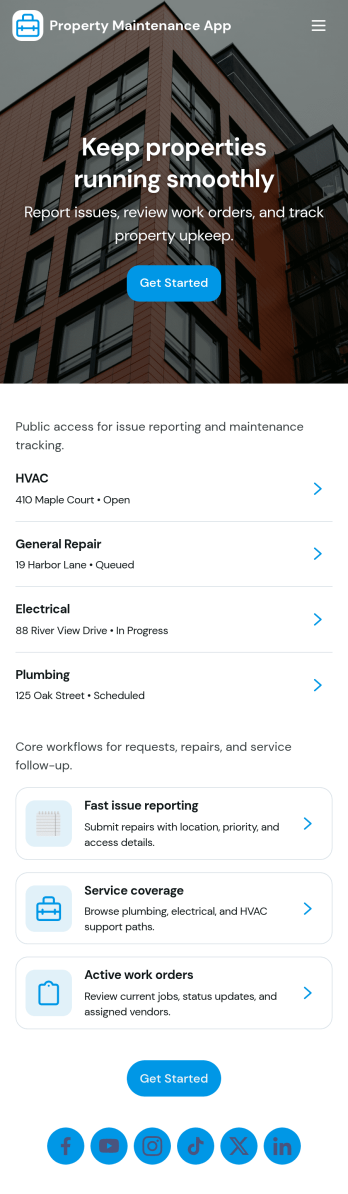
Property Maintenance App
Property Maintenance App gives teams a clear place to log maintenance issues, route them to the right property, and keep work moving without losing context. It’s a practical fit for property managers, landlords, HOAs, and service coordinators who handle recurring repairs across multiple locations and need an easy way to capture new requests, review properties, and follow what’s already been reported.Built with Jotform, this app template brings together self-service request intake and ongoing request visibility in one mobile-friendly experience. Using Jotform’s no-code app builder and drag-and-drop interface, you can tailor pages for your process, connect requests to your data collection, and centralize updates so your maintenance workflow stays organized as volume grows.
Go to Category:Equipment Maintenance Software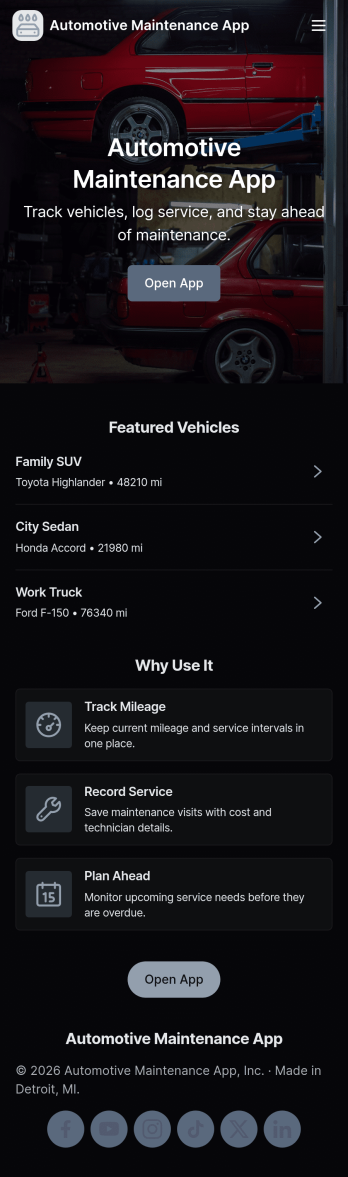
Automotive Maintenance App
An automotive maintenance app brings your vehicle details and service history into one place so you can stay on top of routine care and avoid missed maintenance. Use it to add vehicles, log service visits, and review insights that help you understand what’s been done and what may be coming up next. It’s a practical fit for individual drivers, families with multiple cars, small fleets, and auto shops that want a simple way to keep records organized and easy to access.With Jotform, you can turn this automotive maintenance app into a branded self-service experience without coding. Customize pages with a drag-and-drop interface, connect forms for data collection like adding a vehicle or logging a service, and keep everything organized in a single workflow that’s easy to share and use on the go. Update the layout as your process evolves, then publish and distribute your app with a link or QR code.
Go to Category:Automotive Apps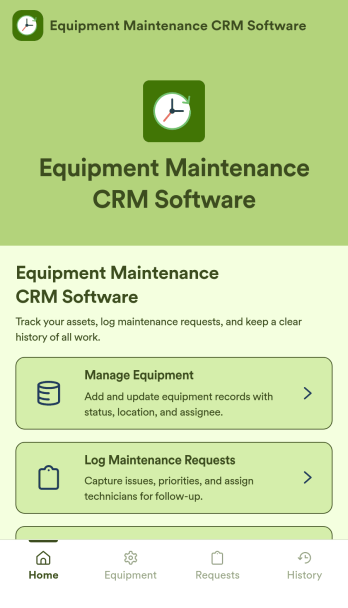
Equipment Maintenance CRM Software
Equipment Maintenance CRM Software is an app template designed to streamline the management of customer data, service histories, and maintenance activities. This robust template is intended for maintenance service companies, field service teams, asset managers, and operations departments who are keen on enhancing their service delivery. It centralizes customer data and service history, significantly reducing downtime and boosting operational efficiency. This template is particularly beneficial in scenarios of regular equipment maintenance checks, enabling a smoother scheduling process and better coordination of service delivery. What's more, it's ready to use right out of the box, making data collection a breeze for teams, whether they're in the field or at the office. This template is best suited for organizations seeking to maintain a comprehensive record of equipment maintenance activities in one accessible system.With Jotform, the Equipment Maintenance CRM Software template becomes an operational powerhouse. Jotform's ease of use and customization abilities allow you to tailor the template to your specific needs without requiring any technical skills. The ability to collect electronic signatures simplifies the verification process of maintenance activities, making it an extremely convenient feature for field service teams. Furthermore, you can generate easily digestible reports and sheets from collected data for an overview of maintenance activities. With Jotform, keeping up with maintenance schedules and coordinating service delivery has never been easier. Collect, track, and manage your maintenance data with precision using the Equipment Maintenance CRM Software from Jotform.
Go to Category:CRM Apps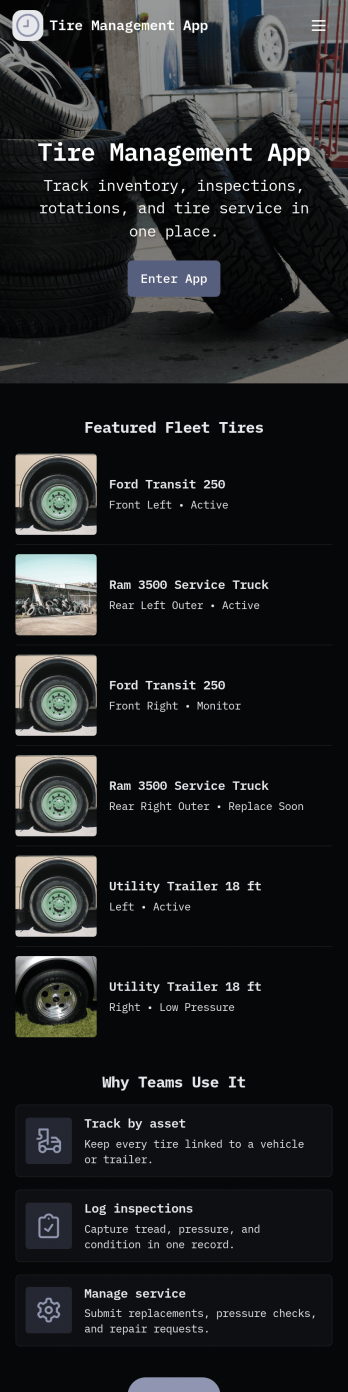
Tire Management App
Tire Management App helps teams track tire inventory, document service history, and spot maintenance needs before they turn into costly downtime. It’s a practical fit for fleet operators, logistics teams, rental businesses, tire shops, and service departments that need a clear view of what tires are in use, where they are, and what condition they’re in. With sections for Inventory and a Service Log, plus quick actions to add a tire or add a service record, staff can keep records consistent and easy to find. Built-in cues like a low tread alert view and a service queue help prioritize what needs attention next, while insights support better planning across multiple vehicles or locations.Jotform makes it easy to turn this Tire Management App into a working, shareable experience without coding. Using Jotform’s no-code app builder and drag-and-drop interface, you can adjust pages, navigation cards, and the details captured in connected forms to match your process. Connect the app to tables for organized data collection, route updates through approvals when needed, and share the finished app with your team through a link or QR code for faster self-service updates in the field.
Go to Category:Automotive Apps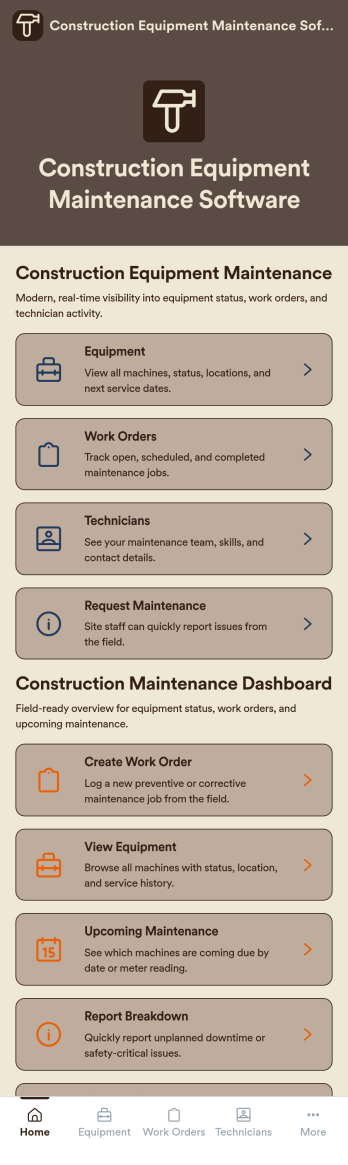
Construction Equipment Maintenance Software
Construction Equipment Maintenance Software is an app template designed to streamline the upkeep of construction machinery for optimal operations. This influential software swiftly automates preventive maintenance, enabling construction companies, equipment fleet managers, and maintenance teams to avert unnecessary downtime. It's ideal for those managing machinery across multiple job sites, including rental companies, project managers, and operations leaders seeking to reduce costs and improve productivity. This dynamic app template tracks equipment performance in real time and manages repair workflows efficiently, offering a comprehensive view of asset utilization. By rendering detailed reports and analytics, it provides valuable insights for data-driven decision-making, enhancing productivity and cost-efficiency.Jotform's superior no-code, drag-and-drop app builder brings this template to life, allowing you to customize and deploy your Construction Equipment Maintenance Software without any coding. You can effortlessly design your app to reflect your branding, choosing preferred fonts and colors, uploading your logo, and integrating relevant forms. Thanks to its cross-platform compatibility, your app will function seamlessly across smartphones, tablets, and desktops for maximum convenience. Jotform's app builder also supports workflow automation, enabling you to create efficient approval flows and data routing systems. This results in a centralized, seamless experience that streamlines your construction equipment maintenance operations. With Jotform, you can proficiently manage your construction equipment maintenance processes, ensuring high performance and longevity of your machinery.
Go to Category:Engineering Apps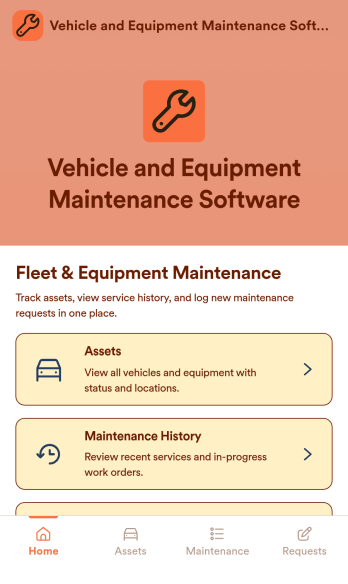
Vehicle and Equipment Maintenance Software
Vehicle and Equipment Maintenance Software is an app template designed to streamline and support the comprehensive management of vehicle and machinery maintenance. It's tailored to suit the needs of businesses that heavily rely on vehicles or machinery, including fleet operators, construction companies, and manufacturers. Highly effective for fleet managers, maintenance teams, and operations leaders, this software significantly improves efficiency and controls costs. It allows for the scheduling of preventive maintenance, management of work orders, tracking of assets, thereby significantly reducing downtime and extending asset lifespan. This software is highly effective in gathering and organizing data, providing consistency, and allowing for more informed operational decisions. Best suited for service providers and coordinators, it is a proven solution for businesses aiming to streamline their maintenance processes. With Jotform’s intuitive no-code app builder, customizing the Vehicle and Equipment Maintenance Software to fit your brand is a breeze. You can easily swap out forms, select fonts and colors, and upload your logo, all without needing to write a single line of code. Because the app is web-based and compatible across platforms, your team can access it on any smartphone, tablet, or desktop. Jotform Apps' publish options allow you to control who can access your app, keeping your data secure while ensuring your team can access it when they need it. By allowing you to centralize your forms, links, and resources in one location, Jotform Apps helps you to streamline your operations and focus more on the core aspects of your business. Experience the convenience and efficiency of managing your vehicle and equipment maintenance processes through Jotform’s Vehicle and Equipment Maintenance Software.
Go to Category:Equipment Maintenance Software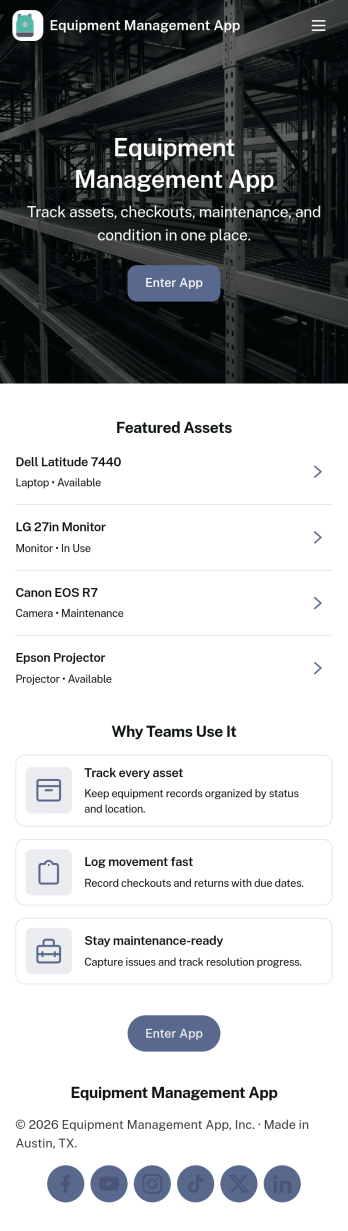
Equipment Management App
Equipment Management App helps teams track company assets from one central place, so tools and devices don’t disappear between jobs, departments, or locations. Use it to browse your inventory, check equipment out to staff, log maintenance activity, and route equipment requests without relying on scattered spreadsheets or long email threads. It’s a great fit for operations teams, IT, facilities, construction crews, schools, and rental-style environments that need clear ownership, due dates, and visibility into what’s available.With Jotform, you can turn this app template into a branded, mobile-friendly self-service experience using a no-code app builder and a drag-and-drop interface. Connect your equipment records to forms and tables for consistent data collection, set up notifications to keep workflows moving, and adjust pages and buttons to match how your organization manages assets. Share the app with a link or QR code so staff can quickly find inventory details, submit requests, and keep maintenance history up to date.
Go to Category:Equipment Maintenance Software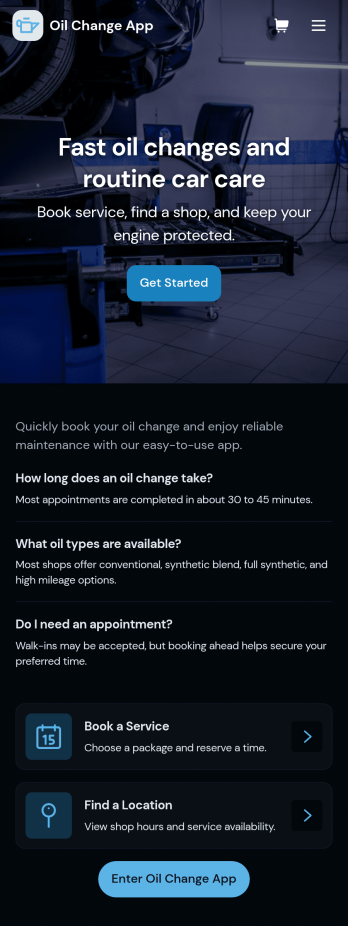
Oil Change App
Oil Change App gives auto shops and mobile mechanics a simple way to manage oil change appointments while keeping vehicle details and service history easy to find. Use it to let customers request service, track upcoming bookings, and organize key vehicle information in one place so your team spends less time searching and more time turning bays. It’s a strong fit for quick lube locations, independent repair shops, fleet-focused service providers, and any operation that needs repeatable, trackable oil change workflows across multiple vehicles.With Jotform, you can turn this app template into a branded, customer-friendly self-service experience using a no-code app builder and a drag-and-drop interface. Connect the app to your forms and tables for data collection, route requests into a workflow, and keep records centralized for staff. Share the app by link or QR code, update content anytime, and create a smoother service process from booking to completed records, all without writing code.
Go to Category:Automotive Apps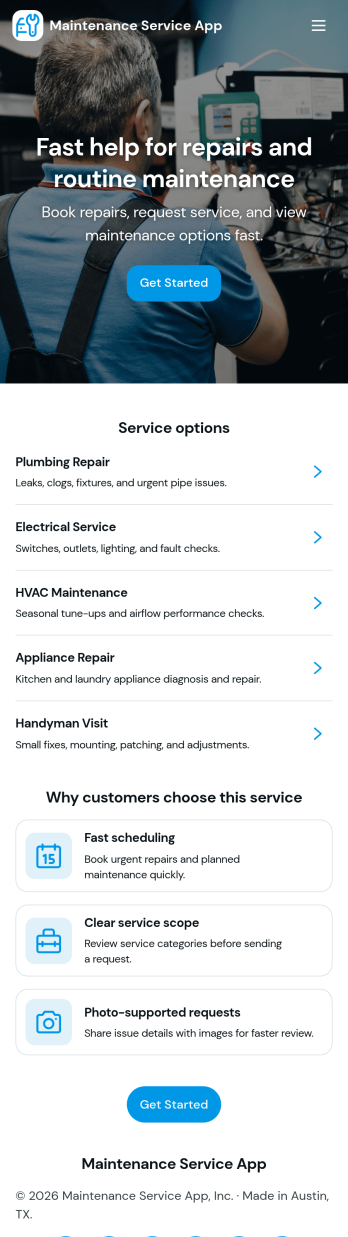
Maintenance Service App
Maintenance Service App brings maintenance requests and work orders into one place so teams can capture new issues, monitor active jobs, and reference completed work without hunting through emails or spreadsheets. It works well for home service providers, property managers, facilities teams, and small operations groups that need a simple way to accept incoming requests and keep technicians aligned on what is open, in progress, or finished. With quick navigation for creating a new request, viewing open work orders, and checking job history, the app supports faster response times and clearer handoffs from intake to completion.Built with Jotform App Templates, this app template can be customized in minutes using Jotform’s no-code app builder and drag-and-drop interface. Connect the request flow to your existing forms and tables for consistent data collection, keep records organized for day-to-day workflow tracking, and share a self-service link with staff or customers to reduce manual follow-ups. As your process evolves, you can update pages, buttons, and lists to match how your maintenance operation actually runs.
Go to Category:Equipment Maintenance Software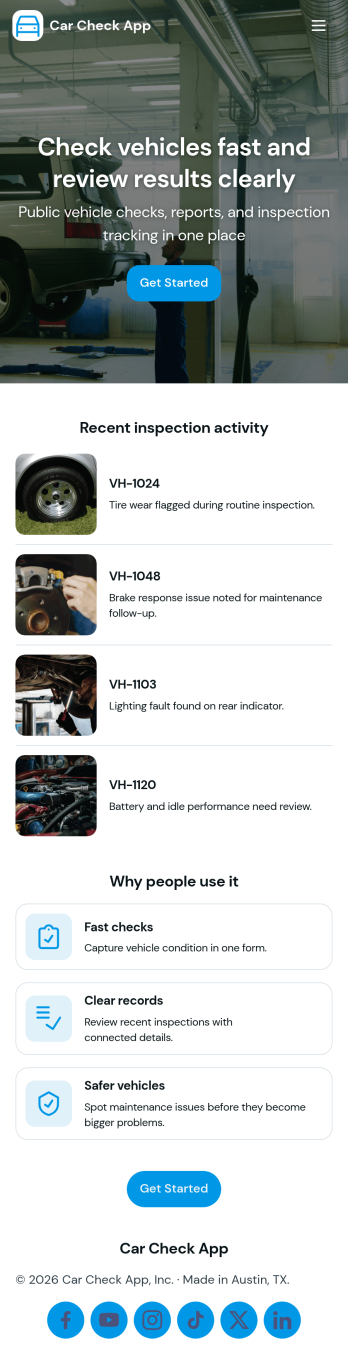
Car Check App
Car Check App helps teams capture vehicle inspection details, flag problems fast, and keep service activity organized in one place. It’s a practical fit for fleet managers, rental operators, delivery businesses, auto service teams, and anyone responsible for routine vehicle checks across multiple cars or locations. With quick actions to start an inspection, report an issue, and review records, the app supports day-to-day operations like pre-trip checks, return inspections, and documenting damage or maintenance needs without relying on scattered paperwork.Built with Jotform App Templates, Car Check App turns your inspection workflow into a mobile-friendly self-service experience that’s easy to share and update. Use Jotform’s no-code app builder and drag-and-drop interface to tailor the pages to your process, connect inspection and issue forms for consistent data collection, and keep records accessible for your team. As your workflow grows, you can expand the app into a central hub for tracking inspections, monitoring open issues, and staying on top of the service queue.
Go to Category:Vehicle Inspection Apps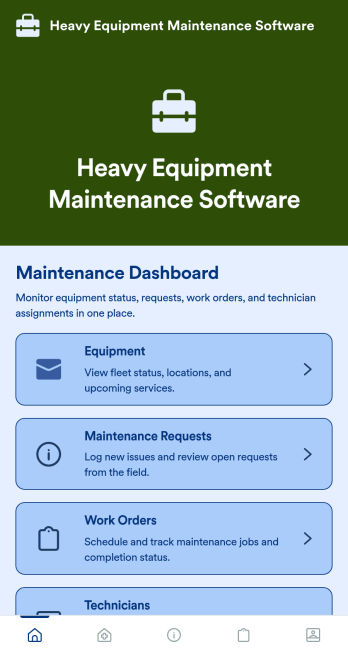
Heavy Equipment Maintenance Software
Heavy Equipment Maintenance Software is a app template designed to optimize operational efficiency in fleet-intensive industries, such as construction, mining, agriculture, and logistics. This app is specifically created to provide a systematic approach to heavy machinery maintenance, offering equipment owners, service managers, and technicians visibility and control over large assets. It serves as a comprehensive platform for tracking machine health, scheduling services based on usage hours, and coordinating repairs across multiple sites. Users can monitor performance trends, manage spare parts inventory, and prevent unexpected equipment failures that could seriously disrupt operations. This template is most beneficial to organizations that require a robust and reliable solution for heavy equipment maintenance.With Jotform's no-code, drag-and-drop app builder, customizing the Heavy Equipment Maintenance Software to fit your operational needs is a breeze. Users can tweak the layout, incorporate essential forms, and adjust functionalities as required, all without writing a single line of code. The cross-platform compatibility further enhances the app’s value, providing seamless functionality whether accessed on smartphones, tablets, or desktops. The option to add to your home screen provides instant access to the app, saving time and maximizing efficiency. Furthermore, the app allows for the centralization of multiple forms, links, and resources, providing a cohesive and streamlined user experience. With Jotform's Heavy Equipment Maintenance Software, managing your heavy machinery has never been more straightforward or efficient.
Go to Category:Construction Apps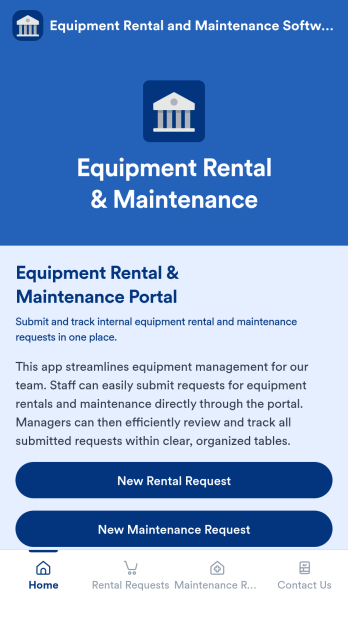
Equipment Rental and Maintenance Software
Equipment Rental and Maintenance Software is an app template designed to simplify and streamline the management of equipment for companies. With this application, your team can effortlessly submit requests for both equipment rentals and maintenance. Managers, in turn, are able to efficiently review and track all of these requests within clear, organized tables. This ready-to-use app template ensures that all your equipment data is consolidated in one place, providing clarity and consistency in your operational workflows. It is perfect for service providers, coordinators, administrators, and agencies who require a reliable solution for their equipment rental and maintenance processes.The power of Jotform is harnessed in this Equipment Rental and Maintenance Software, providing ease of use, ease of collecting e-signatures, and ease of customization. Beyond that, Jotform ensures a seamless process of data collection. Using Jotform's intuitive interface, you can effortlessly tailor the app to fit your company's branding needs, including the ability to adjust font styles, colors, and even upload your company's logo. This app also allows for the easy collection of electronic signatures, increasing efficiency in your operations. The generated reports are presented in clear, organized sheets, making it easier for you to track and manage your equipment rental and maintenance requests. With Jotform, you have the power of customization and the ease of use that your company needs to streamline its operations.
Go to Category:Equipment Maintenance Software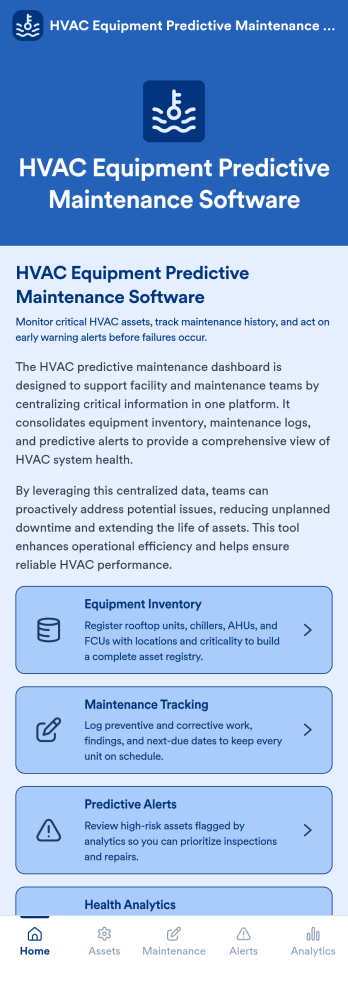
HVAC Equipment Predictive Maintenance Software
HVAC Equipment Predictive Maintenance Software is an app template designed to transform the way HVAC service companies, facility managers, maintenance teams, and building operations professionals manage their HVAC systems. This innovative solution taps into the power of data analytics to monitor HVAC system performance, anticipate potential failures before they occur, and support proactive maintenance planning, all with the aim of reducing downtime and improving overall operational efficiency. With its ready-to-use interface, the app facilitates real-time data collection that provides a comprehensive snapshot of your HVAC equipment's condition and performance. The template is best suited for organizations focused on preventing unexpected breakdowns and costly repairs, ensuring efficient energy use, and extending the life of their HVAC equipment.Jotform's HVAC Equipment Predictive Maintenance Software drastically simplifies the process of managing HVAC equipment maintenance. The platform's ease of use enables even the most non-technical users to customize the app to suit their unique needs. With its flexible, drag-and-drop interface, you can effortlessly tailor the app to your business requirements, adding your logo, adjusting colors, and integrating necessary forms. Moreover, collecting e-signatures is a breeze with Jotform, allowing for swift approval of maintenance plans or changes to the system. The app also offers seamless cross-platform compatibility, meaning it can be accessed on any smartphone, tablet, or desktop for maximum convenience. Leveraging Jotform's robust capabilities, your teams can proactively manage HVAC system health, ensuring a comfortable, safe, and productive environment for everyone.
Go to Category:Equipment Maintenance Software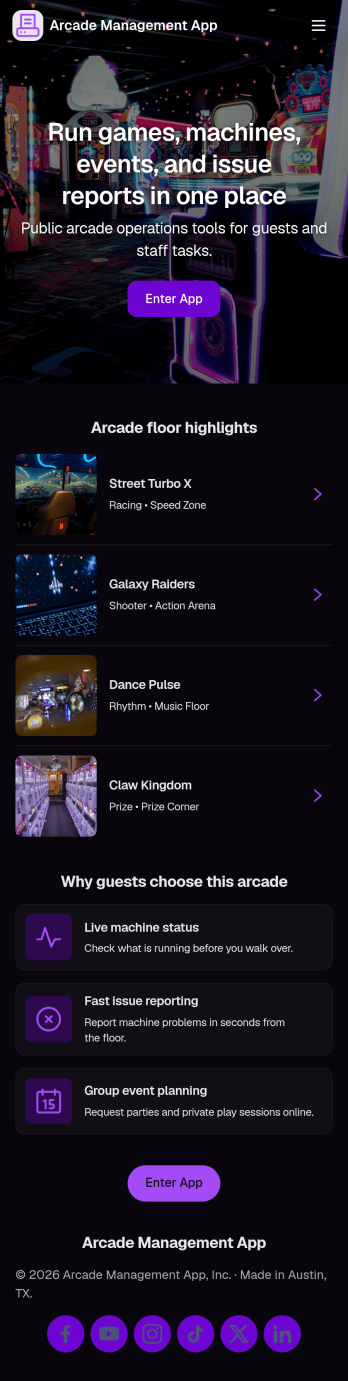
Arcade Management App
Arcade Management App helps arcade owners and floor staff keep machines organized, track issues, and stay on top of day-to-day upkeep across the game room. Use it to browse a machine list, open a machine detail view, and log incidents with a simple Report Issue action so problems don’t get missed during busy hours. It’s a practical fit for family entertainment centers, mall arcades, barcades, and pop-up game zones that need a clear way to monitor machines, reduce downtime, and keep the customer experience consistent.With Jotform, you can turn this idea into a branded, mobile-friendly experience using App Templates and a no-code app builder. Customize pages with a drag-and-drop interface, connect the app to forms for data collection, and keep incident records organized for follow-up and reporting. Share the app by link or QR code so staff can flag problems on the spot, and adjust the workflow as your arcade adds new machines, zones, or maintenance routines.
Go to Category:Entertainment Apps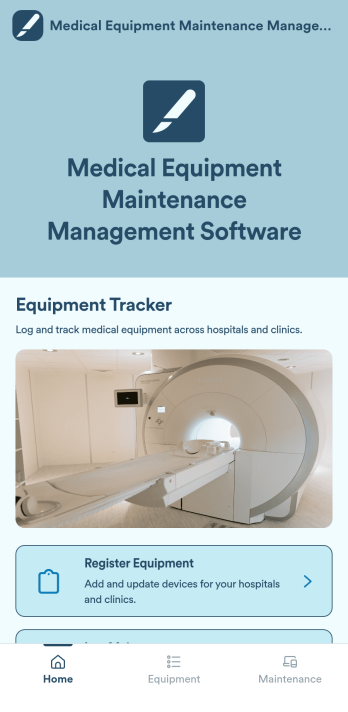
Medical Equipment Maintenance Management Software
Medical Equipment Maintenance Management Software is a versatile app template designed to systematize administrative tasks within healthcare settings. This app facilitates the logging of maintenance activities, registration of new medical equipment, and maintenance of a comprehensive record of all assets in a centralized system. By consolidating these critical tasks, the app promotes accurate tracking of service history and eases the process of equipment registration. The app is tailored to healthcare facilities, maintenance teams, and equipment managers who are tasked with managing medical devices. It is also advantageous for administrators aiming to uphold precise equipment records and align with industry standards. Additionally, the app is a go-to solution for organizations that require a systematic approach to overall maintenance organization.Jotform's No-Code App Builder, integral to the Medical Equipment Maintenance Management Software, empowers healthcare professionals to create a fully personalized, streamlined mobile solution without writing a single line of code. Leveraging the intuitive drag-and-drop interface, users can effortlessly adapt the app to their facility's branding, modifying colours, and integrating necessary forms. Jotform enables a seamless user experience, bundling multiple forms, links, and resources into one accessible package. The app's cross-platform compatibility ensures its seamless functionality across smartphones, tablets, or desktops. This means they can be installed directly to the device's home screen, ensuring instant access without requiring an App Store download. With Jotform, managing medical equipment maintenance has never been easier or more efficient.
Go to Category:Inspection Apps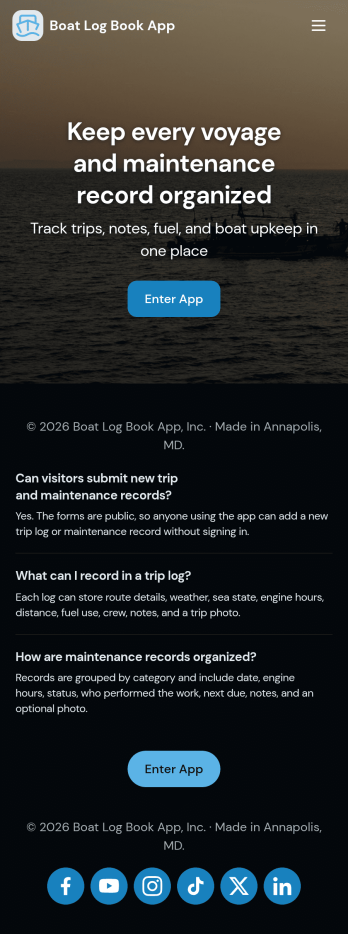
Boat Log Book App
Boat Log Book App keeps your boating records organized in one place, making it easier to review past trips, capture new trip details, and stay on top of routine upkeep. It’s a practical fit for boat owners, captains, charter operators, marinas, and small marine teams that need a consistent way to document trip logs and maintenance without hunting through notebooks, spreadsheets, or scattered messages. With dedicated sections for Trip Logs, Record Trip, and Maintenance, the app supports quick navigation and simple record keeping so you can maintain a reliable history of where the vessel has been and what work has been done.Jotform makes it simple to turn this Boat Log Book App into a branded self-service experience using a no-code app builder and a drag-and-drop interface. Connect the app to forms and tables for ongoing data collection, keep workflows moving with shareable links, and publish a mobile-friendly hub your crew can use on the dock or on the water. As your process evolves, you can adjust pages, buttons, and layouts in minutes while keeping trip and service logs consistent across the team.
Go to Category:Log Apps
TV Repair Tracking App
The TV Repair Tracking App gives television repair shops, independent technicians, electronics service teams, and field service managers a central place to manage repair work from intake through completion. Staff can log a repair, review open jobs, and generate repair reports without relying on scattered notes or spreadsheets. Each request can preserve essential service context such as the television model, customer details, preferred contact method, reported issue, diagnosis, required parts, estimated cost, and completion notes. This clearer view of repair progress helps teams prioritize active work, prepare customer updates, coordinate parts, and maintain consistent service records across workshop and on-site jobs.Jotform makes this app template easy to adapt with a no-code app builder and drag-and-drop interface. Teams can adjust pages, navigation, branding, and connected workflows to reflect their repair process, then organize data collection and self-service access in one mobile-friendly experience. The app can connect with forms, tables, notifications, approvals, and other operational tools so repair information stays accessible as work advances. Publish it with a shareable link or QR code to give authorized technicians and service staff convenient access from a phone, tablet, or computer.
Go to Category:Equipment Maintenance Software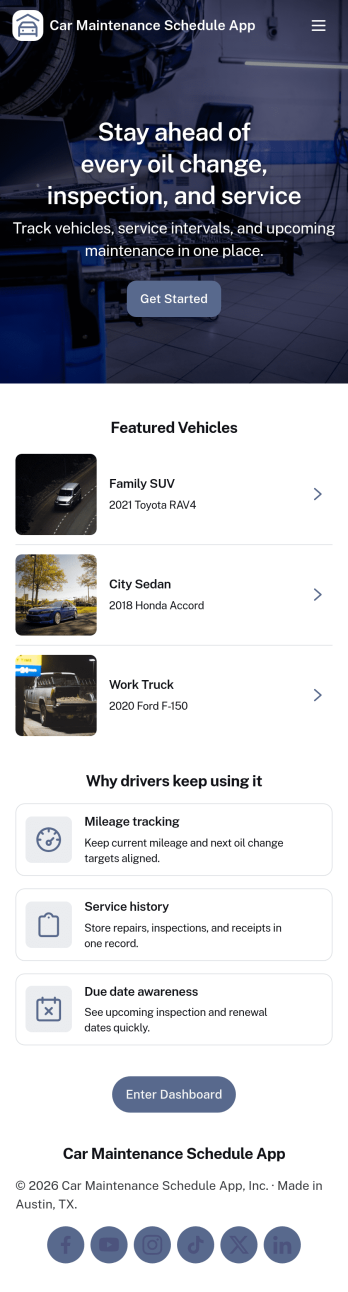
Car Maintenance Schedule App
Car Maintenance Schedule App helps drivers and small fleets keep every vehicle’s upkeep organized in one place. Use it to add vehicles, view upcoming tasks in a schedule, and keep a running service log so you can quickly check what was done and when. It’s a practical fit for families with multiple cars, rideshare drivers, delivery operators, and small businesses that want fewer missed oil changes, inspections, and routine services across their vehicles.With Jotform, you can turn this app template into a branded, self-service experience using a no-code app builder and a drag-and-drop interface. Connect the app to forms for data collection when you add a vehicle or record a service entry, then keep everything organized for easy tracking over time. As your workflow grows, you can update pages, adjust what details you capture, and share the app with teammates or drivers so everyone stays aligned.
Go to Category:Automotive Apps
Car Mechanic App
Car Mechanic App brings day-to-day repair shop work into one place so you can keep cars moving and customers informed. Use it to capture vehicle intake details, manage open jobs from arrival to completion, record inspection findings, and keep parts orders tied to the right work order. It’s a practical fit for independent mechanics, multi-bay garages, mobile repair teams, and service managers who want a clear view of what’s in the shop, what’s waiting on parts, and what needs attention next.Built with Jotform, this app template helps you create a mobile-friendly, self-service experience for your internal workflow without coding. With Jotform’s no-code app builder and drag-and-drop interface, you can tailor pages for intake, jobs, inspections, and parts, then connect the app to your forms and data collection processes. Share the app with your team, keep updates organized in one workflow, and make it easier to track work as priorities change throughout the day.
Go to Category:Automotive Apps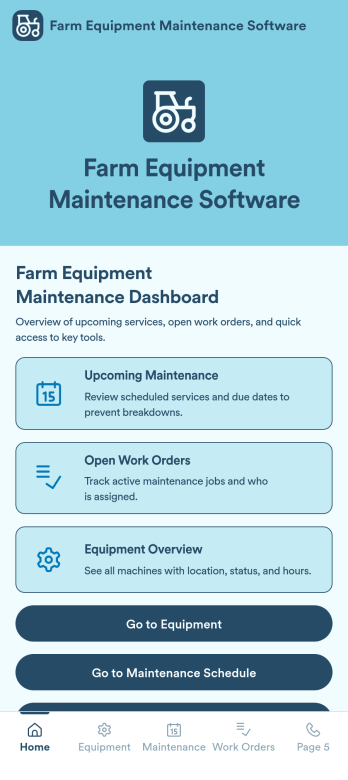
Farm Equipment Maintenance Software
Farm Equipment Maintenance Software is an app template designed to revolutionize the way farm managers, agricultural businesses, and service providers manage their machinery maintenance. Acting as a centralized hub, it enables efficient scheduling of routine servicing and tracking of machinery usage across upcoming maintenance periods. Additionally, the app also supports repair logging, spare parts tracking, and performance monitoring, aiding in the smooth running of agricultural operations. It is most beneficial for those constantly juggling multiple machinery units and seeking to extend equipment lifespan, improve efficiency, and reduce repair costs. The app collects vital information such as servicing history, parts inventory, and machinery performance data, providing clarity and consistency in recordkeeping.This Farm Equipment Maintenance Software template is a product of Jotform Apps, a no-code platform that allows you to create custom apps tailored to your specific needs. Using the intuitive drag-and-drop interface, you can customize the app to mirror your farm's branding, change colours, upload your logo, and integrate necessary forms like maintenance logs without writing a single line of code. The app is cross-platform compatible, meaning it can function seamlessly on any smartphone, tablet, or desktop. You can publish your app with ease, making it accessible either publicly or within your company. The app also allows for workflow automation, streamlining your operations like never before. Start optimizing your farm equipment maintenance today with Jotform Apps.
Go to Category:Inspection AppsAbout Equipment Maintenance Software
Equipment maintenance apps are specialized mobile and web applications designed to streamline the monitoring, inspection, and upkeep of machinery, tools, and critical assets. These apps support a wide range of operational use cases, from scheduling preventive maintenance and tracking repair history to managing inspections and service requests in real time. Industries such as manufacturing, construction, logistics, healthcare, and facilities management frequently rely on equipment maintenance apps to improve operational efficiency and ensure compliance with safety standards. By digitizing maintenance workflows, these apps help organizations reduce downtime, extend asset lifespan, and maintain consistent performance across operations.
Jotform Apps, as a no-code app builder, empowers businesses to create customized equipment maintenance apps without the need for extensive coding knowledge. By leveraging Progressive Web App (PWA) technology, Jotform Apps can be installed directly via a browser, eliminating the need for App Store downloads and ensuring compatibility across iOS, Android, tablets, and desktops. This ensures that maintenance teams can access the app anytime and anywhere, whether on-site or in the field. Furthermore, Jotform Apps integrates centralized data management through Jotform Tables, allowing businesses to keep all maintenance records, inspection reports, and asset data organized and easily accessible. This feature streamlines operations and enhances productivity by providing a unified view of all maintenance-related activities.
Why Use Equipment Maintenance Apps?
- Equipment maintenance apps offer significant operational value by automating maintenance scheduling and tracking processes, reducing the time and effort required to manage equipment manually. This automation allows businesses to prevent unexpected failures and maintain consistent performance.
- They enhance team productivity by providing a user-friendly interface that allows technicians to log inspections, report issues, and update maintenance records in real time, improving communication and coordination.
- With real-time updates and notifications, maintenance apps ensure that teams are informed about upcoming tasks, overdue inspections, and urgent repairs, minimizing downtime and improving response times.
- Centralized data management allows businesses to track asset performance, maintenance history, and service schedules in one place, enabling better decision-making and resource allocation.
- By digitizing records and workflows, equipment maintenance apps help organizations maintain compliance with safety regulations and industry standards through accurate and audit-ready documentation.
Common Problems Solved by Equipment Maintenance Apps
- One of the primary industry challenges is relying on manual tracking systems, which are time-consuming and prone to errors. Equipment maintenance apps automate record-keeping, reducing inaccuracies and improving reliability.
- Businesses often struggle with unexpected equipment breakdowns that disrupt operations. Maintenance apps enable preventive scheduling, helping identify issues before they escalate into costly failures.
- Managing maintenance data across multiple systems can lead to inefficiencies and lack of visibility. Equipment maintenance apps centralize all information, making it easier to track performance and plan maintenance activities.
- Communication gaps between field teams and management can delay repairs and updates. These apps provide real-time syncing and mobile access, ensuring seamless collaboration.
- Maintaining compliance and accurate documentation can be difficult with scattered records. Equipment maintenance apps organize all data in one place, simplifying audits and regulatory requirements.
Matching Use Cases to Features
- Businesses looking to customize their maintenance workflows can benefit from the Drag-and-Drop Interface, which allows for the easy creation of inspection forms, service logs, and asset tracking systems tailored to specific needs.
- For teams that require timely updates, the Push Notifications feature is invaluable. It keeps users informed about maintenance schedules, task assignments, and urgent issues, reducing delays and downtime.
- Workflow Automation streamlines repetitive maintenance tasks, such as scheduling inspections and sending reminders, allowing teams to focus on critical operational work.
- Public, Private, and Company-only Publish Options ensure that maintenance apps are shared securely with the appropriate users, whether internal teams or external contractors.
- Sharing Methods such as Direct Link, Email, QR Code, and Social Media make it easy to distribute the app to technicians and stakeholders, ensuring accessibility across teams.
- Offline Mode capabilities allow users to complete inspections and log maintenance activities without an internet connection, ensuring uninterrupted operations in remote or low-connectivity environments.
How to Create an Equipment Maintenance App
- Choose a category-relevant template from the Template List or start from scratch.
- Customize using the Drag-and-Drop Interface to tailor the app to your specific workflows.
- Share via Link, QR Code, or Embed to make your maintenance app easily accessible to your team.
Top Use Cases for Equipment Maintenance Apps
- For Managers: Equipment maintenance apps are essential for managers aiming to optimize asset performance and reduce operational disruptions. By centralizing maintenance data, managers gain insights into equipment usage, service history, and maintenance trends, enabling more informed decision-making. These apps also help ensure that maintenance schedules are followed consistently, reducing the risk of unexpected failures and costly downtime.
- For Teams: Maintenance teams benefit from having a centralized platform to manage inspections, repairs, and service tasks collaboratively. With real-time access to maintenance data and schedules, team members can coordinate effectively, reducing delays and improving productivity. Notifications and updates ensure that everyone stays aligned, creating a more efficient and responsive work environment.
- For Organizations: Organizations benefit from improved operational efficiency and reduced maintenance costs by implementing equipment maintenance apps. These apps help standardize processes, maintain compliance with industry regulations, and provide valuable insights into asset performance, supporting long-term operational success.
Summarizing Equipment Maintenance Apps
Equipment maintenance apps play a crucial role in modern operations by automating and streamlining maintenance workflows, improving efficiency, and reducing downtime. These apps provide a centralized platform for managing inspections, tracking assets, and scheduling maintenance activities, all while offering real-time updates and insights. By utilizing Jotform’s no-code app builder, businesses can create customized equipment maintenance apps that meet their specific needs and improve operational performance. The flexibility and accessibility of these apps make them an essential tool for effective asset management.
Frequently Asked Questions
1) Is it free to create and use Equipment Maintenance Software apps on Jotform?
Creating equipment maintenance apps on Jotform is free with the Starter plan, which allows users to explore the platform’s core features. As your needs grow, you can upgrade to paid plans for more advanced functionality and higher usage limits.
2) Is the data collected through the app secure?
Yes, all data collected through Jotform Apps is protected with industry-standard security measures, including SSL encryption. This ensures that maintenance records and operational data remain secure.
3) Do I need any coding skills to create an Equipment Maintenance Software app with Jotform?
No coding skills are required. Jotform’s intuitive drag-and-drop interface allows users to build and customize apps easily, making it accessible to businesses of all sizes.
4) Can I track maintenance logs and equipment history?
Yes, Jotform Apps integrates with Jotform Tables, enabling you to store and manage maintenance logs, inspection reports, and equipment history in one centralized system.
5) Does Jotform support offline data collection for maintenance apps?
Yes, Jotform supports offline data collection, allowing technicians to complete inspections and log data without an internet connection. Data is automatically synced once connectivity is restored.
6) Are Jotform Apps compatible with both iOS and Android devices?
Yes, Jotform Apps are built using Progressive Web App (PWA) technology, ensuring compatibility across iOS, Android, tablets, and desktops without requiring downloads from app stores.
7) How do Equipment Maintenance Software apps help reduce downtime?
These apps enable preventive maintenance scheduling, real-time alerts, and faster issue reporting, helping teams address problems before they lead to equipment failure and operational disruptions.
8) Which industries benefit most from Equipment Maintenance Software apps?
Industries such as manufacturing, construction, logistics, healthcare, and facilities management benefit significantly, as they rely heavily on well-maintained equipment for daily operations.