

Event Management Apps

Event Attendance Tracking App
Event Attendance Tracking App helps organizers keep an accurate record of who registered and who actually showed up, without juggling paper lists or scattered spreadsheets. Use it to register attendees ahead of time, add walk-ins at the door, and log check-ins as guests arrive. It’s a strong fit for event teams running conferences, workshops, campus events, community meetups, trainings, and internal company sessions where headcounts, attendance history, and quick lookups matter throughout the day.With Jotform, you can turn attendance tracking into a simple self-service experience using App Templates and a no-code app builder. Build the flow with a drag-and-drop interface, connect registration and check-in forms, and keep records organized in linked tables for fast searching and reporting. Share the app with staff using a link or QR code so everyone works from the same up-to-date attendee list while your workflow stays consistent from registration to check-in.
Go to Category:Event Planner Apps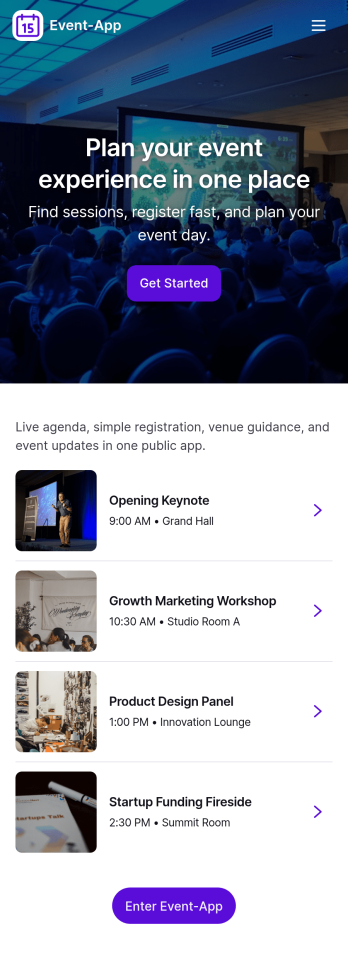
Event-App
Event-App brings your event details and attendee actions into one easy, mobile-friendly hub. Use it to publish upcoming events, let people browse what’s happening, and capture RSVPs without sending users through multiple links. It’s a practical fit for event planners, venues, schools, nonprofits, community organizers, and internal teams running trainings or company meetups. With dedicated areas to browse events and review My Registrations, attendees can quickly find the right event and keep track of what they’ve signed up for.Built with Jotform App Templates, this app template can be customized in a no-code app builder with a drag-and-drop interface so you can match your event branding and workflow. Connect buttons to your RSVP form for fast data collection, organize upcoming events in a list view, and keep registration records accessible through a linked submissions view for simple self-service. Share the Jotform app through a link or QR code so guests can register on the go while your team keeps event information and responses organized.
Go to Category:Event Planner Apps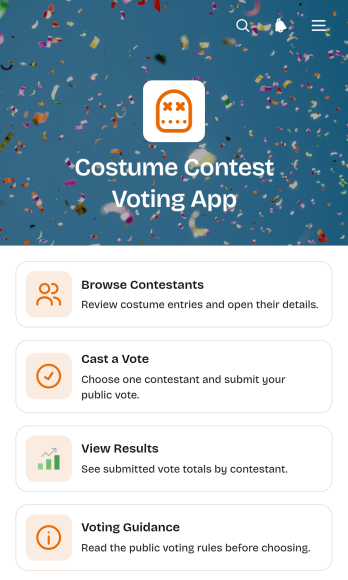
Costume Contest Voting App
Costume Contest Voting App is an interactive app template for running audience voting at parties, school celebrations, community gatherings, workplace events, fundraisers, and themed competitions. Event organizers, entertainment teams, educators, nonprofits, and local groups can use it to present contestants and give guests a clear way to participate. Attendees can browse costume entries, review contestant details, cast a vote through a connected form, read voting guidance, and view submitted totals. Keeping these actions in one mobile-friendly destination makes the contest easier to manage, reduces confusion about participation, and creates a more engaging experience for both in-person and remote audiences.Jotform App Templates help teams launch polished digital experiences without writing code. Using Jotform’s no-code app builder and drag-and-drop interface, organizers can customize colors, fonts, images, pages, buttons, and navigation to fit their event. The app can connect data collection with forms and other workflow tools, giving teams a convenient place to manage voting while offering participants simple self-service access. Once the Costume Contest Voting App is ready, it can be published and shared through a direct link or QR code for quick access on phones, tablets, and computers.
Go to Category:Event Management Apps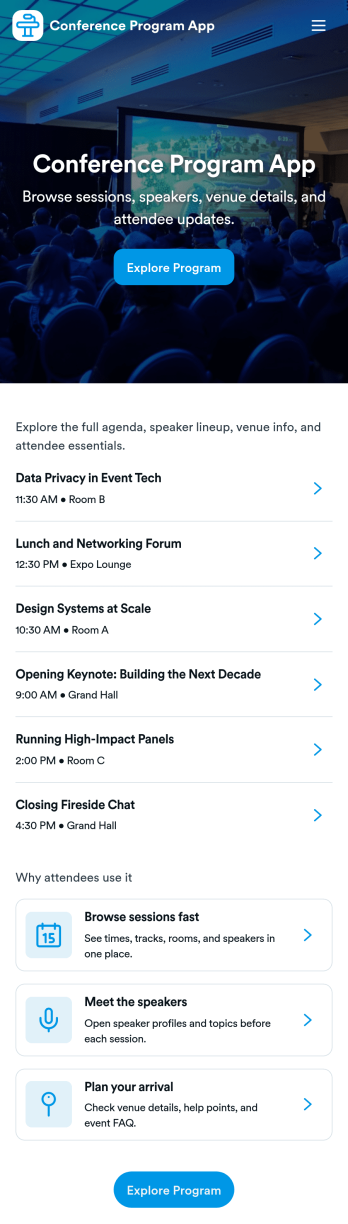
Conference Program App
Conference Program App helps event organizers publish a clear, mobile-friendly program that attendees can use before and during the conference. Share the schedule, highlight sessions, and introduce speakers in one place, with simple navigation to view the full agenda, browse speaker bios, and jump into registration when someone is ready to attend. It’s a practical fit for conferences, summits, multi-track meetups, and internal company events where participants need quick answers without hunting through emails or PDFs.With Jotform, you can build and personalize app templates like this using a no-code app builder and a drag-and-drop interface. Connect the experience to your existing workflow by linking to a registration form, organizing session and speaker details for easy browsing, and updating content as plans evolve. When you’re ready, share the app through a link or QR code so attendees can self-service key event information on any device.
Go to Category:Event Planner Apps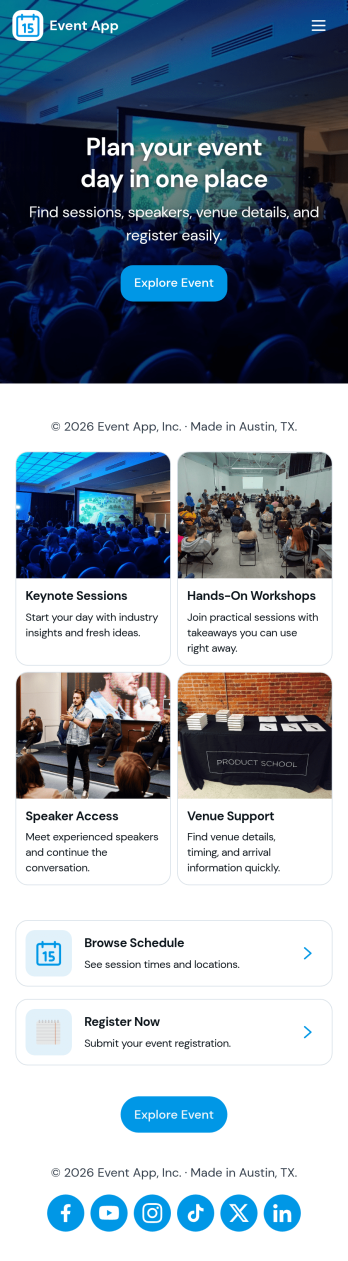
Event App
Event App brings your event listings, registration, and attendee follow-ups into one place so people can browse what’s happening and sign up in minutes. Use it to publish multiple events with key details, route visitors to a Register Now form, and give attendees a simple My Registrations view they can reference later. It’s a practical fit for event planners, marketing teams, community organizers, schools, and internal teams running trainings or company meetups who want a clear, shareable way to promote events and reduce day-of confusion.With Jotform App Templates, you can build this kind of self-service experience quickly using a no-code app builder and a drag-and-drop interface. Connect your app to Jotform forms and data collection flows to capture registrations, keep event information updated, and route responses into the workflow your team already uses. Publish with a link or QR code so attendees can access schedules and registration details from their phone, while your team stays organized behind the scenes.
Go to Category:Event Planner Apps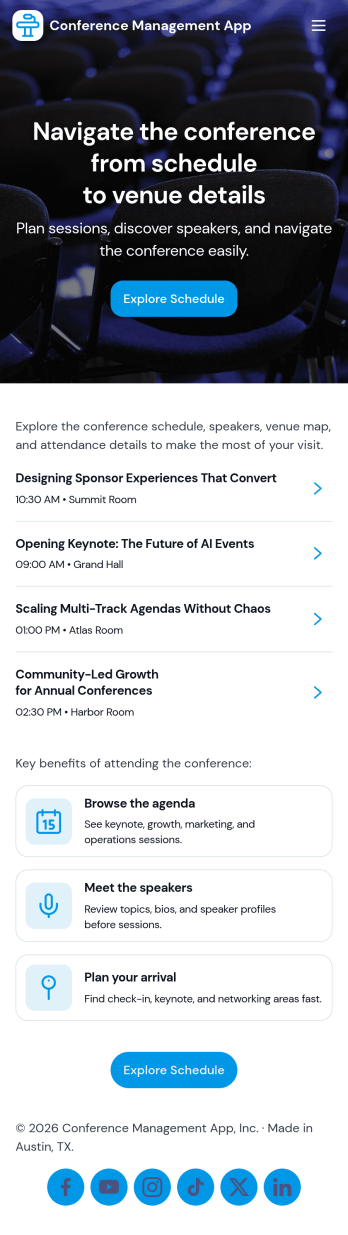
Conference Management App
Conference Management App brings your event experience into one place so attendees and organizers can stay aligned from planning through post-event follow-up. Use it to publish the conference agenda, highlight speakers, and guide participants to key actions like registration, check-in, and feedback without sending them across multiple links. It fits in-person, virtual, or hybrid conferences run by event teams, associations, corporate marketing departments, and community organizers who need a clear, mobile-friendly way to share schedules and reduce day-of confusion.Jotform makes it easy to turn conference workflows into a polished, shareable app experience using its no-code app builder and drag-and-drop interface. Connect the app to Jotform forms for data collection like registrations, on-site check-ins, and attendee feedback, then update your agenda and speaker information as plans change. With Jotform App Templates, you can launch quickly, match your branding, and deliver convenient self-service access from a single link.
Go to Category:Event Planner Apps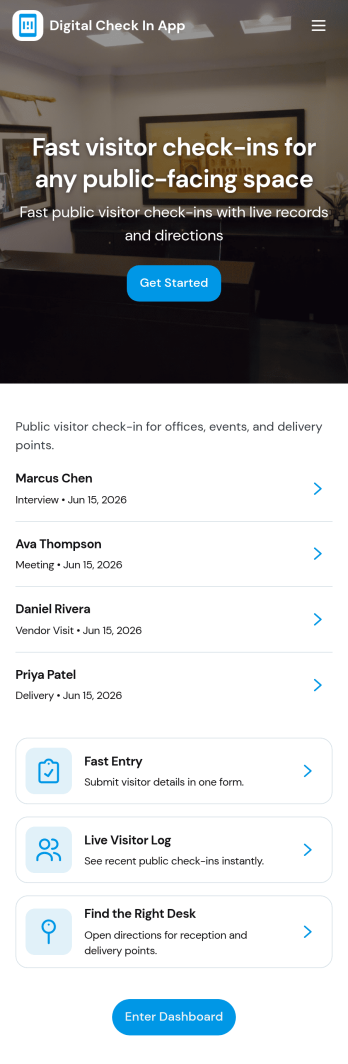
Digital Check in App
Digital Check in App helps you welcome and track visitors without paper sign-in sheets. It gives guests a simple way to start check in and complete a visitor check in form, while your team can quickly view visitors in one place. This works well for offices, coworking spaces, schools, clinics, warehouses, and event venues that need a clear record of who arrived and when, especially during busy periods with frequent walk-ins.Jotform makes it easy to turn this experience into a polished, shareable check-in flow using its app templates and no-code app builder. With a drag-and-drop interface, you can tailor pages, buttons, and navigation to match your front-desk process, then connect the app to your broader workflow for data collection and follow-up. Share the app link or QR code so visitors can check in from a phone or a kiosk-style device, and keep visitor information organized for your team.
Go to Category:Customer Portal Apps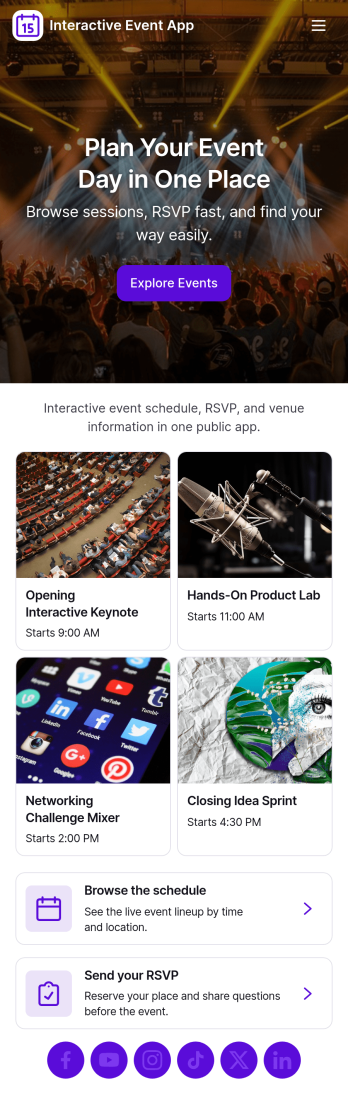
Interactive Event App
Interactive Event App brings event details into one place so attendees can browse events, check the schedule, register, and share feedback without hunting through emails or scattered links. It’s a strong fit for conference teams, community organizers, schools, nonprofits, and internal company events that need a simple, self-service experience for guests. Use it to reduce day-of questions, guide people to the right sessions, and keep participation high with clear navigation and quick actions.Built with Jotform App Templates, this app template is easy to tailor for any event and publish in minutes using a no-code app builder and a drag-and-drop interface. Connect buttons to registration and feedback forms for smooth data collection, and organize event listings so updates are easy to manage. Share your Jotform app through a link or QR code, keep the experience on-brand, and support your workflow from planning through post-event follow-up.
Go to Category:Event Planner Apps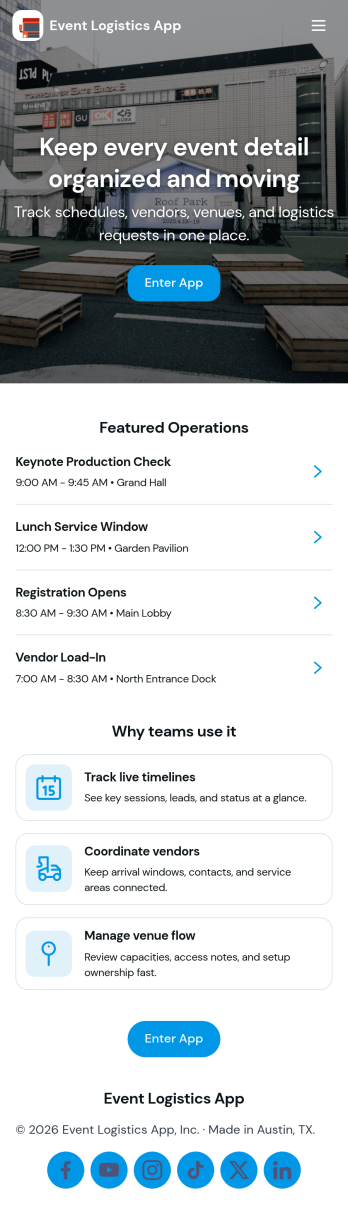
Event Logistics App
Event Logistics App brings day-of-event coordination into one place so organizers can keep timelines, staffing, and on-site issues moving without confusion. Use it to publish a working schedule, add staffing assignments as plans change, and give team leads a simple way to log issues from the floor as they happen. It’s a practical fit for event planners, venues, production crews, nonprofits running fundraisers, and campus teams managing conferences, festivals, tournaments, or multi-session programs where many people need the same source of truth.With Jotform, you can turn your Event Logistics App into a polished self-service experience using a drag-and-drop interface and a no-code app builder. Connect buttons to forms for data collection, route updates into tables for easy viewing, and keep your workflow moving with shareable links and mobile-friendly access. As details shift, you can adjust pages, branding, and navigation so staff and volunteers always know what to do next and where to report problems.
Go to Category:Event Planner Apps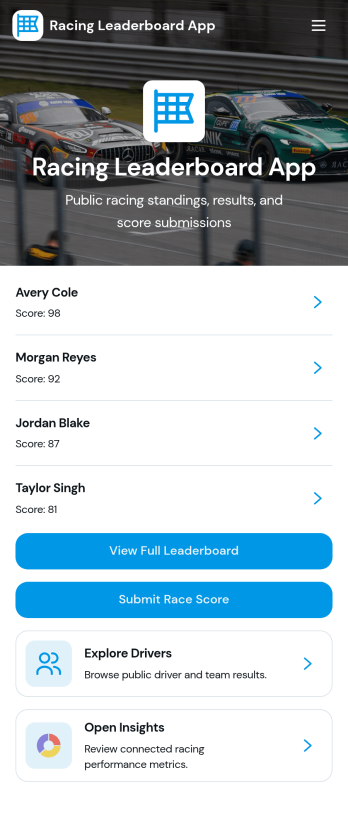
Racing Leaderboard App
Racing Leaderboard App gives race organizers and sports communities a simple way to share race listings, publish standings, and collect results in one place. Participants can browse races, open a race overview to see key details, and check the leaderboard to compare performance over time. When it’s time to report a finish, racers can submit results from the app, helping clubs, leagues, and recurring event series keep scoring consistent without relying on scattered messages or spreadsheets.Built with Jotform, this app template can be customized with a no-code app builder and a drag-and-drop interface so you can match your event branding and structure in minutes. Connect the app to your result collection form and related data so updates are easier to manage, then share the app as a self-service hub for racers, coaches, and staff. As your season grows, you can adjust pages, refine the workflow for reviewing results, and keep race information and leaderboards accessible on any device.
Go to Category:Sports Apps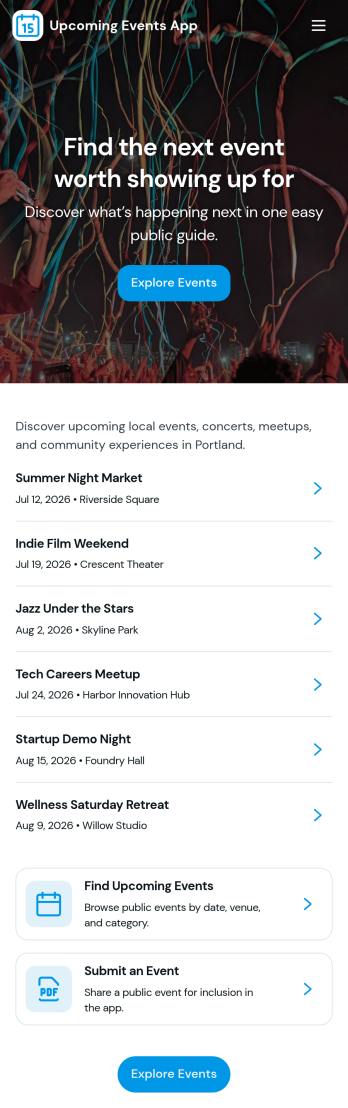
Upcoming Events App
Upcoming Events App gives you a simple, branded place to highlight what’s coming up and guide people from discovery to RSVP. Use it to publish event names and visuals, help visitors browse an events list, and send them into an RSVP flow without confusion. It’s a great fit for community groups, nonprofits, schools, fitness studios, venues, and small businesses that want one link to share upcoming happenings across email, social posts, or QR codes at the door.Built with Jotform, this app template is easy to tailor with a no-code app builder and a drag-and-drop interface so your team can update event details fast and keep information consistent. Connect the events list to your data, route RSVP responses into your workflow, and add supportive touchpoints like a simple email support button. Share the app anywhere to offer a smooth self-service experience that keeps attendees informed and helps you stay organized.
Go to Category:Event Planner Apps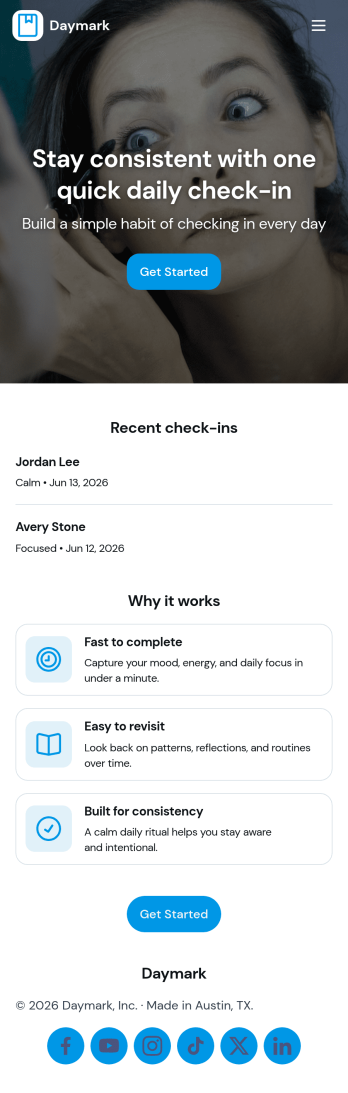
Daily Check In App
Daily Check In App helps you build a simple, repeatable routine for capturing how your day is going, then looking back on patterns over time. Use it to prompt quick daily reflections, add a new check-in in seconds, and review recent entries when you want context before planning the rest of your week. It’s a practical fit for individuals focused on habits, teams running lightweight wellness routines, coaches supporting clients between sessions, or HR and people teams who want a consistent internal check-in flow that’s easy to follow.With Jotform App Templates, you can publish a branded self-service experience powered by a no-code app builder and a drag-and-drop interface. Connect your check-in form to organized views for browsing recent logs, add an insights page for quick reflection, and share the app by link or QR code so people can check in from anywhere. Jotform makes data collection and workflow routing easier, so your daily check-in process stays consistent without adding admin work.
Go to Category:Activity Tracking Apps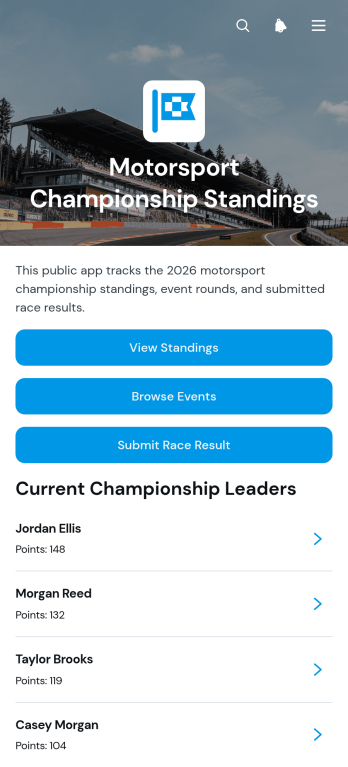
Motorsport Championship Standings App
The Motorsport Championship Standings App is a ready-to-use app template for championship organizers, race officials, timing teams, competitors, and supporters who need one place to follow a racing season. Users can browse driver standings, review event information, and submit race results through a connected form. Driver records can present teams, points, wins, and seasons, while event and result views make individual races and finishing positions easier to review. This setup reduces scattered updates, gives participants a convenient self-service resource, and helps organizers maintain a clearer championship record throughout the season.Jotform App Templates help organizations turn forms, records, and resources into accessible digital experiences without writing code. Using Jotform’s no-code app builder and drag-and-drop interface, organizers can customize the Motorsport Championship Standings App with their own colors, typography, navigation, and content. Connected forms and tables support data collection and workflow management, while links or QR codes make the finished app easy to share with officials, teams, drivers, and spectators on any device.
Go to Category:Sports Apps
Audience Voting App
Audience Voting App is an interactive app template for collecting audience opinions during live events, competitions, presentations, community programs, classroom activities, and online campaigns. Event organizers, educators, entertainment teams, marketers, and community leaders can present polls, help participants browse questions and available choices, and provide a clear path for casting a vote. Bringing voting access into one organized experience reduces confusing instructions, makes participation easier on mobile devices, and gives audiences a convenient self-service option. It can support anything from choosing a contest winner to gathering quick feedback on a topic.Jotform App Templates help teams create polished digital experiences without writing code. Customize the Audience Voting App with the no-code app builder, adjust pages and navigation through a drag-and-drop interface, and connect forms or other workflow assets for data collection. Branding, text, images, buttons, and poll content can be adapted to suit a specific event or campaign. Once the app is ready, share it through a direct link or QR code so participants can reach the voting experience from their preferred device.
Go to Category:Customer Engagement Apps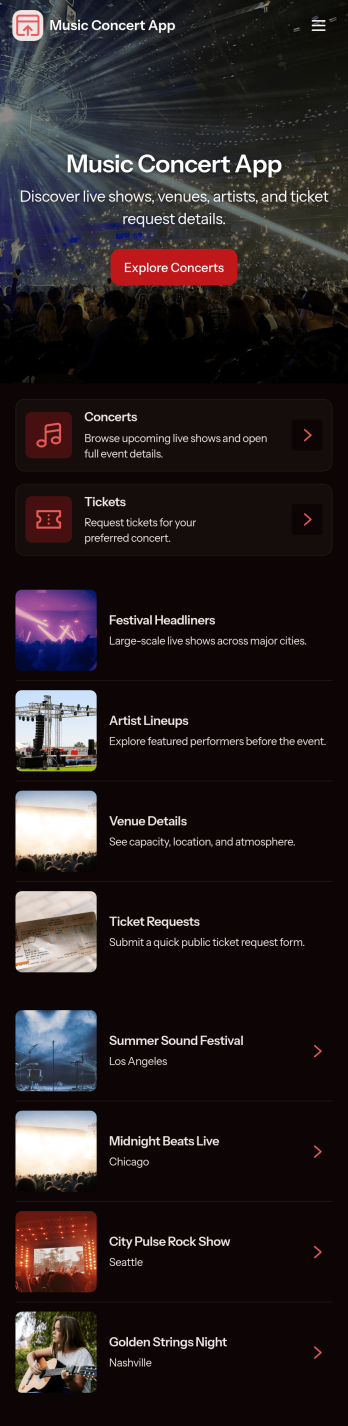
Music Concert App
Music Concert App brings upcoming shows into one place so fans can browse concerts, view key details, and quickly navigate to booking. It’s a practical fit for concert promoters, venues, artist teams, and event coordinators who want a simple, mobile-friendly way to showcase a lineup and guide attendees from discovery to reservation without relying on scattered posts or long email threads. With dedicated pages for exploring concerts and a clear path to book tickets, the app helps reduce missed inquiries, improves the attendee experience, and keeps event information easy to find and share.Built with Jotform App Templates, this app template is easy to tailor using Jotform’s no-code app builder and drag-and-drop interface. Connect the app to your booking form to support consistent data collection, route information to the right workflow, and keep your concert list and booking history organized. Share your Music Concert App with a link or QR code, update content anytime, and deliver a polished self-service experience for your audience.
Go to Category:Entertainment Apps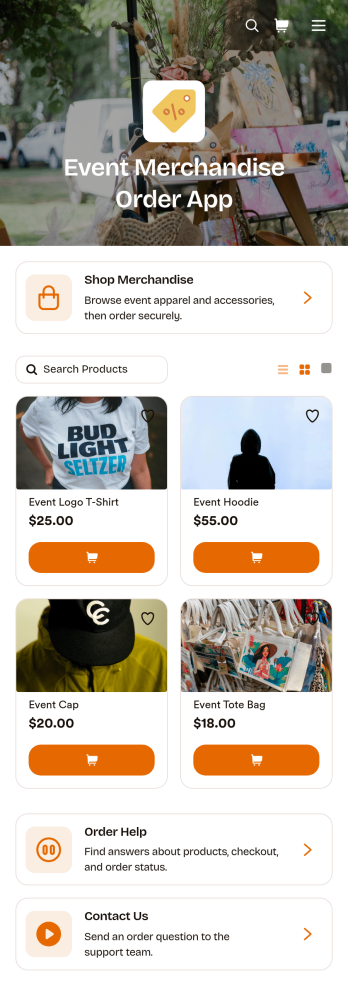
Event Merchandise Order App
Event Merchandise Order App is a mobile-friendly storefront for selling branded products connected to conferences, festivals, concerts, fundraisers, sports events, and community gatherings. Event organizers, merchandise teams, vendors, venues, and nonprofits can use it to give attendees one convenient place to browse available products and submit orders. Built-in access to merchandise shopping, order assistance, and contact options helps customers find items and resolve common questions without searching across separate channels. It also supports pre-event sales, on-site ordering, and post-event merchandise campaigns while giving teams a more organized approach to data collection and customer self-service.This app template can be personalized with Jotform Apps, a no-code app builder featuring a flexible drag-and-drop interface. Teams can update product content, add branded pages, connect order forms, and link workflows for payments, notifications, approvals, or fulfillment follow-up. Jotform App Templates make it easier to launch polished experiences without writing code, while sharing options such as direct links and QR codes help customers reach the store from event websites, signs, emails, or social posts. The layout can also be adapted as merchandise offerings and event needs change.
Go to Category:Event Management Apps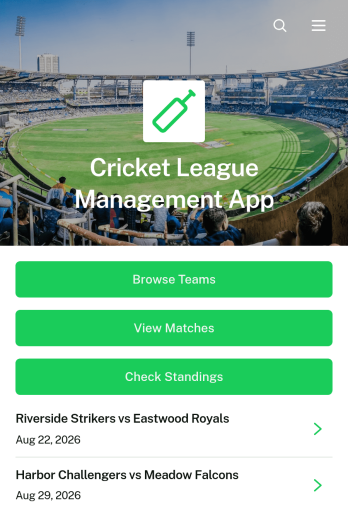
Cricket League Management App
The Cricket League Management App gives league organizers, cricket clubs, tournament committees, and community sports associations one accessible place to manage a competition. Teams can register through a connected form, participants can browse team profiles and match information, and authorized users can submit results while supporters check current standings. By bringing essential league details together, this app template reduces scattered messages and makes it easier to keep captains, players, officials, and followers informed throughout a season or tournament.Jotform Apps helps organizations turn these activities into a branded, mobile-friendly experience without coding. Start with this Cricket League Management App, then use the drag-and-drop app builder to adjust pages, navigation, colors, fonts, and visual elements. Connected forms and tables support data collection and organized workflows, while direct links and QR codes make the app easy to distribute. Jotform App Templates can also connect with approvals and notifications, giving organizers practical options for team self-service and ongoing league administration.
Go to Category:Sports Apps
Scavenger Hunt App
Scavenger Hunt App is a customizable starting point for creating clue-based activities for parties, corporate events, classrooms, community programs, fundraisers, and tourism experiences. Event organizers, educators, team leaders, hospitality teams, and nonprofits can use its focused page to present challenge instructions, provide clue access, and share essential event information. Keeping these details in one mobile-friendly destination helps participants understand the rules, follow the activity, and stay engaged without relying on printed handouts or scattered messages.Jotform makes it easy to adapt this app template to suit a theme, audience, or event format. Using the no-code app builder and its drag-and-drop interface, organizers can add pages, images, videos, buttons, and links while applying custom colors, fonts, and branding. The app can also connect with forms for data collection, payments, approvals, and other workflow steps when an activity requires registration or response gathering. Explore Jotform App Templates to create a polished self-service experience, then publish and share it through a direct link, QR code, or embedded experience.
Go to Category:Entertainment Apps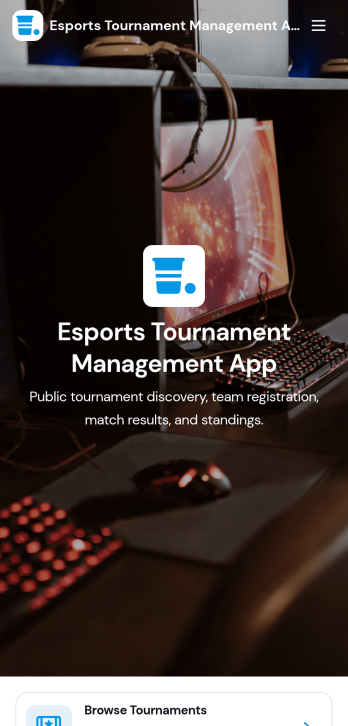
Esports Tournament Management App
Esports Tournament Management App brings tournaments, teams, and match schedules into one place so organizers and communities can keep competitive play easy to follow. Use it to publish upcoming events, help players explore participating teams, and share matchups with clear details like venue, game, and prize pool. Built-in navigation makes it simple for visitors to browse tournaments, jump to a match schedule view, and check team profiles. It also supports community growth by offering a direct way to submit a tournament or submit a team, which is helpful for leagues, gaming venues, student clubs, and esports networks coordinating multiple events.With Jotform App Templates, you can turn your tournament workflow into a polished self-service experience without coding. Jotform’s no-code app builder and drag-and-drop interface let you adjust pages, branding, and navigation, then connect the app to your existing data collection and workflow needs. Share the app with a link or QR code, keep information updated in one place, and create a consistent hub that’s easy to access on desktop or mobile for players, fans, and staff.
Go to Category:Event Management Apps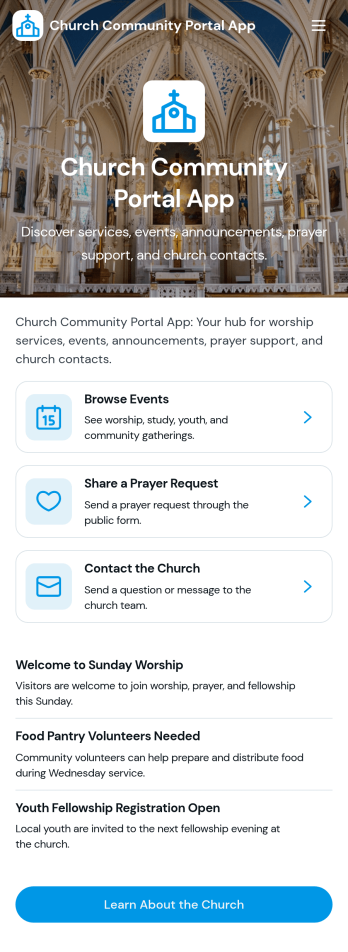
Church Community Portal App
Church Community Portal App brings your congregation’s essentials into one welcoming place, so members can find what’s happening next, share prayer needs, and reach the right church contact without confusion. Use it to highlight upcoming events with quick navigation to event details and registration links, invite community messages, and keep key worship information one tap away. It’s a practical fit for church administrators, ministry leaders, and volunteer teams who want a consistent way to communicate schedules, encourage engagement throughout the week, and help newcomers know where to start.Built with Jotform App Templates, this app template is easy to tailor using Jotform’s no-code app builder and drag-and-drop interface. Connect your event and prayer request forms, organize updates in a clear self-service experience, and share the app through a link or QR code for mobile-friendly access. Jotform helps you centralize data collection and workflows, so your team can spend less time chasing details and more time supporting the community.
Go to Category:Community & Engagement Portal Apps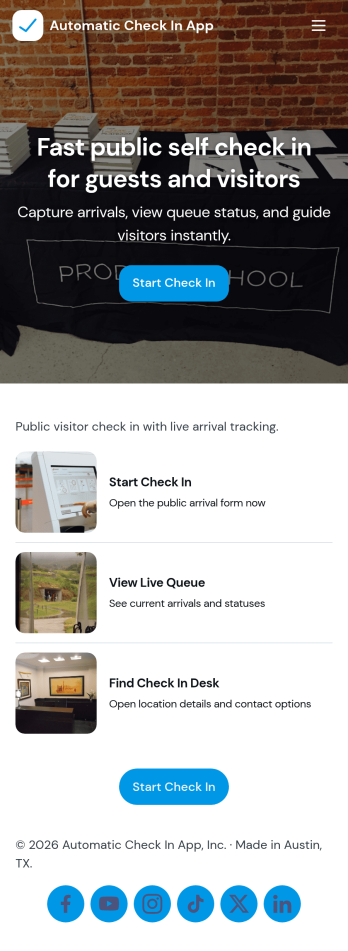
Automatic Check In App
Automatic Check In App helps organizations record arrivals quickly and consistently without relying on manual logs. From front desks and lobbies to events, classrooms, clinics, and shared workspaces, it gives staff a clear flow to start a check in, view arrivals as they happen, and keep a searchable history for follow-ups. Teams can capture repeat visits with a fast New Check In action, reduce lines during busy periods, and maintain a dependable record of who came in and when.Jotform makes it easy to turn this experience into a branded, mobile-friendly tool using customizable app templates and a no-code app builder. With a drag-and-drop interface, you can adjust pages, buttons, and lists to match your process, then connect the app to the included form and table views for ongoing data collection and simple workflow handoffs. Share it by link or QR code so staff can use it on-site and managers can review activity from anywhere.
Go to Category:Event Registration Apps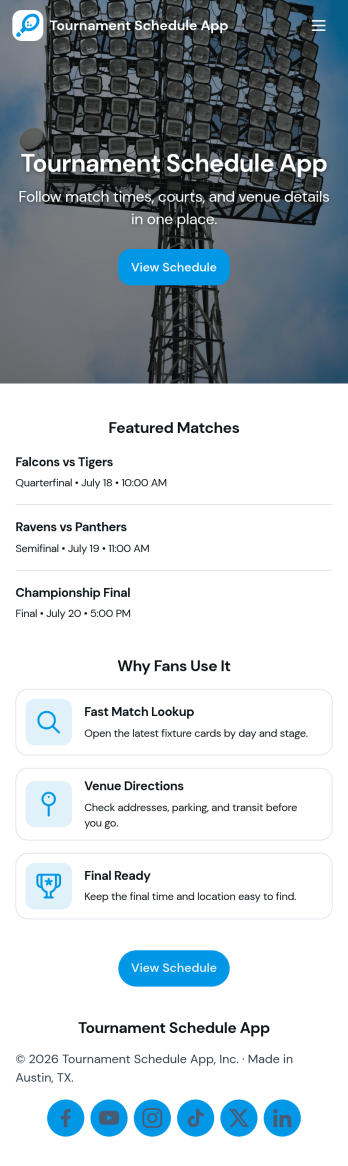
Tournament Schedule App
A tournament schedule app brings teams, matchups, and key game details into one place so organizers and participants can stay aligned throughout an event. This template helps you collect team registrations, schedule matches, and browse upcoming games in an easy, mobile-friendly layout. It’s a strong fit for sports leagues, school athletics, esports organizers, community rec centers, and clubs running single-day tournaments or multi-week brackets where last-minute changes can quickly cause confusion.Built with Jotform, this app template combines self-service access with structured data collection and an organized workflow. Use the no-code app builder and drag-and-drop interface to adjust pages, update navigation, and connect your team and match forms to Jotform Tables for clearer oversight. Share the app link with players and staff, keep schedules accessible, and manage tournament information without juggling spreadsheets, group chats, or scattered updates.
Go to Category:Event Planner Apps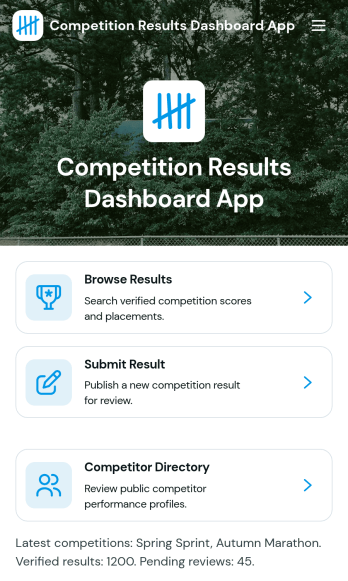
Competition Results Dashboard App
Competition Results Dashboard App brings competition outcomes into one clear place so organizers, coaches, and participants can quickly find what happened and where they stand. Use it to browse published results, submit new result entries as events wrap up, and explore performance analytics without sending spreadsheets around. It’s a practical fit for sports leagues, tournaments, academic competitions, and multi-category events that need a simple way to share placements, categories, statuses, and locations while also offering a competitor directory for quick lookups.Built with Jotform, this app template can be tailored to match your event structure and branding, then shared as a self-service results experience. With a no-code app builder and a drag-and-drop interface, you can connect the app to your existing data collection workflows, route updates to the right people, and keep results organized as the season or series progresses. Publish a single link for viewers, or keep it internal for staff managing ongoing reporting.
Go to Category:Sports Apps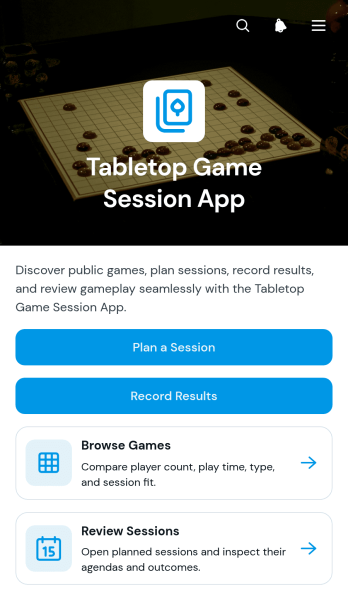
Tabletop Game Session App
The Tabletop Game Session App is an app template for groups, clubs, community organizers, and venue hosts who want one convenient place to coordinate tabletop gaming activities. Participants can browse a game collection, review player counts and expected play times, plan upcoming sessions, and record results after play. Session pages keep agendas, venues, and participant details easy to find, helping organizers reduce scattered messages and give players a reliable source for event information. It works well for recurring game nights, club meetups, casual gatherings, tournaments, and organized community events.Jotform App Templates help teams turn scheduling and recordkeeping tasks into accessible digital experiences without coding. Use Jotform’s no-code app builder and drag-and-drop interface to adjust pages, update branding, connect forms, and organize data collection around your workflow. You can add resources, change navigation, link supporting processes, and create a clearer self-service experience for players. Once customized, the Tabletop Game Session App can be published and shared through a direct link or QR code, giving participants mobile-friendly access wherever they plan or play.
Go to Category:Entertainment AppsAbout Event Management Apps
Event Management Apps are specialized mobile and web apps designed to streamline and enhance the planning, execution, and management of events across various industries. These apps cater to a wide array of operational use cases, such as event scheduling, attendee registration, and real-time communication. Industries ranging from corporate conferences to music festivals and weddings often rely on these apps to ensure seamless coordination and exceptional attendee experiences. By centralizing event-related workflows, these apps help professionals manage numerous details efficiently, reducing manual errors and enhancing organizational productivity.
Jotform Apps offers a no-code app builder specifically tailored for event management purposes, leveraging Progressive Web App (PWA) technology. This innovative approach allows users to install apps directly via a browser, eliminating the need for App Store downloads and ensuring compatibility across iOS, Android, tablets, and desktops. Moreover, the integration with Jotform Tables provides a centralized data repository, enabling event managers to track registrations, payments, and logistics in real-time. This workflow-oriented solution empowers users to create comprehensive event management apps without the need for technical expertise, ensuring a smooth and efficient event planning process.
Why Use Event Management Apps?
- Event Management Apps offer significant operational value by streamlining the coordination of event logistics, which includes scheduling, resource allocation, and attendee management. This leads to more organized events and a reduction in last-minute challenges.
- These apps enable real-time communication with attendees through features such as push notifications, ensuring that all parties are informed of updates or changes instantaneously, thus enhancing the overall event experience.
- By incorporating payment integrations like Stripe, PayPal, and Square, event managers can seamlessly process registration fees and other payments directly through the app, simplifying financial transactions and improving cash flow management.
- The data centralization capabilities of these apps, supported by Jotform Tables, allow for efficient data management and analysis, enabling event managers to make informed decisions and optimize future events based on past performance.
- With the ability to operate offline, these apps ensure that all necessary information and functionalities are accessible even in areas with limited internet connectivity, providing a reliable solution for outdoor events or remote locations.
Common Problems Solved by Event Management Apps
- One of the most common challenges in event management is the coordination of multiple vendors and stakeholders. These apps provide a single platform to manage all communications and agreements, reducing the risk of miscommunication.
- Managing attendee registrations and check-ins can be cumbersome, especially for large-scale events. Event Management Apps automate these processes, minimizing wait times and improving attendee satisfaction.
- Financial discrepancies often arise in event management due to the handling of payments and refunds. With integrated payment systems, these apps ensure accurate and transparent financial transactions.
- The lack of real-time data can hinder decision-making during events. These apps offer real-time analytics and reporting features, empowering event managers to make timely adjustments and enhance event outcomes.
Matching Use Cases to Features
- For event organizers looking to facilitate seamless attendee communication, the push notifications feature ensures that all participants are immediately informed of any updates, leading to a more engaged and informed audience.
- Events that require on-site purchases or registrations can utilize the payment integrations feature, allowing for secure and efficient transactions through platforms like Stripe and PayPal, thus enhancing user convenience and trust.
- The drag-and-drop interface is perfect for customizing the app layout and functionality to suit specific event needs, offering a personalized experience that aligns with the brand and theme of the event.
- Sharing the event app via direct link or QR code simplifies the distribution process, making it easy for attendees to access the app without the hassle of searching through app stores, thereby increasing user adoption rates.
- Workflow automation within the app can streamline repetitive tasks such as sending confirmation emails or updating registration lists, freeing up valuable time for event managers to focus on more strategic activities.
How to Create a Event Management App
- Choose a category-relevant template from the Template List or start from scratch.
- Customize using the Drag-and-Drop Interface to fit the specific needs of your event.
- Share via Link, QR Code, or Embed to ensure easy access for your audience.
Top Use Cases for Event Management Apps
- For Managers: Event Management Apps provide managers with a centralized platform to oversee all aspects of event planning and execution. With features like drag-and-drop customization and real-time data analytics, managers can easily monitor event progress and make informed decisions on the fly. The ability to integrate payment gateways further enhances the managerial capacity to handle financial transactions seamlessly, ensuring a smooth operation from start to finish.
- For Teams: Event teams benefit greatly from the collaborative capabilities of these apps. The centralized data storage and real-time updates allow team members to stay synchronized, reducing the risk of miscommunication. Additionally, workflow automation can handle routine tasks, enabling teams to focus more on creative and strategic elements of event planning, thereby enhancing overall productivity and event quality.
- For Customers: For attendees, these apps provide a user-friendly interface to register for events, make payments, and receive instant updates. The convenience of accessing all event-related information from a single app enhances the attendee experience, making it easier to navigate event schedules, locations, and activities. Moreover, the offline functionality ensures that attendees can access vital information even without internet connectivity, providing a reliable and satisfying user experience.
Summarizing Event Management Apps
Event Management Apps serve as a comprehensive solution for organizing, managing, and executing events efficiently. They streamline communication, automate routine processes, and offer real-time insights, all of which contribute to more successful and less stressful event management experiences. By leveraging the capabilities of Jotform Apps, businesses can significantly enhance their event operations, leading to improved attendee satisfaction and increased operational efficiency.
Frequently Asked Questions
1) Is it free to create and use Event Management apps on Jotform?
Jotform offers a free Starter plan that allows users to create and use Event Management apps at no cost. This plan includes essential features for building and deploying apps, making it accessible for small businesses and individuals. However, for more advanced features and higher usage limits, Jotform provides various paid plans to suit different business needs.
2) Are the data and payments collected through the app secure?
Yes, the data and payments collected through Jotform Apps are highly secure. Jotform complies with GDPR regulations and employs robust security measures to protect user data. Payment integrations like Stripe and PayPal also offer secure transactions, ensuring that all financial information is encrypted and safeguarded.
3) Do I need any coding skills to create a Event Management app with Jotform?
No coding skills are required to create a Event Management app with Jotform. The platform is designed with a user-friendly interface that allows users to build apps using a drag-and-drop method. This no-code approach empowers users of all technical backgrounds to develop professional-grade apps with ease.
4) Can I collect payments for services directly through the app?
Yes, you can collect payments directly through the app using integrations with platforms such as Stripe and PayPal. These integrations facilitate smooth and secure financial transactions, enabling you to manage registration fees and other payments efficiently within the app environment.
5) Does Jotform support offline data collection for Event Management apps?
Jotform supports offline data collection for Event Management apps through its Mobile Forms feature. This capability ensures that users can access and input crucial information even in locations with limited or no internet connectivity, making it ideal for remote or outdoor events.
6) Are Jotform Apps compatible with both iOS and Android devices?
Yes, Jotform Apps are compatible with both iOS and Android devices. As a Progressive Web App, it can be installed via a browser and functions seamlessly across different operating systems, providing a consistent user experience on smartphones, tablets, and desktops.
7) How can Event Management apps enhance attendee engagement?
Event Management apps enhance attendee engagement by offering features such as push notifications and real-time updates. These features keep attendees informed and involved with the event activities, allowing for a more interactive and engaging experience. Additionally, easy access to event information and schedules through the app further strengthens attendee participation.
8) Can I customize the branding of my Event Management app?
Yes, you can fully customize the branding of your Event Management app using Jotform’s drag-and-drop interface. This feature allows you to incorporate your brand’s colors, logos, and themes, ensuring that the app aligns with your organization’s identity and provides a coherent brand experience for users.