

Freelancer Apps

Client Record App
A client record app is used by companies to keep track of clients in a Jotform Tables database. With our Client Record App, you can add general contact information for new clients and view a list of existing clients. There is also a separate task form for employees to log projects. Submissions are stored securely in your online account and can be accessed directly through your app from any smartphone, tablet or computer.This Client Record App can be easily customized without any coding. Our drag-and-drop builder allows you to add and change forms, upload your logo, choose fonts and colors, create a custom app icon and splash screen, and more. When you’re finished, your team can access and download your app on any device with a share link. Keep all your business contacts in one convenient location with this Client Record App!
Go to Category:Freelancer Apps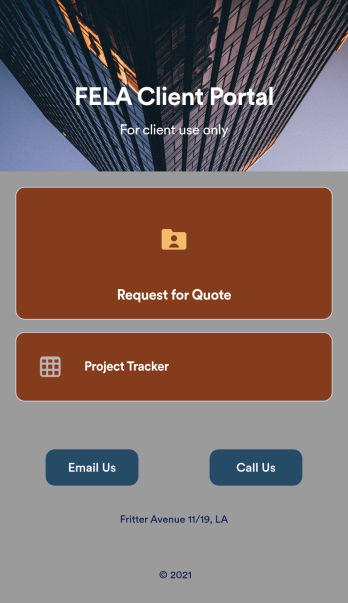
Custom Client Portal App
No matter what type of business you’re a part of, give your clients a quicker way to get in touch with your company using a free Client Portal App from Jotform. Start by customizing the app with our drag-and-drop builder to better match your branding. Then share the app to start collecting quote requests and more — all instantly viewable in your secure online Jotform account.Want to customize this Client Portal App? No problem! With no coding knowledge needed, you can add your logo, change the icon or splash screen, and make other changes in a few quick clicks. Your app downloads instantly onto any device, including both iOS and Android, so you’ll be ready to share it in seconds. Create your own Client Portal App fast using Jotform’s no-code app builder.
Go to Category:Management Apps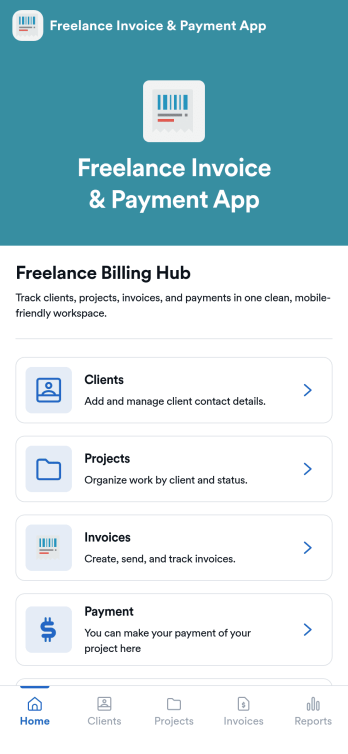
Freelance Invoice & Payment App
Freelance Invoice & Payment App is an app template designed to simplify the billing process for freelancers, independent contractors, and small service-based businesses. It is an ideal solution for remote workers and digital professionals looking for an easy-to-use, professional, and flexible billing system. This robust application allows these professionals to generate, send, and manage invoices smoothly while accepting payments online. It is an efficient platform that streamlines billing operations, tracks income, and automates reminders to receive payments promptly. This app provides a unified interface for capturing client details, project specifics, payment terms, and transaction history, offering a comprehensive view of your financial health. It's best suited for those seeking to professionalize their billing process, increase payment speed, and improve cash flow.With Jotform's robust no-code app builder, the Freelance Invoice & Payment App can be easily tailored to reflect your brand, industry, and specific billing requirements. The intuitive drag-and-drop interface enables you to effortlessly modify forms, choose suitable fonts and colors, and upload your logo, offering a personalized touch to your billing system. Jotform's cross-platform compatibility ensures that your custom app functions seamlessly on any device, be it a smartphone, tablet, or desktop. You can share your app with clients via a direct link, email, or social media, facilitating quick access to your invoicing and payment portal. With this app template from Jotform, you can manage your invoicing and payment process efficiently, saving time and focusing more on your core business activities.
Go to Category:Company Portal Apps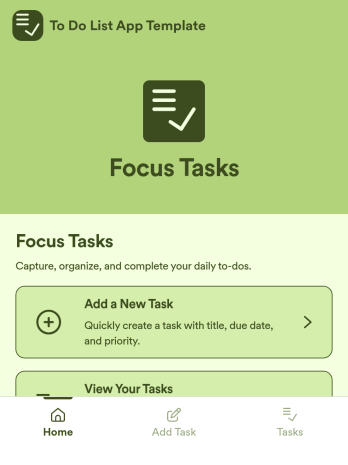
To Do List App Template
To Do List App Template is an app template designed to simplify task management for individuals, teams, productivity enthusiasts, and organizations. It facilitates the organization of daily activities in a structured, straightforward manner, maximizing efficiency and productivity. Whether it's for personal task tracking or managing team projects, this ready-to-use template is ideal, offering a comprehensive platform for data collection. It can be utilized to assign tasks, set deadlines, and monitor progress, fostering a clear view of responsibilities and priorities. With the ability to customize, it captures specific task details, deadlines, and status updates, ensuring a consistent and complete approach to task management. It's best suited for those seeking a streamlined, efficient way to manage tasks and activities.Jotform's To Do List App Template is designed for ease of use, making it simple for anyone to organize their tasks effectively. The inherent versatility of Jotform's no-code, drag-and-drop interface allows users to tailor the template to their specific needs, without the need for technical expertise. Fine-tuning the interfaces, adding new fields, or modifying existing ones is remarkably straightforward. Moreover, the addition of electronic signatures facilitates the confirmation of task completion in a clear, verifiable manner. Visualizing tasks and activities has never been easier, and with Jotform's ability to generate comprehensive reports, you can transform your task management process into a data-driven practice. The seamless experience offered by Jotform ensures your tasks stay organized, managed, and easily accessible, enhancing productivity across the board.
Go to Category:Management Apps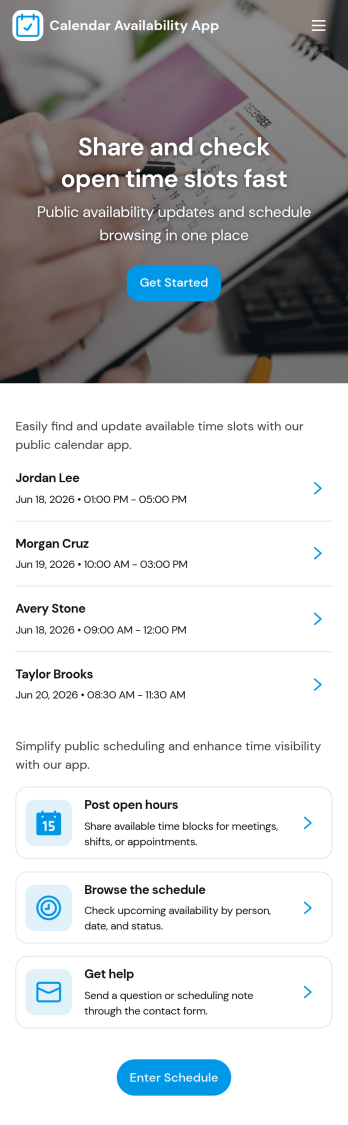
Calendar Availability App
Calendar Availability App helps teams and service-based businesses collect and share open time slots in one place, so scheduling decisions start with accurate availability instead of guesswork. Use it to post open availability for a group, invite people to submit a slot when they’re free, and keep everyone aligned on what’s currently open. It’s useful for office hours, volunteer shifts, tutoring windows, contractor coordination, interview availability, and any situation where multiple people need to offer times before a schedule is finalized.Built with Jotform App Templates, this app template can be tailored in minutes using Jotform’s no-code app builder and drag-and-drop interface. Connect the in-app Add Availability button to a form for fast data collection, then review responses in an Admin View through linked tables and personal submission views. Share the app through a link or QR code for easy self-service access, and keep the workflow moving with centralized availability information your team can trust.
Go to Category:Appointment & Booking Apps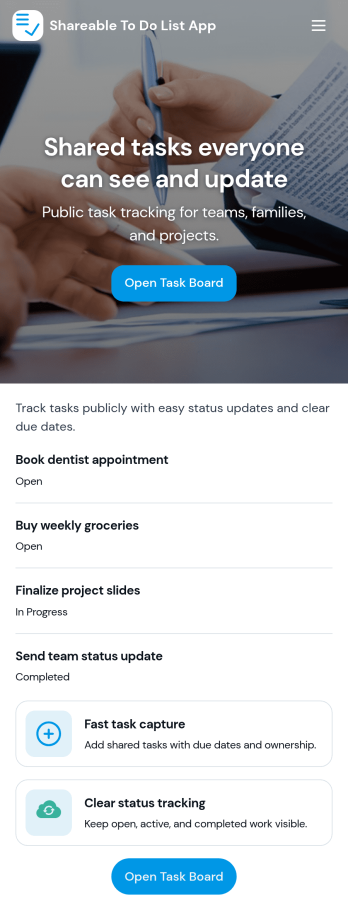
Sharable To Do List App
Sharable To Do List App helps teams, households, and small organizations keep everyday work visible and moving without relying on scattered messages. Use it to publish open tasks, add new items as they come up, and give everyone a simple place to check what needs attention. It fits group projects, volunteer coordination, event prep, and internal admin work where priorities change quickly and people need a shared view of what is still open.Built with Jotform, this app template turns a connected task form into a simple self-service experience you can share with a link. Use Jotform’s no-code app builder and drag-and-drop interface to tailor pages, labels, and navigation, then track updates in one workflow with real-time data collection. Add your branding, control who can access the app, and keep tasks organized so contributors can focus on getting work done.
Go to Category:Checklist Apps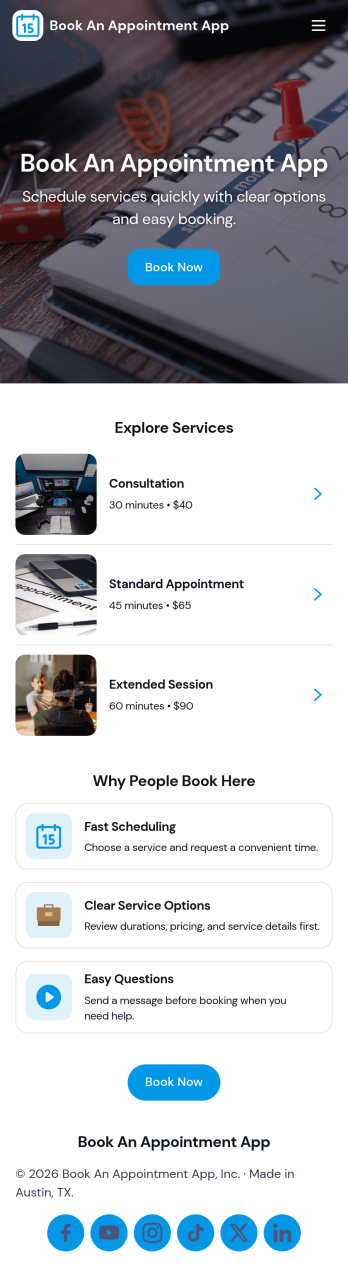
Book an Appointment App
Book an Appointment App helps service-based businesses offer a simple, self-service way for clients to request appointments and review what they’ve scheduled. Use it to guide visitors from booking to confirmation in a few taps, while also giving them a clear place to browse services and view bookings when they need to reschedule, double-check details, or book another visit. It’s a strong fit for salons, clinics, personal services, consultants, and local providers that want a clean booking experience without relying on phone calls.With Jotform, you can publish this app template and tailor it to your workflow using a no-code app builder and drag-and-drop interface. Connect the booking flow to your form for data collection, keep appointment info organized, and create a smoother workflow from request to follow-up. Share your app through a link or QR code, update services as your offerings change, and give customers a consistent self-service experience across devices.
Go to Category:Appointment & Booking Apps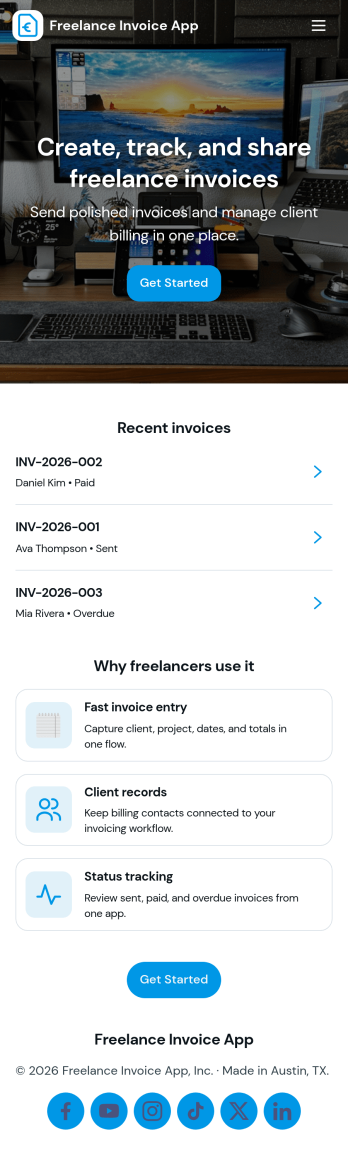
Freelance Invoice App
Freelance Invoice App helps independent professionals create invoices, keep client details organized, and review past invoices from one place. It fits freelancers, consultants, and small service providers who need a simple way to move from client work to getting paid without juggling scattered notes and documents. With pages for creating a new invoice and browsing an invoice list, it supports day-to-day billing tasks, quick lookups, and cleaner recordkeeping when you’re managing multiple clients at once.Built with Jotform, this app template can be tailored to match your billing workflow and the way you work with clients. Use the no-code app builder and drag-and-drop interface to adjust the layout, connect your invoice form, and centralize data collection so invoices and client info stay easy to access. Once published, you can share your self-service invoice experience with a link, helping you stay consistent, organized, and ready to send the next invoice faster.
Go to Category:Finance & Accounting Portal Apps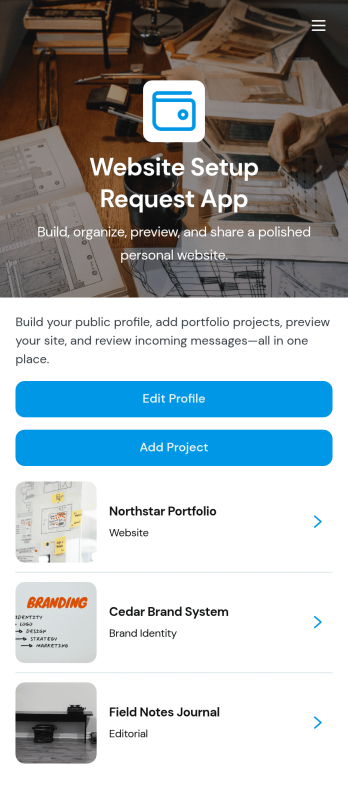
Website Setup Request App
Website Setup Request App helps you organize the content and steps needed to publish a simple personal website, even if you’re not technical. It’s ideal for freelancers, creators, job seekers, consultants, and students who want a clear place to manage profile details, add website sections, and keep track of what’s ready to go live. Use it to collect and update your bio, links, and key information, build out sections like About, Services, or Portfolio, and follow a publishing checklist so nothing important gets missed.With Jotform, you can turn this app template into a branded, self-service workspace using a no-code app builder and a drag-and-drop interface. Connect buttons to forms to gather updates, organize section records in a structured view, and guide your workflow from draft to publish-ready with simple navigation. Share your app internally with teammates for review, or keep it private as your personal hub for ongoing edits and data collection as your website evolves.
Go to Category:Freelancer Apps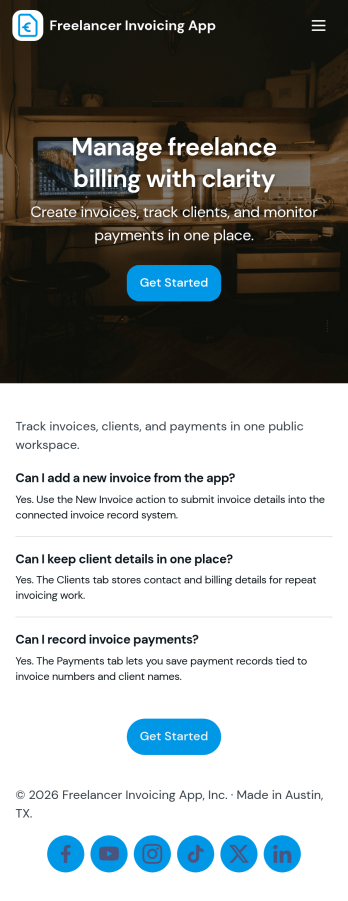
Freelancer Invoicing App
Freelancer Invoicing App helps independent professionals keep client records, create invoices, and track payments in one place. With dedicated areas for Clients, Invoices, and Payments, you can add new clients, generate invoice entries as you finish work, and log payments as they come in. It’s a practical fit for freelancers, solo consultants, creators, and small service providers who want a simple way to stay on top of billing without digging through spreadsheets or scattered notes.Jotform makes it easy to turn this invoicing workflow into a branded, shareable experience using App Templates and a no-code app builder. Customize pages and navigation with a drag-and-drop interface, connect forms to your app for reliable data collection, and keep your workflow organized as your business grows. Share your app with a link so you can update invoices, review payment status, and manage client details from anywhere.
Go to Category:Finance Apps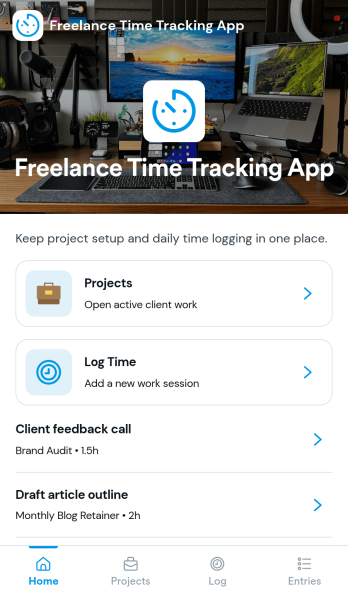
Freelance Time Tracking App
Freelance Time Tracking App helps independent professionals record billable hours across multiple projects without losing track of what was worked on and when. Use it to keep projects organized, log time entries by date, and maintain the details you need to confidently prepare invoices. With built-in actions like logging time, adding projects, starting a timer, and marking work as invoice ready, it fits naturally into daily freelance routines for designers, developers, writers, consultants, and anyone juggling client work.Jotform makes it easy to turn this workflow into a polished self-service experience using its no-code app builder and drag-and-drop interface. Connect forms to capture new projects, rate updates, and time entries, then view and manage records in one place as your workflow evolves. Share your Jotform app through a link and keep your time tracking process consistent from client to client while keeping your data collection organized.
Go to Category:Activity Tracking Apps
Creative Writing Portfolio App
Creative Writing Portfolio App brings your writing samples into one place so readers can browse, discover, and reach out without digging through scattered links. It works well for writers, students, MFA candidates, freelancers, writing groups, and small publications that want a simple way to present pieces by author and genre, invite new submissions, and answer common writing questions in a polished, mobile-friendly format. Visitors can explore the portfolio through a browsable list, open individual entries to read more, and use clear calls to action to submit a writing sample or contact the curator.With Jotform, you can turn this app template into a branded portfolio experience using a no-code app builder and a drag-and-drop interface. Connect the submission forms to your workflow, route new entries to the right person, and keep data collection organized in one system for review and follow-up. Publish and share your app in minutes, then refine pages, buttons, and content as your portfolio grows, giving audiences an easy self-service way to engage with your work.
Go to Category:Influencer Apps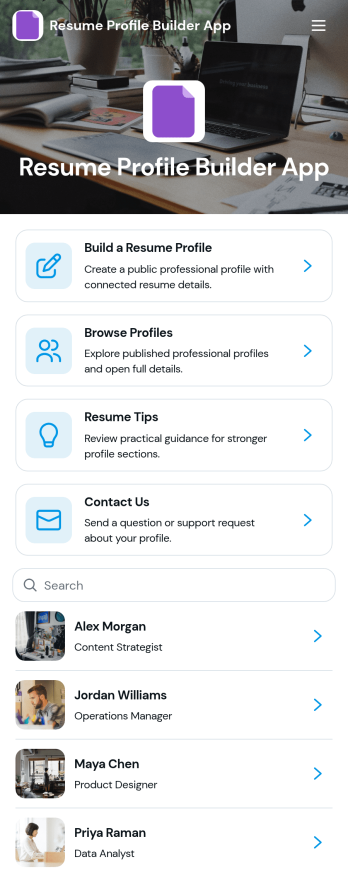
Resume Profile Builder App
Resume Profile Builder App is a ready-to-use app template for job seekers, freelancers, recruiters, career coaches, staffing teams, and educational institutions that need a convenient way to create and present professional profiles. Users can submit career details through a connected form, browse published profiles, and open individual pages featuring key resume information. The app also provides resume guidance and a contact path for questions. It can support candidate directories, student career showcases, freelancer networks, talent pools, and internal mobility programs while keeping profile creation and discovery in one accessible location.Jotform Apps helps organizations turn this Resume Profile Builder App into a branded, mobile-friendly experience without writing code. Its no-code app builder and drag-and-drop interface make it easy to adjust pages, navigation, colors, fonts, and visual elements. Teams can connect forms and tables to support data collection and workflow needs, then share the finished app through a direct link or QR code. Starting with Jotform App Templates reduces setup time while leaving room to create a polished self-service resource for candidates, employers, students, or professional communities.
Go to Category:Job Apps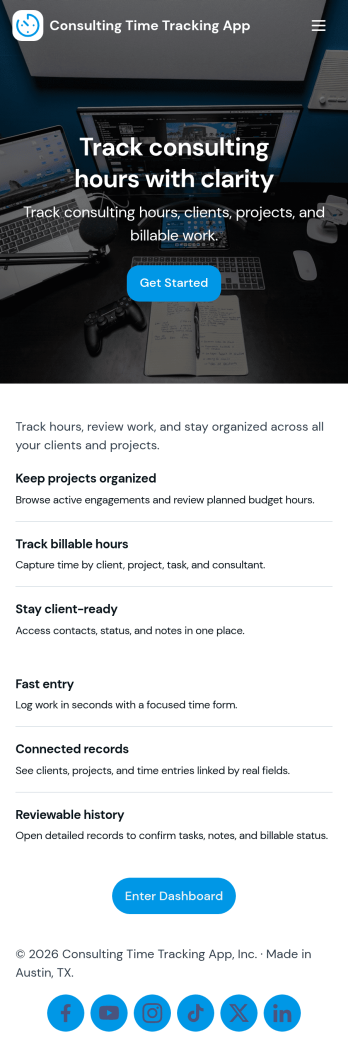
Consulting Time Tracking App
Consulting Time Tracking App helps consulting teams record billable hours, keep project work organized, and maintain clear visibility into who worked on what. Use it to add consultants, create projects, and log time entries as work happens, whether you’re a solo consultant managing multiple clients or a growing firm coordinating several contributors. With simple navigation across consultant and project lists, it’s easier to stay consistent, reduce missed hours, and support accurate invoicing and internal reporting.Built with Jotform, this app template turns everyday time tracking into a mobile-friendly self-service experience you can share with your team. Customize pages with a drag-and-drop interface, connect forms and tables for reliable data collection, and route updates through the right workflow as your operations evolve. From quick time entry logging to keeping consultant and project records in one place, Jotform makes it easy to publish and maintain a time tracking app without coding.
Go to Category:Consulting Apps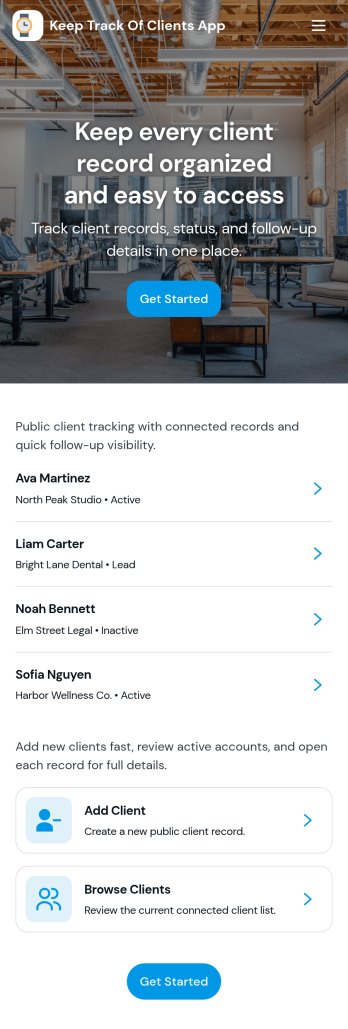
Keep Track of Clients App
Keep Track of Clients App gives you a simple way to organize client records and stay on top of relationship history in one place. Use it to view a client list, open individual client profiles for contact details, and log interactions so your team always has the latest context before a call, meeting, or follow-up. It’s a practical fit for consultants, agencies, service providers, and small teams that need a clear view of who their clients are, what’s been discussed, and what needs to happen next.With Jotform App Templates, you can launch a client-tracking experience fast and tailor it to your workflow using Jotform’s no-code app builder and drag-and-drop interface. Connect your Add Client form to keep data collection consistent, use lists to display records, and share the app as a self-service internal tool for your team. As your process evolves, you can adjust pages, navigation, and connected workflows without starting over.
Go to Category:Customer Engagement Apps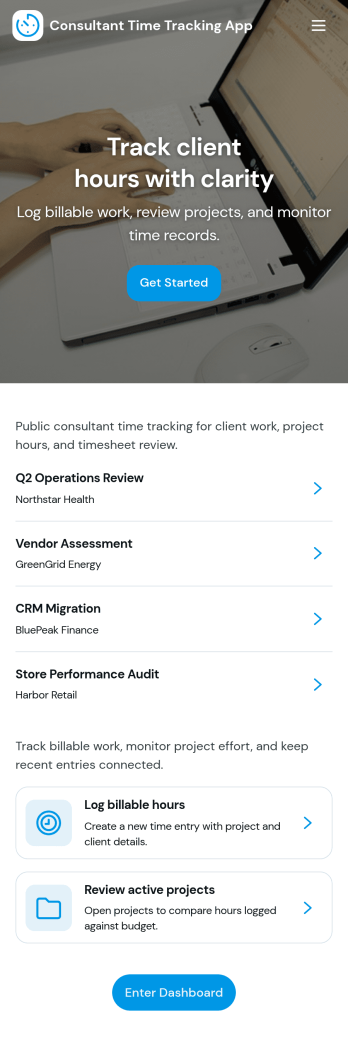
Consultant Time Tracking App
Consultant Time Tracking App helps independent consultants and consulting teams capture billable hours by client and project without juggling spreadsheets or scattered notes. Use it to log time as you work, review recent entries, and check a weekly client time summary that supports accurate invoicing and clearer workload visibility. It’s a practical fit for agencies, contractors, and advisors who need a simple way to document time spent across multiple engagements while keeping records organized for internal reviews or client conversations.With Jotform App Templates, you can publish a polished time tracking experience using a no-code app builder and a drag-and-drop interface, then connect it to your forms and tables for reliable data collection. Customize pages for your workflow, add projects as your book grows, and share a single link with your team so everyone logs time consistently. Jotform makes it easy to keep entries in one place, reduce missed hours, and turn time logs into a repeatable workflow you can manage week after week.
Go to Category:Activity Tracking Apps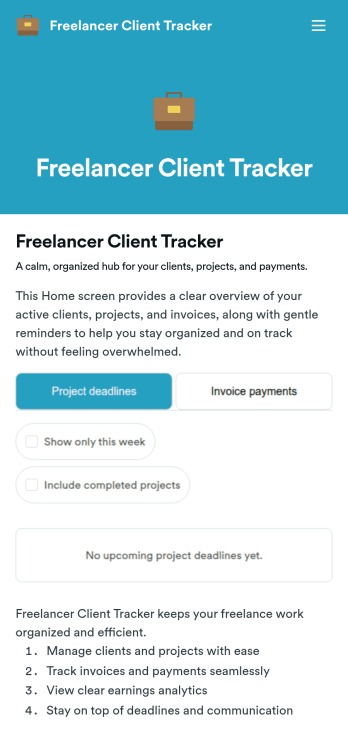
Freelancer Client Tracker
Freelancer Client Tracker is an app template designed to streamline the management of multiple client projects for independent professionals. This robust template simplifies the complexities of client relationship management, centralizing all relevant information into one accessible interface. It is specifically tailored to freelancers and small teams — designers, developers, writers, marketers, consultants — who need a structured yet straightforward approach to manage their client projects. The app captures essential client details, project statuses, files, and communication history, making it a trusted ally in the freelancer’s workflow. It also assists in tracking deadlines, sending invoices, and monitoring payments. Freelancers will find it to be a valuable asset in assessing their business performance, understanding their most profitable clients, and identifying where their time is most effectively spent.With Jotform, creating your own customized Freelancer Client Tracker is a breeze. Our No-Code App Builder, with its intuitive drag-and-drop interface, allows you to personalize the app to your liking. Tweak the app, add elements, customize layouts, all without writing a single line of code. The cross-platform compatibility of Jotform Apps means your clients and team can access the app seamlessly on any device — smartphones, tablets, or desktops. For enhanced user experience, the app can be downloaded directly to the device's home screen for instant access. Jotform's Freelancer Client Tracker provides the structure and simplicity you need to manage your clients effectively and grow your freelance business with confidence.
Go to Category:Activity Tracking Apps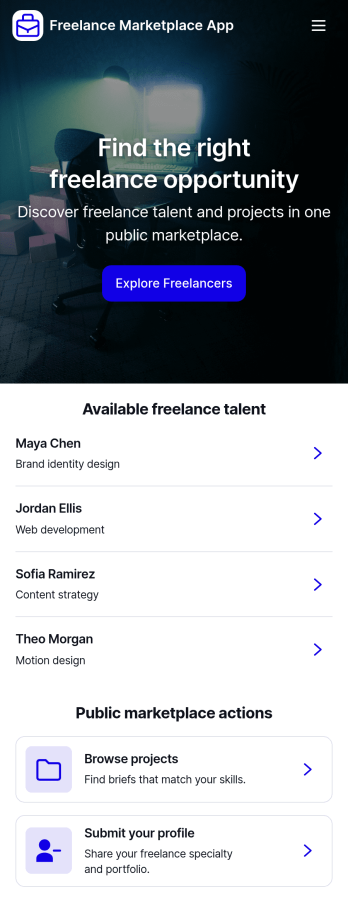
Freelance Marketplace App
Freelance Marketplace App provides a central place where independent professionals and clients can discover opportunities, compare expertise, and make useful connections. Freelancers can publish profiles featuring their specialties, skills, experience, hourly rates, availability, and portfolios, while clients can post projects with budgets and required skills. Visitors can browse available talent, explore project listings, open detailed profiles, and submit applications without navigating disconnected tools. This app template is well suited to staffing agencies, professional communities, creative networks, consulting groups, and small to medium-sized businesses that want to operate a focused marketplace. It supports clearer project discovery and data collection while giving both sides a convenient self-service experience.Jotform makes the Freelance Marketplace App easy to adapt with a no-code app builder and an intuitive drag-and-drop interface. Customize pages, cards, buttons, colors, fonts, and branding to suit your audience, then connect forms and tables to organize profile submissions, project posts, and applications within one workflow. Jotform App Templates help teams launch polished digital experiences quickly without programming knowledge. Publish your marketplace with a direct link, custom app URL, QR code, or embedded experience so freelancers and clients can access it from computers, tablets, or mobile devices.
Go to Category:Freelancer Apps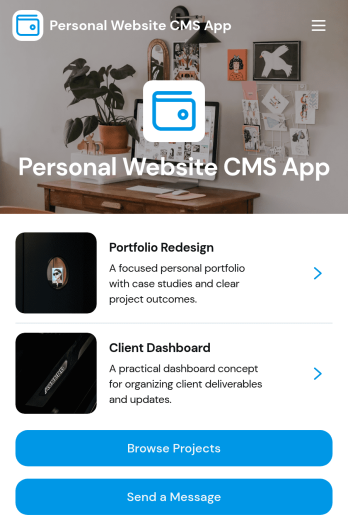
Personal Website CMS App
Personal Website CMS App helps freelancers, creators, and small businesses manage a personal site experience where visitors can browse projects, explore services, and reach out from one place. Use it to present a portfolio in a clean, mobile-friendly format, guide prospects to the right work samples, and capture new inquiries through a built-in message flow. It’s especially useful for designers, developers, consultants, and influencers who want a single hub that highlights offerings and makes it easy for people to start a conversation or share a project brief.With Jotform, you can turn this app template into a polished, self-service destination without coding. Customize pages and navigation with a drag-and-drop interface, connect forms for data collection, and keep your content organized so updates are simple. Share your app through a link or QR code, route incoming requests into a workflow for follow-up, and tailor the look and feel to match your brand as your personal website grows.
Go to Category:Freelancer Apps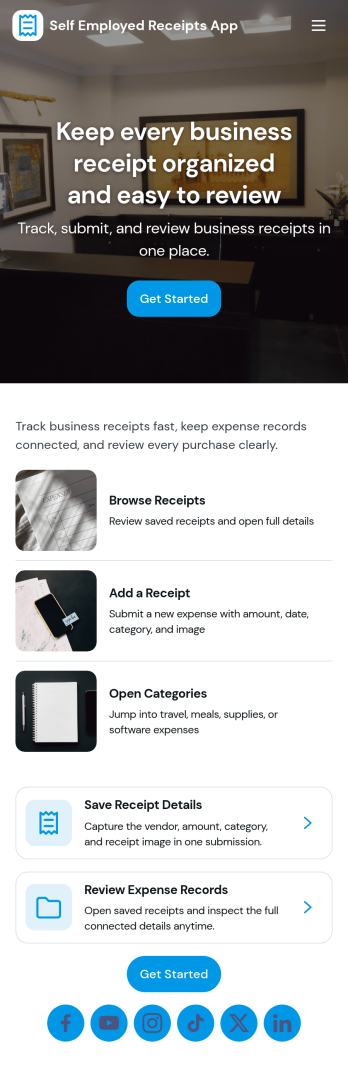
Self Employed Receipts App
Self Employed Receipts App helps independent professionals capture receipts as they happen, review past purchases, log business mileage, and pull quick reports when it’s time to reconcile expenses. Use it to keep vendor spending organized across client projects, track travel and trip dates in one place, and reduce the risk of missing deductible costs. It’s a practical fit for freelancers, contractors, creatives, consultants, and gig workers who need a simple routine for recording day-to-day expenses and mileage without juggling scattered notes and photo albums.Jotform makes it easy to turn this app template into a branded, mobile-friendly workflow using a no-code app builder with a drag-and-drop interface. Connect the app to your existing forms and tables to support consistent data collection, keep records searchable, and guide self-service updates through clear navigation. You can publish and share your Jotform app in minutes, then refine pages, buttons, and reports as your bookkeeping habits evolve.
Go to Category:Finance & Accounting Portal Apps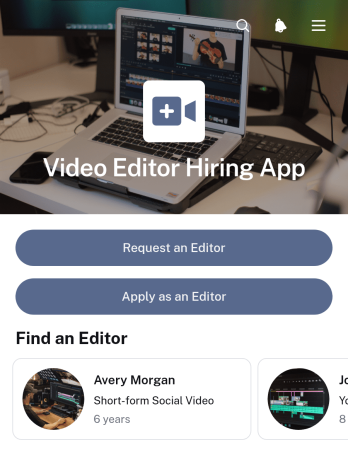
Video Editor Hiring App
Video Editor Hiring App gives businesses, creative teams, agencies, content producers, and independent editors one place to connect around editing work. Hiring teams can publish project opportunities with deliverables, timelines, and project types, then review editor profiles, experience, specialties, and portfolio links. Editors can browse available projects and submit applications, while clients can send requests when they need editing support. This app template reduces scattered communication, makes project requirements easier to understand, and supports a more organized hiring journey for short-term assignments, ongoing content production, and freelance collaborations.With Jotform, you can customize this app template through a no-code app builder and an intuitive drag-and-drop interface. Adjust pages, colors, typography, buttons, and navigation to reflect your hiring process and visual identity. Connect forms, tables, notifications, approvals, and other workflow steps to manage data collection and follow-up from one accessible experience. Jotform App Templates also make it easy to publish the finished app, share it by link or QR code, and provide mobile-friendly self-service access for clients, recruiters, project managers, and applicants.
Go to Category:Job Apps
Photography Client Workflow App
The Photography Client Workflow App is a ready-to-use app template for independent photographers, studio teams, and creative service providers managing clients from first contact through final gallery delivery. It brings client inquiries, booking records, session details, and delivery updates into one organized experience. Teams can review client contact information and locations, keep session notes accessible, monitor booking status, and open delivered galleries without searching across scattered messages or files. This clearer workflow helps photographers respond consistently, prepare for sessions, track active projects, and confirm that each client receives their completed work.Jotform Apps makes it easy to adapt this Photography Client Workflow App with a no-code app builder and intuitive drag-and-drop interface. Add or rearrange pages, update branding, connect forms to data collection workflows, and organize client records for convenient self-service access. The app can be shared through a direct link or QR code and opened on phones, tablets, or computers, giving solo photographers and growing teams a practical way to manage work wherever sessions take place. Start with one of Jotform’s App Templates, tailor the layout to your process, and publish a professional resource without writing code.
Go to Category:CRM Apps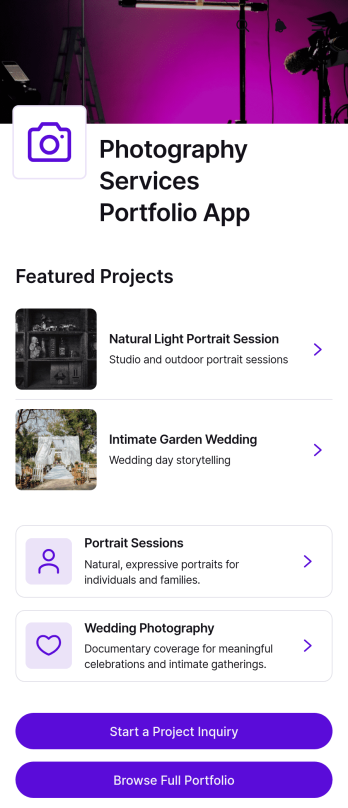
Photography Services Portfolio App
The Photography Services Portfolio App gives independent photographers, creative studios, and photography teams a polished place to showcase their work and turn interested visitors into qualified project leads. Prospective clients can browse a full portfolio, explore portrait, wedding, commercial, and editorial photography services, and review individual project details. Built-in inquiry access helps visitors share their preferred date, requested service, and contact information without searching across separate pages. It is well suited to photographers who want to present their visual style, explain available services, and manage incoming opportunities through a convenient customer-facing experience.Jotform makes this app template easy to adapt with a no-code app builder and an intuitive drag-and-drop interface. Add or rearrange portfolio pages, update images and text, customize buttons, and apply branding that complements your photography. Connected forms support data collection and bring project inquiries into an organized workflow, while links and navigation cards encourage client self-service. Jotform App Templates can be shared through a direct link or QR code, giving potential clients mobile-friendly access wherever they discover your work.
Go to Category:Freelancer Apps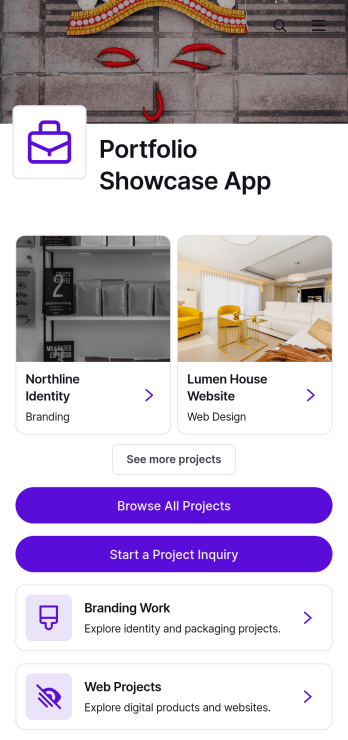
Portfolio Showcase App
The Portfolio Showcase App is a ready-to-use digital portfolio for freelancers, creative studios, designers, developers, consultants, and agencies that want to present their work in one polished destination. It brings branding and web projects together so prospective clients can browse featured work, open detailed case studies, and submit a project inquiry. Project details such as the client, year, and project type give visitors useful context without overwhelming them. This app template is ideal for pitching services, supporting sales conversations, replacing scattered portfolio files, and giving leads a convenient self-service way to assess relevant experience.With Jotform Apps, you can adapt the Portfolio Showcase App using a no-code app builder and an intuitive drag-and-drop interface. Customize pages, cards, images, buttons, fonts, and colors to reflect your visual identity, then connect the inquiry form to your data collection and workflow. You can publish the finished app with a direct link, share it through a QR code, or embed it on a website for mobile-friendly access. Jotform App Templates provide a practical starting point, while flexible app builder tools make it easy to add new projects and refine the experience as your portfolio grows.
Go to Category:Freelancer AppsAbout Freelancer Apps
Freelancer Apps are specialized mobile and web apps designed to streamline and enhance the operations of freelance professionals across various industries. These apps cater to common operational use cases such as managing client projects, organizing schedules, invoicing, and tracking payments. Freelancer in industries like graphic design, writing, consulting, and digital marketing can utilize these apps for real-world workflows, significantly improving efficiency and productivity. By offering a centralized platform for client communication, document management, and financial transactions, Freelancer Apps provide a comprehensive solution for the unique challenges faced by independent workers.
Jotform Apps, as a no-code app builder, empowers freelancer to create customized apps tailored to their specific needs without any programming knowledge. Leveraging Progressive Web App (PWA) technology, these apps can be installed directly via a browser, eliminating the need for App Store downloads, and are fully functional across iOS, Android, tablets, and desktops. One of the standout features of Jotform Apps is the centralized data management offered through Jotform Tables, which allows freelancer to keep all their data organized and accessible in one place. This makes it an ideal solution for those looking to streamline their workflow, enhance client interactions, and manage projects efficiently.
Why Use Freelancer Apps?
- Freelancer Apps provide a centralized location for managing all aspects of client projects, from initial communication to final delivery. This centralization helps reduce time spent on administrative tasks and allows freelancer to focus more on their creative or service-oriented work.
- By integrating payment options like Stripe and PayPal, Freelancer Apps make it easy to manage invoices and receive payments, improving cash flow and financial management. This feature is particularly beneficial for freelancer who need to handle numerous transactions efficiently.
- The flexibility offered by Jotform Apps' drag-and-drop interface allows freelancer to create personalized apps that reflect their brand and work style. This customization enhances the professional image they present to clients, potentially leading to more business opportunities.
- With options for offline data collection, freelancer can continue working on their apps even without an internet connection, ensuring that work is not halted due to connectivity issues. This feature is invaluable for those who frequently work in locations with unreliable internet access.
- Sharing methods such as direct links, QR codes, and social media integrations enable freelancer to easily distribute their apps to clients and collaborators, enhancing communication and project collaboration. This ease of sharing ensures that all stakeholders have access to the necessary information at all times.
Common Problems Solved by Freelancer Apps
- One common challenge freelancer face is the disorganized handling of client interactions and project details. Freelancer Apps address this by offering a single platform where all client communications and project files can be stored and accessed, reducing confusion and enhancing client satisfaction.
- Freelancer often struggle with timely and accurate invoicing, which can lead to cash flow issues. By using apps with integrated payment processing, freelancer can automate their billing process, ensuring invoices are sent promptly and payments are tracked efficiently.
- Managing multiple projects simultaneously can be overwhelming, especially when each client has different requirements. Freelancer Apps help streamline project management by allowing freelancer to set up workflows that automate repetitive tasks, thus freeing up time for more strategic activities.
- A significant pain point for freelancer is maintaining a professional appearance without the resources of a larger business. With customizable app interfaces, freelancer can project a polished image that can help attract and retain clients, leveling the playing field with larger competitors.
Matching Use Cases to Features
- For freelancer looking to streamline client management, the Drag-and-Drop Interface enables the creation of personalized dashboards that consolidate all client interactions in one place, enhancing efficiency and client satisfaction.
- Those needing to set up an online store can utilize the Store Builder feature, which allows freelancer to showcase their services and products professionally, potentially increasing sales and client engagement.
- With Push Notifications, freelancer can send timely updates to clients, ensuring that everyone is informed about project milestones or changes, thus enhancing communication and project tracking.
- Payment Integrations with platforms like Stripe and PayPal facilitate seamless financial transactions directly through the app, making it easier for freelancer to manage their finances and receive payments without hassle.
- Various Publish Options, such as public, private, or company-only, give freelancer control over who can access their apps, ensuring that sensitive information is shared securely and only with intended recipients.
- Sharing Methods like Direct Link, Email, and QR Code allow freelancer to distribute their apps efficiently, ensuring that clients and collaborators can easily access the necessary tools and information needed for project collaboration.
- Workflow Automation within Jotform Apps helps freelancer automate routine tasks, such as sending reminders or updating client records, which increases productivity and allows freelancer to focus on more complex project elements.
How to Create a Freelancer App
- Choose a category-relevant template from the Template List or start from scratch.
- Customize using the Drag-and-Drop Interface to tailor the app to your specific workflow needs.
- Share via Link, QR Code, or Embed to distribute your app to clients or collaborators easily.
Top Use Cases for Freelancer Apps
- For Managers: Freelancer Apps provide managers with a comprehensive overview of all ongoing projects and client interactions, enabling them to allocate resources effectively and ensure deadlines are met. The centralized data management allows for easy tracking of project progress and financial transactions, ensuring that nothing falls through the cracks. Managers can use these apps to maintain a high-level view of their business operations, which is crucial for strategic planning and decision-making.
- For Teams: Teams working within a freelance environment can benefit from streamlined communication and collaboration facilitated by Freelancer Apps. These apps allow team members to share files, update project statuses, and communicate in real-time, reducing the likelihood of miscommunications and enhancing overall productivity. Workflow automation features further assist teams by handling repetitive tasks, freeing up time for more critical project components.
- For Customers: Clients engaging with freelancer can enjoy improved service experiences through the personalized interfaces and seamless interactions offered by Freelancer Apps. These apps provide clients with easy access to project updates, invoices, and service offerings, ensuring transparency and fostering trust. By enabling direct communication and efficient service delivery, freelancer can enhance customer satisfaction, which is vital for retaining clients and generating repeat business.
Summarizing Freelancer Apps
Freelancer Apps offer a powerful means for independent professionals to enhance their operational efficiency and professional image. By providing a centralized platform for managing client relationships, project workflows, and financial transactions, these apps address many of the common challenges faced by freelancer. Jotform Apps, with its no-code app builder and PWA technology, enables freelancer to create customizable and accessible apps that work seamlessly across various devices. Ultimately, Freelancer Apps empower freelancer to focus on delivering exceptional service and growing their business without being bogged down by administrative tasks.
Frequently Asked Questions
1) Is it free to create and use Freelancer apps on Jotform?
Yes, Jotform offers a free Starter plan that allows users to create and use Freelancer apps at no cost. This plan includes access to basic features and a limited number of form submissions and responses. As freelancer' needs grow, they can upgrade to paid plans that provide additional features and higher submission limits. Jotform's flexible pricing ensures that freelancer can choose a plan that aligns with their business needs and budget.
2) Are the data and payments collected through the app secure?
Absolutely, Jotform takes data security very seriously, employing industry-standard encryption protocols to protect all user information and transactions. Additionally, Jotform complies with GDPR and other privacy regulations, ensuring that users' data is handled with the utmost care. Freelancer can rest assured that both their data and their clients' information are secure when using Jotform Apps.
3) Do I need any coding skills to create a Freelancer app with Jotform?
No, Jotform Apps are designed to be user-friendly and require no coding skills. The intuitive drag-and-drop interface allows users to build and customize apps easily, making it accessible to freelancer regardless of their technical expertise. This no-code approach empowers freelancer to create professional-grade apps that suit their specific requirements without needing a background in software development.
4) Can I collect payments for services directly through the app?
Yes, Jotform Apps support payment integrations with popular platforms like Stripe and PayPal. Freelancer can set up payment forms within their apps to accept payments for services seamlessly. This feature simplifies the payment process for both freelancer and their clients, helping to ensure timely and secure financial transactions.
5) Does Jotform support offline data collection for Freelancer apps?
Yes, Jotform supports offline data collection through its mobile forms feature, allowing freelancer to gather information even in areas without internet connectivity. Once the device is back online, the data will automatically sync to the app, ensuring that no information is lost. This capability is especially useful for freelancer who work in remote locations or need to collect data on the go.
6) Are Jotform Apps compatible with both iOS and Android devices?
Yes, Jotform Apps are built using Progressive Web App (PWA) technology, ensuring compatibility across iOS, Android, tablets, and desktop devices. This cross-platform functionality allows freelancer to reach a broader audience and ensures that their apps are accessible to all clients and collaborators, regardless of their preferred device.
7) How can Freelancer Apps help in managing multiple client projects simultaneously?
Freelancer Apps provide features like centralized data management and workflow automation, which help in organizing and overseeing multiple client projects efficiently. Freelancer can use these apps to track project progress, maintain client communications, and automate repetitive tasks, allowing them to manage various projects without feeling overwhelmed. This organized approach ensures that each client receives the attention and quality service they deserve.
8) What are the customization options available for creating a Freelancer app?
Jotform Apps offer extensive customization options, allowing freelancer to tailor their apps to reflect their brand and cater to specific business needs. Users can modify app layouts, integrate payment gateways, set up push notifications, and choose different sharing methods to enhance the app's functionality and user experience. These customization features enable freelancer to create a unique and professional app that aligns with their brand identity and operational requirements.