

Job Apps

Job Sheet App
A Job Sheet App gives field teams and service businesses a clear place to view open jobs, capture progress updates, and keep work details consistent from start to finish. Use it to reduce missed steps on site visits, standardize job notes across technicians, and keep everyone aligned on what’s next. With quick navigation to Open Jobs and a simple Submit Update path, it works well for contractors, maintenance crews, home services teams, and operations managers who need job information to stay current while work is happening.Jotform makes it easy to publish this kind of job tracking experience without coding using its no-code app builder and drag-and-drop interface. Connect the app to a form for fast data collection, organize job records in a connected workflow, and share a self-service link with your team so updates can be submitted from anywhere. As your process grows, you can adjust pages, add new steps, and keep insights accessible in one mobile-friendly place with Jotform App Templates.
Go to Category:Operations & Logistics Portal Apps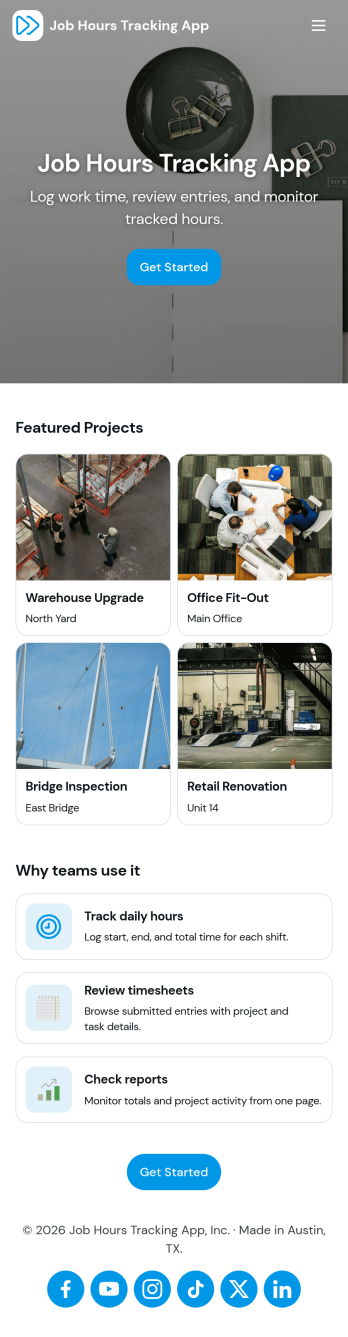
Job Hours Tracking App
Job Hours Tracking App helps teams record shift time in one place, so payroll prep and time reviews don’t depend on scattered notes or messages. Employees can quickly log a shift, add another shift when they’re done, and review My Entries to confirm what they’ve submitted. It’s a practical fit for small businesses, agencies, field service crews, and hourly teams that need a clear timesheet view by employee and a consistent way to capture work hours across roles.Jotform makes it easy to turn this app template into a polished, self-service experience without coding. With a drag-and-drop interface, you can adjust pages, buttons, and the connected form that collects shift details, then share the app as a simple link for your staff. As entries come in, you can keep your workflow organized for approvals, reporting, and ongoing operations while maintaining a single source of truth for job hours tracking.
Go to Category:Activity Tracking Apps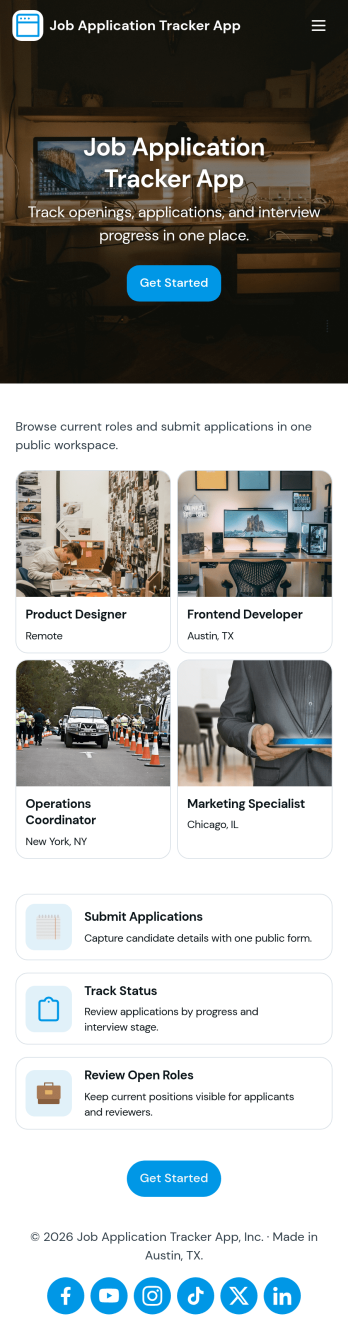
Job Application Tracker App
Job Application Tracker App helps job seekers stay organized while applying to multiple roles by keeping key details in one place and making it easy to add new applications as they happen. Use it to log where you applied, jump back into your list of applications when you need to follow up, and open an individual application record from a browsable list for quick review. It’s a practical fit for students, recent grads, career changers, and anyone managing a busy search who wants a clearer view of what’s in progress and what needs attention.Built with Jotform, this app template combines a friendly self-service experience with connected data collection so you can capture new application info through a form and keep everything organized in a central table-driven view. Customize pages with a drag-and-drop interface, adjust the navigation cards, and tailor the insights area to match your workflow. When you’re ready, share a single link so you can update your tracker from anywhere and keep your job search moving without digging through spreadsheets.
Go to Category:Human Resources Apps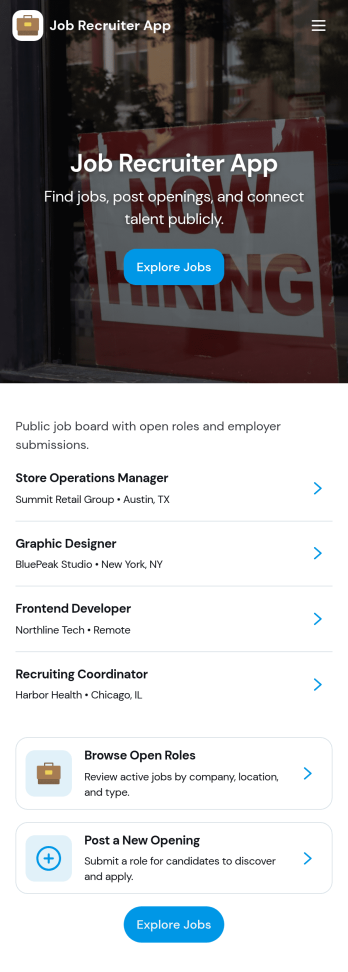
Job Recruiter App
Job Recruiter App brings key recruiting activities into one place so hiring teams can move faster from requisition to offer. Use it to browse open roles, keep candidate records organized, and monitor where applicants sit in the pipeline, all from a simple set of pages built for day-to-day recruiting. It’s a strong fit for internal recruiters, staffing coordinators, HR teams, and growing businesses that need a consistent way to track roles and candidates without juggling spreadsheets or scattered notes.With Jotform, you can turn this app template into a branded, self-service recruiting workspace using a no-code app builder and a drag-and-drop interface. Connect forms for data collection like adding candidates or managing requisitions, surface lists for quick browsing, and keep your workflow moving with navigation buttons and shareable access. Update the layout as your hiring process evolves and publish the experience so your team can manage recruiting work from anywhere.
Go to Category:HR Portal Apps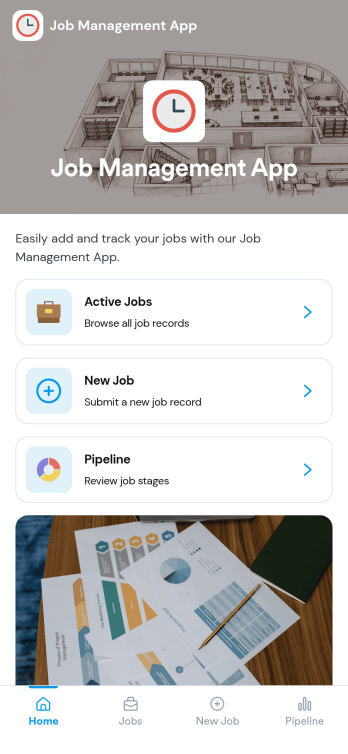
Job Management App
Job Management App brings your hiring workflow into one place so teams can post open roles, route candidates to the right listings, and keep applications organized as they come in. Use it to share a clear set of Open Jobs, publish role details, and guide candidates to Apply Now with a simple in-app application form. It’s a practical fit for growing businesses, HR departments, and operations leaders who need an easy way to keep recruiting moving without losing track of who applied to what.With Jotform, you can build and tailor app templates like this using a no-code app builder and a drag-and-drop interface, then connect your app experience to forms and tables for reliable data collection. Keep your workflow consistent by linking job listings to an application form, giving internal users a view of all applications, and offering candidates a self-service way to review their own applications. Share the app through a link or QR code, update content as roles change, and collaborate across teams as hiring needs evolve.
Go to Category:HR Portal Apps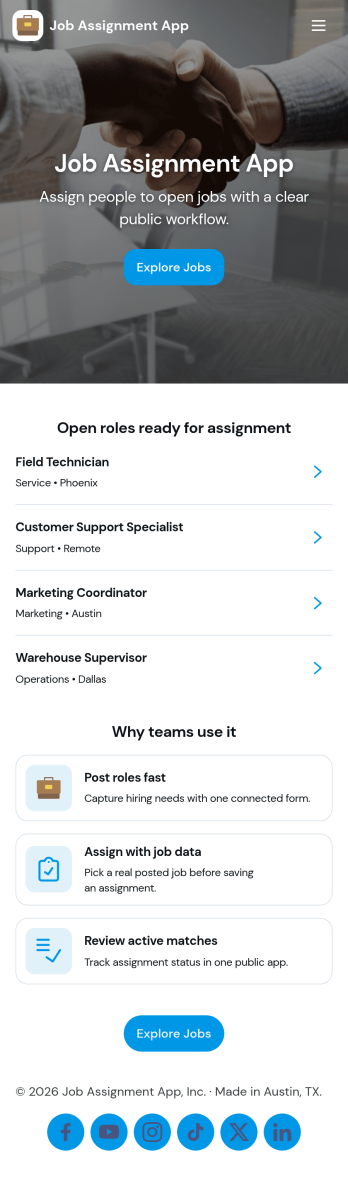
Job Assignment App
Job Assignment App helps teams create, distribute, and monitor work assignments from one central place. It’s a practical fit for operations managers, supervisors, dispatchers, and team leads who need a clear way to open new jobs, route people to the right task, and keep everyone aligned on what’s in progress. With quick actions to create a new assignment, browse open assignments, and review status, the app reduces missed requests and keeps day-to-day execution organized across shifts, sites, or service areas.Jotform makes it easy to turn your job assignment workflow into a mobile-friendly self-service experience using a no-code app builder and drag-and-drop interface. Connect your app to Jotform forms and tables for data collection, real-time updates, and simple tracking, then share it with your team through a link or QR code. As your process evolves, you can adjust pages, buttons, and navigation in minutes while keeping all assignment details and records in one place.
Go to Category:Operations & Logistics Portal Apps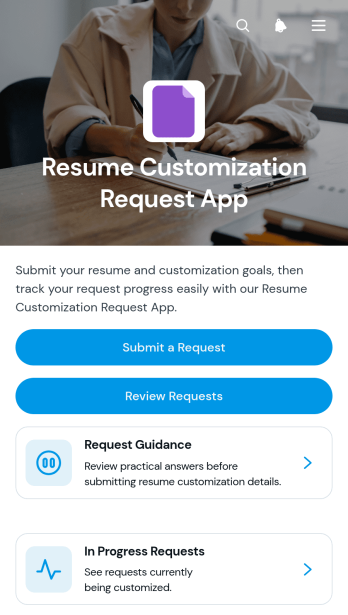
Resume Customization Request App
Resume Customization Request App is an app template for collecting, organizing, and reviewing requests to tailor resumes for specific roles. It gives career consultants, freelance resume specialists, education teams, workforce programs, and internal career services a central place to receive customization goals and target role details. Requesters can submit their needs and consult guidance, while service providers can review each request, check its status, and monitor work in progress. This organized experience reduces scattered messages, clarifies expectations, and helps teams manage multiple resume requests without losing important context.Jotform makes this Resume Customization Request App easy to adapt with a no-code app builder and a drag-and-drop interface. Start from one of Jotform’s App Templates, update the branding and content, and connect forms or other workflow resources without writing code. The app builder supports streamlined data collection and self-service access, whether the app is used by clients, students, job seekers, or staff. Once published, it can be shared through a direct link or QR code and opened on mobile devices, helping requesters and reviewers access the information they need from one convenient location.
Go to Category:Job Apps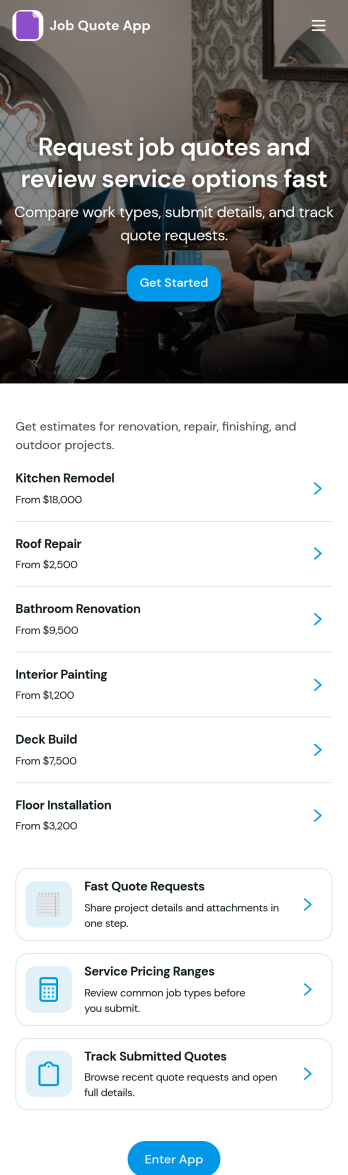
Job Quote App
Job Quote App helps service teams collect quote requests, review incoming details, and keep customers informed as estimates move forward. It fits home service providers, contractors, agencies, and small businesses that handle frequent pricing inquiries and need a simple place for clients or internal staff to submit requests and follow progress. With clear actions like requesting a quote, browsing past requests, and viewing a running request list, the app supports faster responses and fewer missed opportunities while keeping job details organized.Built with Jotform App Templates, this app template can be customized in a no-code app builder with a drag-and-drop interface, so you can match your process without technical work. Connect request forms and tables to centralize data collection, route updates through a connected workflow, and share the app as a self-service experience for customers or as an internal tool for your team. Jotform makes it easy to publish, iterate, and manage quote activity in one branded, mobile-friendly app.
Go to Category:Estimation Apps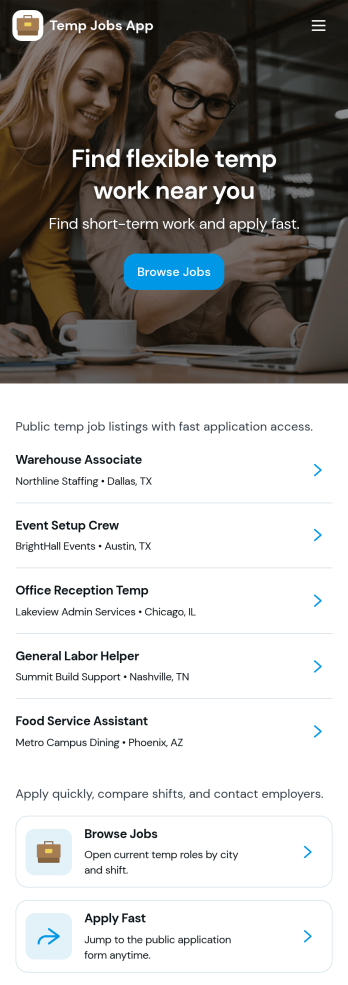
Temp Jobs App
Temp Jobs App helps staffing teams publish temporary roles and gives job seekers a simple way to find openings, apply, and keep tabs on where they stand. Use it to share job listings by role, highlight popular opportunities, and guide candidates from browsing to an application form in just a few taps. It’s a practical fit for staffing agencies, recruiters, HR teams, and businesses that hire seasonal or contract workers and need a consistent place to direct applicants.Jotform makes it easy to turn this use case into a branded self-service experience with customizable app templates and a no-code app builder. With a drag-and-drop interface, you can organize pages for job browsing and applications, connect forms for data collection, and keep everything in one workflow so candidates can apply and review their past entries. Share the app via link or QR code and update listings anytime without rebuilding your process.
Go to Category:HR Portal Apps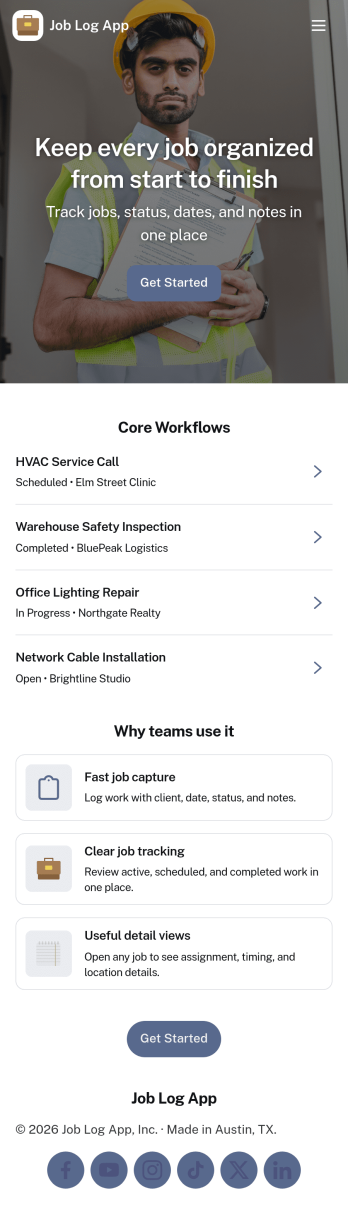
Job Log App
Job Log App helps teams and independent professionals capture work details as they happen and keep a clear record of jobs over time. Use it to add a new entry in seconds, review log history when questions come up, and pull up a client-specific view for context before the next visit. It fits field service businesses, contractors, consultants, and operations teams that need consistent job documentation for handoffs, billing support, or internal reporting without relying on scattered notes.Built with Jotform, this app template works as a practical self-service log hub that connects a simple form to organized, easy-to-browse pages. Customize the layout with a drag-and-drop interface, publish updates fast with a no-code app builder, and keep work information centralized so your workflow stays clear from first entry to quick stats and follow-ups.
Go to Category:Log Apps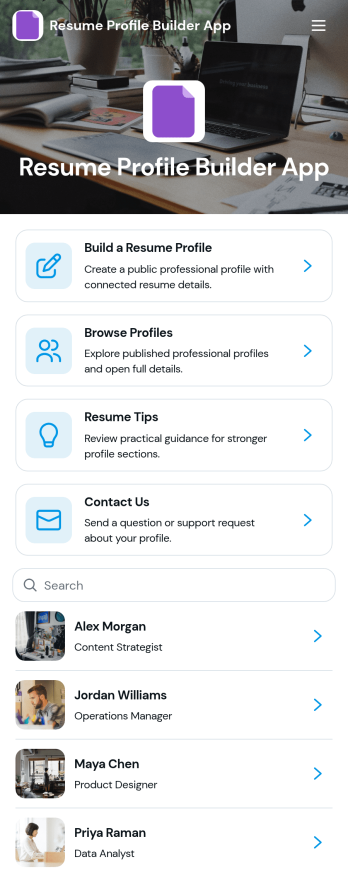
Resume Profile Builder App
Resume Profile Builder App is a ready-to-use app template for job seekers, freelancers, recruiters, career coaches, staffing teams, and educational institutions that need a convenient way to create and present professional profiles. Users can submit career details through a connected form, browse published profiles, and open individual pages featuring key resume information. The app also provides resume guidance and a contact path for questions. It can support candidate directories, student career showcases, freelancer networks, talent pools, and internal mobility programs while keeping profile creation and discovery in one accessible location.Jotform Apps helps organizations turn this Resume Profile Builder App into a branded, mobile-friendly experience without writing code. Its no-code app builder and drag-and-drop interface make it easy to adjust pages, navigation, colors, fonts, and visual elements. Teams can connect forms and tables to support data collection and workflow needs, then share the finished app through a direct link or QR code. Starting with Jotform App Templates reduces setup time while leaving room to create a polished self-service resource for candidates, employers, students, or professional communities.
Go to Category:Job Apps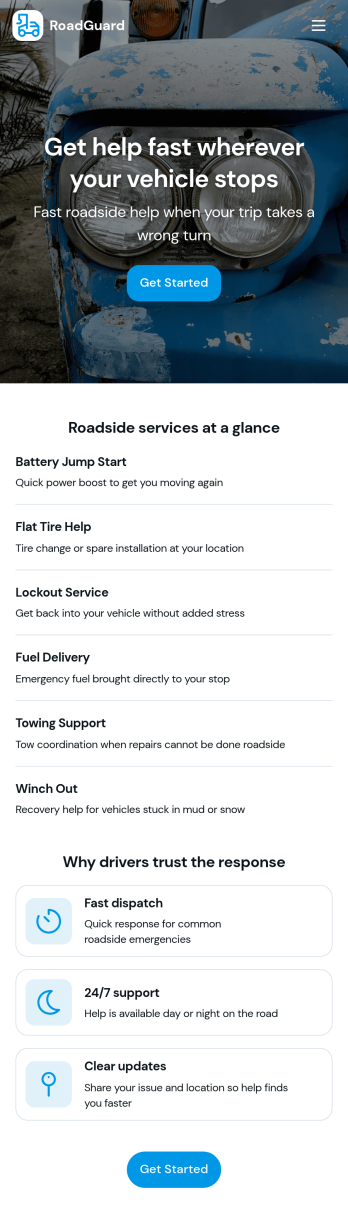
Roadside Assistance Job App
Roadside Assistance Job App helps towing and roadside teams handle active service calls from one place, from dispatch to completion. Use it to view open jobs, keep a dispatch queue organized, and review job details like status, assignment, and priority guidance so technicians know what to do next. It’s a practical fit for roadside assistance companies, fleet operators, and on-call service providers who need clear visibility into what’s in progress and who’s handling each request.Built with Jotform, this app template can be tailored with a no-code app builder and a drag-and-drop interface so you can match your workflow without development work. Connect your job records to tables for consistent data collection, let staff submit a new report when needed, and share a single self-service workspace with dispatchers and drivers through a link or QR code. As your operation grows, you can update pages, layouts, and connected resources to keep day-to-day coordination simple and reliable.
Go to Category:Automotive Apps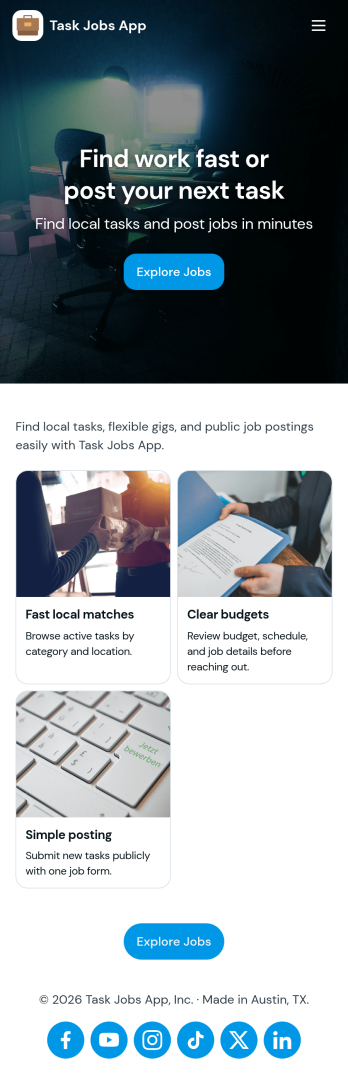
Task Jobs App
Task Jobs App helps teams capture new work requests and stay on top of active and completed jobs in one easy place. It fits field service crews, small contractors, operations teams, and any business that juggles multiple assignments and needs a clear view of what is open, what is in progress, and what is finished. With quick actions to add a new task and jump into open tasks, the app supports day-to-day coordination without scattering details across messages or spreadsheets.Built with Jotform, this app template combines a simple, mobile-friendly interface with connected forms and organized task lists so work updates stay consistent. Using Jotform’s no-code app builder and drag-and-drop interface, you can tailor pages, buttons, and task views to match how your team works, then share the app for self-service updates and smoother workflow tracking as jobs move from intake to completion.
Go to Category:Operations & Logistics Portal Apps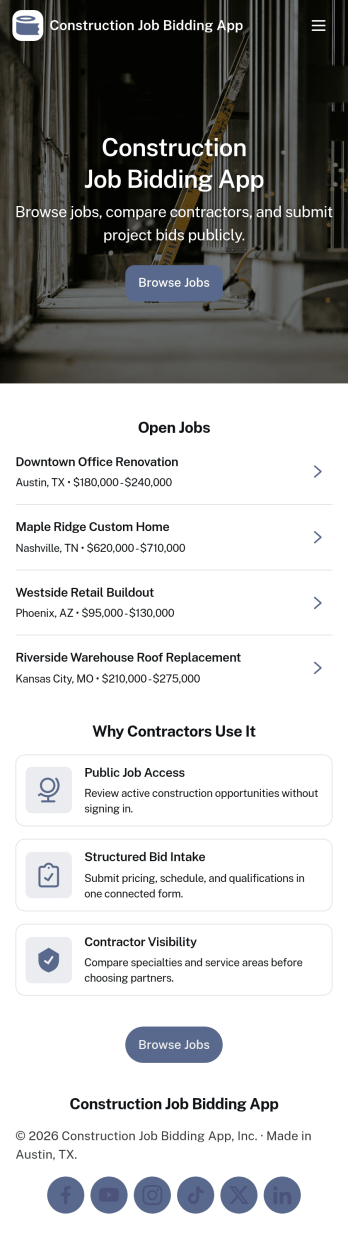
Construction Job Bidding App
Construction Job Bidding App helps contractors, subcontractors, and construction teams manage bidding in one place, from starting a new bid to reviewing open opportunities and keeping projects moving. Use it to collect bid requests, compare incoming responses, and stay on top of what is ready to submit next, especially when multiple projects are in play and timelines are tight. With clear navigation for new bids, open bids, and a bid pipeline view, this app fits general contractors coordinating multiple trades, specialty subcontractors bidding on packages, and small firms that want a consistent process for every estimate.Built with Jotform App Templates, this app template is easy to tailor using Jotform’s no-code app builder and drag-and-drop interface. Connect pages to forms and tables for reliable data collection, then share a self-service experience with your team so everyone knows where to add a bid request, submit a bid, and review bid activity. As your workflow evolves, you can update the layout, refine what gets captured in the connected form, and keep your bidding operations organized without adding complexity.
Go to Category:Construction Apps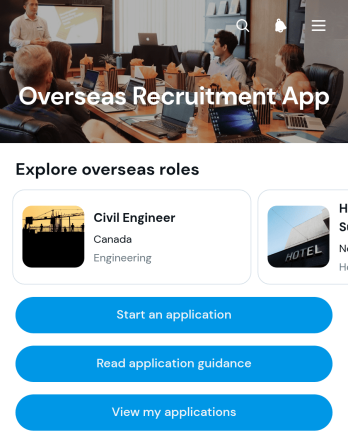
Overseas Recruitment App
Overseas Recruitment App gives recruitment agencies, human resources teams, international employers, and job seekers a central place to manage cross-border hiring opportunities. Candidates can browse available roles, review details such as country, sector, requirements, and employer type, then read application guidance before applying. Access to submitted applications also helps applicants keep their job search organized. This app template is useful for international recruitment campaigns, overseas placement programs, skilled worker sourcing, and organizations that need a clear path from vacancy discovery to application submission.With Jotform, teams can adapt App Templates to match their hiring process without writing code. The no-code app builder and drag-and-drop interface make it easy to update pages, organize role listings, connect application forms, and create a branded self-service experience. Recruitment teams can support data collection and workflow management from one mobile-friendly location, then share the finished app through a direct link or QR code. Customize the Overseas Recruitment App with your own content, visual style, and connected resources to give candidates convenient access wherever they are.
Go to Category:Job Apps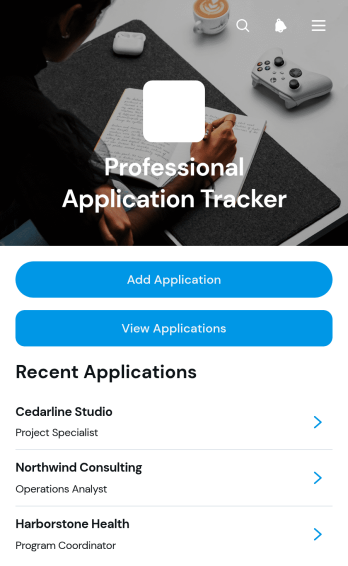
Professional Application Tracker App
Professional Application Tracker App gives job seekers, career changers, students, freelancers, and career advisers a central place to organize professional applications. Users can add an application, browse existing records, and review essential details such as the company, role, status, application date, follow-up date, notes, and outcome. This app template replaces scattered documents and reminders with a clear tracking experience, helping users monitor progress, plan timely follow-ups, compare opportunities, and maintain an accurate history throughout an active search. It is equally useful for individuals managing their own applications and advisers supporting multiple candidates.With Jotform Apps, this Professional Application Tracker App can be adapted through a no-code app builder and an intuitive drag-and-drop interface. Customize its pages, visual style, navigation, and connected data collection workflow without writing code. Jotform App Templates also make it easy to connect forms and tables, organize records for self-service access, and share the finished app through a direct link or QR code. The mobile-friendly experience keeps application information accessible wherever users prepare for interviews, contact prospective employers, or update an opportunity’s outcome.
Go to Category:Job Apps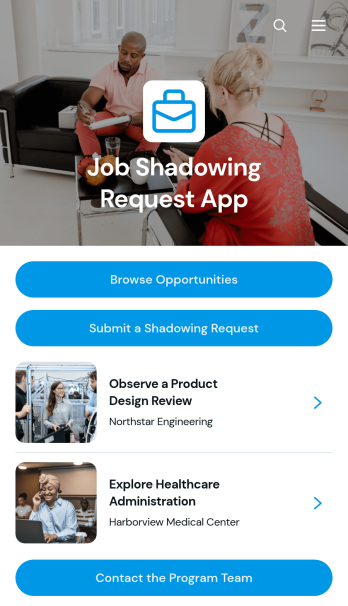
Job Shadowing Request App
Job Shadowing Request App gives students, career explorers, employees, and program participants one place to discover and request workplace observation experiences. Schools, universities, workforce programs, HR teams, and community organizations can use this app template to present available opportunities with essential information such as location, schedule, industry, eligibility, and an overview. Users can browse relevant roles, review the details of an experience, submit a shadowing request, and contact the program team when they need assistance. This organized self-service experience reduces scattered inquiries, clarifies expectations, and helps coordinators manage interest in career exploration programs.Jotform Apps makes it easy to adapt this Job Shadowing Request App without writing code. Using the no-code app builder and its drag-and-drop interface, teams can update pages, add branded content, connect request forms, and organize navigation around their workflow. Submitted information can support data collection and connect with Jotform Tables, approvals, notifications, and other processes for smoother follow-up. Like other Jotform App Templates, the app can be customized for a school, employer, nonprofit, or training provider and shared through a direct link or QR code for convenient mobile access.
Go to Category:Job Apps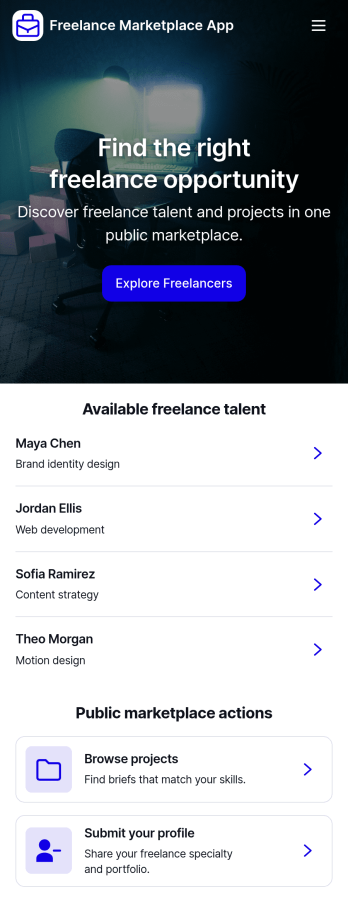
Freelance Marketplace App
Freelance Marketplace App provides a central place where independent professionals and clients can discover opportunities, compare expertise, and make useful connections. Freelancers can publish profiles featuring their specialties, skills, experience, hourly rates, availability, and portfolios, while clients can post projects with budgets and required skills. Visitors can browse available talent, explore project listings, open detailed profiles, and submit applications without navigating disconnected tools. This app template is well suited to staffing agencies, professional communities, creative networks, consulting groups, and small to medium-sized businesses that want to operate a focused marketplace. It supports clearer project discovery and data collection while giving both sides a convenient self-service experience.Jotform makes the Freelance Marketplace App easy to adapt with a no-code app builder and an intuitive drag-and-drop interface. Customize pages, cards, buttons, colors, fonts, and branding to suit your audience, then connect forms and tables to organize profile submissions, project posts, and applications within one workflow. Jotform App Templates help teams launch polished digital experiences quickly without programming knowledge. Publish your marketplace with a direct link, custom app URL, QR code, or embedded experience so freelancers and clients can access it from computers, tablets, or mobile devices.
Go to Category:Freelancer Apps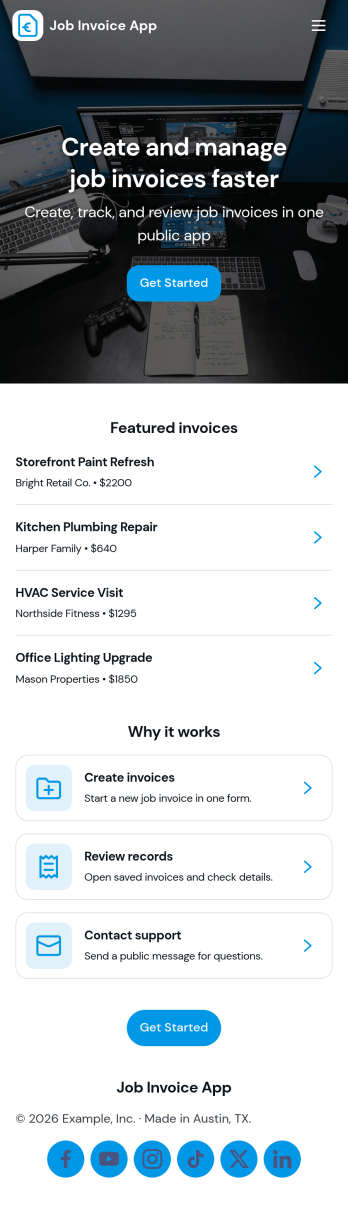
Job Invoice App
Job Invoice App helps service teams turn completed work into clear, consistent invoices while keeping job details organized in one place. It’s a practical fit for contractors, field service providers, repair businesses, and freelancers who need a simple way to add jobs, monitor job progress, and create invoices tied to specific job numbers without juggling scattered notes.Built with Jotform, this app template supports self-service data collection through connected forms and organized records, so your team can capture job information, generate new invoices, and review invoice history from an easy-to-navigate interface. Customize the pages with Jotform’s no-code app builder and drag-and-drop interface, then share the app with your staff to keep invoicing workflows consistent and easier to manage as work orders grow.
Go to Category:Finance Apps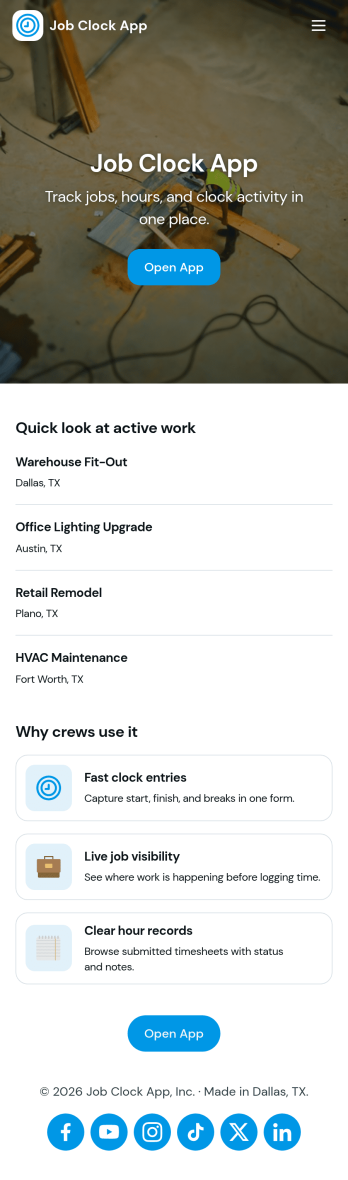
Job Clock App
Job Clock App helps teams track time across different jobs from a single, easy-to-use hub. Employees can clock in as they start work, jump to a Jobs area to choose what they’re working on, and review Timesheets so hours stay clear for payroll and job costing. It’s a practical fit for field services, construction crews, agencies, and any business that needs consistent time entries tied to specific work without chasing texts, emails, or paper notes.Built with Jotform, this app template turns time tracking into a simple self-service experience you can share in minutes. Use Jotform’s no-code app builder and drag-and-drop interface to adjust navigation, add guidance text, and connect the app to your time entry form and job list data collection. As your workflow evolves, you can keep everything organized in one place and make it easy for managers to review entries while employees focus on getting started fast.
Go to Category:Activity Tracking Apps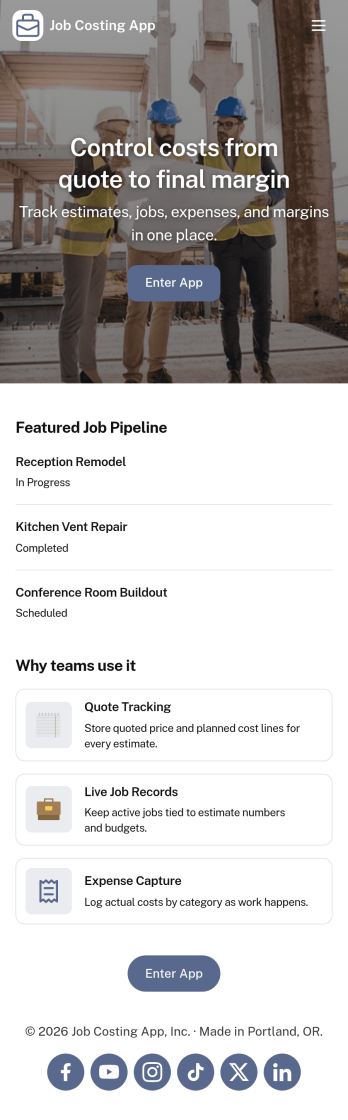
Job Costing App
Job Costing App brings job and cost tracking into one place so teams can see what each project is really costing as work moves forward. Use it to organize jobs, capture cost entries, review job details, and keep an eye on approved spend without hunting through spreadsheets or scattered messages. It fits construction crews, home service businesses, agencies, and internal operations teams that need clear visibility into labor, materials, and other expenses per job.With Jotform, you can turn this app template into a self-service workspace that’s easy to share and simple to maintain. Customize pages with a drag-and-drop interface, connect forms for data collection, and keep records organized for day-to-day workflow tracking. Whether you’re monitoring active jobs, logging new costs, or reviewing totals, Jotform makes it straightforward to publish a branded app experience and keep everyone aligned with up-to-date information.
Go to Category:Construction Apps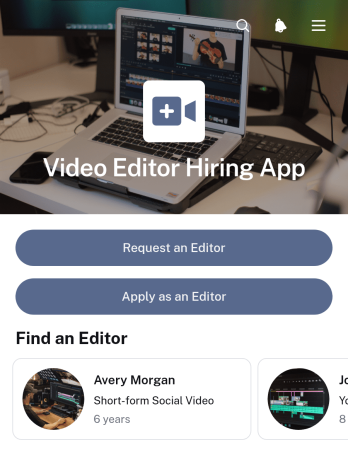
Video Editor Hiring App
Video Editor Hiring App gives businesses, creative teams, agencies, content producers, and independent editors one place to connect around editing work. Hiring teams can publish project opportunities with deliverables, timelines, and project types, then review editor profiles, experience, specialties, and portfolio links. Editors can browse available projects and submit applications, while clients can send requests when they need editing support. This app template reduces scattered communication, makes project requirements easier to understand, and supports a more organized hiring journey for short-term assignments, ongoing content production, and freelance collaborations.With Jotform, you can customize this app template through a no-code app builder and an intuitive drag-and-drop interface. Adjust pages, colors, typography, buttons, and navigation to reflect your hiring process and visual identity. Connect forms, tables, notifications, approvals, and other workflow steps to manage data collection and follow-up from one accessible experience. Jotform App Templates also make it easy to publish the finished app, share it by link or QR code, and provide mobile-friendly self-service access for clients, recruiters, project managers, and applicants.
Go to Category:Job Apps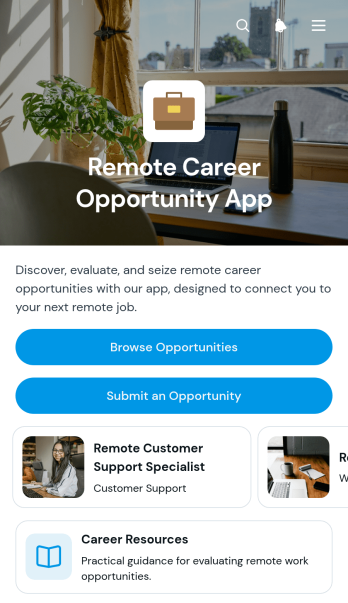
Remote Career Opportunity App
Remote Career Opportunity App is an app template for sharing remote roles with job seekers, career communities, recruiters, workforce programs, and professional associations. Visitors can browse opportunities, review key role details, open application links, and express interest from one organized destination. Contributors can also submit new opportunities, while career resources help candidates evaluate roles, prepare for remote work, and plan their search. This focused experience reduces scattered job information, gives applicants a clearer path from discovery to action, and helps administrators maintain a useful remote career resource.Jotform App Templates make it easy to adapt this experience to a particular audience or hiring program. Using the no-code app builder and drag-and-drop interface, teams can update pages, branding, navigation, forms, and connected workflows without programming. Opportunity submissions and interest responses support organized data collection, while links and resources encourage self-service. Once ready, the app can be shared through a direct link or QR code for convenient mobile access. Jotform also connects the app template with forms, tables, approvals, and notifications, helping teams manage incoming information and keep career content current.
Go to Category:Job Apps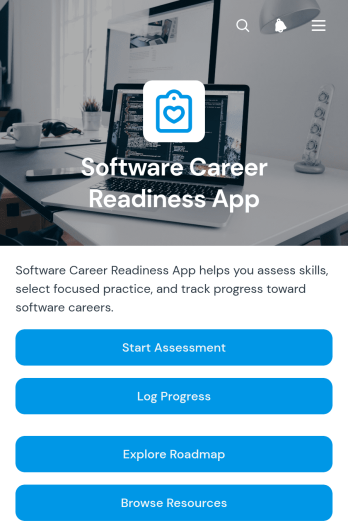
Software Career Readiness App
Software Career Readiness App gives aspiring software professionals, students, career changers, and training participants a central place to evaluate their preparation for entering the field. Readiness assessments help users identify strengths and development needs, while a career roadmap presents practical stages, expected outcomes, and suggested time frames. Progress logging supports regular reflection as users build technical knowledge, strengthen workplace skills, prepare application materials, and practice for interviews. Educational institutions, training providers, career coaches, workforce programs, and internal learning teams can use this app template to offer consistent guidance without relying on scattered documents or disconnected communications.Jotform App Templates make it easy to turn career development materials and data collection processes into an accessible, interactive experience. Using Jotform’s no-code app builder and drag-and-drop interface, teams can customize pages, update branding, connect forms, and organize resources around their preferred workflow. The finished app can be shared by link or QR code, giving learners convenient mobile access and a self-service way to revisit guidance, submit updates, and monitor their journey from one location.
Go to Category:Education AppsAbout Job Apps
Job Apps are specialized apps designed to streamline the recruitment and hiring processes within organizations. These apps are particularly useful for human resources departments and recruitment agencies, enabling them to manage job listings, applications, and candidate communications efficiently. Industries ranging from tech startups to large corporations and service sectors like healthcare and education benefit from these apps by enhancing their hiring workflows, ensuring a seamless and efficient recruitment process that aligns with their operational goals.
Jotform Apps stands out as a leading no-code app builder for creating Job Apps, leveraging Progressive Web App (PWA) technology. This innovative approach allows users to install the app directly via a browser, eliminating the need for App Store downloads and ensuring compatibility across iOS, Android, tablets, and desktops. By integrating centralized data through Jotform Tables, it supports a highly organized workflow, essential for managing large volumes of applications and candidate information effectively, ultimately contributing to a streamlined hiring process.
Why Use Job Apps?
- Job Apps offer a centralized platform for managing all recruitment-related activities, ensuring that hiring managers and HR departments can coordinate efficiently. This leads to reduced time-to-hire and enhances the overall candidate experience, providing a competitive edge in securing top talent.
- They enable seamless communication between recruiters and candidates through integrated messaging features, ensuring timely updates and feedback. This fosters a positive candidate relationship and helps in maintaining a professional recruitment process.
- The ability to automate repetitive tasks such as scheduling interviews and sending follow-up emails saves significant time and reduces the workload on HR personnel. This operational efficiency allows teams to focus on more strategic recruitment activities.
- Job Apps facilitate data-driven decision-making by providing analytics and reporting features that track key recruitment metrics. This helps organizations to refine their hiring strategies and improve their recruitment outcomes over time.
- By integrating with payment gateways, these apps can process job application fees or other recruitment-related payments securely. This ensures a smooth transaction process and maintains the financial integrity of the recruitment operations.
Common Problems Solved by Job Apps
- Many organizations struggle with managing large volumes of job applications, which can lead to inefficiencies and missed opportunities for finding the right candidates. Job Apps solve this by organizing applications in a centralized system, making it easy to sort and filter candidates based on various criteria.
- Communication delays between recruiters and candidates can result in a poor candidate experience and lost talent. These apps streamline communication through automated notifications and reminders, ensuring candidates are kept informed throughout the hiring process.
- HR departments often face challenges in tracking recruitment metrics and performance, which can hinder strategic decision-making. Job Apps provide robust analytics tools that give insights into the recruitment funnel, helping to identify bottlenecks and areas for improvement.
- Coordinating interviews and assessments with candidates can be a logistical nightmare, often resulting in scheduling conflicts. Job Apps simplify this by offering integrated scheduling features that allow candidates to select interview slots based on their availability, reducing scheduling conflicts.
- Ensuring compliance with data protection regulations is crucial, yet challenging for many organizations. Job Apps address this by providing secure data handling and storage solutions, ensuring that candidate information is protected in compliance with GDPR and other data privacy laws.
Matching Use Cases to Features
- For recruitment agencies conducting high-volume hiring, the centralized data feature of Jotform Tables ensures that all candidate information is stored and easily accessible, allowing for efficient candidate tracking and management. This leads to improved productivity and reduces the likelihood of candidate data being misplaced.
- Organizations looking to enhance candidate engagement can utilize push notifications to send real-time updates about their application status. This feature keeps candidates informed and engaged, reducing drop-off rates during the recruitment process.
- Companies that require secure payment processing for application fees can integrate payment gateways like Stripe and PayPal. This provides a seamless and secure transaction experience, ensuring financial operations are conducted smoothly.
- The drag-and-drop interface is ideal for HR teams customizing their recruitment workflows, allowing them to tailor the app without any technical expertise. This flexibility ensures the app aligns perfectly with the organization's unique hiring processes.
- Businesses with diverse recruitment channels can use the sharing methods feature to distribute job listings via direct links, email, or social media. This broadens the reach of job advertisements, attracting a wider pool of candidates.
- Jotform Apps' offline mode is beneficial for field recruiters who need to collect candidate information in locations with limited internet access. This feature ensures that data collection continues uninterrupted and is synced as soon as connectivity is restored.
- For internal recruitment processes, the option to publish apps privately or within the company only ensures that sensitive job postings are accessible only to authorized personnel, maintaining confidentiality and security.
How to Create a Job App
- Choose a category-relevant template from the Template List or start from scratch.
- Customize using the Drag-and-Drop Interface.
- Share via Link, QR Code, or Embed.
Top Use Cases for Job Apps
- For Managers: Managers benefit from Job Apps by having a comprehensive overview of the recruitment process, allowing them to make informed decisions quickly. They can track recruitment metrics in real-time, ensuring that the hiring process aligns with organizational goals and budgets. This strategic oversight helps in optimizing resource allocation and improving the quality of hires.
- For Teams: Recruitment teams use Job Apps to collaborate and manage tasks efficiently, ensuring that all team members are on the same page. The app facilitates task assignment and progress tracking, which enhances team productivity and accountability. By streamlining communication and data sharing, teams can work more effectively towards common hiring goals.
- For Customers: Candidates, as end-users of Job Apps, experience a streamlined application process that is both user-friendly and efficient. They receive timely updates about their application status, which enhances their overall experience and perception of the organization. This transparency and efficiency can significantly improve the organization's employer brand, attracting top talent.
Summarizing Job Apps
Job Apps offer significant business value by streamlining and enhancing recruitment processes, ensuring efficient management of job applications, and improving communication between recruiters and candidates. By leveraging Jotform Apps' no-code builder, businesses can create customized recruitment apps that meet their unique needs without requiring technical expertise. The seamless integration of features such as payment processing, data centralization, and multi-device compatibility further enhances operational efficiency and candidate experience, making Job Apps an essential component of modern recruitment strategies.
Frequently Asked Questions
1) Is it free to create and use Job apps on Jotform?
Jotform offers a Starter plan that allows users to create and use Job apps at no cost. This plan provides access to essential features, making it ideal for small businesses and individuals who want to streamline their recruitment processes without incurring additional expenses. As your needs grow, you can explore Jotform’s paid plans, which offer advanced features and increased usage limits.
2) Are the data and payments collected through the app secure?
Yes, Jotform ensures that all data and payments collected through its Job Apps are secure. The platform complies with GDPR and other data protection regulations, providing peace of mind to businesses and candidates alike. Payment processes are also secured through trusted gateways like Stripe and PayPal, ensuring that financial transactions are conducted safely.
3) Do I need any coding skills to create a Job app with Jotform?
No, you do not need any coding skills to create a Job app with Jotform. The platform offers a no-code app builder with a user-friendly drag-and-drop interface, making it accessible to users of all skill levels. This allows HR professionals and recruiters to design and customize their apps according to their specific needs without technical assistance.
4) Can I collect payments for services directly through the app?
Yes, Jotform allows you to collect payments for services directly through the app using integrated payment gateways such as Stripe and PayPal. This feature is particularly useful for organizations that charge application fees or provide paid recruitment services, ensuring a seamless and secure payment process for users.
5) Does Jotform support offline data collection for Job apps?
Jotform supports offline data collection through its Mobile Forms feature, which is integrated into its Job Apps. This capability allows recruiters to collect information in areas with limited internet connectivity and sync the data once a connection is available. It is especially beneficial for field recruiters who need to gather candidate information on the go.
6) Are Jotform Apps compatible with both iOS and Android devices?
Yes, Jotform Apps are compatible with both iOS and Android devices. The platform utilizes Progressive Web App (PWA) technology, allowing users to install and access the app directly via a browser on any device. This ensures that all users have a consistent experience, regardless of their device preference.
7) How can Job Apps enhance the candidate experience?
Job Apps can significantly enhance the candidate experience by providing a seamless and efficient application process. Features like automated notifications and real-time updates keep candidates informed and engaged throughout the recruitment process. This transparency fosters a positive perception of the organization, making it more attractive to top talent.
8) Can Job Apps integrate with existing HR systems?
Yes, Job Apps can be integrated with existing HR systems to streamline recruitment workflows further. This integration allows for the seamless transfer of data between systems, reducing manual data entry and minimizing errors. It ensures that recruitment processes are efficient and aligned with other HR functions, optimizing overall operational efficiency.