

Education App Templates

Midwifery Revision App
Midwifery Revision App is a focused study resource for midwifery students, trainees, tutors, and education providers preparing for lessons, assessments, or supervised practice discussions. Organized topic pages make revision material easier to browse, while expandable sections, key-point cards, and recall questions support active review without overwhelming learners. A connected form can capture responses, study reflections, or feedback. The app template is suitable for independent study, classroom reinforcement, tutoring programs, and course resource libraries, helping learners revisit essential concepts from one accessible location.Jotform App Templates make it easy to turn educational content and data collection into an interactive mobile-friendly experience. With Jotform’s no-code app builder and drag-and-drop interface, educators can update topics, reorganize navigation, adjust branding, and connect forms or workflows without programming. The Midwifery Revision App can be shared through a direct link or QR code, giving learners convenient self-service access across devices. Tutors and training teams can adapt the app as course material changes, creating a practical revision hub that keeps learning resources and response collection together.
Go to Category:Education Apps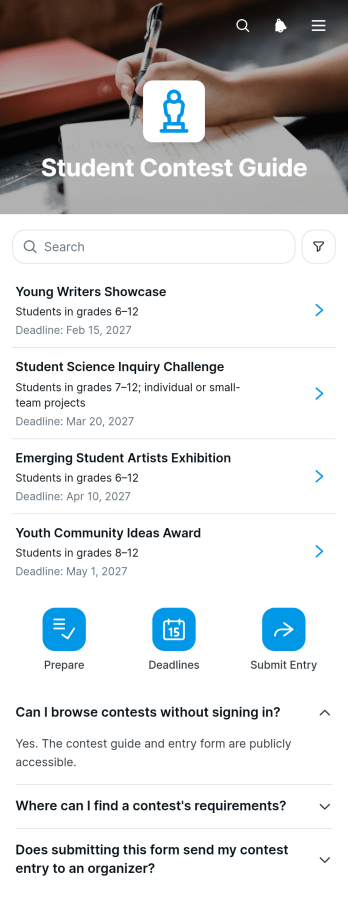
Student Contest Guide App
The Student Contest Guide App is an educational app template that helps students find and prepare for academic, creative, and extracurricular contests. Students can browse opportunities, review deadlines and eligibility requirements, check required materials, and complete an entry-planning form before starting their work. It is useful for schools, tutoring programs, youth organizations, counselors, teachers, and program coordinators that share multiple contests with learners. Keeping essential guidance in one place reduces missed details, makes opportunities easier to compare, and gives students convenient self-service access throughout the planning process.Jotform App Templates help organizations create interactive resources without writing code. With Jotform’s no-code app builder and drag-and-drop interface, administrators can update pages, reorganize content, add branded visuals, and connect forms to data collection and workflow tools. The Student Contest Guide App can be adapted for different age groups, subjects, contest seasons, or school programs, then published through a direct link or QR code. Mobile-friendly navigation lets students review guidance wherever they are, while connected forms and tables help staff organize entry plans and follow-up activities from one flexible app builder.
Go to Category:Education Apps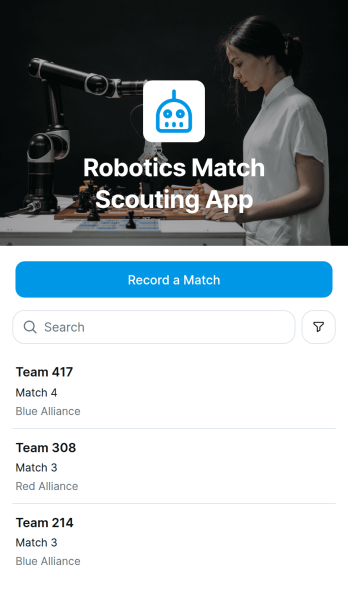
Robotics Match Scouting App
The Robotics Match Scouting App is a ready-to-use scouting workspace for robotics teams, coaches, students, mentors, and event volunteers who need consistent match observations in one accessible place. Scouts can record a match, browse team records, compare autonomous and teleoperated scores, and review scouting notes before upcoming rounds. This organized approach helps teams replace scattered paper sheets and disconnected files with reliable data collection during practices, tournaments, and qualification events. It also gives strategy groups a clearer view of team performance, recurring strengths, and potential alliance considerations when time-sensitive decisions need supporting evidence.Jotform App Templates make it easy to adapt this app template to a team’s scouting workflow without writing code. Using Jotform’s no-code app builder and drag-and-drop interface, organizers can adjust pages, branding, navigation, and connected forms to suit their competition process. Match entries can feed organized records, support team collaboration, and trigger notifications through connected workflows. Once published, the app can be shared by a direct link or QR code, giving scouts convenient mobile access from the stands, practice area, or strategy meeting while keeping essential resources together.
Go to Category:Sports Apps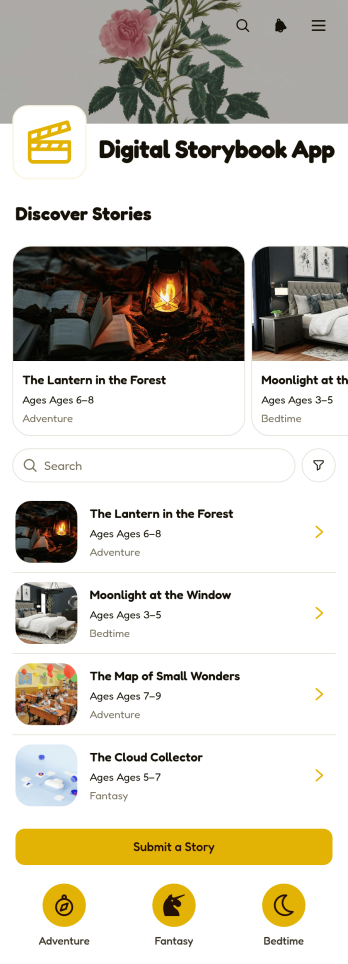
Digital Storybook App
Digital Storybook App is an interactive reading and publishing space for schools, libraries, writing groups, community programs, and independent creators. Readers can browse visual story cards, move between story pages, and open individual titles for focused reading. A connected submission form also gives students, members, or guest contributors a convenient way to share original work. This app template helps educators encourage creative writing, enables organizations to showcase community voices, and keeps growing story collections accessible from one organized location. It is particularly useful for classroom projects, literacy activities, writing contests, digital exhibitions, and collaborative storytelling programs.Jotform provides a no-code app builder that makes this Digital Storybook App easy to adapt without programming. Use the drag-and-drop interface to update pages, reorder story collections, apply your preferred visual style, and connect forms for data collection. Jotform App Templates can also support workflows that notify editors when a new story arrives or route entries for review. Once the app is ready, publish it through a direct link or QR code so readers and contributors can access a mobile-friendly self-service experience from nearly any device.
Go to Category:Education Apps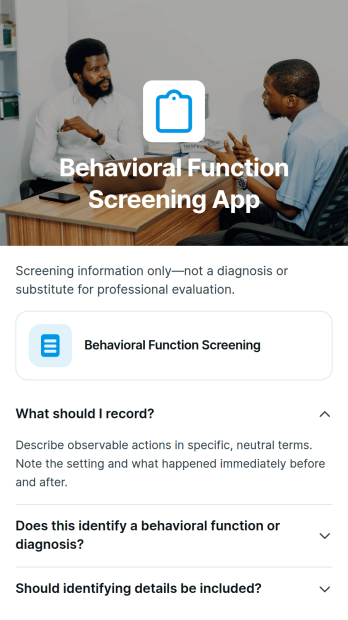
Behavioral Function Screening App
Behavioral Function Screening App helps behavioral professionals, educators, counselors, care teams, and support staff document observable behavior patterns and gather contextual information through a consistent screening process. Its connected form supports structured data collection, while explanatory content and expandable guidance help users understand screening steps without overwhelming the experience. Organizations can use this app template during initial intake, school support reviews, care planning, or follow-up assessments to reduce scattered records and give authorized team members a clearer view of reported triggers, settings, frequency, and possible behavioral functions. It supports preliminary screening and informed discussion rather than diagnosis.Jotform App Templates provide a practical starting point for turning recurring processes into accessible digital experiences. With the Jotform no-code app builder and drag-and-drop interface, teams can customize the Behavioral Function Screening App with their own instructions, questions, branding, and resource pages. The app can connect with forms, tables, approvals, notifications, and related workflows to support organized review and timely follow-up. Once published, it can be shared by link or QR code for mobile-friendly access, helping teams collect information and coordinate next steps from one central location.
Go to Category:Mental Health Apps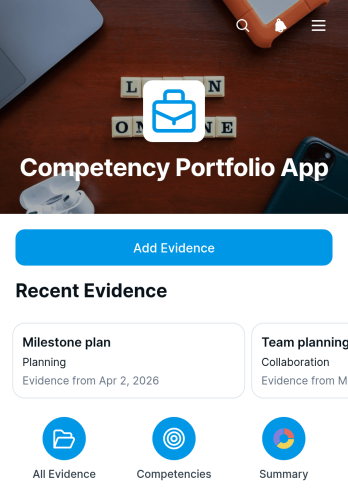
Competency Portfolio App
The Competency Portfolio App is a digital portfolio for documenting skills and connecting practical evidence to specific competencies. It supports students, educators, trainees, employees, mentors, and professional development teams that need a clear record of growth. Users can add evidence, browse entries by competency, and review a visual breakdown of documented work. Evidence descriptions and dates provide context, while focus areas and practice prompts help users identify what to develop next. This organized approach is useful for coursework, workplace training, coaching, performance conversations, and skills-based learning.Jotform Apps makes it easy to adapt this app template without writing code. Use the no-code app builder and drag-and-drop interface to update pages, branding, navigation, and connected resources for your program. Forms and tables can support data collection, while notifications and related workflows help teams manage new portfolio entries. Among Jotform app templates, this option offers a mobile-friendly self-service experience that can be shared by link or QR code, giving participants convenient access to their competency records wherever learning or development takes place.
Go to Category:Resource & Learning Portal Apps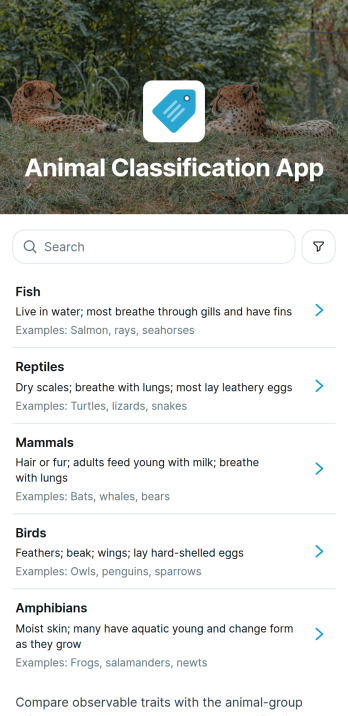
Animal Classification App
The Animal Classification App is an interactive learning and field-recording app template for teachers, students, wildlife educators, researchers, nature groups, and animal care teams. Users can browse animal groups, review examples and habitat information, and record a classification through a connected form. It supports classroom activities, outdoor observations, training sessions, educational exhibits, and community science projects by keeping reference material and data collection in one accessible place. The app helps participants apply consistent classification methods while giving organizers a practical way to collect and review observations.Jotform App Templates make it easy to adapt the Animal Classification App for different lessons, research activities, or organizational needs. Using Jotform’s no-code app builder and drag-and-drop interface, creators can update content, add visual resources, connect forms or tables, and adjust the navigation without programming. The finished app can support self-service learning and connected workflows, then be shared by a direct link or QR code for convenient access on phones, tablets, and computers.
Go to Category:Education Apps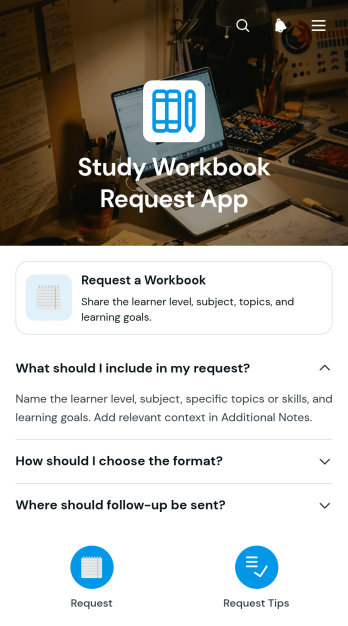
Study Workbook Request App
The Study Workbook Request App is a self-service app template for students, learners, tutors, teachers, and training teams that need a clear way to collect requests for tailored study materials. Users can open a workbook request form and review guidance on naming the study focus, describing learning goals, and providing useful context. This approach helps educators understand each request before creating or recommending a workbook, reduces incomplete inquiries, and keeps learning needs organized. Schools, tutoring programs, training providers, and independent educators can use it to support individual study plans, revision activities, skills practice, or supplemental learning.Jotform makes this app easy to adapt without coding. Use the drag-and-drop app builder to update pages, cards, instructions, colors, and fonts while preserving a simple request workflow. The app can connect data collection with tables, notifications, approvals, and other processes, helping teams review requests and coordinate follow-up from one place. It can also be shared by direct link or QR code for convenient mobile access. As part of Jotform App Templates, the Study Workbook Request App provides a ready-to-use foundation that can be branded, published, and expanded into a broader learning resource center.
Go to Category:Education Apps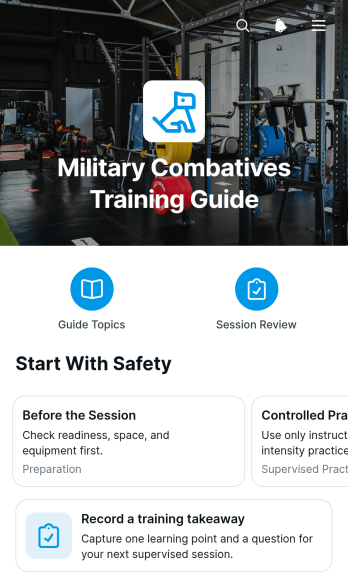
Military Combatives Training Guide App
Military Combatives Training Guide App provides instructors, training coordinators, and authorized participants with a centralized resource for organizing supervised combatives education. It presents guide areas and training cues through navigable pages, while a connected form lets participants record a training takeaway after a session. The app can support introductory courses, recurring unit training, instructor-led workshops, and review periods where learners need consistent access to approved educational material. Keeping key resources and reflections together reduces scattered notes, supports knowledge retention, and gives training teams a repeatable way to reinforce course content without replacing qualified instruction or established safety procedures.Jotform App Templates help organizations turn resources and connected workflows into accessible digital experiences without coding. Using Jotform’s no-code app builder and drag-and-drop interface, teams can customize this app template with their own text, navigation, visual identity, and training materials. Forms can support data collection, while linked pages make resource navigation and self-service review easier from phones, tablets, or computers. Once the app is ready, it can be shared through a direct link or QR code, enabling participants and instructors to reach current information from one convenient location.
Go to Category:Resource & Learning Portal Apps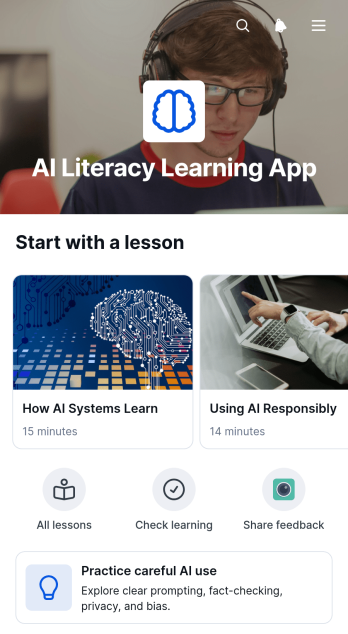
AI Literacy Learning App
AI Literacy Learning App is an educational app template for schools, training teams, tutors, nonprofits, and workplace learning programs that want to explain artificial intelligence in an approachable format. It brings lessons, key ideas, practical context, and responsible-use guidance into one organized learning experience. Learners can browse topic pages, review concise concept cards, explore real-world examples, and complete connected forms for knowledge checks or feedback. This structure helps educators introduce foundational concepts, encourage careful AI use, and give students or employees a convenient place to revisit learning materials.Jotform Apps makes it easy to adapt this app template without coding. Use the drag-and-drop app builder to update pages, rearrange learning resources, apply custom branding, and connect forms to data collection workflows. The finished app can be shared by direct link or QR code and accessed from phones, tablets, or computers. Starting with Jotform App Templates reduces setup time while giving course creators and training teams the flexibility to build a focused self-service learning resource that can evolve alongside lessons and organizational needs.
Go to Category:Education Apps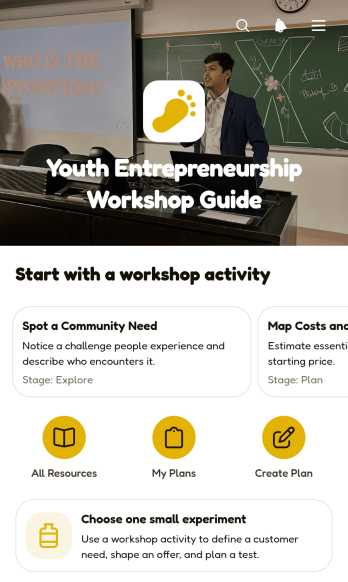
Youth Entrepreneurship Workshop Guide App
The Youth Entrepreneurship Workshop Guide App is a ready-to-use learning resource for schools, nonprofits, youth programs, business educators, and workshop facilitators helping young people explore entrepreneurship. Participants can browse workshop activities, review expected takeaways, choose a small business experiment, and create a practical business plan. They can also revisit saved ideas to examine customer needs, proposed benefits, and estimated startup costs before editing their plans. By keeping guidance and planning tasks together, the app supports independent learning, classroom exercises, group workshops, mentoring sessions, and entrepreneurship programs while giving participants a clear path from an initial idea to an actionable concept.Jotform App Templates make it easy to adapt this app template to different age groups, lesson plans, and program goals. With Jotform’s no-code app builder and drag-and-drop interface, organizers can update pages, change branding, add learning resources, and connect forms or workflows without programming. The finished app can be shared through a direct link or QR code for convenient mobile access, helping learners complete activities and use self-service resources wherever workshops take place.
Go to Category:Education Apps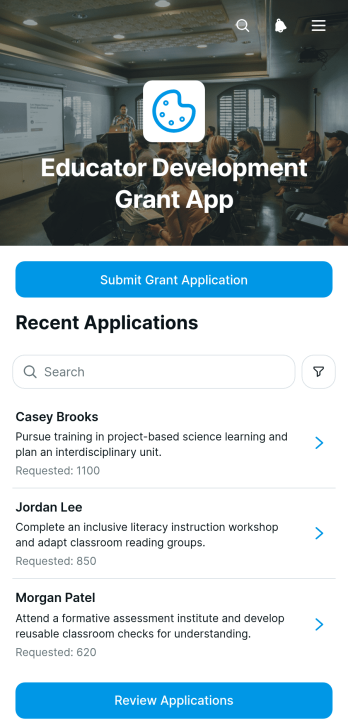
Educator Development Grant App
Educator Development Grant App is an app template for schools, districts, education nonprofits, and professional learning teams that manage funding requests for educator growth. Teachers and other eligible educators can submit grant applications outlining their development plans and expected benefits, while reviewers can browse applications, monitor review status, and record decisions in one organized experience. It helps replace scattered documents and email threads with a clear process that gives applicants and administrators better visibility. Organizations can use it for conference funding, certification support, classroom innovation projects, continuing education, and other professional development initiatives.With Jotform Apps, teams can tailor this Educator Development Grant App without coding. The drag-and-drop app builder makes it easy to adjust pages, navigation, branding, and content while connecting forms and tables to support data collection and workflow management. Applications can be organized for convenient review, and the finished app can be shared through a direct link or QR code for mobile-friendly access. Jotform App Templates help education teams launch a polished self-service resource quickly, then adapt it as funding programs, review procedures, or organizational needs change.
Go to Category:Education Apps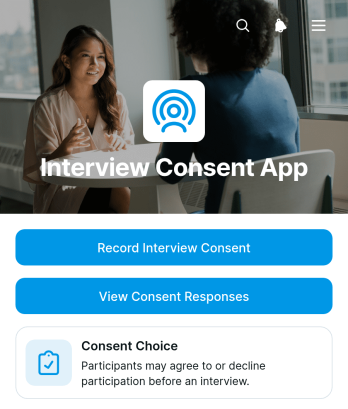
Interview Consent App
The Interview Consent App is a digital consent collection template for recruiters, researchers, consultants, educators, media teams, and other professionals who conduct participant interviews. It gives teams one organized place to record a participant’s consent choice, view submitted responses, and review key context such as the interview topic, interviewer, and consent acknowledgment. Use it before research sessions, candidate conversations, testimonials, case studies, academic projects, or recorded discussions to reduce missing information and maintain clear internal records. Its focused structure supports consistent data collection while giving authorized team members quick access to the details needed for interview preparation and follow-up.Jotform App Templates help organizations turn recurring processes into accessible digital experiences without coding. Customize this app template with Jotform’s no-code app builder and drag-and-drop interface, then adjust the content, colors, typography, and navigation to suit your workflow. Connected forms and tables can keep responses organized, while notifications and approval steps can support timely internal action. Publish the Interview Consent App through a direct link or QR code for convenient mobile access, enabling participant self-service and simpler collaboration across interview teams.
Go to Category:Human Resources Apps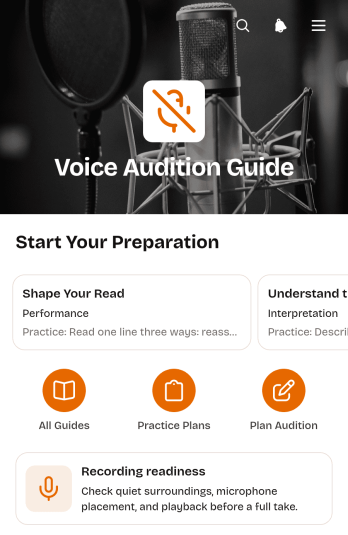
Voice Audition Guide App
Voice Audition Guide App is an app template for voice performers, acting students, coaches, instructors, and creative teams preparing for auditions or recording projects. It brings recording readiness guidance, practice prompts, focus areas, and audition planning into one accessible resource. Users can create a practice plan, review goals for a selected audition or project, and keep useful notes close at hand. This organized approach helps performers prepare with greater consistency, remember priorities between sessions, and spend less time piecing together instructions from separate documents.Jotform App Templates make it easy to turn this Voice Audition Guide App into a branded practice resource without writing code. Using Jotform’s no-code app builder and drag-and-drop interface, creators can update pages, reorganize guidance, adjust visual elements, and connect forms that support data collection and workflow management. The finished app can be shared through a direct link or QR code for convenient mobile access. Coaches, schools, studios, and independent performers can adapt it for self-service preparation, recurring training, or project-specific audition support.
Go to Category:Entertainment Apps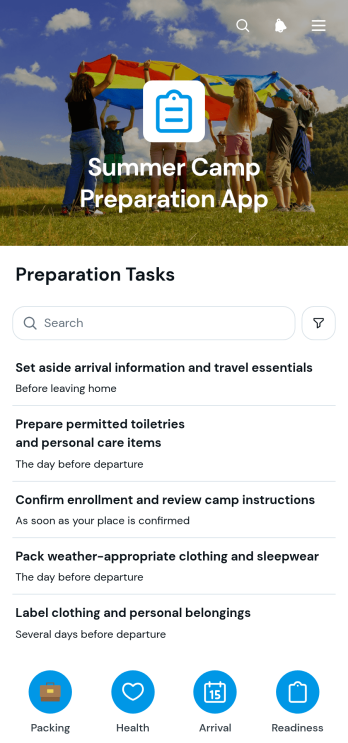
Summer Camp Preparation App
The Summer Camp Preparation App helps families, camp organizers, schools, and youth programs coordinate the practical steps required before camp begins. It brings preparation tasks, readiness information, and helpful guidance into one convenient experience. Parents and guardians can review a clear task list, share readiness details through a connected form, and open expandable sections for relevant instructions. This app template can reduce missed preparations, organize essential information, and give participants a dependable place to check what needs attention before arrival. It works well for day camps, overnight programs, school camps, sports camps, and community activities that need a consistent preparation process.Jotform App Templates make it easy to adapt the Summer Camp Preparation App without writing code. Using Jotform’s no-code app builder and drag-and-drop interface, organizers can update pages, adjust tasks, add resources, apply their own visual style, and connect forms with broader workflows. The finished app can support data collection and self-service access on phones, tablets, or computers. Organizers can publish it with a direct link, share it through a QR code, or embed it in an existing website, giving families convenient access while keeping preparation resources organized in one place.
Go to Category:Checklist Apps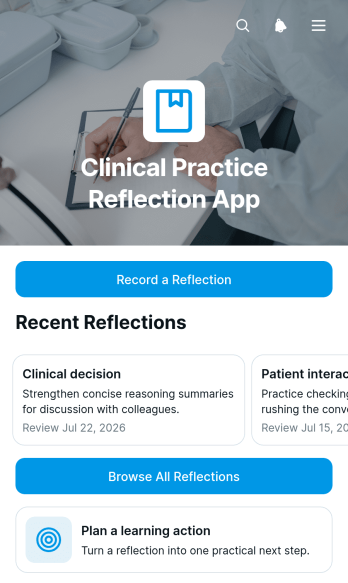
Clinical Practice Reflection App
The Clinical Practice Reflection App gives clinicians, trainees, supervisors, and healthcare education teams a focused space to document experiences from practice and turn observations into learning. Users can record a reflection, identify the relevant practice context, browse previous entries, plan a learning action, and set a review date. This app template is useful after clinical encounters, placements, training sessions, case discussions, or professional development activities. Keeping reflections and follow-up actions together makes it easier to revisit lessons, monitor personal growth, prepare for supervision conversations, and support a consistent reflective practice routine.Jotform Apps helps healthcare and education teams adapt this template without coding. Its drag-and-drop app builder makes it easy to adjust pages, navigation, visual styling, and connected workflows for different roles or learning programs. Reflections can be collected through linked forms and organized for convenient self-service access from phones, tablets, or computers. Teams can also share the finished app through a direct link or QR code, creating an accessible resource for ongoing learning while retaining control over the content, branding, and user experience.
Go to Category:Journal Apps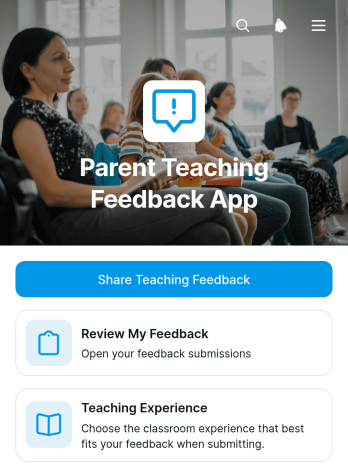
Parent Teaching Feedback App
The Parent Teaching Feedback App is an app template for schools, teachers, tutors, and education teams that want to gather meaningful parent perspectives on teaching experiences. Parents can share teaching feedback through a dedicated form and return to review the feedback they have provided. Keeping these actions in one accessible place makes it easier for families to participate, while helping educators collect observations that may inform classroom practices, family communication, and teaching evaluations. Schools can use this app after lessons, tutoring sessions, academic terms, parent meetings, or learning programs to support consistent data collection and encourage greater parent engagement.Jotform helps education teams turn this Parent Teaching Feedback App into a branded, mobile-friendly feedback experience without writing code. Its no-code app builder and drag-and-drop interface make it simple to adjust pages, wording, colors, and navigation to suit a school or program. Teams can connect forms, tables, notifications, and approval workflows to organize responses and route information to the appropriate staff. Once ready, the app can be shared by direct link or QR code, giving parents convenient self-service access from phones, tablets, or computers. Jotform App Templates also provide a practical starting point that can be updated as feedback needs evolve.
Go to Category:Education Apps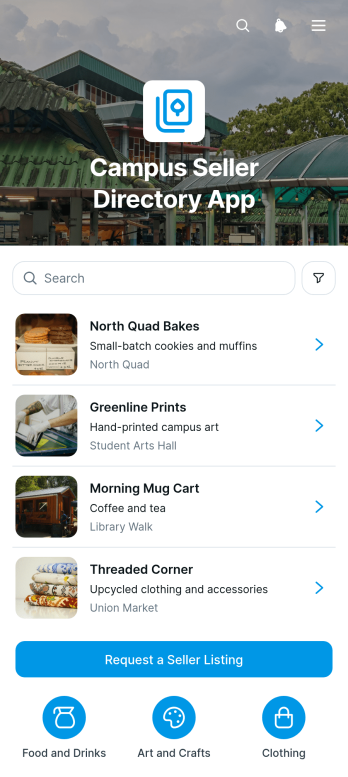
Campus Seller Directory App
The Campus Seller Directory App is an app template for organizing and presenting student, faculty, staff, or community sellers in one easy-to-browse location. Schools, colleges, campus associations, student groups, and marketplace coordinators can use it to improve seller discovery without relying on scattered posts or outdated lists. Users can browse seller profiles and review essential details such as category, campus location, and contact email. A connected listing request form also gives prospective sellers a clear way to submit their information for consideration. This setup supports campus markets, student entrepreneurship programs, seasonal fairs, and ongoing community selling initiatives while helping administrators maintain a consistent directory.Jotform Apps turns this template into a customizable, mobile-friendly directory without requiring coding knowledge. Use the no-code app builder and drag-and-drop interface to adjust pages, navigation, colors, images, and branded content. You can connect forms and tables to support data collection, manage listing requests, and build a practical workflow for reviewing updates. Jotform App Templates also make it easy to publish and share the finished app through a direct link or QR code, giving campus users convenient self-service access from nearly any device.
Go to Category:Community & Engagement Portal Apps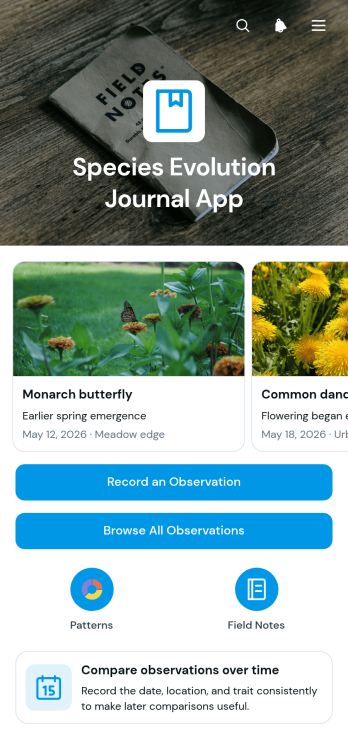
Species Evolution Journal App
The Species Evolution Journal App is an observation journal for documenting species, dates, locations, images, and field notes over time. It gives students, educators, researchers, naturalists, and community science groups a central place to record sightings, browse previous entries, and compare observation patterns. A species-based record list and visual chart make it easier to review field activity and identify changes that may warrant further study. Use this app template for classroom investigations, biodiversity projects, long-term field studies, habitat monitoring, or educational programs that explore how species and populations change across locations and time.Jotform Apps helps you turn this ready-made template into a customized digital experience without writing code. Use the drag-and-drop app builder to adjust pages, navigation, colors, fonts, and branding, then connect forms and tables to support data collection and an organized workflow. The app can be shared by link or QR code for convenient mobile access in classrooms, laboratories, or outdoor settings. With flexible app templates from Jotform, teams can create a practical self-service resource for submitting observations and reviewing accumulated records from one accessible place.
Go to Category:Journal Apps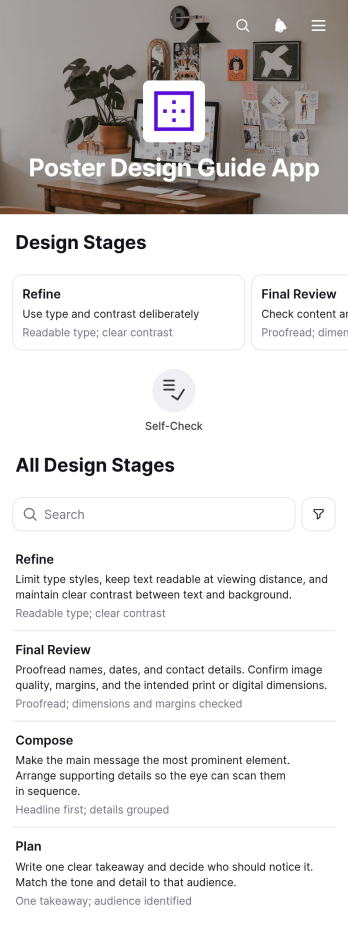
Poster Design Guide App
The Poster Design Guide App is a practical reference for students, educators, marketing teams, event organizers, and independent creators working on print or digital posters. It organizes guidance into easy-to-follow stages, introduces key design principles, and provides a final review checklist before artwork is shared or produced. Users can move through the material at their own pace, revisit important recommendations, and use the connected form to submit project details or review notes. By keeping essential guidance in one accessible place, the app helps teams establish a consistent creative process, reduce avoidable revisions, and support contributors with different levels of design experience.Jotform makes this app template easy to adapt with a no-code app builder and a flexible drag-and-drop interface. Add or rearrange pages, update educational content, apply your preferred colors and fonts, and connect forms or other workflow resources without programming. The finished guide can be shared through a direct link or QR code, giving users mobile-friendly self-service access wherever they work. Explore Jotform App Templates to create a branded learning resource that supports data collection, collaboration, and repeatable poster review practices.
Go to Category:Resource & Learning Portal Apps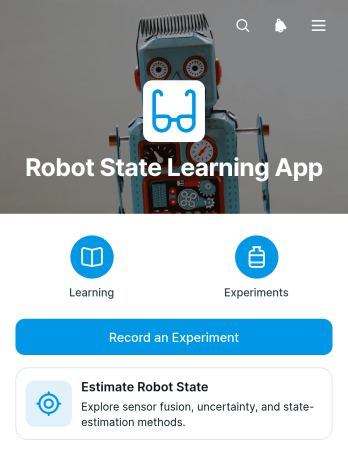
Robot State Learning App
The Robot State Learning App is an interactive learning and experiment-recording resource for robotics students, instructors, engineering trainees, and technical teams exploring how robots estimate position, motion, and operating conditions. It brings core topics such as sensor fusion, uncertainty, noise, and estimation methods into one accessible experience. Users can review learning material, record an experiment, compare sensor inputs with an expected state and observed result, and revisit prior experiment records. In classrooms, labs, workshops, and independent study, this app template helps connect theory with practical observation while giving learners a consistent way to document findings. Instructors can use it to support guided exercises, and engineering teams can adapt it for internal training or exploratory testing.Jotform Apps makes it easy to turn this Robot State Learning App template into a branded, mobile-friendly resource without coding. The drag-and-drop app builder lets you adjust pages, cards, buttons, and navigation, while connected forms and tables support data collection and organized experiment review. Share the finished app through a direct link or QR code so participants can access instructions and submit observations from phones, tablets, or computers. You can also connect approvals and other workflow steps as your training process develops, creating a focused self-service hub that fits your robotics curriculum or team practices.
Go to Category:Engineering Apps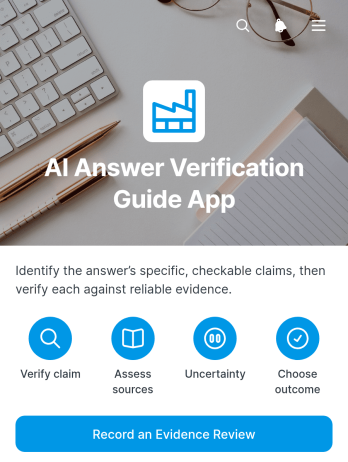
AI Answer Verification Guide App
AI Answer Verification Guide App is a practical resource for reviewing generated answers before they are used in research, education, consulting, publishing, customer support, or internal decision-making. It gives students, educators, analysts, editors, and business teams a consistent place to consult verification guidance, review key criteria, and record an evidence review through a connected form. By bringing reference material and review actions together, this app template helps users assess source quality, identify unsupported claims, document findings, and encourage accountable use of generated content. It is especially useful for organizations that need a repeatable review workflow without relying on scattered documents or informal checks.Jotform app templates make it easy to turn guidance and data collection into an accessible digital experience. With Jotform’s no-code app builder, users can adapt pages, accordion sections, shortcuts, and buttons through a drag-and-drop interface. The app can also connect evidence reviews with forms, tables, notifications, approvals, and related workflows, helping teams organize records and follow-up tasks. Customize the content and appearance, then publish the app for mobile-friendly self-service access through a direct link, QR code, or embedded experience.
Go to Category:Resource & Learning Portal Apps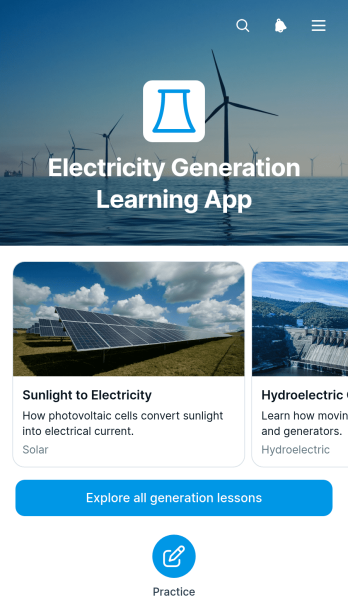
Electricity Generation Learning App
The Electricity Generation Learning App is an educational resource for teaching how electricity is produced through different generation methods. It gives teachers, tutors, technical trainers, students, and workforce development teams a central place to browse lessons, review generation principles and core equipment, and compare electrical output, strengths, and practical considerations. Understanding checks and recorded practice responses help learners apply key concepts while giving instructors greater visibility into progress. The app template works well for classroom instruction, independent study, technical training, science programs, and introductory engineering courses.Jotform makes this Electricity Generation Learning App easy to adapt without coding. Using the no-code app builder and its drag-and-drop interface, educators can update lesson content, adjust navigation, add visual resources, and connect forms or tables to support data collection and learning workflows. The finished resource can be shared by link or QR code for convenient mobile access and self-service learning. Starting with one of Jotform’s App Templates also saves setup time while leaving room to personalize the layout, colors, fonts, and educational materials for a specific class or training program.
Go to Category:Education Apps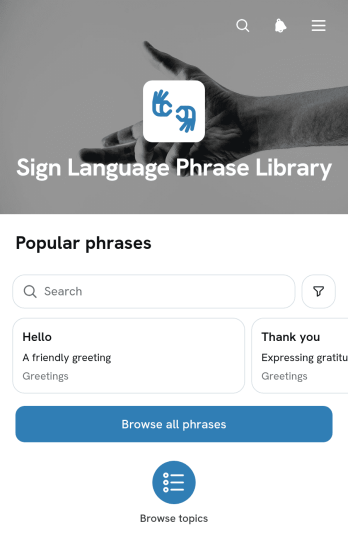
Sign Language Phrase Library App
The Sign Language Phrase Library App is a browsable reference for organizing commonly used signed phrases and helping learners understand their meaning and appropriate usage. It suits educators, tutors, students, accessibility teams, community groups, and organizations that want to make phrase guidance easier to find. Users can browse the full phrase collection, open individual entries, and review concise meaning and usage information. This structure supports classroom study, independent practice, staff learning, community programs, and quick reference during everyday interactions. Content can be tailored to the chosen sign language and the communication needs of a specific audience.Jotform makes this app template easy to adapt with a no-code app builder and a visual drag-and-drop interface. Add or reorganize pages, cards, navigation links, images, videos, and other learning resources to create a focused experience for your audience. You can also connect forms to collect phrase suggestions, learner questions, or feedback and organize the resulting data within related workflows. Once the library is ready, publish it through a direct link, QR code, or embedded experience so users can access the material from phones, tablets, or computers. Jotform App Templates help teams create branded self-service resources without building an app from scratch.
Go to Category:Resource & Learning Portal Apps