

Resource & Learning Portal Apps

Offline Video Streaming App
Offline Video Streaming App provides an organized catalog for discovering videos intended for flexible viewing when internet access may be limited. It suits educators, training teams, travel organizations, community groups, and media coordinators that need to share video information and access options from one central location. Users can browse the catalog, review offline availability, duration, category, and video details, then open the relevant viewing link. A connected submission form also lets contributors propose new videos, helping administrators expand the collection and review requests without relying on scattered messages. This app template supports learning libraries, travel resources, internal training collections, and curated entertainment catalogs while giving audiences a focused self-service experience.Jotform makes this template easy to adapt with a no-code app builder and a visual drag-and-drop interface. Teams can update pages, cards, buttons, images, and navigation to match their branding, then connect forms, tables, approvals, and other workflow steps for smoother data collection. The app can be shared through a direct link or QR code for convenient mobile access. Starting with Jotform App Templates reduces setup time while preserving the freedom to reorganize resources, manage catalog submissions, and publish an interactive experience for viewers, contributors, and reviewers.
Go to Category:Entertainment Apps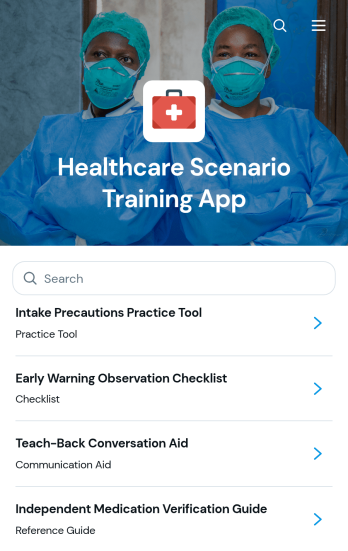
Healthcare Scenario Training App
Healthcare Scenario Training App is a ready-to-use app template for presenting realistic care situations and helping learners practice assessment, decision-making, and reflection. It suits healthcare educators, clinical instructors, training coordinators, academic programs, and organizations that run individual or group learning activities. Learners can browse scenarios, review objectives and reference resources, submit responses, and revisit scores, confidence ratings, reflections, and learning insights. By bringing practice materials and response collection into one accessible experience, the app helps instructors organize scenario-based education, monitor learner development, and identify topics that may need further instruction.With Jotform, this app template can be adapted through a no-code app builder and an intuitive drag-and-drop interface. Teams can update pages, branding, navigation, and learning content while connecting forms, tables, notifications, and workflow steps for coordinated data collection. Jotform App Templates also support mobile-friendly self-service access, making it easier to share training through a direct link, personalized app address, embedded experience, or QR code. Educators can publish updates without coding and maintain a central learning resource as scenarios and training needs evolve.
Go to Category:Healthcare Apps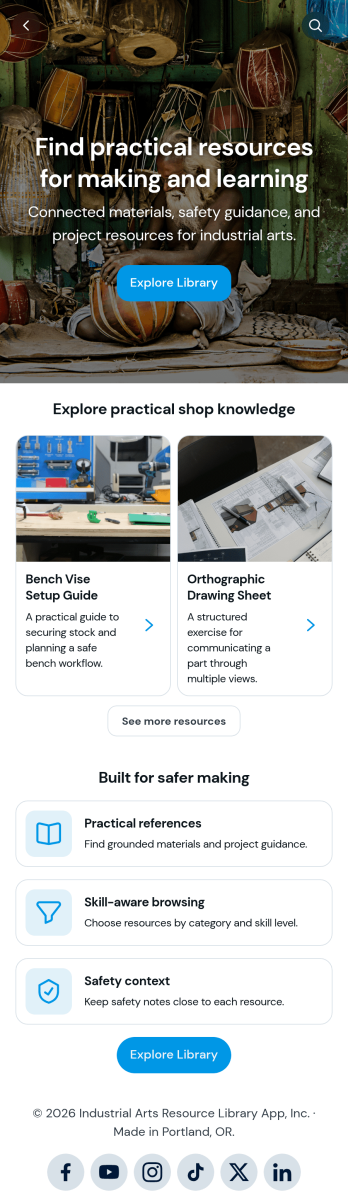
Industrial Arts Resource Library App
Industrial Arts Resource Library App gives schools, training centers, workshop instructors, makerspaces, and technical education programs a central place to share practical shop knowledge. Learners and staff can browse resources by material, category, or skill level, review relevant safety context, and open linked instructional references. Built-in options for submitting resources and requesting help make it easier for instructors, technicians, and students to contribute useful materials or ask for guidance. The app reduces scattered files and disconnected communication while supporting safer, more informed work across woodworking, metalworking, fabrication, drafting, and related learning environments.Jotform makes this app template easy to adapt with a no-code app builder and an intuitive drag-and-drop interface. Add branded pages, reorganize navigation, update resource cards, and connect forms for data collection without writing code. Teams can link submissions to tables and workflows, receive notifications when requests arrive, and maintain a convenient self-service library for their learning community. Publish the finished app through a direct link, personalized URL, embedded experience, or scannable code so users can reach current resources from a phone, tablet, or computer.
Go to Category:Resource & Learning Portal Apps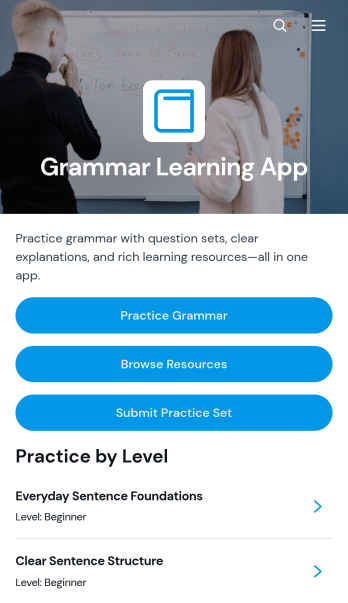
Grammar Learning App
The Grammar Learning App is an interactive study resource for students, language learners, tutors, teachers, and training programs that want to make grammar practice easier to access and manage. Learners can browse grammar resources, open practice sets by skill level, review examples and answer keys, and submit completed exercises from one organized location. It supports independent study, classroom reinforcement, tutoring sessions, homework, and language training without scattering materials across multiple channels. Educators can use the app template to give learners a consistent path from reviewing a concept to practicing it and checking their understanding.With Jotform Apps, schools, tutors, and course providers can customize this Grammar Learning App through a no-code app builder and an intuitive drag-and-drop interface. Add learning pages, update navigation, connect practice forms, organize data collection, and adapt the workflow to different levels or course objectives. Ready-to-use App Templates reduce setup time while leaving room for personalized content, colors, fonts, and visual elements. Once published, the app can be shared by direct link or QR code, giving learners a mobile-friendly self-service destination for ongoing grammar study.
Go to Category:Education Apps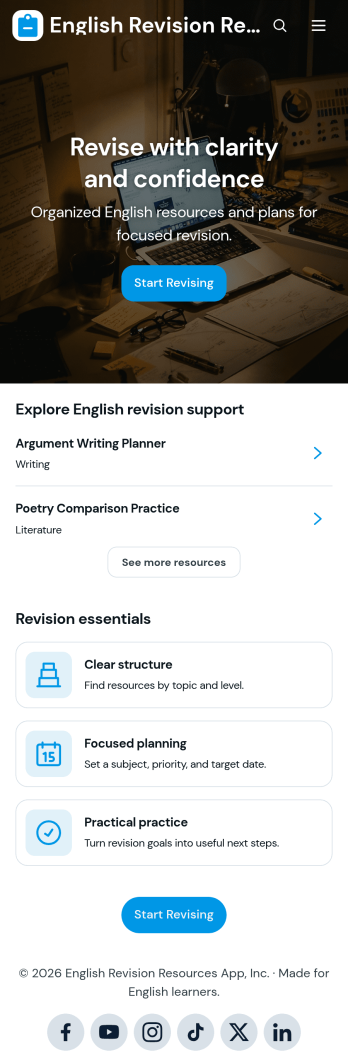
English Revision Resources App
English Revision Resources App brings study materials, topic guidance, and revision planning into one accessible learning space. It is well suited to secondary schools, colleges, tutoring services, teachers, and students preparing for English assessments. Learners can browse resources by topic, open useful study links, and create revision plans with target dates and notes. Educators can use the app to share writing support, practical tips, and materials relevant to different exam boards. By replacing scattered documents and links with organized navigation, the app helps learners find appropriate support, plan focused practice, and take greater ownership of their preparation.Jotform makes this app template easy to adapt with a no-code app builder and intuitive drag-and-drop interface. Add or rearrange pages, update branding, connect forms for new resources and revision plans, and organize content around your curriculum. Linked data collection and workflows can help teaching teams maintain materials while giving students a convenient self-service experience. Once ready, publish the app through a direct link or QR code for mobile-friendly access in class, during tutoring sessions, or at home. Jotform App Templates provide a flexible starting point that can grow alongside changing topics, resources, and learning needs.
Go to Category:Resource & Learning Portal Apps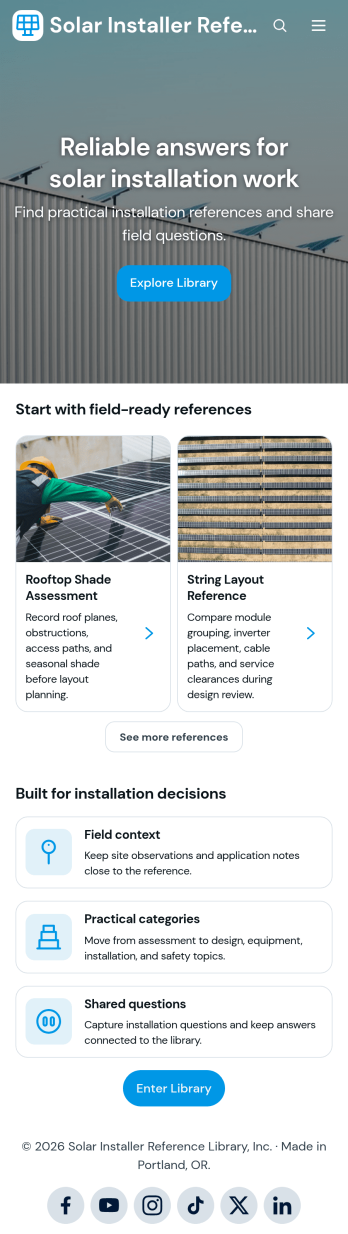
Solar Installer Reference Library App
The Solar Installer Reference Library App gives solar installation crews, field technicians, project managers, contractors, and training teams one organized place to find practical reference material during planning and fieldwork. Users can browse references by relevant categories and system types, review source information, access installer tools, and submit installation questions when additional guidance is needed. It reduces time spent searching through scattered documents and helps teams share consistent technical knowledge across job sites. Companies can also use it to support onboarding, recurring field questions, equipment preparation, and day-to-day installation decisions.With Jotform Apps, teams can turn this app template into a branded, mobile-friendly resource center without writing code. The drag-and-drop app builder makes it easy to update pages, navigation, cards, and buttons as reference needs change. Connect forms and tables to support data collection, organize submitted questions, and build a smoother workflow for maintaining resources. Publish the finished app through a direct link or QR code so installers can use self-service access from a phone, tablet, or computer wherever work takes place.
Go to Category:Resource & Learning Portal Apps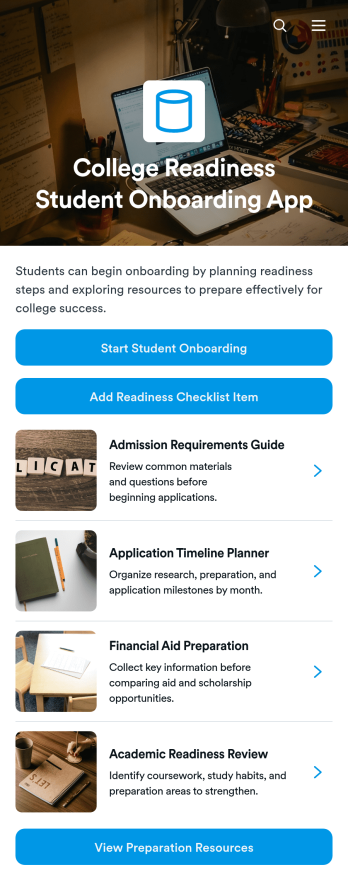
College Readiness Student Onboarding App
College Readiness Student Onboarding App is an app template for schools, college access programs, counselors, tutors, and nonprofit education teams supporting students as they prepare for higher education. It brings student onboarding records, readiness checklist tracking, and preparation resources into one organized experience. Teams can document each student’s academic direction, identify areas where support is needed, assign target dates, and share suggested next steps. This central view helps counselors provide consistent guidance while giving students a clearer path through academic planning, application preparation, financial aid tasks, and other college readiness activities.Jotform Apps helps education teams turn this template into a branded, mobile-friendly resource without writing code. Its drag-and-drop interface makes it easy to adjust pages, navigation, buttons, and visual elements for a school or program. Users can connect forms and tables to support data collection, maintain onboarding workflows, and keep student information organized. Once published, the app can be shared by direct link or QR code, providing convenient self-service access to preparation materials and actions from nearly any device.
Go to Category:Education Apps
Communication Channel Directory App
The Communication Channel Directory App gives employees, distributed teams, and growing organizations a central place to find approved ways to communicate. Users can browse all channels or narrow the directory by email, voice, and collaboration options, then review essential details such as audience, availability, channel type, and primary use. Direct website links help people reach the right resource without searching across scattered documents or asking colleagues for guidance. This app template is especially useful for internal communications, human resources, information technology, operations, and project teams that need to clarify where different conversations, announcements, meetings, and requests should take place.Jotform App Templates make it easy to turn this directory into a branded, mobile-friendly resource without writing code. Use the no-code app builder and drag-and-drop interface to update pages, organize navigation, add or remove channel listings, and adjust visual elements for your organization. The app can also connect with forms, tables, approvals, and workflows to support data collection and related internal processes. Once customized, share the Communication Channel Directory App through a direct link or QR code so employees can access self-service communication guidance from nearly any device.
Go to Category:Company Portal Apps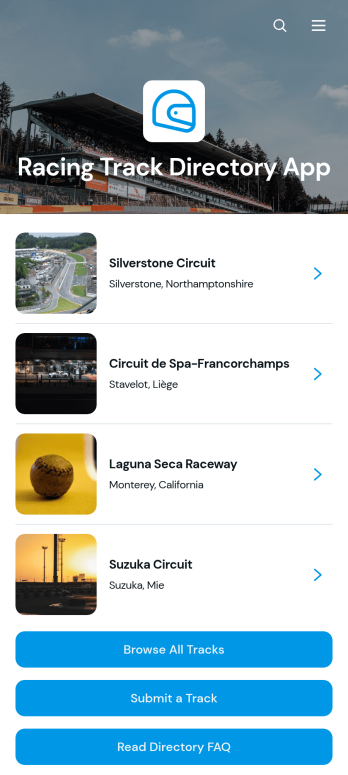
Racing Track Directory App
Racing Track Directory App provides motorsport fans, drivers, racing teams, event organizers, and tourism groups with a central place to discover racing venues. Visitors can browse track listings, review key details such as location, country, track type, and length, then follow a link to the venue’s official website for current information. A connected submission form also helps track owners, community members, and directory managers suggest additional venues. This app template is well suited to regional racing guides, motorsport associations, enthusiast communities, travel resources, and event discovery services that want to make venue research easier while keeping track information organized and accessible.Jotform makes it easy to adapt this Racing Track Directory App without writing code. Use the drag-and-drop app builder to update pages, adjust navigation, apply branded colors and fonts, and connect forms or tables to your workflow. Directory managers can collect track submissions, organize data, and publish updates through a mobile-friendly self-service experience. Once customized, the app can be shared through a direct link or QR code, giving audiences a convenient way to explore racing tracks from nearly any device. Start with one of Jotform’s App Templates and turn your directory concept into an interactive resource.
Go to Category:Sports Apps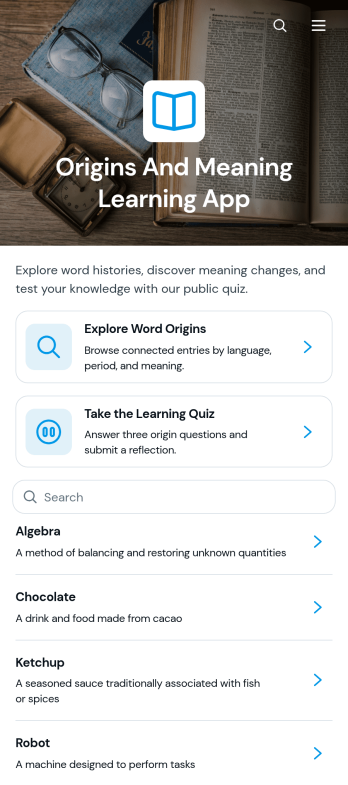
Origins and Meaning Learning App
Origins and Meaning Learning App is an educational resource for exploring where words came from, what they mean, and how their usage developed over time. Teachers, tutors, students, language enthusiasts, writers, and training teams can use it to make etymology lessons more engaging and accessible. Learners can browse a word origins library, filter entries by language, review meanings and historical backgrounds, and see examples and time periods in context. A built-in learning quiz supports knowledge checks after independent study or guided instruction. This app template can serve as a classroom companion, tutoring resource, vocabulary study guide, or interactive reference for language programs.Jotform makes it easy to adapt this learning experience without writing code. Use the no-code app builder and drag-and-drop interface to update pages, organize educational content, apply custom branding, and connect forms or other workflows for data collection. Jotform App Templates also help educators publish mobile-friendly resources that learners can open through a direct link or QR code. Whether the app supports a single lesson or an expanding origins library, it brings reference material and self-service learning into one convenient place.
Go to Category:Education Apps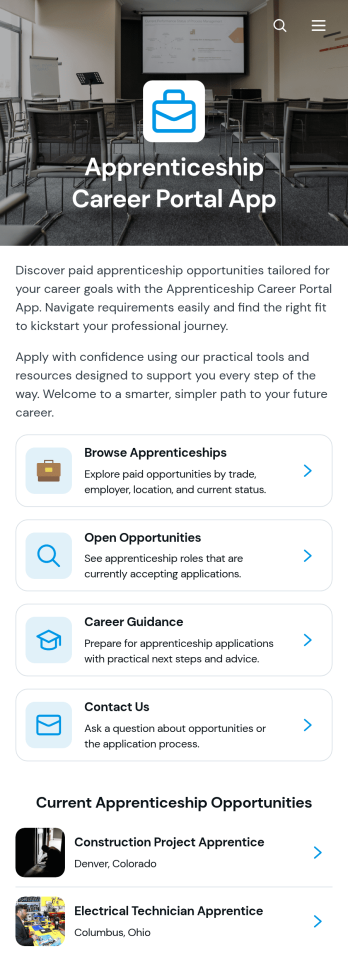
Apprenticeship Career Portal App
Apprenticeship Career Portal App gives career services teams, training providers, educational institutions, workforce organizations, and employers a central place to present apprenticeship pathways to prospective applicants. Visitors can browse current opportunities, review employer, schedule, pay, and requirement details, and access practical guidance for building a stronger application. A connected application form helps candidates act when they find a suitable role. By bringing vacancy discovery, career guidance, and applicant intake into one accessible experience, this app template reduces scattered information and helps people make more informed career decisions.Jotform makes this Apprenticeship Career Portal App easy to adapt with a no-code app builder and a flexible drag-and-drop interface. Update pages, branding, navigation, opportunity listings, and guidance resources to suit your programs without writing code. You can connect forms and other workflow tools for data collection, organize content for self-service access, and publish a mobile-friendly portal through a direct link or QR code. Jotform App Templates help teams launch polished digital experiences quickly while retaining the freedom to refine content as opportunities and applicant needs change.
Go to Category:Job Apps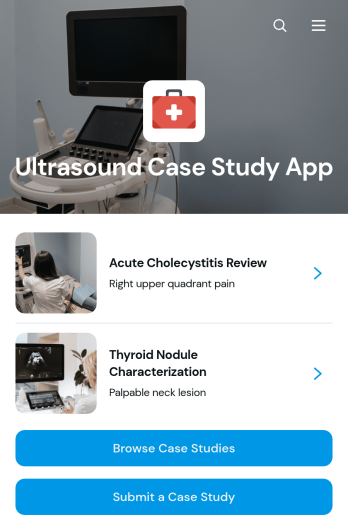
Ultrasound Case Study App
Ultrasound Case Study App provides a central resource for presenting, browsing, and contributing educational ultrasound cases. Sonography educators, clinical training teams, healthcare organizations, instructors, and students can use this app template to build a searchable learning collection around real-world imaging scenarios. Users can review clinical summaries, key findings, impressions, case classifications, protocols, and related resources, while a connected submission form supports new or related case contributions. This setup keeps teaching material easier to navigate and gives learners a consistent way to study cases across modalities and anatomical regions.With Jotform, this Ultrasound Case Study App can be adapted through a no-code app builder and an intuitive drag-and-drop interface. Teams can update pages, cards, buttons, branding, navigation, and connected data collection workflows without writing code. Jotform App Templates also make it simple to link forms and resources, organize case information for mobile-friendly access, and share the finished app through a direct link or QR code. Whether it supports classroom teaching, clinical education, peer learning, or professional development, the app creates an accessible self-service experience that can grow with an organization’s training needs.
Go to Category:Healthcare Apps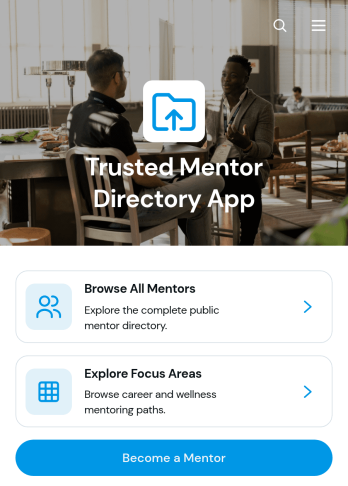
Trusted Mentor Directory App
Trusted Mentor Directory App is a central resource for helping people discover mentors whose backgrounds and areas of expertise match their personal or professional goals. Visitors can browse mentor profiles, explore focus areas such as career development and wellness, and review experience, location, mentoring format, and contact details before reaching out by email. A mentor application form also gives qualified individuals a direct way to express interest in joining the directory. This app template is well suited to professional associations, educational institutions, nonprofits, consulting groups, employee development programs, and community organizations that want to make mentorship opportunities easier to find. It reduces scattered introductions and gives participants a consistent self-service experience.Jotform makes it easy to adapt this directory without coding. Using the no-code app builder and its drag-and-drop interface, teams can update pages, reorganize navigation, apply their branding, and connect forms or tables to support data collection and related workflows. The app can be shared through a direct link or QR code, giving mentors and participants convenient access on phones, tablets, and computers. Jotform App Templates provide a ready-made starting point while leaving room to add approvals, notifications, resource pages, and other connected processes as a mentoring program develops.
Go to Category:Community & Engagement Portal Apps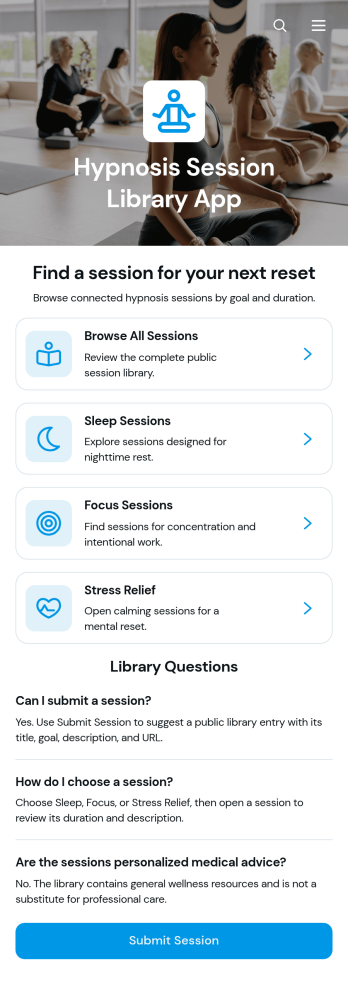
Hypnosis Session Library App
The Hypnosis Session Library App is a searchable resource hub for organizing and sharing public hypnosis sessions focused on sleep, concentration, stress relief, and other personal goals. Hypnotherapists, wellness practitioners, coaches, educators, and resource curators can use it to present session options in one accessible location. Visitors can browse categorized sessions, review goals and duration details, open external session resources, and submit a public session for consideration. This setup makes a growing collection easier to navigate while reducing scattered links and repetitive questions.Jotform App Templates help teams turn useful content and connected processes into polished digital experiences. With Jotform’s no-code app builder and drag-and-drop interface, creators can customize the Hypnosis Session Library App with branded pages, cards, buttons, forms, and visual elements. Connected forms support data collection, while lists and workflows help administrators review new resources and keep library content organized. The finished app can be shared by direct link or QR code, giving visitors convenient mobile-friendly self-service access without requiring creators to write code.
Go to Category:Mental Health Apps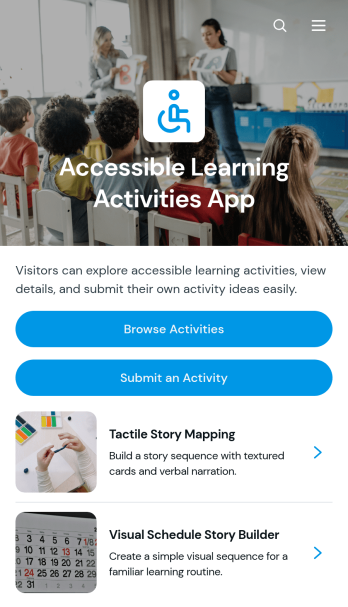
Accessible Learning Activities App
Accessible Learning Activities App is a ready-to-use resource for educators, tutors, learning support teams, and community program leaders who want to share adaptable educational activities in one convenient place. Users can browse a collection of activities, open individual entries to review summaries, materials, and instructions, and submit new or similar ideas for others to use. It can support classroom lessons, tutoring sessions, home learning, professional development, and inclusive community programs. By keeping practical activity guidance organized and easy to find, the app helps educators spend less time searching across scattered documents and gives contributors a consistent way to expand the resource library.With Jotform, this app template can be customized through a no-code app builder and an intuitive drag-and-drop interface. Add branded pages, update navigation, connect forms for data collection, and organize learning resources around the needs of your audience. Jotform App Templates can also connect with tables, approvals, notifications, and other workflow tools, making it easier to review contributed activities and maintain current information. Once the app is ready, publish it through a direct link or QR code so teachers, tutors, families, and program staff can access a mobile-friendly self-service learning resource wherever they are.
Go to Category:Resource & Learning Portal Apps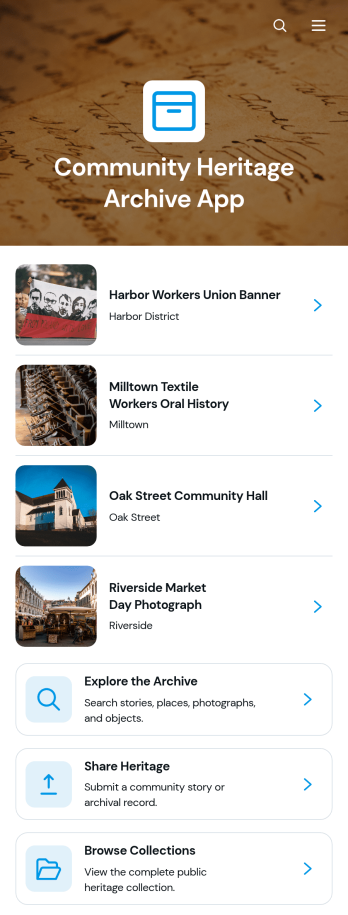
Community Heritage Archive App
The Community Heritage Archive App is a shared digital archive for preserving and presenting local stories, historical records, photographs, oral histories, and cultural knowledge. Community associations, museums, libraries, historical societies, schools, nonprofits, and local researchers can use it to make heritage materials easier to discover. Visitors can explore archive entries, browse themed collections, and review contextual details such as the community, location, contributor, story, and source notes. A contribution form also gives residents and volunteers a convenient way to share heritage materials, helping organizations collect knowledge that might otherwise remain scattered or undocumented.This Community Heritage Archive App template can be adapted with Jotform’s no-code app builder to reflect a community’s identity and archival goals. The drag-and-drop interface makes it easy to update pages, navigation, images, and calls to action without programming. Teams can connect forms and tables to support data collection, organize incoming contributions, and maintain a practical workflow for reviewing new material. Like other Jotform App Templates, it can be shared through a direct link or QR code for mobile-friendly self-service access, giving residents, students, researchers, and visitors one welcoming place to engage with community heritage.
Go to Category:Community & Engagement Portal Apps
Agricultural Knowledge Media App
Agricultural Knowledge Media App is a digital resource center for sharing practical farming information with growers, agricultural advisers, extension teams, educators, students, and rural communities. Users can browse a knowledge library, explore crop guides, and find soil and water resources from one accessible location. Individual media entries can present useful context by topic, resource type, and intended audience before directing users to the relevant external resource. Agricultural organizations, cooperatives, training providers, nonprofits, and educational institutions can use this app template to make trusted learning materials easier to discover and reduce reliance on scattered links or documents.Jotform Apps helps teams turn educational content and connected processes into a branded, mobile-friendly experience without writing code. Start with this entry from Jotform’s App Templates, then use the no-code app builder and drag-and-drop interface to update pages, cards, navigation, images, and links. You can connect forms for data collection, add supporting workflows, and organize resources for convenient self-service access. Publish the finished Agricultural Knowledge Media App through a direct link or QR code so farmers, staff, learners, and community members can access current information wherever they work.
Go to Category:Resource & Learning Portal Apps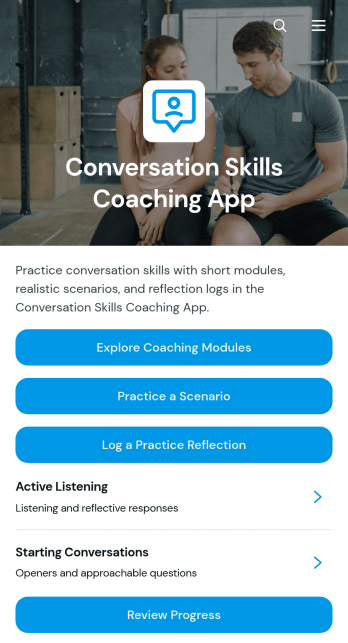
Conversation Skills Coaching App
Conversation Skills Coaching App provides a guided practice space for people who want to communicate more confidently in professional, educational, or personal settings. Coaches, consultants, trainers, educators, managers, and learning teams can use this app template to support structured skill development between live sessions. Users can explore coaching modules, work through realistic conversation scenarios, record practice reflections, and review progress over time. By bringing learning materials and self-service practice into one accessible experience, the app helps participants prepare for difficult discussions, apply new techniques, recognize successful approaches, and identify useful next steps.With Jotform Apps, organizations can adapt the Conversation Skills Coaching App to match their coaching method, audience, and visual identity without writing code. The drag-and-drop app builder makes it easy to update pages, navigation, buttons, resources, and connected forms while maintaining a clear learning journey. Practice reflections can support organized data collection and ongoing workflows, while direct links and scannable codes make the experience easy to share. Start with one of Jotform’s ready-made App Templates, personalize the content, and publish a mobile-friendly coaching resource for independent learners, clients, employees, or students.
Go to Category:Education Apps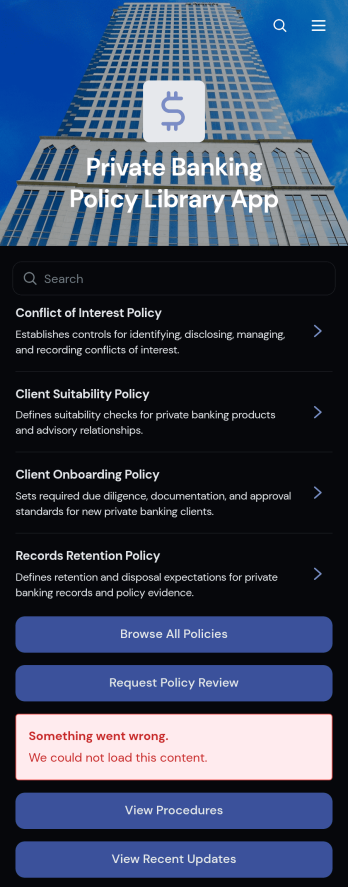
Private Banking Policy Library App
Private Banking Policy Library App gives private banking teams a centralized place to browse policies, review related procedures, check recent updates, and request a policy review. It is well suited to policy owners, operations teams, risk professionals, managers, and employees who need consistent access to current internal guidance. Clear policy records can present essential context such as ownership, policy type, review cycle, and confidentiality level without forcing users to search across disconnected files or messages. The app supports day-to-day reference needs, policy awareness, review coordination, and employee self-service across departments and locations.Jotform App Templates make it easy to adapt this app template to the terminology, structure, and visual identity of a private banking organization. With Jotform’s no-code app builder and drag-and-drop interface, teams can update pages, reorganize navigation, add branded content, and connect review request forms without programming. Linked forms and tables can support data collection and workflow management, while direct links and QR codes make the finished resource easy to share. Organizations can publish a mobile-friendly policy library that brings guidance and review actions into one accessible experience.
Go to Category:Resource & Learning Portal Apps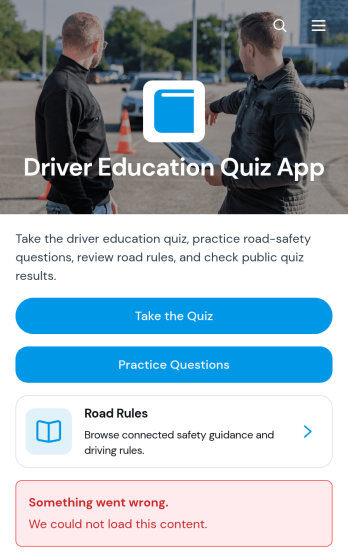
Driver Education Quiz App
Driver Education Quiz App is an interactive learning resource for driving schools, instructors, tutors, and educational organizations that want to help learners review road knowledge and assess their understanding. Students can take a driver education quiz, work through practice questions, and browse road rules with explanations of correct answers and why each topic matters. By bringing assessment and study materials into one accessible experience, the app supports independent preparation, classroom instruction, knowledge checks, and refresher training. It also gives educators a practical way to organize learning content and review participant responses without relying on scattered documents or separate resources.Jotform Apps makes this app template easy to adapt with a no-code app builder and an intuitive drag-and-drop interface. Add or rearrange learning pages, update questions and road-rule content, connect forms and tables for data collection, and create workflows that support follow-up or progress reviews. The finished app can be shared through a direct link or QR code, giving learners mobile-friendly self-service access wherever they study. Start with this customizable option from Jotform App Templates, apply your organization’s branding, and publish a polished driver education resource without writing code.
Go to Category:Quiz Apps
Voice Command Scenario App
Voice Command Scenario App is an app template for presenting, reviewing, and sharing scenarios that show how spoken commands may be used in a product, service, training exercise, or testing process. Product teams, developers, quality assurance specialists, trainers, educators, and user experience researchers can use its central page to organize scenario guidance and give participants a consistent reference point. It is especially useful when teams need to communicate sample commands, expected outcomes, testing conditions, or recommended interactions without relying on scattered documents. Clear resource navigation and scenario reference help support product demonstrations, usability studies, training sessions, and internal reviews.Jotform App Templates make it easy to turn this starting point into a branded, mobile-friendly experience without writing code. With Jotform’s no-code app builder and drag-and-drop interface, teams can update the page, add supporting content, and connect forms for feedback or data collection as their workflow develops. The finished app can be shared through a direct link or QR code, helping remote participants, employees, testers, and stakeholders access the latest material from one convenient location. Flexible customization also makes the Voice Command Scenario App suitable for self-service learning, collaborative testing, and repeatable scenario documentation.
Go to Category:Information Technology Apps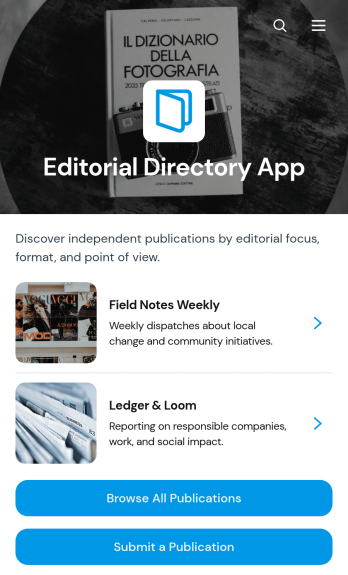
Editorial Directory App
Editorial Directory App is a ready-to-use app template for publishers, media organizations, journalism networks, researchers, educators, and community groups that want to organize and showcase editorial publications in one accessible place. Visitors can browse publication listings, explore topic-based categories such as news, culture, business, and society, and review key publication details before visiting an external website. A connected submission form also gives editors, contributors, or publication owners a convenient way to recommend new entries. This organized experience makes publication discovery easier while helping directory managers maintain a useful resource for readers, students, media professionals, and research communities.Jotform App Templates help teams create polished digital experiences without writing code. Customize the Editorial Directory App with Jotform’s no-code app builder and drag-and-drop interface, then adjust pages, navigation, colors, typography, images, and branding to suit your audience. You can connect forms and tables to support data collection and directory workflows, add resource links, and update content as your catalog grows. Once the app template is ready, publish it using a direct link or QR code so users can access the directory from a computer, tablet, or mobile device. Jotform makes it simple to offer convenient self-service browsing and manage editorial resources from one centralized app.
Go to Category:Resource & Learning Portal Apps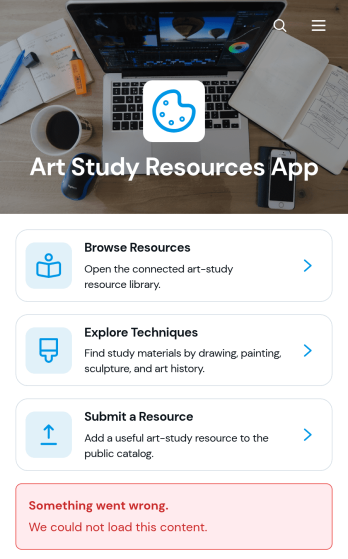
Art Study Resources App
Art Study Resources App is a centralized learning library for art students, educators, tutors, studio groups, and independent artists who need reliable study materials in one accessible place. Users can browse resources, explore artistic techniques, and contribute useful materials through a submission form. Resource details can provide context such as the featured technique, artist, and material type before directing learners to the source. This app template is well suited to classrooms, art programs, workshops, tutoring services, and creative communities that want to make reference materials easier to discover while encouraging knowledge sharing.Jotform Apps helps you turn the Art Study Resources App into a branded, mobile-friendly experience without writing code. Customize pages, navigation, images, colors, and typography with the no-code app builder and its drag-and-drop interface. You can connect forms to support data collection, organize submitted materials with Jotform Tables, and build a workflow for reviewing or updating resources. Start with ready-made App Templates, adapt the layout to your curriculum or community, and share the finished app through a direct link, personalized URL, QR code, or embedded experience for convenient self-service access.
Go to Category:Resource & Learning Portal Apps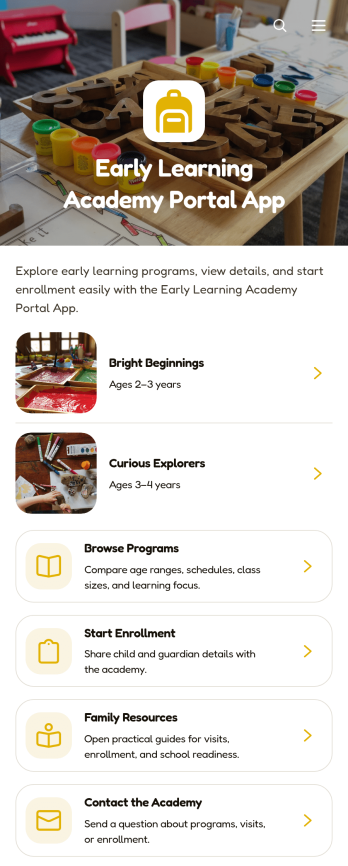
Early Learning Academy Portal App
Early Learning Academy Portal App gives preschools, childcare centers, and early education academies a welcoming digital space where families can explore learning programs, review practical details, begin enrollment, find helpful resources, and contact the academy. Directors, administrators, educators, and admissions teams can use this app template to present age ranges, schedules, class sizes, and learning priorities without scattering information across multiple channels. It supports clearer family communication, easier program discovery, and a more convenient enrollment journey for parents and caregivers.Jotform Apps makes it simple to turn this Early Learning Academy Portal App into a branded, mobile-friendly experience without coding. Use the drag-and-drop app builder to update pages, cards, buttons, images, and navigation while connecting enrollment and contact forms to your workflow. The template can also direct families to linked resources and self-service information from one accessible location. Customize the design with modern fonts and rounded visual elements, organize collected data with connected Jotform tools, and publish the finished portal through a direct link, custom URL, QR code, or embedded experience.
Go to Category:School Management Apps