

Service & Support Portal Apps

Sensory Needs Support App
The Sensory Needs Support App is a central resource for documenting sensory needs, requesting assistance, and finding practical support strategies. It can help schools, care teams, community organizations, workplaces, and families provide more consistent support for people who experience sensory challenges. Users can submit and browse support requests, complete sensory check-ins, and open helpful resources from one accessible location. Check-in summaries give authorized users a clearer view of support context and possible strategies, reducing scattered communication and helping teams respond with greater awareness. The template is useful for ongoing support planning, routine observations, classroom assistance, workplace accommodations, and coordinated care.Jotform App Templates make it easy to adapt the Sensory Needs Support App to different environments without writing code. Using Jotform’s no-code app builder and drag-and-drop interface, organizations can update pages, adjust navigation, apply their own branding, and connect forms with data collection workflows. The app can be shared through a direct link or QR code for convenient mobile access, helping participants reach self-service resources or submit information wherever they are. Connected records can be organized for review, while notifications and other workflow steps help staff follow up on requests. Start with the ready-made app template, tailor it to your support process, and publish a welcoming resource for your community.
Go to Category:Service & Support Portal Apps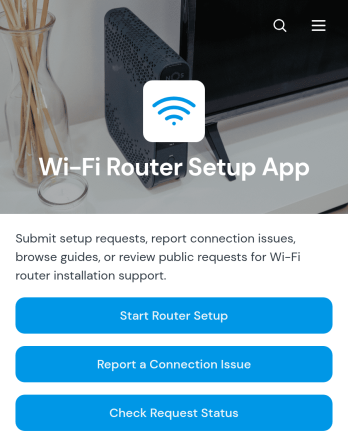
Wi-Fi Router Setup App
Wi-Fi Router Setup App is a central support experience for coordinating router installations and resolving connection problems. It helps internet service teams, information technology departments, property managers, technicians, and home service providers accept setup requests, organize router and location details, and arrange preferred service dates. Users can also report connection issues, review existing requests, and check request status without relying on scattered emails or calls. This app template keeps setup notes and troubleshooting information accessible, giving support staff clearer context while offering customers a convenient self-service path.Jotform app templates make it easy to turn service processes into mobile-friendly experiences without coding. Using Jotform’s no-code app builder and drag-and-drop interface, teams can customize pages, navigation, colors, fonts, and branded visual elements to fit their workflow. Forms and tables can support data collection and request organization, while notifications help teams respond to new activity. Once the app is ready, it can be published and shared through a direct link or QR code, helping technicians and customers access setup and support resources from nearly any device.
Go to Category:Information Technology Apps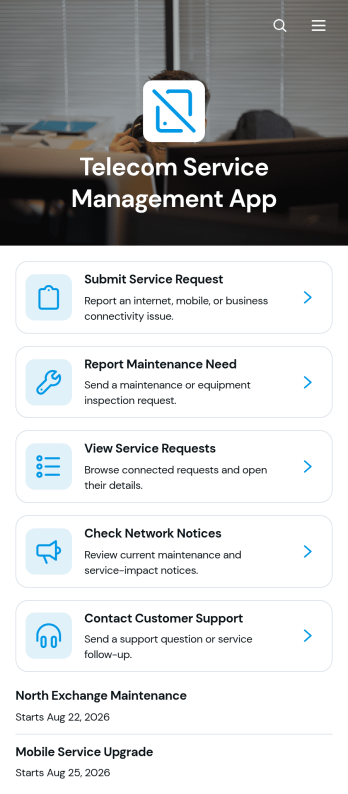
Telecom Service Management App
The Telecom Service Management App is an app template for telecommunications providers, network operators, managed service teams, and facilities staff that need a central place to handle customer service activity. Customers or employees can submit and track service requests, report maintenance needs, and check network notices without relying on scattered emails or calls. It supports everyday scenarios such as connectivity issue reporting, service interruption updates, equipment maintenance coordination, and follow-up on open requests. By bringing these actions together, the app helps support teams organize incoming information, improve visibility, and give users a convenient self-service experience.Jotform makes this template easy to adapt with a no-code app builder and an intuitive drag-and-drop interface. Teams can update pages, branding, navigation, and content while connecting forms, tables, notifications, approvals, and other workflow tools. As part of Jotform App Templates, the Telecom Service Management App can support consistent data collection and keep service information accessible from phones, tablets, or computers. Publish it with a direct link, share it through a QR code, or embed it in an existing digital experience to create a polished resource for customers and staff.
Go to Category:Information Technology Apps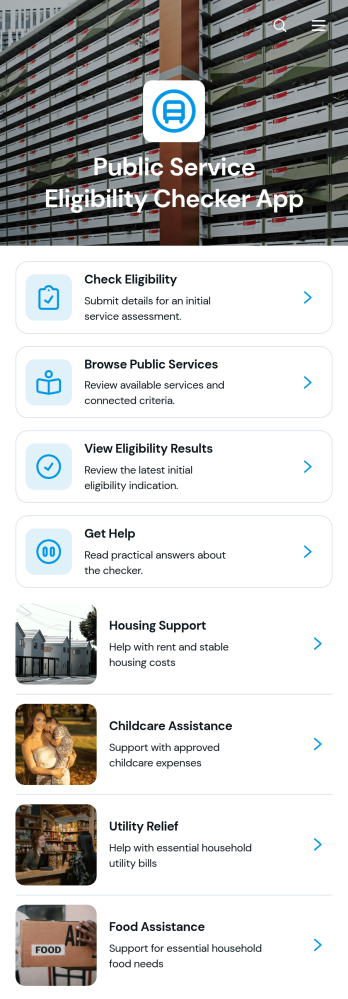
Public Service Eligibility Checker App
The Public Service Eligibility Checker App helps government offices, public agencies, nonprofits, and community service organizations guide people toward programs for which they may qualify. Residents can browse available public services, review eligibility criteria and required documents, complete an assessment, and view relevant results from one accessible location. Clear application guidance and help options reduce confusion before someone begins a formal application. The app template is especially useful for benefits screening, housing assistance, employment support, family services, grants, and community resource programs. It can improve self-service access while helping service teams spend less time answering repetitive eligibility questions.Jotform App Templates make it easy to adapt this experience to local programs and organizational processes. Using Jotform’s no-code app builder and drag-and-drop interface, teams can update pages, adjust questions, apply their branding, and connect forms to data collection and workflow steps without writing code. The finished app can be shared through a direct link or QR code for convenient mobile access. Organizations can also connect assessments with tables, notifications, approvals, and other Jotform tools, creating a practical app template that supports clearer service navigation and more organized follow-up.
Go to Category:Social Good Apps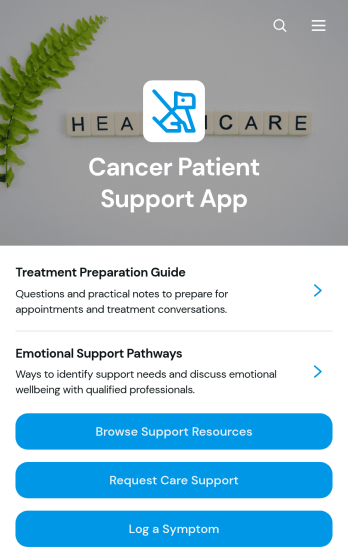
Cancer Patient Support App
The Cancer Patient Support App gives patients, caregivers, healthcare teams, and nonprofit support organizations a central place to find assistance throughout the care journey. Users can browse support resources, review contact and availability information, request care support, and log symptoms for later discussion with their care team. It can help hospitals, clinics, patient advocacy groups, and community programs make practical guidance easier to access while reducing scattered requests and disconnected records. The app also offers a convenient way to gather feedback and understand where additional support may be needed.Jotform App Templates make it easier to turn essential resources and connected processes into an accessible digital experience. Using Jotform’s no-code app builder and drag-and-drop interface, organizations can customize the Cancer Patient Support App with their own branding, pages, buttons, and guidance. Forms and data collection tools can be connected to workflows for support requests, symptom records, and follow-up activities. Once published, the app can be shared through a direct link or QR code, giving users a mobile-friendly self-service resource without requiring a download or coding knowledge.
Go to Category:Healthcare Apps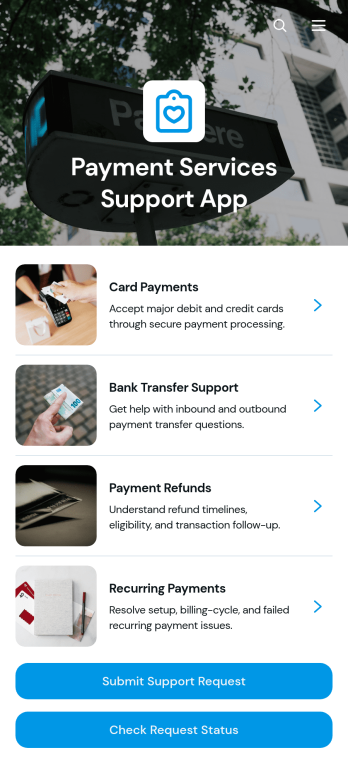
Payment Services Support App
Payment Services Support App gives payment providers, finance teams, customer service departments, and online businesses a central place to handle payment-related questions and service issues. Customers can browse available support services, review key details such as availability and processing time, submit a support request, and check its status. Support teams can use the app to organize requests by payment reference and issue type, reduce repeated inquiries, and give customers a clearer self-service experience. It is well suited to troubleshooting failed transactions, delayed payments, account charges, refunds, and other payment service concerns.With Jotform Apps, teams can adapt this app template without writing code. The drag-and-drop app builder makes it easy to update pages, branding, navigation, and support resources while connecting forms and tables for data collection and workflow management. Businesses can publish a polished app with a personalized link, share it through a QR code, and provide convenient mobile access. Jotform App Templates also help teams bring request intake, status information, and customer guidance into one accessible experience that can evolve with their support operations.
Go to Category:Service & Support Portal Apps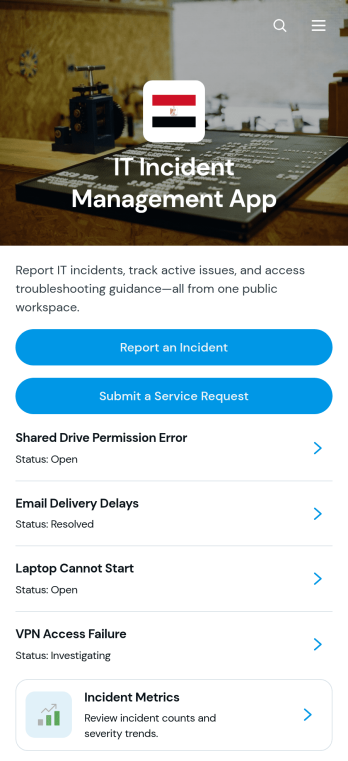
IT Incident Management App
The IT Incident Management App gives IT departments, help desks, managed service providers, and operations teams a central place to receive and review technology incidents. Employees can report an incident, submit a separate service request, view incident details and resolution notes, and consult troubleshooting articles before seeking additional help. Incident metrics provide teams with visibility into recurring issues and support activity. This app template is useful for managing outages, software errors, access problems, device failures, network disruptions, and other technical concerns while keeping requests and reference material organized in one accessible experience.Jotform Apps makes it easy to adapt this IT Incident Management App to your organization without writing code. Use the no-code app builder and drag-and-drop interface to update pages, branding, navigation, forms, and support resources. Connected data collection and workflow tools can help teams organize incident reports, follow up on requests, and maintain a practical self-service knowledge base. Jotform App Templates are mobile-friendly and can be shared through a direct link, QR code, or embedded experience, giving employees and technicians convenient access wherever support is needed.
Go to Category:Information Technology Apps
Machine Repair Intake App
The Machine Repair Intake App gives maintenance departments, repair businesses, field service teams, facility managers, and equipment operators a central place to receive and review machine repair requests. Users can submit a request, browse reported issues, view essential details such as the machine identifier, location, issue category, and preferred service date, and consult maintenance guidance. This organized intake experience reduces incomplete requests, keeps service information accessible, and helps teams assess priorities before assigning technicians or planning visits. It is suitable for factories, workshops, warehouses, construction operations, equipment rental providers, and other organizations that rely on functioning machinery.Jotform App Templates help teams turn service processes into accessible digital experiences without writing code. Customize this Machine Repair Intake App with the no-code app builder and drag-and-drop interface, then adjust pages, buttons, colors, fonts, and branding to match your operation. Connected forms support consistent data collection, while tables and workflows can help staff organize incoming requests and coordinate follow-up work. Once published, the app can be shared by link or QR code for convenient mobile self-service, giving operators and maintenance personnel a simple way to access repair resources from nearly any device.
Go to Category:Equipment Maintenance Software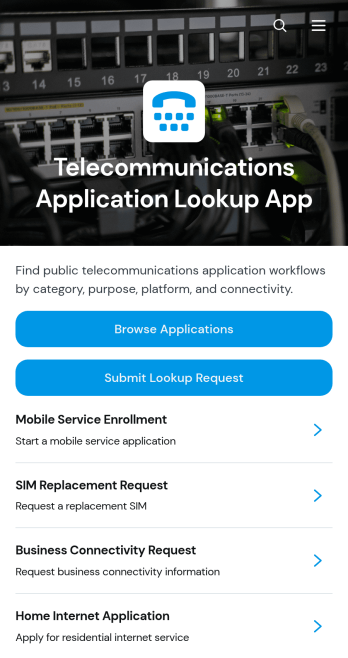
Telecommunications Application Lookup App
The Telecommunications Application Lookup App is a searchable resource for telecommunications teams that need a central place to find and review application information. Network operations staff, technical support teams, service managers, IT departments, and internal users can browse an application directory, open individual summaries, and review connected details such as primary use, platform, and connectivity. When information is unavailable or further research is needed, users can submit a lookup request from the same experience. This app template helps organizations reduce scattered documentation, make application references easier to access, and support faster responses to operational or technical questions.Jotform Apps provides a no-code app builder for turning resources and workflows into accessible, interactive experiences. Customize this Telecommunications Application Lookup App through a drag-and-drop interface, adjust its pages and branding, and connect forms or tables for data collection and record organization. Teams can publish the app with a personalized link, share it directly or by QR code, and give users mobile-friendly self-service access. Jotform App Templates also make it easy to update content as application portfolios, platforms, and connectivity details change.
Go to Category:Information Technology Apps
Life Rebuilding Support App
The Life Rebuilding Support App is a ready-to-use app template that helps people navigate major life changes with organized, accessible support. Nonprofits, community programs, peer-support groups, counselors, and case management teams can use it to provide a clear starting point for individuals rebuilding routines or working toward greater stability. Users can submit a support intake, complete ongoing check-ins, and browse helpful resources without relying on scattered forms or links. This focused experience helps teams understand changing needs, encourage manageable next steps, and make guidance easier to find throughout a participant’s journey.Jotform Apps makes it easy to adapt this Life Rebuilding Support App with a no-code app builder and an intuitive drag-and-drop interface. Add branded pages, update resource navigation, connect forms to data collection workflows, and arrange content around the services your organization provides. The app template can be shared through a direct link or QR code for convenient mobile self-service. Connected information can also support team follow-up and organized recordkeeping, giving staff a practical way to manage intake and engagement while offering participants a welcoming digital support center.
Go to Category:Social Good Apps
Access Unlock Request App
Access Unlock Request App gives employees, contractors, and other authorized users a central place to request restored access to accounts, systems, facilities, or restricted resources. It is well suited to IT departments, security teams, facilities staff, service desks, and operations teams that need a consistent way to receive and manage unlock requests. Users can submit an access request, check its status, and review request details such as the requester, access area, access type, and required date. Separate views for open and completed requests help teams prioritize outstanding work, reduce duplicate inquiries, document outcomes, and give requesters a clearer self-service experience.With Jotform, this app template can be adapted to match an organization’s access procedures, terminology, and visual identity. The no-code app builder and drag-and-drop interface make it easy to update pages, buttons, guidance, and navigation without programming. Teams can connect forms, tables, notifications, approvals, and other workflow steps to support organized data collection and timely follow-up. Once configured, the Access Unlock Request App can be published with a shareable link or QR code, giving users a mobile-friendly way to send requests and find updates from nearly any device.
Go to Category:Information Technology Apps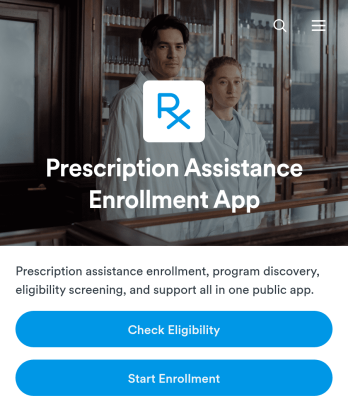
Prescription Assistance Enrollment App
The Prescription Assistance Enrollment App helps healthcare providers, pharmacies, community health organizations, nonprofits, and patient support teams guide people through prescription assistance enrollment. Users can review available programs, explore medication coverage and income guidelines, check eligibility, begin an enrollment request, and contact support from one convenient location. By bringing program information and next steps together, the app reduces confusion for applicants and gives support teams a consistent way to direct patients toward potentially suitable assistance resources.With Jotform Apps, organizations can customize this app template using a no-code app builder and an intuitive drag-and-drop interface. Teams can update program details, adjust navigation, connect forms and workflows, and apply their own branding without writing code. The app can be shared by link or QR code for mobile-friendly self-service, while connected Jotform tools help organize data collection and notify staff when follow-up may be needed. Start with one of Jotform’s App Templates, tailor the experience to your enrollment process, and publish a clear digital pathway for prescription assistance applicants.
Go to Category:Healthcare Apps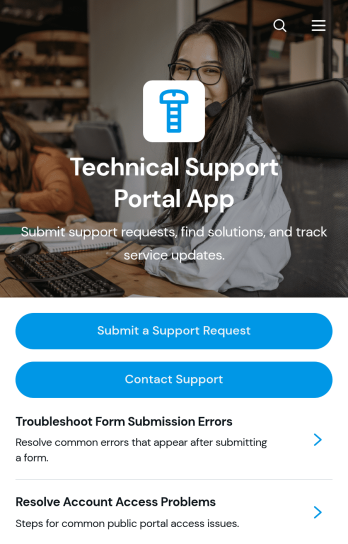
Technical Support Portal App
Technical Support Portal App gives IT teams, managed service providers, software businesses, and internal help desks a central place to handle technical assistance. Customers or employees can submit support requests, review issue details and attachments, check request status, browse documented resolutions, and contact the support team without searching across separate channels. It is well suited to troubleshooting software, hardware, account access, network, and workplace technology issues. By keeping requests and support information accessible in one branded destination, the portal helps reduce missed inquiries, gives requesters clearer visibility, and enables support teams to maintain a more organized service experience.Jotform App Templates make it easy to adapt this app template to an organization’s support process without writing code. Using Jotform’s no-code app builder and drag-and-drop interface, teams can update pages, buttons, visual branding, and navigation while connecting forms, tables, approvals, notifications, and other workflow steps. The app can be shared by direct link, QR code, or embedded experience for convenient mobile-friendly self-service. Support managers can centralize data collection, publish useful resources, and refine the portal as services or internal processes change.
Go to Category:Service & Support Portal Apps
Support Agent Performance App
Support Agent Performance App is a central workspace for support managers, team leaders, quality assurance specialists, and customer service operations teams to monitor agent development. It brings agent profiles, performance reviews, coaching actions, and reports into one accessible experience. Managers can browse the support team, open individual records, document reviews, and record follow-up coaching without relying on scattered files or disconnected processes. This app template is useful for recurring evaluations, one-on-one meetings, onboarding checkpoints, performance improvement plans, and team development programs. It gives leaders a clearer view of each agent’s focus areas while creating a consistent process for feedback and accountability.With Jotform Apps, teams can adapt this Support Agent Performance App through a no-code app builder and an intuitive drag-and-drop interface. Add branded pages, adjust navigation, update agent resources, and connect forms or tables to support data collection and workflow management. Jotform App Templates make it easier to launch mobile-friendly operational tools without programming. The finished app can be shared through a direct link or QR code, helping authorized team members access reviews, coaching records, reports, and self-service resources wherever they work.
Go to Category:Service & Support Portal Apps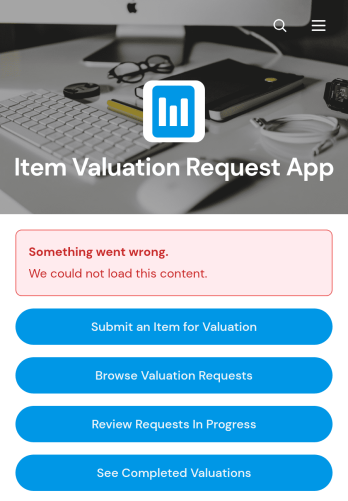
Item Valuation Request App
The Item Valuation Request App is a ready-to-use app template for collecting, organizing, and reviewing requests to assess the value of personal property, merchandise, collectibles, equipment, or other items. It gives customers, clients, or staff a convenient place to submit an item for valuation, browse existing requests, and check whether work is in progress or complete. Appraisers, resale businesses, auction services, insurers, consultants, and internal asset teams can use it to replace scattered emails and manual status updates with a clear request journey. Centralized data collection helps teams prioritize incoming work, maintain consistent records, and give requesters greater visibility throughout the valuation process.With Jotform Apps, organizations can adapt this Item Valuation Request App without writing code. The no-code app builder and drag-and-drop interface make it easy to update pages, navigation, colors, fonts, images, and branding. Teams can connect forms, tables, approvals, notifications, and other workflow tools to support intake and follow-up from one mobile-friendly location. Once the app is ready, it can be shared by a direct link or QR code, giving users simple self-service access on phones, tablets, and computers.
Go to Category:Estimation Apps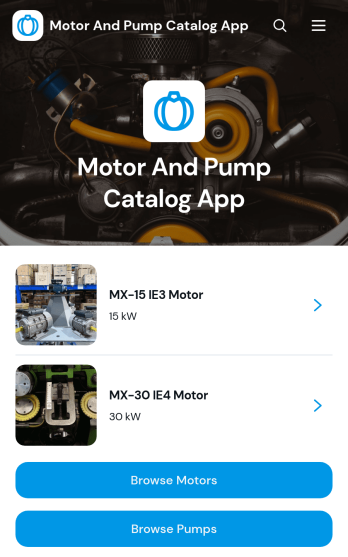
Motor And Pump Catalog App
The Motor And Pump Catalog App gives equipment suppliers, engineering firms, maintenance providers, and industrial service teams a central place to present motors and pumps. Visitors can browse equipment by category, review model-specific descriptions and specifications, compare suitable options, and submit a service request when assistance is needed. This app template helps sales representatives, technicians, facility managers, contractors, and prospective buyers find relevant product information without searching through separate documents or contacting multiple departments. By bringing product discovery, equipment comparison, and service request access together, it can shorten response times and support more informed purchasing and maintenance decisions.Jotform App Templates make it easy to adapt this catalog to match a company’s equipment range, branding, and operating process. Using Jotform’s no-code app builder and drag-and-drop interface, teams can update pages, product cards, navigation buttons, images, and linked forms without programming. The app can connect data collection with tables, approvals, notifications, and other workflow steps, helping staff organize incoming requests and follow up consistently. Publish the finished experience through a direct link or QR code to offer mobile-friendly self-service access to customers, field teams, distributors, and business partners.
Go to Category:Engineering Apps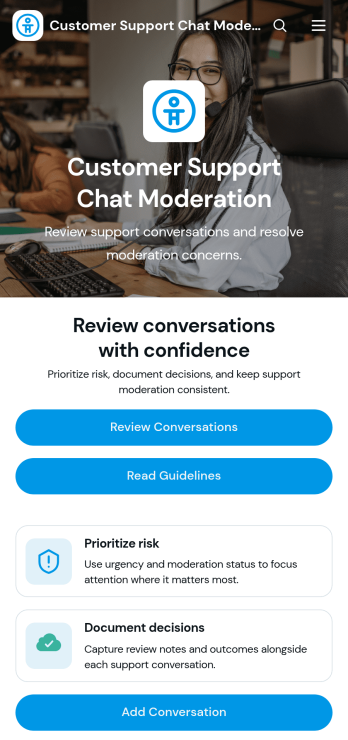
Customer Support Chat Moderation App
Customer Support Chat App is an app template designed to facilitate efficient, professional, and policy-compliant chat moderation for businesses. Its chief purpose lies in automatically monitoring customer support conversations, a feature that is especially beneficial for customer support and success teams, contact centers, BPOs, e-commerce businesses, and more. Within the demanding environment of telecommunications companies, online marketplaces, and community platforms, this app proves useful in managing high volumes of live chat or messaging support. It relieves the workload on support managers while enhancing customer experience, as it ensures that all interactions remain safe and professional. The value of using this template over ad-hoc collection methods is evident in its ability to provide clarity and consistency in maintaining the quality of customer interactions.With Jotform’s no-code app builder, you can use the Customer Support Chat App template to create your app without writing a single line of code. Customize the app to match your branding using the drag-and-drop interface. You can adjust colors, upload your logo, and integrate necessary forms with ease. Users can then access and download your app on any smartphone, tablet, or desktop via a shareable link. The app functions as a Progressive Web App (PWA), allowing it to be installed directly to the home screen without requiring an App Store download. In addition, your users can access your app offline, making it an ideal solution for organizations that need to access customer support chat data anytime, anywhere. Jotform ensures that your chat data is handled efficiently and professionally, making it a significant asset for businesses seeking to improve their customer support operations.
Go to Category:Customer Engagement Apps
Diesel Engine Service Support App
The Diesel Engine Service Support App helps fleet operators, equipment owners, service technicians, repair shops, and field maintenance teams coordinate support for diesel engines. Users can request engine or diagnostic service, review maintenance records, monitor service status, and consult engine guides from one convenient location. This focused experience makes it easier to document completed work, identify upcoming service needs, connect records with specific engine models, and give technicians useful context before an inspection or repair. It is well suited to trucking companies, construction businesses, agricultural operations, equipment rental providers, and independent diesel service teams that want clearer communication and more consistent maintenance processes.Jotform makes this app template easy to adapt with a no-code app builder and an intuitive drag-and-drop interface. Add branded pages, update navigation, connect forms and tables, or organize guides without writing code. Requests and maintenance information can feed connected workflows, helping teams centralize data collection and reduce scattered service communications. Once the Diesel Engine Service Support App is ready, publish it for mobile-friendly self-service and share it with drivers, operators, technicians, or customers through a direct link or QR code. Jotform App Templates provide a practical starting point while leaving room to tailor the experience to your engines, services, and operating procedures.
Go to Category:Equipment Maintenance Software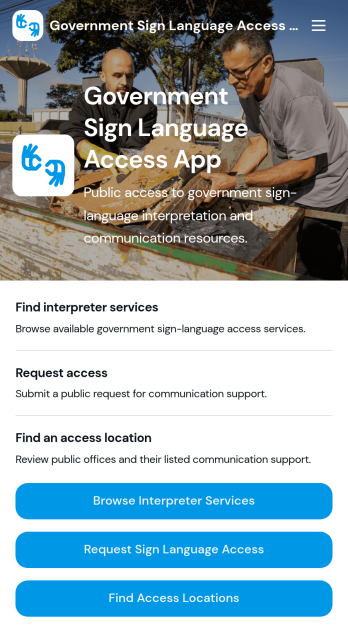
Government Sign Language Access App
Government Sign Language Access App is a public service resource for government agencies that need to help Deaf and hard-of-hearing community members find communication support. Residents can browse interpreter services, identify access locations, review office hours and available communication assistance, and submit a request for sign language access. It is especially useful for municipal offices, public service departments, community outreach teams, and agencies coordinating appointments or in-person visits. By bringing service details, locations, contacts, and support requests into one mobile-friendly experience, the app makes information easier to navigate and helps staff manage incoming access needs with greater consistency.Jotform Apps gives teams a no-code app builder for turning public-facing processes into organized, branded digital experiences. Start with this app template, then use the drag-and-drop interface to update pages, service listings, resource links, buttons, images, and visual styling. Connected forms support data collection, while Jotform Tables, approvals, and notifications can help teams coordinate each workflow after a request arrives. Like other Jotform App Templates, the app can be shared through a direct link or QR code, giving residents convenient self-service access from phones, tablets, and computers without requiring a download.
Go to Category:Community & Engagement Portal Apps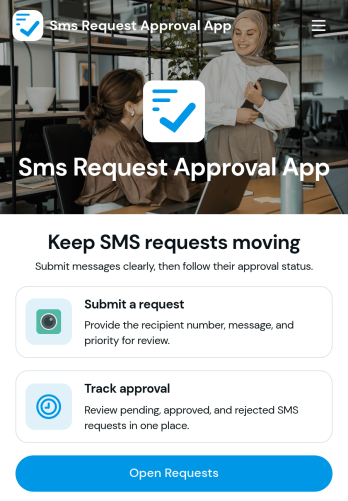
Sms Request Approval App
Sms Request Approval App helps teams route text-message send requests through a clear approval step before anything is sent. It’s a practical fit for marketing teams coordinating promotions, support leaders reviewing customer updates, HR sharing time-sensitive notices, or operations teams managing service alerts. Use it to centralize who requested an SMS, what the message is for, and when it should go out, so decisions don’t get lost in chats or email threads.With Jotform, you can turn this app template into a simple self-service experience that captures requests consistently and supports a dependable workflow from request to review. Customize the layout with a drag-and-drop interface, connect the app to your data collection process, and share a single link with requesters and approvers. As needs grow, you can expand the experience with additional steps and connected tools while keeping everything organized in one place.
Go to Category:Customer Engagement Apps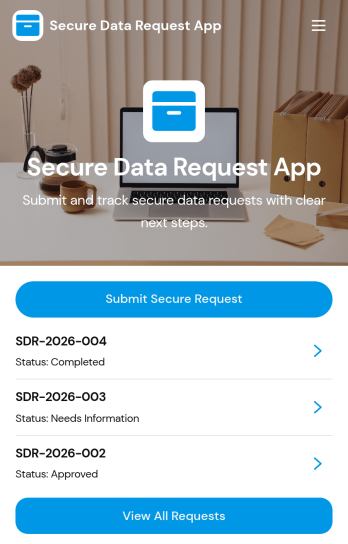
Secure Data Request App
Secure Data Request App helps teams collect sensitive information requests in a controlled, trackable way, then guide requesters to check status without chasing emails. It’s a practical fit for IT and security teams, HR operations, legal, finance, and shared services groups that routinely receive access or data pull requests and need consistent intake. Requesters can submit a secure request from a prominent button, then browse a list of requests and open a request card to review key details such as data type, security level, submitted date, and next step. This makes it easier to standardize what gets asked for and reduce missing information at intake.With Jotform, you can turn this experience into a branded self-service app using a no-code app builder and a drag-and-drop interface. Connect the submit button to your form for data collection, organize requests into easy-to-navigate pages, and keep your workflow moving with connected tools like Tables and notifications. Share the app with a link or QR code so employees or stakeholders can submit requests and reference updates from anywhere, while your team maintains a single source of truth.
Go to Category:Information Technology Apps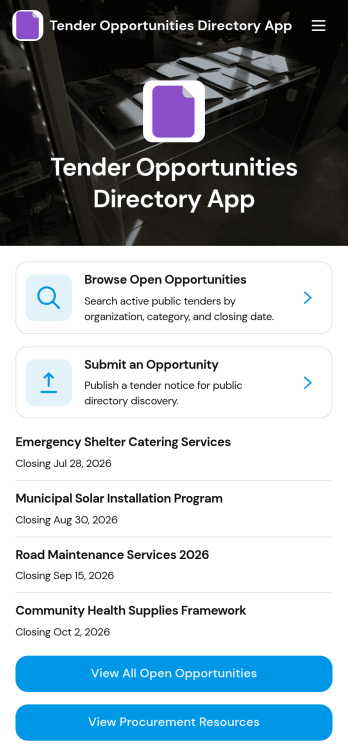
Tender Opportunities Directory App
Tender Opportunities Directory App helps teams publish, browse, and manage open procurement opportunities in one easy-to-navigate directory. It’s built for procurement offices, public sector teams, NGOs, and growing businesses that want a clear place for vendors to find current tenders, check closing dates, and review key details like eligibility, issuing organization, and submission method. With a dedicated area to browse open opportunities plus a simple way to submit a new opportunity for listing, this app supports consistent posting, faster vendor discovery, and fewer missed deadlines.Jotform makes it simple to turn this directory into a branded self-service experience using a no-code app builder with a drag-and-drop interface. Connect your app to Jotform Forms and data collection so new tenders can be added through a controlled intake, then displayed as a searchable list for visitors. You can update content quickly, add helpful procurement resources, and share the app via link or QR code so stakeholders always have the latest information in one place.
Go to Category:Customer Portal Apps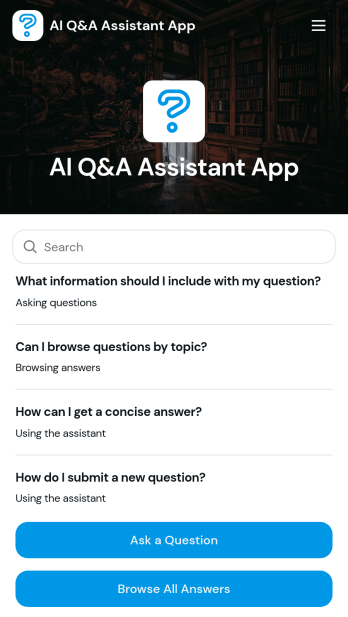
AI Q&A Assistant App
AI Q&A Assistant App helps teams collect questions, organize them by topic, and make answers easy to find in one place. It’s a practical fit for customer support teams building a lightweight help experience, HR and operations groups centralizing internal FAQs, and educators or trainers capturing recurring questions from learners. Users can ask a question, browse existing answers, and explore topics so they spend less time searching and more time acting on the right information.With Jotform, you can turn this app template into a polished self-service experience using a no-code app builder and a drag-and-drop interface. Connect the app to your forms and data tables to support ongoing data collection, keep answers up to date, and route new questions through a workflow your team can manage together. Share the app with a simple link so people can quickly submit questions or browse what’s already been answered from any device.
Go to Category:Customer Engagement Apps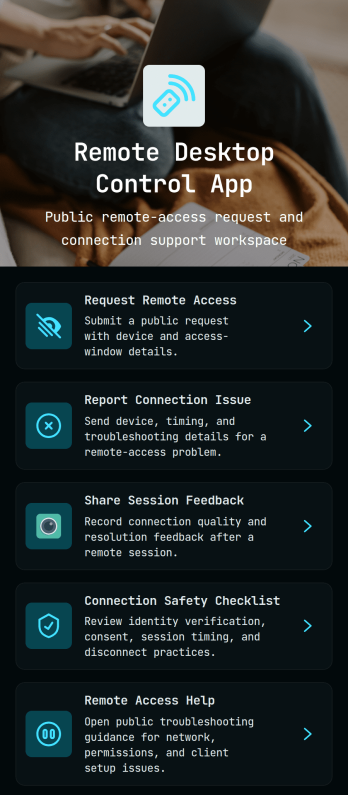
Remote Desktop Control App
Remote Desktop Control App centralizes how employees and customers request remote access, report connection issues, and share post-session feedback in one place. It also provides quick links to a connection safety checklist and remote access help, so IT teams can reduce confusion during urgent troubleshooting and keep support steps consistent across devices and locations.With Jotform, you can turn these touchpoints into a self-service experience without coding. Use the drag-and-drop no-code app builder to tailor pages, buttons, and navigation to your process, then connect the app to your data collection and workflow needs for faster routing and clearer visibility. Share your Remote Desktop Control App through a link or QR code so users always know where to go for remote assistance.
Go to Category:Information Technology Apps