

Customer Portal App Templates

Beauty Clinic Referral App
Beauty Clinic Referral App gives beauty clinics, treatment providers, referral partners, and administrative teams one organized place to submit and review prospective patient referrals. This app template supports referral intake, record browsing, and follow-up communication without relying on scattered emails or paper notes. Staff can open a referral list, view key details such as the referring contact, receiving clinic, email address, and recorded patient consent, then contact the referrer when clarification is needed. It is well suited to clinics that work with salons, wellness professionals, independent practitioners, or partner locations and need greater visibility throughout the referral process.Jotform App Templates help teams turn everyday processes into accessible digital experiences. With Jotform’s no-code app builder and drag-and-drop interface, users can customize the Beauty Clinic Referral App with branded pages, forms, buttons, navigation, and connected workflows. Clinics can adapt the app template to their intake practices, organize data collection, connect records with other Jotform tools, and create a convenient self-service entry point for referral partners. The app builder also makes it easy to publish updates and share the finished app through a direct link or QR code for mobile-friendly access.
Go to Category:Customizable Beauty Salon Apps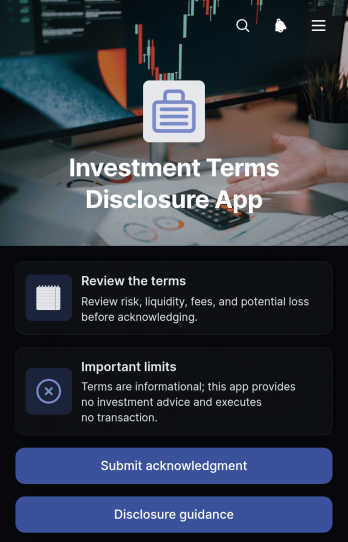
Investment Terms Disclosure App
The Investment Terms Disclosure App is an app template for presenting investment terms, highlighting important limits, sharing disclosure guidance, and collecting acknowledgments in one accessible experience. It suits financial advisers, investment educators, consulting teams, fund administrators, and organizations that need to give prospective or current participants a consistent way to review information before moving forward. Clear navigation helps users examine the terms and key limitations without searching through scattered documents or email threads. An acknowledgment form also creates an organized record of responses for internal follow-up and data collection.Jotform Apps makes this Investment Terms Disclosure App easy to adapt without coding. Teams can use the drag-and-drop interface to revise content, apply their visual identity, connect forms and tables, and shape a workflow around internal review processes. The finished app can be shared through a direct link or QR code for convenient mobile access and self-service. Starting with customizable App Templates reduces setup time while giving organizations control over wording, navigation, permissions, and connected records. Updates can be published from one place, helping teams provide users with current disclosure materials and a consistent acknowledgment process.
Go to Category:Finance Apps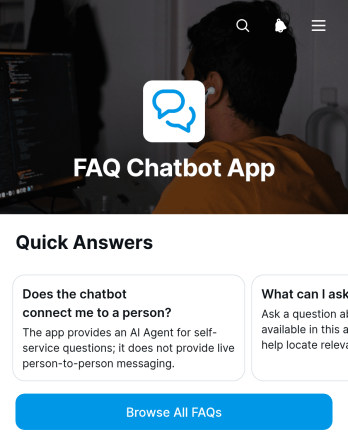
FAQ Chatbot App
FAQ Chatbot App provides a self-service knowledge experience where customers, employees, students, or community members can find answers to recurring questions without waiting for direct assistance. Its question cards present useful topics in a clear, approachable format, while dedicated navigation lets users browse all FAQs from one place. Customer support teams, small businesses, educational institutions, nonprofits, and internal operations teams can use this app template to organize common guidance, reduce repeated inquiries, and make important information easier to access. It works well for product help, service policies, onboarding guidance, event information, workplace resources, and general customer education.Jotform App Templates help teams turn information and connected workflows into polished digital experiences without writing code. With Jotform’s no-code app builder and drag-and-drop interface, you can adapt the FAQ Chatbot App to match your content, branding, and audience. Update question cards, rearrange pages, add links or forms, and connect data collection processes when follow-up is needed. Once the app is ready, publish it through a direct link or QR code for convenient mobile-friendly access. This flexible app builder makes it easier to maintain a useful self-service resource as questions, services, and organizational needs change.
Go to Category:Service & Support Portal Apps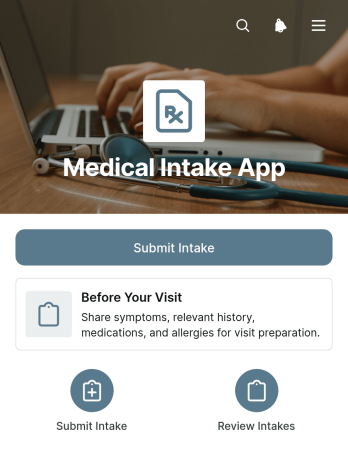
Medical Intake App
The Medical Intake App gives medical practices, clinics, and care teams a convenient way to collect patient information before an appointment. Patients can review guidance in the Before Your Visit section, submit an intake form, and provide the details staff need to prepare for their arrival. Authorized team members can access submitted intakes through a connected table, reducing manual paperwork and making records easier to review. This app template is useful for new-patient registration, pre-visit screening, recurring intake processes, and administrative preparation across small and medium-sized healthcare organizations.Jotform helps teams turn intake processes and related resources into accessible app experiences without writing code. Start with ready-made App Templates, then use the no-code app builder and drag-and-drop interface to adjust pages, branding, navigation, and content. Connect forms and tables to support data collection and workflow management from one organized location. Once the Medical Intake App fits your process, publish it with a personalized link or share it by QR code so patients can access it from a phone, tablet, or computer. This flexible setup supports patient self-service while helping administrative and clinical teams spend less time coordinating routine intake tasks.
Go to Category:Healthcare Apps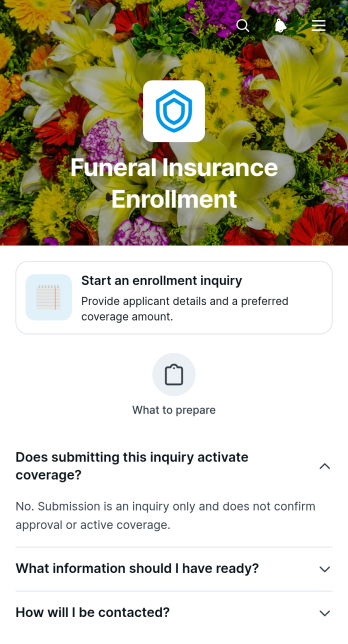
Funeral Insurance Enrollment App
Funeral Insurance Enrollment App provides a clear starting point for people who want to inquire about coverage intended to help with future funeral expenses. Insurance agencies, brokers, benefit advisers, and customer service teams can use this app template to guide prospective applicants through an initial enrollment inquiry. Visitors can review what information they should prepare, open the connected inquiry form, and learn what to expect after submission. This focused experience reduces uncertainty, supports self-service, and helps teams collect organized prospect information before follow-up or further eligibility review.Jotform makes it easy to adapt this app template with a no-code app builder and an intuitive drag-and-drop interface. Teams can revise instructions, add branded pages, connect forms and approval workflows, or include links to helpful resources without writing code. Collected data can flow into connected tables for centralized review, while notifications help staff respond promptly. Once the Funeral Insurance Enrollment App is ready, it can be shared by direct link, QR code, or embedded experience, giving prospective applicants convenient mobile-friendly access wherever they begin their inquiry.
Go to Category:Insurance Apps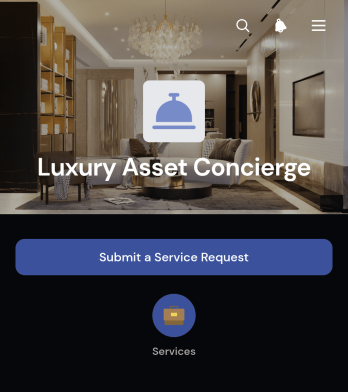
Luxury Asset Concierge App
Luxury Asset Concierge App is a ready-to-use app template for private client teams, luxury asset managers, concierge providers, specialist dealers, and advisory firms that coordinate care for valuable possessions. It gives clients a polished place to review asset information, submit service requests, and ask for concierge assistance involving fine art and collectibles, luxury vehicles, watches, or jewelry. Request details such as service type, preferred timing, and contact information help teams understand each need and respond with the right next step. By bringing client self-service and request intake into one experience, the app reduces scattered communication and supports more consistent service.With Jotform Apps, teams can adapt this Luxury Asset Concierge App using a no-code app builder and an intuitive drag-and-drop interface. Pages, cards, buttons, forms, and visual elements can be updated to match internal processes and branding. Connected forms support data collection, while tables, approvals, notifications, and other workflow tools can help route and manage requests. Once configured, the app can be shared by direct link or QR code for convenient mobile access, making Jotform app templates a practical starting point for a refined digital concierge experience.
Go to Category:Customer Portal Apps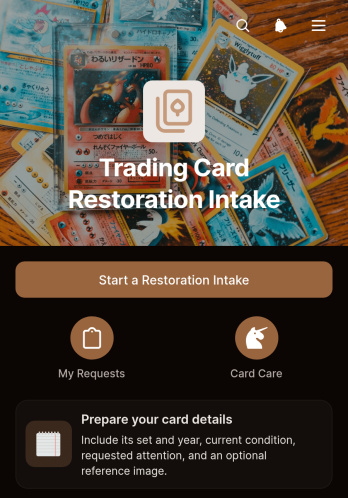
Trading Card Restoration Intake App
The Trading Card Restoration Intake App gives restoration specialists, collectible shops, independent conservators, and card owners a clear way to begin and follow a restoration request. Customers can submit an intake with the card name, set and year, and restoration needs, then review card records and status information from one convenient location. Handling and transport guidance helps owners prepare items before delivery, while organized data collection reduces incomplete requests and gives service teams consistent details for evaluating work. This app template is well suited to mail-in services, local drop-offs, convention intake, and private restoration practices that need a more professional customer experience.Jotform App Templates make it easy to adapt this experience without writing code. Use the no-code app builder and drag-and-drop interface to update pages, branding, buttons, instructions, and navigation for your restoration workflow. The app can connect with forms, tables, approvals, and notifications so teams can organize requests and keep relevant information accessible. Once customized, publish the Trading Card Restoration Intake App with a direct link or QR code, giving customers mobile-friendly self-service access and staff a practical way to manage incoming restoration inquiries.
Go to Category:Service Apps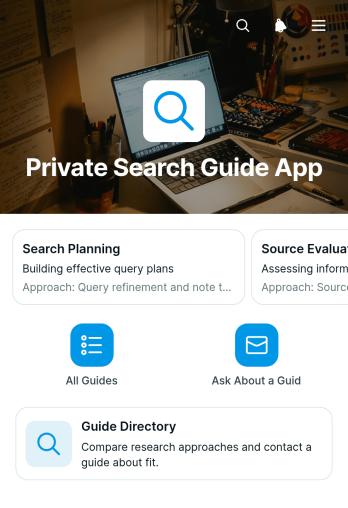
Private Search Guide App
Private Search Guide App is a directory template for consulting teams, advisory groups, membership organizations, and service providers that need to present a curated selection of guides in one focused experience. Visitors can browse guide profiles, review each guide’s approach, and submit an inquiry when they want more information. This format reduces scattered resource sharing and gives prospective clients, members, or internal users a clear path from discovery to contact. It is especially useful for private search programs, specialist matching services, referral networks, and organizations that want to make guide information easier to review without creating separate pages or documents.Jotform App Templates help teams turn resources and connected processes into accessible digital experiences without coding. Use the no-code app builder and drag-and-drop interface to adjust pages, cards, navigation, text, and visual styling for your audience. The Private Search Guide App can connect inquiries to data collection forms and related workflows, helping teams organize requests and follow up from one place. Once customized, the app template can be shared through a direct link or QR code for convenient mobile access and self-service browsing.
Go to Category:Resource & Learning Portal Apps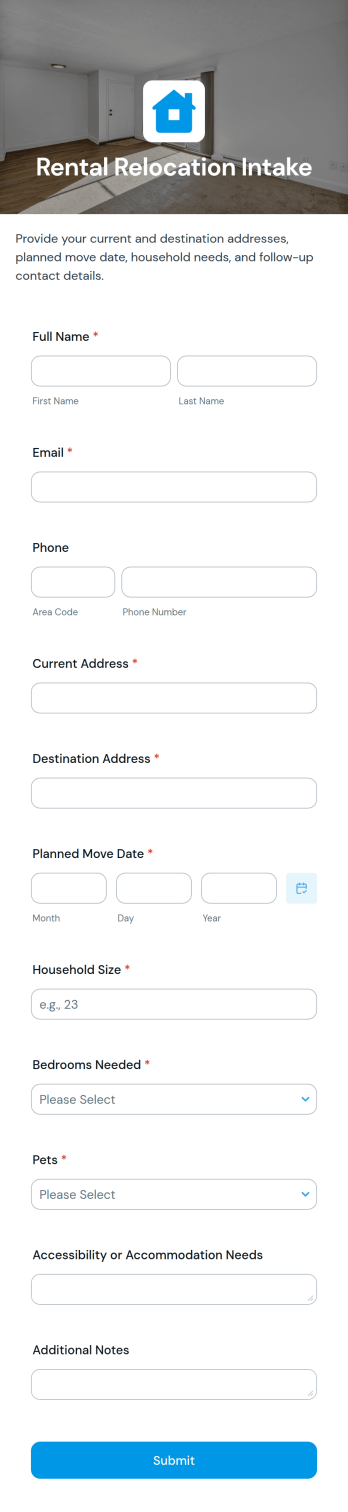
Rental Relocation Intake App
Rental Relocation Intake App is an app template for gathering relocation requests and rental housing needs from tenants, employees, clients, or prospective renters preparing for a move. Its focused page combines introductory guidance with an intake form, giving property managers, relocation consultants, real estate teams, employers, and housing coordinators one accessible place to receive essential information. It can support rental searches, employee moves, temporary housing arrangements, and tenant transitions while reducing scattered emails and incomplete inquiries. Teams gain a consistent starting point for reviewing each request, understanding priorities, and planning appropriate next steps.Jotform App Templates make it easy to adapt this experience without writing code. Using Jotform’s no-code app builder and drag-and-drop interface, teams can update wording, add branded visual elements, adjust the intake process, and connect data collection to tables, approvals, notifications, or other workflow steps. The finished app can be shared through a direct link or QR code for convenient mobile access. This gives applicants a simple self-service experience while helping staff organize relocation inquiries and maintain a clearer intake process.
Go to Category:Rental Apps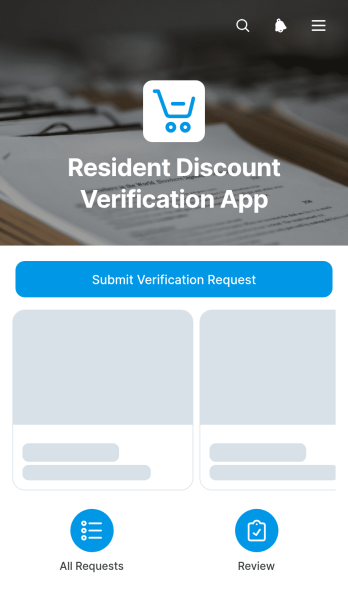
Resident Discount Verification App
Resident Discount Verification App gives municipal teams, property managers, housing associations, community organizations, and discount program administrators a central place to receive and review requests from residents seeking local discounts. Applicants can submit a verification request, while authorized staff can browse resident records, view residence and contact details, check review status, and manage verification outcomes. This app template supports resident self-service and creates a more consistent review process for community benefits, recreation programs, local services, membership offers, and other discounts based on place of residence. It reduces scattered inquiries, makes pending requests easier to monitor, and helps teams communicate decisions with greater clarity.Jotform App Templates make it easy to adapt this experience without writing code. Using Jotform’s no-code app builder and drag-and-drop interface, teams can update pages, branding, navigation, and connected forms to suit their verification workflow. The app can connect data collection with tables, notifications, approvals, and other operational steps, giving reviewers a convenient workspace while providing residents with mobile-friendly access. Once customized, it can be shared through a direct link or QR code for quick access across community websites, offices, facilities, and outreach materials.
Go to Category:Community & Engagement Portal Apps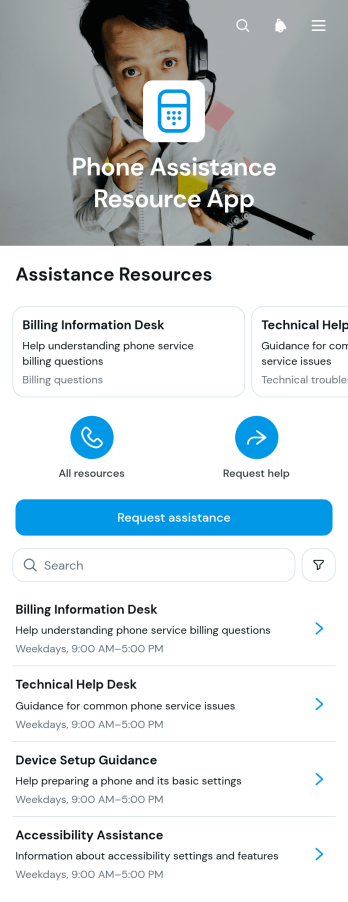
Phone Assistance Resource App
The Phone Assistance Resource App is an app template for organizations that need to help people find appropriate telephone support and request additional assistance. Customer service teams, community groups, nonprofits, healthcare offices, educational institutions, and internal support departments can use it to place essential resources in one accessible location. Users can browse a resource list, review assistance types, availability, and phone details, then submit an assistance request when further guidance is needed. This reduces confusion caused by scattered contact information, helps users identify the right support option, and gives teams a practical way to direct requests toward the appropriate resource.Jotform makes this template easy to adapt with a no-code app builder and a flexible drag-and-drop interface. Change the layout, update resource information, apply your organization’s visual style, and connect forms to data collection and workflow processes without writing code. The app can be shared through a direct link or QR code, making it suitable for mobile self-service, websites, staff communications, and printed materials. Jotform App Templates also connect with tables, notifications, approvals, and other tools, helping teams maintain current information and manage incoming assistance requests from one organized experience.
Go to Category:Service & Support Portal Apps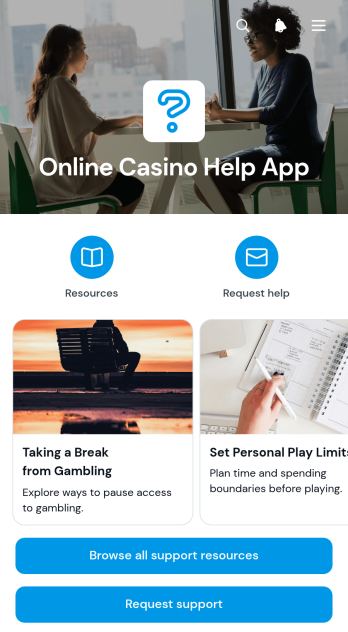
Online Casino Help App
The Online Casino Help App is a ready-to-use support experience for online casino operators that want to give players a clear route to assistance. It brings support resources, topic-based guidance, and a support request form into one organized destination. Players can browse available help, open a relevant support area, or submit a request when published information does not resolve their issue. Customer service teams can use this app template to reduce scattered inquiries and make common answers easier to find. It is particularly useful for handling account questions, payment concerns, technical difficulties, and general service requests without requiring users to search across separate pages.Jotform makes the Online Casino Help App easy to adapt with a no-code app builder and a flexible drag-and-drop interface. Teams can update pages, navigation, buttons, images, and branding to match their support process. Connected forms simplify data collection, while notifications and workflows help route incoming requests to the appropriate team members. The app can be shared through a direct link or QR code and accessed from phones, tablets, or computers. With Jotform App Templates, operators can create a convenient self-service destination, maintain current support information, and manage player requests through a more consistent experience.
Go to Category:Service & Support Portal Apps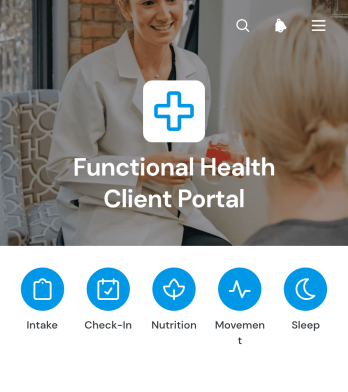
Functional Health Client Portal App
Functional Health Client Portal App gives functional health practitioners, wellness consultants, health coaches, and multidisciplinary care teams a central place to support client communication and service delivery. Clients can navigate educational resources, review commonly requested information, and complete connected intake or follow-up forms through a self-service experience. Organized pages, shortcuts, and expandable content help reduce scattered messages while making important guidance easier to find. The portal is suitable for client onboarding, wellness program participation, progress updates, lifestyle assessments, and ongoing administrative support.Jotform App Templates make it easy to adapt this app template to match different programs, audiences, and working methods. With Jotform’s no-code App Builder and drag-and-drop interface, teams can update pages, adjust branding, connect forms, and organize resources without development work. Collected data can support a broader workflow involving tables, notifications, approvals, or other connected processes. Once the portal is ready, it can be published and shared by a direct link or QR code, giving clients convenient access from phones, tablets, or computers.
Go to Category:Customer Portal Apps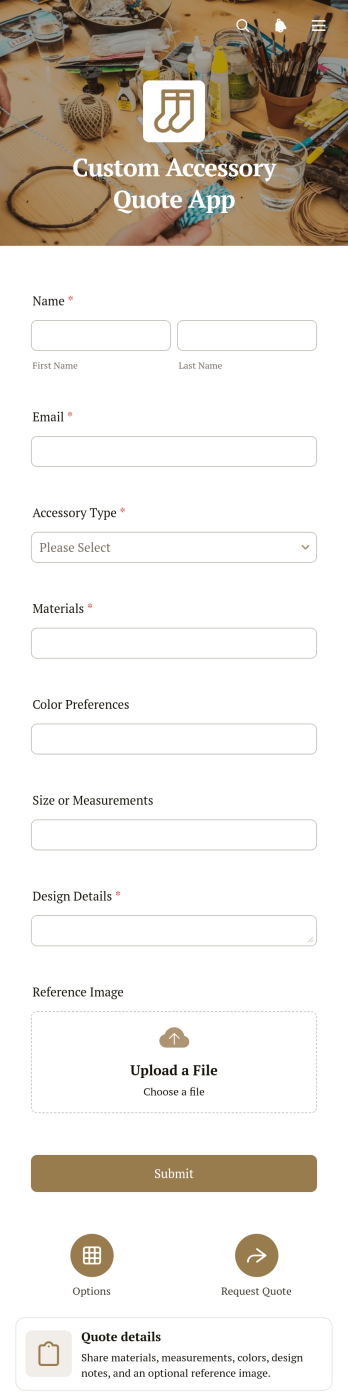
Custom Accessory Quote App
The Custom Accessory Quote App gives accessory makers, independent designers, retailers, and sales teams a customer-friendly way to gather and review requests for made-to-order products. Customers can provide their quote requirements through a connected form, while teams can organize key information around the design overview and preferred materials. This app template is useful for businesses selling personalized jewelry, bags, wearable pieces, decorative accessories, or other custom goods. It reduces incomplete inquiries, gives staff clearer specifications for pricing, and creates a more consistent experience from the first request through quote preparation.Jotform App Templates help businesses turn intake processes into polished digital experiences without writing code. Using Jotform’s no-code app builder and drag-and-drop interface, teams can customize pages, colors, fonts, images, navigation, and branding to match their business. The app can connect data collection with tables, notifications, approvals, payments, and other workflow steps as needs evolve. Once published, it can be shared by direct link or QR code for convenient mobile access, helping customers request estimates through self-service while sales and production teams keep essential details in one accessible place.
Go to Category:Estimation Apps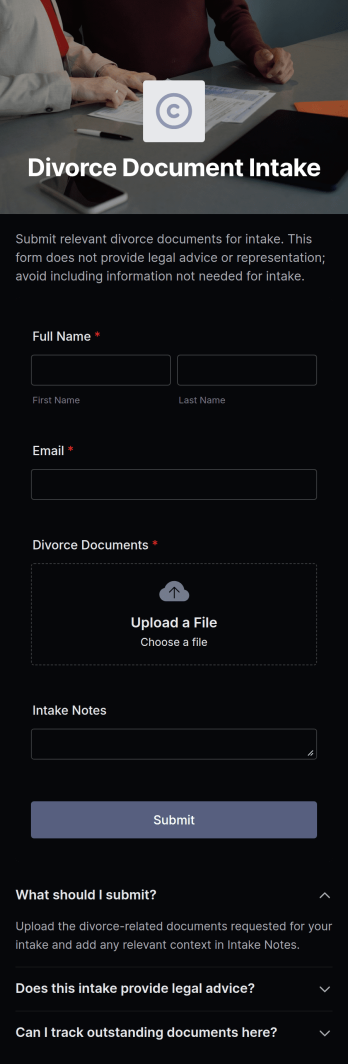
Divorce Document Intake App
The Divorce Document Intake App is a guided intake experience for family law practices, legal aid teams, mediators, and intake coordinators gathering preliminary information from people seeking divorce-related services. A central page brings together clear introductory text, expandable guidance, and a connected intake form so users can review instructions and provide relevant details in one place. It can support preconsultation intake, initial case screening, document preparation discussions, and follow-up planning. By presenting a consistent path for data collection, the app helps reduce incomplete inquiries, gives staff a clearer starting point, and makes the intake experience easier to navigate.Jotform makes this app template easy to adapt with a no-code app builder and an intuitive drag-and-drop interface. Teams can update wording, reorganize content, apply their visual identity, and connect the intake form to notifications, tables, approvals, or other workflow steps. The finished app can be shared through a direct link, a scannable code, or an embedded experience for convenient mobile-friendly self-service. Jotform App Templates help organizations launch focused digital experiences quickly while keeping intake resources, user actions, and connected processes together.
Go to Category:Legal Apps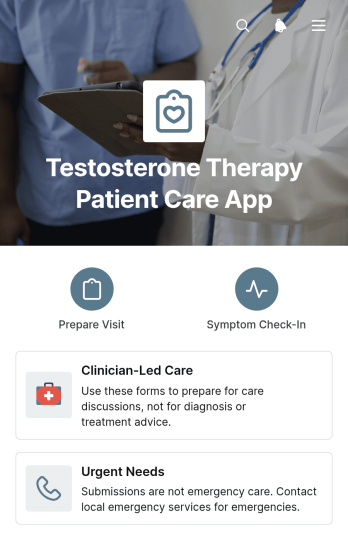
Testosterone Therapy Patient Care App
The Testosterone Therapy Patient Care App gives healthcare practices a centralized patient care experience for preparing for visits and recording symptom updates related to clinician-managed testosterone therapy. Patients can document current symptoms, note changes since a previous check-in, save questions for their clinician, and update visit preparation details. Clinics, specialty practices, and care teams can use this app template to organize patient-reported information before follow-ups, reduce incomplete visit preparation, and support more focused conversations. Clear access to urgent-needs guidance also helps patients identify the appropriate next step when timely assistance may be required.Jotform Apps makes it easy to adapt this experience to the workflows of an individual practice without writing code. Using the no-code app builder and drag-and-drop interface, teams can adjust pages, navigation, visual styling, and connected forms while maintaining a consistent patient journey. The app can bring data collection, self-service check-ins, and care resources into one mobile-friendly location. Publish it with a shareable link or QR code, connect responses to organized workflows, and update the content as patient care processes evolve.
Go to Category:Healthcare Apps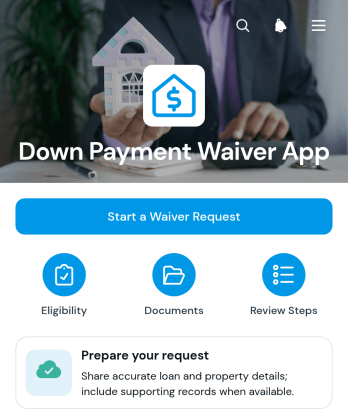
Down Payment Waiver App
The Down Payment Waiver App helps lenders, mortgage teams, housing counselors, and prospective property buyers organize requests to waive a down payment requirement. Applicants can review preparation guidance, confirm requirements, provide income, available funds, property, and loan details, and attach supporting records through a guided request form. The app also outlines the review journey from initial submission to lender assessment and direct follow-up. By keeping instructions and request access in one place, it can reduce incomplete inquiries, clarify expectations, and give applicants a more convenient self-service experience. Approval remains subject to the reviewing organization’s criteria and decision.Built with Jotform Apps, this app template can be adapted to match an organization’s branding, terminology, and internal workflow without coding. Teams can use the drag-and-drop app builder to update pages, reorganize resources, connect forms, and route collected data into related tables, notifications, or approval steps. The finished app can be shared through a direct link or QR code, making it easy for applicants to access on mobile devices or computers. Jotform App Templates provide a practical starting point for creating a focused request experience while retaining control over content, data collection, and ongoing updates.
Go to Category:Finance Apps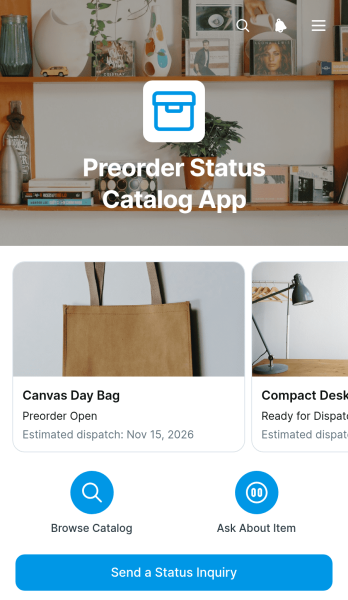
Preorder Status Catalog App
The Preorder Status Catalog App is a customer-facing resource for presenting preorder items and keeping buyers informed before dispatch. Shoppers can browse an organized item catalog, review estimated dispatch information, and send a status inquiry about a specific product. Retailers, independent sellers, wholesalers, and product teams can use this app template to reduce repetitive questions while giving customers convenient self-service access. Instead of handling every update through separate messages, teams can publish current item information in one accessible location and receive inquiries with the relevant product context.With Jotform Apps, businesses can turn this Preorder Status Catalog App template into a branded experience without custom development. The no-code app builder and drag-and-drop interface make it easy to adjust pages, navigation, images, buttons, and content as inventory timelines change. Connected forms support data collection, while tables, notifications, approvals, and other workflow tools can help staff organize and respond to requests. Choose from Jotform App Templates, personalize the layout, and share the finished app through a direct link, QR code, or embedded experience for convenient access on any device.
Go to Category:Order & Shipping Portal Apps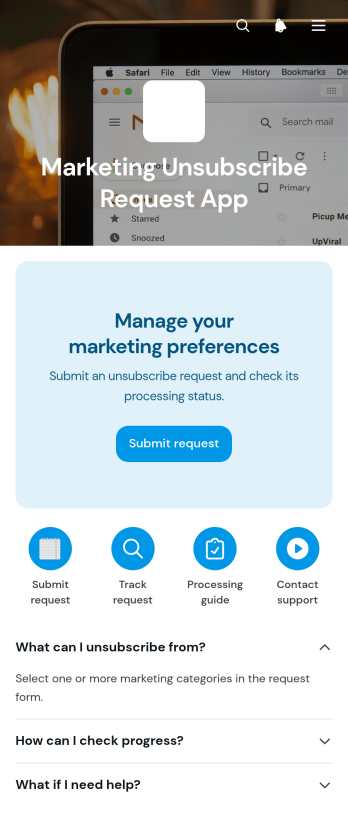
Marketing Unsubscribe Request App
The Marketing Unsubscribe Request App is an app template for collecting unsubscribe requests and helping contacts manage marketing communication preferences from one accessible location. Marketing teams, customer service departments, small businesses, nonprofits, and membership organizations can use it to provide a clear self-service experience for people who no longer want certain messages. Connected forms capture requests and preference updates, while guidance sections can explain available choices and what users can expect after submitting. This approach reduces manual email handling, centralizes data collection, and gives internal teams a consistent process for reviewing and managing incoming requests.Jotform Apps makes it easy to adapt this Marketing Unsubscribe Request App without writing code. Use the drag-and-drop app builder to update pages, adjust branding, reorganize content, and connect forms with tables, notifications, approvals, or other workflow steps. Teams can publish app templates through a direct link or QR code, making the experience convenient on phones, tablets, and computers. With customizable navigation and connected data tools, Jotform supports a polished preference management process that can grow alongside changing communication programs and operational needs.
Go to Category:Sales & Marketing Portal Apps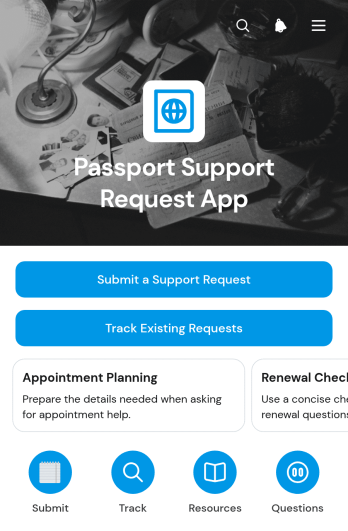
Passport Support Request App
The Passport Support Request App is a self-service resource for collecting and managing questions related to passport applications, renewals, documentation, appointments, and general assistance. It suits travel support teams, service centers, educational institutions, nonprofit organizations, and administrative offices that need a clear way to assist travelers or community members. Request intake, existing request tracking, and access to common questions and helpful resources are brought together in one app template. This organized experience helps requesters find guidance, understand their next step, and contact the appropriate team without relying on scattered emails or repeated phone calls.Jotform makes this Passport Support Request App easy to adapt with a no-code app builder and a flexible drag-and-drop interface. Teams can customize pages, branding, buttons, and navigation while connecting forms and records to their workflow. Notifications can keep staff informed when new data collection activity occurs, and the app can be shared through a direct link or QR code for convenient mobile access. Among Jotform App Templates, this option offers a practical foundation for creating a branded support experience that improves self-service and keeps passport-related requests easier to review.
Go to Category:Service & Support Portal Apps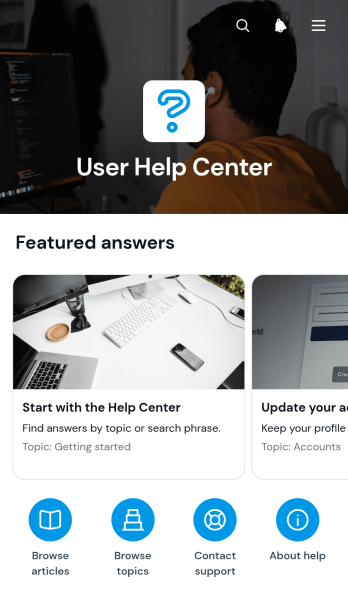
User Help Center App
The User Help Center App gives customers, employees, students, or community members a central place to find guidance and resolve common questions. It suits support teams, small and medium-sized businesses, educational institutions, nonprofits, and internal service departments that want to make reliable answers easier to access. Users can browse help articles by topic, open detailed answers, review updated information, and use search terms to locate relevant guidance. A connected form can also collect questions or support requests when published resources do not address a specific need. This self-service experience reduces repeated inquiries while keeping useful information organized and available.Jotform makes this app template easy to adapt with a no-code app builder and a flexible drag-and-drop interface. Teams can revise pages, update article navigation, add branded visual elements, and connect forms, tables, approvals, or other workflow steps without programming. The User Help Center App can be shared through a direct link, custom app URL, QR code, or embedded experience for convenient mobile access. Among Jotform App Templates, it offers a practical starting point for creating a branded resource center that supports data collection, improves service consistency, and helps users find answers independently.
Go to Category:Service & Support Portal Apps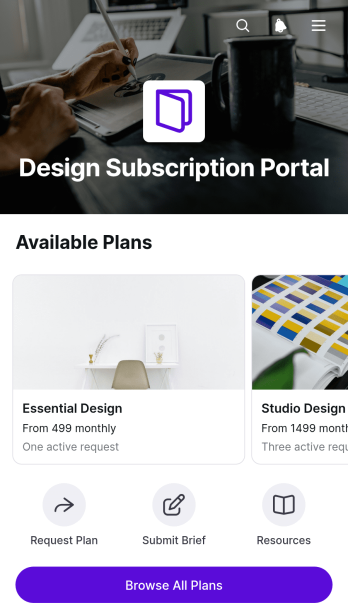
Design Subscription Portal App
Design Subscription Portal App gives creative studios, independent designers, agencies, and in-house design teams a client-facing space for presenting recurring design plans. Prospective and existing clients can browse available plans, review included services and plan overviews, submit a plan request, and open relevant resources from one convenient location. This app template helps service providers clarify subscription options before client intake, reduce repetitive questions, and guide customers toward the package that best fits their ongoing creative needs. It can support graphic design, content production, web design, brand asset creation, and other recurring creative services.Jotform makes it easy to adapt this portal with a no-code app builder and an intuitive drag-and-drop interface. Add branded pages, revise plan content, reorganize navigation, and connect request forms to your data collection workflow without writing code. Teams can also link tables, approvals, notifications, and other processes as their operations grow. Once the app is ready, publish it through a direct link, QR code, or embedded experience so clients can access subscription details and self-service resources on mobile or desktop. Jotform App Templates provide a flexible starting point while leaving room to personalize the layout, messaging, and visual identity.
Go to Category:Subscription & Membership Apps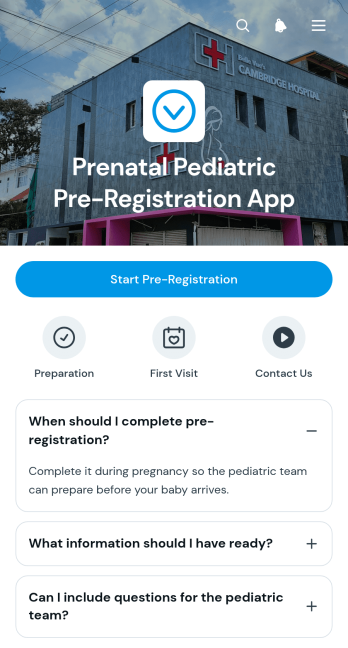
Prenatal Pediatric Pre-Registration App
The Prenatal Pediatric Pre-Registration App helps pediatric practices and clinics welcome expectant parents before their baby arrives. Families can review preparation guidance, gather relevant details, note questions for the care team, indicate care preferences, and open a connected pre-registration form from one convenient place. This app template supports an organized self-service experience that can reduce incomplete registration information and help staff prepare for future patient intake. It is especially useful for pediatric offices, healthcare groups, intake coordinators, and family support teams seeking a clear prenatal registration journey.Jotform Apps makes it easy to customize this experience with a no-code app builder and an intuitive drag-and-drop interface. Teams can adapt pages, buttons, guidance, and branding while connecting forms and workflows for secure data collection and internal follow-up. The app can be shared through a direct link or QR code, giving families mobile-friendly access from home or while preparing for an appointment. With Jotform App Templates, healthcare teams can publish a polished resource without coding and update content whenever their intake process changes.
Go to Category:Healthcare Apps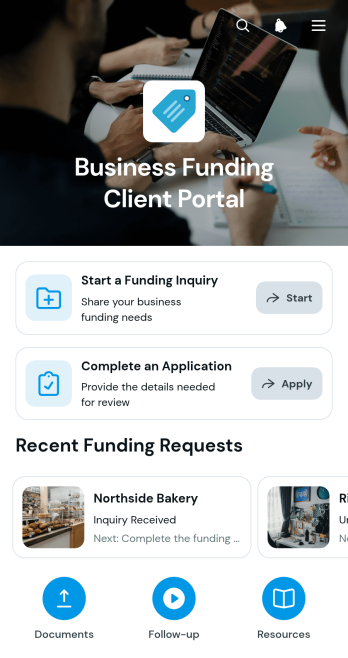
Business Funding Client Portal App
The Business Funding Client Portal App gives funding consultants, financial service teams, and business advisers a central place to guide clients through a funding request. Prospective clients can start an inquiry, complete an application, review request details, see the requested amount and next step, upload supporting documents, and ask follow-up questions. This app template helps firms replace scattered emails and disconnected files with a clear self-service experience. It is well suited to organizations that manage multiple business funding inquiries and need a consistent way to collect information, communicate document requirements, and keep each client focused on the next action.Jotform Apps makes it easy to adapt this experience without writing code. Use the drag-and-drop app builder to update pages, branding, navigation, and content while connecting forms and data collection workflows in one mobile-friendly destination. Teams can organize client resources, receive information through linked forms, and share the finished app using a direct link or QR code. Starting with ready-made App Templates also reduces setup time, helping advisers create a polished client portal that supports smoother intake, document collection, and ongoing communication.
Go to Category:Customer Portal Apps