

Safety and Compliance Apps

Fire Accountability App
Fire Accountability App helps incident leaders and crews maintain clear visibility during active responses by organizing open incidents, crew rosters, and unit status updates in one place. Use it to log incident details, add incident reports as conditions change, and keep a quick reference of who is assigned to Engine, Truck, or Medic so teams can confirm coverage and reduce confusion when things move fast.Built with Jotform, this app template turns connected forms into an easy self-service experience that works well in the field and at the station. Customize pages with a drag-and-drop interface, route information into the same workflow for incident reporting and status logging, and share a single link so the right people can update information without hunting for separate tools.
Go to Category:Log Apps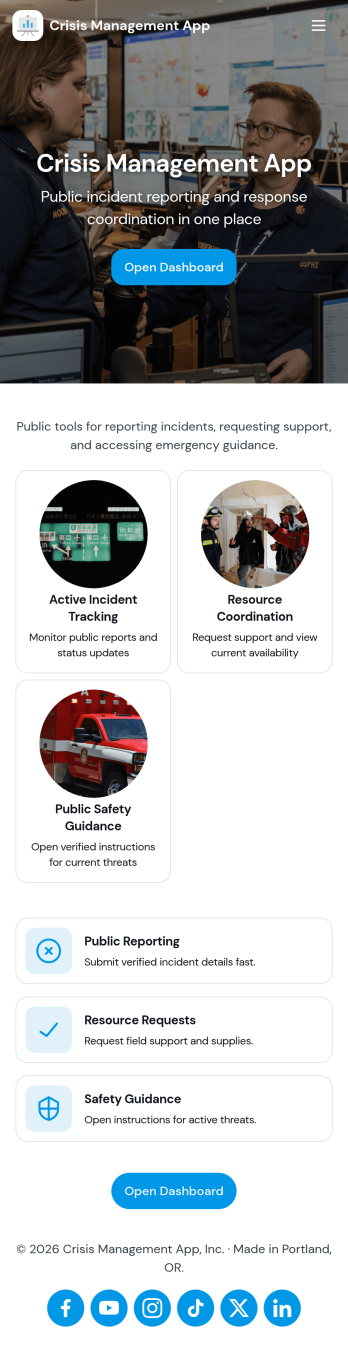
Crisis Management App
Crisis Management App helps organizations capture incident details fast, route them to a central response area, and document what happened afterward for continuous improvement. It fits teams that need a clear path from reporting to action, such as operations leaders, HR and facilities, school administrators, event staff, nonprofits, and IT or security groups coordinating time-sensitive situations. With quick incident reporting, a response center view, and an after-action follow-up space, the app supports consistent handling of disruptions without relying on scattered messages or informal notes.Built with Jotform, this app template can be tailored to your process using a no-code app builder and a drag-and-drop interface. Connect the app to your incident form and table-backed records for organized data collection, keep updates moving through simple workflows, and share a single self-service link or QR code so people know exactly where to report and where responders can track what’s next.
Go to Category:Company Portal Apps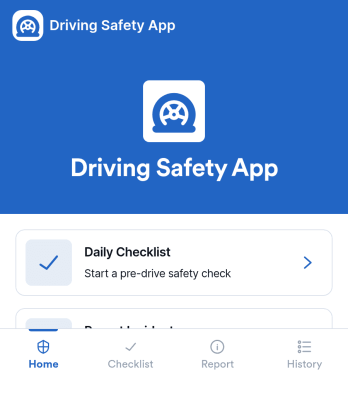
Driving Safety App
Driving Safety App helps drivers and fleet teams keep day-to-day road safety practices consistent, track vehicle-related activity, and capture incidents as they happen. Use it to guide pre-drive routines with a checklist, submit a safety report when something goes wrong, and maintain a vehicle log that builds accountability over time. It fits delivery operations, field service crews, construction teams, school transportation, rideshare groups, and any organization that wants a simple way to reinforce safer driving habits across multiple vehicles and locations.With Jotform, you can publish this app template as a self-service experience that works on mobile and desktop, then connect each action to the right form for structured data collection. Customize pages, buttons, and navigation with a drag-and-drop interface, route entries into connected workflows, and keep records organized for faster follow-ups. Whether you’re rolling out a safety program or improving visibility into daily vehicle activity, Jotform makes it easy to update the app as your process evolves.
Go to Category:Safety Inspection Apps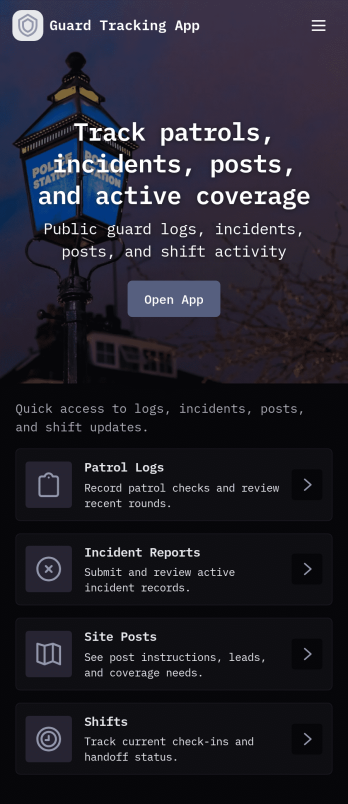
Guard Tracking App
Guard Tracking App helps security teams log shifts, track active coverage, and keep incident reporting organized across sites. Use it to start a shift in seconds, add shift logs as rounds are completed, and route incident details into a single incident queue that supervisors can review. It’s a practical fit for guard services, property managers, event venues, construction sites, warehouses, and any organization that needs a clear record of who was on duty, when they worked, and what happened during a shift.Built with Jotform, this app template supports fast setup and flexible customization without coding. With a drag-and-drop app builder, you can tailor pages like the guard roster and incident queue, connect buttons to the right forms for data collection, and keep workflows consistent across teams. Share the app by link or QR code so guards can submit updates from the field, while managers monitor activity and follow up on reports from one central, self-service experience.
Go to Category:Activity Tracking Apps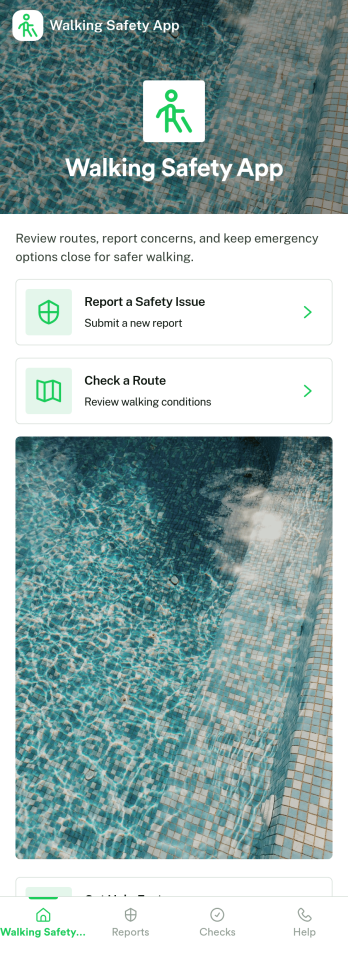
Walking Safety App
Walking Safety App helps communities and organizations collect hazard reports, guide people toward safer routes, and keep a searchable history of past reports in one place. It’s a practical fit for campuses, property managers, local advocacy groups, event organizers, and municipal teams that want a simple way for pedestrians to flag issues like poor lighting, broken sidewalks, unsafe crossings, or other concerns while they’re out walking.Built with Jotform, this app template pairs a clean, mobile-friendly experience with connected data collection, so people can submit new hazards and teams can review patterns over time. Use Jotform’s no-code app builder and drag-and-drop interface to tailor pages, update route guidance content, and organize records behind the scenes. Share the app by link or QR code to support fast self-service reporting and a more responsive safety workflow.
Go to Category:Community & Engagement Portal Apps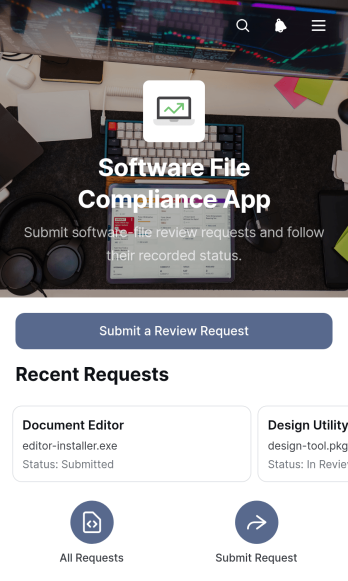
Software File Compliance App
The Software File Compliance App gives information technology teams, software reviewers, quality teams, and operations managers a central place to submit file review requests and check review records. Users can browse software entries, view file names and version details, monitor review status, and read reviewer notes without searching across scattered messages or spreadsheets. It is well suited to internal software intake, release checks, file approval processes, vendor file assessments, and recurring audits. By keeping requests and review findings together, the app improves visibility, reduces missed updates, and helps teams apply their organization’s review standards consistently.Jotform makes this app template easy to adapt with a no-code app builder and a flexible drag-and-drop interface. Teams can update pages, navigation, buttons, and branding, then connect forms, tables, approval steps, notifications, and other workflow resources as needed. The Software File Compliance App can be shared by link or QR code for convenient mobile access, giving requesters and reviewers a practical self-service experience. Explore Jotform App Templates to create a polished review hub that supports organized data collection and can evolve alongside internal software governance processes.
Go to Category:Safety and Compliance Apps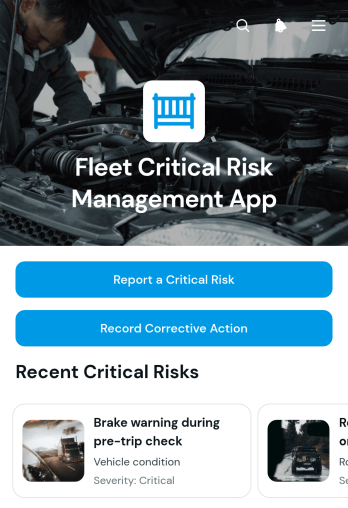
Fleet Critical Risk Management App
Fleet Critical Risk Management App is an app template for reporting serious fleet hazards, reviewing risk details, and documenting corrective action from one accessible location. Fleet managers, transport operators, dispatch teams, safety coordinators, and field personnel can use it to connect each report with a vehicle, location, status, responsible team, and target date. It supports faster visibility into urgent concerns such as unsafe vehicle conditions, operational hazards, route issues, and incidents that could disrupt drivers or fleet activity. A centralized risk list helps teams prioritize open items, assign responsibility, monitor follow-up work, and maintain a clear operational record without relying on scattered messages or documents.Jotform makes this app template easy to adapt with a no-code app builder and an intuitive drag-and-drop interface. Teams can customize pages, branding, navigation, and connected forms to match their fleet risk workflow. Reports and corrective actions can feed organized data collection processes, notifications, approvals, and tables, giving staff a practical self-service experience on desktop or mobile devices. Publish the app with a shareable link or QR code to give drivers and authorized team members convenient access wherever fleet operations take place.
Go to Category:Safety and Compliance Apps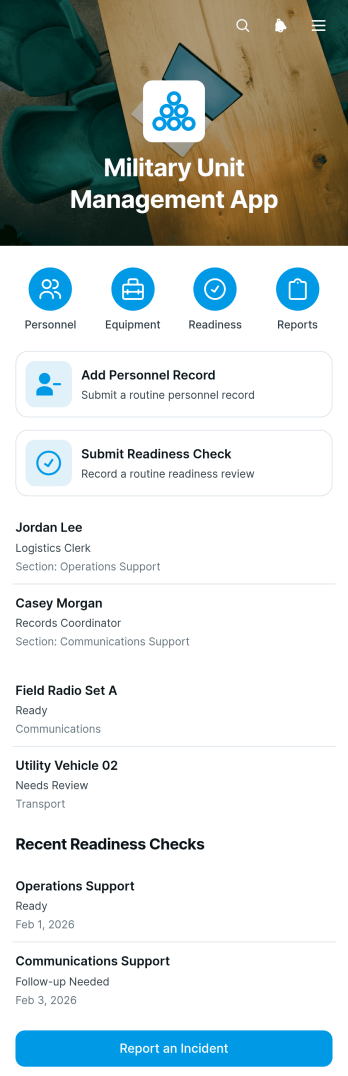
Military Unit Management App
The Military Unit Management App gives unit leaders and authorized administrative teams a central place to maintain personnel and equipment records, document readiness checks, and submit incident reports. It supports routine oversight across unit sections by making current records easier to browse and follow-up needs easier to identify. Command staff, readiness coordinators, logistics personnel, and section leaders can use this app template to reduce disconnected paperwork, improve visibility into assigned resources, and keep recurring operational updates organized. Detailed record pages also help users review personnel contacts, equipment assignments, check areas, report summaries, and required follow-up without searching across separate sources.Jotform makes this template easy to adapt with a no-code app builder and a flexible drag-and-drop interface. Teams can adjust pages, navigation, branding, forms, and connected workflows to match their internal processes while keeping data collection in one accessible experience. The app can connect with tables, approvals, notifications, and other Jotform tools to support timely reviews and coordinated action. Once configured, it can be shared through a direct link or QR code, giving authorized users a mobile-friendly self-service resource for submitting updates and accessing relevant information from the field or office.
Go to Category:Management Apps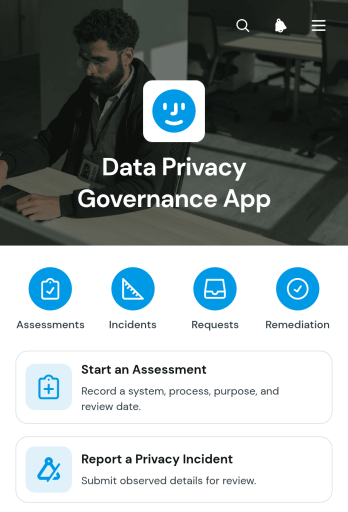
Data Privacy Governance App
The Data Privacy Governance App is an app template for organizations that need a central place to coordinate privacy reviews, incident reporting, individual requests, and follow-up actions. Privacy teams, information technology departments, internal auditors, consultants, and operations leaders can use it to start assessments, report suspected privacy incidents, and monitor review or action statuses. By bringing these activities into one accessible experience, the app helps teams establish consistent intake processes, maintain visibility across active records, assign attention where it is needed, and reduce reliance on scattered emails or documents.With Jotform Apps, teams can adapt this Data Privacy Governance App through a no-code app builder and intuitive drag-and-drop interface. Pages, navigation, branding, and connected forms can be updated to reflect internal workflows without programming. Collected data can connect with tables, notifications, approvals, and other processes, supporting organized collaboration and timely follow-up. Jotform app templates also make it easy to publish a mobile-friendly self-service resource and share it through a direct link, personalized address, embedded experience, or scannable code.
Go to Category:Safety and Compliance Apps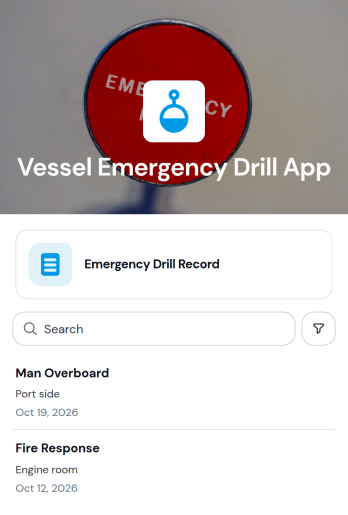
Vessel Emergency Drill App
Vessel Emergency Drill App is an app template for documenting onboard emergency exercises and keeping drill information accessible in one organized location. Vessel operators, masters, safety officers, crew supervisors, and marine operations teams can use it to record drill details and outcomes, review performance, and document follow-up actions. It supports recurring exercises such as evacuation, fire response, collision response, person-overboard recovery, and equipment readiness scenarios. By creating a consistent operational record, the app helps teams identify improvement opportunities, communicate lessons learned, prepare crews for future exercises, and reduce scattered paperwork across vessels or voyages.Jotform Apps provides a no-code app builder for turning operational processes into mobile-friendly experiences without programming. Start with this app template from Jotform App Templates, then use the drag-and-drop interface to adjust pages, cards, navigation, colors, fonts, and branding. The app builder can connect forms, tables, approvals, notifications, and other workflow resources for easier data collection and coordination. Once published, the app can be shared with authorized crew members through a direct link or QR code, giving teams convenient access to drill records and self-service resources from phones, tablets, or computers.
Go to Category:Safety and Compliance Apps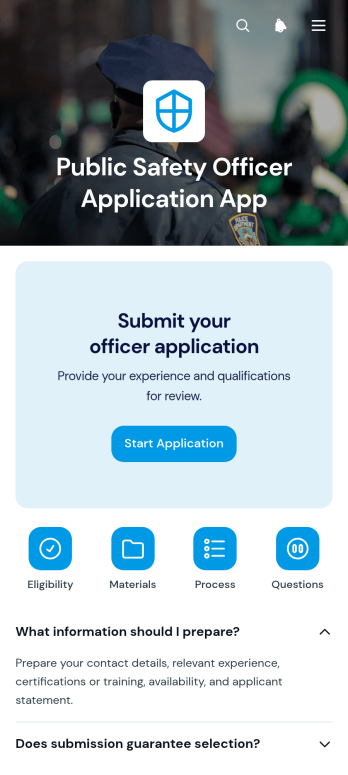
Public Safety Officer Application App
Public Safety Officer Application App gives public safety departments, municipal hiring teams, and recruitment coordinators a central place to guide prospective officers through the application process. Applicants can review organized guidance in expandable sections, move between informational pages, and open the connected application form from clear navigation buttons. This focused experience reduces uncertainty about where to begin and helps agencies present recruitment information consistently. It is particularly useful for hiring campaigns, candidate intake periods, academy recruitment, and ongoing talent pipelines where applicants need convenient access to instructions and application materials.Jotform makes this app template easy to adapt with a no-code app builder and a flexible drag-and-drop interface. Teams can update pages, adjust navigation, apply their visual identity, and connect forms or workflows without programming. The finished app can be shared through a direct link or QR code, giving candidates mobile-friendly access wherever they are. As part of Jotform’s App Templates, it also supports centralized data collection and a smoother self-service experience, helping hiring staff spend less time directing candidates to resources and more time reviewing applications.
Go to Category:Job Apps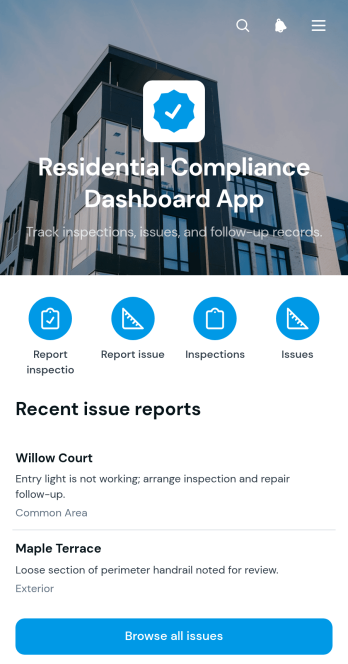
Residential Compliance Dashboard App
The Residential Compliance Dashboard App is an app template for property managers, housing operators, inspection teams, and contractors who need a central view of residential inspections and reported issues. Users can submit inspection reports, record property issues, browse findings, and identify cases that need follow-up. This shared workspace helps teams replace scattered messages and disconnected records with consistent data collection. It is useful for routine property reviews, maintenance oversight, portfolio monitoring, and preparing teams to address internal standards or applicable requirements. Clear property records, issue categories, details, and supporting photos also help staff prioritize work and maintain visibility across multiple residences.Jotform Apps makes it easy to adapt this dashboard without writing code. Use the no-code app builder and drag-and-drop interface to adjust pages, navigation, colors, fonts, and branding, then connect forms and tables to support each workflow. Teams can organize inspection and issue submissions in one mobile-friendly experience, receive notifications from connected processes, and give authorized users convenient self-service access. Start with this option from Jotform App Templates, customize the app template for your operations, and publish it through a direct link, personalized URL, embedded experience, or QR code.
Go to Category:Safety and Compliance Apps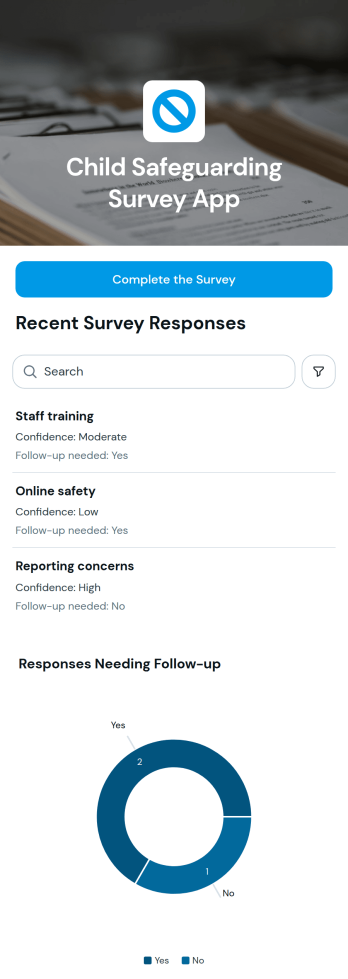
Child Safeguarding Survey App
Child Safeguarding Survey App gives schools, youth programs, community groups, nonprofits, and safeguarding teams a focused way to gather feedback on child protection practices. Participants can complete a connected survey, while authorized staff can browse responses by practice area and view a chart highlighting entries marked for follow-up. This makes it useful for internal reviews, staff consultations, program check-ins, and organization-wide assessments where concerns and improvement opportunities need to be visible. By bringing data collection and review into one accessible experience, the app helps teams spot patterns, prioritize conversations, and coordinate next steps without relying on scattered survey links and separate summaries.Built with Jotform, this app template can be adapted through a no-code app builder and an intuitive drag-and-drop interface. Teams can update pages, wording, colors, navigation, and connected forms to reflect their safeguarding process, then link collected information to tables, notifications, approvals, or other workflow steps. Jotform App Templates support mobile-friendly access, so respondents and reviewers can use the app from different devices. Publish it with a direct link or QR code to create a branded, practical survey experience while keeping survey access, response review, and follow-up resources together.
Go to Category:Safety and Compliance Apps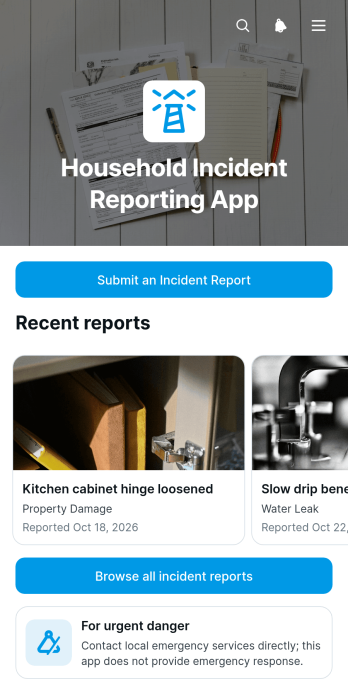
Household Incident Reporting App
The Household Incident Reporting App gives residents, property managers, household staff, caregivers, and shared-living communities a central place to document incidents that occur in or around a home. Users can submit an incident report, browse previously recorded events, and review key details such as the location in the home, incident description, and review status. It is useful for recording property damage, safety concerns, maintenance-related events, injuries, security issues, and other household problems that need follow-up. Keeping these reports together helps responsible parties identify recurring concerns, assign next steps, monitor reviews, and maintain a clear history without relying on scattered messages or paper notes.Jotform makes this app template easy to adapt with a no-code app builder and a flexible drag-and-drop interface. Add relevant pages, adjust navigation, apply your preferred colors and fonts, or connect forms and tables to support data collection and workflow management. Reports can be organized for convenient self-service access, while notifications and connected processes help household members or property teams respond promptly. Publish the app with a shareable link or QR code so users can open it from a phone, tablet, or computer whenever an incident needs to be recorded or reviewed.
Go to Category:Report Apps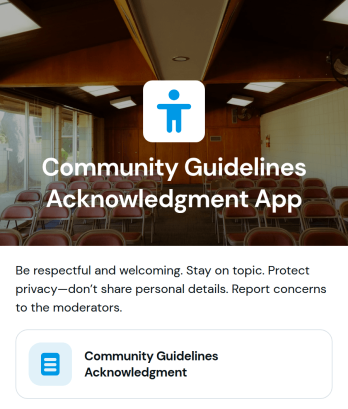
Community Guidelines Acknowledgment App
The Community Guidelines Acknowledgment App gives community managers, membership groups, educational programs, nonprofits, and internal teams a central place to share conduct expectations and document that participants have reviewed them. Users can access the relevant guidance, complete an acknowledgment form, and confirm their understanding from a phone, tablet, or computer. Authorized organizers can view acknowledgment records to identify who has responded and where follow-up may be needed. This app template is useful during member onboarding, volunteer orientation, training programs, online community launches, and policy updates. It replaces scattered messages and manual response lists with a consistent process that supports clear communication and organized recordkeeping.Jotform makes this Community Guidelines Acknowledgment App easy to adapt without coding. Its drag-and-drop app builder lets teams update content, apply their visual style, and connect forms with data collection workflows from one workspace. Organizers can publish the finished experience through a direct link or QR code, making self-service access convenient for distributed communities. Jotform App Templates also help teams launch quickly while retaining the flexibility to revise guidelines, adjust the acknowledgment process, and keep records available as their community grows.
Go to Category:Community & Engagement Portal Apps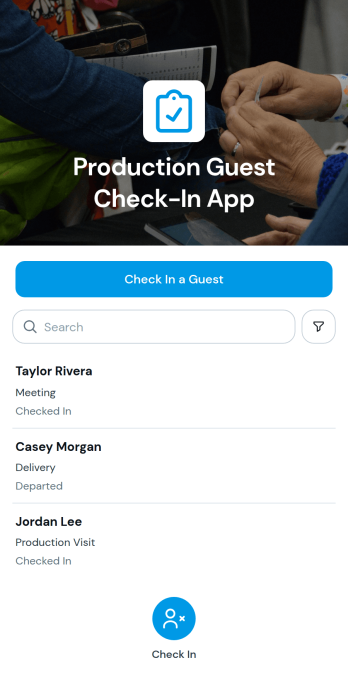
Production Guest Check-In App
The Production Guest Check-In App is an app template for studios, production facilities, creative teams, and operations staff that need a clear way to register and monitor onsite visitors. Guests can be checked in through a connected form, while authorized team members can browse guest records and review essential visit information such as organization, purpose, arrival time, and departure time. This organized approach replaces scattered paper logs, gives reception and production teams a consistent data collection process, and makes it easier to confirm who is expected or currently onsite. It is useful for filming locations, recording spaces, rehearsal facilities, production offices, and other workplaces that regularly welcome contractors, clients, vendors, or invited guests.Jotform Apps helps teams turn this guest workflow into a mobile-friendly self-service experience without writing code. Start with the Production Guest Check-In App, then use the no-code app builder and drag-and-drop interface to adjust pages, update branding, and connect forms or tables that support daily operations. Jotform App Templates can be shared through a direct link or QR code, giving reception staff and authorized users convenient access from phones, tablets, or computers. The app builder also makes ongoing changes simple, so teams can adapt the check-in process as locations, visitor procedures, and production needs evolve.
Go to Category:Sign In Apps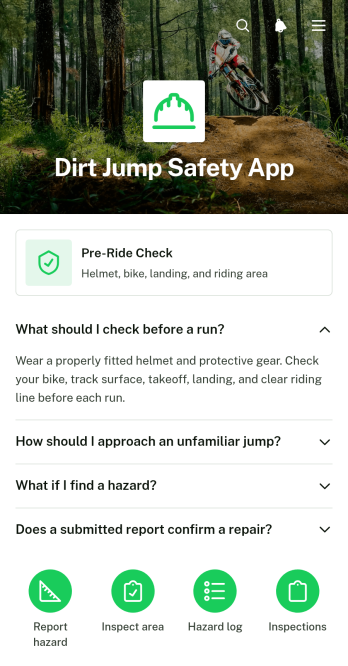
Dirt Jump Safety App
Dirt Jump Safety App gives riders, dirt jump park operators, cycling clubs, trail crews, and event staff a central place to support safer riding sessions and maintain jump areas. Users can review a pre-ride check, report hazards at specific locations, and record inspections covering surface conditions and follow-up needs. Photos and severity details add useful context when teams assess damaged takeoffs, rough landings, debris, weather-related changes, or other concerns. This app template helps organizations replace scattered messages and paper notes with consistent data collection, clearer records, and faster coordination before riders enter the course.With Jotform Apps, teams can adapt this App Template through a no-code app builder and an intuitive drag-and-drop interface. Add branded pages, rearrange navigation, update checklists, and connect forms to a practical workflow without writing code. The completed app can be shared by direct link or QR code, giving riders and staff mobile-friendly self-service access wherever inspections take place. Jotform also supports connected records and notifications, helping teams review reports, assign follow-up work, and keep safety information accessible from one organized experience.
Go to Category:Safety and Compliance Apps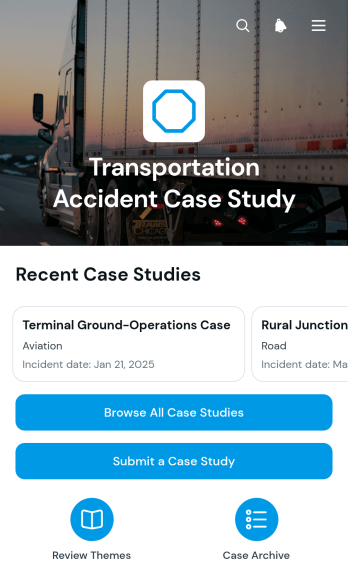
Transportation Accident Case Study App
Transportation Accident Case Study App provides a central resource for documenting, reviewing, and sharing lessons from road, rail, air, marine, and other transportation incidents. This app template helps fleet operators, transportation safety teams, insurers, consultants, educators, and investigators organize case summaries by location and transportation mode. Users can browse case studies, review contributing factors and outcomes, compare incident conditions, and identify recurring factors without searching through scattered files. A connected submission form also gives authorized contributors a consistent way to add new case studies for internal analysis, training, risk discussions, or educational reference.Jotform App Templates make it easy to turn this resource into a branded, mobile-friendly experience without coding. Using the no-code app builder and its drag-and-drop interface, teams can adjust pages, navigation, colors, fonts, and content to match their processes. The Transportation Accident Case Study App can connect with forms, tables, notifications, approvals, and other workflow tools for organized data collection and review. Publish it with a shareable link or custom URL so employees, partners, or students can reach relevant case information and self-service resources from any device.
Go to Category:Transportation Apps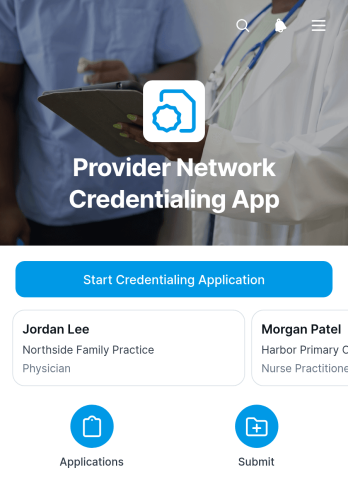
Provider Network Credentialing App
The Provider Network Credentialing App gives healthcare networks, hospitals, clinics, and credentialing teams a central place to collect provider applications and monitor review progress. This app template supports provider onboarding through a connected application form, searchable provider profiles, review status visibility, and key credential details such as license expiration dates, practice information, professional contact details, and provider identifiers. Administrators can replace scattered emails and disconnected records with a consistent intake workflow, while reviewers gain quicker access to the information needed to evaluate applications and follow up on missing or expiring credentials.With Jotform Apps, organizations can adapt this Provider Network Credentialing App without writing code. The drag-and-drop interface makes it easy to update pages, branding, navigation, and content while connecting forms and data collection tools to the broader credentialing workflow. Teams can organize provider records through Jotform Tables, trigger notifications for connected actions, and share the app by link or QR code. This flexible no-code app builder supports mobile-friendly self-service and gives administrators a practical starting point among Jotform App Templates.
Go to Category:Healthcare Apps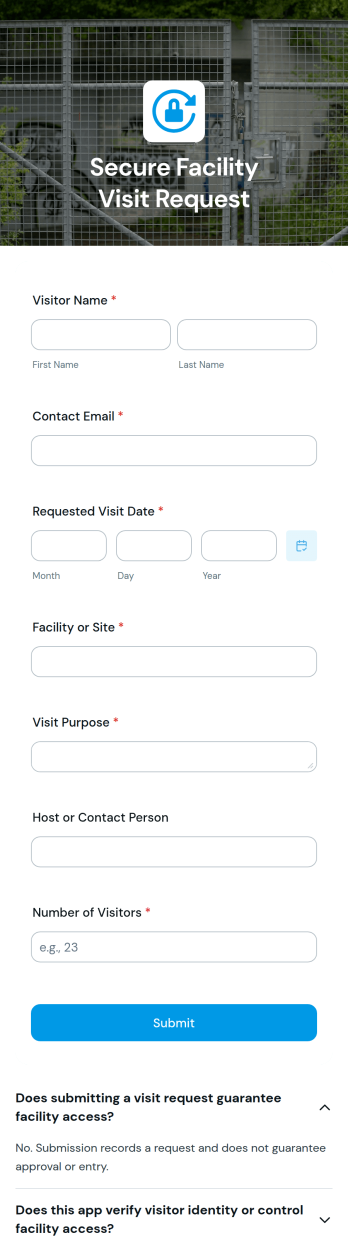
Secure Facility Visit Request App
The Secure Facility Visit Request App provides a clear intake experience for organizations that need to review planned visits before guests arrive. Facility managers, security teams, reception staff, operations departments, contractors, and site hosts can use it to collect visit requests, share entry guidance, and keep essential details organized. A dedicated request form supports consistent data collection, while an informational page and expandable guidance help visitors understand arrival procedures. This app template is useful for offices, warehouses, construction sites, research facilities, campuses, and other controlled locations where unplanned arrivals can create delays or operational risks.Jotform Apps makes it easy to adapt the Secure Facility Visit Request App to an organization’s workflow without writing code. Its no-code app builder and drag-and-drop interface let teams update content, apply their branding, rearrange sections, and connect forms with approvals, tables, notifications, and related processes. Users can start with ready-made App Templates, publish a mobile-friendly experience, and share it through a direct link or QR code. This creates a convenient self-service request channel while giving internal teams a central place to receive and manage visit information.
Go to Category:Safety and Compliance Apps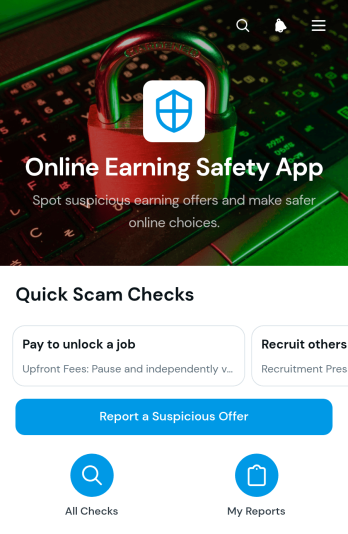
Online Earning Safety App
Online Earning Safety App is an interactive resource for recognizing and documenting suspicious online income opportunities. It helps freelancers, job seekers, creators, students, educators, community groups, and support teams evaluate offers before sharing personal details or sending money. Users can review common warning patterns, follow safer checking guidance, report a suspicious offer, and revisit submitted information when updates are needed. Bringing these actions together makes it easier to build awareness, record concerns consistently, and give people a practical self-service reference when an earning claim, remote work proposal, or income opportunity seems questionable.Jotform App Templates help organizations turn resources and connected processes into accessible digital experiences without coding. Using Jotform’s no-code app builder and drag-and-drop interface, teams can customize the Online Earning Safety App with their own educational content, branding, navigation, and data collection forms. Reports can connect with tables, notifications, approvals, and other workflow steps for organized follow-up. Once published, the app can be shared through a direct link or QR code, giving users convenient access from phones, tablets, and computers.
Go to Category:Safety and Compliance Apps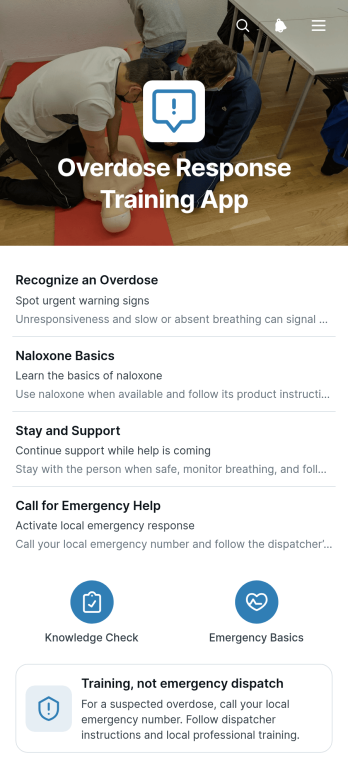
Overdose Response Training App
The Overdose Response Training App is an educational resource for community health teams, nonprofits, workplace safety coordinators, educators, volunteers, and outreach groups that need to present overdose response training in an accessible format. It brings module navigation, key-point review, and practice response collection into one mobile-friendly experience. Organizations can use this app template to reinforce training sessions, support independent review, prepare learners for facilitated exercises, and gather reflections or knowledge checks through a connected form. Clear reminders help users understand that the resource supports training and is not an emergency dispatch service.Jotform Apps makes it easy to adapt the Overdose Response Training App without writing code. Using the no-code app builder and drag-and-drop interface, teams can update learning content, reorganize pages, apply their visual identity, and connect forms or workflows for data collection. Jotform App Templates also help organizations publish practical self-service resources quickly, then share them through a direct link, scannable code, or embedded experience. This flexibility supports classroom instruction, staff development, volunteer preparation, community education, and recurring refresher training from a single organized destination.
Go to Category:Safety and Compliance Apps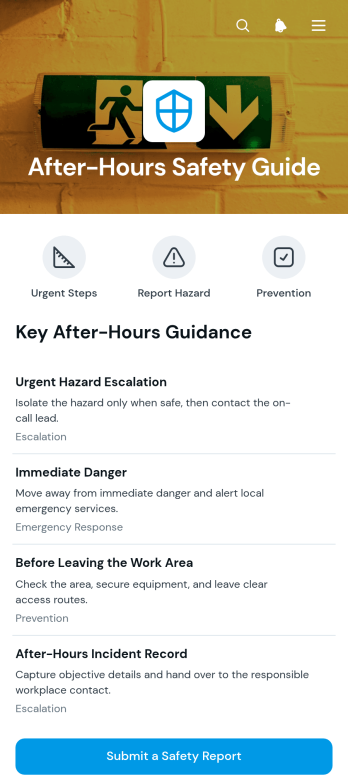
After-Hours Safety Guide App
The After-Hours Safety Guide App gives employees, contractors, facilities teams, and site managers a central resource for handling safety concerns outside regular operating hours. It presents step-by-step safety checks, makes essential guidance easy to browse, and provides direct access to a safety report form. Organizations can use this app template to help people review expected procedures before working alone, closing a location, inspecting a site, or responding to a nonurgent issue. Keeping instructions and reporting access together reduces uncertainty, encourages consistent actions, and helps managers collect information for timely follow-up.Jotform Apps makes it easy to adapt the After-Hours Safety Guide App without coding. Using the drag-and-drop app builder, teams can update pages, cards, buttons, and visual elements to match their locations, policies, and branding. Linked forms support data collection, while connected tables, notifications, approvals, and other workflow tools can help route reports to the appropriate team. This ready-to-use option from Jotform App Templates can be published for mobile-friendly self-service access and shared through a direct link, QR code, or embedded experience.
Go to Category:Safety and Compliance Apps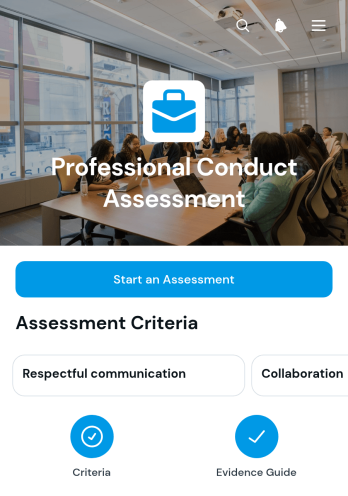
Professional Conduct Assessment App
The Professional Conduct Assessment App gives managers, human resources teams, supervisors, consultants, and educational leaders a consistent way to evaluate workplace behavior and document constructive discussions. It supports assessments across defined conduct areas using observable indicators and reflection prompts, then helps assessors record specific evidence, describe the relevant impact, and agree on follow-up actions. Organizations can use it during performance reviews, coaching conversations, workplace investigations, professional development meetings, or routine conduct check-ins. By keeping observations and next steps connected, the app promotes fairer evaluations, clearer expectations, and more productive conversations.Jotform App Templates make it easy to adapt this app template to an organization’s assessment process without writing code. With Jotform’s no-code app builder and drag-and-drop interface, teams can customize pages, navigation, wording, colors, and branding while connecting forms, tables, approvals, and automated workflows. The finished app can support secure data collection, internal self-service, and coordinated follow-up from one mobile-friendly location. Share it through a direct link or QR code so authorized assessors can access the experience wherever reviews take place.
Go to Category:Human Resources Apps