

School Management Apps

School Waste Audit App
The School Waste Audit App is an app template for schools that need a practical way to document waste, examine findings by school area, and support reduction initiatives. Administrators, facilities teams, teachers, student environmental groups, and sustainability committees can use it to submit audits, review waste insights, and access practical reduction guidance. By bringing these activities into one organized experience, the app helps schools replace scattered records, identify recurring waste patterns, compare audited areas, and turn observations into informed actions. It can support one-time assessments, classroom projects, campuswide reviews, and recurring sustainability programs.Jotform Apps helps schools create and publish interactive experiences without writing code. Start with this School Waste Audit App from Jotform’s App Templates, then use the no-code app builder and drag-and-drop interface to adjust pages, navigation, colors, fonts, and branding. Connect forms and tables to simplify data collection, organize audit records, and support a consistent workflow. The finished app can be shared by link or QR code for convenient mobile access, giving staff and students a central place to participate in waste reviews and find relevant next steps.
Go to Category:Audit Apps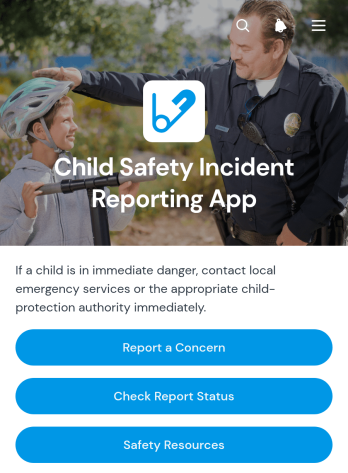
Child Safety Incident Reporting App
The Child Safety Incident Reporting App is a ready-to-use app template for schools, childcare providers, youth programs, community groups, and other organizations responsible for children’s well-being. It gives staff members, caregivers, volunteers, and approved community members a clear place to report a concern, check report status and follow-up activity, and review relevant safety resources. Bringing these critical actions into one accessible experience can reduce scattered messages, support timely internal responses, and establish a more consistent reporting pathway. Safeguarding teams, administrators, program leaders, and support personnel can use it to organize incident intake while keeping reporters informed about next steps.With Jotform Apps, organizations can adapt this template to their own reporting workflow without writing code. The no-code app builder and drag-and-drop interface make it easy to update pages, navigation, instructions, branding, and connected data collection forms. Teams can link reports with tables, approvals, notifications, and other internal processes while offering convenient self-service access from phones, tablets, or computers. As part of Jotform’s App Templates, the Child Safety Incident Reporting App can be customized, published, and shared through a direct link, scannable code, or embedded experience.
Go to Category:Safety and Compliance Apps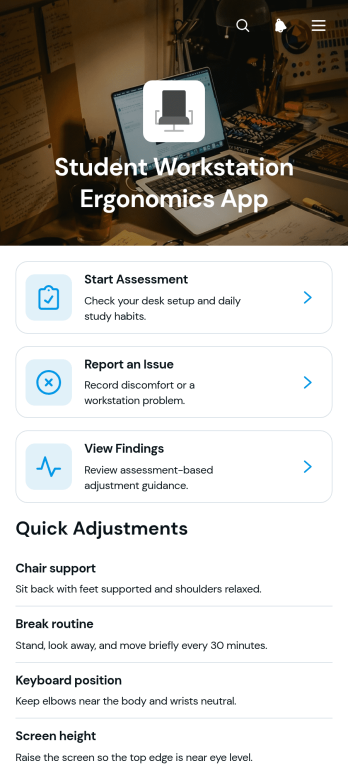
Student Workstation Ergonomics App
Student Workstation Ergonomics App gives schools, colleges, universities, libraries, and remote learning programs a central place to review study setups and address workstation concerns. Students can start an ergonomic assessment, report an issue, and view recorded findings without searching across separate resources. Faculty members, school administrators, facilities teams, and student support staff can use the app to identify recurring concerns involving desks, chairs, screens, lighting, or study environments. This app template supports more consistent data collection, clearer follow-up, and greater student self-service across classrooms, computer labs, libraries, residence halls, and home learning spaces.Jotform helps educational teams turn App Templates into accessible digital experiences without writing code. Using the no-code app builder and its drag-and-drop interface, staff can customize pages, update branding, connect forms, and organize supporting resources around the needs of their institution. The app can also connect assessment and issue-reporting activities with tables, notifications, approvals, and other workflow steps. Once prepared, teams can publish it through a direct link or QR code, giving students convenient mobile access while helping authorized staff keep findings and follow-up activities organized.
Go to Category:School Management Apps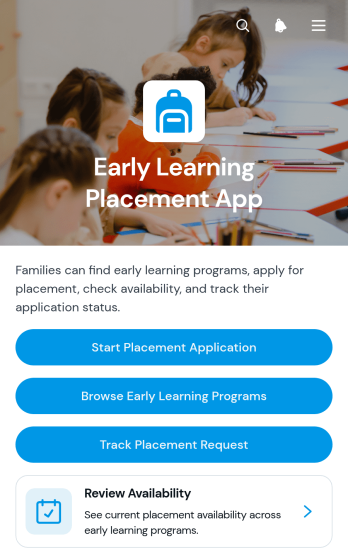
Early Learning Placement App
Early Learning Placement App is an app template for families seeking suitable early education programs and for schools, childcare networks, placement teams, and community education services coordinating enrollment requests. Families can browse available programs, review essential details such as location and program type, submit a placement application, and track their request from one accessible experience. This organized approach reduces disconnected inquiries, gives applicants clearer access to program information, and helps administrative teams manage placement demand while supporting informed choices.With Jotform Apps, organizations can adapt this Early Learning Placement App without writing code. The drag-and-drop app builder makes it easy to update pages, navigation, visual branding, and content while connecting forms and data collection processes to a practical workflow. Teams can publish a mobile-friendly self-service resource, share it through a direct link or QR code, and maintain program information as availability changes. Jotform app templates provide a ready-to-use foundation that can be customized for a single learning center, a group of schools, or a broader placement service.
Go to Category:Education Apps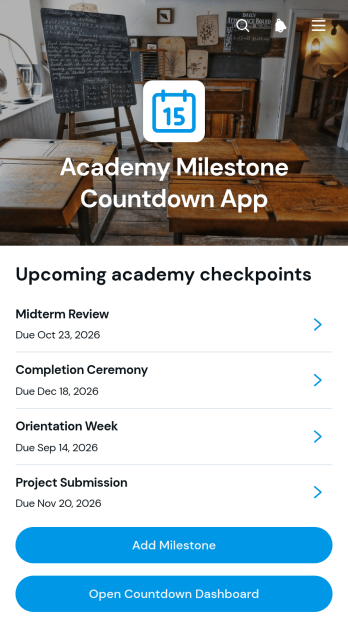
Academy Milestone Countdown App
The Academy Milestone Countdown App gives schools, training academies, instructors, program coordinators, and learners a central place to monitor important academic and training deadlines. Users can add milestones, open a countdown dashboard, and review each milestone’s target date, current status, academy area, and supporting context. It is well suited to course completion goals, assessment dates, certification stages, enrollment periods, project checkpoints, and other time-sensitive objectives. By making upcoming targets more visible, the app helps education teams keep learners focused, identify priorities, and reduce the risk of missed milestones.Jotform provides a no-code app builder that makes this app template easy to adapt without programming. Its drag-and-drop interface lets administrators update pages, navigation, buttons, visual elements, and connected forms while maintaining a clear mobile-friendly experience. Collected data can support organized workflows, shared progress tracking, and self-service access to milestone information. After customization, the app can be published and shared through a direct link, QR code, or embedded experience, giving staff and learners convenient access from phones, tablets, and computers.
Go to Category:Education Apps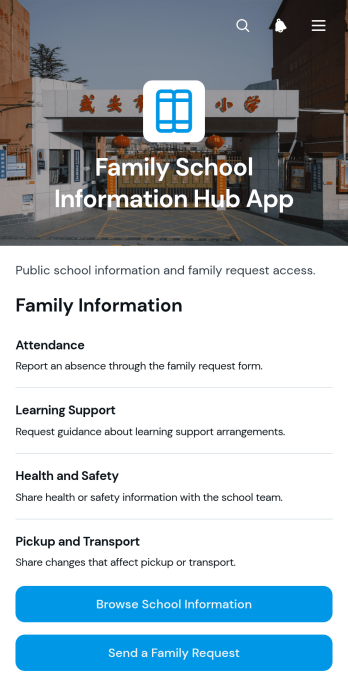
Family School Information Hub App
Family School Information Hub App gives schools and education communities a central place to share useful information with families. Administrators, teachers, family engagement teams, and school office staff can use this app template to make important materials easier to find without relying on scattered messages or documents. Families can browse information by school area, review calendar items and resources, send requests or questions, and contribute relevant school updates. This self-service experience helps caregivers stay informed, gives staff a consistent channel for inquiries, and supports clearer communication throughout the school year.With Jotform Apps, schools can customize this Family School Information Hub App through a no-code app builder and an intuitive drag-and-drop interface. Teams can adjust pages, branding, navigation, and content while connecting forms, tables, approvals, and other workflow tools for organized data collection. Jotform App Templates also make it easy to publish a mobile-friendly resource center without coding. Share the finished app through a direct link or QR code so families can access current information from nearly any device, while authorized staff collaborate on updates and adapt the experience as school needs change.
Go to Category:School Management Apps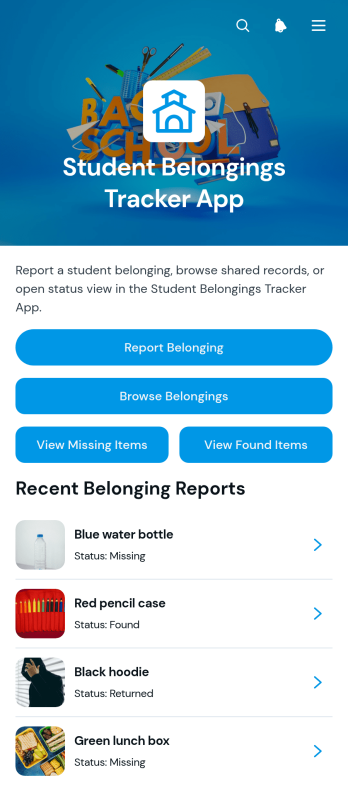
Student Belongings Tracker App
The Student Belongings Tracker App is a centralized lost-and-found resource for schools, colleges, classrooms, residence halls, and other student communities. Students and staff can report belongings, browse recorded items, and check whether an item is missing, found, or returned. Each record can present useful context such as the student, last known location, current status, description, and recommended next step. By keeping these updates in one accessible place, the app helps school administrators, teachers, campus teams, and students reduce scattered inquiries, improve item recovery, and maintain a clearer history of reported belongings.With Jotform Apps, organizations can adapt this app template through a no-code app builder and an intuitive drag-and-drop interface. Pages, navigation, colors, fonts, images, and branding can be adjusted to suit a school or campus experience. Connect forms, tables, notifications, and workflows to support organized data collection and timely updates without writing code. Jotform App Templates can be published for mobile-friendly self-service access and shared through a direct link, QR code, or embedded experience, giving students and staff a convenient way to submit and review information from nearly any device.
Go to Category:School Management Apps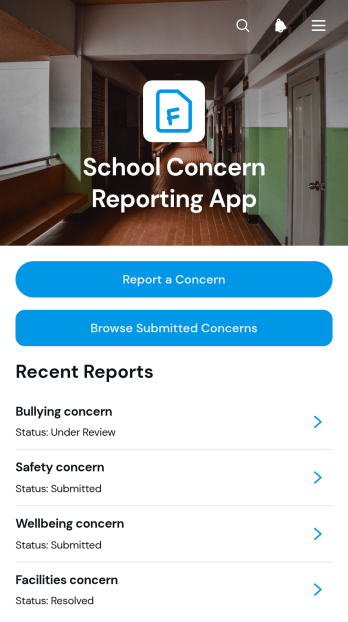
School Concern Reporting App
The School Concern Reporting App template gives students, families, teachers, counselors, and administrators a central place to document and review concerns affecting the school community. Users can submit a concern, provide relevant context or attachments, and browse submitted reports with details such as category, date, and location. Resource links can also guide users toward appropriate information or next steps. Schools, districts, student support teams, and campus operations staff can use this app template to replace scattered emails and paper reports, improve visibility, and maintain a more organized response process for facilities issues, student wellbeing matters, safety observations, and other school concerns.With Jotform Apps, schools can adapt the School Concern Reporting App through a no-code app builder and an intuitive drag-and-drop interface. Teams can update pages, branding, navigation, and resource content while connecting forms, tables, notifications, approvals, and other workflow tools as their processes evolve. The app can be shared by direct link, QR code, or embedded experience, giving users convenient mobile access to self-service reporting. Jotform App Templates help organizations launch polished digital experiences quickly while supporting consistent data collection, clearer collaboration, and easier access to important school resources.
Go to Category:School Management Apps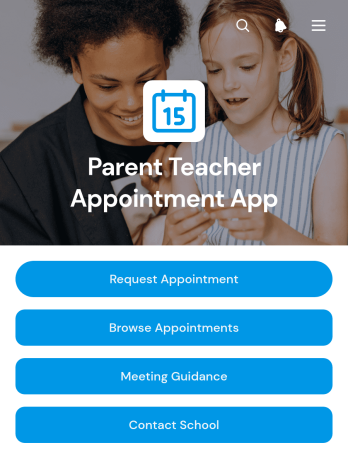
Parent Teacher Appointment App
The Parent Teacher Appointment App helps schools organize conversations between families and educators without relying on scattered emails or paper requests. Parents and guardians can request an appointment, browse scheduled meetings, and review guidance for a productive discussion. Teachers, administrators, and school office teams can use the app to keep appointment information accessible, give families a clear way to contact the school, and encourage preparation before each meeting. It is well suited to conferences, academic progress reviews, support planning, and other conversations centered on a student’s learning or well-being.Jotform makes this app template easy to adapt to a school’s communication process with a no-code app builder and a flexible drag-and-drop interface. Add school branding, revise pages, connect forms and tables, or adjust the workflow without writing code. The finished app can be shared by direct link or QR code, giving families mobile-friendly self-service access from nearly any device. Schools can also use Jotform App Templates to bring requests, appointment details, guidance, and useful resources into one organized experience that is simple to maintain throughout the academic year.
Go to Category:Appointment & Booking Apps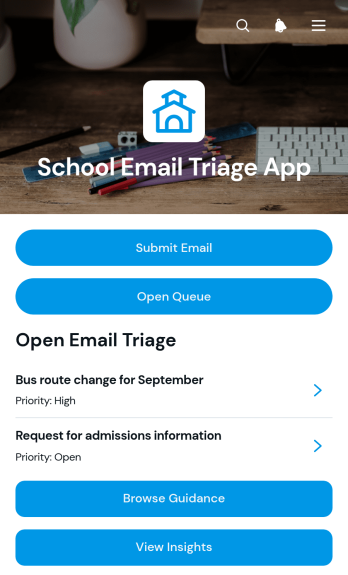
School Email Triage App
The School Email Triage App helps administrators, office staff, department coordinators, and support teams organize incoming school messages by category, priority, and status. Staff can submit emails for review, browse a shared queue, open message details, and consult category guidance before deciding what requires attention. A dedicated insights view supports oversight of triage activity and helps teams identify urgent requests, recurring topics, and unresolved communication. Schools can use this app template to coordinate parent inquiries, student support messages, attendance correspondence, administrative requests, and other communications that might otherwise become difficult to track across individual inboxes.Jotform makes the School Email Triage App easy to adapt without coding. Using a drag-and-drop interface, schools can update pages, navigation, branding, and guidance to reflect their internal processes. The app builder can connect forms, tables, notifications, approvals, and other workflow steps, bringing data collection and follow-up into one accessible location. Teams can publish the finished app with a shareable link or QR code, provide convenient mobile access, and create a consistent self-service experience for staff responsible for reviewing and routing school communications.
Go to Category:School Management Apps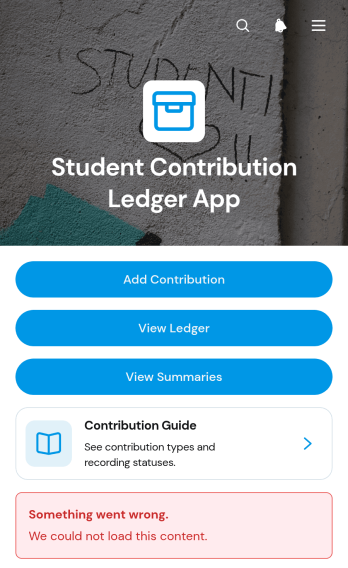
Student Contribution Ledger App
The Student Contribution Ledger App is a ready-to-use app template for schools, classrooms, clubs, and student programs that need a reliable record of individual contributions. Teachers, program coordinators, administrators, and student leaders can record time, materials, funds, or service through a contribution form, review entries in a browsable ledger, and monitor summary views. A built-in contribution guide helps participants understand what to report, while recorded dates, types, amounts, statuses, and notes give staff useful context. This shared record reduces scattered documentation, supports consistent data collection, and makes it easier to recognize participation or prepare program updates.Jotform Apps turns this template into a customizable, mobile-friendly experience without requiring code. Use the no-code app builder and drag-and-drop interface to adjust pages, navigation, colors, fonts, and branding for your school or program. You can connect forms, tables, approvals, notifications, and other workflow steps to keep contribution records organized as activity grows. Start with one of Jotform’s App Templates, tailor access for your community, and share the finished app by direct link, QR code, or embedded experience. It offers students and staff convenient self-service access while keeping contribution reporting and review in one central place.
Go to Category:School Management Apps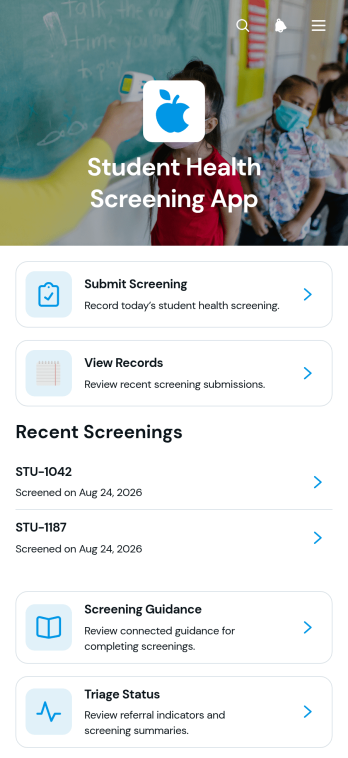
Student Health Screening App
The Student Health Screening App is a ready-to-use app template for schools, colleges, campus health teams, nurses, administrators, and other authorized staff who need a consistent way to review student health information. It brings screening submission, record viewing, and triage status updates into one accessible experience. Teams can use it for routine wellness checks, symptom or exposure reviews, return-to-class procedures, and referral decisions. Centralizing these activities helps reduce disconnected paperwork, gives staff a clearer view of screening activity, and supports timely follow-up when a student may need additional attention.Jotform Apps helps educational and healthcare teams turn this workflow into a mobile-friendly resource without writing code. Customize the Student Health Screening App with the drag-and-drop app builder, update its pages and branding, and connect forms or tables for organized data collection. Screening guidance and self-service access can be kept alongside the relevant workflow so users know what to do next. Once the app template is ready, publish it through a direct link or QR code and revise the experience as school procedures evolve.
Go to Category:School Management Apps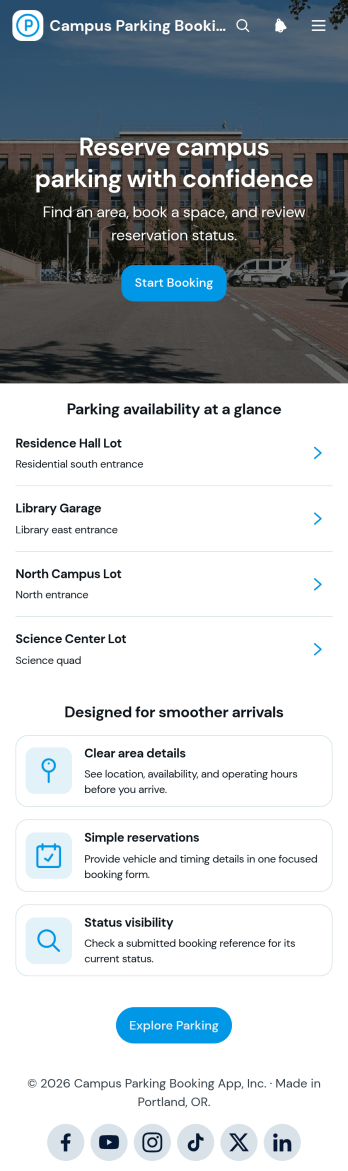
Campus Parking Booking App
Campus Parking Booking App gives students, faculty, staff, and visitors a convenient way to explore parking areas before arriving and reserve a suitable option. Universities, colleges, training centers, and other educational campuses can use this app template to present parking availability at a glance, share essential location and operating-hour details, and provide straightforward booking access. Users can also check their booking status or open a help section when they need guidance. By bringing these actions into one mobile-friendly experience, campus operations and transportation teams can reduce uncertainty, support smoother arrivals, and make parking information easier to access during busy class periods, events, orientations, and visitor days.Jotform makes this Campus Parking Booking App easy to adapt with a no-code app builder and an intuitive drag-and-drop interface. Add or rearrange pages, update branding, revise navigation, and connect forms or workflows without writing code. Jotform App Templates help educational teams launch polished self-service experiences while keeping data collection and operational resources connected. Once the app template is ready, share it through a direct link or QR code so campus users can reach parking details and booking actions from a phone, tablet, or computer.
Go to Category:Booking Apps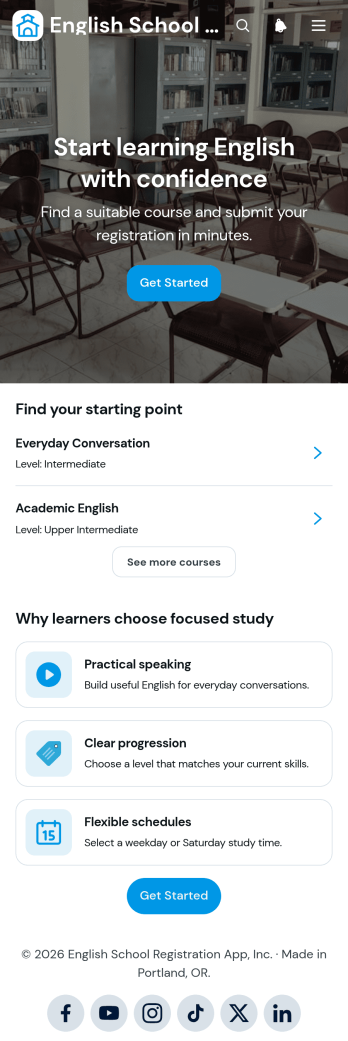
English School Registration App
English School Registration App gives language schools, tutoring centers, adult education providers, and independent instructors a central place to present English courses and accept registrations. Prospective learners can browse available classes, review individual course information, find a suitable starting point, and move directly to registration. Clear guidance on practical speaking, learning progression, scheduling, and enrollment helps students compare options with greater confidence. Schools can use this app template to reduce repetitive inquiries, make course discovery easier, and provide a convenient self-service registration experience for new and returning learners.With Jotform Apps, educators can customize this App Template through a no-code app builder and an intuitive drag-and-drop interface. Update course content, colors, fonts, buttons, and navigation to match your school, then connect forms and data collection tools to the wider enrollment workflow. The finished app can be shared by direct link or QR code and accessed from phones, tablets, and computers. Jotform also makes it easy to organize course resources, manage registration information, and revise the experience as programs or schedules change, all without writing code.
Go to Category:Course & Training Registration Apps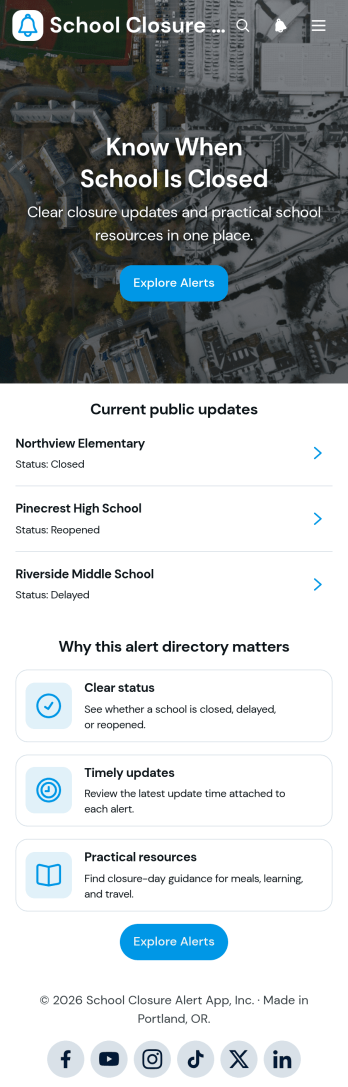
School Closure Alert App
The School Closure Alert App gives schools, districts, education offices, and community coordinators a central place to publish and review closure information. Administrators can collect closure reports, present current public updates, and organize practical resources by school or area. Families, students, teachers, transportation teams, and support staff can browse alerts, check closure dates and update times, view contact details, and find guidance on what to do next. This app template reduces scattered communication and makes essential status information easier to access during severe weather, facility issues, emergencies, or other disruptions.Jotform App Templates help organizations create focused digital experiences without writing code. With Jotform’s no-code app builder and drag-and-drop interface, teams can customize pages, branding, navigation, and connected forms to match their communication workflow. Data collection can feed organized records, while links and resource pages support convenient self-service. Publish the app through a direct link or QR code so users can open timely information from phones, tablets, or computers. Updates can be managed in one place, helping school teams maintain a dependable information resource as conditions change.
Go to Category:School Management Apps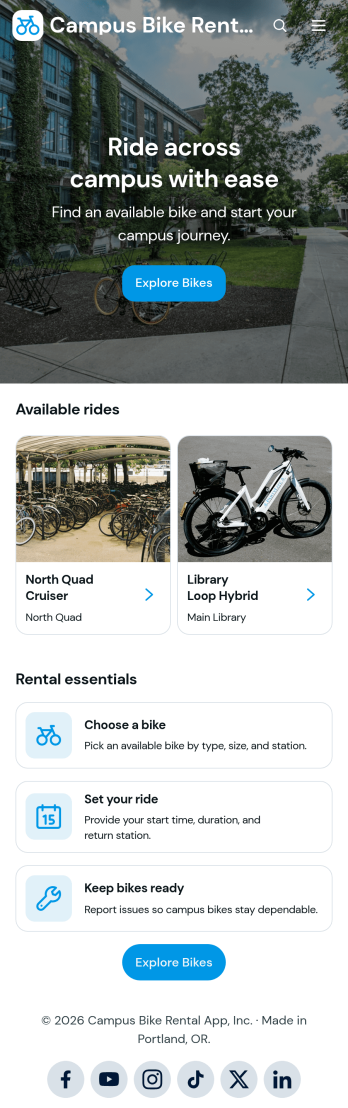
Campus Bike Rental App
Campus Bike Rental App is an app template for colleges, universities, and other educational communities that manage shared bicycle programs. Students, faculty, staff, visitors, transportation teams, and campus operations personnel can use it to browse available bikes, review station and rental information, submit rental requests, and report maintenance concerns. It brings essential rental activity into one mobile-friendly experience, helping riders find suitable transportation while giving administrators clearer visibility into pickups, return plans, bike availability, and reported issues. The template is especially useful for campuses seeking to reduce manual inquiries, organize data collection, and support convenient self-service transportation.Jotform Apps makes this Campus Bike Rental App easy to adapt with a no-code app builder and a flexible drag-and-drop interface. Administrators can customize pages, branding, navigation, and content, then connect forms and tables to support rental and maintenance workflows. The app can be shared through a direct link or QR code, giving riders convenient access from phones, tablets, or computers. Starting with one of Jotform’s App Templates saves setup time while leaving room to update bike listings, rental guidance, and operational resources as the campus program evolves.
Go to Category:Rental Apps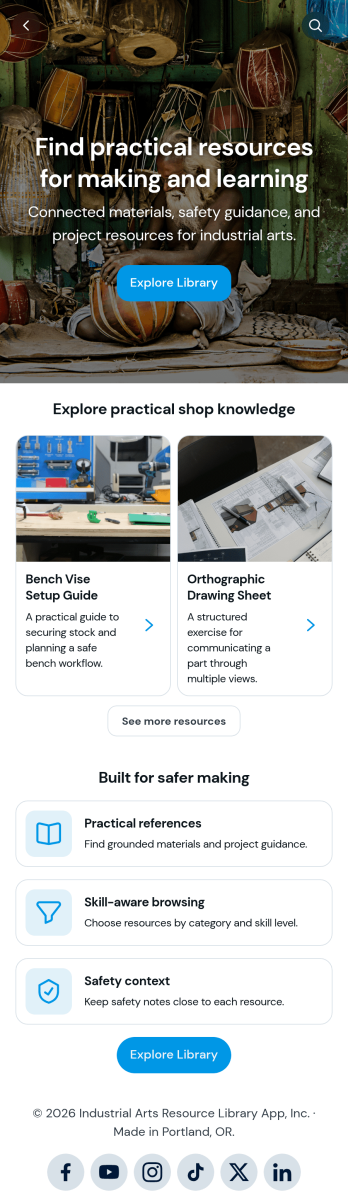
Industrial Arts Resource Library App
Industrial Arts Resource Library App gives schools, training centers, workshop instructors, makerspaces, and technical education programs a central place to share practical shop knowledge. Learners and staff can browse resources by material, category, or skill level, review relevant safety context, and open linked instructional references. Built-in options for submitting resources and requesting help make it easier for instructors, technicians, and students to contribute useful materials or ask for guidance. The app reduces scattered files and disconnected communication while supporting safer, more informed work across woodworking, metalworking, fabrication, drafting, and related learning environments.Jotform makes this app template easy to adapt with a no-code app builder and an intuitive drag-and-drop interface. Add branded pages, reorganize navigation, update resource cards, and connect forms for data collection without writing code. Teams can link submissions to tables and workflows, receive notifications when requests arrive, and maintain a convenient self-service library for their learning community. Publish the finished app through a direct link, personalized URL, embedded experience, or scannable code so users can reach current resources from a phone, tablet, or computer.
Go to Category:Resource & Learning Portal Apps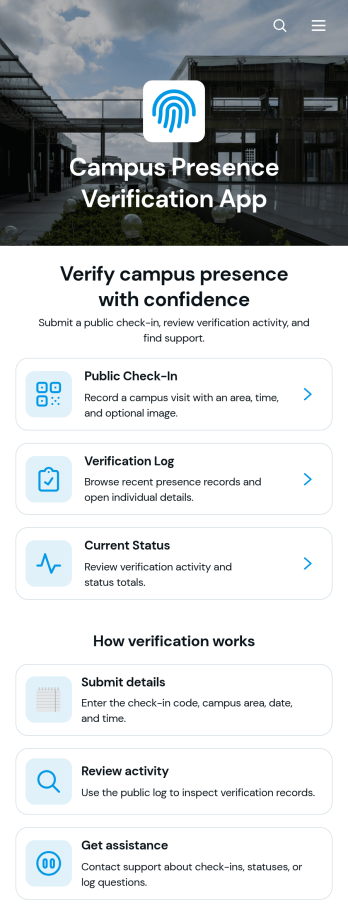
Campus Presence Verification App
Campus Presence Verification App is an app template for recording campus visits and giving authorized staff a clear view of presence verification activity. Schools, colleges, training centers, campus security teams, reception staff, and administrators can use it to support visitor intake, student attendance processes, contractor arrivals, or scheduled on-site activities. Users can submit a public check-in, review the verification log, and view the current status of a visit from one organized experience. Visit dates, times, campus areas, notes, and verification updates help teams replace scattered records with a consistent data collection process. A dedicated assistance option also guides users who have questions or need help completing a check-in.Jotform makes this app template easy to adapt without coding. Using the no-code app builder and its drag-and-drop interface, teams can update pages, navigation cards, buttons, colors, fonts, and other visual elements to reflect their campus procedures. Connected forms and tables can support check-in records, status reviews, notifications, and related workflow steps while keeping resources accessible in one place. Publish the Campus Presence Verification App through a direct link or QR code so visitors and campus personnel can open it on phones, tablets, or computers. Jotform App Templates offer a practical starting point for creating a branded self-service experience that can evolve as operational needs change.
Go to Category:Sign In Apps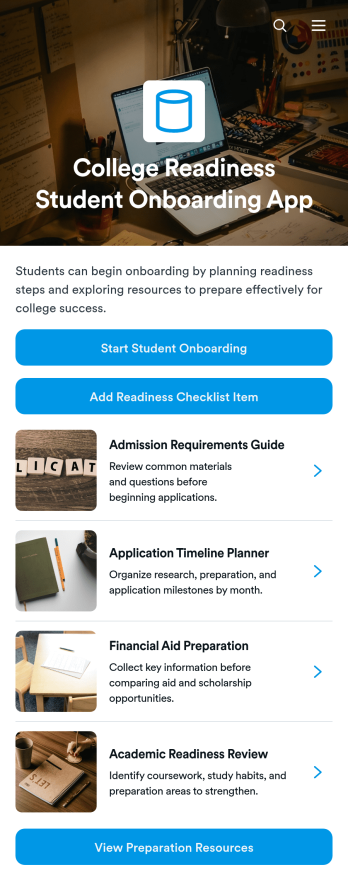
College Readiness Student Onboarding App
College Readiness Student Onboarding App is an app template for schools, college access programs, counselors, tutors, and nonprofit education teams supporting students as they prepare for higher education. It brings student onboarding records, readiness checklist tracking, and preparation resources into one organized experience. Teams can document each student’s academic direction, identify areas where support is needed, assign target dates, and share suggested next steps. This central view helps counselors provide consistent guidance while giving students a clearer path through academic planning, application preparation, financial aid tasks, and other college readiness activities.Jotform Apps helps education teams turn this template into a branded, mobile-friendly resource without writing code. Its drag-and-drop interface makes it easy to adjust pages, navigation, buttons, and visual elements for a school or program. Users can connect forms and tables to support data collection, maintain onboarding workflows, and keep student information organized. Once published, the app can be shared by direct link or QR code, providing convenient self-service access to preparation materials and actions from nearly any device.
Go to Category:Education Apps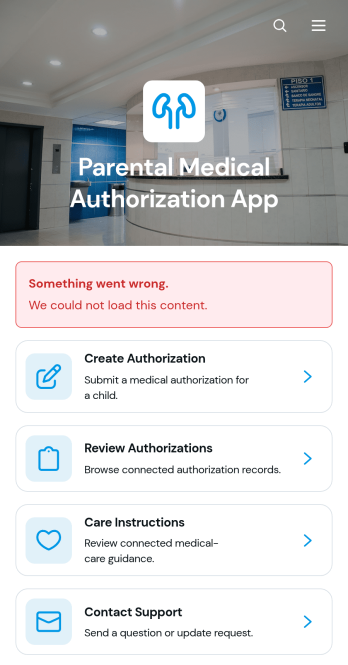
Parental Medical Authorization App
Parental Medical Authorization App is a ready-to-use app template for parents who need to prepare and manage medical care authorizations for their children. It also supports caregivers, schools, childcare providers, camps, youth programs, and other organizations responsible for children while a parent is unavailable. Users can create an authorization through connected forms, review existing authorizations by child, and access relevant care instructions from one organized location. This helps reduce missing information, keeps important directions easier to find, and gives authorized caregivers a convenient self-service resource when coordinating routine or urgent care.Jotform App Templates make it simple to adapt this Parental Medical Authorization App to the needs of a family or organization. With Jotform’s no-code app builder and drag-and-drop interface, users can update pages, branding, navigation, instructions, and support details without programming. Linked forms and tables support data collection and workflow organization, while notifications can help teams respond to new information. Publish the app with a personalized link, share it by QR code, or make it available on mobile devices so parents and caregivers can reach essential resources wherever they are.
Go to Category:Healthcare Apps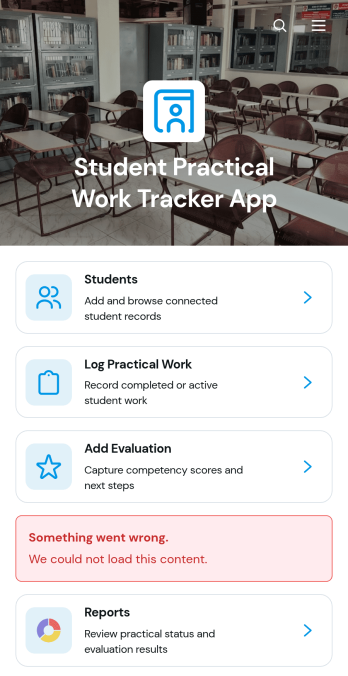
Student Practical Work Tracker App
Student Practical Work Tracker App is an app template for recording, reviewing, and evaluating hands-on student learning in one organized location. Schools, colleges, vocational programs, instructors, placement coordinators, and supervisors can use it to maintain student profiles, log practical work, and add evaluations. Educators can view work titles, assigned areas, supervisors, completed hours, reflections, and review status without relying on scattered documents. It supports laboratory assignments, technical training, internships, clinical practice, fieldwork, workshops, and other experience-based courses where progress must be documented. Centralized records make it easier to identify work awaiting review, monitor participation, prepare reports, and give each learner timely feedback.Jotform Apps helps educational teams turn this Student Practical Work Tracker App into a branded, mobile-friendly resource without writing code. Its drag-and-drop interface makes it easy to adjust pages, cards, buttons, and navigation while connected forms support data collection and consistent workflows. Users can begin with ready-made App Templates, customize the app template through the no-code App Builder, and share it by direct link or QR code. Forms, tables, approvals, notifications, and reports can also be connected to create a practical self-service experience for students, instructors, and supervisors.
Go to Category:School Management Apps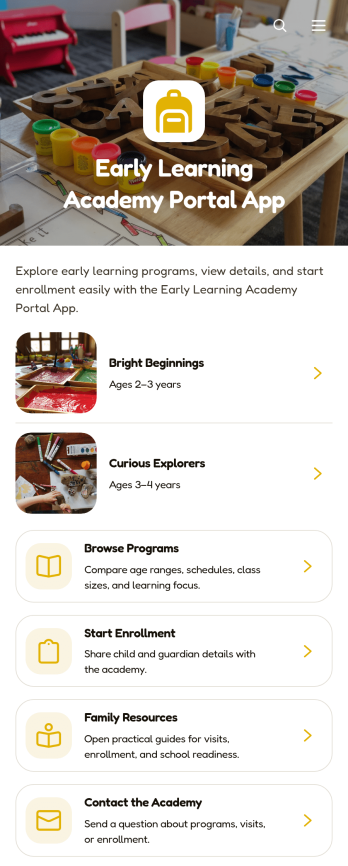
Early Learning Academy Portal App
Early Learning Academy Portal App gives preschools, childcare centers, and early education academies a welcoming digital space where families can explore learning programs, review practical details, begin enrollment, find helpful resources, and contact the academy. Directors, administrators, educators, and admissions teams can use this app template to present age ranges, schedules, class sizes, and learning priorities without scattering information across multiple channels. It supports clearer family communication, easier program discovery, and a more convenient enrollment journey for parents and caregivers.Jotform Apps makes it simple to turn this Early Learning Academy Portal App into a branded, mobile-friendly experience without coding. Use the drag-and-drop app builder to update pages, cards, buttons, images, and navigation while connecting enrollment and contact forms to your workflow. The template can also direct families to linked resources and self-service information from one accessible location. Customize the design with modern fonts and rounded visual elements, organize collected data with connected Jotform tools, and publish the finished portal through a direct link, custom URL, QR code, or embedded experience.
Go to Category:School Management Apps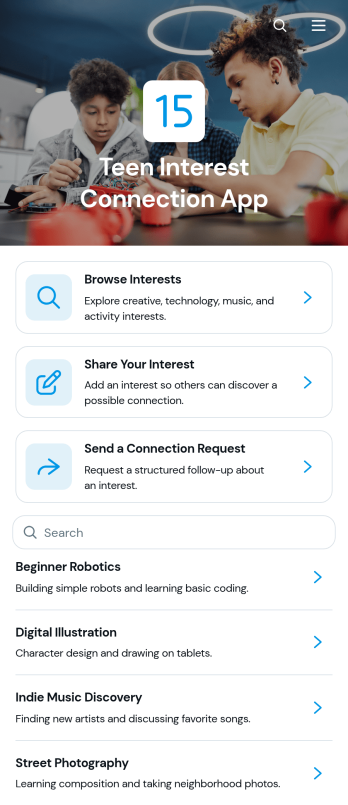
Teen Interest Connection App
The Teen Interest Connection App is a ready-to-use app template for helping teenagers discover shared interests and request introductions through an organized experience. Schools, youth groups, community programs, clubs, and mentoring organizations can use it to encourage participation around hobbies, creative activities, sports, study topics, and other interests. Teens can browse interest listings, share an interest, and submit a connection request. This approach gives program teams a central place to support community building while reducing scattered messages and making requests easier to review.Jotform Apps helps organizations turn this template into a branded, mobile-friendly resource without writing code. Its drag-and-drop interface makes it easy to update pages, cards, buttons, images, and navigation to suit a particular program. Teams can connect forms, tables, notifications, approvals, and other workflow steps for coordinated data collection and follow-up. Customize the Teen Interest Connection App, publish it with a personalized link, and share it directly, through a QR code, or as an embedded experience.
Go to Category:Community & Engagement Portal Apps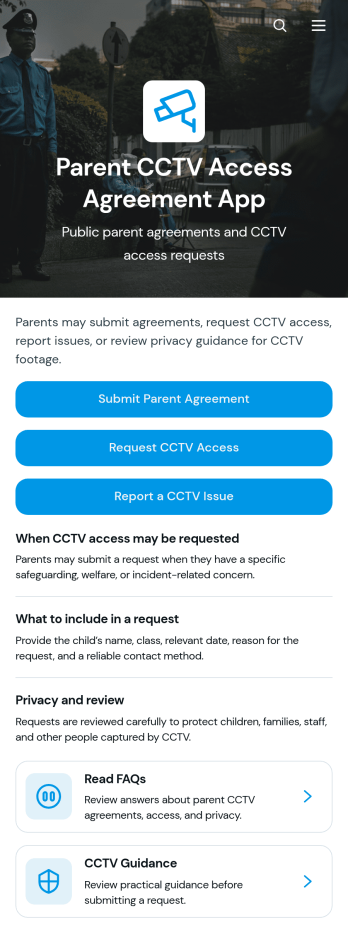
Parent CCTV Access Agreement App
Parent CCTV Access Agreement App gives schools, nurseries, childcare providers, and other education organizations a central place to manage parent interactions related to CCTV access. Parents and guardians can submit an agreement, request access to relevant footage, or report a CCTV issue through clearly presented forms. The app is useful when administrators need a consistent process for receiving requests, documenting acknowledgments, and directing families to CCTV guidance. It reduces scattered emails and incomplete enquiries while helping school leaders, safeguarding teams, and office staff keep parent communication organized.With Jotform Apps, organizations can adapt this app template without writing code. The drag-and-drop app builder makes it easy to update pages, add branded content, arrange resource navigation, and connect forms with tables, approvals, notifications, and other workflows. Staff can publish the finished app with a direct link or QR code, giving parents convenient mobile-friendly self-service access. Jotform App Templates also support centralized data collection, so teams can review incoming agreements, access requests, and issue reports from connected processes while maintaining a clear experience for families.
Go to Category:School Management Apps