

Education App Templates

Museum Artwork Catalog App
Museum Artwork Catalog App gives museums, galleries, cultural institutions, curators, educators, and collection teams a central place to present and manage artwork information. This app template supports collection browsing, individual artwork pages, and organized details such as medium, collection category, and background information. Visitors can explore works from a phone or computer, while staff can use a connected form to collect new catalog information or maintain records. It is well suited to digital exhibitions, public collection guides, educational resources, internal reference catalogs, and accessible displays that help audiences discover artwork beyond a physical gallery visit.Jotform Apps makes the Museum Artwork Catalog App easy to adapt without coding. Use the drag-and-drop app builder to adjust pages, cards, navigation, colors, typography, and imagery for your institution. Connect forms and tables to support data collection and catalog workflows, then publish a polished self-service experience through a direct link, custom app link, embedded page, or scannable code. Jotform App Templates provide a ready-made foundation, helping teams launch quickly while retaining control over branding, content organization, and future updates.
Go to Category:Inventory Apps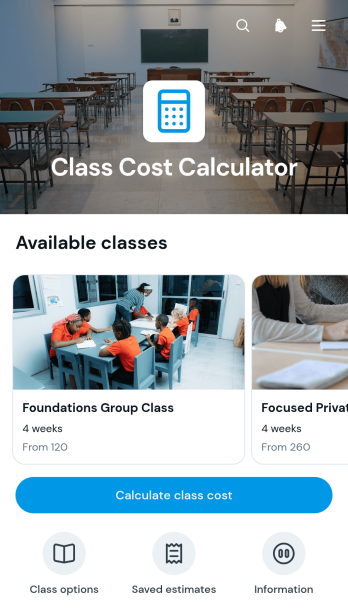
Class Cost Calculator App
The Class Cost Calculator App is a ready-to-use app template for schools, training providers, tutors, studios, and workshop organizers that need to present and estimate class expenses. Users can browse available classes, review base and materials fees, choose a class type and quantity, and open a calculator to produce a dated cost estimate. This makes pricing easier to understand before enrollment while giving staff a consistent way to communicate expected charges. It is especially useful for programs where costs vary by course selection, participant count, supplies, or other class requirements.Jotform makes this App Template easy to adapt with a no-code app builder and an intuitive drag-and-drop interface. Organizers can update class information, adjust navigation, apply their own visual style, and connect forms, tables, approvals, or payment workflows when needed. The finished app can support self-service access on mobile devices and computers, helping prospective learners, parents, and staff find pricing information without relying on separate documents or repeated inquiries. Share it through a direct link or QR code to provide a convenient class cost resource wherever users need it.
Go to Category:Estimation Apps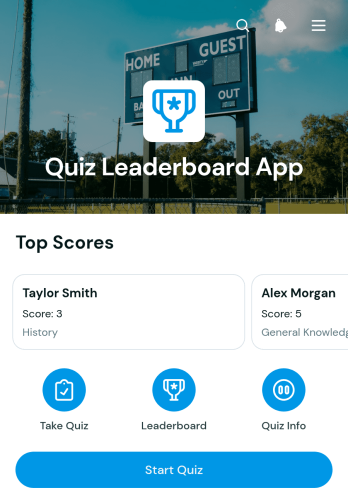
Quiz Leaderboard App
Quiz Leaderboard App is an interactive quiz experience for educators, trainers, event organizers, community managers, and team leaders who want to encourage friendly competition. Participants can start a quiz, submit a score, review completion details, and view a leaderboard from one convenient location. It works well for classroom challenges, employee training, workshops, trivia events, knowledge checks, and audience engagement campaigns. By making rankings easy to access, this app template helps motivate participants, highlight top results, and create a more engaging experience without scattering quiz actions across multiple resources.Jotform provides a no-code app builder that makes this Quiz Leaderboard App easy to adapt to different topics and audiences. Use the drag-and-drop interface to update pages, navigation, buttons, colors, fonts, and visual elements while maintaining a clear workflow. Connected forms support score collection, while organized app pages give users a simple self-service path from taking the quiz to checking the rankings. Publish the finished app with a direct link or QR code for mobile-friendly access, and use Jotform App Templates to build similar interactive experiences without writing code.
Go to Category:Quiz Apps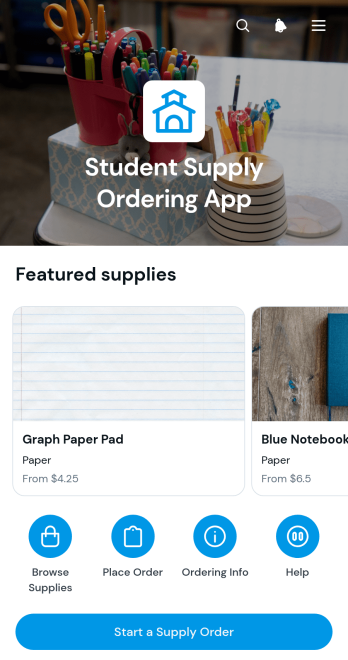
Student Supply Ordering App
The Student Supply Ordering App is a ready-to-use app template for schools, colleges, tutoring programs, and other educational organizations that need a clear way to manage student supply requests. Students, families, teachers, and staff can browse available supplies, review essential information such as category and price, select needed items, and submit order details through a connected form. Pickup planning keeps the next step visible and supports an organized handoff. By bringing supply browsing and data collection into one self-service experience, the app reduces unclear requests, scattered messages, and manual order entry.Jotform App Templates help teams turn everyday processes into accessible digital experiences without writing code. Using Jotform’s no-code app builder and drag-and-drop interface, administrators can adjust pages, buttons, images, wording, and branding to match their institution. The Student Supply Ordering App can connect with forms, tables, notifications, and other workflow tools, making it easier to organize submitted information and coordinate fulfillment. Once customized, the app can be shared by direct link or QR code for convenient access on phones, tablets, and computers.
Go to Category:School Management Apps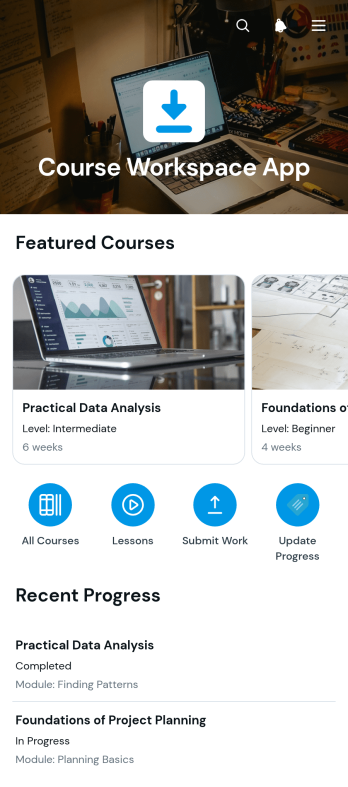
Course Workspace App
The Course Workspace App is a centralized learning space for instructors, tutors, training teams, schools, and organizations that need to organize course activity in one accessible place. This app template gives learners clear access to weekly modules while supporting assignment submission and progress updates. It works well for online classes, blended learning programs, professional development, tutoring services, and internal training. By keeping course overviews, lesson objectives, materials, assignments, and learner actions connected, it reduces scattered communication and helps participants understand what to study and complete next.Jotform Apps helps educators and training teams turn course processes into an interactive, mobile-friendly experience without coding. Start with the Course Workspace App from Jotform App Templates, then use the no-code app builder and drag-and-drop interface to adjust pages, navigation, colors, fonts, and content. Connected forms support data collection and workflow automation for assignments and progress records, while links and resource pages encourage learner self-service. Once customized, the app can be shared through a direct link or QR code, making course information easy to reach from a phone, tablet, or computer.
Go to Category:Education Apps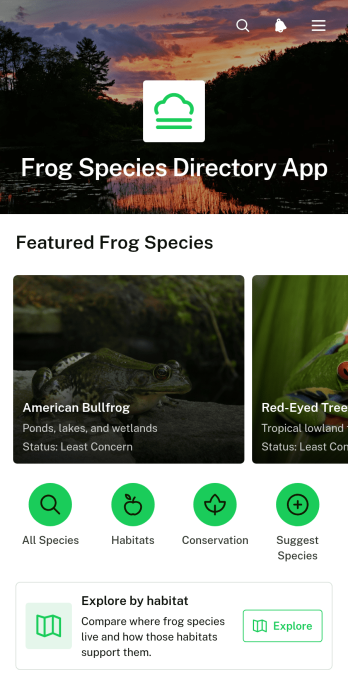
Frog Species Directory App
The Frog Species Directory App is an educational reference for exploring frog species, habitats, physical characteristics, geographic ranges, and conservation information. It suits schools, wildlife educators, conservation groups, researchers, nature centers, and community science programs that need an accessible way to present amphibian knowledge. Visitors can browse species profiles, explore frogs by habitat, and review key threats and helpful conservation actions. By bringing related information into one organized directory, the app makes learning easier, supports field education, and helps audiences understand how species relate to their environments.Jotform makes this app template easy to adapt without writing code. Use the drag-and-drop app builder to update pages, cards, images, navigation, and educational content while applying a visual style that fits your program. You can connect forms for data collection, feedback, or observation reports and organize the resulting information within related workflows. Once the Frog Species Directory App is ready, publish it for mobile-friendly self-service access and share it through a direct link or scannable code. Jotform App Templates provide a practical starting point for creating an interactive resource that can grow as species records, habitat details, and conservation materials change.
Go to Category:Resource & Learning Portal Apps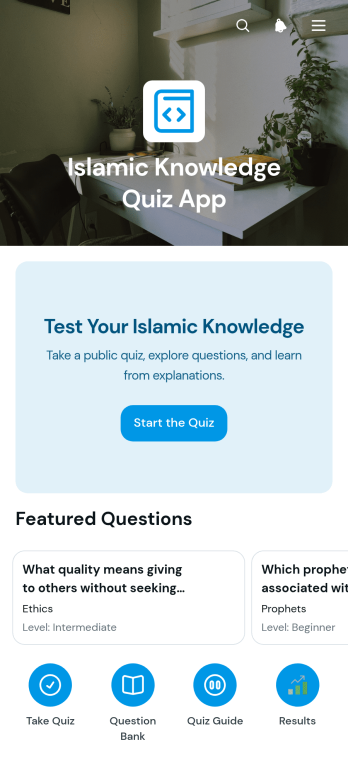
Islamic Knowledge Quiz App
Islamic Knowledge Quiz App is a ready-to-use app template for creating an engaging quiz experience centered on Islamic topics. It suits educators, tutors, schools, community groups, study circles, and individuals who want to support learning through self-guided questions. Participants can browse questions by topic, view the level and correct answer, and review submitted quiz results before taking the quiz again. This focused structure makes the template useful for lessons, revision activities, knowledge checks, community programs, and independent study. It brings quiz participation and data collection into one accessible place while reducing the work required to organize and distribute recurring assessments.Jotform App Templates help organizations turn forms, resources, and workflows into interactive experiences without writing code. Using Jotform’s no-code app builder and drag-and-drop interface, you can adapt this app template with your own questions, visual style, navigation, and supporting content. Connect forms and tables to manage responses, create a convenient self-service learning experience, and publish the finished app for mobile-friendly access. Share it through a direct link or QR code so learners can open the quiz wherever educational activities take place.
Go to Category:Quiz Apps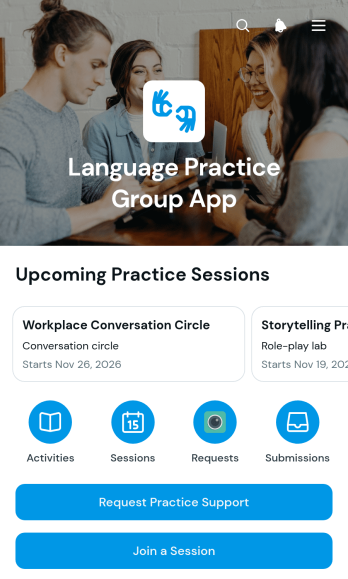
Language Practice Group App
Language Practice Group App is an app template for organizing peer conversation sessions, connecting language learners, and coordinating practice support in one accessible place. It suits schools, tutoring programs, community groups, training teams, and independent educators that want to make group practice easier to discover and join. Participants can browse sessions by practice focus, submit a session sign-up, and request extra support when they need guidance. Organizers gain a clearer view of practice requests and registrations, helping them plan suitable sessions, respond to learner needs, and reduce scattered communication.With Jotform Apps, you can customize this Language Practice Group App through a no-code app builder and an intuitive drag-and-drop interface. Add or rearrange pages, update navigation, apply your preferred visual style, and connect forms or tables to support data collection and workflow management. Jotform app templates make it simple to publish a mobile-friendly resource for self-service access, then share it through a direct link or QR code. Whether you run recurring conversation groups or occasional practice events, the app builder helps you create a welcoming experience without writing code.
Go to Category:Education Apps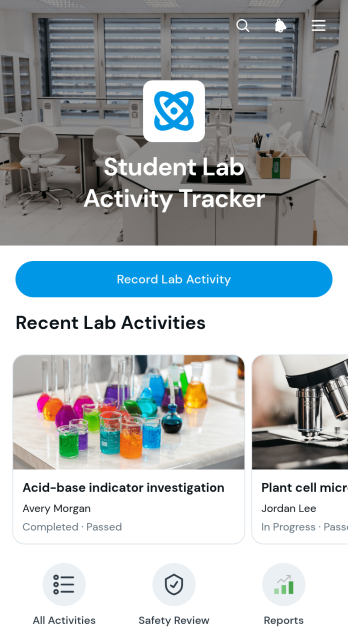
Student Lab Activity Tracker App
The Student Lab Activity Tracker App helps students document practical laboratory work while giving teachers, lab instructors, and school administrators a clear way to review participation and progress. Students can record lab activities, check previous entries, and capture important observations and follow-up notes in one accessible place. Activity details also highlight status and safety checks, helping instructors identify incomplete work, reinforce responsible laboratory practices, and provide timely guidance. It is well suited to science classes, technical programs, training laboratories, and other learning environments where practical activities need consistent documentation.Jotform makes this app template easy to adapt for different subjects, class levels, and laboratory procedures. Using the no-code app builder and drag-and-drop interface, educators can update pages, adjust branding, connect forms and tables, and shape the workflow without programming. The app can be shared by link or QR code, giving students mobile-friendly access during or after a lab session. Connected data collection keeps activity records organized, while notifications and related approval processes can support instructor reviews. Explore Jotform App Templates to create a practical self-service experience that brings lab records and learning resources together.
Go to Category:Activity Tracking Apps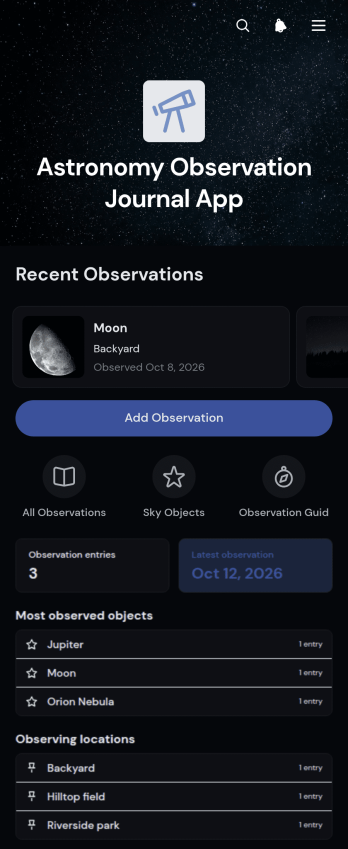
Astronomy Observation Journal App
Astronomy Observation Journal App is an app template for recording, organizing, and reviewing observations of stars, planets, and other celestial objects. It suits amateur astronomers, astronomy clubs, students, educators, and community science groups that need a consistent journal for field sessions. Users can add an observation, browse previous records, and open object profiles with key details such as observation time, equipment, visibility, and field notes. This organized format makes it easier to compare viewing conditions, remember equipment choices, support coursework, and maintain a useful history across solo outings, club events, or guided learning activities.Jotform App Templates help users turn recurring activities into accessible digital experiences without coding. With Jotform’s no-code app builder and drag-and-drop interface, you can customize the Astronomy Observation Journal App with your own pages, colors, images, navigation, and data collection forms. Connected tables and workflows can keep observation records organized while notifications support timely follow-up. Publish the finished app through a direct link or QR code to give members, students, or fellow observers convenient self-service access on phones, tablets, and computers.
Go to Category:Journal Apps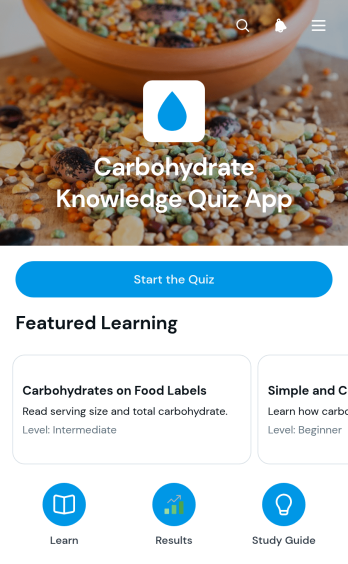
Carbohydrate Knowledge Quiz App
Carbohydrate Knowledge Quiz App is an interactive app template for assessing and strengthening understanding of carbohydrates, food choices, and nutrition concepts. It gives learners direct quiz access, supporting educational resources, and a results review area where they can revisit missed concepts or retake the assessment. Dietitians, wellness educators, teachers, tutors, personal trainers, and community health teams can use it for classroom activities, nutrition workshops, client education, or independent study. By keeping learning materials and knowledge checks in one mobile-friendly experience, the app supports self-service learning and helps users identify topics that need further review.Jotform makes this app template easy to adapt with a no-code app builder and an intuitive drag-and-drop interface. Creators can update the wording, visual theme, navigation, quiz content, and linked resources without programming. Forms and connected workflows can support data collection, organize responses, and provide a consistent learning journey from the first question through results review. Once customized, the app can be published and shared through a direct link or QR code, making Jotform App Templates practical for remote lessons, in-person programs, staff education, and recurring nutrition training.
Go to Category:Quiz Apps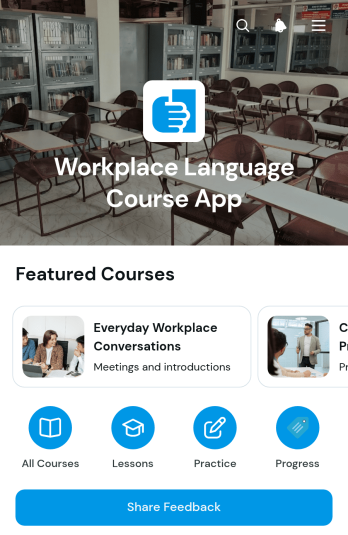
Workplace Language Course App
The Workplace Language Course App gives employers, training teams, language instructors, and professional development coordinators a central learning space for job-related language education. Employees can browse available courses, open lessons, complete speaking and writing practice, and record their progress. It works well for onboarding new hires, supporting multilingual teams, improving role-specific communication, or offering continuing education across office, service, and remote work environments. Progress records and learner reflections help instructors understand participation, while feedback collection supports ongoing course improvements.Jotform makes it easy to adapt this app template without coding. Using the no-code app builder and its drag-and-drop interface, organizations can update pages, add branded visual elements, connect forms, and organize learning resources around their own training workflow. Teams can use Jotform App Templates to create a mobile-friendly self-service experience, manage data collection, and keep course materials and learner actions in one convenient place. Once customized, the app can be shared through a direct link, QR code, or embedded experience so employees can access training wherever they work.
Go to Category:Education Apps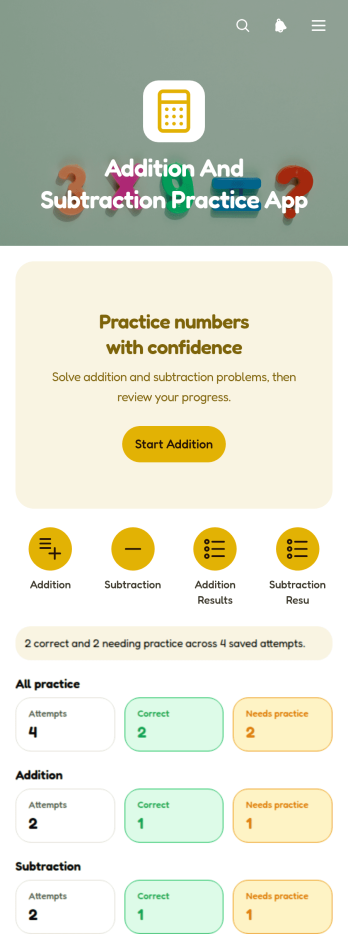
Addition And Subtraction Practice App
The Addition And Subtraction Practice App gives students a focused place to strengthen foundational arithmetic skills through repeated number exercises. It brings guided practice, simple navigation, and browsable problem sets into one mobile-friendly learning space. Elementary school teachers can use it for classroom review, warm-ups, learning stations, or extra support, while tutors and families can provide practice outside school. By keeping activities together, the app reduces reliance on scattered worksheets and makes short, repeatable sessions easier to assign for lessons, homework, tutoring, intervention, or independent study.Jotform helps educators turn App Templates into personalized learning experiences without writing code. Its no-code app builder and drag-and-drop interface make it easy to adjust pages, reorganize content, add instructional media, and apply a welcoming visual style. Users can also connect forms for data collection, create supporting workflows, and share the finished app through a direct link or QR code. With flexible customization and convenient mobile access, Jotform supports self-service practice for students and simpler resource distribution for teachers and tutors.
Go to Category:Quiz Apps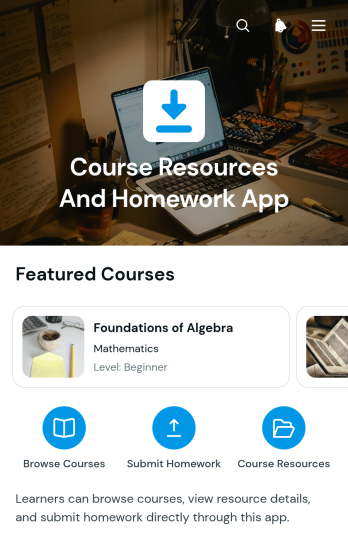
Course Resources And Homework App
Course Resources And Homework App is a centralized learning space for educators, tutors, training teams, and schools that need to distribute course materials and manage homework online. Learners can browse available resources, open individual courses, and submit assignments through a connected form, while instructors can review student details and access submission links from one organized experience. It is well suited to classroom learning, tutoring programs, remote courses, enrichment activities, and professional training. By keeping materials and homework actions together, the app helps reduce missed instructions, scattered links, and uncertainty about where work should be submitted.Jotform makes this app template easy to adapt without coding. Use the drag-and-drop app builder to update pages, navigation, colors, typography, and visual elements for a modern learning experience. Forms and connected workflows can support data collection, assignment intake, notifications, and organized review processes. Once customized, the app can be shared through a direct link or QR code for convenient mobile access. Jotform App Templates give education teams a practical starting point for creating branded resource centers that support learner self-service and simplify recurring course administration.
Go to Category:Resource & Learning Portal Apps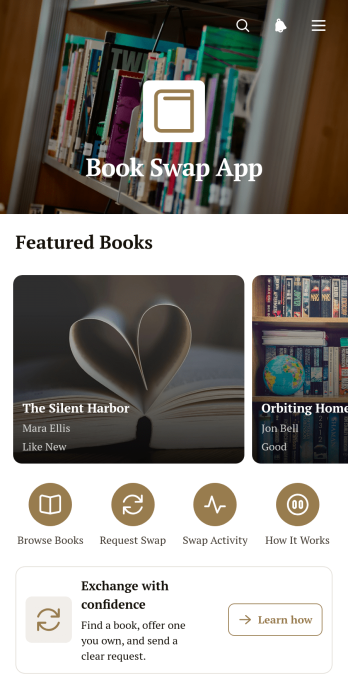
Book Swap App
Book Swap App is a ready-to-use app template for communities, schools, reading clubs, nonprofits, and neighborhood groups that want to help people exchange books. Participants can browse available titles, offer books they no longer need, and submit requests for books they would like to receive. By gathering listings and exchange actions in one accessible place, the app reduces scattered messages and makes it easier to connect readers with relevant offers. Organizers can use it for ongoing sharing programs, campus exchanges, community events, or small book drives while creating a convenient self-service experience.With Jotform Apps, you can adapt this Book Swap App without writing code. The no-code app builder provides a drag-and-drop interface for updating pages, cards, buttons, images, colors, and navigation to match your community. Connect forms and tables to support data collection, organize book offers, and maintain a clear workflow as participation grows. Jotform App Templates can also be shared through a direct link or QR code, giving readers mobile-friendly access from almost anywhere. Start with the app template, add your own instructions and branding, and publish a welcoming exchange space in minutes.
Go to Category:Second Hand Selling Apps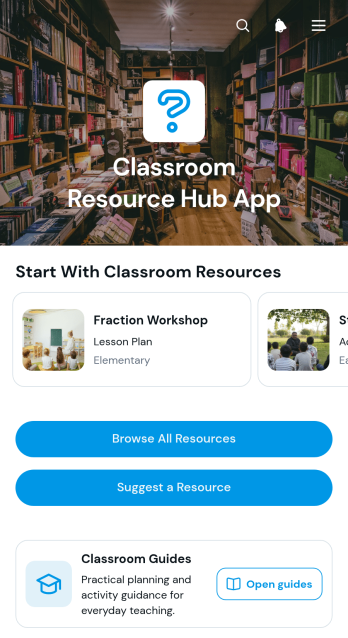
Classroom Resource Hub App
The Classroom Resource Hub App gives teachers, school administrators, tutors, and instructional teams one central place to organize and share learning materials. Users can browse classroom resources, open detailed overviews, and find materials by subject, grade level, or resource type. A connected suggestion form also lets educators recommend new content for review. This app template is useful for schools, tutoring programs, training centers, and individual classrooms that need to reduce scattered links, make trusted materials easier to find, and support consistent access to guides and teaching resources.Jotform App Templates help organizations create accessible digital experiences without writing code. With Jotform’s no-code app builder and drag-and-drop interface, teams can customize pages, cards, buttons, images, and navigation to reflect their teaching goals and visual identity. Forms and connected workflows can support data collection, resource suggestions, and ongoing content updates. Once the Classroom Resource Hub App is ready, it can be shared through a direct link or QR code, giving staff convenient mobile-friendly, self-service access from almost any device.
Go to Category:Classroom Management Apps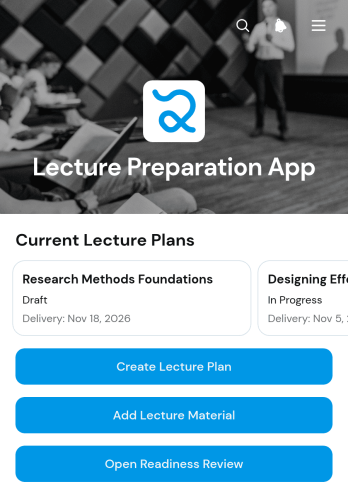
Lecture Preparation App
The Lecture Preparation App is an app template for professors, instructors, teaching assistants, and training teams who need one place to prepare upcoming sessions. Users can create lecture plans, organize supporting materials, and review readiness before delivery. Keeping the audience, date, learning goals, resources, and current status connected helps prevent scattered notes, missing files, and last-minute preparation. It suits universities, colleges, tutoring programs, and workplace learning teams preparing recurring classes, guest lectures, or internal training.Built with Jotform Apps, this ready-to-use template gives educators a flexible foundation they can adapt with a no-code app builder. The drag-and-drop interface makes it simple to update pages, cards, buttons, navigation, and branding, while linked forms support data collection and keep lecture plans and materials moving through a consistent workflow. Publish the app with a direct link or QR code so collaborators can reach a mobile-friendly planning space wherever they work. Among Jotform's App Templates, it can serve as a personal organizer, a shared department resource center, or a self-service preparation hub without requiring programming.
Go to Category:Education Apps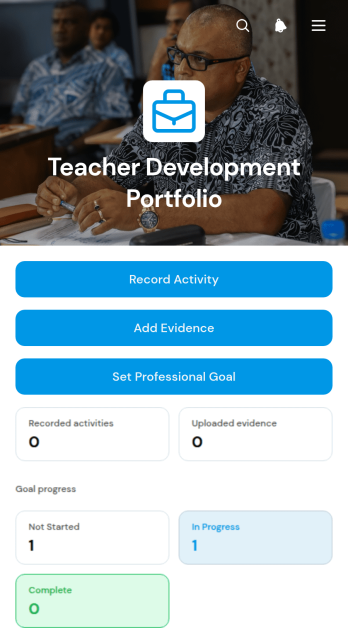
Teacher Development Portfolio App
The Teacher Development Portfolio App helps educators document professional learning, collect supporting evidence, and set development goals in one accessible location. It is well suited to teachers, instructional coaches, school leaders, training coordinators, and education teams that need a consistent way to maintain professional growth records. Users can record completed activities, add evidence of learning or classroom practice, and establish goals for future development. Dedicated review access also helps authorized staff view activity, evidence, and goal submissions without relying on scattered files or disconnected processes. Schools, tutoring programs, training providers, and education departments can use this app template to support reflection, progress reviews, mentoring conversations, and ongoing staff development.Jotform App Templates make it easy to adapt the Teacher Development Portfolio App to an organization’s existing workflow. With Jotform’s no-code app builder and drag-and-drop interface, teams can update pages, adjust branding, connect forms and tables, and organize data collection without programming. The finished app can be shared by link or QR code, giving educators convenient mobile access and a clear self-service experience. Notifications and connected workflows can keep reviewers informed when new records are submitted, while customizable navigation helps users find important actions and resources quickly.
Go to Category:Education Apps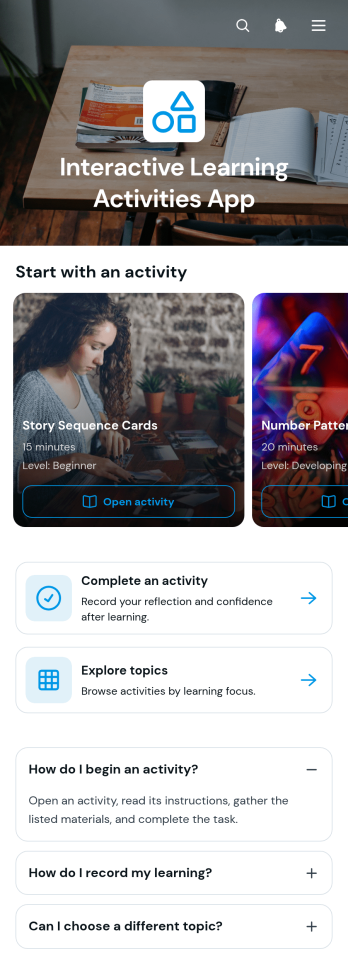
Interactive Learning Activities App
The Interactive Learning Activities App gives teachers, tutors, training teams, and educational organizations a central place to share engaging learning exercises. Learners can browse activities and topics, open detailed activity guides, review instructions, materials, and expected learning outcomes, and record what they complete. It is well suited to classroom enrichment, tutoring sessions, remote learning, workshops, employee training, and independent study. By keeping resources and completion records within one accessible experience, the app helps educators reduce scattered instructions, encourage active participation, and gain clearer insight into learner engagement.Jotform makes this app template easy to adapt with a no-code app builder and an intuitive drag-and-drop interface. Add or rearrange pages, cards, buttons, and learning resources to match a course, lesson plan, or training program. Connected forms support data collection and workflows for recording completed activities or learning reflections. Once customized, the app can be shared by direct link or QR code for convenient mobile-friendly access, giving learners a simple self-service resource while helping educators maintain an organized and branded learning experience.
Go to Category:Education Apps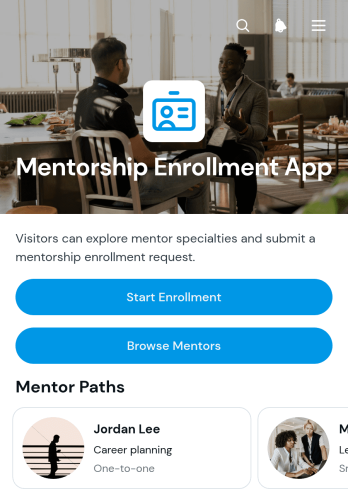
Mentorship Enrollment App
Mentorship Enrollment App gives schools, professional associations, nonprofits, training providers, and workplace development teams a central place to connect prospective mentees with suitable mentors. Participants can browse a mentor directory, review profiles covering mentoring approaches and experience, and submit an enrollment form for their preferred mentor. This focused journey helps program coordinators present mentor options consistently, reduce manual inquiries, and collect the information needed to begin matching or onboarding. It works well for career development programs, student support initiatives, leadership training, peer mentoring, and community education.With Jotform, this app template can be adapted through a no-code app builder and an intuitive drag-and-drop interface. Organizers can update pages, mentor details, buttons, colors, fonts, and other visual elements to match their program. Connected forms support data collection, while tables, approvals, notifications, and related workflow tools can help teams review enrollment requests and coordinate next steps. Publish the finished app with a direct link or QR code to create a mobile-friendly self-service experience without writing code. Jotform App Templates also provide a practical starting point that can be expanded as mentor availability and program requirements change.
Go to Category:Course & Training Registration Apps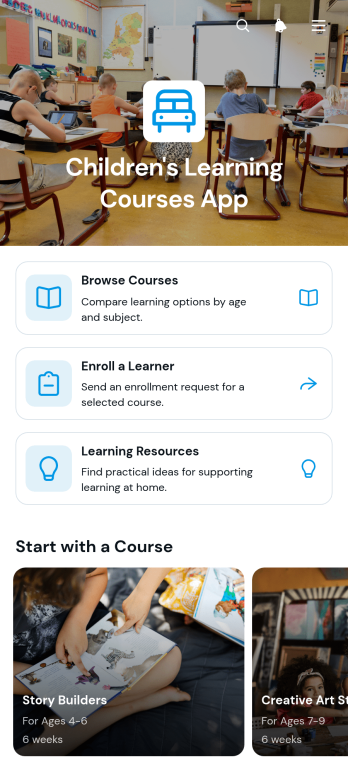
Children's Learning Courses App
Children's Learning Courses App is an app template for presenting age-appropriate educational programs to families and making enrollment easier. Tutoring providers, learning centers, schools, after-school programs, and independent educators can use it to organize beginner, creative, and STEM offerings in one accessible destination. Parents and guardians can browse courses, review essential details such as age group, duration, and learning format, and enroll a learner through a connected form. A dedicated resource area also gives families convenient access to reading, creative, and shared learning activities. This setup reduces scattered communications, helps families compare suitable options, and creates a clearer path from course discovery to registration.Jotform App Templates help organizations create polished digital experiences without writing code. With Jotform's no-code app builder and drag-and-drop interface, users can customize pages, colors, typography, navigation, and branding to match their educational program. Forms and other connected workflow tools can support data collection, enrollment updates, and internal organization from a single system. Once the app template is ready, it can be shared through a direct link or QR code for mobile-friendly self-service access. Teams can update course information and resources as programs change, giving families a reliable place to find current learning opportunities.
Go to Category:Education Apps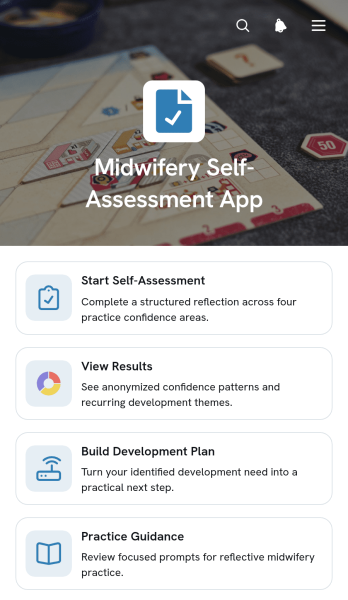
Midwifery Self-Assessment App
Midwifery Self-Assessment App helps midwives reflect on their practice, review communication and safety considerations, and identify areas for professional development. It provides focused access to self-assessment activities, results, development planning, and practice guidance without scattering these resources across separate documents. Individual practitioners can use it to set a development goal, choose a practical action, and revisit progress over time. Supervisors, educators, training providers, and healthcare organizations can also adapt this app template to support reflective learning, mentoring conversations, competency reviews, and continuing development programs.Jotform Apps makes it easy to turn this workflow into an accessible digital experience using a no-code app builder and drag-and-drop interface. Customize pages, navigation, colors, fonts, and content to match an organization’s learning approach, then connect forms or tables for data collection and progress tracking. Unlike static resources, Jotform App Templates bring assessments, guidance, and self-service actions together in one mobile-friendly location. The completed app can be shared by direct link or QR code, helping participants access development resources whenever they need them.
Go to Category:Healthcare Apps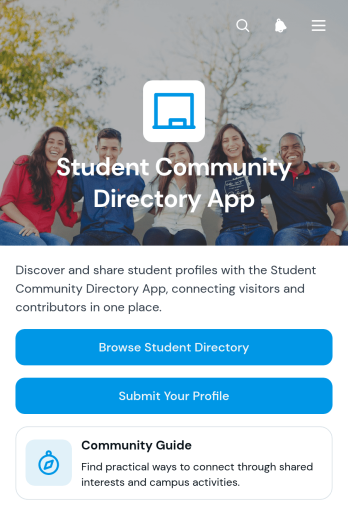
Student Community Directory App
The Student Community Directory App is an app template that helps schools, colleges, universities, student associations, and campus groups create a welcoming space where students can discover peers and build connections. Students can browse a community directory, view profiles organized around interests, study year, and program, submit their own information, and send questions about listed profiles. It is well suited to orientation programs, academic communities, clubs, mentoring initiatives, residential groups, and online learning cohorts. By making relevant student information easier to find, the directory can encourage networking, peer support, study partnerships, and stronger participation across the community.Jotform Apps gives educational teams a no-code app builder for adapting this Student Community Directory App without developer support. Using a drag-and-drop interface, administrators can update pages, adjust navigation, apply school or program branding, and connect forms for profile submissions and inquiries. The finished app can be shared by direct link or QR code for convenient mobile access. Connected data collection and workflow tools also help teams organize incoming profiles, maintain directory information, and create a practical self-service experience from one central location.
Go to Category:Community & Engagement Portal Apps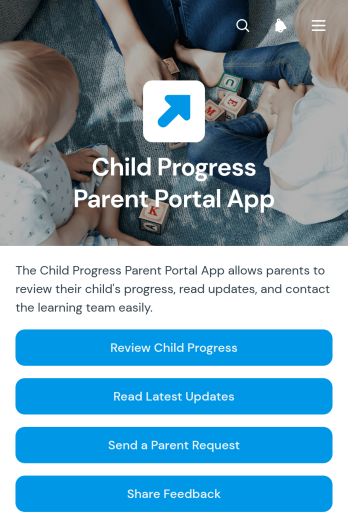
Child Progress Parent Portal App
The Child Progress Parent Portal App gives parents and caregivers a central place to follow a child’s learning journey and communicate with educators. Schools, childcare centers, tutoring programs, and learning support teams can use this app template to present individual progress summaries, highlight upcoming goals, and publish timely updates. Parents can review progress without searching through scattered messages, send requests to the learning team, and share feedback through connected forms. By keeping essential information and communication options together, the portal supports clearer family engagement and helps educators maintain consistent communication for each child.Jotform makes it easy to adapt App Templates like this one to fit an organization’s routines and visual identity. With the no-code app builder and drag-and-drop interface, teams can update pages, navigation, buttons, colors, and content without programming. Forms, tables, notifications, approvals, and other workflow elements can be connected to support data collection and parent self-service. Once customized, the Child Progress Parent Portal App can be shared through a direct link or QR code, giving families convenient access from phones, tablets, or computers.
Go to Category:School Management Apps