

Field Service Apps

Electrical Field Operations App
Electrical Field Operations App gives electrical contractors, field technicians, supervisors, and facilities teams a central place to manage work performed at customer and project sites. Users can submit service requests, review site and urgency details, record inspections, complete safety checks, and document finished work with technician and completion information. It supports maintenance calls, installation follow-ups, fault investigations, routine inspections, and other field service scenarios where accurate records and clear handoffs matter. By keeping requests and work records accessible in one mobile-friendly experience, teams can improve visibility, reduce missing information, and maintain a reliable history of on-site activity.Jotform Apps helps organizations turn processes like this into interactive experiences without writing code. Start with the Electrical Field Operations App template, then use the no-code app builder and drag-and-drop interface to adjust pages, navigation, branding, and connected forms. Jotform App Templates can link data collection with tables, notifications, approvals, and other workflow steps, helping office and field teams stay coordinated. Publish the app through a direct link, personalized URL, embedded experience, or QR code so technicians can access tasks and self-service resources from phones, tablets, or computers.
Go to Category:Field Service Apps
Forest Metrics Calculator App
The Forest Metrics Calculator App is an app template for recording field measurements and reviewing calculated forest indicators in one accessible workspace. Forestry consultants, land managers, field crews, researchers, educators, and conservation teams can use it to document new measurements, browse practical guidance, and view results by tree species. It supports consistent data collection across plots while bringing key figures such as plot area, tree count, average dimensions, and carbon estimates into a clear results view. Formula and notes sections also help users review how each metric is interpreted before using findings in assessments, planning, teaching, or project reports.Jotform makes this App Template easy to adapt with a no-code app builder and an intuitive drag-and-drop interface. Teams can update pages, navigation, visual branding, guidance, and connected forms without programming, then organize the complete measurement workflow for convenient self-service access. The app can be shared through a direct link or QR code and opened on mobile devices, helping crews collect information in the field while office teams access the same connected process. Jotform also supports tables, notifications, approvals, and other workflows when broader review or recordkeeping is needed.
Go to Category:Estimation Apps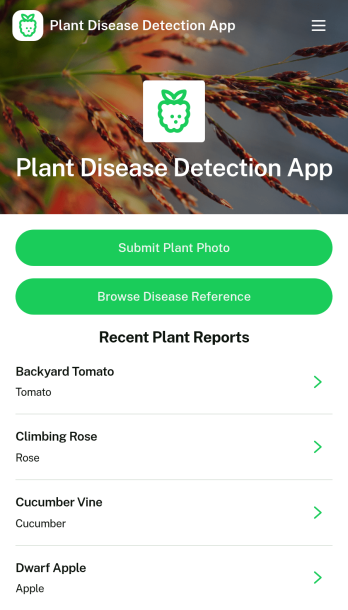
Plant Disease Detection App
Plant Disease Detection App helps growers, gardeners, and field teams document potential plant health issues and keep a clear record of what was observed in the moment. Users can submit a plant photo, note observed symptoms and location details, then review recent plant reports to spot patterns across crops, beds, or sites. The built-in disease reference section supports faster on-the-ground decisions by giving teams a consistent place to browse names and context before taking next steps.Jotform makes it easy to turn this app template into a practical self-service workflow without coding. With Jotform’s no-code app builder and drag-and-drop interface, you can tailor pages, buttons, and lists to match your crops and processes, then connect the app to forms, tables, and notifications for reliable data collection. Share the app with a link or QR code so anyone in the field can submit reports and view updates from a mobile-friendly hub.
Go to Category:Inspection Apps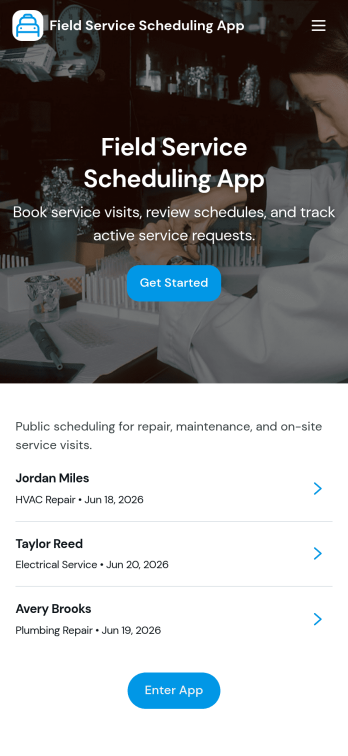
Field Service Scheduling App
Field Service Scheduling App helps service teams coordinate customer requests, schedule appointments, and keep job details organized in one place. It supports fast booking and request intake, job browsing for dispatch and technicians, and quick customer follow-up with a tap-to-call action. Use it for home services, equipment repair, maintenance visits, inspections, and any on-site work where timing and assignment changes happen often. Operations managers, dispatchers, and field technicians can rely on it to reduce missed appointments, standardize job information, and keep everyone aligned from the initial request through the daily schedule.Built with Jotform App Templates, this app template is easy to tailor to your workflow using Jotform’s no-code app builder and drag-and-drop interface. Connect your request form and job lists to keep data collection consistent, route updates through a shared dispatch table, and publish a mobile-friendly self-service experience for customers and staff. With Jotform, you can customize pages, branding, and navigation, then share the app by link or QR code so your team can access schedules and job info wherever they work.
Go to Category:Home Services Apps
Pavement Maintenance Management App
The Pavement Maintenance Management App is an app template for coordinating pavement issue reporting, inspections, maintenance planning, and work tracking from one accessible location. Public works departments, property managers, facility teams, contractors, and field crews can use it to document surface problems, review inspection findings, and organize work items by priority, status, and target date. Centralized records give office and field teams clearer visibility into reported locations, recommended actions, and maintenance progress. This helps organizations respond to potholes, cracks, surface wear, and other pavement concerns while reducing scattered records and missed follow-ups.Jotform Apps turns this template into a customizable, mobile-friendly workspace without requiring coding. Use the drag-and-drop app builder to adjust pages, navigation, colors, fonts, and branded visual elements. Connected forms support data collection for maintenance requests, inspections, and work items, while lists, resources, and a dashboard help teams review operational information. These App Templates can also connect with tables, notifications, approvals, and other workflow tools. Publish the finished app with a direct link or QR code so employees, contractors, and authorized partners can access it wherever maintenance work occurs.
Go to Category:Equipment Maintenance Software
Weather Dashboard App
Weather Dashboard App is an app template for teams that collect, review, and share location-based weather observations. Field crews, event organizers, transportation coordinators, property managers, schools, and community groups can use it to keep changing conditions visible in one accessible place. Users can browse reported locations, submit weather or alert reports, and review current conditions alongside weather trends. This supports faster planning when outdoor work, travel, events, inspections, or daily operations may be affected by temperature, wind, visibility, or local hazards. Centralized data collection also reduces scattered updates and gives coordinators a clearer view of each report’s status.Jotform makes this Weather Dashboard App easy to adapt with a no-code app builder and drag-and-drop interface. Teams can update pages, navigation, branding, and connected forms without writing code, then organize reports and resources around their own workflow. As one of Jotform’s customizable App Templates, it can connect app activity with tables, notifications, approvals, and other processes for easier follow-up. Publish the app through a direct link, personalized URL, embedded experience, or scannable code to offer convenient mobile-friendly self-service access for staff, partners, or community members.
Go to Category:Report Apps
Medical Field Sales CRM App
The Medical Field Sales CRM App is a mobile-friendly workspace for medical sales representatives, account managers, and commercial teams that need to manage relationships while working across territories. It brings medical accounts, prospective leads, and field visit records into one organized experience. Representatives can add medical accounts, capture sales leads, and log field visits soon after meetings, while current CRM records remain easy to browse. This helps healthcare suppliers, medical device businesses, laboratory service providers, and other medical sales organizations maintain clearer records, support timely follow-ups, and give managers better visibility into field activity.With Jotform, teams can adapt this app template to their sales process without writing code. The drag-and-drop app builder makes it easy to update pages, branding, navigation, and connected forms as territories or reporting needs change. Collected information can flow into organized tables and related workflows, helping teams reduce scattered notes and repeated manual entry. The finished Medical Field Sales CRM App can be shared through a direct link or QR code, giving representatives convenient access from phones, tablets, and computers. Jotform App Templates also provide a practical starting point for creating a branded self-service workspace that supports consistent data collection across the sales team.
Go to Category:CRM Apps
Pharmaceutical Field Force Management App
The Pharmaceutical Field Force Management App gives pharmaceutical sales teams, field representatives, regional managers, and operations staff a central place to coordinate provider outreach and product-related activity. Representatives can browse provider and product records, log field visits with outcomes and next follow-up dates, and report issues that require attention. Activity reports help managers review work across territories, while organized professional and practice information gives representatives useful context before each interaction. The app supports consistent recordkeeping, clearer follow-up planning, and better visibility into daily field operations without relying on scattered notes or disconnected files.Jotform App Templates make it easier to turn recurring business processes into mobile-friendly experiences. Using Jotform’s no-code app builder and drag-and-drop interface, teams can customize this app template with branded pages, cards, forms, and navigation that fit their workflow. Connected forms support data collection from the field, while records can be organized through Jotform Tables and related tools for convenient review. Publish the app through a direct link or QR code so representatives can access resources and complete tasks wherever their work takes them.
Go to Category:Field Service Apps
Marine Service Booking App
Marine Service Booking App gives boat owners and marina customers one place to choose a service and take action fast, whether they need routine maintenance, repairs, or seasonal prep. Visitors can browse available services, book an appointment, request a service quote for more complex work, or reach your team instantly by phone or email. It’s a practical fit for marine service companies, marinas, mobile boat mechanics, and service coordinators who want to reduce missed calls, keep requests organized, and make scheduling easier during peak season.Built with Jotform, this app template pairs a polished self-service experience with the flexibility of a no-code app builder. Customize pages with a drag-and-drop interface, connect booking and quote requests to your existing workflow, and collect the details you need without extra tools. Share the app by link or QR code and keep updates simple, so customers always know how to book service and reach your team.
Go to Category:Appointment & Booking Apps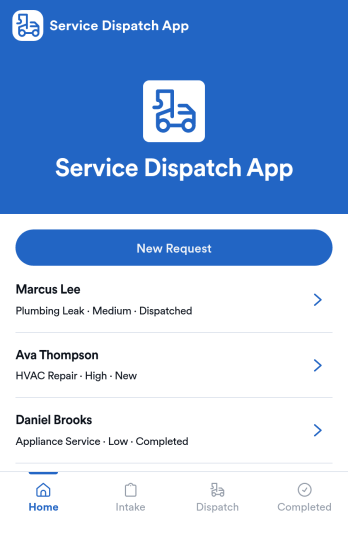
Service Dispatch App
Service Dispatch App helps service businesses route work requests, keep customers informed, and give dispatchers a clear view of what is happening across active and completed jobs. It’s a practical fit for home services teams, field service operations, repair companies, and any organization that needs to turn incoming requests into assigned work without losing details. With a New Request button connected to a request form, plus dedicated areas for viewing requests and navigating individual request records, teams can reduce missed handoffs and keep job information consistent from intake to completion.Built with Jotform, this app template pairs a mobile-friendly layout with a no-code app builder so you can adjust pages, labels, and routing to match how your dispatch process works. Use the drag-and-drop interface to refine what dispatchers and staff see, connect your request data to the right workflow, and publish a self-service experience you can share by link or QR code. As requests come in, you can keep information organized, review completed work using the built-in summary view, and support faster day-to-day operations with Jotform Apps.
Go to Category:Home Services Apps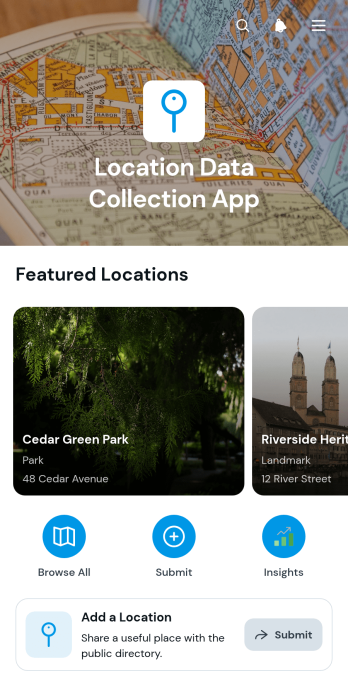
Location Data Collection App
The Location Data Collection App provides field teams, property managers, researchers, contractors, and operations staff with a central place to capture and review information about physical locations. Users can add a location through a connected form, browse saved location records, and open individual entries to view essential details such as the address, category, and description. This app template is useful for documenting service sites, facilities, project areas, community resources, inspection destinations, delivery points, or other places that teams need to identify and reference. By keeping location data organized in one accessible experience, it reduces scattered records, improves field coordination, and helps staff find consistent information before visiting or managing a site.Jotform makes it easy to adapt the Location Data Collection App with a no-code app builder and an intuitive drag-and-drop interface. Teams can modify pages, navigation, cards, colors, fonts, and branding while maintaining a modern layout with rounded visual elements. Connected forms support data collection, and stored records can be incorporated into broader workflows for notifications, assignments, reviews, or follow-up actions. Once ready, the app can be shared by direct link or QR code for convenient mobile access. Starting with customizable app templates also helps organizations create a polished self-service resource without developing an app from scratch.
Go to Category:Tracker Apps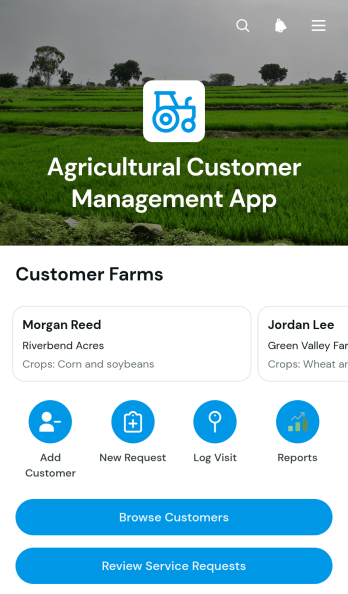
Agricultural Customer Management App
Agricultural Customer Management App brings customer records, farm details, service requests, and visit notes into one accessible workspace. It is a practical app template for agricultural suppliers, field service teams, crop advisers, farm cooperatives, and other organizations that manage ongoing relationships with growers. Staff can browse customers, review essential farm information, create service requests, and log farm or follow-up visits. Keeping these activities connected helps teams prepare for appointments, respond to customer needs, preserve field observations, and maintain continuity when several employees support the same account.Jotform makes this Agricultural Customer Management App easy to adapt without coding. Using the no-code app builder and its drag-and-drop interface, teams can update pages, navigation, buttons, visual styling, and connected forms to match their workflow. Information collected through the app can support organized data collection and reduce reliance on scattered notes or disconnected files. Start with one of Jotform’s ready-made App Templates, tailor the layout to your agricultural services, and share the finished app through a direct link or QR code. The result is a mobile-friendly resource for customer management, field coordination, and staff self-service.
Go to Category:CRM Apps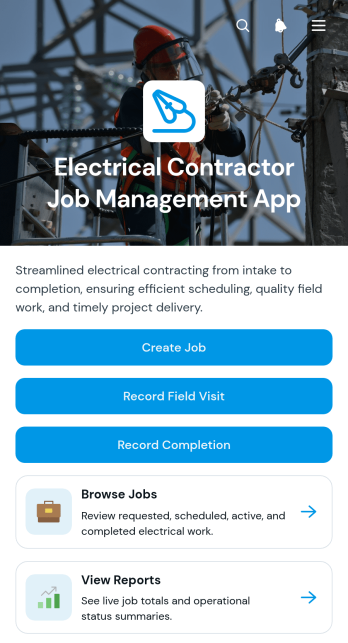
Electrical Contractor Job Management App
The Electrical Contractor Job Management App gives electrical contractors, field supervisors, dispatchers, and office teams one place to coordinate service and installation work. Teams can create jobs, browse current job records, and review essential details such as customer information, job addresses, requested dates, work scope, and status. Field technicians can record site visits and job completion, while managers can consult reports to monitor activity and keep projects moving. It is well suited to electrical service companies handling residential calls, commercial work, repairs, inspections, installations, and other assignments that require clear communication between office and field staff.Jotform makes this app template easy to adapt without coding. Use the drag-and-drop app builder to update pages, buttons, branding, and navigation, then connect forms and tables to support data collection and everyday workflows. The mobile-friendly experience gives technicians convenient access in the field and helps office teams maintain organized records from a shared workspace. Publish the finished app with a direct link or QR code, provide self-service access to authorized team members, and revise the experience as your job management process changes.
Go to Category:Contractor Apps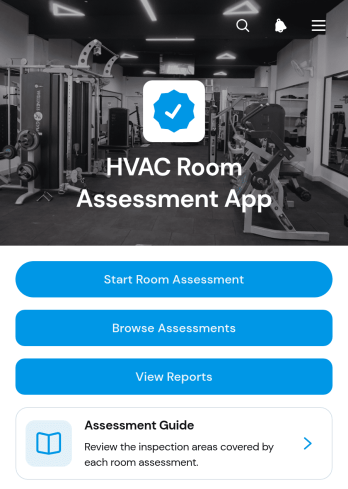
HVAC Room Assessment App
HVAC Room Assessment App helps technicians, contractors, property teams, and facility managers document room conditions during heating, ventilation, and air conditioning inspections. Users can start a room assessment, browse previous assessments, and review reports from one organized location. Key readings such as temperature, humidity, airflow, and filter condition support consistent evaluations across homes, offices, rental properties, schools, and commercial facilities. Recorded room names and review statuses make it easier to compare findings, identify areas requiring attention, and maintain a useful history for maintenance planning. It also gives field teams a practical way to replace scattered notes with accessible digital records.Jotform App Templates make it easy to adapt this app template to an existing inspection workflow without writing code. With Jotform’s no-code app builder and drag-and-drop interface, teams can update pages, navigation, instructions, branding, and connected forms to match their assessment process. Collected data can be organized through connected tables and workflows, while notifications help staff respond to new entries or follow-up needs. Publish the app for mobile access, then share it with technicians through a direct link, personalized URL, or QR code. This creates a convenient self-service resource for completing assessments in the field and reviewing information from one place.
Go to Category:Home Inspection Apps
Location Log App
Location Log App gives field teams, mobile employees, contractors, inspectors, and operations managers a central place to document and review site visits. Users can submit a location, browse existing location logs, and view location insights without searching through scattered messages or spreadsheets. Each visit record can provide practical context such as an address, coordinates, purpose, visit date, and field notes. The app is useful for field service activity, property visits, delivery operations, site inspections, outreach programs, travel records, and any process that requires a dependable history of where work took place. Clear records improve visibility for supervisors while helping team members recall visit details and plan follow-up actions.Jotform App Templates make it easy to adapt this app template to an organization’s workflow without writing code. The no-code app builder features a drag-and-drop interface for updating pages, navigation, visual elements, and connected forms. Teams can organize data collection and self-service access in one mobile-friendly experience, then share the finished app through a direct link or QR code. Jotform also connects app activity with tables, approvals, notifications, and other workflows, helping organizations keep location records accessible and useful as operational needs change.
Go to Category:Log Apps
Pest Control Service Forms App
The Pest Control Service Forms App gives pest control businesses and field teams one organized place to receive service requests, review customer and visit details, document inspections and treatments, and manage follow-up records. It is well suited to residential service providers, commercial property contractors, dispatchers, technicians, and office staff who need a clearer view of work from the initial request through post-service contact. Connected records reduce scattered paperwork, help teams maintain consistent service histories, and make it easier to coordinate visits. Customers can also submit feedback after service, giving managers useful insight into service quality and recurring concerns.Jotform makes this app template easy to adapt without coding. Use the drag-and-drop app builder to update pages, buttons, visual styling, and navigation for your operating process. Linked forms and tables support data collection and workflow management while keeping requests, field records, and follow-up information accessible from a single mobile-friendly experience. Teams can publish the app with a shareable link or QR code, apply their own branding, and provide convenient self-service access for customers and staff. Jotform App Templates also connect with approvals, notifications, payments, and other processes when additional automation is needed.
Go to Category:Field Service Apps
Route Planning App
Route Planning App gives dispatchers, drivers, field service teams, delivery coordinators, contractors, and transportation operators a central place to prepare and reference operational routes. Users can create route records, browse saved routes, and review start points, end points, planned stops, notes, and summaries before or during a journey. This app template helps teams replace scattered documents and messages with consistent route information that is easier to access. It is useful for coordinating deliveries, service calls, inspections, recurring trips, and other work that requires people or vehicles to visit multiple locations. Clear records also help office and mobile teams stay aligned when schedules or route details change.With Jotform Apps, organizations can adapt this Route Planning App through a no-code app builder and an intuitive drag-and-drop interface. Teams can customize pages, navigation, colors, and branding while connecting forms, tables, notifications, approvals, and other workflow elements. Jotform App Templates make it easier to launch mobile-friendly self-service experiences without developing software from scratch. Once the app is ready, it can be shared through a direct link, personalized address, embedded experience, or scannable code, giving authorized users convenient access wherever their work takes them.
Go to Category:Transportation Apps
Field Sales Survey App
The Field Sales Survey App gives sales representatives and managers a mobile-friendly place to document customer and prospect visits, review previous visit records, submit product feedback, and view survey insights. It suits field sales teams, account managers, territory representatives, distributors, and growing businesses that need consistent information from customer-facing activity. By keeping observations, visit context, follow-up details, photos, ratings, and competitive findings connected, the app helps teams identify market patterns, prepare for future conversations, and make informed sales decisions.Jotform Apps makes this app template easy to adapt with a no-code app builder and an intuitive drag-and-drop interface. Teams can update pages, navigation, colors, fonts, and branding while connecting forms and tables to support data collection and workflow management. Publish the app through a direct link or QR code so representatives can reach it from a phone, tablet, or computer. These App Templates help businesses create practical self-service experiences without coding, bringing field reporting and relevant resources into one accessible location.
Go to Category:Sales & Marketing Portal Apps
In-Home Assessment App
The In-Home Assessment App is a ready-to-customize template for professionals who evaluate a person’s living environment, needs, safety concerns, or service eligibility during a home visit. It suits home service teams, care coordinators, consultants, field assessors, property specialists, and community organizations that need a consistent digital starting point for each assessment. The app can provide guided assessment access, connect users with data collection forms, and organize supporting resources in one mobile-friendly place. It helps reduce scattered paperwork, promote consistent visits, and simplify follow-up for office and field teams without tying the template to a single assessment method.With Jotform Apps, teams can turn this In-Home Assessment App template into a branded experience using a no-code app builder and an intuitive drag-and-drop interface. Add pages, buttons, instructions, images, forms, tables, approvals, or workflow links as your process develops. Staff can open the app on a phone, tablet, or computer, while managers can update content centrally and support self-service access where appropriate. Publish it through a direct link, personalized URL, QR code, or embedded experience to give assessors a practical tool for visits and ongoing operations.
Go to Category:Home Inspection Apps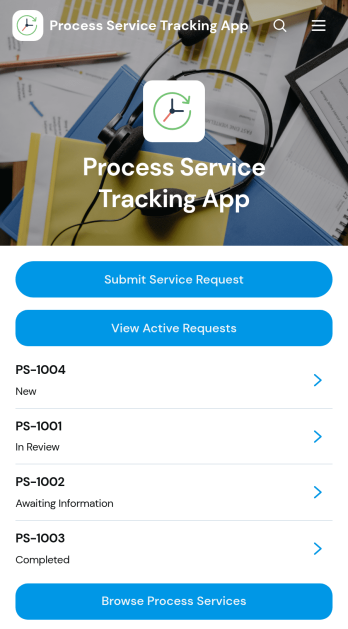
Process Service Tracking App
The Process Service Tracking App gives process-serving agencies, legal support teams, independent process servers, and law firms a central place to coordinate service requests and monitor progress. Users can submit a service request, browse available process services, review active requests, and follow updates through a reference number. Request details can show the requester, selected service, assigned team, and next expected update, helping office and field personnel maintain visibility across ongoing work. Direct requester contact also makes it easier to clarify information or communicate timely status changes.Jotform Apps helps organizations turn connected forms, records, and workflows into a convenient self-service experience without coding. Start with this app template, then use the drag-and-drop app builder to adjust pages, navigation, colors, fonts, and branding for your operation. Link request intake and process update forms, organize collected data, and provide mobile-friendly access from one shared destination. The app can be published through a direct link or QR code, giving authorized staff and clients a practical way to access relevant services and request information.
Go to Category:Legal Apps
Landscaping CRM App
Landscaping CRM App helps landscaping and lawn care businesses manage day-to-day customer relationships alongside the work happening in the field. Use it to capture new opportunities through lead intake, keep an organized view of active jobs, maintain a crew directory for quick assignment and contact lookup, and stay on top of invoices as projects move forward. It fits owner-operators, office managers, and growing teams who need one place to track prospects, convert them into scheduled work, and follow the money without juggling spreadsheets, texts, and scattered notes.With Jotform, you can turn this app template into a branded, client-ready workspace using a no-code app builder and a drag-and-drop interface. Connect the app to your forms and data collection workflows so updates are captured consistently, then share the app link with your team for fast self-service access on any device. As your operation expands, you can adjust pages, add steps, and organize information around how your landscaping business actually runs.
Go to Category:CRM Apps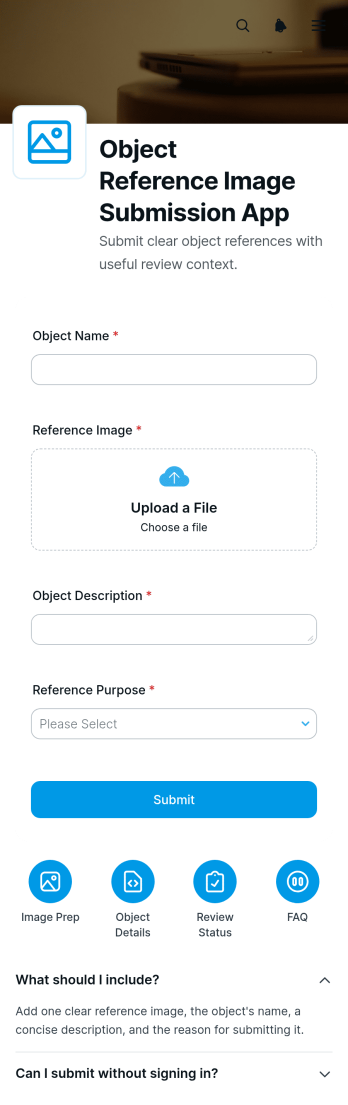
Object Reference Image Submission App
The Object Reference Image Submission App gives teams a dedicated place to receive photos that show an object’s appearance, condition, dimensions, features, or surrounding context. Its guided pages, expandable instructions, and connected submission form help contributors understand what to photograph and send images with relevant details. Creative studios, contractors, repair teams, inspectors, educators, product teams, and field service businesses can use it when visual references are needed for estimates, assessments, planning, identification, or project discussions. Centralizing image collection reduces unclear requests, scattered attachments, and missing context while giving staff a more consistent starting point for review.Jotform App Templates make it easy to adapt this app template to an organization’s process without writing code. With Jotform’s no-code app builder and drag-and-drop interface, teams can update pages, arrange resource navigation, revise instructions, and connect data collection to related workflows. The finished app can be shared through a direct link or QR code for convenient self-service access on phones, tablets, and computers. Organizations can also apply their own visual style and connect collected information with tables, notifications, approvals, and other operational tools, creating a practical experience for contributors and reviewers alike.
Go to Category:Report Apps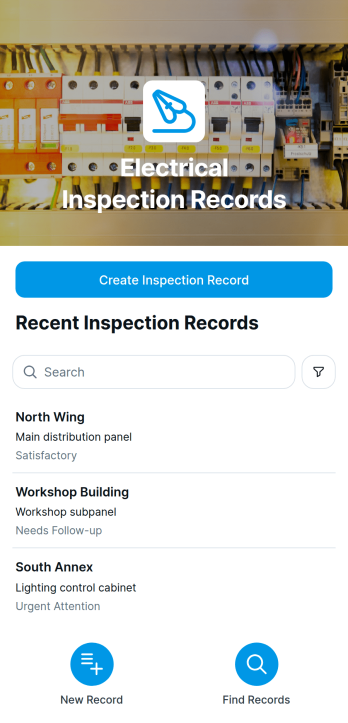
Electrical Inspection Records App
The Electrical Inspection Records App is a ready-to-use app template for electricians, electrical contractors, facilities teams, maintenance providers, and field service managers who need a dependable way to document inspections across sites. Users can create inspection records, browse entries by site, and review findings with follow-up notes from one mobile-friendly location. It suits routine facility checks, installation reviews, preventive maintenance visits, project handovers, and equipment assessments. Centralizing these records helps teams replace scattered paperwork, maintain clearer inspection histories, coordinate corrective work, and give authorized staff convenient access to essential information in the field or office.Jotform App Templates make it easy to adapt this app template to existing processes without writing code. With Jotform’s no-code app builder and drag-and-drop interface, teams can adjust pages, branding, navigation, and record collection to match their workflow. Forms, tables, approvals, notifications, and other connected processes can support data collection and timely action after an issue is documented. Once the Electrical Inspection Records App is ready, it can be shared by direct link, QR code, or embedded experience, giving inspectors and operational teams practical self-service access on phones, tablets, and computers.
Go to Category:Safety Inspection Apps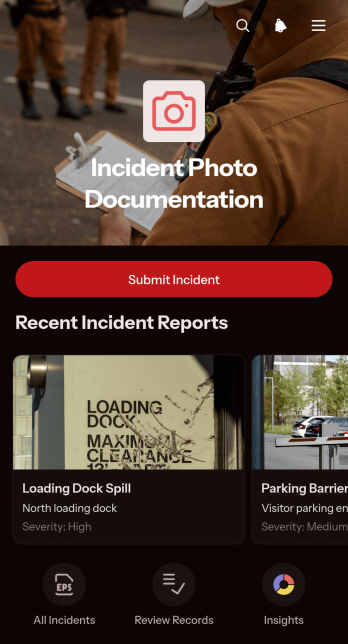
Incident Photo Documentation App
Incident Photo Documentation App gives safety teams, field crews, contractors, property managers, and operations staff a central place to capture and review visual evidence after workplace, site, equipment, or property incidents. Users can submit incident details with photos, browse documented records, and review severity trends without relying on scattered messages or files. Clear records help teams understand what occurred, preserve useful context, communicate with reporters, and support timely follow-up. The app is well suited to construction sites, warehouses, facilities, field service operations, inspections, and other settings where accurate incident reporting matters.Built with Jotform Apps, this app template can be adapted to match an organization’s reporting process and visual identity. The no-code app builder and drag-and-drop interface make it easy to update pages, navigation, and connected resources without programming. Teams can connect forms, tables, notifications, approvals, and other workflow steps to improve data collection and coordinate incident handling. Once customized, the app can be shared through a direct link or QR code for convenient mobile access, giving employees and field personnel a practical self-service reporting experience.
Go to Category:Report Apps