

Report App Templates

Visit Verification Correction App
The Visit Verification Correction App gives field service teams, operations managers, contractors, and mobile workers a central place to record visits and resolve inaccurate information. Users can submit visit details, browse existing visit records, request corrections with supporting evidence, and review the status of each request. This app template is useful when organizations need to address errors involving visit dates, locations, outcomes, or other recorded details without relying on scattered messages and documents. It creates a clearer workflow for workers who report issues and administrators who review changes, helping teams maintain more accurate records, document requested updates, and improve accountability across recurring site visits.Jotform App Templates make it easy to adapt this experience to an organization’s processes without coding. With Jotform’s no-code app builder and drag-and-drop interface, teams can customize pages, navigation, colors, fonts, and branding while connecting forms and tables for data collection and record organization. The app can be shared through a direct link or QR code for convenient mobile access, giving authorized users a practical self-service resource wherever visits take place. Notifications and connected workflows can also help staff respond to correction requests and keep operational records current.
Go to Category:Field Service Apps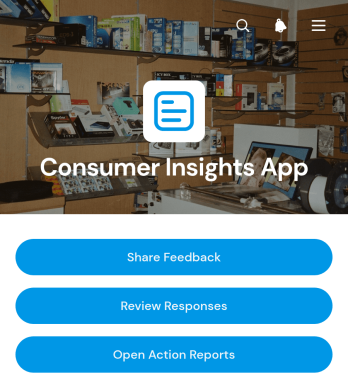
Consumer Insights App
The Consumer Insights App gives research, marketing, product, and customer experience teams a central place to collect feedback and turn consumer opinions into practical next steps. Respondents can share feedback about product areas, satisfaction, recommendations, and purchase context, while authorized team members can review responses and open action reports. This app template is useful for product evaluations, post-purchase research, concept testing, customer experience programs, and ongoing brand research. It reduces scattered feedback, makes recurring themes easier to identify, and helps teams base product, messaging, and service decisions on organized consumer input.Jotform App Templates help organizations create interactive experiences without writing code. Using Jotform’s no-code app builder and drag-and-drop interface, teams can customize the Consumer Insights App with branded pages, navigation, forms, reports, and connected workflows. Feedback data collection can be linked with tables, notifications, approvals, and follow-up processes, giving stakeholders convenient access to current information. Publish the app with a personalized link, share it by QR code, or embed it for mobile-friendly self-service access. As research needs change, teams can update content and workflows from one flexible app builder.
Go to Category:Customer Engagement Apps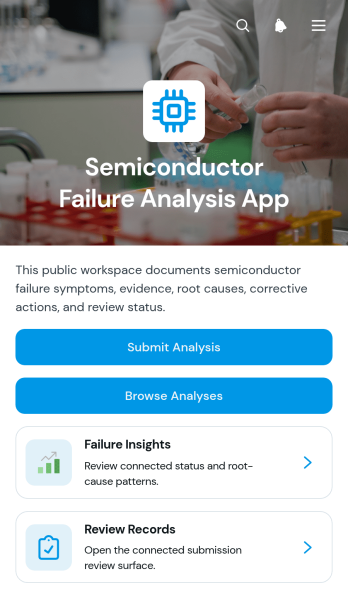
Semiconductor Failure Analysis App
The Semiconductor Failure Analysis App is a central workspace for engineering teams that investigate device defects, document technical findings, and coordinate reviews. Semiconductor manufacturers, quality teams, laboratory analysts, reliability engineers, and operations managers can use this app template to submit an analysis, browse previous cases, and monitor review progress. Records can bring together device identification, test evidence, suspected root causes, and corrective actions without relying on scattered documents. This shared process helps teams preserve investigation history, compare recurring failure patterns, improve accountability, and give reviewers clearer information when deciding what action should follow.Jotform App Templates make it easy to adapt this workspace to an organization’s analysis process without writing code. Using Jotform’s no-code app builder and drag-and-drop interface, teams can update pages, navigation, visual elements, and branding while connecting forms and tables to support data collection and workflow management. The finished app can be shared through a direct link or QR code for mobile-friendly access, helping analysts and reviewers collaborate from laboratories, production areas, offices, or field locations.
Go to Category:Engineering Apps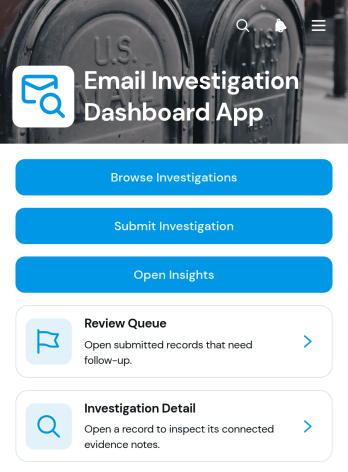
Email Investigation Dashboard App
Email Investigation Dashboard App is an app template for receiving, reviewing, and organizing reports about suspicious, unwanted, or policy-related emails. Information technology teams, security analysts, internal audit groups, consultants, and managed service providers can use it to submit investigation records, browse a review queue, and open insights from one central location. Case details such as the subject, sender address, received date, investigation type, and priority give reviewers the context needed to assess reports consistently. The dashboard reduces scattered requests, supports clearer prioritization, and creates a practical workflow for monitoring investigations from initial intake through review.With Jotform Apps, teams can turn this App Template into a branded operational resource without writing code. The no-code app builder and drag-and-drop interface make it easy to adjust pages, navigation, cards, and visual elements for an organization’s investigation process. Users can connect forms and tables to support data collection, organize records, and trigger notifications or approval steps when needed. The Jotform App Builder also supports mobile-friendly self-service access, enabling authorized team members to submit or review investigation information from different devices. Once customized, the app template can be shared through a direct link, QR code, or embedded experience.
Go to Category:Information Technology Apps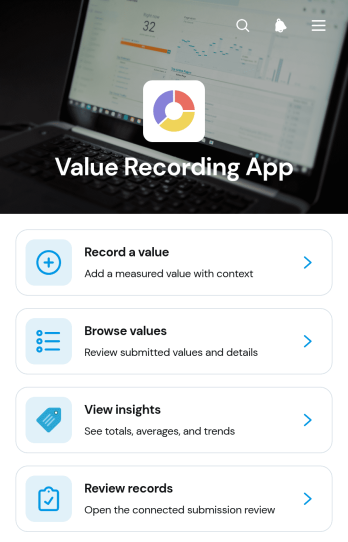
Value Recording App
The Value Recording App is an adaptable app template for capturing, browsing, and reviewing numeric values in one organized location. Operations teams, project managers, field staff, researchers, educators, and small businesses can use it to document measurements, scores, quantities, readings, or other recurring figures. Users can record a value with its category and date, browse previous entries, and view insights that support comparisons over time. It replaces scattered notes and disconnected records with a consistent data collection process, making routine monitoring easier for individuals and teams.Jotform Apps helps you turn this Value Recording App into a branded experience without writing code. Customize pages, navigation, colors, fonts, and visual elements through the drag-and-drop interface, then connect forms and tables to support your workflow. Submitted values can remain accessible for review while notifications and connected processes help teams act on new information. Jotform’s no-code app builder also makes it easy to publish and share the app by direct link or QR code, giving users convenient mobile-friendly access. Explore App Templates to create a practical self-service resource that fits your recording process.
Go to Category:Log Apps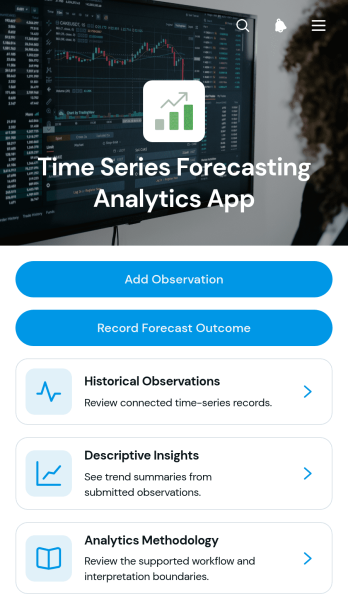
Time Series Forecasting Analytics App
Time Series Forecasting Analytics App provides analysts, operations teams, consultants, researchers, and business planners with a central place to document historical observations and review forecast outcomes over time. Users can add dated observations, browse individual series, capture the method used for each analysis, and record forecast summaries with confidence notes. Descriptive insights and methodology guidance help teams preserve context around their findings instead of separating data collection from analysis records. This app template is well suited to demand planning, financial projections, resource forecasting, performance monitoring, and other scenarios where teams need an accessible history of observed values and analytical conclusions.Jotform Apps helps organizations turn this template into a branded, interactive workspace without writing code. Its drag-and-drop interface makes it easy to adjust pages, navigation, cards, and buttons while connecting forms and tables to the wider workflow. Teams can organize high-volume records, provide mobile-friendly access, and share the app through a direct link or scannable code. Starting with Jotform App Templates also reduces setup time, giving users a flexible foundation for consistent data collection, collaborative analysis, and convenient self-service access to forecasting information.
Go to Category:Report Apps
News Report Submission App
The News Report Submission App gives newsrooms, community publications, campus media teams, nonprofit communications groups, and independent editorial teams a central place to receive and organize story reports. Contributors can submit a report, authorized users can browse report records, and editors can review report insights without relying on scattered emails or disconnected files. It supports community tip collection, field reporting, internal story intake, local event coverage, and editorial follow-up while helping teams maintain a clearer view of incoming material. A dedicated questions area can also provide contributors with guidance before they send information.Jotform makes this app template easy to adapt for different reporting processes with a no-code app builder and a flexible drag-and-drop interface. Teams can revise pages, adjust navigation, apply their visual style, and connect forms or tables to support data collection and workflow management. The finished app can be shared by direct link or QR code for convenient mobile access, giving contributors a straightforward self-service experience. Editors can publish updates quickly and keep reporting resources available in one organized location without writing code.
Go to Category:Report Apps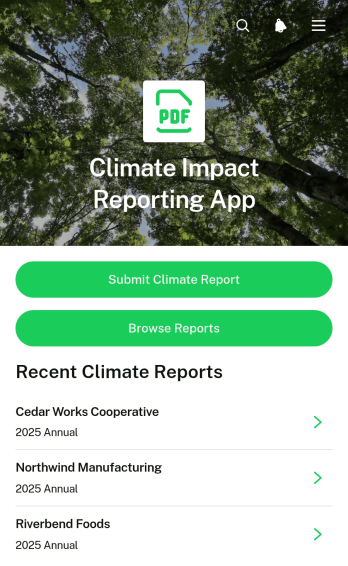
Climate Impact Reporting App
The Climate Impact Reporting App is a ready-to-use app template for organizations that need a consistent way to collect, review, and communicate environmental performance. Sustainability teams, nonprofits, consultants, operations managers, and community programs can use it to accept climate reports, browse submitted records, and review key impact indicators. It brings emissions, energy use, resource consumption, and reduction actions into one accessible experience, helping stakeholders compare reports and maintain clearer records. This shared reporting space can reduce fragmented data collection, support recurring assessments, and make environmental initiatives easier to monitor across organizations, projects, or reporting periods.Jotform Apps provides a no-code app builder for adapting this template to different reporting programs without writing software. Its drag-and-drop interface makes it easy to update pages, navigation, visual styling, and connected workflows. Teams can link forms and tables, organize self-service access, receive notifications tied to new activity, and share the finished app through a direct link or QR code. Whether used as an internal reporting center or a public-facing resource, the Climate Impact Reporting App can be customized and published quickly to support dependable data collection and informed climate action.
Go to Category:Report Apps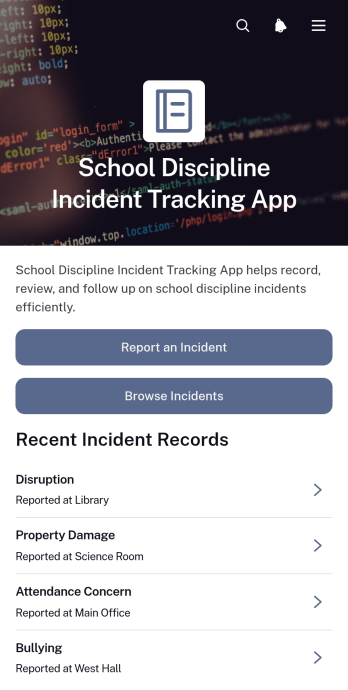
School Discipline Incident Tracking App
The School Discipline Incident Tracking App gives teachers, administrators, counselors, and student support teams a central place to document and review behavioral incidents across a school. Staff can submit a new incident report, browse recorded cases, and view essential context such as the incident type, reporter, date, location, and immediate action taken. Dedicated views help teams monitor disruptions and bullying reports while incident insights support the identification of recurring concerns. Schools can use this app template to replace scattered records, improve follow-up, and give authorized staff a more consistent understanding of disciplinary activity.Jotform App Templates make it easy to adapt this experience to a school’s processes without writing code. With Jotform’s no-code app builder and drag-and-drop interface, teams can update pages, navigation, visual styling, and connected forms from one workspace. Collected data can connect with tables, approval steps, notifications, and other workflow tools to support timely review and coordinated action. Once customized, the app can be shared through a direct link or QR code, giving staff mobile-friendly access wherever incidents need to be reported or reviewed.
Go to Category:School Management Apps
Image Feedback App
Image Feedback App is a centralized review experience for collecting, organizing, and acting on comments about images. Creative teams, marketing departments, educators, agencies, product teams, and clients can use this app template to submit visual feedback, browse existing responses, and manage review queues by status. Ratings and review insights help teams identify recurring opinions, prioritize revisions, and monitor progress from submission through resolution. It is especially useful for campaign artwork, design drafts, product photography, educational materials, website visuals, and other assets that require clear, traceable input from multiple reviewers.Jotform App Templates make it easy to adapt this experience to an existing feedback workflow without writing code. With Jotform’s no-code app builder and drag-and-drop interface, teams can update pages, navigation, colors, fonts, and branding while connecting forms and data collection tools in one accessible location. Share the finished Image Feedback App through a direct link or QR code so reviewers can participate from a phone, tablet, or computer. Connected records help collaborators maintain an organized review process, support self-service access, and reduce scattered feedback across messages and documents.
Go to Category:Customer Engagement Apps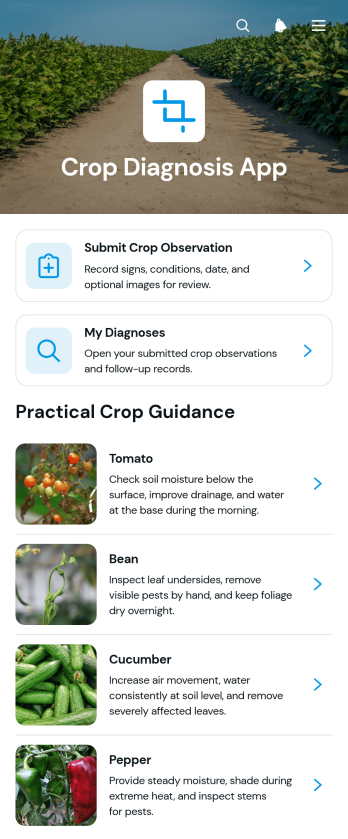
Crop Diagnosis App
Crop Diagnosis App is a mobile-friendly workspace for growers, crop consultants, agronomists, farm managers, and field teams documenting plant health concerns. Users can submit crop observations, review their diagnosis records, and consult guidance covering common signs, immediate steps, and follow-up actions. It suits routine crop scouting, consultation intake, remote field reporting, and continued monitoring after symptoms appear. By keeping observations and guidance in one accessible place, the app reduces scattered records, supports clearer communication, and helps agricultural teams coordinate timely responses across fields and growing sites.Built with Jotform’s no-code app builder, this app template can be adapted to different crops, farming operations, and diagnostic workflows. The drag-and-drop interface makes it easy to update pages, navigation, visual elements, and educational resources without coding. Teams can connect data collection forms with tables, notifications, approvals, and other workflow steps while offering convenient self-service access. Explore Jotform App Templates to publish a branded experience that can be shared through a direct link or QR code and accessed from phones, tablets, or computers.
Go to Category:Inspection Apps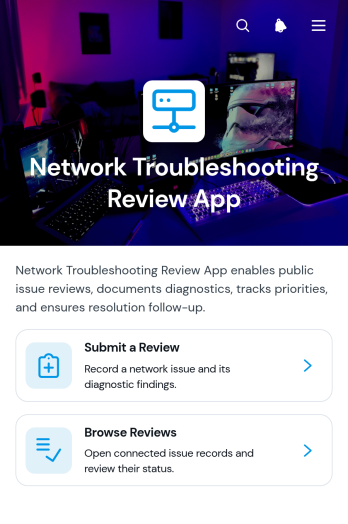
Network Troubleshooting Review App
Network Troubleshooting Review App gives information technology teams, network engineers, help desks, consultants, and managed service providers a central place to document and evaluate network issues. Staff can submit a troubleshooting review, browse previous reviews, and view a concise review snapshot before examining individual records. Each record brings together the affected network area, priority, status, diagnostic findings, recommended action, and resolution follow-up. This shared history helps teams preserve technical knowledge, identify recurring issues, maintain consistent review practices, and give stakeholders clearer visibility into unresolved work.With Jotform Apps, organizations can adapt this app template to match their support process without writing code. The no-code app builder and drag-and-drop interface make it easy to reorganize pages, adjust branding, refine navigation, and connect forms or tables that support data collection and workflow management. Teams can publish a mobile-friendly self-service resource through a direct link or QR code, helping technicians submit findings from different locations. Jotform App Templates also provide a practical starting point that can evolve as network environments, review procedures, and operational needs change.
Go to Category:Information Technology Apps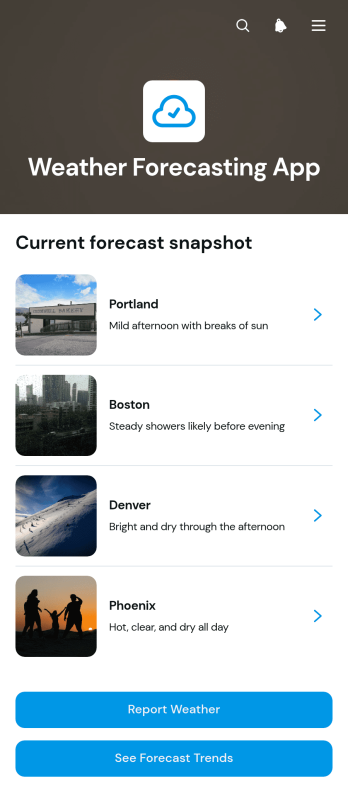
Weather Forecasting App
The Weather Forecasting App is an app template for presenting location-based weather outlooks and gathering reports in one accessible place. Operations teams, event organizers, field service providers, schools, community groups, and people planning outdoor activities can use it to review conditions before scheduling work or travel. Users can browse forecasts by location, check forecast trends, and report observed weather. Clear displays for conditions, temperature, forecast dates, and precipitation probability help teams make informed plans, communicate changes, and maintain useful weather records without relying on scattered updates.Jotform makes this Weather Forecasting App easy to adapt with a no-code app builder and drag-and-drop interface. Customize pages, navigation, colors, fonts, and visual elements to suit your audience, then connect forms and tables to support data collection and an organized workflow. Jotform App Templates can be shared through a direct link or QR code, giving users mobile-friendly self-service access from nearly any device. Whether the app supports outdoor operations, local reporting, event preparation, or travel planning, you can publish a polished resource without writing code.
Go to Category:Scheduling and Planning Apps
Team Performance Analytics App
The Team Performance Analytics App gives managers, human resources teams, department leaders, and project supervisors a central place to assess employee performance and act on the results. Users can add performance reviews, open analytics, browse team member records, and monitor follow-up actions without moving between disconnected resources. It is well suited to recurring review cycles, project evaluations, coaching programs, and team development initiatives. By keeping performance submissions and next steps accessible in one experience, the app helps leaders identify trends, maintain accountability, prepare more informed conversations, and ensure that agreed actions receive attention.Jotform makes this app template easy to adapt with a no-code app builder and an intuitive drag-and-drop interface. Organizations can adjust pages, navigation, colors, and branding while connecting forms, tables, approvals, and automated workflows. Review data can be collected through linked forms, organized in connected tables, and made available to authorized users through a mobile-friendly app. Once customized, the Team Performance Analytics App can be shared by direct link, custom app link, or QR code, giving teams convenient access to performance information and self-service review tools from nearly any device.
Go to Category:Human Resources Apps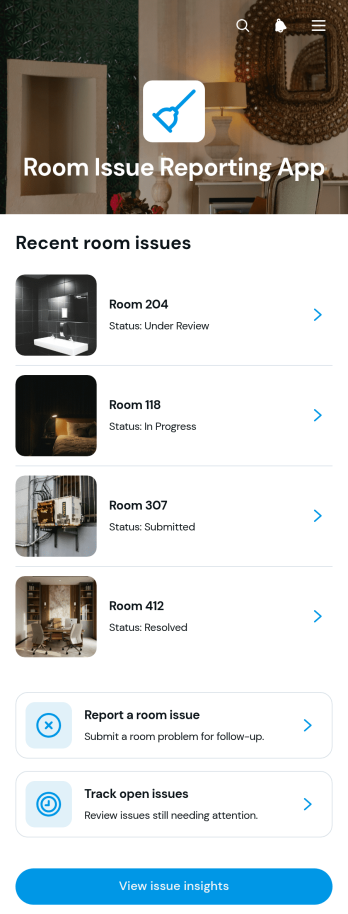
Room Issue Reporting App
The Room Issue Reporting App is an app template for reporting, reviewing, and resolving problems in hotel rooms, rental units, dormitories, care facilities, offices, and other managed spaces. Guests, residents, employees, housekeeping teams, maintenance staff, and property managers can use it to submit room issues, monitor open reports, and review issue insights from one accessible location. It helps teams capture concerns such as damaged fixtures, cleanliness problems, missing supplies, or equipment faults before they are overlooked. Clear visibility into priority and status supports faster assignments, better follow-up, and more consistent service across multiple rooms.Jotform App Templates make it easy to adapt this experience to an organization’s reporting workflow without writing code. Using Jotform’s no-code app builder and drag-and-drop interface, teams can update pages, branding, navigation, and connected forms to match their operations. Reports can feed into organized data collection processes, trigger notifications, and connect with approvals or tables for further action. Once published, the app can be shared by a direct link or QR code, giving users mobile-friendly self-service access while helping managers centralize records and monitor recurring room concerns.
Go to Category:Report Apps
Environmental Field Survey App
Environmental Field Survey App gives environmental consultants, conservation teams, researchers, inspectors, nonprofits, and field crews a central place to document site conditions and review observations. Users can submit field surveys, browse records by site, check species or environmental indicators, identify observers, monitor statuses, and read condition notes. Quick access to field resources also helps teams follow consistent survey methods while working across habitats, restoration areas, construction sites, watersheds, and other monitored locations. This app template reduces scattered paperwork, makes findings easier to reference, and supports clearer reporting from the field to the office.Jotform makes the app easy to adapt with a no-code app builder and a flexible drag-and-drop interface. Teams can update pages, navigation, colors, fonts, buttons, and resource links to fit their survey program without writing code. The connected form supports organized data collection, while records and reference materials remain accessible within one mobile-friendly experience. Publish the Environmental Field Survey App through a direct link or QR code to support field workflows, team collaboration, and convenient self-service access to current resources.
Go to Category:Field Service Apps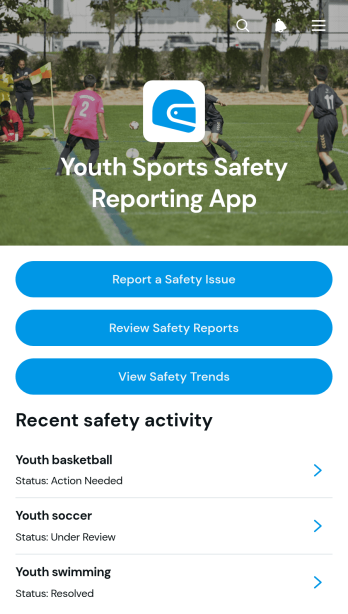
Youth Sports Safety Reporting App
The Youth Sports Safety Reporting App is a central reporting resource for documenting and reviewing safety concerns across youth sports programs. Coaches, league administrators, school athletic departments, club coordinators, volunteers, and program leaders can use it to collect new reports, review reported issues by sport, monitor safety trends, and contact reporters when follow-up is needed. It helps replace scattered emails and informal notes with a consistent process that gives authorized teams clearer visibility into recurring concerns. Organizations can apply this app template to practices, games, tournaments, training sessions, facilities, and equipment-related situations while supporting timely internal communication and informed safety planning.Jotform Apps makes it easy to adapt this template without coding. Using the drag-and-drop app builder, teams can update pages, buttons, visual elements, and navigation to match their reporting workflow and organizational branding. Connected forms support data collection, while app pages bring reporting actions and safety information into one mobile-friendly experience. Teams can also connect tables, approvals, and notifications to organize follow-up work. Explore Jotform App Templates to create a practical self-service reporting channel, share it through a direct link or QR code, and revise the app as program needs change.
Go to Category:Safety and Compliance Apps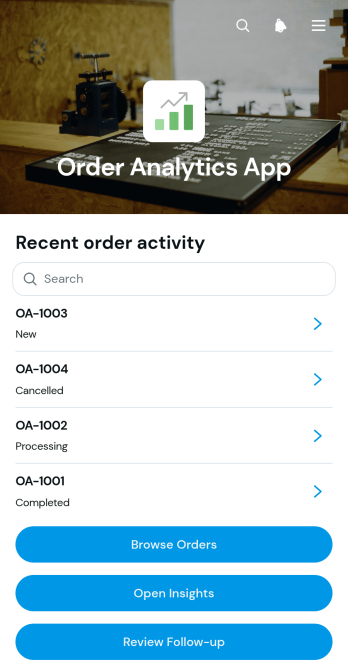
Order Analytics App
Order Analytics App is an app template for sales teams, online retailers, fulfillment staff, and operations managers who need a clearer view of order activity. It brings order entry and record browsing into one accessible experience while giving users direct access to insights and follow-up work. Teams can use it to monitor order progress, identify records that need attention, review business activity, and keep customer requests from being overlooked. By consolidating these tasks, the app supports faster decisions and more consistent coordination across sales, service, and order management workflows.With Jotform Apps, businesses can turn this Order Analytics App template into a branded workspace without writing code. The no-code app builder and drag-and-drop interface make it easy to adjust pages, navigation, buttons, and visual elements to suit an existing process. Teams can connect forms, tables, notifications, approvals, and other workflow tools for coordinated data collection and follow-up. Like other App Templates from Jotform, it can be shared through a direct link or QR code, giving employees convenient mobile access to order information and self-service actions from almost any device.
Go to Category:Order & Shipping Portal Apps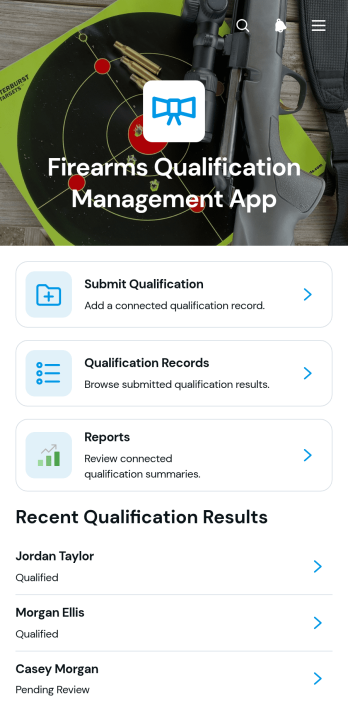
Firearms Qualification Management App
The Firearms Qualification Management App is an app template for training coordinators, range supervisors, instructors, and public safety teams that need a central place to document firearms qualification activity. Users can submit qualification results, review individual records, and access consolidated reports without relying on scattered files or manual logs. It supports recurring training programs where administrators need clearer record visibility, quicker follow-up, and a consistent data collection process for each participant. Organized navigation helps authorized team members locate qualification histories and review submitted details when planning training or assessing completion status.Jotform makes this app template easy to adapt with a no-code app builder and a flexible drag-and-drop interface. Teams can adjust pages, branding, navigation, and connected forms to reflect their terminology and operational workflow. Qualification submissions can feed organized tables, support notifications, and provide current information for reporting. Publish the finished app with a direct link or QR code so instructors and administrators can access it from phones, tablets, or computers. Jotform App Templates help organizations create a practical self-service resource while keeping intake, records, and reporting connected in one mobile-friendly experience.
Go to Category:Safety and Compliance Apps
Media Forensic Review App
The Media Forensic Review App provides investigators, media verification teams, security specialists, consultants, and internal review groups with a central place to examine submitted media and document findings. It supports organized media intake, access to a review queue, and consistent recording of review outcomes. Teams can use this app template when assessing images, videos, audio, or related files for internal investigations, editorial verification, incident reviews, insurance research, or quality assurance. Keeping source context and review activity together helps reviewers maintain clear records, prioritize pending work, and reduce information scattered across separate channels.With Jotform Apps, organizations can adapt this Media Forensic Review App without writing code. The drag-and-drop app builder makes it easy to adjust pages, navigation, visual branding, and connected workflows for a particular review process. Teams can connect forms and tables for data collection, add approval steps when needed, and share the finished experience through a direct link or scannable code. These app templates also support mobile-friendly access, helping authorized reviewers submit materials, consult evidence details, and record results from different locations while maintaining a convenient self-service workspace.
Go to Category:Audit Apps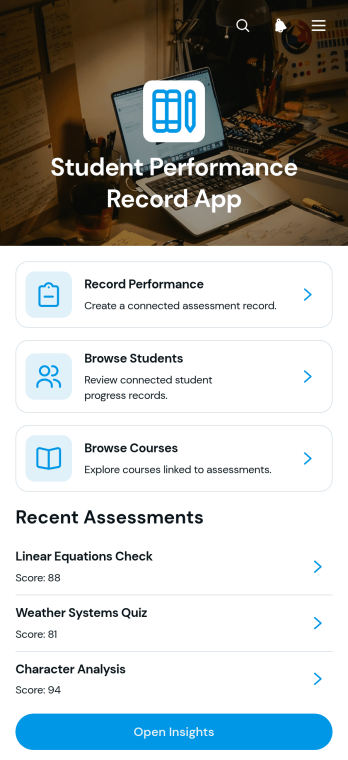
Student Performance Record App
The Student Performance Record App is a ready-to-use app template for teachers, tutors, academic coordinators, and school administrators who need a central place to document and review learner achievement. Users can record performance, browse student and course profiles, review assessment notes, and open insights that provide useful progress context. It supports routine grading reviews, intervention planning, tutoring sessions, parent meeting preparation, and term-end evaluations while reducing scattered records and making academic information easier to navigate. Schools, learning centers, and training programs can use it to maintain a more consistent view of performance across students, subjects, courses, and assessment periods.Jotform Apps makes this template easy to adapt with a no-code app builder and a flexible drag-and-drop interface. Educators can personalize pages, navigation, fonts, colors, and visual elements, then connect forms, tables, notifications, and other workflow tools for organized data collection. The finished app can be shared by direct link or QR code, giving authorized team members convenient mobile access wherever learning reviews take place. Start with one of Jotform’s App Templates, tailor the experience to your academic process, and publish a polished resource without writing code.
Go to Category:School Management Apps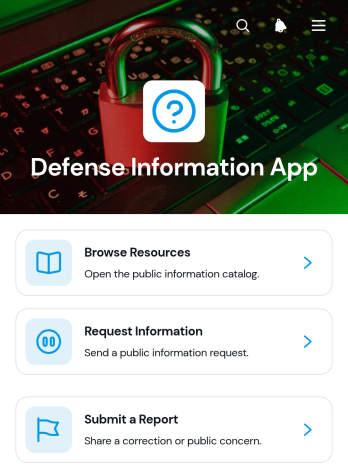
Defense Information App
Defense Information App is a centralized resource and reporting experience for defense teams, contractors, researchers, training groups, and organizations that need to make approved information easier to find and act on. Users can browse categorized resources, review summaries and references, request additional information, and submit reports through connected forms. This app template helps reduce scattered documents, unclear inquiry channels, and disconnected reporting processes. It can support internal knowledge sharing, training materials, operational guidance, research libraries, public information programs, and other defense-related communication needs without overwhelming users with complex navigation.Jotform makes it easy to adapt the Defense Information App with a no-code app builder and an intuitive drag-and-drop interface. Teams can revise pages, organize resource cards, connect forms and tables, and shape workflows around their own information policies and review procedures. Unlike static resource pages, Jotform App Templates can bring data collection, self-service access, and follow-up actions into one mobile-friendly experience. Customize the colors, typography, navigation, and content, then publish the app with a direct link, personalized address, embedded experience, or QR code for convenient distribution.
Go to Category:Resource & Learning Portal Apps
Investigation Evidence Management App
The Investigation Evidence Management App brings case records and supporting evidence into one organized, mobile-friendly workspace for investigative teams. Legal departments, workplace investigators, safety teams, insurers, consultants, and internal review groups can use it to browse investigations, examine evidence records, and submit new evidence. Case summaries, assigned investigators, priorities, sources, collection dates, custody statuses, and notes give authorized team members useful context as work progresses. This app template reduces scattered documentation, supports consistent data collection, and makes it easier to locate records when reviewing incidents, claims, complaints, or operational concerns.Jotform provides a no-code app builder that helps teams adapt App Templates to their own processes without programming. Use the drag-and-drop interface to adjust pages, cards, buttons, navigation, colors, and branding, then connect forms, tables, notifications, approvals, and related workflows. The app can be shared through a direct link or QR code for convenient access across devices. With Jotform, organizations can create a focused self-service experience that supports evidence intake, record browsing, team coordination, and ongoing case management from one central location.
Go to Category:Legal Apps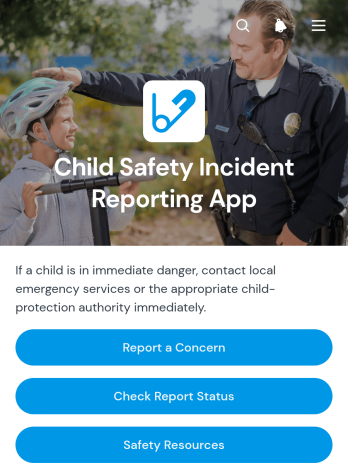
Child Safety Incident Reporting App
The Child Safety Incident Reporting App is a ready-to-use app template for schools, childcare providers, youth programs, community groups, and other organizations responsible for children’s well-being. It gives staff members, caregivers, volunteers, and approved community members a clear place to report a concern, check report status and follow-up activity, and review relevant safety resources. Bringing these critical actions into one accessible experience can reduce scattered messages, support timely internal responses, and establish a more consistent reporting pathway. Safeguarding teams, administrators, program leaders, and support personnel can use it to organize incident intake while keeping reporters informed about next steps.With Jotform Apps, organizations can adapt this template to their own reporting workflow without writing code. The no-code app builder and drag-and-drop interface make it easy to update pages, navigation, instructions, branding, and connected data collection forms. Teams can link reports with tables, approvals, notifications, and other internal processes while offering convenient self-service access from phones, tablets, or computers. As part of Jotform’s App Templates, the Child Safety Incident Reporting App can be customized, published, and shared through a direct link, scannable code, or embedded experience.
Go to Category:Safety and Compliance Apps