

Operations & Logistics Portal Apps

Woodworking Operations App
Woodworking Operations App is an app template for cabinet shops, furniture makers, millwork teams, carpentry contractors, and production supervisors who need one place to coordinate daily shop activity. It brings work order creation, inspection records, equipment maintenance logs, and operational reports into a mobile-friendly workspace. Team members can review project areas and due dates, document inspection results, and monitor service status without relying on scattered paper records or separate files. This clearer flow supports timely assignments, consistent quality checks, better equipment upkeep, and more informed production planning.Jotform Apps helps businesses turn connected processes into accessible digital experiences with a no-code app builder. Start with App Templates, tailor this app template through a drag-and-drop interface, and connect forms, tables, notifications, and workflow steps for organized data collection. Pages and navigation can be adapted to match shop routines, while shared links and QR codes give employees convenient self-service access from phones, tablets, or computers. The Woodworking Operations App can grow with changing production needs without requiring programming knowledge.
Go to Category:Equipment Maintenance Software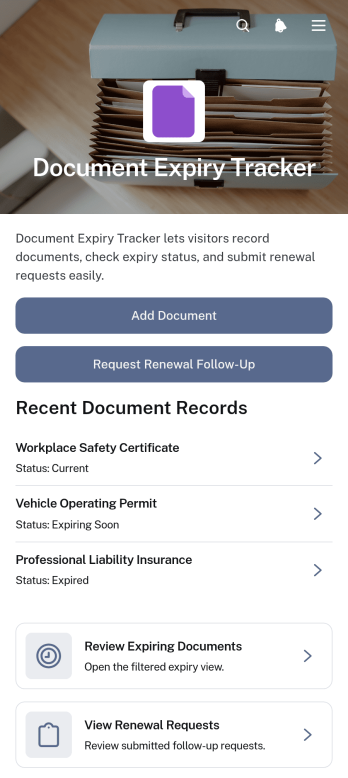
Document Expiry Tracker App
The Document Expiry Tracker App helps operations teams, office managers, human resources departments, contractors, and growing businesses monitor time-sensitive documents from one organized location. Users can add document records, review approaching expiry dates, identify each record’s owner, and submit renewal follow-up requests before important files become outdated. Clear document details and reference information make it easier to assign responsibility and maintain visibility across licenses, certificates, contracts, permits, insurance records, and internal policies. This app template reduces reliance on scattered spreadsheets and manual reminders while giving teams a consistent workflow for managing renewals.With Jotform Apps, organizations can adapt this ready-to-use template through a no-code app builder and an intuitive drag-and-drop interface. Add branded pages, adjust navigation, connect forms and tables, or refine the data collection process without programming. Teams can bring document intake, renewal requests, reference resources, and related workflows into a mobile-friendly experience that supports convenient self-service. Once configured, the app can be shared by direct link or QR code, helping employees and partners access current information wherever their work takes place.
Go to Category:Tracker Apps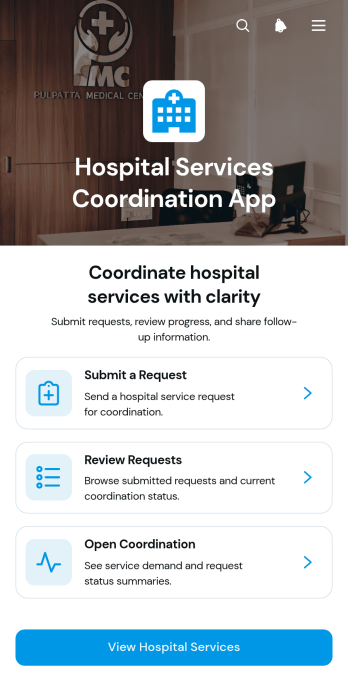
Hospital Services Coordination App
The Hospital Services Coordination App is an app template for hospital operations teams, department coordinators, facilities staff, and support service managers who need one place to organize internal service requests. Staff can submit requests for patient transport, facilities assistance, interpreter services, or equipment support, then review request details and coordination notes. Centralizing these activities helps departments clarify service needs, preferred dates, and requester information while reducing missed updates and disconnected communication. Hospitals can use the app to support daily operations, coordinate work across departments, and give authorized staff a convenient self-service experience.Jotform makes this Hospital Services Coordination App easy to adapt with a no-code app builder and an intuitive drag-and-drop interface. Teams can update pages, navigation, branding, and content to reflect their operating procedures without writing code. Connected forms support consistent data collection, while tables, notifications, approvals, and other workflow tools can help staff organize incoming requests and follow progress. Once customized, the app can be published and shared through a direct link or QR code, giving teams mobile-friendly access wherever coordination work takes place.
Go to Category:Healthcare Apps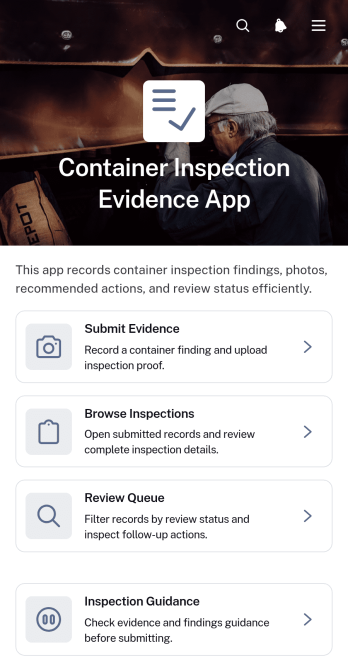
Container Inspection Evidence App
Container Inspection Evidence App provides a central workspace for documenting container condition checks and moving inspection findings through review. This app template helps inspectors submit evidence, browse previous inspection records, and monitor items in a review queue without relying on scattered files or messages. It is well suited to logistics teams, container depots, warehouses, transportation operators, field service crews, and contractors that need consistent records for damage assessments, routine checks, handovers, or maintenance decisions. Clear access to findings, recommended actions, and review status helps teams prioritize follow-up work and maintain visibility across inspections.Jotform makes this app template easy to adapt with a no-code app builder and a flexible drag-and-drop interface. Teams can update pages, navigation, visual branding, and inspection guidance to match their workflow, then connect forms, tables, approvals, and notifications for coordinated data collection and review. The finished app can be shared through a direct link or QR code, giving field personnel and reviewers mobile-friendly self-service access. Starting with Jotform App Templates also reduces setup time while leaving room to expand the app as inspection volume and operational needs change.
Go to Category:Inspection Apps
Facility Work Planning App
Facility Work Planning App is an app template for organizing maintenance and operational work across offices, schools, warehouses, hospitality properties, residential buildings, and other managed facilities. Facility managers, maintenance coordinators, contractors, and operations teams can use it to receive work requests, browse submitted jobs with key details, and review planned work through a shared schedule. By keeping requests, facility areas, requested dates, and priorities accessible in one place, the app helps teams evaluate upcoming needs, assign attention appropriately, reduce missed tasks, and maintain visibility across routine repairs and related work.Jotform App Templates help organizations turn everyday processes into accessible digital experiences without writing code. With Jotform’s no-code app builder and drag-and-drop interface, teams can adapt the Facility Work Planning App to their procedures, branding, and resource structure. Connected forms support data collection, while tables, approvals, notifications, and other workflow tools can help move requests from intake to action. The finished app can be shared by link or QR code, giving employees and service teams convenient mobile-friendly access for self-service request submission and work planning.
Go to Category:Scheduling and Planning Apps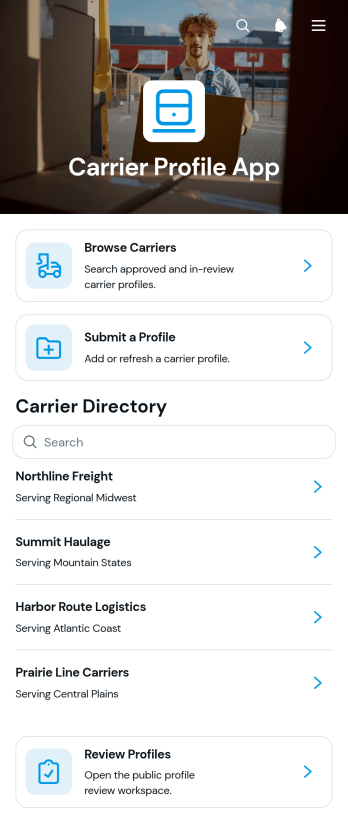
Carrier Profile App
The Carrier Profile App is an app template for organizing carrier records and making them easier to submit, browse, review, and maintain. Freight brokers, shipping teams, dispatchers, logistics coordinators, and transportation businesses can use it to keep essential carrier details accessible from one location. Users can browse carrier profiles, submit new profile information, and update existing records when contact details, service areas, fleet size, insurance information, or service summaries change. This centralized approach helps teams reduce scattered records, compare available carriers, support dispatch planning, and maintain clearer working relationships with transportation providers.Jotform Apps helps organizations turn this Carrier Profile App into a branded, mobile-friendly resource without coding. Its drag-and-drop app builder makes it simple to adjust pages, navigation, colors, fonts, and content while preserving a straightforward self-service experience. Teams can connect forms and tables to support data collection and record management, then share the finished app through a direct link or embedded experience. Starting with customizable app templates also saves setup time and gives growing logistics operations a flexible foundation for refining their carrier workflow.
Go to Category:Transportation Apps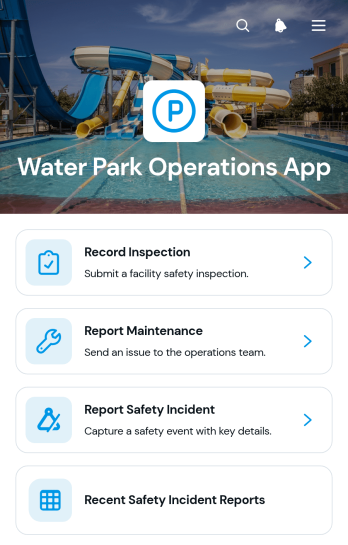
Water Park Operations App
The Water Park Operations App gives water park managers, safety teams, maintenance crews, and site supervisors a central place to coordinate essential daily operations. Staff can record inspections, report maintenance needs, document safety incidents, and review recent reports without relying on scattered paperwork or separate communication channels. This app template supports routine opening checks, equipment monitoring, incident follow-up, and maintenance planning across attractions and guest areas. It helps teams organize data collection, improve visibility into outstanding issues, and maintain consistent operational records during busy periods.Jotform Apps makes it easy to adapt this Water Park Operations App to your facility with a no-code app builder and intuitive drag-and-drop interface. Add or rearrange pages, update branding, connect forms and tables, and create workflows that route information to the right team members. The app can be shared through a direct link or QR code for convenient mobile access in the field. Starting with Jotform App Templates also reduces setup time while giving managers the flexibility to build a practical self-service resource for inspections, maintenance reporting, and safety documentation.
Go to Category:Operations & Logistics Portal Apps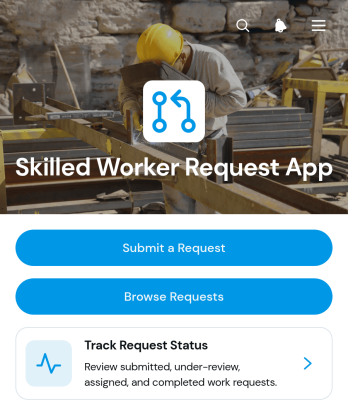
Skilled Worker Request App
The Skilled Worker Request App helps operations teams, workforce coordinators, construction firms, service providers, and other organizations request qualified workers for specific jobs. Staff can submit a request with the organization, work category, location, preferred start date, and job details, then browse entries and track each request from review through assignment and completion. Centralizing this information gives managers a clearer view of workforce demand, reduces scattered messages, supports timely follow-up, and creates a consistent process for matching skilled personnel with upcoming work.Jotform Apps makes it easy to adapt this app template without writing code. Using the drag-and-drop app builder, teams can adjust pages, navigation, colors, fonts, and branding to suit their operations. Connected forms and tables support data collection and keep request records organized, while approvals and notifications can extend the workflow when additional review is needed. Like other Jotform App Templates, the finished app can be shared by a direct link or QR code for convenient mobile-friendly self-service access.
Go to Category:Human Resources Apps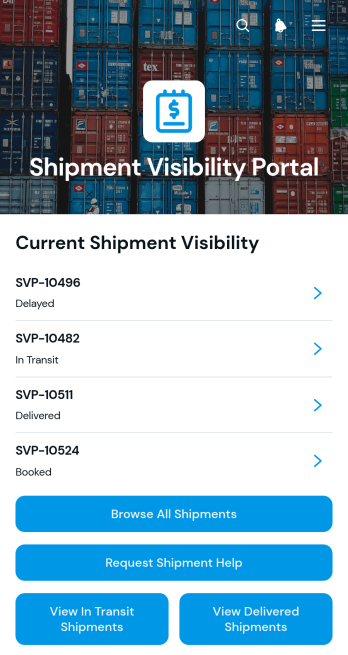
Shipment Visibility Portal App
The Shipment Visibility Portal App is an app template for logistics teams, carriers, warehouse operators, distributors, and customer service departments that need to give customers or internal stakeholders a clear view of shipment progress. Users can browse all shipments, filter records by in-transit or delivered status, and open individual entries to review origins, destinations, current milestones, notes, and update times. Built-in help requests provide a direct path for asking about delays, unclear updates, or other shipment concerns. This shared view reduces routine status inquiries, keeps shipment information organized, and supports smoother communication across order fulfillment and delivery operations.Jotform Apps helps teams turn processes and resources into accessible, mobile-friendly experiences without coding. Start with this Shipment Visibility Portal App from Jotform’s App Templates, then use the drag-and-drop app builder to adjust pages, navigation, colors, and branding. Connect forms and tables to support data collection, shipment record management, notifications, and follow-up workflows. The finished app can be shared through a direct link or QR code, giving customers, employees, and partners convenient self-service access from nearly any device.
Go to Category:Order & Shipping Portal Apps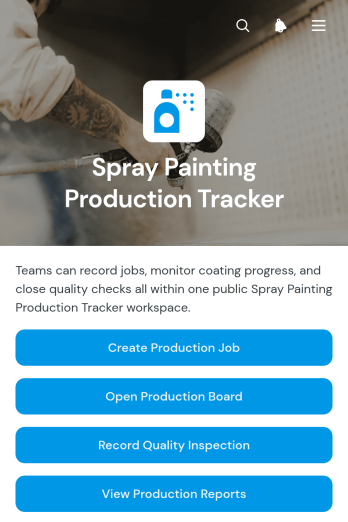
Spray Painting Production Tracker App
Spray Painting Production Tracker App is an app template for coordinating spray painting jobs from initial creation through production review. It gives workshop supervisors, coating contractors, production teams, quality inspectors, and operations managers a shared place to create production jobs, monitor work on a production board, record quality inspections, and review reports. Teams can use it to improve visibility across active jobs, reduce missed updates, document inspection outcomes, and identify production issues before they affect schedules. It is particularly useful for busy facilities managing multiple items, batches, priorities, and handoffs across shifts.Jotform App Templates help organizations turn connected tasks and resources into accessible digital experiences. With Jotform’s no-code app builder and drag-and-drop interface, teams can customize the Spray Painting Production Tracker App with their own branding, instructions, navigation, and workflow connections. Forms support consistent data collection, while linked pages make production information easier to find through one mobile-friendly location. The finished app can be shared by a direct link or QR code, giving authorized staff convenient self-service access from the workshop, office, or field without requiring coding knowledge.
Go to Category:Tracker Apps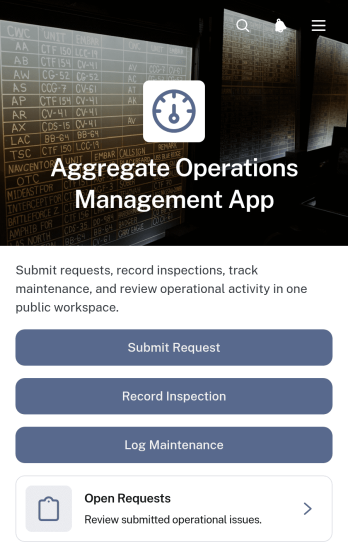
Aggregate Operations Management App
Aggregate Operations Management App is an app template for coordinating requests, inspections, and maintenance work across operational areas and assets. It gives site managers, operations supervisors, inspectors, maintenance crews, and contractors a shared place to submit issues, review open requests, record inspection findings, and log required maintenance. Teams can use it at production sites, storage facilities, yards, or other locations where equipment reliability and timely follow-up affect daily output. Centralized records help staff identify the requester, affected area, reported issue, inspector, findings, and work needed without relying on scattered messages or paper logs.With Jotform App Templates, organizations can adapt this app template to their procedures using a no-code app builder and an intuitive drag-and-drop interface. Pages, navigation, forms, and visual elements can be updated to match different locations, responsibilities, or operating routines. Connected data collection and workflow tools can route information to tables, approvals, and notifications, helping teams coordinate action and maintain clearer operational records. The finished app can support employee self-service and field access through a direct link, QR code, or embedded experience, giving staff a convenient way to report and review work from almost any device.
Go to Category:Operations & Logistics Portal Apps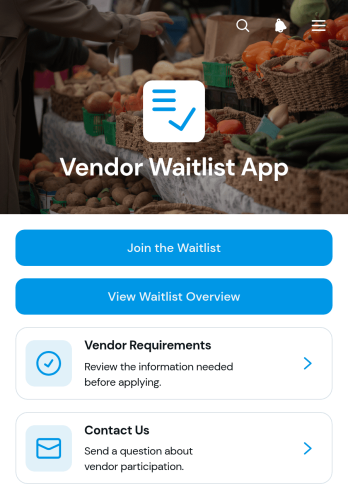
Vendor Waitlist App
Vendor Waitlist App gives organizations a central place to accept prospective vendor applications and organize interest before spaces, contracts, or selling opportunities become available. Procurement teams, event organizers, market operators, property managers, retailers, and growing businesses can use this app template to gather business and offering details, communicate vendor requirements, and provide a clear waitlist overview. It replaces scattered emails and spreadsheets with a consistent data collection process, helping teams review prospective vendors, maintain an orderly pipeline, and prepare qualified applicants for the next stage of a workflow.Jotform App Templates make it easy to turn this process into a branded, mobile-friendly experience without writing code. Customize Vendor Waitlist App with Jotform’s no-code app builder and drag-and-drop interface, then adjust pages, buttons, forms, and visual elements to suit your operation. Connected forms and tables can keep vendor information organized, while notifications and approval steps support timely follow-up. Publish the app with a shareable link or QR code to give prospective vendors convenient self-service access from any device.
Go to Category:CRM Apps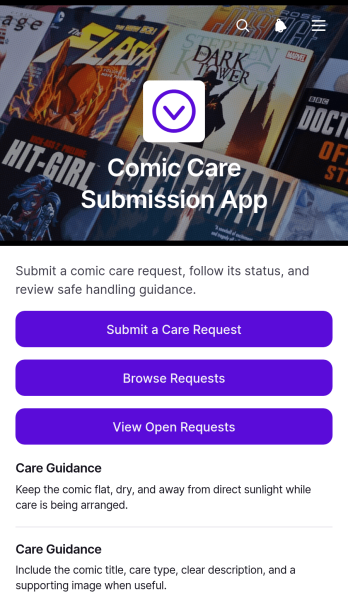
Comic Care Submission App
The Comic Care Submission App is a ready-to-use app template for collecting and organizing requests related to comic handling, storage, cleaning, repair, or preservation. It gives collectors, comic shops, archive teams, and care service providers a central place where requesters can submit care needs, browse submitted requests, review open work, and consult care guidance. Request details, requester information, care type, and follow-up contact data stay together, making it easier to assess priorities and maintain visibility from intake through follow-up. Teams can use it for customer service, internal collection upkeep, or community preservation programs without relying on scattered messages or spreadsheets.With Jotform Apps, this template can be adapted through a no-code app builder and an intuitive drag-and-drop interface. Teams can update pages, branding, navigation, and instructions while connecting forms, tables, notifications, approvals, and other workflow tools. Like other Jotform App Templates, it supports mobile-friendly self-service and organized data collection from a single app experience. Publish it with a shareable link or QR code so collectors, staff, and customers can access the latest request information wherever they are.
Go to Category:Service Apps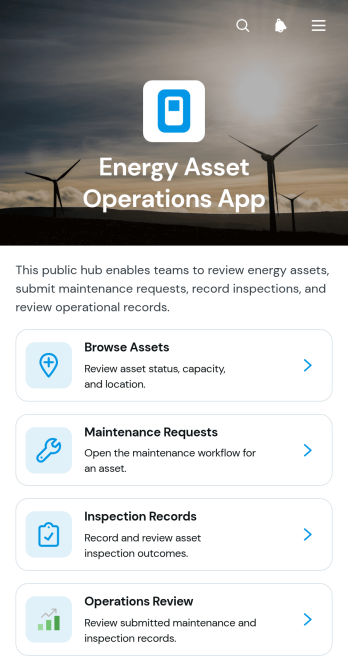
Energy Asset Operations App
The Energy Asset Operations App is an app template for organizing day-to-day oversight of energy infrastructure from a single, accessible location. It gives operations managers, engineers, field service teams, inspectors, and maintenance coordinators a clear way to browse assets, review key details such as location and capacity, manage maintenance requests, and access inspection records. Teams can use it across generation sites, storage facilities, distribution networks, and other energy operations where asset information must remain easy to find. By bringing operational reviews and connected records together, the app supports quicker issue identification, more consistent maintenance planning, and better coordination between office and field personnel.With Jotform Apps, organizations can adapt this Energy Asset Operations App through a no-code app builder and an intuitive drag-and-drop interface. Pages, navigation, forms, tables, approval steps, and workflow connections can be adjusted to match internal processes without programming. Teams can apply their own visual identity, organize data collection, send real-time notifications through linked processes, and share the finished app by direct link or QR code. Jotform App Templates also provide a practical starting point for creating mobile-friendly self-service resources that grow with changing operational needs.
Go to Category:Equipment Maintenance Software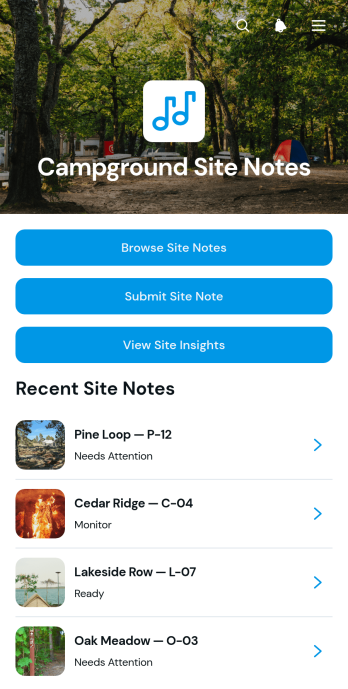
Campground Site Notes App
The Campground Site Notes App is a ready-to-use app template for recording and reviewing observations about individual campsites. Campground operators, hosts, grounds crews, inspectors, and property managers can use it during routine checks, guest turnovers, seasonal openings, or maintenance rounds. Team members can browse existing site notes, submit new observations, and review site insights from one central location. This shared record helps staff identify recurring conditions, prioritize follow-up work, preserve useful site history, and give incoming shifts clearer context. It is especially valuable for campgrounds managing many numbered sites across large or remote properties.With Jotform Apps, teams can adapt the Campground Site Notes App without writing code. The no-code app builder and drag-and-drop interface make it easy to update pages, navigation, colors, fonts, and branded visual elements. Connect data collection forms, tables, notifications, approvals, and other workflow steps to support daily operations. Jotform App Templates also offer mobile-friendly access, helping staff record information while moving around the grounds. Once customized, the app can be shared through a direct link or QR code for convenient team self-service.
Go to Category:Log Apps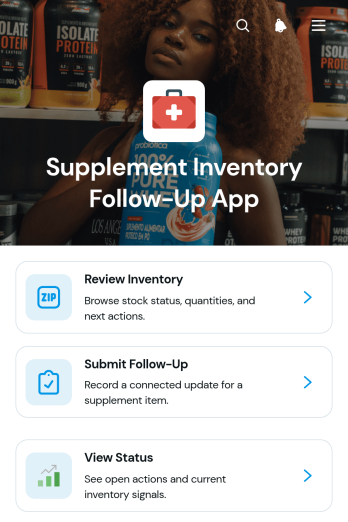
Supplement Inventory Follow-Up App
Supplement Inventory Follow-Up App provides supplement retailers, wellness practices, stockroom teams, and distributors with a central place to review inventory and coordinate the actions that follow each check. This app template helps users browse supplement records, see when an item was last checked, identify the next action, and submit follow-up updates. Team members can also view the status of submitted updates, making it easier to monitor low-stock items, recount requests, replenishment needs, product issues, and other inventory tasks. By keeping reviews and follow-ups together, organizations can reduce missed actions, improve accountability, and maintain clearer stock records across locations or teams.Jotform Apps makes it easy to adapt the Supplement Inventory Follow-Up App without writing code. Use the drag-and-drop app builder to update pages, cards, buttons, navigation, and visual styling for your inventory workflow. You can connect forms for data collection, organize records with tables, and add approval or notification steps when needed. The mobile-friendly experience supports inventory checks from a stockroom, retail floor, warehouse, or office. Start with one of Jotform’s App Templates, apply your branding, and share the finished app through a direct link, scannable code, or embedded experience.
Go to Category:Inventory Management Apps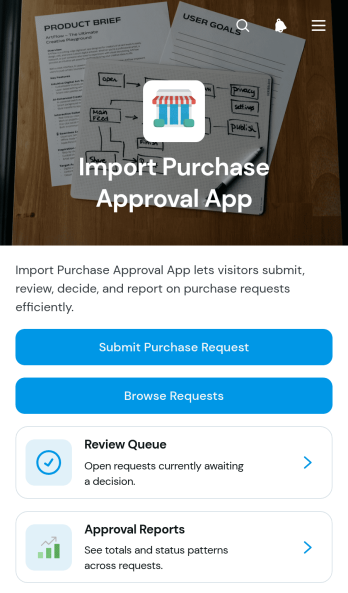
Import Purchase Approval App
Import Purchase Approval App is a central workspace for organizations that need to review and authorize purchases of imported goods before orders move forward. Procurement teams, finance departments, operations managers, import coordinators, and growing businesses can use it to submit purchase requests, browse existing requests, and direct pending items to a review queue. Approval reports provide visibility into purchasing activity, while key request details such as the requester, required date, and requested amount help reviewers make informed decisions. This app template reduces scattered communication, creates a clearer review process, and helps teams maintain an accessible record of import purchasing decisions.Jotform makes this App Template easy to adapt through a no-code app builder and an intuitive drag-and-drop interface. Add branded pages, adjust navigation, connect forms and tables, or build approval workflow steps without writing code. Teams can organize data collection and self-service access in one mobile-friendly experience, then share the finished app through a direct link, a personalized URL, or a QR code. Start with the ready-made layout and customize it to reflect your purchasing policies, approval roles, and internal processes.
Go to Category:Finance & Accounting Portal Apps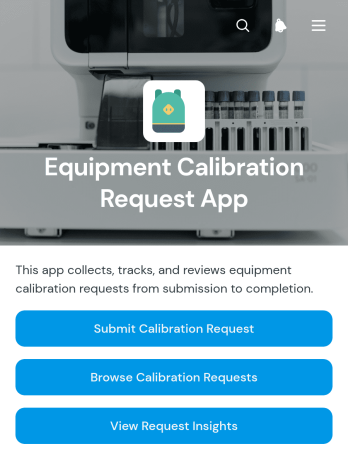
Equipment Calibration Request App
The Equipment Calibration Request App is a ready-to-use app template for collecting, organizing, and reviewing requests to calibrate workplace equipment. It gives technicians, engineering teams, maintenance departments, laboratory staff, and operations managers one accessible place to submit calibration requests, browse request records, filter entries by status, and view request insights. Organizations can use it when instruments, tools, gauges, testing devices, or production equipment require scheduled or corrective calibration. Centralized data collection helps teams replace scattered emails and paper records, maintain visibility into pending work, prioritize service needs, and keep requesters informed throughout the calibration workflow.With Jotform, teams can adapt this Equipment Calibration Request App through a no-code app builder and an intuitive drag-and-drop interface. Pages, navigation, branding, and connected forms can be adjusted to reflect internal processes without writing code. Jotform App Templates can also connect with tables, approvals, notifications, and other workflows, helping staff manage requests and related records from a mobile-friendly experience. Once configured, the app can be shared by link or QR code to support convenient employee self-service across facilities, workshops, laboratories, and field locations.
Go to Category:Equipment Maintenance Software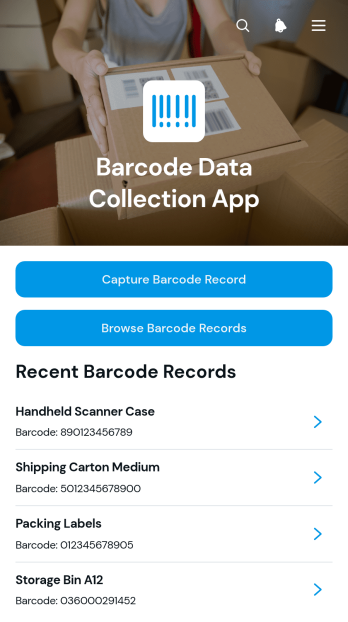
Barcode Data Collection App
The Barcode Data Collection App is an app template for capturing and reviewing barcode-linked records during inventory counts, receiving, stock checks, equipment tracking, and field visits. Warehouse staff, retailers, operations teams, contractors, and small businesses can capture barcode values with related item information and browse saved records from one mobile-friendly location. This focused data collection experience replaces handwritten logs and scattered files, helps prevent missing context, and gives teams timely access to records when checking stock or tracing items across locations.Jotform Apps lets you adapt the Barcode Data Collection App with a no-code app builder and drag-and-drop interface. Add or rearrange pages, buttons, and visual elements, connect forms and tables, and shape navigation around your existing workflow without writing code. You can apply your branding and share the finished app through a direct link or QR code for convenient self-service access. Ready-to-use App Templates provide a practical starting point, while the Jotform App Builder gives teams the flexibility to expand their app as operational requirements change.
Go to Category:Inventory Management Apps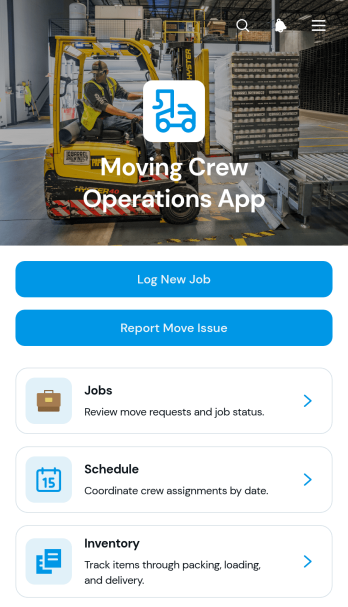
Moving Crew Operations App
Moving Crew Operations App is an app template for moving companies, dispatchers, crew leads, and operations teams that need one organized place to coordinate residential or commercial moves. Teams can log new jobs, review customer and route details, manage schedules and crew assignments, and record inventory updates from the field. Issue reporting and resolution tracking help supervisors respond to damaged items, delays, access problems, or other job concerns without relying on scattered messages and paper records. This operational view supports clearer handoffs between office staff and field crews while making job status, staffing, item condition, and move details easier to find throughout the workday.Jotform makes this Moving Crew Operations App easy to adapt with a no-code app builder and a flexible drag-and-drop interface. Customize pages, navigation, colors, and content to reflect your moving workflow, then connect forms and tables for data collection, updates, and internal self-service. Automated notifications can keep the appropriate team members informed when a job, assignment, inventory record, or issue report is submitted. Publish the finished app template with a shareable link or QR code so crews can open it on phones, tablets, or computers wherever each move takes them.
Go to Category:Operations & Logistics Portal Apps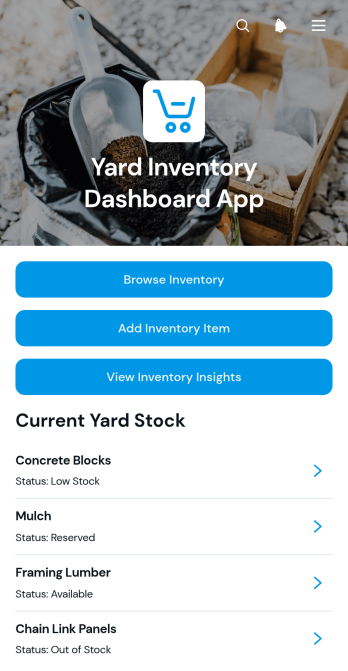
Yard Inventory Dashboard App
Yard Inventory Dashboard App is an app template for tracking materials, equipment, supplies, and other stock stored across outdoor yards or designated storage areas. Yard managers, warehouse teams, contractors, construction crews, and operations staff can browse inventory records, add new items, and review inventory insights from one organized dashboard. Each record can show essential details such as item name, quantity, yard location, and notes, helping teams find stock faster and maintain clearer records. It supports routine stock checks, material planning, item intake, and inventory updates while reducing reliance on scattered spreadsheets or paper logs.Jotform Apps makes this Yard Inventory Dashboard App easy to adapt with a no-code app builder and drag-and-drop interface. Teams can update pages, navigation, colors, fonts, and branding, then connect forms and tables to support data collection and inventory workflows. The app can be shared through a direct link or QR code for convenient mobile access in the yard, office, or warehouse. Starting with Jotform App Templates also saves setup time while giving organizations the flexibility to create a practical self-service resource for staff, supervisors, and field teams.
Go to Category:Inventory Management Apps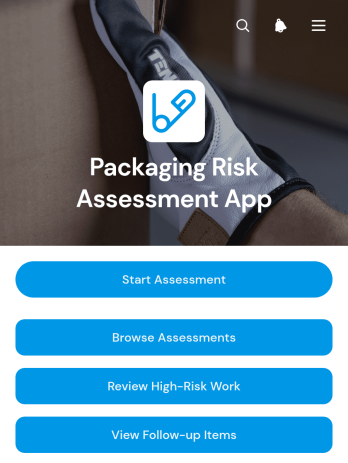
Packaging Risk Assessment App
Packaging Risk Assessment App is an app template for packaging, quality, product safety, operations, and supply chain teams that need a consistent way to evaluate packaging-related hazards. Users can submit new assessments, review high-risk work, and monitor follow-up items from one organized location. It is useful when introducing packaging, changing materials or formats, evaluating product categories, investigating damage, or preparing goods for storage and distribution. Centralizing assessment records gives teams clearer visibility into identified risks, planned mitigation, ownership, and due dates while reducing scattered files and overlooked actions.With Jotform, organizations can adapt this Packaging Risk Assessment App through a no-code app builder and an intuitive drag-and-drop interface. Teams can update pages, navigation, branding, and connected forms to reflect their internal workflow without writing code. Jotform App Templates can also connect data collection with tables, notifications, approvals, and other processes, helping stakeholders coordinate reviews and act on follow-up work. Once ready, the app can be shared by a direct link or QR code for convenient mobile-friendly access in offices, warehouses, production areas, or field locations.
Go to Category:Safety and Compliance Apps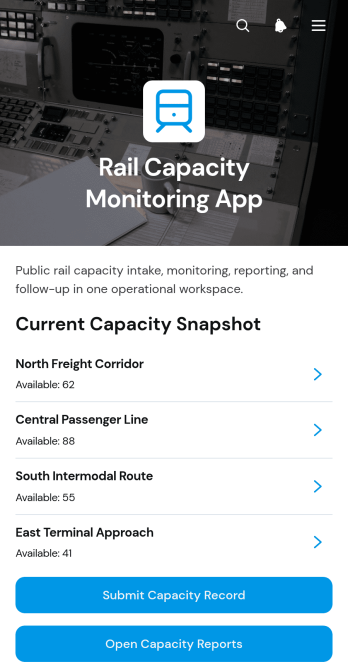
Rail Capacity Monitoring App
Rail Capacity Monitoring App is an app template for recording available rail capacity, reviewing operational constraints, and coordinating follow-up work across service areas. Rail operators, infrastructure teams, dispatch coordinators, planners, and transportation contractors can use it to keep capacity information accessible in one mobile-friendly location. Users can submit capacity records, open capacity reports, compare available capacity with capacity limits, and create follow-up requests when an issue needs attention. This shared view helps teams identify constrained areas, reduce scattered reporting, support planning decisions, and maintain a clearer record of capacity conditions over time.Jotform App Templates make it easy to adapt this experience to an organization’s routes, terminology, and workflow without writing code. With Jotform’s no-code app builder and drag-and-drop interface, teams can update pages, navigation, buttons, colors, and branding while connecting forms and tables for organized data collection. The app can be shared through a direct link or QR code, giving field and office personnel convenient access from phones, tablets, or computers. Notifications and connected workflows can also help route follow-up requests to the appropriate team, creating a practical self-service resource for ongoing rail capacity monitoring.
Go to Category:Transportation Apps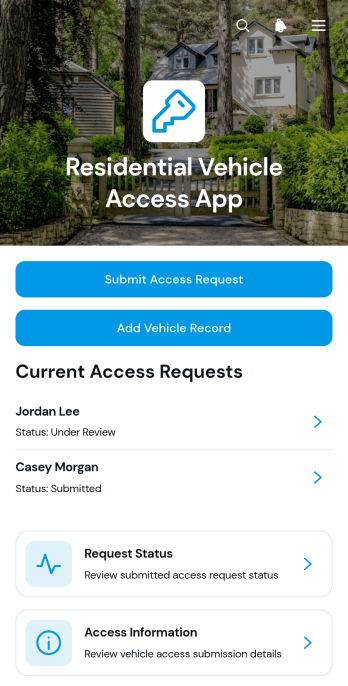
Residential Vehicle Access App
The Residential Vehicle Access App helps residential communities organize vehicle entry requests for residents, guests, contractors, and other approved visitors. Property managers, community administrators, security teams, and resident service staff can use this app template to replace scattered messages and paper records with a consistent access process. Users can submit access requests, add vehicle records, review request status, and find relevant access information in one mobile-friendly location. This clearer experience helps teams connect applicants with residences, access dates, request codes, and vehicle details while reducing missing information and improving day-to-day entry coordination.Jotform makes it easy to adapt the Residential Vehicle Access App to the needs of an apartment complex, gated community, condominium, or managed residential property. Its no-code app builder and drag-and-drop interface let teams update pages, navigation, visual branding, and connected forms without programming. The app can also connect data collection with tables, notifications, approvals, and other workflow steps to support organized record management. Publish it with a shareable link or QR code to offer convenient self-service access from phones, tablets, and computers.
Go to Category:Transportation Apps