

Service & Support Portal Apps

Audio Mastering Client Portal App
The Audio Mastering Client Portal App is a centralized client experience for independent mastering engineers, audio production studios, and creative teams managing projects from intake through final delivery. Clients can submit a mastering project, monitor its status, open completed masters, and share delivery feedback without relying on scattered messages or files. This app template gives professionals a consistent workflow for collecting source audio details and reference material while keeping each client informed. It is especially useful for teams handling multiple tracks, albums, podcasts, or other audio projects and seeking a clearer way to coordinate review and delivery.Jotform App Templates make it easy to turn this portal into a branded, mobile-friendly destination without writing code. Using Jotform’s no-code app builder and drag-and-drop interface, creators can adjust pages, navigation, colors, and content to suit their services. Forms and connected data collection tools can support project intake, feedback, and organized record management, while direct links and QR codes simplify sharing. The finished app can bring client self-service and internal workflow resources together in one accessible place.
Go to Category:Customer Portal Apps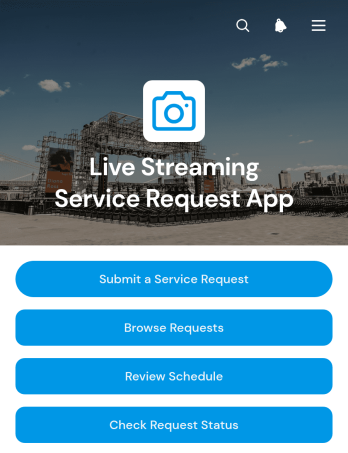
Live Streaming Service Request App
The Live Streaming Service Request App gives event organizers, production teams, technical crews, venues, and internal service departments a central place to coordinate live broadcast support. Users can submit service requests with production requirements, review planned schedules, and check request status without relying on scattered emails or spreadsheets. It works well for conferences, performances, webinars, ceremonies, community events, corporate broadcasts, and other productions that require advance planning. Clear request details help teams understand timing, location, audience, contacts, and technical needs before work begins.Jotform Apps makes it easy to adapt this app template to an organization’s own service workflow without coding. The drag-and-drop App Builder can be used to update pages, branding, navigation, and request options while connected forms support consistent data collection. Teams can organize request records, trigger notifications, and connect approvals or other workflows as needs evolve. Once published, the app can be shared through a direct link or QR code, giving requesters convenient self-service access from phones, tablets, or computers. Explore Jotform App Templates to create a polished request experience that keeps production information accessible and work easier to coordinate.
Go to Category:Service & Support Portal Apps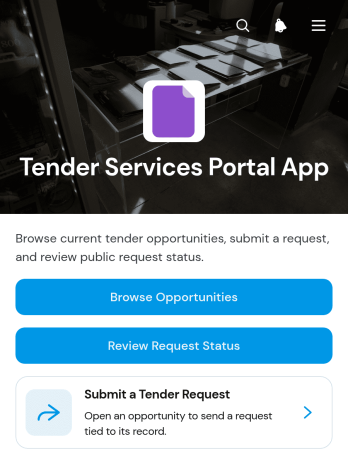
Tender Services Portal App
The Tender Services Portal App provides a central destination for organizations that publish service opportunities and manage related requests. Procurement teams, public service departments, consulting groups, contractors, and supplier networks can use it to make tender information easier to find and act on. Users can browse current opportunities, submit a tender request, and review request status without relying on scattered emails or documents. This focused experience helps requesters meet closing dates, determine eligibility, and follow progress while internal teams gain a more consistent intake process. It is especially useful for organizations that handle recurring service opportunities or need a clear self-service channel for prospective providers.With Jotform Apps, teams can adapt this app template to their processes using a no-code app builder and a flexible drag-and-drop interface. Pages, navigation, forms, connected records, and branded visual elements can be updated without programming. Jotform App Templates can also connect data collection with tables, approvals, notifications, and other workflow steps, helping staff organize incoming requests and keep information accessible. Once the Tender Services Portal App is ready, it can be published through a direct link, shared by QR code, or embedded in an existing website for convenient access across desktop and mobile devices.
Go to Category:Customer Portal Apps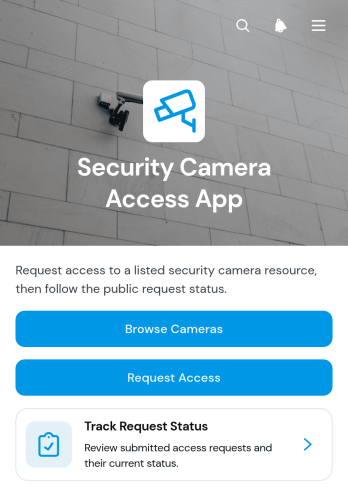
Security Camera Access App
The Security Camera Access App gives security, facilities, information technology, and operations teams a central place to manage requests for authorized camera access. Staff members, contractors, investigators, or approved partners can browse available camera resources, review details such as location, availability, and coverage, and submit a request for a specific access date and purpose. Requesters can also track the status of their submissions without relying on scattered emails or manual follow-ups. This app template is useful for offices, warehouses, residential properties, campuses, construction sites, and other facilities that need an organized process for handling camera access inquiries.Jotform Apps helps organizations turn this process into a branded, mobile-friendly self-service experience without coding. Use the drag-and-drop app builder to adjust pages, navigation, buttons, colors, and content, then connect forms, tables, notifications, and approval workflows as needed. The app can support consistent data collection while keeping camera information and request records easier to navigate. Start with this ready-made option from Jotform App Templates, customize it for internal policies and team responsibilities, and share it through a direct link, QR code, or embedded experience.
Go to Category:Information Technology Apps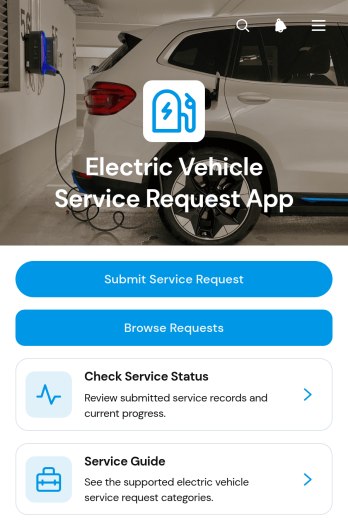
Electric Vehicle Service Request App
The Electric Vehicle Service Request App gives electric vehicle owners, service centers, fleet teams, and automotive technicians a central place to initiate and follow maintenance requests. Drivers can submit a service request for concerns involving batteries, charging systems, software diagnostics, or other vehicle issues, then check service status without relying on scattered calls or messages. Service teams can browse submitted records and direct customers to a helpful service guide. This app template suits repair facilities, mobile technicians, dealership service departments, fleet operators, and businesses managing electric vehicles. It supports clearer communication, more consistent data collection, and faster request handling from initial intake through follow-up.Jotform helps organizations turn this workflow into a branded, mobile-friendly experience without writing code. Start with this app template, then use the no-code app builder and drag-and-drop interface to adjust pages, navigation, colors, fonts, and content. Connect forms and tables to organize service information, add notifications or approval steps, and provide convenient self-service access. The finished app can be shared through a direct link or QR code, making it easy for drivers and technicians to access on any device. Jotform App Templates also make it simple to update the experience as service offerings, intake requirements, or internal processes change.
Go to Category:Automotive Apps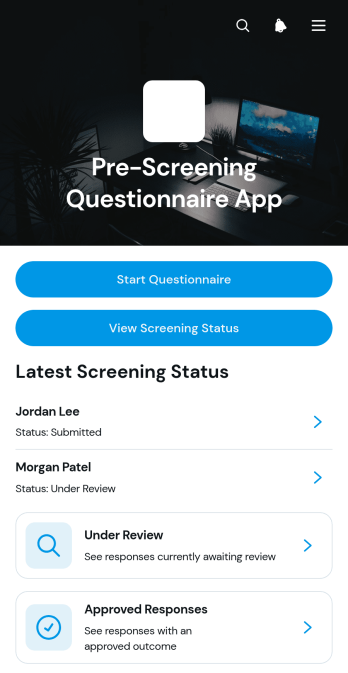
Pre-Screening Questionnaire App
The Pre-Screening Questionnaire App provides healthcare practices, wellness providers, consultation teams, and other service organizations with a central place to gather and review preliminary information before an appointment or assessment. Individuals can start a questionnaire, provide details about their primary concern, current medications, and relevant history, then check the status of their response. Reviewers can organize questionnaires by status, examine individual records, and communicate clear outcomes such as under review or approved. This app template reduces manual follow-up, gives respondents convenient self-service access, and helps teams prepare for the next stage of evaluation without treating the questionnaire as a diagnosis.Jotform App Templates make it easy to adapt this experience to different screening workflows without writing code. Using Jotform’s no-code app builder and drag-and-drop interface, organizations can update pages, navigation, colors, fonts, buttons, and branding to suit their process. The app can connect data collection forms with tables, notifications, approvals, and related workflows, keeping responses accessible from one mobile-friendly location. Once customized, teams can publish the Pre-Screening Questionnaire App through a direct link, personalized URL, QR code, or embedded experience for simple access across devices.
Go to Category:Healthcare Apps
Family Law Client Portal App
The Family Law Client Portal App is an app template for family law practices that need a central, client-facing space for managing communication and routine case activity. Attorneys, legal assistants, intake coordinators, and administrative teams can use it to collect initial client information, receive case update requests, and accept document submissions. It gives clients a convenient self-service route for common actions while helping staff keep requests connected to the correct client and case reference. Law offices can use the portal during client intake and throughout an active matter to reduce scattered messages, improve request visibility, and maintain a more consistent service experience.Jotform makes this Family Law Client Portal App easy to tailor without coding. Using the no-code app builder and its drag-and-drop interface, teams can adjust pages, navigation, branding, and connected forms to reflect their preferred workflow. The app can connect data collection with tables, notifications, approvals, and other processes, helping staff organize incoming information and follow-up tasks. Jotform App Templates also provide a faster starting point for publishing mobile-friendly resources that can be shared by a direct link or QR code.
Go to Category:Legal Apps
Bail Bond Client Portal App
The Bail Bond Client Portal App gives bail bond agencies a focused digital space for guiding clients and their families through case-related communication. Clients can start case intake, submit document requests, ask questions about payments, and contact the appropriate team from one convenient location. Agencies can use this app template to reduce scattered inquiries, make important actions easier to find, and provide self-service access at any time. It is well suited to bail bond professionals, case coordinators, administrative teams, and clients who need a clear way to begin or follow up on essential requests.Jotform App Templates help organizations create polished digital experiences without writing code. Using Jotform’s no-code app builder and drag-and-drop interface, teams can customize pages, buttons, forms, colors, fonts, and navigation to match their operational needs. Connected forms support consistent data collection, while workflows and notifications can help staff respond to new requests. Once the Bail Bond Client Portal App is ready, it can be shared through a direct link or QR code for convenient mobile access. Agencies can update content as their processes change and keep client resources organized within one branded app.
Go to Category:Legal Apps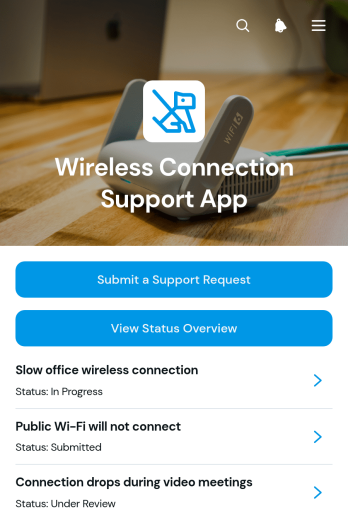
Wireless Connection Support App
The Wireless Connection Support App is a ready-to-use app template for IT teams, network support providers, property managers, schools, hospitality teams, and other organizations that handle connectivity issues. Employees, customers, residents, students, or guests can submit a support request, view a status overview, and review issue details with resolution updates from one accessible location. Centralizing these interactions helps support teams organize incoming cases, understand the affected connection and location, reduce repeated inquiries, and keep users informed while problems are investigated. It is well suited to offices, campuses, shared buildings, public venues, and managed facilities where dependable communication about wireless connection problems matters.Jotform Apps makes it easy to customize this app template without writing code. Use the drag-and-drop app builder to adjust pages, navigation, colors, fonts, and branded visual elements while maintaining a clear self-service experience. Teams can connect forms, tables, notifications, approvals, and other workflow steps to support consistent data collection and case management. Once the app is ready, publish it through a direct link, QR code, or embedded experience so users can access support from a phone, tablet, or computer.
Go to Category:Service & Support Portal Apps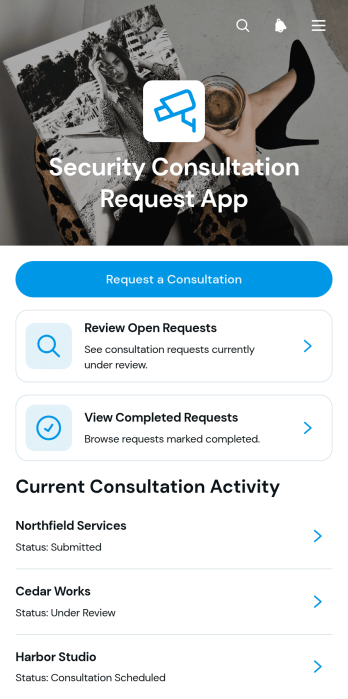
Security Consultation Request App
The Security Consultation Request App helps organizations collect, organize, and follow up on requests for professional security guidance. It is well suited to security consultants, risk advisory teams, facility managers, operations departments, and service providers that need a clear intake experience for clients or internal stakeholders. Requesters can submit a new consultation request, specify their security need and preferred contact method, and provide key organization details. Teams can review open and completed requests, check the current status and request reference, and contact the requester by email. This centralized approach reduces scattered inquiries, improves visibility across the consultation process, and gives staff a dependable record of pending and completed work.Built with Jotform Apps, this app template can be adapted without coding to match different consultation services and operational procedures. The drag-and-drop interface makes it easy to update pages, cards, buttons, navigation, and branding while connected forms support consistent data collection. Teams can organize request information in Jotform Tables, connect approvals or other workflow steps, and share the finished app through a direct link, QR code, or embedded experience. Jotform App Templates offer a practical starting point for creating mobile-friendly self-service experiences that help clients and employees submit requests while giving service teams an accessible place to manage follow-up.
Go to Category:Consulting Apps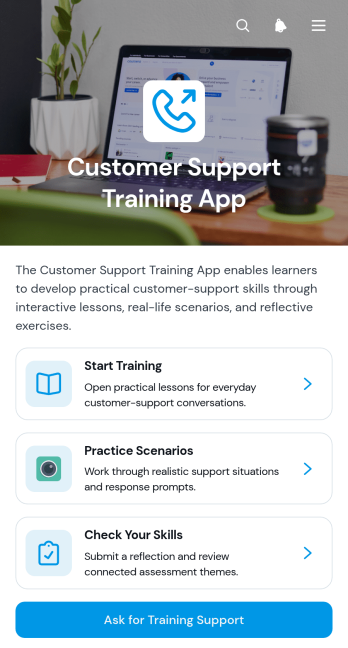
Customer Support Training App
The Customer Support Training App gives support teams a central place to develop service knowledge, practice customer interactions, and assess workplace skills. Support managers, training coordinators, human resources teams, and growing businesses can use it for new-hire onboarding, refresher training, coaching programs, or preparation for new service procedures. Learners can access lessons, work through practice scenarios, complete skills reflections, and request training support when they need additional guidance. This focused experience helps organizations deliver consistent instruction while giving employees a clear path through training activities.Jotform Apps makes it easy to turn this app template into a branded learning resource without writing code. Use the drag-and-drop app builder to adjust pages, navigation, visual elements, and training content for different roles or programs. Connected forms and tables can support data collection, feedback, and workflow automation, while direct links and QR codes make the app simple to share. Starting with Jotform App Templates also saves setup time, helping teams publish a mobile-friendly self-service training experience that can evolve with their customer support operations.
Go to Category:Resource & Learning Portal Apps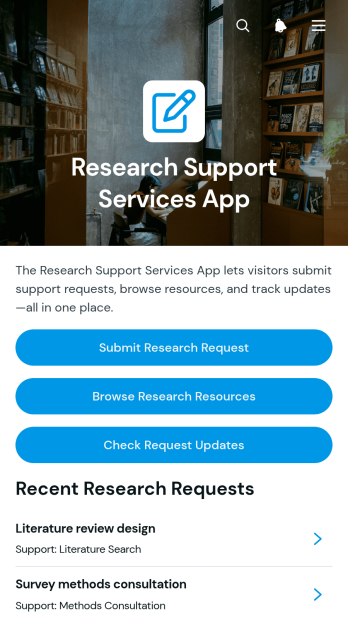
Research Support Services App
The Research Support Services App gives students, faculty members, analysts, librarians, and research teams a central place to request assistance and find relevant guidance. Users can submit a research request, browse available resources, and check request updates without relying on scattered emails or disconnected files. Universities, libraries, research offices, consulting teams, and nonprofit organizations can use it to support literature searches, data inquiries, methodology questions, resource referrals, and other research needs. By bringing service access and reference material together, the app helps researchers identify the right support sooner while giving service teams a clearer intake process.Jotform makes this app template easy to adapt with a no-code app builder and an intuitive drag-and-drop interface. Teams can update pages, organize resource navigation, connect request forms, and apply their own colors, fonts, and visual style. Related data collection and workflow tools can help staff manage incoming requests and keep information organized. Once the app is ready, it can be published and shared through a direct link or quick response code for convenient mobile access. Jotform App Templates offer a practical starting point for creating a branded self-service experience without writing code.
Go to Category:Resource & Learning Portal Apps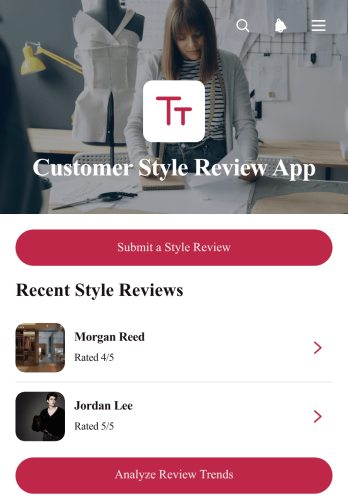
Customer Style Review App
The Customer Style Review App gives salons, stylists, image consultants, apparel retailers, and other style-focused service teams a central place to collect and review customer opinions after an appointment or purchase. Customers can submit a style review, while staff can browse feedback records, view review details, check service dates and categories, and analyze recurring trends. This app template helps businesses replace scattered messages with organized data collection, making it easier to understand preferences, identify service patterns, follow up on concerns, and recognize experiences that customers value. Managers and customer experience teams can use these insights to guide training, refine offerings, and support more personalized service.Jotform makes this Customer Style Review App easy to adapt with a no-code app builder and an intuitive drag-and-drop interface. Teams can adjust pages, buttons, visual elements, and branding without programming, then connect forms, tables, notifications, approvals, or other workflow steps as needed. The finished app can be shared by a direct link or QR code for convenient mobile-friendly self-service. Jotform App Templates provide a ready-made starting point, helping style businesses launch an engaging review experience quickly while keeping feedback accessible and useful.
Go to Category:Customer Engagement Apps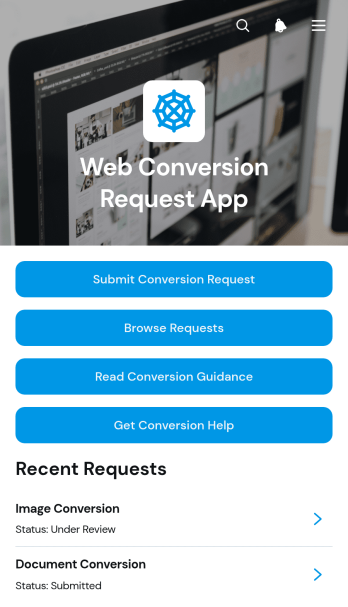
Web Conversion Request App
The Web Conversion Request App gives web production teams, information technology departments, digital agencies, and internal service groups a central place to receive and manage conversion requests. Requesters can submit a file, specify source and target formats, add notes, and seek troubleshooting help when requirements are unclear. Team members can browse submitted requests, review requester details, monitor current status, and consult conversion guidance. This shared experience reduces scattered email communication, clarifies expected outputs, and makes it easier to prioritize work across recurring conversion projects.Jotform Apps helps organizations turn this app template into a branded, self-service request hub without writing code. Using the drag-and-drop app builder, teams can adjust pages, navigation, buttons, and visual styling to match their process. The Web Conversion Request App can connect data collection forms with tables, notifications, approvals, and other workflow steps, keeping intake and follow-up work together. Start with ready-made App Templates, customize the experience for desktop and mobile users, then publish it through a direct link, personalized address, embedded experience, or QR code.
Go to Category:Service & Support Portal Apps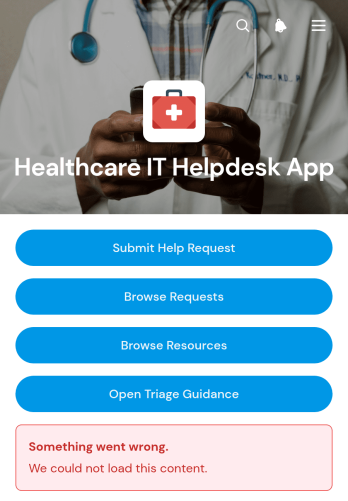
Healthcare IT Helpdesk App
The Healthcare IT Helpdesk App is a centralized support experience for hospital departments, clinics, medical practices, and other healthcare organizations that need a clear way to manage technology issues. Clinical staff, administrative teams, and IT support personnel can use it to submit help requests, browse existing requests, and consult troubleshooting resources or triage guidance. Bringing these actions together helps users report device and system problems with useful context, while support teams gain better visibility into urgency, status, department, and requester details. It can support everyday issues involving workplace devices, account access, software, connectivity, and internal systems without relying on scattered emails or informal messages.Jotform Apps makes this app template easy to adapt to an organization’s support process without coding. Using the drag-and-drop app builder, teams can update pages, navigation, branding, and content to create a familiar self-service destination. Connected forms, tables, notifications, and workflows can help organize data collection and route incoming requests to the appropriate support process. The finished app can be shared through a direct link or QR code, giving employees convenient mobile access to helpdesk actions and technical resources. Jotform App Templates also provide a practical starting point that can be expanded as support needs, internal guidance, and operational procedures evolve.
Go to Category:Information Technology Apps
Shared Inbox Management App
Shared Inbox Management App gives support, operations, and service teams a central place to receive and organize requests from customers, employees, or partners. This app template supports request submission, inbox browsing, status-based triage, and performance insights without scattering work across separate channels. Team members can review requester details, contact information, categories, priorities, creation dates, and request context before deciding what needs attention. It is well suited to small and medium-sized businesses managing customer questions, internal service requests, operational issues, or other shared workloads where visibility and clear prioritization matter.Jotform makes this Shared Inbox Management App easy to adapt with a no-code app builder and a flexible drag-and-drop interface. Teams can modify pages, navigation, cards, and branding while connecting the experience to forms, tables, approvals, notifications, and related workflows. Users can access self-service submission options and review their submitted requests, while staff gain an organized workspace for data collection and follow-up. Start with one of Jotform’s App Templates, customize it in the App Builder, and share the finished app through a direct link, custom link, embedded experience, or scannable code.
Go to Category:Team Collaboration Apps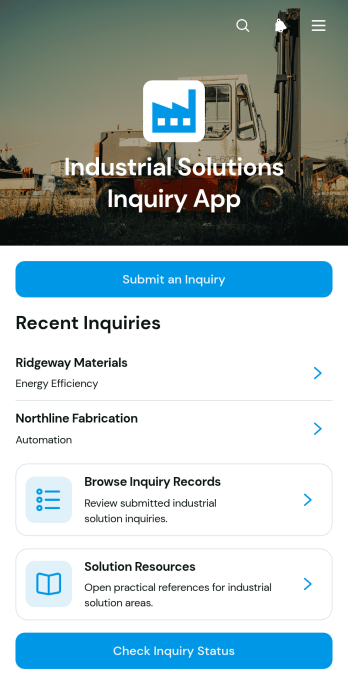
Industrial Solutions Inquiry App
Industrial Solutions Inquiry App is an app template for manufacturers, engineering firms, industrial consultants, and service teams that need a central place to receive and manage solution requests. Prospective customers can submit an inquiry with their organization, industry, operational requirements, and preferred contact details. Internal teams can browse inquiry records, review request details, and help contacts check an inquiry’s status. Curated resources also give users a direct path to information about automation, energy efficiency, process improvement, and equipment modernization. This organized experience helps sales, engineering, and customer service teams understand industrial needs, prioritize follow-up, and reduce scattered communication.Jotform App Templates make it easy to adapt this app template to an organization’s inquiry process without coding. Using the no-code app builder and its drag-and-drop interface, teams can update pages, buttons, branding, resources, and navigation from one workspace. The app can connect data collection forms with tables, notifications, approvals, and other workflow steps, creating a convenient self-service destination for prospects and staff. Once configured, it can be published for mobile-friendly access and shared through a direct link, QR code, or embedded experience.
Go to Category:Engineering Apps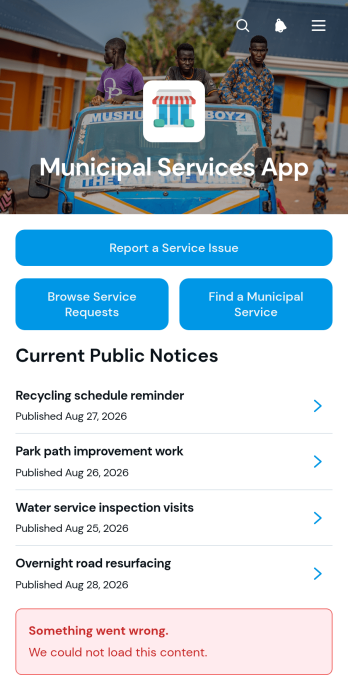
Municipal Services App
Municipal Services App provides residents with one convenient place to report local service issues, browse submitted requests, find municipal services, and read public notices. Municipal departments, local councils, public works teams, and community service offices can use this app template to make essential information and request options easier to access. It supports common scenarios such as reporting road damage, sanitation concerns, or facility problems while helping residents review service categories, locations, contact details, and request information. By bringing service discovery and issue reporting together, the app can reduce misdirected inquiries, improve public self-service, and give communities a clearer route to the right department.Jotform makes the Municipal Services App easy to tailor with a no-code app builder and a flexible drag-and-drop interface. Teams can adjust pages, navigation, colors, fonts, and visual elements to match municipal communication needs, then connect forms and tables to support data collection and workflow management. The app can be shared through a direct link, a scannable code, or an embedded experience, giving residents mobile-friendly access without requiring a complicated setup. Start with one of Jotform’s App Templates, customize the content, and publish a practical community resource in minutes.
Go to Category:Community & Engagement Portal Apps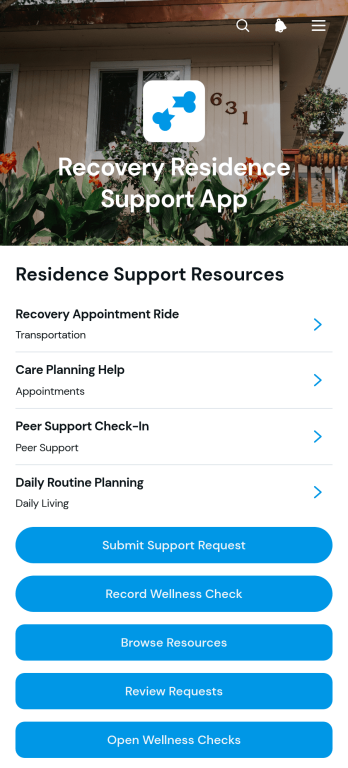
Recovery Residence Support App
The Recovery Residence Support App gives recovery housing teams and residents a central place to coordinate everyday support. Recovery residence operators, house managers, peer support staff, and nonprofit program teams can use it to make help easier to find and follow up on resident needs. Residents can browse support resources and recovery guidance, submit requests, and record wellness checks from one accessible location. Staff can review shared information and respond with greater context, helping reduce missed requests, scattered records, and uncertainty about available services. The app supports consistent communication while keeping residents connected to practical guidance throughout their stay.Jotform Apps helps organizations turn these processes into a branded, mobile-friendly experience without coding. Start with this app template, personalize pages and navigation through the drag-and-drop app builder, and connect forms or related workflows for organized data collection. Teams can adapt the content as programs evolve, control which resources and actions are available, and share the finished app through a direct link or QR code. Among Jotform App Templates, this option provides a practical foundation for resident self-service, staff coordination, and ongoing support management.
Go to Category:Mental Health Apps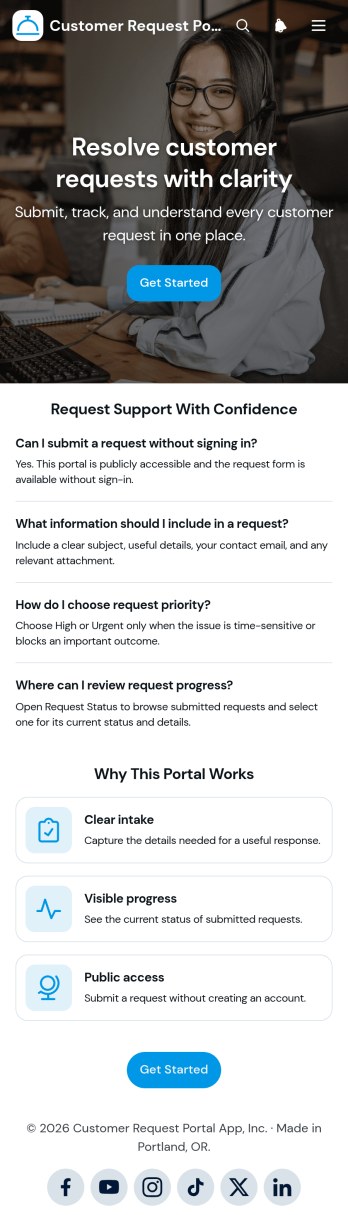
Customer Request Portal App
Customer Request Portal App gives customers a central place to submit support or service requests, follow their progress, and find guidance when help is needed. It suits customer service teams, service providers, contractors, property managers, and small to medium-sized businesses that need a clear intake process without relying on scattered emails or calls. Customers can provide request details and attachments, review submitted or in-progress requests, and open individual records to see current status information. Teams gain more consistent request data, better visibility into demand, and an organized path for responding to customer needs.With Jotform Apps, this app template can be adapted into a branded self-service experience without coding. Use the drag-and-drop interface to adjust pages, cards, buttons, and navigation, then connect forms and tables to support data collection and workflow management. Jotform App Templates also make it easy to add approval steps, notifications, or other connected processes as operations evolve. Once ready, the portal can be published and shared through a direct link or QR code, giving customers convenient access from phones, tablets, or computers while keeping important request resources in one location.
Go to Category:Customer Portal Apps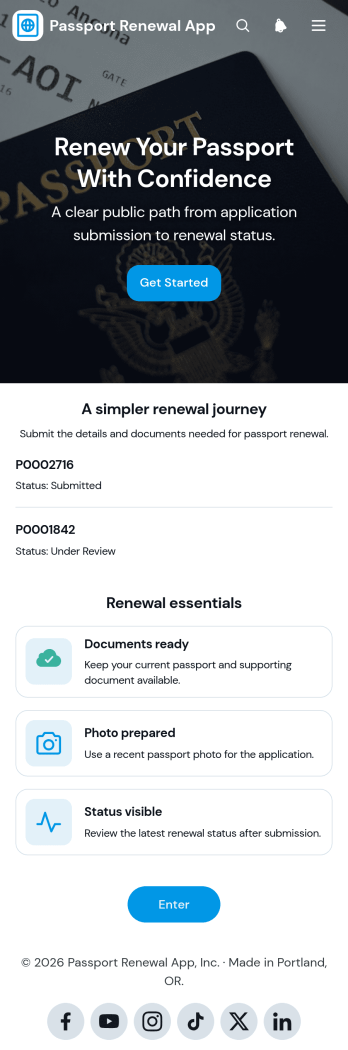
Passport Renewal App
Passport Renewal App provides a central place for collecting renewal requests, reviewing applicant details, confirming that essential documents and photos are ready, and displaying submission status. It suits travel service providers, administrative teams, consular support offices, and organizations that help individuals prepare passport renewal materials. Applicants can start a renewal form, consult a checklist, view their submitted information, and check progress without relying on scattered emails or paper records. This app template supports a clearer renewal journey while helping staff organize requests and respond to applicants more consistently.Jotform makes it easy to adapt this template with a no-code app builder and an intuitive drag-and-drop interface. Teams can update pages, cards, buttons, instructions, and branding, then connect the app to forms, tables, approvals, notifications, and other workflow tools. Among Jotform’s App Templates, this option offers a practical foundation for mobile-friendly data collection and applicant self-service. Publish it with a personalized link, share it by QR code, or embed it in an existing website to give users convenient access from almost any device.
Go to Category:Online Service Apps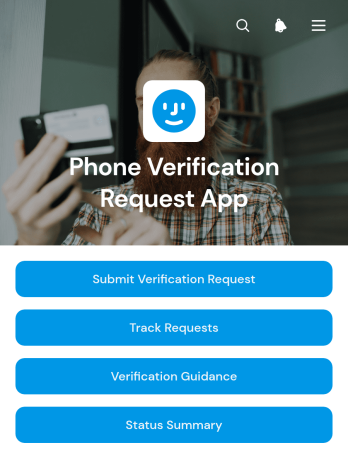
Phone Verification Request App
Phone Verification Request App provides a central place for collecting and managing requests to verify phone information. Support, operations, account management, and information technology teams can use it when customers, employees, contractors, or other approved users need a documented verification process. Requesters can submit their details, consult verification guidance, and track the progress of an existing request, while staff can review request information and monitor a status summary. This setup reduces scattered messages, clarifies next steps, and creates a more consistent experience for account reviews, contact detail updates, service enrollment, and internal record checks.Jotform makes this app template easy to adapt without coding. Its drag-and-drop app builder lets teams update pages, navigation, instructions, colors, and branding to reflect their own workflow. Connected forms support organized data collection, while tables, approvals, notifications, and other Jotform features can help route requests and coordinate follow-up. Teams can publish the finished app with a direct link, QR code, or embedded experience for convenient mobile-friendly self-service. Among Jotform’s App Templates, this option offers a practical starting point that can be customized and launched quickly.
Go to Category:Service & Support Portal Apps
Software Removal Request App
The Software Removal Request App is a centralized request experience for employees, IT teams, service desks, and system administrators coordinating the removal of unwanted or obsolete software. Users can submit a removal request with the software name, requester details, device or system, preferred removal date, reason, and supporting notes. They can also browse existing requests, review individual request details and statuses, and consult removal guidance with relevant steps and important notes. This app template helps organizations replace scattered emails and informal messages with a consistent intake process, clearer records, and convenient self-service access.Jotform makes this Software Removal Request App easy to adapt without coding. Use the no-code app builder and drag-and-drop interface to update pages, navigation, branding, and instructions for your organization. Connect forms and tables to support data collection, organize request records, and build a practical workflow for follow-up. The app can be shared through a direct link or QR code, giving employees mobile-friendly access while helping IT teams keep request information and guidance together. Start with one of Jotform’s App Templates, customize it, and publish an interactive resource that fits your internal support process.
Go to Category:Information Technology Apps
Legal Referral App
The Legal Referral App is a ready-to-use template for legal service teams, referral coordinators, community organizations, consultants, and other groups that connect people with appropriate legal resources. It provides a clear starting point for collecting essential referral details, organizing requests by legal matter type, and reviewing referral progress. Users can also browse relevant resources and view practical guidance before starting a request. By bringing client information, urgency, preferred contact methods, referral pathways, and provider details into one accessible experience, the app helps teams reduce scattered communication, route requests more consistently, and give clients a simpler self-service option.Jotform makes it easy to adapt this app template to an organization’s referral process without writing code. The drag-and-drop App Builder lets teams update pages, navigation, cards, buttons, fonts, colors, and other visual elements while connecting forms and data collection tools to a broader workflow. Teams can publish the finished app through a direct link or QR code for convenient mobile access. With Jotform App Templates, organizations can create a branded referral experience that supports clearer intake, resource navigation, internal collaboration, and timely follow-up.
Go to Category:Legal Apps