

Inventory Management Apps

Inventory Organizer App
An Inventory Organizer App helps you keep product records in one place, view an inventory overview at a glance, and stay on top of what’s running low. It’s a practical fit for retail teams, warehouses, e-commerce sellers, offices managing supplies, and any operation that needs a clear system for tracking items and monitoring stock movements without relying on scattered spreadsheets. With dedicated areas for items, movements, and low stock, it supports day-to-day inventory organization, faster lookups, and more consistent restocking decisions.Jotform makes it easy to turn this inventory workflow into a shareable, mobile-friendly experience using App Templates and a no-code app builder. Customize pages with a drag-and-drop interface, connect the app to your existing data collection forms, and keep information flowing into the right workflow as your team updates inventory. Publish with a link for self-service access, standardize how stock updates are logged, and keep everyone aligned from receiving to reordering.
Go to Category:Inventory Apps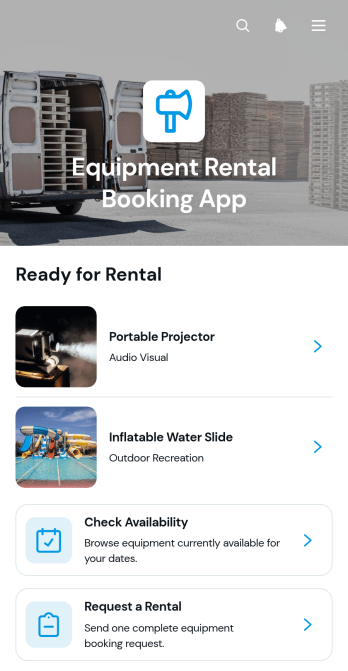
Equipment Rental Booking App
The Equipment Rental Booking App is an app template for rental businesses, construction suppliers, event equipment providers, and operations teams that need a convenient way to present rentable equipment and collect requests. Customers can browse equipment listings, review essential rental details such as daily rates, capacity, descriptions, and availability, then open a connected form to request a rental. It supports a clearer self-service experience while helping staff reduce incomplete inquiries, organize booking interest, and guide customers toward suitable equipment without relying on lengthy phone or email exchanges.With Jotform Apps, teams can customize this Equipment Rental Booking App through a no-code app builder and an intuitive drag-and-drop interface. Update pages, visual elements, navigation, and branding to match the rental experience you want to provide. Connected forms support data collection, while Jotform Tables, notifications, approvals, and related workflow tools can help teams manage incoming requests. Start with one of Jotform’s ready-made App Templates, publish quickly, and share the finished app through a direct link, QR code, or embedded experience for easy mobile access.
Go to Category:Rental Apps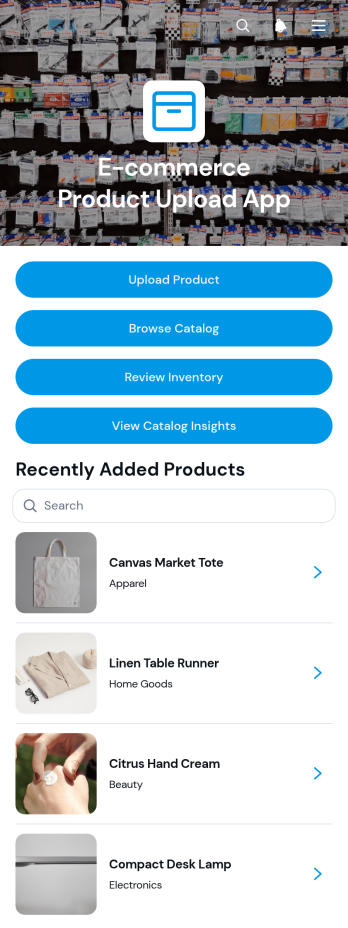
E-commerce Product Upload App
E-commerce Product Upload App gives online retailers, marketplace operators, merchandising teams, and inventory managers a central place to add products and prepare them for sale. Users can upload product information, browse a visual catalog, and review inventory details without switching between disconnected resources. This app template is useful when teams need consistent product records, clearer review steps, and faster access to pricing, category, stock, description, and approval information. It supports smoother data collection for new listings while helping managers monitor catalog readiness and reduce incomplete or duplicated entries.Jotform App Templates make it easy to turn recurring commerce tasks into accessible digital experiences. With Jotform’s no-code app builder and drag-and-drop interface, teams can adapt pages, navigation, colors, and branding to match their operations. Connect forms, tables, notifications, and workflows to keep product information organized and alert the right people when updates arrive. Once customized, the app can be shared through a direct link or QR code, giving staff a mobile-friendly way to contribute product data and access catalog resources from almost anywhere.
Go to Category:E-commerce Apps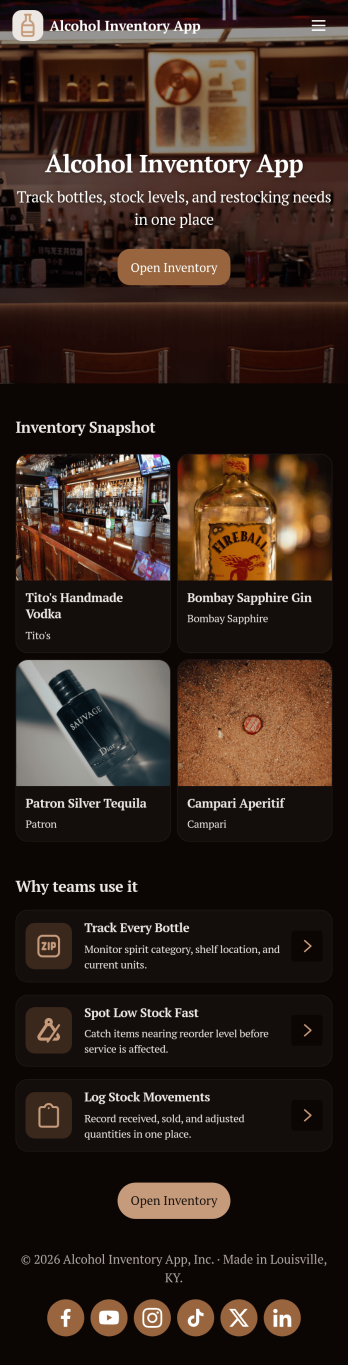
Alcohol Inventory App
Alcohol Inventory App helps bars, restaurants, tasting rooms, and retail beverage teams keep a clear, up-to-date view of what’s on hand and what needs attention. It brings your bottle list into one place for quick inventory browsing, provides a simple way to log stock changes, and highlights low-stock items so managers can act before service is impacted. Whether you’re tracking a busy back bar, a storeroom, or multiple shelving areas, this app supports tighter counts, fewer missed reorders, and smoother handoffs between shifts.With Jotform App Templates, you can turn your inventory workflow into a mobile-friendly, self-service experience without coding. Use Jotform’s no-code app builder and drag-and-drop interface to tailor pages, buttons, and lists to match your venue’s process, then connect your app to forms and tables for consistent data collection. Share a single link with staff, keep stock logs organized, and update the app as your menu or product mix changes.
Go to Category:Food & Beverage Apps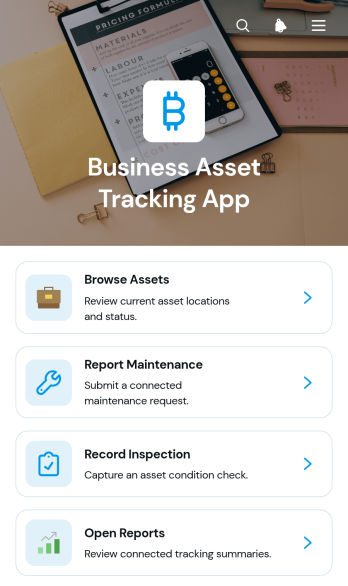
Business Asset Tracking App
Business Asset Tracking App gives operations teams, office managers, warehouse staff, and field service businesses a central place to monitor company equipment and other physical assets. This app template supports asset browsing, maintenance requests, inspection records, and report access without scattering information across spreadsheets, emails, and paper files. Staff can review an asset’s type, status, location, assignment, and condition before reporting an issue or recording an inspection. It is useful for businesses managing tools, machinery, technology, furniture, vehicles, or shared equipment across one or more locations. Clear records help teams understand where assets are, who is responsible for them, and which items may need attention.With Jotform Apps, organizations can customize the Business Asset Tracking App through a no-code app builder and an intuitive drag-and-drop interface. Add forms, tables, navigation cards, branded pages, and connected workflows to support data collection and employee self-service from one accessible experience. Teams can adjust the layout and content to match their asset management process, receive updates from linked forms, and keep records organized in connected tables. Once the app is ready, publish and share it through a direct link or scannable code so authorized staff can access asset information from a computer, tablet, or mobile device.
Go to Category:Inventory Management Apps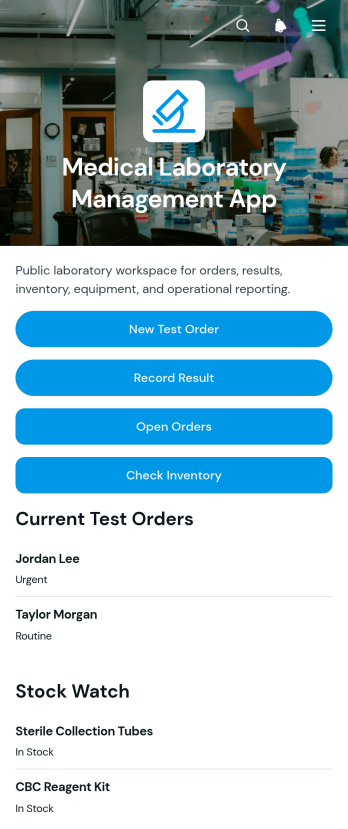
Medical Laboratory Management App
The Medical Laboratory Management App is a ready-to-use app template for diagnostic laboratories, clinic labs, hospital departments, and testing teams that need one organized workspace for routine operations. Staff can create test orders, record and review results, monitor open requests, and check laboratory inventory without relying on scattered files. It also supports equipment service logging, helping laboratory managers coordinate testing activity, supplies, and maintenance schedules. Clear record views give authorized team members quick access to patient order details, test values, reference ranges, stock levels, storage information, expiration dates, and upcoming equipment service needs.Jotform App Templates make it easier to turn connected processes into accessible digital experiences. With Jotform’s no-code app builder and drag-and-drop interface, teams can customize the Medical Laboratory Management App with branded pages, navigation, forms, tables, and automated workflows. Laboratories can adapt data collection steps, organize records for everyday use, and send notifications when connected actions occur. The finished app can be shared through a direct link or QR code, giving staff mobile-friendly access to operational tools from one central location.
Go to Category:Healthcare Apps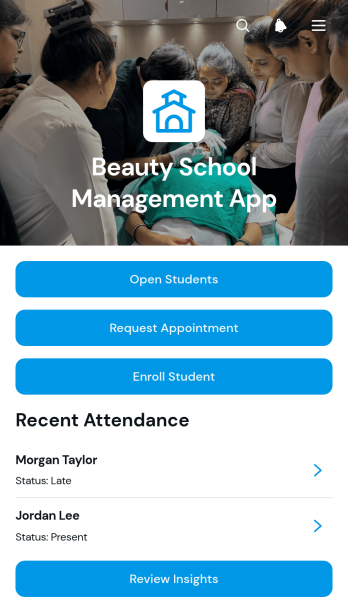
Beauty School Management App
Beauty School Management App is an app template for cosmetology schools, training academies, instructors, and administrators who need one place to coordinate daily academic and operational work. It brings student enrollment, course browsing, appointment requests, attendance records, assessments, and inventory updates into an accessible experience. Staff can review student profiles and progress while instructors record class participation and performance feedback. School teams can also monitor products and supplies, identify restocking needs, and keep essential information easier to find. This connected approach reduces scattered records, supports consistent instruction, and gives administrators clearer insight into student services and classroom activity.Jotform makes this app template easy to adapt with a no-code app builder and a flexible drag-and-drop interface. Teams can update pages, buttons, visual elements, and navigation to match their programs without writing code. Forms and tables can support data collection, workflow steps, notifications, and organized recordkeeping, while self-service access helps students or service requesters complete relevant actions. Like other Jotform App Templates, the finished app can be shared through a direct link or QR code and accessed from mobile devices, giving beauty schools a practical way to manage resources as their training programs grow.
Go to Category:School Management Apps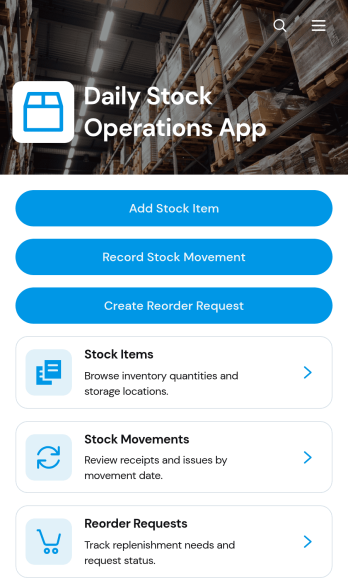
Daily Stock Operations App
Daily Stock Operations App gives inventory teams a central place to manage routine stock activity across warehouses, storerooms, retail locations, restaurants, and other supply environments. Staff can add stock items, record incoming or outgoing movements, review current quantities and reorder levels, and create reorder requests when supplies run low. Inventory coordinators, warehouse personnel, purchasing teams, and operations managers can use this app template to replace scattered records with a consistent daily workflow. Clear item and movement views help teams investigate changes, maintain more accurate records, and make timely replenishment decisions.With Jotform Apps, organizations can adapt the Daily Stock Operations App without writing code. The drag-and-drop app builder makes it easy to update pages, navigation, buttons, visual branding, and connected forms while keeping stock resources accessible in one mobile-friendly experience. Teams can connect data collection to Jotform Tables, approvals, notifications, and other workflows as their processes evolve. Publish the finished app using a direct link or QR code so authorized staff can access operational tools from a phone, tablet, or computer. Starting from one of Jotform’s ready-to-use App Templates also reduces setup time while leaving room to tailor the experience to each location or team.
Go to Category:Inventory Management Apps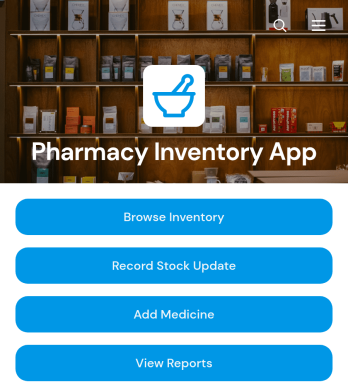
Pharmacy Inventory App
Pharmacy Inventory App is an app template for pharmacies, dispensaries, healthcare facilities, and inventory teams that need a clear view of medicine stock. Staff can browse the medicine inventory, record stock updates, and review reports from one organized location. Medicine records can include stock levels, reorder points, categories, storage locations, and expiry dates, helping teams identify replenishment needs and maintain more accurate records. The app supports routine stock checks, medicine intake, inventory reviews, and day-to-day coordination without relying on scattered spreadsheets or paper logs.Jotform App Templates make it easy to adapt this experience to the way your pharmacy operates. Using Jotform’s no-code app builder and drag-and-drop interface, you can adjust pages, branding, buttons, and navigation without programming. Connect forms for structured data collection, organize records through related workflows, and give authorized staff convenient self-service access from phones, tablets, or computers. The finished Pharmacy Inventory App can be shared through a direct link, QR code, or embedded experience, creating a practical resource for managing inventory activity.
Go to Category:Inventory Management Apps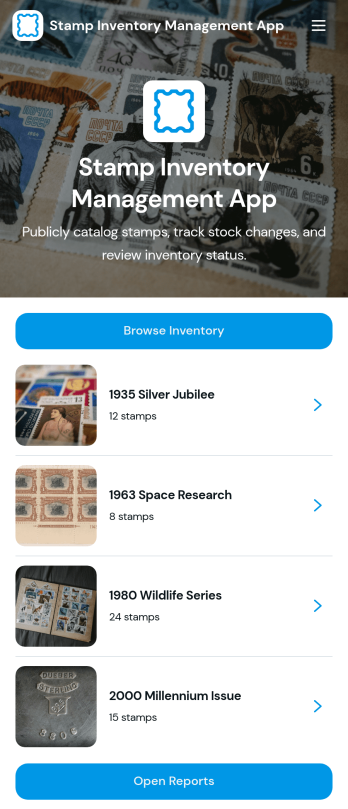
Stamp Inventory Management App
Stamp Inventory Management App helps collectors, dealers, museum archives, and hobby clubs keep a clear record of stamp holdings across storage locations. Use it to browse inventory by stamp name, open a stamp record to review quantity and condition, and quickly navigate to location-based views when you need to find items fast. With an easy way to add new stamp records and adjust stock, this app supports day-to-day catalog upkeep, trades, show prep, insurance documentation, and periodic collection audits without relying on scattered notes or spreadsheets.Jotform makes it simple to turn your process into a mobile-friendly self-service experience using app templates and a no-code app builder. With a drag-and-drop interface, you can tailor pages, navigation, and visuals to match how you organize your collection, then connect the app to your data collection workflows and reporting needs. Share the app with collaborators, keep information centralized, and maintain an up-to-date stamp inventory that’s easy to review and manage from anywhere.
Go to Category:Inventory Management Apps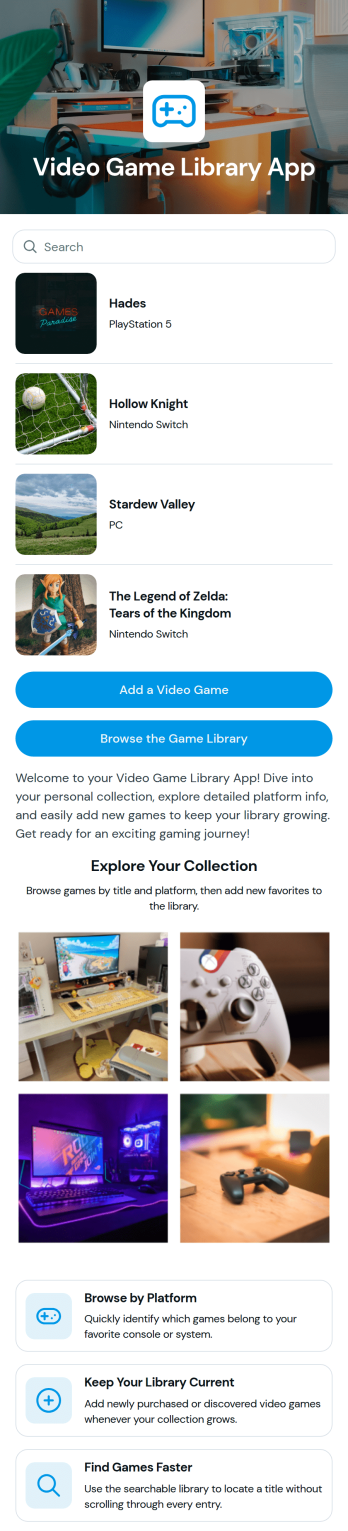
Video Game Library App
Video Game Library App helps you organize and browse your game collection in one place, whether you’re managing a personal backlog, sharing a household library, or keeping track of club or community favorites. Use it to quickly add new titles as you buy, borrow, or finish games, then return anytime to browse your library when you’re deciding what to play next. It’s a practical option for gamers, parents managing family consoles, retro collectors, and gaming groups who want a simple way to keep their catalog up to date.Jotform makes it easy to build and publish app templates like this with a no-code app builder and a drag-and-drop interface. Connect buttons to forms for fast data collection, keep your list of games organized, and share your app as a self-service experience for friends or teammates. As your library grows, you can customize the layout, update the look and feel, and expand the workflow to fit how you track and manage your collection.
Go to Category:Entertainment Apps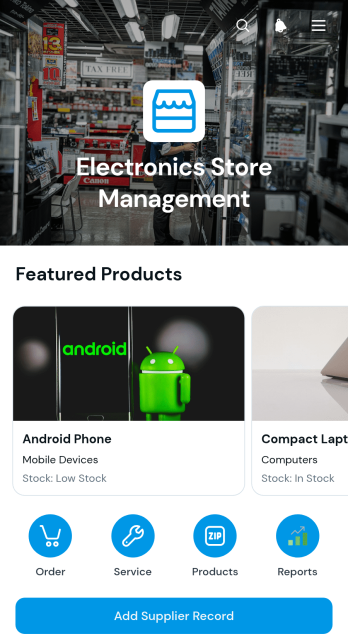
Electronics Store Management App
The Electronics Store Management App gives electronics retailers a central place to organize products, monitor stock status, maintain supplier records, and receive product orders. Store owners, purchasing teams, sales staff, and inventory managers can use this app template to browse product information, review customer and requester records, and keep supplier contact details and notes accessible. It is particularly useful for independent stores, online electronics sellers, repair shops with retail inventory, and growing retail teams that need clearer oversight of merchandise and purchasing activity. By bringing ordering, inventory visibility, and supplier information together, the app reduces scattered records and helps staff respond to product demand with greater consistency.Jotform App Templates make it easy to adapt the Electronics Store Management App to existing retail operations without writing code. The no-code app builder offers a drag-and-drop interface for updating pages, navigation, buttons, images, and branded design elements. Teams can connect forms for data collection, route information into organized tables, add approval or payment steps, and support workflows for product requests and supplier updates. Once customized, the app can be published with a direct link or QR code for mobile-friendly access, giving employees a convenient self-service resource for daily store management.
Go to Category:Electronics Selling App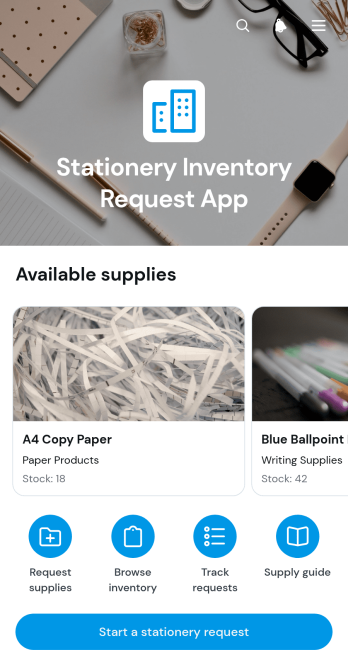
Stationery Inventory Request App
The Stationery Inventory Request App gives employees and operations teams one place to browse available office supplies, check current stock and reorder points, and submit item requests. It is well suited to workplaces, schools, nonprofits, shared offices, and administrative departments that need a clearer process for distributing stationery. Requesters can review item information before choosing a quantity, while inventory coordinators gain more consistent request data for planning purchases and replenishment. Helpful guidance can also be published alongside the request process, reducing common questions and making self-service easier for staff.Built with Jotform Apps, this app template can be adapted to match an organization’s inventory workflow without coding. Use the drag-and-drop app builder to update pages, buttons, visual elements, and navigation, then connect forms and tables for organized data collection and record management. Jotform App Templates are mobile-friendly and easy to share through a direct link, custom app URL, QR code, or embedded experience. Teams can apply their own branding, adjust the supply catalog, and publish a convenient resource that supports everyday stationery requests from any device.
Go to Category:Inventory Management Apps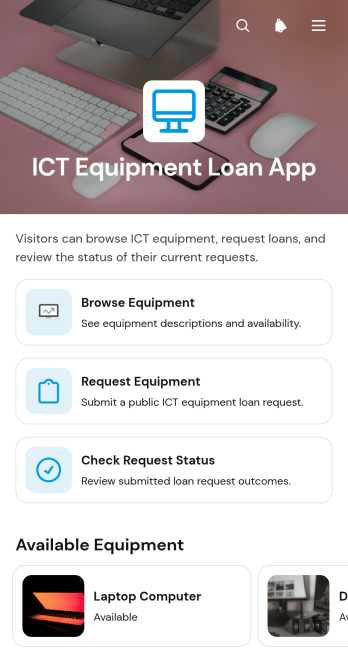
ICT Equipment Loan App
The ICT Equipment Loan App helps schools, universities, IT departments, libraries, offices, and community organizations manage the temporary lending of computers, tablets, monitors, audiovisual devices, and other technology. Staff and eligible borrowers can browse available equipment, review essential loan details, submit a request, and check request status from one central location. This app template reduces scattered email requests, gives borrowers clearer access to equipment information, and supports a more organized handoff between requesters and the teams responsible for shared technology.With Jotform Apps, organizations can adapt this ICT Equipment Loan App without writing code. The drag-and-drop app builder makes it easy to update pages, navigation, buttons, images, and branding while connecting request forms to tables, notifications, approvals, and other workflows. Teams can publish a mobile-friendly self-service experience, share it through a direct link or QR code, and revise equipment information as needs change. Starting with one of Jotform’s App Templates saves setup time while leaving room to tailor data collection and loan processes.
Go to Category:Information Technology Apps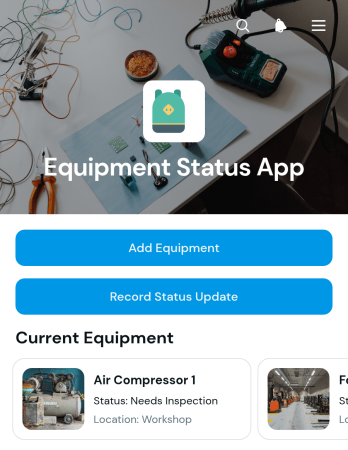
Equipment Status App
The Equipment Status App is a centralized resource for recording equipment, reviewing current condition details, and documenting status updates and inspections. It gives maintenance teams, warehouse supervisors, field service crews, contractors, and operations managers a convenient way to see where equipment is located, when it was last inspected, and whether it is ready for use. Teams can add equipment, record status changes, and submit inspection results from one accessible experience. This app template is particularly useful for organizations managing tools, machinery, facility assets, rental equipment, or field equipment across multiple locations. It improves visibility, supports timely maintenance decisions, and replaces scattered spreadsheets or paper logs with consistent data collection.Jotform makes the Equipment Status App easy to adapt with a no-code app builder and an intuitive drag-and-drop interface. Customize pages, navigation, colors, fonts, and branding to fit your operational workflow, then connect forms and tables to organize incoming records. Jotform App Templates help teams create mobile-friendly self-service experiences without programming knowledge. Once the app is ready, publish it with a personalized link, distribute it through a QR code, or embed it in an existing resource. Updates made through connected forms can support notifications and related workflows, helping staff communicate equipment information and maintain a dependable operational record.
Go to Category:Equipment Maintenance Software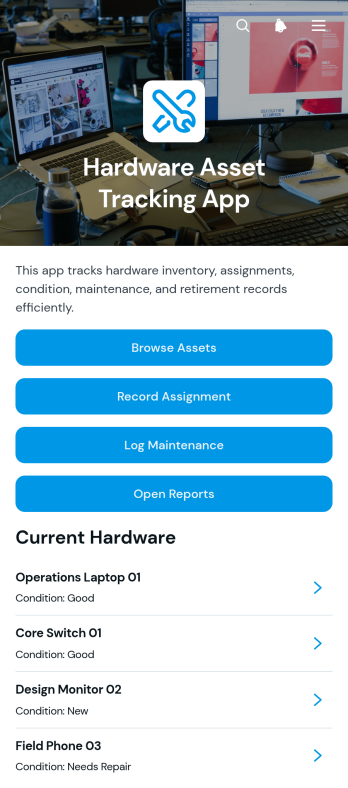
Hardware Asset Tracking App
The Hardware Asset Tracking App is an app template for IT departments, operations teams, schools, offices, warehouses, and growing businesses that need a central place to monitor physical technology assets. Users can browse asset records, document assignments to employees or locations, and log maintenance activity while keeping reporting accessible from the same experience. It helps teams understand who has each device, review its condition and service history, reduce misplaced equipment, and maintain more dependable records throughout the asset lifecycle. Staff can use it during equipment distribution, returns, audits, repairs, replacements, and routine inventory reviews.Jotform Apps makes this template easy to adapt with a no-code app builder and an intuitive drag-and-drop interface. Add or reorganize pages, update branding, connect forms and tables for data collection, and support workflows with notifications or approval steps. The finished app can be shared by a direct link and accessed from phones, tablets, or computers, giving authorized team members convenient self-service access wherever hardware is issued or maintained. Jotform App Templates help organizations turn scattered asset processes into a connected, mobile-friendly experience without writing code.
Go to Category:Inventory Management Apps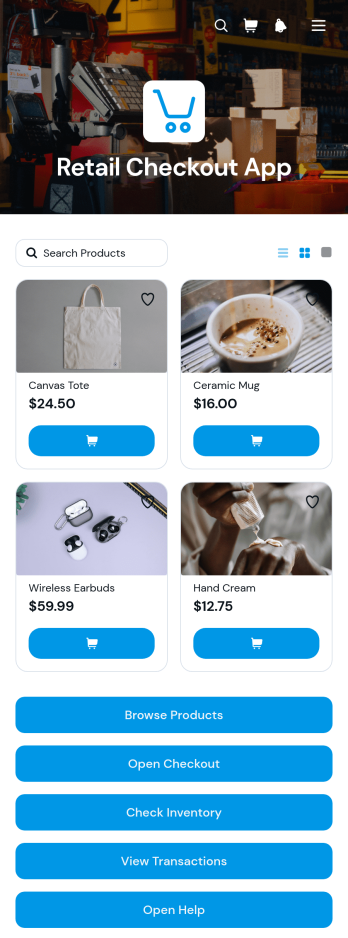
Retail Checkout App
The Retail Checkout App is an app template for retailers that need a central, easy-to-use experience for handling in-store sales. Store owners, cashiers, sales associates, and operations teams can use it for product browsing, checkout access, and reviewing inventory or transaction records. It is well suited to boutiques, pop-up shops, market stalls, and growing retail businesses seeking to reduce manual lookups and keep essential sales activities organized. By bringing purchase actions and current product information together, the app helps staff serve shoppers more consistently, monitor stock availability, and maintain clearer oversight of daily transactions.Jotform Apps makes this Retail Checkout App easy to adapt with a no-code app builder and a flexible drag-and-drop interface. Teams can customize pages, buttons, visual styling, and navigation while connecting forms, tables, payments, and workflow steps that support data collection and retail operations. As part of Jotform’s App Templates, this ready-made app template offers a practical starting point without requiring programming knowledge. Publish it for mobile-friendly access, share it by link or QR code, and update its content as products, inventory needs, or checkout processes change.
Go to Category:Retail Apps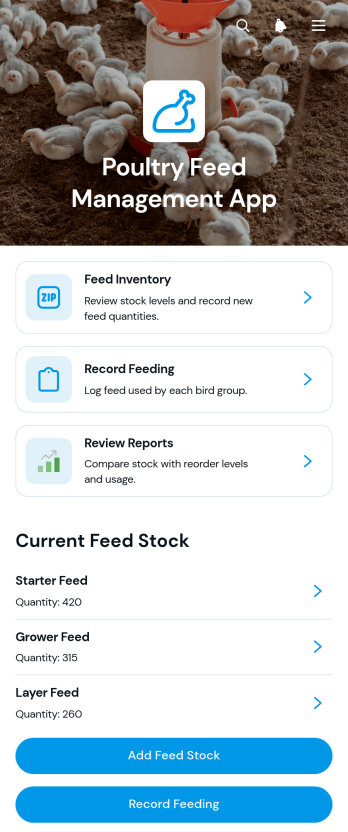
Poultry Feed Management App
The Poultry Feed Management App is a ready-to-use app template for poultry farmers, farm managers, feed coordinators, and agricultural teams that need a clearer view of feed usage and stock. It brings feed inventory, feeding records, supplier information, and operational reports into one accessible space. Users can monitor available quantities and reorder levels, record feed given to each bird group, and review supplier prices and contact details. Keeping these records together helps farms avoid unexpected shortages, maintain consistent feeding routines, compare purchasing options, and make better-informed decisions about feed costs.Jotform makes this Poultry Feed Management App easy to adapt with a no-code app builder and a flexible drag-and-drop interface. Connect forms and tables to support data collection, organize records, and create a practical workflow for daily farm operations. Teams can update the layout, add branded visual elements, adjust navigation, and share the finished app through a direct link or QR code. Jotform App Templates also support mobile-friendly self-service access, giving authorized farm staff a convenient way to enter feeding activity, check inventory, and find current supplier records from almost any device.
Go to Category:Inventory Management Apps
IP Address Management App
IP Address Management App gives IT teams, network administrators, managed service providers, and growing organizations a central workspace for organizing address allocations and subnet information. Teams can browse an IP directory, distinguish available addresses from allocated ones, and review associated network, hostname, and assignee details. They can also maintain subnet records and submit change requests with supporting context, helping reduce duplicate assignments, scattered spreadsheets, and unclear ownership. The template is useful for routine network administration, infrastructure planning, office expansions, device deployments, and internal audits where accurate records support faster decisions.Jotform makes this app template easy to adapt with a no-code app builder and a flexible drag-and-drop interface. Customize pages, navigation, colors, typography, and branding to match existing IT processes, then connect forms and tables to support data collection and organized workflows. Teams can add approval steps, trigger notifications, and provide controlled self-service access for staff who need to request network changes. Publish the finished app with a direct link, share it by QR code, or embed it in an internal resource center for convenient access across desktop and mobile devices.
Go to Category:Information Technology Apps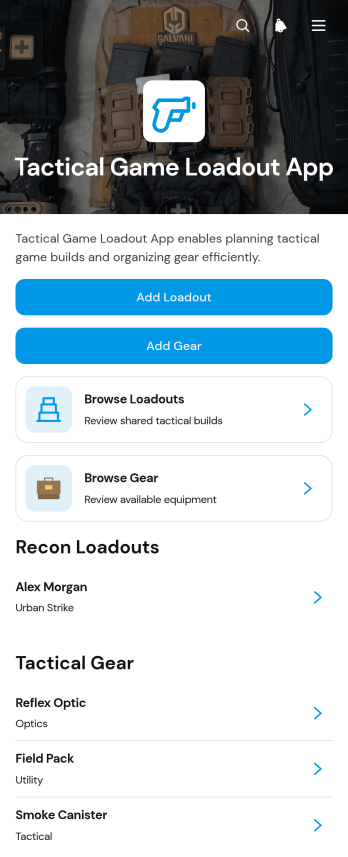
Tactical Game Loadout App
The Tactical Game Loadout App helps players, teams, gaming communities, and event organizers document and compare equipment setups for tactical games. Users can add loadouts, record individual gear, browse saved configurations, and review key details such as primary and secondary selections, equipment, compatible games, quantities, and field notes. Keeping this information in one organized location makes it easier to prepare for matches, share recommended setups, avoid missing gear, and adjust configurations for different game formats. It can support individual planning, team equipment libraries, community reference collections, and loadout discussions before an event.With Jotform’s no-code app builder, this app template can be adapted to match different play styles and group needs without programming. Use the drag-and-drop interface to update pages, cards, buttons, navigation, colors, and visual branding. Connected forms simplify data collection when players add loadouts or gear, while organized records support a clearer workflow for maintaining the library. Once the app is ready, share it through a direct link or QR code so participants can access the latest information from a phone, tablet, or computer. Jotform App Templates offer a practical starting point for creating a polished self-service resource quickly.
Go to Category:Entertainment Apps
Auto Parts POS App
Auto Parts POS App is an app template for auto parts stores, repair shops, dealership parts departments, and warehouse counters that need a convenient way to browse inventory and document sales. Staff can find parts, review essential details such as price, stock, storage location, and vehicle fitment, then record a sale from the same experience. They can also add inventory parts and create service requests when an item requires follow-up. By bringing product lookup, sales records, and inventory information together, the app helps counter teams serve customers faster, reduce manual searching, and maintain clearer day-to-day records.Jotform App Templates make it easy to adapt this Auto Parts POS App to the processes of a specific automotive business. Using Jotform’s no-code app builder and drag-and-drop interface, teams can update pages, branding, navigation, and connected forms without programming. The app can connect data collection with tables, notifications, approvals, and other workflow steps, giving employees a mobile-friendly resource for inventory and sales activity. Publish it with a direct link or QR code to provide authorized team members with convenient self-service access from phones, tablets, or computers.
Go to Category:Automotive Apps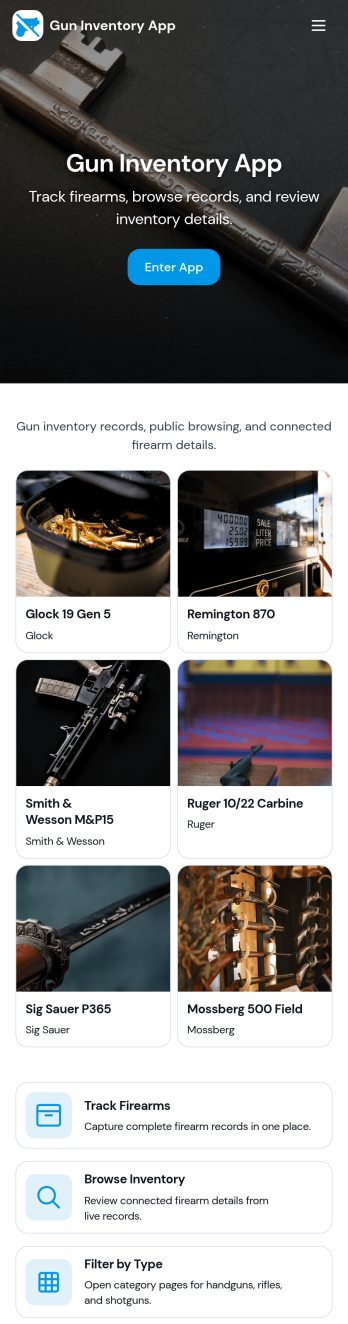
Gun Inventory App
Gun Inventory App helps organizations track firearm records in one place, from intake to ongoing oversight. It supports day-to-day inventory visibility, receiving logs, periodic audits, and incident reporting so teams can stay organized when items move, counts change, or issues occur. This template fits businesses managing stock, ranges managing assigned equipment, and operations teams that need a clear view of what is on hand and what has been recorded over time.With Jotform, you can publish this app template quickly and tailor it to your process using a no-code app builder and a drag-and-drop interface. Connect forms to your lists to capture new records, update existing entries, record audit activity, and submit incident reports, then share the app as a self-service experience for staff. Data collection stays consistent across pages, helping your workflow run smoothly as your inventory grows.
Go to Category:Inventory Apps
Construction Inventory App
Construction Inventory App helps construction teams keep materials and supplies organized across jobsites, trucks, and storage areas. Use it to browse your inventory list, record stock-in activity, and flag low-stock items before they slow down work. It’s a practical fit for contractors, site supervisors, warehouse staff, and project managers who need a clear view of what’s on hand, what’s been added, and what needs replenishing without chasing updates through calls or spreadsheets.With Jotform, you can publish this app template as a simple self-service experience for your crew and connect it to the forms and data behind your process. Build and adjust your app with a drag-and-drop interface, control how people navigate between inventory pages, and keep entries consistent by routing updates through connected forms. As your workflow evolves, you can refine what gets tracked, standardize recounts, and share stock status when stakeholders need a quick snapshot.
Go to Category:Construction Apps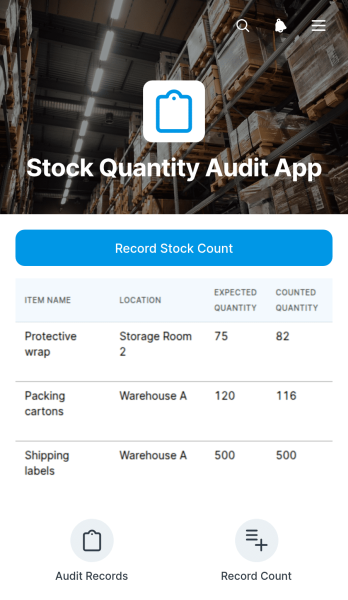
Stock Quantity Audit App
Stock Quantity Audit App gives warehouse teams, retail staff, inventory managers, and operations personnel a focused way to conduct physical stock checks and document quantity differences. Users can record a stock count through a connected form, browse previously counted items, and compare each item’s expected quantity with the quantity found during the audit. This app template is useful for routine cycle counts, warehouse reviews, retail shelf checks, stockroom inspections, and discrepancy investigations. By keeping count entry and item-level results in one accessible experience, it reduces reliance on paper checklists, supports more consistent data collection, and helps teams identify shortages or surpluses that may require further action.Jotform App Templates make it easy to adapt this experience to an organization’s inventory workflow without writing code. With Jotform’s no-code app builder and drag-and-drop interface, teams can update pages, adjust navigation, apply their own visual style, and connect forms, tables, approvals, or notifications as their process develops. The finished Stock Quantity Audit App can be shared by link or QR code for convenient mobile access, giving staff a practical self-service resource for entering counts and reviewing audit information wherever inventory is stored.
Go to Category:Audit Apps