

Inventory Management Apps

Yard Inventory Dashboard App
Yard Inventory Dashboard App is an app template for tracking materials, equipment, supplies, and other stock stored across outdoor yards or designated storage areas. Yard managers, warehouse teams, contractors, construction crews, and operations staff can browse inventory records, add new items, and review inventory insights from one organized dashboard. Each record can show essential details such as item name, quantity, yard location, and notes, helping teams find stock faster and maintain clearer records. It supports routine stock checks, material planning, item intake, and inventory updates while reducing reliance on scattered spreadsheets or paper logs.Jotform Apps makes this Yard Inventory Dashboard App easy to adapt with a no-code app builder and drag-and-drop interface. Teams can update pages, navigation, colors, fonts, and branding, then connect forms and tables to support data collection and inventory workflows. The app can be shared through a direct link or QR code for convenient mobile access in the yard, office, or warehouse. Starting with Jotform App Templates also saves setup time while giving organizations the flexibility to create a practical self-service resource for staff, supervisors, and field teams.
Go to Category:Inventory Management Apps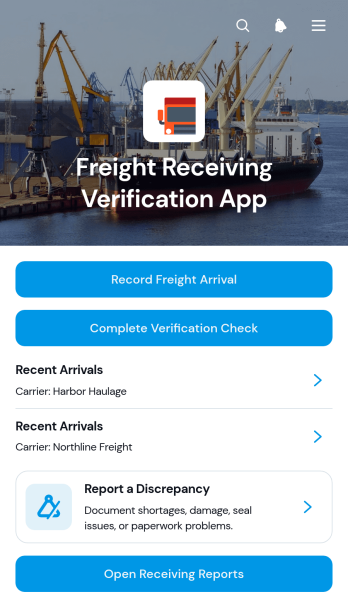
Freight Receiving Verification App
The Freight Receiving Verification App gives warehouse teams, receiving clerks, logistics coordinators, and operations managers a central place to document and check inbound freight. Staff can record an arrival, complete a verification check, and report a discrepancy when package quantities, seals, or shipment conditions do not match expectations. Recent arrivals and receiving reports keep shipment information accessible for follow-up, helping distribution centers, storage facilities, retailers, and transportation operations maintain dependable receiving records. By comparing expected and actual package counts, teams can identify issues earlier and create a clearer handoff between dock personnel, inventory staff, and supervisors.Jotform App Templates help organizations turn recurring processes into accessible digital experiences without writing code. Customize this app template with the no-code app builder and its drag-and-drop interface, then connect forms, tables, notifications, approvals, and other workflow steps as needed. Teams can adjust pages, branding, buttons, and navigation to fit their receiving process while keeping data collection in one organized location. Publish the app for mobile-friendly access and share it through a direct link or QR code so authorized staff can record freight activity and review information wherever receiving work takes place.
Go to Category:Warehouse Management Apps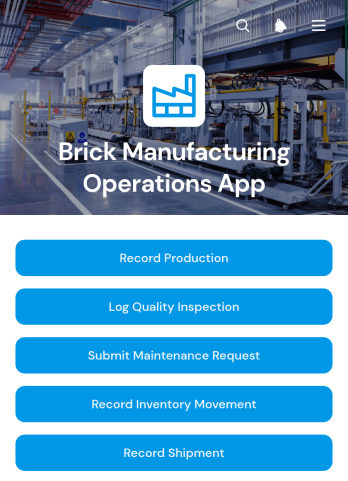
Brick Manufacturing Operations App
The Brick Manufacturing Operations App is a centralized workspace for recording and reviewing day-to-day activity across a brick production facility. Plant managers, production supervisors, quality teams, maintenance crews, and operations staff can use this app template to record production batches, log quality inspections, and coordinate maintenance requests. It helps replace disconnected paper records and spreadsheets with consistent data collection, clearer accountability, and easier access to operational information. Manufacturers can use it to monitor output, support quality control, address equipment issues, and maintain visibility as materials and finished bricks move through inventory and dispatch processes.Jotform App Templates make it easier to turn recurring factory processes into an accessible digital workflow. With Jotform’s no-code app builder and drag-and-drop interface, teams can customize pages, branding, navigation, and connected forms without programming. The Brick Manufacturing Operations App can also connect records with tables, notifications, approvals, and other internal processes. Publish it for mobile-friendly access and share it by direct link or QR code so employees can complete self-service tasks from the production floor, warehouse, maintenance area, or shipping station.
Go to Category:Operations & Logistics Portal Apps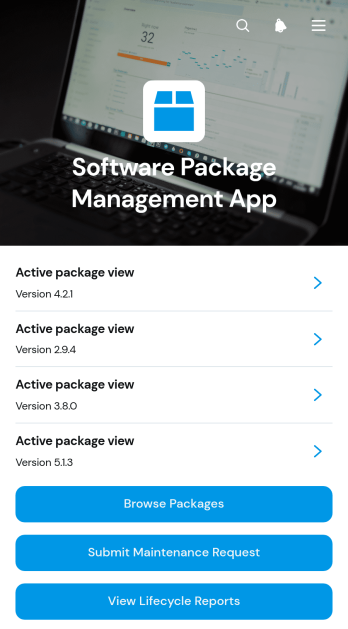
Software Package Management App
The Software Package Management App is an internal resource for information technology teams, system administrators, engineering groups, and operations managers who oversee software packages across an organization. It brings package browsing, dependency information, maintenance requests, status details, and lifecycle reports into one accessible experience. Teams can use this app template to review active packages, identify related dependencies, submit support or update requests, and monitor package health without searching through disconnected records. It is especially useful for organizations managing a growing software catalog, coordinating maintenance responsibilities, or giving employees a self-service destination for package information.Jotform Apps helps teams turn these processes into a branded, mobile-friendly app without writing code. Its no-code app builder and drag-and-drop interface make it easy to adjust pages, navigation, cards, buttons, and visual styling as operational needs change. The app can connect with forms, tables, notifications, approvals, and other workflow assets to support organized data collection and timely follow-up. Start with this Software Package Management App template, tailor it to your package policies and internal structure, then publish and share it through a direct link, custom app URL, embedded experience, or QR code.
Go to Category:Information Technology Apps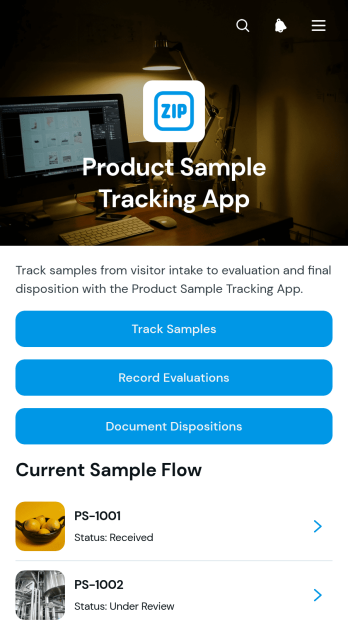
Product Sample Tracking App
Product Sample Tracking App provides product development, quality, merchandising, laboratory, and operations teams with a central place to follow samples from receipt through final disposition. Teams can register samples, review records by sample ID, capture evaluations, and document disposition decisions without relying on scattered spreadsheets or email threads. It is useful for manufacturers, retailers, distributors, testing teams, and growing businesses that need clearer visibility into batch details, sample status, reviewer findings, recommendations, handling responsibility, and key dates. By keeping each stage connected, the app supports consistent reviews, faster handoffs, and a dependable history for internal reference.Jotform makes this app template easy to adapt with a no-code app builder and an intuitive drag-and-drop interface. Add or reorganize pages, update buttons and visual elements, apply your branding, and connect forms, tables, notifications, approvals, or other workflows as your process evolves. Data collection stays connected to the app experience, helping staff enter updates and find sample records from one mobile-friendly location. Publish the finished app with a direct link or QR code to give authorized team members convenient self-service access wherever product samples are received, evaluated, or handled.
Go to Category:Inventory Management Apps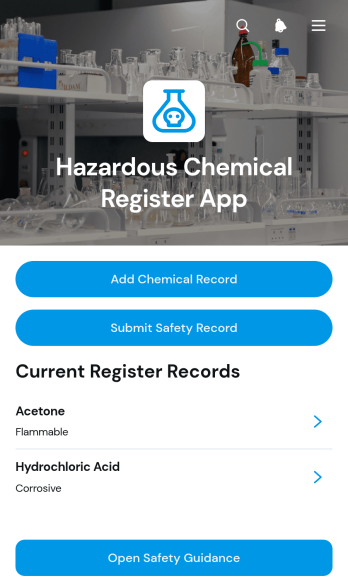
Hazardous Chemical Register App
The Hazardous Chemical Register App gives workplaces a central resource for recording hazardous chemicals, reviewing key handling information, and documenting safety observations. It is well suited to safety coordinators, warehouse managers, laboratory teams, manufacturers, contractors, and facilities that need an accessible register across work locations. Users can add and browse chemical records, submit safety records for follow-up, and open relevant safety guidance without relying on scattered documents. This helps teams maintain clearer information, monitor review and follow-up status, locate records when questions arise, and support more consistent chemical management during routine operations, inspections, stock reviews, or workplace changes.Jotform turns this app template into a customizable digital experience that can be adapted without coding. Its drag-and-drop app builder lets teams adjust pages, branding, navigation, and content while connecting forms, tables, approvals, notifications, and other workflow steps. Organizations can use it for data collection and employee self-service, then share the finished app through a direct link, QR code, or embedded experience. Starting with Jotform App Templates reduces setup time while leaving room to tailor the register to specific sites, teams, and internal processes.
Go to Category:Safety and Compliance Apps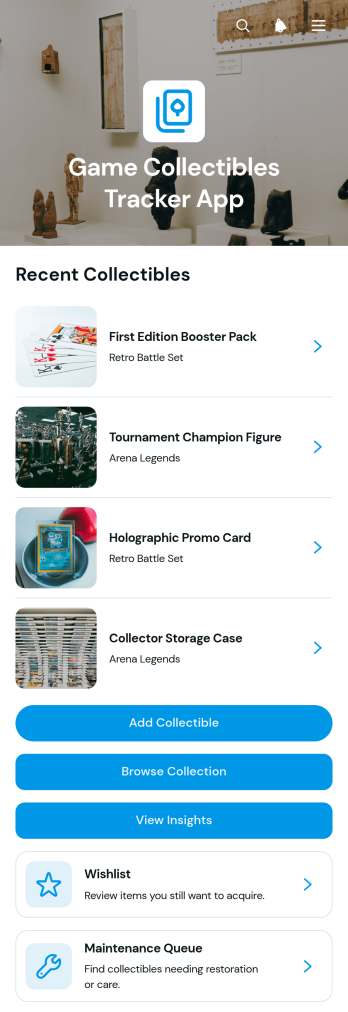
Game Collectibles Tracker App
The Game Collectibles Tracker App is a ready-to-use app template for collectors who want a clear view of their gaming memorabilia and related items. It brings collection records, wishlist entries, maintenance needs, and collection insights into one organized experience. Users can add collectibles through a connected form, browse a visual collection, and open individual records to review details such as series, status, condition, estimated value, acquisition date, and collector notes. Individual enthusiasts, collector clubs, and hobby retailers can use it to replace scattered spreadsheets and keep acquisition planning and item care easier to manage.With Jotform Apps, this template can be adapted using a no-code app builder and an intuitive drag-and-drop interface. Change the layout, colors, fonts, navigation, and content to reflect a personal collection or team workflow. Connected forms support consistent data collection, while organized pages make collection browsing and self-service record access convenient on mobile devices. The finished app can be shared by link or QR code, giving collectors a practical way to catalog items, monitor maintenance priorities, and review collection information from one accessible location.
Go to Category:Inventory Management Apps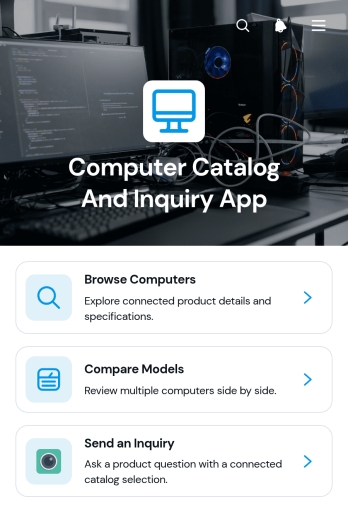
Computer Catalog and Inquiry App
The Computer Catalog and Inquiry App is a ready-to-use app template for electronics retailers, computer suppliers, sales teams, and information technology departments that need a convenient way to present available computers and receive product questions. Visitors can browse a computer catalog, compare models, review essential details such as processor, memory, storage, and general overviews, then submit an inquiry about a specific computer. By bringing product discovery and customer contact into one mobile-friendly experience, the app helps prospective buyers evaluate choices before speaking with a representative. It can support retail sales, business purchasing, equipment sourcing, and internal hardware selection while reducing repetitive questions and making product information easier to find.Jotform helps teams turn this Computer Catalog and Inquiry App into a branded self-service experience without writing code. Its no-code app builder and drag-and-drop interface make it easy to update catalog content, adjust navigation, change visual elements, and connect inquiry forms to a broader workflow. Teams can organize data collection, route new requests to the appropriate staff, and connect app activity with tables, notifications, approvals, or other processes. Once customized, the app can be shared through a direct link or QR code for convenient access on phones, tablets, and computers. Jotform App Templates provide a practical starting point while leaving businesses free to tailor the experience to their inventory and sales process.
Go to Category:Electronics Selling App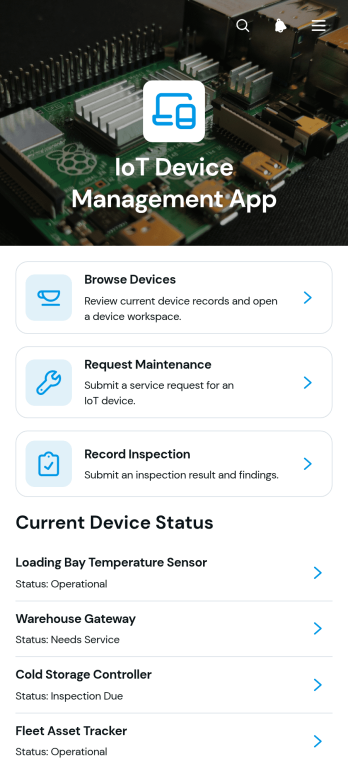
IoT Device Management App
IoT Device Management App gives information technology teams, facilities managers, engineering departments, and field service staff a central place to organize connected device records. Users can browse registered devices, review identifying details and status information, submit maintenance requests, and record inspection results. This app template is useful for offices, production sites, warehouses, campuses, and service operations that need clearer oversight of distributed equipment. By keeping device information, issue summaries, maintenance activity, and inspection records accessible in one experience, teams can reduce scattered documentation, improve handoffs, and make routine device support easier to coordinate.Jotform Apps helps organizations turn this template into a branded, mobile-friendly resource without writing code. The drag-and-drop app builder makes it easy to adjust pages, cards, navigation, and visual styling while connecting forms and tables to the relevant workflow. Teams can support structured data collection, provide employee self-service access, and share the finished app through a direct link or QR code. Start with one of Jotform’s App Templates, customize the layout for your operations, and publish an accessible device management resource for staff working from a desk or in the field.
Go to Category:Information Technology Apps
Outbound Picking Tracker App
Outbound Picking Tracker App is an app template for warehouse teams that need a clear way to record and monitor items leaving inventory for order fulfillment. Pickers, supervisors, inventory coordinators, and logistics managers can record new picks, review active and completed work, and check key fulfillment details from one organized location. It supports distribution centers, stockrooms, retail warehouses, and e-commerce operations where teams must maintain visibility into outbound activity. By replacing scattered notes and disconnected updates, the app helps reduce missed tasks, clarify picking status, support staff accountability, and keep daily fulfillment work moving.With Jotform Apps, teams can adapt this App Template through a no-code app builder and an intuitive drag-and-drop interface. Pages, navigation, forms, connected data, and branding can be updated to match an existing warehouse workflow without programming. Organizations can link data collection to tables, notifications, approvals, and other processes while giving employees mobile-friendly self-service access. Once ready, the app can be shared by a direct link or QR code, making it easier to introduce a consistent picking experience across shifts and locations.
Go to Category:Warehouse Management Apps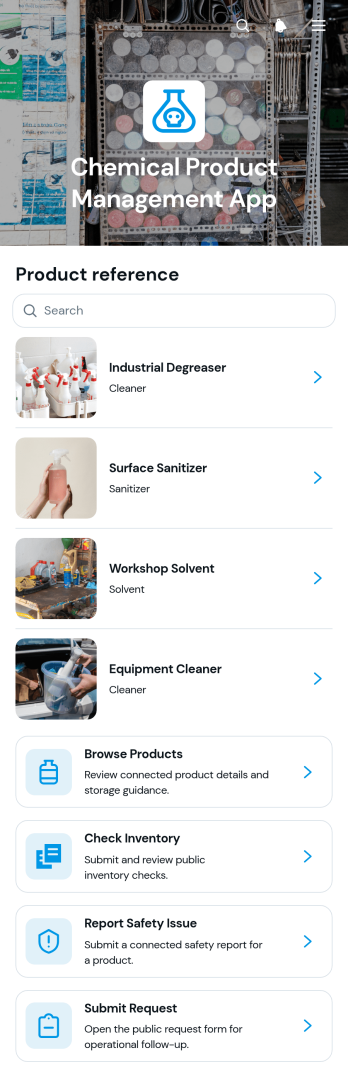
Chemical Product Management App
Chemical Product Management App gives manufacturers, laboratories, warehouses, maintenance teams, and other organizations a central place to organize chemical product information and related operational tasks. Users can browse products, review product types, hazard classes, and storage guidance, check quantities and locations, and see when inventory was last reviewed. Staff can also report safety issues with severity and date details or submit product-related requests. By bringing product records, inventory visibility, and issue reporting into one accessible experience, this app template helps teams reduce scattered documentation, locate essential information faster, and coordinate routine chemical management activities across facilities.Jotform App Templates make it easy to adapt this experience to the way your organization works. Use the no-code app builder and drag-and-drop interface to update pages, navigation, branding, and content without programming. Connected forms can support data collection for requests and safety reports, while tables and workflows help teams organize incoming records and trigger notifications. Publish the finished app with a shareable link or QR code so authorized staff can access product resources and self-service actions from phones, tablets, or computers.
Go to Category:Inventory Management Apps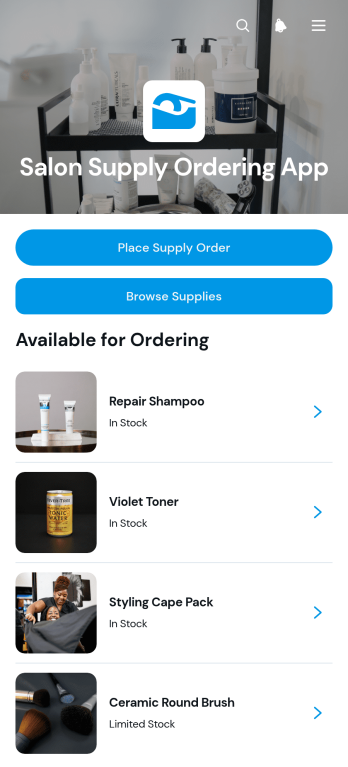
Salon Supply Ordering App
The Salon Supply Ordering App gives salon owners, managers, stylists, and purchasing teams a convenient way to browse supplies and submit replenishment orders from one organized location. Users can review available products, place a supply order through a connected form, and access their previous orders and order details. This app template is well suited to hair salons, beauty studios, independent professionals, and multi-location businesses that need a clearer purchasing process. It helps reduce misplaced requests, supports timely restocking, and gives staff a self-service option for ordering the products they need during daily operations.Jotform App Templates make it easy to adapt this experience without writing code. Use the no-code app builder and drag-and-drop interface to update pages, organize product navigation, apply salon branding, and connect forms with tables, notifications, approvals, or other workflow steps. The Salon Supply Ordering App can be shared through a direct link or QR code, giving staff mobile-friendly access wherever they work. As product selections or ordering procedures change, administrators can update the app in one place and publish the latest version for the team.
Go to Category:Salon Apps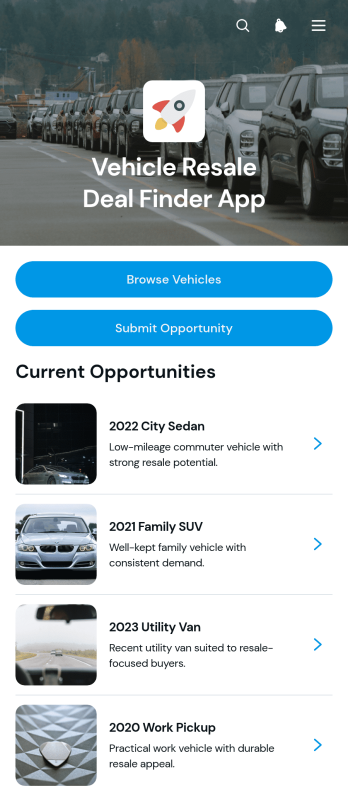
Vehicle Resale Deal Finder App
Vehicle Resale Deal Finder App gives independent vehicle resellers, dealership purchasing teams, automotive consultants, and small resale businesses a central place to identify and review promising inventory opportunities. This app template supports vehicle browsing, opportunity submissions, and side-by-side evaluation of essential details such as model year, mileage, condition, location, purchase price, and expected resale price. Teams can use it to replace scattered messages and spreadsheets when sourcing used vehicles from auctions, trade contacts, local sellers, or field buyers. Consistent data collection helps purchasing staff assess each prospect, compare potential margins, and decide which vehicles deserve further investigation.With Jotform, this customizable app can become a branded workspace for vehicle sourcing and resale research without requiring coding knowledge. The no-code app builder and drag-and-drop interface make it easy to adjust pages, cards, navigation, and visual elements for a particular buying process. Users can connect forms, tables, approvals, notifications, and other workflow steps to coordinate opportunity intake and internal review. The finished Vehicle Resale Deal Finder App can be shared through a direct link or QR code, giving buyers and team members mobile-friendly access in the office, at auctions, or while inspecting vehicles in the field.
Go to Category:Automotive Apps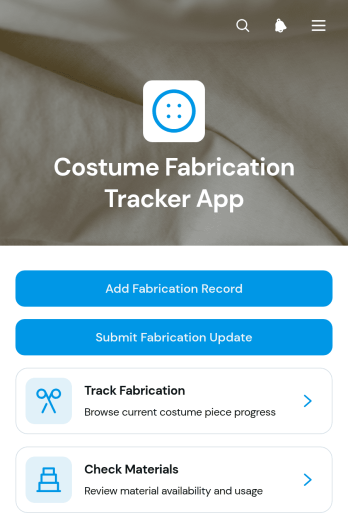
Costume Fabrication Tracker App
The Costume Fabrication Tracker App helps costume shops, theater production teams, film wardrobes, independent makers, and educational programs monitor costume pieces from initial construction through fittings and completion. Teams can review fabrication progress, check material availability, and submit updates as work advances. Organized views for costume pieces, projects, current stages, next actions, completion status, and fitting dates give makers and coordinators a shared picture of production. This app template is especially useful when several costumes are being produced at once and teams need to reduce missed tasks, material shortages, unclear handoffs, and delays before rehearsals, fittings, performances, or shoots.Jotform makes the app easy to adapt with a no-code app builder and a flexible drag-and-drop interface. Add or rearrange pages, connect forms for new fabrication records and progress updates, and organize collected data around your workflow without writing code. You can adjust branding, navigation, and content to match the production process, then share the finished app through a direct link or QR code for convenient mobile access. Ready-to-use App Templates provide a quick starting point for creating a centralized, self-service workspace that supports clearer collaboration and more consistent data collection.
Go to Category:Tracker Apps
Condiment Inventory App
Condiment Inventory App is an inventory tracking template for restaurants, cafés, catering teams, food trucks, commercial kitchens, and hospitality businesses that need a clearer view of condiment supplies. Staff can browse condiment records, review quantities, categories, stock status, storage units, and notes, then record stock updates as items are received or used. Inventory insights help supervisors identify low supplies, plan replenishment, reduce shortages, and avoid unnecessary purchases. By keeping essential stock information in one accessible place, the app supports more consistent kitchen operations across shifts, stations, or locations.Jotform Apps makes this app template easy to adapt without coding. Use the drag-and-drop interface to update pages, cards, buttons, branding, and navigation, then connect forms, tables, notifications, and workflows for organized data collection. Teams can share the finished app through a direct link or QR code, giving authorized staff mobile-friendly access wherever inventory is stored or counted. With Jotform’s no-code app builder and ready-to-use App Templates, businesses can create a practical self-service resource that supports routine stock checks, collaborative updates, and timely purchasing decisions.
Go to Category:Restaurant Inventory Apps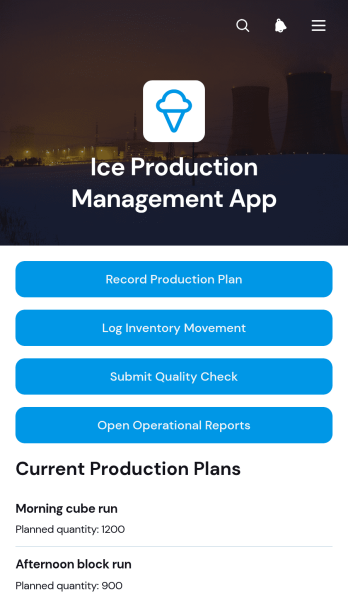
Ice Production Management App
The Ice Production Management App is an app template for ice plants, cold-storage facilities, food and beverage suppliers, and operations teams that need a central place to coordinate daily production. It supports production planning, inventory movement logging, and batch quality checks, helping supervisors and floor staff maintain clearer records from manufacturing through storage and dispatch. Teams can use the app to compare planned output with operational activity, monitor stock changes, document checks, and review reports without relying on scattered paper logs or separate files. It is especially useful for production managers, quality teams, warehouse staff, maintenance coordinators, and business owners seeking better visibility into routine plant activity.Jotform makes this Ice Production Management App easy to adapt with a no-code app builder and a flexible drag-and-drop interface. Users can customize pages, navigation, buttons, colors, and branding while connecting data collection forms to tables, notifications, approvals, and other workflow steps. The app can be shared with authorized staff through a direct link or QR code for convenient mobile access across production floors, storage areas, and offices. Starting with one of Jotform’s App Templates reduces setup time while giving teams room to refine reports, self-service actions, and operational resources as their processes evolve.
Go to Category:Inventory Management Apps
Corrugated Box Production App
The Corrugated Box Production App gives packaging manufacturers, production supervisors, quality teams, warehouse staff, and dispatch coordinators a shared workspace for managing box orders from scheduling through shipment. Teams can add production jobs, review order references, box specifications, planned quantities, and current statuses, then record quality checks and update inventory and dispatch activity. This focused view reduces scattered paperwork, keeps production details accessible, and helps departments coordinate around the same job information. It is especially useful for small and midsize corrugated box plants seeking clearer handoffs, better production visibility, and more consistent data collection.Jotform App Templates make it easier to turn recurring manufacturing processes into mobile-friendly digital experiences. Using Jotform’s no-code app builder and drag-and-drop interface, teams can customize pages, branding, navigation, and connected forms without programming. Production records can be organized through linked tables and workflows, while notifications help relevant staff respond to new activity. Publish the customized app with a direct link, QR code, or embedded experience to support convenient access across production floors, offices, warehouses, and dispatch areas.
Go to Category:Operations & Logistics Portal Apps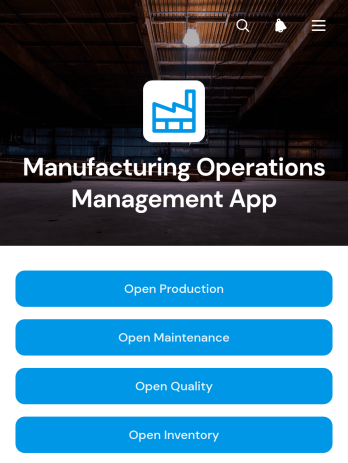
Manufacturing Operations Management App
Manufacturing Operations Management App gives plant managers, production supervisors, maintenance teams, quality personnel, and inventory coordinators a central place to manage day-to-day factory activity. Teams can monitor production orders, submit maintenance requests, and record quality and inventory updates without relying on scattered spreadsheets or paper logs. Clear records for production lines, due dates, priorities, inspection results, material quantities, locations, and work statuses help departments stay informed and respond to operational needs. This app template suits manufacturers seeking better visibility across the shop floor, more consistent data collection, and a shared workflow for coordinating work.Jotform App Templates make it easier to turn connected manufacturing processes into an accessible digital experience. Customize this template with Jotform’s no-code app builder and drag-and-drop interface, then adjust pages, navigation, branding, and linked forms to suit your facility. Production records, maintenance activity, inspections, and material movements can connect with tables, notifications, approvals, and other workflows. Publish the app through a direct link or QR code so authorized team members can access self-service tools from phones, tablets, or computers wherever work takes place.
Go to Category:Operations & Logistics Portal Apps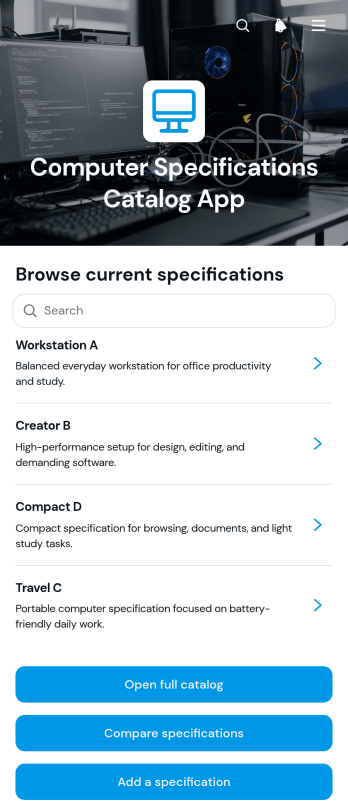
Computer Specifications Catalog App
Computer Specifications Catalog App is an interactive reference for organizing, browsing, and comparing computer hardware details in one accessible place. It helps information technology teams, electronics retailers, procurement staff, consultants, schools, and repair businesses present clear records for different computer models. Users can open the full catalog, review core specifications such as processor, memory, and storage, compare options, and add a new specification when inventory or product information changes. This app template reduces scattered documentation, supports informed purchasing recommendations, and makes technical details easier to review during sales, asset planning, classroom selection, or internal equipment research.Jotform App Templates help teams turn records, forms, and resources into convenient digital experiences without writing code. Customize this Computer Specifications Catalog App with the no-code app builder and its drag-and-drop interface, then connect forms and tables to support data collection and an organized workflow. You can adjust the layout, colors, content, and navigation to match your needs. Publish the finished catalog through a direct link, custom app URL, QR code, or embedded experience so staff and customers can browse it from mobile or desktop devices. Jotform also supports notifications and connected processes that simplify catalog updates and self-service access.
Go to Category:Information Technology Apps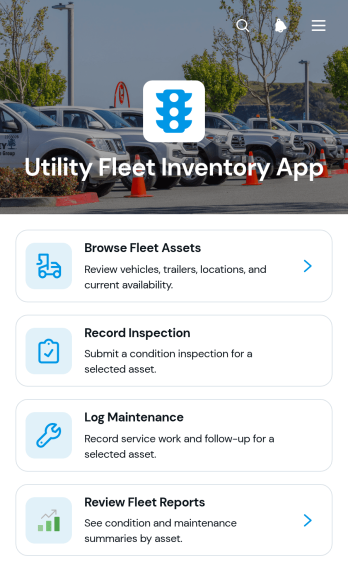
Utility Fleet Inventory App
The Utility Fleet Inventory App is an app template for utility providers, public works departments, field service teams, contractors, and fleet managers that need a reliable view of vehicles and other mobile assets. Teams can browse fleet records, review each asset’s location, condition, and availability, and record inspections or maintenance from a central experience. Fleet reports also make it easier for supervisors to follow service activity and identify assets that may require attention. By replacing scattered spreadsheets and disconnected records, the app supports clearer asset oversight, more consistent data collection, and better coordination among drivers, inspectors, technicians, and operations staff.Jotform App Templates provide a practical starting point for creating mobile-friendly tools without writing code. Customize the Utility Fleet Inventory App with the no-code app builder and drag-and-drop interface, then connect forms, tables, notifications, approvals, and other workflow steps as your operations evolve. Pages, navigation, visual styling, and branding can be adjusted to match internal processes. Once published, the app can be shared by a direct link or QR code, giving authorized team members convenient self-service access in the office, garage, or field.
Go to Category:Fleet Tracker Apps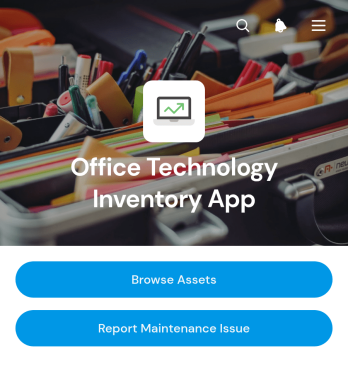
Office Technology Inventory App
Office Technology Inventory App is an app template for cataloging workplace technology and coordinating equipment maintenance from one accessible location. IT teams, office managers, operations staff, and growing businesses can use it to browse registered assets, review details such as location and purchase date, and submit maintenance requests when equipment needs attention. Requester information, issue descriptions, and current statuses help teams maintain a clear record of reported problems. By replacing scattered spreadsheets, emails, and paper notes, the app supports faster equipment lookup, clearer ownership, and more consistent handling of office technology issues.Jotform App Templates make it easier to turn recurring business processes into polished digital experiences. With Jotform’s no-code app builder and drag-and-drop interface, users can customize this app template with branded pages, navigation, forms, connected tables, and workflow steps without programming. Teams can organize data collection, enable employee self-service, and keep asset information and service activity connected. Once the app is ready, it can be shared through a direct link, published with a custom address, or embedded where employees already access internal resources.
Go to Category:Inventory Management Apps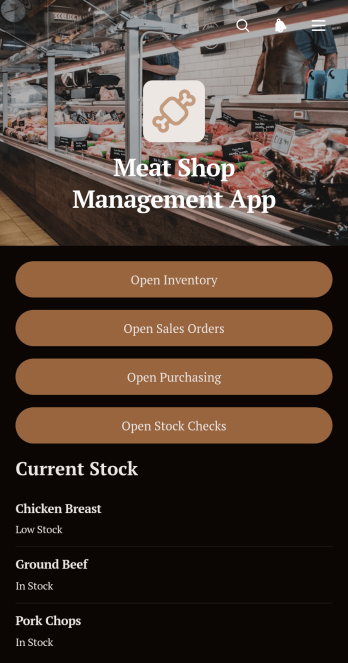
Meat Shop Management App
The Meat Shop Management App is a centralized workspace for butcher shops, meat retailers, market counters, and specialty food businesses that need better oversight of stock and daily transactions. It brings inventory records, sales orders, purchasing activity, and stock checks into one accessible experience. Owners, managers, purchasing teams, and counter staff can use it to document incoming products, create customer orders, review supplier-related purchases, and record physical stock counts. By replacing disconnected paperwork and spreadsheets, the app improves visibility across routine operations, helps teams identify replenishment needs, and reduces the chance of missed or duplicated records.Built with Jotform Apps, this app template can be adapted through a no-code app builder and an intuitive drag-and-drop interface. Users can tailor pages, navigation, colors, and branding to match their shop while connecting forms and organized lists to support data collection and workflow management. Staff can access the latest operational resources from phones, tablets, or computers, making self-service record entry convenient on the sales floor or in storage areas. Jotform app templates can also be shared by a direct link or QR code, helping businesses provide quick access without developing software from scratch.
Go to Category:Inventory Management Apps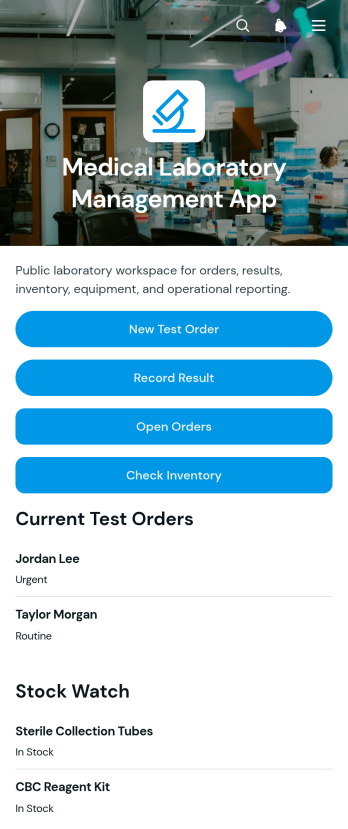
Medical Laboratory Management App
The Medical Laboratory Management App is a ready-to-use app template for diagnostic laboratories, clinic labs, hospital departments, and testing teams that need one organized workspace for routine operations. Staff can create test orders, record and review results, monitor open requests, and check laboratory inventory without relying on scattered files. It also supports equipment service logging, helping laboratory managers coordinate testing activity, supplies, and maintenance schedules. Clear record views give authorized team members quick access to patient order details, test values, reference ranges, stock levels, storage information, expiration dates, and upcoming equipment service needs.Jotform App Templates make it easier to turn connected processes into accessible digital experiences. With Jotform’s no-code app builder and drag-and-drop interface, teams can customize the Medical Laboratory Management App with branded pages, navigation, forms, tables, and automated workflows. Laboratories can adapt data collection steps, organize records for everyday use, and send notifications when connected actions occur. The finished app can be shared through a direct link or QR code, giving staff mobile-friendly access to operational tools from one central location.
Go to Category:Healthcare Apps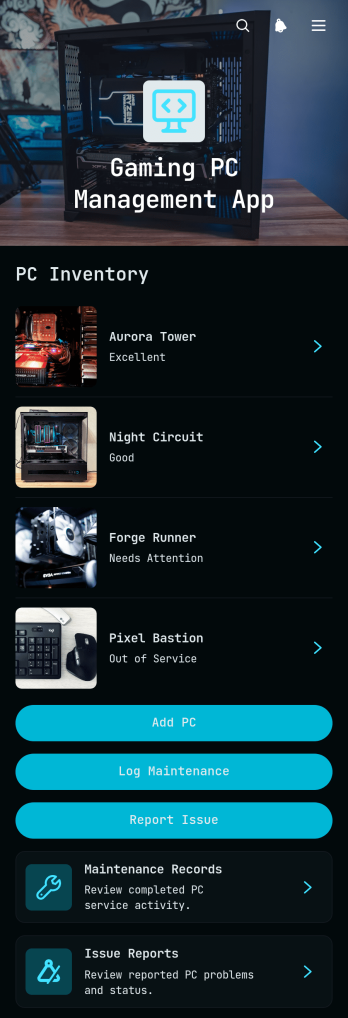
Gaming PC Management App
Gaming PC Management App brings gaming computer records, maintenance activity, and technical issue reporting into one accessible workspace. It is suited to gaming centers, computer clubs, event operators, school technology teams, repair staff, and businesses responsible for multiple gaming systems. Users can add each PC, review its components, purchase details, warranty information, and notes, then log maintenance or submit an issue report when attention is needed. Keeping these records together helps teams understand equipment history, monitor unresolved problems, plan repairs, and make better replacement decisions without relying on scattered documents.With Jotform Apps, teams can adapt this app template to match their equipment processes using a no-code app builder and drag-and-drop interface. Pages, cards, buttons, navigation, and branding can be adjusted without programming, while connected forms and tables support consistent data collection and organized workflows. The app can be shared by direct link or QR code for convenient mobile access, giving technicians and authorized staff a practical self-service resource wherever PCs are installed. Start with one of Jotform’s ready-made App Templates, customize the experience, and publish an app that supports ongoing gaming PC oversight.
Go to Category:Equipment Maintenance Software