

Task Management Apps

Game Crafting Checklist App
Game Crafting Checklist App gives players, gaming groups, content creators, and development teams a central place to organize crafting goals and monitor progress. Users can submit new checklist items, browse active tasks, review crafting references, and open detailed entries containing categories, priorities, notes, due dates, and attachments. This app template is useful for planning complex builds, gathering required materials, documenting crafting guidance, or coordinating shared objectives. It reduces scattered notes and makes it easier to identify the next task, prioritize important items, and maintain a clear record of completed and outstanding work.Jotform App Templates help you turn organized content and connected processes into accessible digital experiences without writing code. Customize the Game Crafting Checklist App with the no-code app builder and its drag-and-drop interface, then adjust pages, navigation, colors, fonts, and visual elements to fit your preferred style. You can connect forms for data collection, organize records, support workflow automation, and share the finished app through a direct link or QR code. The result is a mobile-friendly self-service resource that can be updated as crafting plans, references, and priorities change.
Go to Category:Checklist Apps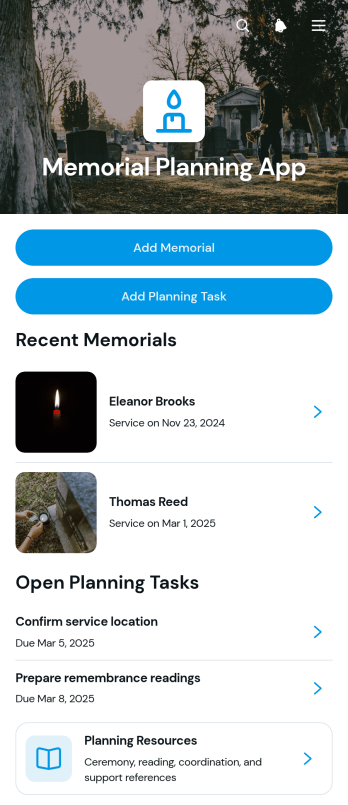
Memorial Planning App
Memorial Planning App is a central planning space for families, funeral service providers, celebrants, and community groups coordinating a remembrance or memorial service. It brings memorial records, planning tasks, and practical resources together so organizers can keep important details accessible during a sensitive and often time-pressured process. Users can add a memorial, review service dates and locations, organize readings and contacts, and track tasks from one mobile-friendly experience. This app template is useful for coordinating responsibilities among relatives, supporting several services at once, or giving planning teams a clearer view of upcoming arrangements. By reducing scattered notes and disconnected messages, it helps participants stay informed and focus on creating a thoughtful event.Jotform Apps makes the Memorial Planning App easy to adapt without coding. Use the drag-and-drop interface to update pages, cards, buttons, branding, and resource navigation, then connect forms and tables to support data collection and planning workflows. Jotform App Templates provide a ready-made foundation that can be personalized for private family planning, professional service coordination, or community support. Once published, the app can be shared through a direct link or QR code, giving approved participants convenient self-service access from phones, tablets, or computers.
Go to Category:Event Planner Apps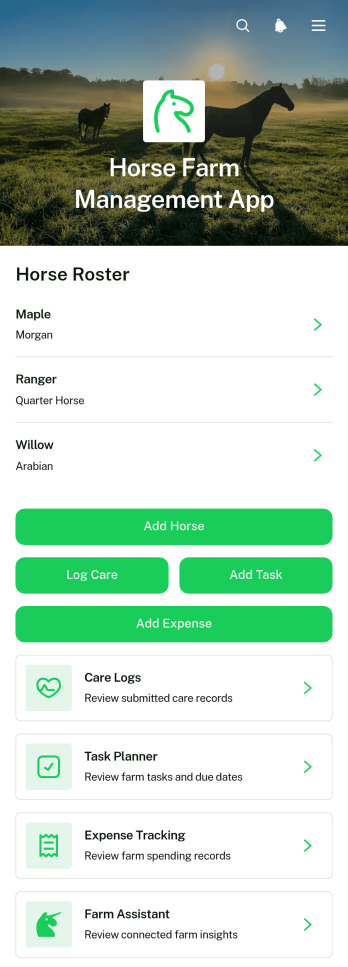
Horse Farm Management App
The Horse Farm Management App is a central workspace for horse farm owners, barn managers, stable staff, trainers, and care teams who need a clearer view of daily operations. It brings horse records and care logs together while supporting task planning and expense tracking from one accessible location. Farms can use it to document health notes, breed and age details, record routine care, assign upcoming work, and monitor operating costs. By replacing scattered paperwork and disconnected files, the app helps teams maintain consistent records, coordinate responsibilities, and make informed care and budgeting decisions.Jotform makes this app template easy to adapt without coding. Its drag-and-drop app builder lets users update pages, navigation, buttons, and visual styling to match their farm’s routines and branding. Connected forms and tables support organized data collection, while notifications and workflows can keep staff informed when records or tasks are added. Publish the app with a personalized link, share it by QR code, or provide mobile-friendly self-service access to authorized team members. Jotform App Templates offer a practical starting point that can grow alongside a small stable, training facility, breeding farm, or larger equine operation.
Go to Category:Management Apps
Shared Inbox Management App
Shared Inbox Management App gives support, operations, and service teams a central place to receive and organize requests from customers, employees, or partners. This app template supports request submission, inbox browsing, status-based triage, and performance insights without scattering work across separate channels. Team members can review requester details, contact information, categories, priorities, creation dates, and request context before deciding what needs attention. It is well suited to small and medium-sized businesses managing customer questions, internal service requests, operational issues, or other shared workloads where visibility and clear prioritization matter.Jotform makes this Shared Inbox Management App easy to adapt with a no-code app builder and a flexible drag-and-drop interface. Teams can modify pages, navigation, cards, and branding while connecting the experience to forms, tables, approvals, notifications, and related workflows. Users can access self-service submission options and review their submitted requests, while staff gain an organized workspace for data collection and follow-up. Start with one of Jotform’s App Templates, customize it in the App Builder, and share the finished app through a direct link, custom link, embedded experience, or scannable code.
Go to Category:Team Collaboration Apps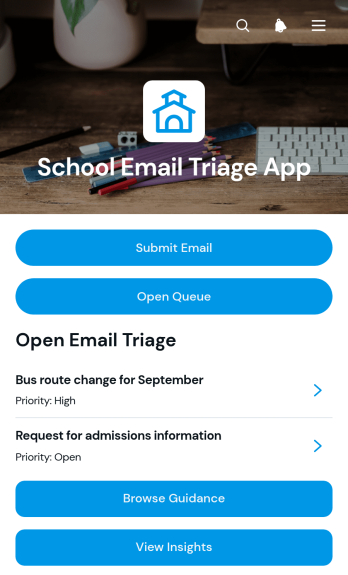
School Email Triage App
The School Email Triage App helps administrators, office staff, department coordinators, and support teams organize incoming school messages by category, priority, and status. Staff can submit emails for review, browse a shared queue, open message details, and consult category guidance before deciding what requires attention. A dedicated insights view supports oversight of triage activity and helps teams identify urgent requests, recurring topics, and unresolved communication. Schools can use this app template to coordinate parent inquiries, student support messages, attendance correspondence, administrative requests, and other communications that might otherwise become difficult to track across individual inboxes.Jotform makes the School Email Triage App easy to adapt without coding. Using a drag-and-drop interface, schools can update pages, navigation, branding, and guidance to reflect their internal processes. The app builder can connect forms, tables, notifications, approvals, and other workflow steps, bringing data collection and follow-up into one accessible location. Teams can publish the finished app with a shareable link or QR code, provide convenient mobile access, and create a consistent self-service experience for staff responsible for reviewing and routing school communications.
Go to Category:School Management Apps
Microtask Worker Portal App
Microtask Worker Portal App is a ready-to-use app template that gives organizations and independent contributors one place to manage short, repeatable assignments. Coordinators can post microtasks, while workers can browse the task board, review task details, submit completed work, and revisit their submission history. It suits distributed operations teams, research groups, content review teams, data processing groups, nonprofit coordinators, and small businesses that rely on flexible task support. Bringing task discovery and work collection into one portal reduces scattered communication, keeps instructions accessible, and gives contributors a clear path from available work to completion.Jotform Apps helps teams turn this workflow into a branded, mobile-friendly self-service experience without writing code. Using the no-code app builder and drag-and-drop interface, administrators can customize pages, cards, buttons, navigation, colors, and fonts to match their process. Forms and tables can be connected for organized data collection, task records, and follow-up workflows. Like other Jotform App Templates, the Microtask Worker Portal App can be shared through a direct link or QR code, making it easy to provide workers with current tasks and resources from nearly any device.
Go to Category:Task Management Apps
Virtual Assistant Operations App
The Virtual Assistant Operations App gives independent assistants, remote support teams, consultants, and small businesses a central workspace for managing day-to-day administrative work. It brings service requests, assigned tasks, and daily reports into one accessible experience, helping teams clarify ownership, due dates, priorities, and progress. Assistants can review incoming work, document completed activities and blockers, and consult standard operating procedure resources without searching across disconnected files. Managers gain better visibility into workloads and follow-up needs, while assistants have a consistent process for handling recurring client or internal responsibilities. This app template is especially useful for distributed teams coordinating scheduling, research, inbox support, data entry, and other delegated work.Jotform makes this template easy to adapt with a no-code app builder and an intuitive drag-and-drop interface. Add or rearrange pages, update branding, connect forms and tables, and shape the workflow around your team’s operations without writing code. Jotform App Templates can support organized data collection, mobile-friendly resource access, and convenient self-service from a single link. Publish the app when it is ready, then share it with assistants, managers, or clients so everyone can access the information and actions relevant to their role.
Go to Category:Operations & Logistics Portal Apps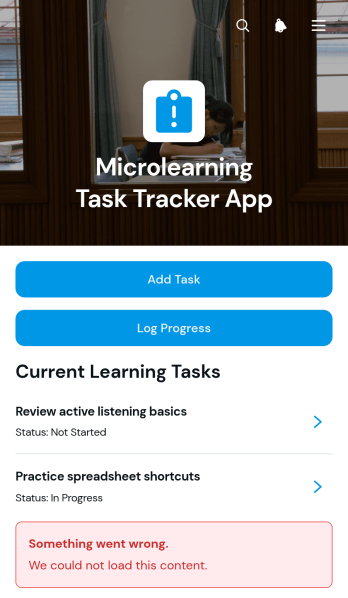
Microlearning Task Tracker App
The Microlearning Task Tracker App is a ready-to-use app template for organizing short learning assignments and monitoring steady progress. It gives employees, students, trainees, and independent learners one place to add tasks, log progress, and record reflections after each activity. Training managers, HR teams, educators, tutors, and team leaders can use it for onboarding, professional development, skill reinforcement, and bite-sized course delivery. Clear task details help participants understand what is due, estimate the time required, and follow their current status without relying on scattered notes or messages. This focused workflow encourages accountability while making learning easier to fit into a busy schedule.Jotform Apps helps organizations turn learning processes into accessible, interactive experiences without writing code. Start with this template, then use the no-code app builder and drag-and-drop interface to adjust pages, navigation, colors, fonts, and content. Connected forms support consistent data collection, while tables and notifications can help teams review activity and respond to updates. Publish the finished app with a direct link or QR code so learners can access tasks from a phone, tablet, or computer. Jotform App Templates also make it easy to create a branded self-service resource that can evolve alongside a training program.
Go to Category:Task Management Apps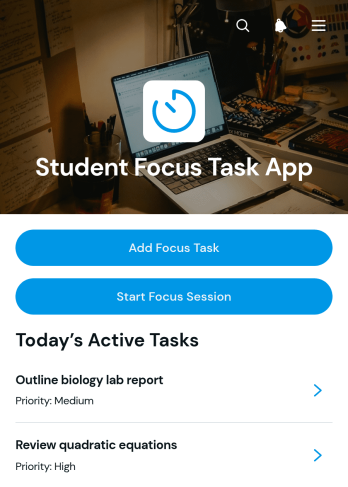
Student Focus Task App
Student Focus Task App helps learners turn assignments, study goals, and personal academic responsibilities into manageable focus tasks. Students can add a task, review its due date, estimated time, status, and notes, then start and log a focused study session. Session records capture timing, focused minutes, and reflections, giving learners a clearer picture of how they use their study time. This app template is useful for secondary and university students, independent learners, tutors, educators, and academic support teams seeking a practical way to encourage consistent routines, reduce distractions, and make progress easier to review.With Jotform Apps, users can customize App Templates through a no-code app builder and an intuitive drag-and-drop interface. Pages, buttons, forms, visual elements, and navigation can be adjusted to match different subjects, study methods, or learning programs. Connected forms and tables support organized data collection and workflows, while a direct link or QR code makes the app easy to share for mobile self-service access. Start with Student Focus Task App, personalize the layout and branding, and publish an interactive study resource without writing code.
Go to Category:Student Planner Apps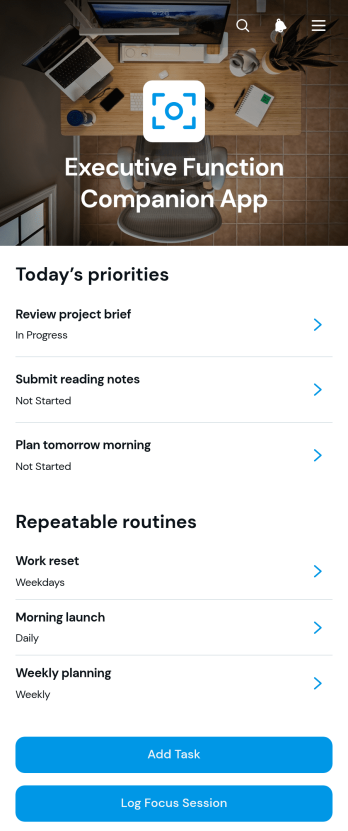
Executive Function Companion App
Executive Function Companion App is an app template for people who want a clearer way to organize tasks, build routines, and record focused work sessions. It can support students, professionals, coaches, educators, and support teams managing priorities, deadlines, and repeatable activities. Users can add tasks, review due dates and categories, capture next-step context, create routines with defined steps, and keep session notes without scattering information across separate tools. By bringing task planning, routine guidance, and focus tracking into one accessible experience, the app can reduce uncertainty about what to do next and make day-to-day progress easier to review.Jotform provides a no-code app builder that makes App Templates easy to adapt for personal, educational, or workplace use. Customize this app template through a drag-and-drop interface, connect forms for data collection, organize pages around a preferred workflow, and update content as needs change. Tasks, routine entries, and focus records can feed connected processes while users access relevant resources through a mobile-friendly layout. Once ready, the app can be shared by a direct link, QR code, or embedded experience, giving individuals and teams a convenient self-service resource without requiring programming knowledge.
Go to Category:Task Management Apps
Coaching Task Management App
The Coaching Task Management App is a ready-to-use app template for coaches, consultants, mentors, training teams, and wellness professionals who need one place to organize client assignments. Coaches can add tasks, browse current work, review status and priority details, connect relevant resources, and monitor progress without relying on scattered messages or documents. It supports individual coaching, group programs, employee development, skills training, and recurring accountability sessions. Clear access to task briefs and supporting materials helps participants understand their next steps, while progress review gives coaches a practical view of ongoing work.Jotform makes this experience easy to adapt with a no-code app builder and an intuitive drag-and-drop interface. Customize pages, buttons, visual elements, and navigation to reflect your coaching process, then connect forms and tables for data collection and workflow management. You can publish the app with a personalized link and share it with clients or team members for convenient mobile-friendly self-service. Jotform App Templates provide a flexible starting point, helping you create a polished coaching workspace without writing code.
Go to Category:Task Management Apps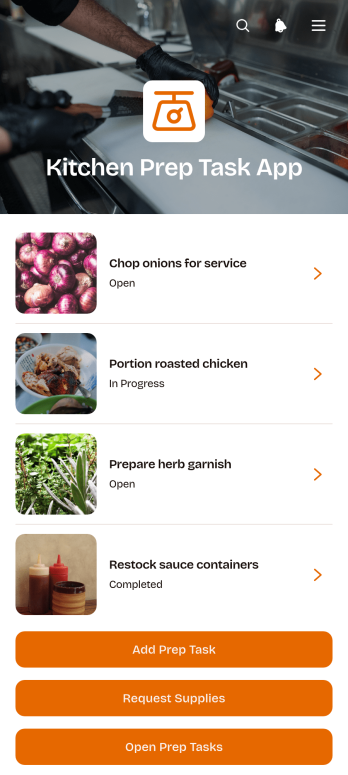
Kitchen Prep Task App
Kitchen Prep Task App is a ready-to-use workspace for restaurants, cafés, catering companies, ghost kitchens, and other food service teams that need to coordinate daily preparation work. Kitchen managers, chefs, shift supervisors, and prep cooks can use it to assign and update prep tasks, request kitchen supplies, and review prep reports from one accessible location. By keeping responsibilities, task notes, work areas, and assigned stations organized, the app helps teams prepare ingredients and workspaces before service while reducing missed duties and unclear handoffs. It is especially useful for opening routines, shift changes, event catering, batch preparation, and recurring kitchen operations.With Jotform Apps, teams can adapt this app template to match their own stations, menus, staffing practices, and workflow without writing code. The no-code app builder features a drag-and-drop interface for changing pages, buttons, branding, and navigation. Managers can connect forms and data collection processes, organize self-service access for staff, and share the finished Kitchen Prep Task App through a direct link or QR code. Jotform App Templates also make it easy to publish a mobile-friendly resource that employees can open wherever kitchen work takes place.
Go to Category:Restaurant Management Apps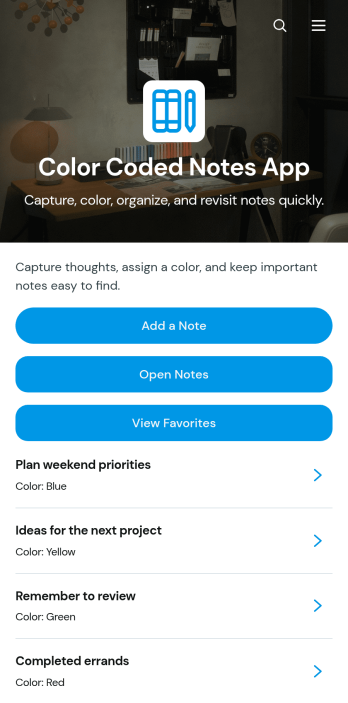
Color Coded Notes App
Color Coded Notes App is a visual note organizer for individuals and teams that need a faster way to capture ideas, separate topics, and find important information. Users can add notes through a connected form, browse saved entries, and open a favorites view for priority content. Color labels, status details, and update information make it easier to distinguish work notes, study materials, meeting takeaways, personal reminders, or project ideas at a glance. The app template is useful for students, educators, freelancers, project teams, administrators, and anyone managing notes across multiple subjects or responsibilities.With Jotform Apps, you can adapt this Color Coded Notes App through a no-code app builder and a flexible drag-and-drop interface. Change the visual theme, reorganize navigation, adjust note categories, and connect forms or tables to support your preferred data collection workflow. Jotform App Templates also help you create a mobile-friendly self-service experience without writing code. Once the app is ready, share it by direct link or QR code so users can add, review, and revisit notes from almost any device.
Go to Category:Journal Apps
Operations Task Management App
Operations Task Management App gives operations teams a central place to add, review, and update day-to-day work. Managers, coordinators, supervisors, field teams, warehouse staff, and service businesses can use it to organize open tasks, clarify ownership, and keep deadlines visible. Team members can browse current assignments, open task details, record updates, and review reports without relying on scattered messages or spreadsheets. Information such as work area, assignee, priority, due date, and task description helps everyone understand what needs attention. This app template is especially useful for recurring operational work, cross-department requests, shift handoffs, facilities tasks, and service delivery activities where progress must remain easy to follow.Jotform App Templates make it easier to turn routine processes into accessible digital experiences. With Jotform’s no-code app builder and drag-and-drop interface, you can adapt this app template to match your workflow, branding, and team structure. Connect forms for data collection, organize task information across mobile-friendly pages, and guide users toward the right action from one convenient location. You can also share the finished app through a direct link or QR code, helping employees access task information and self-service tools wherever work takes place. No programming knowledge is required, so teams can update the experience as operational needs change.
Go to Category:Task Management Apps
Project Management Dashboard App
Project Management Dashboard App gives project managers, operations teams, consultants, agencies, and growing businesses a shared view of active work. Teams can add projects and updates, review project portfolios, manage assigned tasks, report issues, and open reports from one accessible workspace. Project snapshots bring together ownership, progress, schedules, summaries, and key notes, while dedicated task and issue views help users monitor due dates, assignments, context, and resolution details. This app template is useful for coordinating client engagements, internal initiatives, product launches, construction work, and other projects that require clear accountability.With Jotform Apps, teams can adapt this Project Management Dashboard App without writing code. The drag-and-drop interface makes it easy to update pages, cards, buttons, branding, and navigation while connecting forms and data collection processes to the wider workflow. Publish the finished app through a direct link, personalized URL, or QR code so team members can access project information from phones, tablets, or computers. Jotform app templates also provide a practical starting point for creating a mobile-friendly self-service workspace that keeps project activity organized as priorities change.
Go to Category:Project Management Apps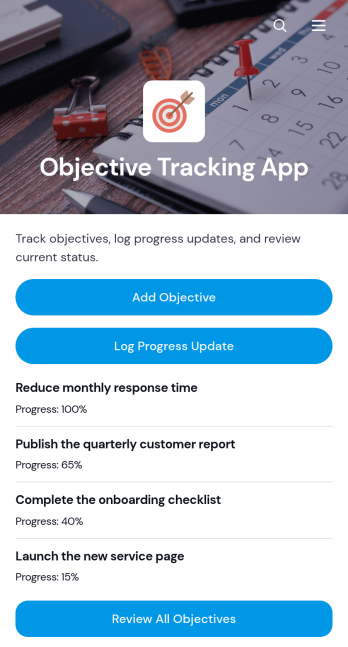
Objective Tracking App
Objective Tracking App is a ready-to-use app template for recording goals, monitoring progress, and keeping priorities visible in one convenient location. Individuals, project teams, managers, consultants, educators, and nonprofit coordinators can use it to turn broad aims into trackable objectives. Users can add objectives, log progress updates, and review current objectives without switching between scattered documents or messages. This makes the app useful for quarterly planning, project milestones, employee development, client engagements, learning goals, and community programs. Regular updates help users identify stalled work, maintain accountability, and make informed decisions about next steps.With Jotform Apps, the Objective Tracking App can be adapted to match an organization’s processes and visual identity. The no-code app builder and drag-and-drop interface make it easy to reorganize content, connect forms, and create a focused self-service experience without programming. Teams can support data collection and ongoing workflow management while keeping objective information accessible on mobile devices. Start with Jotform App Templates, customize the pages and navigation, then publish and share the finished app through a direct link, QR code, or embedded experience.
Go to Category:Tracker Apps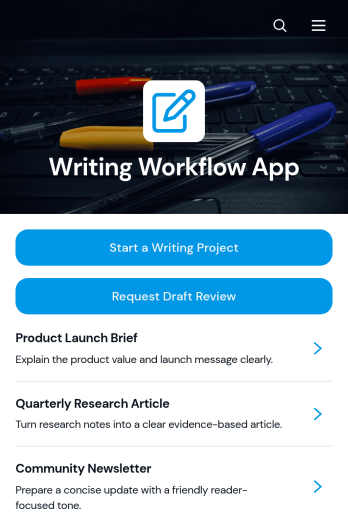
Writing Workflow App
The Writing Workflow App is a centralized workspace for managing writing assignments from initial request through review. It helps content teams start writing projects, submit drafts for feedback, and find reusable templates or guidance resources. Marketing departments, editorial teams, agencies, publishers, freelancers, educators, and internal communications teams can use it to keep work visible and organized. Instead of relying on scattered messages and disconnected documents, contributors and reviewers gain a consistent process for capturing project details, monitoring drafts, and requesting support. It is well suited to blog production, campaign copy, educational content, client deliverables, and recurring editorial programs.Jotform Apps makes it easy to adapt this app template without writing code. Use the drag-and-drop app builder to update pages, navigation, colors, fonts, buttons, and branded visual elements. Connected forms and tables can support data collection, review workflows, notifications, and organized recordkeeping in one mobile-friendly experience. Teams can publish their Writing Workflow App through a direct link or custom URL, giving writers and reviewers convenient self-service access wherever work happens. Start with one of Jotform’s App Templates and tailor the experience as writing processes, teams, or content volumes change.
Go to Category:Project Management Apps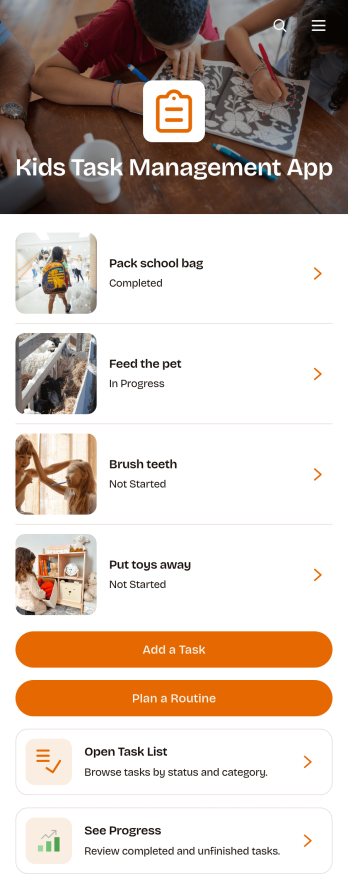
Kids Task Management App
Kids Task Management App is an app template that helps parents, caregivers, teachers, and youth program leaders organize age-appropriate tasks and routines for children. Users can add or update tasks, assign categories, due dates, priorities, and rewards, then review each item from an easy-to-browse task list. Routine planning supports recurring responsibilities such as morning preparation, homework, chores, and bedtime activities, while progress tracking gives adults and children a clear view of what has been completed. This shared approach can reduce forgotten responsibilities, encourage independence, and make everyday expectations easier for children to understand.Jotform App Templates make it simple to adapt Kids Task Management App to a household, classroom, tutoring program, or community group. With Jotform’s no-code app builder and drag-and-drop interface, users can change pages, colors, buttons, images, and navigation without programming. Connected forms support data collection for new tasks and routines, while organized app pages bring each workflow into one mobile-friendly location. Once customized, the app can be shared by link or QR code, giving families and educators convenient self-service access from phones, tablets, or computers.
Go to Category:Task Management Apps
Auto Clicker Utility App
Auto Clicker Utility App provides a focused, single-page workspace for organizing repetitive clicking activities and the information needed to manage them. It is a practical starting point for quality assurance testers, operations teams, administrators, and individuals who want one accessible place for usage guidance, task context, and relevant access points. The simple page structure avoids unnecessary navigation and helps users communicate when automated clicking is appropriate, document repeatable tasks, and keep supporting resources easy to find.Built with Jotform, this app template can be adapted through a no-code app builder and an intuitive drag-and-drop interface. Add buttons, links, instructions, media, or connected forms as your process develops, then link collected data to tables, approvals, and other workflow steps. Among Jotform App Templates, the Auto Clicker Utility App offers a flexible foundation that can grow into a branded resource center for self-service access. Publish it with a direct link or custom URL so users can open it on a phone, tablet, or computer without downloading software.
Go to Category:Information Technology Apps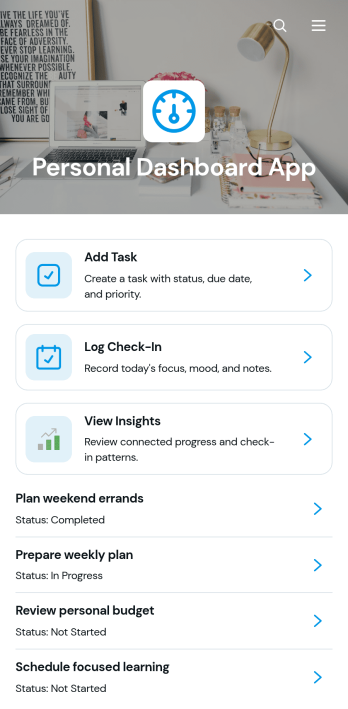
Personal Dashboard App
Personal Dashboard App brings daily tasks, routine check-ins, and personal insights together in one convenient space. It is a practical app template for individuals, freelancers, students, coaches, and busy professionals who want a clearer view of their priorities and progress. Users can add tasks, record check-ins, review recent entries, and open an insights area without switching between separate tools. This organized experience supports daily planning, habit awareness, personal accountability, and more informed decisions about where to focus time and energy.With Jotform Apps, you can adapt this Personal Dashboard App to match your goals without writing code. The drag-and-drop app builder makes it easy to update pages, navigation, cards, buttons, colors, and typography while maintaining a modern, mobile-friendly layout. Connect forms for data collection, organize records through related workflows, and provide simple self-service access from a single link or QR code. Start with one of Jotform’s App Templates, personalize the content and branding, and publish an interactive dashboard that can evolve with your routines.
Go to Category:Daily Planner Apps
Story Project Management App
Story Project Management App gives writers, editors, creative teams, producers, and content studios a shared place to organize story-based projects from concept through completion. Teams can capture essential project context such as the logline, intended audience, and deadline, then add tasks and milestones that keep creative work moving. It is useful for developing articles, scripts, books, campaigns, podcasts, videos, and other narrative projects where ideas, responsibilities, and delivery dates need to remain visible. By bringing project overviews, task creation, and milestone tracking into one accessible experience, the app helps contributors maintain focus and gives project leads a clearer view of progress.With Jotform Apps, this app template can be adapted to match a team’s creative process without writing code. The no-code app builder and drag-and-drop interface make it easy to update pages, navigation, visual elements, and connected forms. Teams can link data collection with tables, approvals, notifications, and other workflow steps while providing convenient self-service access to project information. Start with one of Jotform’s App Templates, apply custom branding, and share the finished app through a direct link, custom URL, QR code, or embedded experience for mobile-friendly collaboration.
Go to Category:Project Management Apps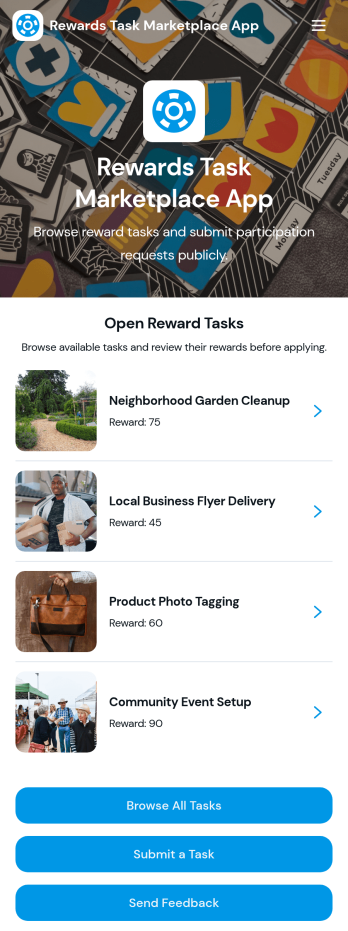
Rewards Task Marketplace App
Rewards Task Marketplace App gives organizations a central place to publish reward-based tasks and helps participants find opportunities that match their interests, location, and availability. Community managers, employee engagement teams, nonprofits, research groups, and membership organizations can use this app template to coordinate incentive programs without scattering information across multiple channels. Participants can browse open tasks, review essential details such as category, deadline, and status, then submit a participation request. Authorized users can also propose new tasks, while feedback collection helps administrators improve the marketplace experience.Jotform makes this Rewards Task Marketplace App easy to adapt with a no-code app builder and a visual drag-and-drop interface. Customize pages, cards, buttons, colors, and typography to match your program, then connect forms and tables to support data collection and workflow management. The app can be shared by direct link or QR code for convenient mobile access, giving participants a practical self-service destination for discovering tasks and requesting opportunities. Start with one of Jotform’s ready-made App Templates, tailor the content and branding, and publish an interactive experience without writing code.
Go to Category:Task Management Apps
Story Development Project Management App
Story Development Project Management App brings story planning, task coordination, milestones, and progress reporting into one organized workspace. It is suited to writers, editors, creative teams, content studios, educators, and publishers managing multiple narratives from premise to draft. Users can add story projects, review current work, assign tasks, record development stages, set target draft dates, and submit progress updates. A status overview makes it easier to identify active projects and upcoming work without searching across separate documents. Teams can use this app template to clarify ownership, monitor deadlines, and keep each story moving through its development process.Jotform Apps helps teams turn creative workflows into accessible, interactive experiences without coding. Customize this Story Development Project Management App through a drag-and-drop interface, adjust pages and branding, and connect forms or tables for organized data collection. The app builder supports centralized project information and self-service updates, helping contributors find tasks and report progress from any device. Once ready, publish the app and share it through a direct link, QR code, or embedded experience. Jotform app templates provide a flexible starting point that can be adapted to suit independent creators or collaborative editorial operations.
Go to Category:Project Management Apps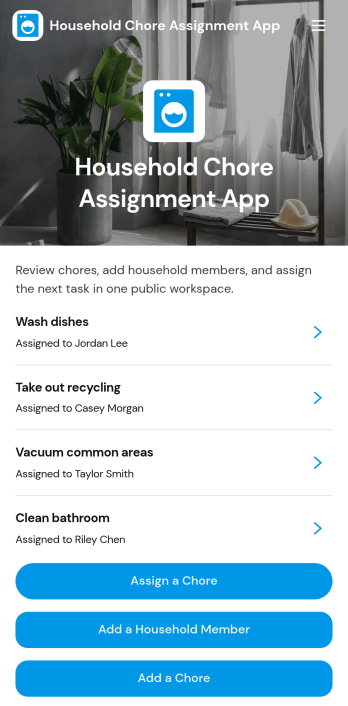
Household Chore Assignment App
The Household Chore Assignment App is an app template for families, roommates, caregivers, and shared households that need a clear way to divide recurring or one-time responsibilities. It brings chore assignment, household member management, and progress tracking into one organized experience. Users can create chores, add household members, assign responsibilities, and review due dates or current statuses without relying on paper lists or scattered messages. Chore details can also provide instructions, estimated completion times, and room or area information. This makes the app useful for weekly cleaning schedules, shared living arrangements, age-appropriate family tasks, rental property routines, and caregiving households where accountability and visibility matter.Jotform App Templates help anyone turn everyday processes into accessible digital experiences. With Jotform’s no-code app builder and drag-and-drop interface, users can customize the Household Chore Assignment App with branded colors, updated navigation, connected forms, and workflow options. Assignment data can be collected and organized through linked Jotform tools, while notifications and automated steps help households stay informed. The app builder also supports mobile-friendly self-service access, so members can check responsibilities and review chore information from almost any device. Once customized, the app can be shared by a direct link or QR code, making household coordination easier to maintain as tasks and routines change.
Go to Category:Task Management Apps