

Task Management Apps

Construction Task Management App
Construction Task Management App helps construction teams organize day-to-day work on active job sites by keeping tasks and inspections in one easy place. Use it to view open tasks, add new tasks from the field, and capture inspection logs as work progresses. It’s a practical fit for general contractors, foremen, site supervisors, and subcontractor leads who need clear visibility into what’s next, what’s been updated, and what needs attention without digging through texts, notebooks, or scattered spreadsheets.Built with Jotform, this app template turns your workflow into a mobile-friendly self-service experience your crew can actually use. Customize pages with a drag-and-drop interface, connect buttons to your forms for data collection, and route updates into structured records for follow-ups and reporting. With a no-code app builder approach, you can adjust the app as projects change and keep everyone aligned from the first task created to the latest site update.
Go to Category:Construction Apps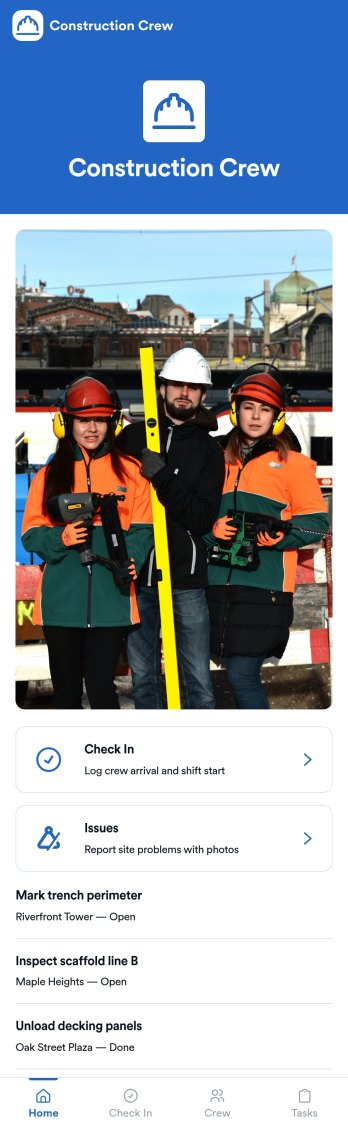
Construction Crew App
Construction Crew App gives jobsite teams a simple way to record daily activity and surface on-site problems without relying on scattered texts or paper notes. Crew members can add check-ins, review check-in entries in a list, and quickly submit site issue reports, making it easier for supervisors and office staff to understand what happened on a shift, who was on site, and what needs attention next. It fits construction companies managing multiple crews, subcontractors who need a consistent routine, and foremen who want one place for task visibility and issue reporting.Built with Jotform, this app template can be tailored in a no-code app builder using a drag-and-drop interface, so you can match it to your crew’s workflow in minutes. Connect the buttons to your forms and keep information organized in linked lists, then share the app by link or QR code for fast self-service access on mobile. As check-ins and issue reports come in, your team gets cleaner data collection and a more reliable workflow for day-to-day site operations.
Go to Category:Construction Apps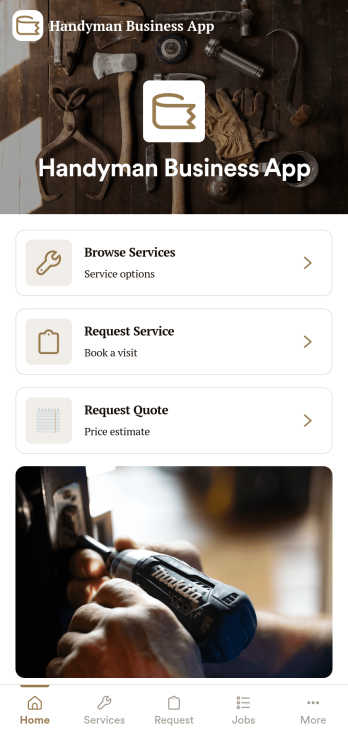
Handyman Business App
Handyman Business App helps independent handymen and small home-service teams organize incoming work, active jobs, and customer details in one place. It gives you a simple way to capture new service requests, review open jobs, and keep a customer list you can reference before scheduling a visit or preparing an estimate. Whether you handle repairs, installs, punch lists, or property maintenance, this app keeps day-to-day work moving without relying on scattered texts, notes, and spreadsheets.Built with Jotform, this app template is easy to tailor with a no-code app builder and a drag-and-drop interface, so you can match your exact workflow and branding in minutes. Connect buttons to forms for data collection, route information into tables for organized records, and share the app as a self-service link for customers or as an internal tool for your crew. As your workload grows, you can expand the workflow with additional pages and connected processes while keeping everything accessible on mobile.
Go to Category:Home Services Apps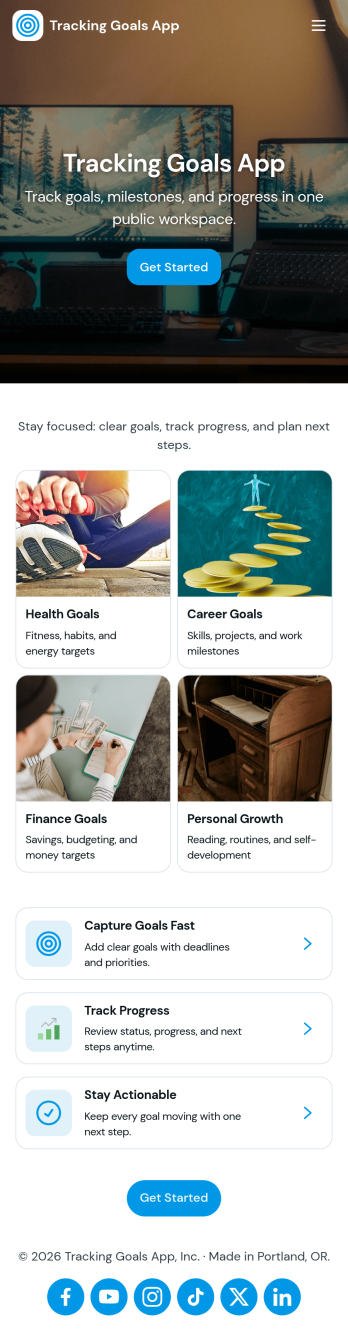
Tracking Goals App
Tracking Goals App helps individuals and teams keep goals organized, visible, and easy to follow through from start to finish. Use it to capture new goals in one place, view goal details like target and category, and record updates with a simple progress log so you can see momentum over time. It fits personal habit building, fitness and wellness milestones, student study objectives, sales activity targets, and professional development plans where consistency matters more than complex tools.Built with Jotform, this app template can be tailored in minutes using a no-code app builder and a drag-and-drop interface. Connect the in-app buttons to your goal form and progress tracking workflow, publish a self-service experience for your group, and keep goal information organized as entries come in. Whether you’re managing your own goals or coordinating shared targets, Jotform makes data collection and ongoing updates straightforward, so the app stays useful long after launch.
Go to Category:Tracker Apps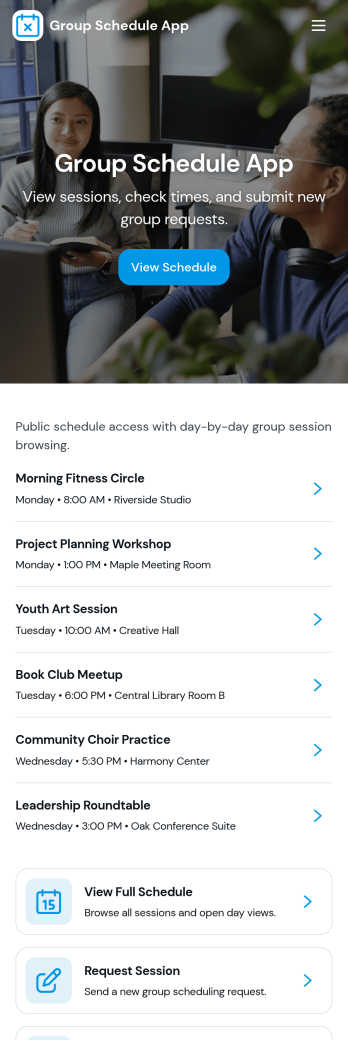
Group Schedule App
Group Schedule App brings a shared calendar experience into one place so teams, clubs, and small organizations can see what’s happening today, review upcoming plans, and keep members aligned. Use it to coordinate recurring meetups, shift-style rotations, volunteer coverage, study groups, or project check-ins without scattering details across messages. With a schedule view, a members area, and a simple request entry point, it supports day-to-day coordination while keeping everyone on the same page.Built with Jotform, this app template is easy to adapt with a no-code app builder and a drag-and-drop interface, so you can match the layout to your group’s routine in minutes. Connect the schedule and member information to your existing workflow for data collection, route updates through a structured request process, and share the app as a self-service home base for anyone who needs quick access to the latest agenda.
Go to Category:Organization Apps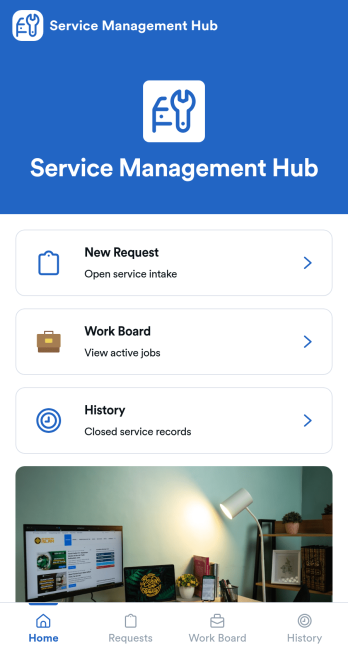
Service Management App
Service Management App helps teams capture incoming service requests, organize active jobs, and keep a clear record of completed work in one place. It’s built for service desks, IT and facilities teams, internal operations groups, and small businesses that need a simple way to move from intake to action. With a New Request area, a Work Board for in-progress items, and a History view for past jobs, everyone knows what’s waiting, what’s being handled, and what’s already resolved.Jotform makes it easy to turn this workflow into a shareable self-service experience using App Templates and a no-code app builder. Customize pages with a drag-and-drop interface, connect your request form to keep data collection consistent, and centralize updates without switching tools. When you publish your Service Management App, you can share it with a link so requesters and staff can submit, review, and follow up quickly from desktop or mobile.
Go to Category:Service Apps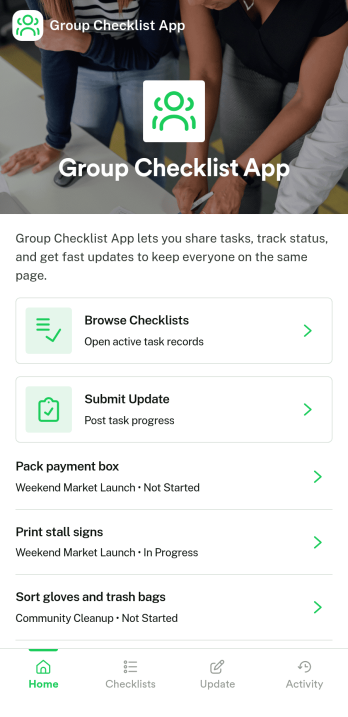
Group Checklist App
Group Checklist App brings shared to-do lists into one place so teams can coordinate work, see what’s done, and keep momentum on everyday tasks. Use it for shift handoffs, event prep, onboarding steps, content publishing routines, equipment closeouts, or any repeatable process where multiple people need clarity on who owns what. With quick navigation to open checklists, a simple way to add new checklist items, and a dedicated space to view progress, it helps reduce missed steps and keeps everyone aligned without digging through messages.Built with Jotform App Templates, this app template can be tailored in a no-code app builder with a drag-and-drop interface so it fits your workflow and team structure. Connect it to your data collection process and keep checklist and member records organized for ongoing use, then share the app through a link for easy self-service access on any device. As your process evolves, you can update pages, adjust the layout, and keep your group checklist experience consistent for every project or team.
Go to Category:Checklist Apps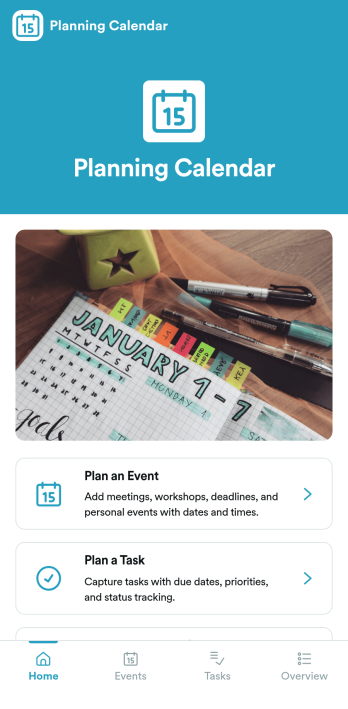
Planning Calendar App
Planning Calendar App brings your events and tasks into one place so you can plan ahead, capture details quickly, and stay focused on what’s next. It works well for busy professionals, teams coordinating internal schedules, educators managing class activities, and organizers juggling multiple deadlines. Use the built-in navigation cards to jump into planning an event or planning a task, then review what you’ve already created through dedicated areas for planned events and planned tasks. For anyone who needs a practical planning calendar without complicated setup, this app template supports clearer prioritization and fewer missed commitments.Jotform makes it easy to turn this idea into a polished, shareable experience with App Templates and a no-code app builder. Customize pages with a drag-and-drop interface, connect your app to the included forms for data collection, and keep information organized so it’s simple to review and update over time. Share the app with a link or QR code for self-service access, and refine the workflow as your planning process grows.
Go to Category:Planner Apps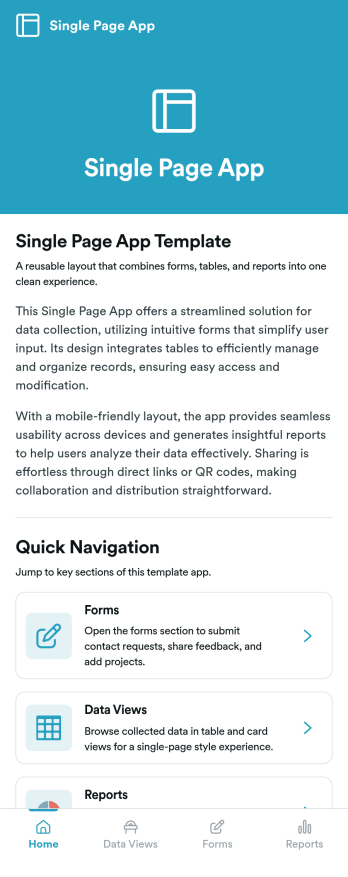
Single Page App
Single Page App is an app template designed to streamline the digital operations of businesses, developers, startups, and digital teams. This template is tailored for creating an integrated application interface that delivers content or functionality within a single-page layout. It is the perfect solution for those seeking to provide a seamless and intuitive user experience, minimizing the need for complex navigation. By centralizing key functionalities on a single page, this app facilitates easy data collection, which includes user input, feedback, electronic signatures, and more. Not only does Single Page App enhance the user experience, but it also helps businesses and digital teams maintain consistency in data collection, thereby reducing the possibility of missing or inconsistent data.With the power of Jotform's no-code platform, the Single Page App can be easily customized to fit specific operational needs without writing a single line of code. The drag-and-drop interface provides an easy way to structure the app, upload logos, choose suitable fonts, and adjust colors to maintain brand consistency. Teams can also effortlessly integrate forms for collecting e-signatures, ensuring a smooth workflow while maintaining a professional look. Moreover, users can access and interact with the app on any smart device, granting an added layer of convenience and accessibility. Jotform's Single Page App, with its ready-to-use templates and ease of customization, streamlines business processes and enhances user experience in a single sweep.
Go to Category:Task Management Apps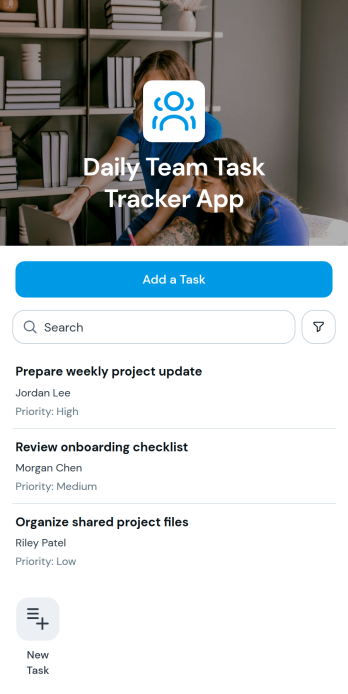
Daily Team Task Tracker App
Daily Team Task Tracker App gives teams a shared place to add, review, and organize day-to-day assignments. Its task list and individual task views make key details such as the owner, due date, and priority easy to check. Project teams, department managers, agencies, contractors, and small businesses can use this app template to coordinate daily workloads, clarify responsibility, and keep urgent work visible. It is especially useful for morning planning, shift handoffs, project check-ins, and recurring operational work where team members need quick access to current assignments.Jotform makes it easy to adapt this app to the way your team works. Use the no-code app builder and drag-and-drop interface to adjust pages, update branding, and connect task collection with forms, tables, approvals, or other workflows. You can create a practical self-service resource without writing code, then share it through a direct link, personalized address, or scannable code. Starting with Jotform App Templates saves setup time while giving you the flexibility to build a mobile-friendly experience that supports organized data collection and everyday team collaboration.
Go to Category:Task Management Apps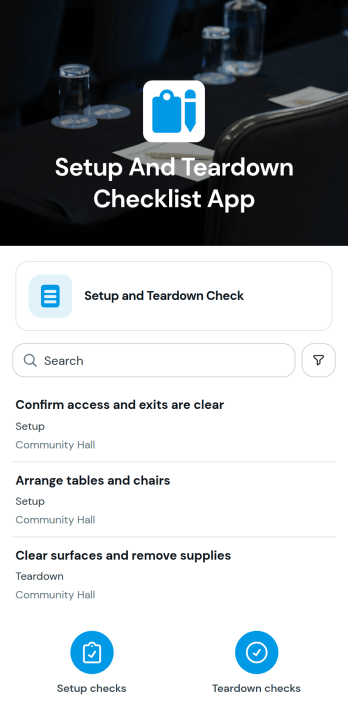
Setup And Teardown Checklist App
The Setup And Teardown Checklist App helps event planners, venue teams, contractors, field crews, hospitality staff, and operations managers coordinate work before and after an event or site activity. Team members can browse checklist items, view the relevant event or site and work area, and record completion through a connected form. This shared process reduces missed tasks, clarifies responsibility, and gives supervisors a consistent way to monitor progress across rooms, zones, booths, equipment stations, or temporary work sites. It is especially useful for conferences, community events, performances, installations, rentals, and recurring venue operations where crews must prepare spaces and restore them afterward.Jotform Apps makes it easy to adapt this app template to the way your team works without writing code. Use the drag-and-drop app builder to update pages, organize checklist resources, apply your branding, and connect forms with tables, approvals, notifications, or other workflow steps. The mobile-friendly experience supports data collection from staff working on site, while direct links and QR codes make the app simple to share. Start with one of Jotform’s App Templates, customize the layout and content, and publish a practical self-service workspace for setup and teardown coordination.
Go to Category:Checklist Apps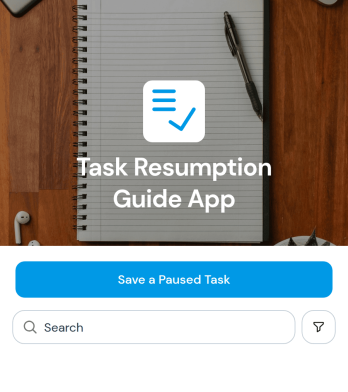
Task Resumption Guide App
Task Resumption Guide App helps employees, project teams, contractors, and operations managers preserve the context of paused work so tasks can restart with less confusion. Users can save a paused task, record its current progress and blocker, and set a target date for resuming it. This shared reference is useful when priorities change, approvals are pending, resources become unavailable, or work moves between team members. It reduces lost context, helps managers identify obstacles, and gives individuals a practical way to return to unfinished assignments without retracing earlier steps.With Jotform, this app template can be adapted into a branded task management resource without coding. The drag-and-drop app builder makes it easy to update pages, navigation, colors, fonts, and connected workflows through a visual interface. Teams can link forms and tables for organized data collection, receive notifications from related processes, and share the finished app through a direct link or QR code. Jotform App Templates also support mobile-friendly self-service, giving distributed teams convenient access to task resumption details wherever work takes place.
Go to Category:Task Management Apps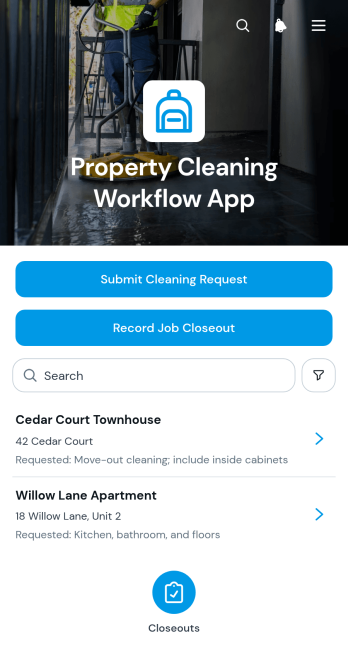
Property Cleaning Workflow App
The Property Cleaning Workflow App helps property managers, cleaning companies, facilities teams, rental operators, and field crews coordinate cleaning work across multiple locations. This app template brings cleaning requests, property browsing, contact details, and job closeout records into one accessible experience. Coordinators can submit a cleaning request and review properties, while cleaners can confirm completed work through a closeout form. It supports recurring turnovers, post-maintenance cleaning, move-in preparation, routine property care, and urgent service needs. By keeping each request connected to the relevant property, teams gain clearer task visibility, more consistent records, and an easier handoff between office staff and field workers.Jotform Apps provides a no-code app builder for adapting this workflow to different cleaning operations without programming. Use the drag-and-drop interface to update pages, navigation, buttons, colors, and branding, then connect forms, tables, approvals, and notifications as the process develops. Teams can organize data collection and self-service actions in one mobile-friendly app instead of relying on scattered messages or paper records. Publish the finished app with a shareable link or QR code so authorized staff, contractors, and property teams can access it from their preferred device. Jotform App Templates also offer a ready-made foundation that can be customized and launched quickly.
Go to Category:Home Services Apps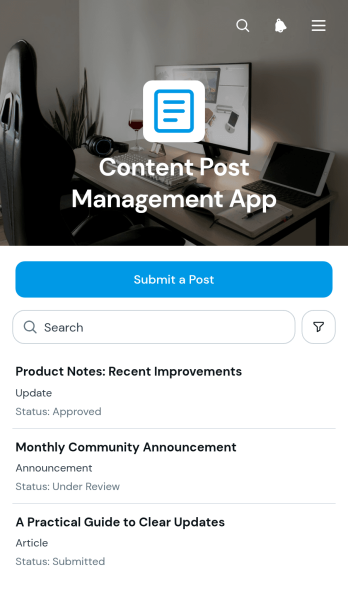
Content Post Management App
Content Post Management App provides marketing teams, content coordinators, agencies, and internal communications departments with a central place to submit, review, and organize proposed posts. This app template supports a practical editorial process by giving contributors a post submission form, enabling reviewers to browse submitted content, and displaying each post’s review status. It can be used for social media planning, campaign coordination, blog production, community updates, or any operation where content must be checked before publication. By keeping post details and review progress together, teams can reduce scattered requests, clarify ownership, maintain a dependable content pipeline, and give contributors better visibility into ongoing work.Jotform makes this Content Post Management App easy to adapt with a no-code app builder and a flexible drag-and-drop interface. Teams can customize pages, branding, navigation, and connected workflows without programming, then use Jotform Tables to review and manage collected data. The app can also connect with forms, approvals, notifications, and other processes to support collaboration and timely follow-up. Once ready, publish it through a direct link, QR code, or embedded experience so contributors and reviewers can access a mobile-friendly self-service workspace wherever they work.
Go to Category:Social Media Management Apps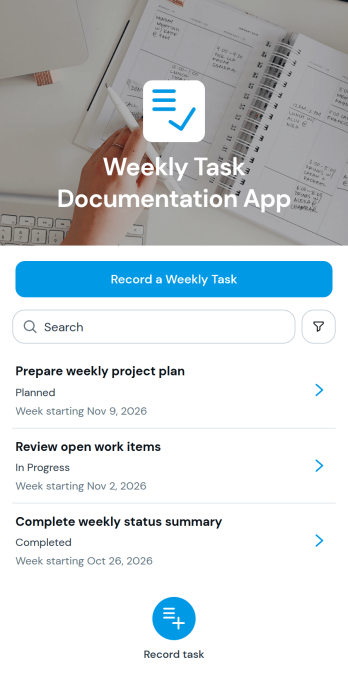
Weekly Task Documentation App
The Weekly Task Documentation App gives employees, contractors, project teams, and managers a central place to record and review work completed each week. Users can submit a weekly task, browse documented entries, and view essential context such as the starting week, current status, and supporting notes. It is well suited to recurring progress reporting, distributed team updates, contractor activity records, project reviews, and operational oversight. By keeping weekly documentation accessible in one organized experience, the app reduces scattered updates, supports clearer accountability, and helps supervisors identify progress or unresolved work before it affects schedules.Jotform makes this app template easy to adapt with a no-code app builder and an intuitive drag-and-drop interface. Add branded content, adjust navigation, update the task collection form, or connect records to tables, approvals, notifications, and other workflow steps. Teams can publish the finished app without coding, then share it through a direct link, QR code, or embedded experience. This flexible approach turns Jotform App Templates into practical self-service tools for data collection, team collaboration, and consistent weekly reporting on desktop or mobile devices.
Go to Category:Task Management Apps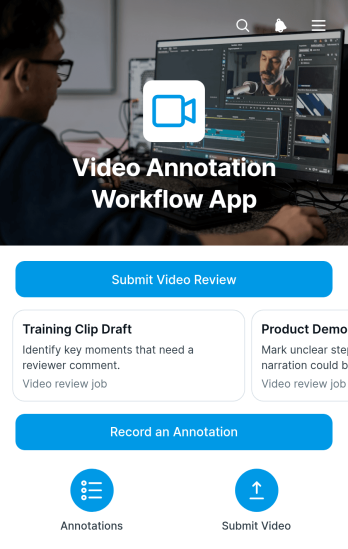
Video Annotation Workflow App
Video Annotation Workflow App brings video review requests, source files, review goals, and recorded feedback into one organized experience. Creative teams, video editors, marketing departments, educators, production coordinators, and clients can use this app template to manage review cycles without scattering instructions across separate channels. Reviewers can browse submitted videos, view the goal associated with each file, and record an annotation through a connected form. It is well suited to campaign approvals, training content reviews, course material checks, internal communications, and client video projects. Clear access to review context helps contributors provide focused feedback while project owners maintain a more consistent workflow.Jotform Apps makes it easy to adapt this Video Annotation Workflow App with a no-code app builder and a drag-and-drop interface. Teams can customize pages, cards, buttons, colors, and navigation while connecting forms, tables, approvals, and notifications to support data collection and follow-up tasks. The app can be shared through a direct link or QR code, giving reviewers mobile-friendly self-service access wherever they work. Start with one of Jotform’s App Templates, tailor the layout to your review process, and publish a branded workspace without writing code.
Go to Category:Team Collaboration Apps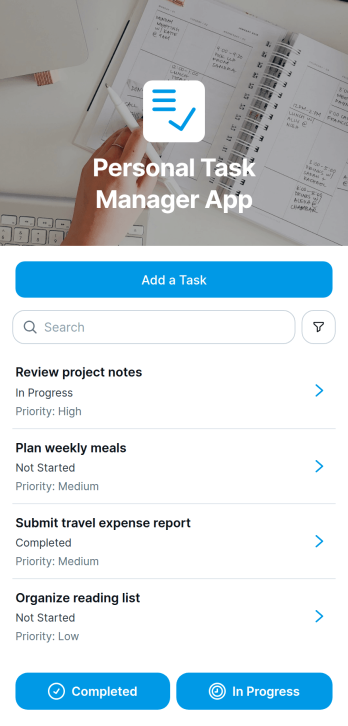
Personal Task Manager App
The Personal Task Manager App is an app template for individuals who want one organized place to capture responsibilities, review upcoming work, and stay focused on deadlines. It supports quick task creation, priority and due date visibility, and access to task records without relying on scattered notes. Professionals, freelancers, students, household organizers, and anyone managing a busy routine can use it to clarify what needs attention and reduce the chance of forgetting important commitments. It works well for daily planning, personal projects, study goals, errands, and recurring administrative duties.Jotform makes this Personal Task Manager App easy to adapt with a no-code app builder and a flexible drag-and-drop interface. Users can adjust the layout, update the visual style, and connect forms or tables that support data collection and workflow organization. Jotform app templates can also be shared through a direct link or quick response code for convenient mobile access. By bringing task entry, record review, and self-service navigation into one app, the app builder helps users create a practical planning experience that reflects their routines without writing code.
Go to Category:Task Management Apps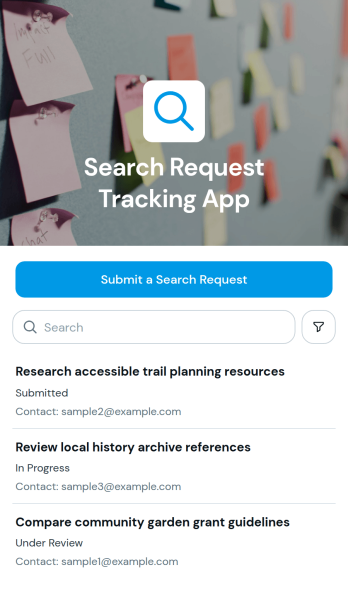
Search Request Tracking App
The Search Request Tracking App gives research teams, support staff, records departments, libraries, consultants, and internal service teams one place to receive and monitor requests for searches. Users can submit a search request, review all requests, and open individual records to see the search goal, progress update, and contact email. This app template is useful when requests arrive from multiple people and need clear ownership, consistent data collection, and an accessible record of current work. It helps teams reduce misplaced inquiries, keep requesters informed, and organize searches for documents, information, resources, candidates, properties, suppliers, or other requested results.Jotform App Templates make it easy to adapt the Search Request Tracking App to an existing workflow without writing code. With Jotform’s no-code app builder and drag-and-drop interface, teams can update content, adjust branding, connect forms and tables, and arrange app sections around their processes. The finished app can be shared by a direct link or QR code, giving staff and requesters mobile-friendly access wherever they work. Notifications and connected workflows can also support timely follow-up, while self-service access provides a convenient way to submit requests and review relevant information from a single location.
Go to Category:Tracker Apps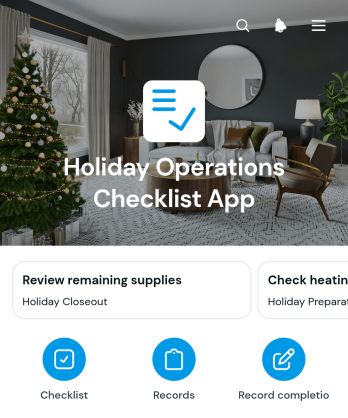
Holiday Operations Checklist App
The Holiday Operations Checklist App helps managers and frontline teams coordinate recurring tasks during busy holiday periods. It gives retailers, hospitality businesses, restaurants, service providers, event teams, and office administrators a central place to review task lists, browse checklist items, and record completed work. Teams can use it for opening and closing routines, seasonal displays, staffing preparations, inventory checks, guest readiness, safety reviews, and post-holiday wrap-up. By making responsibilities and completion records easier to access, the app reduces missed steps, supports consistent execution across locations, and gives supervisors clearer visibility into daily progress.Jotform App Templates offer a practical starting point for turning operational processes into mobile-friendly experiences. With Jotform’s no-code app builder and drag-and-drop interface, users can customize pages, task content, colors, fonts, buttons, and navigation without programming. The Holiday Operations Checklist App can connect with forms and tables to support data collection and workflow management from one place. Publish it through a direct link, personalized URL, embedded experience, or QR code so employees can open the latest checklist on any device and complete assigned work with less manual follow-up.
Go to Category:Checklist Apps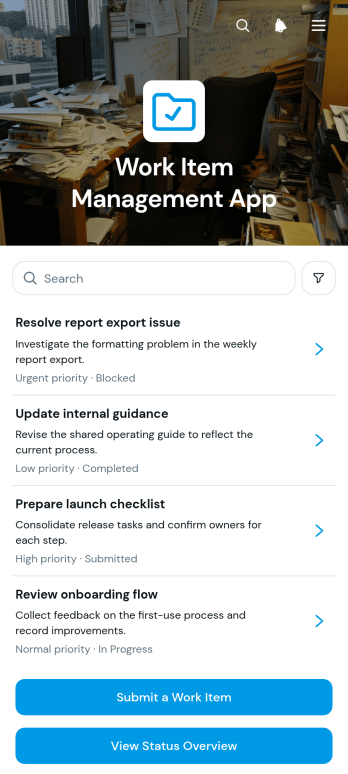
Work Item Management App
Work Item Management App gives operations teams, project coordinators, department managers, and service teams a central place to submit, review, and monitor work items. Users can record a new request, check a status overview, and open work item records without switching between disconnected resources. Clear assignment and due date details help teams understand ownership, prioritize upcoming work, and follow progress from intake to completion. The app template is well suited to internal requests, project deliverables, maintenance tasks, administrative work, and recurring operational activities. It improves visibility for managers while giving employees a convenient self-service destination for submitting and checking requests.Jotform makes this app template easy to adapt with a no-code app builder and a flexible drag-and-drop interface. Teams can update pages, navigation, colors, typography, buttons, and branding to match their workflow. Connected forms and tables support organized data collection, while charts provide a quick view of work item status. The finished app can be shared through a direct link or QR code for convenient access on desktop and mobile devices. Start with this ready-made option from Jotform App Templates, tailor it to your processes, and publish a practical workspace without writing code.
Go to Category:Task Management Apps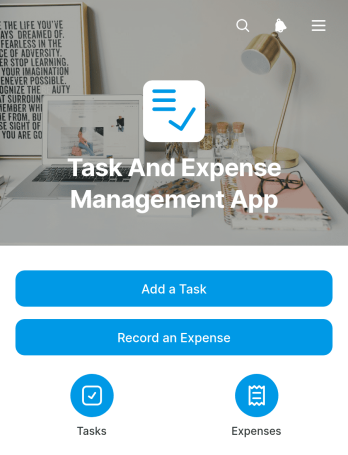
Task and Expense Management App
The Task and Expense Management App brings work assignments and related spending into one accessible workspace for project teams, contractors, consultants, field crews, and small businesses. Users can add tasks, review task names and due dates, record expenses with dates and amounts, and view spending by category. This shared approach helps teams understand what needs attention while maintaining clearer visibility into project costs. It is useful for client engagements, internal initiatives, site work, recurring operations, and any situation where tasks and expenses need to be monitored together. Managers gain a more consistent view of progress and spending, while team members can submit updates without relying on scattered messages or separate records.Jotform makes this app template easy to adapt with a no-code app builder and a flexible drag-and-drop interface. Add branded pages, reorganize navigation, update buttons, and connect forms or tables to support your preferred workflow and data collection process. The app can be shared through a direct link or QR code, giving employees and contractors mobile-friendly self-service access wherever work takes place. Start with this customizable option from Jotform App Templates, tailor the design to your organization, and publish an interactive resource that keeps daily responsibilities and expense information within easy reach.
Go to Category:Task Management Apps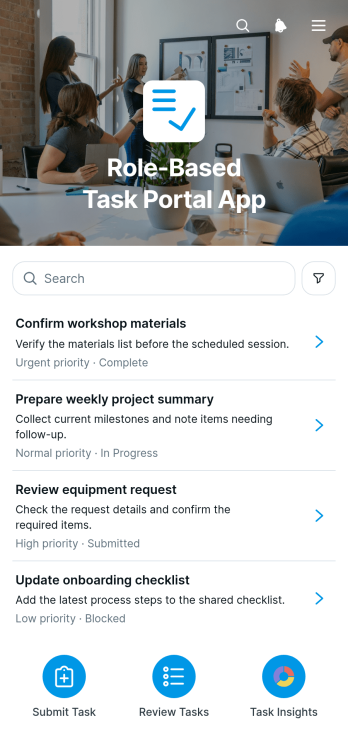
Role-Based Task Portal App
The Role-Based Task Portal App is an app template for organizing assigned work around the responsibilities of employees, managers, contractors, and cross-functional teams. It gives users a focused place to review task details, assignees, and current statuses while enabling authorized team members to review and update shared task records. A visual summary of tasks by status helps supervisors understand progress and identify work that may need attention. Organizations can use this portal for internal operations, project coordination, service delivery, recurring assignments, and departmental workflows without relying on scattered messages or disconnected spreadsheets.Jotform Apps helps teams turn task processes into accessible, interactive experiences with a no-code app builder. Customize this Role-Based Task Portal App through a drag-and-drop interface, connect forms and tables for data collection, and arrange content to support role-specific navigation and self-service. Teams can adapt the layout, colors, pages, and task workflow to match their operating needs, then publish the finished app through a direct link, custom app URL, QR code, or embedded experience. Jotform App Templates provide a practical starting point that can be updated as responsibilities, teams, and processes evolve.
Go to Category:Task Management Apps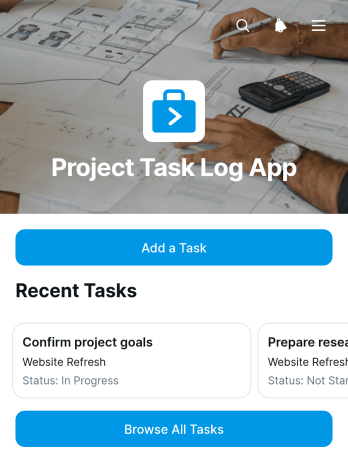
Project Task Log App
The Project Task Log App is a central workspace for recording, reviewing, and monitoring project tasks. It helps project managers, contractors, consultants, freelancers, operations teams, and small businesses keep assignments visible throughout a project. Users can add a task, browse the full task list, and open individual records to check key details such as status and due date. This clear view reduces the risk of missed work, scattered updates, and unclear priorities. The app template is useful for client projects, internal initiatives, construction work, service delivery, marketing campaigns, and other situations where teams need a dependable task history and an accessible view of current responsibilities.Jotform App Templates make it easy to adapt this Project Task Log App to an existing workflow without writing code. With Jotform’s no-code app builder and drag-and-drop interface, teams can update pages, adjust navigation, apply their visual style, and connect forms or tables for organized data collection. The finished app can support employee self-service, simplify task updates, and give collaborators a mobile-friendly place to review project activity. Share it through a direct link or QR code, then revise the content as responsibilities and processes change.
Go to Category:Task Management Apps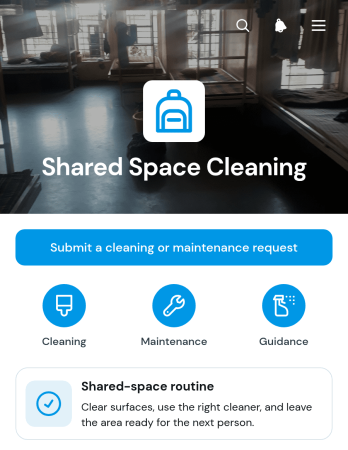
Shared Space Cleaning App
Shared Space Cleaning App is an app template for coordinating routine cleaning and reporting upkeep issues in offices, coworking areas, residential common rooms, rental properties, schools, hospitality venues, and community facilities. Property managers, facilities teams, cleaning contractors, employees, residents, and volunteers can use it to review shared-space routines, navigate tasks by area, and submit cleaning or maintenance requests. Guidance for surfaces, shared supplies, and task completion helps users follow a consistent process while giving responsible teams a clearer view of what needs attention. This centralized approach supports faster reporting, better accountability, and cleaner spaces without relying on scattered messages or paper notes.Jotform App Templates make it easy to adapt the Shared Space Cleaning App to a building, team, or operating schedule. With Jotform’s no-code app builder and drag-and-drop interface, users can update pages, branding, navigation, and instructions without programming. Forms can support data collection for service requests, while connected tables, notifications, approvals, and other workflow tools help teams organize follow-up work. Publish the finished app through a direct link or QR code to provide convenient mobile-friendly self-service access for occupants, staff, and service providers.
Go to Category:Task Management Apps