

Task Management Apps

Campaign Task Management App
Campaign Task Management App is a ready-to-use app template for marketing teams, agencies, campaign managers, and growing businesses that need one place to coordinate campaign work. Team members can create tasks, browse active assignments, and review insights without searching across scattered documents or messages. Each task can present essential workflow details such as its campaign area, assignee, priority, and due date, helping teams clarify ownership and keep deadlines visible. Use it to manage product launches, content calendars, email initiatives, promotional events, paid campaigns, or other multichannel projects where timely execution and shared accountability matter.Jotform App Templates help teams turn recurring processes into accessible, interactive experiences without writing code. Customize this app template with Jotform’s no-code app builder and drag-and-drop interface, then adjust pages, navigation, colors, fonts, and branding to suit your campaign workflow. Connected forms support consistent data collection, while task views and insights make updates easier to review. Publish the app for mobile-friendly access and share it through a direct link or QR code so contributors can manage work from nearly any device.
Go to Category:Task Management Apps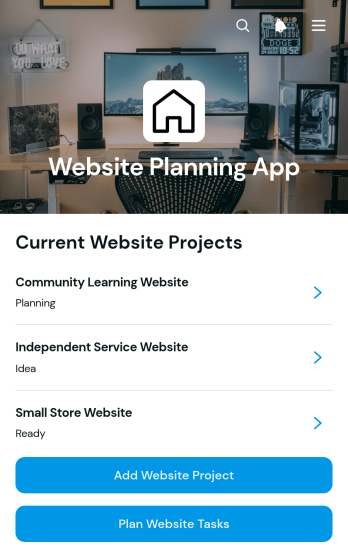
Website Planning App
Website Planning App is an app template for agencies, freelance web professionals, marketing teams, and internal project managers organizing website creation or redesign projects. It provides one place to add website projects, record goals and target audiences, set launch dates, monitor planning status, and create related tasks with owners in mind. Teams can use it to coordinate discovery, content preparation, design, development, testing, and launch activities without losing sight of deadlines. Whether planning a client site, campaign page, company website, or online resource center, the app gives stakeholders a clear view of project details and upcoming work.With Jotform Apps, teams can adapt this Website Planning App through a no-code app builder and an intuitive drag-and-drop interface. Pages, navigation, visual elements, and connected forms can be customized to match an established planning workflow and brand. Project and task data collection can feed organized records, while links to approvals and other processes can support smoother collaboration. Jotform App Templates are mobile-friendly and easy to share through a direct link, QR code, or embedded experience, helping contributors review plans and submit updates from nearly any device.
Go to Category:Project Management Apps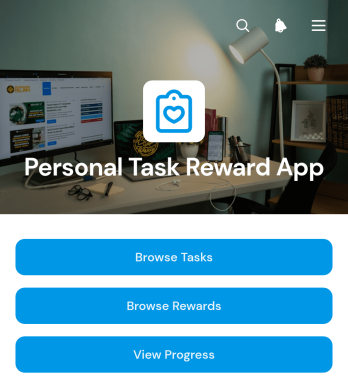
Personal Task Reward App
Personal Task Reward App is an app template for individuals who want to turn everyday responsibilities, personal goals, study plans, household duties, or wellness habits into a motivating points-based routine. It gives users one place to browse tasks, add new tasks, review due dates and point values, explore available rewards, and view progress. Each task can be paired with a selected reward, while reward details show the points cost, helping users connect completed work with meaningful incentives. Students, busy professionals, families, caregivers, coaches, and anyone building consistent habits can use the app to reduce forgotten commitments, make priorities easier to follow, and add a sense of achievement to recurring or one-time activities.With Jotform Apps, this Personal Task Reward App can be adapted without coding to match different routines and motivation styles. Use the drag-and-drop app builder to update pages, navigation, colors, fonts, and visual elements, then connect forms and tables to support data collection and an organized workflow. The mobile-friendly experience makes task and reward information easy to access from a phone, tablet, or computer, whether the app is used for personal self-service or shared accountability. Start with this ready-made option from Jotform App Templates, customize the task and reward journey, and publish it through a direct link, QR code, or embedded experience.
Go to Category:Task Management Apps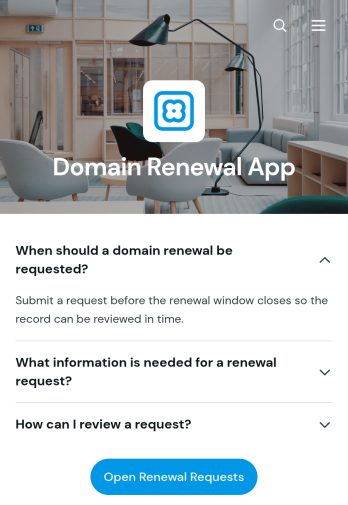
Domain Renewal App
The Domain Renewal App gives information technology teams, operations managers, agencies, and website administrators a central place to review domains and coordinate upcoming renewals. Users can browse domain records, check key renewal facts such as the registrar, renewal window, and automatic renewal status, then submit renewal requests with relevant notes. Request details remain easy to review, helping teams identify the requester, email address, requested date, and supporting context without relying on scattered messages or spreadsheets. It is well suited to organizations managing multiple websites, client domains, campaign properties, or internal digital assets where missed deadlines could disrupt operations.With Jotform Apps, this app template can be adapted through a no-code app builder and an intuitive drag-and-drop interface. Teams can update pages, branding, navigation, and connected forms to match their domain management workflow. Renewal information and request collection can be organized into one mobile-friendly experience, while notifications and connected data help staff respond to new activity. Start with this Domain Renewal App, personalize it for internal or client self-service, and share it using a direct link, custom app link, embedded experience, or QR code.
Go to Category:Information Technology Apps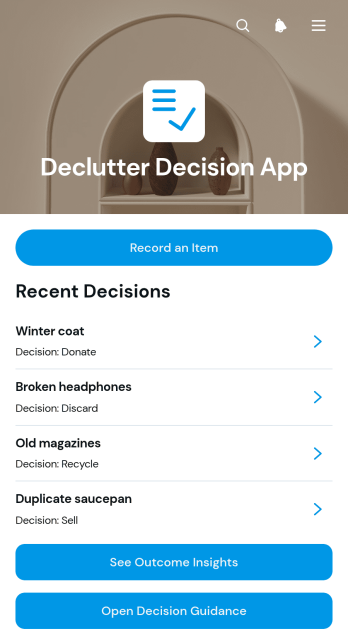
Declutter Decision App
Declutter Decision App helps individuals, households, professional organizers, and home service teams make consistent choices about belongings during cleanup and organization projects. Users can record an item, review decision guidance, see outcome insights, and document its condition, context, decision, and next action. This creates a practical record for deciding what to keep, donate, sell, relocate, repair, recycle, or discard without relying on memory or scattered notes. It is useful for room-by-room decluttering, moving preparation, estate organization, storage reviews, office cleanouts, and recurring household resets. By turning uncertain choices into clear actions, the app reduces decision fatigue and helps users maintain momentum.Jotform makes this app template easy to adapt with a no-code app builder and a flexible drag-and-drop interface. Add or rearrange pages, update decision resources, connect forms for data collection, and organize each workflow around personal or team needs. The app can be shared through a direct link or QR code, giving users convenient mobile access while they sort items in different locations. Jotform App Templates also support connected tables, notifications, and other processes, so records can remain organized as a project grows. Customize the design, publish quickly, and create a focused self-service experience without writing code.
Go to Category:Organization Apps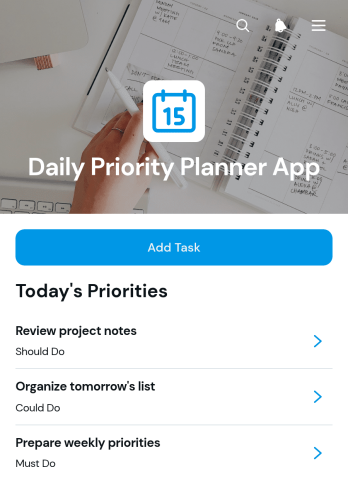
Daily Priority Planner App
The Daily Priority Planner App is a task-planning template for individuals, team members, freelancers, managers, and small businesses that need a clearer view of each day’s most important work. Users can add tasks, review priorities and planned dates, and update task details as work progresses. It is well suited to daily planning, personal productivity, project coordination, client work, and recurring operational routines. By keeping task status and context in one accessible place, the app helps users decide what deserves attention first, reduce missed responsibilities, and maintain focus throughout a busy day.Jotform makes this app template easy to adapt without writing code. Its no-code app builder and drag-and-drop interface let users adjust pages, navigation, visual styling, and connected forms to match personal or team workflows. Tasks can feed into organized data collection processes, while notifications and connected tools can support timely follow-up. Once customized, the app can be shared through a direct link or QR code for convenient mobile access and self-service task updates. Jotform App Templates provide a practical starting point for creating a branded planning experience that can grow alongside changing schedules and responsibilities.
Go to Category:Daily Planner Apps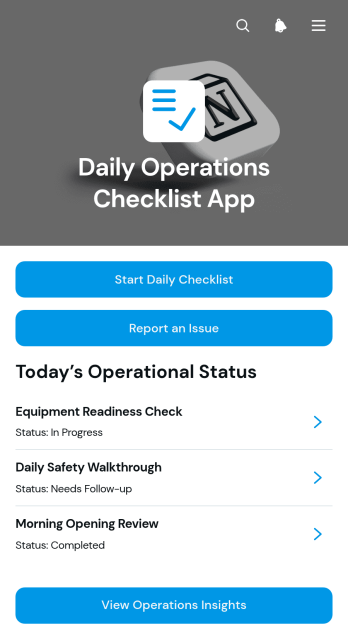
Daily Operations Checklist App
The Daily Operations Checklist App gives managers and frontline teams a central place to document recurring operational checks, report issues, and review completion records and insights. It is well suited to retail locations, restaurants, hospitality teams, warehouses, service businesses, offices, and other organizations that rely on consistent opening, closing, safety, maintenance, or shift procedures. Staff can record who completed each checklist, note the relevant operational area, add observations, and flag related problems for follow-up. This shared process improves accountability, reduces missed tasks, and gives supervisors clearer visibility into daily activity across teams or locations.With Jotform Apps, organizations can adapt this app template to their own routines without writing code. The drag-and-drop App Builder makes it easy to update pages, navigation, branding, and connected forms while keeping resources accessible from one mobile-friendly experience. Checklist data can support organized workflows, timely notifications, and informed operational reviews. Start with this template from Jotform App Templates, connect it to related forms or tables, and publish it through a direct link, QR code, or embedded experience for convenient employee self-service.
Go to Category:Checklist Apps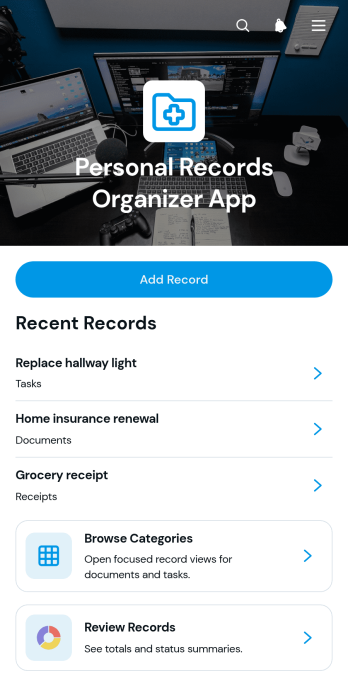
Personal Records Organizer App
The Personal Records Organizer App is an app template for individuals, households, personal assistants, and support professionals who need one convenient place to catalog important records. Users can add records, browse them by category, review record dates and statuses, maintain notes, and navigate related documents or tasks. This organized experience makes it easier to locate information, monitor items that need attention, and reduce reliance on scattered files or disconnected lists. It can support household administration, personal document tracking, property records, warranties, memberships, and other recurring recordkeeping needs.Jotform App Templates help users turn everyday processes into accessible, interactive experiences without writing code. Customize this template with Jotform’s no-code app builder and drag-and-drop interface, then adjust pages, cards, buttons, colors, and navigation to suit your recordkeeping system. Connect forms for data collection, use tables to organize entries, and add workflows that support reminders or follow-up tasks. Once published, the app can be shared through a direct link or QR code, giving users mobile-friendly self-service access to the resources and actions they need.
Go to Category:Organization Apps
Team Request Tracking App
The Team Request Tracking App gives internal teams a shared place to submit requests, browse existing records, and monitor progress from a status board. It suits operations, human resources, information technology, facilities, project, and service teams that manage requests from employees or cross-functional groups. Centralized access helps requesters find updates without relying on scattered messages, while coordinators can review priorities, route work to the right team, and follow up on outstanding needs. Small and midsize organizations can use this app template to create a more visible and consistent request workflow.With Jotform Apps, you can adapt this Team Request Tracking App through a no-code app builder and an intuitive drag-and-drop interface. Update pages, navigation, colors, and branding, then connect forms and organized data to support collection and ongoing tracking. Jotform app templates also make it easy to add approval steps, notifications, or other workflows as team processes evolve. Publish the finished app with a direct link or QR code so employees can access a mobile-friendly self-service experience wherever work happens.
Go to Category:Team Collaboration Apps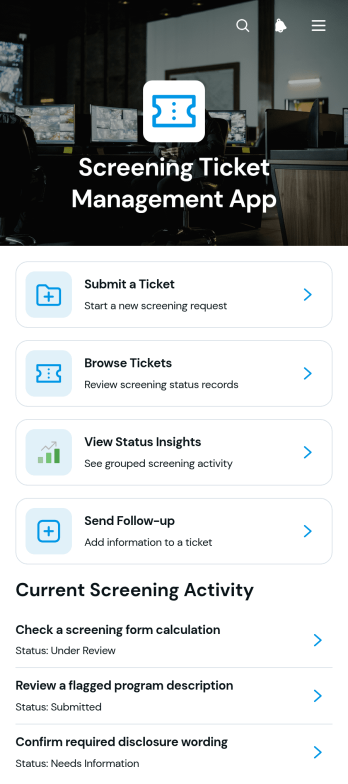
Screening Ticket Management App
Screening Ticket Management App is an app template for teams that receive, review, and resolve screening-related requests through a consistent ticket process. Operations teams, service departments, review groups, educational institutions, healthcare organizations, nonprofits, and internal support units can use it to replace scattered emails and manual status checks. Users can submit a ticket, browse existing requests, view status insights, and send follow-up information from one organized location. Clear ticket references, screening areas, current statuses, next actions, contact details, and request context help reviewers understand each case and keep work moving. This setup supports reliable data collection while giving requesters a convenient self-service experience.With Jotform Apps, teams can adapt this Screening Ticket Management App without writing code. The no-code app builder features a drag-and-drop interface for changing pages, navigation, visual elements, and branding to match an existing workflow. Connected forms can collect new tickets and follow-up details, while tables and notifications help staff organize records and respond to updates. The finished app can be shared through a direct link or QR code for easy mobile access. Jotform App Templates offer a practical starting point that teams can customize, publish, and update as their screening process evolves.
Go to Category:Service & Support Portal Apps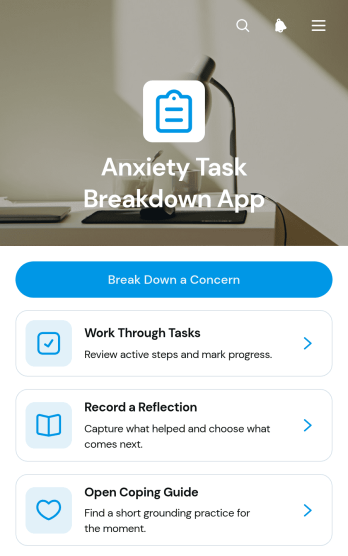
Anxiety Task Breakdown App
The Anxiety Task Breakdown App is an organized self-service space for turning an overwhelming concern into a clear goal, a manageable first step, and smaller tasks. Individuals can use it to work through personal, school, or workplace responsibilities that feel difficult to begin, while counselors, wellness coaches, educators, and support teams can introduce it as a guided planning resource. Users can record a concern, review related tasks and due dates, open a coping guide, and reflect on what helped, what felt hard, and what to do next. This focused process reduces scattered notes and makes progress easier to revisit without presenting the app as a replacement for professional care.As one of Jotform’s customizable App Templates, this app template can be adapted with a no-code app builder and an intuitive drag-and-drop interface. Change the visual design, reorganize resource navigation, update guidance, or connect forms and workflows that support data collection and follow-up. Jotform also makes it easy to bring task breakdowns, reflections, and coping resources into one mobile-friendly experience. Publish the app with a shareable link or QR code so users can access it when they need a practical way to pause, plan, and move forward.
Go to Category:Mental Health Apps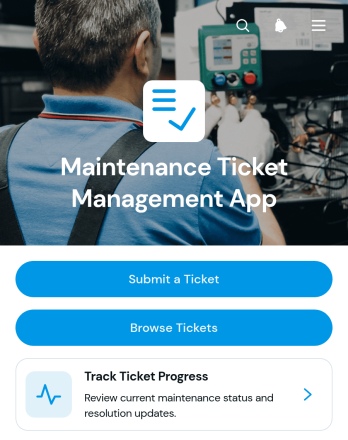
Maintenance Ticket Management App
Maintenance Ticket Management App gives facilities teams, property managers, contractors, service departments, and operations staff a central place to handle repair and maintenance requests. This app template lets users submit new tickets, browse reported issues, and track progress through lifecycle updates and resolution details. It is well suited to offices, rental properties, warehouses, schools, hospitality facilities, and field service operations where scattered requests can cause missed work or unclear ownership. Teams gain better visibility into active issues while requesters can use self-service access to check updates without repeatedly contacting maintenance staff.Jotform App Templates help organizations turn everyday processes into accessible digital experiences without coding. Using the no-code app builder and its drag-and-drop interface, teams can adapt the Maintenance Ticket Management App with branded pages, navigation, forms, and connected workflows. Administrators can organize data collection, update content, and add resources as operational needs change. Once ready, the app can be shared by link or QR code for convenient mobile access, giving employees, tenants, customers, or technicians a consistent way to report problems and follow maintenance activity from one place.
Go to Category:Equipment Maintenance Software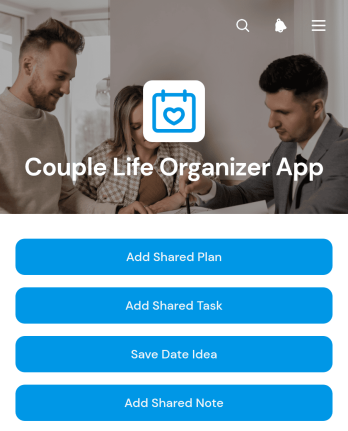
Couple Life Organizer App
The Couple Life Organizer App is a shared planning app template that helps partners coordinate everyday responsibilities and make time for meaningful experiences. Couples can add shared plans and tasks, save date ideas, and keep useful information together rather than spreading it across messages, notebooks, and separate calendars. It is well suited to partners managing household routines, upcoming occasions, personal goals, errands, or leisure activities. By creating one accessible space for joint planning, the app encourages clearer communication, reduces forgotten commitments, and makes it easier for both people to contribute to decisions.Jotform Apps lets anyone customize this template with a no-code app builder and an intuitive drag-and-drop interface. Users can adjust pages, colors, fonts, buttons, and navigation to reflect their preferred organization style, then connect forms, tables, approvals, or other workflow resources as their needs evolve. These App Templates support convenient data collection and self-service access from phones, tablets, or computers. Once the Couple Life Organizer App is ready, it can be published and shared through a direct link or QR code, giving both partners a simple way to view and update shared information wherever they are.
Go to Category:Planner Apps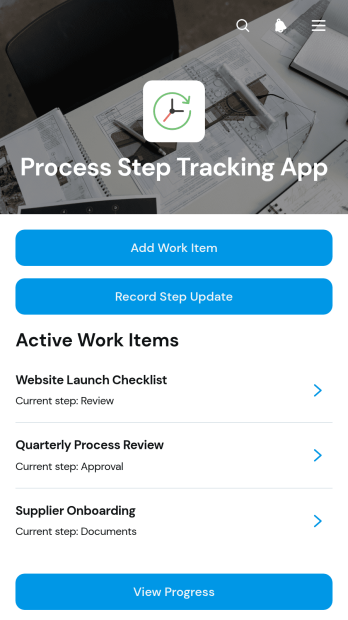
Process Step Tracking App
The Process Step Tracking App provides project teams, operations managers, contractors, consultants, and service businesses with a central place to follow work through defined stages. Teams can add work items, record step updates, and view progress without relying on scattered messages or separate files. Each item can retain essential context such as its description, target date, owner contact, current status, and latest update. This app template is useful for repeatable production processes, client deliverables, internal requests, quality reviews, field operations, and other multistep work where people need a clear view of what has been completed and what comes next.Jotform Apps helps organizations turn this template into a branded, mobile-friendly tracking experience without writing code. Its drag-and-drop interface makes it easy to adjust pages, navigation, buttons, and visual elements to match an existing workflow. Teams can connect forms for data collection, organize records through related tools, and trigger notifications when new activity occurs. The app can then be shared through a direct link or QR code, giving staff and partners convenient self-service access from nearly any device. Start with one of Jotform’s App Templates, tailor the Process Step Tracking App to your operations, and publish it when it is ready for use.
Go to Category:Tracker Apps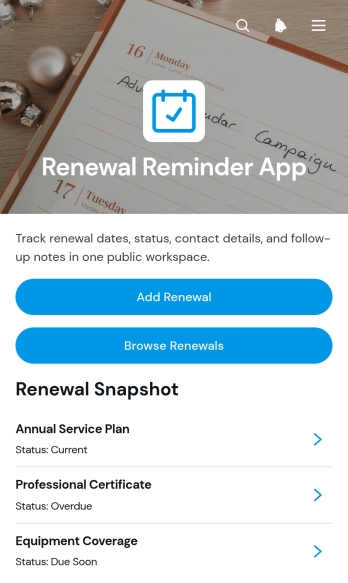
Renewal Reminder App
The Renewal Reminder App is an app template for organizing upcoming renewals and keeping follow-up work visible in one accessible place. Operations teams, account managers, office administrators, service providers, and small businesses can use it to monitor subscriptions, memberships, agreements, licenses, warranties, and recurring services. Users can add renewal records, browse existing entries, review status and due-date details, and send email follow-ups to the appropriate contact. This organized view reduces the risk of overlooked deadlines, supports timely outreach, and gives teams a consistent process for handling recurring obligations.Jotform Apps makes this Renewal Reminder App easy to adapt with a no-code app builder and a flexible drag-and-drop interface. Start from the App Templates library, update the layout and branding, and connect forms, tables, notifications, approvals, or other workflow steps as your process develops. The app builder supports centralized data collection while giving employees or clients convenient self-service access to relevant renewal information. Publish the finished app with a direct link, share it through a QR code, or embed it into an existing digital experience.
Go to Category:Scheduling and Planning Apps
Design Request Management App
The Design Request Management App gives creative teams, marketing departments, agencies, freelancers, and internal stakeholders a shared space for handling design work from intake through review. Requesters can submit a new design brief, while team members can browse active requests and open individual records to see the design type, due date, priority, requester, current status, and review notes. This visibility helps teams clarify expectations, prioritize assignments, monitor progress, and reduce requests scattered across email or chat. It works well for graphics, campaign assets, presentations, social content, web materials, and other recurring creative needs.Jotform App Templates make it easier to turn repeatable processes into accessible digital experiences without writing code. Using Jotform’s no-code app builder and drag-and-drop interface, teams can customize the Design Request Management App with branded pages, navigation, forms, tables, approvals, and connected workflows. The app can support data collection, status updates, team collaboration, and requester self-service from one mobile-friendly location. Once configured, it can be published and shared through a direct link, QR code, or embedded experience, giving employees, clients, and partners convenient access to the request process.
Go to Category:Project Management Apps
Priority Workflow Tracker App
The Priority Workflow Tracker App gives project teams, operations groups, department managers, and growing businesses a central place to submit work items and organize them by urgency. Team members can open active work items, update progress and status, and review priority insights without relying on scattered messages or separate lists. It is useful for managing internal requests, production queues, campaign tasks, service work, and cross-department assignments where changing priorities can cause delays. Clear guidance for priority and status decisions helps teams apply consistent criteria, identify urgent work, and keep responsibilities visible throughout each workflow.Jotform makes this app template easy to adapt with a no-code app builder and a modern drag-and-drop interface. Teams can customize pages, navigation, cards, buttons, fonts, colors, and branding, then connect forms and tables to support data collection and workflow management. Notifications and approval steps can be added when a process requires follow-up or review. The app can be shared through a direct link or QR code, giving employees and collaborators mobile-friendly self-service access from one organized location. Start with this template, tailor it to existing processes, and publish an interactive tracking experience without writing code.
Go to Category:Task Management Apps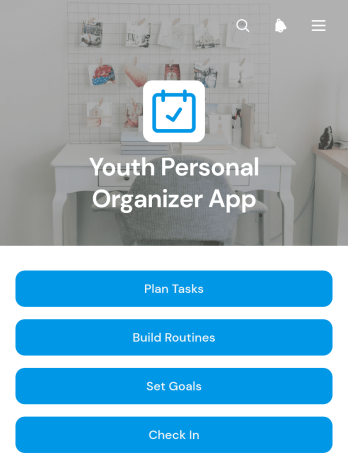
Youth Personal Organizer App
Youth Personal Organizer App gives young people a welcoming place to plan tasks, build routines, set personal goals, and record regular check-ins. This ready-to-use app template can support students, teenagers, youth program participants, and young people developing stronger organization habits. Families, educators, mentors, counselors, and community groups can also use it to encourage independence without scattering plans across notebooks and separate tools. Clear navigation helps users move between daily responsibilities, repeatable routines, longer-term goals, and reflections on how they are feeling. It is especially useful for managing schoolwork, household responsibilities, extracurricular commitments, wellness habits, and personal development.Jotform makes this template easy to adapt with a no-code app builder and a flexible drag-and-drop interface. Organizers can adjust pages, buttons, colors, fonts, and branding, then connect forms and data collection tools to a practical workflow. Entries can be organized for ongoing review, helping young users see their plans and progress in one mobile-friendly experience. Like other Jotform app templates, it can be shared through a direct link or QR code for convenient self-service access. Start with the existing structure, tailor the content to an age group or program, and publish the finished app without writing code.
Go to Category:Student Planner Apps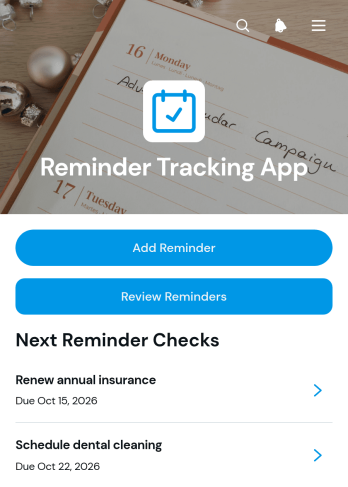
Reminder Tracking App
The Reminder Tracking App is an app template for individuals, teams, and small businesses that need one accessible place to record and review time-sensitive responsibilities. Users can add reminders, browse existing entries, and view key details such as priority, due date, and notes. It works well for tracking administrative follow-ups, recurring office duties, client commitments, personal errands, project deadlines, and routine operational checks. Managers can use it to improve visibility into upcoming work, while employees, freelancers, students, and service teams can rely on it to reduce missed tasks and keep important information close at hand.Jotform makes this template easy to adapt with a no-code app builder and a flexible drag-and-drop interface. Change the pages, colors, typography, buttons, and navigation to match a personal routine or team workflow, then connect forms and other resources for organized data collection. The finished app can be shared through a direct link or QR code, giving users mobile-friendly access wherever work happens. Starting with Jotform App Templates also saves setup time, while built-in customization options help create a branded self-service experience without programming.
Go to Category:Tracker Apps
Team Duty Checklist App
The Team Duty Checklist App is a central workspace for assigning, completing, and reviewing recurring team responsibilities. It suits operations teams, supervisors, shift leaders, facilities staff, service crews, and other groups that need consistent duty completion across locations or work periods. Team members can submit duty checklists and add notes, while managers can browse checklist records, maintain checklist items, and review completion insights. This shared approach reduces missed tasks, improves visibility, and creates a clearer record of routine work without relying on paper lists or scattered messages.Jotform Apps helps organizations turn everyday processes into accessible digital experiences with a no-code app builder. Start with this app template, then use the drag-and-drop interface to adjust pages, navigation, branding, and connected forms for your workflow. Checklist data collection can be linked with tables, notifications, approvals, and other resources to support timely follow-up. Jotform App Templates are mobile-friendly and easy to share through a direct link, custom URL, embedded experience, or QR code, giving employees convenient self-service access wherever duties are performed.
Go to Category:Checklist Apps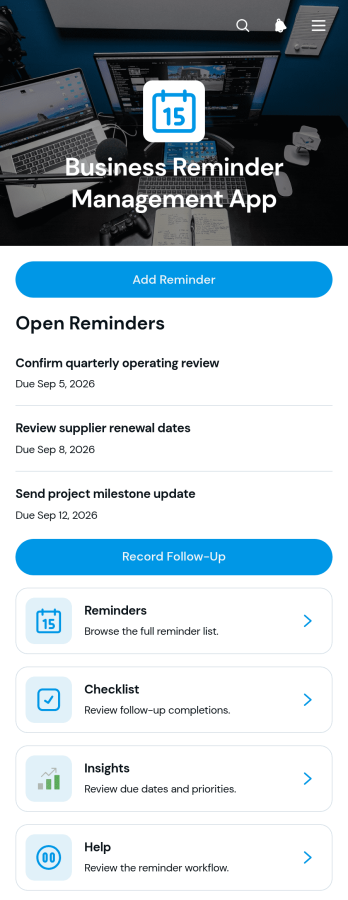
Business Reminder Management App
The Business Reminder Management App gives teams a shared place to create reminders, record follow-up activity, and review checklists and insights related to ongoing work. It is well suited to sales groups, consultants, service teams, office administrators, project coordinators, and small businesses that need to keep recurring responsibilities visible. Staff can use it for client callbacks, account reviews, internal deadlines, renewal notices, vendor communication, and other time-sensitive tasks. Centralizing these activities reduces missed follow-ups, clarifies status, and helps managers understand which business areas need attention without relying on scattered notes or personal calendars.This app template can be adapted with Jotform’s no-code app builder to match an organization’s processes, visual identity, and information needs. The drag-and-drop interface makes it easy to update pages, navigation, buttons, and connected forms without programming. Teams can connect data collection to tables, notifications, approvals, and other workflow steps, then share the finished app through a direct link or QR code. Jotform App Templates provide a practical starting point for creating a mobile-friendly reminder workspace that supports collaboration, organized recordkeeping, and convenient employee self-service.
Go to Category:Task Management Apps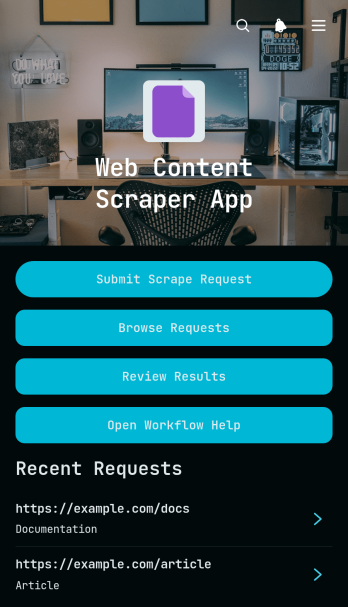
Web Content Scrape Request App
The Web Content Scrape Request App template provides a central workspace for submitting, organizing, and reviewing web content extraction requests. It is well suited to research teams, content specialists, marketing departments, analysts, consultants, and information technology teams that need a consistent process for gathering material from public web sources. Users can submit a source and extraction brief, browse existing requests, and review extracted content with its current status. By keeping instructions, source details, and reviewed results together, the app helps teams reduce scattered communication, prioritize work, monitor progress, and maintain a dependable record of each request. It can support competitor research, content inventories, market analysis, website audits, and other recurring research tasks.Jotform makes this app template easy to adapt without writing code. Its no-code app builder and drag-and-drop interface let teams update pages, navigation, branding, and connected forms to match their workflow. Requests and review details can feed into organized data collection processes, while notifications and connected approvals can help move work between requesters and reviewers. Teams can publish the finished app with a shareable link or custom address, making it accessible on phones, tablets, and computers. Jotform App Templates also make it simple to create a self-service request experience that can grow alongside changing research and content operations.
Go to Category:Information Technology Apps
Staff Operations App
Staff Operations App gives employees and operations teams a central place to record day-to-day work, report workplace incidents, and submit internal requests. Task lists help staff review assignments, due dates, categories, and progress, while dedicated records make it easier for supervisors to follow incidents and requests from submission through resolution. The app suits offices, service businesses, warehouses, hospitality teams, field operations, and other organizations that need clearer visibility into routine activities. By replacing scattered messages and disconnected records, it supports faster follow-up, greater accountability, and a more consistent employee self-service experience.With Jotform Apps, teams can adapt this app template using a no-code app builder and an intuitive drag-and-drop interface. Pages, forms, navigation, and branding can be updated to reflect existing procedures without requiring programming knowledge. Connected forms support data collection, and information can flow into tables, approvals, notifications, and other workflow steps for organized review. Managers can share the finished app through a direct link or QR code, giving staff mobile-friendly access wherever work takes place. Start with one of Jotform’s ready-made App Templates and create a practical operations resource that grows with your team.
Go to Category:Operations & Logistics Portal Apps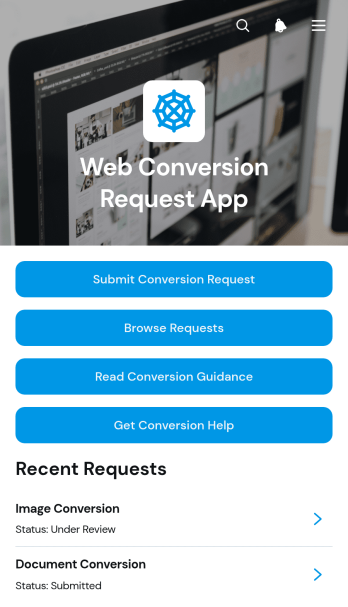
Web Conversion Request App
The Web Conversion Request App gives web production teams, information technology departments, digital agencies, and internal service groups a central place to receive and manage conversion requests. Requesters can submit a file, specify source and target formats, add notes, and seek troubleshooting help when requirements are unclear. Team members can browse submitted requests, review requester details, monitor current status, and consult conversion guidance. This shared experience reduces scattered email communication, clarifies expected outputs, and makes it easier to prioritize work across recurring conversion projects.Jotform Apps helps organizations turn this app template into a branded, self-service request hub without writing code. Using the drag-and-drop app builder, teams can adjust pages, navigation, buttons, and visual styling to match their process. The Web Conversion Request App can connect data collection forms with tables, notifications, approvals, and other workflow steps, keeping intake and follow-up work together. Start with ready-made App Templates, customize the experience for desktop and mobile users, then publish it through a direct link, personalized address, embedded experience, or QR code.
Go to Category:Service & Support Portal Apps