

Company Portal App Templates

Member Governance Portal App
The Member Governance Portal App is a central workspace for member-led associations, committees, boards, nonprofits, and professional groups to manage governance matters and share important information. Members can submit matters for consideration, review records with relevant categories and statuses, and browse supporting resources from one accessible location. This setup reduces scattered communication, gives participants clearer visibility into current and past matters, and helps administrative teams maintain an organized review process. It is well suited to governance requests, policy discussions, committee actions, member proposals, and other issues that require consistent documentation and follow-up.Jotform makes this app template easy to adapt without coding. Using the drag-and-drop app builder, teams can update pages, navigation, colors, fonts, buttons, and content to reflect their governance process and visual identity. Connected forms support data collection, while tables and workflows can help organize records, trigger notifications, and coordinate review steps. The finished portal can be shared by a direct link or QR code for convenient mobile access, giving members a practical self-service experience and administrators a flexible way to manage evolving resources and processes.
Go to Category:Community & Engagement Portal Apps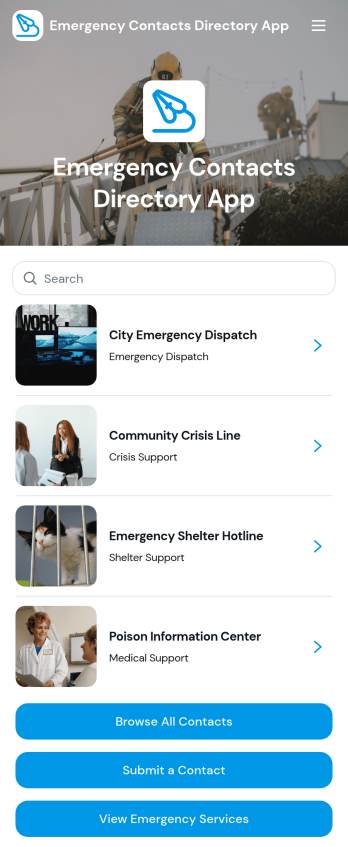
Emergency Contacts Directory App
Emergency Contacts Directory App gives employees, residents, students, volunteers, or community members a central place to find important contact information during urgent situations. Organizations, schools, workplaces, property managers, nonprofits, and community groups can use it to organize emergency services and other essential contacts in an accessible directory. Users can browse contact records, open phone or email actions, and submit contact details or suggested updates. This reduces time spent searching through documents, outdated lists, or separate communication channels while helping administrators maintain a dependable resource for everyday preparedness.Jotform App Templates make it easy to turn organized information and connected workflows into mobile-friendly experiences without writing code. With Jotform’s no-code app builder and drag-and-drop interface, teams can adapt the Emergency Contacts Directory App with their own branding, navigation, content, and directory categories. Forms can support data collection and self-service updates, while connected tables help administrators manage records in one place. Once customized, the app can be shared through a direct link, QR code, or embedded experience so relevant contacts remain easy to reach across devices.
Go to Category:Safety and Compliance Apps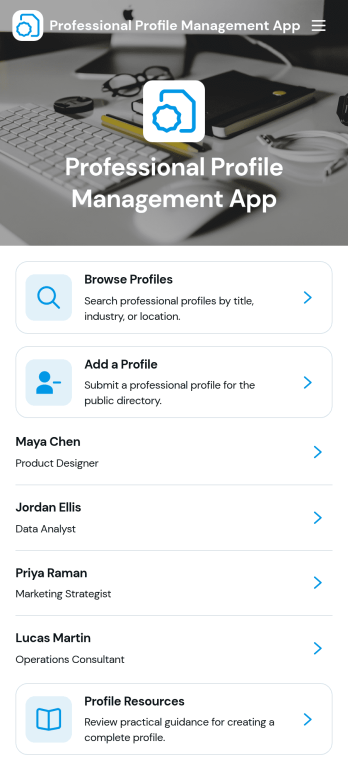
Professional Profile Management App
Professional Profile Management App helps teams create, organize, and maintain professional profiles in one place so people can be discovered, reviewed, and kept up to date. Use it to browse profiles in a list, open an individual profile to view key details, and guide contributors to submit new or updated information through a connected profile form. It’s a practical fit for HR and People Ops, staffing and recruiting teams, consulting firms, agencies, member organizations, or any department that needs a reliable directory of expertise across roles, industries, and locations.With Jotform, you can turn this app template into a polished, self-service experience without coding. Customize pages with a drag-and-drop interface, adjust the profile checklist and standards content to match your organization, and connect the app to forms and tables to support ongoing data collection and workflow updates. Share the app by link or QR code for quick access, keep profile resources easy to find, and maintain a consistent, branded experience as your directory grows.
Go to Category:Company Portal Apps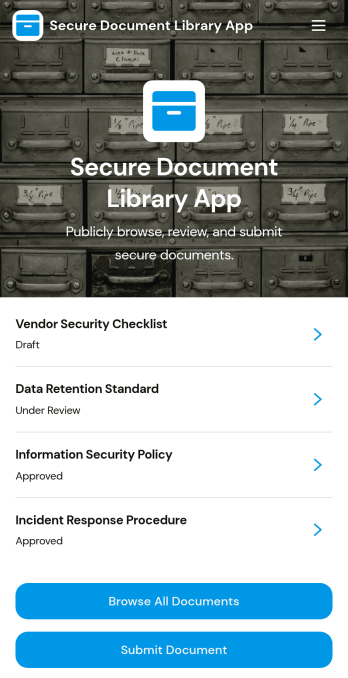
Secure Document Library App
Secure Document Library App helps teams store, organize, and share internal files in one controlled place so people can quickly find what they need without hunting through inboxes or scattered folders. Use it to browse all documents, open a document to review key details like category, version, document owner, and next review date, and route new files through a simple submit document flow. It’s a practical fit for HR and operations teams maintaining policies and handbooks, IT teams publishing runbooks and SOPs, and growing businesses that need a consistent way to keep reference materials current.With Jotform, you can turn this app template into a branded self-service experience using a drag-and-drop interface and a no-code app builder that’s easy to update as your library grows. Connect the app to your data collection process and workflow so submissions can populate records, notify the right reviewers, and keep document information organized for everyday access. Share your Secure Document Library App with a link or QR code, and keep your document hub accessible on any device.
Go to Category:Company Portal Apps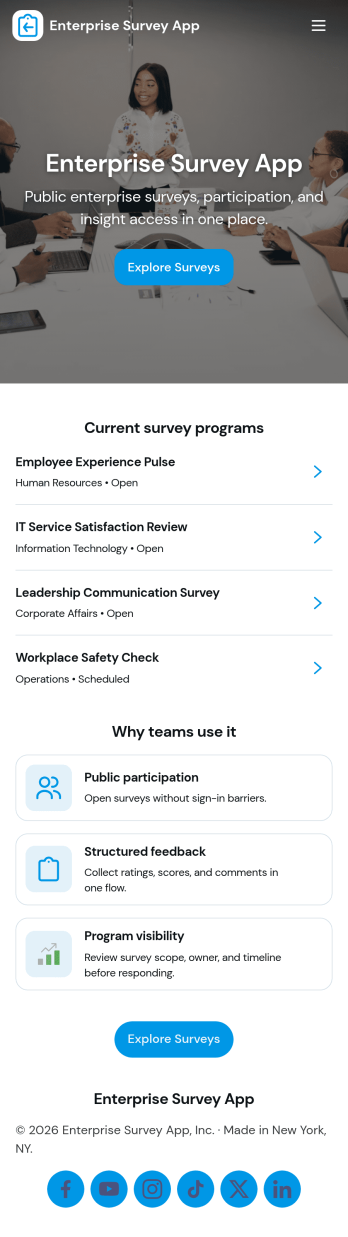
Enterprise Survey App
Enterprise Survey App brings company-wide surveys into one place so teams can launch initiatives, collect responses, and review results without relying on scattered links or email threads. It’s built for HR, IT, operations, and internal comms teams that run recurring engagement pulses, policy acknowledgments, training feedback, or cross-department check-ins. With a central area to browse available surveys, a clear path to submit responses, and a dedicated section for viewing records, the experience stays consistent for employees and easy to repeat for administrators.Jotform makes it simple to publish and maintain enterprise-ready survey experiences using App Templates and a no-code app builder. Customize pages with a drag-and-drop interface, connect surveys to forms and tables for organized data collection, and keep workflows moving with shareable links that work across devices. As needs change, you can update content quickly, support self-service access for respondents, and keep survey activity structured for ongoing internal programs.
Go to Category:Company Portal Apps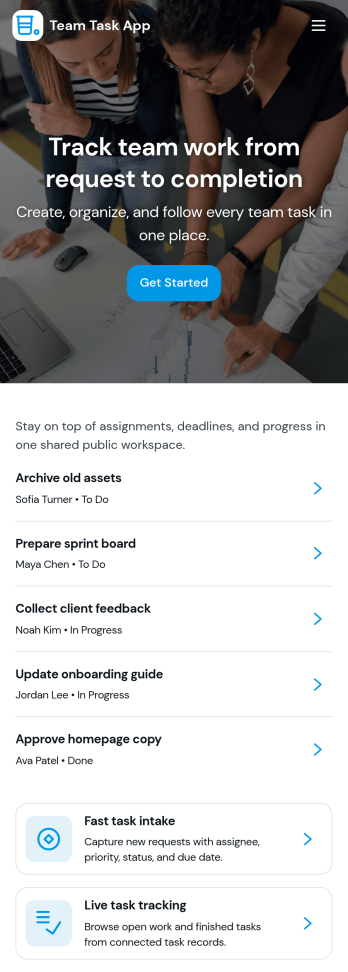
Team Task App
Team Task App helps groups keep day-to-day work organized in one place by making it easy to review open tasks, check quick task status in a summary dashboard, and browse task details from a central list. It’s a practical fit for project teams, operations leads, agency pods, and small businesses that need a clear view of what’s in progress without relying on scattered messages or spreadsheets. Use it to keep priorities visible, reduce missed handoffs, and give everyone a consistent place to check what needs attention and who’s involved.With Jotform, you can build and publish app templates like this using a no-code app builder and a drag-and-drop interface, then connect pages to forms and data sources to support your workflow. Customize your navigation, add task-focused views, and share a self-service experience with your team so updates and next steps stay easy to find. As your process evolves, you can adjust what people see and how they move through the app without starting over.
Go to Category:Task Management Apps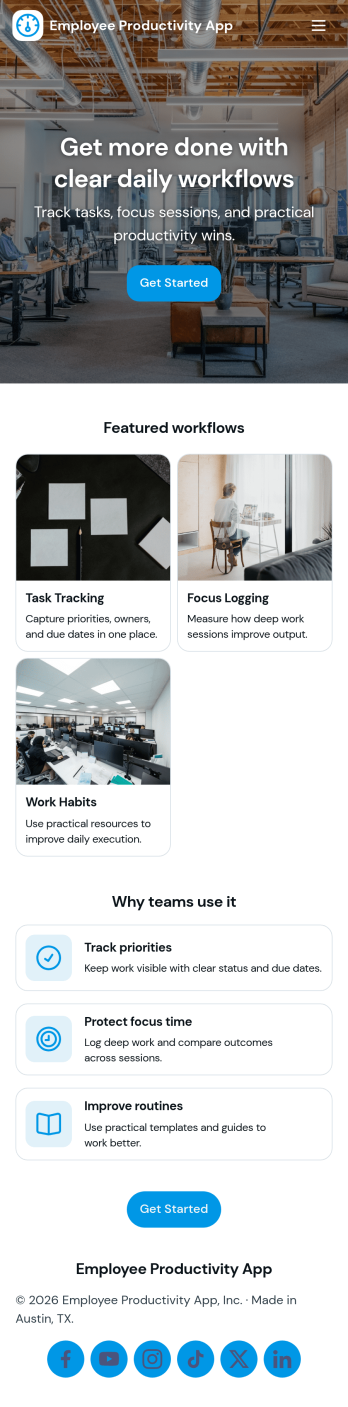
Employee Productivity App
Employee Productivity App helps teams stay focused on priorities by bringing daily task management and time tracking into one place. Use it to capture new work with an Add Task action, organize items on a task board, group work by task categories, and keep project momentum by reviewing what’s in progress. With a dedicated time log and quick links to view time records and task overviews, employees and managers can spot workload trends, identify blockers, and keep commitments realistic across busy weeks.Built with Jotform, this app template is easy to tailor for your role-based workflow using a no-code app builder and a drag-and-drop interface. Connect the app to your forms and tables for reliable data collection, then share it as a self-service workspace for staff across departments. As your process evolves, you can adjust pages, buttons, and navigation, plus keep everyone aligned with consistent reporting and simple access to the insights that matter.
Go to Category:Task Management Apps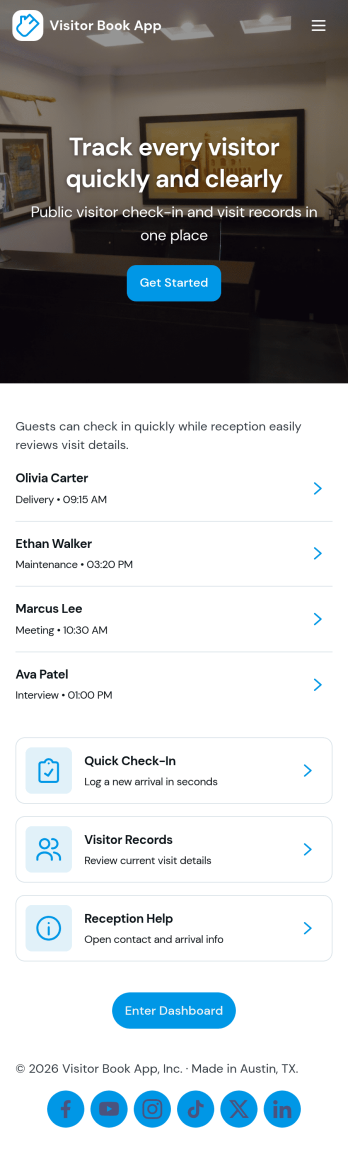
Visitor Book App
Visitor Book App helps you manage guest arrivals with a simple check-in experience and a clear visitor log you can review anytime. It’s a practical fit for offices, schools, clinics, coworking spaces, warehouses, and event venues that need a consistent front-desk process without relying on paper sign-in sheets. With a dedicated check-in entry point, a log list for browsing past visits, and an insights page for quick visibility, teams can keep reception organized, reduce missed details, and respond faster when someone asks who’s on-site.Jotform makes it easy to turn this Visitor Book App into a polished self-service experience using app templates and a no-code app builder with a drag-and-drop interface. Connect the app to your forms and tables for reliable data collection, then adjust pages, buttons, and branding to match your workflow. Share the app by link or QR code so staff can open it on any device, keep information centralized, and support smoother daily operations.
Go to Category:Sign In Apps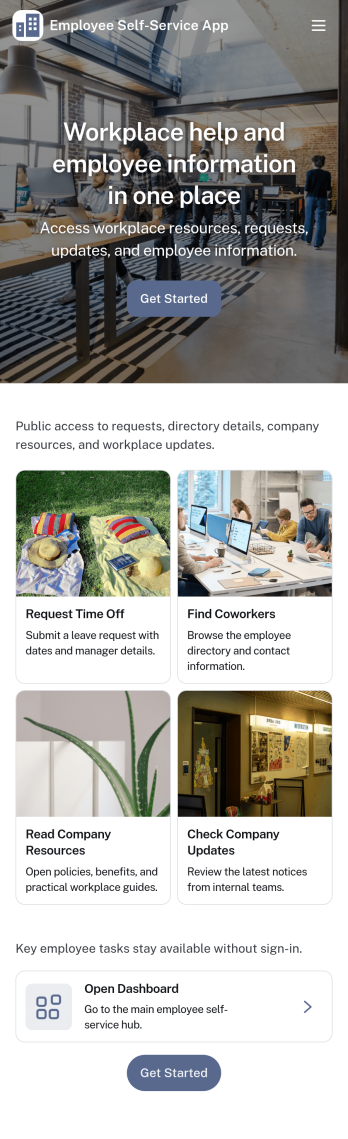
Employee Self-Service App
Employee Self-Service App brings key internal requests and employee resources into one place, so staff can quickly find what they need without chasing links or emailing the same questions repeatedly. It fits teams that want a simple front door for everyday needs like submitting a time-off request, sending an IT help request, browsing company resources, and checking an employee directory. Use it for offices, distributed teams, retail groups, and growing businesses that need a consistent way to guide employees to the right forms and information.With Jotform, you can build and publish app templates like this one using a no-code app builder with a drag-and-drop interface. Connect buttons and pages to forms for data collection, route information into the workflows your team already uses, and keep content organized in a mobile-friendly self-service experience. Update resources, adjust navigation, and refine the experience over time so employees always have an easy way to take action and get support.
Go to Category:HR Portal Apps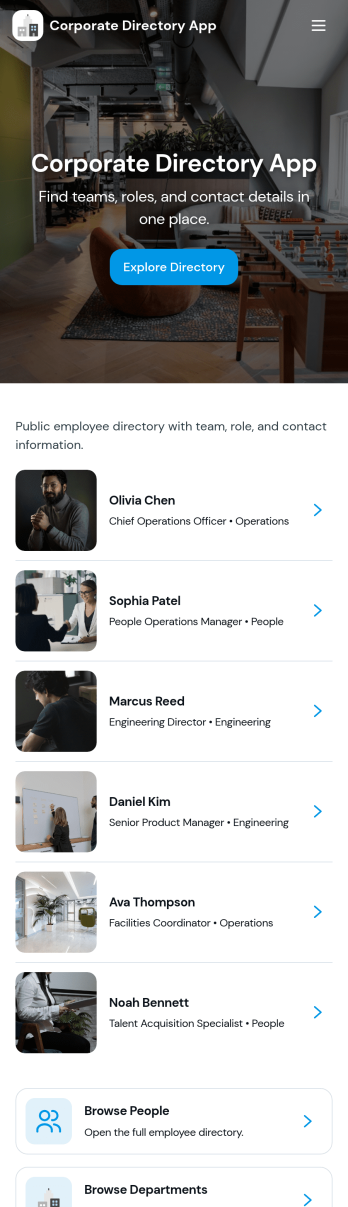
Corporate Directory App
Corporate Directory App brings your employee and department information into one place so people can quickly find the right coworker, team, or HR contact when they need help. It’s useful for HR teams, office managers, and operations leaders who want a simple, searchable directory that’s easy to share across the organization, especially for growing companies, distributed teams, and new hires. With dedicated areas for Employees and Departments plus individual employee profile views, the app supports faster introductions, clearer reporting lines, and fewer internal messages asking who to contact.Jotform makes it easy to publish and maintain this kind of internal self-service experience using App Templates and a no-code app builder. With a drag-and-drop interface, you can organize pages, add navigation buttons like Contact HR, and connect the directory to your existing data collection and workflow needs, such as updating employee details through a linked form and keeping records organized behind the scenes. Share the app by link for quick access on any device, and update content anytime without rebuilding the directory.
Go to Category:Company Portal Apps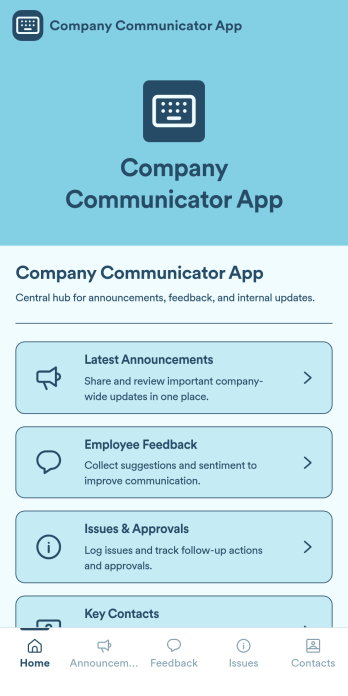
Company Communicator App
Company Communicator App is a pivotal app template designed to facilitate the dissemination of announcements, updates, and messages across entire organizations. Its purpose is to bolster clear, consistent communication, serving as a single source of truth for all corporate information. This digital hub is ideal for Businesses, HR teams, internal communications teams, and organizations aiming to streamline their internal communication processes. The app collects data such as company updates, HR announcements, and operational changes, providing a centralized, easy-to-access location for all critical communications. Its immediate value lies in its ability to foster clarity and consistency, effectively eliminating the complications associated with ad-hoc collection methods.With Jotform’s intuitive, no-code app builder, your Company Communicator App can be tailored to reflect your brand identity. Adjust the layout, choose fonts and colors, and even upload your logo with a simple drag-and-drop action, no coding required. The resultant app is cross-platform compatible and can be downloaded onto any smartphone, tablet, or desktop via a shareable link. This ease of customization, coupled with the convenience of e-signature collection, make Jotform's Company Communicator App an integral part of your organization's operational workflows. Ready to use, this app template simplifies data collection, reports generation, and houses all your company communications in one place.
Go to Category:Company Portal Apps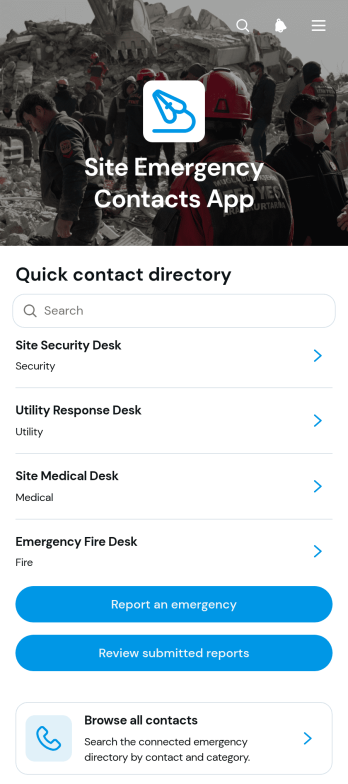
Site Emergency Contacts App
The Site Emergency Contacts App gives construction sites, warehouses, facilities, field operations, and multi-location teams a central place to find emergency contact information and document incidents. Site managers, safety coordinators, contractors, supervisors, and employees can browse contacts, open records with phone numbers, email addresses, coverage areas, and availability details, and reach the right person quickly. Users can also report an emergency and authorized team members can review submitted reports by site. This app template reduces time spent searching through scattered documents, supports clearer communication, and helps teams maintain an accessible record of contacts and reported situations.Jotform App Templates make it easy to adapt the Site Emergency Contacts App to different locations, teams, and operating procedures. With Jotform’s no-code app builder and drag-and-drop interface, organizations can update pages, navigation, branding, and connected data collection forms without programming. Contact information and report workflows can be organized in one mobile-friendly experience, giving staff convenient self-service access from the field or workplace. The finished app can be shared through a direct link or QR code, while connected tables, notifications, and approval steps help internal teams manage follow-up work.
Go to Category:Safety and Compliance Apps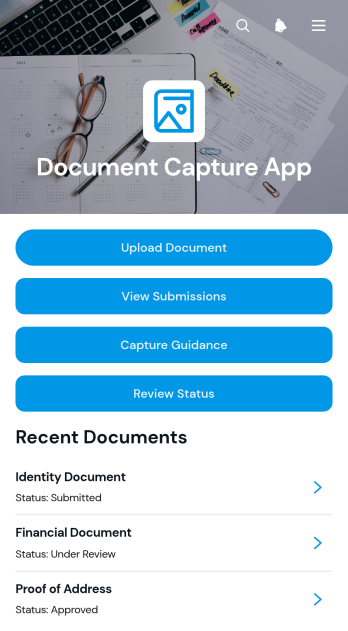
Document Capture App
The Document Capture App gives organizations a central place to collect documents, provide capture guidance, review submitted files, and communicate review status. It is well suited to client intake, employee onboarding, vendor registration, application processing, record updates, and other processes that require people to supply supporting materials. Operations teams, human resources departments, service providers, consultants, educational institutions, and nonprofits can use it to reduce missing files and keep document collection easier to follow. Users can upload documents through a guided experience, browse their submissions, and check review progress without relying on scattered email conversations.With Jotform, this app template can be adapted to match a team’s branding, terminology, and workflow without coding. The drag-and-drop app builder makes it easy to update pages, navigation, buttons, and content while connecting forms and organized data views. Teams can publish mobile-friendly experiences for self-service data collection, share them through a direct link or QR code, and make updates as operational needs change. Jotform App Templates help businesses launch useful digital experiences quickly while keeping forms, resources, and connected processes accessible from one place.
Go to Category:Company Portal Apps
Access Control App
Access Control App provides a central, mobile-friendly place for managing information and actions related to controlled entry. Offices, schools, residential properties, warehouses, event venues, and facilities teams can use this app template to communicate access procedures, guide visitors or personnel to request entry, and organize important instructions. It helps administrators reduce scattered communication while giving employees, contractors, guests, and residents a clear self-service experience. The app can be adapted for visitor entry, staff access requests, restricted-area guidance, temporary permissions, or after-hours access processes.Jotform Apps makes it easy to turn this Access Control App into a branded experience without writing code. Use the drag-and-drop app builder to update the page, add navigation elements, and connect forms, approval steps, tables, or automated workflows as your process evolves. Teams can tailor colors and content, publish updates from one place, and share the finished app through a direct link, custom link, embedded experience, or QR code. Jotform App Templates offer a practical starting point for building accessible tools that support data collection, internal coordination, and convenient mobile access.
Go to Category:Sign In Apps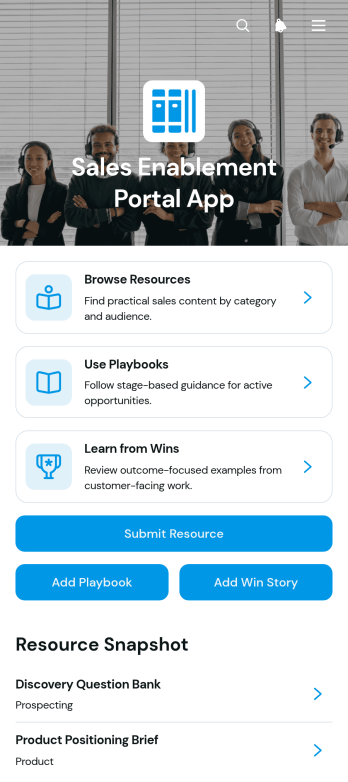
Sales Enablement Portal App
The Sales Enablement Portal App is a centralized resource for sales teams, account managers, marketing departments, and revenue leaders who need quick access to practical selling materials. Users can browse resources, follow repeatable playbooks, and learn from successful win stories in one organized experience. Team members can also submit new resources, playbooks, and success stories, helping the portal evolve alongside current sales priorities. This app template supports onboarding, ongoing training, campaign preparation, and day-to-day customer conversations by reducing time spent searching across disconnected files. It also gives managers a consistent way to share proven approaches, supporting assets, objectives, steps, challenges, and outcomes with the wider team.Jotform App Templates make it easy to adapt this portal to your organization without writing code. With Jotform’s no-code app builder and drag-and-drop interface, you can update pages, navigation, content, forms, colors, and fonts to match your sales workflow and branding. Connect data collection forms and related processes to gather team contributions, organize knowledge, and support employee self-service from desktop or mobile devices. Once the Sales Enablement Portal App is ready, publish it through a direct link, personalized URL, QR code, or embedded experience so sales resources remain accessible wherever work happens.
Go to Category:Sales & Marketing Portal Apps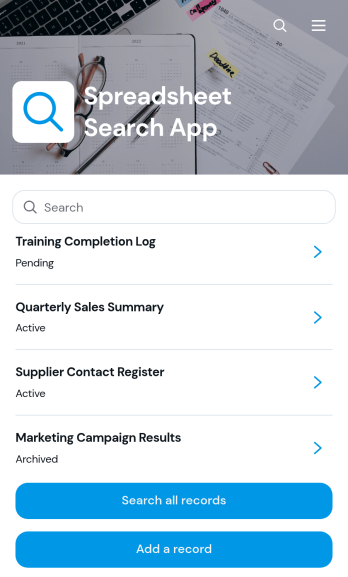
Spreadsheet Search App
Spreadsheet Search App gives teams a convenient way to search, view, add, and update records from a mobile-friendly interface. It is useful for operations teams, office administrators, project coordinators, service businesses, schools, and other organizations that manage structured information in spreadsheets or connected tables. Users can browse a record list, search across available entries, open individual record details, and review key information such as status and reference dates. A connected form supports new entries and record edits, helping authorized users keep information current without navigating a complex spreadsheet. This app template can support asset lists, project references, customer records, internal directories, service logs, and other searchable datasets.Jotform Apps helps organizations turn everyday data and workflows into accessible, interactive experiences without writing code. Customize this Spreadsheet Search App with the drag-and-drop app builder, adjust its pages and branding, and connect forms, tables, notifications, approvals, or other workflows as needed. Teams can organize self-service access in one place and publish the finished app through a direct link, QR code, or embedded experience. Jotform app templates provide a ready-made foundation that can be adapted to different record structures, departments, and operational processes.
Go to Category:Organization Apps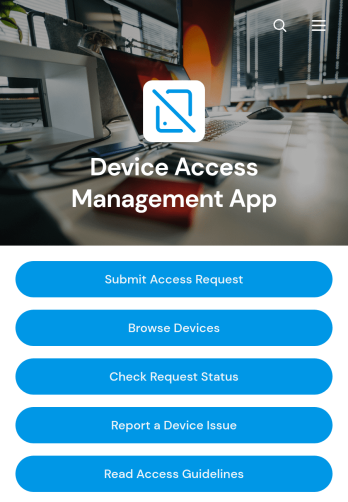
Device Access Management App
The Device Access Management App is an internal resource for IT departments, security teams, operations managers, and organizations that need a consistent way to coordinate access to company devices. Employees can browse available devices, submit access requests, and check request status from one convenient location. It supports offices, schools, technical facilities, warehouses, and distributed teams where shared computers, tablets, testing equipment, or other managed devices must be assigned with clear oversight. Centralizing these actions reduces scattered email requests, gives staff better visibility, and helps administrators maintain an organized record of device access activity.Jotform makes this app template easy to adapt without coding. Using the no-code app builder and its drag-and-drop interface, teams can update pages, apply their branding, connect forms and tables, and shape the workflow around internal policies. The app can also provide access guidelines and a simple way to report device issues, giving employees a practical self-service experience. Publish the Device Access Management App with a direct link, QR code, or embedded experience so authorized users can reach it from a phone, tablet, or computer.
Go to Category:Information Technology Apps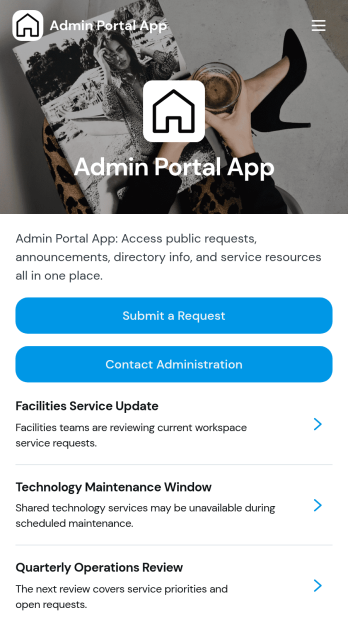
Admin Portal App
Admin Portal App is a centralized workspace for submitting administrative requests, reviewing request details, reading organizational announcements, and contacting administration. It suits office administrators, operations teams, department managers, educational institutions, nonprofits, and growing businesses that need a clear channel for internal support. Staff can send requests with relevant information and attachments, find published updates, and access key administrative contacts without searching across disconnected tools. By bringing routine communication and request intake into one accessible portal, the app helps reduce missed inquiries, improve visibility, and create a more consistent experience for employees and administrators.Jotform makes this app template easy to adapt without coding. Use the drag-and-drop app builder to update pages, navigation, colors, fonts, and branding, then connect forms and tables to support data collection and workflow management. Teams can organize self-service resources alongside announcements and request pathways, helping users find the right action from any device. Once customized, the Admin Portal App can be published through a direct link, shared with a QR code, or embedded into an existing website. Jotform App Templates provide a practical starting point that can grow with changing administrative processes.
Go to Category:Company Portal Apps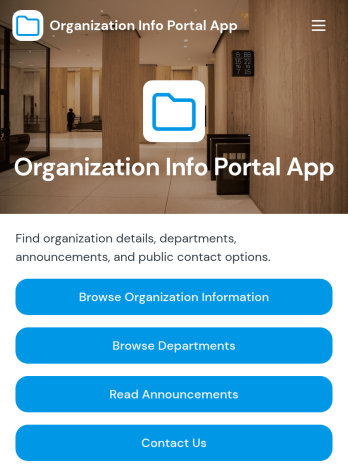
Organization Info Portal App
Organization Info Portal App helps teams publish essential company details in one place so employees, members, or visitors can quickly find what they need without hunting through emails or scattered files. Use it to centralize organization information, browse departments, share timely announcements, and make it easy to reach the right contact through built-in phone, email, and website links. It fits internal comms, HR, operations, nonprofits, and growing organizations that want a simple, consistent way to keep people informed across locations and roles.With Jotform, you can adapt this app template to match your brand, update content fast, and connect it to your existing data collection workflow. Using Jotform’s no-code app builder and drag-and-drop interface, you can organize pages for information, departments, and announcements, then share the portal as a self-service resource by link or QR code. As needs change, add forms for inquiries, route requests with approvals, and keep information current with connected tables and automated notifications.
Go to Category:Company Portal Apps
Retirement Plan Portal App
Retirement Plan Portal App gives employees and plan participants one place to explore retirement plan options, review plan overviews, and access trusted resources without digging through emails or PDFs. Use it to present multiple plans in a clear, comparable format, highlight key details like contribution approach and employer match, and route people to the right next step when they need help. It’s a practical fit for HR teams, benefits administrators, and organizations that want to reduce repetitive questions while helping employees make confident retirement decisions.Built with Jotform App Templates, this portal can be published fast and tailored to your branding using a drag-and-drop interface in a no-code app builder. Connect the app to Jotform forms for data collection such as guidance requests, add a retirement readiness calculator page for interactive self-service, and keep resources up to date by linking to centralized data in Jotform Tables. Share the app by link or QR code so employees can get answers, take action, and request planning guidance from any device.
Go to Category:HR Portal Apps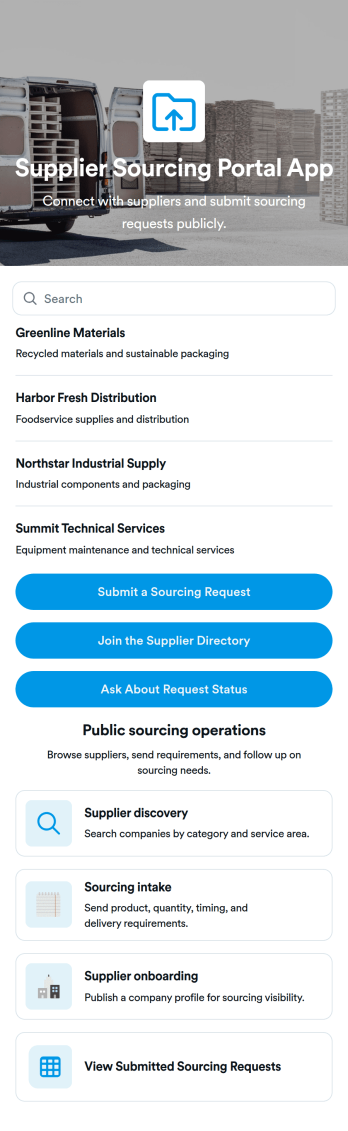
Supplier Sourcing Portal App
Supplier Sourcing Portal App helps procurement and operations teams centralize how they discover suppliers, collect sourcing needs, and review active requests in one place. Use it to browse supplier profiles, capture key vendor details like lead time, minimum order, and certifications, and give stakeholders a simple way to submit sourcing requests without chasing updates across email threads. It’s a practical fit for manufacturers, retailers, e-commerce brands, and growing businesses that need clearer visibility into current sourcing activity and faster vendor shortlisting.With Jotform, you can turn this app template into a branded self-service portal using a no-code app builder and a drag-and-drop interface. Connect forms and data collection to keep supplier profiles and sourcing requests organized, then share a single link so teams can browse, submit requests, and follow progress. As your workflow evolves, you can update pages, buttons, and navigation in minutes while keeping sourcing information easy to access on any device.
Go to Category:Operations & Logistics Portal Apps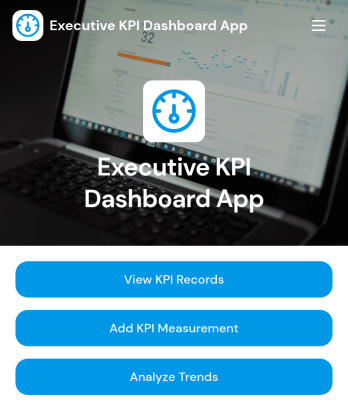
Executive KPI Dashboard App
Executive KPI Dashboard App helps leadership teams track performance metrics in one place, making it easier to review KPI records, add new KPI measurements, and monitor progress toward target values over time. It’s a practical fit for executives, department heads, operations managers, and analysts who need a consistent way to capture measurement periods, compare actual value vs target value, and keep KPI data organized for recurring check-ins.Jotform makes it simple to turn this Executive KPI Dashboard App into a polished, shareable experience with a no-code app builder and a drag-and-drop interface. Connect the app to your KPI form and records so updates stay centralized, then publish a secure self-service link for stakeholders to review results, add measurements, and analyze trends without relying on spreadsheets or manual status updates.
Go to Category:Management Apps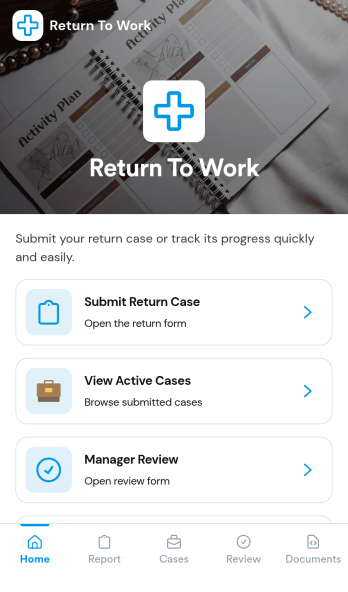
Return to Work App
Return to Work App helps teams manage employee return cases in one place, from the initial request through review and ongoing updates. Employees can submit a return case, managers can complete a dedicated review step, and HR or operations teams can keep track of active cases without chasing details across email threads. It’s a practical fit for organizations handling temporary restrictions, phased returns, or role adjustments where visibility and timely follow-up matter.With Jotform, you can customize this app template to match your internal workflow using a no-code app builder and a drag-and-drop interface. Connect the app to forms to support data collection, route cases for review, and create a self-service experience that’s easy to share with employees and managers. As cases change over time, Jotform helps you keep information organized and accessible so teams can move faster and stay aligned.
Go to Category:Human Resources Apps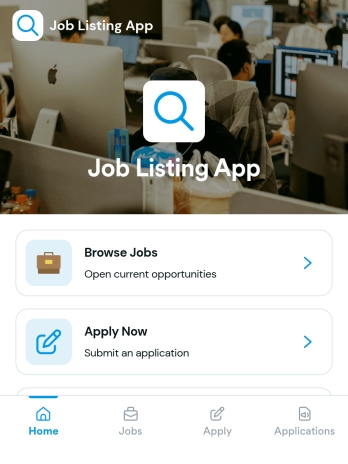
Job Listing App
Job Listing App gives organizations a simple way to publish open roles and guide candidates from browsing to applying in one place. Use it to share job openings for a growing business, a staffing team, a nonprofit, or a department hiring for multiple positions. Visitors can browse jobs, open a role to view key details, and apply through a built-in application flow. It also helps reduce missed opportunities by keeping the experience clear and easy to navigate for candidates on any device.With Jotform, you can build and customize this app template using a no-code app builder and a drag-and-drop interface, then connect it to your data collection and workflow needs. Add or update job posts, link candidates to an application form, and organize application records in a way that supports faster review and follow-ups. When you’re ready, share the app as a self-service hiring hub with a link or QR code and keep your job listings up to date without extra tools.
Go to Category:Human Resources Apps