

Company Portal App Templates

Employee Benefits App
Employee Benefits App brings your benefits information into one place so employees can browse what’s available, get enrollment support, and quickly find the right HR contact when questions come up. Use it to publish a benefits directory, guide people to the right team, and collect enrollment requests without sending employees through scattered documents or long email threads. It’s a strong fit for HR teams at growing companies, multi-location organizations, and any workplace that needs a clearer way to communicate benefit options and support paths.With Jotform App Templates, you can launch a branded self-service experience powered by a no-code app builder and a drag-and-drop interface. Connect pages to forms for data collection and route requests through a workflow that keeps HR organized, from new enrollment questions to claim help follow-ups. Customize navigation, add resources, and share a single link so employees always know where to go for benefits updates.
Go to Category:Human Resources Apps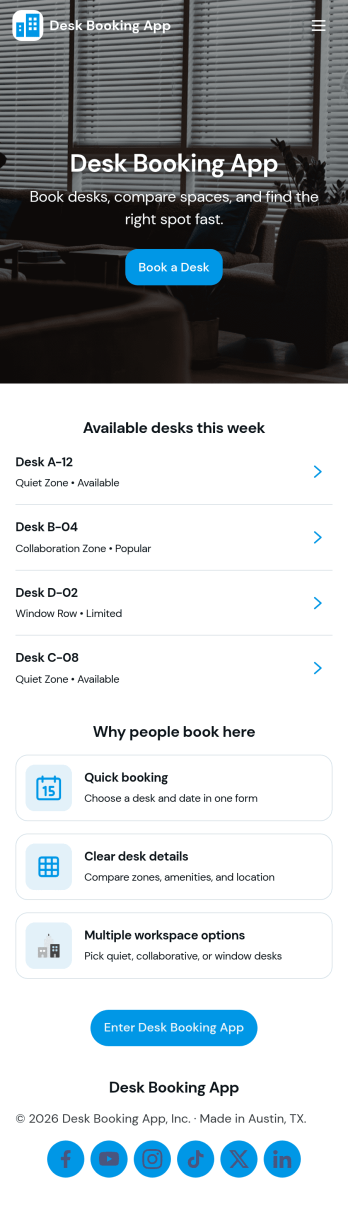
Desk Booking App
A desk booking app helps teams reserve workspaces in a shared office without confusion, double-booking, or last-minute desk hunting. This template is ideal for hybrid workplaces, coworking areas, and offices with flexible seating that need a simple way to browse desks, book a desk for a specific day, and check personal reservations in one place. With quick navigation to Browse Desks, Book a Desk, My Bookings, and Available Now, employees can find an open spot and make a reservation in seconds while office admins keep workspace usage organized.Jotform makes it easy to turn desk reservations into a smooth self-service experience using App Templates and a no-code app builder. Customize pages with a drag-and-drop interface, connect the booking flow to a form for data collection, and keep everything aligned to your internal workflow. Share the app via a link or QR code so staff can book from any device, and update layouts, branding, and desk details as your office setup changes.
Go to Category:Booking Apps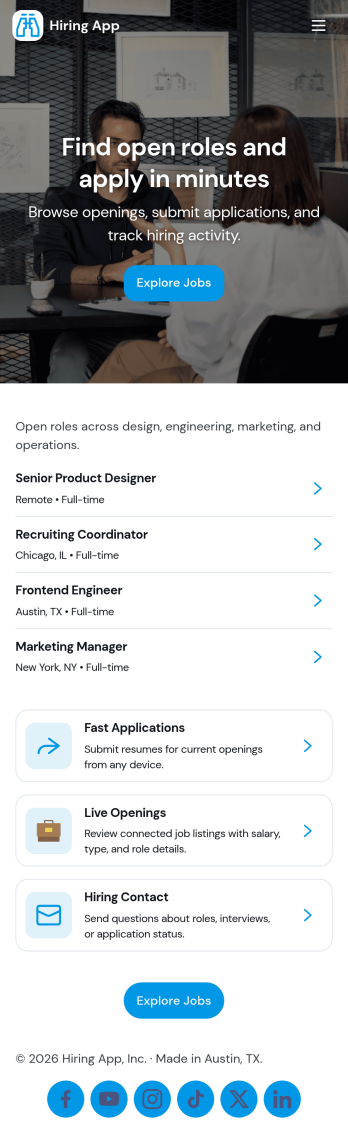
Hiring App
Hiring App helps teams organize and speed up recruiting by giving candidates a simple place to browse open jobs and apply, while enabling hiring managers to post new roles in minutes. Use it to share current openings, route applicants to the right form, and keep job details consistent across departments. It works well for growing businesses, HR teams, staffing coordinators, and franchise or multi-location operators who need a clear, repeatable process for job postings and applications.With Jotform you can turn your hiring workflow into a polished self-service experience using an app template built with a no-code app builder and a drag-and-drop interface. Connect job listings to forms for data collection, centralize applicant details, and keep work moving with optional approvals and automated notifications. Publish a branded app that’s easy to share by link or QR code, so candidates and internal stakeholders can take action from any device.
Go to Category:Human Resources Apps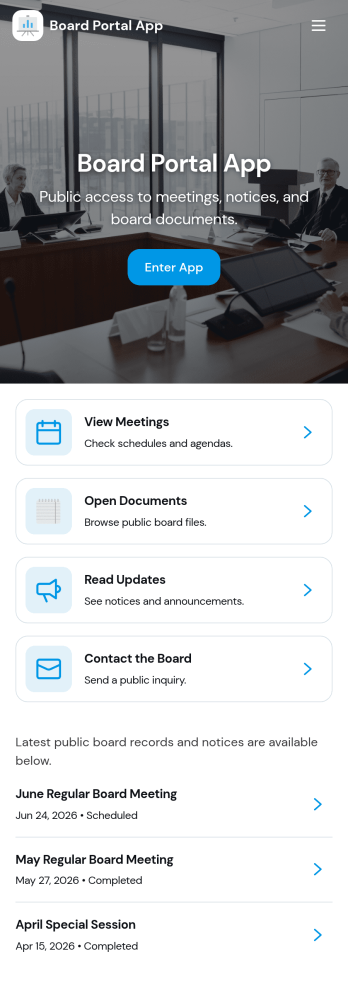
Board Portal App
Board Portal App brings key governance materials into one place so board members and administrators can stay aligned before, during, and after meetings. Use it to browse a board member directory, review upcoming and past meetings, reference board decisions, and find important documents without hunting through email threads. Built for nonprofits, associations, committees, and growing companies, it supports clearer communication and faster follow-through when schedules are busy and information needs to be easy to locate.With Jotform, you can adapt this app template to match how your board works using a no-code app builder and a drag-and-drop interface. Connect lists to your data for quick browsing, add buttons that route members to the right pages, and include a simple document request form for controlled, trackable self-service. Share the app with a link so stakeholders can access the latest meeting info and resources from desktop or mobile.
Go to Category:Company Portal Apps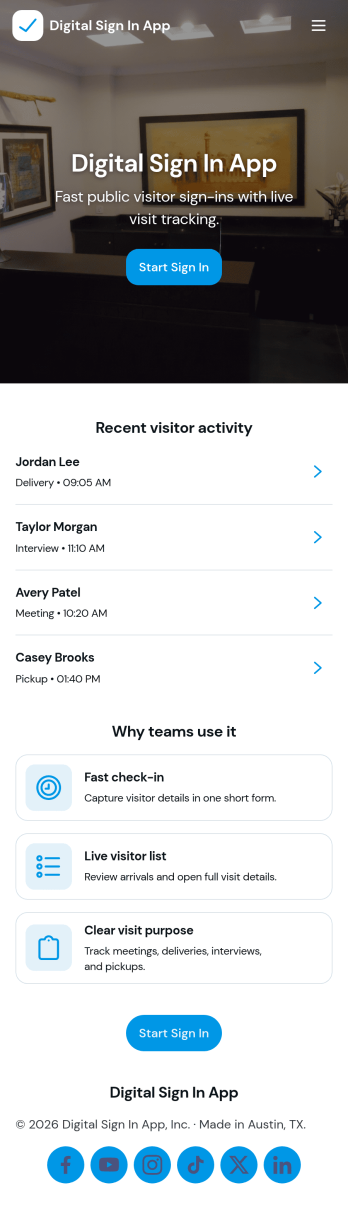
Digital Sign In App
Digital Sign In App helps you replace paper visitor logs with a simple, trackable check-in experience for offices, schools, clinics, events, and shared workspaces. Visitors can open a sign-in form from the home screen, while staff can quickly view recent entries, browse visitor records, and follow visit details from the app’s pages. With quick access to a full sign-in list and individual visit info, reception teams and site managers can keep front-desk traffic moving while maintaining clear records of who arrived and when.Jotform makes it easy to build and publish app templates like this one with a no-code app builder and a drag-and-drop interface. Connect your sign-in form to tables for organized data collection, give team members a self-service way to review submitted entries, and keep your workflow consistent across locations. Customize pages, buttons, and navigation to match your process, then share the app with a link or QR code so people can sign in from any device.
Go to Category:Sign In Apps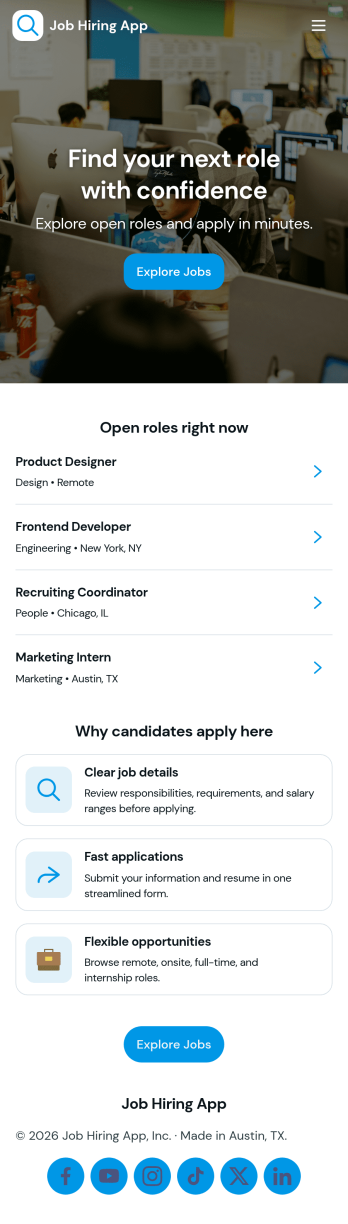
Job Hiring App
Job Hiring App brings your hiring journey into one easy place for candidates to explore open roles and apply without confusion. Share current openings, guide applicants to the right role details, and collect applications through a connected form, while giving candidates a simple way to revisit what they’ve applied for. It works well for small businesses, growing teams, and organizations that hire frequently and want a consistent experience across roles, locations, or departments.Built with Jotform, this app template can be customized with a no-code app builder and a drag-and-drop interface so you can match your brand and hiring process. Connect pages to forms and tables to support data collection, organize candidate workflow steps, and offer a self-service hub that’s easy to share by link or QR code. Update roles as hiring needs change and keep everything centralized so teams can manage recruitment with fewer manual handoffs.
Go to Category:Human Resources Apps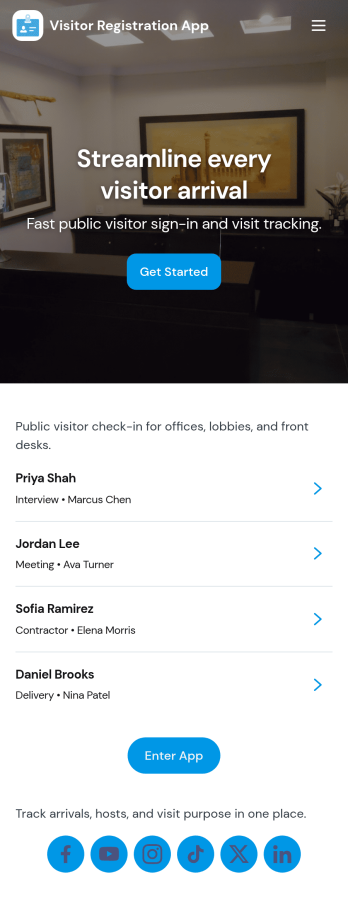
Visitor Registration App
Visitor Registration App helps front desks and site admins capture guest details quickly and keep a clear log of who has entered your workplace. Use it in offices, schools, warehouses, healthcare clinics, coworking spaces, and event venues where you need a consistent way to register visitors, review active entries, and look up past visits. The app includes a simple registration button, a Visitors area for day-to-day check-ins, and a Records section that makes it easy to find names and review history when questions come up.Jotform makes it easy to publish this app template and tailor it to your process with a no-code app builder and a drag-and-drop interface. Connect your registration form to organized records, route details to the right people, and support self-service sign-ins through a shareable link or QR code. With Jotform, teams can standardize visitor data collection, reduce manual paperwork, and keep everything accessible on mobile for staff who work across entrances or multiple locations.
Go to Category:Sign In Apps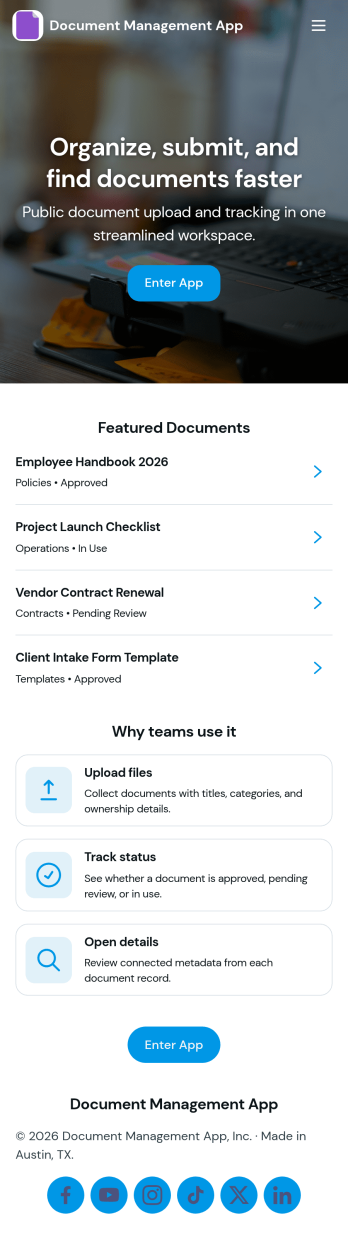
Document Management App
Document Management App helps teams collect, organize, and find important files in one place without relying on scattered inboxes or shared drives. Use it to route employees, clients, or partners to a simple upload experience, then let them browse a central library and open individual document records when they need a specific file. It’s a practical fit for operations, HR, finance, project teams, nonprofits, and growing businesses that want a clear way to manage day-to-day documents, reduce duplicate requests, and keep information accessible.With Jotform, you can turn this app template into a branded, mobile-friendly self-service experience using a no-code app builder and a drag-and-drop interface. Connect the upload flow to your document form, display records in lists and tables, and keep your workflow moving with organized data collection that’s easy to share by link or QR code. As needs change, you can update pages, buttons, and library views in minutes so your document process stays consistent across teams.
Go to Category:Company Portal Apps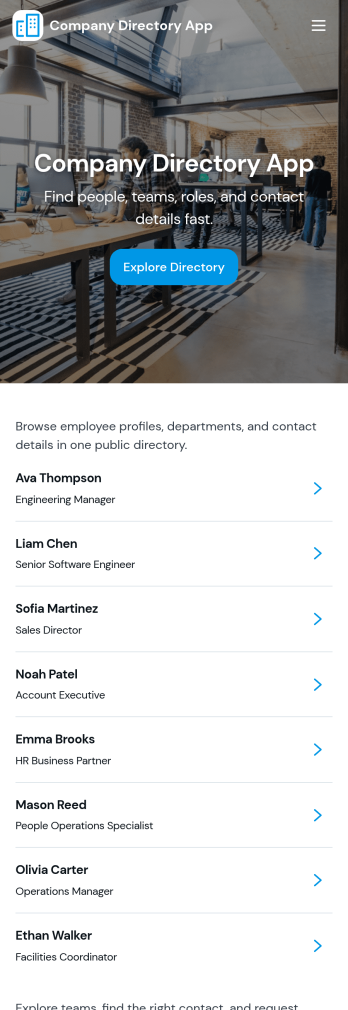
Company Directory App
Company Directory App keeps employee contact details and team information in one place so staff can quickly find the right person to reach out to. Use it to browse an employee directory, explore departments, and view key details like email, phone, and extensions without digging through spreadsheets or outdated intranet pages. It’s a strong fit for growing companies, distributed teams, HR and operations groups, and any organization that needs a clear way to navigate who’s who across the business.With Jotform’s app templates, you can publish a branded directory experience that’s easy to update as your org changes. Use the no-code app builder and drag-and-drop interface to adjust pages, organize department and employee lists, and connect a contact form for questions or corrections. Pair Jotform with tables and workflow options to keep data collection consistent, reduce manual updates, and offer a smoother self-service experience for employees on any device.
Go to Category:Company Portal Apps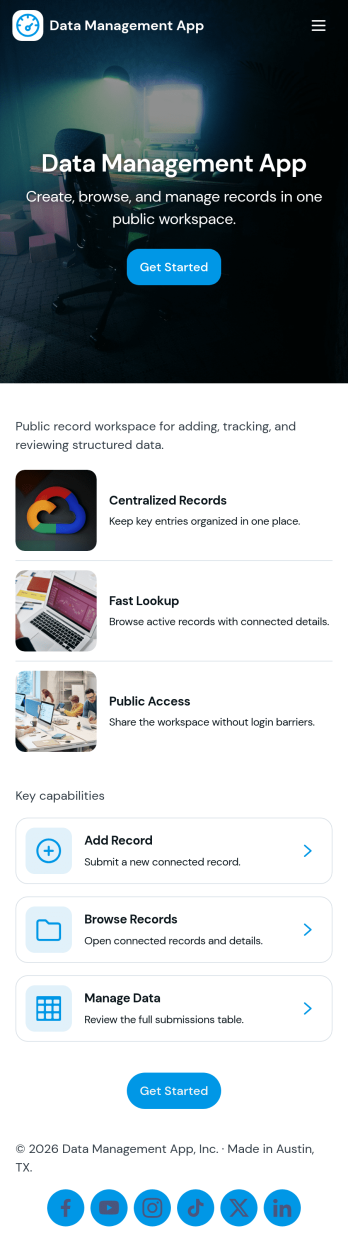
Data Management App
Data Management App helps teams capture, organize, and review records in one central place without bouncing between spreadsheets and emails. It fits everyday workflows where people need to add a record, browse an up-to-date records list, open an individual record for details, and keep track of what they have submitted. Use it for internal operations, client-facing intake, asset and inventory entries, request logs, or any process where consistent recordkeeping matters across multiple people.With Jotform, you can turn this app template into a branded, self-service experience using a no-code app builder and a drag-and-drop interface. Connect buttons to your form for fast data collection, display entries as a records list for easy navigation, and give users a dedicated My Submissions area for visibility and follow-up. As your workflow evolves, you can adjust pages, permissions, and connected data so the app stays aligned with how your team works.
Go to Category:Management Apps
Work Resource Portal App
Work Resource Portal App is a centralized workplace resource hub for employees, operations teams, facilities staff, and service coordinators. It helps users browse available resources, review key details, submit requests, and follow request progress from one accessible location. Organizations can use this app template to organize shared equipment, facilities, and workplace services without relying on scattered documents or disconnected communication. Clear resource navigation and self-service request access help employees find what they need while giving internal teams a more consistent process for managing demand, availability, and operational support.Jotform makes this Work Resource Portal App easy to adapt with a no-code app builder and a drag-and-drop interface. Teams can personalize pages, branding, navigation, and resource content, then connect forms, tables, approvals, notifications, and other workflow steps as their processes evolve. As part of Jotform’s App Templates, it can be published quickly and shared through a direct link, a QR code, or an embedded experience. Mobile-friendly access supports data collection and resource requests wherever employees work, while connected tools keep workplace information and actions organized.
Go to Category:Company Portal Apps
Knowledge Continuity Management App
The Knowledge Continuity Management App helps organizations preserve essential operational knowledge before role changes, employee departures, project handoffs, or periods of extended absence. Department leaders, human resources teams, operations managers, project teams, and knowledge owners can use it to browse shared knowledge, capture new records, and review continuity gaps from one central location. Clear ownership and domain details make important information easier to find and maintain, reducing dependence on individual employees and supporting smoother transitions. It is especially useful for succession planning, cross-training, business continuity preparation, and the transfer of specialized procedures or institutional knowledge.Jotform App Templates provide a practical starting point for turning internal processes into accessible digital experiences. With Jotform’s no-code app builder and drag-and-drop interface, teams can customize this app template with branded pages, navigation cards, buttons, forms, and connected tables. Records can feed organized data collection and workflow activities while notifications and review steps help teams keep information current. Publish the app through a direct link or QR code to give authorized employees convenient mobile-friendly access, encourage self-service knowledge sharing, and support collaboration across departments without writing code.
Go to Category:Resource & Learning Portal Apps
Password Manager App
Password Manager App helps individuals and teams store, organize, and reference login details in one place when they need fast access to accounts. Use it to add new credentials through a simple add-password flow, browse a central vault, and open saved records to view key details like username, password, and the related website link. It fits everyday use for freelancers, small businesses, IT coordinators, and operations teams that manage multiple tools, shared services, or recurring client accounts and want a consistent way to keep records tidy and easy to find.With Jotform, you can turn this app template into a tailored self-service experience using a no-code app builder and a drag-and-drop interface. Connect the app to forms and tables for data collection, keep records up to date as processes change, and shape a workflow that matches how your organization manages access. Publish and share the app in minutes so the right people can quickly navigate to the vault, review records, and add new entries without friction.
Go to Category:Information Technology Apps
Suspicious Activity Reporting App
Suspicious Activity Reporting App helps teams and communities capture, organize, and review incident tips in one place. It gives people a clear path to submit a report, then makes it easy for coordinators to browse reports by category and follow up without losing context. Use it in workplaces, schools, residential buildings, events, or public-facing programs where you need consistent reporting, quicker triage, and a reliable record of what was observed and when.With Jotform, you can turn this app template into a branded self-service experience using a no-code app builder and a drag-and-drop interface. Connect the Submit Report button to your form, route entries into tables for structured data collection, and keep review work moving with a simple workflow for sorting, searching, and sharing updates. Publish with a link or QR code so reporting and oversight stay accessible on any device.
Go to Category:Safety Inspection Apps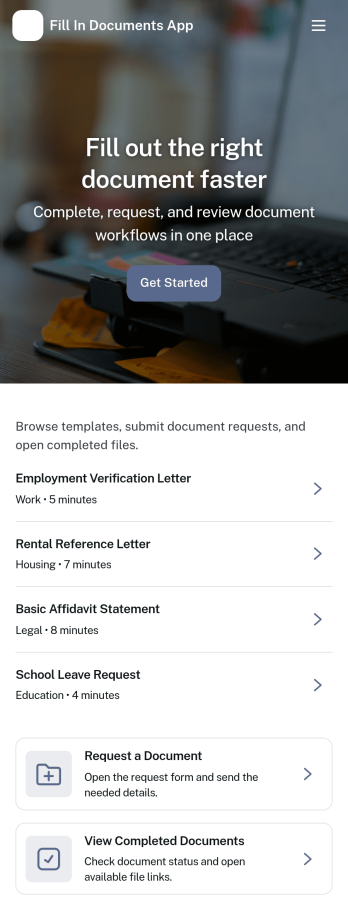
Fill in Documents App
Fill in Documents App helps individuals and teams start a document fill request, keep track of open requests, and maintain a clear record of completed paperwork in one place. It’s a practical fit for HR and operations teams handling internal forms, client-facing service teams collecting required documents, and organizations that rely on repeatable templates for common paperwork. With quick access to “Start Document Fill,” a dedicated area for “Open Requests,” and easy navigation to “My Requests,” users can follow progress without losing context or hunting through email threads.Jotform makes it easy to turn this app template into a branded, self-service experience using a no-code app builder and a drag-and-drop interface. Connect the app to your forms and organize responses so people can submit information, revisit their filled documents, and use templates consistently. You can publish and share the app with a simple link, then update pages, buttons, and navigation as your workflow evolves, all while keeping data collection organized for the teams that manage requests.
Go to Category:Customer Portal Apps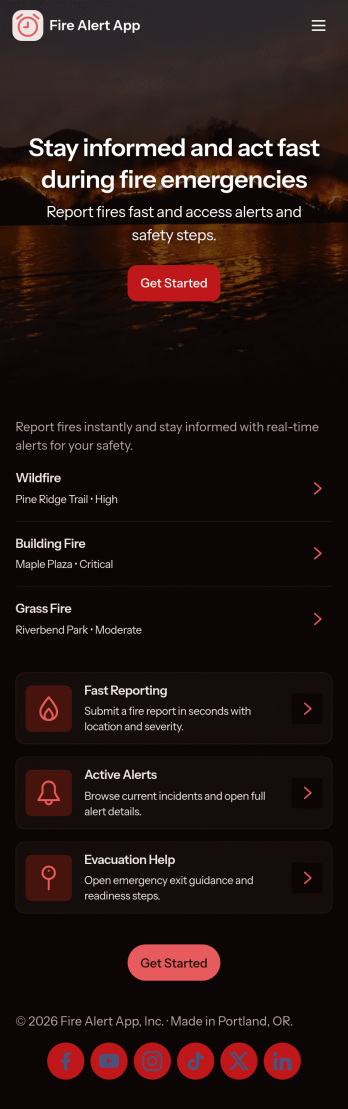
Fire Alert App
Fire Alert App brings fire incident reporting, active alert visibility, and safety resources into one place so teams can react quickly and keep people informed. It’s ideal for property managers, schools, warehouses, event venues, and community organizations that need a clear process for reporting a fire, reviewing locations with ongoing alerts, and sharing guidance during an emergency. With quick links to report a new incident and view alert details by location, the app helps reduce confusion and keeps updates organized when time matters.Built with Jotform App Templates, this app template can be customized in minutes using Jotform’s no-code app builder and drag-and-drop interface. Connect the app to Jotform forms and tables for reliable data collection, then share it as a self-service experience for staff, tenants, volunteers, or visitors. As reports come in, your workflow can stay consistent across devices, making it easier to track what’s happening, follow up on reports, and keep critical information accessible.
Go to Category:Safety Inspection Apps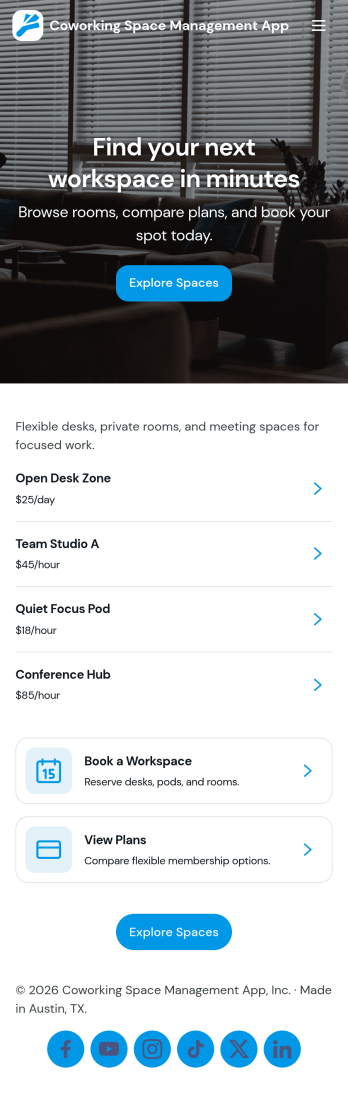
Coworking Space Management App
Coworking Space Management App helps coworking operators organize spaces, manage reservations, keep a clear member list, and track day-to-day requests in one place. It’s built for shared offices, creative studios, and multi-room venues that need a simple way to publish available rooms or desks, let users book a space, and give staff visibility into what’s happening across the location.With Jotform App Templates, you can tailor this experience to match how your coworking space runs, from the way spaces are displayed to how booking information is captured. Use Jotform’s no-code app builder and drag-and-drop interface to connect forms and tables, collect data collection consistently, and support self-service booking while keeping internal workflows organized for your team.
Go to Category:Reservation Apps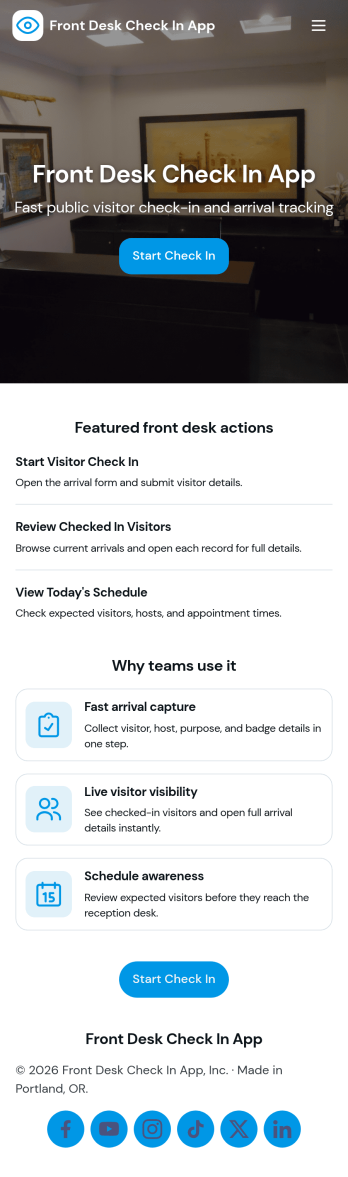
Front Desk Check in App
Front Desk Check in App helps offices and reception teams greet guests, capture visit details, and keep a clear log of who is on-site at any time. It works well for workplaces, co-working spaces, clinics, schools, and community organizations that need a consistent check-in experience without relying on paper sheets. With dedicated sections for Check In and Visitors, staff can quickly start a new entry, look up recent arrivals, and open an individual visitor view when they need to confirm information.Jotform makes it easy to publish this kind of self-service experience using App Templates and a no-code app builder with a drag-and-drop interface. Connect the app to a form for data collection, route information into connected workflows, and keep visitor records organized for your team. You can tailor the layout for your front desk, share the app by link or QR code, and update the process anytime as visitor volume or policies change.
Go to Category:Sign In Apps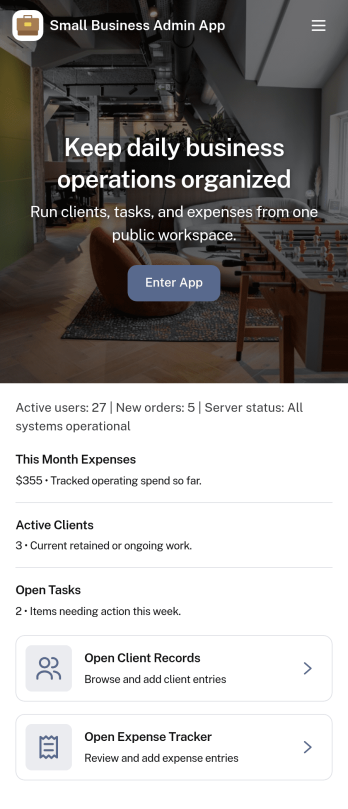
Small Business Admin App
Small Business Admin App helps owners and operations teams keep everyday admin work in one place, from monitoring key activity to organizing orders and staff visibility. It works well for retail, service, and delivery-oriented businesses that need a simple home base for checking a dashboard, reviewing pending items, and jumping into order management without hunting through multiple tools.Built with Jotform, this app template can be tailored with a drag-and-drop interface and connected to your existing data collection and workflow needs. Link buttons to the right forms for adding new orders, surface live lists from your tables for quick status checks, and share a self-service experience with your team through a single app they can open on desktop or mobile.
Go to Category:Company Portal Apps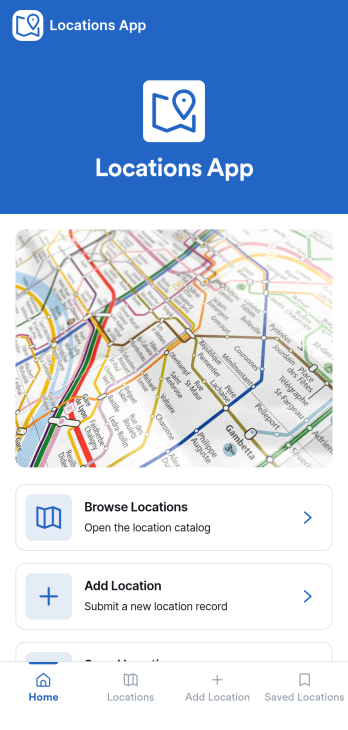
Locations App
Locations App brings all your location information into one easy-to-browse space, so teams and customers can quickly find the right place, view key details, and take action. Use it to publish a simple location directory for retail stores, offices, warehouses, service areas, pop-up sites, or community resources. With a browseable list, a dedicated location details view, and options to add a new location or submit an update, it supports day-to-day upkeep without turning location info into a messy spreadsheet. It’s especially useful for operations teams, franchise managers, real estate coordinators, and any organization that needs a clear source of truth for multiple sites.Jotform makes it simple to turn this Locations App app template into a branded self-service experience using a no-code app builder and a drag-and-drop interface. Connect buttons to forms and data sources, guide users to “add location” or “submit update” flows, and keep data collection consistent across your workflow. Share the app with a link or QR code, collaborate on changes with your team, and keep your location directory current as your business grows.
Go to Category:Customer Portal Apps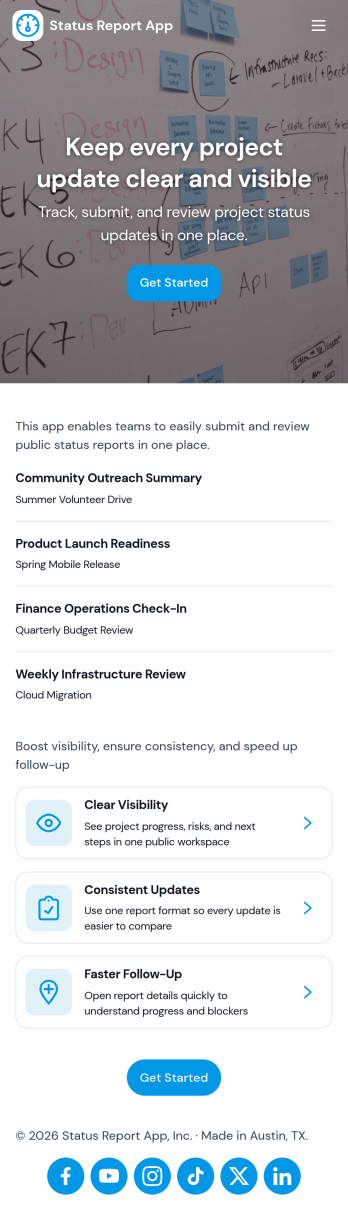
Status Report App
Status Report App helps teams capture consistent project updates and keep everyone aligned on what’s moving forward, what’s blocked, and what needs attention next. Use it to submit reports in a few clicks, publish updates to a shared status feed, and highlight current priorities so stakeholders don’t have to chase information across chats and spreadsheets. It’s a practical fit for project managers, team leads, operations teams, agencies, and cross-functional groups that need a reliable way to document progress and communicate it across multiple projects.With Jotform, you can turn this status reporting workflow into a shareable self-service experience using a no-code app builder and a drag-and-drop interface. Connect the app to a report form to support data collection, keep updates organized in one place, and make it easy for contributors to add new reports while viewers browse the feed and open their own report history. Customize pages, branding, and navigation to match your internal process, then share the app as a link for fast adoption.
Go to Category:Report Apps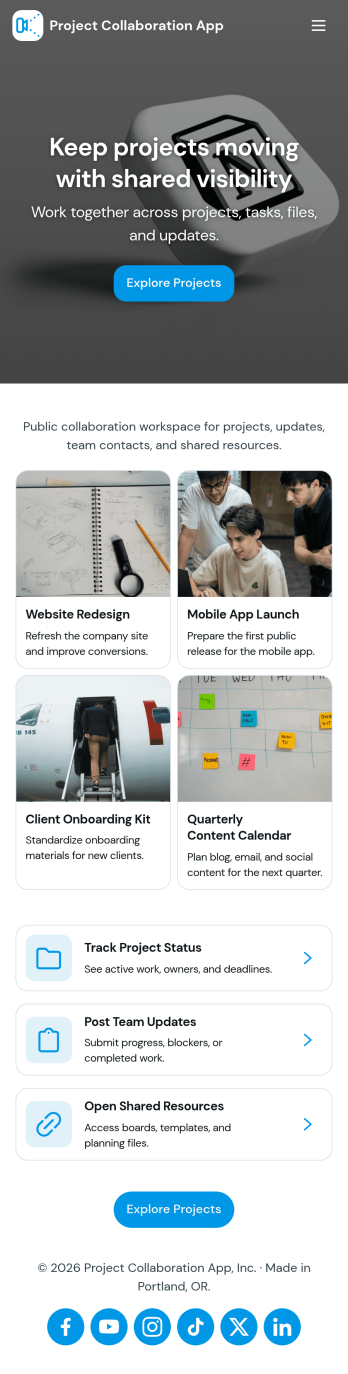
Project Collaboration App
Project Collaboration App brings your team’s project work into one shared, easy-to-navigate space where everyone can stay aligned from kickoff to delivery. Use it to capture new project requests, organize active projects, and keep day-to-day execution moving with a dedicated tasks area and a simple updates feed. It’s a practical fit for agencies, consultants, product teams, and internal departments that need clearer ownership, fewer missed handoffs, and a single place to check what’s happening across projects.Built with Jotform App Templates, this app template can be tailored in a no-code app builder with a drag-and-drop interface, so you can match the flow to your process without engineering help. Connect your project intake and task capture buttons to forms, keep records organized in linked tables, and make self-service access easy with shareable links. With Jotform, teams can manage data collection and workflow steps in one app experience that’s simple to roll out and maintain.
Go to Category:Company Portal Apps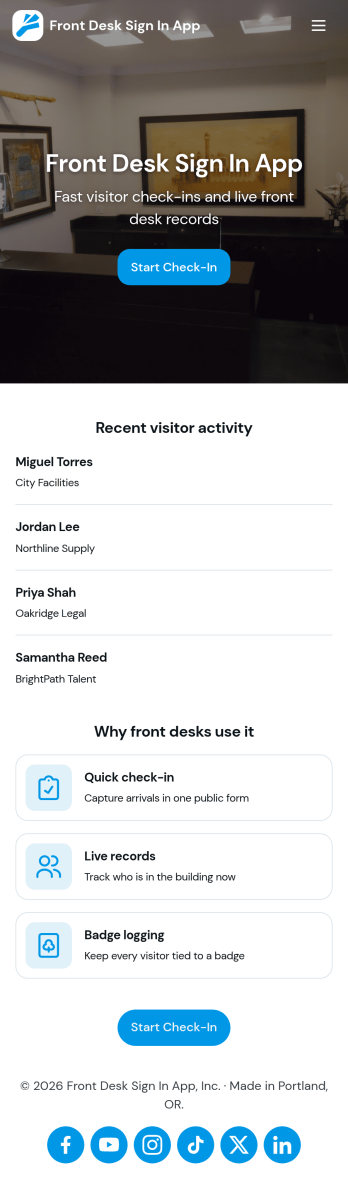
Front Desk Sign in App
Front Desk Sign in App gives reception teams a simple way to welcome visitors and record check-ins without paper logs. Use it in offices, clinics, schools, coworking spaces, and event venues to capture visitor names, keep a running list of arrivals, and help staff quickly look up recent activity from the front desk. With a clear sign-in action, an all-visitors view, and a personal view for individual staff or repeat visitors, it supports smoother guest flow during busy periods and reduces missed or incomplete entries.Built with Jotform, this app template can be tailored with a no-code app builder and a drag-and-drop interface so you can match your front desk process and branding. Connect the sign-in form to organized records, share the app by link or QR code, and keep data collection consistent across locations. As your workflow evolves, you can adjust pages, update fields, and route information to the right people, turning everyday visitor check-ins into a more reliable self-service experience.
Go to Category:Sign In Apps
Organizational Announcements App
The Organizational Announcements App gives businesses, nonprofits, schools, and distributed teams a central place to publish and review internal notices. Staff members can browse current announcements, submit a notice for consideration, and refer to publishing guidelines before sharing an update. Archived notices remain accessible for later reference, helping teams preserve important communications without crowding active information. Department and status details also make notices easier to organize and understand. This app template is useful for company news, policy updates, office alerts, program changes, event reminders, and other messages that need consistent visibility across an organization.Jotform makes it easy to adapt this Organizational Announcements App to the way your team communicates. Use the no-code app builder and drag-and-drop interface to update pages, colors, fonts, buttons, navigation, and branded visual elements. Connected forms support data collection, while optional tables, notifications, and workflows can help teams manage incoming announcements and keep information current. Once the app is ready, share it through a direct link, QR code, or embedded experience so employees and other authorized audiences can reach announcements from their phones, tablets, or computers. Jotform App Templates offer a practical starting point for creating a polished self-service resource without writing code.
Go to Category:Company Portal Apps