

Education App Templates

Reactor Safety Training App
The Reactor Safety Training App provides a focused learning environment for teams that need to communicate foundational reactor safety concepts. It is suited to engineering organizations, technical training departments, safety teams, educational institutions, contractors, and facility personnel. Learners can move through organized training modules, review layered protection concepts, and revisit key learning points from one accessible location. A connected training form can support knowledge checks, acknowledgments, or feedback without separating the learning experience from data collection. By presenting essential material in a consistent format, this app template helps instructors reduce scattered resources, give learners clearer guidance, and support recurring training for new or existing personnel.Jotform Apps makes it easy to adapt the template with a no-code app builder and an intuitive drag-and-drop interface. Training administrators can update pages, reorganize content, add supporting media, and connect forms to notifications or other workflow steps. The finished app can be shared through a direct link or QR code for convenient mobile access and self-service learning. Starting with Jotform App Templates also shortens setup time while leaving room to apply custom branding, refine navigation, and expand the learning experience as training needs change.
Go to Category:Safety and Compliance Apps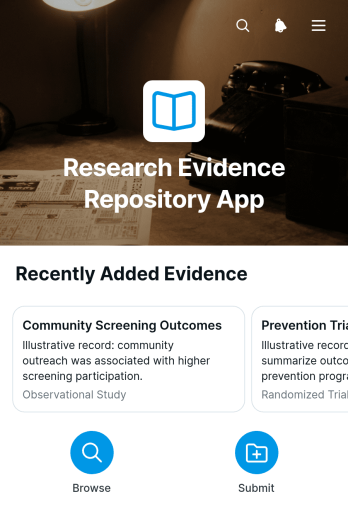
Research Evidence Repository App
The Research Evidence Repository App is an app template for collecting, organizing, and reviewing research evidence in one accessible location. It helps academic teams, educational institutions, consultants, nonprofit programs, policy researchers, and internal knowledge teams preserve useful findings without relying on scattered files or disconnected records. Users can browse an evidence list, submit new material through a connected form, and open individual records to review the research question, study type, publication year, and supporting file. This organized approach makes relevant evidence easier to find, reduces duplicate research efforts, and gives collaborators a shared reference point for literature reviews, program planning, evaluations, and evidence-informed decisions.Jotform Apps makes it easy to adapt this Research Evidence Repository App with a no-code app builder and an intuitive drag-and-drop interface. Add branded pages, revise navigation, connect forms and tables, or create workflows that notify team members when new evidence is submitted. The repository can be shared through a direct link or QR code for convenient mobile access, supporting data collection and self-service research discovery across distributed teams. Start with one of Jotform’s App Templates, customize the content and visual style, and publish a practical research resource without writing code.
Go to Category:Resource & Learning Portal Apps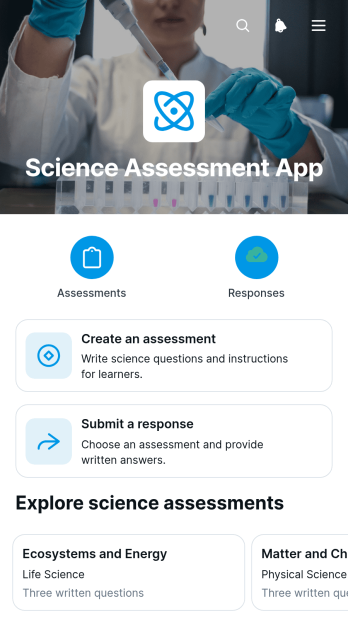
Science Assessment App
Science Assessment App gives teachers, tutors, schools, and training teams a central place to create science assessments, invite learners to submit responses, and review results. Educators can publish assessments with clear titles and question sets, while students can browse available activities and open the appropriate response form from any device. Submitted work is organized in an assessment responses table, reducing scattered records and making progress easier to monitor. This app template is useful for classroom quizzes, homework checks, laboratory knowledge reviews, tutoring sessions, course evaluations, and informal checks of scientific understanding.With Jotform, educators can adapt this Science Assessment App through a no-code app builder and an intuitive drag-and-drop interface. Pages, cards, buttons, forms, and learning resources can be updated to reflect different subjects, grade levels, or teaching methods without programming. Connected forms support data collection, while tables keep responses accessible for review and follow-up. The finished app can be shared through a direct link or QR code, providing a mobile-friendly self-service experience for learners and a practical workflow for educators. Jotform app templates also make it easier to apply custom colors, fonts, and visual elements before publishing.
Go to Category:Quiz Apps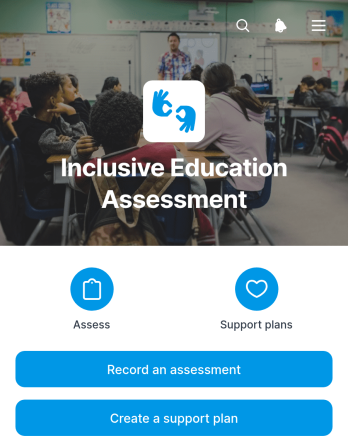
Inclusive Education Assessment App
The Inclusive Education Assessment App is a ready-to-use workspace for teachers, learning support teams, school leaders, and education specialists who assess learner participation and plan appropriate support. It brings assessment records and support planning into one accessible experience, helping users document learner strengths, participation barriers, support needs, and learning context. Teams can then create support plans, assign responsibility, and maintain progress notes. This shared approach makes it easier to review individual needs, coordinate interventions, and keep decisions connected to current classroom observations.With Jotform Apps, schools and education programs can adapt app templates to their own assessment workflow without writing code. The drag-and-drop interface makes it easy to adjust pages, navigation, buttons, and visual styling, while connected forms support consistent data collection. Staff can access the app on mobile devices or computers, share it through a direct link or QR code, and connect assessments with tables, approvals, notifications, and other workflows. Jotform’s no-code app builder helps teams create a branded self-service resource that keeps learner reviews and support planning organized in one place.
Go to Category:Education Apps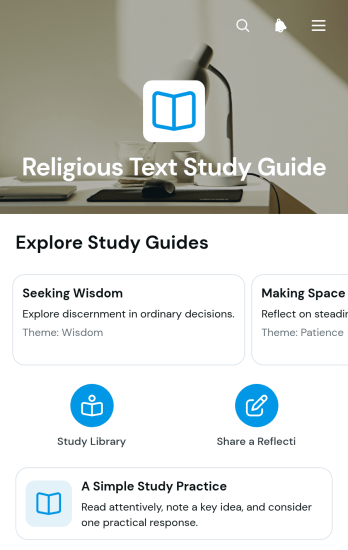
Religious Text Study Guide App
Religious Text Study Guide App is a guided learning resource for individuals, study groups, educators, faith communities, and nonprofit organizations exploring religious writings. It brings themes, reflection prompts, and simple study practices into an accessible experience that supports focused reading and thoughtful interpretation. Participants can move between study sections, review key ideas, and submit written reflections through a connected form. This app template is useful for personal study routines, facilitated group discussions, educational programs, community learning sessions, and remote reflection activities. By keeping guidance and responses together, it helps organizers provide a consistent study process while giving participants space to record their own observations.Jotform Apps helps you adapt this template without writing code. Its drag-and-drop app builder makes it easy to revise pages, reorder cards, adjust navigation, add resources, and match the design to your community or program. You can connect forms, tables, approvals, and other workflows to support data collection and organize submitted reflections. Once the app is ready, share it through a direct link or QR code for convenient mobile-friendly access. Jotform App Templates offer a practical starting point for creating branded learning resources, self-service study experiences, and interactive content hubs.
Go to Category:Resource & Learning Portal Apps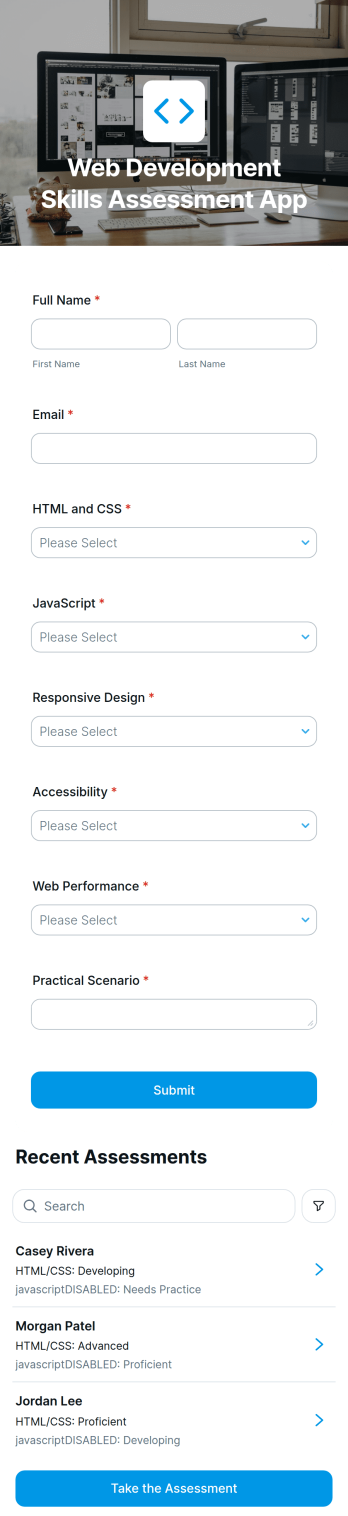
Web Development Skills Assessment App
Web Development Skills Assessment App gives hiring teams, educators, training providers, and technical managers a central place to evaluate foundational web development knowledge. It presents key assessment areas such as HTML and CSS, responsive design, accessibility, and web performance while giving each participant a clear route to the connected assessment. Organizations can use this app template for candidate screening, student evaluations, employee training reviews, or pre-course skill checks. Keeping participant information, topic guidance, and assessment access together creates a consistent experience and helps teams identify strengths, knowledge gaps, and suitable next steps.Jotform App Templates make it easy to turn assessment processes into accessible digital experiences without coding. With Jotform’s no-code app builder and drag-and-drop interface, users can adjust pages, cards, buttons, colors, fonts, and branding to suit a school, business, or training program. The app can connect with forms, tables, notifications, approvals, and other workflow tools for organized data collection and follow-up. Once published, it can be shared through a direct link, QR code, or embedded experience, giving participants convenient self-service access from phones, tablets, and computers.
Go to Category:Quiz Apps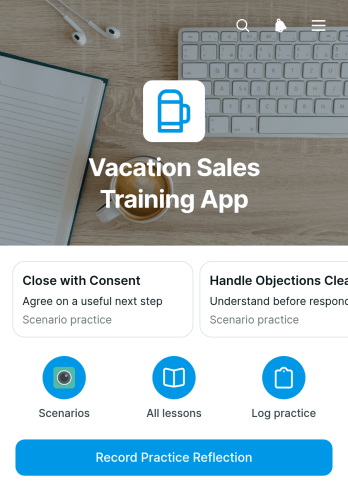
Vacation Sales Training App
Vacation Sales Training App is a guided learning resource for travel sales teams, hospitality businesses, training managers, and consultants who coach staff on selling vacation experiences. It brings lesson navigation, realistic practice scenarios, sales guidance, and reflection logging into one accessible place. Trainees can strengthen traveler discovery, trip matching, objection handling, and ethical follow-up skills while recording what they learned after each exercise. Managers can use the practice entries and lesson-level chart to understand participation, support coaching conversations, and identify topics that may need reinforcement. This app template is especially useful for onboarding new representatives, refreshing established teams, and supporting remote or self-paced sales training.Jotform makes it easy to adapt the Vacation Sales Training App without writing code. Using the no-code app builder and drag-and-drop interface, organizations can update lessons, adjust navigation, apply their visual identity, and connect forms for structured data collection. The app can support a repeatable training workflow while giving learners convenient self-service access to guidance and reflection activities. Among Jotform App Templates, this customizable option helps teams publish a mobile-friendly learning experience and share it through a direct link or QR code. Training content and connected processes can be revised as vacation offerings, coaching priorities, or sales practices change.
Go to Category:Resource & Learning Portal Apps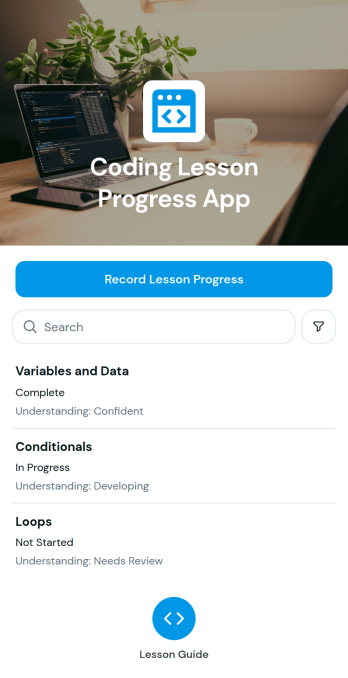
Coding Lesson Progress App
Coding Lesson Progress App gives instructors, tutors, training teams, and coding programs a central place to document how learners advance through programming lessons. Educators can record lesson progress, browse lesson entries, and review indicators of student understanding without relying on scattered notes or spreadsheets. It is useful for one-to-one tutoring, classroom instruction, coding workshops, after-school programs, and workplace training. Clear progress records help educators identify concepts that need reinforcement, prepare appropriate follow-up activities, and maintain continuity across teaching sessions. Learners can also benefit from more focused guidance based on their previous lesson outcomes.With Jotform, this app template can be adapted through a no-code app builder and an intuitive drag-and-drop interface. Instructors can update pages, organize lesson resources, adjust navigation, and connect forms to a broader data collection workflow. Jotform App Templates also support branded layouts that work across phones, tablets, and computers, making progress information readily available during lessons or planning sessions. Share the finished app by link or QR code, manage connected records in one place, and create a practical self-service experience without writing code.
Go to Category:Education Apps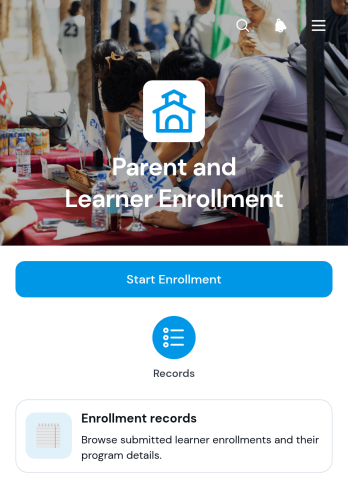
Parent and Learner Enrollment App
The Parent and Learner Enrollment App gives schools, tutoring programs, training providers, and other education teams a central place to collect and review enrollment information. Parents or guardians can start an enrollment form and provide learner details, contact information, and a preferred start date. Staff can then browse enrollment records and open individual entries to reference essential information without searching through separate messages or files. This app template is particularly useful during admissions periods, new-term registration, and rolling enrollment. It helps administrators maintain an organized intake process while giving families a convenient self-service experience from any device.With Jotform Apps, education teams can adapt this app template using a no-code app builder and an intuitive drag-and-drop interface. Add branded pages, update navigation, connect forms and tables, or extend the workflow with approvals and notifications as operational needs evolve. Jotform App Templates make it easier to launch polished digital experiences without programming knowledge. Once customized, the app can be shared through a direct link or QR code, providing families and staff with mobile-friendly access while keeping data collection and enrollment record management connected in one place.
Go to Category:Course & Training Registration Apps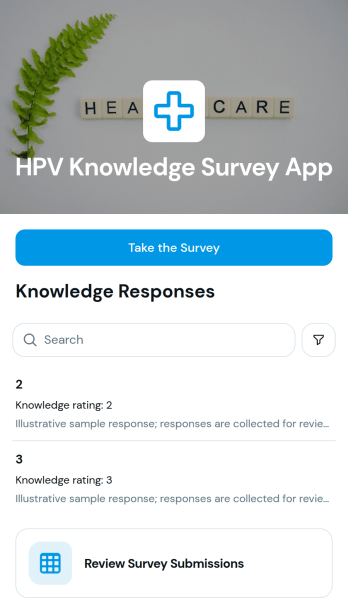
HPV Knowledge Survey App
The HPV Knowledge Survey App is a ready-to-use survey experience for assessing what people understand about human papillomavirus, its transmission, prevention, and related health topics. It can support health education programs, academic research, community outreach, classroom activities, and staff training initiatives. Educators, researchers, healthcare teams, public health groups, and nonprofits can invite participants to take the connected survey, present knowledge-rating information, and review survey submissions from one organized location. This app template reduces scattered survey administration and gives teams a practical way to identify knowledge gaps, compare response patterns, and plan more relevant educational activities.Jotform App Templates help organizations turn forms and connected resources into accessible digital experiences without coding. Using Jotform’s no-code app builder and drag-and-drop interface, teams can customize this HPV Knowledge Survey App with their own questions, instructions, visual theme, and supporting content. Survey data can connect with tables and workflows for organized review, notifications, and follow-up actions. Once published, the app can be shared through a direct link or QR code, giving participants convenient mobile-friendly access while administrators manage data collection and survey resources in one place.
Go to Category:Healthcare Apps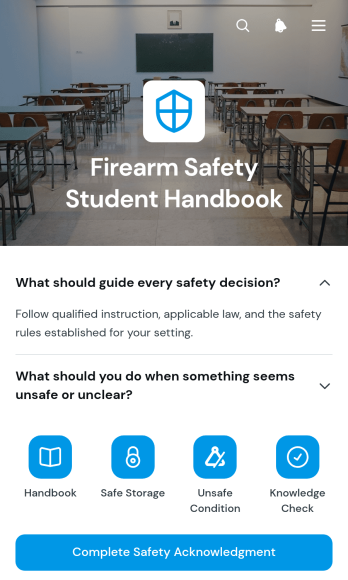
Firearm Safety Student Handbook App
The Firearm Safety Student Handbook App gives instructors, training providers, shooting clubs, and educational programs a central resource for sharing essential safety guidance with students. Learners can browse organized handbook pages, open expandable sections to review key topics, and complete a safety acknowledgment through a connected form. The app supports classroom instruction, orientation sessions, refresher training, and supervised courses by keeping reference material accessible before, during, and after a lesson. It also helps instructors present consistent information, reduce reliance on printed handbooks, and give students a clear path through required learning materials.Jotform App Templates make it easy to adapt this app template to suit a particular course or training environment. With Jotform’s no-code app builder and drag-and-drop interface, instructors can update pages, reorganize resource navigation, add forms, and apply their own visual styling without programming. Connected forms can support data collection and workflow steps such as acknowledgments, feedback, or follow-up requests. Once the app is ready, it can be shared by direct link or QR code for convenient mobile access and student self-service.
Go to Category:Safety and Compliance Apps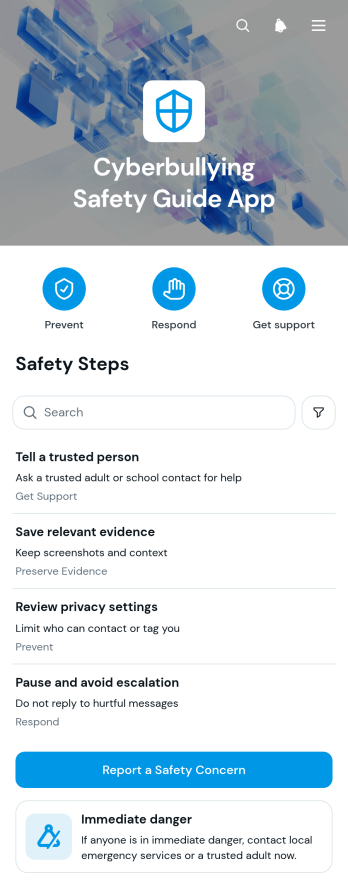
Cyberbullying Safety Guide App
The Cyberbullying Safety Guide App is a ready-to-use resource for schools, youth programs, nonprofits, community groups, and families seeking clearer ways to respond to online harassment. It brings practical safety information into one accessible experience, with guidance for immediate danger, organized resource navigation, and a form for reporting a safety concern. Educators, counselors, program leaders, students, and caregivers can use this app template to share response steps, encourage early reporting, and reduce uncertainty when harmful digital behavior occurs. It can support awareness campaigns, student resource centers, safeguarding programs, and educational initiatives without overwhelming users with scattered materials.Jotform Apps makes it easy to adapt this guide to the needs of a school or community using a no-code app builder and a flexible drag-and-drop interface. Update the content, adjust the branding, reorganize pages, and connect the concern form to notifications, tables, approvals, or other workflow steps. Teams can publish the app with a direct link or QR code, helping users reach resources and self-service guidance from a phone, tablet, or computer. Jotform app templates offer a practical starting point for collecting information and maintaining a current, approachable safety resource without writing code.
Go to Category:Safety and Compliance Apps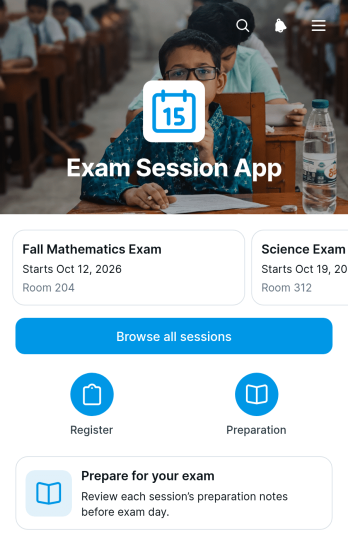
Exam Session App
The Exam Session App is an app template for organizing exam session information and helping candidates prepare for assessment day. Schools, training providers, tutors, certification teams, and examination coordinators can use it to present available sessions, locations, preparation guidance, and follow-up information in one accessible place. Candidates can browse sessions, review an individual session overview, confirm where they need to go, and understand what to do before and after the exam. By replacing scattered messages and documents with a consistent self-service resource, the app can reduce routine questions, improve readiness, and help administrators communicate updates more clearly.Jotform Apps makes this Exam Session App easy to adapt without coding. Using the drag-and-drop app builder, teams can update pages, cards, navigation, and visual styling to match their examination process. A connected form can support data collection for inquiries, confirmations, or other session-related responses, while links and app pages keep the wider workflow organized. The finished app can be shared by direct link or QR code for convenient mobile access. Jotform also offers App Templates that give education teams a practical starting point for creating branded resources, publishing current information, and managing candidate communication from a unified experience.
Go to Category:Education Apps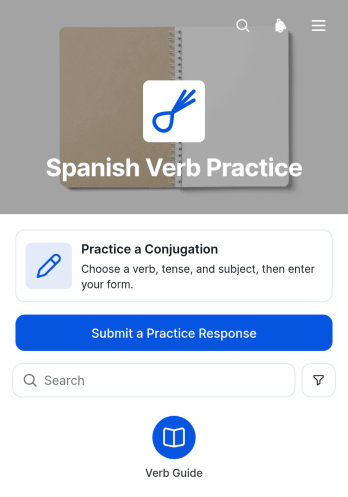
Spanish Verb Practice App
Spanish Verb Practice App is an interactive learning resource for practicing Spanish conjugations by verb and pronoun. It gives students a focused place to choose a verb, submit a practice response, and review conjugation patterns for common subject forms. Language teachers, tutors, schools, training programs, study groups, and independent learners can use this app template for classroom exercises, homework, revision sessions, or self-paced study. By keeping practice activities and answer review in one mobile-friendly experience, it helps learners build repetition into their routine while giving educators a convenient resource to share with a class.Jotform Apps makes it easy to adapt App Templates without writing code. Using the no-code app builder and its drag-and-drop interface, educators can update pages, adjust branding, add learning resources, and connect forms for data collection. The app builder can also link responses to tables and related workflows, helping instructors organize practice activity or prepare follow-up lessons. Once customized, the Spanish Verb Practice App can be published through a direct link, shared by QR code, or embedded in an existing learning resource for convenient self-service access on phones, tablets, and computers.
Go to Category:Quiz Apps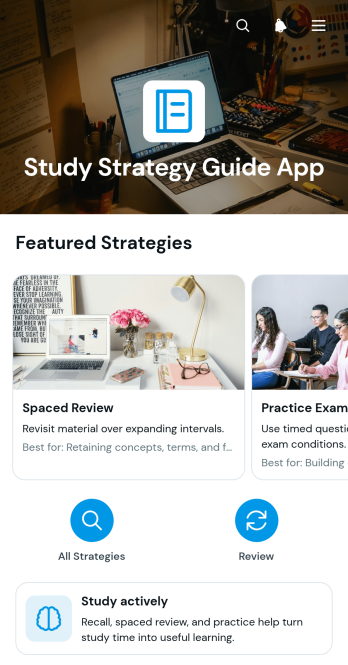
Study Strategy Guide App
The Study Strategy Guide App gives students a focused place to explore practical learning methods, understand the stages of studying, and see how each strategy can be applied. It suits secondary schools, colleges, tutoring programs, training providers, and independent learners who want clearer guidance for approaching coursework. Educators, tutors, and academic support teams can use the app to share active study guidance without scattering resources across separate documents. Easy strategy browsing and concise application instructions help learners choose suitable techniques, build productive habits, and take greater ownership of their progress.With Jotform Apps, organizations can turn this app template into a branded learning resource without writing code. The no-code app builder and drag-and-drop interface make it simple to update pages, reorder content, add media, or connect forms for feedback and data collection. Teams can adapt Jotform App Templates to different subjects, age groups, courses, or academic support workflows while keeping resources easy to navigate. Once published, the app can be shared by a direct link or scannable code, giving learners convenient self-service access from phones, tablets, and computers.
Go to Category:Resource & Learning Portal Apps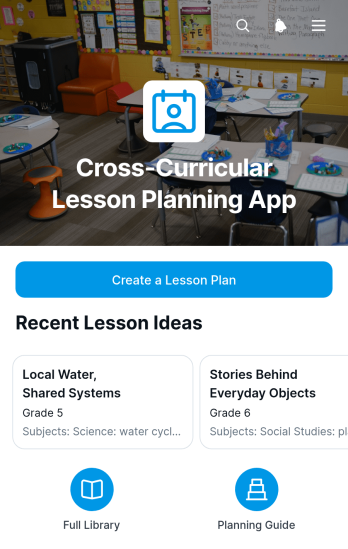
Cross-Curricular Lesson Planning App
Cross-Curricular Lesson Planning App gives teachers, curriculum coordinators, instructional coaches, and school teams a shared space for developing lessons that connect multiple subjects around a central idea. Educators can create lesson plans, browse saved plans, and review essential information such as driving questions, subject connections, learning objectives, lesson sequences, materials, and assessments. This organized approach helps teams align instruction, uncover meaningful links between disciplines, reduce duplicated planning work, and maintain consistency across classes or grade levels. It is useful for project-based learning, thematic units, collaborative curriculum development, and interdisciplinary classroom activities.With Jotform, this app template can be adapted through a no-code app builder and an intuitive drag-and-drop interface. Schools can update pages, visual elements, navigation, and connected forms to suit their curriculum and planning workflow. Lesson information can support organized data collection, while links and app sections keep teaching resources easy to find. Once ready, the app can be shared by a direct link or QR code for convenient mobile access, giving educators a practical self-service resource for planning together from almost anywhere.
Go to Category:Education Apps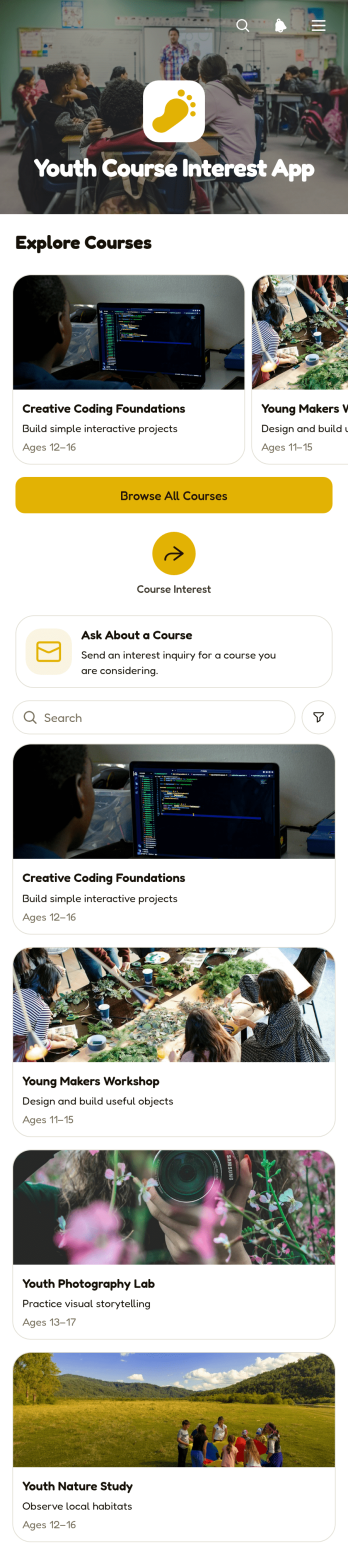
Youth Course Interest App
Youth Course Interest App gives young learners and their families a convenient place to discover programs and ask for more information before choosing a course. It is well suited to schools, community education providers, nonprofits, tutoring teams, and youth development organizations that want to present learning opportunities clearly. Visitors can browse available courses, review details such as age range, duration, format, and weekly topics, then submit a course inquiry. By bringing course discovery and interest collection together, this app template helps organizations answer common questions, identify popular subjects, and guide prospective learners toward suitable options.Jotform makes this App Template easy to adapt with a no-code app builder and an intuitive drag-and-drop interface. Teams can update course content, adjust branding, connect forms and tables, and organize each workflow without programming. The finished app can be shared through a direct link or QR code for mobile-friendly self-service access. With centralized data collection and flexible content management, Jotform helps education teams turn course information into an engaging experience that is simple to publish and maintain.
Go to Category:Course & Training Registration Apps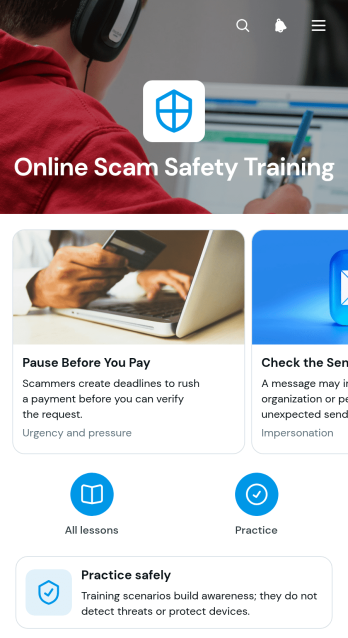
Online Scam Safety Training App
The Online Scam Safety Training App is a guided learning app template for organizations that want to teach people how to recognize suspicious online activity and respond more safely. It organizes lessons around scam tactics, safer responses, and practical exercises, while a connected form can support knowledge checks, feedback, or training records. Businesses, schools, nonprofits, community groups, and internal training teams can use it for onboarding, awareness campaigns, digital literacy programs, and refresher training. Learners gain a convenient self-service resource they can revisit whenever they encounter questionable messages or requests.Jotform helps teams customize App Templates with a no-code app builder and an intuitive drag-and-drop interface. Adapt this Online Scam Safety Training App with your own lesson text, images, navigation, branding, and connected data collection workflow. Forms can feed responses into organized tables, trigger notifications, and support follow-up processes from one central experience. Once the app template is ready, publish it for mobile-friendly access and share it through a direct link or scannable code, making training materials easy to distribute to employees, students, volunteers, customers, or community members.
Go to Category:Safety and Compliance Apps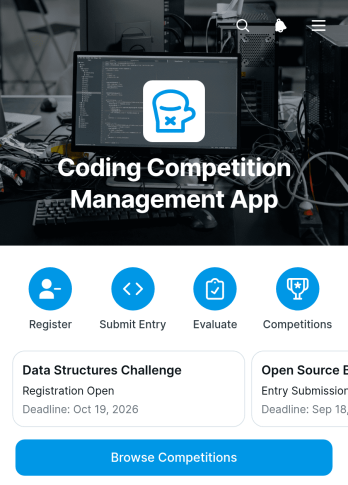
Coding Competition Management App
The Coding Competition Management App is a ready-to-use workspace for organizing coding challenges from registration through judging. It gives participants a central place to browse competitions, review challenge briefs and deadlines, register, and submit entries with code or repository links. Judges can access assigned entries and evaluate problem solving, code clarity, and documentation. This app template is well suited to schools, universities, training providers, technology communities, event teams, and businesses running internal or public coding contests. Keeping competition details, participant records, submissions, and evaluations together helps organizers reduce scattered communication, monitor progress, and maintain a consistent review process.Jotform makes it easy to adapt App Templates like this one with a no-code app builder and an intuitive drag-and-drop interface. Organizers can update pages, buttons, visual elements, and navigation to match each competition without writing code. Connected forms support data collection, while automated workflows can route registrations, entries, and evaluations to the appropriate people. Publish the finished app through a direct link, QR code, or embedded experience to provide convenient mobile-friendly self-service access for participants and judges.
Go to Category:Event Management Apps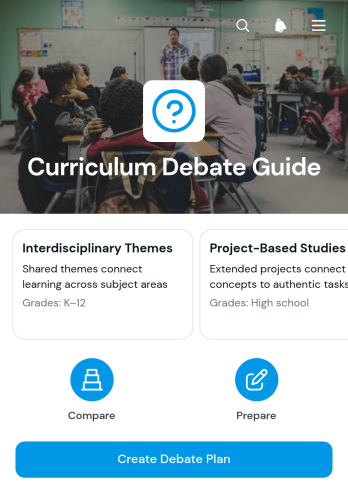
Curriculum Debate Guide App
The Curriculum Debate Guide App is an educational app template for teachers, curriculum leaders, instructional coaches, and school teams preparing evidence-based discussions about curriculum choices. Users can browse curriculum entries, review instructional approaches and priorities, examine relevant evidence, and create a debate plan from one organized location. It supports faculty meetings, curriculum reviews, professional learning sessions, committee discussions, and classroom planning where participants need a shared framework for evaluating ideas. By keeping essential guidance and planning access together, the app helps educators prepare focused arguments, compare perspectives, and conduct more productive conversations.With Jotform Apps, schools and education teams can adapt this Curriculum Debate Guide App without writing code. The drag-and-drop app builder makes it easy to update pages, cards, buttons, colors, fonts, and navigation to match a particular debate format or curriculum review process. Teams can connect forms and tables to support data collection and workflow management, then share the finished resource through a direct link or QR code. Starting with customizable App Templates reduces setup time while providing a mobile-friendly experience for collaborative planning, resource access, and guided self-service.
Go to Category:Education Apps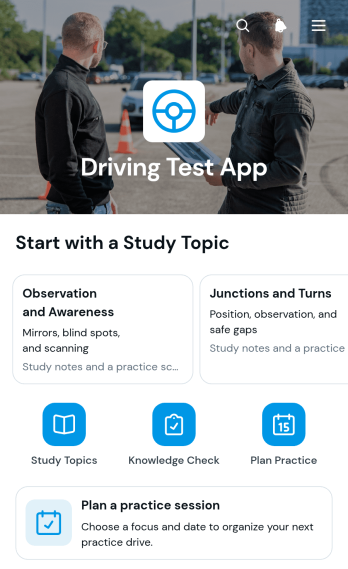
Driving Test App
The Driving Test App helps learner drivers organize test preparation and turn practice into a more focused routine. It is suitable for driving instructors, training schools, education providers, and individuals preparing for a practical driving assessment. Learners can browse relevant topics, plan a practice session, and submit session details through a connected form. Keeping these actions in one accessible place makes it easier to identify areas that need attention, prepare for upcoming lessons, and maintain a consistent practice schedule without relying on scattered notes or messages.Jotform Apps gives organizations and independent instructors a no-code app builder for creating polished digital experiences without programming. Start with this app template, then use the drag-and-drop interface to adjust pages, update resources, add forms, or connect supporting workflows. The Driving Test App can be shared through a direct link or QR code for convenient mobile access. Jotform app templates also support data collection, notifications, tables, approvals, and other connected processes, helping instructors coordinate preparation while giving learners a practical self-service resource.
Go to Category:Education Apps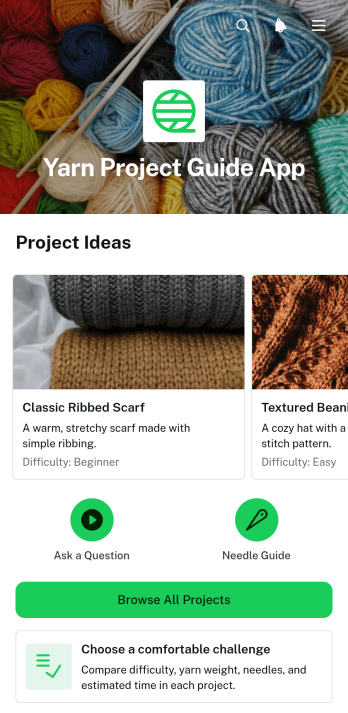
Yarn Project Guide App
The Yarn Project Guide App is an interactive resource for yarn shops, craft instructors, knitting and crochet groups, and independent makers who want to present projects in an easy-to-follow format. Users can browse available projects, compare the suggested challenge level, and open individual guides containing yarn weight, needle information, materials, and step-by-step instructions. A connected inquiry form gives learners a direct way to ask about a selected project when they need clarification. This app template brings scattered project details into one accessible place, helping educators share consistent guidance, craft businesses support customers, and hobby communities make patterns easier to explore.Jotform Apps makes it simple to adapt this Yarn Project Guide App without writing code. Use the drag-and-drop app builder to update project pages, reorganize navigation, add images, change branding, and connect forms or other workflow resources. The mobile-friendly layout supports convenient self-service access at home, during a class, or while shopping for supplies. Once the guide is ready, it can be shared through a direct link or QR code, giving makers a practical resource they can revisit throughout each project.
Go to Category:Resource & Learning Portal Apps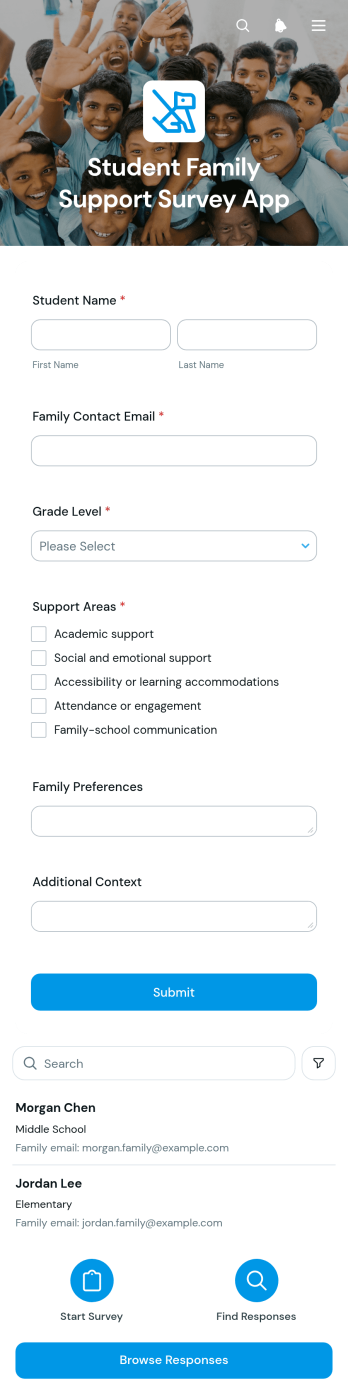
Student Family Support Survey App
Student Family Support Survey App is a ready-to-use survey and response hub for schools, educators, counselors, family liaison teams, and student support staff. It helps teams collect information about support areas, understand family preferences, record additional context, and retain a contact email for appropriate follow-up. Staff can browse responses and review student-specific details from an organized app experience, making it easier to identify recurring needs, prepare outreach, and coordinate relevant assistance. This app template is useful for needs assessments, family engagement initiatives, student service planning, and schoolwide support programs.Jotform Apps makes it easy to adapt this Student Family Support Survey App without writing code. Using the no-code app builder and drag-and-drop interface, schools can update content, adjust branding, connect forms and tables, and organize data collection around their existing workflow. Teams can share the finished app through a direct link or QR code for convenient mobile access. Jotform App Templates also support self-service experiences, connected approvals, notifications, and other processes that help staff manage responses while keeping useful resources and actions in one accessible place.
Go to Category:School Management Apps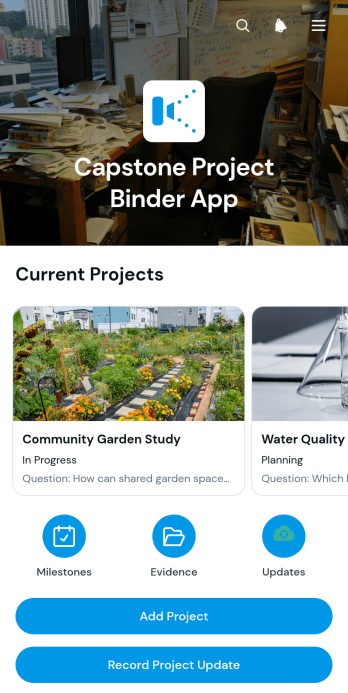
Capstone Project Binder App
The Capstone Project Binder App is a digital workspace for organizing capstone work from the initial research question through final evidence collection. Students can use it for project setup, milestone tracking, and evidence collection while recording updates that show how their work develops over time. It is well suited to secondary schools, colleges, universities, technical programs, and independent study courses. Students gain a clear place to maintain project records, while instructors, advisers, and academic teams can review progress, identify approaching due dates, and support learners who need guidance. This app template reduces scattered documentation and makes long-term academic projects easier to monitor.Jotform App Templates help educators create accessible digital experiences without writing code. With Jotform’s no-code app builder and drag-and-drop interface, users can adjust pages, navigation, buttons, colors, and fonts to fit a course or institution. Connected forms support data collection for projects, updates, milestones, and evidence, while organized records contribute to a more consistent workflow. The app can be shared by direct link or QR code for mobile-friendly access, giving students a convenient self-service resource wherever they are working. Start with the ready-made layout, customize it for a program, and publish a polished project binder in minutes.
Go to Category:Education Apps