

Education App Templates

Capstone Project Binder App
The Capstone Project Binder App is a digital workspace for organizing capstone work from the initial research question through final evidence collection. Students can use it for project setup, milestone tracking, and evidence collection while recording updates that show how their work develops over time. It is well suited to secondary schools, colleges, universities, technical programs, and independent study courses. Students gain a clear place to maintain project records, while instructors, advisers, and academic teams can review progress, identify approaching due dates, and support learners who need guidance. This app template reduces scattered documentation and makes long-term academic projects easier to monitor.Jotform App Templates help educators create accessible digital experiences without writing code. With Jotform’s no-code app builder and drag-and-drop interface, users can adjust pages, navigation, buttons, colors, and fonts to fit a course or institution. Connected forms support data collection for projects, updates, milestones, and evidence, while organized records contribute to a more consistent workflow. The app can be shared by direct link or QR code for mobile-friendly access, giving students a convenient self-service resource wherever they are working. Start with the ready-made layout, customize it for a program, and publish a polished project binder in minutes.
Go to Category:Education Apps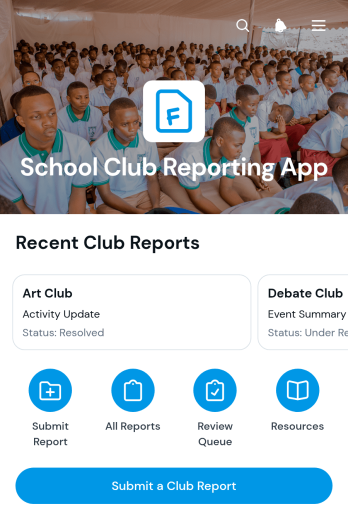
School Club Reporting App
School Club Reporting App gives student activity coordinators, faculty advisers, school administrators, and club leaders one organized place to submit, review, and follow club reports. Users can send a report through a connected form, view essential details such as its status and reporter information, and open relevant club resources without searching across separate files or messages. This app template is useful for routine activity updates, event summaries, participation records, funding notes, and end-of-term reporting. It improves visibility across school club operations, gives administrators a consistent data collection process, and helps student groups understand what information they need to provide.Jotform makes the School Club Reporting App easy to adapt with a no-code app builder and a flexible drag-and-drop interface. Schools can customize pages, wording, colors, buttons, and navigation to reflect their reporting workflow. Connected forms and tables bring submissions and report tracking into one accessible experience, while resource links support self-service for club leaders and advisers. Among Jotform’s App Templates, this option provides a practical starting point that can be published quickly and shared by direct link or QR code for convenient access on computers, tablets, and phones.
Go to Category:School Management Apps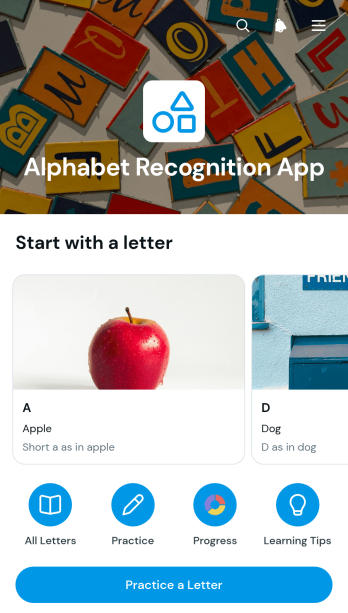
Alphabet Recognition App
Alphabet Recognition App is an educational app template for teachers, tutors, learning centers, and families helping early learners identify letters and connect them with sounds and familiar words. Learners can browse a visual letter library, open individual letter pages for sound hints and example words, and revisit guided practice activities. Educators can add practice results for each learner, including the answer given and confidence level, making it easier to notice progress and identify letters that need more repetition. It supports classroom stations, tutoring sessions, home practice, and targeted literacy activities without scattering learning materials across separate resources.Jotform makes this app template easy to adapt with a no-code app builder and a flexible drag-and-drop interface. Customize pages, cards, buttons, images, instructions, and branding to suit an age group or teaching approach. Connected forms support consistent data collection, while organized navigation gives educators and learners convenient self-service access to practice resources. Publish the app with a shareable link or QR code for use on phones, tablets, and computers. Jotform App Templates can also connect learning activities with tables and workflows, helping educators keep practice records organized and turn observations into useful follow-up.
Go to Category:Education Apps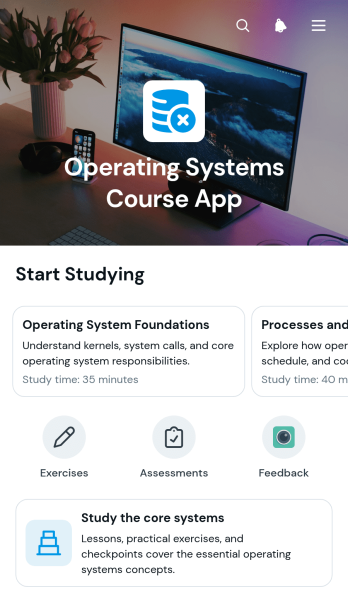
Operating Systems Course App
Operating Systems Course App is an educational app template for instructors, tutors, training teams, and academic departments that need one accessible place for course material. It helps learners study core operating system concepts through organized lesson overviews, key concept summaries, practical exercises, and assessment topics. Students can move between learning sections, review skill-focused tasks, and submit information through a connected form without searching across separate resources. The template is suitable for classroom teaching, remote instruction, technical training, revision programs, and guided self-service learning.Jotform makes this Operating Systems Course App easy to adapt with a no-code app builder and a flexible drag-and-drop interface. Educators can update pages, navigation cards, instructional text, and visual styling to match a course structure or teaching approach. Forms can support data collection, while connected tables, notifications, approvals, and other workflow tools help instructors organize responses and follow-up activities. Publish the finished app with a shareable link or QR code so learners can open it from a phone, tablet, or computer. Jotform App Templates provide a quick starting point for creating a branded learning experience without programming.
Go to Category:Education Apps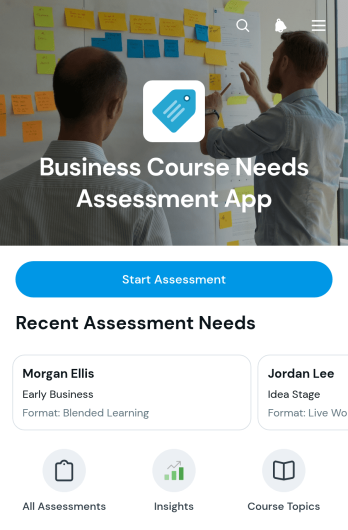
Business Course Needs Assessment App
Business Course Needs Assessment App is an app template for collecting and reviewing the training priorities of entrepreneurs, employees, and other business learners before developing a course. Training providers, business consultants, educators, and workforce development teams can use it to gather learning needs, preferred course formats, availability, contact details, and business-stage information. Each response becomes an accessible learner record, while visual summaries reveal trends across business stages and learning preferences. This insight helps teams prioritize relevant topics, plan suitable delivery methods, segment audiences, and make course development decisions based on current demand rather than assumptions.Jotform Apps makes it easy to adapt this template with a no-code app builder and an intuitive drag-and-drop interface. Add branded content, revise navigation, customize the connected assessment form, and organize data collection around your training workflow without writing code. Responses can be managed through connected Jotform tools, giving collaborators a central place to review learner needs and monitor assessment patterns. Once ready, share the app through a direct link or QR code so participants can access it from a phone, tablet, or computer. Jotform App Templates provide a flexible starting point for creating a polished self-service assessment experience.
Go to Category:Education Apps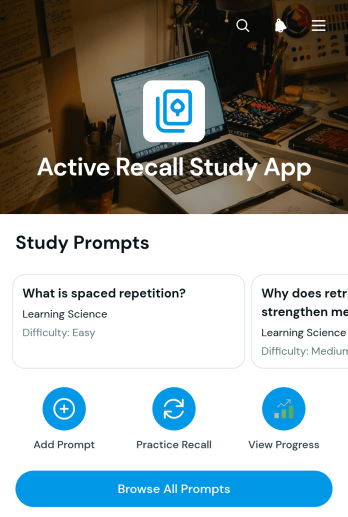
Active Recall Study App
Active Recall Study App gives students, tutors, teachers, and study groups a focused space for building memory through repeated retrieval practice. Learners can browse a library of study prompts, add new prompts for upcoming topics, practice each question, and record how well they recalled the answer. Recall outcomes are presented visually so users can recognize difficult material, revisit weaker prompts, and monitor progress over time. This app template is well suited to exam preparation, course revision, tutoring programs, certification study, and independent learning where consistent practice matters.Jotform Apps helps educators and learners turn study routines into an accessible digital experience without writing code. Using the no-code app builder and its drag-and-drop interface, users can adjust pages, navigation, colors, fonts, and visual elements to match a subject or learning program. Connected forms support data collection for prompts and practice results, while organized records can contribute to a clearer study workflow. As part of Jotform App Templates, this customizable resource can be published quickly and shared by link or QR code for convenient self-service access on phones, tablets, and computers.
Go to Category:Quiz Apps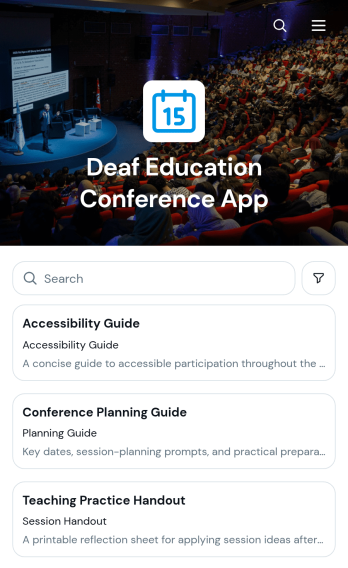
Deaf Education Conference App
The Deaf Education Conference App is a mobile-friendly event resource for organizers hosting conferences focused on deaf education, teaching practices, communication access, and student support. It gives attendees convenient access to session information, speaker profiles, and accessibility and resource guidance from one organized location. Educators, school leaders, support professionals, presenters, researchers, and community organizations can use it to explore relevant conference content and prepare for each session. By reducing reliance on scattered emails and printed materials, the app helps participants find timely information before and during the event.Created with Jotform, this app template can be adapted through a no-code app builder and an intuitive drag-and-drop interface. Organizers can update pages, cards, navigation, branding, and linked forms without programming, making it easier to support data collection and evolving event workflows. Jotform App Templates can also connect with tables, approvals, and other resources when additional processes are needed. Once customized, the Deaf Education Conference App can be shared by a direct link or QR code, giving attendees a practical self-service experience across phones, tablets, and computers.
Go to Category:Event Management Apps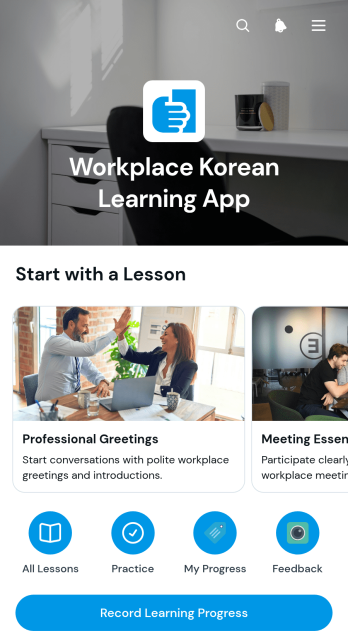
Workplace Korean Learning App
Workplace Korean Learning App is a ready-to-use learning resource for employees who need practical Korean communication skills in professional settings. It brings lessons, key phrases, answer guidance, progress recording, and learner feedback into one accessible experience. International teams, human resources departments, training coordinators, educators, and organizations preparing staff for Korean-speaking workplaces can use this app template to support independent study or structured training. Learners can review workplace language, mark lesson progress, and share feedback without relying on scattered documents or separate tracking tools.Jotform makes this Workplace Korean Learning App easy to adapt with a no-code app builder and a flexible drag-and-drop interface. Training teams can update learning content, connect forms for data collection, organize navigation, and shape the workflow around different roles or proficiency levels. The app can be shared through a direct link or QR code, giving employees mobile-friendly self-service access wherever they study. Starting with Jotform App Templates also reduces setup time while leaving room to personalize colors, fonts, pages, and branding for an internal language program.
Go to Category:Education Apps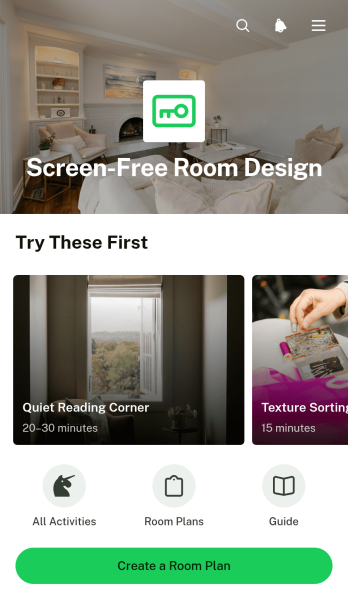
Screen-Free Room Design App
The Screen-Free Room Design App is an app template for planning spaces that encourage creative, practical, and social activities without relying on digital screens. Families, teachers, childcare teams, activity coordinators, and wellness professionals can browse suitable activities, review the materials and steps for each option, and add selected ideas to a room plan. It brings activity planning and material preparation together, helping users create purposeful bedrooms, classrooms, playrooms, reading areas, and shared community spaces. Clear plans can reduce scattered notes, make supplies easier to organize, and help everyone understand how the room will support screen-free time.Jotform makes this Screen-Free Room Design App easy to adapt with a no-code app builder and a drag-and-drop interface. Update pages, cards, buttons, colors, and content to match a household, school, care program, or community initiative. Connected forms support data collection for new room plans, while organized navigation creates a convenient self-service experience for reviewing activities and plan details. The finished app can be shared through a direct link or QR code and opened on mobile devices, giving participants access to current resources wherever planning takes place. Start with one of Jotform’s App Templates, tailor the workflow, and publish without writing code.
Go to Category:Planner Apps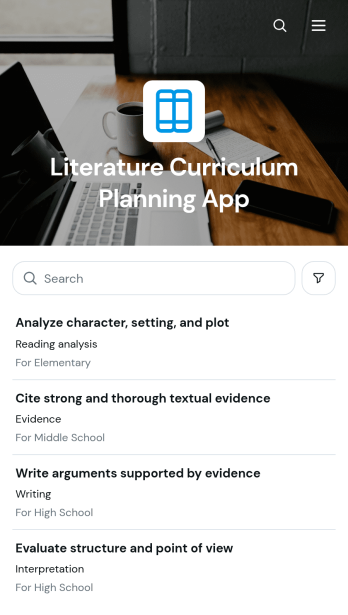
Literature Curriculum Planning App
The Literature Curriculum Planning App is an educational planning template for teachers, curriculum coordinators, department leaders, tutors, and instructional teams developing literature units. It brings curriculum plans and literature selections into one accessible space, helping educators connect learning objectives, instructional activities, assessment approaches, standards alignment, and review notes. Users can create new curriculum plans, browse existing entries, outline themes and planning priorities, and prepare discussion prompts for classroom use. Schools, tutoring programs, and independent educators can use this app template to reduce scattered documentation, support curriculum reviews, and keep teaching plans consistent across classes or grade levels.Jotform Apps makes it easy to adapt this template with a no-code app builder and a flexible drag-and-drop interface. Educators can adjust pages, cards, buttons, and navigation to match their curriculum process, then connect forms and tables for data collection and organized recordkeeping. The app can also support review workflows, team collaboration, and self-service access to approved planning resources. Start with Jotform App Templates, apply school or department branding, and share the finished app through a direct link or QR code for convenient desktop and mobile access.
Go to Category:Education Apps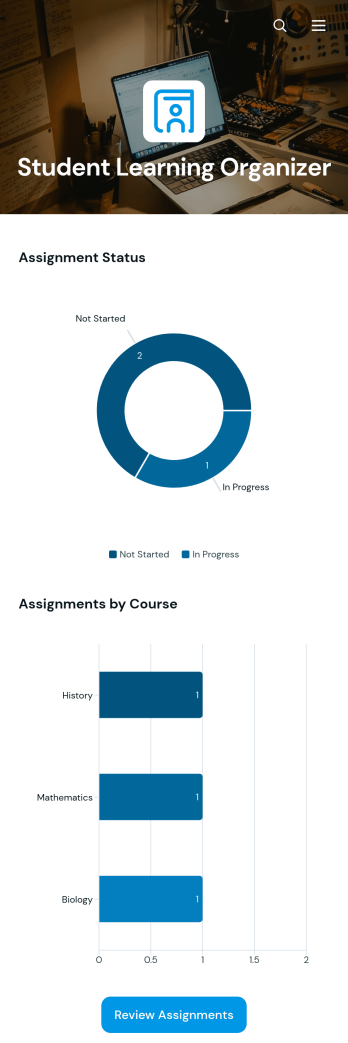
Student Learning Organizer App
Student Learning Organizer App is an app template that helps students manage assignments, plan study sessions, save learning resources, and review academic progress from one organized space. It suits secondary school, college, university, tutoring, and independent learning settings where deadlines and course materials can become difficult to track. Students can record assignments with priority and status details, schedule focused study time, and open saved resources when needed. Assignment status and course-based charts also make workloads easier to understand, helping learners decide what to complete next. Educators, tutors, and academic support teams can use it to give learners a practical planning system that encourages consistent routines and greater ownership of their work.Jotform makes this app template easy to adapt with a no-code app builder and a flexible drag-and-drop interface. Users can adjust pages, navigation, colors, fonts, buttons, and connected forms without writing code. Jotform App Templates can also connect data collection with tables, notifications, approvals, and other workflow steps, keeping academic information organized as needs change. Once customized, the app can be shared through a direct link or QR code for convenient mobile access and student self-service.
Go to Category:Student Planner Apps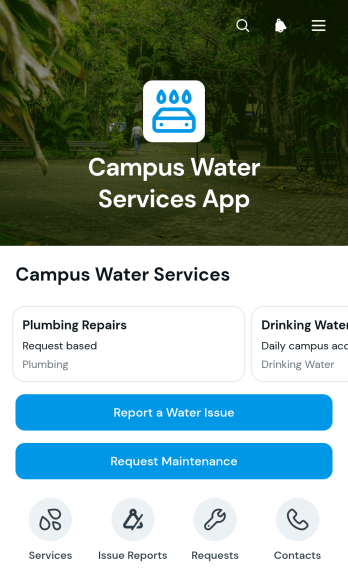
Campus Water Services App
Campus Water Services App is a ready-to-use app template that gives students, faculty, facilities teams, and campus administrators one place to access water service information and report problems. Users can browse available services and service areas, submit water issue reports, and request maintenance for campus buildings and facilities. It is well suited to colleges, universities, training centers, and other educational campuses that need a clear process for handling leaks, outages, water quality concerns, fixture damage, and routine service needs. By centralizing requests and essential contact options, the app helps facilities teams receive more consistent information, prioritize work, and keep campus water services easier to access.Jotform Apps makes this Campus Water Services App easy to adapt without coding. Use the drag-and-drop app builder to update pages, cards, buttons, navigation, colors, and branding while connecting forms and tables for data collection. Teams can support a more organized workflow with notifications, maintenance request records, and issue details available from one mobile-friendly location. Jotform App Templates can be published quickly, shared through a direct link or QR code, and updated as campus services evolve, creating a convenient self-service experience for the entire campus community.
Go to Category:School Management Apps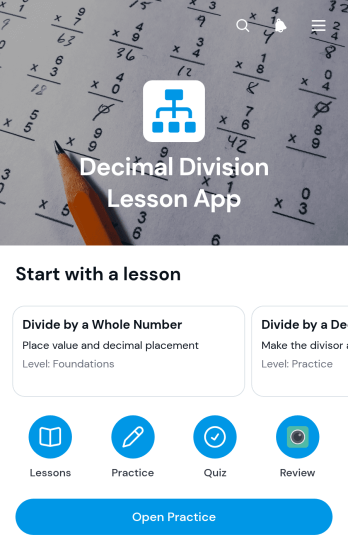
Decimal Division Lesson App
The Decimal Division Lesson App is an interactive learning resource for teaching decimal division through guided lesson content and focused practice. Teachers, tutors, schools, learning centers, and families can use this app template to give students one convenient place to review explanations and open skill-building activities. Clear lesson navigation helps learners move from instruction to practice without searching through separate materials. It works well for classroom stations, homework support, tutoring sessions, review assignments, and independent study. By making practice easy to access, the app helps educators reinforce essential math skills and gives students a consistent self-service learning experience.Jotform Apps makes it easy to adapt the Decimal Division Lesson App without coding. Using the drag-and-drop interface, educators can update pages, revise lesson text, adjust navigation, and connect forms for practice or data collection. The app builder also supports organized workflows that help instructors collect answers and manage learning activities from one place. Choose from Jotform App Templates, personalize the layout with modern branding, and publish the finished resource through a direct link or QR code. Students can then access lessons and practice activities from phones, tablets, or computers.
Go to Category:Education Apps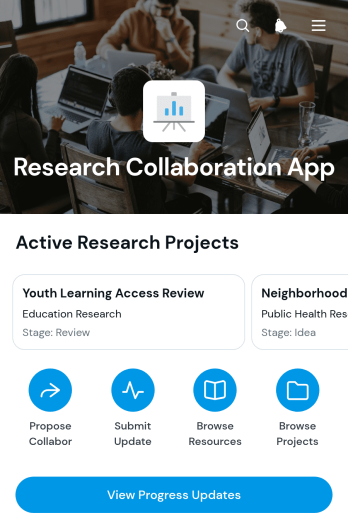
Research Collaboration App
Research Collaboration App gives research teams a shared space for discovering projects, connecting with contributors, proposing partnerships, and reporting progress. Universities, laboratories, academic departments, nonprofit research groups, and cross-functional teams can use this app template to make active work easier to find and support. Users can browse research projects, review lead contacts and areas of study, submit collaboration proposals, and share progress updates without relying on scattered messages or documents. Contributor expertise, project next steps, and useful research resources remain accessible in one organized experience, helping teams identify suitable partners, coordinate ongoing work, and keep participants informed.Jotform App Templates help organizations turn connected information and workflows into accessible digital experiences. With Jotform’s no-code app builder and drag-and-drop interface, teams can customize pages, navigation, colors, fonts, and branding without programming. Forms can support data collection for collaboration requests and project updates, while connected tables and notifications help organize incoming information. Publish the Research Collaboration App through a direct link or QR code so researchers can reach it from a phone, tablet, or computer. This flexible approach supports self-service access, reduces administrative effort, and creates a central destination that can evolve as projects and research networks grow.
Go to Category:Team Collaboration Apps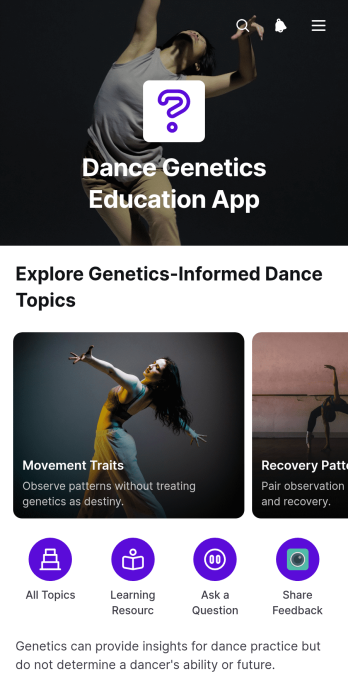
Dance Genetics Education App
The Dance Genetics Education App is an educational resource for dance teachers, students, studio leaders, and training programs exploring how genetics may relate to movement, physical traits, and individual development. It organizes material through browsable topics, practice-focus content, and a resource collection arranged by subject and format. Connected forms can support reflections, questions, or feedback. The app template helps educators present nuanced information alongside discussions of training, environment, technique, and personal variation without treating genetic factors as a measure of dance ability or potential.Jotform Apps makes it easy to adapt this resource for a class, workshop, studio, or independent learning program. Start with one of Jotform’s App Templates, then use the no-code App Builder and drag-and-drop interface to update pages, cards, images, navigation, and branding. Educators can connect forms for data collection, organize responses within a workflow, and maintain resources from one place. Once published, the app can be shared by link or QR code, giving learners convenient mobile-friendly self-service access to current educational content.
Go to Category:Education Apps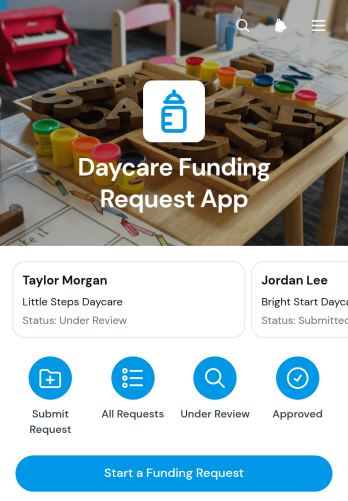
Daycare Funding Request App
The Daycare Funding Request App is a ready-to-use app template for collecting, reviewing, and organizing requests for child care financial assistance. Daycare administrators, education programs, nonprofits, community organizations, and funding teams can use it to give applicants a clear way to start or submit a request. Staff can browse applicant records and view essential details such as the stated child care need, requested amount, contact email, and current status. Keeping these details in one accessible place reduces scattered communication, supports consistent reviews, and helps teams follow each request through the funding workflow.Jotform Apps helps organizations turn forms and operational resources into convenient digital experiences without coding. Using the no-code app builder and its drag-and-drop interface, teams can adjust pages, navigation, colors, fonts, and buttons to match their process. The app builder can also connect data collection with tables, approval steps, notifications, and other workflows. Publish the app through a direct link, QR code, or embedded experience for mobile-friendly access. Among Jotform’s App Templates, this customizable option offers a practical foundation for applicant self-service and organized funding request management.
Go to Category:Education Apps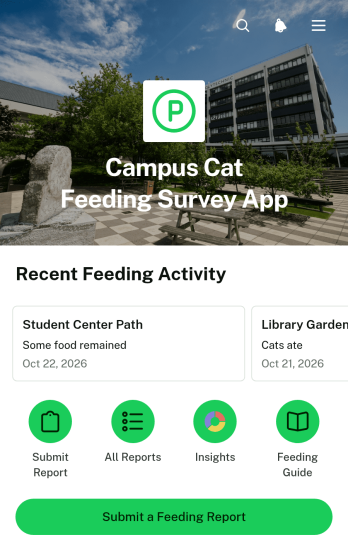
Campus Cat Feeding Survey App
Campus Cat Feeding Survey App is an app template for colleges, schools, campus animal care groups, student organizations, and volunteers coordinating community cat feeding activity. It brings feeding report submission, campus-area browsing, and outcome charts into one accessible experience. Participants can record visits while coordinators review where cats were observed, whether food or water was provided, and which areas may need attention. By keeping updates together, the app reduces duplicate visits, reveals gaps in coverage, and gives teams a clearer view of feeding activity across campus.Jotform App Templates make it easy to adapt this experience without writing code. Using Jotform’s no-code app builder and drag-and-drop interface, teams can update pages, reorganize navigation, apply their own visual style, and connect forms to data collection workflows. Reports can feed organized records and visual summaries, while notifications help coordinators respond to new activity. Once ready, the app can be shared by link or QR code for mobile-friendly access, giving volunteers a convenient self-service tool for submitting observations from around campus.
Go to Category:Pet Care Apps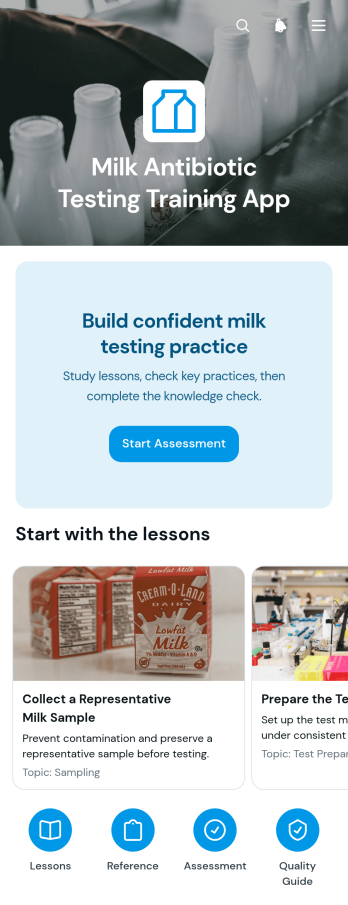
Milk Antibiotic Testing Training App
The Milk Antibiotic Testing Training App provides guided learning for dairy staff, milk collection teams, quality personnel, laboratory trainees, and agricultural educators who need consistent instruction on antibiotic residue testing practices. Learners can follow ordered lessons, review key reference topics and practice notes, and complete a knowledge check from one accessible location. The template helps organizations reinforce correct testing routines, highlight common risks, explain control performance, and promote accurate recordkeeping without relying on scattered training documents. It can support new-hire instruction, refresher training, classroom activities, and independent study across dairy processing and milk testing environments.Jotform makes this app template easy to adapt with a no-code app builder and a flexible drag-and-drop interface. Training managers can update learning content, reorganize navigation, apply their own visual style, and connect forms or workflows for data collection and follow-up. The app can be shared through a direct link or QR code, giving learners convenient self-service access on phones, tablets, and computers. Jotform App Templates help teams turn educational resources and assessments into a cohesive digital experience that can evolve as testing procedures and internal training needs change.
Go to Category:Education Apps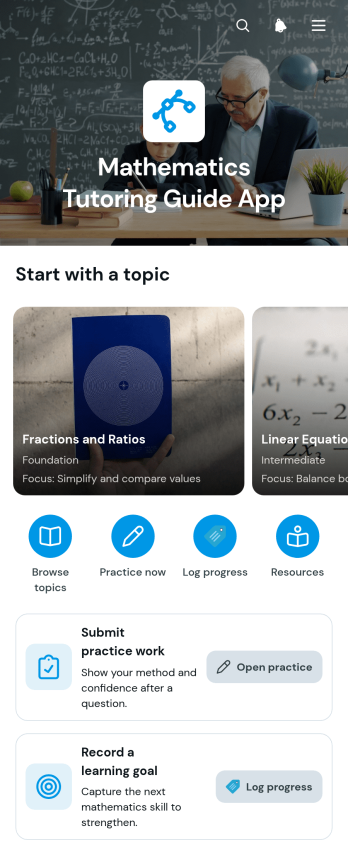
Mathematics Tutoring Guide App
The Mathematics Tutoring Guide App gives tutors, teachers, learning centers, and independent educators one place to guide learners through mathematics topics and practice activities. Users can browse topic-based guidance, review key skills and worked examples, open relevant practice, and submit completed work for tutor review. Learners can also record goals and track progress, helping tutors understand confidence levels and identify areas that need more attention. This app template supports one-to-one tutoring, small-group instruction, homework assistance, revision programs, and supplementary classroom learning while keeping resources and learner activity organized.Jotform makes this Mathematics Tutoring Guide App easy to adapt without coding. Use the drag-and-drop app builder to update pages, reorganize topic cards, add learning resources, and connect forms for practice submissions, goal setting, and data collection. Tutors can create a branded self-service experience, link related workflows, and share the finished app through a direct link or QR code. Jotform App Templates also provide a practical starting point for building mobile-friendly learning experiences that can evolve as lesson plans, learner needs, and tutoring programs change.
Go to Category:Tutor Apps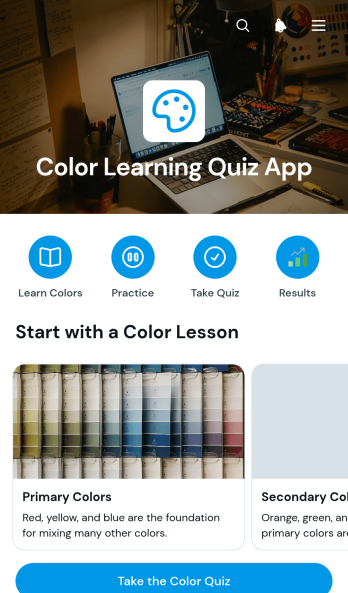
Color Learning Quiz App
The Color Learning Quiz App is an interactive learning template for introducing colors, reinforcing recognition skills, and giving learners a simple way to practice through multiple-choice questions. Teachers, tutors, early learning programs, families, and educational organizations can use it for classroom activities, guided lessons, independent study, or informal knowledge checks. Topic pages can present color information and examples before learners open the quiz, compare answer choices, or practice all available topics. This organized experience keeps instructions and activities together, helping learners move from review to active recall without navigating separate resources.Jotform App Templates make it easy to adapt this app template to different ages, lesson plans, and teaching environments. With Jotform’s no-code app builder and drag-and-drop interface, educators can update text, images, navigation, questions, and visual styling without programming. The app can connect with forms and data collection workflows, giving teams a central place to gather quiz responses and support learning activities. Once published, it can be shared through a direct link or QR code for convenient self-service access on phones, tablets, and computers.
Go to Category:Quiz Apps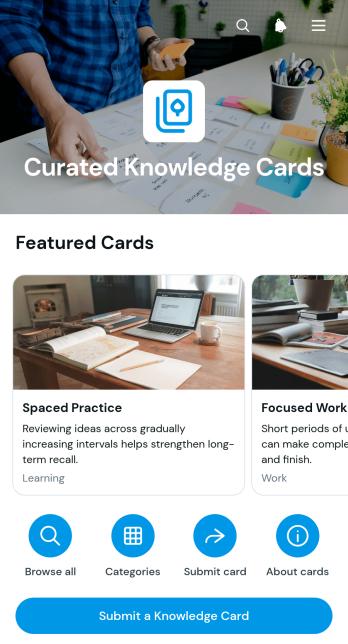
Curated Knowledge Cards App
Curated Knowledge Cards App provides a focused space for collecting, reviewing, and exploring concise knowledge resources. Teams can present useful insights as browsable cards, organize them by category and tags, and give contributors a direct way to submit new or related cards. Detailed views can highlight summaries, sources, and practical applications without overwhelming readers. This app template suits consulting teams, educators, researchers, internal communications groups, professional communities, and organizations that want to turn scattered expertise into an accessible reference library. It supports faster discovery, encourages knowledge sharing, and helps users connect ideas with everyday work.Jotform App Templates make it easy to adapt this experience without writing code. Using Jotform’s no-code app builder and drag-and-drop interface, creators can update pages, navigation, visual styling, and content to match their audience. Forms and connected workflows can support data collection for card contributions, while links and interactive elements guide users through the library. The finished app can be shared through a direct link or QR code for convenient mobile access, giving teams a flexible self-service resource that can grow as new knowledge is added.
Go to Category:Resource & Learning Portal Apps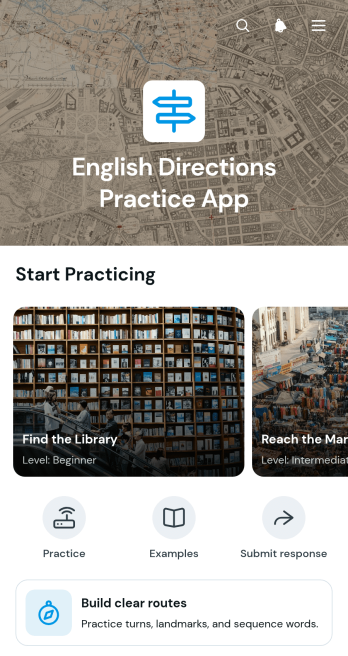
English Directions Practice App
English Directions Practice App gives language learners a focused space to practice explaining routes, following location prompts, and using useful directional phrases. It is well suited to English teachers, tutors, schools, training programs, and independent learners who want practical exercises for everyday communication. Learners can move between lesson pages, review visual route activities and key phrases, then submit a response for feedback or progress review. By keeping instructions, examples, and practice tasks together, the app supports classroom activities, tutoring sessions, homework, and self-service study without relying on scattered materials.With Jotform Apps, educators can adapt this app template through a no-code app builder and an intuitive drag-and-drop interface. Pages, navigation cards, text, images, buttons, and connected forms can be updated to match a course level or teaching approach. Responses feed into an organized data collection workflow, helping instructors review participation and manage follow-up tasks. The finished app can be shared by a direct link or QR code, giving learners mobile-friendly access in class, at home, or while practicing real-world conversations. Jotform App Templates make it easy to publish a polished learning experience without writing code.
Go to Category:Education Apps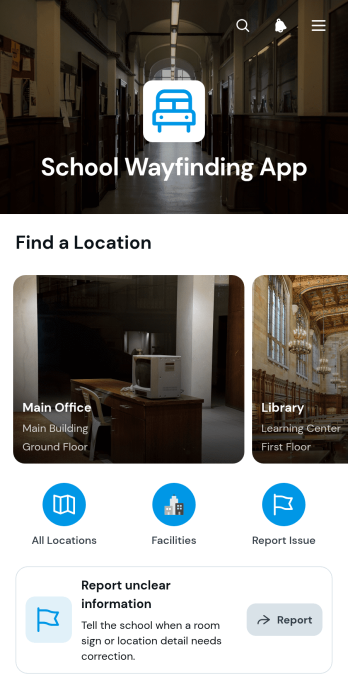
School Wayfinding App
The School Wayfinding App is a ready-to-use digital location guide that helps students, families, staff, and visitors find their way around a school campus. Users can browse a directory of campus destinations, open individual location pages, and review useful details such as the building, floor, location type, and additional directions. It is well suited to primary and secondary schools, colleges, training centers, and other educational institutions that want to make classrooms, offices, facilities, and shared spaces easier to locate. A connected reporting form also lets users flag unclear or incorrect information, helping administrators keep guidance accurate during orientation days, campus events, schedule changes, and everyday visits.Jotform Apps makes it easy to customize this School Wayfinding App without coding. Using the drag-and-drop interface, administrators can update pages, organize navigation, apply school colors, and add links or resources from one app builder. The app template can connect with forms, tables, notifications, and workflows to support data collection and manage submitted corrections. Publish it with a personalized link, share it through a QR code, or embed it within an existing resource page. Jotform App Templates provide a practical starting point for creating a mobile-friendly self-service experience that can be updated as campus locations and visitor needs change.
Go to Category:School Management Apps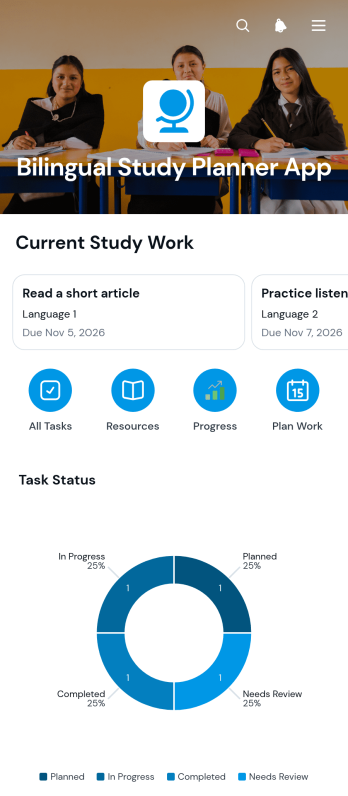
Bilingual Study Planner App
The Bilingual Study Planner App is an app template for students, tutors, language learners, and education teams managing coursework across two languages. It brings planned study tasks, goals, due dates, notes, and status updates into one accessible space. Learners can add assignments, review individual task details, save relevant study resources, and open useful links without switching between separate tools. Visual summaries show progress by status and tasks by language, helping users balance their workload, identify unfinished work, and maintain consistent study routines. Tutors and educators can also use the planner to guide bilingual learning programs, independent study, exam preparation, or multilingual coursework.Jotform App Templates make it easy to adapt the Bilingual Study Planner App to different subjects, language combinations, and academic schedules. With Jotform’s no-code app builder and drag-and-drop interface, users can update pages, navigation, colors, fonts, and branded elements without programming. Connected forms support data collection for new tasks and resources, while organized lists and charts turn those entries into a practical workflow. The finished app can be shared through a direct link or QR code for convenient mobile access, giving learners a flexible self-service space for planning and monitoring their studies.
Go to Category:Student Planner Apps