

Management App Templates

Job Management App
Job Management App brings your hiring workflow into one place so teams can post open roles, route candidates to the right listings, and keep applications organized as they come in. Use it to share a clear set of Open Jobs, publish role details, and guide candidates to Apply Now with a simple in-app application form. It’s a practical fit for growing businesses, HR departments, and operations leaders who need an easy way to keep recruiting moving without losing track of who applied to what.With Jotform, you can build and tailor app templates like this using a no-code app builder and a drag-and-drop interface, then connect your app experience to forms and tables for reliable data collection. Keep your workflow consistent by linking job listings to an application form, giving internal users a view of all applications, and offering candidates a self-service way to review their own applications. Share the app through a link or QR code, update content as roles change, and collaborate across teams as hiring needs evolve.
Go to Category:HR Portal Apps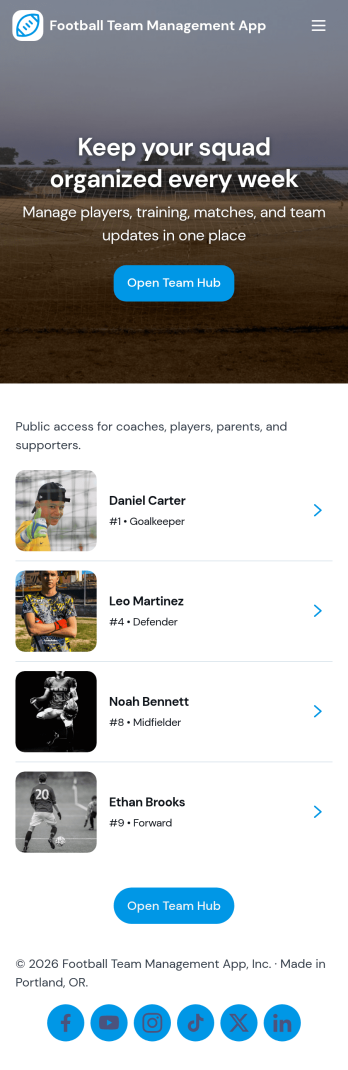
Football Team Management App
Football Team Management App keeps your squad organized in one place by bringing players, matches, and training into a single, easy-to-navigate experience. Use it to add and review player profiles, log upcoming and past fixtures, and maintain a clear training schedule that everyone can follow. Coaches and team managers can quickly update rosters, track match details, and open attendance for training sessions without juggling spreadsheets, group chats, or scattered notes.Built with Jotform, this app template helps you turn everyday team operations into a simple self-service workflow. Customize pages with a drag-and-drop interface, connect your roster, match logs, and session forms to central records, and share the app with staff and players using a link for mobile-friendly access. Whether you manage a youth club, school team, amateur league side, or training academy, Jotform makes data collection and coordination feel structured and easy to maintain.
Go to Category:Sports Apps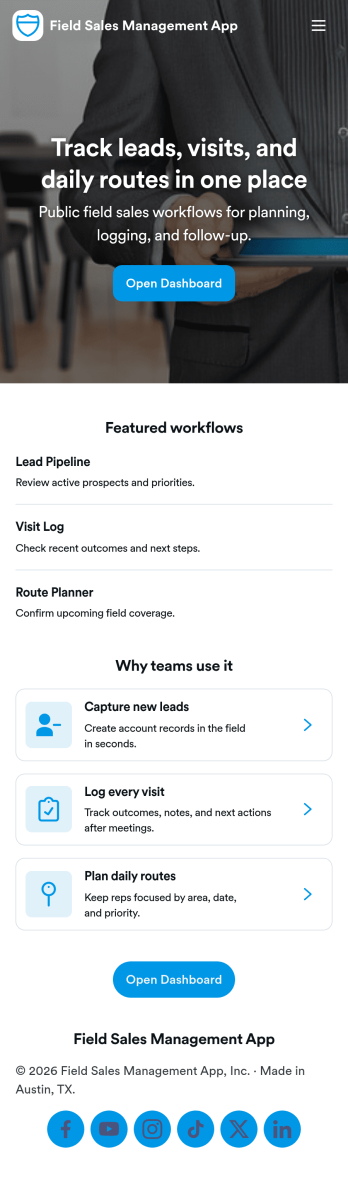
Field Sales Management App
Field Sales Management App helps outside sales teams organize customer accounts, track in-person activity, and keep deals moving while they’re on the road. Use it to maintain a live customer list, log visits right after a meeting, and monitor your pipeline so handoffs and follow-ups don’t get lost. It’s a practical fit for B2B sales reps, territory managers, distributors, and service-led sales teams who need one place to review active accounts, see upcoming follow-ups, and quickly pull up the right customer record before a call.With Jotform App Templates, you can launch a mobile-friendly sales workspace that connects your app experience to forms and tables for consistent data collection. Build and tailor pages with a no-code app builder and a drag-and-drop interface, then link actions like adding customers and logging visits to the right workflows. Share the app with your team, keep records centralized, and use role-based views to support self-service access to the data each rep needs.
Go to Category:Sales & Marketing Portal Apps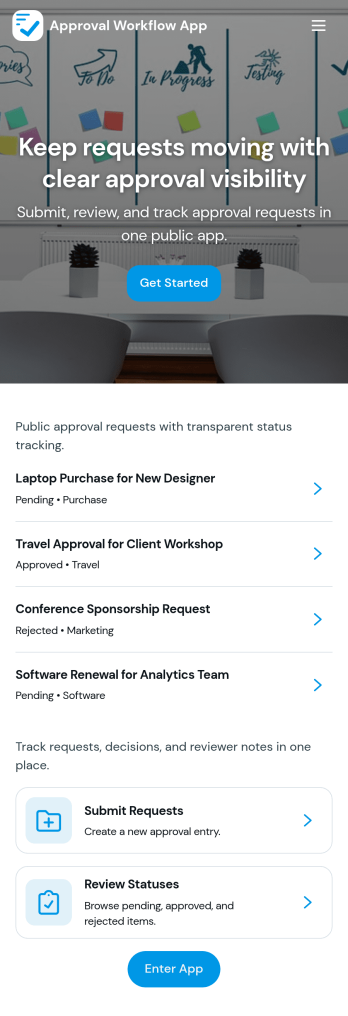
Approval Workflow App
An Approval Workflow App helps teams route requests to the right reviewers, track decisions, and keep work moving without losing context in email threads. Use it for purchase requests, policy exceptions, creative reviews, time-off approvals, access requests, vendor onboarding steps, and any situation where a requester needs a clear outcome from an approver. With entry points for New Request and a centralized Review Queue, reviewers can quickly open items, check key details, and move each request from submit to review to decide while maintaining consistency across departments.Jotform makes it easy to publish this type of self-service experience using App Templates built with a no-code app builder. With a drag-and-drop interface, you can tailor the app’s pages, connect the request form to your workflow, and keep a searchable Decision History for visibility. Share the app with a link or QR code, control who can access the queue, and connect the process to the rest of your operations so request handling stays organized from start to finish.
Go to Category:Company Portal Apps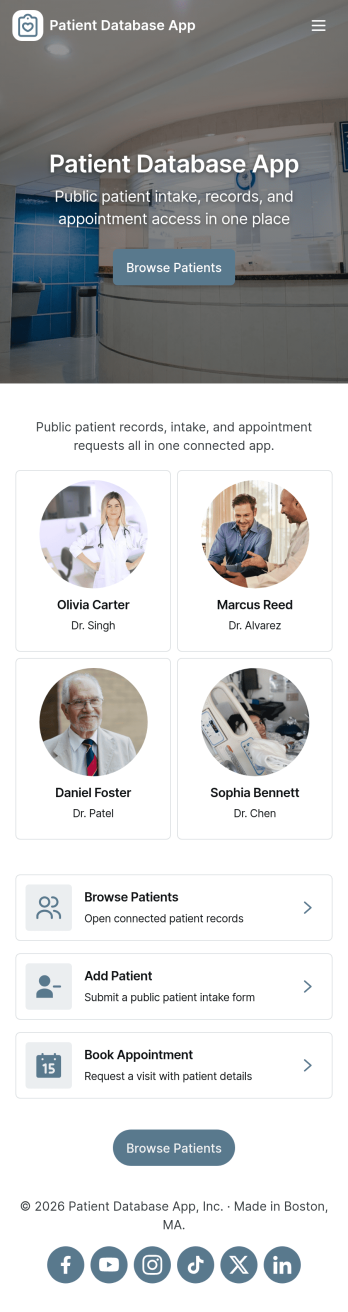
Patient Database App
Patient Database App brings patient records, intake, and appointment details into one place so clinics and healthcare teams can find information quickly and keep daily work organized. Use it to browse a patient list, open an individual record to review key contact, clinical, and address details, and start a new intake when a patient needs to be added or updated. It’s a practical fit for private practices, outpatient clinics, counseling centers, and multi-provider offices that want a consistent way to manage patient information without digging through scattered spreadsheets or inbox threads.Jotform makes it easy to turn processes like patient intake and record tracking into a guided self-service experience using a no-code app builder and drag-and-drop interface. Connect the app to forms and tables to centralize data collection, route internal workflows, and keep records accessible from a single link. With Jotform, you can tailor pages, navigation, and branding to match how your team works, then share the app with staff so they can view records, submit requests, and stay on top of appointments from anywhere.
Go to Category:Healthcare Apps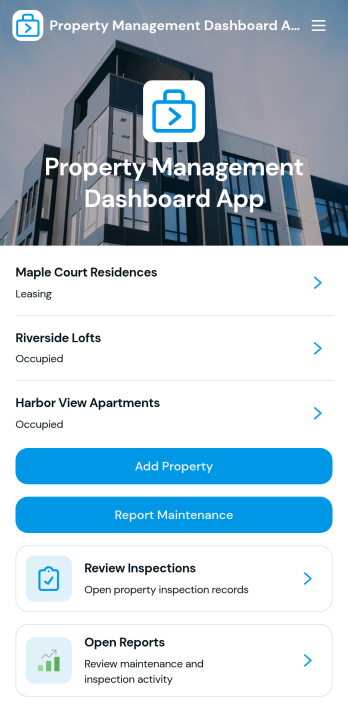
Property Management Dashboard App
Property Management Dashboard App brings your properties, maintenance needs, and inspection activity into one place so you can stay on top of day-to-day operations without juggling scattered notes and messages. It’s built for property managers, landlords, real estate teams, and maintenance coordinators who need a clear view of each property, quick access to key details like occupancy and manager assignments, and an easy way to add new properties as portfolios grow.With Jotform, you can turn this app template into a branded, self-service experience using a no-code app builder and a drag-and-drop interface. Connect pages to your data collection workflows, route maintenance requests to the right people, and keep records organized in one workflow-friendly hub you can share by link or QR code for fast mobile access.
Go to Category:Real Estate Apps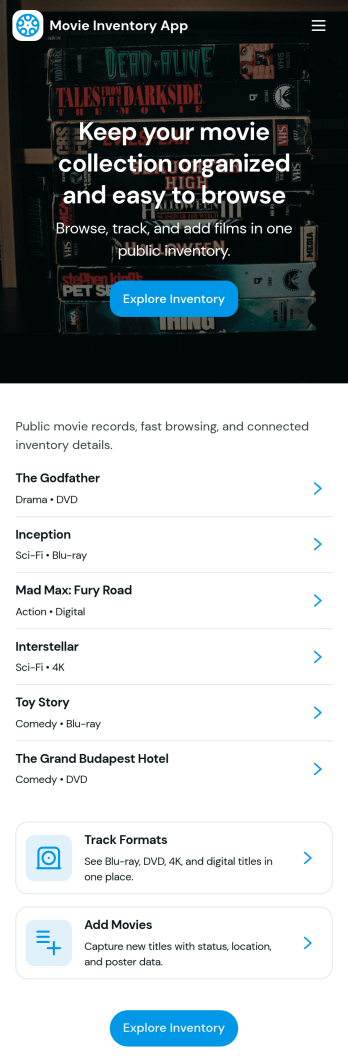
Movie Inventory App
Movie Inventory App helps you organize and browse a catalog of movies in one place, with easy navigation for different genres and quick access to individual titles. It’s a practical fit for collectors tracking a personal library, small video stores managing their shelves, film clubs maintaining a shared list, or schools and community centers keeping tabs on media resources. With a simple way to add new movies and view inventory details, teams can reduce duplicate entries, keep lists current, and make it easier for others to find what they’re looking for.Jotform makes it easy to turn this idea into a polished, shareable experience using its no-code app builder and drag-and-drop interface. Connect the app to a form for data collection so you can add and update movie records consistently, then publish it as a self-service hub that works on desktop and mobile. As your workflow grows, you can adjust pages, refine how inventory is displayed, and keep your catalog organized without writing code.
Go to Category:Inventory Apps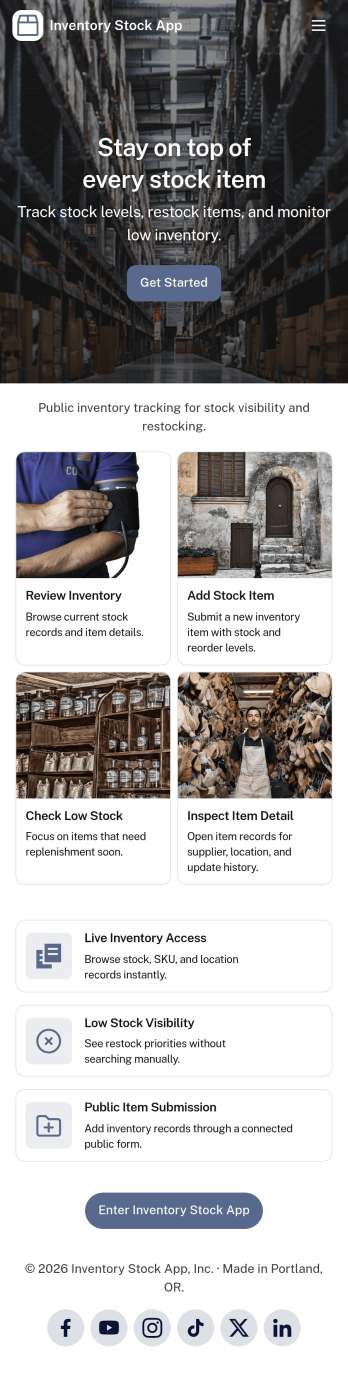
Inventory Stock App
Inventory Stock App keeps your inventory counts accurate and easy to access in day-to-day operations. Use it to browse items, spot low-stock products early, and record adjustments when stock levels change. It’s a practical fit for retail teams, warehouses, storerooms, schools, nonprofits, and small manufacturers that need a clear view of what’s on hand without relying on scattered spreadsheets. With simple navigation and item lists, staff can quickly find what they need, add new items, and maintain consistent records across locations or departments.Jotform makes it simple to turn inventory processes into a mobile-friendly experience using App Templates and a no-code app builder. Customize pages with a drag-and-drop interface, connect buttons to forms for fast data collection, and keep an organized stock log for better visibility over time. Share your Inventory Stock App with your team through a link so updates happen where the work happens, helping you keep inventory workflows consistent and information up to date.
Go to Category:Inventory Apps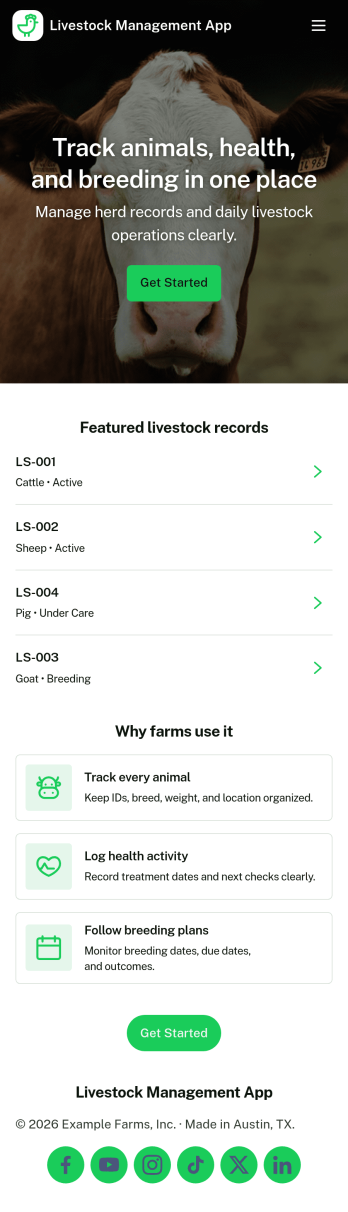
Livestock Management App
Livestock Management App helps farms and ranches keep daily animal records organized across herd oversight, health activity, breeding history, and feeding routines. Use it to add animals with tag numbers, review individual profiles, and keep key details like location and current status easy to find for quick decisions in the field. It’s a practical fit for cattle, sheep, goat, swine, and mixed operations that want cleaner tracking for caretakers, managers, and family-run teams without relying on scattered notebooks or disconnected spreadsheets.Built with Jotform App Templates, this app template can be tailored in minutes using Jotform’s no-code app builder and drag-and-drop interface. Connect buttons to forms for data collection such as new animal entries, health checks, breeding records, and feed schedules, then keep everything accessible in one self-service experience for your team. Share the app by link or QR code, update workflows as your operation grows, and keep records consistent with centralized data connected behind the scenes.
Go to Category:Inventory Apps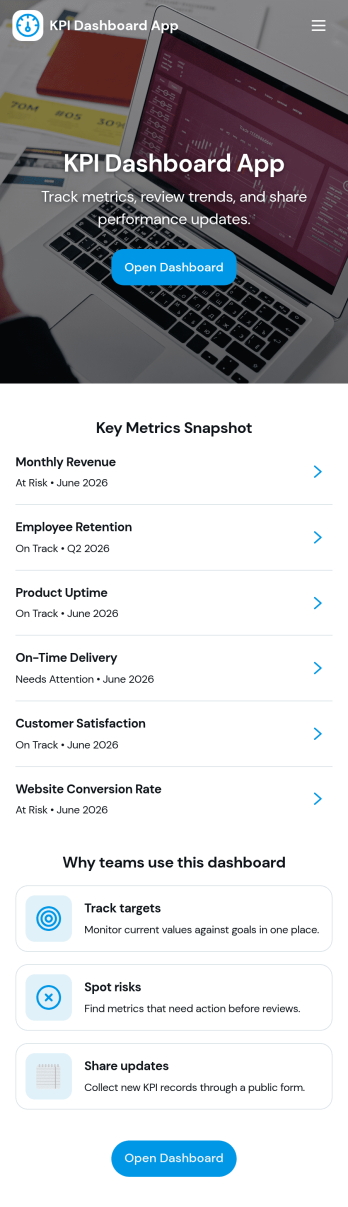
Kpi Dashboard App
Kpi Dashboard App brings your most important business metrics into one place so teams can review performance at a glance and act faster. Use it to monitor revenue trends, keep an eye on pipeline health, and track retention signals across dedicated pages, with metric cards and lists that make it easy to spot changes without digging through spreadsheets. It’s a strong fit for sales leaders, operations managers, founders, and account teams who need a shared view of progress, plus quick actions for review follow-ups and goal setting.Jotform makes it simple to publish this kind of self-service reporting experience using a no-code app builder and a drag-and-drop interface. Connect the app to your Jotform data sources, link buttons to forms for adding target values or review notes, and update pages as your workflow evolves. Share a single link with stakeholders, keep everyone aligned on current numbers, and centralize data collection and updates without extra development work.
Go to Category:Report Apps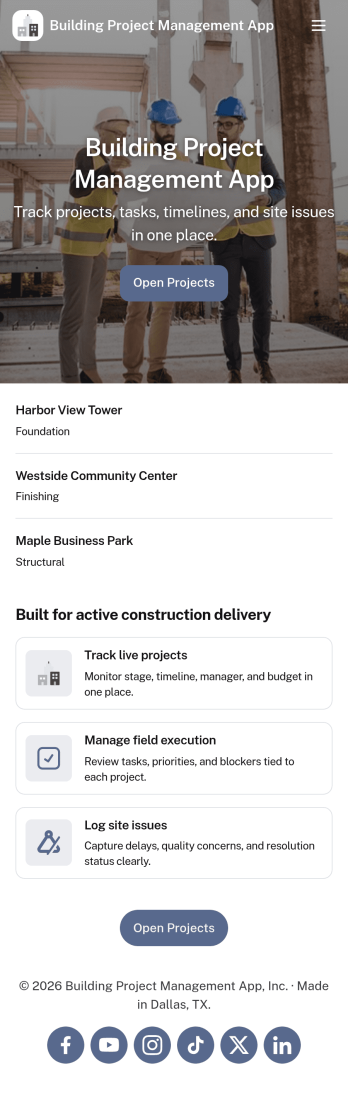
Building Project Management App
Building Project Management App helps teams organize active builds by keeping project records and day-to-day work in one place. It’s a practical fit for construction managers, general contractors, engineering teams, and operations leads who need a clear view of projects, open tasks, and what needs attention next. With dedicated areas to view projects, review open tasks, and add a task directly from a specific project, the app supports smoother handoffs and fewer missed action items as work moves from planning to execution.Jotform makes it simple to publish this kind of workflow as a polished, shareable experience using App Templates and a no-code app builder. Customize pages with a drag-and-drop interface, connect your app to forms and tables for reliable data collection, and keep work moving with a workflow that your team can access from a single link. Whether you’re coordinating multiple job sites or managing internal build initiatives, Jotform helps you turn project updates into a self-service hub your team will actually use.
Go to Category:Construction Apps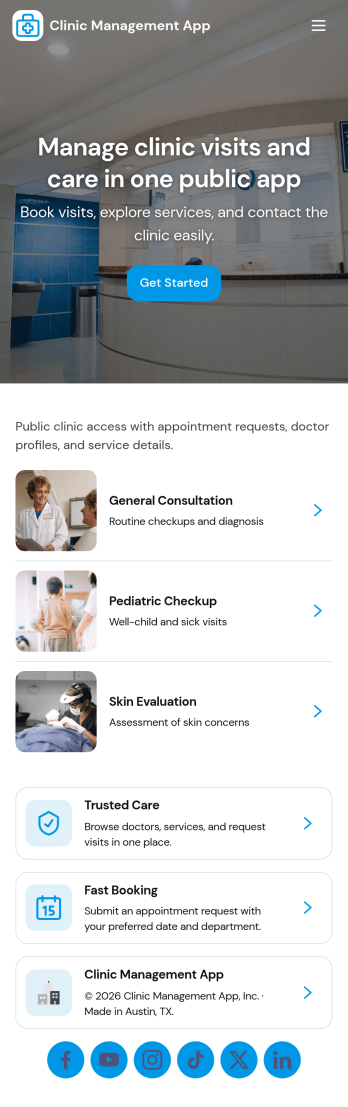
Clinic Management App
Clinic Management App brings key day-to-day clinic tasks into one place so staff can keep patients, appointments, and visit records organized without juggling multiple tools. It’s a practical fit for small practices, community clinics, and specialty providers that need a clear view of what’s happening today, which patients are in the system, and where follow-ups are still pending. With dedicated areas for patients and appointments plus a dashboard-style overview, teams can move from intake to scheduling to record lookups with fewer handoffs.Built with Jotform, this app template helps you turn your workflows into a mobile-friendly self-service experience using a no-code app builder and a drag-and-drop interface. Connect the app to forms and tables for consistent data collection, route information to the right people, and keep records easy to find as your clinic grows. You can tailor pages, navigation, and branding to match how your front desk and clinical team work, then share access by link for fast rollout.
Go to Category:Healthcare Apps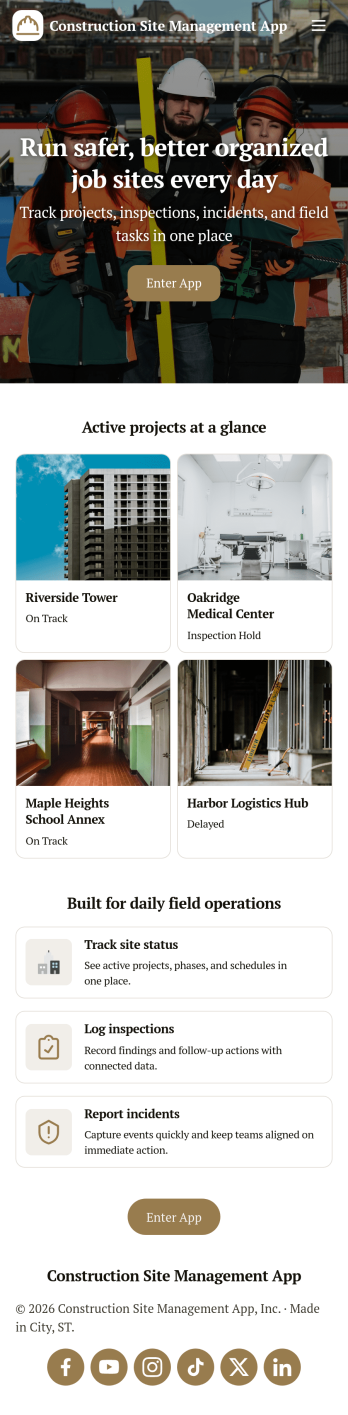
Construction Site Management App
Construction Site Management App brings active jobsite work into one place so teams can follow open projects, capture daily site reports, and stay on top of safety checks without chasing updates across texts, paper logs, and scattered folders. It’s a practical fit for general contractors, site supervisors, project coordinators, and subcontractor leads who need a simple way to see what’s in progress and make sure critical site details get recorded while work is happening.Built with Jotform App Templates, this app template connects key jobsite workflows to forms and lists so your crew can submit site reports, log inspections, and review equipment status from a mobile-friendly hub. Customize the layout with Jotform’s no-code app builder and drag-and-drop interface, then publish and share a self-service experience that keeps project information organized and accessible for day-to-day operations and data collection.
Go to Category:Construction Apps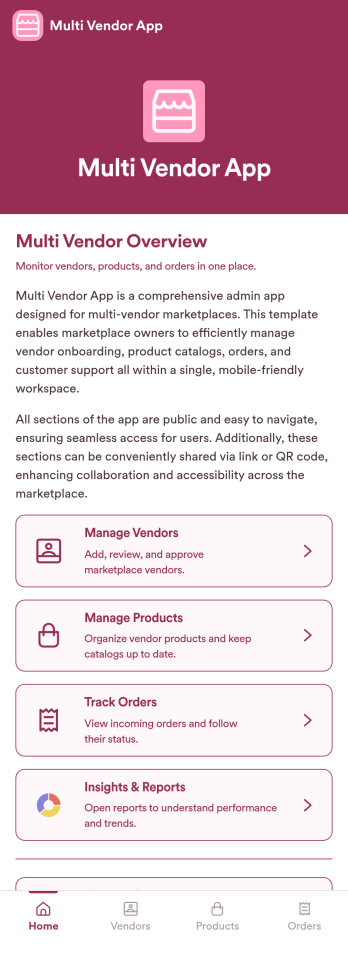
Multi Vendor App
Multi Vendor App is an app template designed to streamline onboarding vendors, managing product listings, and supporting transactions between multiple sellers and customers in a single system. It's a game-changer for marketplaces, e-commerce businesses, startups, and entrepreneurs seeking to maximize efficiency and accommodate expansion. The app collects and organizes vendor data, product details, and transactional information, all across a user-friendly interface. This ready-to-use solution brings significant value by ensuring clarity, consistency, and completeness in data collection, thereby reducing the risks associated with ad-hoc or manual methods. Common uses include managing online e-commerce platforms, facilitating startups' vendor interaction, and coordinating multiple vendors in marketplace systems. The Multi Vendor App is best for e-commerce platforms, emerging businesses, and marketplace organizers looking to optimize their operational workflows.Jotform's Multi Vendor App comes with an array of features that enhance its performance and deliver a smooth user experience. It offers ease of use, allowing you to navigate seamlessly and customize your app to suit your brand image. Furthermore, Jotform's user-friendly interface simplifies the process of collecting electronic signatures, eliminating the need to print, scan, or mail documents thus saving time and resources. Additionally, the app supports customized reports and sheets, enabling comprehensive data collection. Achieve seamless vendor management with the Multi Vendor App from Jotform, designed to simplify and streamline your operations while promoting growth and efficiency.
Go to Category:Management Apps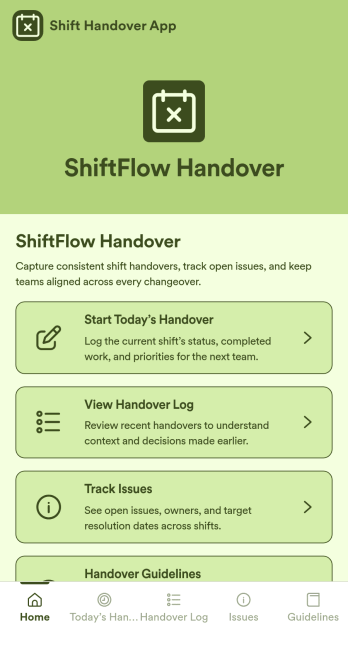
Shift Handover App
Shift Handover App is an app template designed to streamline and standardize the transition process between staff shifts in business environments. Operation teams, supervisors, and organizations find this ready to use app invaluable in managing the exchange of responsibilities, placing crucial focus on shift updates, pending tasks, and other operational notes. In one compact, user-friendly interface, you can record all the necessary information for each shift, reducing the potential for miscommunication or overlooked tasks. The app makes it easy to collect data, reducing manual paperwork and creating a solid record for reference. It's ideal for businesses that require a reliable and consistent means of handing over shift responsibilities, particularly those in industries such as manufacturing, hospitality, or healthcare.With Jotform, customizing the Shift Handover App to suit your organization's specific needs is a breeze, thanks to its intuitive, drag-and-drop interface. Incorporate electronic signatures to validate shift handover reports or add specific data fields that align with your operational requirements. You can further tailor your app to reflect your organization's branding, choosing fonts and colors, and uploading your logo. Once customized, your Shift Handover App is instantly ready for use across smartphones, tablets or desktops. With its focus on ease of use, Jotform simplifies the process of collecting, storing, and accessing crucial shift handover data, resulting in a smoother, more efficient operational workflow.
Go to Category:Management Apps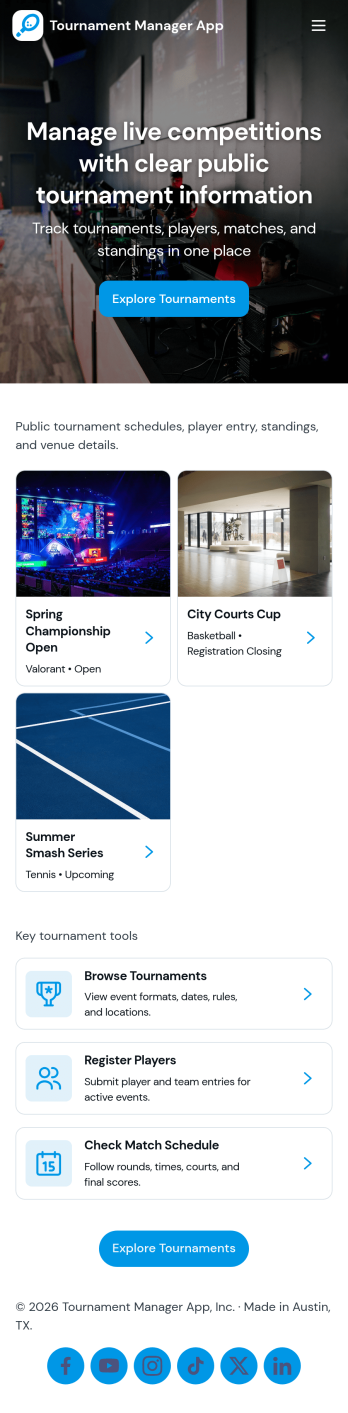
Tournament Manager App
Tournament Manager App helps you run a tournament in one place by organizing team registration, match reporting, and standings tracking in a flow that’s easy for organizers and participants to follow. Use it for school leagues, community sports clubs, esports brackets, charity tournaments, and company competitions where you need a clear way to add teams, keep match results consistent, and share updates without confusion. With quick actions like Register Team and Submit Match Report, plus browsable lists for teams and matches, this app keeps the event moving from signups to final results.Jotform makes it simple to turn your tournament workflow into a shareable, branded experience using a no-code app builder and a drag-and-drop interface. Connect buttons to forms for data collection, route information into tables for ongoing tracking, and create a self-service hub that works on any device. Start with Jotform app templates, customize pages and navigation for your format, and publish a link you can share with players, captains, and staff.
Go to Category:Sports Apps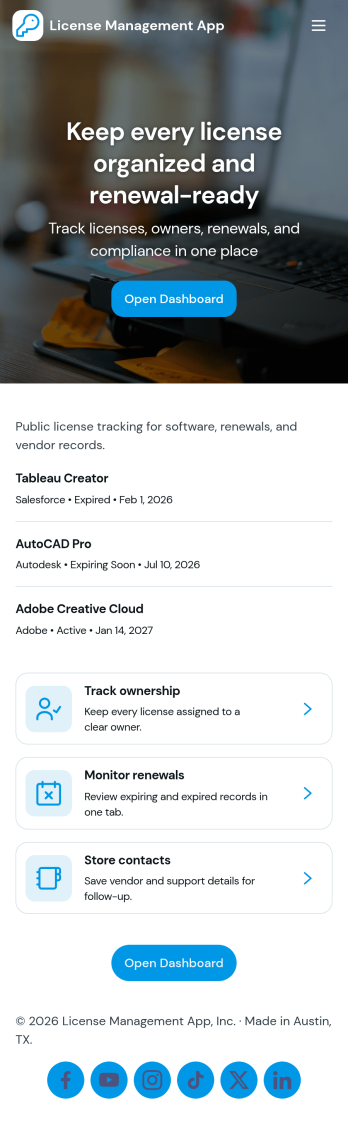
License Management App
License Management App helps teams capture, organize, and review license records in one place so renewals don’t get missed. Use it to add new licenses through a simple intake flow, browse an up-to-date license list, open individual license details, and keep an eye on upcoming renewals. It’s a practical fit for HR and people ops teams tracking employee certifications, IT departments managing software and vendor licenses, facilities teams monitoring permits, and operations leaders who need a clear view of what’s active, expiring, or overdue.With Jotform, you can turn this app template into a branded self-service experience using a no-code app builder and a drag-and-drop interface. Connect the app to your existing data collection processes, route updates through connected workflows, and keep information consistent across teams. Share the app by link for quick access, customize pages and navigation as your process evolves, and use built-in reporting views to spot renewal patterns and stay organized without extra manual tracking.
Go to Category:Information Technology Apps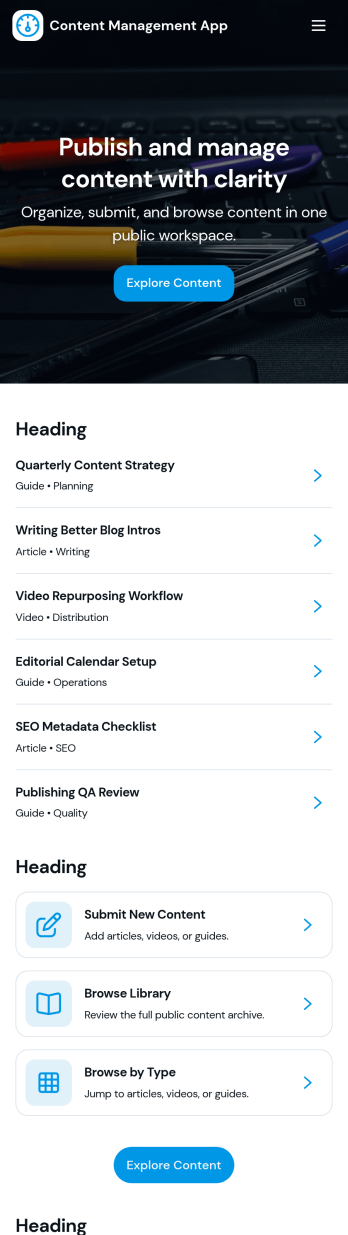
Content Management App
Content Management App helps teams collect, organize, and review content in one place, so publishing doesn’t turn into scattered messages and lost files. Use it to gather new articles, announcements, product updates, knowledge base entries, or internal resources through a simple submission flow, then route items into a review queue before they’re added to your library. It’s a practical fit for marketing teams, internal communications, agencies, and growing businesses that need a consistent way to intake content, browse a shared library, and keep visibility into what’s ready, what needs edits, and what’s in progress.With Jotform, you can turn this app template into a branded, self-service experience using a no-code app builder and a drag-and-drop interface. Connect pages to forms and tables to support ongoing data collection, keep content records centralized, and make workflows easier to follow for contributors and reviewers. Share the app by link or QR code, customize navigation and design, and maintain a single source of truth as your content volume grows.
Go to Category:Management Apps
Hoa Management App
Hoa Management App brings key community tasks into one place so residents and HOA teams can handle everyday needs without hunting through emails or paper notices. Use it to collect and organize maintenance and service requests, publish community notices residents can browse anytime, and manage amenity reservations with a simple booking flow. It’s a practical fit for HOA boards, property managers, onsite staff, and community volunteers who want clearer communication, fewer missed requests, and a smoother experience for homeowners and tenants.With Jotform, you can customize this app template to match your community workflow and branding using a no-code app builder and a drag-and-drop interface. Connect buttons and pages to forms for data collection, route updates through automated workflow steps, and keep information accessible as a self-service experience on any device. Share the app through a link or QR code, update content as policies change, and keep your community informed with less manual coordination.
Go to Category:Real Estate Apps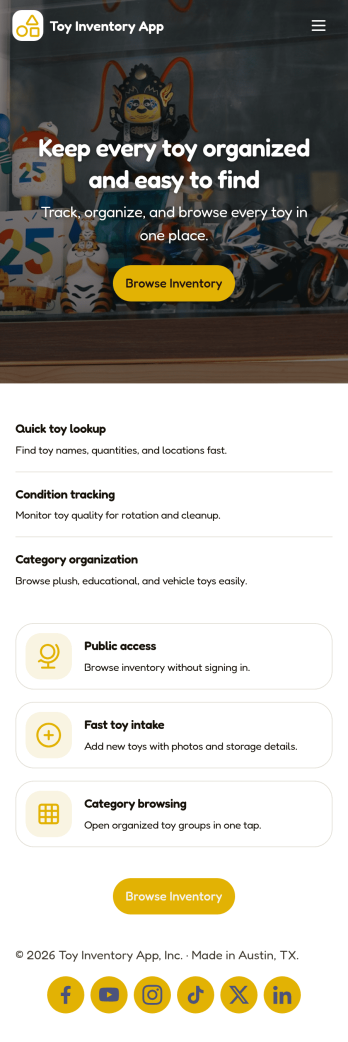
Toy Inventory App
Toy Inventory App helps you keep a clear, up-to-date record of toys across categories and quickly spot what needs attention. Use it to browse inventory, add new toys as they arrive, and review low stock so you can reorder or restock before items run out. It’s a practical fit for toy stores, resale shops, childcare centers, libraries, and community programs that lend or distribute toys, as well as small teams that need one place to check item details without digging through spreadsheets.Built with Jotform, this app template brings inventory data collection and self-service access into a mobile-friendly experience. Customize pages with a drag-and-drop interface, connect the add-toy form to your records, and keep your workflow consistent as multiple staff members update inventory over time. Share a link or QR code so your team can access the same inventory view, add items on the go, and keep stock visibility reliable across locations.
Go to Category:Inventory Apps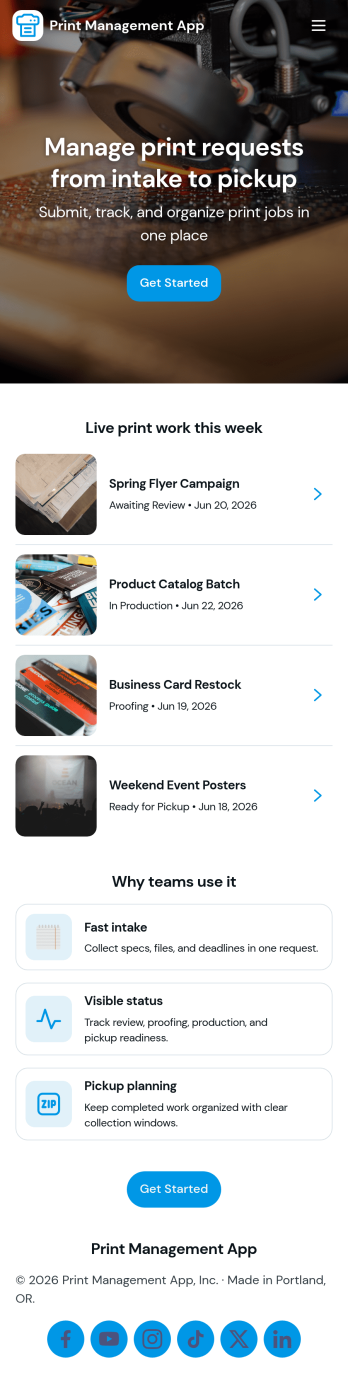
Print Management App
Print Management App brings print requests and queue visibility into one place so teams can submit new jobs, track what is currently in production, and review finished work without chasing updates. It fits office admins, IT teams, campus print rooms, marketing departments, and small print shops that need a clear handoff from intake to fulfillment, especially when multiple stakeholders are sending files and priorities shift throughout the day. With a dedicated Submit Job entry point and separate areas for an Active Queue and Completed Work, everyone knows what is next, what is in progress, and what has already been delivered.Built with Jotform App Templates, this app template can be tailored with a no-code app builder and a drag-and-drop interface to match your workflow and internal terminology. Connect the Submit Job page to your existing data collection form, then use lists for live queue browsing and historical lookup so your team can manage requests in a self-service way. Share the app through a link or QR code for quick access, update it anytime without code, and keep your print workflow organized as volume grows.
Go to Category:Information Technology Apps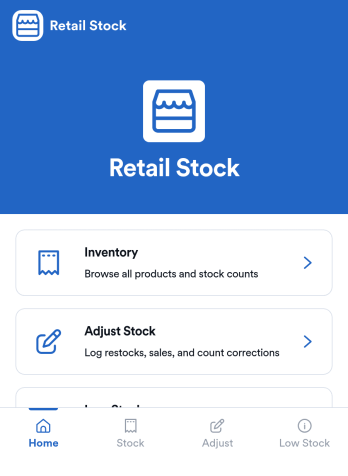
Retail Stock App
Retail Stock App helps stores track inventory levels, record stock coming in, and stay on top of low-quantity items before they become lost sales. It’s a practical fit for shop owners, floor managers, and back-office teams handling multiple SKUs, seasonal products, or fast-moving items who need a simple place to review what’s on hand and what needs attention. With dedicated areas for inventory browsing, stock-in logging, and low-stock review, the app supports day-to-day stock control without relying on scattered notes or disconnected spreadsheets.Jotform makes it easy to build and publish App Templates like this one with a no-code app builder and a drag-and-drop interface that adapts to your workflow. Connect the app to forms and tables to support ongoing data collection, keep a clear record of stock movements, and create a self-service experience for staff who need quick access on the sales floor or in the stockroom. As your operation grows, you can adjust pages, add new steps, and route updates to the right people, all in one Jotform workflow.
Go to Category:Inventory Apps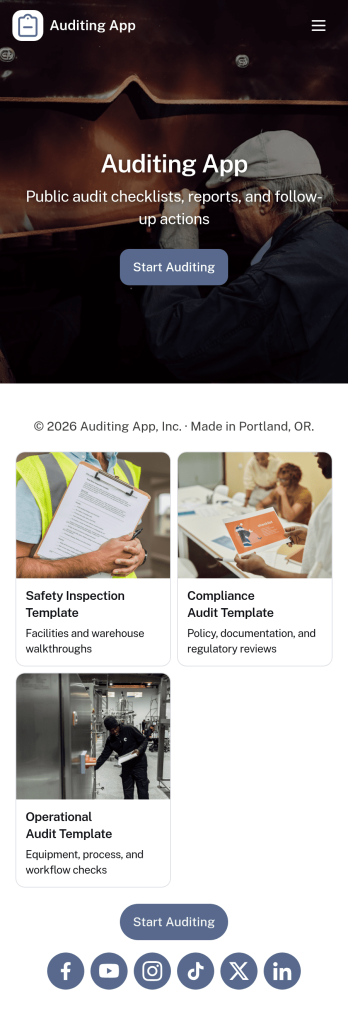
Auditing App
Auditing App helps teams plan, run, and document audits in one place, whether you’re reviewing internal processes, supplier performance, store operations, or quality checks across multiple sites. It supports auditors and operations leaders who need a simple way to start a new audit, capture findings as they work, and keep reviews moving without losing context. With guided navigation for creating new audits, viewing open findings, and checking a status board, it’s easier to maintain consistent oversight and follow up on what matters.Built with Jotform, this app template turns your auditing workflow into a shareable self-service experience that works across devices. Use Jotform’s no-code app builder and drag-and-drop interface to tailor pages to your audit program, connect the app to a form for data collection, and keep information organized as audits progress. You can publish updates quickly, standardize how audits are submitted, and give stakeholders a clear view into findings and status without extra coordination.
Go to Category:Inspection Apps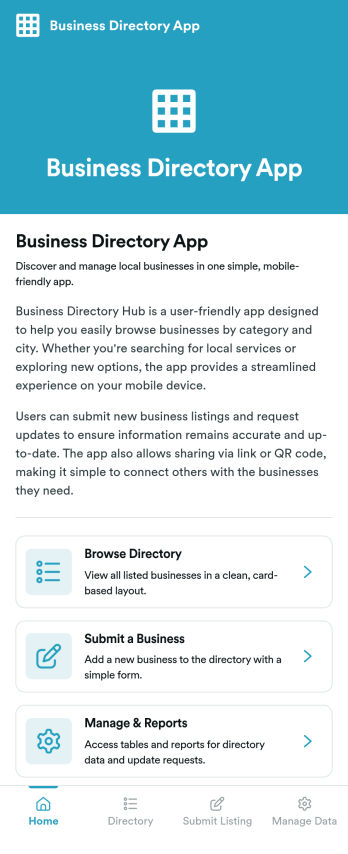
Business Directory App
Business Directory App is an app template designed to efficiently organize and showcase business listings in a user-friendly interface, facilitating prompt discovery, search, and connection between users and businesses. Optimized for businesses, local directories, startups, and organizations, this app can be utilized in various operational contexts, from local commerce associations to startup ecosystems, aiming for a streamlined discovery process. The application collates essential business information into a structured layout, ensuring a comprehensive view of the business landscape. This enhances clarity, consistency, and completeness in data collection, while making the discovery process much easier compared to traditional methods. Common uses include rollouts for business associations, startup communities, and local chambers of commerce, and it is ideally suited for coordinators and administrators managing business ecosystems.Jotform's Business Directory App is ready-to-use in no time, thanks to the ease of user-friendly customization that allows for a consistent brand experience. The drag-and-drop app builder enables alterations in form fields, text sizes, and colors, or even logo placement without any coding. The ease of collecting e-signatures further simplifies the process of business verification, aided by the app's built-in electronic signature feature. Users can gather, organize, and analyze data collected in real-time, turning them into actionable reports and sheets that help in decision making. Businesses and organizations can leverage Jotform's Business Directory App to create a centralized, easy-to-access platform that enhances discovery, connection, and ultimately, growth.
Go to Category:Management Apps