

Operations & Logistics Portal Apps

Cargo Delivery Request App
The Cargo Delivery Request App is an app template for freight carriers, dispatch teams, warehouses, logistics providers, and businesses that need a convenient way to receive and organize cargo transport requests. Customers or staff can submit pickup and destination details, cargo information, weight, and contact information through one accessible experience. Teams can then review route summaries and delivery status details without relying on scattered messages or paper records. This setup supports shipment intake, dispatch preparation, customer self-service, and clearer communication for local or regional cargo operations.Jotform App Templates help organizations turn recurring processes into mobile-friendly experiences without writing code. Using Jotform’s no-code app builder and drag-and-drop interface, teams can customize the Cargo Delivery Request App with branded pages, navigation, instructions, and connected forms. Requests can feed into data collection and workflow tools for organized follow-up, internal review, and status management. Publish the finished app with a direct link, share it through a QR code, or embed it where customers and employees can quickly access it. The flexible app builder also makes it easy to update content as routes, services, or operating procedures change.
Go to Category:Delivery Apps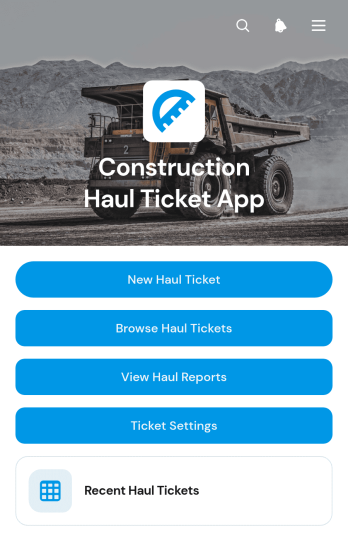
Construction Haul Ticket App
The Construction Haul Ticket App is a ready-to-use digital workspace for recording and reviewing material movements across construction sites. Contractors, site supervisors, dispatch teams, haulers, and project managers can create haul tickets, browse recent records, and view haul reports from one organized location. Each ticket can capture essential load details such as the construction site, hauler, truck or unit, quantity, load type, and site notes. This helps teams replace scattered paper tickets, maintain clearer records, monitor haul totals, and resolve questions about deliveries or removals with less manual searching. It is well suited to excavation, aggregate transport, demolition, earthmoving, roadwork, and other operations that coordinate recurring truckloads.Jotform provides a no-code app builder that makes this app template easy to adapt to existing field operations. Use the drag-and-drop interface to update pages, navigation, branding, and ticket settings without programming. Connected forms and tables support data collection, while reports give office and field teams a shared view of haul activity. The app can be published for mobile-friendly access and shared by a direct link or QR code, helping drivers and supervisors submit information wherever work occurs. Among Jotform App Templates, this option offers a practical foundation for creating a self-service haul ticket workflow that can grow with project requirements.
Go to Category:Construction Apps
Public Works Maintenance App
Public Works Maintenance App provides municipal public works departments, field crews, supervisors, and operations teams with a central place to receive and manage maintenance needs for roads, sidewalks, drainage systems, public spaces, and other community infrastructure. Request intake helps staff capture issue details and location context, while inspection logging supports field assessments. Maintenance records and status tracking give teams clearer visibility into open work, follow-up needs, and completed activity. This app template is useful for reducing scattered reports, improving coordination between office and field personnel, documenting service history, and helping managers identify recurring issues or workload trends.With Jotform Apps, organizations can adapt this ready-made App Template through a no-code app builder and an intuitive drag-and-drop interface. Teams can update pages, navigation, branding, forms, and connected workflows without programming, then organize data collection and operational resources in one mobile-friendly experience. The app can connect with Jotform forms, tables, approvals, notifications, and other workflow tools to support timely assignments and updates. Once published, it can be shared by link or scannable code, giving authorized staff convenient self-service access from the office or the field.
Go to Category:Field Service Apps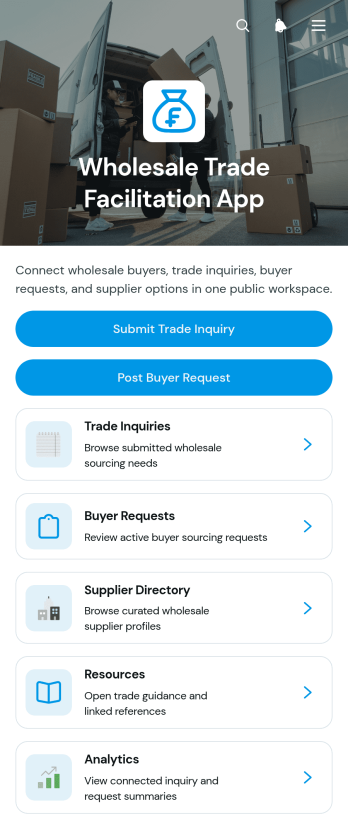
Wholesale Trade Facilitation App
The Wholesale Trade Facilitation App is a digital trade hub for wholesalers, distributors, procurement teams, buyers, and suppliers seeking a clearer way to manage commercial opportunities. Users can submit trade inquiries, post buyer requests, and browse a supplier directory from one organized location. This setup helps purchasing teams communicate product needs and quantities, gives suppliers better visibility into demand, and keeps contact and delivery information accessible during sourcing. It is well suited to wholesale marketplaces, trade associations, distribution networks, import and export teams, and growing businesses that want to reduce scattered emails, improve opportunity discovery, and support informed purchasing decisions.Jotform makes this app template easy to adapt with a no-code app builder and an intuitive drag-and-drop interface. Add branded pages, navigation cards, forms, resource links, and connected workflows without writing code. Collected data can be organized through Jotform Tables, while notifications help teams respond to new inquiries and requests promptly. Like other Jotform App Templates, the Wholesale Trade Facilitation App can be published for mobile-friendly self-service access and shared by a direct link or QR code, giving trading partners a convenient place to connect and take action.
Go to Category:Operations & Logistics Portal Apps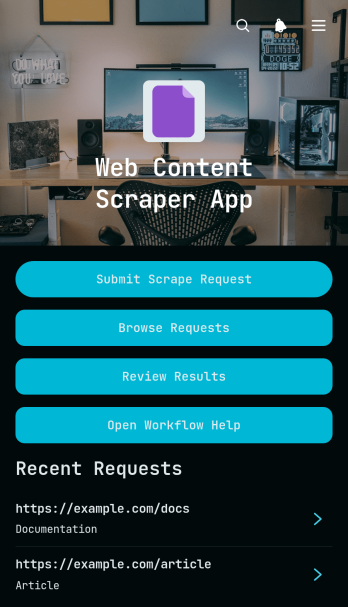
Web Content Scrape Request App
The Web Content Scrape Request App template provides a central workspace for submitting, organizing, and reviewing web content extraction requests. It is well suited to research teams, content specialists, marketing departments, analysts, consultants, and information technology teams that need a consistent process for gathering material from public web sources. Users can submit a source and extraction brief, browse existing requests, and review extracted content with its current status. By keeping instructions, source details, and reviewed results together, the app helps teams reduce scattered communication, prioritize work, monitor progress, and maintain a dependable record of each request. It can support competitor research, content inventories, market analysis, website audits, and other recurring research tasks.Jotform makes this app template easy to adapt without writing code. Its no-code app builder and drag-and-drop interface let teams update pages, navigation, branding, and connected forms to match their workflow. Requests and review details can feed into organized data collection processes, while notifications and connected approvals can help move work between requesters and reviewers. Teams can publish the finished app with a shareable link or custom address, making it accessible on phones, tablets, and computers. Jotform App Templates also make it simple to create a self-service request experience that can grow alongside changing research and content operations.
Go to Category:Information Technology Apps
Lanyard Request App
The Lanyard Request App is an app template for collecting, organizing, and monitoring requests for lanyards across workplaces, schools, conferences, volunteer programs, and other organizations. Employees, event coordinators, administrative teams, facilities staff, and operations managers can use it to replace scattered emails and informal request lists with one accessible process. Requesters can submit their information and required quantity, while authorized users can review delivery details, additional notes, and request status. This clearer workflow helps teams prioritize demand, prepare the correct quantities, coordinate distribution, and keep requesters informed without relying on repeated manual follow-ups.Jotform Apps makes it easy to customize this Lanyard Request App with a no-code app builder and a flexible drag-and-drop interface. Teams can adjust pages, colors, fonts, buttons, and branding, then connect forms, tables, notifications, and approval steps to support data collection and internal workflows. The app can be shared through a direct link or QR code for convenient mobile self-service. Starting with Jotform App Templates also reduces setup time, giving organizations a ready-to-use foundation they can adapt to recurring staff needs, event preparation, supply coordination, or visitor management.
Go to Category:Operations & Logistics Portal Apps
Employee Operations Portal App
Employee Operations Portal App gives staff a central place to submit workplace requests, check request status, and browse essential operations resources. It suits human resources teams, operations departments, office administrators, department leaders, and growing businesses that need a consistent way to handle employee questions and service needs. Staff can provide request details and attachments, while authorized teams gain clearer context for routing and follow-up. By bringing self-service access, request tracking, and resource navigation together, this app template reduces scattered messages, improves visibility, and helps employees find the right operational support.Jotform App Templates make it easy to adapt this portal to your organization without writing code. Use the no-code app builder and drag-and-drop interface to update pages, buttons, visual styling, and navigation while connecting forms and tables to support data collection and workflow management. Teams can organize employee resources, receive notifications from linked processes, and maintain request records in one accessible experience. Publish the finished app with a shareable link or QR code so employees can open it from a phone, tablet, or computer.
Go to Category:Employee Self Service Apps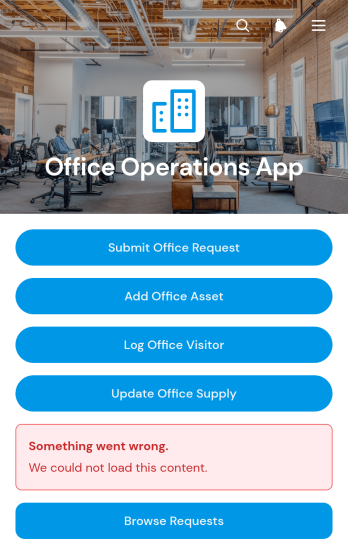
Office Operations App
The Office Operations App is a central workspace for managing routine workplace activity across offices, shared facilities, and administrative teams. Office managers, facilities coordinators, reception staff, operations teams, and growing businesses can use it to submit and browse office requests, maintain asset and supply records, and log visitors. Clear details for location, priority, condition, quantity, reorder level, host, and contact information help staff understand what requires attention without relying on scattered messages or spreadsheets. This app template supports day-to-day coordination, improves visibility across workplace needs, and gives teams a consistent self-service process for reporting issues and recording updates.Jotform makes this Office Operations App easy to adapt through a no-code app builder and an intuitive drag-and-drop interface. Teams can adjust pages, navigation, visual styling, and connected forms to reflect their internal workflow, then organize collected data for convenient review. The app can be shared with employees through a direct link or QR code, providing mobile-friendly access wherever work happens. Use Jotform App Templates to launch a branded operational resource quickly, connect data collection with notifications or approvals, and keep essential office processes accessible from one place.
Go to Category:Operations & Logistics Portal Apps
Staff Operations App
Staff Operations App gives employees and operations teams a central place to record day-to-day work, report workplace incidents, and submit internal requests. Task lists help staff review assignments, due dates, categories, and progress, while dedicated records make it easier for supervisors to follow incidents and requests from submission through resolution. The app suits offices, service businesses, warehouses, hospitality teams, field operations, and other organizations that need clearer visibility into routine activities. By replacing scattered messages and disconnected records, it supports faster follow-up, greater accountability, and a more consistent employee self-service experience.With Jotform Apps, teams can adapt this app template using a no-code app builder and an intuitive drag-and-drop interface. Pages, forms, navigation, and branding can be updated to reflect existing procedures without requiring programming knowledge. Connected forms support data collection, and information can flow into tables, approvals, notifications, and other workflow steps for organized review. Managers can share the finished app through a direct link or QR code, giving staff mobile-friendly access wherever work takes place. Start with one of Jotform’s ready-made App Templates and create a practical operations resource that grows with your team.
Go to Category:Operations & Logistics Portal Apps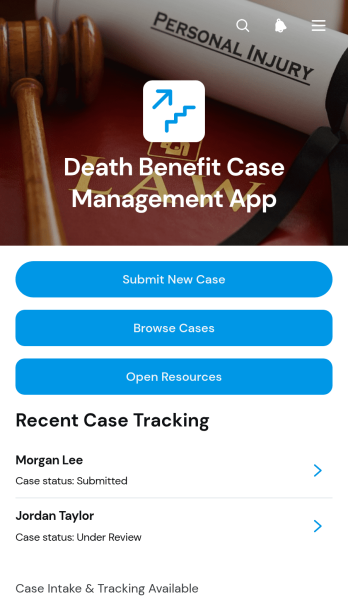
Death Benefit Case Management App
The Death Benefit Case Management App is a central workspace for insurance teams, benefits administrators, claims reviewers, and operations staff handling death benefit cases. It supports new case intake, case browsing, and update submission while keeping key information such as claimant details, case references, dates of death, benefit amounts, and supporting documents easier to review. Organizations can use it to reduce fragmented recordkeeping, give authorized team members a consistent view of case progress, and organize sensitive administrative work from initial submission through internal review. Linked process and document resources also help staff follow established procedures without searching across separate locations.Jotform Apps makes it easy to adapt this app template to an organization’s case management workflow without coding. Using the drag-and-drop app builder, teams can adjust pages, navigation, buttons, visual styling, and connected forms to match their responsibilities. Submitted information can connect with tables and other workflows for organized data collection, notifications, and collaboration. Once configured, the app can be shared through a direct link or QR code, giving staff a mobile-friendly way to submit, find, and update cases from one branded destination.
Go to Category:Insurance Apps
Newsroom Operations Report App
The Newsroom Operations Report App is a central workspace for editorial teams that need to capture, review, and monitor daily operational reports. Reporters, editors, desk leads, producers, and newsroom managers can submit updates, browse past reports, and view an operations dashboard without relying on scattered emails or documents. It supports shift handoffs, coverage reviews, issue escalation, and management oversight by keeping operational knowledge accessible in one place. News organizations of different sizes can use this app template to improve visibility across desks, preserve useful context, and help team members act on timely information.Jotform makes the Newsroom Operations Report App easy to adapt with a no-code app builder and a flexible drag-and-drop interface. Teams can customize pages, navigation, colors, and branding while connecting forms, tables, notifications, approvals, and other workflow tools. Data collection can feed organized records that are easier to review and manage, while resource links support employee self-service. Like other Jotform App Templates, the finished app can be shared through a direct link or QR code and opened on mobile or desktop devices, giving newsroom staff a convenient way to report and access information wherever work happens.
Go to Category:Report Apps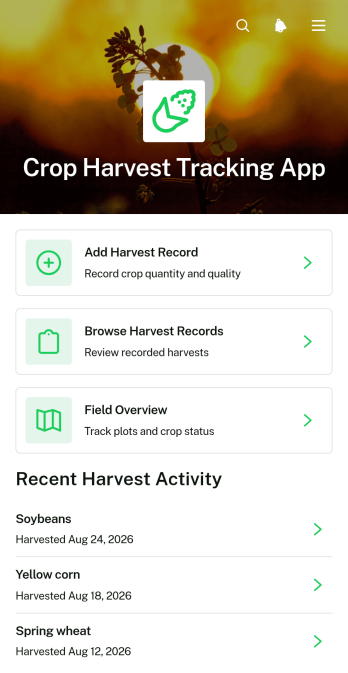
Crop Harvest Tracking App
Crop Harvest Tracking App is an app template for recording harvest activity and keeping crop, field, and output information accessible from one place. Farmers, farm managers, field supervisors, growers, and agricultural teams can use it to add harvest records, browse past entries, and review field or plot overviews. Records can capture crop variety, harvest quantity, quality grade, date, seasonal details, and field notes without relying on scattered spreadsheets or paper logs. This clearer view of production helps teams compare harvests, monitor active fields, coordinate field reporting, and maintain useful records throughout each growing season.Jotform makes this Crop Harvest Tracking App easy to adapt with a no-code app builder and a flexible drag-and-drop interface. Users can adjust pages, navigation, colors, fonts, and visual elements to match their operation, then connect forms and tables to support data collection and related workflows. The app can be shared by direct link or QR code for convenient mobile access in the field. Starting with ready-made App Templates reduces setup time while still giving teams control over branding, record organization, self-service access, and day-to-day harvest reporting.
Go to Category:Tracker Apps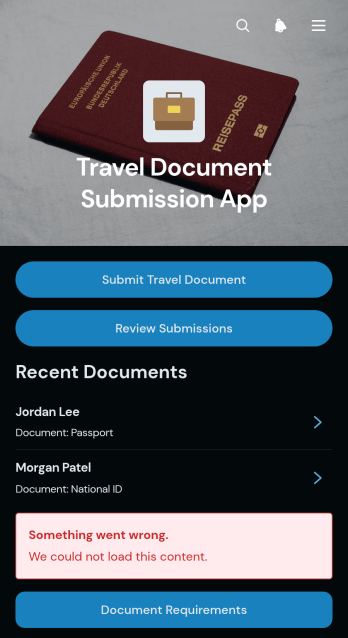
Travel Document Submission App
Travel Document Submission App is an app template for collecting and reviewing traveler document details in one organized location. Travel agencies, tour operators, corporate travel teams, educational trip coordinators, and hospitality staff can use it to request documents before a journey and monitor incoming records. Travelers can submit a document, check document requirements, and provide essential information such as a document number, expiration date, email address, and relevant notes. Reviewers can browse submissions by traveler, helping teams identify missing or outdated information and prepare for upcoming trips with fewer manual follow-ups.With Jotform Apps, teams can adapt this Travel Document Submission App through a no-code app builder and an intuitive drag-and-drop interface. Add branded pages, update instructions, connect forms and tables, or link approval steps to support an established workflow. The app template simplifies data collection while giving travelers a convenient self-service experience on mobile or desktop devices. Once customized, it can be shared through a direct link or QR code, creating an accessible document intake point for individual trips, group tours, employee travel, study programs, and guest services.
Go to Category:Trip Planner Apps
Marine Response Team Operations App
The Marine Response Team Operations App helps maritime response units coordinate incident reporting, mission documentation, equipment checks, and supply requests from one accessible location. It is suited to rescue crews, harbor response teams, vessel operators, coastal organizations, and supervisors managing time-sensitive field activity. Team members can submit incident details, review response information, record mission outcomes, and monitor equipment or supply needs without relying on scattered paperwork. Clear records of severity, location, injuries, status, readiness, urgency, and follow-up needs give coordinators better operational visibility while personnel remain focused on the situation at hand.Jotform makes this app template easy to adapt with a no-code app builder and a flexible drag-and-drop interface. Organizations can adjust pages, navigation, forms, and visual styling to reflect their response procedures and team structure. Connected forms and tables support organized data collection, while notifications and workflows can route updates to the appropriate personnel. Publish the finished app with a shareable link or QR code so field teams can access essential actions from phones, tablets, or computers. Jotform App Templates offer a practical starting point for creating a mobile-friendly self-service resource that brings operational records and response tasks together.
Go to Category:Operations & Logistics Portal Apps
Equipment Operations Manual App
The Equipment Operations Manual App is a centralized reference and action hub for teams that operate, inspect, or maintain workplace equipment. It gives technicians, operators, supervisors, contractors, and facilities teams convenient access to operating procedures, safety precautions, inspection schedules, and revision information. Users can browse manuals by equipment or category, submit maintenance requests with issue and priority details, and move to an inspection process from the same app. This app template is well suited to warehouses, construction sites, manufacturing facilities, field service operations, and other equipment-dependent workplaces. It reduces time spent searching through scattered documents while helping teams follow current instructions and report equipment issues promptly.Jotform Apps makes it easy to adapt this template without writing code. Use the no-code app builder and drag-and-drop interface to update pages, organize manual resources, apply your visual branding, or connect forms and operational workflows. Maintenance request data and other connected records can be collected in an organized location, while notifications can help the appropriate team respond to new activity. Like other Jotform App Templates, the Equipment Operations Manual App supports mobile-friendly self-service access and can be shared through a direct link, personalized address, or QR code. Teams can publish updates quickly as procedures, equipment records, and inspection needs change.
Go to Category:Equipment Maintenance Software
Virtual Assistant Operations App
The Virtual Assistant Operations App gives independent assistants, remote support teams, consultants, and small businesses a central workspace for managing day-to-day administrative work. It brings service requests, assigned tasks, and daily reports into one accessible experience, helping teams clarify ownership, due dates, priorities, and progress. Assistants can review incoming work, document completed activities and blockers, and consult standard operating procedure resources without searching across disconnected files. Managers gain better visibility into workloads and follow-up needs, while assistants have a consistent process for handling recurring client or internal responsibilities. This app template is especially useful for distributed teams coordinating scheduling, research, inbox support, data entry, and other delegated work.Jotform makes this template easy to adapt with a no-code app builder and an intuitive drag-and-drop interface. Add or rearrange pages, update branding, connect forms and tables, and shape the workflow around your team’s operations without writing code. Jotform App Templates can support organized data collection, mobile-friendly resource access, and convenient self-service from a single link. Publish the app when it is ready, then share it with assistants, managers, or clients so everyone can access the information and actions relevant to their role.
Go to Category:Operations & Logistics Portal Apps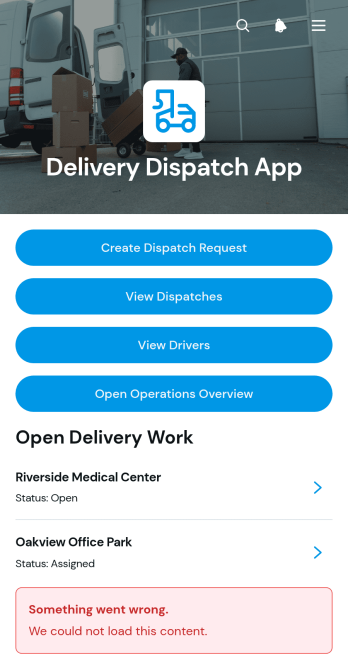
Delivery Dispatch App
Delivery Dispatch App gives delivery coordinators, dispatch teams, couriers, and field service businesses a central place to create dispatch requests and follow deliveries from assignment through completion. Teams can review active dispatches, access driver information, check destinations and route details, and add delivery updates as work progresses. This app template helps reduce scattered messages, keeps current status information visible, and supports faster coordination when delivery volumes or service areas grow. It is well suited to local delivery providers, retailers, warehouses, restaurants, wholesalers, and other organizations that need a practical way to manage daily dispatch activity.Jotform makes this Delivery Dispatch App easy to adapt with a no-code app builder and a flexible drag-and-drop interface. Add or rearrange pages, buttons, cards, forms, and connected resources to reflect your workflow without writing code. Linked forms support data collection for new requests and status updates, while organized app pages give team members convenient self-service access to operational information. As one of Jotform’s customizable App Templates, it can be branded, shared by direct link or QR code, and opened on mobile devices so dispatchers and drivers can stay connected wherever work takes them.
Go to Category:Delivery Apps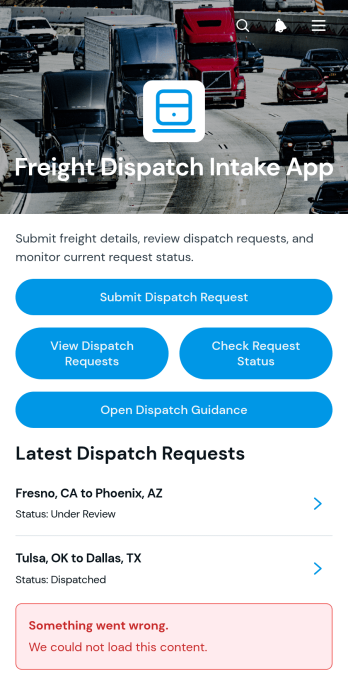
Freight Dispatch Intake App
The Freight Dispatch Intake App gives dispatch teams, carriers, freight coordinators, and logistics providers a central place to receive and organize shipment requests. Customers or staff can submit a dispatch request, review existing requests, check the latest request status, and open dispatch guidance without relying on scattered messages or spreadsheets. Route, load, equipment, contact, handling, and shipment information stays connected to each request, helping teams confirm operational details and respond with greater consistency. This app template is well suited to small and midsize transportation businesses managing recurring freight movements, internal dispatch intake, or customer self-service.Jotform makes this App Template easy to adapt with a no-code App Builder and an intuitive drag-and-drop interface. Teams can adjust pages, cards, buttons, colors, and branding, then connect forms and tables to support data collection and workflow management. The app can be shared through a direct link, QR code, or embedded experience, giving drivers, customers, coordinators, and partners mobile-friendly access from one location. Start with the Freight Dispatch Intake App, tailor the experience to your operating process, and publish a practical resource without writing code.
Go to Category:Transportation Apps
Carpet Dispatch Management App
The Carpet Dispatch Management App is an app template for carpet retailers, warehouses, installers, delivery coordinators, and field service teams that need one place to organize dispatch work. Staff can create new dispatches, browse job records, and update job statuses as work progresses. Each record keeps essential customer, pickup, delivery, scheduling, carpet, and dispatch information accessible without relying on scattered messages or paper notes. Teams can use the app to coordinate warehouse pickups, customer deliveries, installation assignments, and transfers between facilities. Clear job visibility helps dispatchers prioritize upcoming work, gives field teams the information they need, and reduces missed details during handoffs.Jotform makes this Carpet Dispatch Management App easy to adapt with a no-code app builder and an intuitive drag-and-drop interface. Businesses can update pages, navigation, colors, and branding while connecting forms and tables to support data collection and workflow management. Notifications and related processes can keep team members informed when dispatch information changes. Once the app is ready, share it through a direct link or QR code so office, warehouse, and mobile staff can access a consistent operational resource. Jotform App Templates also provide a practical starting point for creating self-service tools without writing code.
Go to Category:Operations & Logistics Portal Apps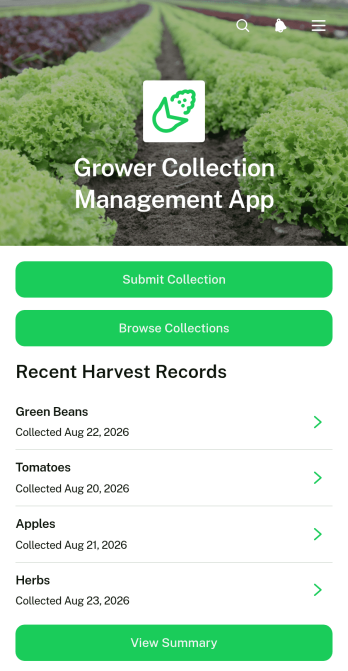
Grower Collection Management App
Grower Collection Management App helps agricultural collection teams record and review produce received from growers in one organized experience. It supports collection centers, cooperatives, aggregators, packhouses, procurement teams, and field coordinators that need consistent records across crops and locations. Users can submit collection details, browse existing collections, and view summaries without relying on scattered paper logs or messages. By keeping grower, quantity, quality grade, collection location, and notes accessible, the app improves traceability, supports faster reviews, and gives operations teams a clearer picture of incoming produce.Jotform makes this app template easy to adapt with a no-code app builder and a flexible drag-and-drop interface. Teams can customize pages, navigation, colors, and branding, then connect forms, tables, approvals, notifications, and other workflow steps as their collection process evolves. These App Templates help organizations create mobile-friendly self-service experiences for field staff and collection personnel while keeping data collection connected to day-to-day operations. Publish the app through a direct link, custom URL, QR code, or embedded experience so authorized users can access the tools and resources they need.
Go to Category:Inventory Management Apps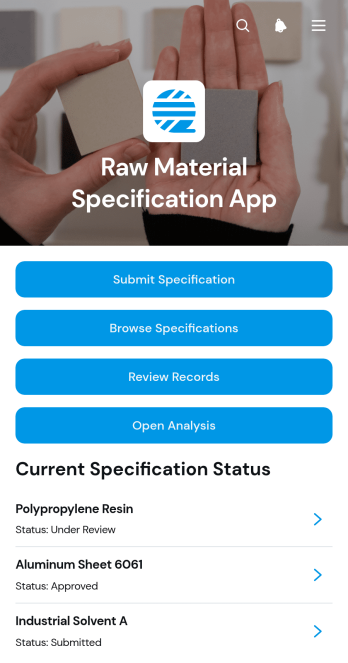
Raw Material Specification App
The Raw Material Specification App gives procurement, quality, engineering, and manufacturing teams a shared place to document and assess requirements for materials used in production. Staff can submit specifications, browse existing records, and capture reviewer comments without relying on disconnected files or email threads. It suits manufacturers, processors, warehouses, and product teams that need clear references for material identity, supplier details, units, effective dates, and acceptance criteria. Keeping current requirements and reviews easy to find supports sourcing decisions, change control, departmental handoffs, and consistent communication.With Jotform Apps, organizations can turn repeatable processes into accessible digital experiences without writing code. The drag-and-drop interface makes it easy to adjust pages, navigation, branding, and content while connecting forms, tables, notifications, and related workflows. This Raw Material Specification App template can be adapted to match internal procedures and shared through a direct link or QR code. Teams can use the no-code app builder to improve data collection, support self-service access, and maintain an organized resource that works across desktop and mobile devices.
Go to Category:Engineering Apps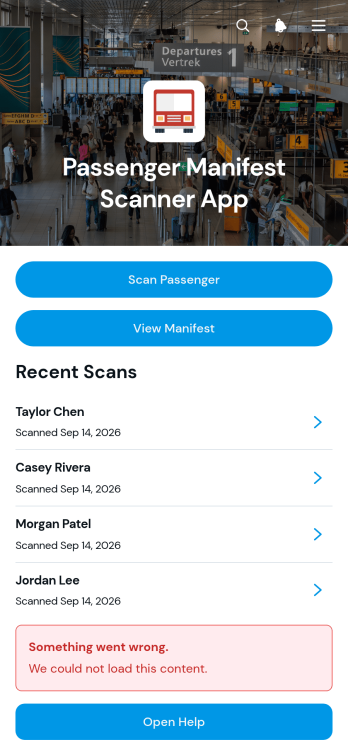
Passenger Manifest Scanner App
The Passenger Manifest Scanner App is a ready-to-use app template for transportation operators, boarding teams, dispatchers, and event travel coordinators who need a clearer way to verify passenger activity. Staff can scan passengers, browse the current manifest, and review a scan log from one mobile-friendly location. Passenger details such as routes, manifest numbers, seat numbers, scan times, and verification notes help teams confirm boarding status without relying on scattered paper lists. It is useful for shuttle services, charter transportation, group transfers, tours, and other passenger operations where timely manifest updates support smoother departures.Jotform makes this app template easy to adapt with a no-code app builder and an intuitive drag-and-drop interface. Add branded pages, adjust navigation, update content, and connect forms or tables to support data collection and related workflow steps. Teams can publish the app with a shareable link or provide access through a scannable code, making it convenient for staff working at terminals, pickup points, venues, or in the field. Starting with Jotform App Templates reduces setup time while giving organizations the flexibility to create a focused self-service resource for passenger verification and operational recordkeeping.
Go to Category:Transportation Apps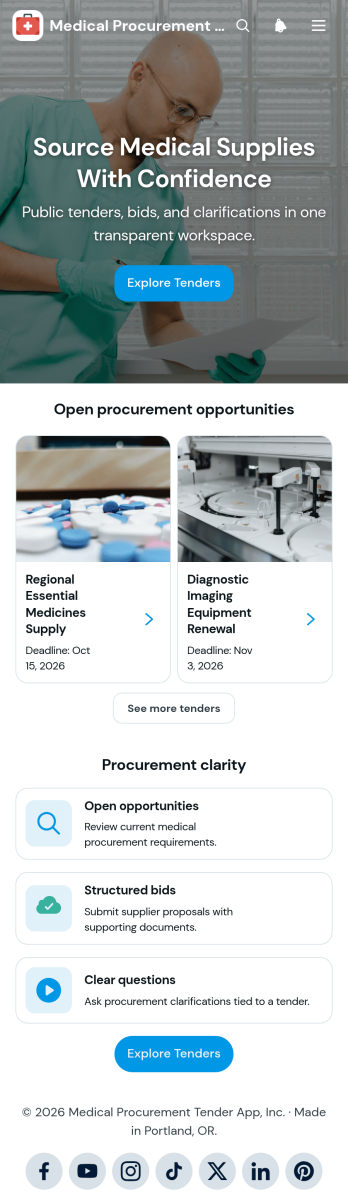
Medical Procurement Tender App
Medical Procurement Tender App is an app template for healthcare organizations that need a central place to publish medical procurement opportunities and receive supplier proposals. Procurement teams, clinics, hospitals, laboratories, and medical service providers can present open tenders, share deadlines and category details, and direct suppliers to structured bid submission and clarification forms. It helps potential vendors find relevant opportunities, understand tender requirements, ask questions, and submit proposals through a consistent process. Teams can also review supplier details, proposal notes, submission dates, and bid status without relying on scattered emails or documents.Jotform provides ready-to-use App Templates that can be adapted with a no-code app builder and an intuitive drag-and-drop interface. Customize the Medical Procurement Tender App with branded pages, navigation, forms, tables, approval steps, and workflow connections that support your procurement process. Collected data can be organized for easier evaluation, while notifications help teams respond to new bids and questions. Once the app template is ready, publish it through a direct link or QR code to give suppliers convenient mobile-friendly self-service access.
Go to Category:Healthcare Apps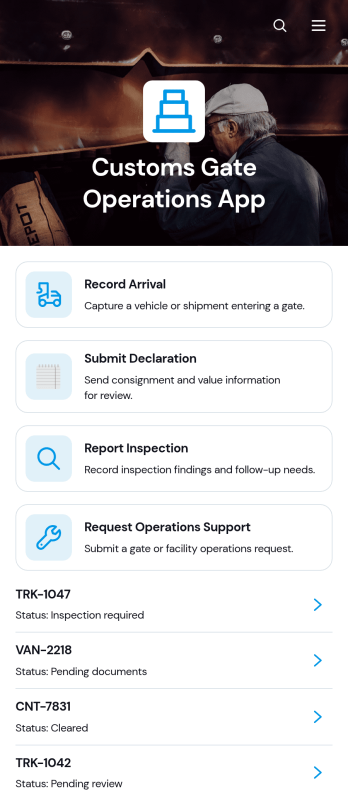
Customs Gate Operations App
Customs Gate Operations App brings arrival recording, declaration submission, inspection reporting, and operations support requests into one accessible workspace. It is suited to customs gate teams, terminal operators, cargo facilities, transport coordinators, inspection personnel, and operations managers handling vehicle or shipment movements. Staff can register arrivals, review shipment references and operational details, then connect inspection or declaration activity to the relevant record. By replacing disconnected paperwork and communication channels with a consistent workflow, this app template helps teams maintain clearer records, coordinate gate activity, respond to support needs, and keep daily cargo processing organized.Jotform Apps helps organizations turn processes like these into mobile-friendly, self-service experiences without writing code. Start with customizable App Templates, then use the no-code app builder and drag-and-drop interface to adjust pages, cards, buttons, navigation, and visual branding. Connected forms support data collection, while tables and notifications help authorized teams manage incoming records and follow operational activity. The finished app can be shared through a direct link or QR code, giving personnel convenient access from phones, tablets, or computers. With Jotform, teams can adapt the Customs Gate Operations App as gate procedures, locations, and internal responsibilities evolve.
Go to Category:Operations & Logistics Portal Apps