

Classroom Management Apps

Childcare Management App
Childcare Management App helps daycare centers and early learning programs keep daily operations organized in one place. Use it to maintain child profiles, record attendance, document incidents, and share ongoing updates with staff and families, without relying on scattered paper logs or message threads. Whether you run an in-home daycare or manage multiple classrooms, this app supports consistent routines for check-ins, quick access to key child and guardian details, and clearer communication around notices and day-to-day changes.With Jotform App Templates, you can publish a polished, mobile-friendly experience using a no-code app builder and a drag-and-drop interface. Connect the app to your forms and data collection workflows to capture new child details, review attendance and incident records, and keep information easy to find as your enrollment grows. Customize pages, branding, and navigation so your team can follow the same workflow each day and stay focused on care.
Go to Category:Management Apps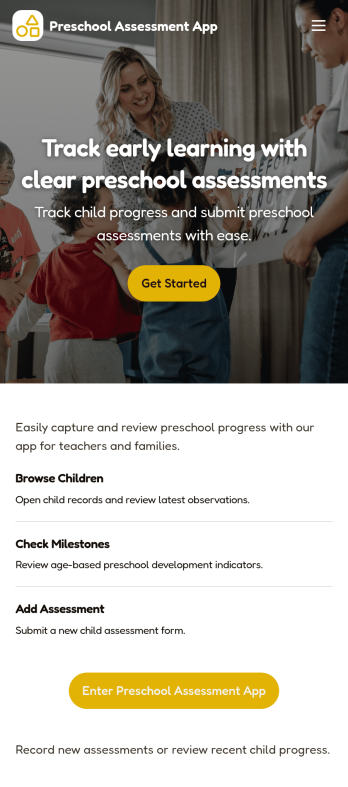
Preschool Assessment App
Preschool Assessment App helps early childhood educators and preschool administrators organize child profiles, record classroom observations, and review progress in one place. With a child roster for quick navigation, dedicated assessment pages for ongoing evaluations, and a progress area for reviewing outcomes over time, it fits daily routines in preschools, pre-K programs, and childcare centers where multiple staff may contribute notes and updates across a term.Jotform makes it easy to turn this app template into a polished, shareable experience using a no-code app builder and a drag-and-drop interface. Connect the Add Child and Add Assessment actions to your existing data collection workflows, keep records centralized, and publish a self-service app your team can access on the go while staying aligned on what has been assessed and what needs follow-up.
Go to Category:Education Apps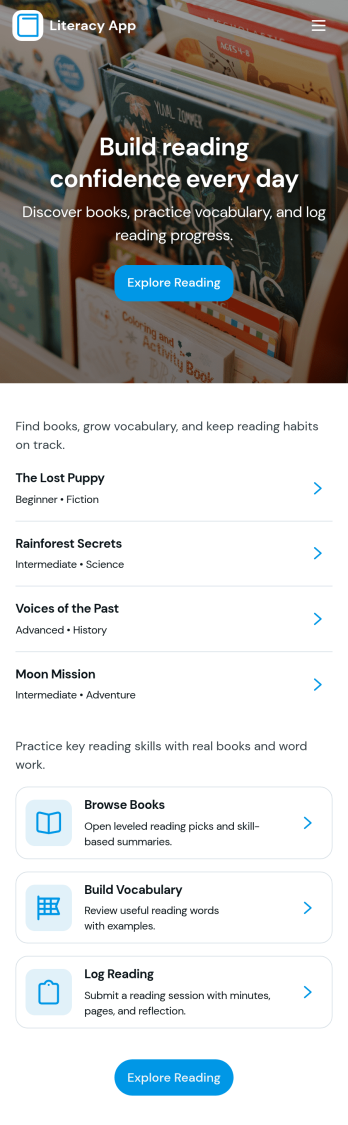
Literacy App
Literacy App brings reading practice and reflection into one simple experience for classrooms, tutoring programs, libraries, and at-home learning. Learners can browse reading passages, study targeted vocabulary words, and keep momentum with quick navigation between activities. It also supports ongoing practice by letting readers log what they’ve read and write short reflections, making it easier for educators and program leaders to encourage consistent habits and see progress over time.Jotform helps you turn these literacy routines into a shareable, mobile-friendly experience using App Templates and a no-code app builder. Customize pages with a drag-and-drop interface, connect forms and tables for data collection, and keep your workflow organized from reading logs to reflection entries. Share your Literacy App with a link so students, families, or participants can access the right resources and submit updates from anywhere.
Go to Category:Classroom Management Apps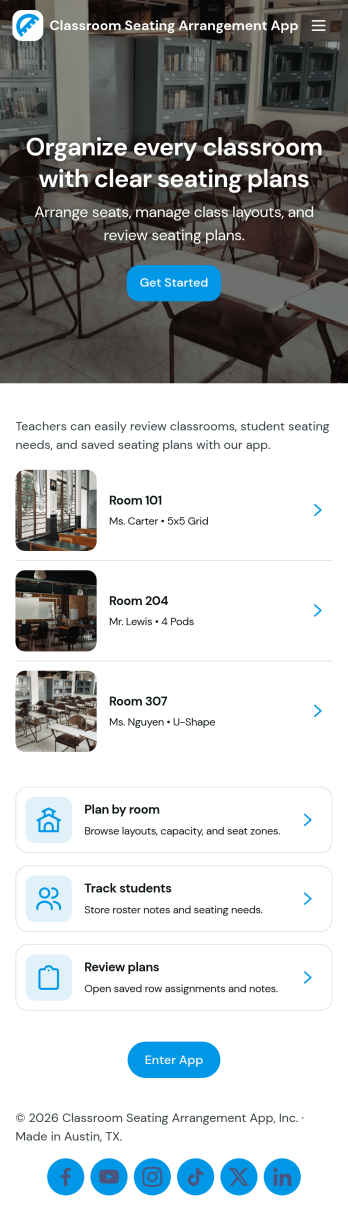
Classroom Seating Arrangement App
Classroom Seating Arrangement App helps teachers and school staff organize student seating plans in one place, so it’s easier to manage classroom flow and day-to-day routines. Use it to keep a student roster, build multiple seating plans for different activities, and quickly reference who sits where without digging through paper charts. It’s especially helpful for elementary and middle school classrooms, co-teaching teams, and substitute coverage where clear, accessible seating information reduces confusion and saves time.Jotform makes it simple to publish this kind of self-service classroom tool using its no-code app builder and drag-and-drop interface. Connect pages to your roster and plan records for fast data collection, updates, and ongoing workflow management across the term. Share the app with teammates using a link, keep layouts consistent, and update records anytime so your seating plans stay current as students move, groups change, or new learners join.
Go to Category:Classroom Management Apps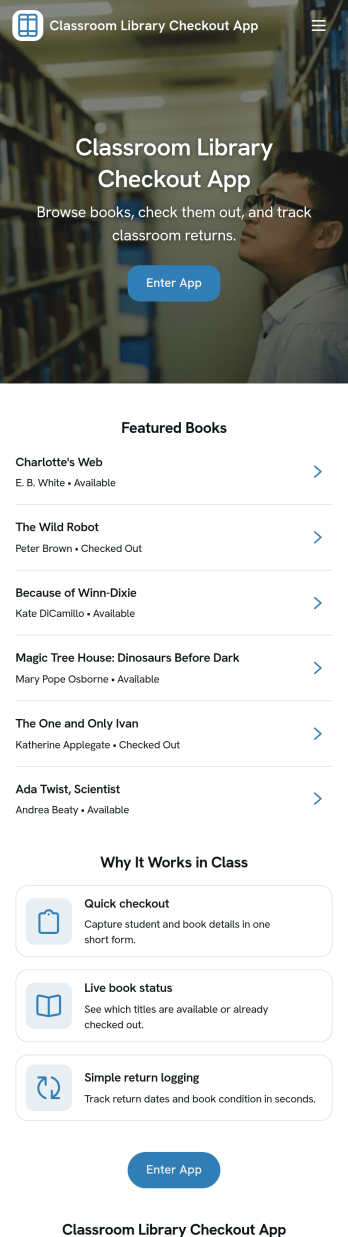
Classroom Library Checkout App
A classroom library checkout app helps teachers and students manage lending in a simple, classroom-friendly way, so books don’t disappear and reading time stays organized. This template fits elementary and middle school classrooms, reading intervention groups, and homeroom libraries that need a clear view of what books are available, which titles are currently checked out, and what’s due back. With dedicated sections for browsing the book list, completing checkout, and viewing active loans, it supports quick, repeatable routines that students can follow independently while teachers keep oversight of circulation.Jotform makes it easy to turn this Classroom Library Checkout App into a self-service experience using App Templates and a no-code app builder. Customize pages with a drag-and-drop interface, connect your book list and loan records to your workflow, and keep data collection consistent across checkout activity. Share the app with a link or QR code so students can access it on classroom devices, and update titles or loan activity as your library grows throughout the year.
Go to Category:Classroom Management Apps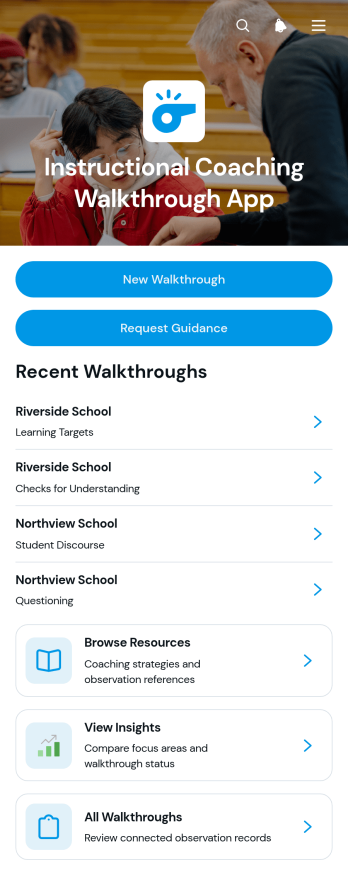
Instructional Coaching Walkthrough App
The Instructional Coaching Walkthrough App is an app template for recording classroom observations, organizing coaching evidence, and turning walkthrough findings into practical next steps. It gives instructional coaches, school leaders, department heads, and professional learning teams a shared place to start new walkthroughs, review previous visits, request guidance, and identify patterns across focus areas and statuses. Schools and educational organizations can use it for routine learning walks, targeted coaching cycles, grade-level reviews, subject-specific observations, and follow-up planning. Centralizing these activities reduces scattered records, supports consistent coaching conversations, and makes relevant resources easier to find.With Jotform Apps, teams can customize this Instructional Coaching Walkthrough App through a no-code app builder and an intuitive drag-and-drop interface. Pages, navigation, forms, resource links, and visual elements can be adjusted to fit an organization’s coaching workflow and branding. Connected forms support data collection, while organized records and insights help teams monitor observations over time. Publish the app for mobile-friendly access, share it through a direct link or QR code, and create a convenient self-service experience for coaches and school leaders. Jotform App Templates provide a ready-made foundation that can be adapted and launched without programming.
Go to Category:Classroom Management Apps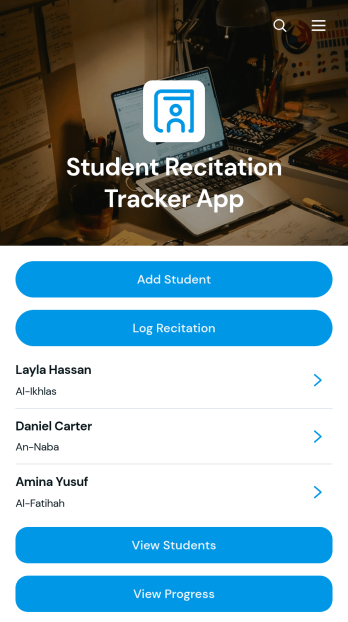
Student Recitation Tracker App
Student Recitation Tracker App gives teachers, tutors, recitation instructors, and education programs one organized place to maintain student profiles and document oral practice. Educators can add learners, log recitation sessions, and review progress based on details such as fluency, pronunciation, memorization, duration, and practice notes. Linked learning resources can also support continued practice between sessions. This app template is useful for classrooms, tutoring centers, language programs, memorization courses, and other settings where instructors need a consistent record of each learner’s development. It replaces scattered notes with accessible records that help educators prepare lessons, identify areas for improvement, and provide more focused guidance.Jotform makes it easy to adapt the Student Recitation Tracker App without writing code. Its no-code app builder and drag-and-drop interface let educators update pages, navigation, forms, colors, rounded visual elements, and modern fonts to suit their teaching environment. Connected forms support data collection, while tables and workflows keep student and session information organized for ongoing review. Users can publish and share the finished app through a direct link or QR code, making it easy to record updates from a phone, tablet, or computer. Jotform App Templates offer a practical starting point for creating a branded tracking experience that brings student records, learning resources, and routine actions together.
Go to Category:Classroom Management Apps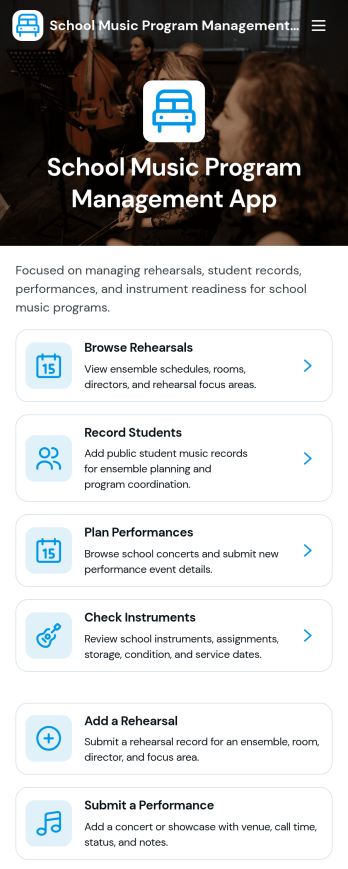
School Music Program Management App
School Music Program Management App brings rehearsals, student records, performance planning, and instrument check tracking into one place for busy music departments. Music directors, band and orchestra instructors, and school arts coordinators can use it to publish rehearsal details, capture attendance notes, maintain up-to-date student information, log upcoming performances, and keep a clear view of instrument inventory and condition. It’s a practical fit for middle schools, high schools, after-school programs, and district-wide music teams that need an organized way to run day-to-day operations without relying on scattered spreadsheets, email threads, or paper folders.With Jotform App Templates, you can launch a mobile-friendly experience and tailor it to your program’s routines using a no-code app builder and a drag-and-drop interface. Connect the app to your forms and tables for ongoing data collection, so staff can add rehearsals or submit performance events as they happen while leadership stays on top of the workflow. Share a single link with instructors or approved helpers, adjust branding to match your school, and keep music program information accessible whenever planning and updates need to move fast.
Go to Category:School Management Apps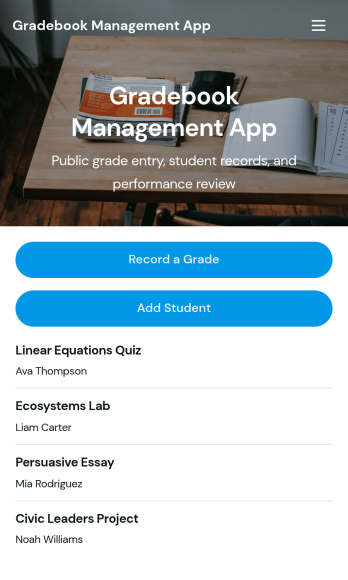
Gradebook App for Teachers
Gradebook App for Teachers helps educators record grades and keep assignment results organized in one place. Use it to capture grade entries with a “Record a Grade” form, review them in list views, and browse key details such as student, course, assessment, and result from simple cards. It’s a practical fit for K–12 teachers, university instructors, tutors, and academic coordinators who need a clear way to stay on top of ongoing coursework without hunting through spreadsheets or scattered notes.With Jotform App Templates, you can publish a polished gradebook experience quickly and adapt it to different classes, grading scales, and reporting needs. Jotform’s no-code app builder makes customization straightforward with a drag-and-drop interface, so you can adjust navigation, add helpful pages, and connect your grade entry workflow to the rest of your data collection processes. Share the app with your teaching team, keep records consistent, and manage updates from any device using a single Jotform app template.
Go to Category:Classroom Management Apps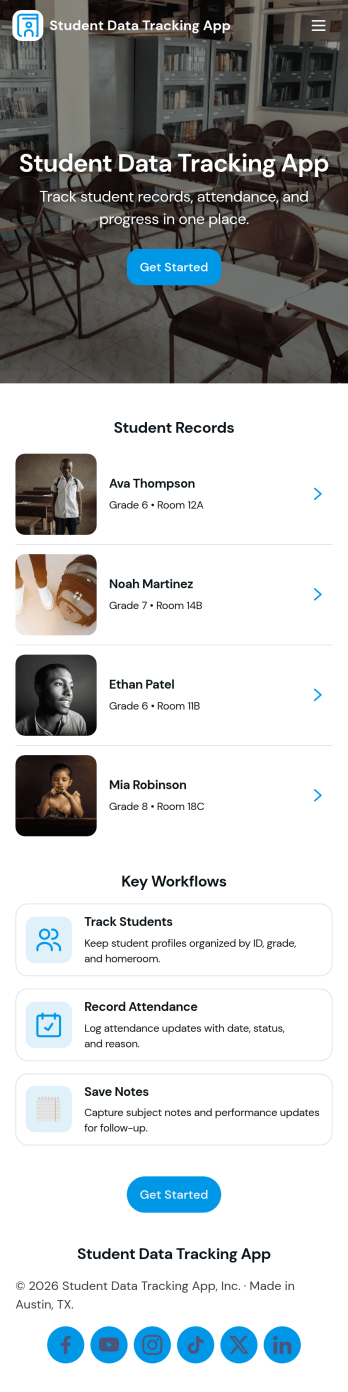
Student Data Tracking App
Student Data Tracking App brings student records, progress notes, and attendance history into one place so educators can keep a clear, consistent view of each learner. Use it to browse a student list, open individual profiles, and add ongoing updates through connected logs. It fits K–12 classrooms, tutoring centers, after-school programs, special education teams, and academic coordinators who need quick access to student information during check-ins, parent communication, and intervention planning.With Jotform, you can turn this app template into a branded, shareable hub without coding. Customize pages and navigation with a drag-and-drop interface, connect the app to forms and tables for reliable data collection, and keep your workflow moving with easy updates and organized records. Publish and share the app as a self-service experience for staff so everyone references the same up-to-date student data.
Go to Category:Classroom Management Apps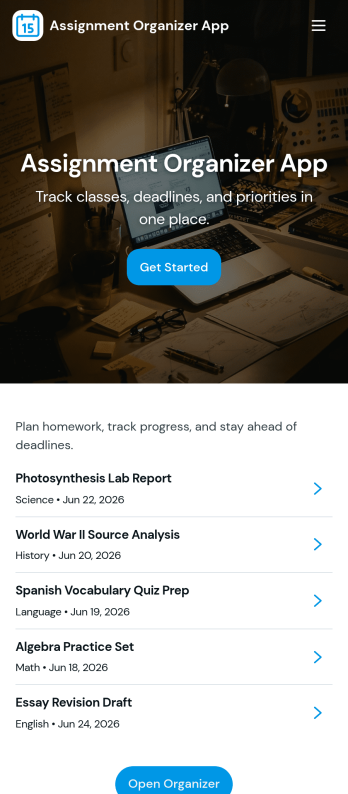
Assignment Organizer App
An Assignment Organizer App brings assignments, due dates, and student turn-ins into one easy place so classes don’t lose track of what’s next. Use it to post new assignments, keep an up-to-date list of work, and let students add submissions as they complete tasks. It’s a practical fit for teachers, tutors, training coordinators, and academic programs that need a clear way to manage assignment records and quickly navigate into assignment details.With Jotform, you can turn this app template into a branded, shareable experience using a no-code app builder and a drag-and-drop interface. Connect buttons and pages to your forms and tables to support data collection and a repeatable workflow, from adding a new assignment to reviewing submissions in a self-service format. Publish your app in minutes, update it anytime, and share a single link with your class or team.
Go to Category:Classroom Management Apps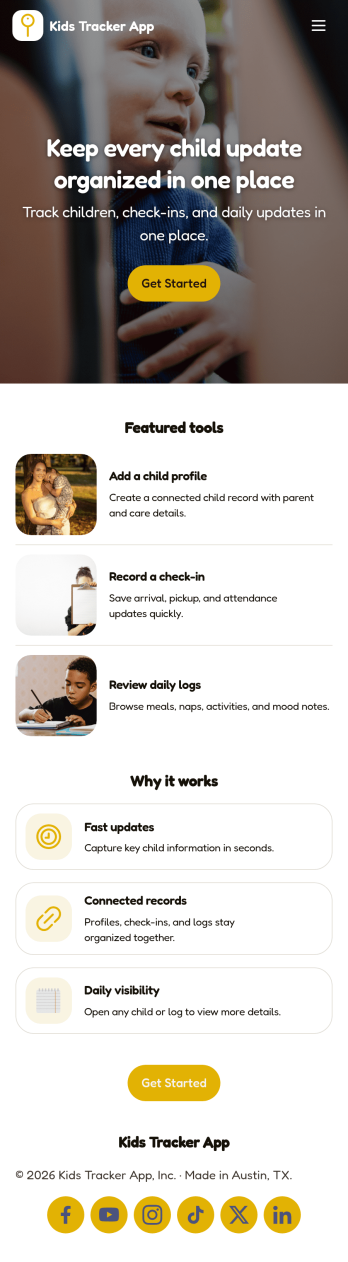
Kids Tracker App
Kids Tracker App helps families and child care teams keep a clear record of a child’s day without relying on scattered texts or paper notes. Use it to capture check-ins and check-outs, maintain an ongoing activity log, and add incident notes when something important happens. It’s a practical fit for parents, babysitters, nannies, after-school programs, and daycares that want one place to view updates per child and quickly pull up past entries when questions come up.Built with Jotform, this app template can be tailored in a no-code app builder with a drag-and-drop interface, so you can match your routine, roles, and branding in minutes. Connect the app to your forms and tables for consistent data collection, keep logs organized by child, and share a self-service link for authorized caregivers to add updates from any device. As needs change, you can adjust the workflow, add steps, and publish revisions without rebuilding from scratch.
Go to Category:Tracker Apps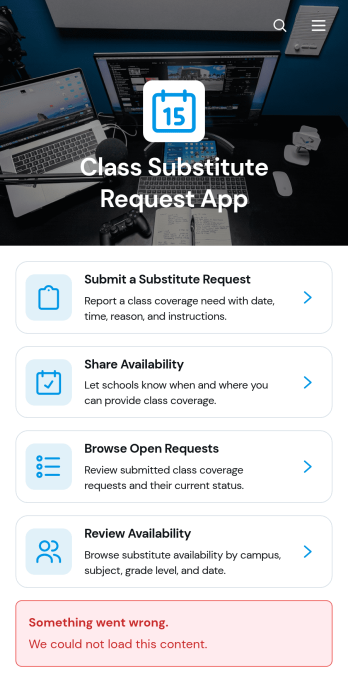
Class Substitute Request App
Class Substitute Request App is an app template for schools, campuses, teachers, substitute educators, and administrators coordinating classroom coverage. Teachers can submit substitute requests with the class or subject, location, coverage time, reason, and special instructions. Available substitutes can share their schedules, while coordinators can browse open requests and review availability from one organized location. This helps education teams respond to absences, reduce missed details, maintain clear communication, and arrange suitable classroom coverage without relying on scattered emails or paper records.Jotform makes this Class Substitute Request App easy to adapt with a no-code app builder and an intuitive drag-and-drop interface. Schools can update pages, navigation, colors, fonts, and branding, then connect forms, tables, notifications, approvals, and other workflow steps as needed. The app template supports organized data collection and convenient self-service access for teachers and substitutes. Once ready, administrators can publish and share it through a direct link or QR code, giving staff a mobile-friendly way to submit, browse, and manage coverage information.
Go to Category:Classroom Management Apps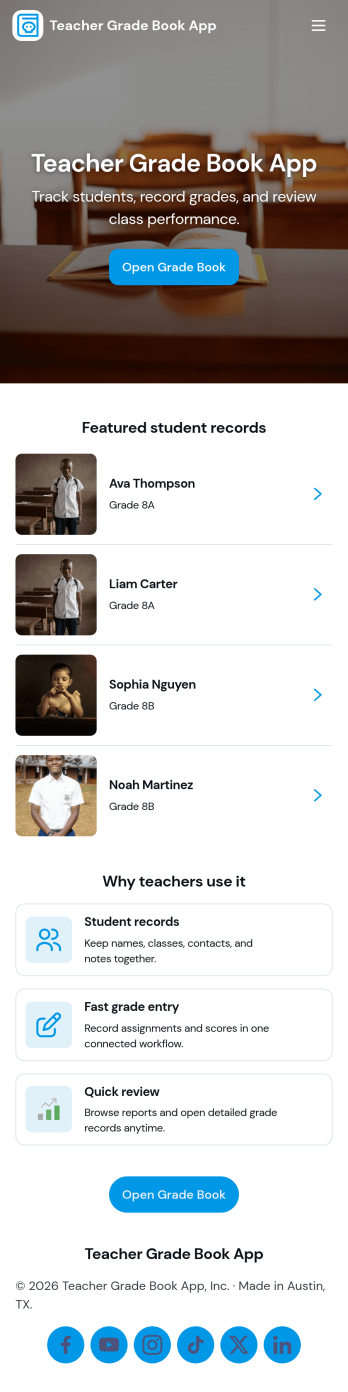
Teacher Grade Book App
A Teacher Grade Book App gives educators a simple, organized place to manage student records, keep assignments in view, and maintain an up-to-date snapshot of class performance. Use it to browse a student list, review assignment details, and record new scores through an Enter Grade page, then check overall results in a dedicated Grades section. It works well for K–12 teachers, tutors, and small programs that want a clear routine for tracking coursework without juggling scattered notes.Jotform app templates make it easy to publish a tailored grade book experience with a no-code app builder and a drag-and-drop interface. Connect your pages to forms and tables for reliable data collection, keep your workflow consistent from class to class, and share a self-service view with the right people when you need to. With Jotform, you can adjust the layout, add new pages for different terms, and keep your grade book accessible on any device.
Go to Category:Classroom Management Apps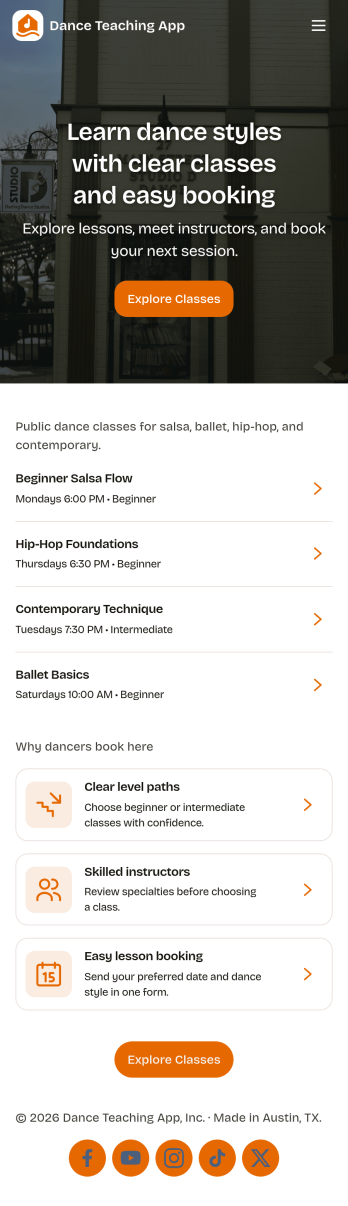
Dance Teaching App
Dance Teaching App brings your studio’s day-to-day teaching tasks into one easy place so you can focus more on coaching and less on juggling paperwork. Use it to share class options, keep student profiles organized, and record attendance as lessons happen. It’s a practical fit for independent dance instructors, studio owners, and school programs that need a clear way to manage classes across different levels, track who’s enrolled, and stay consistent with attendance records throughout the term.With Jotform, you can turn this app template into a branded self-service experience using a no-code app builder and a drag-and-drop interface. Connect your app to forms for data collection, keep information organized for quick lookups, and support your workflow with simple navigation across pages like classes, students, attendance, and a schedule view. Share the app with your team or keep it for internal use, then update content anytime as your studio calendar changes.
Go to Category:Education Apps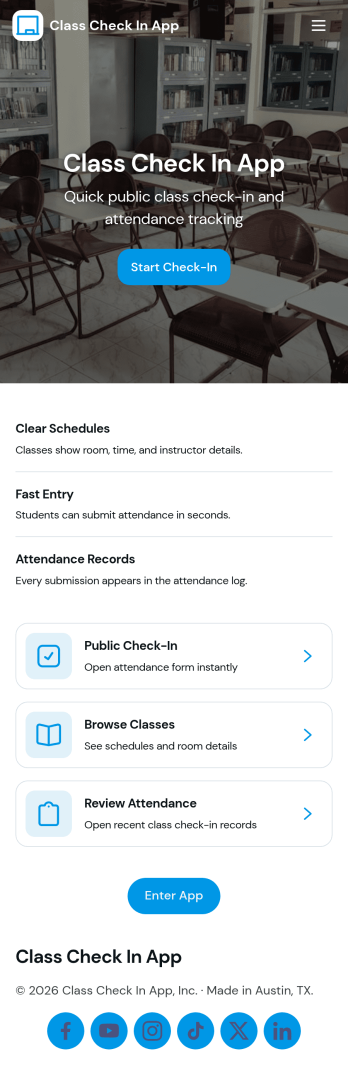
Class Check in App
Class Check in App helps instructors and program coordinators track attendance for scheduled classes in a clear, repeatable way. Use it to list classes, check students in as they arrive, and keep a running set of records you can reference later for follow-ups, participation tracking, or internal reporting. It fits tutoring centers, studios, training programs, after-school groups, and school clubs that want a simple flow for day-to-day check-ins without relying on paper rosters.Built with Jotform, this app template can be tailored with a no-code app builder and a drag-and-drop interface, so your team can adjust what shows up on each page and how people move through the experience. Connect the app to forms for data collection, keep information organized for quick self-service access, and support your workflow with reusable records that stay consistent across classes and student lists.
Go to Category:Education Apps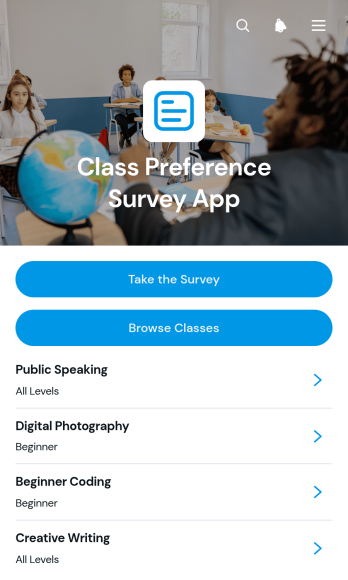
Class Preference Survey App
Class Preference Survey App helps schools, training providers, course coordinators, and instructors understand which classes learners want to attend. Participants can browse available classes, review key details such as schedules, formats, levels, and learning goals, then submit ranked preferences through a connected survey. Organizers can review responses by participant to identify popular options and alternative choices. This self-service experience supports course demand analysis, timetable planning, class capacity decisions, and curriculum development without relying on scattered emails or manually compiled questionnaires.With Jotform, this app template can be adapted using a no-code app builder and an intuitive drag-and-drop interface. Add branded pages, update class information, connect forms to data collection and workflow tools, or reorganize navigation without writing code. Jotform App Templates also make it easy to share the finished app through a direct link or QR code for convenient mobile access. Teams can bring class discovery and preference collection into one interactive experience while keeping information easier to update and responses ready for operational review.
Go to Category:Classroom Management Apps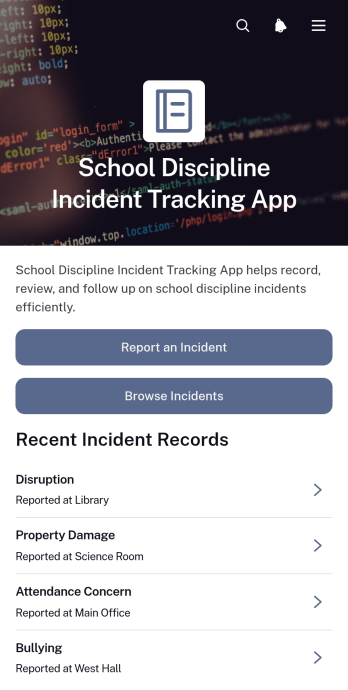
School Discipline Incident Tracking App
The School Discipline Incident Tracking App gives teachers, administrators, counselors, and student support teams a central place to document and review behavioral incidents across a school. Staff can submit a new incident report, browse recorded cases, and view essential context such as the incident type, reporter, date, location, and immediate action taken. Dedicated views help teams monitor disruptions and bullying reports while incident insights support the identification of recurring concerns. Schools can use this app template to replace scattered records, improve follow-up, and give authorized staff a more consistent understanding of disciplinary activity.Jotform App Templates make it easy to adapt this experience to a school’s processes without writing code. With Jotform’s no-code app builder and drag-and-drop interface, teams can update pages, navigation, visual styling, and connected forms from one workspace. Collected data can connect with tables, approval steps, notifications, and other workflow tools to support timely review and coordinated action. Once customized, the app can be shared through a direct link or QR code, giving staff mobile-friendly access wherever incidents need to be reported or reviewed.
Go to Category:School Management Apps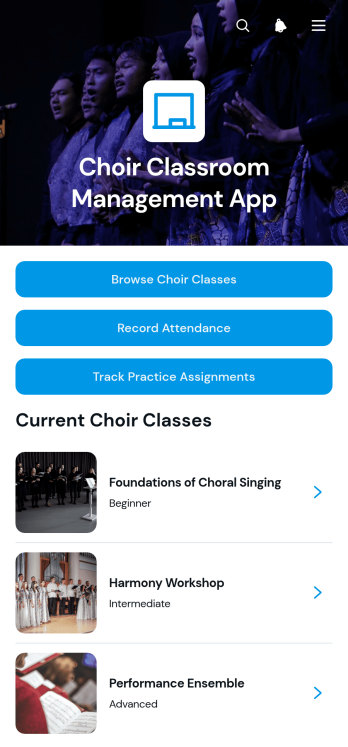
Choir Classroom Management App
The Choir Classroom Management App is an app template for choir directors, music teachers, teaching assistants, and school arts departments that need one organized place to manage ensemble classes. Users can browse choir classes, review room and class focus information, record student attendance, and track practice assignments. It also gives instructors quick access to class resources and individual student notes, helping them prepare rehearsals, monitor participation, and follow up on assigned practice. Whether used for a single ensemble or several choir groups, the app reduces scattered records and keeps recurring classroom tasks easier to find and manage.Jotform App Templates make it simple to adapt this experience to different grade levels, rehearsal formats, and teaching routines. With Jotform’s no-code app builder and drag-and-drop interface, educators can update pages, buttons, branding, and navigation without programming. Connected forms support data collection for attendance and assignments, while tables help organize records within the broader workflow. The finished app can be shared by link or QR code for convenient mobile access, giving staff a practical self-service resource for managing choir classroom activity from rehearsal spaces, offices, or classrooms.
Go to Category:Classroom Management Apps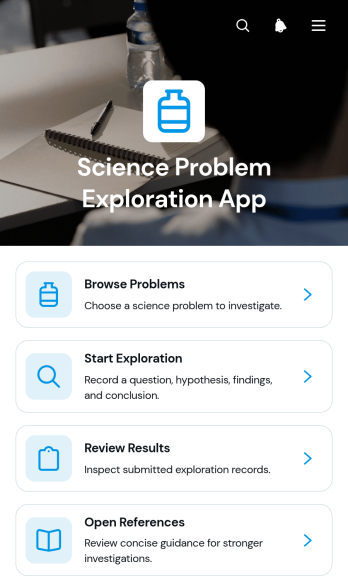
Science Problem Exploration App
The Science Problem Exploration App is an educational workspace for investigating scientific questions and documenting findings. It gives students, teachers, tutors, science clubs, and learning programs a focused place to browse problems, begin guided explorations, review submitted results, and consult supporting references. Schools can use this app template for classroom investigations, independent study, lab preparation, homework, or project-based learning. By keeping prompts, exploration activities, findings, and source material together, it reduces scattered resources and helps learners follow a clearer path from initial question to evidence-based conclusion.With Jotform Apps, educators can adapt App Templates like this one without writing code. The no-code app builder provides a drag-and-drop interface for updating pages, navigation, visual elements, and connected data collection resources. Forms, tables, approvals, and other workflow steps can be linked to support assignments, feedback, and record organization. Once published, the app can be shared by a direct link or QR code for convenient mobile access and learner self-service. Customize the Science Problem Exploration App with course topics, school branding, instructions, and reference materials to create an engaging resource for different subjects and ability levels.
Go to Category:Education Apps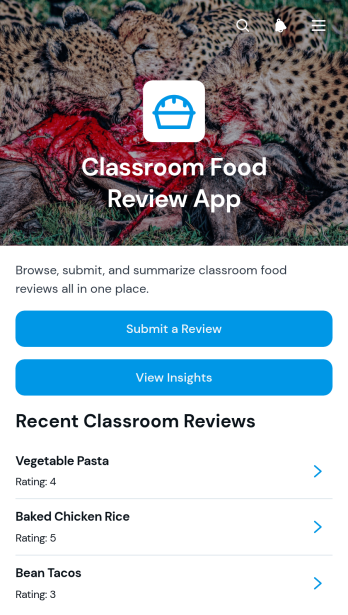
Classroom Food Review App
Classroom Food Review App gives teachers, students, school nutrition teams, and activity coordinators one place to collect and examine feedback about foods sampled or served in a classroom setting. Participants can submit a review, rate a food item, identify their classroom, and add comments for follow-up. Educators can then view insights and browse individual responses to understand preferences, encourage thoughtful discussion, and plan future tasting lessons or food-related activities. This app template is useful for nutrition education, classroom taste tests, cooking projects, student surveys, and meal feedback initiatives.Jotform App Templates help schools turn recurring classroom activities into accessible digital experiences without coding. Using Jotform’s no-code app builder and drag-and-drop interface, educators can customize the Classroom Food Review App with their own instructions, branding, pages, and navigation. Connected forms support data collection, while organized review records make the feedback workflow easier to manage. The finished app can be shared by a direct link or QR code for convenient mobile access, giving participants a simple self-service option for submitting reviews and helping staff keep classroom food feedback in one organized location.
Go to Category:Classroom Management Apps
ESL Teaching Management App
The ESL Teaching Management App is an app template for independent tutors, language schools, training centers, and education teams that need one organized place to manage English language instruction. Teachers can plan courses around weekly learning goals, register students, review course and learner details, and log each lesson with its date and focus. Assessment records also help instructors follow scores across specific language skills. By bringing teaching records and day-to-day actions together, the app reduces scattered paperwork, supports consistent lesson planning, and gives educators a clearer view of student participation and progress.Jotform Apps makes this ESL Teaching Management App easy to adapt with a no-code app builder and an intuitive drag-and-drop interface. Educators can personalize pages, navigation, colors, fonts, and visual elements, then connect forms and tables for data collection and workflow management. Ready-made App Templates provide a practical starting point while leaving room to adjust the app template for different course formats, proficiency levels, and teaching methods. Once published, the app can be shared by link or QR code and opened on mobile devices, giving teaching teams convenient access to lesson logs, course information, and student records wherever they work.
Go to Category:Classroom Management Apps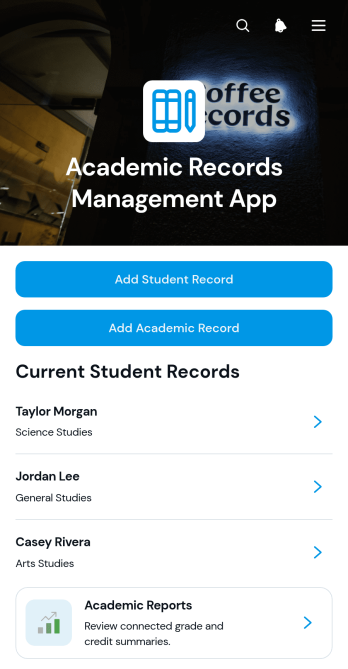
Academic Records Management App
Academic Records Management App gives schools, colleges, tutoring programs, and education administrators a central place to create and review student academic records. Staff can add student profiles, open individual records, document courses and credits, record notes, and access academic reports without relying on scattered files. This app template supports registrars, teachers, academic coordinators, and office teams that need clearer record organization and faster access to relevant student information. It is particularly useful for maintaining consistent academic histories, reducing manual searching, and giving authorized team members a practical self-service resource for day-to-day record management.With Jotform Apps, education teams can adapt this template using a no-code app builder and an intuitive drag-and-drop interface. Pages, navigation, forms, and connected workflows can be adjusted to match existing academic processes and data collection needs. Teams can apply their own visual style, organize resources for convenient browsing, and share the finished app through a direct link or scannable code. Jotform App Templates also connect with forms, tables, approvals, and notifications, helping institutions turn routine record entry and review into a coordinated digital workflow that works across mobile, tablet, and desktop devices.
Go to Category:School Management Apps
Teaching Session Records App
The Teaching Session Records App is an app template for educators, tutors, training providers, and academic teams that need a consistent record of individual teaching sessions. It supports quick session recording, organized review of past records, and access to session insights from one central location. Educators can document essential context such as the learner, instructor, teaching format, and duration while capturing the learning focus, observed outcome, and recommended next step. This shared record helps teams monitor learner development, prepare for future lessons, maintain continuity when instructors change, and replace scattered notes with an accessible teaching history.Jotform Apps makes it easy to adapt this Teaching Session Records App without writing code. Use the no-code app builder and drag-and-drop interface to update pages, navigation, colors, fonts, and branding for a school, tutoring service, or training program. Connect forms and tables to support data collection, automate notifications through a workflow, and keep session information organized for ongoing review. Once ready, publish the app and share it by direct link or QR code, giving authorized educators convenient mobile-friendly access and a practical self-service experience.
Go to Category:Classroom Management Apps