

Restaurant Inventory Apps

Food Service Daily Operations App
Food Service Daily Operations App gives restaurant managers, kitchen supervisors, shift leaders, and food service teams one mobile-friendly place to coordinate routine operational work. Staff can complete daily checks, report incidents that may require follow-up, and update inventory quantities and reorder levels. Submitted operations records remain easy to review, helping managers spot incomplete tasks, low-stock items, recurring issues, and areas requiring attention. The app template suits restaurants, cafés, catering teams, cafeterias, and other food and beverage operations seeking clearer accountability across locations or shifts.Jotform makes this app template easy to adapt without coding. Use the drag-and-drop app builder to adjust pages, navigation, buttons, colors, fonts, and other branded elements while keeping the experience simple for staff. Connected forms and tables support data collection and organized recordkeeping, while notifications and workflows can help teams respond to new updates. Publish the app with a shareable link or QR code so employees can access daily tools from a phone, tablet, or computer. Jotform App Templates provide a practical starting point for building a self-service operations resource that can evolve with changing procedures.
Go to Category:Restaurant Management Apps
Condiment Inventory App
Condiment Inventory App is an inventory tracking template for restaurants, cafés, catering teams, food trucks, commercial kitchens, and hospitality businesses that need a clearer view of condiment supplies. Staff can browse condiment records, review quantities, categories, stock status, storage units, and notes, then record stock updates as items are received or used. Inventory insights help supervisors identify low supplies, plan replenishment, reduce shortages, and avoid unnecessary purchases. By keeping essential stock information in one accessible place, the app supports more consistent kitchen operations across shifts, stations, or locations.Jotform Apps makes this app template easy to adapt without coding. Use the drag-and-drop interface to update pages, cards, buttons, branding, and navigation, then connect forms, tables, notifications, and workflows for organized data collection. Teams can share the finished app through a direct link or QR code, giving authorized staff mobile-friendly access wherever inventory is stored or counted. With Jotform’s no-code app builder and ready-to-use App Templates, businesses can create a practical self-service resource that supports routine stock checks, collaborative updates, and timely purchasing decisions.
Go to Category:Restaurant Inventory Apps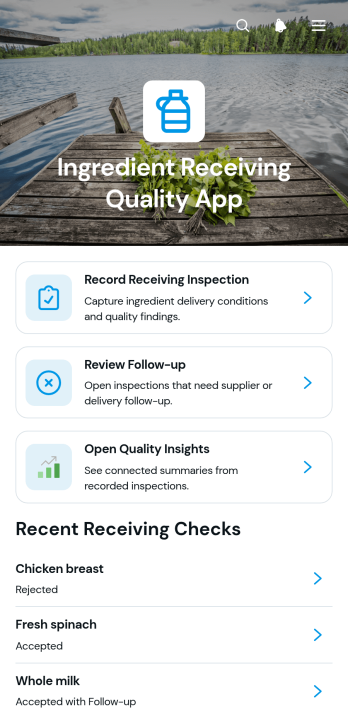
Ingredient Receiving Quality App
The Ingredient Receiving Quality App helps restaurants, commercial kitchens, food producers, caterers, and receiving teams document the condition of ingredients as they arrive. Staff can record receiving inspections, review follow-up needs, and open quality insights from one organized location. This app template supports consistent checks of supplier details, temperature, packaging condition, quality results, and notes without relying on scattered paper records. Managers can use the collected information to identify recurring delivery concerns, review rejected or questionable ingredients, maintain clearer inventory records, and make informed purchasing decisions.With Jotform Apps, teams can customize this Ingredient Receiving Quality App through a no-code app builder and an intuitive drag-and-drop interface. Add branded pages, adjust navigation, connect forms and tables, or expand the workflow with notifications and approval steps. Jotform App Templates also make it easier to create a mobile-friendly self-service experience that receiving staff can access wherever deliveries are inspected. Share the finished app by link or QR code to support timely data collection, team collaboration, and more dependable quality oversight.
Go to Category:Restaurant Inventory Apps
Food Freshness Check App
The Food Freshness Check App gives restaurants, cafés, catering businesses, grocery stores, commercial kitchens, and food service teams a central place to record and review routine freshness observations. Staff can log a new check, revisit recent records, and view a safety summary without relying on scattered paper logs or separate files. This app template supports consistent oversight of ingredients, prepared foods, and stored products across daily opening checks, shift changes, stock reviews, and kitchen inspections. Managers can use the collected information to spot recurring storage concerns, follow up on questionable items, reduce avoidable waste, and help employees make more informed handling decisions.Jotform makes the Food Freshness Check App easy to adapt with a no-code app builder and a flexible drag-and-drop interface. Add branded pages, adjust navigation, update check forms, or connect records to tables and related workflow steps without writing code. Jotform App Templates can also bring data collection, resource access, notifications, and self-service actions into one mobile-friendly experience. Once customized, the app can be shared with kitchen staff, inventory teams, managers, or vendors through a direct link, QR code, or embedded experience, helping each location follow the same freshness review process.
Go to Category:Restaurant Inventory Apps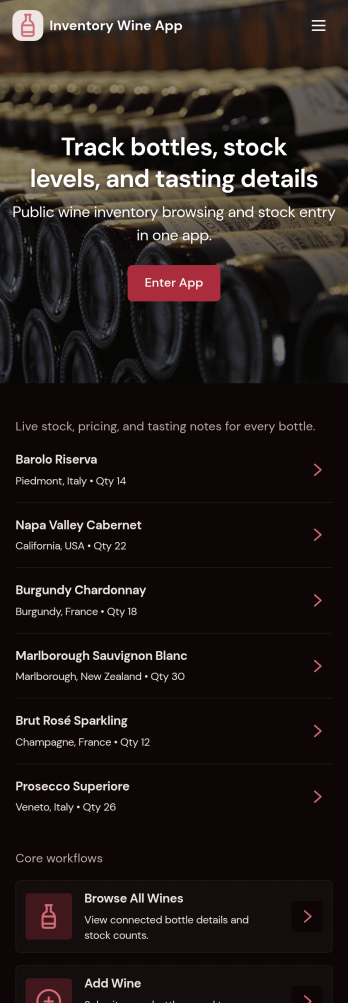
Inventory Wine App
Inventory Wine App helps you catalog bottles, browse current stock, and record stock movements so your cellar or wine program stays accurate. It’s a practical fit for wine shops, restaurants, bars, tasting rooms, distributors, and collectors who want one place to view what’s on hand, add new wines as they arrive, and keep a simple history of increases and decreases.Built with Jotform App Templates, this app template pairs a clean, mobile-friendly layout with connected forms and lists for fast data collection and everyday workflow updates. Customize pages with Jotform’s no-code app builder and drag-and-drop interface, then share a self-service experience with your team so inventory updates happen consistently and stock decisions are based on up-to-date information.
Go to Category:Inventory Apps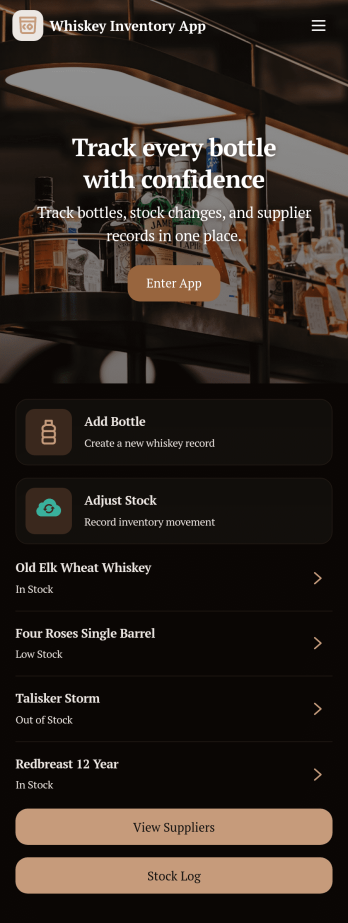
Whiskey Inventory App
Whiskey Inventory App helps bars, restaurants, bottle shops, and private collectors keep a clear record of what whiskey is on hand, what just arrived, and what needs attention before it runs out. With dedicated areas to receive bottles, browse a bottle catalog, and review stock levels, teams can log new deliveries, look up product details, and check inventory status without hunting through spreadsheets or scattered notes.Built with Jotform, this app template turns your inventory workflow into a simple self-service experience you can share with staff. Use Jotform’s no-code app builder and drag-and-drop interface to tailor pages, connect the app to your existing data collection form, and keep records organized in one place. As your operation grows, you can update the catalog, track changes over time, and collaborate on stock reviews with a consistent workflow.
Go to Category:Inventory Apps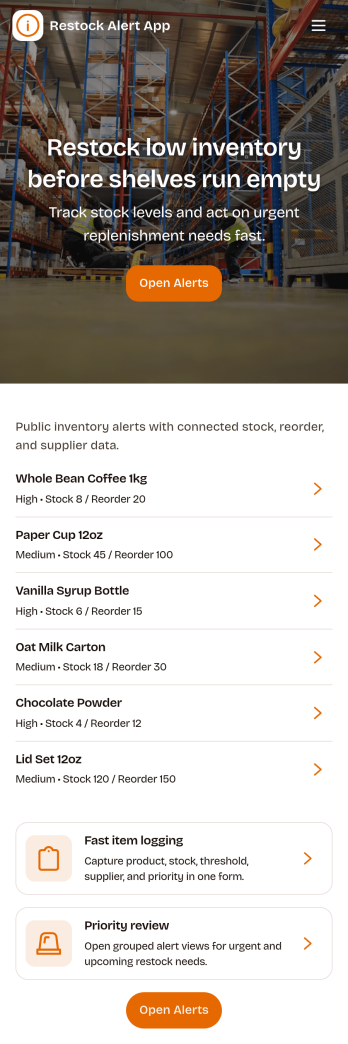
Restock Alert App
Restock Alert App helps teams flag low inventory before it turns into missed sales or service delays. Staff can quickly report low stock from a dedicated page, review active alerts in one place, and check alert history to understand recurring shortages. It’s a practical fit for retail stores, storerooms, restaurants, salons, and e-commerce operations that need a simple way to surface what needs replenishing without relying on sticky notes or scattered messages.With Jotform, you can turn this app template into a branded self-service workflow using a no-code app builder and a drag-and-drop interface. Connect the app to a reporting form and keep information organized for faster follow-up, clearer handoffs, and more consistent data collection across locations or shifts. Share the app by link or QR code so anyone on your team can report items and stay aligned on what’s currently low and what’s already been handled.
Go to Category:Inventory Apps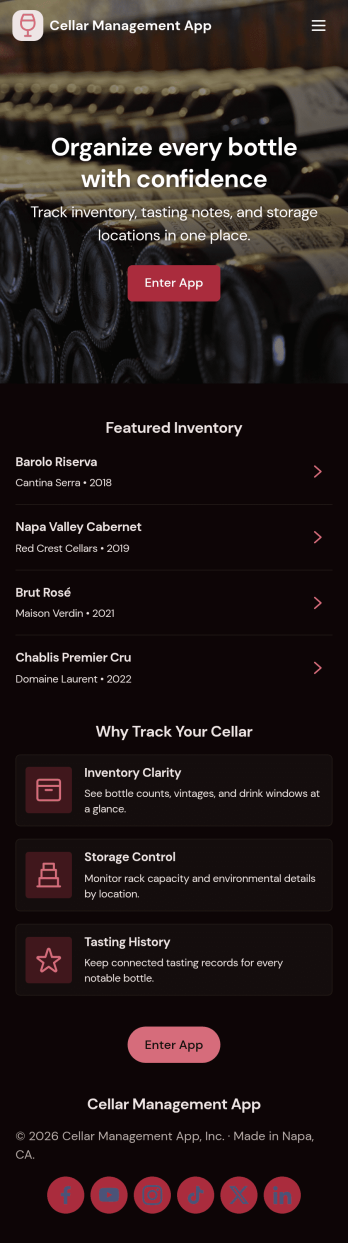
Cellar Management App
Cellar Management App helps you keep a clear, usable record of what’s in your cellar so you can find bottles fast, track stock changes, and plan what to open next. It fits home collectors, restaurants, wine bars, tasting rooms, and small retailers that need a simple way to browse an inventory list, open a bottle’s details, and add stock as new bottles come in. The layout supports everyday tasks like checking current quantities, reviewing stock history in one place, and keeping tasting notes organized for quick reference.With Jotform App Templates, you can turn your cellar workflow into a shareable, self-service experience without coding. Build and adjust pages with a drag-and-drop interface, connect buttons to forms for data collection, and keep records organized in Jotform Tables for easy viewing. Whether you’re updating inventory during deliveries, logging tastings after events, or giving staff a single place to check availability, Jotform makes it easy to publish, customize, and maintain an app that stays aligned with how you manage your cellar.
Go to Category:Food & Beverage Apps