

Construction App Templates

Refurbishment Audit App
Refurbishment Audit App is an app template for documenting property refurbishment reviews, recording issues, and coordinating corrective work from one organized location. It suits property managers, construction teams, contractors, surveyors, inspectors, and facilities teams overseeing renovations or improvement projects. Users can start an audit, capture findings associated with the relevant property review, assign follow-up actions to an owner, and browse open work by status. This clearer audit trail helps teams reduce missed defects, establish accountability, monitor outstanding tasks, and keep refurbishment decisions accessible throughout a project. It can support pre-work assessments, progress inspections, handover reviews, and checks across multiple properties.Jotform makes this Refurbishment Audit App easy to adapt with a no-code app builder and a flexible drag-and-drop interface. Teams can customize pages, navigation, branding, and connected forms without writing code, then link collected data to tables, approval steps, notifications, and other workflow tools. These App Templates provide a practical starting point for building mobile-friendly self-service experiences while keeping audit records and related actions organized. Publish the app through a direct link, personalized URL, embedded experience, or scannable code so field and office teams can access the same resources wherever work takes place.
Go to Category:Audit Apps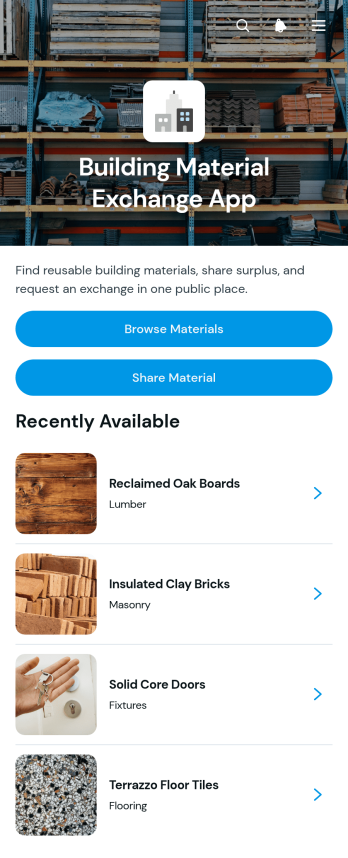
Building Material Exchange App
Building Material Exchange App gives contractors, construction teams, property managers, reuse centers, and community organizations a practical place to list and exchange surplus building supplies. Users can browse available materials, review key information such as quantity, condition, category, and location, then submit an exchange request. Contributors can also share reusable items instead of discarding them. This app template supports material reuse across construction sites, renovation projects, warehouses, and local exchange programs while making it easier to connect available stock with people who need it. Centralizing listings and requests can reduce material waste, improve stock visibility, and save time otherwise spent coordinating exchanges through separate messages.With Jotform Apps, organizations can customize this Building Material Exchange App through a no-code app builder and an intuitive drag-and-drop interface. Update the branding, reorganize content, connect forms and tables, and adapt the workflow to match internal or community exchange procedures. Jotform App Templates also support mobile-friendly self-service, helping participants browse materials and send requests from nearly any device. Once the app is ready, share it through a direct link, personalized address, embedded experience, or QR code to make data collection and resource access convenient.
Go to Category:Construction Apps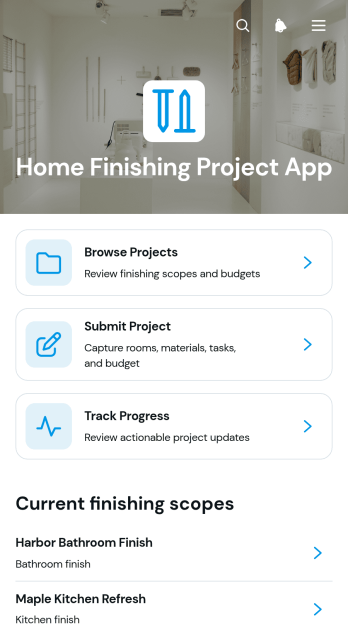
Home Finishing Project App
Home Finishing Project App is an app template for organizing interior finishing work from initial planning through final updates. It gives homeowners, contractors, remodelers, interior finishing teams, and project coordinators one accessible place to browse active projects, submit new project details, and track progress over time. Teams can use it for room renovations, flooring and painting work, fixture installation, cabinetry, and other finishing stages that require clear visibility. Centralized project information helps stakeholders understand current stages, completed work, upcoming tasks, and progress notes without relying on scattered messages or documents. It also supports better coordination among clients, crews, suppliers, and supervisors.Jotform Apps helps users turn this app template into a branded, mobile-friendly project experience without writing code. Its drag-and-drop interface makes it easy to adjust pages, navigation, buttons, and visual elements to suit different home finishing workflows. Users can connect forms for data collection, organize project records, and share the finished app through a direct link or QR code. Starting with Jotform App Templates saves setup time while leaving room to tailor the layout, project submission process, and self-service access. The no-code app builder brings updates and resources together so teams can manage work from the office or job site.
Go to Category:Construction Apps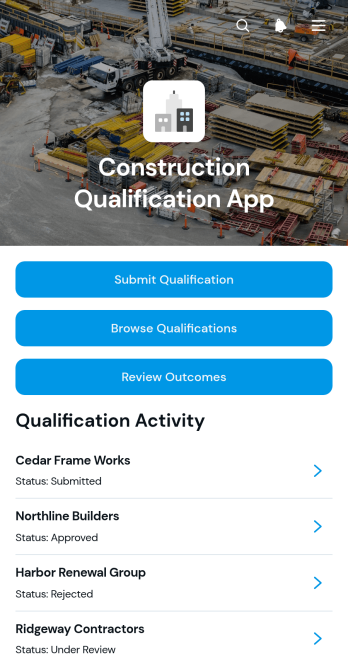
Construction Qualification App
The Construction Qualification App is a ready-to-use app template for collecting, organizing, and reviewing contractor qualification information before project assignments or bidding decisions. General contractors, construction managers, procurement teams, developers, and project owners can use it to receive qualification submissions, browse company records, and review assessment outcomes from one central location. Teams can compare recorded details such as experience, licensing, insurance, safety programs, contact information, and supported project types without relying on scattered documents or email threads. It is especially useful for contractor prequalification, vendor screening, bid preparation, subcontractor selection, and maintaining an accessible pool of potential project partners.Jotform Apps helps construction teams turn this process into a branded, mobile-friendly experience without writing code. Start with this app template, then use the no-code app builder and drag-and-drop interface to adjust pages, navigation, colors, fonts, buttons, and content. Connected forms support data collection, while tables and workflows can help staff organize records, coordinate internal reviews, and communicate next steps. The finished app can be shared through a direct link or QR code, giving office and field teams convenient access to qualification resources. Jotform app templates also make it easy to update the experience as contractor requirements and operational needs change.
Go to Category:Construction Apps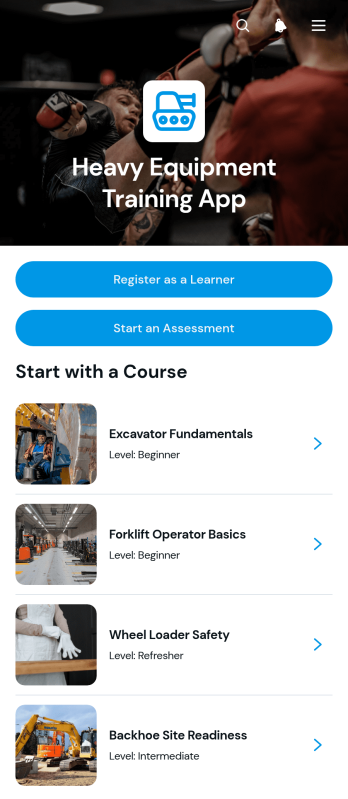
Heavy Equipment Training App
The Heavy Equipment Training App is an app template for construction firms, equipment operators, training providers, contractors, and safety teams that need a central place to deliver operator education. Learners can register, browse available courses, review course overviews and safety topics, open supporting resources, and start assessments. By bringing training materials and learner actions into one accessible experience, the app reduces scattered paperwork, makes course information easier to find, and supports consistent instruction across job sites, classrooms, and equipment yards. Supervisors and instructors can use it for new operator orientation, refresher training, equipment-specific instruction, and workforce development.Jotform App Templates help organizations create branded digital experiences without writing code. With Jotform’s no-code app builder and drag-and-drop interface, teams can customize pages, navigation, colors, fonts, and content to match their training program. Forms, assessments, tables, approval steps, and automated workflows can be connected for smoother data collection and administration. Once published, the Heavy Equipment Training App can be shared through a direct link or QR code, giving learners convenient mobile access to registration, courses, assessments, and self-service resources from nearly any device.
Go to Category:Course & Training Registration Apps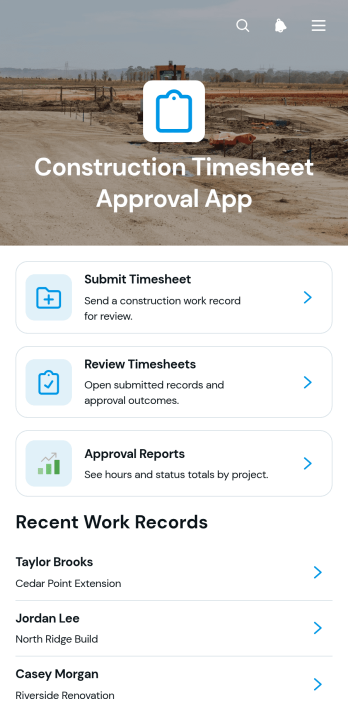
Construction Timesheet Approval App
Construction Timesheet Approval App provides contractors, site supervisors, project managers, and payroll teams with a central place to submit, review, and approve worker time records. Team members can record project hours, while authorized reviewers can check timesheets, update approval statuses, and view approval reports. Supervisor contact details also make it easier to resolve questions about individual work records. This app template is well suited to construction firms managing multiple crews, active job sites, subcontractors, or recurring payroll periods. It reduces scattered paperwork, improves visibility into recorded labor, and helps office and field teams maintain a consistent timesheet workflow.Jotform App Templates make it easy to adapt this experience to existing operations without writing code. Using Jotform’s no-code app builder and drag-and-drop interface, teams can adjust pages, navigation, colors, fonts, and branding to suit their organization. The app can connect forms, tables, notifications, approvals, and other workflow assets to support organized data collection and timely follow-up. Once published, it can be shared with workers and supervisors through a direct link or QR code, giving users mobile-friendly access whether they are at a job site or in the office.
Go to Category:Construction Apps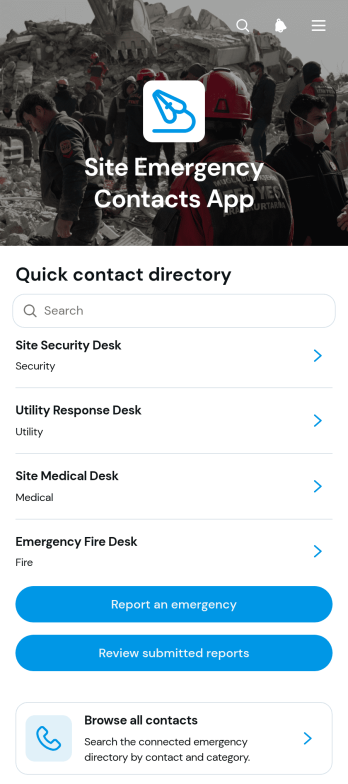
Site Emergency Contacts App
The Site Emergency Contacts App gives construction sites, warehouses, facilities, field operations, and multi-location teams a central place to find emergency contact information and document incidents. Site managers, safety coordinators, contractors, supervisors, and employees can browse contacts, open records with phone numbers, email addresses, coverage areas, and availability details, and reach the right person quickly. Users can also report an emergency and authorized team members can review submitted reports by site. This app template reduces time spent searching through scattered documents, supports clearer communication, and helps teams maintain an accessible record of contacts and reported situations.Jotform App Templates make it easy to adapt the Site Emergency Contacts App to different locations, teams, and operating procedures. With Jotform’s no-code app builder and drag-and-drop interface, organizations can update pages, navigation, branding, and connected data collection forms without programming. Contact information and report workflows can be organized in one mobile-friendly experience, giving staff convenient self-service access from the field or workplace. The finished app can be shared through a direct link or QR code, while connected tables, notifications, and approval steps help internal teams manage follow-up work.
Go to Category:Safety and Compliance Apps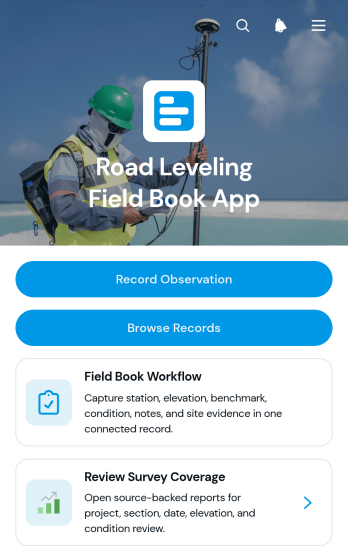
Road Leveling Field Book App
The Road Leveling Field Book App is a digital field record template for documenting elevation observations, benchmarks, survey stations, surface conditions, dates, and notes during road leveling work. It supports surveyors, civil engineers, construction crews, inspectors, and project managers who need consistent records from active sites. Team members can record observations, browse previous entries, review individual station details, and check survey coverage from one organized location. This reduces reliance on paper field books, makes project information easier to retrieve, and helps office and field teams maintain a clearer record of completed survey work.With Jotform Apps, organizations can adapt this app template to their own field procedures without writing code. The no-code app builder provides a drag-and-drop interface for updating pages, buttons, navigation, forms, and visual styling. Connected forms and tables support data collection and keep leveling records available for review as part of a broader workflow. Teams can publish the app for mobile-friendly access, share it through a direct link or QR code, and create a practical self-service resource for field personnel. Jotform App Templates also make it easy to add approval steps, notifications, supporting resources, or other project processes as operational needs change.
Go to Category:Engineering Apps
Field Measurement Survey App
Field Measurement Survey App is an app template for surveyors, field technicians, engineers, contractors, construction teams, and property professionals who need to capture and review measurements from job sites. Users can start a new survey, browse previous survey records, and open measurement insights from one mobile-friendly location. Each record brings together essential context such as the site, survey date, surveyor, location, measured and reference values, variance, and notes. This helps teams compare results, identify discrepancies, maintain consistent field records, and reduce the time spent searching through separate files. It is well suited to site assessments, installation checks, quality reviews, project estimates, and recurring measurement work.Jotform provides a no-code app builder that makes this app template easy to adapt without programming. Use the drag-and-drop interface to update pages, navigation, colors, and branding, then connect forms, tables, notifications, approvals, or other workflow steps as operations evolve. Teams can centralize data collection, give field personnel convenient self-service access, and share the finished app through a direct link or QR code. Jotform App Templates also provide a practical starting point for creating a polished field experience that works across phones, tablets, and computers.
Go to Category:Field Service Apps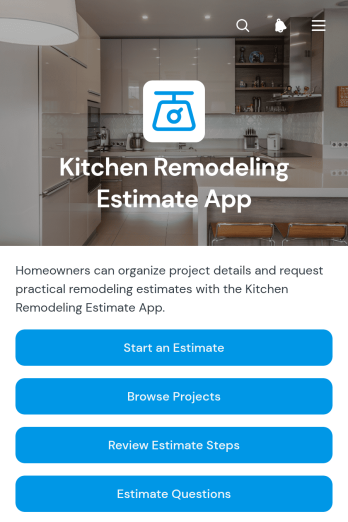
Kitchen Remodeling Estimate App
Kitchen Remodeling Estimate App gives remodeling contractors, kitchen designers, home service teams, and prospective clients a focused way to prepare for project estimates. Users can start an estimate, browse comparable project examples, review the estimating steps, and find answers to common questions before sharing their requirements. This app template supports early conversations about kitchen layouts, finishes, fixtures, labor, and project scope while reducing incomplete inquiries. It is well suited to contractors handling multiple leads, design teams qualifying potential projects, and homeowners seeking a clearer path from initial idea to estimate request.With Jotform Apps, teams can customize this Kitchen Remodeling Estimate App through a no-code app builder and an intuitive drag-and-drop interface. Add branded pages, update navigation, connect forms for data collection, and organize useful content within one mobile-friendly experience. Jotform app templates can also connect with tables, approvals, notifications, payments, and other workflow tools as business needs evolve. Once ready, the app can be shared by link or QR code, giving clients convenient self-service access while helping contractors keep estimate requests and project information organized.
Go to Category:Estimation Apps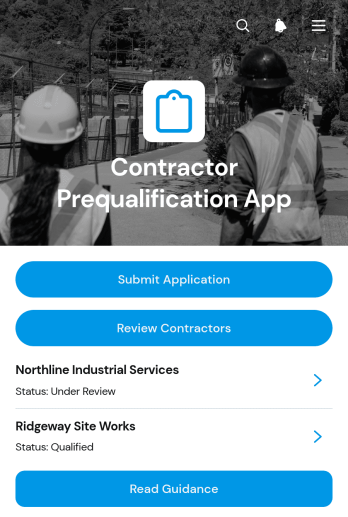
Contractor Prequalification App
The Contractor Prequalification App is a centralized workspace for collecting and reviewing contractor applications before project assignments or bid invitations. Construction firms, general contractors, procurement teams, project managers, and safety teams can use it to gather submissions, compare contractor profiles, and share application guidance. Reviewers can assess key details such as experience, trade specialties, safety programs, insurance, and licensing without searching through scattered emails or files. This creates a more consistent evaluation process, improves visibility across teams, and helps organizations maintain an organized pool of prospective contractors.Jotform makes this app template easy to adapt with a no-code app builder and a flexible drag-and-drop interface. Add branded pages, update navigation, connect forms and tables, or build approval workflows that match your contractor screening process. Jotform App Templates also support mobile-friendly access and self-service data collection, so contractors can apply from any device while authorized team members review current information in one place. Publish the app through a direct link, personalized URL, QR code, or embedded experience to support qualification activities across offices and job sites.
Go to Category:Contractor Apps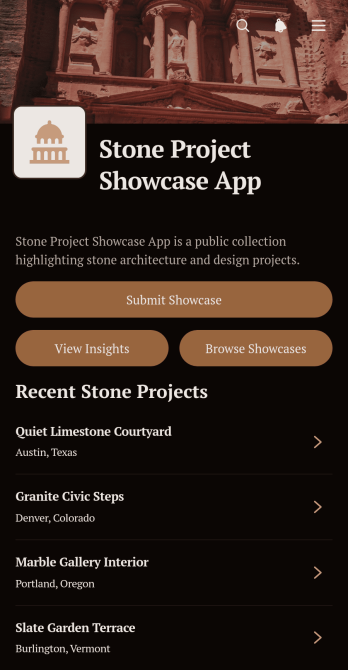
Stone Project Showcase App
Stone Project Showcase App gives stone suppliers, fabricators, contractors, architects, designers, and construction teams a visual destination for presenting completed work and highlighting practical applications. Users can browse project showcases, open individual project profiles, and review essential context such as stone type, location, featured details, scale, and best use. Teams can also collect new showcase submissions and make project insights available from the same experience. This app template is well suited to sales presentations, portfolio sharing, client consultations, trade events, distributor resources, and internal reference libraries. It helps organizations replace scattered project images and documents with an organized, accessible collection that supports product discovery and informed conversations.Jotform makes it easy to adapt this template with a no-code app builder and an intuitive drag-and-drop interface. Add branded pages, cards, buttons, media, and navigation while connecting forms, tables, approvals, and other workflows for data collection and review. Jotform App Templates can be published quickly and shared through a direct link or QR code, giving customers, partners, and employees mobile-friendly self-service access. Update content as new projects are completed, organize showcases around business priorities, and create a polished app experience without writing code.
Go to Category:Construction Apps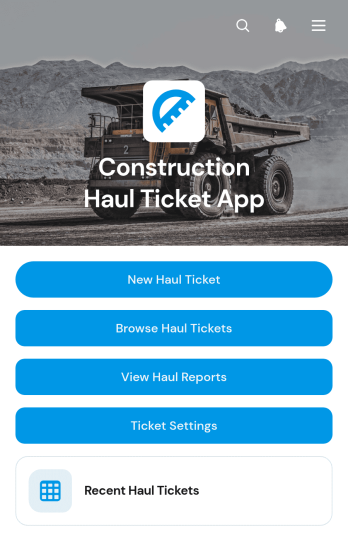
Construction Haul Ticket App
The Construction Haul Ticket App is a ready-to-use digital workspace for recording and reviewing material movements across construction sites. Contractors, site supervisors, dispatch teams, haulers, and project managers can create haul tickets, browse recent records, and view haul reports from one organized location. Each ticket can capture essential load details such as the construction site, hauler, truck or unit, quantity, load type, and site notes. This helps teams replace scattered paper tickets, maintain clearer records, monitor haul totals, and resolve questions about deliveries or removals with less manual searching. It is well suited to excavation, aggregate transport, demolition, earthmoving, roadwork, and other operations that coordinate recurring truckloads.Jotform provides a no-code app builder that makes this app template easy to adapt to existing field operations. Use the drag-and-drop interface to update pages, navigation, branding, and ticket settings without programming. Connected forms and tables support data collection, while reports give office and field teams a shared view of haul activity. The app can be published for mobile-friendly access and shared by a direct link or QR code, helping drivers and supervisors submit information wherever work occurs. Among Jotform App Templates, this option offers a practical foundation for creating a self-service haul ticket workflow that can grow with project requirements.
Go to Category:Construction Apps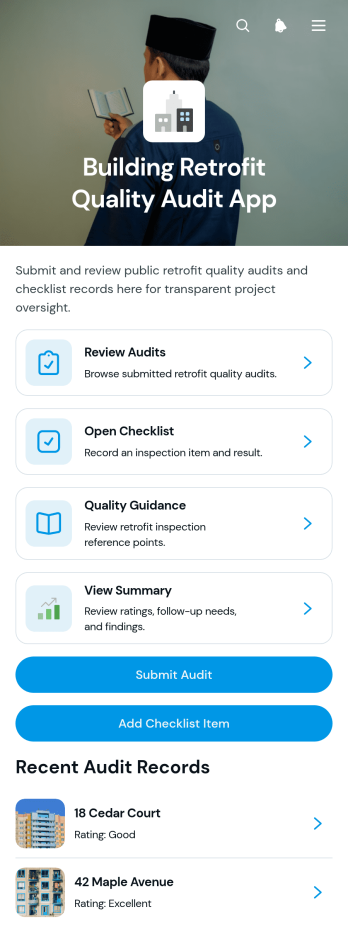
Building Retrofit Quality Audit App
The Building Retrofit Quality Audit App is an app template for documenting and reviewing the quality of retrofit work across residential, commercial, and public buildings. Contractors, quality auditors, site inspectors, project managers, energy improvement teams, and property managers can use it to submit audits, complete checklists, record inspection results, and review findings by property. Access to quality guidance and audit summaries helps teams apply consistent evaluation practices, identify incomplete or substandard work, preserve photo-supported records, and prioritize corrective action before project closeout. It is especially useful for organizations managing multiple buildings, field teams, or phased improvement programs.With Jotform Apps, teams can adapt this template through a no-code app builder and a flexible drag-and-drop interface. Pages, navigation cards, forms, guidance, and branding can be updated without programming, while connected workflows can support data collection, notifications, approvals, and organized recordkeeping. Publish the finished app with a shareable link or QR code so auditors can access it on mobile devices at the worksite. Jotform App Templates also make it easier to create a centralized self-service resource where authorized team members can submit observations, review audit histories, and find current quality information.
Go to Category:Audit Apps
Surveying Tape Correction App
The Surveying Tape Correction App helps surveyors, field engineers, construction teams, and students account for conditions that can affect taped distance measurements. It provides a focused place to enter measurement inputs, calculate a corrected distance, save correction records, and review earlier results. Built-in guidance supports consistent field procedures and gives users a convenient reference when documenting measurements for site surveys, engineering work, construction layout, or practical training. Keeping calculations and records together reduces reliance on scattered notes and makes completed work easier to revisit.Jotform turns this app template into a customizable digital experience without requiring coding knowledge. Using the drag-and-drop app builder, teams can adjust pages, wording, visual styling, and navigation to suit their surveying workflow. Connected forms and tables support data collection and organized recordkeeping, while direct links and QR codes make the app easy to share with field crews or learners. The mobile-friendly layout also enables convenient access from phones, tablets, and computers, giving organizations a practical way to build self-service tools from ready-made app templates.
Go to Category:Engineering Apps
Contractor Project Leads App
The Contractor Project Leads App gives contractors and construction teams a central place to capture potential projects, review opportunities, and document follow-up activity. It is well suited to general contractors, specialty trades, estimators, sales representatives, and project managers who need a clearer view of prospective work. Users can submit a project lead, open the pipeline, and review essential details such as the contact, budget range, and project scope. Follow-up records and pipeline insights help teams prioritize next actions, maintain consistent communication, and reduce the risk of promising opportunities being overlooked.With Jotform Apps, teams can adapt this app template to their sales process without writing code. The no-code app builder and drag-and-drop interface make it easy to update pages, navigation, branding, and connected forms while keeping lead data collection and workflow resources together. The app can be shared by direct link or QR code, giving office and field teams mobile-friendly access wherever they work. Jotform App Templates also connect with forms, tables, notifications, approvals, and other processes, helping businesses create a practical self-service workspace that can evolve as their project pipeline grows.
Go to Category:Contractor Apps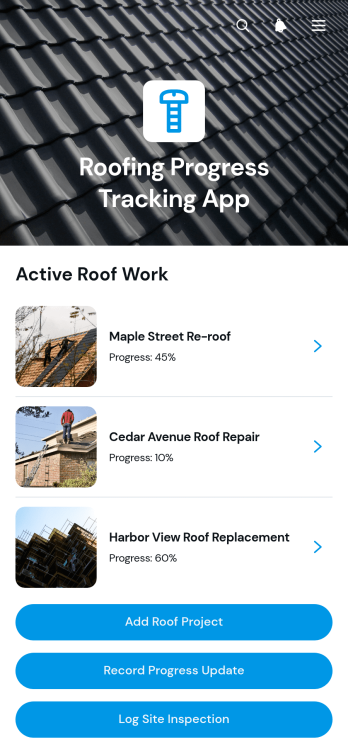
Roofing Progress Tracking App
The Roofing Progress Tracking App is an app template for roofing contractors, project managers, site supervisors, and field crews that need a clear view of active roof projects. Teams can create project records, document progress updates, and log site inspections from one central location. Project overviews keep client details, site addresses, start dates, target completion dates, and notes easy to reference. Update records also provide visibility into completed work, current progress, and blockers, helping office and field teams coordinate schedules, identify delays, maintain consistent records, and communicate accurate project status.Jotform App Templates make it easier to turn roofing operations into an accessible digital workflow without writing code. Customize the Roofing Progress Tracking App with the no-code app builder and its drag-and-drop interface, then adjust pages, buttons, branding, and connected forms to fit your process. Jotform supports organized data collection and self-service access while connecting app activity with tables, notifications, approvals, and other workflows. Share the finished app through a direct link or QR code so authorized team members can record updates and review project information from a phone, tablet, or computer.
Go to Category:Construction Apps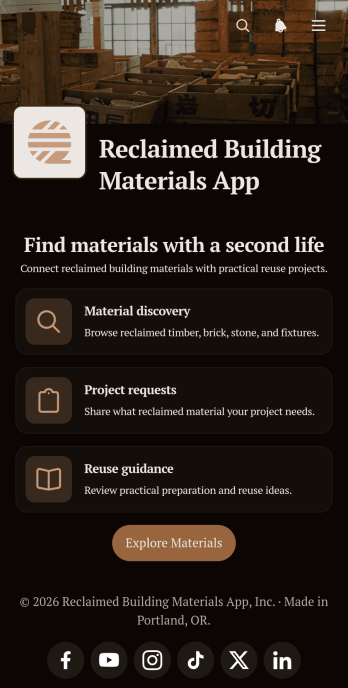
Reclaimed Building Materials App
The Reclaimed Building Materials App helps contractors, builders, demolition teams, reuse centers, property owners, and community organizations connect usable construction materials with new projects. Users can browse available materials, review quantities and locations, submit listings, and post requests for needed supplies. A dedicated resource guide also shares practical preparation and reuse information. By bringing listings, project needs, and contact details into one accessible place, the app can reduce material waste, improve local sourcing, and make it easier to find alternatives to purchasing new building supplies.With Jotform, this app template can be adapted to match different material exchange programs and operational workflows without coding. Use the drag-and-drop app builder to update pages, navigation, colors, fonts, images, and content, then connect forms and tables for data collection and organized record management. Teams can publish the finished app through a direct link or QR code, giving contributors and material seekers mobile-friendly self-service access. Jotform App Templates provide a quick starting point for creating a branded experience that supports construction reuse initiatives, internal material inventories, or public exchange networks.
Go to Category:Second Hand Selling Apps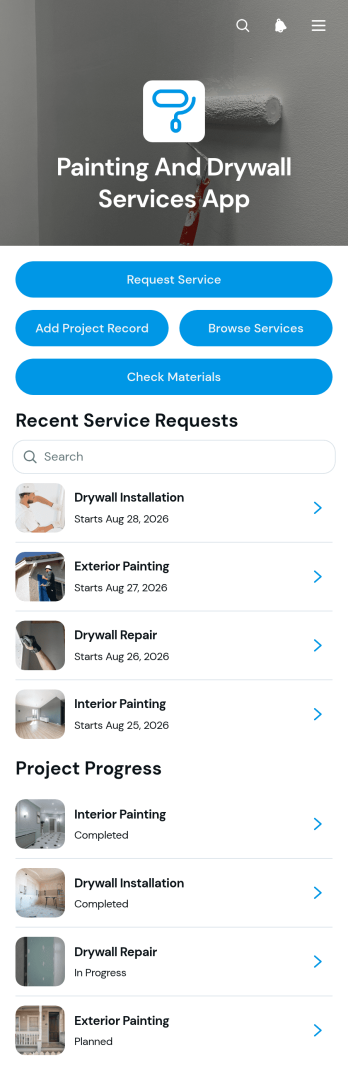
Painting and Drywall Services App
Painting and Drywall Services App gives painting contractors, drywall specialists, home service businesses, and field crews one organized place to manage customer requests and active jobs. This ready-to-use app template supports service request intake, project record keeping, and material readiness checks without scattering information across paper notes or separate channels. Teams can review customer contact details, addresses, project scope, reference photos, surfaces, materials, job status, work notes, and completion photos as work progresses. It is well suited to residential repaints, commercial painting, drywall installation, patching, finishing, and repair projects. Clear records help office staff and field teams coordinate assignments, prepare supplies, document results, and respond to customers with better context.Jotform makes it easy to adapt this app to the way your business operates. Its no-code app builder and drag-and-drop interface let you update pages, navigation, colors, fonts, buttons, and branding without programming. Connect forms, tables, notifications, approvals, and other workflow steps to support data collection and keep job information accessible. You can publish the app through a direct link or QR code, giving employees and customers a mobile-friendly experience for self-service requests and field updates. Start with one of Jotform’s App Templates, customize the content, and create a practical resource for daily service operations.
Go to Category:Contractor Apps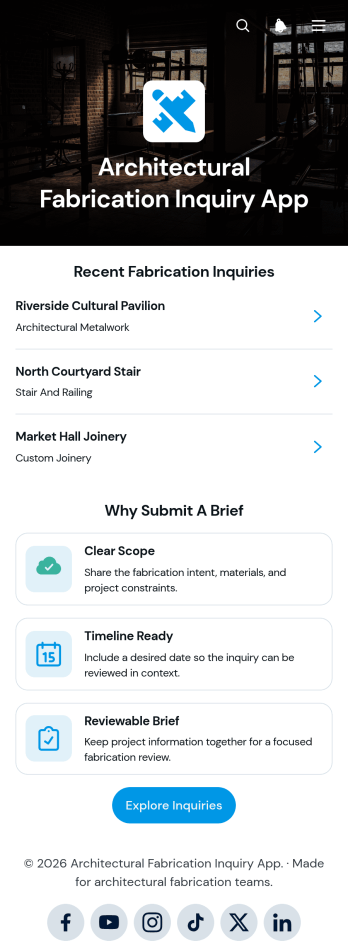
Architectural Fabrication Inquiry App
The Architectural Fabrication Inquiry App gives architecture studios, fabrication workshops, contractors, engineers, and project teams a central place to submit and review fabrication requests. Clients and collaborators can provide project context, scope, desired timelines, budgets, contact details, and supporting files through a clear inquiry brief. Teams can browse recent and submitted inquiries, open individual project summaries, and identify the next review step without relying on scattered emails or incomplete notes. This app template is well suited to early feasibility discussions, custom architectural elements, prototype requests, material fabrication, and contractor coordination.Jotform App Templates help organizations turn inquiry management into an accessible digital experience without writing code. Using Jotform’s no-code app builder and drag-and-drop interface, teams can customize the Architectural Fabrication Inquiry App with branded pages, navigation buttons, forms, guidance, and connected workflows. Inquiry data can be organized for internal review while notifications and related approval processes help staff respond consistently. Publish the app with a shareable link or QR code so clients, architects, and fabrication partners can access it from a phone, tablet, or computer. The result is a practical self-service channel that improves data collection, clarifies project expectations, and supports faster qualification.
Go to Category:Construction Apps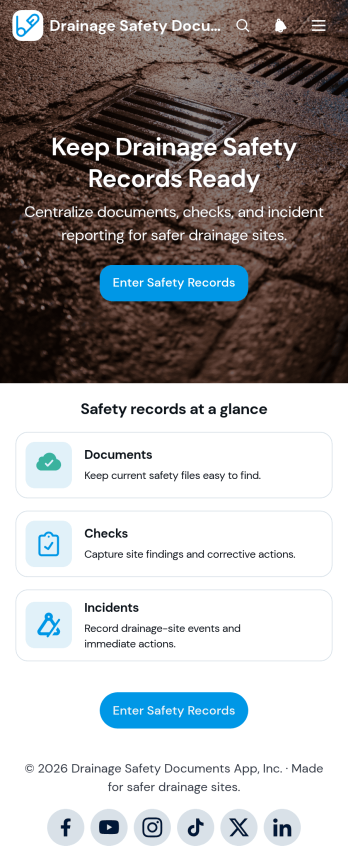
Drainage Safety Documents App
The Drainage Safety Documents App gives drainage contractors, site supervisors, field crews, and safety teams one organized place to submit and review essential safety records. It supports drainage installation, inspection, maintenance, and repair projects where teams need quick access to current documentation across multiple sites. Users can submit safety documents, record checks, and report incidents, then browse the resulting records from a central app. Document details such as type, site or project, relevant dates, uploaded files, and notes help teams find useful information without searching through scattered folders. Recorded findings and corrective actions also make it easier to follow up on issues and maintain visibility across field operations.Jotform App Templates help organizations turn recurring processes into accessible digital experiences without coding. Customize this app template with Jotform’s no-code app builder and drag-and-drop interface, adjusting pages, navigation, branding, and connected forms to match existing workflows. The app can support consistent data collection, mobile-friendly record access, and staff self-service from the office or jobsite. Share it through a direct link or QR code so authorized team members can reach the resources and actions they need. Connected notifications, tables, and automated workflows can further support timely reviews and coordinated safety management.
Go to Category:Safety and Compliance Apps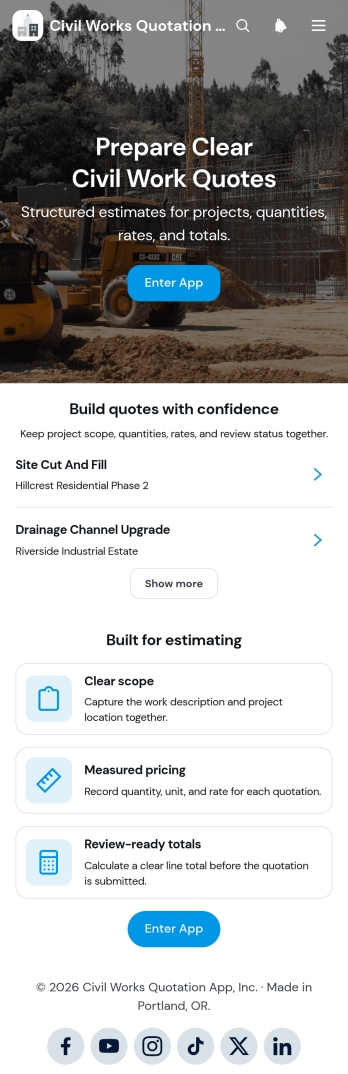
Civil Works Quotation App
The Civil Works Quotation App is a ready-to-use app template for contractors, estimators, civil engineering teams, project managers, and construction businesses preparing itemized project quotations. It brings quotation creation, cost calculation, and quote review into one organized experience. Teams can define the work scope, record quantities and rates, calculate estimated costs, and view review-ready totals before presenting a quotation. It is well suited to earthworks, drainage, concrete work, road repairs, site preparation, and other civil projects where clear pricing and accurate project details support faster decisions. Users can also browse existing quotations, open project summaries, and refer to common quotation questions when checking estimates.Jotform makes this Civil Works Quotation App easy to adapt without coding. Its drag-and-drop app builder lets businesses update pages, buttons, content, and branding to match their estimating workflow. Connected forms support consistent data collection, while tables and automated workflows can help teams organize records and follow up on new quotes. Publish the app with a shareable link or QR code so office and field teams can access it from phones, tablets, or computers. Jotform App Templates provide a practical starting point for creating a mobile-friendly quotation workspace with self-service access to essential estimating tools and project information.
Go to Category:Estimation Apps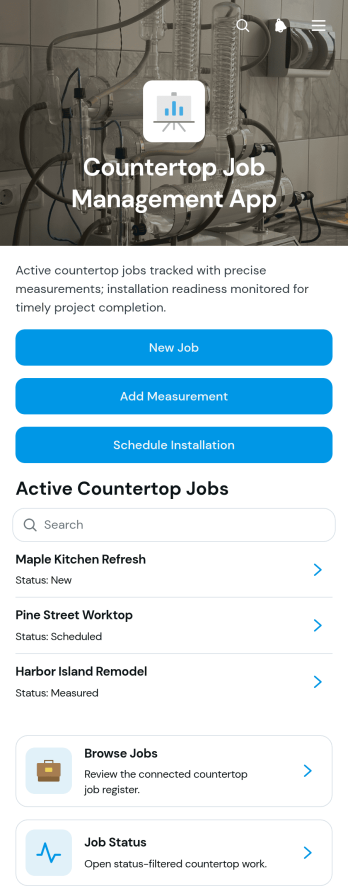
Countertop Job Management App
Countertop Job Management App gives countertop fabricators, installers, contractors, and project coordinators one organized place to manage work from initial intake through installation. Teams can submit new jobs, record field measurements, schedule installations, and browse projects by status. Key job details such as the client, material, address, estimate, project scope, and working notes remain easy to reference throughout the process. This app template is useful for fabrication shops and home service businesses that need clearer handoffs between sales, measuring, production, and installation teams. It helps reduce scattered job information, missed updates, scheduling confusion, and time spent searching for current project details.Jotform Apps makes it easy to adapt this template to the way your countertop business operates. Using a no-code app builder and drag-and-drop interface, you can update pages, navigation, buttons, branding, and connected forms without programming. Link data collection forms and workflows so employees can add project information from the office or field, then organize records for convenient browsing and self-service access. Jotform App Templates can also connect with tables, approvals, notifications, and other processes to support coordinated job management. When the app is ready, share it with staff through a direct link or QR code and provide mobile-friendly access wherever work takes place.
Go to Category:Construction Apps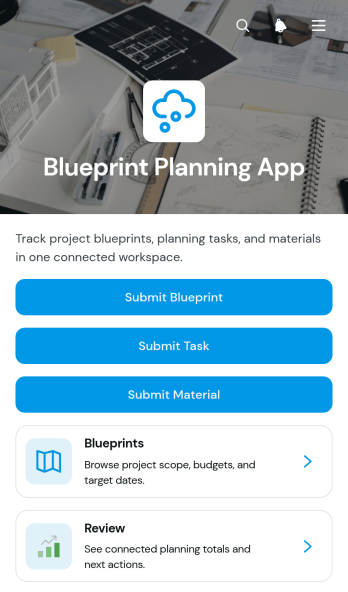
Blueprint Planning App
Blueprint Planning App brings construction plans, related tasks, and material requirements into one accessible workspace. Contractors, project managers, engineers, architects, site supervisors, and planning teams can use this app template to submit blueprints, review project details, assign work, and record required materials. Each project can display essential context such as the client, budget, site address, and current status, helping teams understand priorities without searching across disconnected records. Linked task and material views also make it easier to monitor ownership, quantities, unit costs, and suppliers throughout planning and preparation.Jotform Apps makes it easy to adapt this Blueprint Planning App to the way your team works. Use the no-code app builder and drag-and-drop interface to update pages, navigation, colors, fonts, and branding without programming. Connected forms support data collection, while organized records and automated notifications can keep each workflow moving. Once the app is ready, share it through a direct link or QR code so office and field teams can access current project information from phones, tablets, or computers. Jotform App Templates offer a practical starting point for creating mobile-friendly planning tools, internal resource centers, and self-service experiences.
Go to Category:Construction Apps