

Education App Templates

Student Report Card App
The Student Report Card App is an app template for teachers, school administrators, tutors, and education teams that need a central place to create and review student report cards. Users can submit report cards, browse individual student records, and review performance summaries and attendance information without searching across disconnected files. It supports routine grading periods, progress reviews, parent meetings, and academic support planning while keeping student details, teacher comments, grade levels, and recorded dates organized. Schools and learning programs can use it to improve record visibility, reduce repetitive administrative work, and maintain a more consistent reporting workflow.Jotform makes this Student Report Card App easy to adapt with a no-code app builder and an intuitive drag-and-drop interface. Add or rearrange pages, update labels and branding, connect forms for data collection, and organize report card resources around your school’s processes. The app can be shared through a direct link or QR code for convenient mobile access, helping authorized users reach relevant academic records wherever they work. Jotform App Templates also connect with tables, approvals, notifications, and other workflows, giving education teams a flexible way to support collaboration and self-service access without writing code.
Go to Category:School Management Apps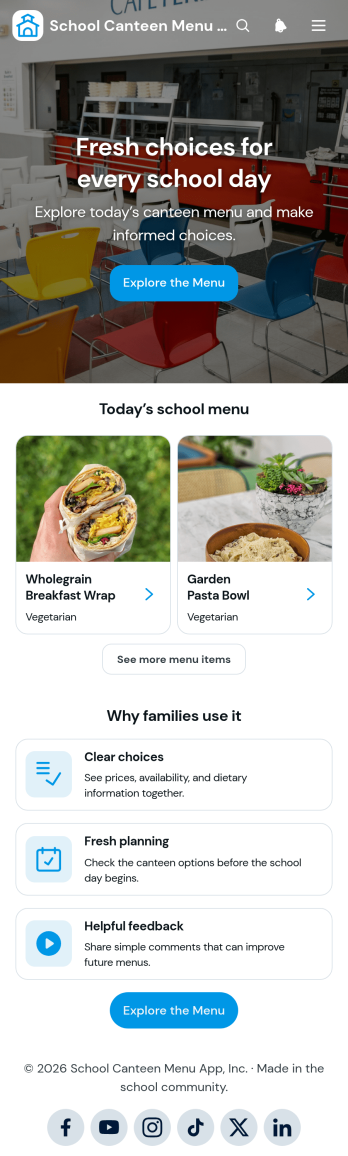
School Canteen Menu App
The School Canteen Menu App is a ready-to-use app template that gives students and families a convenient place to view current meal choices before visiting the canteen. School administrators, canteen teams, and food service staff can use it to present menu categories, show prices and availability, communicate dietary information, and gather feedback about individual items. Clear access to these details helps families plan ahead, reduces repeated menu questions, and gives canteen teams useful input for future food planning. It is well suited to primary schools, secondary schools, academies, and other educational settings that need a mobile-friendly menu resource.Jotform makes this School Canteen Menu App easy to adapt without coding. Using the drag-and-drop app builder, schools can update pages, cards, images, buttons, colors, and navigation to match their needs. Connected forms support organized data collection, while tables and workflows can help staff review feedback and manage related information. As part of Jotform’s collection of App Templates, this app template can be shared through a direct link or QR code, giving families quick self-service access from phones, tablets, or computers.
Go to Category:School Management Apps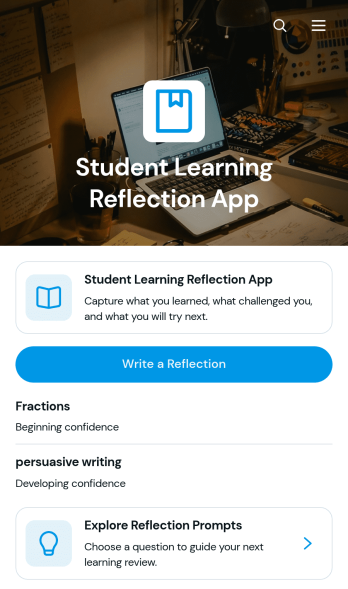
Student Learning Reflection App
The Student Learning Reflection App helps learners document what they studied, consider what challenged them, and identify a practical next step after a lesson or activity. It is useful for students, teachers, tutors, training providers, and educational programs that want to make reflection a consistent part of learning. Students can write reflections, explore prompts, and review entries organized by learning topic. Key details such as confidence and study format provide added context without making the process burdensome. The app works well for classroom lessons, independent study, tutoring sessions, project reviews, course checkpoints, and skill-development programs.Jotform makes this app template easy to adapt with a no-code app builder and an intuitive drag-and-drop interface. Educators can adjust pages, prompts, visual elements, and navigation to match a subject, grade level, or teaching approach. Connected forms and tables support data collection and keep reflection records organized within a practical workflow. Once customized, the app can be shared by direct link or QR code for convenient mobile access. Jotform App Templates also help schools and learning teams create branded self-service experiences that bring reflection activities and useful resources together in one accessible place.
Go to Category:Education Apps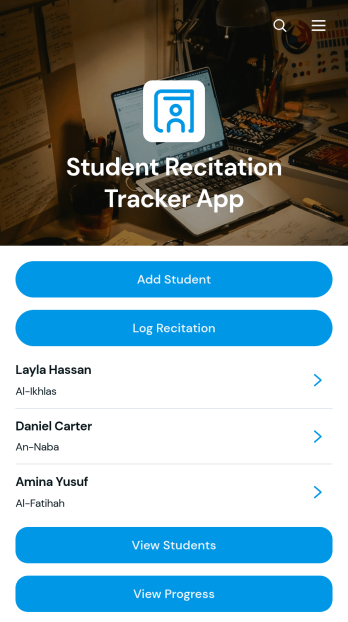
Student Recitation Tracker App
Student Recitation Tracker App gives teachers, tutors, recitation instructors, and education programs one organized place to maintain student profiles and document oral practice. Educators can add learners, log recitation sessions, and review progress based on details such as fluency, pronunciation, memorization, duration, and practice notes. Linked learning resources can also support continued practice between sessions. This app template is useful for classrooms, tutoring centers, language programs, memorization courses, and other settings where instructors need a consistent record of each learner’s development. It replaces scattered notes with accessible records that help educators prepare lessons, identify areas for improvement, and provide more focused guidance.Jotform makes it easy to adapt the Student Recitation Tracker App without writing code. Its no-code app builder and drag-and-drop interface let educators update pages, navigation, forms, colors, rounded visual elements, and modern fonts to suit their teaching environment. Connected forms support data collection, while tables and workflows keep student and session information organized for ongoing review. Users can publish and share the finished app through a direct link or QR code, making it easy to record updates from a phone, tablet, or computer. Jotform App Templates offer a practical starting point for creating a branded tracking experience that brings student records, learning resources, and routine actions together.
Go to Category:Classroom Management Apps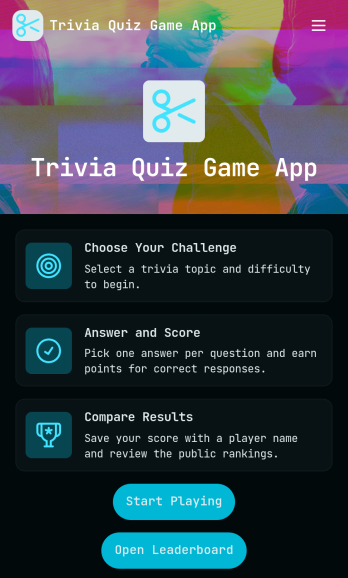
Trivia Quiz Game App
Trivia Quiz Game App brings a fast, friendly quiz experience into one place so people can pick a topic, jump into a round, and see how they stack up. It’s a great fit for creators, classrooms, event hosts, and community managers who want an interactive way to keep an audience engaged, whether you’re running a weekly trivia night, an online challenge, or a learning review. With built-in navigation to play a quiz, browse quiz topics, and follow a leaderboard, this app helps participants stay oriented and motivated while you keep the experience easy to repeat.Jotform makes it simple to publish and manage interactive experiences like this using customizable app templates and a no-code app builder. With a drag-and-drop interface, you can tailor the pages, topic list, and calls to action to match your brand and format, then share the app using a link or QR code for quick self-service access. Connect Jotform to your workflow for data collection and updates, so your quiz game can stay fresh, organized, and ready for the next round.
Go to Category:Quiz Apps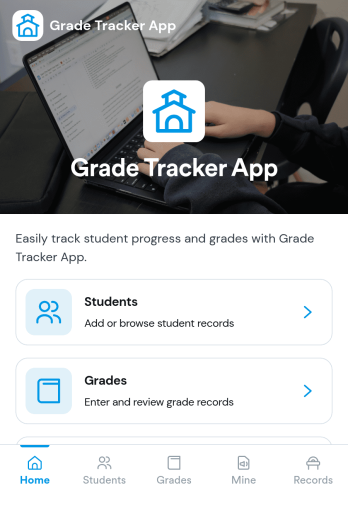
Grade Tracker App
A grade tracker app helps teachers, tutors, and academic support teams organize students and record grades in one place, so progress is easy to review at any time. Use it to keep a simple student list, add new grade entries as assignments are completed, and quickly open each student’s grade page to check performance trends across a term or program.With Jotform, you can turn this Grade Tracker App into a branded, shareable experience using App Templates and a no-code app builder. Customize pages with a drag-and-drop interface, connect forms for data collection when you add students and grades, and keep records organized for everyday workflow and self-service access on any device.
Go to Category:Education Apps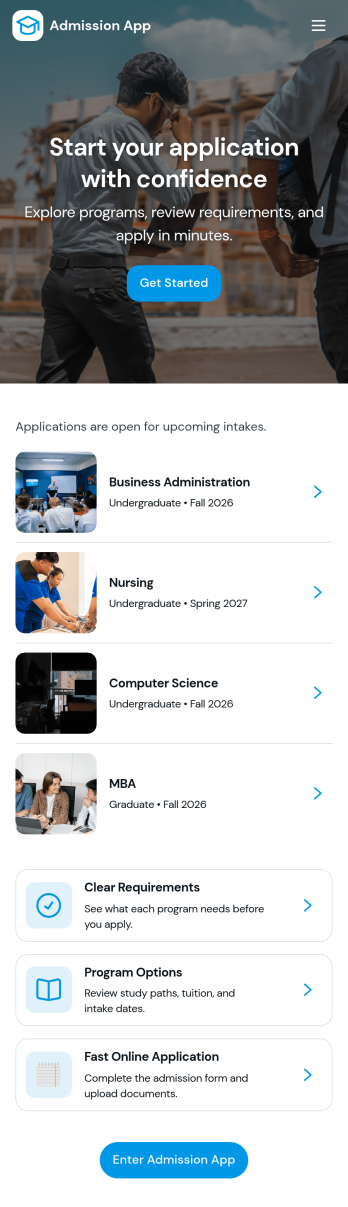
Admission App
Admission App helps schools, training programs, and organizations manage admissions in one clear, applicant-friendly place. Prospective students can start an inquiry, submit an application, and return anytime to review what they’ve sent. With dedicated areas for My Inquiries and My Applications, it’s easier to keep conversations organized, reduce missed follow-ups, and give applicants a simple way to check their status without calling or emailing for updates.Built with Jotform, this app template turns your admissions workflow into a guided self-service experience you can share with a link. Use a no-code app builder and a drag-and-drop interface to adjust pages, add your branding, and connect inquiry and application forms to the same app for consistent data collection. As applications come in, your team can view everything in one place and keep the process moving from first contact through final review.
Go to Category:Education Apps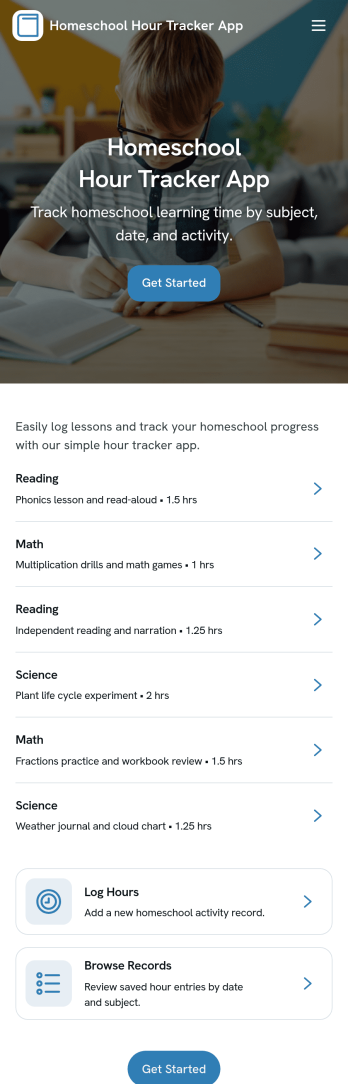
Homeschool Hour Tracker App
Homeschool Hour Tracker App helps homeschooling families and co-ops log instructional time and keep organized records across students, subjects, and learning activities. With quick navigation to Log Hours, Records, Insights, and Summary, it’s easy to add a new entry during the day and later review what was completed, when it happened, and how time is being distributed. This is especially useful for parents managing multiple learners, tutors contributing hours, or co-op leaders who want a consistent way to capture learning time without relying on scattered notes.Built with Jotform App Templates, this app template can be tailored to match your homeschool routine using Jotform’s no-code app builder and drag-and-drop interface. Connect the app to your underlying forms for reliable data collection, then use the Records list and student views to browse entries and spot patterns over time. Share the app as a self-service tool for caregivers or instructors, keep everything in one workflow, and publish a mobile-friendly experience that makes hour tracking feel simple and repeatable.
Go to Category:Education Apps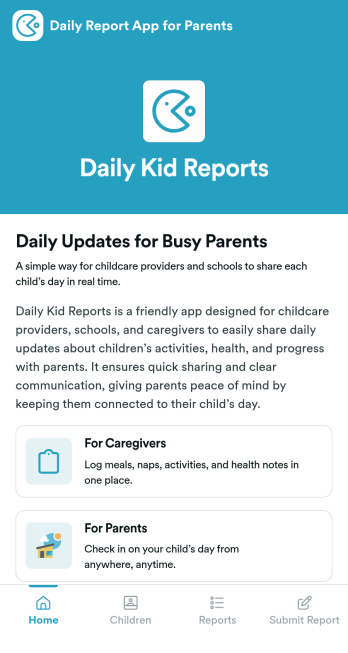
Daily Report App for Parents
Daily Report App for Parents is a ready-to-use app template designed to streamline the process of sharing children's activities, progress, and well-being updates with parents. Purpose-built to cater to the needs of schools, daycare centers, childcare providers, and educators, this app template enables quick and neat data collection, keeping parents informed and engaged. The template captures a wide range of information, from meal and nap times to learning activities and behavior notes, providing a comprehensive view of each child's day. An electronic signature feature ensures acknowledgment of received updates, enhancing transparency and accountability. Ideal for busy environments where consistency and clarity are paramount, this template helps caregivers deliver complete reports that parents can easily access and interpret.Jotform's Daily Report App for Parents is customizable, allowing childcare providers to tailor it to their specific workflows and reporting needs. Its drag-and-drop interface makes it easy to add or remove fields, ensuring the captured information aligns perfectly with the provided services. The ease of collecting e-signatures simplifies the process of verification and acknowledgment from parents, providing a smooth and efficient user experience. With the template's cross-platform compatibility, sharing daily updates is as simple as sending a link, and parents can access these reports from their desktops, tablets, or smartphones. Experience Jotform's commitment to ease of use and take the first step in strengthening the bond between caregivers and parents with our Daily Report App for Parents.
Go to Category:Education Apps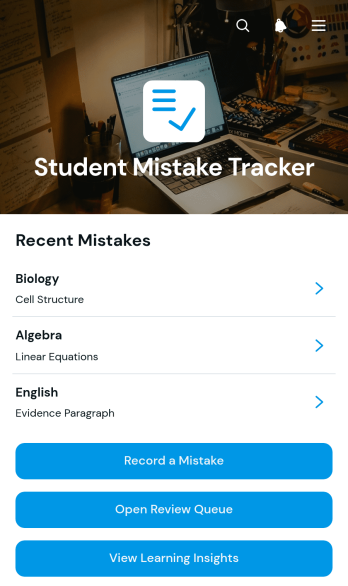
Student Mistake Tracker App
The Student Mistake Tracker App is an app template that helps students record academic errors, review corrections, and recognize learning patterns over time. It gives learners quick access to mistake recording, a review queue, and learning insights while keeping details organized by subject. Students can use it after homework, quizzes, practice tests, tutoring sessions, or independent study to turn incorrect answers into useful study material. Teachers, tutors, academic coaches, and families can also use the app to support reflection, plan targeted practice, and monitor whether previously identified concepts have been reviewed.With Jotform Apps, you can adapt this Student Mistake Tracker App without writing code. The no-code app builder and drag-and-drop interface make it easy to adjust pages, navigation, colors, typography, and content for a class, tutoring program, or personal study routine. Connect forms and tables to support data collection, organize each review workflow, and keep resources available through a mobile-friendly self-service experience. Jotform App Templates can be published and shared by direct link or QR code, helping learners maintain a consistent review habit wherever they study.
Go to Category:Student Planner Apps
Random Choice Picker App
Random Choice Picker App gives individuals, teachers, facilitators, event hosts, and teams a convenient place to make impartial selections from a set of possibilities. It can support classroom participation, prize drawings, meeting activities, game nights, task assignments, meal decisions, creative prompts, and other situations where choosing manually may feel repetitive or biased. The focused page keeps the experience simple for participants while helping organizers make quick choices, encourage engagement, and add an element of surprise. This app template can be adapted for casual entertainment, educational exercises, workplace activities, or community events.Jotform app templates help you turn ideas like Random Choice Picker App into polished, mobile-friendly experiences without writing code. Use the no-code app builder and drag-and-drop interface to personalize the page, add instructions or visual content, and connect forms for data collection when needed. You can also link related workflows and resources, apply your preferred branding, and publish the finished app for self-service access. Share it through a direct link, quick response code, or embedded experience so participants can open it on a phone, tablet, or computer.
Go to Category:Entertainment Apps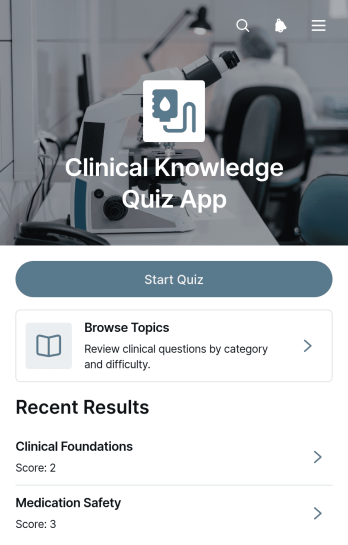
Clinical Knowledge Quiz App
The Clinical Knowledge Quiz App is a ready-to-use app template for assessing and reinforcing knowledge across clinical subjects. It gives healthcare educators, clinical training teams, schools, and staff development coordinators a focused place to provide knowledge checks. Participants can start a quiz, browse topics, and move from category-based lists to individual questions and supporting information. This structure suits classroom review, onboarding education, recurring staff training, skills refreshers, and self-directed study. By keeping quiz access and reference content together, organizations can make learning materials easier to navigate and give learners a consistent path through each assessment.Jotform helps teams adapt the Clinical Knowledge Quiz App without writing code. Its no-code app builder and drag-and-drop interface make it easy to update pages, organize topic navigation, adjust branding, and connect forms or tables for data collection. Teams can incorporate the app into a broader training workflow and share it through a direct link, QR code, or embedded experience. Starting with Jotform App Templates also reduces setup time while leaving room to tailor quiz content for different learners, courses, departments, or educational goals.
Go to Category:Quiz Apps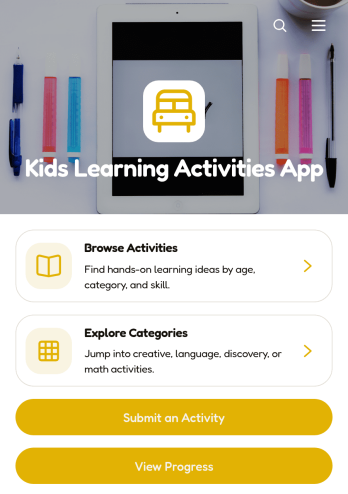
Kids Learning Activities App
Kids Learning Activities App is an interactive learning resource for parents, teachers, tutors, childcare providers, and education teams that want to organize engaging activities for children in one accessible place. Users can browse activities and explore categories, then open individual entries to review required materials, learning goals, and clear instructions. The app also supports activity submissions and progress viewing, making it useful for home learning, classrooms, tutoring programs, after-school groups, and community education initiatives. It helps adults find age-appropriate ideas more easily while maintaining a growing collection of educational experiences.With Jotform Apps, this app template can be adapted to match different subjects, age groups, teaching styles, or program needs without coding. The drag-and-drop app builder makes it easy to update pages, navigation, cards, buttons, and visual branding. Connected forms support data collection for new activity ideas, while tables and workflows can help teams organize contributions and review updates. Share the finished app through a direct link or QR code so families, educators, and staff can access learning resources from phones, tablets, or computers. Jotform App Templates provide a practical starting point for creating a polished self-service learning experience.
Go to Category:Education Apps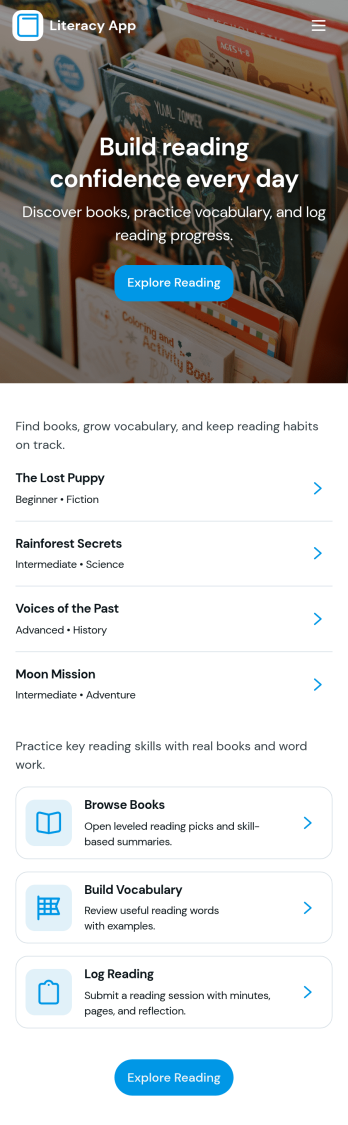
Literacy App
Literacy App brings reading practice and reflection into one simple experience for classrooms, tutoring programs, libraries, and at-home learning. Learners can browse reading passages, study targeted vocabulary words, and keep momentum with quick navigation between activities. It also supports ongoing practice by letting readers log what they’ve read and write short reflections, making it easier for educators and program leaders to encourage consistent habits and see progress over time.Jotform helps you turn these literacy routines into a shareable, mobile-friendly experience using App Templates and a no-code app builder. Customize pages with a drag-and-drop interface, connect forms and tables for data collection, and keep your workflow organized from reading logs to reflection entries. Share your Literacy App with a link so students, families, or participants can access the right resources and submit updates from anywhere.
Go to Category:Classroom Management Apps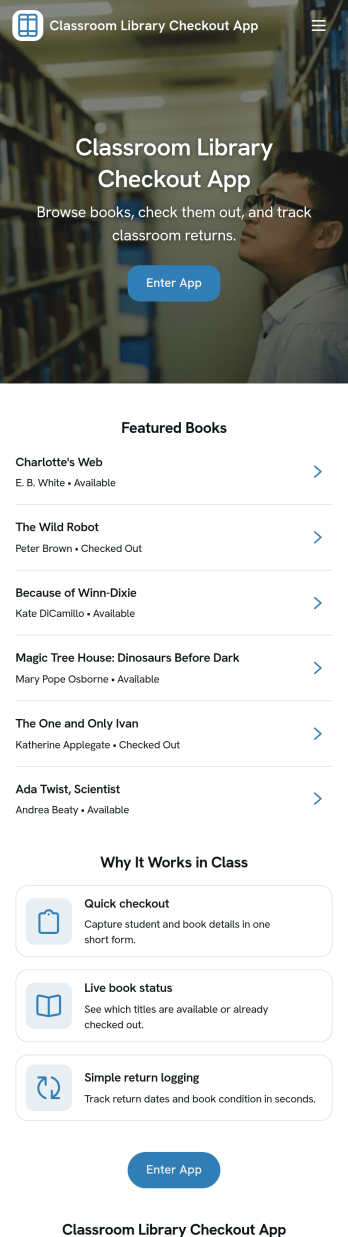
Classroom Library Checkout App
A classroom library checkout app helps teachers and students manage lending in a simple, classroom-friendly way, so books don’t disappear and reading time stays organized. This template fits elementary and middle school classrooms, reading intervention groups, and homeroom libraries that need a clear view of what books are available, which titles are currently checked out, and what’s due back. With dedicated sections for browsing the book list, completing checkout, and viewing active loans, it supports quick, repeatable routines that students can follow independently while teachers keep oversight of circulation.Jotform makes it easy to turn this Classroom Library Checkout App into a self-service experience using App Templates and a no-code app builder. Customize pages with a drag-and-drop interface, connect your book list and loan records to your workflow, and keep data collection consistent across checkout activity. Share the app with a link or QR code so students can access it on classroom devices, and update titles or loan activity as your library grows throughout the year.
Go to Category:Classroom Management Apps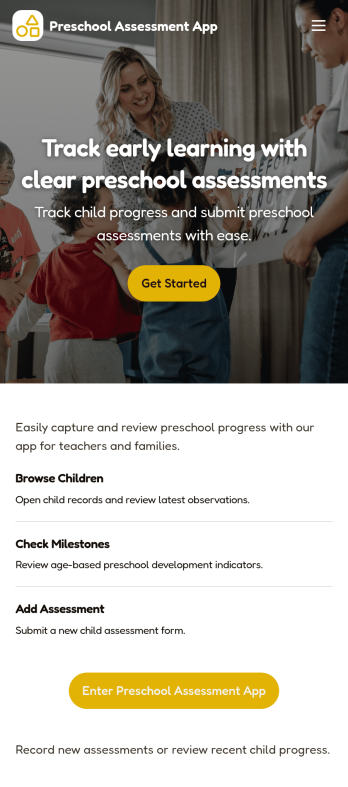
Preschool Assessment App
Preschool Assessment App helps early childhood educators and preschool administrators organize child profiles, record classroom observations, and review progress in one place. With a child roster for quick navigation, dedicated assessment pages for ongoing evaluations, and a progress area for reviewing outcomes over time, it fits daily routines in preschools, pre-K programs, and childcare centers where multiple staff may contribute notes and updates across a term.Jotform makes it easy to turn this app template into a polished, shareable experience using a no-code app builder and a drag-and-drop interface. Connect the Add Child and Add Assessment actions to your existing data collection workflows, keep records centralized, and publish a self-service app your team can access on the go while staying aligned on what has been assessed and what needs follow-up.
Go to Category:Education Apps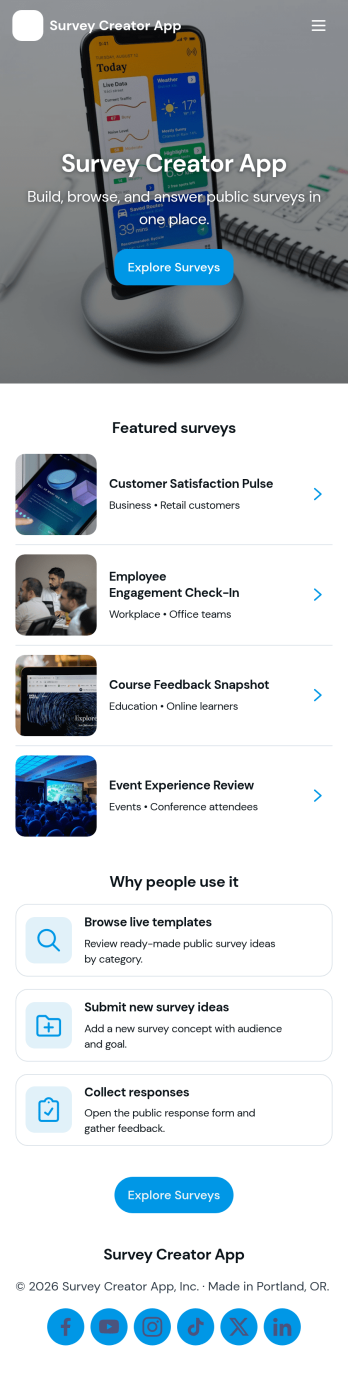
Survey Creator App
Survey Creator App helps teams build surveys, share them fast, and keep results organized in one place. Use it to run customer satisfaction surveys, event feedback forms, employee pulse checks, product research, classroom questionnaires, or community opinion polls. The app structure supports common survey work in a simple flow with a Create Survey area for launching new surveys, a Responses area for reviewing incoming entries, and an Insights area for scanning patterns so you can act on what people tell you.Jotform makes it easy to turn this survey workflow into a polished, mobile-friendly experience using app templates and a no-code app builder. With a drag-and-drop interface, you can tailor navigation, add or remove pages, and connect your survey forms to the app so people can respond and your team can review results without switching between tools. Share your Survey Creator App with a link or QR code to support self-service participation, faster data collection, and smoother follow-up across your workflow.
Go to Category:Quiz Apps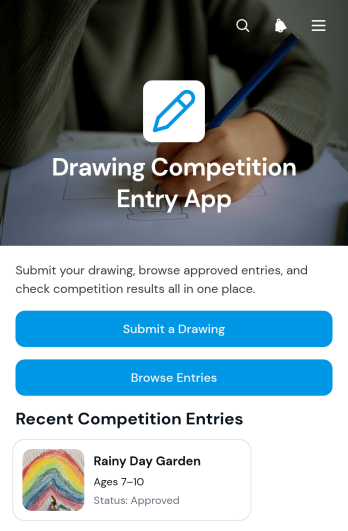
Drawing Competition Entry App
Drawing Competition Entry App is an app template for schools, arts programs, community groups, nonprofits, and event organizers collecting artwork for judged drawing contests. Participants can submit a drawing and its entry information, while organizers can present eligible artwork in a browsable gallery. Dedicated entry views make it easier to review participant details, age groups, and review status, then share competition results from the same experience. This organized approach supports classroom contests, youth art events, community exhibitions, and online creative campaigns while reducing scattered files, emails, and manual status updates.With Jotform, organizers can adapt this app template through a no-code app builder and an intuitive drag-and-drop interface. Pages, buttons, visual branding, and navigation can be adjusted to match the competition, and connected forms support consistent data collection. Teams can bring entry intake, review workflows, artwork browsing, and participant self-service into one mobile-friendly app. Once ready, the Drawing Competition Entry App can be published and shared through a direct link or QR code, giving participants, reviewers, and audiences convenient access from almost any device.
Go to Category:Event Registration Apps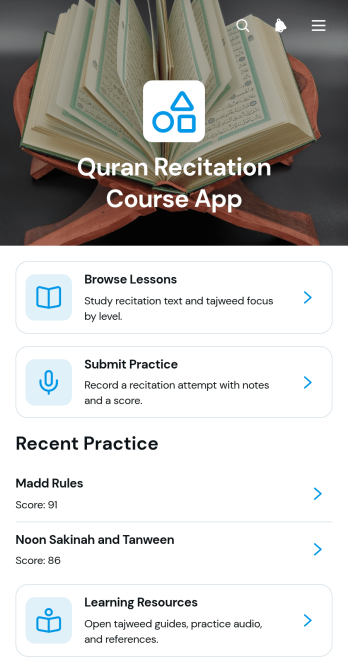
Quran Recitation Course App
Quran Recitation Course App provides a focused learning space for students to browse recitation lessons, open audio practice materials, submit practice work, and review progress. It is suited to tutors, educators, learning centers, community groups, and independent instructors offering guided Quran recitation courses. Lesson pages can present recitation text, study time, learner level, and Tajweed focus without scattering materials across separate channels. Students gain a clear path from study to practice, while instructors can organize reflections, scores, and supporting resources for easier course delivery and learner follow-up.Jotform helps educators turn this app template into a personalized course experience using a no-code app builder and an intuitive drag-and-drop interface. Pages, cards, buttons, forms, and resource links can be adjusted to reflect different teaching methods, lesson plans, and visual styles. Connected forms support data collection for practice submissions, while tables and workflows can help instructors organize responses and act on learner updates. Start from Jotform App Templates, customize the layout, and publish a mobile-friendly self-service learning app that students can reach through a direct link or QR code.
Go to Category:Education Apps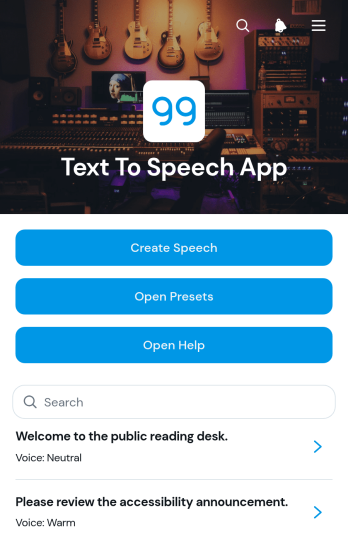
Text To Speech App
Text To Speech App is a ready-to-use app template for turning written content into spoken output and organizing frequently used voice settings. Educators, content creators, accessibility teams, support staff, students, and organizations can use it to prepare speech from entered text without navigating a complicated process. Users can create speech, adjust voice speed and pitch, save reusable presets, review speech entries, and open built-in help when needed. It is useful for lesson materials, pronunciation practice, presentation preparation, accessible content, internal announcements, and other situations where written information needs an audio alternative.Jotform Apps makes this Text To Speech App easy to adapt with a no-code app builder and a flexible drag-and-drop interface. Customize pages, navigation, colors, fonts, buttons, and visual elements to suit personal or organizational needs. Connected forms support data collection for speech text and preset preferences, while organized lists make saved items easier to revisit. You can also connect related workflows, share the app through a direct link or QR code, and provide convenient self-service access on phones, tablets, or computers. Start with one of Jotform’s App Templates, personalize the experience, and publish it without writing code.
Go to Category:Online Service Apps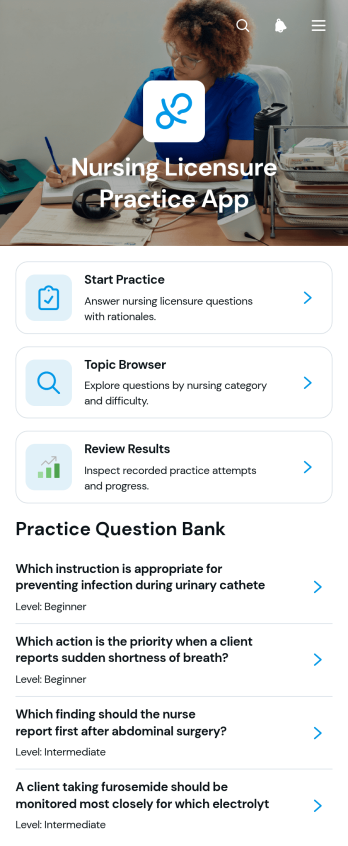
Nursing Licensure Practice App
The Nursing Licensure Practice App is an interactive study resource for nursing students, recent graduates, tutors, and education teams preparing learners for licensure-focused assessments. It brings guided question practice, topic browsing, and results review into one accessible experience. Learners can move through questions, compare selected responses with correct answers, and review category and outcome context to identify subjects that may need more attention. Nursing programs, training providers, and independent educators can use this app template to support classroom review, tutoring sessions, study groups, or self-paced preparation.Jotform makes it easy to adapt this app without writing code. Using the drag-and-drop app builder, educators can update pages, organize learning resources, adjust navigation, and apply their own visual style. Connected forms, tables, and workflows can support data collection, learner feedback, or additional study activities when needed. Once published, the app can be shared through a direct link or QR code, giving learners a mobile-friendly self-service resource they can access during scheduled courses or independent study.
Go to Category:Quiz Apps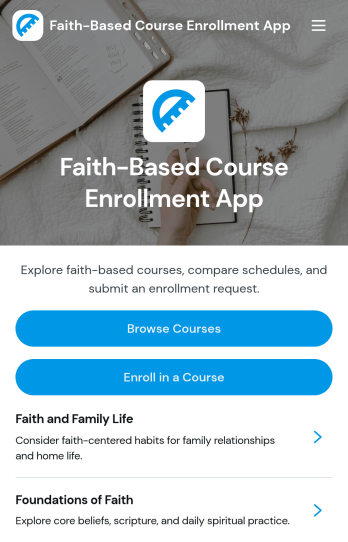
Faith-Based Course Enrollment App
The Faith-Based Course Enrollment App is an online course discovery and registration experience for churches, ministries, faith-based schools, community groups, and religious education programs. It gives prospective learners one convenient place to browse available courses, review overviews and learning outcomes, check instructor, audience, format, and schedule information, and submit an enrollment form. Program coordinators can use this app template for scripture studies, leadership development, ministry training, membership classes, spiritual formation programs, and community education. Clear course information helps participants choose suitable learning opportunities while reducing repetitive questions and disconnected registration steps for administrators.With Jotform Apps, organizations can turn this Faith-Based Course Enrollment App into a branded, mobile-friendly learning resource without writing code. The no-code app builder and drag-and-drop interface make it easy to update pages, adjust navigation, add course content, and connect forms with broader data collection and workflow processes. Teams can start with ready-made App Templates, tailor the layout to their program, and share the finished app through a direct link or QR code. Jotform also supports self-service enrollment experiences by bringing course resources and registration actions together in an accessible app.
Go to Category:Course & Training Registration Apps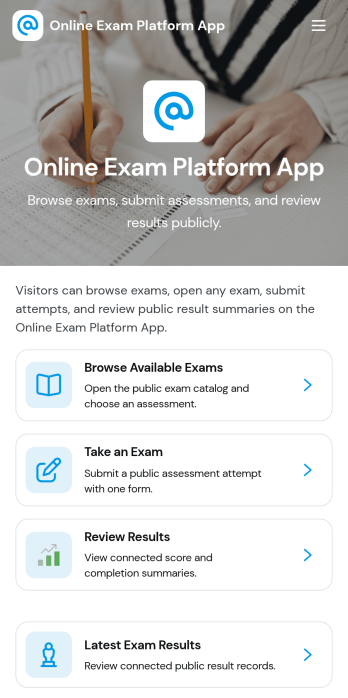
Online Exam Platform App
Online Exam Platform App helps schools, training providers, and teams run exams in one organized place, from discovering what’s available to completing an assessment and checking outcomes. Learners can browse available exams, start a public exam when appropriate, take an exam on their own device, and return later to review results and submit another attempt. It’s useful for ongoing practice quizzes, certification prep, employee assessments, and classroom check-ins where people need clear next steps and fast access to the right exam.With Jotform App Templates, you can publish a branded exam experience without code and update it as your program changes. Use Jotform’s no-code app builder and drag-and-drop interface to customize navigation, connect the app to forms for data collection, and keep exam records organized for easier follow-up. Share the app with a link so learners can self-service their exams and results while your team keeps the workflow simple and consistent.
Go to Category:Quiz Apps
Health Education Learning App
Health Education Learning App brings health education into one easy place where people can explore lessons, browse by topic, and keep moving forward at their own pace. It works well for schools, clinics, nonprofits, and workplace wellness teams that want to share reliable learning content while still giving learners a simple way to ask a health question and share learning feedback when something is unclear or could be improved.With Jotform, you can turn this app template into a branded self-service learning experience using a no-code app builder and a drag-and-drop interface. Connect lesson content to your data collection workflow, route questions and feedback to the right teammates, and update topics as programs change, all while keeping the experience mobile-friendly and easy to share with a link or QR code.
Go to Category:Education Apps