

Employee Self Service Apps

Employee Pension Opt-Out App
The Employee Pension Opt-Out App provides a dedicated employee self-service experience for submitting and managing pension opt-out requests. It is suited to employers, HR departments, benefits administrators, and payroll teams that need a consistent route for handling employee decisions. Staff can start a request, check relevant employment and effective-date details, confirm their declaration, and retain a confirmation after submission. Clear access to questions and benefits-team review helps reduce incomplete requests, scattered email conversations, and uncertainty about the next step. This app template can support both occasional requests and an established internal benefits workflow.Jotform helps organizations turn processes like this into accessible, interactive apps without writing code. Using its no-code app builder and drag-and-drop interface, teams can adapt pages, navigation, forms, and branding to match internal procedures. Connected forms, tables, notifications, and approval steps bring data collection and follow-up work into one organized workflow. Among Jotform App Templates, this option offers a practical starting point that can be customized, published, and shared through a direct link or QR code for convenient mobile access.
Go to Category:Employee Self Service Apps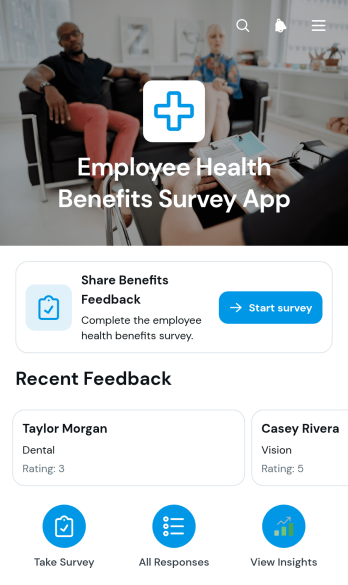
Employee Health Benefits Survey App
The Employee Health Benefits Survey App helps HR teams, benefits administrators, and organizational leaders gather employee perspectives on workplace health benefit offerings. Employees can open the survey from a clear starting point and share feedback about their coverage, satisfaction, and most valued benefits. Authorized teams can browse submitted feedback and review key response details in one organized experience. This app template is useful during annual benefits reviews, enrollment planning, workforce listening initiatives, and evaluations of existing benefit packages. It replaces scattered questionnaires and disconnected records with a more accessible data collection process, giving decision-makers clearer insight into employee priorities.Jotform makes this template easy to adapt with a no-code app builder and an intuitive drag-and-drop interface. Teams can update pages, branding, navigation, survey questions, and connected workflows without programming. Forms, tables, approval steps, and other resources can be linked within the app as needs evolve. Once published, the experience can be shared through a direct link or QR code for convenient mobile access. Jotform App Templates help organizations launch polished self-service experiences quickly while keeping feedback collection and review connected in a central workspace.
Go to Category:Human Resources Apps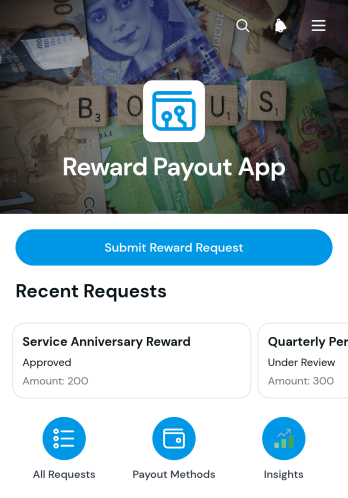
Reward Payout App
The Reward Payout App is an app template for organizing reward payout requests before they are reviewed and fulfilled. Finance teams, HR departments, incentive program managers, nonprofits, and customer engagement teams can use it to collect recipient and payout information in one consistent location. Users can submit a new reward request, browse existing requests, and view essential details such as the requested amount, payout method, recipient email, and notes. This centralized approach improves data collection, reduces scattered communication, and gives administrators a clearer record of pending and previously submitted rewards.With Jotform Apps, teams can customize this Reward Payout App through a no-code app builder and an intuitive drag-and-drop interface. Pages, forms, navigation, branding, and connected workflows can be adjusted to match an organization’s payout process without programming. Teams can also connect approval steps, tables, notifications, and other resources as their process grows. Once published, the app can be shared by link or QR code, providing convenient mobile access and a practical self-service experience for requesters and administrators.
Go to Category:Finance & Accounting Portal Apps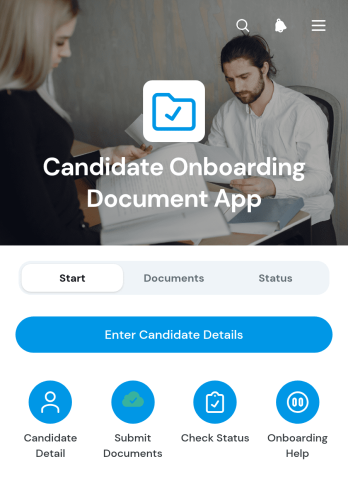
Candidate Onboarding Document App
The Candidate Onboarding Document App gives human resources teams, recruiters, hiring managers, and staffing professionals one organized place to collect candidate details and required onboarding files. Candidates can enter their information, submit documents, and check their current status without relying on scattered emails or repeated follow-ups. The app is well suited to growing businesses, recruitment teams, staffing agencies, and organizations managing multiple new hires at once. By connecting document collection with status lookup and guided navigation, it creates a clearer experience for candidates while helping internal teams keep onboarding records accessible and easier to review.Jotform makes this app template easy to adapt with a no-code app builder and a visual drag-and-drop interface. Teams can update pages, buttons, instructions, colors, and branding to match their onboarding workflow, then connect forms, tables, approvals, and notifications as needed. The Candidate Onboarding Document App can be shared through a direct link or QR code for convenient mobile access. Jotform App Templates also help teams support self-service data collection, reduce manual coordination, and publish a polished onboarding experience without writing code.
Go to Category:HR Portal Apps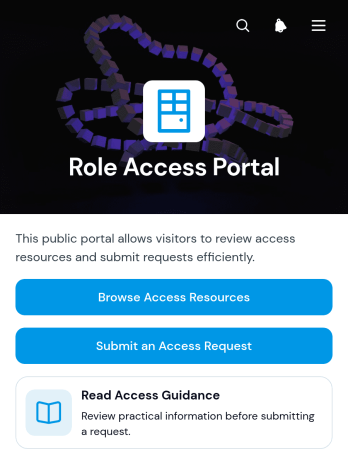
Role Access Portal App
Role Access Portal App gives employees, contractors, administrators, and support teams a central place to review access resources and submit role-related access requests. Users can browse available resources, open guidance, review access types, view relevant contact information, and send a request through a connected form. It is well suited to growing businesses, information technology teams, human resources departments, and operations groups that need a clear route for handling account, system, workspace, or resource access inquiries. By bringing guidance and request intake together, the portal can reduce misdirected questions, improve request quality, and help staff understand what to prepare before asking for access.With Jotform, this app template can be adapted through a no-code app builder and an intuitive drag-and-drop interface. Teams can update pages, buttons, resource cards, branding, and support details without programming, then connect forms, tables, approvals, and notifications to support the wider workflow. The finished app can be shared by direct link or QR code for convenient mobile access and employee self-service. Jotform App Templates also make it easier to launch quickly while retaining the flexibility to revise resources and request paths as roles, tools, and internal processes change.
Go to Category:Company Portal Apps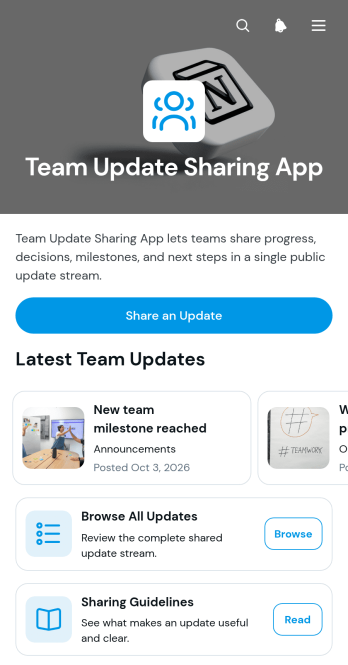
Team Update Sharing App
The Team Update Sharing App is a ready-to-use internal communication space for departments, project groups, operations teams, and growing organizations that need one place to publish and review workplace news. Team members can submit an update through a connected form, browse posts across projects, operations, and announcements, and consult sharing guidelines before contributing. Each post can display its title, team area, publication date, and supporting details. By replacing scattered messages and hard-to-find status notes with an organized update feed, this app template helps managers improve visibility, keep distributed teams informed, and preserve a useful record of progress, changes, and important announcements.Jotform App Templates make it easy to adapt this experience to an organization without writing code. With Jotform’s no-code app builder and drag-and-drop interface, teams can customize pages, navigation, colors, fonts, buttons, and branding while connecting forms and data collection workflows. The finished app can be shared through a direct link or QR code, giving employees mobile-friendly self-service access from nearly any device. Organizations can also revise categories, update guidance, and expand connected resources as communication needs evolve, creating a practical home for ongoing team updates.
Go to Category:Team Collaboration Apps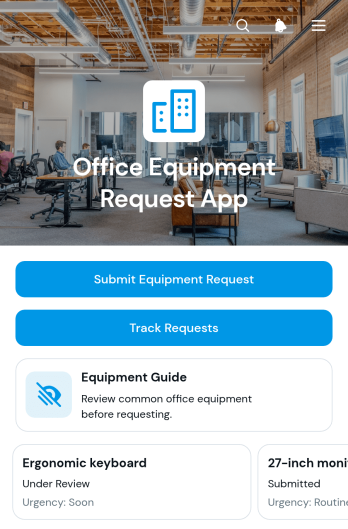
Office Equipment Request App
The Office Equipment Request App is an app template for employees who need a clear way to request workplace equipment and for operations, HR, facilities, and IT teams that manage those requests. Staff can submit requests for items such as monitors, keyboards, mice, and headsets, then track progress without relying on scattered emails or messages. An equipment guide helps requesters choose suitable items, while request details give reviewing teams quick access to quantities, urgency, status, and review notes. This employee self-service experience supports offices, hybrid workplaces, growing businesses, and distributed teams that want consistent data collection and better visibility across equipment requests.With Jotform Apps, organizations can tailor this Office Equipment Request App through a no-code app builder and an intuitive drag-and-drop interface. Teams can update pages, branding, navigation, and request options, then connect forms, tables, approvals, notifications, and other workflow steps. The finished app can be shared by link or QR code for convenient mobile access. Starting with Jotform App Templates reduces setup work while giving administrators the flexibility to create a branded resource that fits internal purchasing and equipment allocation processes.
Go to Category:Employee Self Service Apps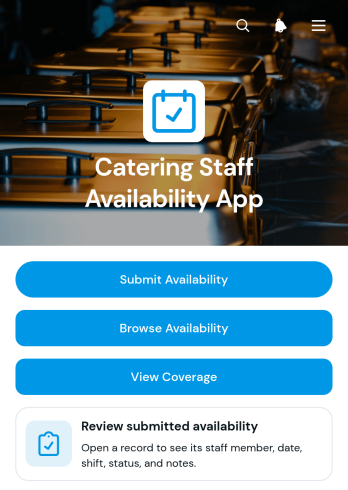
Catering Staff Availability App
Catering Staff Availability App is an internal scheduling resource for catering managers, event staffing coordinators, restaurant operators, and hospitality teams that need a clear view of who can work upcoming shifts. Staff members can submit their availability, supervisors can browse responses, and planners can review coverage before assigning teams to events. It brings preferred shifts, availability status, and relevant staff notes into one accessible location without relying on scattered messages or separate spreadsheets. Use this app template when planning private functions, large events, seasonal demand, or recurring catering schedules. It helps managers spot staffing gaps sooner, compare available team members, and make informed scheduling decisions.Jotform makes it easy to adapt the Catering Staff Availability App with a no-code app builder and a flexible drag-and-drop interface. Add or rearrange pages, update branding, connect forms and tables, and link related approval or notification workflows without writing code. Teams can create a convenient employee self-service experience that supports reliable data collection and keeps scheduling resources together. Once the app is ready, share it through a direct link or QR code so staff can access it from a phone, tablet, or computer. Jotform App Templates provide a practical starting point that can be customized as staffing processes and operational needs change.
Go to Category:Scheduling Apps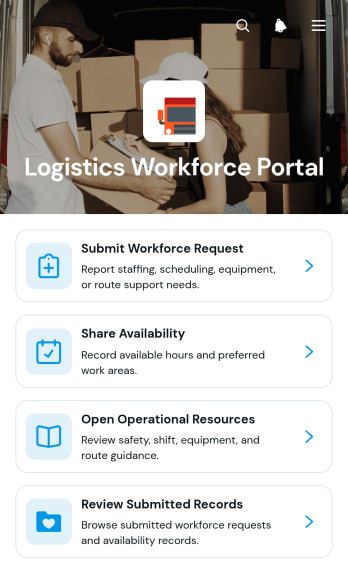
Logistics Workforce Portal App
The Logistics Workforce Portal App provides logistics coordinators, dispatch teams, warehouse supervisors, field managers, and transportation businesses with a central place to coordinate staffing needs. Teams can submit workforce requests, share employee availability, review submitted records, and open operational resources without relying on scattered messages or documents. It supports day-to-day labor planning across warehouses, distribution centers, delivery operations, and other locations where staffing requirements can change quickly. Clear access to request details, work areas, required dates, available hours, and availability dates helps managers identify coverage needs while giving workers a convenient self-service experience.Jotform App Templates make it easy to adapt this app template to the way your operation works. With Jotform’s no-code app builder and drag-and-drop interface, you can update pages, navigation, visual branding, and content without programming. Connect forms and tables to support data collection, organize records, and maintain a more consistent workflow for workforce coordination. Once the portal is ready, publish it with a shareable link or QR code so employees and supervisors can access it from phones, tablets, or computers. The app builder also makes ongoing updates simple as staffing processes, work areas, and operational resources change.
Go to Category:Operations & Logistics Portal Apps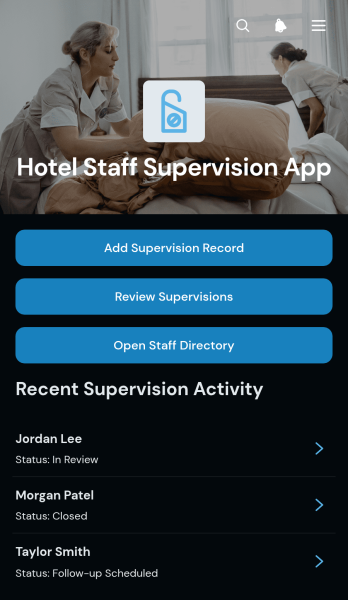
Hotel Staff Supervision App
The Hotel Staff Supervision App gives hotel supervisors and department managers a central place to document staff observations, review supervision records, and access employee directory information. It is suited to hotels, resorts, inns, and other hospitality operations that need a consistent view of employee performance across housekeeping, front desk, food service, maintenance, and guest services. Managers can record workplace observations, monitor follow-up needs, and find staff contact details without relying on scattered notes or separate files. This app template supports clearer oversight, more consistent coaching, and better coordination among supervisors working across departments and hotel areas.Jotform Apps helps hospitality teams turn routine supervision into an accessible digital workflow without writing code. Use the drag-and-drop app builder to adapt pages, navigation, colors, fonts, and branding to match hotel operations. Connected forms and tables simplify data collection and keep staff records organized, while links or QR codes make the app easy to share with authorized managers. Starting from ready-made App Templates also reduces setup time, giving teams a mobile-friendly way to manage internal resources, support self-service access, and update processes as operational needs change.
Go to Category:Hotel Management Apps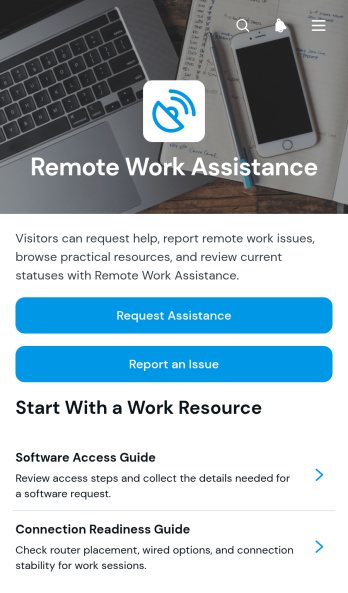
Remote Work Assistance App
Remote Work Assistance App is an app template for organizations that need a central place where remote employees can ask for help, report work-related issues, and find useful resources. It suits human resources teams, information technology support staff, operations managers, team leaders, and distributed businesses that want to make assistance easier to access outside a shared office. Employees can submit assistance requests, report remote work issues, and browse available guidance without relying on scattered emails or informal messages. This focused self-service experience helps teams organize incoming needs, direct people toward relevant information, and maintain clearer records of common remote work concerns.Jotform helps organizations turn this template into a branded app without writing code. Its no-code app builder and drag-and-drop interface make it easy to adjust pages, buttons, navigation, colors, and content for different teams or policies. Users can connect forms, tables, notifications, approvals, and other workflow steps to support data collection and internal follow-up. As part of Jotform App Templates, the Remote Work Assistance App can be shared by link or QR code and opened on phones, tablets, or computers, giving remote employees a convenient route to resources and support wherever they work.
Go to Category:Employee Self Service Apps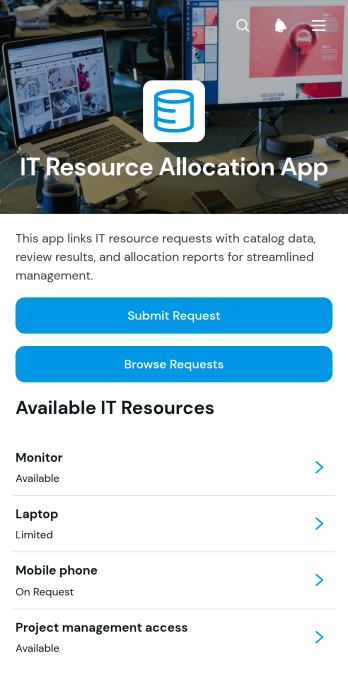
IT Resource Allocation App
The IT Resource Allocation App gives technology teams a central place to receive, review, and organize requests for hardware, software, access, and other technical resources. Employees can submit a new request, browse existing requests, and review available resources with details such as standard lead time and current availability. It is well suited to internal IT departments, operations teams, service coordinators, and growing organizations that need clearer oversight of demand. By keeping requestor information, request codes, resource details, and status-related information together, the app reduces scattered communication, helps teams prioritize needs, and supports more consistent allocation decisions.Jotform Apps makes it easy to customize this app template without coding. Using the drag-and-drop app builder, teams can update pages, buttons, resource listings, colors, fonts, and branding to match their internal processes. The app can connect data collection forms with tables, notifications, approvals, and other workflow steps, creating a convenient self-service experience for employees and IT staff. Once ready, it can be shared through a direct link or QR code for mobile-friendly access, helping users submit and review resource requests from almost any device.
Go to Category:Information Technology Apps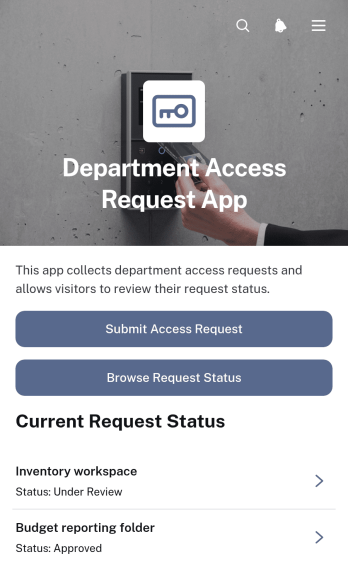
Department Access Request App
The Department Access Request App is an internal request hub for employees, managers, human resources teams, information technology teams, and department administrators who need a consistent way to manage access needs. Staff can submit a new access request, specify the relevant department, requester, requested start date, and access duration, then browse request status and review outcomes from one convenient location. This app template helps organizations replace scattered emails and informal messages with a clear workflow that supports employee self-service, request visibility, and more organized access reviews.Jotform makes this Department Access Request App easy to adapt with a no-code app builder and an intuitive drag-and-drop interface. Teams can customize pages, wording, colors, and branding, connect forms and approval steps, and organize collected data for ongoing administration. The finished app can be shared through a direct link or QR code, giving employees mobile-friendly access without requiring coding knowledge. Start with one of Jotform’s App Templates, tailor the experience to your internal process, and publish it when it is ready for use.
Go to Category:Employee Self Service Apps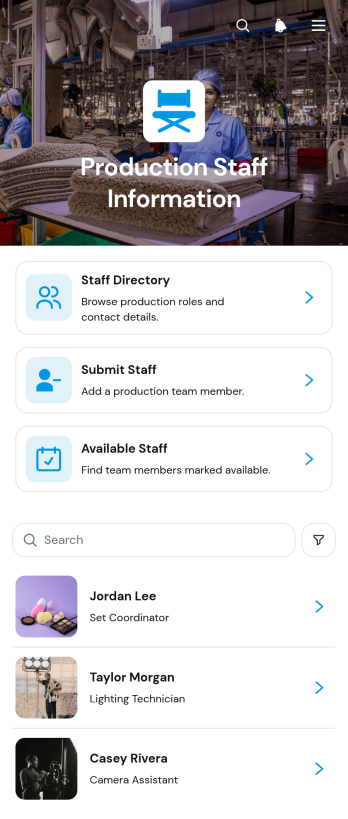
Production Staff Information App
The Production Staff Information App is a centralized resource for organizing crew details and helping production teams find the right people for upcoming work. Production coordinators, department leads, staffing managers, and operations teams can browse a staff directory, check availability, and contact team members by email or phone. It is useful for coordinating shoots, performances, events, and other projects where staffing needs can change quickly. Keeping department, shift, availability, contact information, and production notes in one accessible place reduces scattered records and makes crew planning more consistent.Jotform makes this app template easy to adapt to the way each production team operates. Using the no-code app builder and its drag-and-drop interface, teams can update pages, adjust branding, add navigation, and connect forms or other workflows without programming. New staff information can flow into an organized directory, giving coordinators a practical self-service resource for daily staffing decisions. Like other Jotform App Templates, the finished app can be shared through a direct link or QR code and accessed from phones, tablets, and computers.
Go to Category:HR Portal Apps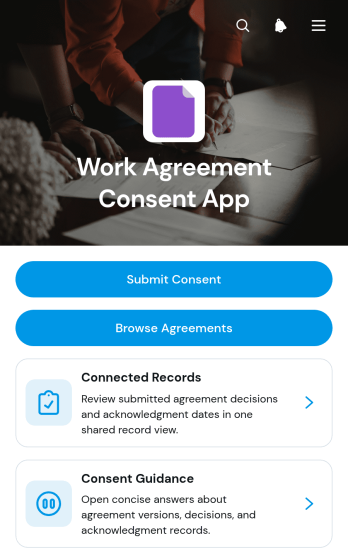
Work Agreement Consent App
The Work Agreement Consent App gives human resources teams, managers, contractors, and growing businesses a central place to present work agreements and document consent decisions. Staff members can submit consent, browse available agreements, review guidance, and view connected records showing details such as the agreement version and recorded decision. This app template is well suited to onboarding, policy updates, revised working arrangements, contractor engagement, and other situations where organizations need a clear record of who reviewed and responded to an agreement. It reduces scattered paperwork, makes information easier to find, and supports a more consistent internal process.Jotform Apps helps teams turn this process into a branded, mobile-friendly experience without writing code. Using the drag-and-drop app builder, organizations can adjust pages, navigation, colors, fonts, and content to match their internal workflow. Forms and connected records keep data collection organized, while links, cards, and buttons guide users toward the right action. The finished app can be shared by direct link or QR code, giving employees and contractors convenient self-service access from almost any device.
Go to Category:HR Portal Apps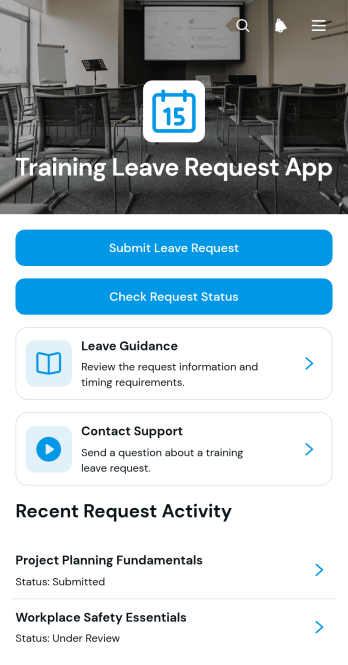
Training Leave Request App
The Training Leave Request App is an app template for employees who need time away from regular duties to attend courses, workshops, certifications, or other professional development activities. It gives staff a central place to submit a leave request, check its status, review leave guidance, and contact the appropriate support team. Employees can provide essential training information such as dates, format, provider, and business justification, helping managers and human resources teams evaluate requests with consistent details. The app is well suited to growing businesses, educational institutions, nonprofits, consulting firms, and distributed teams that want to replace scattered emails and incomplete requests with a clear employee self-service experience.Jotform Apps helps organizations turn related forms, resources, and processes into a mobile-friendly app without writing code. Start with this app template, then use the drag-and-drop app builder to adjust pages, branding, navigation, and connected workflows. Request information can flow into organized tables, trigger notifications, and support timely follow-up by the teams responsible for review. The finished app can be shared through a direct link or QR code, giving employees convenient access from a phone, tablet, or computer while keeping training leave activity easier to manage.
Go to Category:Employee Self Service Apps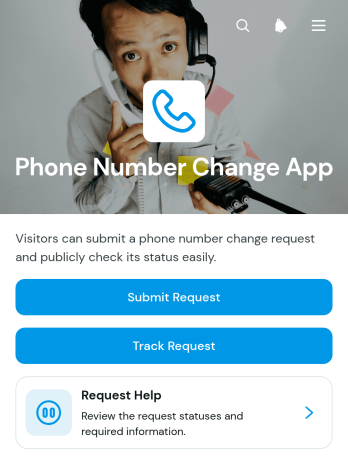
Phone Number Change App
Phone Number Change App is a self-service request template for organizations that need a clear, accessible way to receive and manage phone number update requests. Customers, employees, members, students, or service users can submit a change request, track its progress with a reference number, and reach a help area when they need support. It is well suited to customer service teams, human resources departments, educational institutions, membership organizations, and operations teams that maintain contact records. By giving requesters one consistent destination, the app reduces scattered inquiries, improves request visibility, and helps staff keep contact information update work organized.Jotform App Templates make it easy to adapt the Phone Number Change App to an existing workflow without writing code. Using Jotform’s no-code app builder and drag-and-drop interface, teams can customize pages, wording, colors, buttons, and navigation to match their process. The app template can connect data collection forms with tables, notifications, approvals, and other workflow steps, helping staff review requests and keep records organized. Once ready, the app can be shared through a direct link or QR code for convenient mobile access, giving users a straightforward self-service experience from almost any device.
Go to Category:Employee Self Service Apps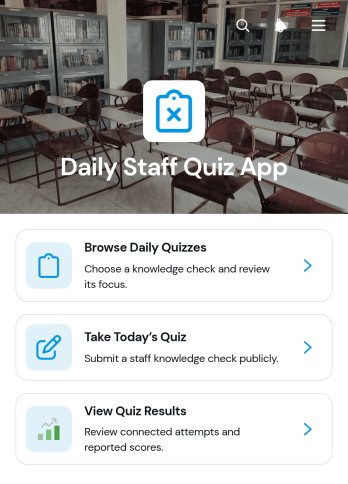
Daily Staff Quiz App
Daily Staff Quiz App is an app template for delivering short, recurring quizzes that reinforce workplace knowledge, training topics, procedures, and team updates. Managers, human resources teams, trainers, supervisors, and small to medium-sized businesses can use it to keep learning active without relying on lengthy training sessions. Staff can browse available daily quizzes, open the current quiz, and review quiz results from one convenient location. This focused experience supports regular knowledge checks, helps teams identify subjects that may need clarification, and encourages employees to retain important information as part of their daily routine.With Jotform Apps, organizations can adapt this app template using a no-code app builder and an intuitive drag-and-drop interface. Quiz access can be connected with forms and organized into a clear workflow for data collection, result review, and ongoing training. Teams can update content, adjust navigation, apply their own visual style, and share the finished app through a direct link or QR code. Jotform App Templates also make it easy to create a mobile-friendly self-service learning resource that staff can access from different devices, whether they work in an office, at a service location, or in the field.
Go to Category:Quiz Apps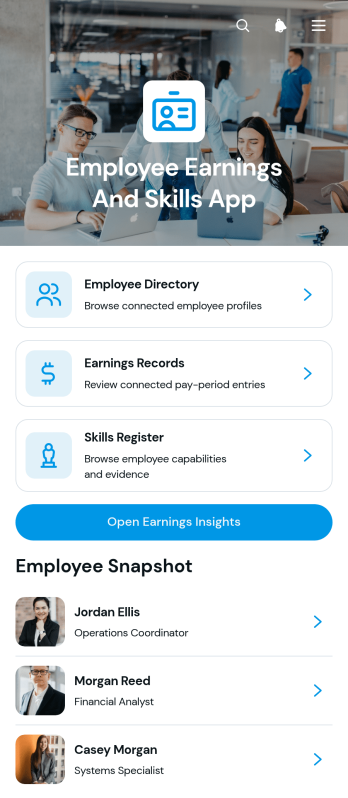
Employee Earnings and Skills App
The Employee Earnings and Skills App brings workforce profiles, earnings records, and skill information into one accessible resource for human resources teams, managers, payroll coordinators, and department leaders. Users can browse an employee directory, review individual earnings details, maintain a skills register, and open earnings insights without switching between disconnected records. It supports workforce planning, compensation reviews, project staffing, internal mobility, training decisions, and skills gap analysis. By keeping relevant employee information organized, the app helps teams find qualified staff, understand experience levels, document supporting evidence, and make better-informed workforce decisions.Jotform offers customizable App Templates that help organizations turn routine processes into convenient digital experiences. With its no-code app builder and drag-and-drop interface, teams can adapt the Employee Earnings and Skills App to their structure, branding, and workflow. Connected forms support data collection for employee profiles, earnings entries, and skill records, while organized pages make information easier to navigate. The finished app can be shared by a direct link or QR code and accessed from phones, tablets, or computers, giving approved users a practical self-service destination for current workforce information.
Go to Category:HR Portal Apps
Earnings Withdrawal Request App
The Earnings Withdrawal Request App is an app template for businesses, finance teams, contractor networks, membership programs, and digital service providers that need a clear way to receive earnings withdrawal requests. Requesters can submit a withdrawal request, view its current status, and consult a status guide from one convenient location. This organized self-service experience reduces scattered messages, gives users clearer visibility into pending requests, and helps administrative teams maintain a consistent intake process. It is particularly useful for organizations that manage payouts for employees, freelancers, contributors, sellers, or other eligible account holders.Jotform Apps makes it easy to adapt this template without writing code. Use the no-code app builder and drag-and-drop interface to update pages, adjust branding, reorganize navigation, and connect forms or tables that support your workflow. Teams can use Jotform App Templates to create a mobile-friendly destination for data collection and request tracking, then share it through a direct link, QR code, or embedded experience. The Earnings Withdrawal Request App can be tailored as processes change, helping requesters find the right action while giving staff a practical way to organize incoming information.
Go to Category:Finance Apps
Team Request Tracking App
The Team Request Tracking App gives internal teams a shared place to submit requests, browse existing records, and monitor progress from a status board. It suits operations, human resources, information technology, facilities, project, and service teams that manage requests from employees or cross-functional groups. Centralized access helps requesters find updates without relying on scattered messages, while coordinators can review priorities, route work to the right team, and follow up on outstanding needs. Small and midsize organizations can use this app template to create a more visible and consistent request workflow.With Jotform Apps, you can adapt this Team Request Tracking App through a no-code app builder and an intuitive drag-and-drop interface. Update pages, navigation, colors, and branding, then connect forms and organized data to support collection and ongoing tracking. Jotform app templates also make it easy to add approval steps, notifications, or other workflows as team processes evolve. Publish the finished app with a direct link or QR code so employees can access a mobile-friendly self-service experience wherever work happens.
Go to Category:Team Collaboration Apps
Employee Credentials Portal App
Employee Credentials Portal App provides HR teams, operations managers, administrators, and department supervisors with a central place to organize workforce credential records. Employees can submit credential details and supporting documents, while authorized staff can browse entries and maintain records as information changes. Issue and expiry dates help teams monitor time-sensitive qualifications without relying on scattered files or email threads. The app template is useful for companies, contractors, service providers, and other organizations that need a consistent credential data collection process and convenient employee self-service access.With Jotform Apps, teams can adapt this Employee Credentials Portal App through a no-code app builder and an intuitive drag-and-drop interface. Pages, navigation, branding, forms, and connected tables can be updated to match internal processes without writing code. Organizations can connect the app to approvals, notifications, and other workflow steps, then share it by direct link or QR code for mobile-friendly access. Jotform App Templates offer a practical starting point for bringing credential intake, record navigation, and ongoing updates into one interactive experience.
Go to Category:HR Portal Apps
Wi-Fi Access Request App
Wi-Fi Access Request App gives employees, guests, contractors, students, and visitors a central place to request network access and follow the progress of each request. It is well suited to information technology teams, offices, schools, hospitality businesses, shared workspaces, and event venues that need a consistent way to receive and organize access needs. Users can submit a new request, browse existing requests, and review open items with key details such as status, location, access type, devices, preferred access date, and follow-up information. This reduces scattered messages, gives support teams clearer request data, and helps requesters check updates through self-service access.With Jotform Apps, teams can customize this app template through a no-code app builder and an intuitive drag-and-drop interface. Add branded pages, update navigation, connect forms and tables, or extend the workflow with notifications and approval steps as operational needs change. Jotform App Templates also make it easy to create a mobile-friendly resource that can be shared by direct link, QR code, or embedded experience. Organizations can collect data, organize requests, and maintain a convenient access point without building an app from scratch.
Go to Category:Information Technology Apps
Employee Pairing App
The Employee Pairing App is a ready-to-use app template for HR teams, people managers, team leads, and organizations that coordinate mentoring, peer learning, onboarding buddies, or cross-functional partnerships. Employees can submit pairing preferences, review profiles based on strengths, preferred focus, and availability, and view recorded pairs with their current status and shared focus. This central resource helps coordinators make informed matches, maintain visibility across active pairings, and replace scattered messages or spreadsheets with a consistent process. It works well for recurring development programs, new-hire support, knowledge sharing, and collaboration initiatives.Jotform app templates make it easy to turn this process into a branded, mobile-friendly experience without writing code. Use the no-code app builder and drag-and-drop interface to adjust pages, cards, navigation, fonts, and colors to suit your organization. You can connect forms for data collection, organize employee information, support related workflows, and update resources as the program changes. Once the Employee Pairing App is ready, share it through a direct link or QR code so participants and coordinators can access the same self-service destination from any device.
Go to Category:Employee Self Service Apps