

Employee Self Service Apps

Team Request Tracking App
The Team Request Tracking App gives internal teams a shared place to submit requests, browse existing records, and monitor progress from a status board. It suits operations, human resources, information technology, facilities, project, and service teams that manage requests from employees or cross-functional groups. Centralized access helps requesters find updates without relying on scattered messages, while coordinators can review priorities, route work to the right team, and follow up on outstanding needs. Small and midsize organizations can use this app template to create a more visible and consistent request workflow.With Jotform Apps, you can adapt this Team Request Tracking App through a no-code app builder and an intuitive drag-and-drop interface. Update pages, navigation, colors, and branding, then connect forms and organized data to support collection and ongoing tracking. Jotform app templates also make it easy to add approval steps, notifications, or other workflows as team processes evolve. Publish the finished app with a direct link or QR code so employees can access a mobile-friendly self-service experience wherever work happens.
Go to Category:Team Collaboration Apps
Employee Credentials Portal App
Employee Credentials Portal App provides HR teams, operations managers, administrators, and department supervisors with a central place to organize workforce credential records. Employees can submit credential details and supporting documents, while authorized staff can browse entries and maintain records as information changes. Issue and expiry dates help teams monitor time-sensitive qualifications without relying on scattered files or email threads. The app template is useful for companies, contractors, service providers, and other organizations that need a consistent credential data collection process and convenient employee self-service access.With Jotform Apps, teams can adapt this Employee Credentials Portal App through a no-code app builder and an intuitive drag-and-drop interface. Pages, navigation, branding, forms, and connected tables can be updated to match internal processes without writing code. Organizations can connect the app to approvals, notifications, and other workflow steps, then share it by direct link or QR code for mobile-friendly access. Jotform App Templates offer a practical starting point for bringing credential intake, record navigation, and ongoing updates into one interactive experience.
Go to Category:HR Portal Apps
Wi-Fi Access Request App
Wi-Fi Access Request App gives employees, guests, contractors, students, and visitors a central place to request network access and follow the progress of each request. It is well suited to information technology teams, offices, schools, hospitality businesses, shared workspaces, and event venues that need a consistent way to receive and organize access needs. Users can submit a new request, browse existing requests, and review open items with key details such as status, location, access type, devices, preferred access date, and follow-up information. This reduces scattered messages, gives support teams clearer request data, and helps requesters check updates through self-service access.With Jotform Apps, teams can customize this app template through a no-code app builder and an intuitive drag-and-drop interface. Add branded pages, update navigation, connect forms and tables, or extend the workflow with notifications and approval steps as operational needs change. Jotform App Templates also make it easy to create a mobile-friendly resource that can be shared by direct link, QR code, or embedded experience. Organizations can collect data, organize requests, and maintain a convenient access point without building an app from scratch.
Go to Category:Information Technology Apps
Employee Pairing App
The Employee Pairing App is a ready-to-use app template for HR teams, people managers, team leads, and organizations that coordinate mentoring, peer learning, onboarding buddies, or cross-functional partnerships. Employees can submit pairing preferences, review profiles based on strengths, preferred focus, and availability, and view recorded pairs with their current status and shared focus. This central resource helps coordinators make informed matches, maintain visibility across active pairings, and replace scattered messages or spreadsheets with a consistent process. It works well for recurring development programs, new-hire support, knowledge sharing, and collaboration initiatives.Jotform app templates make it easy to turn this process into a branded, mobile-friendly experience without writing code. Use the no-code app builder and drag-and-drop interface to adjust pages, cards, navigation, fonts, and colors to suit your organization. You can connect forms for data collection, organize employee information, support related workflows, and update resources as the program changes. Once the Employee Pairing App is ready, share it through a direct link or QR code so participants and coordinators can access the same self-service destination from any device.
Go to Category:Employee Self Service Apps
Missed Time Entry App
The Missed Time Entry App gives employees a convenient place to report work hours that were omitted from an earlier time record. Employees can submit missed dates and hours with their contact information and manager details, then view previous entries from the same mobile-friendly experience. It is well suited to human resources departments, payroll support teams, managers, contractors, and growing businesses that need a consistent process for correcting incomplete time records. Centralizing these reports reduces scattered emails, gives employees a clear self-service option, and helps authorized teams review each entry with the necessary context.With Jotform, this app template can be adapted to match an organization’s time-reporting workflow without writing code. The no-code app builder and drag-and-drop interface make it easy to update pages, instructions, buttons, colors, and branding. Teams can connect forms, tables, approval steps, and notifications to support data collection and follow-up work. Jotform App Templates can also be shared by direct link or QR code, giving employees convenient access from phones, tablets, and computers while keeping time-entry resources organized in one location.
Go to Category:Employee Self Service Apps
Employee Timecard Approval App
Employee Timecard Approval App gives employees, supervisors, HR teams, and payroll administrators a central place to submit, review, and monitor timecards. Employees can record their hours and work period through a connected form, while reviewers can browse submitted timecards, inspect individual records, and document approval decisions. Status visibility helps staff confirm whether a timecard is awaiting review or has already been processed. This app template is useful for offices, service businesses, field teams, contractors, and growing organizations that want to reduce scattered time records, clarify review responsibilities, and maintain a more consistent approval workflow before payroll preparation.Jotform makes it easy to customize this app template with a no-code app builder and an intuitive drag-and-drop interface. Teams can adjust pages, buttons, colors, fonts, and navigation to reflect their internal process, then connect forms, tables, approvals, and notifications for coordinated data collection. The app can be shared by a direct link or QR code, giving employees and managers mobile-friendly self-service access from nearly any device. Start with one of Jotform’s App Templates, adapt the experience to your organization, and publish a branded resource that keeps timecard activity and approval information accessible in one place.
Go to Category:HR Portal Apps
Reserve Personnel Readiness App
Reserve Personnel Readiness App is an app template for teams that need a reliable way to monitor whether reserve personnel are prepared for upcoming assignments, training activities, or operational needs. Personnel can submit readiness updates and complete checks, while coordinators can review individual status information and direct users to relevant resources or help. It supports consistent data collection, reduces reliance on scattered messages and spreadsheets, and gives operations, human resources, training, and safety teams a clearer view of current readiness. The app is especially useful for organizations managing distributed or periodically active personnel.Jotform App Templates help teams turn recurring processes into accessible, mobile-friendly experiences without writing code. With Jotform’s no-code app builder and drag-and-drop interface, organizations can customize pages, branding, navigation, and connected forms to match an existing workflow. The Reserve Personnel Readiness App can also connect with tables, notifications, approvals, and other processes for easier record organization and follow-up. Once configured, teams can publish the app through a direct link, personalized address, embedded experience, or QR code, giving personnel convenient self-service access from nearly any device.
Go to Category:Employee Self Service Apps
Employee Shift Confirmation App
The Employee Shift Confirmation App gives employees a convenient place to review assigned shift details, confirm availability, and submit shift requests. It is well suited to HR teams, scheduling coordinators, operations managers, hospitality businesses, retailers, service providers, and other organizations with hourly or rotating staff. Employees can check key information such as shift time, work location, and notes before responding, while authorized team members can browse employee entries and submitted details. By keeping confirmations and requests in one accessible experience, the app reduces missed responses, scattered messages, and uncertainty around staffing coverage.Jotform App Templates help teams create mobile-friendly resources without writing code. Using Jotform’s no-code app builder and drag-and-drop interface, organizations can customize this app template with their branding, update its pages and navigation, and connect forms to a broader scheduling workflow. The finished app can be shared through a direct link or QR code, giving employees self-service access from their preferred device. Connected data collection also helps managers maintain organized records and coordinate shift planning from a central location.
Go to Category:Employee Self Service Apps
Lanyard Request App
The Lanyard Request App is an app template for collecting, organizing, and monitoring requests for lanyards across workplaces, schools, conferences, volunteer programs, and other organizations. Employees, event coordinators, administrative teams, facilities staff, and operations managers can use it to replace scattered emails and informal request lists with one accessible process. Requesters can submit their information and required quantity, while authorized users can review delivery details, additional notes, and request status. This clearer workflow helps teams prioritize demand, prepare the correct quantities, coordinate distribution, and keep requesters informed without relying on repeated manual follow-ups.Jotform Apps makes it easy to customize this Lanyard Request App with a no-code app builder and a flexible drag-and-drop interface. Teams can adjust pages, colors, fonts, buttons, and branding, then connect forms, tables, notifications, and approval steps to support data collection and internal workflows. The app can be shared through a direct link or QR code for convenient mobile self-service. Starting with Jotform App Templates also reduces setup time, giving organizations a ready-to-use foundation they can adapt to recurring staff needs, event preparation, supply coordination, or visitor management.
Go to Category:Operations & Logistics Portal Apps
Employee Operations Portal App
Employee Operations Portal App gives staff a central place to submit workplace requests, check request status, and browse essential operations resources. It suits human resources teams, operations departments, office administrators, department leaders, and growing businesses that need a consistent way to handle employee questions and service needs. Staff can provide request details and attachments, while authorized teams gain clearer context for routing and follow-up. By bringing self-service access, request tracking, and resource navigation together, this app template reduces scattered messages, improves visibility, and helps employees find the right operational support.Jotform App Templates make it easy to adapt this portal to your organization without writing code. Use the no-code app builder and drag-and-drop interface to update pages, buttons, visual styling, and navigation while connecting forms and tables to support data collection and workflow management. Teams can organize employee resources, receive notifications from linked processes, and maintain request records in one accessible experience. Publish the finished app with a shareable link or QR code so employees can open it from a phone, tablet, or computer.
Go to Category:Employee Self Service Apps
Superannuation Choice Form App
Superannuation Choice Form App gives employees a central place to submit a preferred fund choice while helping HR and payroll teams organize the information needed for contribution setup. Employers, workforce administrators, financial service teams, and contractors can use this app template during onboarding, after an employee changes funds, or when existing choice details need updating. Users can submit fund information, review recorded choices, and browse or compare fund references without relying on disconnected documents and email threads. This supports clearer data collection, easier record review, and a more convenient self-service experience for employees.Jotform Apps helps organizations turn processes like fund choice collection into accessible digital experiences without writing code. Start with this template from Jotform App Templates, then use the no-code app builder and drag-and-drop interface to adjust pages, navigation, colors, and branding. Forms, tables, notifications, approvals, and other workflow resources can be connected to keep information moving between employees and internal teams. Once the Superannuation Choice Form App is ready, publish it through a direct link or QR code so users can open it from a phone, tablet, or computer.
Go to Category:Employee Self Service Apps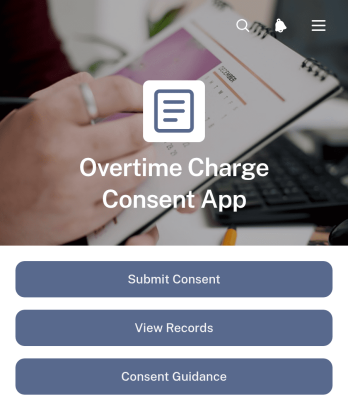
Overtime Charge Consent App
The Overtime Charge Consent App gives contractors, service businesses, project managers, and operations teams a clear way to request and document consent for additional charges tied to overtime work. Customers, supervisors, or other authorized reviewers can examine the worker name, overtime hours, charge amount, work date, and supporting notes before recording a consent decision. Dedicated access to consent submission, record viewing, and guidance helps reduce uncertainty about added labor costs while keeping each decision easy to reference. It is especially useful for field services, construction projects, maintenance work, consulting engagements, and other services where schedules may extend beyond agreed hours.Jotform Apps makes this app template easy to adapt without coding. Use the drag-and-drop app builder to update the layout, add branded content, revise guidance, or connect forms and tables that support your workflow. Submitted information can be organized for data collection, internal review, and ongoing record management, while notifications can help teams respond to new decisions. Share the finished app through a direct link or QR code so customers and staff can access a mobile-friendly self-service experience whenever overtime authorization is needed.
Go to Category:Contractor Apps
Software Removal Request App
The Software Removal Request App is a centralized request experience for employees, IT teams, service desks, and system administrators coordinating the removal of unwanted or obsolete software. Users can submit a removal request with the software name, requester details, device or system, preferred removal date, reason, and supporting notes. They can also browse existing requests, review individual request details and statuses, and consult removal guidance with relevant steps and important notes. This app template helps organizations replace scattered emails and informal messages with a consistent intake process, clearer records, and convenient self-service access.Jotform makes this Software Removal Request App easy to adapt without coding. Use the no-code app builder and drag-and-drop interface to update pages, navigation, branding, and instructions for your organization. Connect forms and tables to support data collection, organize request records, and build a practical workflow for follow-up. The app can be shared through a direct link or QR code, giving employees mobile-friendly access while helping IT teams keep request information and guidance together. Start with one of Jotform’s App Templates, customize it, and publish an interactive resource that fits your internal support process.
Go to Category:Information Technology Apps
Employee Promotion Request App
Employee Promotion Request App is an internal HR app template for managers, department leaders, and people operations teams that need a consistent way to propose and assess employee promotions. It brings promotion request submission, request browsing, and review guidance into one accessible experience, helping teams replace scattered emails and disconnected documents. Managers can present the promotion case, qualifications, department details, requested effective date, and supporting information, while reviewers can compare requests and monitor their status. The app is useful during review cycles, workforce planning, succession discussions, or individual advancement decisions. By keeping the process visible and organized, it supports clearer handoffs, more complete data collection, and dependable internal records.Jotform Apps lets HR teams adapt this Employee Promotion Request App without coding. Using the no-code app builder and drag-and-drop interface, you can update pages, navigation, colors, fonts, and branding, then connect forms, tables, approval steps, and notifications to match your workflow. Publish the finished app with a direct link, custom URL, or QR code so authorized managers and reviewers can reach it from a phone, tablet, or computer. Jotform App Templates provide a ready-made foundation for an employee self-service resource or focused management hub, reducing setup time while keeping promotion materials and actions easy to find.
Go to Category:Human Resources Apps
Workplace Dispute Case App
The Workplace Dispute Case App provides employees, human resources teams, employee relations specialists, and managers with a central place to document and manage workplace concerns. It supports case submission, record review, guidance browsing, and follow-up communication without scattering information across separate channels. Organizations can use this app template for interpersonal conflicts, communication problems, disagreements about workplace practices, or other matters that require internal review. Clear case context, information about involved parties, requested resolutions, and related resources help reviewers understand each concern and determine appropriate next steps.With Jotform, teams can adapt this app using a no-code app builder and an intuitive drag-and-drop interface. Pages, cards, buttons, forms, and resource links can be updated to reflect internal terminology and processes. Connected forms support consistent data collection, while tables and workflows can help authorized teams organize case records and coordinate follow-ups. The app can be shared through a direct link or QR code for convenient mobile access, giving employees a practical self-service route for submitting concerns and finding guidance. Start with this app template, apply organization branding, and publish a focused experience without writing code.
Go to Category:HR Portal Apps
Private App Launcher App
Private App Launcher App gives employees, contractors, and approved partners a central place to find and open the internal apps they use for daily work. It suits information technology teams, operations departments, and growing businesses that want to replace scattered bookmarks and hard-to-maintain link lists with an organized launcher. Users can browse available apps, move through productivity and operations categories, review an app’s description and status, and follow its launch link. A connected submission form also gives teams a consistent way to recommend additions. This app template supports faster resource discovery, clearer app ownership, and a more convenient self-service experience for distributed teams.Jotform App Templates help organizations create mobile-friendly destinations without writing code. With Jotform’s no-code app builder and drag-and-drop interface, teams can tailor pages, cards, buttons, navigation, colors, fonts, and branding to fit their internal workflow. Forms, tables, approvals, and notifications can be connected to support data collection and follow-up tasks. Once the Private App Launcher App is ready, it can be published and shared through a direct link, QR code, or embedded experience, giving authorized audiences a practical way to reach current tools from computers, phones, and tablets.
Go to Category:Company Portal Apps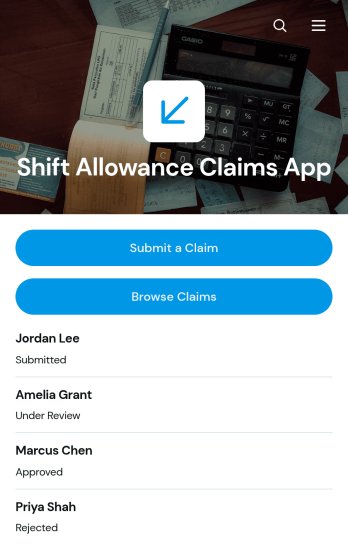
Shift Allowance Claims App
Shift Allowance Claims App is an app template for employees who need to submit allowance requests for eligible shifts and for HR, payroll, finance, and operations teams that review those claims. Staff can submit a claim, browse previous claims, and view key details such as shift dates, hours worked, allowance types, claimed amounts, and current status. It is well suited to businesses with evening, overnight, weekend, holiday, or other qualifying shifts, including hospitality, healthcare, manufacturing, transport, security, and field service organizations. By keeping records in one accessible location, the app reduces scattered paperwork, improves claim visibility, and helps teams prepare accurate information for internal review and payroll processing.Jotform Apps makes this Shift Allowance Claims App easy to adapt without coding. Use the drag-and-drop app builder to update pages, buttons, colors, fonts, and branding, then connect forms, tables, approvals, notifications, and other workflow steps. The mobile-friendly experience gives employees convenient self-service access from any device, while administrators can organize collected data and monitor requests centrally. Start with this ready-to-use app template, tailor it to your allowance policy and review process, and share it through a direct link, QR code, or embedded experience.
Go to Category:Employee Self Service Apps
Access Unlock Request App
Access Unlock Request App gives employees, contractors, and other authorized users a central place to request restored access to accounts, systems, facilities, or restricted resources. It is well suited to IT departments, security teams, facilities staff, service desks, and operations teams that need a consistent way to receive and manage unlock requests. Users can submit an access request, check its status, and review request details such as the requester, access area, access type, and required date. Separate views for open and completed requests help teams prioritize outstanding work, reduce duplicate inquiries, document outcomes, and give requesters a clearer self-service experience.With Jotform, this app template can be adapted to match an organization’s access procedures, terminology, and visual identity. The no-code app builder and drag-and-drop interface make it easy to update pages, buttons, guidance, and navigation without programming. Teams can connect forms, tables, notifications, approvals, and other workflow steps to support organized data collection and timely follow-up. Once configured, the Access Unlock Request App can be published with a shareable link or QR code, giving users a mobile-friendly way to send requests and find updates from nearly any device.
Go to Category:Information Technology Apps
Employee Wellbeing Pulse App
The Employee Wellbeing Pulse App gives HR teams, people managers, and growing organizations a practical way to gather recurring employee wellbeing updates and identify where support may be needed. Employees can submit a pulse covering overall wellbeing, energy level, support needs, and optional comments. Authorized users can review pulse insights, while employees can browse relevant wellbeing resources from the same mobile-friendly destination. This app template is useful for regular check-ins, distributed teams, workplace wellness initiatives, and periods of organizational change when leaders need timely feedback to guide thoughtful action.Jotform makes the Employee Wellbeing Pulse App easy to tailor with a no-code app builder and an intuitive drag-and-drop interface. Organizations can update pages, branding, questions, navigation, and resource links to reflect their workforce and internal processes. Connected forms support data collection, while tables, notifications, approvals, and other workflow tools can help teams organize responses and coordinate follow-up. Publish the app with a shareable link or QR code to create a convenient self-service experience without building software from scratch.
Go to Category:HR Portal Apps
Employee Request And Recognition App
The Employee Request And Recognition App gives employees, managers, and HR teams a shared space for handling workplace requests and celebrating staff contributions. Employees can submit a request, review its details and status, recognize a colleague, and browse recognition shared across the organization. It is well suited to growing businesses, distributed teams, and HR departments that want to make employee self-service more accessible while keeping requests visible and appreciation part of everyday work. By bringing these activities together, the app reduces scattered messages, supports clearer follow-up, and encourages a positive workplace culture.With Jotform Apps, organizations can adapt this app template to their internal processes without writing code. The no-code app builder and drag-and-drop interface make it easy to update pages, navigation, forms, colors, fonts, and branding. Teams can connect data collection forms with tables, notifications, approvals, and other workflow steps to support timely action. Once ready, the Employee Request And Recognition App can be shared through a direct link or QR code, giving staff convenient access from phones, tablets, and computers.
Go to Category:Employee Self Service Apps
Employee Reskilling Portal App
Employee Reskilling Portal App is a centralized learning experience for organizations that want to help employees develop new capabilities and prepare for changing roles. HR departments, learning and development teams, managers, and growing businesses can use it to make reskilling opportunities easier to discover and manage. Employees can explore learning paths and course details, assess their current skills, and enroll in training or request relevant resources. They can also add learning records as they complete development activities. By bringing these actions into one accessible portal, the template supports career mobility, closes knowledge gaps, and gives staff a clearer route from skill assessment to practical learning.Jotform App Templates make it easy to adapt this app template to an organization’s training strategy without writing code. Using Jotform’s no-code app builder and drag-and-drop interface, teams can update pages, branding, navigation, and learning content while connecting forms and data collection processes to a broader workflow. The finished portal can be shared by a direct link or QR code and accessed on mobile devices, giving employees a convenient self-service resource wherever they work. Organizations can publish updates quickly and keep development opportunities organized as workforce needs evolve.
Go to Category:Resource & Learning Portal Apps
Employee Wellness Resource App
Employee Wellness Resource App gives your team one place to find wellness materials, complete quick wellness check-ins, and request support when they need it. It works well for HR teams, people ops, and managers who want to promote healthier routines without burying employees in links, PDFs, or scattered intranet pages. Use it to share mental health and wellness guidance, highlight available support options, and help employees take action through simple navigation and a clear support request path.With Jotform, you can turn wellness information into a guided self-service experience using app templates built in a no-code app builder. Customize pages with a drag-and-drop interface, connect check-ins and support requests to forms, and keep wellness resources organized so employees can quickly browse what’s relevant. Share the app by link or QR code, update content anytime, and keep workflows moving with notifications and connected data collection in Jotform.
Go to Category:Employee Self Service Apps
QR Time Tracking App
QR Time Tracking App helps teams capture accurate clock-ins and clock-outs using QR access and a simple time entry flow. Employees can quickly record a time entry from a central button, then review details tied to their name for clarity and accountability. It also supports day-to-day oversight by letting managers and supervisors browse clock-in records and clock-out records in one place, which is useful for shift-based operations, multi-location sites, and field teams that need a fast, consistent way to log hours.With Jotform, you can turn this app template into a branded self-service experience using a no-code app builder and a drag-and-drop interface. Connect the time entry button to your data collection form, organize records in connected tables, and keep your workflow moving with sharing options and notifications. Update pages, layout, and access as your staffing needs change, then publish the app for mobile-friendly use through a link or QR code.
Go to Category:Activity Tracking Apps