

Scheduling App Templates

Crew Scheduler App
Crew Scheduler App helps teams coordinate who is working, when they’re scheduled, and what shifts they’re assigned to in one easy place. It’s a practical fit for operations managers, dispatchers, field service leads, and supervisors who need a clear view of crew members, shift details, and upcoming schedules without chasing updates across messages. With dedicated areas for crew and shifts plus a schedule view, the app supports day-to-day planning, faster assignment lookups, and simpler communication when coverage changes.Jotform lets you launch this kind of self-service scheduling experience using ready-to-use app templates and a no-code app builder. Customize the layout with a drag-and-drop interface, connect your crew and shift data collection to forms, and keep information organized for quick access on any device. As your workflow grows, you can refine pages, update content instantly, and share a single link so staff always know where to find the latest schedule.
Go to Category:Scheduling Apps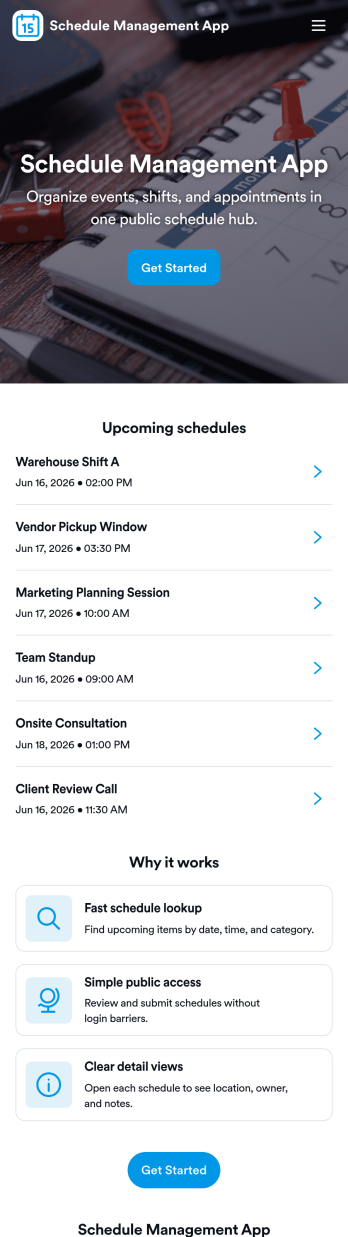
Schedule Management App
Schedule Management App helps teams organize schedules, shifts, and availability in one place so everyone knows what’s coming up next. Use it to review an open schedule, share availability with a manager, and keep a running list of schedule entries without relying on scattered messages. It’s a great fit for shift-based workplaces, service businesses, campus departments, and project teams that need a clear view of who’s working when, plus an easy way for people to submit updates.Jotform makes it simple to turn this experience into a branded, shareable app using its no-code app builder and drag-and-drop interface. Connect pages to forms and tables to support ongoing data collection, route schedule updates through a workflow, and give your team a self-service place to check shifts and submit new entries. When your process changes, you can adjust the layout, navigation, and connected forms in minutes and publish an updated version instantly.
Go to Category:Scheduling Apps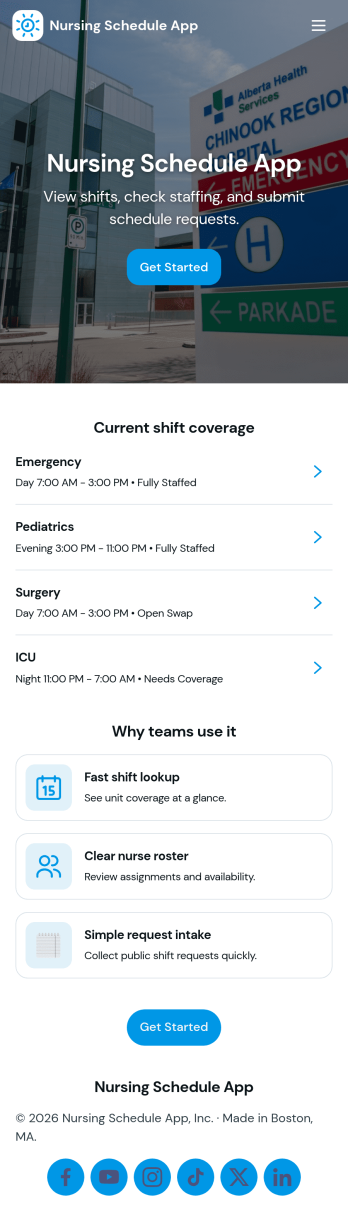
Nursing Schedule App
Nursing Schedule App helps healthcare teams publish shift schedules, collect staff availability, and manage coverage requests in one place. Nurses can quickly check upcoming shifts, submit availability when staffing needs change, and request coverage when they can’t make a scheduled shift. Charge nurses, unit managers, and staffing coordinators can use it across units and facilities to reduce missed handoffs, cut down on scheduling confusion, and keep everyone aligned with the latest plan.Jotform makes it easy to build and share App Templates like this one using a no-code app builder with a drag-and-drop interface. Connect pages to forms and lists to support data collection and workflow steps, then update schedules and requests as needs evolve. Share your app through a link or QR code so staff can use it on any device, and customize the layout and branding to match your team’s day-to-day operations.
Go to Category:Healthcare Apps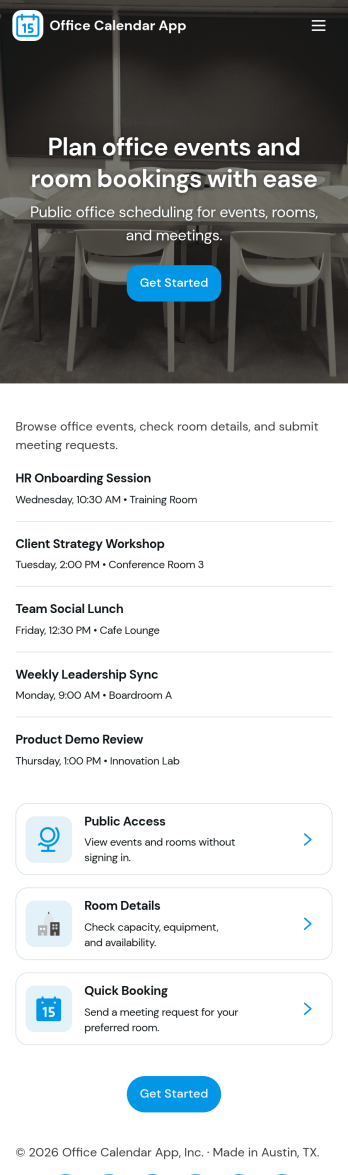
Office Calendar App
An office calendar app brings your workplace schedule into one easy, shareable hub so teams can see what’s happening, book the right space, and keep day-to-day plans organized. Use it to add events, browse the schedule, check room availability, and centralize common office requests like new event requests or room setup requests. It’s a practical fit for office managers, operations teams, HR, and administrative staff who coordinate meetings, training sessions, interviews, and internal events across multiple rooms and stakeholders.With Jotform, you can turn this office calendar app template into a branded self-service experience using a no-code app builder and a drag-and-drop interface. Connect event and room reservation forms to your workflow, keep details organized in connected data, and share the app with a link or QR code so employees always know where to go for scheduling and requests. Update pages anytime as your office routines change, and keep scheduling information consistent across teams.
Go to Category:Scheduling Apps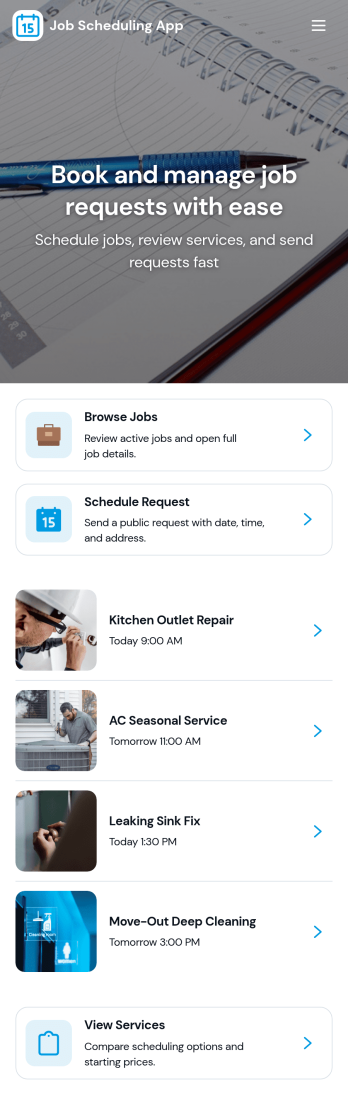
Job Scheduling App
Job Scheduling App helps teams organize jobs, manage worker information, and keep assignments moving on time from one place. Use it to create new job entries, maintain a worker list, and record who is assigned to what, without relying on scattered messages or spreadsheets. It fits field service businesses, facilities teams, construction crews, and any operation that juggles recurring tasks, shifting priorities, and multiple workers across locations.With Jotform App Templates, you can launch a polished scheduling experience fast and tailor it to how your team actually works. Build with Jotform’s no-code app builder and drag-and-drop interface, then connect your app to forms and tables for consistent data collection and a smoother workflow. Share the app as a self-service hub for staff, update it anytime, and keep job details, worker records, and assignment logs easy to access on desktop or mobile.
Go to Category:Scheduling Apps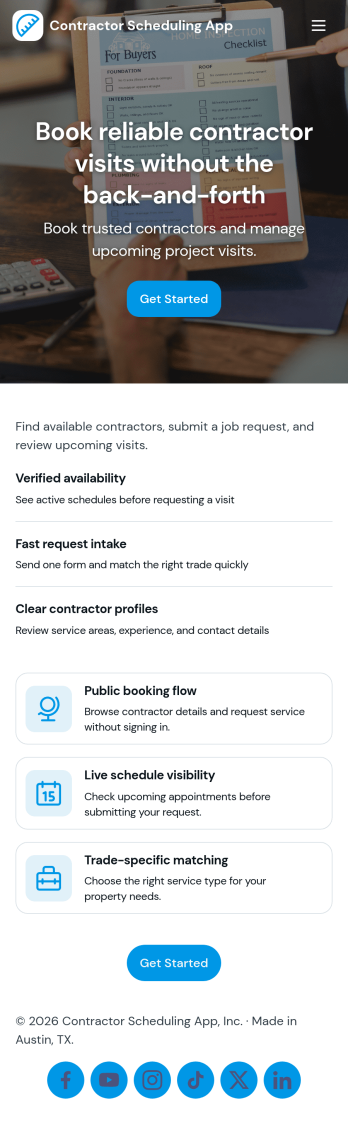
Contractor Scheduling App
Contractor Scheduling App helps teams coordinate contractors, projects, and day-to-day assignments in one organized place. Use it to keep a clear roster of who you work with, capture project details as they come in, and connect each job to the right people and dates. It’s a practical fit for construction companies, home service businesses, property managers, and operations teams that need quick visibility into upcoming work without relying on scattered messages or spreadsheets.With Jotform’s app templates, you can turn your scheduling process into a mobile-friendly experience powered by a no-code app builder and a drag-and-drop interface. Connect forms for adding contractors and projects, display assignment lists for easy self-service access, and keep data collection consistent across your workflow. Customize pages, branding, and navigation so everyone knows where to go to view schedules, update job information, and stay aligned.
Go to Category:Construction Apps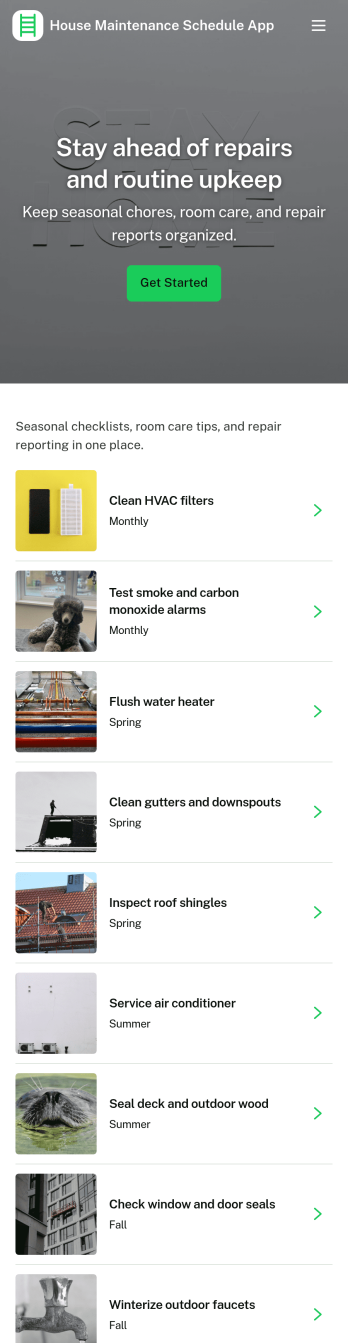
House Maintenance Schedule App
House Maintenance Schedule App helps homeowners and property managers keep recurring upkeep on track with a clear schedule, simple work logs, and searchable records. Use it to plan seasonal tasks, assign responsibilities, and avoid missed maintenance that leads to costly repairs. It’s especially helpful for busy families, landlords, short-term rental hosts, and small property teams who need one place to review what’s due, add custom tasks, and document completed work with notes and supporting details.Built with Jotform, this app template turns routine home care into a guided self-service experience you can share by link or QR code. Customize pages with a drag-and-drop interface, connect your task list to Jotform Tables for organized data collection, and add a form button for creating new maintenance items without switching tools. As your workflow evolves, update the schedule, improve visibility with records, and keep everyone aligned from a mobile-friendly hub.
Go to Category:Equipment Maintenance Software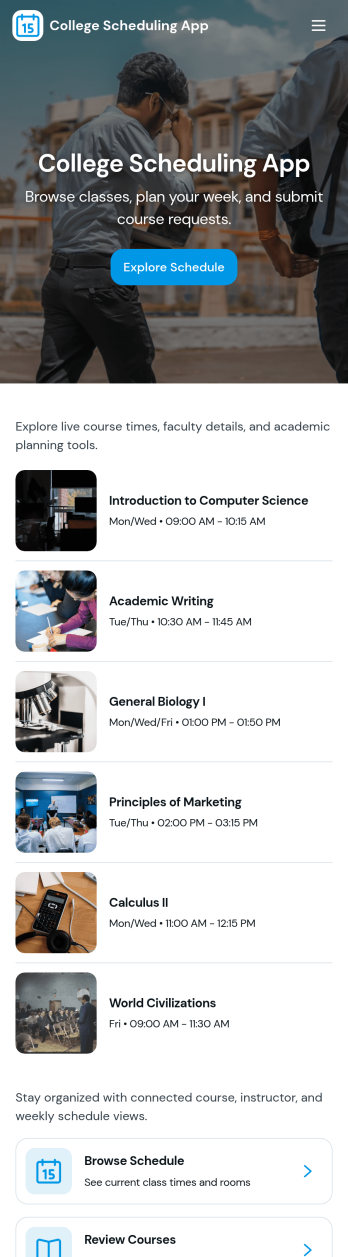
College Scheduling App
College Scheduling App brings class browsing, schedule access, and advising touchpoints into one place so students can plan their term with less confusion. Use it to share a class list, help learners explore offerings, and route class requests to the right team when a needed section is full or unavailable. It’s a practical fit for registrars, academic departments, student services, and advising offices that want a clear, mobile-friendly way to guide students from discovery to action while keeping updates organized.Jotform makes it easy to launch and customize app templates like this with a no-code app builder and a drag-and-drop interface. Connect your app to forms and data collection so students can submit class requests and view their request history in one self-service experience. With Jotform, you can tailor navigation, add helpful resources and visuals, and share the app with a link or QR code to keep scheduling workflows consistent across campus.
Go to Category:Education Apps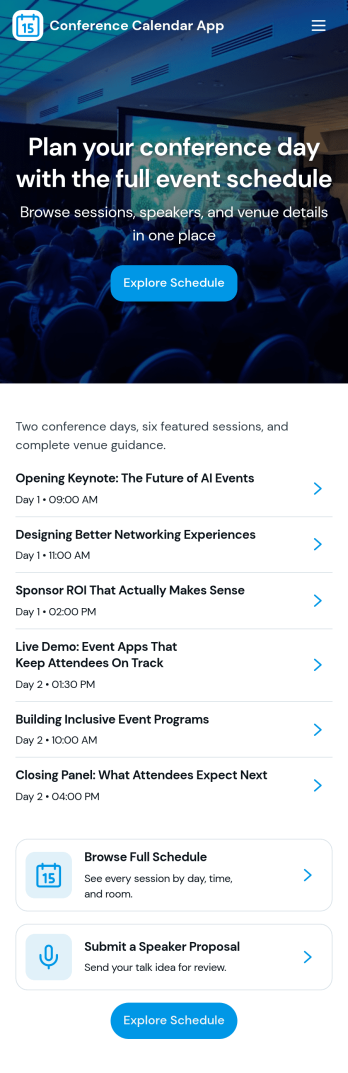
Conference Calendar App
Conference Calendar App brings your event schedule into one place so attendees and organizers can stay aligned before and during the conference. Use it to browse sessions by time, learn more about speakers, and check venue details without juggling multiple links. It’s a practical fit for event teams running multi-track conferences, internal summits, user conferences, or academic gatherings that need a clear agenda people can actually follow. Attendees can also save sessions they care about and quickly return to them, making it easier to plan a day on the go.Jotform makes it simple to turn this experience into a branded, mobile-friendly hub using App Templates and a no-code app builder. With a drag-and-drop interface, you can adjust pages, reorder navigation, and connect forms for data collection so interest and feedback flow into your workflow. Share the app with a link or QR code, keep information current, and give your audience a self-service way to explore what’s happening next.
Go to Category:Event Planner Apps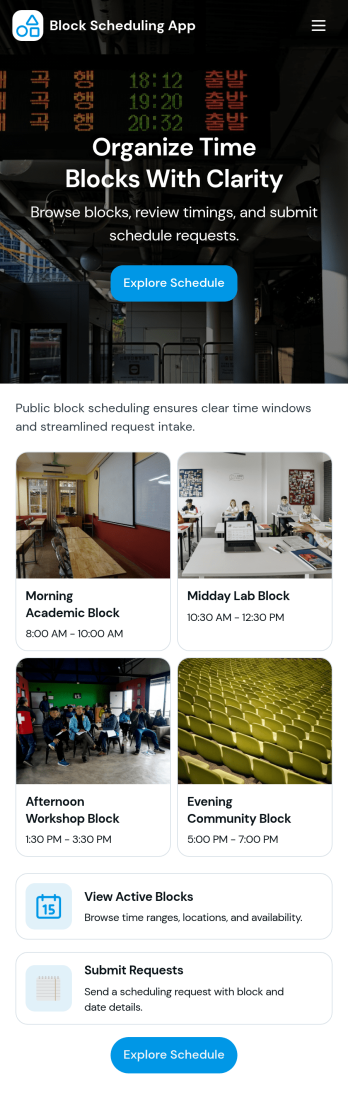
Block Scheduling App
Block Scheduling App helps teams organize time into clear blocks so people can request, assign, and review schedules without confusion. Use it to manage shift-style coverage, rotating responsibilities, room or equipment time blocks, on-call rotations, or any workflow where availability is planned in chunks rather than single appointments. With dedicated pages for Blocks and Schedule, plus an Assign a block form and a My Requests inbox view, coordinators can keep assignments consistent while requesters always know where to go to submit and follow up.Built with Jotform App Templates, this app template is easy to adapt for different departments and scheduling styles using a no-code app builder and a drag-and-drop interface. Connect your scheduling workflow to Jotform forms and tables for reliable data collection, then share the app through a link or QR code for quick self-service access. As requests come in, teams can centralize scheduling data, collaborate on updates, and maintain a single source of truth for block assignments.
Go to Category:Scheduling Apps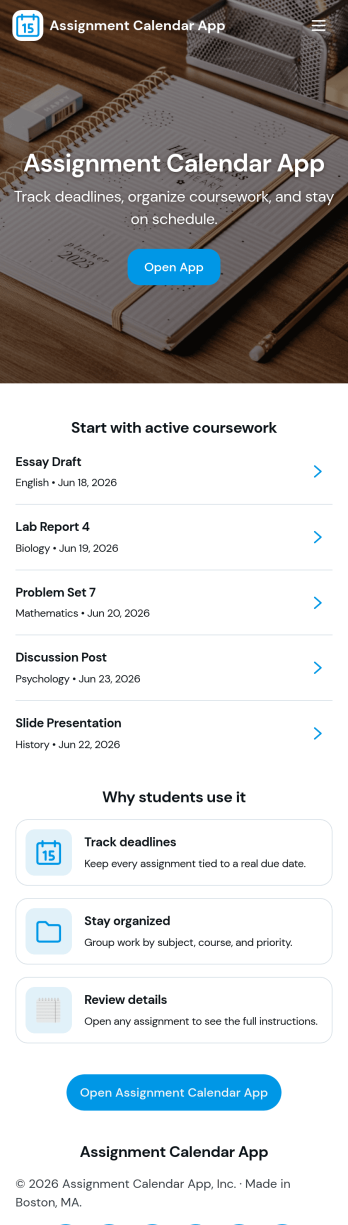
Assignment Calendar App
An assignment calendar app helps students, teachers, and study groups keep coursework organized in one place, so deadlines don’t get missed when schedules get busy. Use it to view upcoming due dates at a glance, open a running list of assignments, and quickly add new work the moment it’s assigned. Whether you’re tracking weekly homework, long-term projects, or exam prep tasks, this layout supports consistent planning without relying on scattered notes or multiple calendars.With Jotform, you can turn this assignment calendar app template into a branded, easy-to-share experience using a no-code app builder and a drag-and-drop interface. Connect the app to a form for data collection, keep assignment details updated as priorities change, and build a simple workflow for staying on top of school responsibilities. Share the app with a link for self-service access on any device, and adjust pages and navigation as your class routines evolve.
Go to Category:Education Apps
Coaching Scheduling App
Coaching Scheduling App helps coaches and clients coordinate sessions without messy email threads or missed appointments. Use it to take new booking requests, view upcoming sessions at a glance, and keep a simple client list you can reference before scheduling the next call. It’s a practical fit for life coaches, business coaches, academic coaches, fitness and wellness professionals, and small coaching teams who want one place to manage session scheduling, client details, and past booking history.With Jotform, you can turn this app template into a branded scheduling experience using a no-code app builder and a drag-and-drop interface. Connect buttons and lists to your forms to support data collection, automate follow-ups with workflow steps, and keep coaching operations organized as your calendar fills up. Share the app with a direct link so clients can request sessions and you can manage bookings from anywhere with a self-service experience built around your process.
Go to Category:Scheduling Apps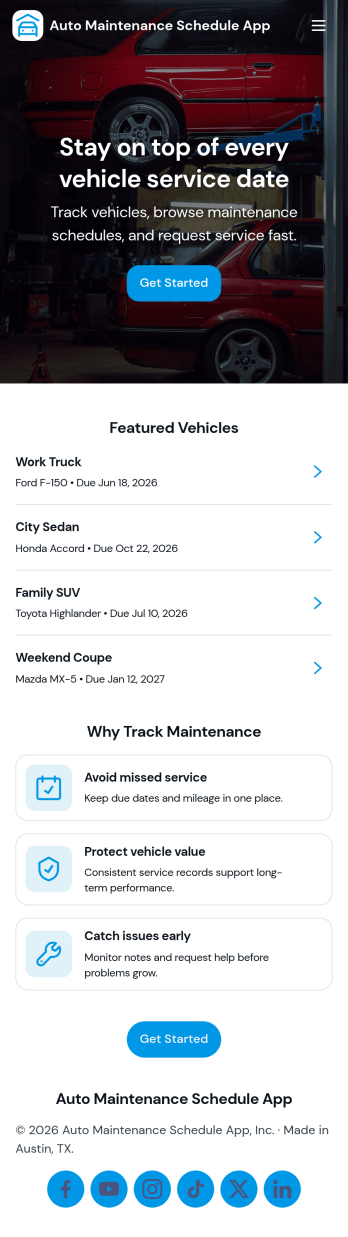
Auto Maintenance Schedule App
Auto Maintenance Schedule App helps you organize vehicles, plan upcoming service, and keep a clear history of completed maintenance in one place. Use it to browse a vehicle list, review schedule details by vehicle, and add maintenance entries as they happen. It’s a practical fit for households with multiple cars, small fleets, independent drivers, and auto-focused teams that want fewer missed oil changes, clearer service timing, and faster answers when someone asks what was done and when.Jotform makes it easy to turn this kind of workflow into a shareable, mobile-friendly experience with customizable app templates and a no-code app builder. With a drag-and-drop interface, you can adjust pages, buttons, and navigation to match how you track service, then connect forms and records so updates stay in sync. Share your Jotform app through a link or QR code to support self-service updates and simple day-to-day maintenance tracking.
Go to Category:Automotive Apps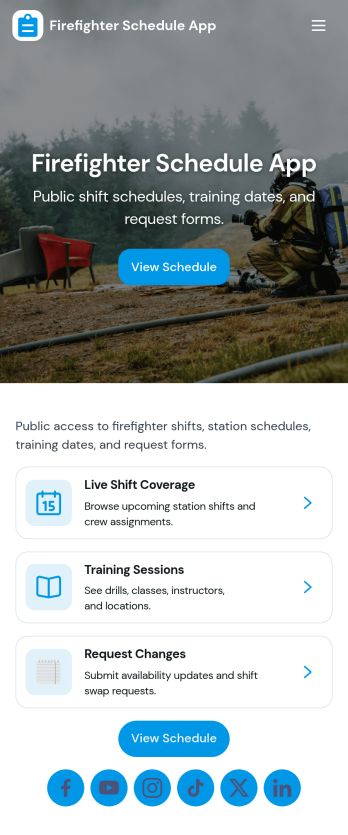
Firefighter Schedule App
Firefighter Schedule App helps fire stations and emergency response teams keep shift information easy to access while giving crews a simple way to request coverage when plans change. Use it to share upcoming schedules, publish a crew roster for quick reference, and keep incident and training information visible in one place so everyone knows what’s happening without chasing updates across texts or emails.Built with Jotform, this app template can be tailored in a no-code app builder with a drag-and-drop interface, so you can match your station’s workflow in minutes. Connect the app to forms and tables for reliable data collection, route requests to the right people, and keep self-service actions like coverage requests organized and trackable as your team grows.
Go to Category:Scheduling Apps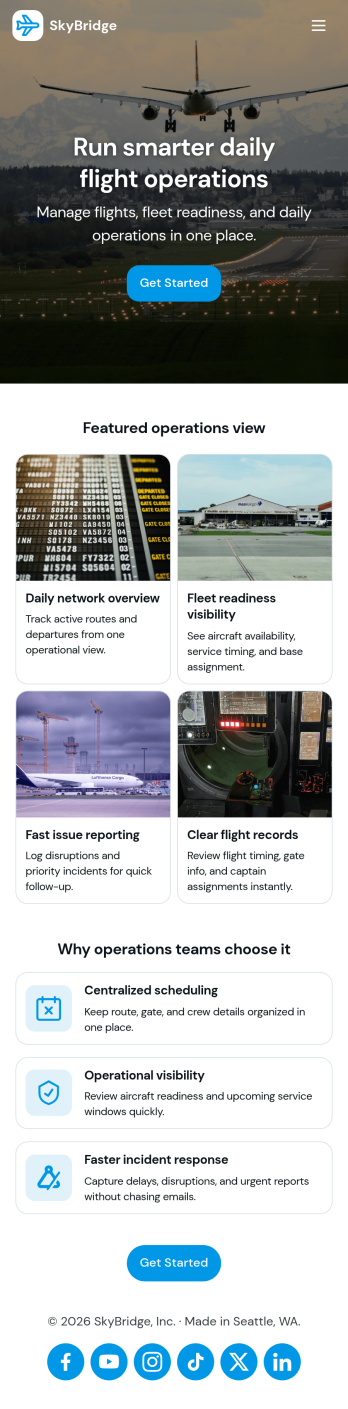
Flight Management App
Flight Management App helps aviation teams and travel operators keep flight details, bookings, and passenger records organized in one place. Use it to view today’s flights at a glance, open flight cards to review key information like route details, and capture new bookings through a simple add booking flow. It’s a practical fit for charter services, small airlines, corporate flight departments, and ground operations teams that need a consistent way to manage day-to-day flight activity without chasing updates across messages and spreadsheets.With Jotform, you can turn this flight management app template into a branded self-service experience using a no-code app builder and a drag-and-drop interface. Connect the app to forms and tables for fast data collection, keep operational records up to date, and share a single link with staff so everyone follows the same workflow. As needs change, you can adjust pages, navigation, and content in minutes while keeping flight and passenger information easy to access on any device.
Go to Category:Transportation Apps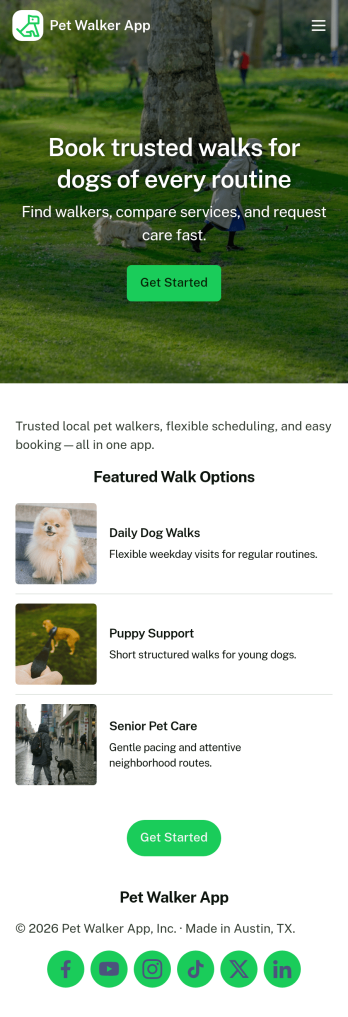
Pet Walker App
Pet Walker App helps pet care providers and independent dog walkers manage daily walks and client communication in one place. Use it to accept walk bookings, review today’s schedule, and capture visit updates you can share with pet owners. It’s a practical fit for solo walkers, small pet-sitting teams, and local pet care businesses that want a simple way to stay organized while handling recurring walks, special instructions, and multiple pets.With Jotform App Templates, you can publish a polished self-service experience without coding and tailor it to your workflow. Use Jotform’s no-code app builder and drag-and-drop interface to adjust pages, add your branding, and connect walk request and update forms to keep data collection consistent. Share the app by link or QR code so clients can book quickly, and keep your workflow moving with connected tables and automation-ready processes.
Go to Category:Booking Apps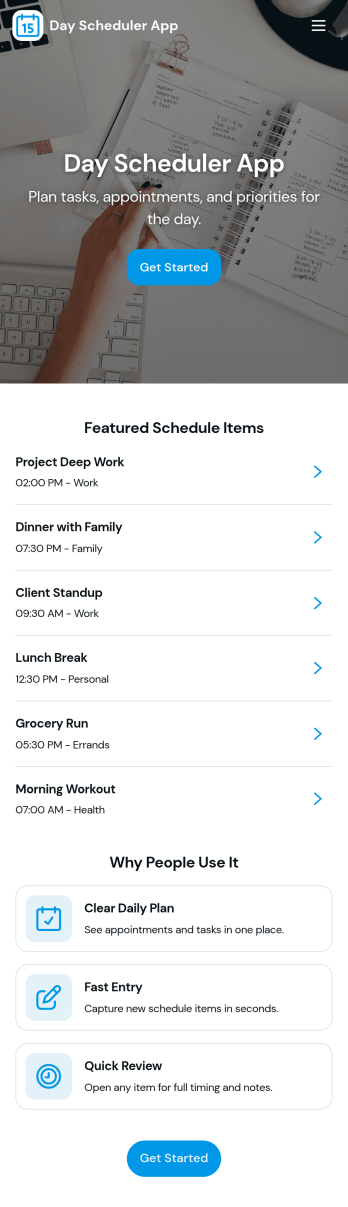
Day Scheduler App
A day scheduler app helps you map out your day in one place so you can plan time slots, keep a running list of entries, and stay on top of tasks without juggling multiple tools. This template fits busy professionals, students, caregivers, and small teams who need a simple way to organize what needs to happen today, then review everything they’ve logged over time. Use it to capture quick schedule entries as plans change, prioritize tasks, and maintain a clear view of what’s coming up next so nothing gets missed during a packed day.Jotform makes it easy to turn this Day Scheduler App into a branded, mobile-friendly experience using a no-code app builder and a drag-and-drop interface. Connect your scheduling form to organized views like lists and a table view so you can collect data, update plans, and revisit past entries whenever you need. Share the app with a link and keep your daily planning workflow consistent across devices, whether you’re coordinating personal routines or managing day-to-day operations.
Go to Category:Daily Planner Apps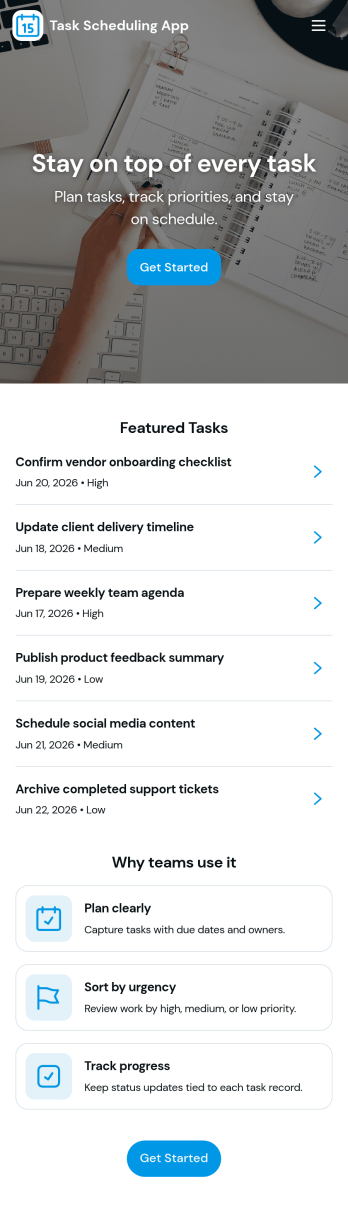
Task Scheduling App
Task Scheduling App helps individuals and teams plan, organize, and keep up with everyday work by capturing tasks in one place and turning them into a clear schedule. Use it to add new tasks as they come in, browse your full task list, and open a task to review key details before you act. It’s a practical fit for operations teams, admins, project leads, and small business owners who want a simple way to coordinate priorities, reduce missed deadlines, and keep everyone aligned on what’s next.With Jotform app templates, you can publish a self-service task hub without coding and tailor it to your workflow in minutes. Use Jotform’s no-code app builder with a drag-and-drop interface to adjust pages and navigation, connect your task intake to a form, and keep task data organized for easy follow-up. Share the app with a link or QR code so people can add tasks and review schedules from anywhere, whether they’re at a desk or on the move.
Go to Category:Task Management Apps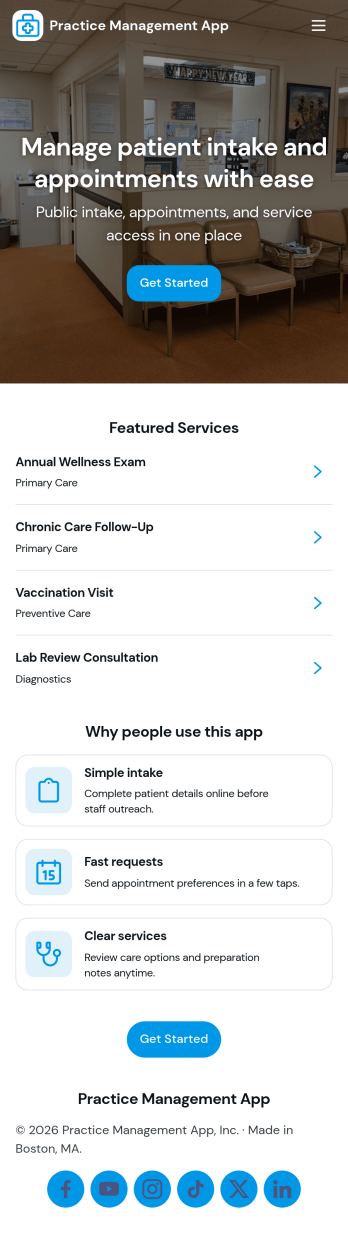
Practice Management App
Practice Management App helps clinics and independent practices keep daily operations organized in one place. Use it to maintain patient records, track visits, and manage upcoming appointments so staff can quickly find what they need during a busy day. It’s a practical fit for medical, dental, therapy, and wellness offices that want a clearer view of schedules and patient activity without juggling multiple tools. With patient and appointment lists plus detail pages, teams can review key information quickly and stay consistent across front desk and clinical workflows.Jotform makes it easy to create and publish polished App Templates like this one with a no-code app builder and a drag-and-drop interface. Connect your app to forms and tables for reliable data collection, then route updates through simple workflow steps to keep information current. Share your app with your team for self-service access on any device, customize the layout and branding, and expand the experience over time as your practice grows.
Go to Category:Healthcare Apps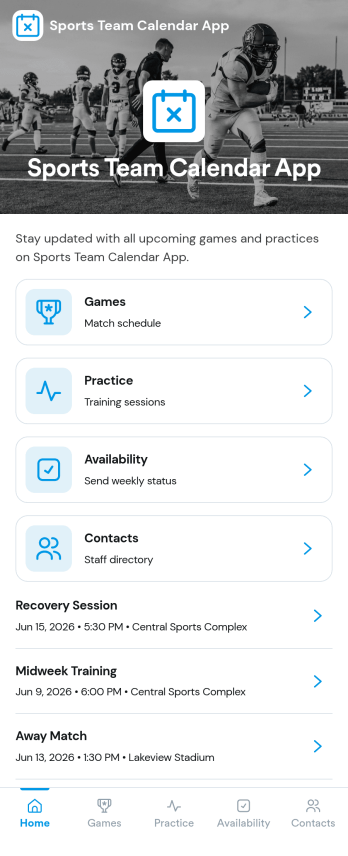
Sports Team Calendar App
Sports Team Calendar App keeps your team’s schedule, event details, and player availability in one place, so everyone knows what’s next without chasing messages. Use it to publish upcoming games, practices, and team activities, then let players update whether they can attend before you finalize lineups. It’s a great fit for coaches, team managers, club administrators, and recreational leagues that need a reliable way to share dates, track attendance, and capture team notes across the season.Built with Jotform App Templates, this app template can be tailored in a no-code app builder with a drag-and-drop interface. Connect the in-app Add Event and Update Availability actions to your data collection workflow, then manage and review entries in linked tables as your calendar grows. Share the app with a simple link so athletes and families can check the schedule, respond quickly, and stay aligned with fewer last-minute surprises.
Go to Category:Sports Apps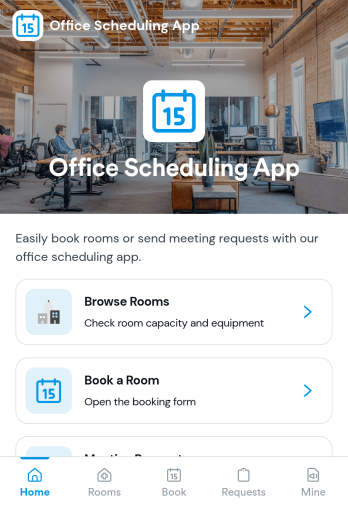
Office Scheduling App
Office Scheduling App helps teams coordinate day-to-day workplace schedules by bringing today’s agenda, room availability, and new booking actions into one place. It’s a practical fit for office managers, operations teams, HR, and department leads who need a clear view of what’s happening now, which rooms are open, and who is on the schedule without hunting through emails or scattered calendars.Built with Jotform App Templates, this app template can be tailored with a no-code app builder and a drag-and-drop interface so you can match your office workflow and keep information easy to navigate. Connect the New Booking flow to a form for data collection, route requests through approvals when needed, and keep a searchable history for quick reference. Share it as a self-service link for staff so schedules and bookings stay organized and accessible across devices.
Go to Category:Scheduling Apps
Friends Scheduling App
Friends Scheduling App helps groups coordinate meetups without losing details across scattered chats. Use it to propose plans, add a meetup in seconds, and keep everyone aligned with a shared view of what’s coming up. It works well for friend circles, roommates, clubs, or weekend crews who need one place to organize recurring hangouts, dinner plans, study sessions, game nights, or casual check-ins. With pages for planning a meetup and viewing the schedule, plus a weekly timeline and quick links to all meetups and just your own, it becomes easier to confirm where to meet, reduce double-booking, and keep plans visible for the whole group.Built with Jotform, this app template turns a simple meetup workflow into a shareable self-service experience you can publish and reuse. Customize the pages, update the layout with a drag-and-drop interface, and connect the Add meetup button to your data collection form so new plans appear in your meetup list and table. Jotform’s no-code app builder makes it easy to adjust fields, track updates, and manage scheduling workflows while giving friends a clear, mobile-friendly way to browse upcoming meetups and open the details they need.
Go to Category:Scheduling Apps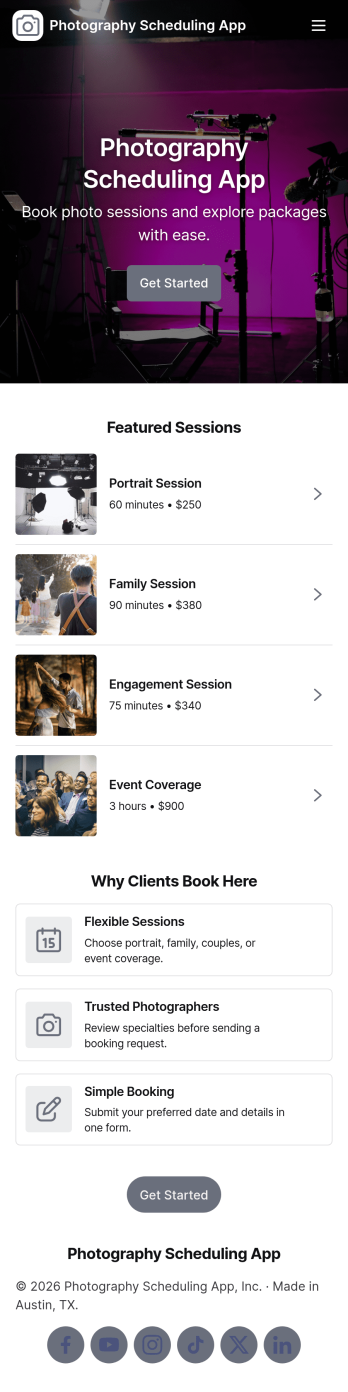
Photography Scheduling App
A photography scheduling app helps photographers and studios organize session requests, confirm upcoming shoots, and keep bookings easy to find in one place. Use it to share a simple booking entry point with clients, guide them to choose a session type, and maintain a clear list of scheduled sessions for day-to-day planning.With Jotform, you can turn this photography scheduling app into a branded self-service experience using a no-code app builder and a drag-and-drop interface. Connect your booking form to your app so details flow into your workflow automatically, then view and manage appointments through linked tables as your data collection grows. Share the app with a direct link or QR code so clients and your team always know where to book and where to check what’s coming up next.
Go to Category:Appointment & Booking Apps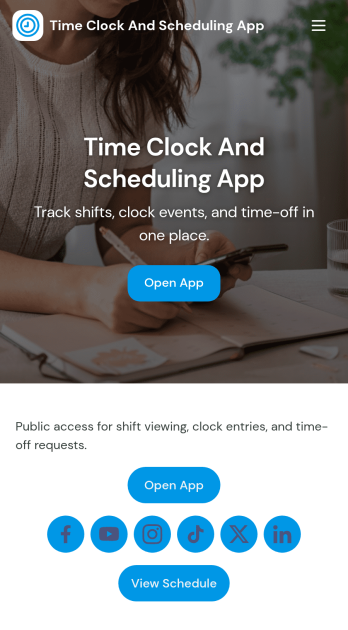
Time Clock and Scheduling App
Time Clock and Scheduling App brings employee time tracking and weekly shift planning into one place, so teams can see who is working, when they start, and what changes are needed. It fits restaurants, retail stores, salons, warehouses, field teams, and any operation that runs on shifts and needs a clear, shared schedule. With simple navigation for clocking in, viewing the schedule, and submitting a shift change request, it helps reduce missed shifts, unclear handoffs, and manual follow-ups between managers and staff.Built with Jotform App Templates, this app template is easy to tailor for your team using Jotform’s no-code app builder and drag-and-drop interface. Connect the app to your timecard and scheduling forms for reliable data collection, keep requests organized for faster decisions, and share the finished self-service experience by link or QR code. As your workflow evolves, you can adjust pages, branding, and connected processes without rebuilding from scratch.
Go to Category:Human Resources Apps