

Project Management Apps

Invention Project Management App
The Invention Project Management App helps inventors, engineering teams, product developers, research groups, and innovation managers organize invention projects from early concepts through key development milestones. Users can add projects, record target dates and project notes, create milestones with due dates, browse active work, and open reports from one central location. This focused structure makes it easier to monitor progress, keep priorities visible, document essential project information, and give collaborators a shared view of ongoing invention work. It is well suited to internal innovation programs, product development initiatives, academic projects, design teams, and independent inventors managing multiple ideas.Jotform App Templates give teams a practical starting point that can be adapted without coding. With Jotform’s no-code app builder and drag-and-drop interface, users can update pages, navigation, buttons, colors, fonts, and branding to match their process. Connected forms support consistent data collection, while tables, notifications, approvals, and other workflow tools can help organize incoming updates and follow-up tasks. Once customized, the Invention Project Management App can be shared by link or QR code for convenient mobile access, creating a clear self-service workspace for contributors and project leaders.
Go to Category:Project Management Apps
Endpoint Implementation Scope App
Endpoint Implementation Scope App gives information technology teams, engineering groups, consultants, and project managers a shared place to define and coordinate endpoint implementation work. Team members can submit a new scope, review existing records, and check priorities without relying on scattered documents or lengthy message threads. Each record keeps essential planning context such as the endpoint type, priority, status, target date, and requester together, helping teams assess workloads and communicate with requesters. It is useful for planning new endpoints, documenting requested changes, coordinating implementation milestones, and maintaining visibility across active technical work.Jotform App Templates help organizations turn recurring processes into accessible, interactive experiences. With Jotform’s no-code app builder and drag-and-drop interface, teams can customize this app template with branded pages, navigation, forms, tables, and connected workflows. Data collection can feed organized records, trigger notifications, and support review steps while app access provides a convenient self-service option for requesters and internal teams. Publish the app with a personalized link, share it by QR code, or embed it in an existing resource so stakeholders can access current scope information from a phone, tablet, or computer.
Go to Category:Information Technology Apps
Animation Production Portal App
Animation Production Portal App gives animation studios, production teams, creative agencies, and freelance collaborators a central place to coordinate active projects. Teams can monitor project details and deadlines, assign and track production tasks, review asset versions and feedback, and submit new production requests without scattering information across separate channels. Producers, animators, art directors, reviewers, and account teams can use the portal to clarify ownership, surface priorities, document notes, and keep work moving from initial request through asset approval. It is especially useful for managing several client productions, coordinating distributed contributors, and maintaining visibility across changing schedules.Jotform App Templates make it easy to adapt this app template to an existing production workflow. With Jotform’s no-code app builder and drag-and-drop interface, teams can update pages, navigation, branding, and connected forms without programming. Project intake, task updates, asset review, and data collection can be organized within one mobile-friendly experience, while connected tables and notifications help staff act on new information. Publish the finished portal through a direct link or QR code to give authorized collaborators convenient self-service access wherever production takes place.
Go to Category:Project Management Apps
Meeting Minutes Review App
Meeting Minutes Review App is an app template for documenting, organizing, and reviewing meeting records in one accessible location. Project teams, department managers, consultants, committees, and administrative staff can add new minutes through a connected form, browse saved records in a table or list, and open individual entries to review attendees, decisions, notes, and related details. It helps teams preserve an accurate record of discussions, make outcomes easier to find, and give participants a shared reference point after recurring meetings, project reviews, planning sessions, or committee discussions.With Jotform Apps, organizations can customize this Meeting Minutes Review App using a no-code app builder and an intuitive drag-and-drop interface. Teams can adjust pages, navigation, colors, fonts, and branding while connecting forms, tables, approvals, and other workflow resources. The finished app can support data collection and self-service access from phones, tablets, or computers, then be shared through a direct link, QR code, or embedded experience. Jotform app templates make it easier to turn routine recordkeeping into a clear, interactive process without writing code.
Go to Category:Team Collaboration Apps
Client Content Workflow App
Client Content Workflow App gives agencies, marketing teams, freelancers, and in-house content departments a shared space for coordinating client deliverables from request to publication. Clients can submit content requests, contributors can provide production items, and reviewers can send focused feedback while everyone follows workflow and production statuses. Published asset links also make completed work easy to access. This app template is useful for managing articles, campaign materials, social content, creative assets, and other client-facing projects without scattering updates across separate channels. It improves visibility, clarifies responsibilities, and helps teams keep reviews and delivery moving.Jotform Apps makes it easy to adapt this App Template to an existing content workflow without writing code. Use the drag-and-drop App Builder to update pages, navigation, buttons, visual styling, and branded elements. Connected forms support consistent data collection, while links and organized records create a convenient self-service experience for clients and collaborators. Teams can share the finished app through a direct link or QR code and provide mobile-friendly access wherever work happens.
Go to Category:Customer Portal Apps
CAD Project Management App
The CAD Project Management App helps engineering teams, design consultancies, contractors, and technical project leads coordinate computer-aided design projects from one accessible workspace. Users can create projects, review client or contact details, monitor schedules and statuses, assign tasks with due dates, and report issues with supporting attachments. This focused setup keeps project notes, responsibilities, and design-related concerns connected to the relevant work, helping teams reduce scattered communication and maintain visibility from initial planning through delivery. It is especially useful for small and medium-sized organizations managing multiple drafting, modeling, or design projects at once.Jotform makes this app template easy to adapt with a no-code app builder and a flexible drag-and-drop interface. Teams can adjust pages, cards, buttons, branding, and navigation to match their project workflow without programming. Connected forms support consistent data collection for new projects, tasks, and reported issues, while tables and notifications can help organize records and alert collaborators to new activity. As part of Jotform App Templates, the app can be shared through a direct link or QR code for mobile-friendly access, giving office and field teams a convenient self-service resource for project updates and action requests.
Go to Category:Engineering Apps
Photography Client Workflow App
The Photography Client Workflow App is a ready-to-use app template for independent photographers, studio teams, and creative service providers managing clients from first contact through final gallery delivery. It brings client inquiries, booking records, session details, and delivery updates into one organized experience. Teams can review client contact information and locations, keep session notes accessible, monitor booking status, and open delivered galleries without searching across scattered messages or files. This clearer workflow helps photographers respond consistently, prepare for sessions, track active projects, and confirm that each client receives their completed work.Jotform Apps makes it easy to adapt this Photography Client Workflow App with a no-code app builder and intuitive drag-and-drop interface. Add or rearrange pages, update branding, connect forms to data collection workflows, and organize client records for convenient self-service access. The app can be shared through a direct link or QR code and opened on phones, tablets, or computers, giving solo photographers and growing teams a practical way to manage work wherever sessions take place. Start with one of Jotform’s App Templates, tailor the layout to your process, and publish a professional resource without writing code.
Go to Category:CRM Apps
Trailer Production Planning App
The Trailer Production Planning App gives video production teams a central workspace for organizing trailer projects from early planning through review. Producers, directors, coordinators, editors, agencies, and in-house creative teams can add projects, assign and monitor tasks, plan individual shots, and submit work for review. Project records keep essential details such as the client, runtime, budget, and production notes easy to reference, while shot entries organize locations, shot types, and filming notes. This app template helps crews clarify responsibilities, prepare shoot requirements, reduce missed details, and maintain visibility across several trailer productions without relying on scattered documents.Jotform makes the experience easy to adapt with a no-code app builder and an intuitive drag-and-drop interface. Teams can customize pages, navigation, colors, and branding, then connect forms and tables to support data collection and production workflows. Notifications can keep relevant contributors aware of new tasks, planned shots, and review activity. Once published, the app can be shared through a direct link or QR code, giving office staff and on-location crews mobile-friendly access to current production information. Jotform App Templates also provide a practical starting point that can be updated as a team’s planning and review process evolves.
Go to Category:Project Management Apps
Strategic Intelligence Management App
The Strategic Intelligence Management App is an app template for leadership teams, consultants, analysts, and operations managers who need a central place to capture business intelligence and turn findings into action. Users can submit intelligence, review summaries and implications, and record recommended actions without scattering information across disconnected documents. Dedicated areas for tracking initiatives and reviewing risks help teams connect insights with owners, target dates, likelihood assessments, mitigation plans, and review schedules. It is well suited to strategic planning, market monitoring, operational reviews, advisory engagements, and cross-functional decision support. A browsable resource area also keeps relevant reference material close to the work.Jotform Apps helps organizations transform this App Template into a branded, mobile-friendly workspace without writing code. Its no-code app builder and drag-and-drop interface make it easy to adjust pages, navigation, cards, buttons, and visual elements for different teams or planning cycles. Connect forms and tables to support data collection, organize records, send notifications, and maintain workflows from one accessible location. The finished app can be shared by direct link or QR code, giving authorized stakeholders convenient self-service access to current intelligence, initiatives, risks, and resources.
Go to Category:Management Apps
Video Translation Request App
Video Translation Request App provides a central place for creative teams, localization specialists, media departments, educators, and service providers to collect and review video translation requests. Requesters can submit a video with its source and target languages, contact information, and translation notes, while coordinators can browse submitted requests and open individual records for added context. Access to translation guidance and request insights helps teams set clearer expectations, reduce missing information, and organize multilingual video projects without relying on scattered emails or disconnected files.With Jotform Apps, teams can adapt this app template to match their intake process and create a convenient self-service experience without writing code. The no-code app builder uses a drag-and-drop interface for updating pages, buttons, visual elements, and navigation. Teams can connect forms, tables, notifications, approvals, and other workflow steps to support data collection and internal collaboration. Once customized, the Video Translation Request App can be published and shared through a direct link, personalized address, embedded experience, or scannable code, making it easy to access from phones, tablets, and computers.
Go to Category:Service Apps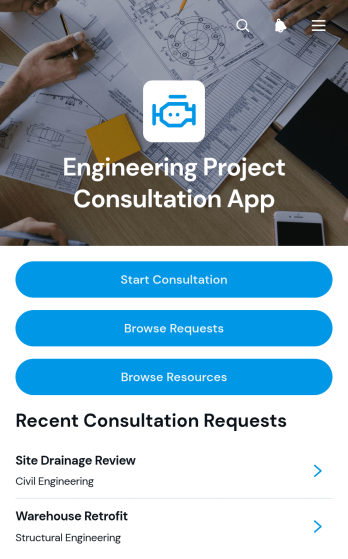
Engineering Project Consultation App
The Engineering Project Consultation App gives engineering consultants, project managers, contractors, and technical teams a central place to receive and review consultation requests. Clients can start a consultation, browse submitted requests, view key contact details, and review project scope information without relying on scattered messages or documents. A dedicated resource area also helps users find relevant technical guidance and project materials. This app template is well suited to early project discussions, feasibility reviews, design consultations, construction planning, and ongoing advisory work. It supports clearer communication while helping teams organize client needs and prepare for productive consultations.Jotform App Templates make it easy to turn consultation processes into accessible digital experiences. With Jotform’s no-code app builder and drag-and-drop interface, teams can customize pages, buttons, content, colors, and branding without programming. Forms and connected data collection workflows keep project requests organized, while links and resources provide convenient self-service access. Publish the app with a shareable link or QR code so clients and team members can open it from any device. As needs change, update the Engineering Project Consultation App to reflect new services, resources, and consultation procedures.
Go to Category:Engineering Apps
Business Goal Tracking App
Business Goal Tracking App gives business owners, managers, consultants, and project teams a shared space for setting measurable objectives and monitoring results over time. Users can create goals, plan related milestones, and record progress updates while keeping target metrics, target values, due dates, and notes easy to review. It is well suited to quarterly planning, departmental objectives, client engagements, growth initiatives, and operational improvement programs. By bringing current progress and milestone details together, the app helps teams clarify accountability, identify stalled initiatives, prepare more focused review meetings, and make informed decisions about priorities.Among Jotform’s App Templates, this customizable app template provides a practical starting point that can be adapted without coding. The no-code app builder and drag-and-drop interface make it simple to adjust pages, navigation, colors, fonts, and branded visual elements. Connected forms support consistent data collection, while tables and workflows can organize goal records and notify team members when new information is submitted. Publish the Business Goal Tracking App through a direct link or QR code to give authorized participants convenient mobile access and a clear self-service experience for maintaining updates.
Go to Category:Project Management Apps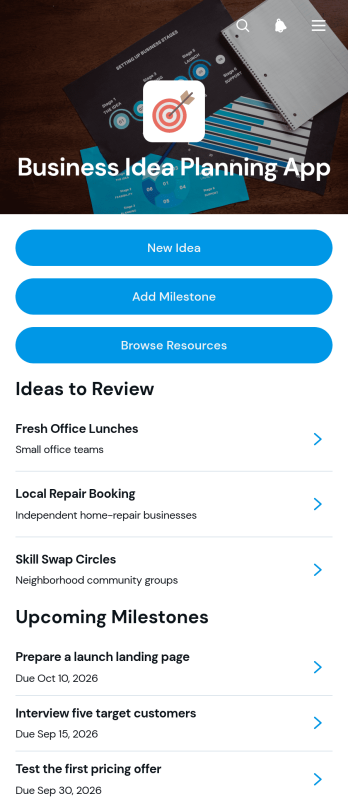
Business Idea Planning App
The Business Idea Planning App is a ready-to-use workspace for turning early concepts into organized, actionable plans. Entrepreneurs, aspiring founders, consultants, innovation teams, and small businesses can capture new ideas, review target customers, revenue models, and startup costs, then add milestones with statuses and due dates. A central resource area also keeps research and reference links close to the planning work. Instead of scattering notes across documents and inboxes, users gain one clear place to compare opportunities, monitor progress, and prepare ideas for validation, internal review, or a future launch.Built with Jotform Apps, this app template can be adapted in a no-code app builder through a visual drag-and-drop interface. Adjust pages, cards, buttons, fonts, colors, and navigation to match your planning method, then connect forms, tables, notifications, approvals, or other workflows as your process develops. Jotform App Templates help teams create mobile-friendly self-service experiences without programming, so idea collection and resource navigation remain accessible from one branded destination. Publish the Business Idea Planning App with a direct link, custom app URL, QR code, or embedded experience and update it whenever priorities change.
Go to Category:Planner Apps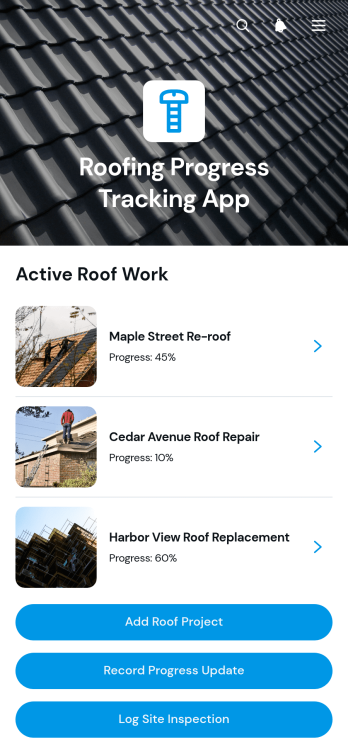
Roofing Progress Tracking App
The Roofing Progress Tracking App is an app template for roofing contractors, project managers, site supervisors, and field crews that need a clear view of active roof projects. Teams can create project records, document progress updates, and log site inspections from one central location. Project overviews keep client details, site addresses, start dates, target completion dates, and notes easy to reference. Update records also provide visibility into completed work, current progress, and blockers, helping office and field teams coordinate schedules, identify delays, maintain consistent records, and communicate accurate project status.Jotform App Templates make it easier to turn roofing operations into an accessible digital workflow without writing code. Customize the Roofing Progress Tracking App with the no-code app builder and its drag-and-drop interface, then adjust pages, buttons, branding, and connected forms to fit your process. Jotform supports organized data collection and self-service access while connecting app activity with tables, notifications, approvals, and other workflows. Share the finished app through a direct link or QR code so authorized team members can record updates and review project information from a phone, tablet, or computer.
Go to Category:Construction Apps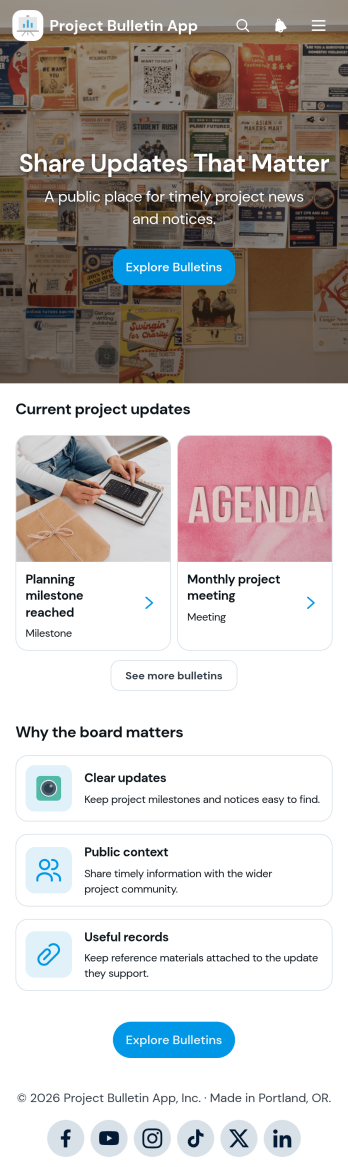
Project Bulletin App
Project Bulletin App provides a central place for publishing and browsing timely project notices, progress summaries, milestones, and other important updates. Project managers, construction teams, consultants, community organizations, schools, and cross-functional departments can use this app template to keep stakeholders informed without scattering announcements across multiple channels. Visitors can browse bulletins and categories, open individual notices, and contribute an update through a connected form. Publication and expiry details help readers understand when information is current, while optional attachments provide supporting context. This organized approach creates a useful project record, improves visibility, and gives team members or public audiences convenient self-service access to relevant news.With Jotform Apps, teams can customize this Project Bulletin App through a no-code app builder and an intuitive drag-and-drop interface. Adjust pages, branding, navigation, and content to reflect a project or organization, then connect forms, tables, approvals, and notifications to support data collection and workflow automation. Jotform App Templates make it easier to launch polished, mobile-friendly resources without development work. Once the app is ready, share it through a direct link or QR code so employees, partners, clients, and community members can view updates from nearly any device.
Go to Category:Project Management Apps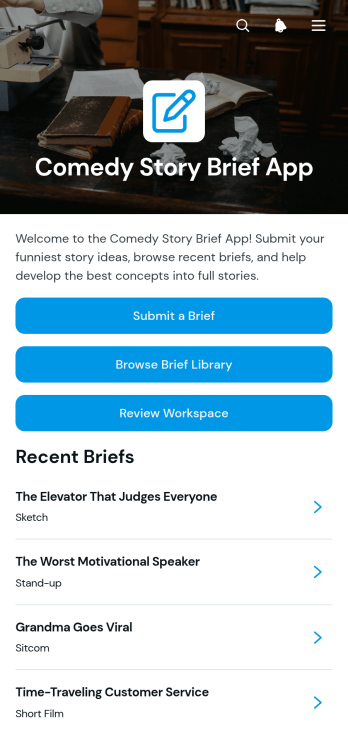
Comedy Story Brief App
The Comedy Story Brief App gives comedy writers, creative teams, producers, educators, and content departments a shared place to capture and develop story concepts. Contributors can submit a brief, browse an organized brief library, and move selected ideas into a review workspace. Each brief can preserve essential creative context such as the intended audience, setting, characters, constraints, and workflow status without scattering details across messages or documents. It is useful for writers’ rooms, sketch groups, production teams, classroom assignments, branded entertainment projects, and editorial pipelines that need a consistent way to receive, compare, and refine comedy story ideas.With Jotform, this app template can be adapted in a no-code app builder using an intuitive drag-and-drop interface. Teams can update pages, navigation, colors, fonts, and branded visual elements while connecting forms, tables, approvals, and notifications to support their workflow. The finished app can provide mobile-friendly self-service access through a direct link, QR code, or embedded experience. Starting with customizable App Templates also reduces setup time, helping creators centralize data collection, coordinate reviews, and keep promising concepts accessible as projects progress.
Go to Category:Entertainment Apps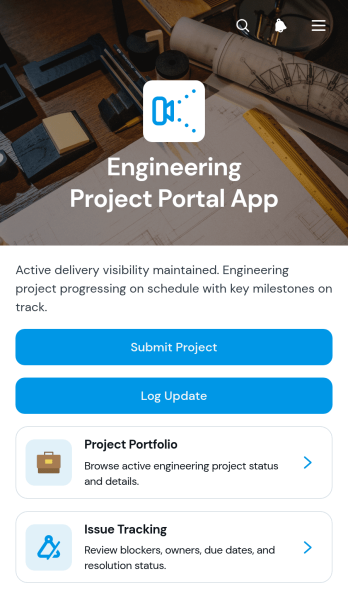
Engineering Project Portal App
Engineering Project Portal App is an app template for engineering firms, project managers, technical consultants, contractors, and multidisciplinary teams that need a central place to coordinate active work. It brings project portfolio browsing, progress updates, and issue tracking into one accessible workspace. Teams can review project context, schedules, priorities, scope, risks, blockers, next steps, and assigned resolution details without searching across disconnected records. It is especially useful for managing client projects, internal engineering initiatives, site work, product development, and technical delivery programs where stakeholders need current information and clear ownership.Jotform helps organizations turn this Engineering Project Portal App into a branded experience without writing code. Its no-code app builder and drag-and-drop interface make it easy to adjust pages, navigation, buttons, and visual elements for existing workflows. Connect forms and tables to support data collection, resource sharing, project submissions, and routine reporting. Once the app template is ready, publish it through a direct link or QR code so office teams, field personnel, clients, and partners can access relevant information from a phone, tablet, or computer.
Go to Category:Engineering Apps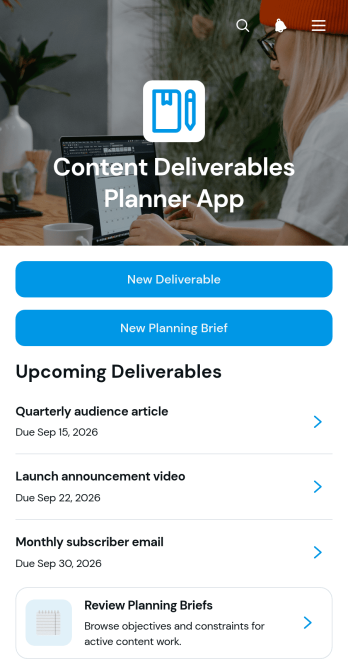
Content Deliverables Planner App
Content Deliverables Planner App gives marketing departments, content teams, agencies, freelancers, and project managers a shared place to plan upcoming content and keep production priorities visible. Team members can submit planning briefs, create deliverable records, and review essential details such as format, channel, and due date. This central view connects objectives and creative direction with the work scheduled for publication, reducing scattered requests, missing context, and unclear deadlines. Use the app to coordinate campaigns, editorial calendars, client projects, social content, educational materials, or recurring communications while giving contributors a dependable reference for each assignment.Jotform helps teams turn this app template into a tailored planning experience without writing code. Its no-code app builder and drag-and-drop interface make it easy to adjust pages, navigation, colors, fonts, and branding. Connect forms and tables to support data collection, organize records, and maintain a practical workflow from the initial brief through deliverable planning. The finished app can be shared by link or QR code for convenient mobile access, giving collaborators a simple self-service destination for submitting requests and checking project information.
Go to Category:Scheduling and Planning Apps
Social Media Agency App
Social Media Agency App gives agencies, marketing teams, freelancers, and account managers a central workspace for coordinating client campaigns. Teams can review campaigns, manage assigned tasks, and organize content plans and creative assets without scattering information across separate channels. It supports daily production, campaign oversight, client request intake, and clearer handoffs between strategists, writers, designers, and account leads. By keeping priorities, schedules, goals, briefs, and status updates accessible in one place, this app template helps agencies maintain visibility across active client work and reduce missed deadlines.Jotform makes this Social Media Agency App easy to adapt with a no-code app builder and a flexible drag-and-drop interface. Add branded pages, adjust navigation, connect forms and tables, and build workflows for data collection, approvals, notifications, and team follow-up. Jotform App Templates can be shared through a direct link or QR code, giving staff and clients mobile-friendly self-service access. Customize the layout and content to match your agency’s processes, then publish the app without writing code.
Go to Category:Social Media Management Apps
Smart Contract Workflow App
The Smart Contract Workflow App provides legal teams, contract managers, consultants, procurement staff, and growing businesses with a central place to coordinate contract intake and review. Users can submit a new contract, browse open contracts, start a review, and view key information such as parties, dates, value, terms, and attachments. It is well suited to organizations replacing scattered emails and files with a consistent workflow that improves visibility, supports collaboration, and helps reviewers keep contract activity moving.Jotform App Templates make it easy to adapt this app template to existing contract operations without writing code. With Jotform’s no-code app builder and drag-and-drop interface, teams can update pages, navigation, branding, and connected forms to match their processes. The app builder can connect data collection with tables, approvals, notifications, and other workflow steps, creating a convenient self-service experience. Once ready, the app can be shared by link or QR code and accessed from phones, tablets, or computers.
Go to Category:Legal Apps
Creative Asset Intake App
Creative Asset Intake App gives marketing teams, creative departments, agencies, freelancers, and internal project coordinators a central place to receive and manage requests for visual and written materials. Requesters can submit a new brief, browse existing requests, and check a status overview without relying on scattered messages or documents. Key information such as the requester, due date, contact email, priority, project brief, and reference material stays connected to each request. This helps teams clarify expectations early, prioritize incoming work, reduce missing details, and maintain visibility as projects move from intake to delivery.With Jotform Apps, organizations can turn this app template into a branded intake experience using a no-code app builder and drag-and-drop interface. Teams can adjust pages, navigation, colors, fonts, and content while connecting forms, tables, approvals, notifications, and other workflow steps. The app can be shared through a direct link or QR code for convenient mobile access and self-service. Among Jotform App Templates, this option supports organized data collection while giving creative teams a flexible app builder for managing requests at any volume without writing code.
Go to Category:Project Management Apps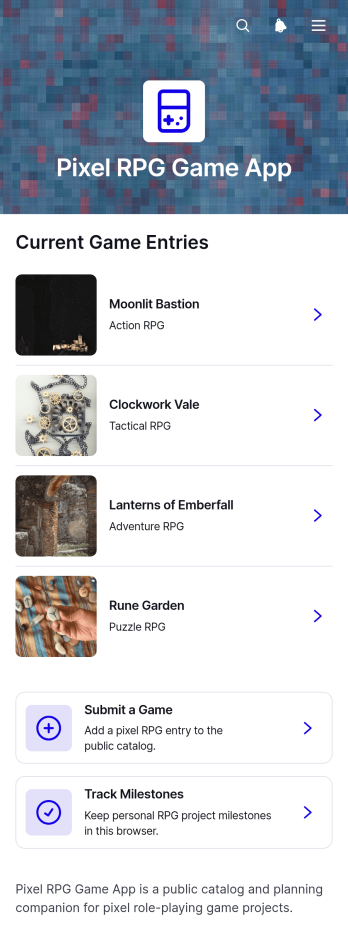
Pixel RPG Game App
Pixel RPG Game App is an interactive catalog and project hub for independent game creators, development teams, gaming communities, educators, and event organizers working with pixel-style role-playing games. It brings game discovery, project submissions, and milestone tracking into one accessible experience. Visitors can browse projects by genres such as action, adventure, tactical, and puzzle RPGs, while creators can share a game, present a concise project snapshot, and monitor development progress. This app template is useful for showcasing works in progress, organizing a game development challenge, collecting classroom projects, maintaining a community directory, or giving collaborators a clearer view of each title’s genre and status.With Jotform Apps, you can adapt this Pixel RPG Game App through a no-code app builder and an intuitive drag-and-drop interface. Customize pages, cards, buttons, images, and navigation to match your creative theme, then connect forms and tables to support data collection and project workflows. You can also add approval steps, notifications, or other self-service resources as your process develops. Jotform App Templates make it easy to publish a mobile-friendly experience and share it through a direct link, personalized URL, QR code, or embedded page without writing code.
Go to Category:Entertainment Apps
Team Progress Tracker App
The Team Progress Tracker App is a centralized workspace for recording project updates, monitoring milestones, and reviewing team progress. It gives project leads, department managers, consultants, and cross-functional teams a clear view of current work without relying on scattered messages or separate status documents. Team members can submit progress updates, record milestones, and review project insights from one accessible location. Use it for recurring status checks, client engagements, internal initiatives, campaign delivery, product launches, or any project where managers need timely context. Consistent records help teams spot delays, recognize achievements, clarify ownership, and prepare more focused meetings.Jotform makes this app template easy to adapt with a no-code app builder and a visual drag-and-drop interface. Start with Jotform App Templates, update the pages and navigation to match your workflow, and connect forms, tables, approvals, or notifications as your process evolves. You can apply team branding, organize self-service access to project information, and publish the finished app through a direct link or personalized URL. Its mobile-friendly experience helps colleagues contribute and review information wherever work happens, while connected data collection keeps operational records organized for ongoing reporting and collaboration.
Go to Category:Project Management Apps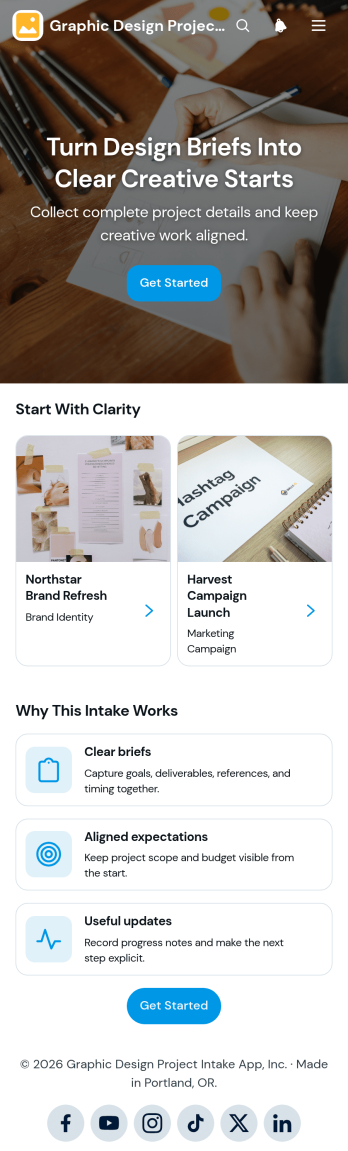
Graphic Design Project Intake App
Graphic Design Project Intake App gives freelance designers, creative teams, agencies, and in-house marketing departments a shared space for receiving project briefs and following active work. Clients or colleagues can submit a new project intake, while designers can review project names, client details, deadlines, and supporting context from an organized project view. Progress updates and next steps can be added throughout the assignment, helping stakeholders stay informed without relying on scattered messages. Use this app template for branding requests, campaign graphics, digital assets, print materials, presentation design, and other creative projects that require clear expectations from the start.Jotform Apps makes it easy to adapt this Graphic Design Project Intake App to the way your team works. With the no-code app builder and drag-and-drop interface, you can update pages, navigation, colors, fonts, buttons, and visual elements without writing code. Connect forms to data collection and workflow tools, organize project resources for self-service access, and share the finished app through a direct link or QR code. Jotform App Templates also provide a ready-made foundation that can be expanded with tables, approvals, notifications, and other connected processes as your creative operations grow.
Go to Category:Project Management Apps