

Project Management Apps

Content Project Planning App
The Content Project Planning App is an app template for organizing content initiatives from the initial brief through scheduled publication. Marketing teams, editorial groups, agencies, freelancers, and in-house communications teams can use it to create projects, record goals and target audiences, assign content tasks, and review due dates. Centralized project and task views help contributors understand what they own, while schedule access gives managers a clearer picture of upcoming work. It is well suited to blog production, campaign content, newsletters, social media planning, and other workflows that require coordinated deadlines.With Jotform Apps, teams can turn this Content Project Planning App into a branded workspace without writing code. The drag-and-drop app builder makes it easy to adjust pages, navigation, cards, buttons, and visual styles to match an existing process. Users can connect forms for data collection, organize project information, and support task updates from one mobile-friendly location. Jotform App Templates also make it simple to publish the finished app through a direct link or QR code, giving team members convenient self-service access wherever work happens.
Go to Category:Project Management Apps
Software Release Planning App
The Software Release Planning App is an interactive workspace for engineering, product, quality assurance, and information technology teams coordinating upcoming software releases. It brings release planning, change requests, readiness checks, release reviews, and key insights into one accessible experience. Teams can document ownership and scope, review planned releases, and assess launch readiness without scattering essential details across separate channels. This app template is particularly useful for organizations managing recurring deployments, cross-functional dependencies, shifting requirements, or multiple release owners. It improves visibility, gives stakeholders a consistent self-service destination, and helps teams address changes before they disrupt delivery schedules.Jotform App Templates provide a flexible starting point that teams can adapt with a no-code app builder and an intuitive drag-and-drop interface. Customize the Software Release Planning App with branded pages, navigation cards, buttons, forms, and supporting resources that fit your release workflow. Connected forms support organized data collection, while tables, notifications, approvals, and other Jotform tools can extend the experience as operational needs evolve. Once the app is ready, publish it through a direct link, personalized address, embedded experience, or QR code so contributors can access release information from computers, tablets, and mobile devices.
Go to Category:Project Management Apps
Business Decision Prioritization App
Business Decision Prioritization App is a ready-to-use app template for leadership teams, operations managers, consultants, project leads, and growing businesses that need to compare proposed decisions before committing resources. It brings decision intake and evaluation into one shared experience, helping users add a proposal, review its expected impact and context, and see ownership and target timing. Teams can use it to prioritize investments, process changes, product initiatives, hiring plans, supplier choices, or internal projects while keeping the reasoning behind each option visible. A consistent review path reduces scattered notes, clarifies accountability, and helps participants discuss tradeoffs using the same information.With Jotform Apps, you can tailor the Business Decision Prioritization App through a no-code app builder and drag-and-drop interface. Adjust pages, navigation, visual styling, and evaluation content to match your organization’s decision-making workflow without writing code. Connected forms and data collection tools keep proposals organized, while tables, approvals, and notifications can support reviews and follow-up work. Jotform App Templates also make it easy to create a branded self-service destination that teams can open on any device and share through a direct link, QR code, or embedded experience.
Go to Category:Management Apps
Product Requirements Management App
The Product Requirements Management App is a centralized workspace for capturing, reviewing, and monitoring product requirements throughout their lifecycle. It serves product managers, engineering teams, project leads, business analysts, and cross-functional stakeholders who need a consistent way to turn identified problems into actionable requirements. Team members can submit new requirements, browse existing entries, and track essential details such as desired outcomes, priorities, owners, lifecycle stages, and progress. Keeping this information accessible in one app reduces scattered requests, clarifies accountability, supports prioritization discussions, and gives contributors a shared view of planned product work.Jotform makes this app template easy to adapt with a no-code app builder and a flexible drag-and-drop interface. Teams can customize pages, navigation, visual styling, and connected forms to match their requirement management workflow. Data collection can feed organized records and trigger notifications or approval steps, while self-service access helps stakeholders submit and review information without relying on separate channels. Among Jotform App Templates, this option provides a practical starting point that can be shared by link or QR code and accessed on mobile devices, giving growing teams a convenient way to support collaborative product planning.
Go to Category:Project Management Apps
Marketing Project Inquiry App
The Marketing Project Inquiry App gives marketing teams, agencies, consultants, and internal departments a central place to receive and evaluate requests for campaigns, creative work, content, research, and other marketing projects. Requesters can submit a new project inquiry, while authorized team members can browse existing inquiries and review insights that support planning and prioritization. This app template helps replace scattered messages and inconsistent request methods with a clear intake experience, making it easier to understand demand, identify project needs, and prepare informed next steps.Jotform App Templates make it simple to adapt this experience to an organization’s intake and project management workflow. Using Jotform’s no-code app builder and drag-and-drop interface, teams can customize pages, navigation, visual styling, and connected forms without writing code. Collected data can feed into organized records and related processes, giving stakeholders a convenient self-service destination for submitting requests. Once ready, the app can be shared by direct link or QR code for easy access across desktop and mobile devices.
Go to Category:Sales & Marketing Portal Apps
Video Creation App
Video Creation App is an app template for organizing video projects from initial brief through review. Marketing teams, production groups, content creators, educators, and small businesses can use it to submit new projects, browse active work, and review project details from one accessible location. Each project can present its title, production scope, duration goal, intended audience, and current status, while review notes and brief checklists help contributors understand what comes next. This organized approach reduces scattered requests, gives reviewers clearer context, and helps teams keep creative work moving without losing track of priorities or feedback.Jotform makes this Video Creation App easy to adapt with a no-code app builder and drag-and-drop interface. Update pages, cards, buttons, colors, fonts, and navigation to match your production process, then connect forms and tables for data collection and project organization. You can also link approvals or other workflow steps when a project requires additional review. Jotform App Templates support mobile-friendly self-service access, so team members and stakeholders can open the app through a direct link or QR code, submit briefs, check project information, and find workflow guidance wherever they are.
Go to Category:Project Management Apps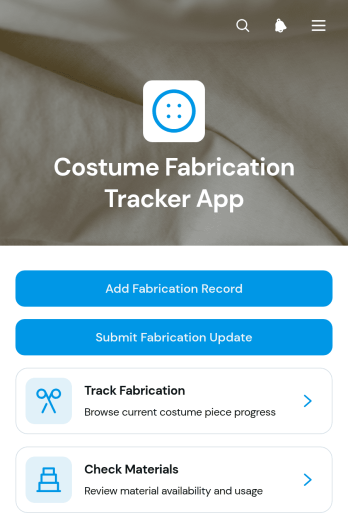
Costume Fabrication Tracker App
The Costume Fabrication Tracker App helps costume shops, theater production teams, film wardrobes, independent makers, and educational programs monitor costume pieces from initial construction through fittings and completion. Teams can review fabrication progress, check material availability, and submit updates as work advances. Organized views for costume pieces, projects, current stages, next actions, completion status, and fitting dates give makers and coordinators a shared picture of production. This app template is especially useful when several costumes are being produced at once and teams need to reduce missed tasks, material shortages, unclear handoffs, and delays before rehearsals, fittings, performances, or shoots.Jotform makes the app easy to adapt with a no-code app builder and a flexible drag-and-drop interface. Add or rearrange pages, connect forms for new fabrication records and progress updates, and organize collected data around your workflow without writing code. You can adjust branding, navigation, and content to match the production process, then share the finished app through a direct link or QR code for convenient mobile access. Ready-to-use App Templates provide a quick starting point for creating a centralized, self-service workspace that supports clearer collaboration and more consistent data collection.
Go to Category:Tracker Apps
Design Project Feedback App
The Design Project Feedback App gives creative teams, agencies, freelancers, and in-house design departments a central place to collect and review feedback throughout a project. Clients, stakeholders, and team members can browse active design projects, view relevant project context, and submit ratings or written comments through a connected form. Reviewers can also distinguish work that is under review from approved projects, helping everyone understand progress without relying on scattered messages. This app template is useful for branding, web design, advertising, product design, and other creative projects that require clear input at defined stages. It supports more organized reviews, preserves reviewer notes, and helps project owners identify what needs attention before approval.Jotform makes this app template easy to adapt with a no-code app builder and a flexible drag-and-drop interface. Add branded pages, revise navigation, connect forms and tables, or link approval workflows without writing code. Teams can organize data collection and project resources in one mobile-friendly experience, then share the app through a direct link, personalized URL, or QR code. Starting with Jotform App Templates saves setup time while leaving room to tailor the layout, content, and self-service journey to each organization’s review process.
Go to Category:Project Management Apps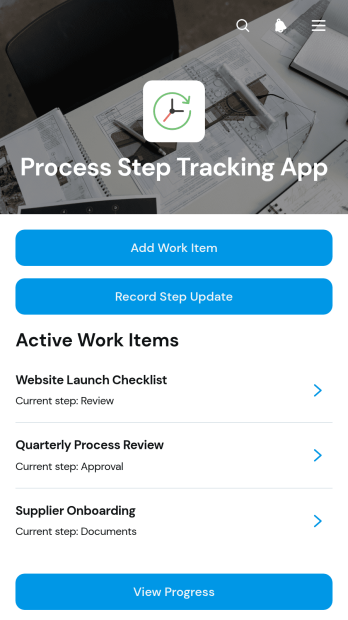
Process Step Tracking App
The Process Step Tracking App provides project teams, operations managers, contractors, consultants, and service businesses with a central place to follow work through defined stages. Teams can add work items, record step updates, and view progress without relying on scattered messages or separate files. Each item can retain essential context such as its description, target date, owner contact, current status, and latest update. This app template is useful for repeatable production processes, client deliverables, internal requests, quality reviews, field operations, and other multistep work where people need a clear view of what has been completed and what comes next.Jotform Apps helps organizations turn this template into a branded, mobile-friendly tracking experience without writing code. Its drag-and-drop interface makes it easy to adjust pages, navigation, buttons, and visual elements to match an existing workflow. Teams can connect forms for data collection, organize records through related tools, and trigger notifications when new activity occurs. The app can then be shared through a direct link or QR code, giving staff and partners convenient self-service access from nearly any device. Start with one of Jotform’s App Templates, tailor the Process Step Tracking App to your operations, and publish it when it is ready for use.
Go to Category:Tracker Apps
Music Project Workspace App
Music Project Workspace App is an app template for musicians, producers, creative teams, and project coordinators who need one organized place to manage active music projects. Users can browse project workspaces, plan tasks and sessions, and submit updates or creative assets as work progresses. It supports recording projects, release preparation, collaborative productions, and other music initiatives that involve multiple contributors and deadlines. By bringing current project information and key actions together, the workspace helps teams maintain visibility, reduce scattered communication, and keep everyone focused on upcoming work.Jotform App Templates make it easy to adapt this workspace to different creative processes without writing code. With Jotform’s no-code app builder and drag-and-drop interface, teams can update pages, adjust navigation, apply their visual identity, and connect forms or tables that support data collection and workflow management. The finished app can be shared through a direct link or QR code, giving collaborators mobile-friendly access wherever they work. This flexible approach turns the Music Project Workspace App into a practical self-service destination for project coordination, progress reporting, and resource access.
Go to Category:Project Management Apps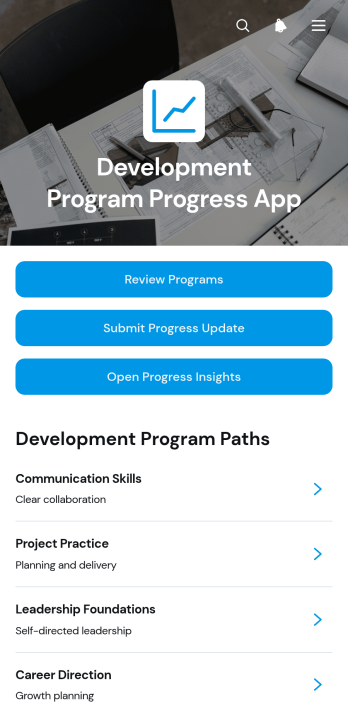
Development Program Progress App
The Development Program Progress App is an app template for organizations that need a clear view of participant advancement across professional, educational, leadership, or community development programs. Program managers, learning teams, mentors, consultants, and nonprofit coordinators can use it to review active programs, collect progress updates, and open progress insights from one organized location. Dedicated program views present development milestones, participant context, current stages, recent updates, next steps, and concise progress summaries. This shared structure helps teams replace scattered records, identify stalled progress, prepare informed check-ins, and maintain consistent oversight across several programs or participant groups.Jotform Apps makes this template easy to adapt with a no-code app builder and a flexible drag-and-drop interface. Add branded content, revise navigation, connect forms and tables, or expand the workflow with approvals and automated notifications. Teams can support convenient self-service data collection while keeping resources and actions together in a mobile-friendly experience. Once customized, the app can be published and shared through a direct link, custom app link, QR code, or embedded experience, making Jotform App Templates practical for both internal teams and distributed program participants.
Go to Category:Tracker Apps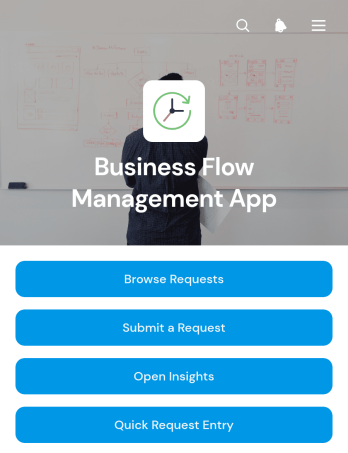
Business Flow Management App
Business Flow Management App is a ready-to-use app template for teams that need one place to receive, review, and organize internal business requests. It supports request submission, request browsing, and access to operational insights while keeping essential context such as request type, department, due date, and review notes easy to find. Operations leaders, project managers, department heads, service teams, and growing businesses can use it to replace scattered messages and disconnected records with a clear intake and review process. It is especially useful for coordinating cross-department work, prioritizing incoming needs, and giving stakeholders a consistent self-service entry point.With Jotform Apps, teams can adapt this Business Flow Management App without writing code. The drag-and-drop app builder makes it easy to update pages, navigation, buttons, content, and branding while connecting data collection to forms, tables, approvals, and related workflows. Users can begin with one of Jotform’s App Templates, tailor the experience to their operating model, and share it through a direct link, custom app link, embedded experience, or QR code. Mobile-friendly access helps employees submit and review requests wherever work happens, while connected processes reduce manual handoffs and keep business activity organized.
Go to Category:Management Apps
Launch Record Tracker App
The Launch Record Tracker App is an app template for documenting product, campaign, service, or project launches from initial entry through post-launch follow-up. Marketing teams, project managers, operations groups, consultants, and growing businesses can use it to keep launch records in one accessible location. Users can add a launch record, browse existing launches, review ownership and target dates, and log follow-up actions. This shared view helps teams maintain accountability, monitor review status, preserve launch summaries, and identify work that still needs attention without relying on scattered documents or messages.Jotform App Templates make it easy to adapt this experience to your organization without coding. With Jotform’s no-code app builder and drag-and-drop interface, you can update pages, branding, navigation, and content while connecting forms and data collection processes to a coordinated workflow. Publish the Launch Record Tracker App through a direct link, personalized app URL, or scannable code so authorized team members can access records from a phone, tablet, or computer. Connected information can also support notifications and collaborative review, creating a practical self-service resource for launch planning and follow-through.
Go to Category:Tracker Apps
Product Concept Planning App
The Product Concept Planning App gives product teams, innovation groups, consultants, and growing businesses a shared place to capture and assess early product ideas. Users can add product concepts, browse existing proposals, and review planning reports without relying on scattered documents or disconnected conversations. Each concept can present essential planning context such as its intended audience, owner, value proposition, and current stage. This makes the app useful for idea intake, portfolio reviews, discovery meetings, and early prioritization. Teams gain clearer ownership and a consistent view of concepts as they decide which opportunities merit further research, validation, or investment.Jotform Apps helps organizations turn this planning process into a branded, mobile-friendly experience without writing code. Start with this app template, then use the drag-and-drop app builder to adjust pages, navigation, colors, and content for your workflow. Connected forms support data collection, while reports and organized concept views make information easier to revisit during team discussions. The finished app can be shared by a direct link or QR code, giving contributors and decision-makers convenient access from almost any device. It is a practical addition to Jotform App Templates for teams seeking a flexible planning workspace with simple self-service access.
Go to Category:Scheduling and Planning Apps
Mission Tracking App
Mission Tracking App is an app template for teams that need a shared place to organize objectives, follow active work, and document results. Project leaders, field teams, nonprofits, community groups, consultants, and operational departments can use it to coordinate missions with clear ownership and visibility. Users can add and browse missions, review progress, and record outcomes without relying on scattered documents or lengthy status exchanges. Mission details such as location, schedule, priority, current status, and next steps help participants understand what is happening and where attention is needed. This structure supports project coordination, program delivery, field activities, and goal-based initiatives.Jotform App Templates make it easier to turn recurring processes into accessible digital experiences. With Jotform’s no-code app builder and drag-and-drop interface, organizations can adapt the Mission Tracking App to their terminology, branding, and workflow without writing code. Connected forms and tables support consistent data collection, while customizable pages and navigation keep essential information easy to find. Once published, the app can be shared by link or QR code for convenient mobile access, giving contributors and coordinators a practical self-service resource for mission updates and outcome reporting.
Go to Category:Project Management Apps
Design Request Management App
The Design Request Management App gives creative teams, marketing departments, agencies, freelancers, and internal stakeholders a shared space for handling design work from intake through review. Requesters can submit a new design brief, while team members can browse active requests and open individual records to see the design type, due date, priority, requester, current status, and review notes. This visibility helps teams clarify expectations, prioritize assignments, monitor progress, and reduce requests scattered across email or chat. It works well for graphics, campaign assets, presentations, social content, web materials, and other recurring creative needs.Jotform App Templates make it easier to turn repeatable processes into accessible digital experiences without writing code. Using Jotform’s no-code app builder and drag-and-drop interface, teams can customize the Design Request Management App with branded pages, navigation, forms, tables, approvals, and connected workflows. The app can support data collection, status updates, team collaboration, and requester self-service from one mobile-friendly location. Once configured, it can be published and shared through a direct link, QR code, or embedded experience, giving employees, clients, and partners convenient access to the request process.
Go to Category:Project Management Apps
Thumbnail Creative Brief App
Thumbnail Creative Brief App is a centralized workspace for collecting, reviewing, and organizing thumbnail design requests. Content teams, social media managers, creative agencies, freelance designers, and in-house marketing departments can use it to replace scattered messages and incomplete instructions with consistent briefs. Requesters can submit a new brief, browse existing briefs, and open individual records to review creative direction, audience details, thumbnail text, reference links, production status, and delivery dates. This shared view helps designers understand expectations before production begins while giving stakeholders an easier way to follow active requests and upcoming deadlines.With Jotform Apps, teams can adapt this app template to their own creative workflow without writing code. The no-code App Builder and drag-and-drop interface make it easy to update pages, navigation, visual branding, and connected forms. Teams can connect data collection to tables, notifications, approvals, and other workflow steps, then share the finished app by link or QR code for convenient mobile access. Jotform App Templates also provide a practical starting point for creating a self-service request experience that keeps brief intake, project details, and production updates together.
Go to Category:Social Media Management Apps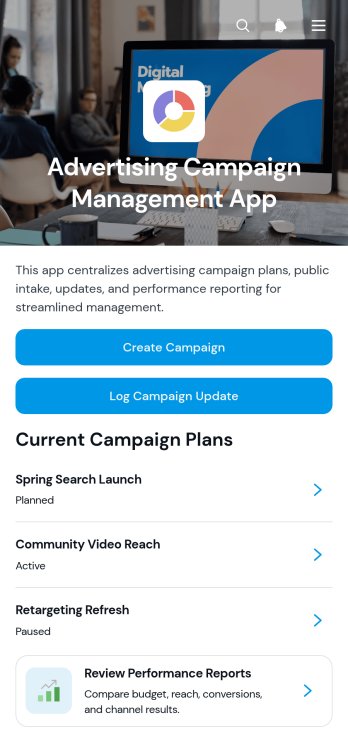
Advertising Campaign Management App
The Advertising Campaign Management App is a ready-to-use workspace for coordinating advertising initiatives from launch through performance review. Marketing teams, advertising agencies, campaign managers, and growing businesses can create and browse campaigns, log progress updates, and review performance reports from one organized location. Clear visibility into objectives, budgets, audiences, schedules, channels, spending, reach, and conversions helps stakeholders understand campaign status without searching across scattered documents. This app template supports consistent data collection, informed planning, and smoother collaboration across teams managing one campaign or a busy advertising portfolio.Jotform Apps makes it easy to adapt this template to your campaign workflow with a no-code app builder and an intuitive drag-and-drop interface. Add branded pages, rearrange navigation, update content, and connect forms, tables, approvals, or other processes without writing code. Teams can turn App Templates into polished self-service workspaces that are easy to access on phones, tablets, and computers. Once customized, the app can be published and shared through a direct link, personalized address, embedded experience, or scannable code, giving collaborators convenient access wherever campaign work happens.
Go to Category:Sales & Marketing Portal Apps
Priority Workflow Tracker App
The Priority Workflow Tracker App gives project teams, operations groups, department managers, and growing businesses a central place to submit work items and organize them by urgency. Team members can open active work items, update progress and status, and review priority insights without relying on scattered messages or separate lists. It is useful for managing internal requests, production queues, campaign tasks, service work, and cross-department assignments where changing priorities can cause delays. Clear guidance for priority and status decisions helps teams apply consistent criteria, identify urgent work, and keep responsibilities visible throughout each workflow.Jotform makes this app template easy to adapt with a no-code app builder and a modern drag-and-drop interface. Teams can customize pages, navigation, cards, buttons, fonts, colors, and branding, then connect forms and tables to support data collection and workflow management. Notifications and approval steps can be added when a process requires follow-up or review. The app can be shared through a direct link or QR code, giving employees and collaborators mobile-friendly self-service access from one organized location. Start with this template, tailor it to existing processes, and publish an interactive tracking experience without writing code.
Go to Category:Task Management Apps
Presentation to Website Project Intake App
The Presentation to Website Project Intake App helps web design teams, creative agencies, consultants, and freelancers gather the information needed to transform an existing presentation into a website. Clients can submit a new project intake, outline the website goal and target audience, communicate brand direction and required pages, and provide technical requirements, presentation assets, and a target launch date. A central project view also makes it easier for clients and delivery teams to review submitted details and track intake status. This app template reduces scattered communication, establishes a clearer project scope, and gives teams a reliable starting point for planning content, design, and production.Jotform Apps helps organizations turn intake processes into accessible, interactive experiences without writing code. Customize this Presentation to Website Project Intake App with a drag-and-drop interface, adjust pages and branding, and connect forms, tables, approvals, notifications, or other workflow steps. Teams can organize data collection and client self-service in one place, then share the finished app through a direct link or QR code. Jotform’s no-code app builder also makes it simple to update the experience as project requirements change.
Go to Category:Project Management Apps
Mechanical Drawing Management App
The Mechanical Drawing Management App is a central workspace for submitting, reviewing, and maintaining mechanical drawings throughout a project. Engineering teams, manufacturers, contractors, technical reviewers, and project managers can use it to organize drawing submissions, record revisions, and monitor review outcomes without relying on scattered files or disconnected messages. Drawing numbers, project context, review status, revision codes, and technical notes help users understand the current state of each record. This app template supports clearer version history, faster review cycles, and better coordination when several contributors work on technical documentation.Jotform makes this Mechanical Drawing Management App easy to adapt with a no-code app builder and a flexible drag-and-drop interface. Teams can customize pages, branding, navigation, and connected forms to reflect their drawing management workflow. Collected data can feed organized tables and trigger notifications, helping reviewers respond to new drawings or revisions promptly. Like other App Templates from Jotform, the app can be shared through a direct link or QR code for convenient mobile access. It gives internal teams and external collaborators a practical self-service destination for finding drawing details, submitting updates, and completing review actions.
Go to Category:Engineering Apps
Search Content Brief App
The Search Content Brief App is an app template for marketing teams, content strategists, editors, agencies, and freelancers who need one organized place to prepare and manage search-focused content briefs. Users can create a brief through a connected form, browse existing briefs, open individual records, and move between drafts and review activities. This shared experience helps teams capture content direction before writing begins, keep assignments visible, and reduce the risk of incomplete or scattered instructions. It is especially useful for editorial planning, search campaign production, agency deliverables, and recurring content operations where writers and reviewers need dependable access to the same guidance.Jotform Apps lets teams customize this Search Content Brief App with a no-code app builder and an intuitive drag-and-drop interface. Pages, buttons, navigation, visual styling, and connected workflows can be adjusted to suit an internal process or client-facing experience. Form-based data collection can feed organized records, while links to tables, approvals, and other Jotform tools can support review and handoff processes. Start with one of Jotform’s App Templates, apply your branding, and share the finished app by direct link, QR code, or embedded experience for convenient mobile-friendly access.
Go to Category:Sales & Marketing Portal Apps
Fashion Photo Brief App
Fashion Photo Brief App gives fashion brands, creative studios, marketing teams, photographers, stylists, and production coordinators one organized place to plan and review photo shoots. Teams can create and browse briefs, document creative direction and shot requirements, and record review decisions without relying on scattered messages or files. It supports campaign photography, seasonal lookbooks, product launches, editorial shoots, and online retail content by keeping audiences, styling notes, production status, feedback, and decisions connected. Clear access to each brief helps contributors understand expectations, while production insights help managers identify progress and keep work moving toward approval.Jotform turns this app template into a customizable experience using a no-code app builder and an intuitive drag-and-drop interface. Add branded pages, cards, buttons, forms, and visual resources, then connect data collection to tables, notifications, approvals, and other workflow steps. The app can be adapted to match different production methods and shared with internal teams, freelance contributors, clients, or agency partners through a direct link or scannable code. Jotform App Templates make it easier to launch a mobile-friendly self-service workspace where stakeholders can find briefs, provide feedback, and follow decisions from one convenient location.
Go to Category:Project Management Apps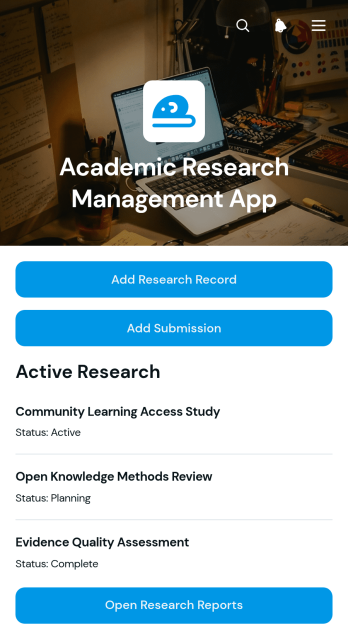
Academic Research Management App
The Academic Research Management App is a central workspace for universities, research departments, faculty members, graduate students, and project coordinators overseeing academic studies. It brings research records, submission and milestone tracking, and report access into one organized experience. Teams can use this app template to coordinate thesis projects, faculty studies, grant-supported work, laboratory initiatives, and collaborative research programs. Clear access to current project information helps researchers monitor progress, reduce scattered documentation, and keep supervisors informed throughout each stage of a study.Jotform Apps makes it easy to adapt the Academic Research Management App without writing code. Using a drag-and-drop interface, administrators can update pages, navigation, branding, and content to suit a department or research program. Connected forms support consistent data collection, while tables and workflows help organize incoming records and follow-up actions. Like other Jotform App Templates, it can be shared through a direct link or QR code for convenient mobile-friendly access. Teams can build a practical self-service resource, centralize recurring research activities, and revise the app as academic requirements evolve.
Go to Category:Education Apps