

Project Management Apps

Sustainable Farm Progress App
The Sustainable Farm Progress App helps farmers, agricultural teams, field advisers, and community farming programs document and review improvements across farm areas. Teams can create progress entries, record field visits, and review farm insights from one organized location. Each record can capture activity details, current status, observations, and the next action, making it easier to follow sustainable practices over time. Practical guidance and related resources also help users connect recommended practices with work completed in the field. This app template is useful for farms managing multiple areas, advisers supporting growers, and organizations monitoring agricultural projects.With Jotform Apps, teams can adapt this app template through a no-code app builder and an intuitive drag-and-drop interface. Pages, navigation, forms, and visual elements can be adjusted to match existing farm operations without programming. Connected forms support consistent data collection, while organized records make each workflow easier to review and share. Publish the app with a direct link or QR code so field teams can access it on mobile devices, add updates during visits, and use resources for self-service guidance wherever work takes place.
Go to Category:Activity Tracking Apps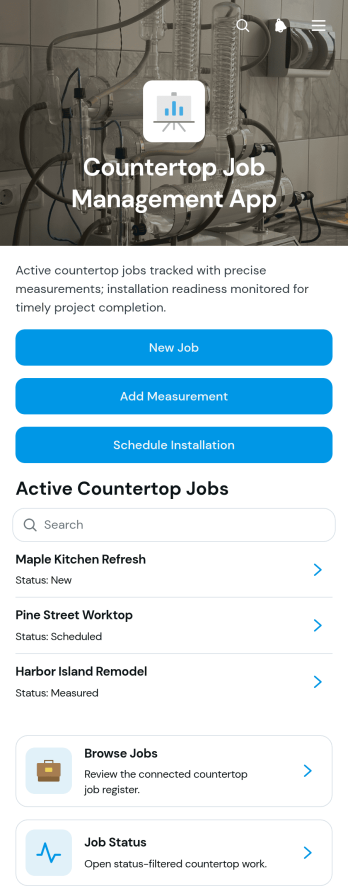
Countertop Job Management App
Countertop Job Management App gives countertop fabricators, installers, contractors, and project coordinators one organized place to manage work from initial intake through installation. Teams can submit new jobs, record field measurements, schedule installations, and browse projects by status. Key job details such as the client, material, address, estimate, project scope, and working notes remain easy to reference throughout the process. This app template is useful for fabrication shops and home service businesses that need clearer handoffs between sales, measuring, production, and installation teams. It helps reduce scattered job information, missed updates, scheduling confusion, and time spent searching for current project details.Jotform Apps makes it easy to adapt this template to the way your countertop business operates. Using a no-code app builder and drag-and-drop interface, you can update pages, navigation, buttons, branding, and connected forms without programming. Link data collection forms and workflows so employees can add project information from the office or field, then organize records for convenient browsing and self-service access. Jotform App Templates can also connect with tables, approvals, notifications, and other processes to support coordinated job management. When the app is ready, share it with staff through a direct link or QR code and provide mobile-friendly access wherever work takes place.
Go to Category:Construction Apps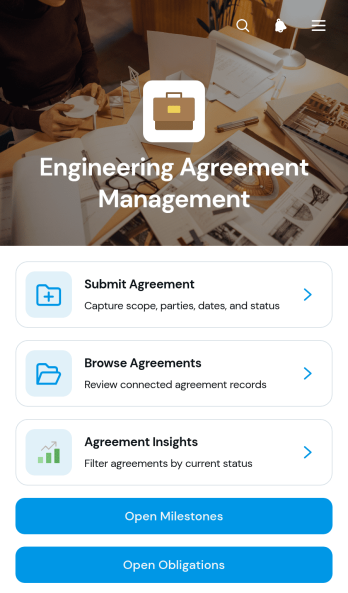
Engineering Agreement Management App
Engineering Agreement Management App is an app template for engineering firms, project teams, contractors, consultants, and operations leaders who need one place to organize active agreements. Users can submit and browse agreement records, monitor milestones and obligations, and review agreement insights without searching across disconnected files. It supports work involving consulting engagements, technical services, construction projects, supplier arrangements, and other engineering partnerships. Clear visibility into parties, scope, dates, status, owners, and notes helps teams coordinate responsibilities, identify upcoming deadlines, and keep project activity connected to the relevant agreement.Jotform Apps makes this experience easy to adapt with a no-code app builder and a flexible drag-and-drop interface. Teams can personalize pages, navigation, cards, and branding, then connect forms and tables to support data collection and an organized workflow. This Engineering Agreement Management App can be shared by link or QR code for convenient desktop and mobile self-service. Among Jotform App Templates, it offers a practical starting point that users can update with the App Builder as agreement processes evolve, helping internal teams and external collaborators access current information from a consistent resource.
Go to Category:Engineering Apps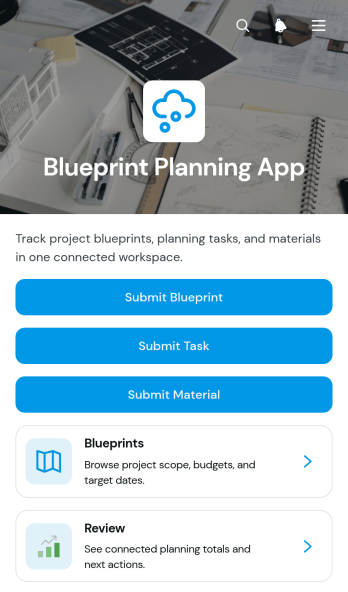
Blueprint Planning App
Blueprint Planning App brings construction plans, related tasks, and material requirements into one accessible workspace. Contractors, project managers, engineers, architects, site supervisors, and planning teams can use this app template to submit blueprints, review project details, assign work, and record required materials. Each project can display essential context such as the client, budget, site address, and current status, helping teams understand priorities without searching across disconnected records. Linked task and material views also make it easier to monitor ownership, quantities, unit costs, and suppliers throughout planning and preparation.Jotform Apps makes it easy to adapt this Blueprint Planning App to the way your team works. Use the no-code app builder and drag-and-drop interface to update pages, navigation, colors, fonts, and branding without programming. Connected forms support data collection, while organized records and automated notifications can keep each workflow moving. Once the app is ready, share it through a direct link or QR code so office and field teams can access current project information from phones, tablets, or computers. Jotform App Templates offer a practical starting point for creating mobile-friendly planning tools, internal resource centers, and self-service experiences.
Go to Category:Construction Apps
Document Review Workspace App
Document Review Workspace App gives teams a central place to submit documents, open a review queue, and evaluate materials with a consistent checklist. It is well suited to operations teams, project managers, consultants, administrators, and internal reviewers who need to organize document assessments without relying on scattered messages or files. Reviewers can open individual records, see review dates and statuses, add checklist results, and record notes. This shared workspace makes it easier to identify pending work, maintain consistent review criteria, and give stakeholders a clearer view of progress.With Jotform Apps, organizations can adapt this app template to match their review process without writing code. The drag-and-drop app builder supports branded pages, intuitive navigation, connected forms, tables, and workflows in a mobile-friendly experience. Teams can adjust submission questions, checklist content, status options, and visual styling, then share the app through a direct link or QR code. Jotform App Templates help businesses build practical self-service experiences that improve data collection, centralize review records, and keep recurring work accessible from one place.
Go to Category:Team Collaboration Apps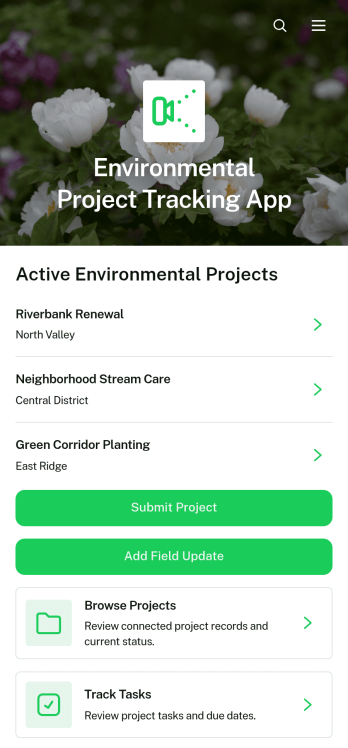
Environmental Project Tracking App
The Environmental Project Tracking App gives environmental teams one place to monitor active initiatives, document field progress, and coordinate project tasks. It is suitable for nonprofits, consulting teams, contractors, community groups, conservation programs, and sustainability departments overseeing restoration, waste reduction, habitat improvement, or similar work. Users can browse project records, add field updates, and track assigned tasks without relying on scattered spreadsheets or messages. Centralized access to locations, schedules, budgets, impact metrics, progress notes, and field photos helps stakeholders understand current conditions and make informed operational decisions.Jotform App Templates offer a practical starting point for turning project information and connected workflows into an accessible digital experience. With Jotform’s no-code app builder and drag-and-drop interface, teams can customize pages, navigation, colors, and branding while connecting forms and organized data collection tools. The finished app can support mobile fieldwork, team collaboration, and self-service access for approved participants. Share it through a direct link or QR code, update its content as programs evolve, and keep project reporting and day-to-day coordination within one adaptable workspace.
Go to Category:Project Management Apps
Game Thumbnail Brief App
The Game Thumbnail Brief App is an app template for game studios, creative agencies, marketing teams, content producers, and independent creators who need a consistent way to request thumbnail artwork. Team members can create briefs, browse existing requests, and open individual brief details from one organized location. This helps requesters communicate campaign goals and visual direction while giving designers clearer context before production begins. It is useful for coordinating artwork across game launches, updates, promotional videos, social posts, storefront content, and recurring creative campaigns. Centralizing requests reduces scattered instructions, supports more consistent handoffs, and gives collaborators an accessible reference point throughout each project.Jotform Apps lets teams adapt the Game Thumbnail Brief App with a no-code app builder and an intuitive drag-and-drop interface. Users can customize pages, navigation, colors, fonts, buttons, and branding without writing code. Connected forms support data collection, while organized brief listings make it easier to manage the creative workflow and provide team self-service. The finished app can be shared through a direct link or QR code and accessed from phones, tablets, or computers. Among Jotform App Templates, this option offers a practical starting point for building a branded creative request experience that can evolve with changing production needs.
Go to Category:Project Management Apps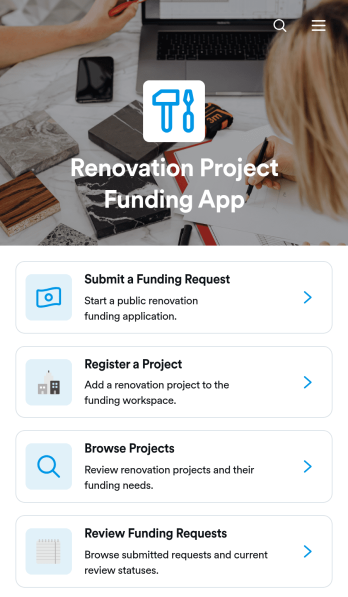
Renovation Project Funding App
Renovation Project Funding App provides a central place to register renovation projects, present their funding needs, and collect requests from applicants. It is well suited to property renovation firms, contractors, housing organizations, community improvement programs, project managers, and internal funding committees. Users can browse registered projects, review key details such as estimated budgets and requested funding, and submit requests with supporting documents. Reviewers can then examine applicant information, requested amounts, and funding purposes without relying on scattered emails or disconnected files. This creates a clearer path from project registration to funding review and helps stakeholders make informed decisions.With Jotform Apps, teams can adapt this app template to match their funding process without writing code. The drag-and-drop app builder makes it easy to update pages, branding, buttons, and navigation while connecting forms and data collection tools to a shared workflow. Organizations can start from ready-made App Templates, add approval steps or notifications, and publish a mobile-friendly experience for applicant self-service. The finished app can be shared by direct link, QR code, or embedded experience, giving applicants and reviewers convenient access from nearly any device.
Go to Category:Construction Apps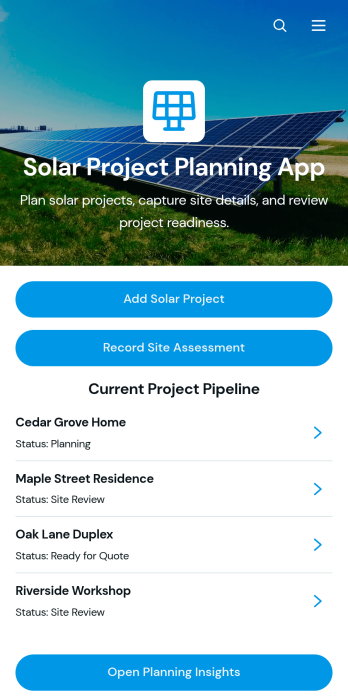
Solar Project Planning App
Solar Project Planning App helps solar contractors, engineering teams, energy consultants, and project coordinators organize proposed installations from early assessment through planning. Teams can add solar projects, record site assessments, review the current project pipeline, and open planning insights from one accessible location. Individual project views keep essential specifications such as system size, estimated budget, roof orientation, roof condition, and project notes easy to reference. This app template supports residential and commercial solar planning by reducing scattered records, improving project visibility, and giving office and field personnel a shared source of current information.With Jotform Apps, organizations can customize this Solar Project Planning App through a no-code app builder and an intuitive drag-and-drop interface. Teams can adjust pages, branding, navigation, and connected forms without programming, then link data collection to tables, approvals, notifications, and other workflow steps. The finished app can be shared by a direct link or QR code for mobile-friendly access, helping staff submit updates and find project information while working in the office or at a site. Jotform app templates offer a flexible starting point for creating a practical self-service workspace that can evolve with each organization’s solar planning process.
Go to Category:Engineering Apps
Project Management Dashboard App
Project Management Dashboard App gives project managers, operations teams, consultants, agencies, and growing businesses a shared view of active work. Teams can add projects and updates, review project portfolios, manage assigned tasks, report issues, and open reports from one accessible workspace. Project snapshots bring together ownership, progress, schedules, summaries, and key notes, while dedicated task and issue views help users monitor due dates, assignments, context, and resolution details. This app template is useful for coordinating client engagements, internal initiatives, product launches, construction work, and other projects that require clear accountability.With Jotform Apps, teams can adapt this Project Management Dashboard App without writing code. The drag-and-drop interface makes it easy to update pages, cards, buttons, branding, and navigation while connecting forms and data collection processes to the wider workflow. Publish the finished app through a direct link, personalized URL, or QR code so team members can access project information from phones, tablets, or computers. Jotform app templates also provide a practical starting point for creating a mobile-friendly self-service workspace that keeps project activity organized as priorities change.
Go to Category:Project Management Apps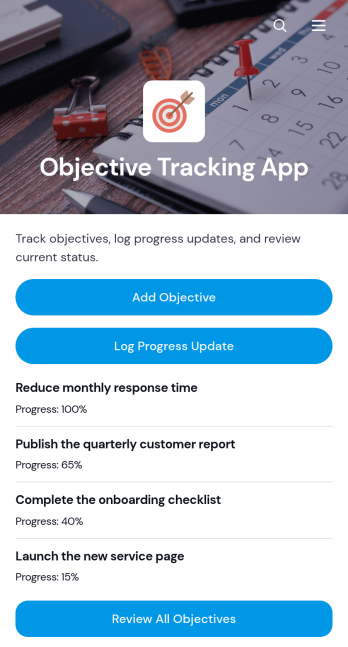
Objective Tracking App
Objective Tracking App is a ready-to-use app template for recording goals, monitoring progress, and keeping priorities visible in one convenient location. Individuals, project teams, managers, consultants, educators, and nonprofit coordinators can use it to turn broad aims into trackable objectives. Users can add objectives, log progress updates, and review current objectives without switching between scattered documents or messages. This makes the app useful for quarterly planning, project milestones, employee development, client engagements, learning goals, and community programs. Regular updates help users identify stalled work, maintain accountability, and make informed decisions about next steps.With Jotform Apps, the Objective Tracking App can be adapted to match an organization’s processes and visual identity. The no-code app builder and drag-and-drop interface make it easy to reorganize content, connect forms, and create a focused self-service experience without programming. Teams can support data collection and ongoing workflow management while keeping objective information accessible on mobile devices. Start with Jotform App Templates, customize the pages and navigation, then publish and share the finished app through a direct link, QR code, or embedded experience.
Go to Category:Tracker Apps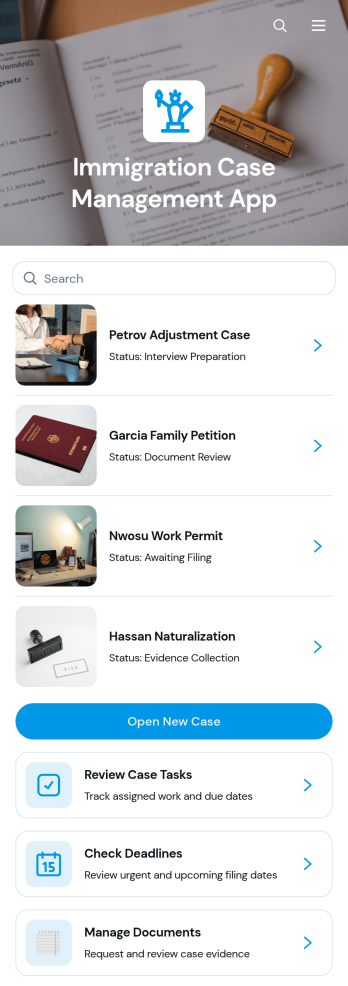
Immigration Case Management App
Immigration Case Management App gives immigration attorneys, legal practices, case managers, and support teams a central place to organize active matters. Users can open new cases, review assigned tasks, monitor upcoming deadlines, and manage document requests without relying on scattered spreadsheets or disconnected messages. Each case can present key details such as the applicant, case type, country of origin, assigned attorney, next deadline, and a concise summary. This app template is well suited to practices handling multiple applicants and case types, helping staff maintain visibility, prioritize follow-ups, and coordinate daily work from intake through the next required action.With Jotform Apps, teams can adapt this Immigration Case Management App through a no-code app builder and an intuitive drag-and-drop interface. Forms and connected tables support consistent data collection, while app pages and navigation provide convenient access to case records and workflow actions. Staff can personalize the design, update content, connect approvals or notifications, and share the finished app by link or QR code. Starting from ready-made App Templates reduces setup time and creates a mobile-friendly self-service workspace that can evolve alongside the practice.
Go to Category:Legal Apps
Software Project Review App
The Software Project Review App gives software teams a shared space to submit project evaluations, browse completed reviews, and examine review insights. It is useful for engineering leaders, product managers, quality assurance teams, consultants, and cross-functional stakeholders assessing work before a release, milestone, retrospective, or portfolio decision. Reviewers can record feedback on technical quality, user experience, security, and delivery confidence while associating each evaluation with a project, reviewer, and date. Keeping this information in one accessible experience helps teams compare perspectives, uncover recurring concerns, document outcomes, and prioritize follow-up work without relying on scattered files or message threads.With Jotform Apps, organizations can customize this app template through a no-code app builder and an intuitive drag-and-drop interface. Teams can update pages, branding, navigation, and review questions, then connect data collection to tables, notifications, approvals, or other workflow steps. The app can be shared through a direct link or QR code for convenient mobile access, giving authorized participants a practical self-service destination for submitting and viewing reviews. Jotform App Templates make it easier to create a polished project review experience that reflects each team’s processes and supports informed, collaborative decisions.
Go to Category:Project Management Apps
Offline Video Editing App
Offline Video Editing App is an app template for organizing projects in which footage is edited locally rather than through a browser-based editor. Freelance editors, production teams, content creators, agencies, and media departments can use its focused page as a starting point for project intake, editing resource navigation, and feedback collection. It can bring briefs, file instructions, review links, and project actions into one branded destination, helping collaborators find essential information without relying on scattered messages. The template supports the coordination surrounding offline editing but does not edit video files itself.Jotform Apps makes this Offline Video Editing App easy to adapt with a no-code app builder and a drag-and-drop interface. Add pages, buttons, media, forms, approval steps, or connected tables as your production workflow develops. These App Templates help teams create mobile-friendly self-service experiences for collecting data, sharing resources, and coordinating work without programming. Customize the visual style, publish the finished app with a direct link, and provide editors, clients, or internal stakeholders with convenient access to the materials and actions relevant to each project.
Go to Category:Entertainment Apps
Product Photography Project Intake App
The Product Photography Project Intake App template helps commercial photographers, creative studios, agencies, and in-house content teams organize photography requests from brief to delivery. Teams can collect project requirements, create detailed shot lists, and review completed deliveries within one accessible experience. It is well suited to e-commerce campaigns, catalog updates, product launches, seasonal collections, and recurring client work. By keeping shoot dates, product quantities, styling direction, required angles, priority images, and approval notes connected to each project, the app reduces missing information and gives photographers, producers, stylists, and clients a shared view of the work.Jotform makes this app template easy to adapt with a no-code app builder and a flexible drag-and-drop interface. Add branded pages, update navigation, connect forms, and organize data collection without writing code. Project information can feed into connected tables and workflows, while notifications help teams respond to new requests and reviews. Jotform App Templates also support convenient self-service access through a direct link, personalized address, embedded experience, or scannable code, making the finished app simple to share with clients and collaborators on any device.
Go to Category:Project Management Apps
App Brief Builder App
App Brief Builder App provides product teams, agencies, consultants, and project stakeholders with a central place to create, review, and refine briefs for new app projects. Users can submit a brief, browse projects by name, open individual records, and manage work through a review queue. Each brief brings essential planning context and build direction together, helping teams clarify the target audience, success criteria, core features, and visual approach before production begins. It is especially useful for discovery sessions, client intake, internal product planning, and agency handoffs where incomplete requirements can cause delays or misaligned expectations.With Jotform Apps, this app template can be adapted through a no-code app builder and an intuitive drag-and-drop interface. Teams can personalize pages, cards, buttons, colors, and branding while connecting forms, tables, notifications, approvals, and other workflow steps. Brief data stays organized as projects are created or updated, giving collaborators convenient self-service access to current information. Publish the finished experience with a direct link or QR code so contributors can access it from a phone, tablet, or computer without downloading additional software.
Go to Category:Project Management Apps
Digital Project Intake App
The Digital Project Intake App is an app template for collecting, reviewing, and monitoring new project requests in one organized experience. It gives project managers, operations teams, creative departments, consultants, and internal service teams a central place to receive project details, view current requests, and check progress through a status dashboard. Requesters can submit another intake when new work arises, while reviewers can reference each project’s business goal, requested launch date, priority, and next step. This shared process reduces scattered requests, improves visibility, and helps teams evaluate demand before committing resources or schedules.With Jotform Apps, teams can adapt this Digital Project Intake App without writing code. The drag-and-drop app builder makes it easy to update pages, navigation, branding, and content while connecting forms, tables, approvals, notifications, and other workflow assets. Teams can create a polished self-service destination for data collection, publish it with a direct link or custom URL, and make it available on phones, tablets, and computers. Jotform App Templates also provide a practical starting point that can grow alongside changing intake rules, review processes, and project portfolios.
Go to Category:Project Management Apps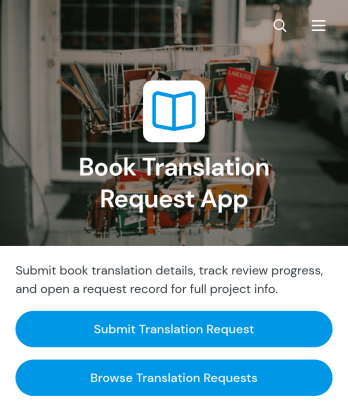
Book Translation Request App
The Book Translation Request App helps publishers, literary agencies, authors, translation teams, and language service providers collect and manage requests for book translation projects. Users can submit a project brief with essential book information, then browse requests and separate active work from completed projects. This central view reduces scattered email conversations, gives coordinators a clearer picture of deadlines and project scope, and makes it easier to organize translation demand across multiple titles. It is well suited to publishing operations, editorial teams, independent translators, and agencies handling requests from clients or internal departments.Jotform App Templates provide a practical starting point for creating branded digital experiences without writing code. Customize this app template with Jotform’s no-code app builder and drag-and-drop interface, then connect forms, tables, approvals, notifications, and other workflow tools as needed. Teams can update pages, navigation, colors, and content to match their process, support consistent data collection, and offer convenient self-service access. Once published, the app can be shared through a direct link or QR code so requesters and project teams can access it from phones, tablets, or computers.
Go to Category:Service Apps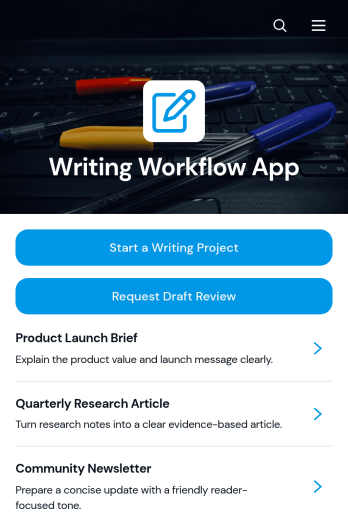
Writing Workflow App
The Writing Workflow App is a centralized workspace for managing writing assignments from initial request through review. It helps content teams start writing projects, submit drafts for feedback, and find reusable templates or guidance resources. Marketing departments, editorial teams, agencies, publishers, freelancers, educators, and internal communications teams can use it to keep work visible and organized. Instead of relying on scattered messages and disconnected documents, contributors and reviewers gain a consistent process for capturing project details, monitoring drafts, and requesting support. It is well suited to blog production, campaign copy, educational content, client deliverables, and recurring editorial programs.Jotform Apps makes it easy to adapt this app template without writing code. Use the drag-and-drop app builder to update pages, navigation, colors, fonts, buttons, and branded visual elements. Connected forms and tables can support data collection, review workflows, notifications, and organized recordkeeping in one mobile-friendly experience. Teams can publish their Writing Workflow App through a direct link or custom URL, giving writers and reviewers convenient self-service access wherever work happens. Start with one of Jotform’s App Templates and tailor the experience as writing processes, teams, or content volumes change.
Go to Category:Project Management Apps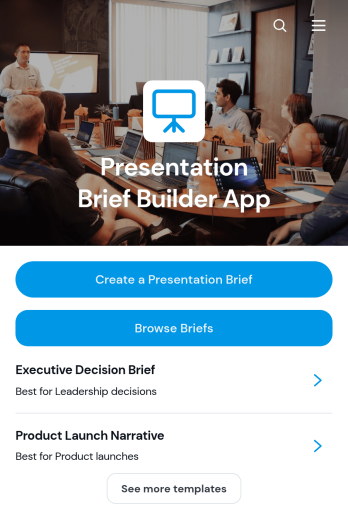
Presentation Brief Builder App
Presentation Brief Builder App gives marketing teams, creative agencies, consultants, and project leads a central place to prepare and review presentation briefs. Users can create a brief, browse existing briefs, and open reusable templates with recommended structures. Key planning details such as the audience, stakeholder, goal, core message, required sections, and reference materials remain easy to find throughout the project. This app template is useful for sales decks, campaign proposals, executive updates, client presentations, training materials, and internal reports. It reduces missing information, clarifies expectations before production begins, and helps contributors align their work with the intended message and delivery format.With Jotform Apps, teams can customize this Presentation Brief Builder App through a no-code app builder and an intuitive drag-and-drop interface. Add branded pages, adjust navigation, connect forms and tables, or link related approval and data collection workflows without writing code. Brief templates can be adapted to different departments, while direct links and mobile-friendly access make self-service easier for employees, clients, and partners. Jotform app templates help organizations turn scattered planning steps into an interactive resource that can be published quickly and updated as presentation needs evolve.
Go to Category:Sales & Marketing Portal Apps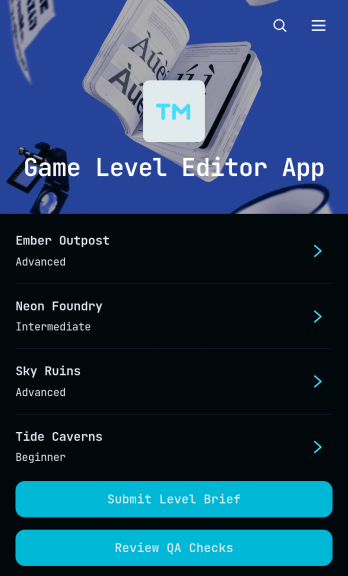
Game Level Editor App
Game Level Editor App gives game design teams a shared space for planning, documenting, and reviewing new levels. This app template helps level designers, producers, developers, artists, and quality assurance teams capture level briefs, define player goals and core mechanics, outline environments, record asset needs, and preserve designer notes. Teams can submit new level concepts, browse existing records, add supporting asset information, and complete quality assurance checks from one organized location. It is well suited to independent studios, development agencies, classroom projects, and production teams that need clearer handoffs and a consistent review process throughout level creation.With Jotform, this Game Level Editor App can be adapted through a no-code app builder and an intuitive drag-and-drop interface. Teams can update pages, cards, buttons, navigation, colors, and fonts to match their production process and visual identity. Connected forms support data collection for level briefs, asset records, and review results, while tables and workflows keep information organized for ongoing collaboration. Publish the finished app template with a direct link, custom URL, or QR code so contributors can access it on desktop or mobile devices. Jotform App Templates make it easier to create a practical self-service workspace without writing code.
Go to Category:Engineering Apps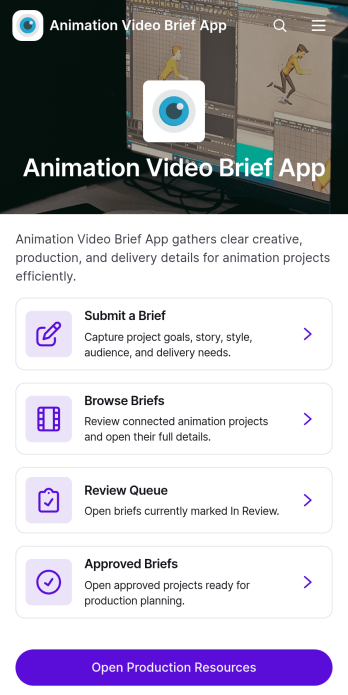
Animation Video Brief App
Animation Video Brief App is a centralized workspace for collecting, reviewing, and managing creative briefs before animation production begins. It suits animation studios, creative agencies, marketing departments, freelance teams, and in-house video producers that need clear project direction from clients or stakeholders. Users can submit new briefs, move projects through a review queue, and access approved briefs alongside production resources. Keeping project context, audience expectations, delivery dates, and sound direction in one place reduces missing information, helps reviewers apply consistent quality criteria, and gives production teams a reliable reference throughout each assignment.Built with Jotform’s no-code app builder, this app template can be adapted to match a team’s branding, terminology, and workflow without programming. The drag-and-drop interface makes it easy to reorganize pages, update navigation, add helpful content, and connect forms or other Jotform tools for data collection and approvals. Teams can publish the app with a shareable link or QR code, giving contributors and reviewers convenient mobile access. Jotform App Templates help organizations create polished self-service experiences that bring requests, decisions, and resources together while supporting smoother collaboration from initial concept to production handoff.
Go to Category:Project Management Apps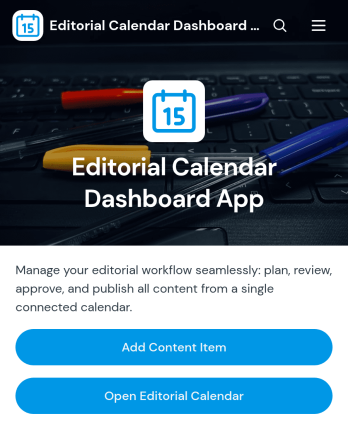
Editorial Calendar Dashboard App
Editorial Calendar Dashboard App gives marketing teams, publishers, agencies, and content managers a shared space for planning and monitoring editorial work. Team members can add or update content items, open the editorial calendar, and review planning analytics without switching between disconnected tools. Clear access to publish dates, owners, campaigns, and editorial summaries helps teams coordinate assignments, identify schedule gaps, and keep articles, newsletters, social posts, and campaign assets moving toward publication. It is especially useful for organizations managing several contributors, channels, or concurrent campaigns.With Jotform Apps, teams can turn this ready-made app template into a branded workspace using a no-code app builder and an intuitive drag-and-drop interface. Connect forms and tables to support data collection, organize content records, and maintain a practical workflow from intake through scheduling. Pages, buttons, visual elements, and navigation can be adapted to match existing processes, while direct links and QR codes make the app easy to share. The result is a mobile-friendly self-service resource that keeps editorial planning accessible wherever work happens.
Go to Category:Scheduling and Planning Apps
Creative Project Planning App
Creative Project Planning App gives agencies, design studios, marketing teams, freelancers, and in-house creative departments a shared space for organizing work from concept to completion. Teams can add projects, assign and prioritize tasks, prepare creative briefs, and review progress without scattering essential details across separate documents. Project records keep client, project type, due date, status, and lead contact information accessible, while task views clarify ownership and deadlines. This app template is useful for campaign planning, branding projects, content production, video assignments, website work, and other creative initiatives that require clear direction and coordinated execution.Jotform App Templates help organizations turn recurring processes into interactive, mobile-friendly experiences without writing code. With Jotform’s no-code app builder and drag-and-drop interface, you can tailor pages, navigation, forms, colors, fonts, and visual elements to suit your team. Connect data collection forms with tables, approvals, notifications, and other workflow steps to keep project information organized and support timely follow-up. Once customized, the app can be shared through a direct link or QR code, giving contributors convenient access to project planning resources and self-service actions from nearly any device.
Go to Category:Project Management Apps