

Inventory App Templates

Firearm Inventory App
A firearm inventory app helps organizations and responsible owners keep a clear, searchable record of firearms in one place. This template brings together an inventory list with individual item views, plus guided actions to add new firearms, log maintenance, and record transfers. It’s a practical fit for firearms retailers, ranges, training providers, security teams, and collectors who want consistent tracking across locations, staff, or shared storage and who need to reduce mistakes caused by scattered spreadsheets or paper files.Jotform makes it easy to turn this workflow into a polished self-service experience with App Templates you can publish and share in minutes. Using Jotform’s no-code app builder and drag-and-drop interface, you can adjust pages, reorder navigation, and connect forms and data collection to keep records organized and accessible. As your workflow grows, you can keep everything in sync by updating the underlying data and using connected forms to capture new entries, maintenance logs, and transfer records.
Go to Category:Inventory Apps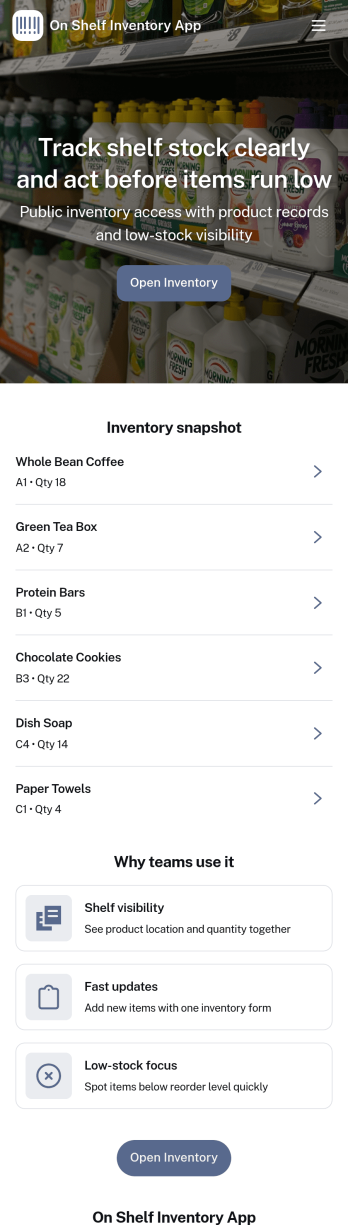
On Shelf Inventory App
On Shelf Inventory App helps retail and warehouse teams keep a clear, up-to-date view of what’s available on the shelf, what’s running low, and what needs attention today. Use it to browse inventory items, complete quick stock counts during floor walks, and record restocks so everyone stays aligned on availability. It fits convenience stores, specialty retail, backrooms, pop-up shops, and multi-location operations that rely on accurate on-shelf numbers to reduce missed sales, prevent overordering, and improve replenishment routines.Built with Jotform App Templates, this app template can be tailored with a no-code app builder and a drag-and-drop interface, so you can match your categories, locations, and counting process without developer help. Connect the app to Jotform forms and data tables to support consistent data collection, route updates through a workflow, and make self-service inventory tasks easy for staff on any device. Share a single link with your team to standardize counting and restocking across shifts.
Go to Category:Inventory Apps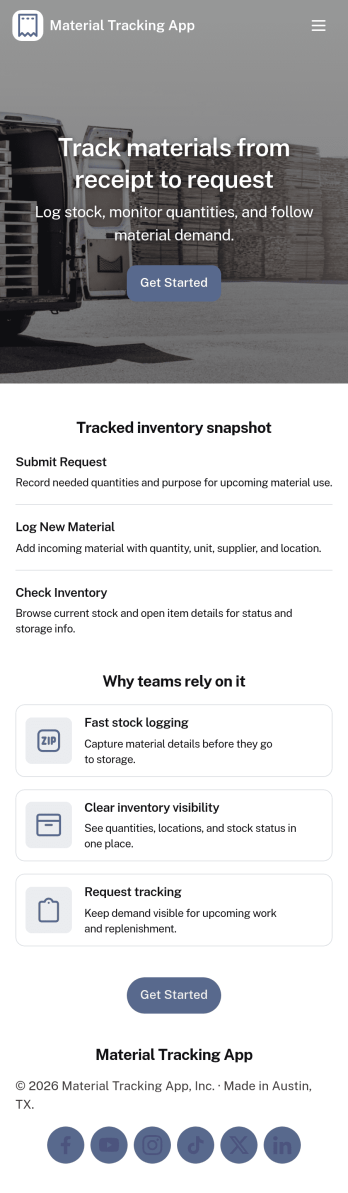
Material Tracking App
Material Tracking App helps teams record materials as they come in and go out, keep a clear view of current stock, and review activity over time. It’s a practical fit for construction crews, facilities teams, makerspaces, warehouses, and any operation that needs a simple way to log material usage and avoid surprises when supplies run low. With quick actions for logging material and adding new materials, plus dedicated areas for inventory and history, the app supports consistent updates across shifts and job sites.Built with Jotform, this app template makes it easy to launch a mobile-friendly self-service experience without coding. Use the drag-and-drop app builder to tailor pages, buttons, and navigation to your workflow, then connect your material log and inventory records to your existing data collection process. Share the app by link or QR code so staff can update stock in the moment, while managers get a clearer workflow for tracking materials and keeping inventory organized.
Go to Category:Inventory Apps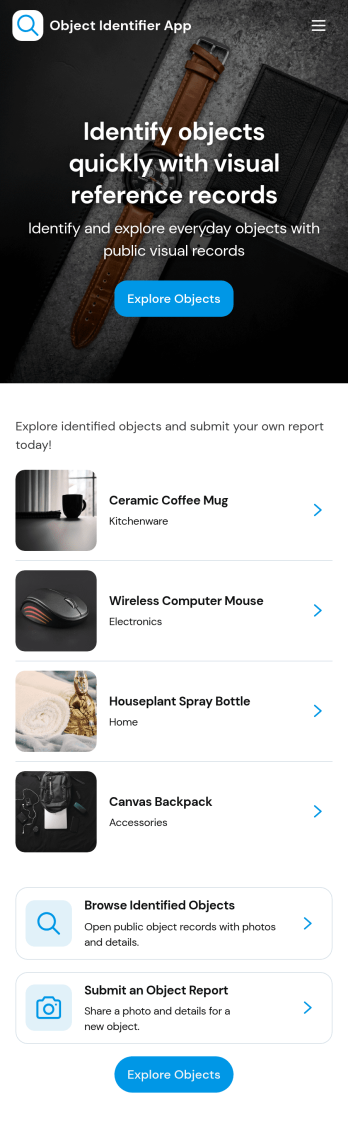
Object Identifier App
Object Identifier App helps teams create and manage a simple catalog of identified items so they can add new records, scan or reference a barcode, and quickly browse existing records in one place. It’s a practical fit for IT and facilities teams tracking tagged assets, labs cataloging instruments, schools organizing equipment, resellers managing inventory-like collections, or any organization that needs a consistent way to label objects and look them up later without digging through spreadsheets.With Jotform, you can publish this app template and adapt it to your workflow using a no-code app builder and a drag-and-drop interface. Connect your record form to keep data collection consistent, organize entries so people can find what they need fast, and share a self-service experience by link or QR code for staff in the field. As your process grows, you can update pages, buttons, and navigation in minutes to match how your team actually identifies and tracks objects.
Go to Category:Inventory Apps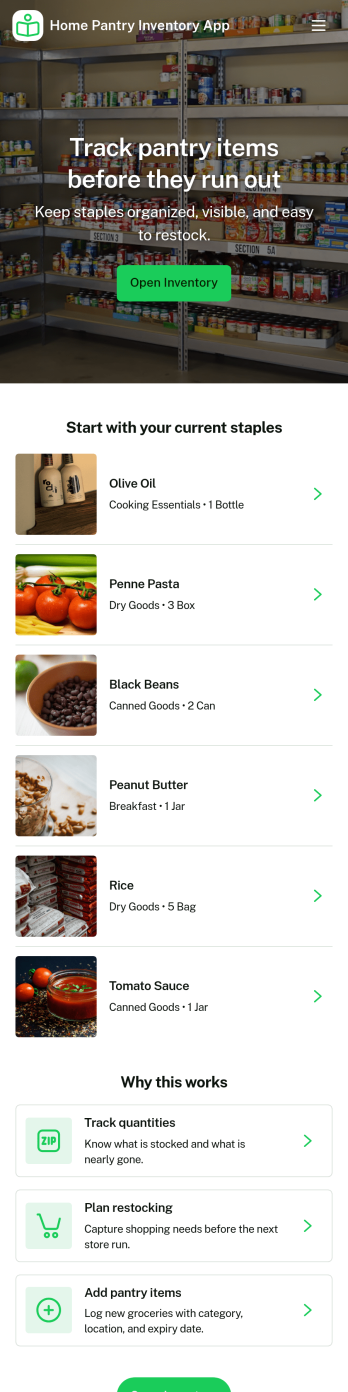
Home Pantry Inventory App
Home Pantry Inventory App helps you keep a clear, up-to-date list of pantry and household staples so you know what you have, what’s running low, and what needs replacing. Use it to browse your full inventory, add new items as you shop or organize, and submit restock requests when something runs out. It’s a practical fit for busy households, roommates sharing groceries, caregivers managing supplies, or anyone trying to reduce waste, avoid duplicate purchases, and plan meals around what’s already at home.With Jotform, you can turn this app template into a simple self-service system for everyday home organization using a no-code app builder and a drag-and-drop interface. Connect the app to forms and tables for reliable data collection, then share it by link or QR code so family members can update items in seconds. As your needs grow, you can refine the workflow, adjust fields, and keep inventory and restock activity organized in one place.
Go to Category:Inventory Apps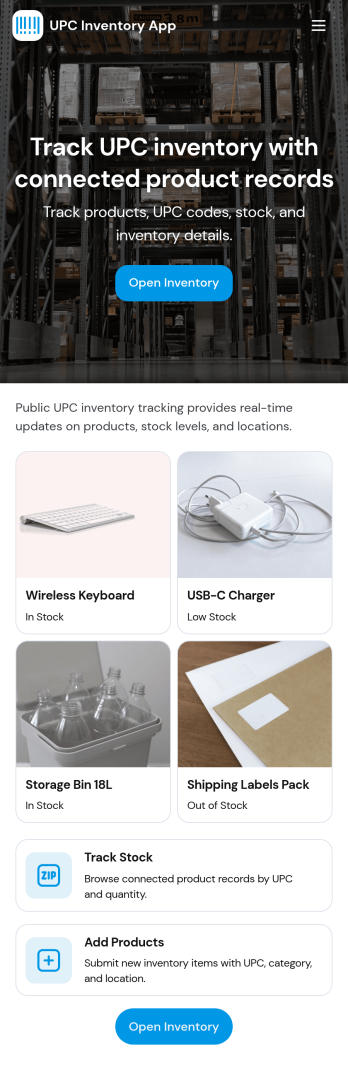
Upc Inventory App
Upc Inventory App helps teams manage products by scanning UPC barcodes, organizing item records, and keeping stock history easy to review. It’s a practical fit for retail counters, small warehouses, stockrooms, pop-up shops, and e-commerce operations that need faster item lookups and fewer manual entry mistakes. With quick access to Scan Item, Inventory, and Stock Logs, staff can find what’s on hand, add new products as they arrive, and keep counts consistent across shifts.Jotform makes it simple to turn this kind of workflow into a shareable, mobile-friendly experience using ready-to-use app templates and a no-code app builder. Customize pages with a drag-and-drop interface, connect buttons to forms for data collection, and keep records organized for everyday operations. Publish with a link or QR code so your team can use the same inventory workflow wherever work happens.
Go to Category:Inventory Apps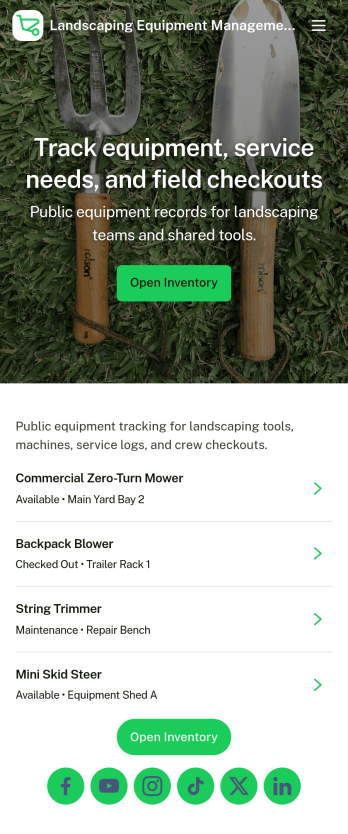
Landscaping Equipment Management App
Landscaping Equipment Management App helps landscaping crews and field service teams keep track of equipment across jobs, trucks, and storage locations without relying on spreadsheets or scattered notes. Use it to maintain a clear inventory list, add new equipment as you buy it, and record check outs and returns so everyone knows what is available. It also supports maintenance tracking by letting staff log service activity for mowers, trimmers, blowers, and other tools, which is useful for reducing downtime and spotting recurring issues.Jotform makes it easy to turn this workflow into a mobile-friendly, branded experience using app templates and a no-code app builder. With a drag-and-drop interface, you can adjust navigation, connect forms for data collection, and keep your workflow organized as records update. Share the app with your team through a link or QR code, and keep inventory and maintenance information consistent across the business as you grow.
Go to Category:Equipment Maintenance Software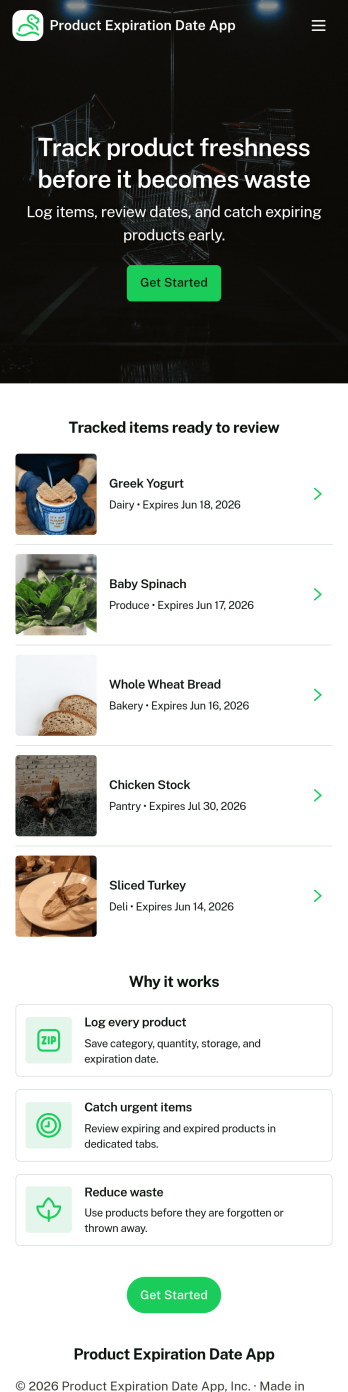
Product Expiration Date App
A product expiration date app helps teams track inventory by date so expiring items get flagged before they become a problem. Use it to keep product details organized, record routine checks, and review alerts for items that need attention. It’s a practical fit for restaurants, cafés, catering teams, grocery and retail stockrooms, labs, clinics, and any operation that handles dated goods and wants a clear process for rotation and removals. With quick navigation to Inventory, Log Check, Alerts, and Add Item, staff can stay consistent even across shifts and multiple locations.Jotform makes it easy to turn this workflow into a mobile-friendly experience using App Templates and a no-code app builder. Customize pages with a drag-and-drop interface, connect forms for data collection such as adding items and logging checks, and keep information organized for faster day-to-day decisions. Share the app with a link or QR code so teams can update inventory on the spot, reduce manual spreadsheets, and keep your workflow moving with fewer missed expirations.
Go to Category:Inventory Apps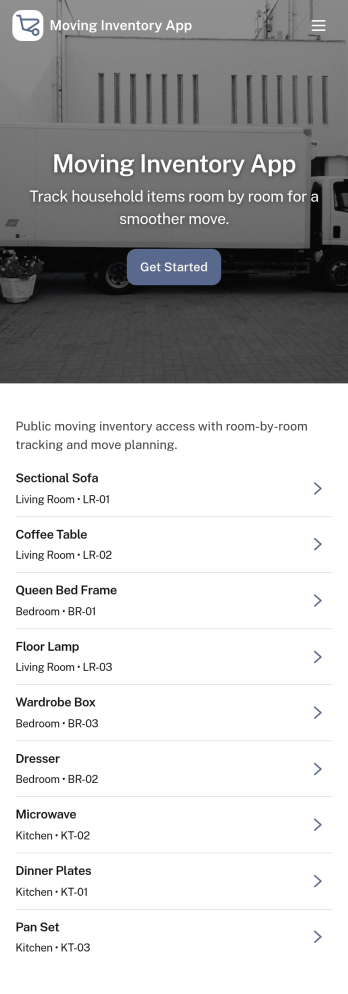
Moving Inventory App
Moving Inventory App helps teams plan, document, and track inventory as it moves between locations, rooms, vehicles, or job sites. It brings move requests, a browsable inventory list, and move history into one place, so warehouse staff, office managers, facilities teams, and moving coordinators can quickly see what needs to be moved, what’s currently in stock, and what already changed hands. Use it to reduce lost items, avoid duplicate requests, and keep everyone aligned during relocations, restocks, and internal transfers.With Jotform, you can customize this app template using a no-code app builder and a drag-and-drop interface to match your process and terminology. Connect the app to forms for data collection, route updates through simple workflow steps, and share a self-service experience with your team so they can submit new move requests, review inventory details, and check recent move history from any device.
Go to Category:Inventory Apps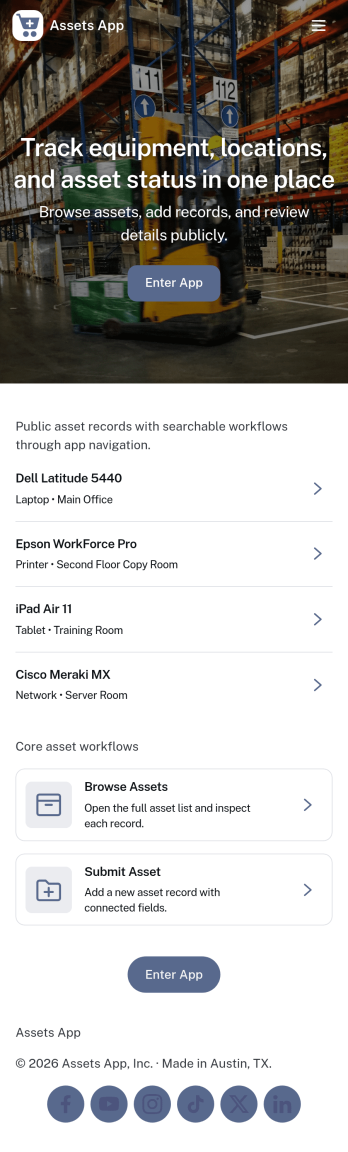
Assets App
Assets App helps teams catalog equipment and company-owned items in one place, so it’s easier to know what you have, where it’s used, and what needs attention next. Use it to browse an up-to-date asset list, add new assets as they’re purchased or assigned, and create maintenance logs that keep service history easy to reference. It’s a practical fit for operations teams, IT and facilities staff, schools, nonprofits, property managers, and any organization that needs clearer visibility into shared tools, devices, or on-site equipment.With Jotform App Templates, you can publish a mobile-friendly experience that connects your asset records and maintenance activity to the same workflow. Use Jotform’s no-code app builder and drag-and-drop interface to tailor pages, buttons, and navigation for your process, then share a single link for self-service updates in the field. As information is collected through connected forms, your team can keep tracking consistent, reduce missed maintenance, and generate simple reports without juggling scattered spreadsheets.
Go to Category:Inventory Apps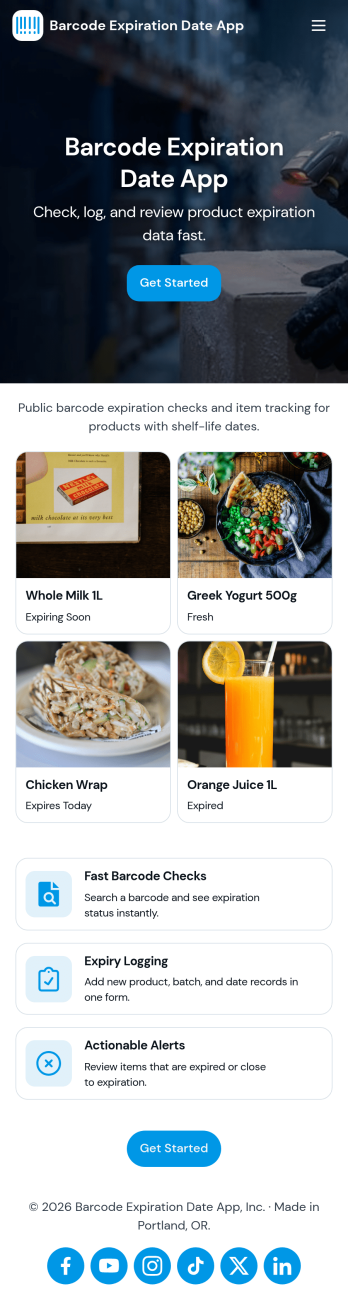
Barcode Expiration Date App
Barcode Expiration Date App helps teams track product expiration dates by scanning items, adding new products, and reviewing what is due soon. It’s ideal for restaurants, cafés, bars, catering teams, groceries, small retailers, clinics with stocked supplies, and storerooms that need a simple way to reduce waste and avoid missed expiry dates. Staff can move faster on receiving and shelf checks, keep inventory more reliable, and prioritize what to use first without relying on spreadsheets or memory.Built with Jotform, this app template can be customized in a no-code app builder with a drag-and-drop interface, so you can match it to your workflow and self-service needs. Connect the app to a form for consistent data collection when you register or add products, then organize records so your team can view inventory and open alerts from one place. Share it by link or QR code to make expiration tracking easier for every shift and location.
Go to Category:Inventory Apps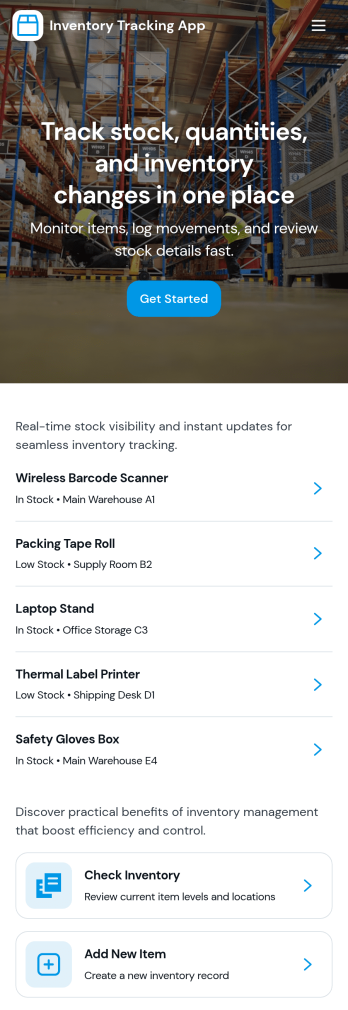
Inventory Tracking App
Inventory Tracking App helps teams keep a clear, up-to-date view of what’s in stock, what’s running low, and what needs to be added next. It works well for retail counters, small warehouses, offices managing supplies, nonprofits tracking donated goods, and field teams who need quick access to item details. With simple navigation to browse current inventory, view item-level information, and add new items as they arrive, this app supports day-to-day stock control without relying on scattered spreadsheets or manual check-ins. It’s especially useful when multiple people handle receiving, storage, and restocking and everyone needs to follow the same process.Jotform makes it easy to turn this app template into a branded inventory experience using a no-code app builder and a drag-and-drop interface. Connect the app to your existing data collection workflow by linking forms and updating records over time, so the inventory list stays current as your team adds items. Share the app through a link or QR code for fast self-service access, and tailor pages, buttons, and layout to match how your organization tracks stock across locations, categories, or storage areas.
Go to Category:Inventory Apps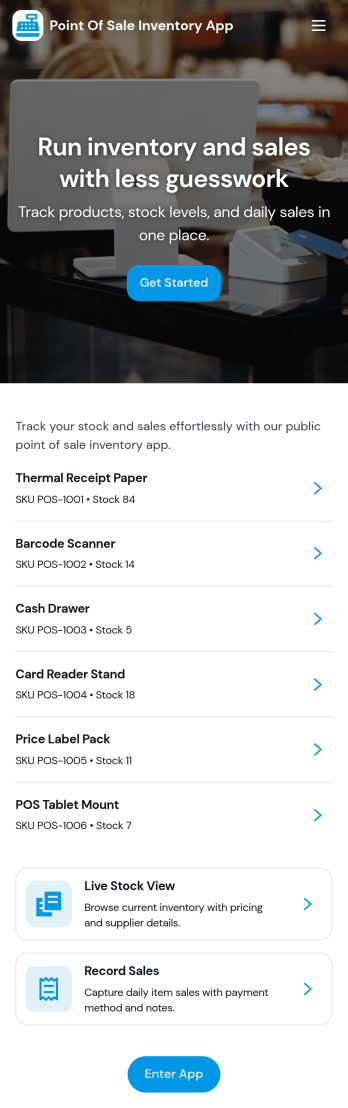
Point of Sale Inventory App
Point of Sale Inventory App brings sales and stock tracking into one place so retail teams can record transactions, monitor product availability, and act before shelves run empty. Use it at a counter, pop-up shop, kiosk, or small warehouse to keep product info organized and easier to access while you’re helping customers. With dedicated areas for sales, inventory, and replenishment plus quick product adding, it supports faster checkouts, fewer stockouts, and cleaner handoffs between staff across shifts.Jotform makes it easy to turn this use case into a working, shareable experience with App Templates you can customize in minutes. Using Jotform’s no-code app builder and drag-and-drop interface, you can adjust pages, add buttons that connect to your product forms, and keep data collection consistent as your catalog grows. Connect the app to tables and workflows to keep updates centralized, then share it by link or QR code so your team can manage sales and inventory from anywhere.
Go to Category:Inventory Apps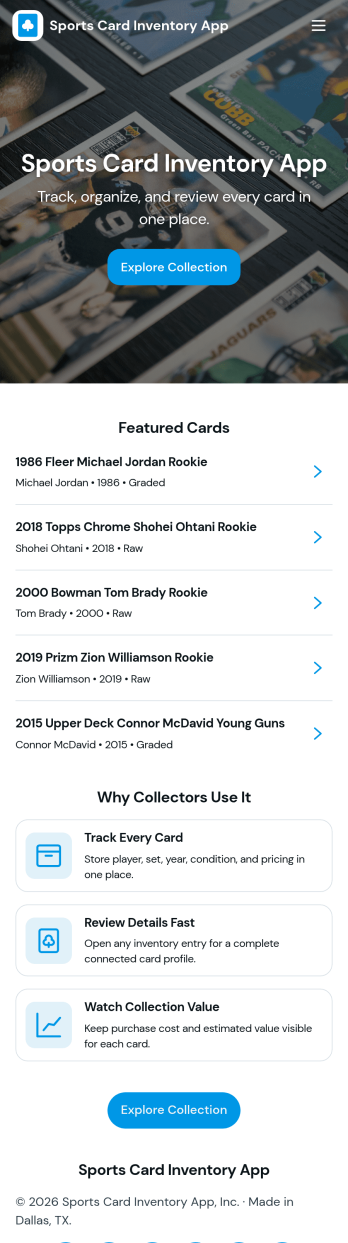
Sports Card Inventory App
Sports Card Inventory App helps collectors and small sellers keep a clear, searchable record of their trading cards in one place. Use it to browse your inventory, add new cards as they come in, and open an individual card view to reference key details and images when you are organizing binders, preparing listings, or confirming what you already own. It is a practical fit for hobbyists, card shops, resellers, and anyone managing a growing collection who wants fewer duplicates, faster lookups, and a more consistent way to maintain card records.Built with Jotform, this app template pairs a simple navigation experience with connected data collection so your inventory stays up to date as you add cards. You can customize pages, adjust the layout with a drag-and-drop interface, and keep your workflow organized from intake to browsing. Share the app internally or keep it personal, then expand it over time as your collection changes, all using Jotform’s no-code app builder and flexible app templates.
Go to Category:Inventory Apps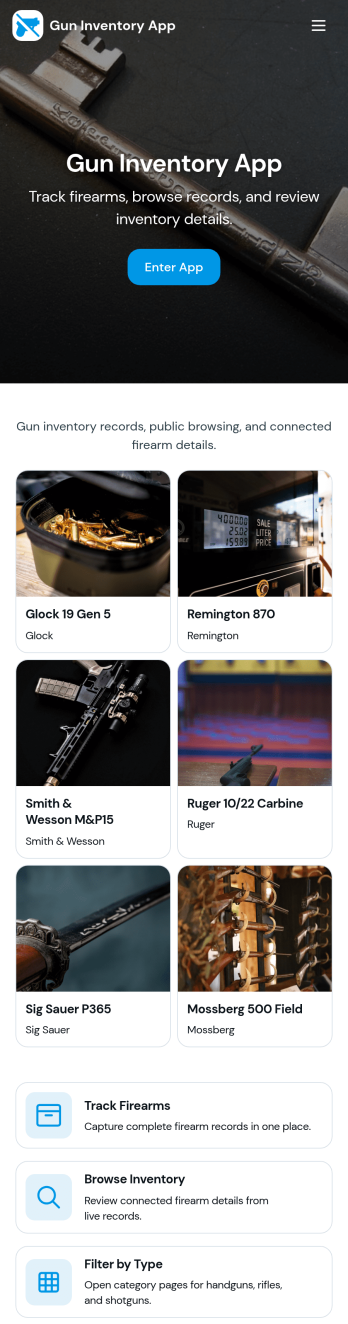
Gun Inventory App
Gun Inventory App helps organizations track firearm records in one place, from intake to ongoing oversight. It supports day-to-day inventory visibility, receiving logs, periodic audits, and incident reporting so teams can stay organized when items move, counts change, or issues occur. This template fits businesses managing stock, ranges managing assigned equipment, and operations teams that need a clear view of what is on hand and what has been recorded over time.With Jotform, you can publish this app template quickly and tailor it to your process using a no-code app builder and a drag-and-drop interface. Connect forms to your lists to capture new records, update existing entries, record audit activity, and submit incident reports, then share the app as a self-service experience for staff. Data collection stays consistent across pages, helping your workflow run smoothly as your inventory grows.
Go to Category:Inventory Apps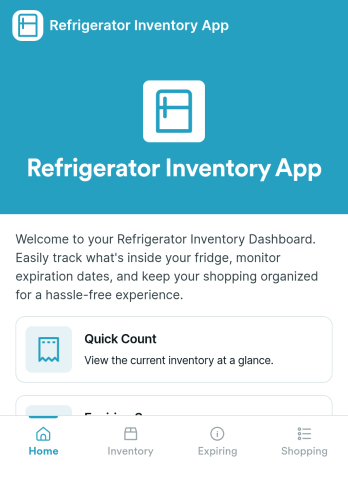
Refrigerator Inventory App
Refrigerator Inventory App helps you keep a clear, up-to-date record of what’s inside a fridge so you can avoid running out of essentials, reduce food waste, and make restocking decisions faster. Use it in homes, office kitchens, break rooms, cafés, food trucks, labs, or any team space where items are shared and “someone used the last one” becomes a recurring problem. With an inventory list you can browse, item detail views for quick checks, and a simple way to add items as you purchase or receive them, the app supports daily tracking without turning inventory into a time-consuming task.Built with Jotform App Templates, you can publish a self-service experience that’s easy to navigate on mobile or desktop and keep inventory details connected to your data collection. Customize pages with a drag-and-drop interface, route people to View Inventory or Add Item in a couple of taps, and keep your workflow organized as needs change. Jotform’s no-code app builder makes it simple to update item fields, adjust what your team sees first, and share the app with anyone who needs quick access to the refrigerator inventory.
Go to Category:Inventory Apps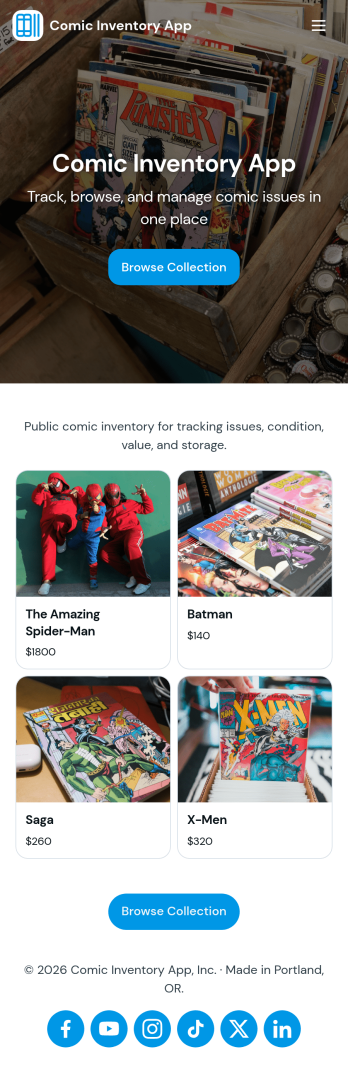
Comic Inventory App
Comic Inventory App helps you organize and manage a comic collection or shop stock in one place, so it’s easier to find issues fast, add new arrivals as they come in, and keep an eye on what’s running low. Use it to browse your catalog in a list-style view, open an item to review key details, and quickly jump to an add-comic flow when you’re sorting a new batch. It’s a practical fit for comic shop owners, online resellers, collectors, and small teams who need a simple way to stay on top of titles, editions, and availability without relying on scattered notes.With Jotform, you can turn this comic inventory app template into a branded, shareable experience using a no-code app builder and a drag-and-drop interface. Connect the catalog to a form for data collection, keep records organized, and update inventory as your workflow changes. Share the app through a link or QR code for quick self-service access, and collaborate with staff so everyone works from the same up-to-date catalog.
Go to Category:Entertainment Apps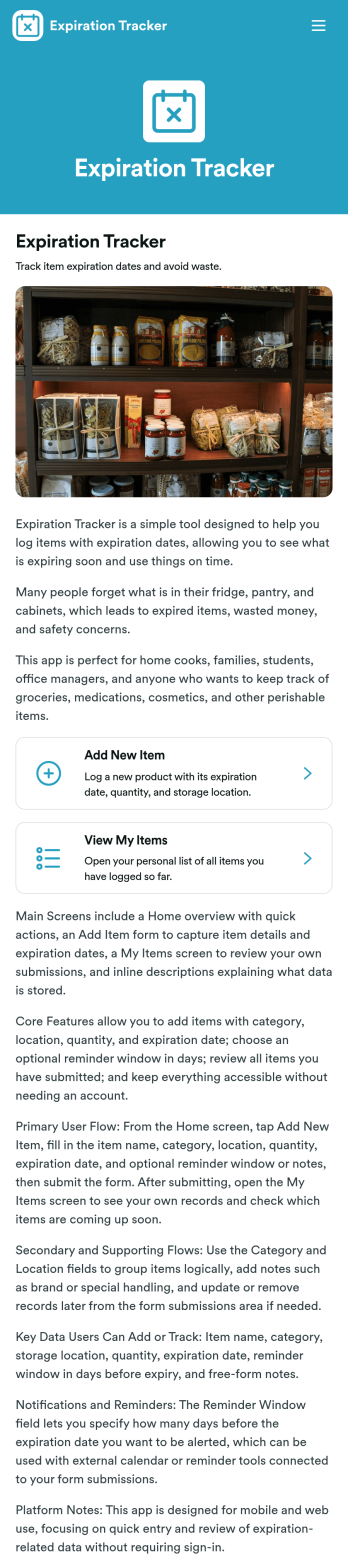
Expiration Tracker App
Expiration Tracker App gives teams and households a simple way to log products and keep an eye on expiration dates before they become a problem. Use it to add new tracked items through a connected form, then check your list anytime to spot what’s nearing its date. It works well for office kitchens, small retailers, clinics managing non-regulated supplies, schools, community programs, or anyone trying to cut waste and avoid last-minute surprises from expired goods.Jotform makes it easy to turn everyday processes into a shareable app experience using a no-code app builder and a drag-and-drop interface. Start with this app template, customize pages, text, and visuals to match your workflow, and publish in minutes. You can connect data collection to the same tracked-items form, keep information organized for quick self-service access, and update the app as your inventory habits evolve.
Go to Category:Tracker Apps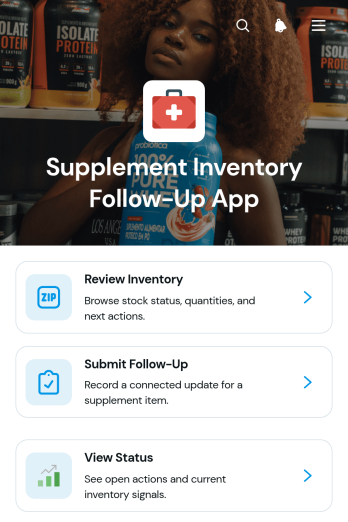
Supplement Inventory Follow-Up App
Supplement Inventory Follow-Up App provides supplement retailers, wellness practices, stockroom teams, and distributors with a central place to review inventory and coordinate the actions that follow each check. This app template helps users browse supplement records, see when an item was last checked, identify the next action, and submit follow-up updates. Team members can also view the status of submitted updates, making it easier to monitor low-stock items, recount requests, replenishment needs, product issues, and other inventory tasks. By keeping reviews and follow-ups together, organizations can reduce missed actions, improve accountability, and maintain clearer stock records across locations or teams.Jotform Apps makes it easy to adapt the Supplement Inventory Follow-Up App without writing code. Use the drag-and-drop app builder to update pages, cards, buttons, navigation, and visual styling for your inventory workflow. You can connect forms for data collection, organize records with tables, and add approval or notification steps when needed. The mobile-friendly experience supports inventory checks from a stockroom, retail floor, warehouse, or office. Start with one of Jotform’s App Templates, apply your branding, and share the finished app through a direct link, scannable code, or embedded experience.
Go to Category:Inventory Management Apps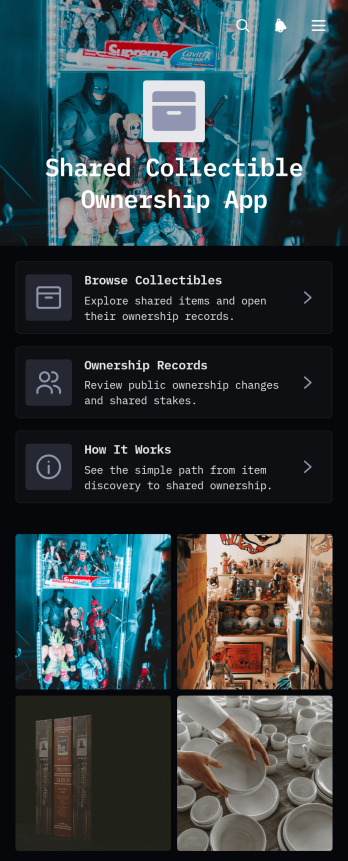
Shared Collectible Ownership App
Shared Collectible Ownership App is an app template for collector groups, clubs, community organizers, and small businesses that need one place to catalog jointly held collectibles and document ownership updates. Users can browse available items, open individual collectible records, add new pieces, and review recorded owners without searching through disconnected files or messages. A clear explanation area also helps participants understand the group’s process for adding an item and recording ownership. This shared view improves transparency, keeps collection details organized, and gives members convenient self-service access to current records.Jotform makes this app template easy to adapt with a no-code app builder and an intuitive drag-and-drop interface. Change the pages, colors, typography, cards, buttons, and navigation to suit a collection or member community, then connect forms and tables to support data collection and related workflows. The app can be shared through a direct link or QR code for convenient mobile access. Starting with Jotform App Templates reduces setup time while giving teams the flexibility to create a polished resource that reflects how they manage shared collectibles.
Go to Category:Inventory Apps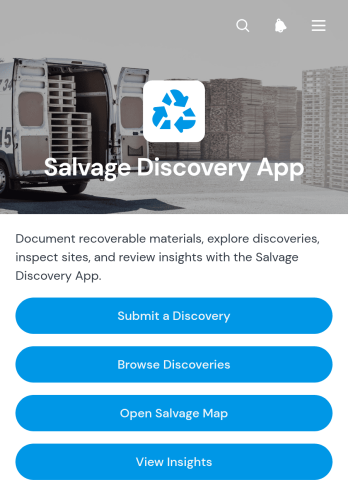
Salvage Discovery App
Salvage Discovery App is an app template for recording, reviewing, and locating reusable materials or recoverable items found at job sites, properties, storage areas, and cleanup locations. It gives salvage crews, contractors, property managers, reuse organizations, and field teams a shared place to submit a discovery, browse existing records, and view finds on a salvage map. Recovery facts such as material, condition, estimated quantity, location, and supporting notes help teams assess opportunities before arranging inspection, collection, or reuse. By keeping field data organized and accessible, the app reduces scattered reports, improves visibility across discoveries, and supports better recovery planning.Jotform App Templates make it easy to adapt this experience to an organization’s own discovery and recovery workflow. Using Jotform’s no-code app builder and drag-and-drop interface, teams can update pages, branding, navigation, and connected forms without programming. The app can bring data collection, resource browsing, and operational insights into one mobile-friendly destination for field and office users. Publish it with a direct link, share it through a QR code, or embed it where participants can reach it. Connected Jotform tools can also help organize records, trigger notifications, and support self-service access as salvage activity grows.
Go to Category:Inventory Apps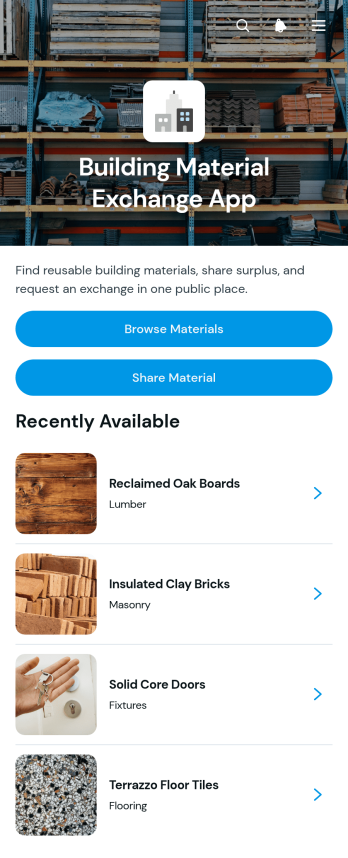
Building Material Exchange App
Building Material Exchange App gives contractors, construction teams, property managers, reuse centers, and community organizations a practical place to list and exchange surplus building supplies. Users can browse available materials, review key information such as quantity, condition, category, and location, then submit an exchange request. Contributors can also share reusable items instead of discarding them. This app template supports material reuse across construction sites, renovation projects, warehouses, and local exchange programs while making it easier to connect available stock with people who need it. Centralizing listings and requests can reduce material waste, improve stock visibility, and save time otherwise spent coordinating exchanges through separate messages.With Jotform Apps, organizations can customize this Building Material Exchange App through a no-code app builder and an intuitive drag-and-drop interface. Update the branding, reorganize content, connect forms and tables, and adapt the workflow to match internal or community exchange procedures. Jotform App Templates also support mobile-friendly self-service, helping participants browse materials and send requests from nearly any device. Once the app is ready, share it through a direct link, personalized address, embedded experience, or QR code to make data collection and resource access convenient.
Go to Category:Construction Apps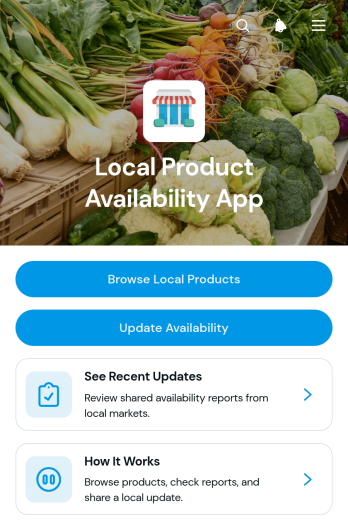
Local Product Availability App
Local Product Availability App is an app template for helping shoppers, community members, and staff find products available from nearby sellers or locations. Retailers, markets, local business networks, and inventory teams can use it to publish current availability without relying on scattered messages or outdated lists. Users can browse local products, review location and quantity details, and see recent updates from one convenient place. Authorized staff can also submit availability changes, making it easier to keep product information useful for purchasing decisions, customer inquiries, and stock coordination.With Jotform Apps, businesses can adapt this Local Product Availability App to their branding and operations without writing code. The drag-and-drop app builder makes it easy to organize pages, adjust navigation, and connect forms or tables that support data collection and workflow management. Teams can start from ready-made App Templates, add self-service resources, and share the finished app through a direct link or scannable code. Its mobile-friendly format gives customers and employees convenient access while helping local sellers maintain a clearer, more consistent view of product availability.
Go to Category:Inventory Apps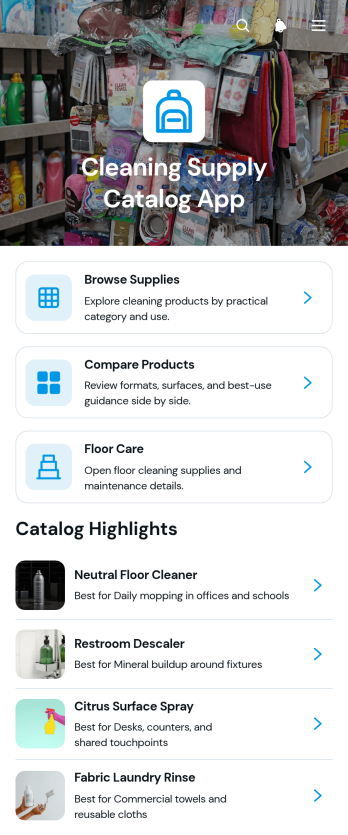
Cleaning Supply Catalog App
Cleaning Supply Catalog App gives cleaning companies, facilities teams, custodial departments, property managers, and supply retailers a convenient way to organize and present product information. Users can browse supplies, explore floor care options, compare products, and review details such as recommended uses, surface compatibility, format, category, and product notes. This app template makes it easier to evaluate supplies for offices, schools, hospitality properties, commercial buildings, and home service operations without searching through scattered files or printed catalogs. Clear product pages support informed selection while helping teams maintain a consistent reference point for purchasing discussions, staff guidance, and customer self-service.With Jotform Apps, organizations can turn this ready-to-use template into a branded, mobile-friendly catalog without writing code. The drag-and-drop app builder makes it simple to adjust pages, cards, navigation, images, and visual styling as product lines change. Teams can connect forms, tables, approvals, and other workflows for data collection or internal requests, then share the finished app through a direct link, QR code, or embedded experience. Starting from Jotform App Templates reduces setup time while providing the flexibility to create an accessible resource for employees, buyers, clients, or partners.
Go to Category:Inventory Apps