

Report App Templates

Road Accident Analysis App
The Road Accident Analysis App helps transportation teams, road safety personnel, fleet operators, consultants, and researchers collect incident reports and examine accident patterns in one accessible place. Users can submit a new accident report, browse recorded incidents, and review individual details such as location, weather, vehicles involved, injuries, and an incident summary. Visual charts group accidents by severity and weather, making it easier to identify recurring conditions, support safety reviews, prioritize investigations, and prepare internal findings. It is particularly useful for organizations replacing scattered documents or disconnected reporting processes with a consistent workflow for data collection and analysis.Jotform makes this app template easy to adapt with a no-code app builder and a flexible drag-and-drop interface. Teams can update pages, navigation, visual styling, report fields, and connected resources without programming, then organize forms, records, and charts into a clear self-service experience. The finished app can be shared through a direct link or QR code for convenient mobile access. With Jotform App Templates, organizations can quickly create a branded reporting resource that supports collaboration, centralizes accident information, and keeps operational reviews easier to manage.
Go to Category:Transportation Apps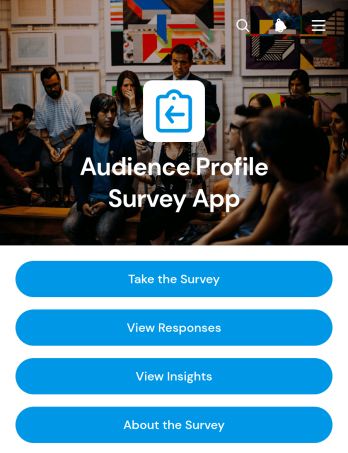
Audience Profile Survey App
The Audience Profile Survey App is a ready-to-use app template for collecting audience details and turning responses into practical insights. Marketing teams, content creators, consultants, event organizers, educators, and community managers can use it to learn about respondents’ interests, age ranges, and preferred content formats. Participants can open the survey from one convenient location, while authorized team members can review individual profiles and explore visual response summaries. This helps organizations replace scattered research with a consistent data collection process, recognize audience segments, shape relevant campaigns, and make informed content or engagement decisions.With Jotform Apps, you can adapt this Audience Profile Survey App through a no-code app builder and an intuitive drag-and-drop interface. Update pages, colors, typography, buttons, and branding to match your organization, then connect forms and related workflows without writing code. Jotform App Templates also make it easy to organize survey access, response review, and insights within a mobile-friendly experience. Share the finished app by direct link, QR code, or embedded experience to support convenient participation and team access. As research needs evolve, you can revise questions, reorganize content, and expand the app into a self-service resource for ongoing audience discovery.
Go to Category:Customer Engagement Apps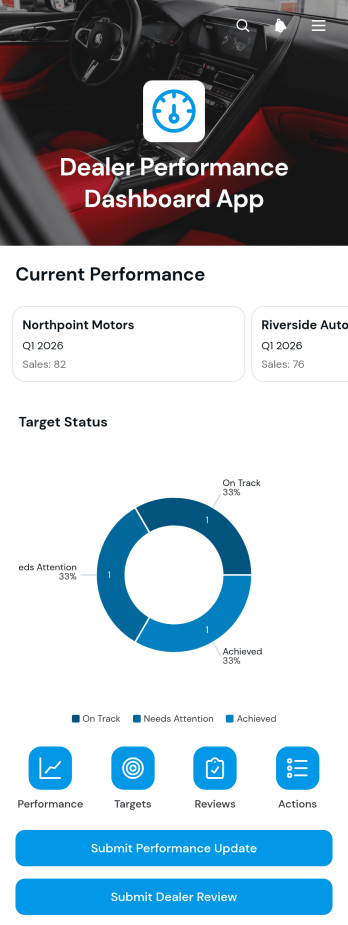
Dealer Performance Dashboard App
Dealer Performance Dashboard App gives sales leaders, regional managers, account teams, and dealer network operators a central place to monitor dealer results and coordinate follow-up. Teams can review sales, customer, and operational scores, compare current results with targets, check review dates, and track improvement actions. It is well suited to automotive networks, distributors, manufacturers, franchises, and other organizations that manage independent dealers or resellers. By bringing performance updates, dealer reviews, target status, and action deadlines together, the app helps stakeholders identify performance gaps, prepare for review meetings, and maintain accountability across the network.Jotform App Templates make it easy to adapt this dashboard to an organization’s reporting process without writing code. Using Jotform’s no-code app builder and drag-and-drop interface, teams can update pages, navigation, branding, and connected forms to match their workflow. Submitted data can support organized performance tracking, while links to tables and other connected processes keep information accessible. Once customized, the Dealer Performance Dashboard App can be shared through a direct link or QR code, giving managers and authorized team members convenient mobile-friendly access to dealer information and self-service reporting.
Go to Category:Sales & Marketing Portal Apps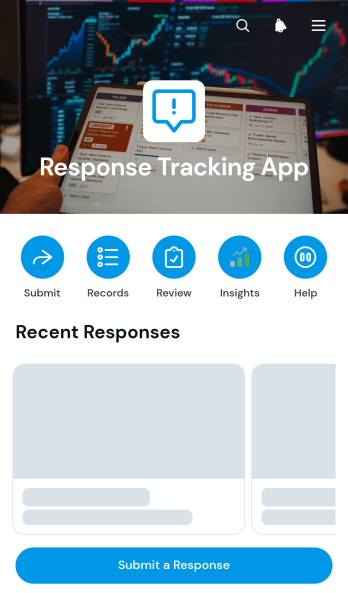
Response Tracking App
Response Tracking App is a ready-to-use app template for collecting, reviewing, and organizing responses in one accessible workspace. Support teams, operations departments, educational institutions, nonprofits, and project groups can use it to manage customer questions, internal requests, survey follow-ups, stakeholder feedback, or other response-based activities. People can submit a response through a connected form, while authorized team members can browse submitted records and review key details such as the respondent, priority, contact information, and response content. Visual summaries by topic and priority help teams identify recurring themes, understand response volume, and focus attention where it is needed most.Jotform Apps provides a no-code app builder that makes this Response Tracking App easy to adapt without programming. Use the drag-and-drop interface to update pages, navigation, buttons, colors, and branding, then connect forms, tables, and related workflows for smoother data collection and follow-up. Jotform App Templates also support mobile-friendly self-service experiences that can be shared through a direct link or QR code. Whether the app supports a small team or an organization-wide process, it brings response intake, record access, and reporting into a consistent experience.
Go to Category:Tracker Apps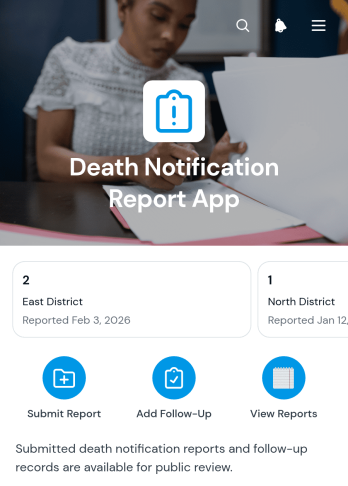
Death Notification Report App
The Death Notification Report App provides a centralized way to document a death notification and coordinate the follow-up work connected to it. Healthcare teams, care providers, insurance offices, service organizations, and internal operations staff can use this app template when reports must be recorded consistently and reviewed by authorized personnel. Users can submit notification reports, browse report records, and add dated follow-up notes from one accessible location. This structure helps teams maintain continuity, reduce misplaced updates, and create a clearer operational record during a sensitive process.Jotform makes the Death Notification Report App easy to adapt with a no-code app builder and a flexible drag-and-drop interface. Organizations can update the layout, apply their visual identity, connect forms and tables, and shape the workflow around existing reporting procedures. The app can be shared through a direct link or QR code for convenient mobile access. Starting with Jotform App Templates also saves setup time while supporting organized data collection, internal collaboration, and timely self-service reporting without requiring programming knowledge.
Go to Category:Report Apps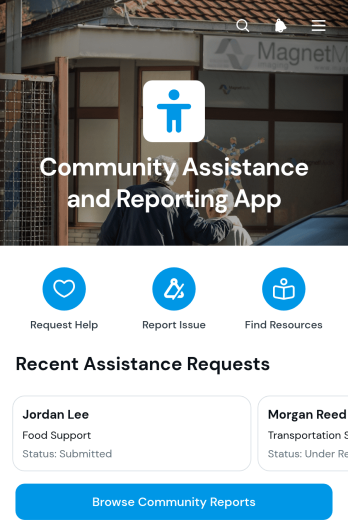
Community Assistance and Reporting App
The Community Assistance and Reporting App gives residents a central place to request help, report local concerns, browse community reports, and find available resources. It is well suited to nonprofits, neighborhood groups, outreach teams, volunteer networks, and local service organizations that need to coordinate support across a community. Request details, preferred contact methods, issue locations, and current statuses help teams understand needs and prioritize follow-up. A browsable resource directory also makes it easier for people to find relevant assistance without contacting several organizations individually.Jotform makes this app template easy to adapt with a no-code app builder and an intuitive drag-and-drop interface. Teams can update pages, navigation, colors, and branding while connecting forms and tables to support data collection and everyday workflow management. Requests and reports can be organized in one accessible experience, reducing scattered communication and giving staff or volunteers clearer information for their next steps. Once customized, the app can be shared by direct link or QR code for convenient mobile access and community self-service.
Go to Category:Community & Engagement Portal Apps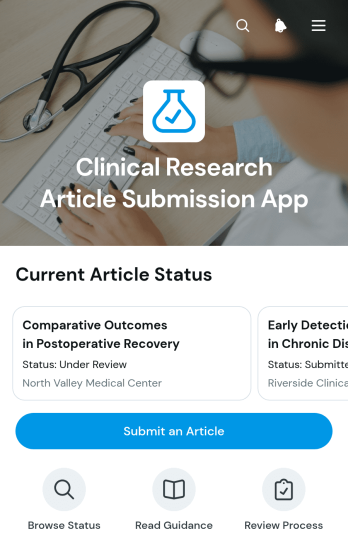
Clinical Research Article Submission App
The Clinical Research Article Submission App is an app template for journals, research departments, academic institutions, healthcare organizations, and editorial teams that need a central place to receive and assess clinical research manuscripts. Authors can start an article submission, provide essential study information, and present an abstract and disclosure details. Editors can browse submitted articles, review key information, and follow progress through intake checks, editorial screening, and review decisions. This organized experience reduces scattered correspondence, gives contributors a clearer submission path, and helps editorial teams manage incoming research more consistently.Jotform makes this app template easy to adapt with a no-code app builder and an intuitive drag-and-drop interface. Teams can update pages, branding, navigation, and submission content without programming, then connect forms, tables, notifications, approvals, and other workflow tools. The app can be shared through a direct link or QR code for convenient mobile access. Whether used for ongoing data collection or a dedicated publication workflow, Jotform App Templates help organizations create a practical self-service experience for authors, editors, and reviewers.
Go to Category:Healthcare Apps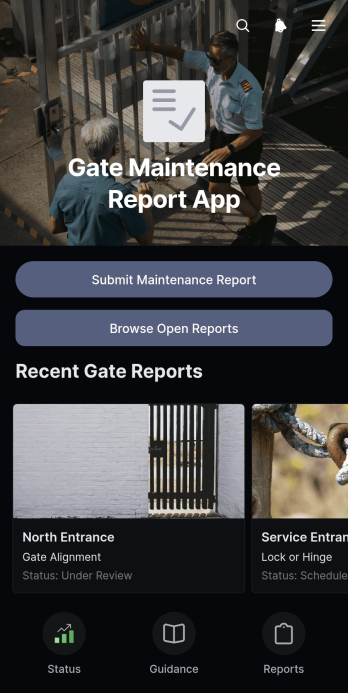
Gate Maintenance Report App
The Gate Maintenance Report App is an app template for documenting gate faults, reviewing unresolved maintenance needs, and monitoring repair progress across residential, commercial, industrial, or managed properties. Facility managers, property teams, field technicians, security personnel, and contractors can use it to collect issue reports, browse open reports, and view status information from one organized location. Clear records of gate locations, urgency, inspection activity, and resolutions help teams prioritize work, assign attention where it is needed, reduce overlooked issues, and maintain a reliable history of completed and outstanding maintenance.Jotform Apps makes it easy to adapt this app template to an existing maintenance workflow without writing code. Use the no-code app builder and drag-and-drop interface to update pages, navigation, branding, forms, and connected data collection processes. Teams can link reports with notifications and other workflow steps, then publish the app for mobile-friendly self-service access through a shareable link. Starting with Jotform App Templates also saves setup time while providing the flexibility to create a practical reporting experience for employees, vendors, or property stakeholders.
Go to Category:Equipment Maintenance Software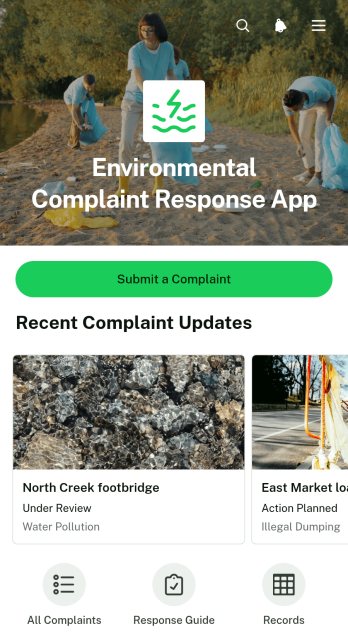
Environmental Complaint Response App
The Environmental Complaint Response App gives local authorities, environmental teams, property managers, nonprofits, and community service organizations a central place to receive and manage reports about pollution, waste, odors, water issues, noise, and other environmental concerns. Residents or staff can submit a complaint, while response teams can review reports by location, assess urgency, confirm the assigned team, and share response updates. Complaint records remain organized for easier follow-up, helping teams reduce missed reports, improve visibility across active cases, and provide clearer communication to affected communities.Built with Jotform Apps, this app template can be adapted without coding to match an organization’s reporting and response workflow. Use the drag-and-drop interface to update pages, navigation, content, and branding, then connect forms and tables for data collection and record management. Jotform App Templates also support mobile-friendly self-service access, making it convenient for people to report concerns from the field and for teams to review information wherever work takes place. Publish the finished app with a direct link or QR code and update it as response procedures evolve.
Go to Category:Report Apps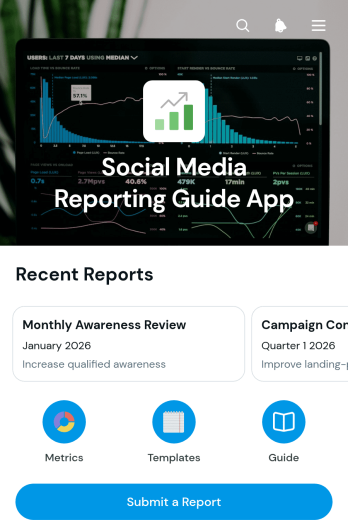
Social Media Reporting Guide App
The Social Media Reporting Guide App is a centralized reference and reporting experience for marketing teams, consultants, agencies, and content managers who need to turn campaign activity into clear, repeatable updates. It helps users browse metric definitions with interpretation guidance, follow report templates with recommended sections and cadences, and submit completed reports from one place. Teams can use it for weekly channel reviews, monthly client updates, campaign recaps, and internal performance discussions. By giving contributors a shared reporting framework, the app reduces inconsistent terminology, missing context, and scattered instructions while making findings, objectives, and next actions easier for stakeholders to understand.With Jotform Apps, organizations can adapt this app template into a branded resource center without writing code. The drag-and-drop app builder makes it easy to update pages, arrange navigation, add guidance, and connect report forms to the wider workflow. Teams can collect data, organize reference content, and support self-service access through a mobile-friendly experience. Publish with a direct link, share a QR code, or embed the app where contributors already work. Jotform App Templates also make it simple to duplicate and refine the experience as reporting standards, campaigns, or team responsibilities evolve.
Go to Category:Social Media Management Apps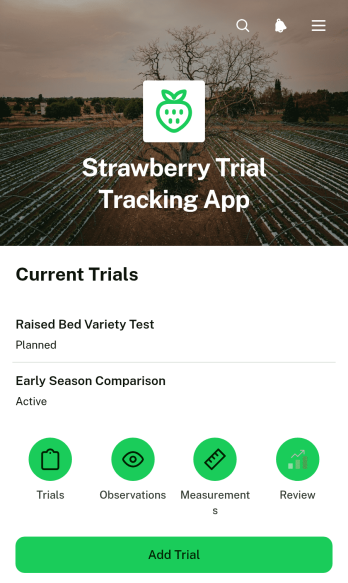
Strawberry Trial Tracking App
The Strawberry Trial Tracking App is an app template for recording and reviewing strawberry cultivation trials from one organized workspace. It supports trial setup, observation and measurement logging, and status review through connected records and visual summaries. Agricultural researchers, crop consultants, growers, field technicians, horticulture teams, and educational programs can use it to follow experimental plots, compare trial activity, and maintain consistent records over time. The app reduces scattered notes and disconnected spreadsheets while giving team members a convenient way to capture field data and check trial progress.Jotform provides a no-code app builder that makes this Strawberry Trial Tracking App easy to adapt to different research methods, growing seasons, and team workflows. Use the drag-and-drop interface to update pages, navigation, buttons, colors, and branding without programming. Connected forms and tables support centralized data collection, while charts make trial information easier to review. Teams can publish the app, share it by link or QR code, and provide mobile-friendly self-service access for staff collecting information in the field. Jotform App Templates also help users connect records with notifications, approvals, and other workflow steps as their trial operations evolve.
Go to Category:Tracker Apps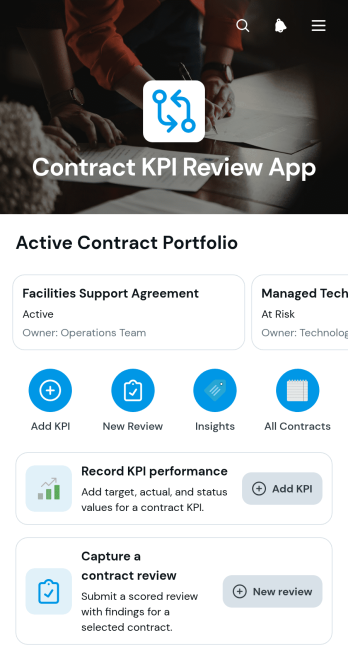
Contract KPI Review App
The Contract KPI Review App is an app template for procurement teams, contract managers, operations leaders, consultants, and service organizations that need to evaluate contract performance against agreed targets. It brings contract records, KPI entries, review findings, overall scores, and follow-up activity into one accessible location. Teams can record actual results, compare them with targets, monitor KPI status, and capture periodic contract reviews. This shared view helps stakeholders spot performance gaps, prepare informed discussions, document findings, and maintain accountability throughout the contract lifecycle.With Jotform Apps, organizations can adapt this Contract KPI Review App without writing code. The drag-and-drop app builder makes it easy to adjust pages, navigation, branding, and content while connecting forms and data-driven workflows. Users can create a practical self-service experience for submitting KPI updates and starting reviews from a phone, tablet, or computer. The app can also be shared through a direct link or QR code, giving authorized team members a convenient way to access current contract information and support consistent review processes.
Go to Category:Legal Apps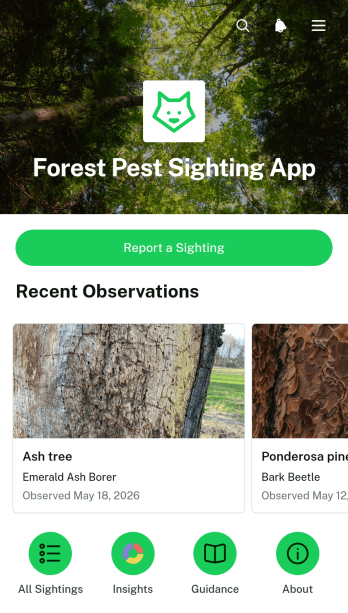
Forest Pest Sighting App
The Forest Pest Sighting App is an app template for forestry teams, land managers, conservation groups, researchers, local authorities, and community volunteers who need a practical way to document suspected pest activity. Users can submit a sighting, browse reported cases, and review essential details such as the affected tree, location, observation date, field notes, and reporter information. This shared reporting experience helps organizations replace scattered emails or paper notes with consistent data collection. It can support woodland monitoring, public reporting initiatives, field surveys, early investigation efforts, and coordination among teams responsible for protecting forests and urban trees.Jotform Apps makes this Forest Pest Sighting App easy to adapt with a no-code app builder and a flexible drag-and-drop interface. Teams can update pages, adjust branding, reorganize navigation, and connect forms or tables without programming. The app template can also become part of a broader workflow for reviewing reports, organizing records, and directing follow-up work. Publish it through a direct link, QR code, or embedded experience so field staff and community members can access a convenient self-service reporting channel from their phones. Explore Jotform App Templates to create a polished, mobile-friendly resource that keeps sighting information accessible and ready for action.
Go to Category:Report Apps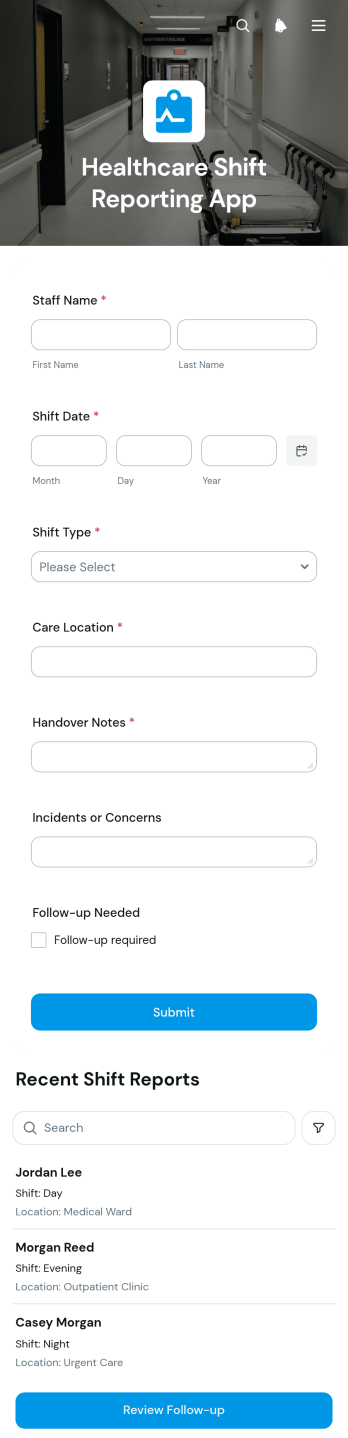
Healthcare Shift Reporting App
Healthcare Shift Reporting App is an app template for clinical teams that need a consistent way to document shift activity and coordinate follow-up work. Hospitals, clinics, residential care facilities, and other healthcare organizations can use it to collect staff reports, browse entries by staff member, and open or review follow-up actions. It helps nurses, supervisors, care coordinators, and operations teams preserve important context between shifts, reduce missed tasks, and maintain clearer internal records. By bringing reporting and follow-up into one accessible location, the app supports smoother handoffs and greater visibility across daily operations.Jotform Apps gives organizations a no-code app builder for turning routine processes into user-friendly digital experiences. Start with this app template, personalize its pages and branding through a drag-and-drop interface, and connect forms or related workflows without writing code. Reports can feed organized data collection processes, while navigation elements help staff reach current records and follow-up items quickly. Jotform App Templates are mobile-friendly and easy to share through a direct link or QR code, helping teams provide convenient self-service access wherever shifts take place.
Go to Category:Healthcare Apps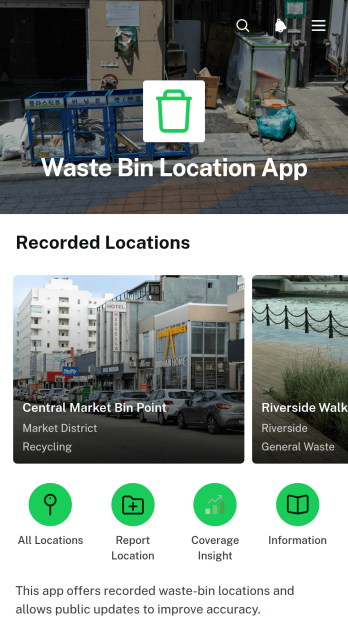
Waste Bin Location App
Waste Bin Location App is an app template for helping residents, visitors, field crews, property teams, and community organizations find recorded waste bin locations and keep location information current. Users can browse available sites, open a location record, and review essential details such as the address, bin type, and access notes. They can also report an update when information changes and review overall location coverage. By bringing these actions into one mobile-friendly resource, the app can reduce location inquiries, make disposal points easier to find, and help operations teams identify areas where records may need attention. It suits municipalities, campuses, parks, residential communities, event sites, and facilities with multiple waste collection points.Jotform makes this app template easy to adapt without coding. Using the no-code app builder and drag-and-drop interface, teams can update pages, navigation, colors, text, and branding to match their waste management program. Connected forms support data collection for location updates, while tables, notifications, approvals, and other workflow tools can help staff review and organize incoming reports. Publish the app with a shareable link or QR code so people can access self-service information from a phone, tablet, or computer. Jotform App Templates also provide a practical starting point for expanding the experience with instructions, request forms, or additional operational resources.
Go to Category:Operations & Logistics Portal Apps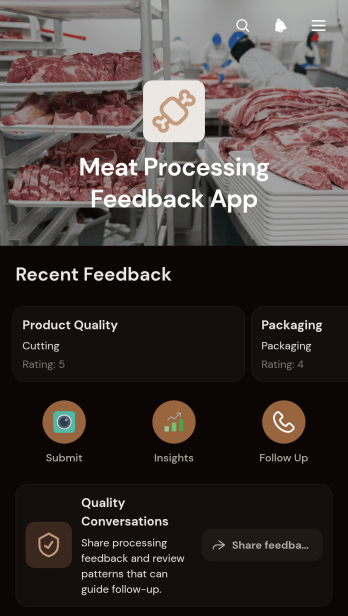
Meat Processing Feedback App
Meat Processing Feedback App is a ready-to-use app template for processing plant managers, quality teams, supervisors, and operations staff who need a consistent channel for workplace feedback across meat handling and production areas. Team members can share observations by feedback type, identify the relevant processing area, provide a rating, and indicate whether follow-up is needed. Managers can browse feedback records and open follow-up requests from the same app, making it easier to spot recurring concerns, respond to employee input, and support day-to-day quality conversations. It works well for shift reviews, process improvement efforts, site check-ins, and internal feedback programs where scattered messages or paper notes make issues harder to track.With Jotform Apps, organizations can turn this Meat Processing Feedback App into a branded, mobile-friendly resource without writing code. The no-code app builder uses a drag-and-drop interface to adjust pages, cards, navigation, colors, and fonts, while connected forms support organized data collection and follow-up workflows. Teams can add instructions or resource links, connect approvals or tables as their process grows, and share the finished app through a direct link or QR code. Starting with one of Jotform’s App Templates reduces setup time while preserving control over the content and layout, giving staff a practical self-service route for submitting feedback and managers a central place to review it.
Go to Category:Food & Beverage Apps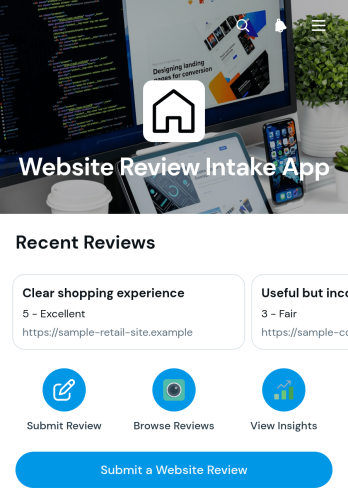
Website Review Intake App
The Website Review Intake App is an app template for collecting, organizing, and reviewing feedback about websites in one accessible location. It suits web consultants, marketing teams, design agencies, freelancers, quality assurance teams, and internal project stakeholders who need a consistent review intake process. Users can submit a website review, browse recorded reviews, open individual entries, and contact a reviewer by email when clarification is needed. This creates a dependable workflow for evaluating navigation, content, usability, presentation, and improvement opportunities without relying on scattered messages or documents. Teams can use the collected recommendations to prioritize revisions, document stakeholder input, and keep website projects moving.Jotform provides a no-code app builder that makes this template easy to adapt through a drag-and-drop interface. Add branded content, revise navigation, update review questions, or connect forms and tables without writing code. The app can support data collection and self-service access while keeping review records available through a mobile-friendly experience. Once customized, it can be shared with clients, employees, contractors, or project partners using a direct link or QR code. Jotform App Templates also connect with approvals, notifications, and other workflows, helping teams turn submitted website feedback into organized follow-up actions.
Go to Category:Customer Engagement Apps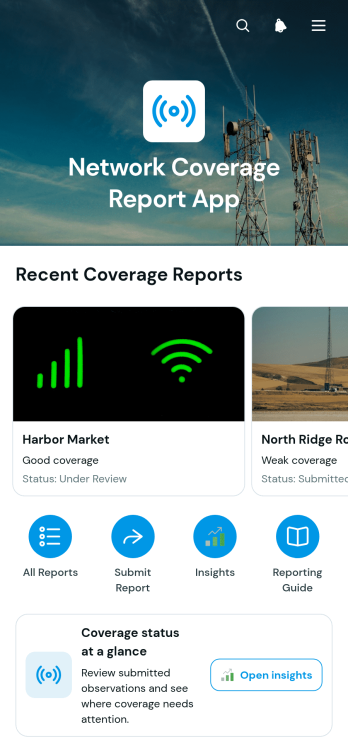
Network Coverage Report App
The Network Coverage Report App is a location-based reporting workspace for network operations teams, field technicians, information technology departments, contractors, and service managers. It brings field observations into one accessible experience where users can browse reports by location, review coverage status at a glance, and open detailed records showing coverage quality, network type, current status, reporter information, and observations. Teams can use this app template to document weak coverage areas, compare conditions across service locations, investigate reported issues, and maintain a shared record for planning follow-up work. It also helps managers replace scattered messages and spreadsheets with organized data collection and clearer visibility into field findings.Jotform makes the Network Coverage Report App easy to adapt with a no-code app builder and drag-and-drop interface. Add branded pages, update navigation, connect a reporting form, or link related tables, approvals, and workflow steps without programming. This option within Jotform App Templates can support self-service reporting for employees and contractors while giving coordinators a central place to review incoming information. Once customized, the app can be published through a direct link or QR code for convenient mobile access in the field. Teams can continue refining the layout and connected processes as reporting needs, service areas, and internal procedures change.
Go to Category:Report Apps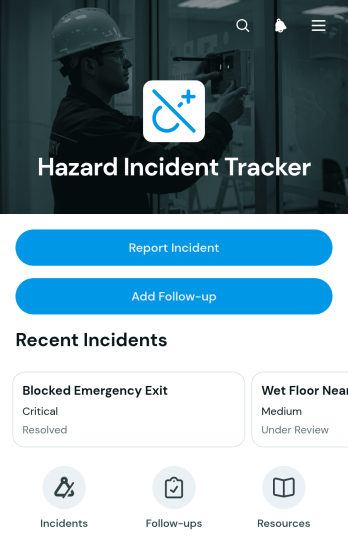
Hazard Incident Tracker App
The Hazard Incident Tracker App is an app template for documenting workplace hazards, reviewing incident records, and coordinating follow-up actions from one accessible location. Safety coordinators, operations managers, supervisors, contractors, and field teams can use it to report incidents promptly, browse recorded cases, check key details such as status and hazard type, and add follow-up information. It supports consistent data collection across construction sites, warehouses, facilities, offices, and field operations. By keeping immediate actions and subsequent updates connected to each incident, teams gain clearer visibility into unresolved concerns, reduce scattered records, and maintain accountability throughout the response process.Jotform App Templates provide a flexible starting point for creating mobile-friendly tools without writing code. With Jotform’s no-code app builder and drag-and-drop interface, organizations can customize the Hazard Incident Tracker App with branded pages, navigation, forms, buttons, and supporting resources. Connected forms and tables can bring incident reporting, record management, notifications, and workflow steps into one interactive experience. Teams can publish the app through a direct link or QR code, making self-service reporting available to employees and contractors wherever work takes place.
Go to Category:Safety and Compliance Apps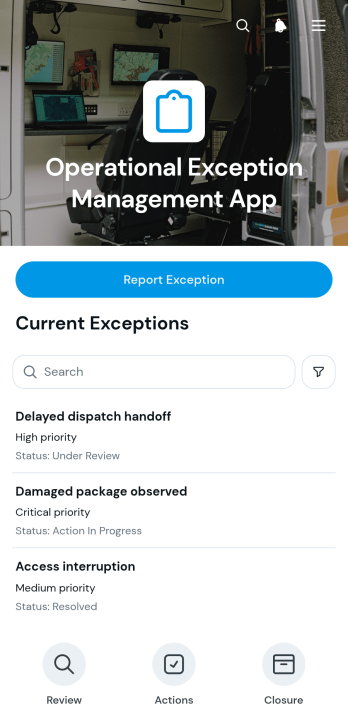
Operational Exception Management App
Operational Exception Management App is a ready-to-use app template for operations managers, quality teams, site supervisors, and service organizations that need to document and resolve departures from expected processes. Staff can report an exception, browse recorded cases, review essential context such as category, location, assigned owner, and target date, then add response records and resolution notes. It suits warehouses, field operations, production environments, logistics teams, and shared-service departments where scattered messages can obscure ownership. By keeping issue intake and follow-up in one accessible experience, the app helps teams establish accountability, prioritize operational risks, and maintain a clearer history of how each case was handled.With Jotform Apps, teams can adapt this Operational Exception Management App through a no-code app builder and a drag-and-drop interface. Pages, cards, navigation, wording, and visual branding can be adjusted without programming, while connected forms, tables, notifications, and approval workflows support consistent data collection and follow-through. Share the finished app by link or QR code, or embed it where employees already access resources. Jotform App Templates also provide a practical starting point for mobile-friendly self-service, letting distributed teams submit updates and reach current records from one organized location.
Go to Category:Operations & Logistics Portal Apps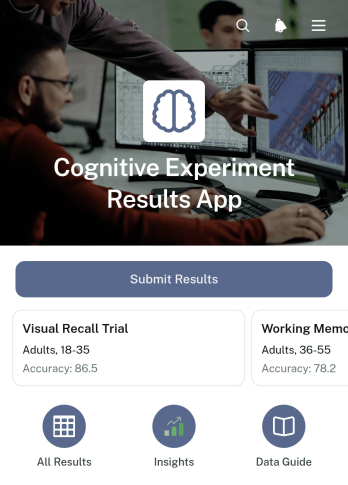
Cognitive Experiment Results App
Cognitive Experiment Results App is a central workspace for recording, reviewing, and presenting outcomes from cognition-focused studies. It supports researchers, laboratory teams, educators, students, and research coordinators who need a consistent way to collect findings across repeated tests. Users can submit a result, browse previous experiments, and open concise summaries covering key measures such as sample size, average accuracy, and response time. By keeping result entry and review in one accessible experience, this app template makes it easier to compare studies, communicate notable findings, maintain organized research records, and give collaborators convenient self-service access to current information.Jotform App Templates help teams turn data collection and review processes into interactive digital experiences without writing code. With Jotform’s no-code app builder and drag-and-drop interface, users can adapt the Cognitive Experiment Results App to match their study methods, add branded pages, and connect forms, tables, approval steps, or notifications to the workflow. The finished app can be shared through a direct link or QR code for convenient mobile access. Teams can update content as research develops, organize high volumes of results, and provide participants or colleagues with a clear route to the resources and actions relevant to them.
Go to Category:Report Apps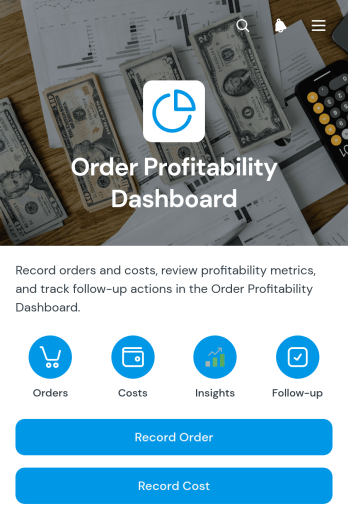
Order Profitability Dashboard App
Order Profitability Dashboard App gives finance, sales, retail, and operations teams a central place to compare order revenue with direct costs and monitor profitability. Staff can record orders and costs, review individual entries, check processing statuses, and assign follow-up actions with owners and due dates. This app template is useful for online sellers, wholesalers, service providers, and growing businesses that need clearer insight into order performance without relying on scattered spreadsheets. It supports consistent data collection, helps teams identify orders that require attention, and makes financial reviews easier to coordinate.Jotform App Templates help organizations turn everyday processes into accessible digital experiences without coding. Using Jotform’s no-code app builder and drag-and-drop interface, teams can customize this Order Profitability Dashboard App with branded pages, navigation, forms, connected tables, and workflow steps. The finished app can be shared through a direct link or QR code for convenient desktop and mobile access. Businesses can adapt it as reporting needs evolve, centralize operational records, and give authorized team members a practical self-service resource for reviewing profitability and managing follow-up work.
Go to Category:Finance & Accounting Portal Apps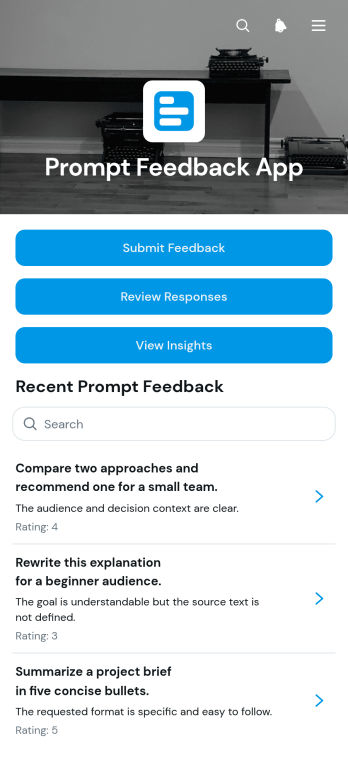
Prompt Feedback App
Prompt Feedback App provides a central space for collecting, reviewing, and interpreting feedback about written prompts. Product teams, educators, researchers, content teams, and project leads can invite reviewers to submit ratings and comments, examine submitted responses, and view feedback insights without scattering information across emails or documents. It is especially useful during prompt testing, quality reviews, training exercises, content evaluations, and iterative improvement projects. By keeping response collection, review summaries, and suggested improvements in one accessible experience, the app helps teams identify recurring concerns, compare perspectives, and make informed revisions.Jotform App Templates help organizations create polished digital experiences without writing code. Start with this app template, then use the no-code app builder and drag-and-drop interface to adjust pages, navigation, colors, fonts, and visual elements. The app can connect with forms, tables, notifications, approvals, and other workflow tools to support organized data collection and collaborative follow-up. Once customized, teams can share the Prompt Feedback App through a direct link, QR code, or embedded experience, giving reviewers convenient mobile-friendly and self-service access.
Go to Category:Customer Engagement Apps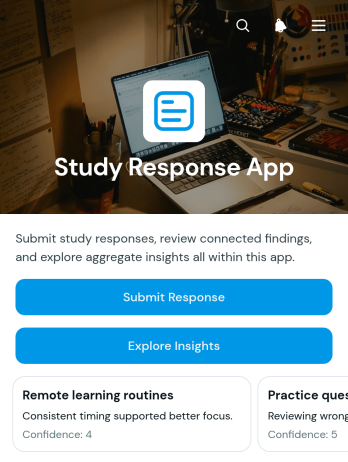
Study Response App
Study Response App gives research teams, educators, academic departments, and program evaluators a central place to collect and review responses related to specific study topics. Participants can submit a response, browse relevant studies, and view details, while authorized teams can examine key findings, response context, time spent, follow-up needs, and submission dates. This app template supports classroom research, academic projects, feedback studies, training evaluations, and community research initiatives. By bringing data collection and insight exploration into one accessible experience, it helps teams reduce scattered records, understand response patterns, and identify submissions that may require further attention.Jotform App Templates make it easy to adapt this experience without writing code. Use the no-code app builder and drag-and-drop interface to update pages, organize study resources, apply your visual branding, and connect forms or tables to the wider workflow. The Study Response App can be shared through a direct link or QR code for convenient mobile access and participant self-service. Teams can also connect notifications, approvals, and other processes so collected information reaches the right people. With Jotform, organizations can publish a polished app quickly and revise it as study requirements change.
Go to Category:Education Apps