

Report App Templates

Event Survey App
Event Survey App helps organizers gather attendee feedback in one place, from fast post-session ratings to detailed comments tied to specific events. Use it after conferences, workshops, fundraisers, webinars, campus events, or internal company meetings to understand what worked, what needs improvement, and which topics or speakers resonated. With a quick rating entry point and an event feedback area that lets people navigate by event name, teams can encourage higher participation while keeping feedback organized for follow-up.Build and publish this experience with Jotform using ready-made App Templates and a no-code app builder that fits your workflow. Customize pages with a drag-and-drop interface, connect the app to your survey form and a data table for centralized data collection, and share it as a self-service link or QR code for attendees and staff. You can also keep responses easier to manage by giving your team a dedicated view for survey data and a personal area where users can revisit their own surveys.
Go to Category:Event Planner Apps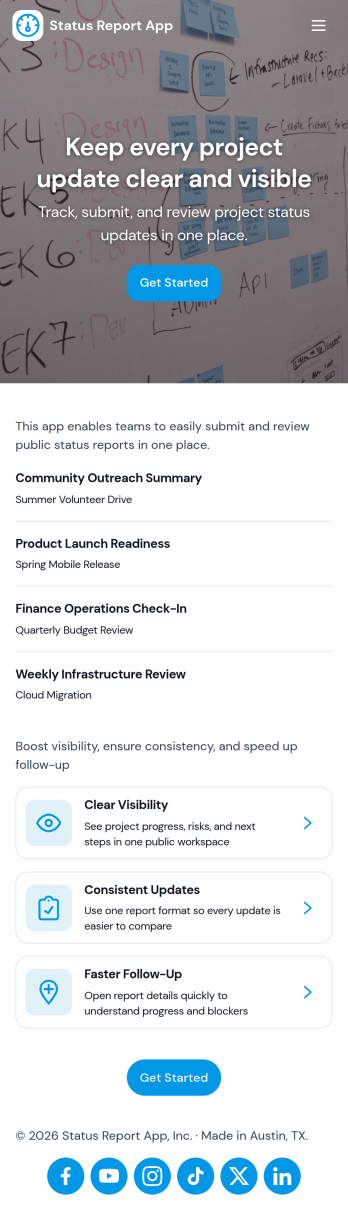
Status Report App
Status Report App helps teams capture consistent project updates and keep everyone aligned on what’s moving forward, what’s blocked, and what needs attention next. Use it to submit reports in a few clicks, publish updates to a shared status feed, and highlight current priorities so stakeholders don’t have to chase information across chats and spreadsheets. It’s a practical fit for project managers, team leads, operations teams, agencies, and cross-functional groups that need a reliable way to document progress and communicate it across multiple projects.With Jotform, you can turn this status reporting workflow into a shareable self-service experience using a no-code app builder and a drag-and-drop interface. Connect the app to a report form to support data collection, keep updates organized in one place, and make it easy for contributors to add new reports while viewers browse the feed and open their own report history. Customize pages, branding, and navigation to match your internal process, then share the app as a link for fast adoption.
Go to Category:Report Apps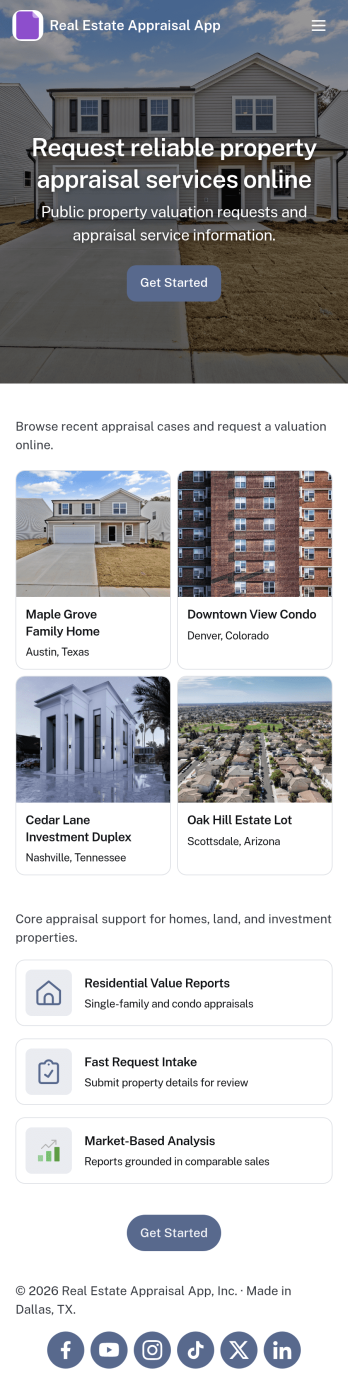
Real Estate Appraisal App
Real Estate Appraisal App brings property details, appraisal requests, and intake information into one place so appraisal teams can stay organized from first contact to final review. It works well for independent appraisers, valuation departments, and real estate offices that manage multiple properties at once and need a consistent way to capture new property data, log appraisal work, and keep each record easy to find. With dedicated sections for Properties and Appraisals, plus an Intake area for incoming requests, the app supports clearer handoffs and reduces the risk of missing key property facts when workloads increase.Jotform makes it easy to publish and tailor app templates like this Real Estate Appraisal App using a no-code app builder and a drag-and-drop interface. Connect the in-app buttons to forms for data collection, display records in lists, and review information in Jotform Tables to keep your workflow moving without extra tools. Share the app with your team through a link so everyone can submit new properties, add new appraisals, and follow progress in a self-service experience that fits your process.
Go to Category:Real Estate Apps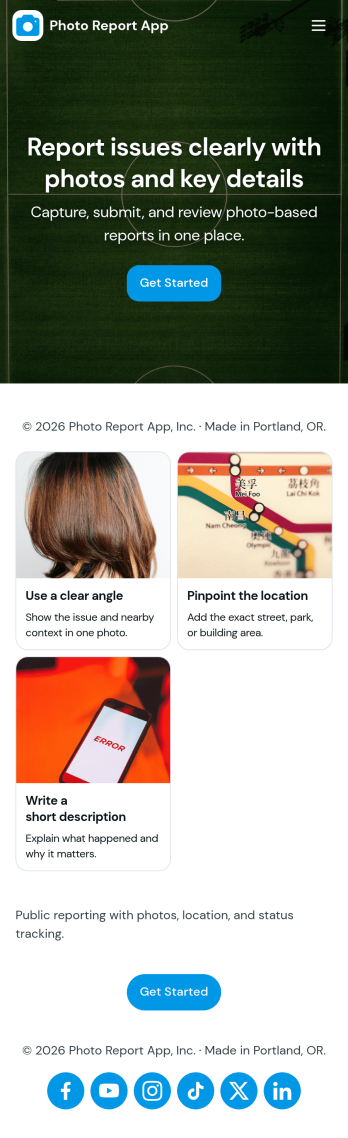
Photo Report App
Photo Report App helps teams capture and share visual updates in a consistent format, making it easier to document progress, issues, and on-site conditions without digging through scattered messages. Use it to start a new report, attach photos, and add supporting notes, then keep everything organized in one place for quick reference. It fits day-to-day needs across field operations, construction, property management, maintenance crews, event teams, and any group that needs reliable photo-based documentation for clients or internal stakeholders.Built with Jotform App Templates, this app template can be customized in Jotform’s no-code app builder using a drag-and-drop interface to match your workflow and reporting standards. Link the app to a connected form for data collection, publish it as a self-service experience for staff or partners, and keep recent reports easy to find through a simple list view. As your process evolves, you can update pages, adjust navigation, and expand the workflow so everyone stays aligned from report creation to review.
Go to Category:Report Apps
Weather Dashboard App
Weather Dashboard App is an app template for teams that collect, review, and share location-based weather observations. Field crews, event organizers, transportation coordinators, property managers, schools, and community groups can use it to keep changing conditions visible in one accessible place. Users can browse reported locations, submit weather or alert reports, and review current conditions alongside weather trends. This supports faster planning when outdoor work, travel, events, inspections, or daily operations may be affected by temperature, wind, visibility, or local hazards. Centralized data collection also reduces scattered updates and gives coordinators a clearer view of each report’s status.Jotform makes this Weather Dashboard App easy to adapt with a no-code app builder and drag-and-drop interface. Teams can update pages, navigation, branding, and connected forms without writing code, then organize reports and resources around their own workflow. As one of Jotform’s customizable App Templates, it can connect app activity with tables, notifications, approvals, and other processes for easier follow-up. Publish the app through a direct link, personalized URL, embedded experience, or scannable code to offer convenient mobile-friendly self-service access for staff, partners, or community members.
Go to Category:Report Apps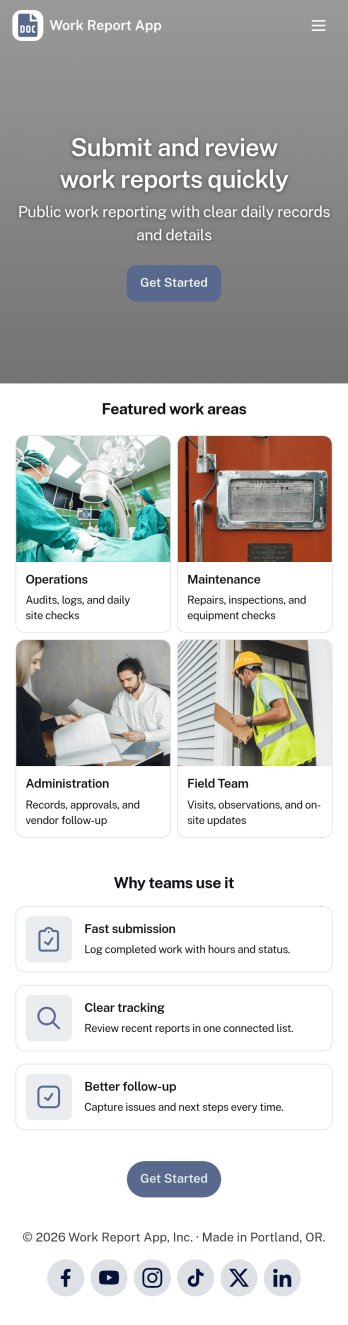
Work Report App
Work Report App brings your team’s updates into one place, making it easier to submit work reports, review activity, and keep a consistent record of what got done. Use it to collect daily or weekly summaries, job notes, progress updates, and status recaps from employees across departments, shifts, or locations. With simple navigation to view reports, open a report feed, and access an all-reports view, supervisors and operations teams can stay informed without chasing details through email or chat.Built with Jotform, this app template pairs an easy self-service experience with reliable data collection powered by connected forms and tables. Customize pages with a drag-and-drop interface, tailor the report fields to match your workflow, and share the app with a link so employees can report from any device. As reports come in, you can keep everything organized for faster follow-ups, clearer visibility, and smoother team coordination.
Go to Category:Report Apps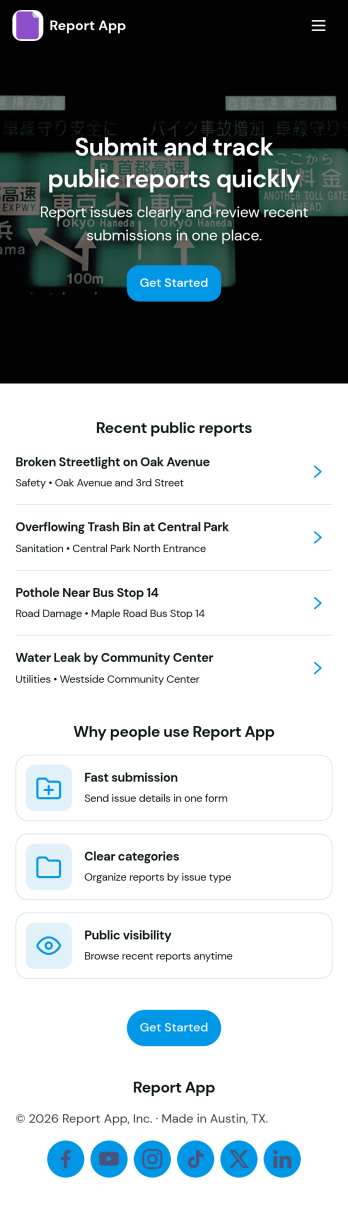
Report App
Report App helps teams collect new reports and browse existing reports in one place, so issues and updates don’t get lost across messages and spreadsheets. Use it to capture incident notes, field observations, project status updates, QA findings, or daily logs from staff, contractors, or volunteers. With clear navigation for submitting a report and viewing report lists, it supports faster follow-up, more consistent reporting, and an easy way for people to check what they’ve already sent through the My Reports view.Jotform makes it simple to publish this kind of self-service experience with App Templates built on a no-code app builder. Customize the pages with a drag-and-drop interface, connect your report form and data to the app, and share a single link for quick access on any device. As your workflow grows, you can update layouts, organize reporting activity, and keep everyone working from the same source of truth without writing code.
Go to Category:Report Apps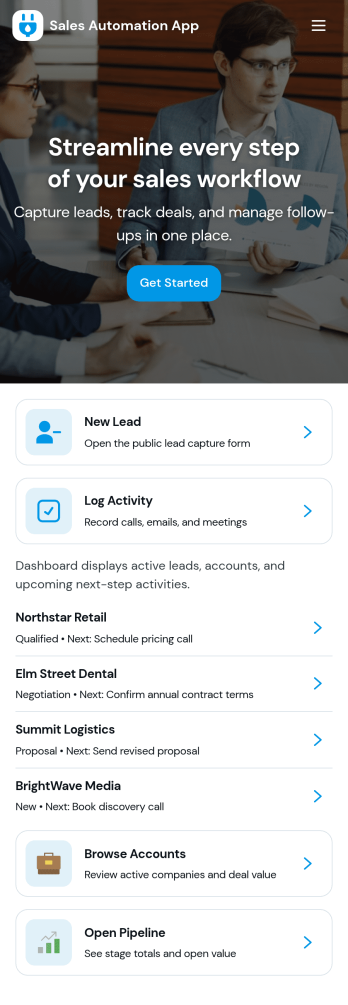
Sales Automation App
Sales Automation App brings your lead intake, pipeline visibility, task follow-up, and reporting into one place so sales teams can keep deals moving without juggling scattered tools. Use it to capture new leads as they come in, review contact details quickly, and organize outreach from a single workspace. It’s a practical fit for small businesses, agencies, and growing revenue teams that need a consistent way to qualify prospects, monitor progress, and ensure no opportunity is forgotten as the week gets busy.With Jotform, you can turn this app template into a branded, shareable experience using a no-code app builder and a drag-and-drop interface. Connect buttons to forms and tables for streamlined data collection, keep your workflow organized with dedicated sections for leads, pipeline, tasks, and reports, and make updates fast as your process evolves. Publish and share your app in minutes, giving your team a simple self-service way to add leads, log tasks, and stay aligned on sales activity.
Go to Category:Sales & Marketing Portal Apps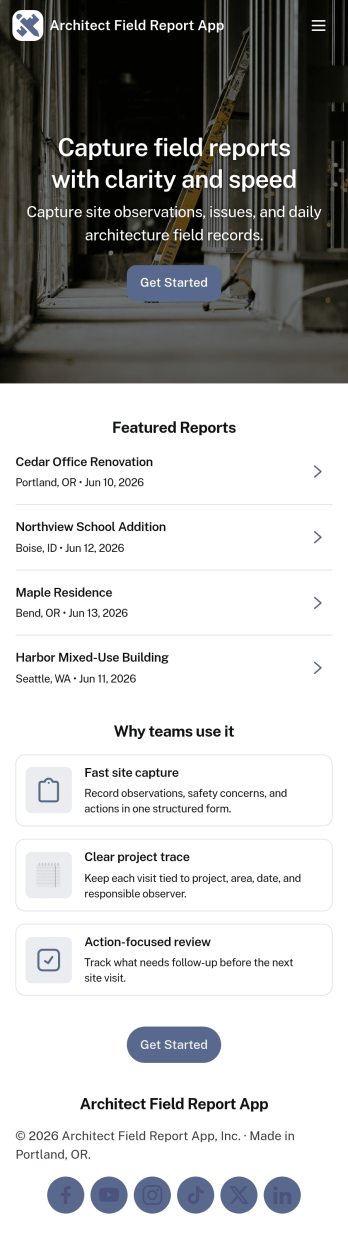
Architect Field Report App
Architect Field Report App helps architects and project teams capture site observations, document progress, and keep project records organized across multiple jobs. From the home screen, you can start a new field report, review recent reports, and jump into a project list to view details and add an update when something changes on-site. It’s a practical fit for architecture firms, construction administration teams, and design consultants who need consistent reporting without chasing notes across emails and photos.With Jotform, you can turn this app template into a mobile-friendly reporting experience using a no-code app builder and a drag-and-drop interface. Connect the app to your form for data collection, route information through an internal workflow, and give teams self-service access to the records they need. Share the app by link or QR code, tailor pages to match your process, and keep field reporting consistent from project to project.
Go to Category:Construction Apps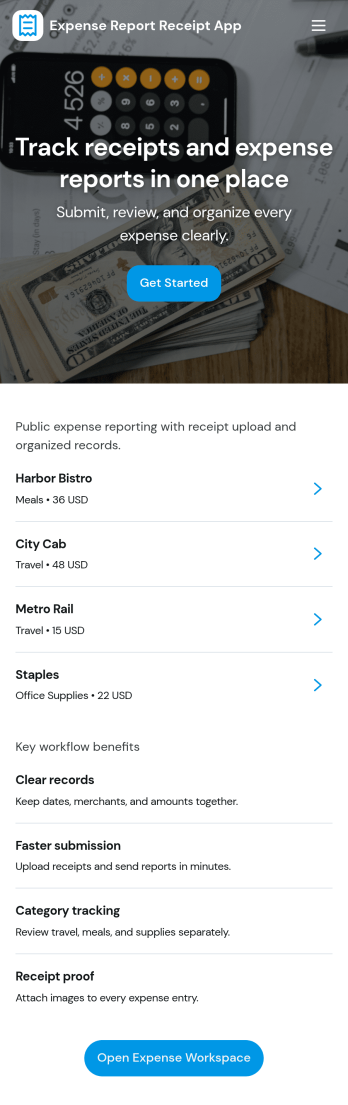
Expense Report Receipt App
Expense Report Receipt App gives employees a simple way to submit expenses and keep receipts organized in one place. Use it to capture receipt details at the moment of purchase, reduce missing documentation, and make it easier to find past receipts when questions come up. It works well for teams that reimburse travel, meals, mileage, or office purchases and want a consistent process for everyone, from new hires to frequent travelers.With Jotform, you can publish this app template quickly and tailor it to your internal expense workflow using a no-code app builder and a drag-and-drop interface. Link the app to a connected form for data collection, route information to the right people, and keep a clear record of what was submitted through a self-service experience employees can access from anywhere.
Go to Category:Finance Apps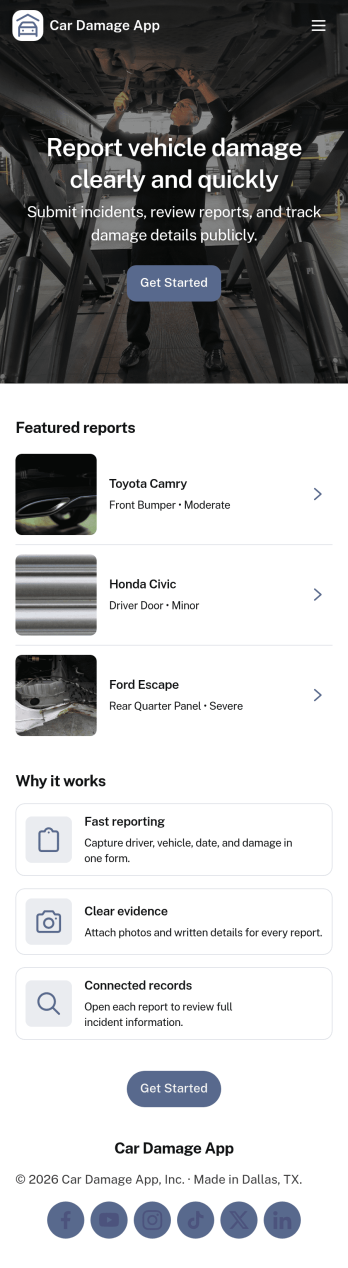
Car Damage App
Car Damage App helps drivers, fleet teams, rental businesses, and onsite staff quickly document vehicle damage and keep reports organized in one place. Use it to submit a new damage report when an incident happens, attach key details for follow-up, and reduce confusion when multiple vehicles or locations are involved. With a simple path to report damage and a separate area to view reports, it’s useful for tracking recurring issues, supporting internal reviews, and maintaining a consistent reporting process across teams.Built with Jotform, this app template can be tailored with a no-code app builder and a drag-and-drop interface so you can match your workflow without extra tools. Connect the reporting experience to your existing data collection, keep entries flowing into a structured view for faster browsing, and share the app as a self-service link for drivers, employees, or partners. As your needs grow, you can adjust pages, refine the report fields, and manage updates in one streamlined workflow.
Go to Category:Automotive Apps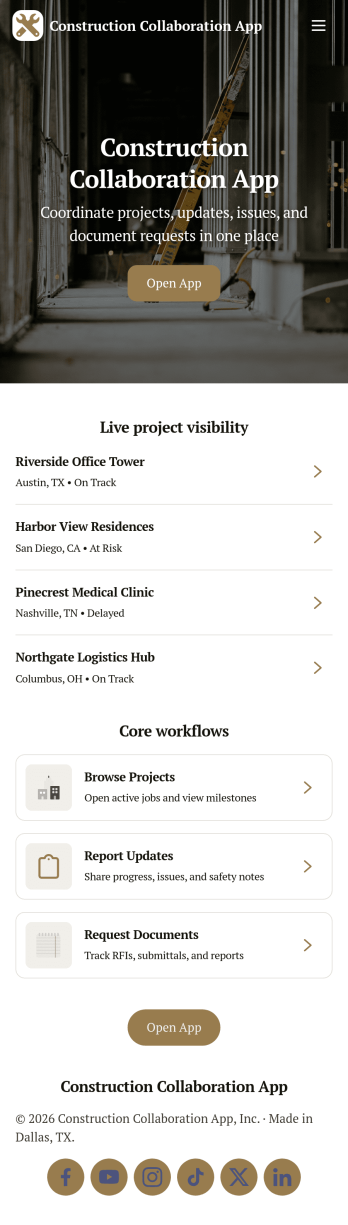
Construction Collaboration App
Construction Collaboration App brings project teams together around shared updates, field reporting, inspections, and punch items so work stays coordinated from the office to the jobsite. Use it to organize active projects, capture progress notes as they happen, and keep visibility on statuses, due dates, and summaries without relying on scattered messages or spreadsheets. It’s a strong fit for general contractors, subcontractors, project managers, site supervisors, and operations teams who need a simple way to keep everyone aligned across multiple jobs and moving parts.Built with Jotform, this app template helps you create a clear self-service experience for logging project updates, submitting field reports, recording inspections, and tracking follow-ups in one place. Using Jotform’s no-code app builder and drag-and-drop interface, you can tailor pages, navigation, and connected forms to match how your team works, then share the app by link or QR code for fast mobile access. As information comes in, Jotform supports reliable data collection and workflow organization, making it easier to stay on top of day-to-day construction communication.
Go to Category:Construction Apps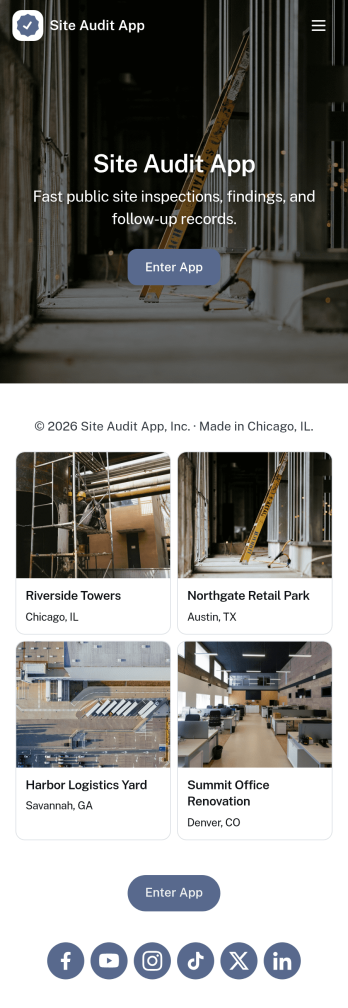
Site Audit App
Site Audit App helps teams run consistent site audits, document findings, and keep follow-up work moving without losing track of what’s been checked. It’s a practical fit for IT and web teams, agencies managing multiple client sites, and operations groups that need a repeatable way to start an audit, review open issues, and maintain an organized history of past audits. Use it to standardize how audits are launched, capture issues as they’re discovered, and keep visibility on what still needs attention across sites and audit cycles.Jotform makes it easy to turn this Site Audit App into a branded, self-service workflow using a no-code app builder with a drag-and-drop interface. Connect pages to forms and tables to support data collection, issue tracking, and action logging in one place, then share the app by link for quick access on desktop or mobile. As your workflow grows, you can adjust fields, add steps, and collaborate with teammates so audits and issue follow-up stay consistent from start to finish.
Go to Category:Information Technology Apps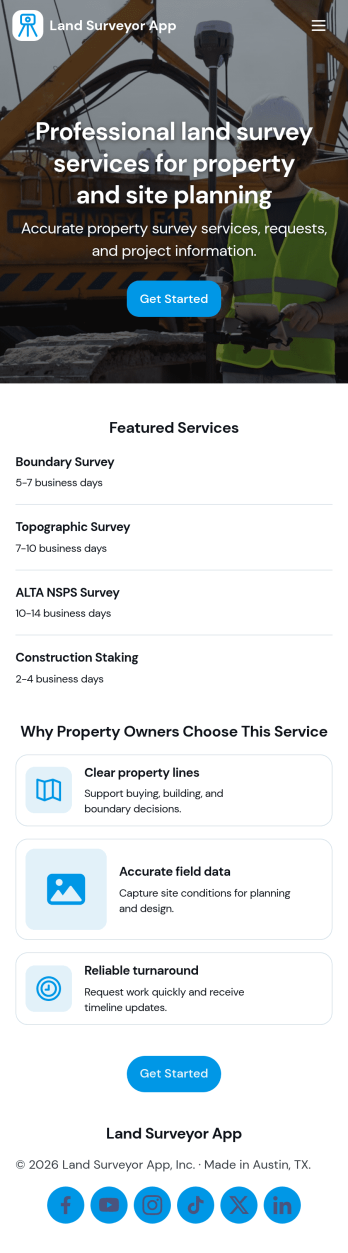
Land Surveyor App
Land Surveyor App helps surveying teams keep field work organized from the moment a site is assigned to the day the report is delivered. Use it to capture new survey details with an Add Survey button, maintain a running Survey Log for quick lookups, and route crews to the right pages for each job. It’s a practical fit for independent land surveyors, civil engineering firms, construction teams, and real estate professionals who need a consistent way to document sites and reduce missed details in the field.Built with Jotform, this app template turns day-to-day surveying workflows into a mobile-friendly self-service experience you can share with your team. Use a no-code app builder and a drag-and-drop interface to tailor pages, control what information is collected, and connect your data collection to forms and tables for easier tracking. As work grows, you can keep survey records and field report activity in one place while staying flexible enough to adjust the workflow for different project types.
Go to Category:Engineering Apps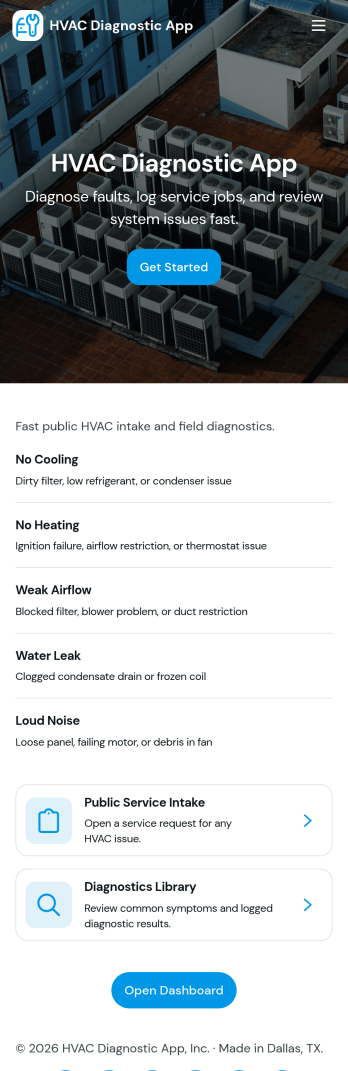
Hvac Diagnostic App
Hvac Diagnostic App helps HVAC technicians and service teams capture equipment issues, document field findings, and keep a clear record of every visit from first request to final outcome. Use it to intake a new service request, record diagnostic details, and maintain an inspection log and service history for each customer so patterns and recurring problems are easier to spot across multiple calls.Built with Jotform App Templates, this app template connects key pages and buttons into a simple self-service workflow your team can follow on site or between jobs. Customize it in Jotform’s no-code app builder using a drag-and-drop interface, then link it to your forms and records for consistent data collection, faster handoffs, and organized workflows you can share by link or QR code.
Go to Category:Home Services Apps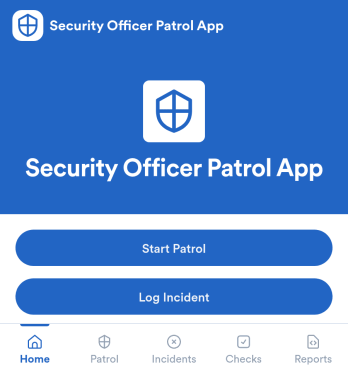
Security Officer Patrol App
Security Officer Patrol App helps security teams document patrol rounds and incident activity in one place, without relying on paper logbooks or scattered messages. Guards can start a patrol, create a new patrol log, and record checkpoint and location details as they move through a site. When something needs attention, they can log an incident right away, keeping patrol notes and incident records organized for quick review by supervisors across shifts.Jotform makes it easy to build and publish App Templates like this with a no-code app builder and a drag-and-drop interface that fits real operations. Connect your patrol and incident forms to organized lists and tables for faster data collection, clearer workflow handoffs, and self-service access for field staff. Share the app by link or QR code, tailor the layout to match your post orders, and keep patrol reporting consistent across properties.
Go to Category:Log Apps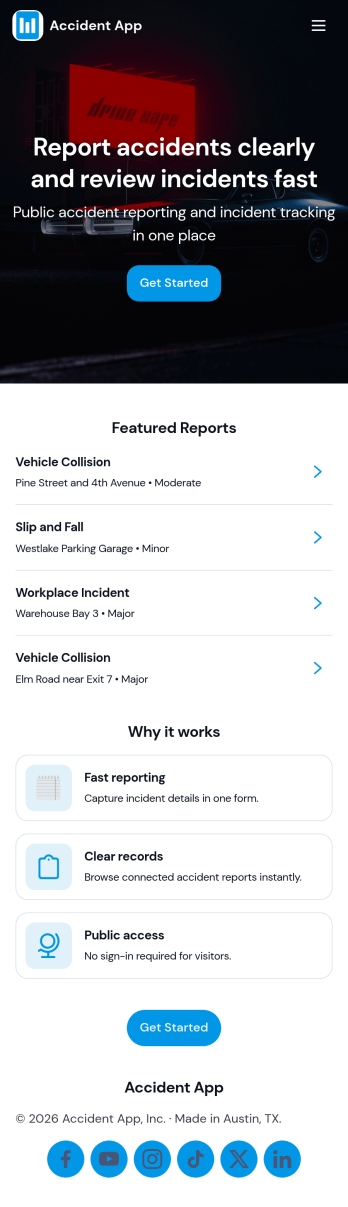
Accident App
Accident App brings accident reporting and incident follow-up into one central place so teams can respond quickly and keep details organized. It’s built for workplaces, schools, events, and field operations that need a simple way for staff to report an accident, review incidents by type, and keep follow-up actions moving without losing context. Use it to capture incident information as it happens, route people to the right incident list, and maintain a clear record of what’s been done next, all while keeping safety resources easy to find.With Jotform, you can publish this app template fast and tailor it to your process using a no-code app builder and a drag-and-drop interface. Connect the app to forms and lists for consistent data collection, then share it as a self-service experience for employees or coordinators. As your workflow evolves, you can update pages, buttons, and incident views in minutes so reporting, review, and follow-up stay aligned across locations and teams.
Go to Category:Log Apps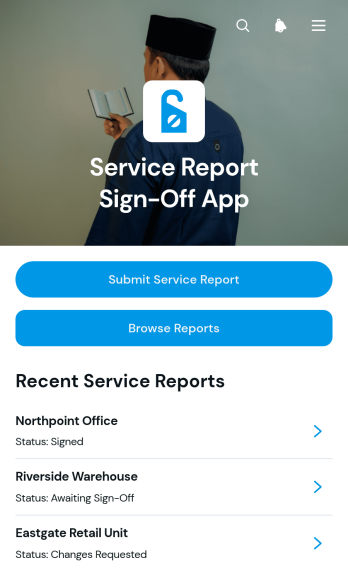
Service Report Sign-Off App
The Service Report Sign-Off App is an app template for field service teams, contractors, maintenance providers, and home service businesses that need a clear process for documenting completed work and recording customer approval. Technicians can submit service reports, browse previous records by service location, and update sign-off details after a job is reviewed. Keeping technician, customer, contact, and approval information connected to each report helps office staff verify job completion, resolve questions, and maintain an accessible service history. It also gives managers better visibility into completed visits without relying on scattered paperwork or messages.Jotform Apps helps organizations turn this process into a branded, mobile-friendly experience without coding. Start with one of Jotform’s App Templates, then use the no-code app builder and drag-and-drop interface to adjust pages, navigation, colors, and content. The app template can connect data collection with forms, tables, notifications, and workflow steps, supporting faster updates and convenient self-service access. Once published, the app can be shared with technicians and authorized team members through a direct link or QR code, making it easier to manage reports from the office or the field.
Go to Category:Report Apps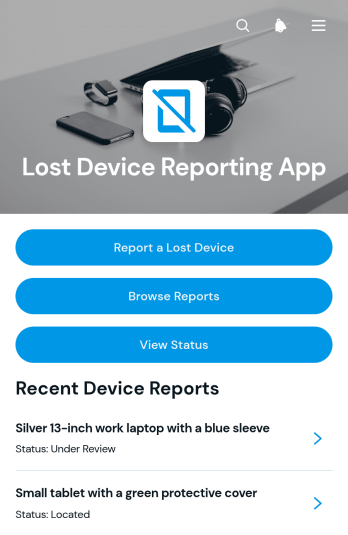
Lost Device Reporting App
The Lost Device Reporting App gives workplaces, schools, service teams, and community organizations a central place to document missing phones, laptops, tablets, and other devices. Users can start a report, provide a device description and last known location, browse submitted reports, and check a report’s status without relying on scattered emails or messages. Report details can also capture the reporter, device type, and preferred contact method to support organized follow-up. IT teams, administrators, facilities staff, security teams, and support departments can use this app template to maintain clearer records, help match found items with existing reports, and keep affected users informed throughout the search process.Jotform Apps makes it easy to adapt this app to an organization’s reporting workflow with a no-code app builder and an intuitive drag-and-drop interface. Teams can customize pages, navigation, colors, fonts, and visual elements, then connect forms and tables to support data collection and record management. Additional links, instructions, approval steps, and notifications can be added as operational needs change. Once published, the app can be shared through a direct link, QR code, or embedded experience, giving users mobile-friendly self-service access from nearly any device. Jotform App Templates provide a ready-made foundation that can be personalized and launched quickly without writing code.
Go to Category:Report Apps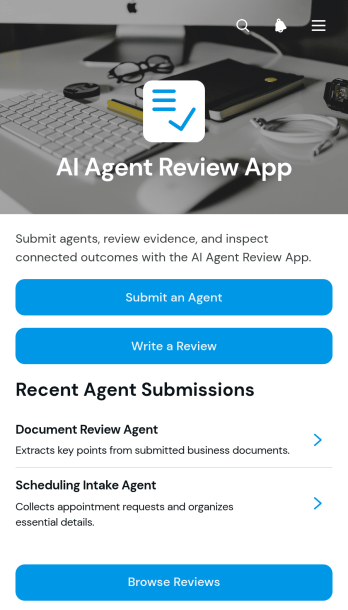
AI Agent Review App
AI Agent Review App is a centralized review experience for teams that evaluate AI agents before adoption, publication, or continued use. Technology teams, consultants, product managers, quality reviewers, and operations leaders can use it to accept agent submissions, collect structured reviews, and provide access to supporting evaluation or evidence links. Reviewers can browse available agents and previous feedback from one organized location, helping stakeholders compare performance, document observations, and make more informed decisions. It is useful for internal testing programs, client assessments, quality checks, and recurring agent monitoring.Jotform Apps makes this app template easy to adapt without writing code. Use the drag-and-drop app builder to update pages, navigation, visual styling, and review content for your organization. Forms, tables, approval steps, and notifications can be connected to support data collection and keep each workflow moving. Jotform App Templates also provide a mobile-friendly self-service experience that can be shared through a direct link or QR code, giving reviewers convenient access wherever evaluations take place.
Go to Category:Audit Apps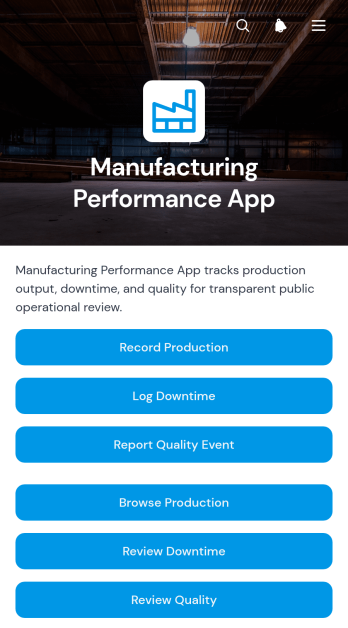
Manufacturing Performance App
The Manufacturing Performance App gives production managers, plant supervisors, quality teams, and line operators a shared place to record and review factory performance. Teams can capture production results, log downtime, and report quality events from a single mobile-friendly experience. Production line records make it easier to assess output, availability, performance, and quality, while downtime details help teams identify recurring interruptions by duration and category. Quality reports also provide visibility into defects and severity. This app template suits manufacturing facilities seeking clearer shift records, faster issue reporting, and more consistent data collection across production lines.With Jotform Apps, organizations can adapt this app template to their operational needs without writing code. The drag-and-drop app builder makes it simple to update pages, navigation, buttons, visual styling, and connected forms while keeping key manufacturing workflows together. Teams can connect records to tables, notifications, approvals, and other processes, then share the finished app through a direct link or QR code. Use Jotform App Templates to create a branded self-service resource that supports timely reporting, organized performance reviews, and informed production decisions from almost any device.
Go to Category:Engineering Apps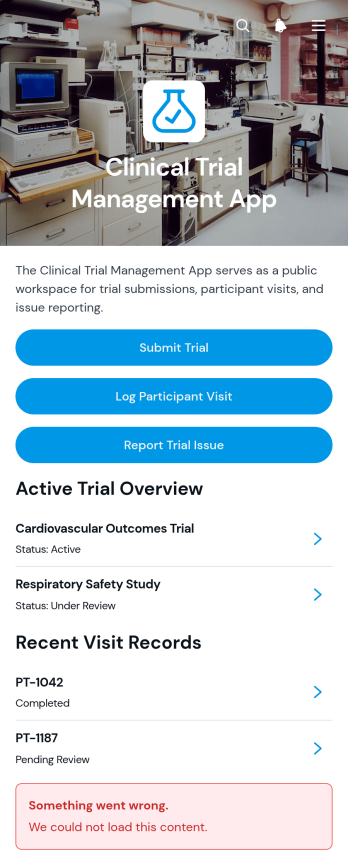
Clinical Trial Management App
Clinical Trial Management App is an organized workspace for research teams coordinating trial records, coded participant visits, and operational issue reports. Clinical research organizations, study coordinators, site teams, investigators, and project managers can use it to submit trial details, review study overviews, log participant visits, and follow reported issues through resolution. Centralized access helps teams reduce scattered records, maintain visibility across active studies, and give authorized collaborators a consistent way to document study activity. It is particularly useful for supporting multisite research operations, monitoring visit outcomes, and keeping trial status information accessible.Jotform makes this app template easy to adapt without coding. Using the no-code app builder and drag-and-drop interface, teams can adjust pages, navigation, branding, buttons, and connected forms to reflect their workflow. Trial submissions and issue reports can connect with organized tables, while notifications and approval steps can support timely follow-up. As part of Jotform App Templates, the Clinical Trial Management App can be shared by link or QR code for mobile-friendly access. Teams can create a focused self-service resource for data collection, collaboration, and day-to-day study coordination while retaining the flexibility to update the app as research needs change.
Go to Category:Healthcare Apps
Student Report Card App
The Student Report Card App is an app template for teachers, school administrators, tutors, and education teams that need a central place to create and review student report cards. Users can submit report cards, browse individual student records, and review performance summaries and attendance information without searching across disconnected files. It supports routine grading periods, progress reviews, parent meetings, and academic support planning while keeping student details, teacher comments, grade levels, and recorded dates organized. Schools and learning programs can use it to improve record visibility, reduce repetitive administrative work, and maintain a more consistent reporting workflow.Jotform makes this Student Report Card App easy to adapt with a no-code app builder and an intuitive drag-and-drop interface. Add or rearrange pages, update labels and branding, connect forms for data collection, and organize report card resources around your school’s processes. The app can be shared through a direct link or QR code for convenient mobile access, helping authorized users reach relevant academic records wherever they work. Jotform App Templates also connect with tables, approvals, notifications, and other workflows, giving education teams a flexible way to support collaboration and self-service access without writing code.
Go to Category:School Management Apps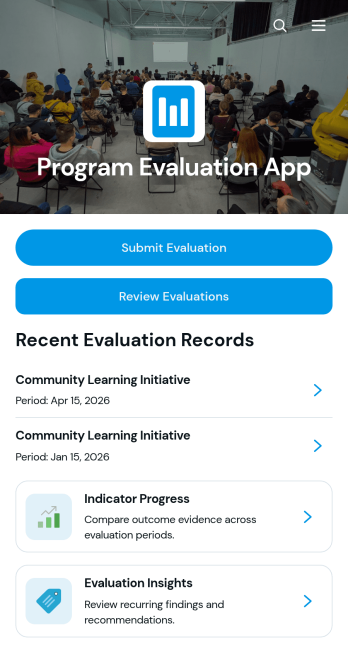
Program Evaluation App
The Program Evaluation App is an app template for collecting assessments, reviewing program performance, and turning evidence into practical recommendations. It gives nonprofit teams, educational institutions, consultants, public service groups, and program managers a central place for evaluation submission, indicator progress monitoring, and insight review. Users can connect objectives, activities, outcomes, indicators, findings, and recommendations to create a clear picture of how an initiative is performing. This organized approach reduces scattered records, supports consistent evaluation criteria, and helps stakeholders identify strengths, gaps, and opportunities for improvement across one or multiple programs.Jotform makes this Program Evaluation App easy to adapt with a no-code app builder and a flexible drag-and-drop interface. Teams can modify pages, navigation, visual styling, and connected forms to reflect their evaluation workflow without programming. Collected data can support reporting and internal collaboration, while direct links and QR codes make the app convenient to share with evaluators, staff, partners, or field teams. Start with one of Jotform’s App Templates, customize the app template to suit your organization, and publish a mobile-friendly evaluation experience that keeps program information accessible and actionable.
Go to Category:Report Apps